VMware Horizon DaaS: What It Is and How It Delivers Virtual Desktops in the Cloud

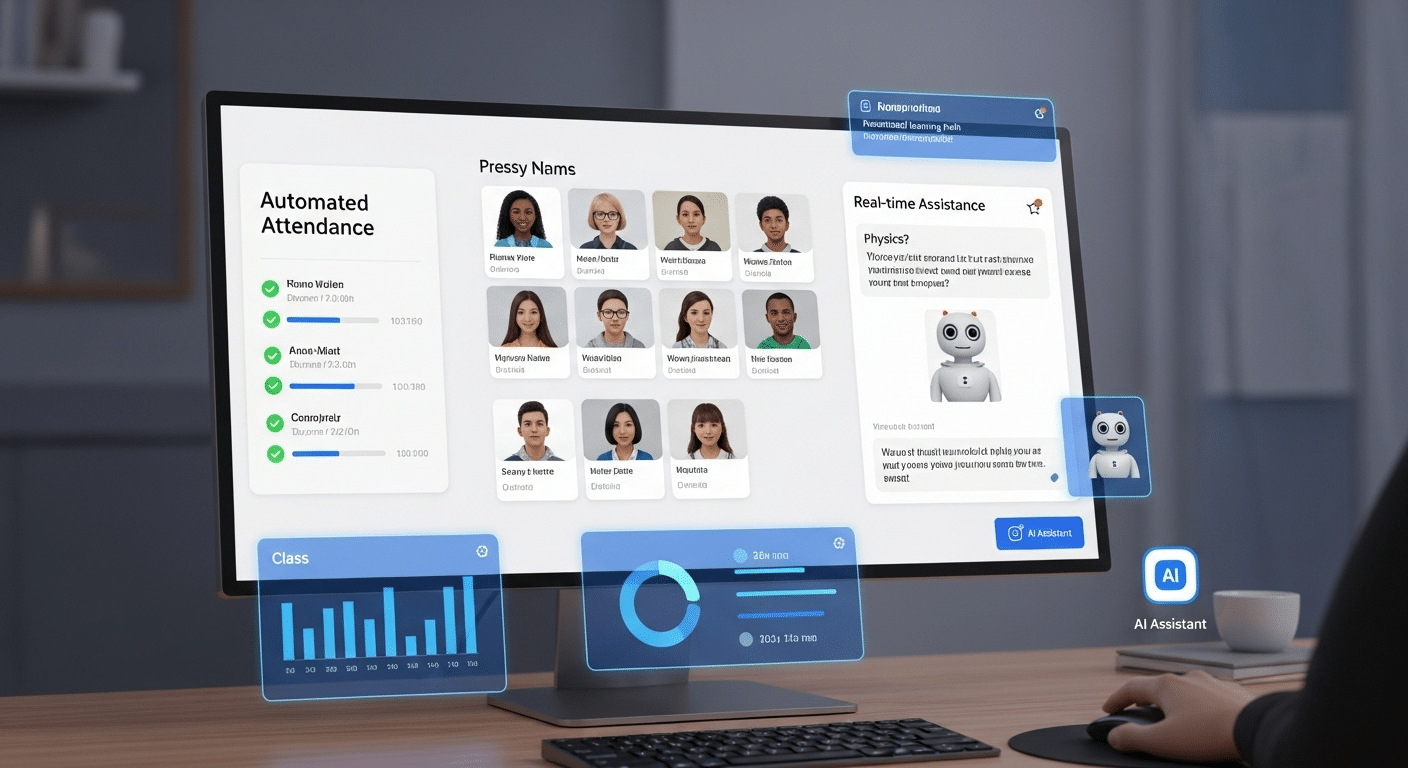
Office team using VMware Horizon DaaS virtual desktops in the cloud for collaboration and remote access

The way people work has changed — and IT has had to change with it. Physical desktops are no longer the default. Instead, more organizations are turning to cloud-based virtual desktops to enable secure, flexible access from anywhere.

This is where VMware Horizon DaaS enters the picture. As one of the most recognized names in the virtualization space, VMware’s Horizon DaaS platform offers a cloud-based solution for delivering desktops and applications remotely. But how does it actually work, and is it the right fit for your environment?

This guide breaks down the platform, its features, strengths, and where it fits best.


What Is VMware Horizon DaaS and How Does It Work?

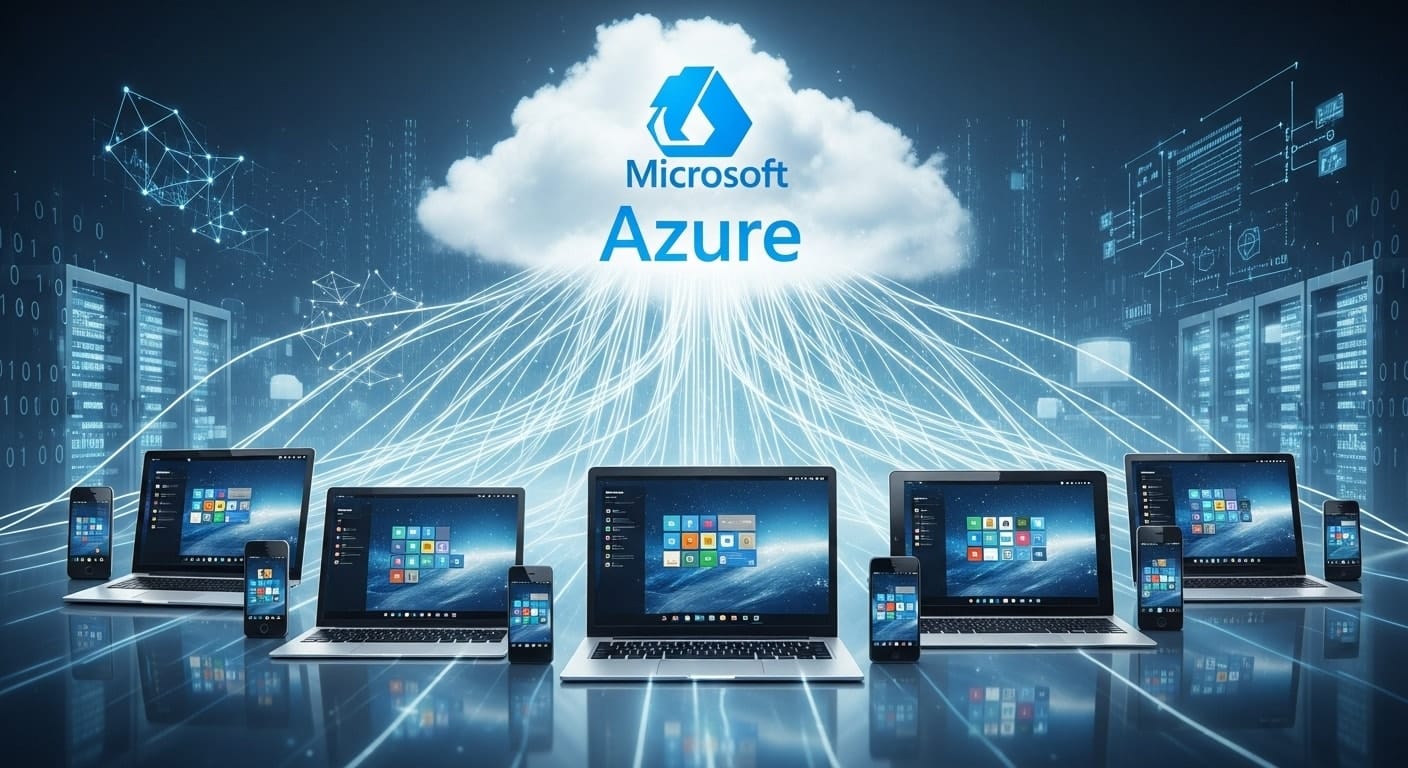
VMware Horizon DaaS delivering virtual desktops across laptops, tablets, and smartphones via the cloud

VMware Horizon DaaS is a cloud-based virtual desktop infrastructure (VDI) platform designed to deliver full desktop environments to end users via the internet. Instead of running desktops locally on physical machines, Horizon DaaS uses virtual machines hosted in the cloud, allowing users to access virtual desktops from almost any device, anywhere.

This approach decouples the user experience from the underlying hardware. A single connection server handles user authentication and routing, directing each session to the correct virtual desktop. Through user assignments, administrators control who gets access to which desktops or apps — whether it’s a dedicated environment or a shared one.

Compared to managing fleets of physical desktops, Horizon DaaS centralizes the experience into a manageable, cloud-hosted platform. Users get consistent performance, while IT teams gain visibility and control across the entire infrastructure without being tied to specific machines or locations.


What Makes Horizon DaaS Different from Traditional VDI?

Traditional VDI often requires heavy investment in on-premises servers, storage, and networking infrastructure. With Horizon DaaS, much of that burden shifts to the cloud. You still get the benefits of virtual desktop access — but with fewer upfront costs and far less complexity.

A main advantage is role separation. Horizon DaaS allows administrators to assign permissions and tasks across roles, improving governance and minimizing errors. Add to that Single Sign-On (SSO) capabilities, and users can securely log in once and access everything they need — desktops, apps, and files — without repeated authentication.

Deployment is also more streamlined. There’s no need to install and maintain physical servers or custom configurations on-site. Updates are handled centrally, and centralized management allows for faster troubleshooting, user provisioning, and monitoring. It’s a more agile, scalable alternative to traditional setups, while still providing the secure, policy-driven environment organizations need.


How Does Horizon DaaS Deliver Virtual Desktops to End Users?

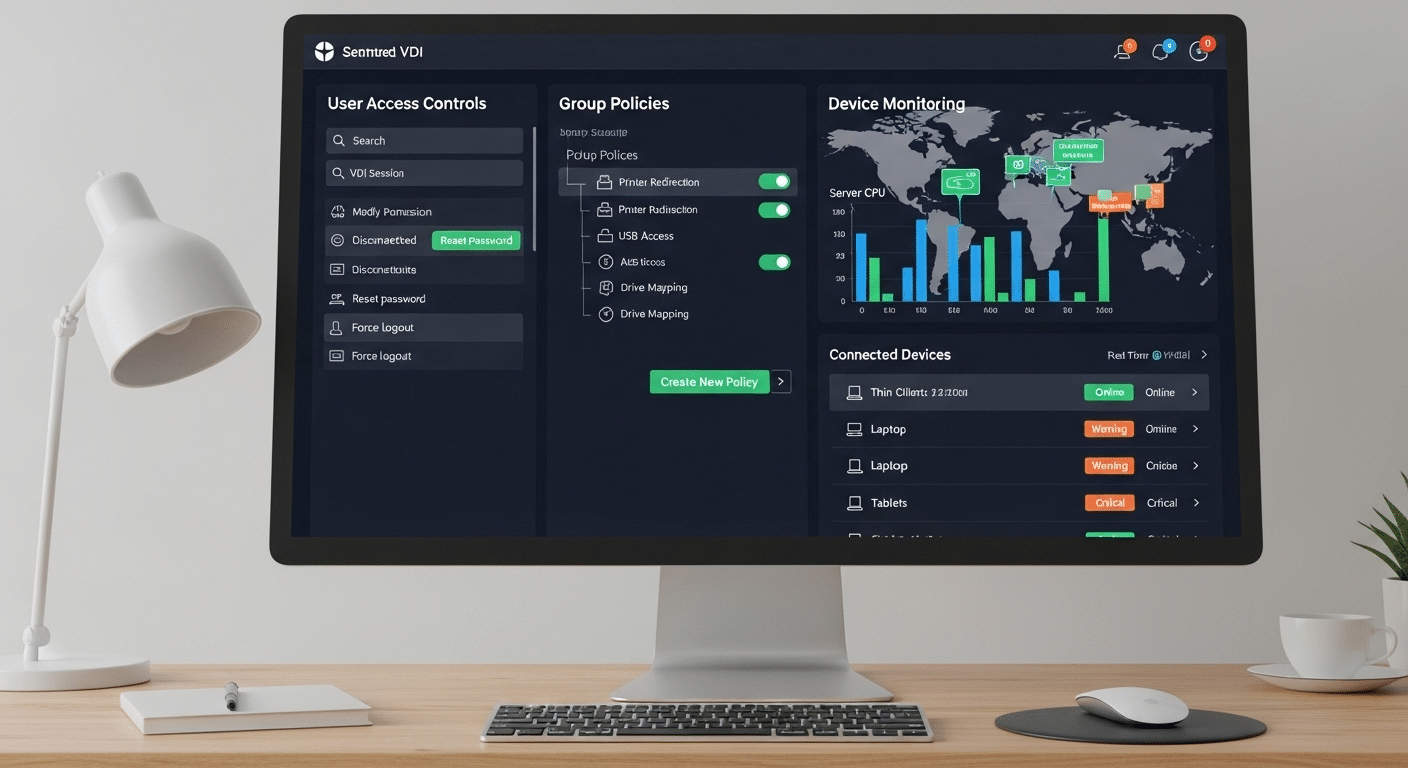
VMware Horizon DaaS virtual desktop interface displayed on a computer screen for cloud-based access

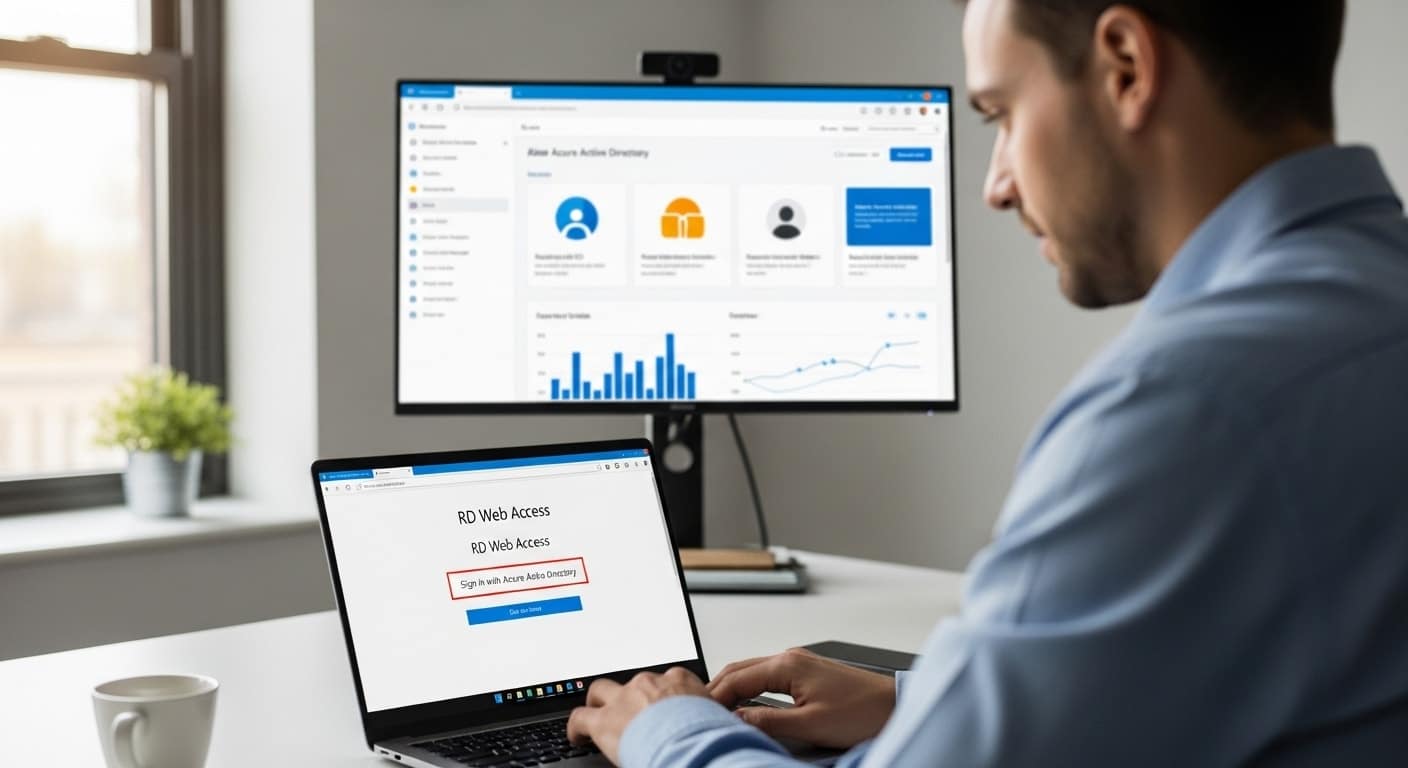
The process of delivering desktops through Horizon DaaS starts behind the scenes but results in a smooth experience for the user. When a user logs in — typically through a web portal or client — the platform authenticates their identity using Active Directory or Single Sign-On (SSO). This ensures secure, verified access across all approved devices.

Once authenticated, users are assigned a desktop based on their profile. Horizon DaaS supports both shared desktops and individual virtual machines, depending on how the environment is configured. Shared environments work well for task-based users, while dedicated sessions provide more control and flexibility.

The system matches each login to the correct desktop image and delivers it in real time. Users can access desktops from almost any device — Windows, macOS, thin clients, or tablets — with their preferences and settings intact. The result is a consistent, secure, and scalable end user experience across locations.


Which Cloud Providers Support VMware Horizon DaaS?

Horizon DaaS is designed to be cloud-agnostic, meaning you can deploy it across multiple providers based on business needs. The most common options include Microsoft Azure, VMware’s own data centers, and approved third-party service providers.

This flexibility allows organizations to choose the right mix of performance, availability, and cost. Whether you’re looking for global reach, regional compliance, or specific SLA guarantees, Horizon DaaS offers deployment options that can align with your infrastructure goals. This makes it a versatile cloud service offering — adaptable to various industries, IT strategies, and organizational sizes.


How Does VMware Horizon DaaS Manage Apps, Storage, and Data?

In Horizon DaaS, application and data management are tightly integrated into the virtual desktop experience. Apps can be delivered alongside desktops through image-based provisioning or managed independently using app layering. This allows for flexibility—ensuring users only get what they need, without unnecessary software cluttering the environment.

Cloud storage plays an important role. User files and profiles are stored in persistent virtual locations, accessible across devices and sessions. This ensures continuity no matter where the user logs in from. IT teams can assign storage quotas, automate backups, and scale usage as needed.

Security is baked into the entire system. Data is secured during both transmission and storage using strong encryption protocols. Admins can also monitor sessions in real-time, receive performance feedback, and set custom alerts to detect unusual behavior. Altogether, the platform provides a streamlined, secure way to manage desktops, applications, and user data across any environment.


What Are the Crucial Features of the Horizon DaaS Platform?

Administrator monitoring performance and analytics with VMware Horizon DaaS centralized management tools

VMware Horizon DaaS includes a range of core features designed to improve deployment efficiency, reduce IT overhead, and streamline management. One such feature is linked clones, which allow multiple desktops to share a common base image. This minimizes storage usage and simplifies updates.

Template-based deployments are another essential advantage. Admins can create standardized desktop templates that are reused across teams or departments, ensuring consistency and faster rollout. Combined with user pool management, it becomes easy to assign and reassign desktops without reconfiguring from scratch.

The platform also supports automatic upgrades, patching, and version control — reducing manual effort and lowering downtime. Integrated monitoring tools give IT visibility into session performance, usage patterns, and infrastructure health.

Everything is accessible from a single platform interface that consolidates control of users, desktops, apps, and policies. This centralized management model makes Horizon DaaS scalable, flexible, and easier to support over time.


Is Horizon DaaS Easy to Deploy and Configure?

Deploying Horizon DaaS requires several steps, but it’s relatively streamlined if you’re familiar with VMware environments. After provisioning the environment, you’ll integrate with vCenter Server to manage virtual machines and connect to Active Directory for user authentication. Enabling Single Sign-On (SSO) simplifies access for end users.

Initial setup includes configuring network settings, creating desktop pools, and assigning user roles. While the learning curve can be steep for new admins, once configured, ongoing management is centralized and efficient. Built-in tools assist with troubleshooting, updates, and scaling, helping reduce long-term complexity across your infrastructure.


What Operating Systems and Devices Can Horizon DaaS Support?

Horizon DaaS supports a wide range of operating systems, including Windows, Linux, and macOS. Users can connect through installed clients or via browser-based access, depending on their needs and the organization’s security posture.

This flexibility extends to devices of all types — whether desktops, laptops, or mobile tablets. The user interface is optimized for performance across platforms, ensuring a consistent experience. Applications (apps) run smoothly, and device redirection allows peripherals like webcams or USB drives to function as expected. With broad compatibility, Horizon DaaS makes it easy to support diverse users without additional configuration.


What Are the Pros and Cons of Using VMware Horizon DaaS?

Comparison of VMware Horizon DaaS efficiency for teams versus challenges of traditional IT setups

Like any platform, VMware Horizon DaaS comes with clear advantages and a few trade-offs. On the positive side, it offers excellent scalability, enterprise-grade security, and centralized management—making it a strong choice for larger or distributed organizations.

However, the complexity of initial setup and day-to-day administration can be a challenge, especially for SMBs with limited IT resources. The cost structure may also be difficult to predict over time, particularly with scaling and licensing. While support is robust, the platform’s depth means there’s a steeper learning curve compared to lighter-weight alternatives.


How Does Horizon DaaS Compare to Other Solutions Like Apporto?

When comparing Horizon DaaS to newer browser-based solutions like Apporto, the differences are clear. Apporto offers instant access to remote desktops with no installation required, making it easier to deploy and maintain. It’s built for the cloud from the start, with simplified user management and secure delivery.

Horizon DaaS, by contrast, excels in large enterprise settings where integration with existing VMware tools is a priority. It offers more customization but requires more hands-on setup. If you need a turnkey solution with predictable costs and a smoother onboarding experience, Apporto is a compelling example to consider.


Looking for a Lighter, Simpler Alternative?

Apporto cloud desktop platform logo, an alternative to VMware Horizon DaaS

If you’re a smaller team, an educational institution, or just tired of complex deployments and unpredictable costs, consider Apporto. It’s a browser-based VDI solution that delivers secure, near-native desktops with zero client installs. Built for education and SMBs, Apporto offers predictable pricing, fast deployment, and hands-on support — no steep learning curve, no infrastructure headaches. Try Apporto Now


Final Thoughts: Should You Choose VMware Horizon DaaS?

VMware Horizon DaaS remains a solid choice for large organizations with existing VMware infrastructure and experienced IT teams. If your environment is already aligned with vCenter, Active Directory, and on-prem investments, Horizon DaaS can offer powerful centralized control and enterprise-level scalability.

But for education, SMBs, or teams without dedicated infrastructure specialists, the complexity may outweigh the benefits. In those cases, Apporto presents a more agile, easy-to-deploy alternative that still delivers a secure, cloud-based desktop experience.

Whatever your choice, it’s worth evaluating your needs carefully — and choosing a platform that aligns with your current capabilities, not just your long-term wish-list.


Frequently Asked Questions (FAQs)

1. What is VMware Horizon DaaS used for?
VMware Horizon DaaS is used to deliver secure, cloud-hosted virtual desktops and applications to users across devices. It’s commonly deployed in enterprise environments for remote access and centralized management.

2. How do users access virtual desktops with Horizon?
Users access virtual desktops through a VMware client or web browser. Authentication is handled via Active Directory or Single Sign-On, making the login process secure and seamless across devices.

3. Can Horizon DaaS run on Microsoft Azure?
Yes, Horizon DaaS can be deployed on Microsoft Azure, VMware’s own data centers, or other supported cloud providers. This flexibility allows organizations to align hosting with business and compliance needs.

4. Does Horizon DaaS support Linux and Windows environments?
Absolutely. Horizon DaaS supports both Windows and Linux virtual desktops, offering compatibility across operating systems for different user roles and technical requirements.

5. Is Horizon DaaS suitable for small businesses?
It depends. While feature-rich, Horizon DaaS can be complex and resource-intensive. SMBs may prefer simpler, more cost-predictable platforms like Apporto, especially if IT resources are limited.

VDI vs VM: What Sets Them Apart?

Side-by-side visual of VDI vs VM showing centralized desktop access versus diverse OS virtual machines.

The way you access and manage computers is evolving. Virtualization has become the foundation of modern computing—especially as more organizations shift to remote or hybrid work models. But not all virtualization is created equal, and understanding the difference between Virtual Desktop Infrastructure (VDI) and Virtual Machines (VMs) is key to choosing the right solution for your needs.

Whether you’re aiming to standardize user environments, improve computing resource utilization, or simply make IT easier to manage, the choice between VDI and VM can shape your entire tech strategy. Both offer flexibility, both can reduce hardware costs, and both support secure remote work—but they do it in fundamentally different ways.

So before deploying yet another VM or investing in a virtual desktop platform, it’s worth understanding how these two models work, how they compare, and when one clearly outperforms the other. Clarity here means efficiency down the road.


1. What Is the Difference Between VDI and VM?

Data center setup displaying hardware separation between VDI infrastructure and VM environments.

At first glance, VDI and VMs may look similar—they both use virtualization to separate software from hardware. But their architecture and purpose are not the same.

  • Virtual Desktop Infrastructure (VDI): Delivers virtual desktops from a centralized data center to end users.
  • Virtual Machine (VM): Emulates an entire computer system, complete with its own operating system, memory, and processing power.

Each VM runs in an isolated virtualized environment, essentially acting like a physical computer inside another.

Feature VDI VM
Purpose Deliver shared desktops Run isolated full systems
Hosted Where Central server On local or cloud infrastructure
User Experience Same desktop across sessions Individualized systems per VM
Resource Sharing Optimized across users Dedicated per instance

VDI focuses on virtual desktop environments delivered to many users, often simultaneously. VMs are more about running system virtual machines or process virtual machines independently.

In short: VDI is about shared access and streamlined management. VMs are about isolated, independent computing. Both rely on physical hardware—but use it very differently.


3. Why Choose VDI Over Traditional Virtual Machines?

If you’re managing dozens—or even hundreds—of users, Virtual Desktop Infrastructure offers a more centralized, scalable approach than traditional virtual machines. With VDI, everything is handled from a central server. You can:

  • Push updates instantly
  • Apply security policies globally
  • Monitor activity without touching endpoints

That’s a sharp contrast to managing multiple VMs across multiple servers, each with its own configuration. Updates, patches, and user support quickly become unwieldy—especially in remote or hybrid setups.

VDI simplifies things. Whether you’re supporting a call center, a university, or a growing enterprise, it delivers consistent user experiences, stronger security, and faster onboarding.

And for remote access, VDI truly excels. Employees or students can log in from virtually anywhere—no need for IT to configure individual VMs or walk users through complex installations. It’s IT control without the sprawl.


4. What Are the Advantages of VDI for Modern Workforces?

VDI vs VM visual showing secure cloud desktops and virtual machines powering different industry workstations.

Modern teams need flexibility—and VDI delivers.

You can host virtual desktops in the cloud or on-prem, giving you total control over where data lives and how it’s accessed. This matters in industries with compliance requirements or rapidly changing infrastructure needs.

VDI supports:

  • Persistent desktops: Remember user files and settings across sessions
  • Non-persistent desktops: Reset to default after logout—ideal for labs or temp users
  • Different operating systems: Windows, Linux, macOS on almost any device

Additional advantages:

  • Server consolidation: Fewer physical machines serving more users
  • Cost efficiency: Less hardware, less energy, fewer licenses
  • Scalability: Add or remove users quickly, with no device lock-in
  • Personalized experiences: Users get what they need without overloading IT

Whether you’re scaling up or simplifying, VDI supports both—with less complexity.


5. Can You Host Multiple Virtual Desktops on One Server?

Yes—and it’s one of VDI’s biggest advantages.

A single physical server can host dozens of virtual desktops at once. Instead of dedicating one machine per user, you assign resources dynamically based on usage.

This leads to smarter:

  • Resource allocation
  • Cost savings
  • Energy use reduction

Every virtual desktop draws on the same CPU, memory, and storage, efficiently distributing load. This eliminates the need for multiple physical servers, reducing overhead and maintenance.

From an IT perspective, this simplifies everything. You manage desktop environments from one place, deploy changes in real-time, and monitor usage holistically. The result? Fewer technical headaches—and a system that scales easily as your workforce or student body grows.


6. What Role Do Operating Systems Play in Virtualized Environments?

Operating systems are at the core of both VDI and VM setups.

In a virtualized environment, you can run multiple operating systems on a single machine—each within its own isolated environment. This is critical for:

  • Development teams
  • Cross-platform testing
  • Supporting diverse user needs

VDI platforms like Microsoft Windows Virtual Desktop help deliver familiar OS environments securely and remotely.

Whether your team needs:

  • Windows for office work
  • Linux for dev and sysadmin tasks
  • macOS for design or media

VDI can deliver that experience with centralized control. VMs can do the same—but typically with less standardization and more complexity.


7. Which Offers Better Security — VDI or Virtual Machines?

The security architecture showing centralized access control and isolated sandboxed environments.

Security often determines the choice between VDI and VMs.

VDI excels in:

  • Centralized control
  • Zero-trust architecture
  • Remote server hosting

Everything stays under one umbrella. Access is verified continuously, data isn’t stored locally, and updates are rolled out from a central dashboard.

VMs, by contrast, operate in isolated environments, making them strong for sandboxing and testing. But when you’re running VMs across multiple servers or user devices, keeping everything secure and up-to-date can be harder.

For disaster recovery, VDI is a clear winner:

  • Fast redeployment
  • Built-in redundancy
  • Minimal downtime

Both have their place. But if you’re prioritizing oversight and endpoint simplicity, VDI provides a more robust security framework.


8. How Should You Choose Between VDI and VM?

Visual comparison of VDI vs VM on a balance scale, weighing user desktops against virtual server infrastructure.

Your decision should match your priorities.

Choose VDI if you need:

  • Centralized desktop access
  • Predictable costs
  • Scalable infrastructure
  • Consistent security

Choose VMs if you’re working with:

  • Isolated testing environments
  • Specialized workloads
  • Custom app configurations
  • Hardware-specific tasks

Factors to consider:

  • Budget
  • Team size
  • Existing infrastructure
  • IT expertise level

Desktop virtualization isn’t a one-size-fits-all solution. It’s a flexible toolkit. Use what aligns with your long-term strategy, not just what’s popular or easiest in the short term.


9. Why Apporto Is a Smarter VDI Solution

Manual installs, VPN setups, and high-maintenance clients might be part of traditional VDI—but they don’t have to be. Apporto eliminates the friction that slows teams down.

With Apporto, there’s:

  • No software to install.
  • No VPN dependencies.
  • No setup delays.

It’s a browser-based virtual desktop solution built with Zero Trust security and seamless access from anywhere. Whether you’re using Windows, macOS, or Linux, Apporto delivers a consistent, high-performance experience—up to 4K @ 60fps—with full support for multi-monitor setups and real-time collaboration.

Designed for modern organizations, Apporto is ideal for SMBs and educational institutions that want simplicity, scalability, and security—without the overhead of traditional virtual desktop environments. Try Apporto now


10. VDI vs VM: Final Thoughts

Choosing between VDI and VM isn’t about which is more powerful—it’s about which is more practical for your environment. VDI is ideal for teams that need centralized access, lower operational overhead, and consistent user experiences across locations. VMs offer flexibility for isolated projects, testing, and highly customized setups.

For teams looking to simplify, Apporto offers a different approach. It removes the need for hypervisors, reduces setup time, and delivers a fast, secure experience through any browser.

Looking to simplify virtual desktop delivery? Explore how Apporto offers a better way forward.


11. Frequently Asked Questions (FAQs)

1. What is the difference between a virtual desktop and a virtual machine?
A virtual desktop is streamed from a central server; a VM emulates an entire computer system.

2. Can I run VDI and VM on the same system?
Yes, many environments use both depending on the need.

3. Is VDI more secure than a standard VM?
Generally, yes—especially for centralized management.

4. How do Apporto’s VDI environments compare to Citrix Virtual Apps?
Apporto is simpler, browser-based, and more cost-effective.

5. Can I use VDI to support virtual desktops for different users on the same device?
Absolutely. That’s a core strength of VDI—multiple users, one machine, same seamless experience.

From Legacy VDI to Next-Generation DaaS: Why Cloud is the Smart Move for Small to Mid-Sized Organizations

In today’s fast-paced business landscape, small to mid-sized organizations face intense pressure to streamline IT management, enhance user productivity, and control costs. Traditional on-premises Virtual Desktop Infrastructure (VDI), once the go-to solution, is increasingly challenged by its inherent complexity, high operational costs, and scalability constraints.

At Apporto, we recognize that each organization has unique needs. That’s why we offer multiple deployment models:

  • Fully Managed Cloud-Based Desktop-as-a-Service (DaaS)
  • Next-Generation On-Premises Virtual Desktop Infrastructure (VDI)
  • Hybrid Solutions, blending the advantages of cloud scalability with on-premises control

While Apporto provides versatile solutions tailored to diverse organizational requirements, this white paper specifically focuses on illustrating the strategic and financial benefits of adopting our Cloud-Based Fully Managed Desktop-as-a-Service (DaaS). Using real-world data and clear cost comparisons, we’ll demonstrate why transitioning from traditional, on-premises VDI to Apporto’s cloud-native DaaS solution represents a transformative step for growth-oriented small to mid-sized businesses.


The Challenge with On-Premises VDI

Traditional VDI platforms like VMware or Citrix were once dominant, but today they’re increasingly problematic for growing organizations. Key challenges include:

  • High Costs & Complexity
    • Significant upfront investments in hardware, software licenses, and periodic hardware refreshes every 5 years.
    • Substantial ongoing operational costs for IT staff, infrastructure management, maintenance, power, and cooling.
  • Rigid Scalability
    • Difficult and costly to scale in response to dynamic business needs or remote workforce expansion.
  • Inconsistent User Experience
    • Often suffers from lag, inconsistent performance, and limited flexibility in supporting multiple devices and operating systems.

Case Example (Estimated Cost Breakdown for 5 years, 100 desktops):

  • Hardware and Infrastructure: $180,000 – $258,000
  • Software Licenses: $22,000 – $38,000
  • Operational Costs: $475,000 – $675,000
  • Power & Cooling: $19,500 – $40,000
  • Soft Costs (productivity losses, training): $85,000 – $91,000

Total Cost of Ownership (TCO):
$781,000 – $1,102,000


The Cloud-Based Fully-Managed DaaS Alternative

Cloud-based Fully-Managed Desktop-as-a-Service (DaaS) solutions like Apporto offer a modern, scalable, and simplified approach to virtual desktop delivery:

  • Simplified Infrastructure & IT Management
    • Eliminates infrastructure complexity, freeing IT teams from mundane tasks.
    • Provider-managed hardware refreshes, reducing capital expenditures.
  • Enhanced Security & Compliance
    • Integrated Zero Trust security model, delivering granular role-based access control and simplified compliance.
  • Optimized User Experience
    • Browser-based, device-agnostic delivery enabling secure access anytime, anywhere, on any device.
    • Native-like performance (4K @ 60fps, multi-monitor support) significantly improves employee productivity and satisfaction.
  • Flexible and Predictable Cost Structure
    • Predictable, transparent pricing without hidden fees, significantly reducing Total Cost of Ownership (TCO).

Case Example (Estimated Cost Breakdown for 5 years, 100 desktops):

  • Hardware and Infrastructure: $20,000 – $28,000
  • Software Licenses: Included
  • Subscription Fees: $144,480 – $273,480
  • Power & Cooling: Minimal or Included
  • Soft Costs: $31,000 – $33,000

Total Cost of Ownership (TCO):
$295,000 – $534,000


Comparative TCO Analysis

A direct comparison clearly illustrates substantial savings and operational advantages offered by a cloud-based, fully-managed  DaaS solution:

Metric

On-Prem VDI (5 yr)

Cloud-based Fully-Managed DaaS (5 yr)

Savings (%)

Hardware Costs

$180 – $258K

Included ($20K – $28K thin clients only)

~88-92% savings

Software Costs

$22K – $38K

Included

100% savings

Operational Costs

$475K – $675K

$244K – $473K

~0.4-64% savings

Power & Cooling Costs

$20K – $40K

Minimal/Included

~95-100% savings

Soft Costs

$85K – $91K

$31K – $33K

~64–67% savings

Total Cost of Ownership

$782K – $1.1M

$295K – $534K

~32–73% savings

Example Organization (100 desktops, 5-year refresh cycle): Potential savings of approximately $248,000 to $805,000 over five years.

Fully Managed DaaS vs. DaaS: Why Fully Managed Matters

While many cloud desktop solutions, such as Microsoft Azure Virtual Desktop (AVD), offer cloud-based virtualization, not all solutions are created equal. AVD, while cloud-based, is not a fully managed service. Organizations adopting AVD often face hidden complexities and additional costs, including:

  • Technical Expertise Required:
    AVD implementations typically necessitate deep Azure-specific knowledge, creating additional burden on IT teams. The administrative complexity can significantly increase costs and staffing requirements.
  • Additional Management Layers (e.g., Nerdio):
    Solutions like Nerdio are frequently layered on top of AVD to simplify management. While helpful, these third-party tools substantially increase subscription costs and add layers of complexity that dilute the financial advantage of moving to the cloud.
  • Higher Total Cost of Ownership (TCO):
    Due to the combined cost of Azure infrastructure, third-party management tools, and required additional staffing or external support, the TCO for AVD often closely resembles or even exceeds traditional VDI solutions.

Apporto’s fully managed DaaS platform, by contrast, eliminates these hidden complexities:

  • Complete Management:
    Apporto handles all infrastructure, software, security, and operational management, significantly reducing your IT overhead.
  • No Hidden Costs:
    Transparent, predictable pricing means no additional third-party subscriptions or unforeseen expenses.
  • Simplified Implementation:
    No Azure-specific certifications or deep expertise required—your team can focus on strategic tasks rather than infrastructure management.
  • Predictably Lower TCO:
    Achieve up to 65% TCO savings compared to traditional VDI and significant savings over partially managed solutions like AVD plus Nerdio.

Bottom Line:
Fully managed DaaS from Apporto delivers genuine simplicity, lower costs, and reduced complexity, unlike alternatives such as AVD.


Real-World Validation

Organizations that have transitioned from legacy VDI to Apporto’s Cloud-Based Fully-Managed DaaS consistently report significant operational improvements:

  • Reduced Complexity:
    “Previously, we had two people working on VMware and Citrix, and now they can focus on higher-value tasks. The service runs much better. We wish we had made the change sooner.”
    — Travis Nation, CIO, Seattle University
 
  • Better User Experience:
    “I was floored by the performance of the virtual desktop.”
    — Gwen Britton, Southern New Hampshire University


Why Apporto? The Clear Advantage for Small to Mid-Sized Businesses

Small to mid-sized organizations need solutions that deliver immediate value, simplicity, and reliability. Apporto’s Cloud-Based Fully-Managed DaaS solution uniquely meets these needs through a combination of cutting-edge technology, proven market validation, and seamless onboarding:

Simplified Management

  • Reduced IT Complexity:
    Fully cloud-native Kubernetes (K8s) architecture eliminates costly infrastructure investments and significantly reduces administrative burdens.
  • Rapid Deployment:
    Fast, straightforward implementation with centralized, intuitive management enabling quick scaling and minimal IT overhead.

Secure Browser-Based Access

  • Anywhere, Any Device Productivity:
    Browser-based delivery enables seamless, secure productivity from any device—Windows, Mac, or Linux—without client software or VPNs.
  • Enterprise-Grade Security:
    Built-in Zero Trust architecture and multi-factor authentication provide advanced protection of sensitive corporate data, ensuring compliance and peace of mind.

Optimized User Experience

  • High-Performance Desktops:
    Native-like desktop responsiveness with 4K resolution at 60fps, supporting up to three monitors, ensuring employee satisfaction and productivity.
  • Real-Time Collaboration & Cloud File Management:
    Facilitate interactive teamwork through live co-editing, integrated voice and chat, screen sharing, and seamless access to cloud storage (OneDrive, Google Drive, Dropbox, Box).

AI-Powered Virtual Assistant: Portia

  • Proactive User Support:
    Apporto’s Portia AI Virtual Assistant significantly reduces helpdesk workloads by proactively identifying and solving desktop performance issues in real-time, leveraging context-aware analytics.
  • Enhanced Productivity:
    Real-time user assistance helps employees swiftly resolve common problems, enhancing user satisfaction and minimizing downtime.

Flexible Scalability & Integration

  • Instant Cloud Bursting:
    Quickly scale desktops for temporary staff, seasonal peaks, remote locations, or emergencies without additional infrastructure investments.
  • Seamless Integration & Intelligent Analytics:
    Effortlessly integrate with existing enterprise authentication systems (SSO) and leverage built-in analytics to gain real-time insights into user performance and productivity.

Proven Industry Recognition

  • Trusted by Industry Experts:
    Recognized by Gartner’s Magic Quadrant, with a 100% “would recommend” rating on Gartner Peer Insights, Apporto is a trusted solution provider, delivering over 2.5 million desktops worldwide.
  • Independent Validation:
    “I spent the past few months digging into next-gen VDI/DaaS vendors like Apporto. This class of companies is taking root to replace Citrix & VMware. Scary, but it’s just the natural cycle of the seasons.”
    — Brian Madden, Independent Industry Analyst & Consultant, EUC Expert
 

Ready to see the Apporto difference?

  • Schedule your personalized demo to experience Apporto firsthand.
  • Request a complimentary, tailored TCO analysis from our experts.
  • See how quickly Apporto can transform and streamline your desktop strategy.

Apporto: Simplifying IT, Empowering People, Driving Growth.

VDI as a Service Pricing: What to Know Before You Commit

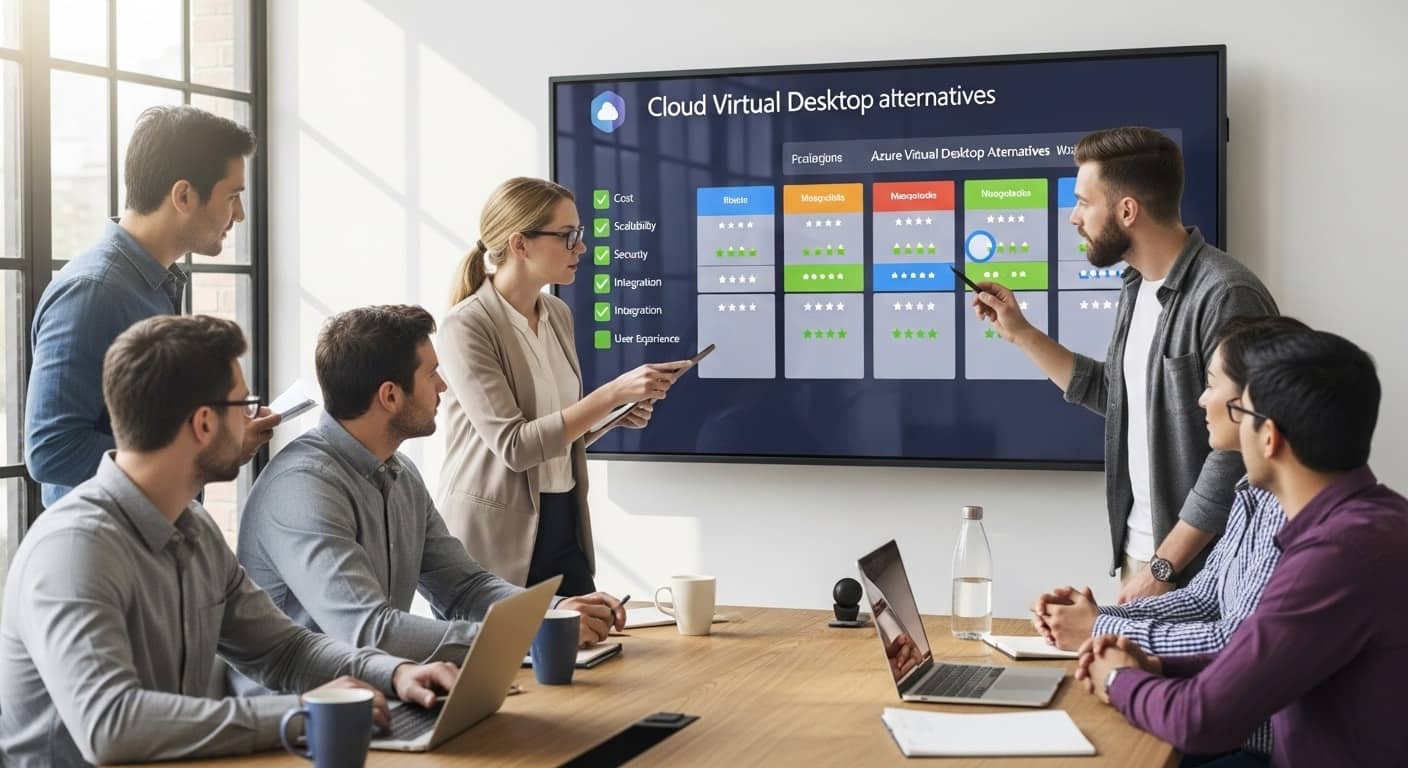
Team of professionals analyzing a large screen displaying a VDI as a Service pricing breakdown, collaborating to choose the best cloud desktop solution.


More companies are turning to VDI as a Service (VDIaaS) to support hybrid work, cut down on hardware, and make virtual desktop infrastructure easier to manage. Instead of installing software on every endpoint device or maintaining physical machines, users can log into secure cloud desktops. It’s fast, flexible, and often more efficient than managing things in-house.

But pricing isn’t always easy to understand. What looks like a simple monthly fee can come with added storage costs, support charges, software licensing, or higher resource consumption over time. Costs can rise quickly if you’re not paying attention to the details.

This article breaks down what you’re really paying for with VDIaaS. You’ll learn how pricing works, what’s often billed separately, and what to look out for so you don’t get stuck with unexpected costs.

If you want a simpler, more predictable way to run virtual desktop solutions, Apporto was built with cost clarity in mind. It’s designed to take the guesswork out of pricing while giving your team the tools they need to work securely and effectively.


1. What Does “VDI as a Service” Really Include?

VDI as a Service is a cloud-based solution that delivers virtual desktops to your users. Instead of running software on individual machines, your team accesses a full computing environment through the internet connection—no matter where they are or what device they’re using.

This setup usually includes:

  • Access to virtual machines
  • User setup across multiple devices
  • Cloud storage for user files and settings
  • Central tools to manage desktop infrastructure
  • Basic technical support

But not all VDI services come with everything in one package. Some providers charge extra for features you’d expect to be included, like:

  • Client access licenses for Windows or other software
  • Disaster recovery options
  • Support for external users or contractors
  • 24/7 support or detailed usage monitoring

These costs often aren’t obvious upfront. That’s why it’s important to get a clear list of what’s included in the base price—and what’s not. Some providers bundle these services, while others treat them as additional costs.

If you’re comparing options, be sure to look at the full picture. A low monthly fee might look good at first, but upfront costs, hidden fees, and ongoing maintenance can add up fast. Knowing what you’re paying for makes all the difference when choosing the right VDI solution.


2. How Do Most VDI Pricing Models Work?

Business team analyzing a cloud pricing breakdown on screen, evaluating VDI as a Service pricing options to align with their budget and usage needs.

VDI pricing isn’t always simple, but most providers use a few common models. Understanding how these work can help you compare costs and avoid surprises.

You’ll usually see pricing based on:

  • Per-user, per-month charges – a flat fee for each person using the system
  • Pay-as-you-go – charges based on actual usage, like how many hours a user stays connected
  • Fixed hourly billing – a set hourly rate, even if not all computing resources are used

Some providers charge based on how much you actually use—things like CPU, memory, and cloud storage. That means your bill can change depending on how heavily your team uses the system.

It’s also important to look at:

  • Upfront costs – setup fees or upfront payments for long-term discounts
  • Ongoing maintenance – updates, support, or data migration
  • Cloud infrastructure costs – fees for using services like Azure Virtual Desktop or Azure virtual machines

For example, accessing Azure Virtual Desktop might seem low-cost at first, but once you add things like storage, user access rights, or external users, the price grows quickly. Azure also has region-based pricing and options like Azure savings plans or discounted upfront commitments—but those require planning.

Bottom line: VDI pricing options vary. Some offer flexibility, others offer predictability. The key is knowing what’s included, what scales with resource consumption, and what might not show up until the invoice arrives.


3. What Factors Can Cause Unexpected Costs?

IT professional reviewing a cloud cost dashboard with concern, highlighting the complexity of VDI as a Service pricing and unexpected usage spikes.

Even with a clear pricing plan, it’s easy for unexpected expenses to creep in. Here are a few common reasons that bills end up higher than expected.

  1. Data migration – Moving from legacy systems into the cloud often requires time, tools, and services that aren’t included in base pricing.
  2. Growing resource needs – As your team scales, or as workloads increase, you may need more CPU, RAM, or cloud storage. If you’re on a usage-based plan, that means more cost.
  3. User behavior – Some providers don’t offer visibility into how long users stay logged in or what they’re using. Without continuous monitoring, you can’t control resource consumption—and that adds up.
  4. Add-ons – Things like technical support, advanced analytics, or adding external users are often billed separately.
  5. Licensing – Some solutions require eligible Windows versions, or charge extra based on user access rights.
  6. Azure regions – Platforms like Azure may charge different rates depending on where your data centers are located.

These aren’t deal-breakers, but they can catch you off guard. The more transparent your provider is about these details, the easier it is to manage your VDI as a Service pricing.


4. How Does Apporto Simplify VDI Pricing?

Apporto takes the guesswork out of VDI pricing. Unlike many cloud VDI platforms that split billing across multiple services, Apporto offers a clean, cost-effective, fully managed solution.

There are no hidden fees. You don’t need to juggle Azure virtual machines, license add-ons, or third-party monitoring tools. Everything’s bundled—so what you see is what you pay.

Included in the monthly cost:

  • A fully managed virtual desktop infrastructure
  • Built-in disaster recovery and business continuity
  • Support for multiple users, across multiple devices, with a consistent, high-performance experience

There’s also no need for costly upgrades, hardware refreshes, or dedicated servers. That alone can save your IT team time and money. You don’t have to worry about provisioning access, managing cloud desktops, or optimizing workloads—Apporto handles all of it for you.

If you’re looking for a predictable pricing model that reduces infrastructure costs without cutting corners, Apporto is built to keep things simple. Try Apporto now


5. What’s the Real Cost Difference Between VDI and Traditional Desktops?

IT professional reviewing VDI as a Service pricing flexibility and scalability on a holographic data interface in a server environment.

Comparing the cost of traditional desktops to VDI as a Service isn’t just about the price tag on a machine. It’s about everything that comes with it.

With traditional setups, you’re usually paying for:

  • Physical machines for every user
  • Regular maintenance and IT support
  • Hardware upgrades every few years
  • Time and money spent on downtime recovery when something breaks

Those costs don’t always show up in the budget right away—but they add up over time.

VDI, on the other hand, shifts those responsibilities to the cloud infrastructure. You don’t have to maintain physical hardware, and deployment is much faster. New users can be onboarded in minutes, not days. It also scales as your needs change, allowing you to add or remove access without wasting computing resources.

VDI platforms often work with thin clients or older devices, which means you don’t need to invest in expensive new hardware. For teams with a remote workforce, this helps standardize the computing environment and cut back on device costs.

The biggest difference? VDI is built for flexibility. Whether you’re growing fast or managing seasonal usage, it adapts. For many organizations, that translates into real cost savings, better uptime, and fewer support headaches—especially when productivity depends on staying connected.


6. What Should You Ask Before Committing to a VDI Provider?

Before you choose a VDI platform, it’s important to ask the right questions—especially when it comes to pricing options. Here’s a list that can help you avoid surprises down the line.

  • Is technical support included or billed separately?
  • What’s the policy on data storage limits and overage fees?
  • Are external users or contractors included in the pricing?
  • Can users access desktops from multiple devices without extra cost?
  • Do you offer pay-as-you-go or fixed pricing—and can I switch later?
  • Are there tools to monitor resource usage and keep track of spending?
  • Is disaster recovery included, or is it an optional add-on?
  • What exactly is included in the per-user monthly cost?

Asking these questions upfront will help you compare providers on equal terms. It also helps ensure your chosen platform supports your actual business needs, not just a theoretical pricing tier. Pricing transparency now prevents unexpected expenses later—and sets your IT team up for success.


7. How to Match Pricing Models to Business Needs

Team analyzing cloud dashboards and cost metrics in a modern office setting, representing VDI as a Service pricing models in action

Not every organization needs the same VDI pricing model. The best choice depends on how your team works, how much flexibility you need, and how you plan to scale.

Consider the following approaches:

  • Pay-as-you-go:
    Ideal for teams with variable usage—like seasonal workforces, part-time users, or early-stage startups. You only pay for actual usage, which helps control costs during low-demand periods.
  • Fixed monthly pricing:
    A better fit for consistent workloads and predictable growth. It allows you to plan your IT budget more accurately and avoid unexpected billing spikes.
  • All-inclusive bundles:
    Useful for smaller teams, schools, or departments that want everything—technical support, infrastructure, and user access—under a single rate. These help avoid the complexity of à la carte pricing.
  • Custom pricing with integrations:
    Larger organizations may need advanced features like cloud migration support, integration with Azure Virtual Desktop, or compatibility with enterprise identity systems. Custom plans can provide flexibility without giving up scale.

There’s no one-size-fits-all solution, but choosing a pricing model that matches your actual usage will help you avoid waste and maximize the return on your VDI investment.


8. Final Thoughts: Choosing Cost-Effective VDI Without Surprises

When it comes to virtual desktops, price matters—but clarity matters more. It’s easy to be drawn in by a low monthly rate, only to be hit with surprise charges for storage, support, or extra users later. That’s why pricing transparency and flexibility are just as important as the number on the invoice.

Choosing the cheapest option might save money up front, but it often leads to unexpected costs in the long run—costs tied to resource consumption, licenses, or support that wasn’t clearly outlined.

Apporto is different. It offers a fully managed VDI solution with clear pricing and no hidden add-ons. It’s designed to support your team, not overwhelm your budget. If you’re concerned about the turbulence facing VMware customers, Apporto delivers real value—without backend complexity or billing surprises.

Looking for VDI pricing that makes sense? See how Apporto delivers more with less.


9. Frequently Asked Questions (FAQs)

Is VDI cheaper than traditional desktops?
In many cases, yes. VDI eliminates the need for physical desktops, local IT maintenance, and hardware refresh cycles. It also allows you to scale users up or down without buying new machines. Over time, these savings can outweigh the recurring cloud costs.

What’s included in per-user pricing?
It depends on the provider. With Apporto, per-user pricing includes full access to a secure virtual desktop, cloud storage, disaster recovery, centralized management, and technical support. Other providers may charge separately for client access licenses, monitoring tools, or backup services.

Do I need to pay for support separately?
Some platforms include basic support but charge extra for priority or 24/7 help. Apporto includes technical support as part of the core offering, so you’re not stuck paying more when issues arise.

Are storage and backups included in VDI pricing?
Not always. Some providers break out storage costs or data protection as separate line items. Apporto includes both as part of the standard package—so there’s no guessing what’s covered.

How does Apporto’s pricing compare to Azure Virtual Desktop?
Azure Virtual Desktop offers flexibility, but the pricing can get complex. Costs depend on usage, storage, Azure region, and licensing. Apporto simplifies this with one clear monthly price that includes everything—no hidden charges, no unexpected billing.

Cyber security: How higher ed aim to meet the rising demand

Cybersecurity is becoming an increasingly crucial field as the world becomes more digital. With the rise in cyber threats, the need for skilled cybersecurity experts is growing. In response, higher education institutions are taking steps to prepare students for this in-demand field.

The growing need for cybersecurity professionals

The number of cyber threats continues to increase at an alarming rate, making cybersecurity a top priority for organizations across all industries. From data breaches to network attacks, the potential for damage is significant. As more businesses store sensitive data digitally, cybersecurity has become necessary to protect that data.

The increasing number of cyber threats

Cyber threats include attacks on telecommunications and network infrastructure, malware aimed at stealing data, and more. Hackers are becoming more sophisticated, leaving organizations vulnerable to attack. The need for skilled cybersecurity professionals is essential to protect against these threats.

One of the most significant threats to cybersecurity is ransomware. Ransomware is a type of malware that encrypts an organization’s data, making it inaccessible until a ransom is paid. The cost of ransomware attacks can be significant, with some organizations paying millions of dollars to regain access to their data.

Another growing threat is phishing attacks. Phishing attacks involve sending fraudulent emails that appear to be from a legitimate source, such as a bank or a company. The goal of these attacks is to trick individuals into providing sensitive information, such as login credentials or credit card numbers. Skilled cybersecurity professionals can help organizations identify and prevent these types of attacks.

The expanding digital landscape

As the world becomes more connected, the digital landscape is expanding. This includes the internet of things (IoT), which means that more devices than ever are connected to the internet. With more devices being used to store sensitive data, from smartphones to smart homes, cybersecurity is essential to protect against attacks.

One of the challenges of securing IoT devices is that they often have limited processing power and memory. This means that traditional security measures, such as antivirus software, may not be effective. Skilled cybersecurity professionals can help organizations develop new strategies for securing IoT devices.

The demand for skilled cybersecurity experts

The demand for skilled cybersecurity experts is growing as the number of cyber threats continues to rise. According to the Bureau of Labor Statistics, the employment of information security analysts is projected to grow 31% from 2019 to 2029, which is much faster than the average for all occupations.

One reason for the high demand for cybersecurity professionals is the shortage of qualified candidates. Many organizations struggle to find individuals with the necessary skills and experience to fill cybersecurity roles. This shortage is expected to continue in the coming years, making cybersecurity an attractive career choice for those interested in technology.

In addition to technical skills, cybersecurity professionals must also have strong communication and problem-solving skills. They must be able to communicate complex technical information to non-technical stakeholders and work collaboratively with other departments within an organization.

Overall, the growing need for cybersecurity professionals is a reflection of the increasing importance of protecting sensitive data in today’s digital landscape. Skilled cybersecurity professionals play a critical role in safeguarding organizations against cyber threats and ensuring the security of sensitive information.

Higher education’s response to the cybersecurity challenge

As technology continues to advance, so do the threats to cybersecurity. With the rise of cyberattacks and data breaches, the demand for cybersecurity professionals has never been higher. Higher education institutions are taking notice and are actively working to meet this demand by creating specialized programs, partnering with industry leaders, and integrating cybersecurity into existing curriculums.

Developing specialized cybersecurity programs

Many higher education institutions understand the importance of cybersecurity and are developing specialized programs to prepare students for this in-demand field. These programs provide students with the necessary skills and knowledge to work in cybersecurity, including technical skills like ethical hacking and network security, as well as soft skills like communication and teamwork.

For example, the University of Texas at San Antonio offers a Bachelor of Business Administration in Cybersecurity, which combines business principles with cybersecurity knowledge. The program prepares students for careers in areas such as cybersecurity management and risk analysis.

Partnering with industry leaders

Higher education institutions are also partnering with industry leaders to provide students with real-world experience and networking opportunities. These partnerships allow students to gain insight into the industry and learn from experienced professionals. They also provide opportunities for internships, co-ops, and job placements after graduation.

One example of such a partnership is the Cybersecurity Apprenticeship Program between Northern Virginia Community College and Amazon Web Services. The program provides students with hands-on experience working with AWS security tools and the opportunity to earn industry-recognized certifications.

Integrating cybersecurity into existing curriculums

Higher education institutions are also integrating cybersecurity into existing curriculums to prepare students for the digital age. This includes incorporating cybersecurity into computer science and information technology programs, as well as business and law programs. By doing so, students are better equipped to recognize cyber threats and protect against them.

For example, the University of Maryland offers a Cybersecurity Law Program, which provides law students with a comprehensive understanding of cybersecurity law and policy. The program prepares students for careers in areas such as cybersecurity compliance and risk management.

Encouraging interdisciplinary collaboration

Cybersecurity is an interdisciplinary field that requires collaboration across different areas of study. Higher education institutions are encouraging interdisciplinary collaboration by providing opportunities for students to work together on cybersecurity projects from different fields of study.

For example, the University of California, Berkeley offers a Cybersecurity Master’s Program that brings together students from computer science, law, public policy, and business. The program provides students with a broad understanding of cybersecurity issues and prepares them for careers in areas such as cybersecurity consulting and policy-making.

As the demand for cybersecurity professionals continues to rise, higher education institutions are taking steps to meet this challenge. By developing specialized programs, partnering with industry leaders, integrating cybersecurity into existing curriculums, and encouraging interdisciplinary collaboration, higher education institutions are preparing students for successful careers in the cybersecurity field.

Preparing students for the cybersecurity workforce

As technology continues to advance, the need for cybersecurity professionals grows. Higher education institutions are taking steps to prepare students for the cybersecurity workforce through hands-on learning experiences, internships and co-op opportunities, networking, and professional certifications and credentials.

Hands-on learning experiences

Many higher education institutions are providing students with hands-on experience in cybersecurity through lab courses and simulations. These experiences allow students to learn by doing, building practical skills in a safe and controlled environment. For example, students may learn how to identify and mitigate cyber attacks, as well as how to secure networks and data from potential threats.

Students can also participate in cybersecurity competitions, such as the National Cyber League, which allows them to apply their skills in a competitive setting and gain recognition for their abilities.

Internships and co-op opportunities

Internships and co-op opportunities allow students to gain real-world experience in cybersecurity, while also networking with industry professionals. These opportunities can lead to job placements after graduation and help students become more competitive in the job market.

Some institutions partner with local businesses and organizations to offer internships and co-op opportunities to their students. This allows students to work on real-world projects and gain experience in a variety of cybersecurity roles, such as security analyst, network engineer, and information security officer.

Networking and mentorship opportunities

Networking and mentorship opportunities provide students with the resources to build a professional network and receive guidance from experienced professionals. This includes attending industry conferences and events, as well as connecting with alumni and industry leaders.

Students can also join cybersecurity clubs and organizations on campus, which provide opportunities to meet like-minded individuals and learn from guest speakers and industry professionals.

Professional certifications and credentials

Professional certifications and credentials, such as the Certified Information Systems Security Professional (CISSP) and the CompTIA Security+ certification, can help students stand out to potential employers. These certifications demonstrate a commitment to the field and provide proof of skills and knowledge.

Some institutions offer certification preparation courses to help students prepare for these exams. Additionally, students may have the opportunity to take these exams on campus, making it easier and more convenient to obtain these credentials.

In conclusion, higher education institutions are taking proactive steps to prepare students for the cybersecurity workforce. Through hands-on learning experiences, internships and co-op opportunities, networking, and professional certifications and credentials, students are gaining the skills and knowledge needed to succeed in this rapidly growing field.

Addressing the diversity gap in cybersecurity

Diversity is not only a buzzword, it is an important issue across all industries, including cybersecurity. Cybersecurity is a field that demands a diverse range of skills and perspectives, yet women and people of color are still underrepresented in this field.

Higher education institutions are taking steps to encourage underrepresented groups to pursue cybersecurity careers and to create inclusive learning environments that support all students.

Encouraging underrepresented groups to pursue cybersecurity careers

There are many reasons why women and people of color are underrepresented in the cybersecurity field. One of the main reasons is a lack of exposure to the field and role models who look like them. Higher education institutions are working to change this by providing scholarships, mentorship opportunities, and diversity and inclusion initiatives.

For example, some universities are partnering with industry leaders to create mentorship programs that connect students with professionals in the field. These programs not only provide students with valuable networking opportunities, but they also help to demystify the cybersecurity field and show students that they too can succeed in this industry.

Scholarships and financial support for diverse students

Higher education institutions are also providing scholarships and financial support to diverse students to help them pursue cybersecurity careers. This includes programs that provide funding for education and cybersecurity training.

For example, some universities are offering scholarships specifically for women and people of color who are interested in pursuing cybersecurity careers. These scholarships not only provide financial support, but they also send a message that these groups are valued and welcome in the cybersecurity field.

Building inclusive learning environments

Creating an inclusive learning environment is critical to supporting all students, including those from underrepresented groups. Higher education institutions are creating inclusive learning environments by implementing policies and initiatives that support all students.

For example, some universities are creating safe spaces for underrepresented groups where they can connect with peers who share similar experiences. These safe spaces not only provide a sense of community, but they also provide a supportive environment where students can share their experiences and learn from one another.

Additionally, universities are promoting diversity and inclusion in the curriculum by incorporating diverse perspectives and experiences into coursework. This not only helps to broaden students’ perspectives, but it also helps to prepare them for the diverse workforce they will encounter after graduation.

Finally, universities are providing resources to support student mental health and wellbeing. This includes counseling services, wellness programs, and other resources that help students to manage stress and maintain their mental health.

In conclusion, addressing the diversity gap in cybersecurity is critical to creating a more inclusive and effective workforce. Higher education institutions are taking important steps to encourage underrepresented groups to pursue cybersecurity careers and to create inclusive learning environments that support all students.

Conclusion

The demand for cybersecurity professionals is growing as the digital landscape continues to expand, and cyber threats become more sophisticated. Higher education institutions are taking steps to prepare students for this in-demand field by creating specialized programs, partnering with industry leaders, and integrating cybersecurity into curriculums. They are also providing hands-on learning experiences, internships and co-op opportunities, networking, and professional certifications and credentials. By addressing the diversity gap and creating inclusive learning environments, higher education institutions are ensuring that all students have the opportunity to pursue cybersecurity careers.

What is virtual desktop infrastructure? VDI explained

Virtual Desktop Infrastructure Illustration

What is virtual desktop infrastructure? VDI explained

In the past, traditional desktop infrastructure was the primary way for organizations to deploy and manage user workstations. However, with the increase in remote work and the growing demand for secure and flexible access to corporate data, virtual desktop infrastructure (VDI) has gained popularity.

Understanding Virtual Desktop Infrastructure (VDI)

Definition and basics of VDI

Virtual Desktop Infrastructure (VDI) is a virtualization technology that allows a user’s desktop environment to be deployed and managed from a centralized server, rather than being installed and managed on a local device (such as a laptop or desktop computer). This technology enables users to access their desktop environment from any device with an internet connection.

VDI provides a complete desktop environment to the end-user, including an operating system (such as Windows) and the applications required by the user. The backend infrastructure necessary for executing VDI includes a hypervisor (such as VMware or Hyper-V), servers to host virtual machines, and a network connection that allows users to access their virtual desktops remotely.

VDI has become increasingly popular in recent years due to its many benefits, including:

  • Centralized management of desktop environments
  • Improved security and compliance
  • Reduced hardware costs
  • Increased flexibility and mobility for end-users

How VDI works: an overview

VDI operates by creating a virtual machine on a central server. The virtual machine includes a complete operating system, applications, and settings required by the end-user. The virtual machine is then remotely accessed by the end-user, typically through a web-based interface or specialized client software that is installed on the user’s local device.

When a user logs in to their virtual desktop, they are presented with a desktop environment that looks and feels like a traditional desktop. However, all of the processing and storage is done on the central server, rather than on the user’s local device. This allows for greater flexibility and mobility, as users can access their desktop environment from any device with an internet connection.

VDI allows IT administrators to manage all desktop environments on a central server, rather than managing multiple individual installations on individual devices. This centralized approach provides IT teams with greater control over desktop environments, enabling them to manage user permissions, security, and settings more efficiently.

Key components of a VDI setup

There are several key components needed for a VDI setup, including:

  • Hypervisor: a server that creates and manages virtual machines. The hypervisor is responsible for allocating resources to each virtual machine, ensuring that each virtual machine has the necessary resources to operate efficiently.
  • Virtual Desktop Images: a pre-configured virtual machine for each desktop environment. These images are used to create new virtual machines as needed.
  • Virtual Machine Manager: software designed to manage virtual machines. This software enables IT administrators to create, delete, and manage virtual machines as needed.
  • Thin Clients: low-cost hardware devices that provide remote access to virtual desktops. These devices are typically used in environments where users do not require a full desktop computer.

Overall, VDI is a powerful technology that can provide many benefits to organizations of all sizes. By centralizing desktop environments and enabling remote access, VDI can improve efficiency, reduce costs, and increase flexibility for end-users.

Benefits of implementing VDI

Virtual Desktop Infrastructure (VDI) is a technology that has been gaining popularity in recent years due to its many benefits. Here are some of the key advantages of implementing VDI:

Enhanced security and data protection

One of the main benefits of VDI is its ability to improve security and data protection. By centralizing data storage, organizations can better control access to sensitive information and limit user permissions. Additionally, VDI offers end-to-end encryption, which adds an extra layer of security to data in transit.VDI also eliminates the need to store data on local devices, which can help organizations comply with data protection regulations and prevent data loss in case of device theft or loss. This can give organizations peace of mind knowing that their data is secure.

Improved resource management and scalability

Another advantage of VDI is its ability to improve resource management and scalability. With VDI, administrators can manage all desktop environments more efficiently and effectively, reducing the overall cost of maintenance and support. In addition, VDI infrastructure can be scaled up or down to match the changing needs of the organization. This makes it a more cost-effective solution in the long-term, as organizations can avoid overprovisioning and only pay for the resources they need.

Cost savings and reduced hardware requirements

VDI can also help organizations save money by eliminating the need to purchase and manage individual workstations. This can result in significant cost savings in the long-term and can also enable organizations to extend the life of existing hardware by using it as a thin client. In addition to reducing hardware expenses, VDI can also help organizations save on energy costs. By centralizing computing resources, organizations can reduce the number of devices that need to be powered on at any given time.

Simplified IT management and maintenance

VDI simplifies IT management and maintenance by centralizing the management of desktop environments. This enables IT administrators to reduce the amount of time and resources required to manage and maintain desktop environments. Additionally, VDI simplifies the deployment of new applications, software updates, and patches. This can help organizations stay up-to-date with the latest software and security updates, which is critical for maintaining a secure and productive computing environment.

Increased flexibility and remote access

Finally, VDI provides users with increased flexibility and remote access. With VDI, users can access their desktop environments securely from anywhere with an internet connection. This enables remote workers to access corporate data and applications without compromising security or productivity. In addition to remote access, VDI can also enable organizations to implement bring your own device (BYOD) policies. This can help organizations attract and retain top talent by allowing employees to use their own devices for work, which can improve job satisfaction and work-life balance. In conclusion, VDI offers many benefits to organizations of all sizes and industries. From enhanced security and data protection to cost savings and increased flexibility, VDI can help organizations improve their computing environments and stay competitive in today’s fast-paced business world.

Virtual Desktop Provider Comparison

See how Apporto stacks up against the most popular virtualization technologies available today

VDI vs. traditional desktop infrastructure

Comparing performance and user experience

In terms of performance, VDI can offer faster boot times and application load times than traditional desktop infrastructure, provided the infrastructure is designed and optimized correctly. Additionally, because all desktop environments are managed centrally, the end-user experience can be consistent across all users and devices.

VDI can also offer greater flexibility in terms of remote access. With traditional desktop infrastructure, remote access can be difficult to set up and manage, often requiring a VPN connection or other complex network configurations. 

Another advantage of VDI is its ability to scale. Traditional desktop infrastructure can be difficult to scale, requiring additional hardware and software licenses to be purchased and installed. With VDI, new virtual desktops can be spun up quickly and easily, allowing organizations to quickly adapt to changing business needs.

Differences in deployment and management

One of the most significant differences between VDI and traditional desktop infrastructure is the centralized management approach taken by VDI. This makes VDI easier to deploy, manage, and support than traditional desktop infrastructure.

With traditional desktop infrastructure, each individual desktop must be managed and maintained separately. This can be time-consuming and can lead to inconsistencies in the end-user experience. With VDI, all desktop environments are managed centrally, making it easier to deploy software updates and patches, manage user accounts, and monitor system performance.

VDI can also offer greater security than traditional desktop infrastructure. With VDI, all data and applications are stored centrally, reducing the risk of data loss or theft. Additionally, because all desktop environments are managed centrally, it is easier to enforce security policies and monitor user activity.

Evaluating costs and return on investment

VDI can require a significant upfront investment in infrastructure and hardware. However, over time, the cost savings and greater efficiency enabled by VDI can result in a positive return on investment (ROI).

One of the key cost savings associated with VDI is the reduced need for hardware. With traditional desktop infrastructure, each individual desktop requires its own hardware, including a CPU, hard drive, and memory. With VDI, multiple virtual desktops can be run on a single physical server, reducing the need for additional hardware.

VDI can also offer greater energy efficiency than traditional desktop infrastructure. Because multiple virtual desktops can be run on a single physical server, VDI can reduce the amount of energy required to power and cool data centers.

Finally, VDI can offer greater productivity and efficiency than traditional desktop infrastructure. With VDI, employees can access their desktops from anywhere with an internet connection, allowing them to work from home or on the go. Additionally, because all desktop environments are managed centrally, it is easier to deploy new applications and updates, reducing downtime and increasing productivity.

Types of VDI deployments

Virtual Desktop Infrastructure (VDI) is a technology that enables organizations to host desktop environments on a centralized server and provide access to them remotely. There are different types of VDI deployments that organizations can choose from based on their needs and requirements.

Persistent vs. non-persistent VDI

Persistent VDI maintains a persistent virtual machine for each user, ensuring that individual customizations and settings are saved across sessions. This means that users can log in and find their desktop environment exactly as they left it, with all their files, applications, and settings intact. This type of VDI is ideal for users who require a high degree of customization and personalization, such as developers, designers, and power users.

In contrast, non-persistent VDI creates a new virtual machine image for each session, eliminating the need for storage of individual user settings. This type of VDI is ideal for users who require a standardized desktop environment, such as call center agents, customer service representatives, and other knowledge workers.

Cloud-based vs. on-premises VDI

A cloud-based VDI is hosted in the cloud and accessed remotely by end-users. This type of VDI offers several advantages, such as reduced hardware and maintenance costs, greater scalability, and easier access for remote workers. Cloud-based VDI can also be deployed quickly, which makes it ideal for organizations that need to set up new desktop environments quickly.

An on-premises VDI is hosted on local servers and accessed over the organization’s internal network. This type of VDI offers greater control and security, as the organization has complete control over the infrastructure. On-premises VDI is also ideal for organizations that need to comply with strict data privacy regulations or have specific hardware requirements.

Hybrid VDI solutions

A hybrid VDI solution combines both cloud-based and on-premises VDI solutions to provide greater flexibility and scalability. This type of VDI is ideal for organizations that need to manage fluctuating demand for desktop environments. For example, during peak periods, the organization can use cloud-based VDI to quickly spin up new desktop environments, while during off-peak periods, the organization can use on-premises VDI to save costs.

Hybrid VDI solutions can also be used to provide redundancy and disaster recovery. In case of a hardware failure or a natural disaster, the organization can quickly switch to the other VDI solution to ensure business continuity.

Conclusion

Virtual desktop infrastructure offers organizations greater flexibility and control over their desktop environments, enabling remote work, improving security, and reducing costs. Choosing the right approach requires an understanding of the organization’s needs, infrastructure, and resources, as well as careful consideration of the costs and benefits associated with each option. 

Check out this related article on other desktop virtualization solutions and how to choose the right provider.

Benefits of Desktop as a Service (DaaS): Explained

A few years ago, traditional desktops still felt like a safe default. Machines under desks. Local networks. IT teams running around with spare laptops and crossed fingers.

Then remote work hit, BYOD stopped being optional, and security threats got louder, faster, sharper. Suddenly, that old setup started to feel… brittle.

That’s where Desktop as a Service enters the picture. Not as shiny new tech, but as a practical response to pressure.

When employees need to access a virtual desktop from anywhere, on any device, without dragging sensitive data along for the ride, cloud-delivered workspaces just make sense. Less friction. Fewer fires.

This isn’t just another cloud computing add-on. It’s a change in how organizations think about workstations, access, and control.

DaaS reframes the desktop as a service, not a thing. And for many teams, that shift isn’t about innovation anymore. It’s about staying upright while everything else keeps moving.


What Is Desktop as a Service (DaaS), Really?

Strip away the buzzwords and Desktop as a Service is surprisingly simple.

Instead of a physical computer doing all the heavy lifting, your desktop lives in the cloud. A DaaS solution means the operating system, applications, files, even your settings are hosted by cloud service providers in secure data centers. You log in.

Your desktop appears. Same workspace, different screen. Coffee shop, home office, airport lounge. Doesn’t matter much.

Behind the curtain, this looks a lot like virtual desktop infrastructure, but the ownership model flips. With VDI, your IT team builds and maintains everything on-prem.

With DaaS, that responsibility shifts outward. The provider handles infrastructure, updates, capacity planning, and most of the security plumbing. IT teams focus on access and policy instead of babysitting hardware.

It’s also not the same as basic remote desktop tools. Those usually connect you to a single machine somewhere else. DaaS delivers a full, cloud-hosted desktop environment designed to scale.

Then there’s the choice between persistent and non-persistent desktops. Persistent desktops remember everything, just like a personal laptop.

Non-persistent desktops reset after each session. Clean. Predictable. Easier to manage. Different needs, different fits.
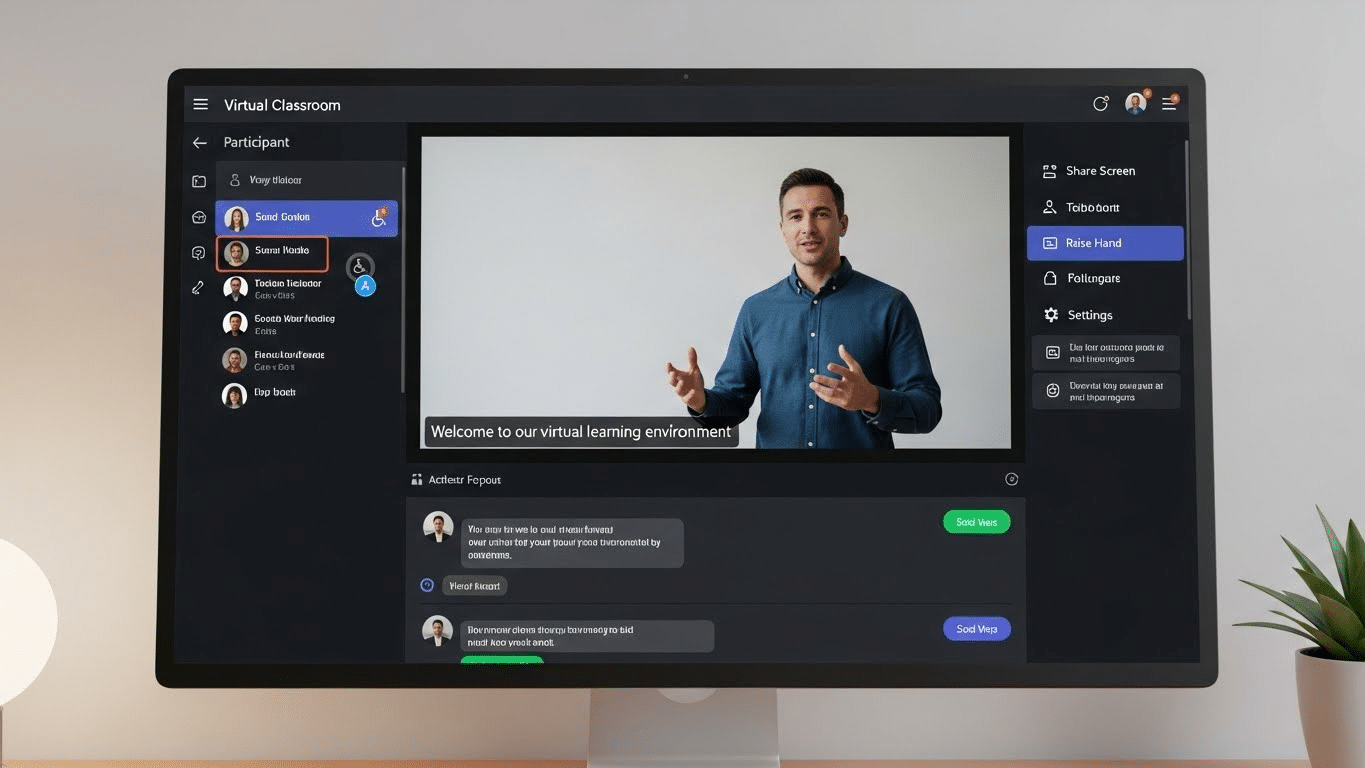
 

How DaaS Works Behind the Scenes

Thin client, laptop, and tablet all connected to the same cloud-hosted desktop environment.

On the surface, Desktop as a Service feels almost boringly easy. You open a browser or a small client app, log in, and boom—your desktop is right there. Underneath that calm surface, though, there’s a lot humming along.

Here’s the short version. Your desktop isn’t actually on your laptop. It lives inside a cloud infrastructure, running on powerful centralized servers inside a provider’s data center.

What you see on your screen is essentially a live video stream of that environment, plus your keyboard and mouse inputs heading back the other way. Nothing magical. Just very efficient plumbing.

You can access virtual desktops in a few ways. Some teams use lightweight client software. Others stick with a browser.

Thin clients work too, and yes—so do personal devices under BYOD policies. The endpoint barely matters because the heavy work happens elsewhere.

What really matters is where the data lives.

With DaaS, files, applications, and business data stay inside the centralized server environment. Not on the laptop. Not on the phone. Not even cached locally in most setups. That’s a big deal for security, compliance, and peace of mind.

Under the hood, the model looks like this:

  • Centralized server model running desktops in secure cloud data centers
  • Secure access over the internet using encrypted connections and access controls
  • No local data storage on endpoints, even if a device is lost, stolen, or shared

It’s less about convenience, honestly, and more about control without the micromanaging.


The Most Significant Benefits of Desktop as a Service

1. Enhanced Security for Sensitive Data

Here’s the quiet superpower of Desktop as a Service, and it’s one most people underestimate at first. Your data doesn’t travel. It stays put.

With DaaS, sensitive data never actually lives on the employee’s laptop, tablet, or phone. It remains locked inside the provider’s data center, behind layers of controls most organizations would struggle to maintain on their own.
Lose a laptop in an airport? Annoying, yes. A breach? Not really. There’s nothing local to steal. That shift alone changes the security equation. Ransomware attacks that depend on endpoint access suddenly hit a wall.

Malware on a personal device can’t easily touch corporate files it never downloads. Even careless behavior—saving files to a desktop, emailing attachments to the wrong address—gets quietly neutralized by design.

Then there’s access control. IT teams can define exactly who gets access to what, from where, and on which device. Logins are tracked. Sessions are logged. Policies are enforced centrally, not hoped for.

In practical terms, DaaS turns data access into a managed privilege instead of a gamble. And when you’re dealing with truly sensitive information, that difference matters more than flashy features ever will.

2. Simplified IT Management and Lower Operational Overhead

Ask almost any IT lead what eats their week alive and you’ll hear the same sigh, followed by a list that never seems to end: patching, updating, troubleshooting, chasing version mismatches, fixing something that worked yesterday.

Desktop as a Service quietly sweeps a lot of that off the table.

With DaaS, the service provider takes responsibility for the unglamorous but critical stuff: operating system updates, security patches, core infrastructure maintenance, even baseline performance tuning. That alone can free up dozens of hours a month. Sometimes more.

For the internal IT team, the shift is real. Instead of babysitting individual machines or playing whack-a-mole with broken desktops, they manage centrally. One change. One policy. Applied everywhere.

That’s what simplified management actually feels like in practice.

And here’s the part that doesn’t show up neatly on a budget spreadsheet. Fewer emergencies mean fewer late nights. Less reactive work means more time for planning, automation, and actual improvement.

Desktop management stops being a constant drain and starts behaving like a system again. Not perfect, maybe. But finally predictable.

3. Cost Savings and Predictable Spending

Budgets hate surprises. Traditional desktops are basically surprise machines. One year it’s a bulk hardware refresh, the next it’s emergency replacements, then licensing sprawl, then security tooling you didn’t plan for but suddenly can’t avoid. It adds up. Quietly. Relentlessly.

Desktop as a Service flips that math on its head with a subscription model. Instead of lumpy capital expenses every few years, costs move into a steady, forecastable line item. Month to month.

User to user. That predictability alone is gold for finance teams who are tired of guessing. The cost savings don’t come from magic.

They come from fewer physical devices to buy, less hands-on support, and dramatically reduced spend on endpoint security tools that are no longer doing the heavy lifting.

When desktops live in the cloud, you’re not constantly patching, repairing, or replacing them.

Over time, the total cost of ownership tends to drop, especially once you factor in softer numbers like reduced management cost and fewer IT fire drills.

It’s not always cheaper on day one. But over a few cycles? The operational costs start behaving. And that’s a relief you can actually feel.

4. Remote Work Without the VPN Headaches

Ask any IT team what they don’t miss from 2020 and you’ll hear the same groan. VPNs. Slow logins. Dropped connections. The endless “can you hear me now?” energy. Desktop as a Service quietly sidesteps most of that mess.

Instead of tunneling traffic back through a fragile corporate network, users get remote access straight to a cloud-hosted desktop. Open a browser. Launch a client. You’re in.

No clunky handshake rituals, no bottlenecked gateways melting down at 9:01 a.m.

For remote work, especially with globally distributed teams, performance feels more consistent because the desktop lives close to the applications, not the employee.

A stable internet connection becomes the main requirement, not proximity to headquarters or a perfectly configured VPN client.

And yes, internet connectivity still matters. DaaS isn’t magic. But when it works, it works smoothly. People log in from home, hotels, airports, or borrowed laptops and get the same desktop every time. Same apps. Same files. Less friction. Fewer headaches.

5. Secure BYOD Without Losing Control

Bring Your Own Device used to make IT folks sweat. Laptops of unknown origin. Phones with cracked screens. Tablets shared with kids who download… everything. And yet, here we are. BYOD isn’t a trend anymore. It’s just how work happens.

This is where Desktop as a Service earns its keep.

With Bring Your Own Device setups, employees can log in from personal devices or their own devices without dragging company data onto them. The desktop lives in the cloud. The files stay put.

Nothing sensitive gets saved locally, synced accidentally, or left behind at an airport security checkpoint. That separation matters. A lot.

From an IT perspective, secure access becomes easier to enforce because control lives at the desktop layer, not the hardware layer. Policies apply uniformly. Access can be revoked instantly.

Logs tell the story if something looks off. Meanwhile, employees just… work. On the device they prefer. In the space they’re comfortable with.

It’s a rare win-win. Flexibility for users. Control for IT. And fewer late-night panic calls when a laptop goes missing.

6. Faster Onboarding and Easy Scalability

There’s a particular kind of chaos that happens when a new hire starts on Monday and their laptop… doesn’t. Or when a contractor shows up for a three-week project and needs “full access, but not too much access.”

Multiply that by twenty during peak season and suddenly onboarding becomes a minor disaster movie.

This is where DaaS quietly shines.

With new virtual desktops, IT can spin up fully configured environments in minutes. Not days. Not weeks. Minutes. The apps are already there. The permissions are baked in. Log in, get to work. That’s it.

DaaS enables employees to be productive almost immediately, whether they’re full-time, freelance, or somewhere in between.

Scaling works the same way in reverse. Need to add a hundred users for a merger or seasonal push? Fine. Need to scale back next month? Also fine. No sunk hardware costs.

No closets full of unused laptops. From a budgeting standpoint, it’s a far more cost-effective solution because capacity flexes with reality, not forecasts.

IT teams stop playing Tetris with hardware. The business moves at the speed it actually needs to.

7. Built-In Business Continuity and Disaster Recovery

Most companies don’t think seriously about disasters until one shows up uninvited. A power outage. A flooded office.

A fiber cut down the street. Suddenly, everything that lived on a local machine or an on-prem server is unreachable, and work grinds to a halt.

DaaS flips that script.

Because desktops and data storage live on redundant cloud servers, business continuity is baked in, not bolted on. If one data center hiccups, another quietly takes over.

Users log in from home, a coffee shop, a temporary office, wherever there’s an internet connection, and pick up right where they left off. Same desktop. Same files. Same apps. No frantic restores.

This matters more than most people realize. Work continues even when offices don’t. Payroll runs. Support teams respond. Sales calls still happen. And IT isn’t stuck performing heroics at 2 a.m.

In short, DaaS turns disasters into inconveniences. Not existential threats.

8. Compliance Made Easier (Not Automatic, But Easier)

Let’s clear something up right away. DaaS doesn’t magically make you compliant. Anyone promising that is selling fairy dust.
What it does do is remove a huge amount of friction from the compliance grind.

Most reputable DaaS providers operate in environments already pre-audited for major data privacy regulations like HIPAA, GDPR, and PCI DSS.

That means the underlying infrastructure, from access controls to encryption standards, is already aligned with what auditors expect. You’re not starting from scratch every time.

Because desktops live in one controlled place, maintaining compliance becomes far more manageable. Security policies are enforced centrally. Logs are consistent.

Updates are applied everywhere at once. There’s no guessing which laptop missed a patch or which endpoint quietly drifted out of policy.

For organizations handling patient data or other regulated information, that centralized visibility is gold. Audits become less about scavenger hunts and more about verification. Reports are easier to generate. Evidence is easier to show.

It’s still your responsibility. But with DaaS, compliance stops being a daily fire drill and starts looking… almost reasonable.


Desktop as a Service vs VDI: A Practical Comparison

Split visual showing cloud-hosted DaaS on one side and on-premise server room powering VDI on the other.

Here’s where things usually get fuzzy in boardrooms and IT stand-ups. DaaS and VDI sound similar. Virtual desktops, remote access, centralized control. Same soup, different spoon. But in practice, the differences matter. A lot.

At a high level, VDI is something you run. DaaS is something you consume. That one distinction alone changes budgets, staffing, timelines, and stress levels.

Side-by-side: DaaS vs VDI

Factor Desktop as a Service (DaaS) Virtual Desktop Infrastructure (VDI)
Infrastructure management Handled by the service provider Managed internally by your IT team
Hosting model Cloud computing offering On-premise servers (or private cloud)
Upfront costs Low; subscription-based High; hardware, licensing, setup
Scalability Fast and elastic Slower; capacity planning required
Control Less granular, more standardized Full control, more customization
Deployment speed Hours or days Weeks or months


Now, the nuance. VDI makes sense if you need deep customization, tight integration with legacy systems, or strict internal control. You also need the staff, the time, and the appetite for infrastructure babysitting. Updates break things. Storage fills up. Someone’s always on call.

DaaS, on the other hand, trades some control for flexibility. The service provider handles the heavy lifting. You scale when you need to. You stop when you don’t.

For many organizations, especially those embracing remote work or rapid growth, that tradeoff feels… sensible. Refreshingly so.


Where DaaS Isn’t Perfect (And What to Watch Out For)

Let’s be honest for a second. Desktop as a Service isn’t magic. It solves a lot of problems, sure, but it also introduces a few new ones that tend to show up right after the honeymoon phase ends.

First, the obvious one: internet connectivity. No connection, no desktop. Even a shaky connection can mean lag, frozen screens, or that lovely moment when your cursor moves five seconds after your hand does. In regions with inconsistent broadband, this isn’t a small footnote. It’s a real operational risk.

Then there’s latency. Even with solid internet, users far from the provider’s data center can feel delays, especially with graphics-heavy apps or specialized software. Not everyone notices it, but the people who do really notice it.

Customization is another tradeoff. DaaS platforms are built to scale, which often means standardized environments.

If your teams rely on deeply customized desktop setups or niche configurations, that limited control can feel constraining. Sometimes frustrating.

And yes, vendor lock-in is real. Migrating hundreds or thousands of virtual desktops from one provider to another isn’t a weekend project. Data formats, tooling, contracts—they all matter. A lot.

Finally, the quiet one: operational costs over time. The subscription model feels friendly at first, but as user counts grow, monthly spend can creep. Slowly. Predictably. Enough that finance will eventually ask questions.

None of this disqualifies DaaS. It just means going in with open eyes. Cloud convenience is powerful, but it still comes with strings attached.


Who Benefits Most From Desktop as a Service?

Small IT team monitoring centralized virtual desktops from a clean cloud management dashboard.

Not every organization needs DaaS. But for some, it’s less a “nice-to-have” and more a quiet lifesaver. The kind you only notice once it’s gone.

Here’s where a DaaS platform tends to shine brightest.

  • Remote-first or hybrid organizations
    Teams spread across cities, countries, time zones. DaaS gives everyone the same desktop environment without duct-taping VPNs and local setups together. Consistency matters more when people rarely share an office.
  • Companies with lean IT infrastructure
    If your IT team can be counted on one hand, offloading desktop management is a relief. Updates, patches, security controls—handled by the provider instead of burning internal cycles.
  • Regulated or data-sensitive industries
    Healthcare, finance, legal, government-adjacent orgs. When sensitive data can’t live on laptops or personal devices, centralized virtual desktops reduce exposure and simplify compliance headaches.
  • Fast-growing or fluctuating workforces
    Startups scaling quickly. Seasonal businesses. Contractors coming and going. DaaS makes it easy to spin desktops up or down without buying, imaging, and shipping hardware.
  • Organizations embracing BYOD cautiously
    Letting employees use personal devices while keeping corporate data locked in the cloud? That’s a common win.

In short, many organizations adopt DaaS not because it’s trendy, but because it fits the reality they’re already living in.


How to Decide If DaaS Is Right for Your Organization

Before jumping headfirst into a DaaS environment, it’s worth slowing down. Just a bit. Not every workload loves the cloud, and not every team works the same way.

The trick is asking the right questions, not chasing buzzwords.

Start with the work itself. What are people actually doing all day? Knowledge work, call-center tasks, analytics, design, regulated workflows? Some roles fit neatly into cloud-delivered desktops.

Others—especially latency-sensitive or highly customized setups need closer scrutiny.

Then there’s security. How sensitive is your data? If keeping information locked inside a centralized data center sounds comforting (and it usually does), DaaS may align well with your risk posture.

Compliance requirements matter here too HIPAA, GDPR, industry audits those aren’t footnotes.

User profiles come next. Are employees remote, hybrid, mobile-heavy? Do they switch devices often? DaaS tends to shine when flexibility is non-negotiable.

Finally, be honest about connectivity. Cloud technology lives and dies by the internet. If reliable bandwidth isn’t a given, frustrations will pile up fast.

In short: map the reality you have today, not the one you wish you had tomorrow.


Why DaaS Is About Control, Not Convenience

Centralized cloud desktop control panel managing user access rules, device permissions, and session logging.

It’s tempting to pitch Desktop as a Service as a convenience play. Log in anywhere. Same desktop. Easy. But that’s the surface story, not the real one.

Underneath, DaaS is about control. Real control. The kind that matters when devices go missing, when teams scatter across time zones, when risk shows up uninvited at 2 a.m.

Centralized desktops mean centralized rules: who gets access, from where, on what device, and under which conditions. That’s not a nice-to-have anymore. It’s table stakes.

Modern risk doesn’t live neatly inside office walls. It lives on personal laptops, café Wi-Fi, rushed contractors, and shadow IT.

DaaS responds by pulling the work back into a managed core, where data stays put and access is deliberate, logged, reversible.

So yes, it’s convenient. But more importantly, it’s resilient. DaaS gives organizations leverage over outcomes, not just smoother logins. And in today’s environment, leverage beats comfort every time.


Conclusion

By now, it should be pretty clear that Desktop as a Service isn’t just a clever way to modernize desktops or shave a few dollars off hardware budgets. That’s the shallow read.

The deeper truth is this: DaaS lines up far better with how work actually happens now. Distributed. Device-agnostic. Constantly moving.

It’s safer because data stays put. More flexible because desktops can follow people, not the other way around. And, frankly, saner for IT teams who are tired of duct-taping security, access, and support together across a sprawl of devices and locations.

The biggest advantage, though, is control without complexity. Centralized environments, consistent policies, fewer surprises. Less chaos. That matters.

If you’re weighing next steps, it may be worth evaluating how DaaS could reduce risk, simplify IT operations, and support secure remote work at real scale—without turning your infrastructure into a full-time fire drill.


Frequently Asked Questions (FAQs)


1. What is the biggest benefit of Desktop as a Service?

The biggest benefit of Desktop as a Service is centralized control. Your data, desktops, and security policies live in the data center, not on employee devices, reducing risk and simplifying management.

2. Is Desktop as a Service more secure than traditional desktops?

In most cases, yes. With DaaS, sensitive data never leaves the cloud environment, which limits exposure from lost laptops, malware, ransomware, or unsecured personal devices.

3. How is DaaS different from traditional VDI?

DaaS is fully managed by a service provider, while VDI typically runs on on-premise servers managed by your own IT team. DaaS trades some control for faster deployment, scalability, and lower operational overhead.

4. Does Desktop as a Service require a constant internet connection?

Yes. Users need a stable internet connection to access their virtual desktop. Poor connectivity can affect performance, which is why network readiness is a key consideration before adopting DaaS.

5. Is Desktop as a Service suitable for small or fast-growing teams?

Absolutely. DaaS works especially well for small IT teams, remote-first organizations, and companies with fluctuating headcounts because new desktops can be provisioned or removed in minutes.

Virtual Desktops in Education: Unlocking the Power of Remote Learning

Virtual Desktops in Remote Learning

Virtual Desktops in Education: Unlocking the Power of Remote Learning

In recent years, the rise of remote learning in education has been significant as more institutions opt for flexible learning environments. The sudden onset of COVID-19 pandemic only served to accelerate this trend and highlighted the need for schools to become adaptable to change. Fortunately, virtual desktops provide solutions to many of the challenges that come with remote learning.

The Rise of Remote Learning in Education

Remote learning is not a new concept, but it has become increasingly popular in recent years with the growth of online courses and virtual classrooms. With the onset of the COVID-19 pandemic, remote learning has become the norm for many schools worldwide. As the pandemic continues to pose new challenges, more institutions are looking at virtual desktops to provide solutions to the technical challenges of remote learning.

The Impact of the COVID-19 Pandemic on Education

The pandemic has affected education significantly, and schools worldwide have had to adapt quickly to provide remote learning opportunities for students. The sudden shift to remote learning has brought about many challenges, including the need for reliable technology and the difficulty of ensuring that students stay engaged in a virtual environment.

In addition to these challenges, the pandemic has also highlighted the digital divide that exists in many communities. Students from low-income households may not have access to the technology or internet connection necessary for remote learning, putting them at a disadvantage compared to their peers. Schools and governments are working to address this issue by providing devices and internet access to students in need.

The Growing Need for Flexible Learning Environments

Traditional classrooms are no longer the only way of delivering education, and virtual desktops are helping institutions provide customized learning experiences for each student. With a virtual desktop, students can access learning materials and software from anywhere, allowing them to learn at their own pace and on their schedule, which is necessary for the modern learning experience.

Furthermore, virtual desktops can provide students with access to resources and software that may not be available in a traditional classroom setting. For example, students interested in computer programming can access specialized software and tools that may not be available in their school’s computer lab.

Virtual desktops can also help institutions save money by reducing the need for physical resources such as textbooks and paper. With virtual desktops, students can access digital versions of textbooks and other learning materials, reducing the cost and environmental impact of traditional classroom resources.

The Future of Remote Learning

Remote learning is here to stay, and institutions must continue to adapt to this new reality. Virtual desktops are just one of the many tools that schools can use to provide flexible and accessible learning opportunities for students. As technology continues to advance, we can expect to see even more innovative solutions to the challenges of remote learning.

One thing is certain: the COVID-19 pandemic has accelerated the adoption of remote learning, and it has shown us that education can be delivered in many different ways. Whether in a traditional classroom or a virtual one, the most important thing is that students have access to high-quality education that prepares them for success in the future.

Understanding Desktop Virtualization

What is a Virtual Desktop?

A virtual desktop is a cloud-based computing system that allows students and educators to access software, applications, and files securely from anywhere at any time. In essence, a virtual desktop is a fully functional computer that is hosted and accessed remotely using an internet connection. This means that students and educators can access their virtual desktops from any device, including laptops, tablets, and smartphones, making it easier for them to work on their assignments and projects while on the go.

Virtual desktops are becoming increasingly popular among educational institutions as they offer a range of benefits over traditional computing environments. For example, virtual desktops can be customized for each student’s needs, providing them with a personalized learning experience. Furthermore, virtual desktops can be accessed from anywhere, making it easier for students and educators to collaborate on projects, even if they are in different locations. Additionally, virtual desktops can be used to access data and applications remotely, which can be particularly useful for students who need to work on assignments outside of school hours.

Key Features and Benefits of Virtual Desktops

Virtual desktops offer many advantages over traditional computing environments as they can be customized for each student’s needs and can provide a secure and accessible platform for learning, either in a remote environment or in a classroom. Key benefits include scalability, enhanced collaboration, remote data access, and reduced hardware costs.

Scalability is a key feature of virtual desktops, as they can be easily scaled up or down depending on the number of users. This means that educational institutions can easily add or remove virtual desktops as needed, making it easier for them to manage their computing resources more efficiently.

Enhanced collaboration is another key benefit of virtual desktops. With virtual desktops, students and educators can collaborate on projects in real-time, even if they are in different locations. This can be particularly useful for group projects, as it allows students to work together more easily and efficiently.

Remote data access is also a key benefit of virtual desktops. With virtual desktops, students can access their data and applications from anywhere, making it easier for them to work on assignments and projects outside of school hours. This can be particularly useful for students who have busy schedules or who need to work on assignments while on the go.

Reduced hardware costs are another key benefit of virtual desktops. With virtual desktops, educational institutions can reduce their hardware costs by using virtual machines instead of physical computers. This can be particularly useful for schools that have limited budgets or that need to upgrade their computing resources regularly.

Moreover, virtual desktops are flexible enough to allow several operating systems to be run simultaneously. This means that students and educators can use different operating systems depending on their needs and preferences, making it easier for them to work on assignments and projects more efficiently.

In conclusion, virtual desktops are becoming increasingly popular among educational institutions as they offer a range of benefits over traditional computing environments. With virtual desktops, students and educators can access their data and applications securely from anywhere at any time, collaborate more easily on projects, and reduce their hardware costs. As such, virtual desktops are an essential tool for modern-day education.

Implementing Virtual Desktops in Educational Institutions

Virtual desktops have become increasingly popular in educational institutions due to the numerous benefits they offer. They allow students and educators to access their desktops and applications from anywhere, anytime, and on any device. Virtual desktops also provide better security, reduce hardware costs, and simplify IT management. However, implementing virtual desktops requires careful planning and consideration. In this article, we will discuss some essential factors to consider when implementing virtual desktops in educational institutions.

Choosing the Right Virtual Desktop Solution

Choosing the right virtual desktop solution for your institution can be a complex process. It is crucial to assess the institution’s needs, budget, and technical requirements to make an informed decision. There are several virtual desktop solutions available in the market, such as Citrix Virtual Apps and Desktops, VMware Horizon, and Microsoft Remote Desktop Services. Each solution has its strengths and weaknesses, and it is essential to evaluate them based on your institution’s specific requirements. It is also essential to ensure that the solution is user-friendly for both students and educators.

One important consideration is the licensing model of the virtual desktop solution. Some solutions require per-user licensing, while others require per-device licensing. It is essential to choose a licensing model that aligns with your institution’s budget and usage patterns.

Infrastructure and Hardware Considerations

Infrastructure and hardware must be sufficient to support the virtual desktop solution chosen. Scalability and availability of resources are critical, as virtual desktops require a robust network with high bandwidth and low latency. The hardware must be reliable and compatible with the virtual desktop solution. It is also essential to consider the storage requirements of the virtual desktops and applications.

Another important factor to consider is the endpoint devices used by students and educators. Virtual desktops can be accessed from a wide range of devices, including laptops, desktops, tablets, and smartphones. It is essential to ensure that the virtual desktop solution is compatible with the endpoint devices used in your institution.

Training and Support for Educators and Students

Training and support are essential to ensure that the adoption of virtual desktops is effective. Educators and students must have comprehensive training programs to familiarize them with the new system, ensuring that they can take full advantage of its features. It is also essential to provide ongoing support and maintenance to provide a hassle-free learning experience.

One way to ensure effective training and support is to involve a dedicated IT team. The IT team can provide technical support, troubleshoot issues, and ensure that the virtual desktop solution is running smoothly. The IT team can also provide training sessions for educators and students on how to use the virtual desktop solution effectively.

Conclusion

Implementing virtual desktops in educational institutions can provide numerous benefits, including improved accessibility, security, and cost savings. However, it requires careful planning and consideration. Choosing the right virtual desktop solution, ensuring sufficient infrastructure and hardware, and providing effective training and support are all critical factors to consider. By taking these factors into account, educational institutions can successfully implement virtual desktops and provide a seamless learning experience for students and educators.

Virtual Computer Lab ROI Calculator

Apporto’s virtual computer labs maximize learning and optimize efficiencies at 50-70% less than the cost of traditional VDI solutions. See for yourself why the Navy and top universities like UCLA and Emory have already discovered by using our Virtual Computer Lab ROI Calculator.
ROI, Return on investment, Business and financial concept.

Enhancing the Remote Learning Experience with Virtual Desktops

Improved Accessibility and Inclusivity

Virtual desktops provide students with a flexible and accessible learning environment. Students can access learning materials and software from anywhere, making it easier for those with mobility difficulties, disabilities, or childcare responsibilities to participate in the learning process. Moreover, virtual desktops can support the learning needs of students with diverse educational backgrounds and learning styles.

Collaborative Learning Opportunities

Virtual desktops foster a collaborative learning environment. Students and educators can work collaboratively, share documents, and communicate in real-time, improving the quality of feedback, discussion, and learning.

Personalized Learning Experiences

Virtual desktops allow for a personalized learning experience, allowing educators to customize lesson plans and assignments to suit individual student needs. This feature ensures that students can learn at their own pace and interact with tailored content, making learning more engaging and interactive.

Security and Privacy Concerns in Virtual Desktops

Protecting Student Data and Privacy

Privacy and security remain a top concern when it comes to virtual desktops. Institutions have a responsibility to protect student data and comply with industry regulations. Virtual desktops must be secure and adhere to privacy laws to prevent unauthorized access to student data.

Ensuring Secure Access to Virtual Desktops

Secure access to virtual desktops is necessary to prevent unauthorized access to sensitive data. Secure passwords, two-factor authentication, and user authentication policies are essential to ensuring that all data remains secure and protected. Virtual desktops should also allow administrators to control access based on user roles, allowing them to manage and monitor user activities and securing sensitive data effectively.

Best Practices for Maintaining Security and Compliance

Institutions must ensure that they follow best practices for maintaining security and compliance when using virtual desktops. Security policies should be implemented, access should be managed, and compliance must be maintained in line with industry regulations. Proper maintenance of hardware and software is also important to ensure that virtual desktops run smoothly and securely.

Conclusion

Virtual desktops have emerged as a vital tool in the remote learning journey, unlocking the power of flexible and accessible learning environments. Educators and institutions must continue to innovate and incorporate virtual desktops into their learning strategies to provide an exceptional learning experience. As we continue to navigate the uncertainties of the pandemic, virtual desktops present a framework for a more robust and adaptable education system.

Transforming Diversity, Equity, and Inclusion in Higher Education with Cloud Desktops

Diverse coloring of clouds

As society becomes more diverse, it is important for institutions of higher education to likewise value diversity, equity, and inclusion (DEI) in their educational offerings. Unfortunately, this ideal is often difficult to fully embrace, particularly when traditional modes of instruction do not adapt to the needs of a more diverse student population. Thankfully, cloud desktops are offering innovative ways to transform DEI in higher education. By utilizing such technology, institutions can better understand DEI, improve access and equity, and foster a more inclusive learning environment.

Understanding Diversity, Equity, and Inclusion in Higher Education

Defining Diversity, Equity, and Inclusion

Before discussing the role of cloud desktops in improving DEI in higher education, it is first important to define diversity, equity, and inclusion. Diversity in the context of higher education refers to the varied backgrounds, experiences, and demographics of students and faculty. This can include differences in race, ethnicity, gender, sexual orientation, religion, socioeconomic status, and more. Equity, meanwhile, seeks to address historical and structural barriers in educational access, as well as the distribution of institutional resources. This includes addressing issues such as affordability, financial aid, and admissions policies. Inclusion, on the other hand, concerns the creation of a welcoming and supportive environment for all students, while addressing any microaggressions or displays of bias. This includes ensuring that all students feel valued and respected, regardless of their background or identity.

The Importance of DEI in Higher Education

The importance of DEI in higher education cannot be overstated. Students’ identities, lived experiences, and cultural backgrounds shape the way they learn and engage with their academic work, while also shaping the way they relate to others in the academic community. Moreover, diverse perspectives also have value in the pursuit of knowledge and the advancement of research in various disciplines. When students are exposed to a variety of perspectives, they are better equipped to understand complex issues and develop innovative solutions. Additionally, a diverse student body can help to break down stereotypes and promote greater understanding and empathy among different groups.

Challenges Faced by Higher Education Institutions

Despite the stated importance of DEI in higher education institutions, significant challenges have impeded their ability to achieve this goal. For example, traditional modes of instruction may not be accessible to all students, particularly those with disabilities or those from marginalized communities. This can include issues such as lack of access to assistive technology, as well as a lack of accommodations for students with disabilities. Additionally, the lack of diversity among faculty can create a homogenous learning environment that fails to account for differing perspectives, experiences, and voices. This can result in a limited understanding of complex issues and a lack of innovation in research and scholarship. Lastly, institutional culture may perpetuate biases and microaggressions, thereby undermining efforts to create a more inclusive and supportive learning environment. This can include issues such as discriminatory policies, lack of support for marginalized students, and a failure to address issues of bias and discrimination when they arise.

The Role of Cloud Desktops in Improving DEI in Higher Education

Cloud desktops have the potential to play an important role in improving DEI in higher education. By providing students with access to virtual desktops, institutions can ensure that all students have equal access to technology and resources. This can be particularly important for students who may not have access to a personal computer or who may not be able to afford expensive software. Additionally, cloud desktops can help to address issues of accessibility by providing students with assistive technology and other accommodations. This can include features such as text-to-speech software, screen readers, and more. By ensuring that all students have equal access to technology and resources, institutions can help to level the playing field and promote greater equity in education.

Moreover, cloud desktops can also help to promote greater diversity and inclusion in higher education. By providing students with access to a variety of software and tools, institutions can help to foster innovation and creativity. This can include tools for digital art and design, coding and programming, and more. Additionally, cloud desktops can help to break down barriers between students from different backgrounds and cultures by providing a common platform for collaboration and communication. By facilitating greater interaction and exchange of ideas, cloud desktops can help to create a more inclusive and supportive learning environment for all students.

The Role of Cloud Desktops in Higher Education

What are Cloud Desktops?

Cloud desktops, also known as virtual desktop infrastructure (VDI), are an innovative solution to some of the challenges faced by higher education institutions in promoting diversity, equity, and inclusion (DEI). Cloud desktops operate by delivering desktop environments over the internet, meaning that students and faculty can access their desktops and applications from anywhere, using any device.

Cloud desktops are hosted on servers located in data centers, which are managed by third-party providers. (Check out our post on how to choose the right desktop virtualization provider) These providers ensure that the desktop environments are secure, reliable, and accessible to users at all times. The desktop environments are customizable, allowing users to install the software and applications they need for their coursework or research.

Benefits of Cloud Desktops for Students and Faculty

There are numerous benefits of cloud desktops for students and faculty alike. For students, cloud desktops offer flexibility and access that traditional classroom environments often do not. They can access course materials and software from anywhere, which is particularly important for students who may have responsibilities outside of school. This flexibility allows students to balance their academic and personal lives more effectively.

Additionally, cloud desktops enable students to collaborate with one another and access materials in real-time. This can be particularly valuable for group projects or research assignments. Students can work together on a project from different locations, and access the same files and applications simultaneously.

For faculty, cloud desktops offer easier access to educational resources and the ability to facilitate more interactive, engaging learning experiences for their students. Faculty can use cloud desktops to create virtual computer labs, simulations, and other interactive learning experiences that would be difficult to replicate in a traditional classroom setting. This can help to deepen students’ understanding of complex concepts and prepare them for real-world challenges.

Cloud Desktops and Remote Learning

Cloud desktops are particularly valuable in the era of remote learning. As the COVID-19 pandemic has made clear, remote learning requires flexibility and adaptability from both students and faculty. Cloud desktops make it easier for both groups to stay connected and engaged with coursework, regardless of their physical location.

Cloud desktops enable students and faculty to access the same desktop environment and applications, regardless of the device they are using. This means that students can access their coursework on a laptop, tablet, or even a smartphone. Faculty can also use cloud desktops to conduct virtual office hours, provide feedback on assignments, and communicate with students in real-time.

In conclusion, cloud desktops are a valuable tool for promoting DEI and enhancing the learning experience for students and faculty in higher education. By providing flexible, secure, and accessible desktop environments, cloud desktops enable students and faculty to work together from anywhere, at any time.

Virtual Computer Labs: 2-year Impact Assessment Conducted by IIT

The Office of Technology Services at The Illinois Institute of Technology has completed a two-year assessment of its transformation from physical infrastructure to Apporto’s virtual computer lab.​ Read their findings here.
Illinois Institute of Technology

Enhancing Accessibility with Cloud Desktops

Overcoming Technological Barriers

Cloud desktops have become an increasingly popular tool in higher education for promoting diversity, equity, and inclusion. One of the main benefits of cloud desktops in this context is their ability to overcome technological barriers that may prevent some students from accessing educational materials. For example, students who do not have access to certain software on their personal devices can now access such software remotely using cloud desktops. This means that students who may not have the financial means to purchase expensive software can still engage with course materials on an equal footing with their peers. Similarly, students who may have disabilities that prevent them from using traditional desktop environments can now access academic resources using assistive technologies included in the cloud desktop environment. This includes screen readers, speech recognition software, and other tools that can help students with disabilities engage with course materials in a way that works for them.  

Supporting Students with Disabilities

Cloud desktops also benefit students with disabilities by providing greater degrees of accessibility and flexibility. For example, students with visual impairments can enlarge text and adjust the color contrast of their screen to make it easier to read. Meanwhile, students with mobility impairments can use assistive technologies to control their computer cursor, making it easier for them to navigate course materials and complete assignments. Through these technologies, students with disabilities are better able to participate in course activities and fully engage with their academic work. This can help to level the playing field and ensure that all students have an equal opportunity to succeed in their studies.  

Promoting Digital Literacy and Inclusivity

Cloud desktops also promote digital literacy and inclusivity more broadly. By providing access to course materials and software remotely, cloud desktops encourage students to take greater control over their own learning. This means that students are more self-sufficient and self-directed in their learning, which can promote greater engagement and retention of course materials. Furthermore, by providing equal access to educational resources, cloud desktops help to build a more inclusive learning environment. This can help to promote a sense of community and belonging among students from diverse backgrounds, which can have a positive impact on their overall academic experience. In conclusion, cloud desktops have the potential to be a powerful tool for promoting diversity, equity, and inclusion in higher education. By overcoming technological barriers, supporting students with disabilities, and promoting digital literacy and inclusivity, cloud desktops can help to create a more accessible and equitable learning environment for all students.  

Fostering Collaboration and Engagement through Cloud Desktops

Virtual Learning Environments

Finally, cloud desktops foster collaboration and engagement among students and faculty. By enabling students to collaborate in real-time, cloud desktops facilitate active learning and deeper engagement with coursework. Additionally, cloud desktops can be used to create virtual learning environments that simulate traditional classroom settings, complete with real-time discussions and group activities.  

Encouraging Cross-Cultural Collaboration

In addition to promoting collaboration among students and faculty, cloud desktops also facilitate cross-cultural collaboration. As institutions of higher education continue to diversify, it is increasingly important for students to engage with peers from different cultural backgrounds. Cloud desktops can help make such interactions possible by providing students with the means to collaborate across geographical and cultural divides.  

Supporting Faculty in DEI Initiatives

Lastly, cloud desktops support faculty in their efforts to promote DEI in higher education. By providing greater accessibility and inclusivity, cloud desktops help faculty create more diverse and welcoming learning environments that account for the varying needs and experiences of all students.  

Conclusion

Cloud desktops have proven instrumental in transforming diversity, equity, and inclusion in higher education. By providing students and faculty with access to educational resources and software remotely, cloud desktops offer greater flexibility, accessibility, and inclusivity. These benefits, in turn, are instrumental in promoting collaboration, engagement, self-reliance, and empowerment among students, and supporting faculty in their efforts to create inclusive learning environments. As higher education institutions continue to adapt to a rapidly diversifying student population, cloud desktops will remain an important tool in promoting DEI and transforming the educational experience for all learners.

What Are Cloud Desktops? A Complete Guide

The desktop used to be a place. A box under a desk. A fixed screen in a fixed room. That assumption has quietly collapsed, and cloud desktops are what rushed in to fill the gap.

Work now happens across homes, offices, airports, call centers, and classrooms. People switch devices mid-day. Data moves constantly.

Traditional desktops and physical PCs struggle in that environment because they were built for stability, not mobility. Each new device adds friction. Each location adds risk. And suddenly IT teams are managing dozens, sometimes hundreds, of individual machines instead of one coherent system.

That strain shows up in security incidents, support tickets, and ballooning costs. It also explains why so many people are asking the same question: what are cloud desktops, and why do they keep coming up now? The technology promises something familiar, a desktop, without the old constraints.

Going ahead, the focus changes from the buzzword to the mechanics, the trade-offs, and why access has become just as important as computing power itself.


What Are Cloud Desktops, in Simple Terms?

At the most basic level, cloud desktops are virtual desktops that live in the cloud instead of on a physical computer. The screen, operating system, applications, and data exist on remote cloud infrastructure, while you interact with them through a device you already have. That device becomes a window, not the engine.

You will also hear cloud desktops called Desktop as a Service, or DaaS. The idea is similar to other cloud services you already use.

The desktop is delivered on demand, maintained by a provider, and accessed when you need it. There is no need to buy or manage a dedicated physical PC for every user.

A cloud desktop solution works because the heavy computing happens elsewhere. Users connect over an internet connection from laptops, tablets, or even older machines that no longer have much computing power. The experience stays consistent because the desktop itself does not change when the device does.

In simple terms, cloud desktops are:

  • Hosted in the cloud rather than on a local machine
  • Not tied to a physical computer or office location
  • Accessed through an internet connection from various devices
  • Managed centrally by IT teams or service providers

This approach removes the desktop from the desk. What stays is the familiar environment users expect, delivered in a more flexible way.


How Do Cloud Desktops Actually Work Behind the Scenes?

Illustration of encrypted connection streaming desktop display to a laptop with inputs flowing back to the server.

Behind the screen, cloud desktops rely on virtualization technology. Instead of one operating system running on one physical machine, many virtual desktops run on shared physical servers inside cloud data centers. Each user gets their own isolated environment, even though the hardware is shared.

A layer known as virtual desktop infrastructure makes this possible. The VDI layer separates the desktop environment from the underlying hardware.

Computing resources such as CPU, memory, and storage are allocated dynamically based on demand. When a user logs in, resources are assigned. When they log out, those resources return to the pool.

Data and operating systems live inside secure cloud infrastructure, not on local devices. That means files, applications, and settings stay in the same place, regardless of where or how users connect. Secure connections stream the desktop experience to the user and send inputs back to the server.

At a technical level, this setup includes:

  • A virtual desktop infrastructure layer that manages sessions
  • Centralized cloud infrastructure hosted in data centers
  • Isolated user environments for security and consistency
  • Secure connections between users and their desktops

This design allows many desktops to run efficiently while keeping user experiences separate and controlled.


How Are Cloud Desktops Different From Traditional Desktops?

The difference becomes clear once you stop thinking about the desktop as a piece of hardware and start thinking about it as a service. Traditional desktops are built around physical PCs. Cloud desktops are built around access.

Here is the contrast at a glance:

Traditional Desktops Cloud Desktops
Runs on physical PCs Hosted in the cloud
Tied to one device Accessible from many devices
Local data storage Centralized data
High maintenance Vendor-managed
Hard to scale Scales on demand


With traditional desktops, everything depends on the physical hardware sitting on or under a desk. Performance is limited by that machine.

When it fails, work stops. When software needs updating, IT teams touch each device, often one by one. Over time, this creates a heavy maintenance burden that pulls attention away from more strategic work.

Security is another pressure point. Data stored on local devices increases exposure. Lost laptops, outdated systems, and inconsistent patching all raise risk. Protecting sensitive information becomes harder when it is scattered across hundreds of physical PCs.

Cloud desktops remove many of these constraints. The physical hardware lives in secure data centers, and users connect to it instead of carrying data with them.

IT teams manage desktops centrally, apply policies once, and scale resources as needed. The desktop becomes easier to maintain, easier to secure, and far more flexible than a traditional setup ever allowed.


Cloud Desktops vs Traditional VDI: What’s the Real Difference?

Split-screen comparison showing on-premises data center racks labeled Traditional VDI versus cloud-hosted infrastructure labeled Cloud VDI.

At first glance, cloud desktops and traditional VDI look similar. Both rely on virtual desktop infrastructure, and both separate the desktop environment from the user’s physical device. The real difference shows up in where that infrastructure lives and who is responsible for running it.

Traditional VDI runs on premises, inside a company’s own data center. That means organizations must purchase physical servers, storage, networking equipment, and licenses upfront.

IT teams manage everything, from updates and patches to capacity planning. This model offers control, but it comes with complexity and significant capital expense.

Cloud VDI moves that same virtual desktop infrastructure into the cloud. Providers such as Microsoft Azure and Google Cloud host the computing power, storage, and networking.

Instead of buying hardware, organizations pay for what they use through an operating expense subscription model. Scaling up or down becomes faster because resources are not limited by physical equipment sitting in a server room.

Here is how the two approaches compare:

Traditional VDI Cloud VDI
On-premises data center Hosted in the cloud
CapEx-heavy OpEx subscription
Internally managed Vendor-managed
Complex deployments Faster setup
Harder to scale Elastic scaling


In practical terms, cloud VDI reduces infrastructure overhead and increases flexibility. Traditional VDI can still make sense in tightly controlled environments, but cloud VDI offers a simpler path for organizations that need agility, predictable costs, and easier scaling.


What Devices Can You Use to Access a Cloud Desktop?

One of the quiet advantages of cloud desktops shows up the moment access becomes simple. You are no longer locked to a single physical device sitting under a desk. Users connect through the internet, and the cloud desktop follows them, not the hardware.

Because the desktop environment lives in the cloud, access becomes device agnostic. Existing devices stay useful longer, and physical hardware does not need to be refreshed as often. That alone changes how organizations think about endpoints and refresh cycles.

Common devices used to access a cloud desktop include:

  • Laptops and desktops
    Standard Windows, macOS, or Linux machines can connect through a browser or client application.
  • Tablets and mobile devices
    iOS and Android devices allow quick access for review tasks, approvals, or light work on the go.
  • Thin clients
    Lightweight physical devices designed only to connect to a remote desktop, often used for secure environments.
  • Shared computer labs
    Cloud desktops work well in education and training settings where multiple users rotate through the same machines.
  • Personal devices (BYOD)
    Employees use their own physical device while data remains centralized and secure in the cloud.

This flexibility sets the stage for the next question, why organizations actively choose cloud desktops over traditional setups.


Why Do Businesses Use Cloud Desktops? Key Benefits Explained

Business dashboard highlighting cost savings from reduced hardware spending and subscription-based cloud desktops.

Once device flexibility is in place, the business case becomes clearer. Cloud desktops are not adopted for novelty, they solve practical problems that pile up with traditional desktops and on premises systems.

Cost efficiency often leads the conversation. Organizations reduce spending on physical PCs, replacement cycles, and unexpected hardware failures. Instead of large upfront purchases, costs align more closely with actual usage.

Security follows close behind. Data lives in centralized cloud infrastructure, not scattered across local devices. If a laptop is lost or stolen, sensitive data remains protected. Centralized policies also make it easier to enforce access controls and security standards.

Centralized management simplifies life for IT teams. Updates, patches, and configuration changes happen in one place, rather than across hundreds or thousands of individual devices. That saves time and reduces configuration drift.

Key benefits businesses consistently point to include:

  • Cost savings on hardware and extended device lifespan
  • Reduced ongoing maintenance for IT teams
  • Centralized management tools and policy control
  • Faster onboarding for new users or temporary staff
  • Flexible resource allocation based on real demand
  • Rapid scaling up or down as teams grow or contract

Together, these benefits explain why cloud desktops continue to gain traction across industries, from call centers to education and distributed workforces.


How Cloud Desktops Improve Security Compared to Physical PCs

Security becomes the deciding factor once data starts moving beyond office walls. Physical PCs were designed for a time when work stayed inside buildings. That assumption no longer holds. Cloud desktops change the security model by moving data away from endpoints and into controlled cloud environments.

With a cloud desktop, sensitive data stays in the cloud. Files, applications, and operating systems run inside secured data centers rather than on local hard drives. If a device is lost, stolen, or damaged, the exposure is limited because nothing critical lives on that physical PC. Access can be revoked instantly without chasing hardware.

Cloud desktop solutions also benefit from stronger, more consistent security features than most individual devices ever receive. Updates, patches, and security policies apply centrally, reducing gaps that attackers often exploit on unmanaged machines. IT teams gain visibility instead of guessing which devices are up to date.

Key security advantages include:

  • Centralized data storage
    Sensitive data remains inside cloud infrastructure instead of being scattered across laptops and desktops.
  • Multi-factor authentication
    Access requires more than a password, lowering the risk of unauthorized entry.
  • Enhanced security posture
    Centralized monitoring helps detect unusual behavior across user environments.
  • Policy-based access controls
    Permissions are enforced consistently based on role, location, or device type.
  • Reduced exposure on local devices
    Even compromised endpoints provide limited access without valid authentication.

Compared to physical PCs, cloud desktops reduce risk by design rather than relying on perfect user behavior.


Common Use Cases for Cloud Desktops Across Industries

University students accessing identical cloud desktop environments from classroom and home.

Cloud desktops did not catch on because they were trendy. They stuck because they solved very real, very practical problems across industries where flexibility, security, and scale matter more than owning physical machines.

Take call centers, for example. These environments deal with high employee turnover, strict access controls, and sensitive customer data. Cloud desktops allow new agents to log in from day one, work inside a controlled environment, and log out without leaving anything behind on local devices.

Educational institutions use cloud desktops in computer labs and remote learning setups. Instead of maintaining rows of aging machines, schools give students consistent access to the same software and tools, whether they are on campus or learning remotely.

Healthcare organizations rely on secure remote access. Cloud desktops keep patient data centralized, which supports compliance while allowing clinicians to work from different locations without copying sensitive files to local systems.

Software development teams benefit from standardized environments. Developers can spin up identical desktops with the right tools, reducing setup time and configuration drift.

Temporary or contract workers also fit naturally. Access can be granted quickly and removed just as fast.

Across these use cases, cloud desktops support distributed workforces, secure remote access needs, and rapid scaling requirements without adding operational chaos.


What Are the Cost Models for Cloud Desktop Solutions?

Cloud desktop pricing looks different from traditional IT spending, and that difference is often the point. Instead of buying hardware upfront, organizations pay for access over time.

Most cloud desktop solutions use subscription-based pricing. You pay per user, per month, based on the computing power and features required. This moves spending from large capital expenses to predictable operating costs.

There are typically two common pricing approaches:

  • Monthly per-user pricing
    A fixed cost per user that includes compute resources, storage, and management.
  • Usage-based resource billing
    Costs scale with actual usage, which works well for seasonal teams or variable workloads.
  • Reduced upfront investment
    No need to purchase physical PCs, servers, or data center equipment.

This OpEx model contrasts with traditional CapEx-heavy setups, where hardware, maintenance, and refresh cycles drive costs. For many organizations, cloud desktops become cost effective not because they are cheaper on paper, but because they reduce waste, simplify budgeting, and align spending with real usage.


What Challenges Come With Cloud Desktops?

Remote worker experiencing lag on a cloud desktop due to unstable internet connection.

Cloud desktops solve plenty of problems, but they are not friction free. Knowing the trade-offs upfront helps avoid surprises later.

The first and most obvious dependency is the internet connection. Because cloud desktops live outside the local device, reliable internet connectivity becomes essential. A weak or unstable connection can affect responsiveness, especially for graphics-heavy or real-time tasks.

Latency is another concern. Even with strong bandwidth, distance from the data center can introduce delays. This is manageable, but it requires thoughtful provider selection and performance tuning based on user location and workload type.

Migration complexity often catches teams off guard. Moving from physical PCs or traditional VDI to a cloud desktop solution involves rethinking identity management, application delivery, and security policies. It is not difficult, but it is layered.

Common challenges organizations encounter include:

  • Internet connectivity requirements
    Consistent, reliable access is non-negotiable for a smooth user experience.
  • Performance tuning
    Resource allocation must match real usage patterns, not assumptions.
  • Change management
    Users may resist new workflows, even when the technology works well.
  • User training needs
    Small differences in access and login behavior still require guidance.

Handled early, these challenges stay manageable rather than disruptive.


How Do Organizations Successfully Migrate to Cloud Desktops?

Successful cloud desktop migrations tend to follow a clear, deliberate path. Rushing almost always leads to avoidable friction.

Most organizations start by understanding what they already have. That means reviewing existing infrastructure, applications, identity systems, and network readiness. This step informs realistic expectations around performance and resource allocation.

A practical migration approach usually includes:

  • Assess existing infrastructure
    Identify applications, data flows, and security requirements that must carry over.
  • Choose the right provider
    Match the cloud desktop solution to workload needs, compliance requirements, and management capabilities.
  • Pilot with a small user group
    Start with a controlled group to surface issues before full rollout.
  • Train users and IT teams
    Set expectations early and document new access patterns and workflows.
  • Monitor performance and feedback
    Use real usage data to refine configurations and ongoing maintenance plans.

This phased approach reduces risk, keeps users engaged, and allows IT teams to manage the environment proactively rather than reactively.


What to Look for in the Right Cloud Desktop Solution

IT decision maker reviewing cloud desktop platform features on a structured evaluation checklist.

Choosing the right cloud PC solution comes down to fit, not hype. On paper, many platforms look similar. In practice, the details decide whether the experience feels smooth or frustrating six months in.

When evaluating options, focus on capabilities that hold up under real use, not just demo environments. The goal is a cloud desktop solution that supports users quietly, securely, and without constant tuning.

Key features to look for include:

  • Robust security features
    Centralized data protection, multi-factor authentication, role-based access, and strong identity controls should be built in, not bolted on later.
  • Performance and scalability
    The platform should handle peak demand without lag and allow resources to scale up or down as teams change.
  • Integration with existing tools
    Compatibility with identity systems, management tools, and productivity platforms reduces friction for IT teams.
  • Pricing flexibility
    Look for models that align with actual usage patterns rather than fixed assumptions.
  • Vendor support and reliability
    Responsive support, clear documentation, and predictable updates matter more than flashy features.

The right choice feels boring in the best way. It works. Consistently.


Conclusion:

Cloud desktops have earned their momentum for a reason. They offer a powerful solution for organizations dealing with distributed teams, rising security expectations, and growing pressure on IT resources. Flexibility improves. Access becomes simpler. Data stays protected where it belongs.

Still, cloud desktops are not a universal answer. Workloads vary. Network readiness matters. User expectations differ. The most successful deployments start with careful planning rather than urgency.

Before making a decision, evaluate cloud desktop readiness across infrastructure, security needs, and user workflows. Identify where cloud desktops add real value and where traditional setups may still make sense.

If the fit is right, modern cloud desktop platforms can unlock new capabilities while reducing long-term complexity. Exploring secure, scalable desktop services now helps organizations move forward with clarity rather than guesswork.


Frequently Asked Questions (FAQs)


1. What exactly is a cloud desktop?

A cloud desktop is a virtual desktop environment hosted in the cloud rather than on a physical PC. Your operating system, applications, and data run in a secure data center, while you access everything through an internet connection.

2. How is a cloud desktop different from a regular virtual desktop?

A regular virtual desktop is often part of traditional VDI, which runs on on-premises servers managed by internal IT teams. A cloud desktop is hosted and maintained by a cloud provider and delivered as a service. This reduces infrastructure complexity, lowers upfront costs, and makes scaling easier without managing physical hardware or data center capacity.

3. Do cloud desktops require a constant internet connection?

Yes, cloud desktops depend on an active internet connection because the desktop environment lives in the cloud. If the connection drops, access is temporarily interrupted. Modern cloud desktop solutions are optimized to work well even on modest connections and are far more resilient than early virtual desktop setups.

4. Are cloud desktops secure enough for sensitive data?

Cloud desktops are generally more secure than physical PCs because data stays centralized in the cloud instead of being stored on local devices. Lost or stolen hardware does not expose sensitive information. Security features often include encryption, multi-factor authentication, access controls, and centralized policy enforcement managed by IT teams.

5. What types of organizations benefit most from cloud desktops?

Organizations with distributed teams, remote workers, call centers, and shared computer labs often see the biggest gains. Educational institutions and healthcare organizations also benefit from centralized access and stronger security controls.

6. Are cloud desktops expensive compared to physical PCs?

Cloud desktops usually follow a subscription or pay-as-you-go model, which shifts costs from large upfront purchases to predictable operating expenses. This can reduce long-term spending on hardware, maintenance, and upgrades. Costs depend on usage patterns, performance needs, and provider pricing models, so careful planning is important.

7. How long does it take to move to cloud desktops?

Migration timelines vary. Small pilot groups can be up and running in days, while full deployments may take weeks depending on complexity. A phased approach, testing with a limited group first, helps reduce disruption and ensures the cloud desktop setup meets real-world needs before scaling.