

What Is Desktop as a Service (DaaS) & Why Are Businesses Adopting It?
Desktop as a Service (DaaS) delivers secure cloud-hosted desktops that employees can access from any device or location. Businesses adopt DaaS to simplify IT management, improve security, support remote work, and reduce hardware costs. Platforms like Apporto further streamline secure desktop delivery with browser-based access and centralized control.
A few years ago, traditional desktops still felt like a safe default. Machines under desks. Local networks. IT teams running around with spare laptops and crossed fingers.
Then remote work hit, BYOD stopped being optional, and security threats got louder, faster, sharper. Suddenly, that old setup started to feel brittle.
That’s where Desktop as a Service enters the picture. Not as shiny new tech, but as a practical response to pressure.
When employees need to access a virtual desktop from anywhere, on any device, without dragging sensitive data along for the ride, cloud-delivered workspaces just make sense. Less friction. Fewer fires.
This isn’t just another cloud computing add-on. It’s a change in how organizations think about workstations, access, and control.
DaaS reframes the desktop as a service, not a thing. And for many teams, that shift isn’t about innovation anymore. It’s about staying upright while everything else keeps moving.
What Is Desktop as a Service (DaaS), Really?
Strip away the buzzwords and Desktop as a Service is surprisingly simple.
Instead of a physical computer doing all the heavy lifting, your desktop lives in the cloud. A DaaS solution means the operating system, applications, files, even your settings are hosted by cloud service providers in secure data centers. You log in.
Your desktop appears. Same workspace, different screen. Coffee shop, home office, airport lounge. Doesn’t matter much.
Behind the curtain, this looks a lot like virtual desktop infrastructure, but the ownership model flips. With VDI, your IT team builds and maintains everything on-prem.
With DaaS, that responsibility shifts outward. The provider handles infrastructure, updates, capacity planning, and most of the security plumbing. IT teams focus on access and policy instead of babysitting hardware.
It’s also not the same as basic remote desktop tools. Those usually connect you to a single machine somewhere else. DaaS delivers a full, cloud-hosted desktop environment designed to scale.
Then there’s the choice between persistent and non-persistent desktops. Persistent desktops remember everything, just like a personal laptop.
Non-persistent desktops reset after each session. Clean. Predictable. Easier to manage. Different needs, different fits.
How DaaS Works Behind the Scenes
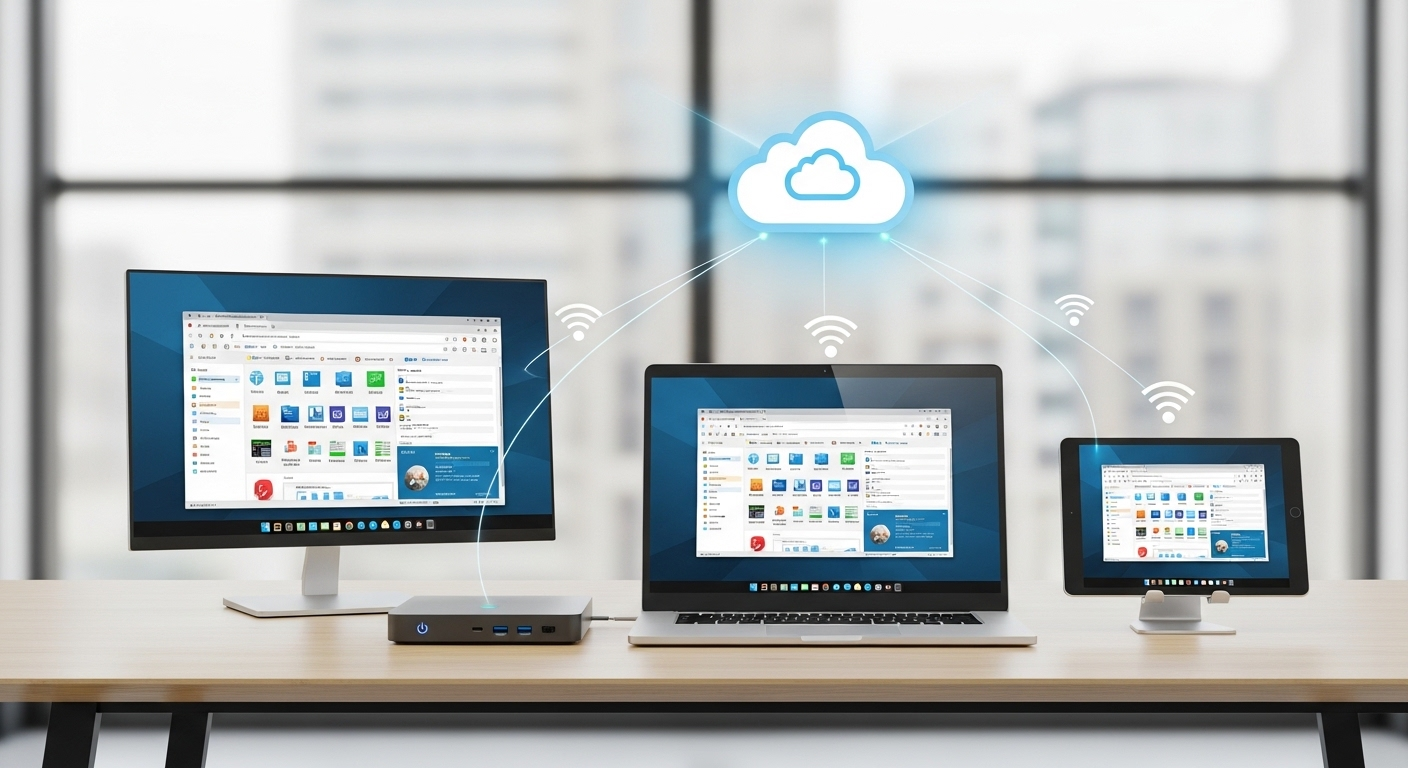
On the surface, Desktop as a Service feels almost boringly easy. You open a browser or a small client app, log in, and boom—your desktop is right there. Underneath that calm surface, though, there’s a lot humming along.
Here’s the short version. Your desktop isn’t actually on your laptop. It lives inside a cloud infrastructure, running on powerful centralized servers inside a provider’s data center.
What you see on your screen is essentially a live video stream of that environment, plus your keyboard and mouse inputs heading back the other way. Nothing magical. Just very efficient plumbing.
You can access virtual desktops in a few ways. Some teams use lightweight client software. Others stick with a browser.
Thin clients work too, and yes—so do personal devices under BYOD policies. The endpoint barely matters because the heavy work happens elsewhere.
What really matters is where the data lives.
With DaaS, files, applications, and business data stay inside the centralized server environment. Not on the laptop. Not on the phone. Not even cached locally in most setups. That’s a big deal for security, compliance, and peace of mind.
Under the hood, the model looks like this:
- Centralized server model running desktops in secure cloud data centers
- Secure access over the internet using encrypted connections and access controls
- No local data storage on endpoints, even if a device is lost, stolen, or shared
It’s less about convenience, honestly, and more about control without the micromanaging.
The Most Significant Benefits of Desktop as a Service
1. Enhanced Security for Sensitive Data
Here’s the quiet superpower of Desktop as a Service, and it’s one most people underestimate at first. Your data doesn’t travel. It stays put.
With DaaS, sensitive data never actually lives on the employee’s laptop, tablet, or phone. It remains locked inside the provider’s data center, behind layers of controls most organizations would struggle to maintain on their own.
Lose a laptop in an airport? Annoying, yes. A breach? Not really. There’s nothing local to steal. That shift alone changes the security equation. Ransomware attacks that depend on endpoint access suddenly hit a wall.
Malware on a personal device can’t easily touch corporate files it never downloads. Even careless behavior—saving files to a desktop, emailing attachments to the wrong address—gets quietly neutralized by design.
Then there’s access control. IT teams can define exactly who gets access to what, from where, and on which device. Logins are tracked. Sessions are logged. Policies are enforced centrally, not hoped for.
In practical terms, DaaS turns data access into a managed privilege instead of a gamble. And when you’re dealing with truly sensitive information, that difference matters more than flashy features ever will.
2. Simplified IT Management and Lower Operational Overhead
Ask almost any IT lead what eats their week alive and you’ll hear the same sigh, followed by a list that never seems to end: patching, updating, troubleshooting, chasing version mismatches, fixing something that worked yesterday.
Desktop as a Service quietly sweeps a lot of that off the table.
With DaaS, the service provider takes responsibility for the unglamorous but critical stuff: operating system updates, security patches, core infrastructure maintenance, even baseline performance tuning. That alone can free up dozens of hours a month. Sometimes more.
For the internal IT team, the shift is real. Instead of babysitting individual machines or playing whack-a-mole with broken desktops, they manage centrally. One change. One policy. Applied everywhere.
That’s what simplified management actually feels like in practice.
And here’s the part that doesn’t show up neatly on a budget spreadsheet. Fewer emergencies mean fewer late nights. Less reactive work means more time for planning, automation, and actual improvement.
Desktop management stops being a constant drain and starts behaving like a system again. Not perfect, maybe. But finally predictable.
3. Cost Savings and Predictable Spending
Budgets hate surprises. Traditional desktops are basically surprise machines. One year it’s a bulk hardware refresh, the next it’s emergency replacements, then licensing sprawl, then security tooling you didn’t plan for but suddenly can’t avoid. It adds up. Quietly. Relentlessly.
Desktop as a Service flips that math on its head with a subscription model. Instead of lumpy capital expenses every few years, costs move into a steady, forecastable line item. Month to month.
User to user. That predictability alone is gold for finance teams who are tired of guessing. The cost savings don’t come from magic.
They come from fewer physical devices to buy, less hands-on support, and dramatically reduced spend on endpoint security tools that are no longer doing the heavy lifting.
When desktops live in the cloud, you’re not constantly patching, repairing, or replacing them.
Over time, the total cost of ownership tends to drop, especially once you factor in softer numbers like reduced management cost and fewer IT fire drills.
It’s not always cheaper on day one. But over a few cycles? The operational costs start behaving. And that’s a relief you can actually feel.
4. Remote Work Without the VPN Headaches
Ask any IT team what they don’t miss from 2020 and you’ll hear the same groan. VPNs. Slow logins. Dropped connections. The endless “can you hear me now?” energy. Desktop as a Service quietly sidesteps most of that mess.
Instead of tunneling traffic back through a fragile corporate network, users get remote access straight to a cloud-hosted desktop. Open a browser. Launch a client. You’re in.
No clunky handshake rituals, no bottlenecked gateways melting down at 9:01 a.m.
For remote work, especially with globally distributed teams, performance feels more consistent because the desktop lives close to the applications, not the employee. As organizations continue adapting to distributed and hybrid work, the future of DaaS is increasingly tied to how easily businesses can provide secure, consistent desktop access regardless of where employees work.
A stable internet connection becomes the main requirement, not proximity to headquarters or a perfectly configured VPN client.
And yes, internet connectivity still matters. DaaS isn’t magic. But when it works, it works smoothly. People log in from home, hotels, airports, or borrowed laptops and get the same desktop every time. Same apps. Same files. Less friction. Fewer headaches.
5. Secure BYOD Without Losing Control
Bring Your Own Device used to make IT folks sweat. Laptops of unknown origin. Phones with cracked screens. Tablets shared with kids who download… everything. And yet, here we are. BYOD isn’t a trend anymore. It’s just how work happens.
This is where Desktop as a Service earns its keep.
With Bring Your Own Device setups, employees can log in from personal devices or their own devices without dragging company data onto them. The desktop lives in the cloud. The files stay put.
Nothing sensitive gets saved locally, synced accidentally, or left behind at an airport security checkpoint. That separation matters. A lot.
From an IT perspective, secure access becomes easier to enforce because control lives at the desktop layer, not the hardware layer. Policies apply uniformly. Access can be revoked instantly.
Logs tell the story if something looks off. Meanwhile, employees just… work. On the device they prefer. In the space they’re comfortable with.
It’s a rare win-win. Flexibility for users. Control for IT. And fewer late-night panic calls when a laptop goes missing.
6. Faster Onboarding and Easy Scalability
There’s a particular kind of chaos that happens when a new hire starts on Monday and their laptop… doesn’t. Or when a contractor shows up for a three-week project and needs “full access, but not too much access.”
Multiply that by twenty during peak season and suddenly onboarding becomes a minor disaster movie.
This is where DaaS quietly shines.
With new virtual desktops, IT can spin up fully configured environments in minutes. Not days. Not weeks. Minutes. The apps are already there. The permissions are baked in. Log in, get to work. That’s it.
DaaS enables employees to be productive almost immediately, whether they’re full-time, freelance, or somewhere in between.
Scaling works the same way in reverse. Need to add a hundred users for a merger or seasonal push? Fine. Need to scale back next month? Also fine. No sunk hardware costs.
No closets full of unused laptops. From a budgeting standpoint, it’s a far more cost-effective solution because capacity flexes with reality, not forecasts.
IT teams stop playing Tetris with hardware. The business moves at the speed it actually needs to.
7. Built-In Business Continuity and Disaster Recovery
Most companies don’t think seriously about disasters until one shows up uninvited. A power outage. A flooded office.
A fiber cut down the street. Suddenly, everything that lived on a local machine or an on-prem server is unreachable, and work grinds to a halt.
DaaS flips that script.
Because desktops and data storage live on redundant cloud servers, business continuity is baked in, not bolted on. If one data center hiccups, another quietly takes over.
Users log in from home, a coffee shop, a temporary office, wherever there’s an internet connection, and pick up right where they left off. Same desktop. Same files. No frantic restores.
This matters more than most people realize. Work continues even when offices don’t. Payroll runs. Support teams respond. Sales calls still happen. And IT isn’t stuck performing heroics at 2 a.m.
In short, DaaS turns disasters into inconveniences. Not existential threats.
8. Compliance Made Easier (Not Automatic, But Easier)
Let’s clear something up right away. DaaS doesn’t magically make you compliant. Anyone promising that is selling fairy dust.
What it does do is remove a huge amount of friction from the compliance grind.
Most reputable DaaS providers operate in environments already pre-audited for major data privacy regulations like HIPAA, GDPR, and PCI DSS.
That means the underlying infrastructure, from access controls to encryption standards, is already aligned with what auditors expect. You’re not starting from scratch every time.
Because desktops live in one controlled place, maintaining compliance becomes far more manageable. Security policies are enforced centrally. Logs are consistent.
Updates are applied everywhere at once. There’s no guessing which laptop missed a patch or which endpoint quietly drifted out of policy.
For organizations handling patient data or other regulated information, that centralized visibility is gold. Audits become less about scavenger hunts and more about verification. Reports are easier to generate. Evidence is easier to show.
It’s still your responsibility. But with DaaS, compliance stops being a daily fire drill and starts looking… almost reasonable.
Desktop as a Service vs VDI: A Practical Comparison

Here’s where things usually get fuzzy in boardrooms and IT stand-ups. DaaS and VDI sound similar. Virtual desktops, remote access, centralized control. Same soup, different spoon. But in practice, the differences matter. A lot.
At a high level, VDI is something you run. DaaS is something you consume. That one distinction alone changes budgets, staffing, timelines, and stress levels.
Side-by-side: DaaS vs VDI
| Factor | Desktop as a Service (DaaS) | Virtual Desktop Infrastructure (VDI) |
|---|---|---|
| Infrastructure management | Handled by the service provider | Managed internally by your IT team |
| Hosting model | Cloud computing offering | On-premise servers (or private cloud) |
| Upfront costs | Low; subscription-based | High; hardware, licensing, setup |
| Scalability | Fast and elastic | Slower; capacity planning required |
| Control | Less granular, more standardized | Full control, more customization |
| Deployment speed | Hours or days | Weeks or months |
Now, the nuance. VDI makes sense if you need deep customization, tight integration with legacy systems, or strict internal control. You also need the staff, the time, and the appetite for infrastructure babysitting. Updates break things. Storage fills up. Someone’s always on call.
DaaS, on the other hand, trades some control for flexibility. The service provider handles the heavy lifting. You scale when you need to. You stop when you don’t.
For many organizations, especially those embracing remote work or rapid growth, that tradeoff feels… sensible. Refreshingly so.
Where DaaS Isn’t Perfect (And What to Watch Out For)
Let’s be honest for a second. Desktop as a Service isn’t magic. It solves a lot of problems, sure, but it also introduces a few new ones that tend to show up right after the honeymoon phase ends.
First, the obvious one: internet connectivity. No connection, no desktop. Even a shaky connection can mean lag, frozen screens, or that lovely moment when your cursor moves five seconds after your hand does. In regions with inconsistent broadband, this isn’t a small footnote. It’s a real operational risk.
Then there’s latency. Even with solid internet, users far from the provider’s data center can feel delays, especially with graphics-heavy apps or specialized software. Not everyone notices it, but the people who do really notice it.
Customization is another tradeoff. DaaS platforms are built to scale, which often means standardized environments.
If your teams rely on deeply customized desktop setups or niche configurations, that limited control can feel constraining. Sometimes frustrating.
And yes, vendor lock-in is real. Migrating hundreds or thousands of virtual desktops from one provider to another isn’t a weekend project. Data formats, tooling, contracts—they all matter. A lot.
Finally, the quiet one: operational costs over time. The subscription model feels friendly at first, but as user counts grow, monthly spend can creep. Slowly. Predictably. Enough that finance will eventually ask questions.
None of this disqualifies DaaS. It just means going in with open eyes. Cloud convenience is powerful, but it still comes with strings attached.
Who Benefits Most From Desktop as a Service?

Not every organization needs DaaS. But for some, it’s less a “nice-to-have” and more a quiet lifesaver. The kind you only notice once it’s gone.
Here’s where a DaaS platform tends to shine brightest.
- Remote-first or hybrid organizations
Teams spread across cities, countries, time zones. DaaS for hybrid work helps give everyone the same desktop environment without duct-taping VPNs and local setups together. Consistency matters more when people rarely share an office. - Companies with lean IT infrastructure
If your IT team can be counted on one hand, offloading desktop management is a relief. Updates, patches, security controls—handled by the provider instead of burning internal cycles. - Regulated or data-sensitive industries
Healthcare, finance, legal, government-adjacent orgs. When sensitive data can’t live on laptops or personal devices, centralized virtual desktops reduce exposure and simplify compliance headaches. - Fast-growing or fluctuating workforces
Startups scaling quickly. Seasonal businesses. Contractors coming and going. DaaS makes it easy to spin desktops up or down without buying, imaging, and shipping hardware. - Organizations embracing BYOD cautiously
Letting employees use personal devices while keeping corporate data locked in the cloud? That’s a common win.
In short, many organizations adopt DaaS not because it’s trendy, but because it fits the reality they’re already living in.
How to Decide If DaaS Is Right for Your Organization
Before jumping headfirst into a DaaS environment, it’s worth slowing down. Just a bit. Not every workload loves the cloud, and not every team works the same way.
The trick is asking the right questions, not chasing buzzwords.
Start with the work itself. What are people actually doing all day? Knowledge work, call-center tasks, analytics, design, regulated workflows? Some roles fit neatly into cloud-delivered desktops.
Others—especially latency-sensitive or highly customized setups need closer scrutiny.
Then there’s security. How sensitive is your data? If keeping information locked inside a centralized data center sounds comforting (and it usually does), DaaS may align well with your risk posture.
Compliance requirements matter here too HIPAA, GDPR, industry audits those aren’t footnotes.
User profiles come next. Are employees remote, hybrid, mobile-heavy? Do they switch devices often? DaaS tends to shine when flexibility is non-negotiable.
Finally, be honest about connectivity. Cloud technology lives and dies by the internet. If reliable bandwidth isn’t a given, frustrations will pile up fast.
In short: map the reality you have today, not the one you wish you had tomorrow.
Why DaaS Is About Control, Not Convenience
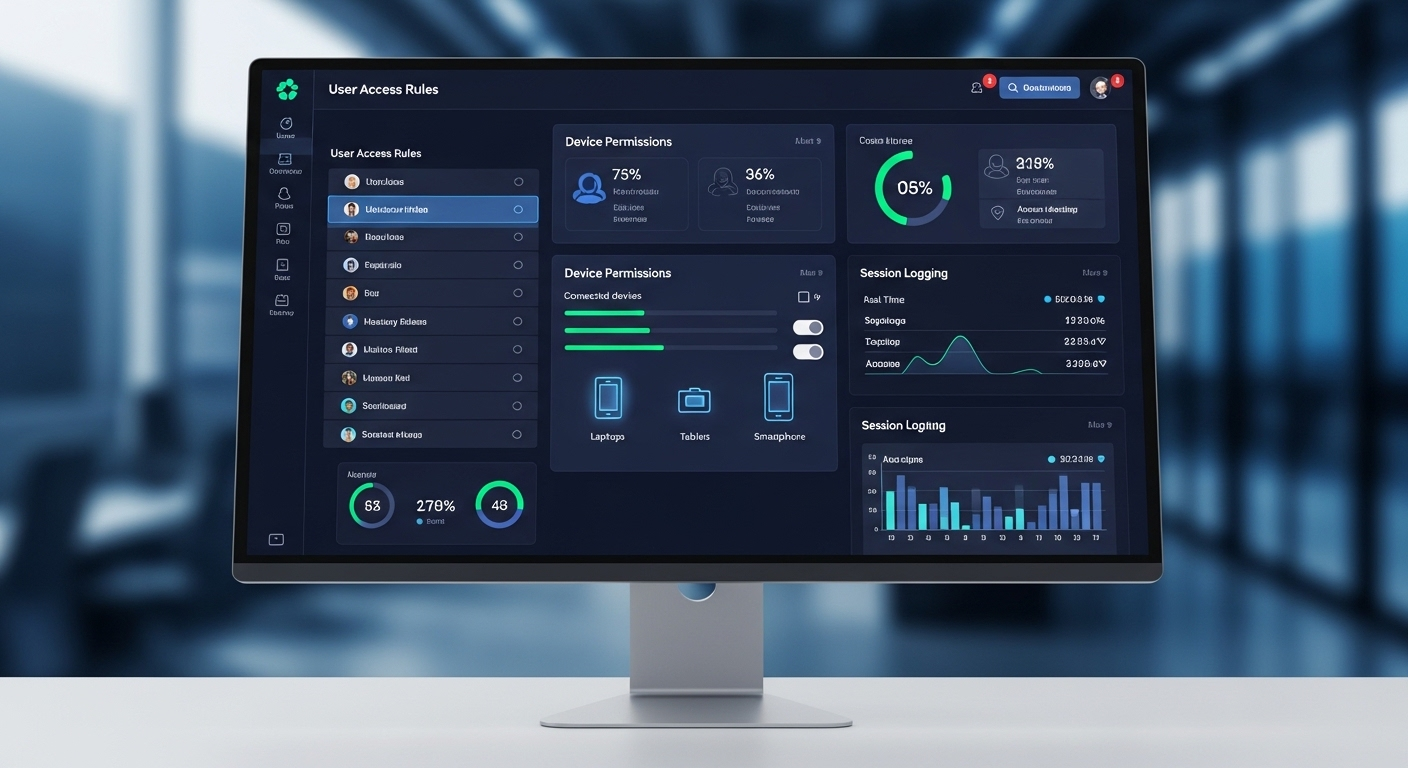
It’s tempting to pitch Desktop as a Service as a convenience play. Log in anywhere. Same desktop. Easy. But that’s the surface story, not the real one.
Underneath, DaaS is about control. Real control. The kind that matters when devices go missing, when teams scatter across time zones, when risk shows up uninvited at 2 a.m.
Centralized desktops mean centralized rules: who gets access, from where, on what device, and under which conditions. That’s not a nice-to-have anymore. It’s table stakes.
Modern risk doesn’t live neatly inside office walls. It lives on personal laptops, café Wi-Fi, rushed contractors, and shadow IT.
DaaS responds by pulling the work back into a managed core, where data stays put and access is deliberate, logged, reversible.
So yes, it’s convenient. But more importantly, it’s resilient. DaaS gives organizations leverage over outcomes, not just smoother logins. And in today’s environment, leverage beats comfort every time.
Conclusion
By now, it should be pretty clear that Desktop as a Service isn’t just a clever way to modernize desktops or shave a few dollars off hardware budgets. That’s the shallow read.
The deeper truth is this: DaaS lines up far better with how work actually happens now. Distributed. Device-agnostic. Constantly moving.
It’s safer because data stays put. More flexible because desktops can follow people, not the other way around. And, frankly, saner for IT teams who are tired of duct-taping security, access, and support together across a sprawl of devices and locations.
The biggest advantage, though, is control without complexity. Centralized environments, consistent policies, fewer surprises. Less chaos. That matters.
If you’re weighing next steps, it may be worth evaluating how DaaS could reduce risk, simplify IT operations, and support secure remote work at real scale—without turning your infrastructure into a full-time fire drill.
Frequently Asked Questions (FAQs)
1. What is the biggest benefit of Desktop as a Service?
The biggest benefit of Desktop as a Service is centralized control. Your data, desktops, and security policies live in the data center, not on employee devices, reducing risk and simplifying management.
2. Is Desktop as a Service more secure than traditional desktops?
In most cases, yes. With DaaS, sensitive data never leaves the cloud environment, which limits exposure from lost laptops, malware, ransomware, or unsecured personal devices.
3. How is DaaS different from traditional VDI?
DaaS is fully managed by a service provider, while VDI typically runs on on-premise servers managed by your own IT team. DaaS trades some control for faster deployment, scalability, and lower operational overhead.
4. Does Desktop as a Service require a constant internet connection?
Yes. Users need a stable internet connection to access their virtual desktop. Poor connectivity can affect performance, which is why network readiness is a key consideration before adopting DaaS.
5. Is Desktop as a Service suitable for small or fast-growing teams?
Absolutely. DaaS works especially well for small IT teams, remote-first organizations, and companies with fluctuating headcounts because new desktops can be provisioned or removed in minutes.
