
ExamSpace
The complete exam
environment.
100% browser-based.
No software for students to install and no dedicated exam-device fleet for IT to maintain. Give every student the applications, files, resources, and approved AI tools each assessment requires.
Built on Apporto’s proven browser-based platform
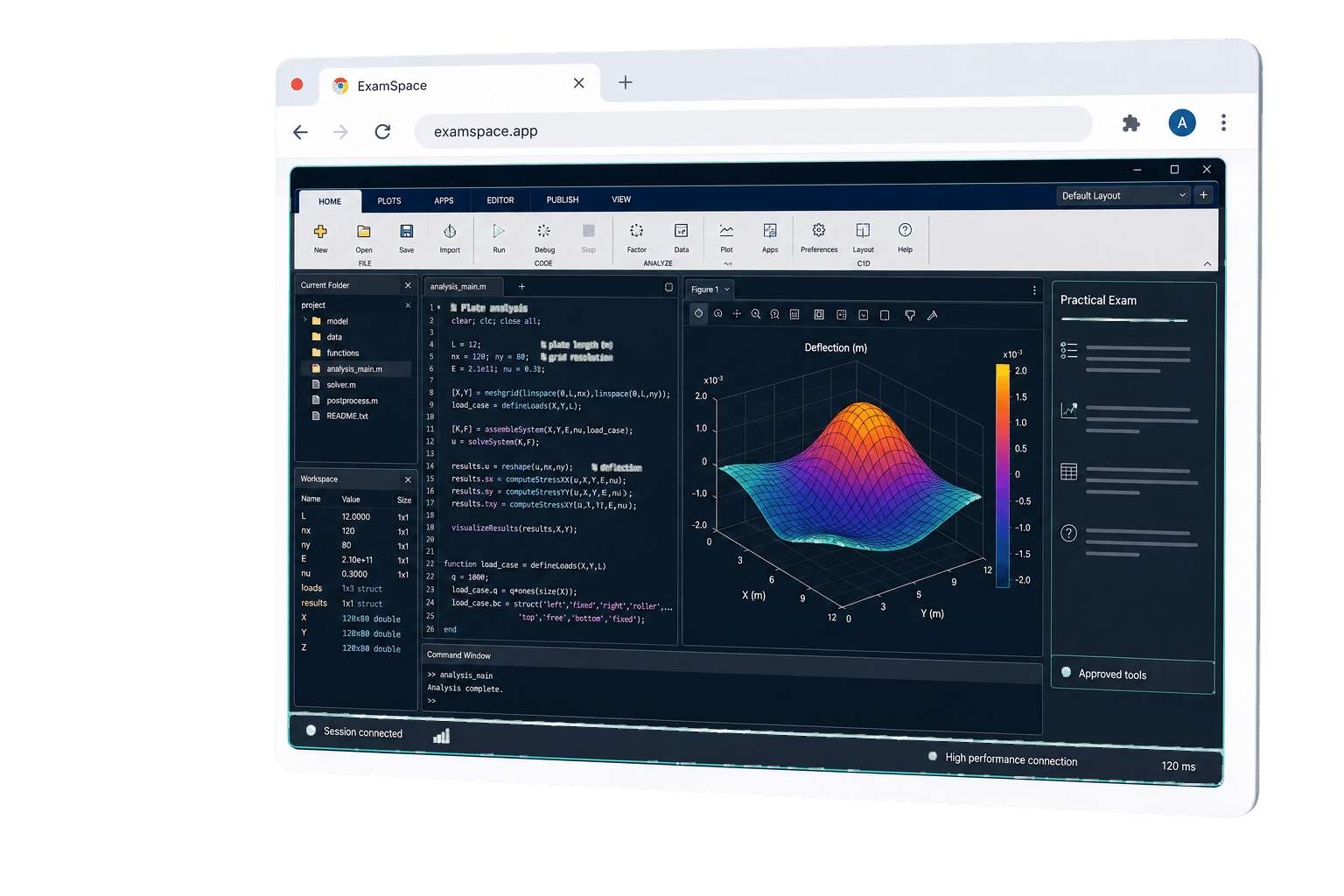
Browser-delivered.
Not browser-limited.
Deliver complete, application-based exams through any browser, with the same approved applications, files, resources, and settings for every student.
managed
owned
managed
owned
BYOD-Friendly
Support institution-managed and student-owned devices without compromising the exam environment.
No Local Installation
Launch through any browser with no downloads, plug-ins, or VPN.
Consistent for Every Student
Give every student the same faculty-configured workspace, regardless of device.
Less Work for IT
Manage one centralized environment instead of software across individual endpoints.
Across managed and student-owned devices. One controlled workspace.
See the browser-based exam experience in action.
Assess what students can do, not just what they know.
ExamSpace provides a complete exam environment for real-world assessment, bringing professional applications, datasets, live websites, reference files, and approved AI tools into one controlled workspace. Faculty define what is available for each exam.
Coding and Computer Science
Let students write, run, test, and debug code using development tools, terminals, working files, and faculty-approved network resources.
 VS Code
 Eclipse
 PyCharm
 IntelliJ IDEA
Data Science and Analytics
Provide datasets, spreadsheets, notebooks, statistical tools, and approved documentation in one controlled environment.
 Jupyter
 Spyder
 RStudio
 MATLAB
Engineering and Technical Programs
Assess hands-on skills using specialized applications, working files, technical resources, and faculty-approved websites.
 SolidWorks
 AutoCAD
 ArcGIS
 Ansys
AnsysOpen-Resource and AI-Enabled Exams
Allow specific references, applications, websites, or AI tools while blocking access to anything outside the exam policy.
AI changed the exam.
Assessment does not have to move backward.
As some institutions return to proctors, paper, and blue books to protect academic integrity, ExamSpace offers a controlled digital path forward. Faculty decide which applications, files, websites, network services, and AI tools students can access, helping preserve trust without sacrificing meaningful, real-world assessment.
In 2026, Princeton ended its 133-year tradition of unproctored exams amid concerns about cheating and generative AI.
Princeton Alumni Weekly, May 2026Open what students need.
Close what they do not.
ExamSpace lets faculty create the complete environment an assessment requires, then apply clear policies across that entire workspace. Approved applications, files, datasets, websites, network access, and AI tools are available when needed. Everything outside the exam policy stays unavailable.
Define the Environment
Provide the applications, working files, datasets, reference materials, websites, network services, and approved AI capabilities required for the assessment.
Apply Granular Policies
Control clipboard use, file transfers, printing, screen sharing, storage visibility, peripherals, connectivity, and other workspace capabilities.
Reuse Complete Configurations
Save applications, resources, and policies together as reusable templates for future courses, sections, and testing periods.
Review Session Activity
Give authorized faculty and institutional teams access to timestamped policy events, blocked actions, and relevant session activity.
Lock the workspace. Not just the tab.
Configure. Launch. Review.
ExamSpace brings exam setup, student access, and session review into one managed workflow.
Configure the Workspace
Faculty select the applications, resources, and policies required for the assessment, then save the complete setup as a reusable template.
Launch the Exam
Students launch the assigned workspace through the LMS or browser with the tools, resources, and permissions defined for the assessment.
Review Session Activity
Faculty and authorized staff review relevant session activity, timestamped policy events, and blocked actions in one place.
A broader way to assess.
Traditional lockdown tools focus primarily on restricting a browser session. ExamSpace provides a complete, faculty-defined workspace for practical assessment.
Complete cloud exam workspace
Restricted browser session
Approved applications, files, datasets, websites, network services, and AI
Primarily browser content and permitted web resources
Practical, application-based, open-resource, and AI-enabled exams
Primarily browser-delivered tests
Browser launch without local exam software
Often requires a dedicated browser, application, or extension
Reusable configurations, centralized policies, and reviewable activity
Typically narrower browser controls and course-level settings
Capabilities vary by product and configuration.
Institutional trust. By design.
ExamSpace is designed for institutional security, privacy, and accessibility review. Student data is never used to train our models.
Apporto provides the standards, safeguards, and documentation higher education teams need to evaluate and deploy with confidence.
One platform for learning, assessment, grading, and integrity.
ExamSpace is part of the Apporto Academic AI Suite, connecting guided learning, controlled assessment, instructor-led grading, and process-based integrity insight across the student journey.
Deliver practical exams without complicated deployment.
Give faculty a secure, configurable assessment workspace that launches through the browser and supports the tools students actually need.
Request a Demo