

What Is VDI Disaster Recovery & Why Is It Important?
VDI disaster recovery protects virtual desktop environments by replicating desktops, applications, and user data to backup infrastructure or secondary locations. It helps organizations reduce downtime, prevent data loss, and maintain business continuity during outages, cyberattacks, or infrastructure failures through automated failover, centralized management, and cloud-based recovery strategies.
You rely on systems that rarely sit still anymore. Virtual desktop infrastructure, quietly, has become one of those systems. It runs business operations in the background, holding user data, applications, even entire operating systems inside centralized data centers.
That convenience comes with a trade-off. When something breaks, it doesn’t stay isolated. A single failure can ripple outward, causing downtime, data loss, and interruptions that are harder to contain than expected.
Add remote work, personal devices, constant internet dependency, and the risk stretches further.
This is why disaster recovery planning matters more now, across both cloud infrastructure and on premises infrastructure. Not as a backup idea, but as a core requirement.
In this guide, you’ll explore DR strategy, architecture, RTO and RPO, cloud platforms, and practical best practices.
What Is VDI Disaster Recovery and How Does It Work ?
VDI disaster recovery is about one thing, getting your virtual desktop environment back up after something goes wrong. Not eventually. Quickly enough that your business operations don’t stall out.
In a typical virtual desktop infrastructure, your desktops aren’t tied to a physical device. They live inside centralized servers, built on virtual machines, often running within a cloud platform or a data center. Your files, applications, even your operating system, all sit there, not on your laptop.
That structure changes how recovery works. Instead of rebuilding individual machines, you rely on replication. Data replication, storage replication, sometimes automated replication running quietly in the background, constantly copying your environment to a secondary location.
It could be another data center, a different cloud region, or a fully prepared recovery site. When failure hits, and it will at some point, the system initiates failover.
Users are redirected, sometimes without even realizing it, to a DR environment running in that alternate location. Their sessions reconnect, their desktop appears, almost the same as before.
Because of this centralized design, backup and data protection become more manageable. Cloud providers and DR platform tools handle much of the heavy lifting, automating parts of the recovery process that used to require manual intervention. And that, in practice, is what keeps downtime from stretching longer than it should.
Why Is Disaster Recovery More Complex in Virtual Desktop Infrastructure?
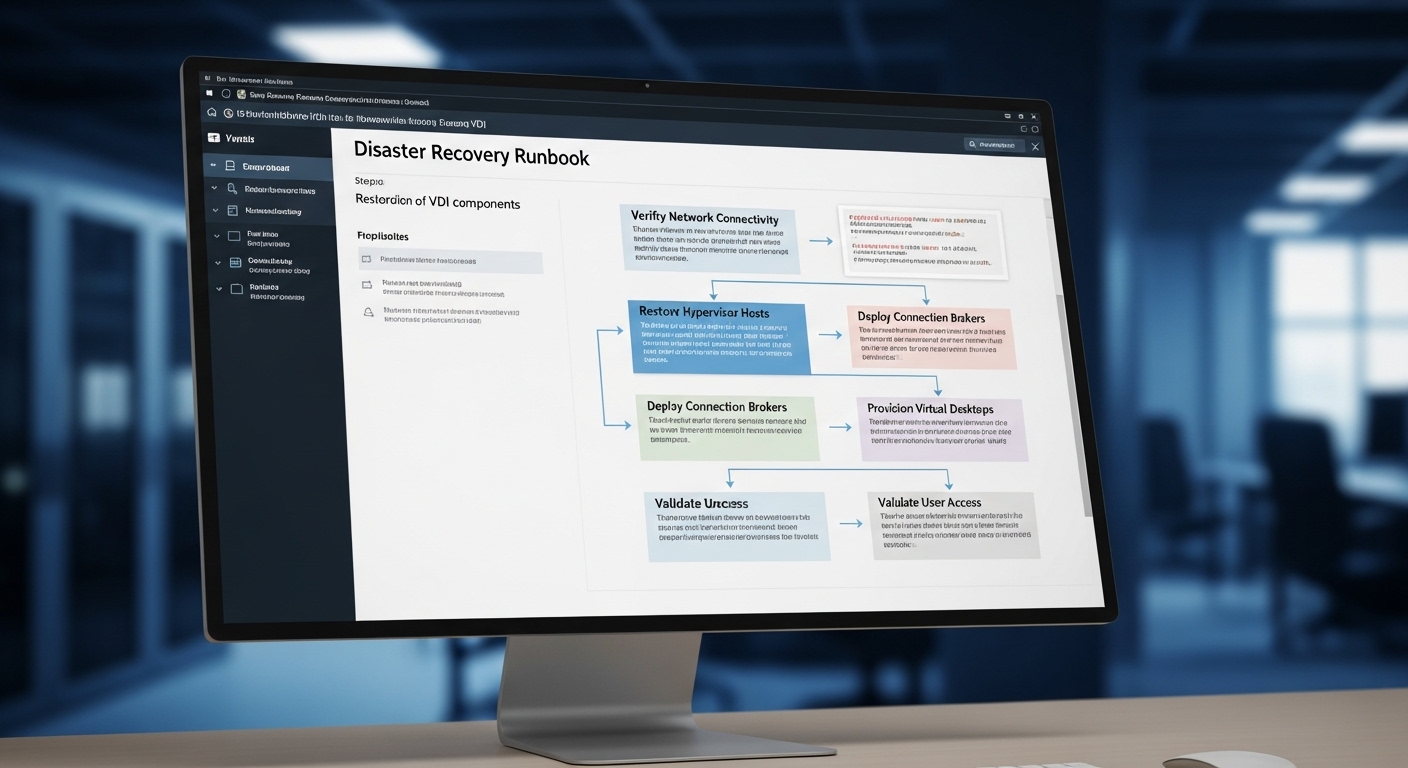
VDI looks easier to recover. Everything is centralized, neatly contained, not scattered across hundreds of physical devices. That part is true. But the complexity hides underneath.
A VDI environment isn’t one system. It’s a collection of tightly connected pieces, brokers handling connections, virtual machines running desktops, file servers storing data, user profiles tracking sessions. Each one depends on the others. Quietly, constantly.
And that’s where things get tricky. If one component fails, even something small, the entire environment can stall. Users can’t log in. Sessions won’t start.
Desktops exist, technically, but they’re unreachable. It’s a strange kind of failure, everything looks fine, but nothing works. Compared to traditional disaster recovery solutions, where you might restore a single application or server, VDI demands coordination.
Every layer of the IT infrastructure and DR architecture has to come back in sync. Not later, not partially, but together.
Then there’s the network. VDI depends heavily on stable connections, WAN links, cloud region availability. If connectivity drops, recovery paths can break, even when systems are fully operational in the background.
- Failure of centralized servers stops all VDI sessions
- Network outages prevent access even if desktops are running
- User profiles and file servers must recover together
- VDI disaster recovery requires detailed runbooks for each failure scenario
.
What Are the Main Components of a Strong VDI Disaster Recovery Strategy?
A solid VDI disaster recovery strategy doesn’t start with infrastructure. It starts with understanding what actually needs to come back first, and what can wait a few minutes, or longer. Not everything carries the same weight.
At the center of it all are your virtual machines. These hold the desktop environments your users depend on. Alongside them sits the operating system layer, often standardized through a golden image, which allows you to rebuild desktops quickly without starting from scratch every time.
Then there are user profiles. Easy to overlook, but critical. They hold personal settings, session data, small details that make a desktop feel familiar. Without them, recovery feels incomplete. This is where file servers and profile storage systems, like FSLogix-style approaches, come into play, keeping profiles separate and easier to replicate across locations.
Replication ties everything together. Desktop environments, application dependencies, even background services, all need to be copied and kept in sync with a secondary location. Not occasionally, but continuously enough to avoid noticeable gaps.
And that secondary location matters. Your production environment must have a ready counterpart in a DR location, capable of taking over without delay.
Through all of this, prioritization becomes essential. Critical assets, sensitive data, key applications, they come first. Because recovery isn’t just about bringing systems back online. It’s about restoring continuity, keeping sessions intact, and preserving data integrity so work can resume without hesitation.
How Do Recovery Time Objective (RTO) and Recovery Point Objective (RPO) Impact Your DR Strategy?

Two numbers tend to define everything in disaster recovery, even if they don’t look dramatic at first. RTO and RPO. Simple terms, but they quietly dictate how your entire VDI disaster recovery strategy is built.
Recovery Time Objective, or RTO, is the amount of time you can afford to be down. Minutes, maybe an hour, sometimes longer, though that gets expensive quickly. Recovery Point Objective, RPO, is about data, how much you can afford to lose. A few seconds, a few minutes, or more if the risk is acceptable.
These aren’t just technical targets. They tie directly to business operations. When systems go offline, work stops. In production environments, even short outages can translate into real financial losses, sometimes faster than expected.
To meet tighter RTO and RPO goals, you need frequent snapshots, continuous replication, and infrastructure that can handle rapid failover. That usually means higher cost. There’s always a trade-off sitting underneath.
RTO vs RPO in VDI Disaster Recovery
| Metric | Definition | Impact on VDI Environment |
|---|---|---|
| RTO | Time to restore desktop environment | Determines how quickly users regain access |
| RPO | Acceptable data loss window | Defines how often data must be replicated |
| Low RTO | Faster failover | Requires more infrastructure and higher cost |
| Low RPO | Minimal data loss | Requires continuous replication and storage |
What DR Architectures Can You Use in VDI Environments?
Not all disaster recovery setups are built the same. And they shouldn’t be. The architecture you choose depends on how much downtime you can tolerate, how much complexity you’re willing to manage, and, realistically, how much budget sits behind it.
Start with active-active. This is the most resilient option. Two environments, often across different cloud regions or data centers, running at the same time. If one fails, the other continues without much interruption. It sounds ideal, and in many ways it is, but it comes with higher infrastructure demands.
Then there’s active-passive. Here, your secondary location exists, but it stays idle until something goes wrong. Data is replicated, systems are prepared, but not actively serving users. When failure occurs, the recovery process kicks in and brings that environment online. Slower than active-active, but more cost-conscious.
Somewhere in between sits warm standby. Not fully active, not fully idle either. It maintains a partially running environment that can scale quickly when needed. A balance, though not perfect.
Across all of these, multi-site replication plays a central role. Data and workloads are copied across cloud regions or physical data centers, ensuring that a secondary recovery location is always available.
Geographic separation matters more than it seems. If both sites sit too close, the same disruption can affect both.
- Active-active enables near-zero downtime with simultaneous environments
- Active-passive activates secondary site only during failure
- Warm standby balances cost and recovery speed
- Multi-region DR protects against natural disasters and regional outages
How Does Cloud Infrastructure Simplify VDI Disaster Recovery?

Cloud infrastructure removes a large part of the physical burden. You’re no longer tied to a single data center or limited by hardware sitting in one location. Instead, your virtual desktop infrastructure runs across distributed environments, often spanning multiple cloud regions without you having to manually stitch everything together.
Platforms like Microsoft Azure or Oracle Cloud Infrastructure make this easier to manage than it used to be. Replication can be automated. Data, virtual machines, even full desktop environments are continuously copied to secondary regions. Not perfectly instant, but close enough to meet most recovery targets.
Failover becomes more predictable too. Automated failover tools detect failure and redirect workloads to a recovery environment with less manual effort. That matters, especially when time is tight and decisions need to happen quickly.
There’s also scalability. If demand spikes during recovery, more resources can be provisioned without waiting for new hardware. That flexibility is hard to match with traditional setups.
For IT teams, the experience becomes simpler. Fewer moving parts to manage directly, fewer dependencies on physical infrastructure.
And perhaps most importantly, you can deliver desktop environments globally, letting users reconnect from almost anywhere without rebuilding everything from scratch.
What Risks and Failure Scenarios Should You Plan For?
Disaster recovery sounds like it’s only about rare events. A fire, a flood, something dramatic. In reality, most failures are quieter, and sometimes more frustrating because they’re harder to anticipate.
Natural disasters still matter, of course. A single data center going offline can take an entire VDI environment with it. But just as often, the issue starts smaller. Hardware fails. Storage systems degrade. Something in the background stops responding.
Then there’s the network. This is where things get unpredictable. WAN failures, unstable internet connections, broken connectivity paths, these don’t always shut everything down, but they cut access. Your virtual desktops may still be running, fully functional, but users can’t reach them. That distinction matters.
Data corruption is another risk that tends to go unnoticed until it’s too late. A damaged file, a broken user profile, and suddenly sessions behave differently, or don’t start at all.
All of this ties back to dependency. VDI relies heavily on connectivity. Without it, even a perfectly restored environment feels unusable.
- Network failure disconnects users from virtual desktops
- Data center outages affect centralized systems
- Data loss impacts user profiles and applications
- Misconfigured DR environment delays recovery
What Are the Best Practices for VDI Disaster Recovery?
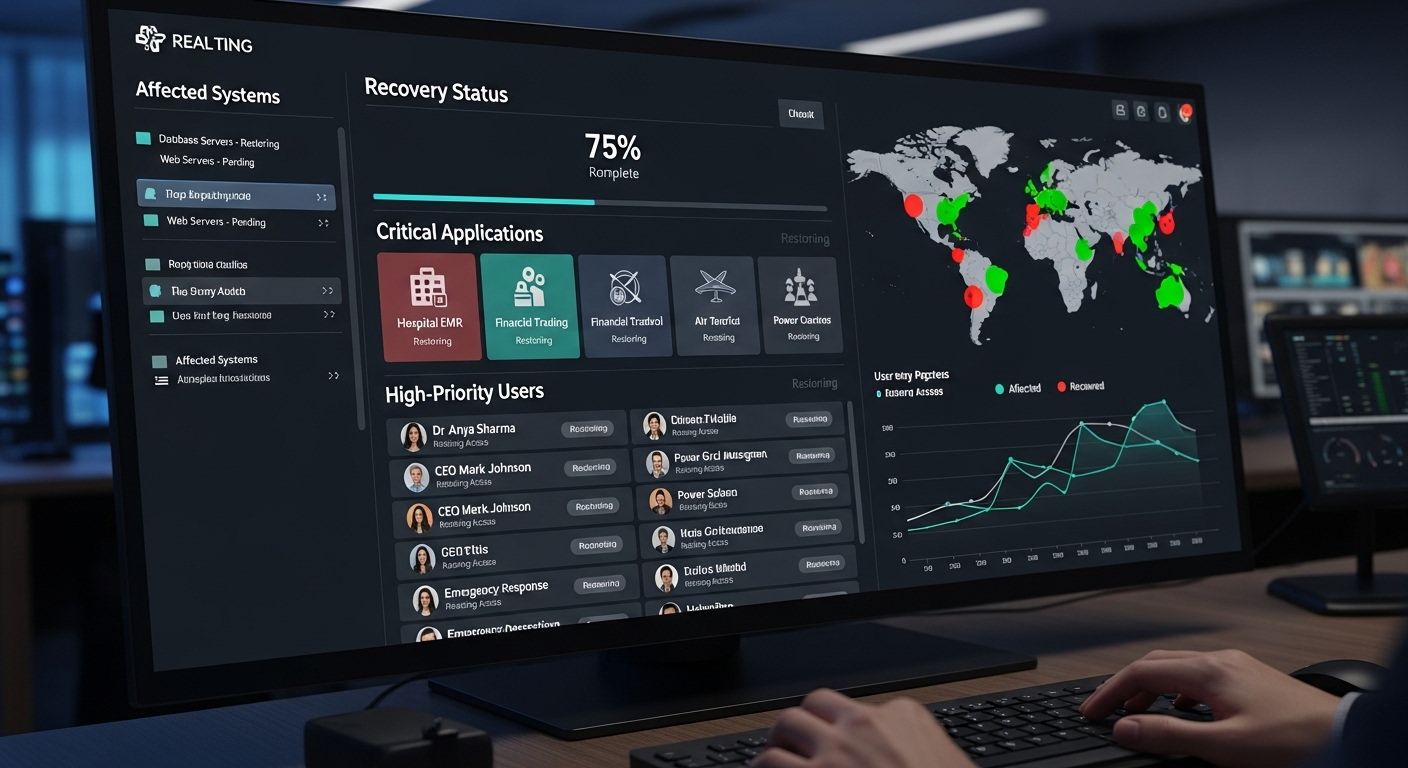
Even well-designed systems fail if they aren’t maintained with intention. Disaster recovery, especially in VDI environments, isn’t something you set once and forget. It needs rhythm. Repetition. A bit of discipline, honestly.
Here’s what effective VDI disaster recovery requires:
- Automated Replication: Ensures virtual machines, user data, and applications are continuously copied to a secondary site so recovery doesn’t depend on last-minute backups.
- Frequent Snapshots: Minimizes data loss and improves recovery point objective targets by capturing system states at regular intervals.
- Profile Management: Centralizes user profiles for easier replication and consistent user sessions, avoiding fragmented recovery experiences.
- Multi-Site DR Architecture: Protects against regional outages by maintaining geographically separated recovery sites that can take over when needed.
- Regular DR Testing: Validates recovery processes through simulations and failover drills, because plans that aren’t tested tend to break in real situations.
- Runbook Documentation: Provides step-by-step recovery procedures for IT teams, reducing confusion when time is limited and decisions need to be quick.
- Prioritized Recovery: Restores critical applications and users first, based on business impact rather than attempting to recover everything at once.
- Secure DR Environment: Protects sensitive data using access controls and encryption, ensuring recovery doesn’t introduce new vulnerabilities.
- Backup Plus Replication Strategy: Ensures redundancy beyond replication alone, since replication by itself doesn’t always protect against corruption.
- Automated Failover Tools: Reduces manual intervention and speeds recovery processes, helping systems transition faster during unexpected failures.
How Does VDI Ensure Business Continuity During Disruptions?
VDI answers that differently than traditional setups. Because your virtual desktops don’t live on a single physical device, access isn’t tied to one location. If a laptop fails, or an office becomes unavailable, you can still log in from another device, another place, and pick up where you left off. Not perfectly every time, but close enough that work doesn’t stop.
This becomes more important with remote work and distributed teams. People aren’t all in one building anymore, and disruptions rarely affect everyone in the same way. VDI allows each user to reconnect independently, using personal devices or alternate systems, as long as there’s a working internet connection.
The centralized infrastructure plays a quiet but critical role here. Data, applications, and desktop environments stay in one controlled system, rather than scattered across local machines. That makes recovery faster, but also more consistent.
So when disruption happens, and it will, the goal isn’t to avoid impact entirely. It’s to reduce it. Keep operations moving. Maintain access. And with VDI, that continuity becomes something you can rely on, not just hope for.
What Should You Evaluate Before Finalizing Your DR Strategy?

There’s usually a moment before finalizing a disaster recovery strategy where everything looks complete. Systems mapped, backups in place, architecture decided. But this is also where small gaps tend to hide.
A few careful checks can make the difference between a plan that works on paper and one that actually holds up under pressure.
Before finalizing your VDI disaster recovery strategy, consider:
- Business Impact: Defines acceptable downtime and recovery priorities, helping you decide what must come back first and what can wait a little longer.
- Infrastructure Capacity: Ensures sufficient compute and storage at the recovery location so systems don’t struggle when they’re needed most.
- Geographic Separation: Protects against regional failures by keeping your primary and recovery sites far enough apart to avoid shared risk.
- Connectivity Dependencies: Evaluates how much your environment relies on network and cloud reachability, especially during outages.
- Budget Constraints: Balances cost burden with DR performance requirements, since faster recovery often comes with higher investment.
- Application Dependencies: Identifies critical systems that must be available for business operations to continue without disruption.
- Testing Frequency: Ensures ongoing validation of disaster recovery readiness through regular checks and simulations.
Why Modern VDI Solutions Simplify Disaster Recovery Compared to Traditional Approaches?
Traditional disaster recovery often feels heavy. Multiple physical systems, scattered data, separate backup routines, each piece needing attention. Recovery becomes a process of rebuilding, step by step, sometimes slower than expected.
VDI changes that dynamic. With centralized servers, your desktops, applications, and data sit in one controlled environment. You’re not chasing individual machines or trying to piece together fragmented systems. Management becomes more straightforward, not simple exactly, but more contained.
This reduces operational overhead. Fewer systems to maintain, fewer variables to track during recovery. And when something fails, restoration happens at the infrastructure level, not device by device.
Recovery also becomes faster. Not instant, but noticeably quicker compared to traditional approaches that depend on physical hardware and manual steps.
There’s also resilience built in. VDI environments can scale, replicate, and adapt across locations more easily. So over time, disaster recovery stops feeling like a heavy fallback plan, and starts becoming part of how your system naturally operates.
Final Thoughts
There’s a tendency to treat disaster recovery as something you revisit occasionally. Update a plan, check a box, move on. But VDI doesn’t really allow that kind of distance. Too many moving parts, too much dependency on availability.
A more reliable approach is proactive. Build your DR strategy with intent, then keep refining it. Test it, break it a little, fix what doesn’t hold up. Then test again. It’s repetitive, but that’s the point.
What matters is alignment. Your recovery strategy should reflect your business continuity goals, not sit beside them.
And yes, it requires investment. Infrastructure, tools, time. But over time, that investment turns into something steadier. Not perfect resilience, but enough to keep things running when it matters most.
Frequently Asked Questions (FAQs)
1. What is VDI disaster recovery?
VDI disaster recovery is the process of restoring virtual desktop infrastructure after outages, cyberattacks, or infrastructure failures. It uses replication, backups, and failover systems to recover virtual desktops, applications, and user data quickly, helping organizations maintain business continuity and reduce operational disruption during unexpected events.
2. Why is VDI disaster recovery complex?
VDI environments rely on multiple interconnected components like virtual machines, brokers, and file servers. If one fails, the entire system can be affected. Recovery requires coordination across infrastructure, applications, and user profiles, which makes it more layered than traditional disaster recovery setups.
3. What is the difference between RTO and RPO in disaster recovery?
RTO, or Recovery Time Objective, measures how quickly systems must be restored after an outage, while RPO, or Recovery Point Objective, defines how much data loss is acceptable. Together, they guide disaster recovery planning by balancing downtime tolerance, replication frequency, and infrastructure investment requirements.
4. How does cloud infrastructure improve VDI disaster recovery?
Cloud infrastructure improves VDI disaster recovery by enabling automated replication, scalable backup environments, and faster failover across multiple regions. Organizations can restore virtual desktops and applications more efficiently without relying entirely on physical hardware, helping reduce downtime and simplify recovery management during disruptions.
5. What DR architecture is best for VDI?
The best architecture depends on your tolerance for downtime and budget. Active-active offers near-instant recovery, active-passive is more cost-efficient, and warm standby balances both. The right choice aligns with your business impact and recovery time requirements.
6. How often should VDI disaster recovery plans be tested?
VDI disaster recovery plans should be tested regularly, typically several times per year, to validate failover procedures, identify infrastructure gaps, and ensure recovery systems function correctly during outages. Routine testing helps organizations improve response times, strengthen business continuity, and reduce operational risks during real disruptions.
7. Can VDI reduce downtime during disasters?
Yes, VDI can reduce downtime during disasters by centralizing desktops, applications, and data within managed infrastructure that supports replication and failover. Users can reconnect from alternate devices or locations, allowing organizations to maintain operations more efficiently during outages, cyber incidents, or infrastructure failures.
