

What Are Desktop Virtualization Services?
Desktop virtualization services deliver desktops and applications from centralized cloud or data center infrastructure instead of local devices. Solutions like VDI and DaaS improve security, scalability, and remote access while reducing hardware management. Browser-based platforms such as Apporto simplify deployment by eliminating traditional client software and infrastructure complexity.
Desktop virtualization services separate the desktop environment from the physical device. Instead of storing applications, data, and the operating system on individual machines, you deliver them from centralized infrastructure. The distinction lies in who manages that infrastructure.
With virtual desktop infrastructure VDI, your organization hosts dedicated virtual machines for each user. That requires server hardware, storage arrays, hypervisors, and virtualization software inside your own data center.
Platforms such as Azure Virtual Desktop run on Microsoft Azure, yet still demand configuration, image management, and ongoing oversight. Citrix Virtual Apps and Omnissa Horizon also rely on significant backend tuning to maintain performance and stability.
Desktop as a service shifts that responsibility outward. Amazon WorkSpaces provides a subscription-based DaaS model where the provider manages backend servers, storage, operating system updates, and security patches. Remote Desktop Services can improve cost efficiency by allowing multiple users to share a single operating system instance.
Apporto extends this evolution by delivering browser-based DaaS that eliminates client installations entirely. Centralized management reduces IT operations burden, allowing you to control apps and desktops without maintaining complex infrastructure layers.
The True Total Cost of Traditional VDI
Licensing is only the visible portion of the total cost in a traditional virtual desktop infrastructure VDI deployment. The deeper expenses sit in infrastructure, labor, and operational risk. When you evaluate desktop virtualization services, you have to account for the entire lifecycle of your IT infrastructure, not just the price of virtualization software.
The cost structure typically includes:
- Hardware costs for servers, backup systems, and networking equipment that must be refreshed every few years.
- Data center power and cooling expenses that scale as compute density increases.
- Windows desktops licensing combined with virtualization software subscriptions.
- GPU resources required for advanced applications and graphics-intensive workloads.
- Recurring security patch deployment cycles across multiple virtual machines.
- Dedicated IT personnel focused solely on infrastructure management.
- Overprovisioned virtual machines to prevent latency during peak usage.
- Storage expansion as the user base and data volumes grow.
- VPN infrastructure costs to provide remote access.
- Client software support overhead and version compatibility troubleshooting.
- Disaster recovery infrastructure duplication to ensure continuity.
- Ongoing maintenance contracts tied to hardware vendors.
- Downtime costs during major patch cycles or upgrades.
- Engineering time spent maintaining legacy applications compatibility.
VDI scales linearly with user growth. More users require more infrastructure. The DaaS subscription model scales elastically, allowing you to align cost with actual usage.
Desktop as a Service: A Structural Cost Reallocation
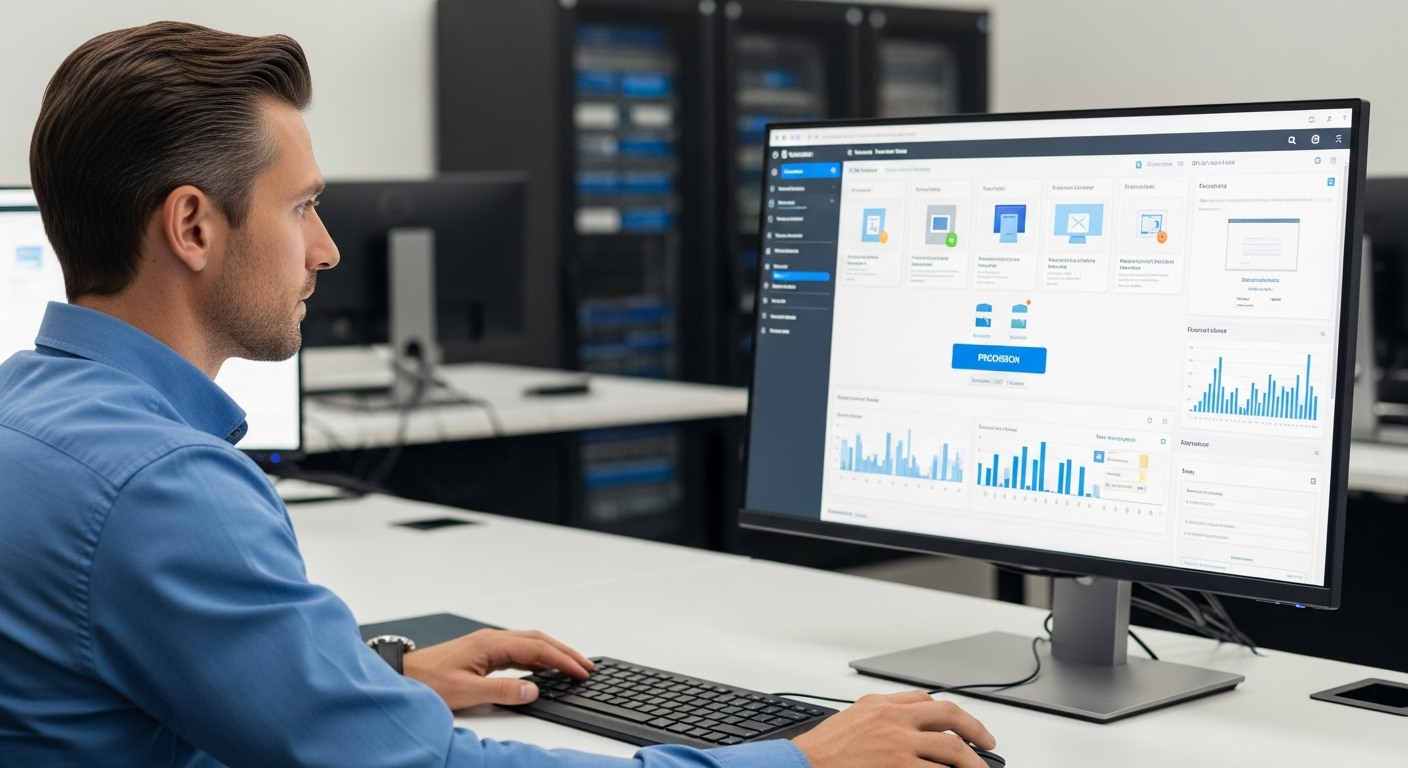
Desktop as a service changes how you allocate capital, labor, and risk. Instead of investing in server procurement, storage arrays, and virtualization software upfront, you shift responsibility to the provider. DaaS providers eliminate the need to purchase and maintain backend infrastructure, which immediately reduces capital expenditure.
Subscription-based pricing replaces large upfront investments with predictable operational costs. Per-user monthly models simplify budgeting because you can align spending directly with active users. Pay-as-you-go options add further flexibility, allowing you to scale up or down without long-term hardware commitments.
Virtual desktops can be provisioned in hours rather than weeks. That speed has practical impact. New employees gain access to a fully configured desktop environment without waiting for physical device delivery.
Thin client devices and bring-your-own-device policies further reduce hardware expenses, since heavy processing occurs in the cloud. You can extend the lifespan of older machines and redirect funds toward strategic initiatives instead of refresh cycles.
Centralized management strengthens cost efficiency. Administrators push operating system updates and security patches to all users simultaneously from a single console. The reduced need for onsite IT support lowers labor overhead and ongoing maintenance burdens.
Apporto advances this structural reallocation further by delivering browser-native access. By eliminating client software and minimizing infrastructure complexity, it reduces total cost of ownership while maintaining centralized control and secure access.
Security Architecture in Modern Desktop Virtualization Services
Every physical desktop represents an endpoint risk. Data stored locally can be lost, stolen, or exposed through unpatched software.
When you shift to modern desktop virtualization services, you move from distributed vulnerability to centralized control. That architectural change materially improves data security and reduces security vulnerabilities tied to individual devices.
Modern platforms strengthen your security posture through:
- Data stored in a secure cloud data center rather than on individual devices.
- Data encryption at rest and in transit to protect sensitive data from interception or unauthorized access.
- Advanced access controls that limit user permissions based on role and business needs.
- Mandatory Multi-Factor Authentication to protect user accounts from credential compromise.
- Centralized patch management that eliminates inconsistent security patches across multiple users.
- Reduced risk of data loss if a laptop is stolen or lost, since no critical data resides locally.
- Compliance alignment with standards such as HIPAA and PCI DSS through centralized policy enforcement.
- Secure access from remote locations without exposing internal networks unnecessarily.
- Reduced attack surface when VPN dependency is minimized or eliminated.
- Disaster recovery capabilities enabled through virtual desktop file replication and centralized backups.
- Zero trust aligned architecture that verifies identity before granting access to applications or data.
By consolidating control within the data center or cloud, you reduce fragmentation and gain consistent visibility. Security becomes systemic rather than reactive.
Scalability, Performance, and GPU-Enabled Workloads

Scalability determines whether your desktop strategy supports growth or constrains it. Traditional physical desktops require procurement cycles, imaging processes, and hardware shipping delays.
Modern desktop virtualization services remove those friction points. You can align resources with business demand in real time, rather than planning months in advance.
Key scalability and performance advantages include:
- Easily scale up or down user accounts based on hiring cycles, seasonal demand, or project needs.
- Add multiple users instantly without waiting for new hardware delivery.
- Support both Windows desktops and Linux operating systems to meet diverse technical requirements.
- GPU-enabled virtual machines that provide the processing power required for graphics-intensive applications, data modeling, or engineering workloads.
- Scale across remote locations without rebuilding local IT infrastructure.
- Service Level Agreements that guarantee high uptime and predictable performance.
- Low latency commitments from major cloud providers to maintain a responsive desktop experience.
- Provision new desktops in minutes rather than days.
- Rapid onboarding that directly supports employee productivity gains.
When your infrastructure can easily scale, you avoid overprovisioning and underperformance. Resources expand when demand rises and contract when it falls. That flexibility supports remote work, new markets, and evolving business needs without sacrificing performance or control.
Complexity vs Simplicity: Legacy Platforms Compared
Not all desktop virtualization services are architected the same way. Some reduce complexity. Others relocate it.
Citrix DaaS and Azure Virtual Desktop operate in the cloud, yet both still require infrastructure tuning, image management, identity configuration, and performance optimization. You remain responsible for capacity planning, networking alignment, and security hardening.
Omnissa Horizon follows a similar model, requiring backend management and ongoing oversight of virtual machines and connection brokers.
VPN-based access models, common in legacy deployments, increase security exposure by extending the internal network perimeter to remote devices. Each additional access point introduces risk. Client installations add another layer of friction. Version mismatches, compatibility issues, and update cycles can interrupt the secure experience you aim to provide.
Ongoing management becomes a recurring drain on IT operations. Patch cycles across distributed endpoints and infrastructure layers consume valuable time.
Infrastructure-heavy solutions increase operational costs through maintenance contracts, performance tuning, and resource overprovisioning to prevent latency.
Simplicity emerges when centralized control is embedded at the architectural level rather than layered on top. Browser-native delivery models eliminate client installations. Reduced infrastructure components mean fewer failure points.
When centralized management replaces fragmented oversight, you lower ongoing maintenance burden and streamline the path to a consistent desktop environment.
The distinction is not branding. It is structural design. Simpler architecture translates directly into lower risk and lower operational strain.
Implementation Realities and Risk Mitigation

Desktop virtualization services promise flexibility and centralized management, but successful deployment depends on preparation. A network readiness assessment is mandatory before migration.
You must evaluate bandwidth capacity, latency thresholds, and traffic patterns to ensure that performance remains stable for all users. User experience depends heavily on connection quality. If the network underperforms, productivity suffers.
Data migration introduces complexity. Moving operating systems, applications, and user data into a centralized environment requires structured planning. Application virtualization may be necessary for legacy apps that were designed for physical desktops.
Compatibility issues often surface during this stage, particularly when older software depends on outdated drivers or local device permissions.
Integration with Active Directory and existing identity systems must be verified early. Access controls, authentication flows, and group policies need to function seamlessly in the new environment. Security patch planning during migration is also critical, since transitional states can introduce temporary vulnerabilities.
Change management reduces resistance from employees. Even a technically sound deployment can fail if users perceive disruption. A pilot program allows you to test performance, validate application compatibility, and gather feedback before full rollout.
Ongoing optimization should continue after deployment, monitoring performance metrics and usage patterns to refine resource allocation and maintain employee productivity.
Preparation reduces risk. Execution without planning magnifies it.
Choosing the Right Desktop Virtualization Service
Selecting the right solution requires more than comparing feature lists. Desktop virtualization services differ in architecture, pricing transparency, operational burden, and long-term scalability. The service you choose will shape your IT management model, your security posture, and your ability to adapt as business needs evolve. Careful evaluation prevents unexpected costs and performance gaps later.
When comparing providers, prioritize the following:
- Transparent pricing structures that clearly define per-user costs, infrastructure usage, and support fees.
- Strong Service Level Agreements with high uptime guarantees and defined latency expectations.
- Identity integration with Active Directory to maintain consistent access controls and centralized user management.
- Advanced encryption and Multi-Factor Authentication to strengthen secure access across devices.
- Compliance certifications aligned with regulatory standards relevant to your industry.
- GPU support for resource-intensive apps and desktops requiring advanced capabilities.
- 24/7 support availability with documented response times.
- Proven scalability that allows you to add or remove users quickly as business needs change.
- No hidden licensing layers that inflate total cost over time.
- Smooth integration with existing business applications and cloud environments.
- Customizable virtual desktop environments tailored to different user roles.
- A deployment model optimized for lean IT teams, such as Apporto, which reduces infrastructure management complexity while maintaining centralized control.
The right service aligns performance, security, and cost efficiency without adding operational friction. Strategic selection determines long-term sustainability.
The Strategic Value of Desktop Virtualization Services
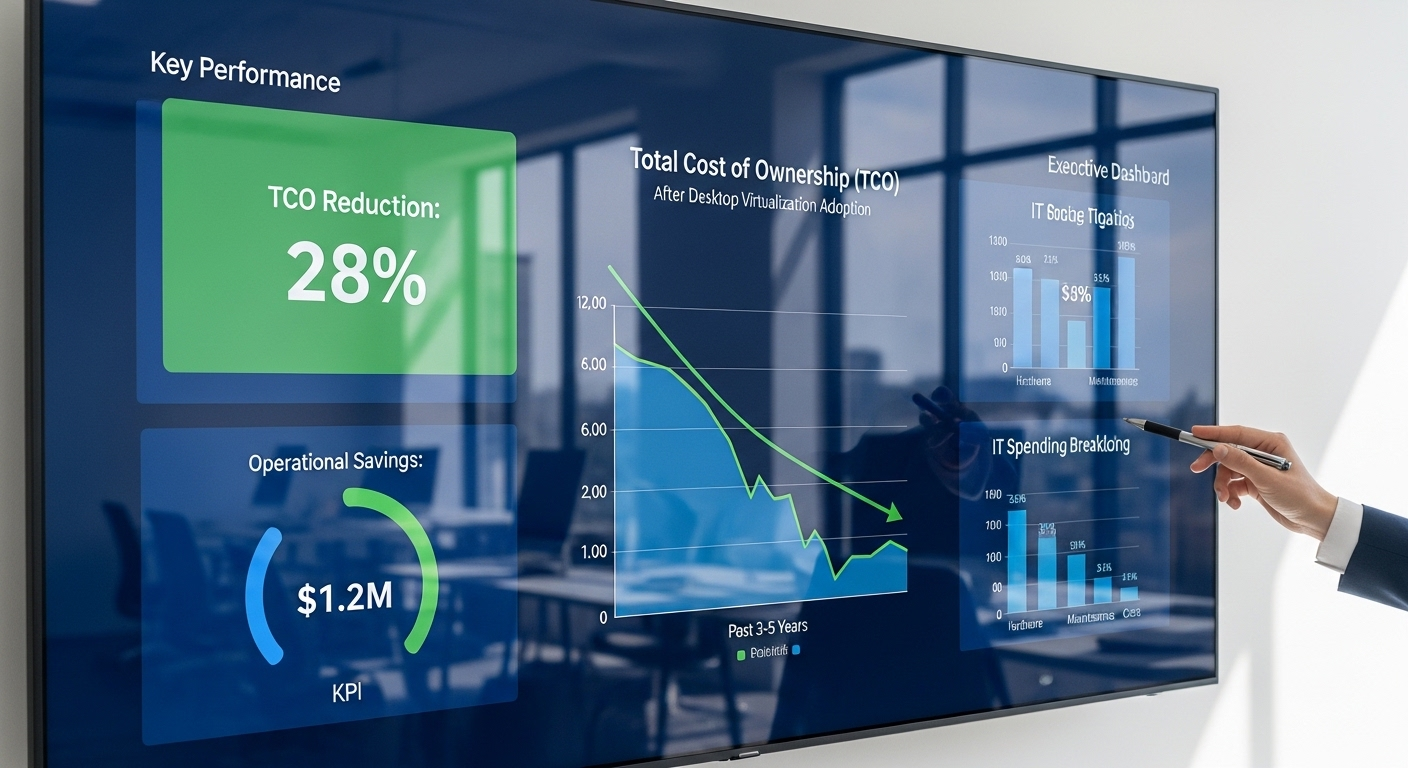
Desktop virtualization services redefine what a desktop represents. Instead of a fixed physical device, the entire desktop environment becomes a managed service delivered through the cloud. Applications, data, and operating systems move into centralized infrastructure where they can be controlled, secured, and scaled with precision.
This shift directly reduces total cost of ownership. Hardware refresh cycles decline. Onsite maintenance shrinks. Infrastructure investments become predictable operating expenses.
Simplified IT operations allow your team to focus on optimization rather than routine troubleshooting and patch management. Centralized updates strengthen your security posture by eliminating inconsistent security patches across distributed endpoints.
Faster time-to-productivity becomes measurable. New employees receive access within minutes rather than waiting for physical equipment provisioning.
Remote work expands without increasing local infrastructure requirements. Expansion into new markets becomes operationally feasible because you can deploy desktops without building regional data centers.
A reduced infrastructure footprint also lowers energy consumption and administrative complexity. Browser-native access further increases flexibility by removing dependency on client installations and device-specific configurations.
When the desktop becomes a service, you gain control over cost, performance, and security simultaneously. That alignment creates structural advantage, not incremental improvement.
Conclusion
The desktop is no longer defined by hardware sitting on a desk. It is defined by how efficiently you deliver apps, data, and secure access to your users. Evaluating desktop virtualization services requires looking beyond licensing fees. You need to measure total cost, including infrastructure complexity, ongoing maintenance, energy consumption, and labor overhead.
Legacy VDI platforms often carry hidden operational burdens. Infrastructure tuning, client management, and VPN dependencies increase both risk and cost over time. Browser-native models simplify that equation. Centralized security, streamlined management, and reduced infrastructure layers create a more durable foundation for growth.
As you plan for the next decade, prioritize centralized control, elastic scalability, and a secure experience for end users. Compare traditional platforms carefully against modern architectures. Explore solutions like Apporto that eliminate client software and reduce infrastructure dependency.
A structured vendor evaluation today determines whether your desktop strategy remains reactive or becomes a strategic asset.
Frequently Asked Questions (FAQs)
1. What is desktop virtualization?
Desktop virtualization allows you to separate a user’s operating system, applications, and data from their physical device. Instead of running locally on physical desktops, the entire desktop environment is hosted in a centralized data center or cloud and delivered securely over the internet.
2. What are the types of desktop virtualization?
3. What is the difference between VDI and DaaS?
Virtual Desktop Infrastructure VDI requires your organization to host and manage dedicated virtual machines on its own servers. Desktop as a Service shifts that responsibility to a cloud provider, who manages backend infrastructure, operating system updates, and ongoing maintenance through a subscription model.
4. Is DaaS more secure than traditional desktops?
DaaS strengthens your security posture by centralizing sensitive data in a secure cloud environment rather than storing it on individual devices. Features such as data encryption, advanced access controls, and Multi-Factor Authentication reduce security vulnerabilities and minimize data loss risk.
5. How quickly can deployment happen?
DaaS solutions can often be deployed within hours once network readiness is confirmed. Virtual desktops can be provisioned in minutes without waiting for physical hardware delivery, accelerating onboarding and reducing downtime.
6. Does DaaS reduce hardware costs?
Yes. Because processing occurs in the cloud, you can extend the lifespan of older devices or use thin client systems. This reduces hardware costs and eliminates frequent refresh cycles associated with physical desktops.
7. How do SLAs impact reliability?
Service Level Agreements define uptime guarantees and performance expectations. Strong SLAs provide assurance that your desktop environment will maintain consistent availability and low latency, which directly supports employee productivity.
8. What makes browser-based delivery different?
Browser-based desktop virtualization eliminates client software installations and reduces compatibility issues. By providing secure access directly through a web browser, you simplify IT management while maintaining centralized control and a consistent desktop experience.
