Quick Answer
What Is the Best Citrix Alternative?
Apporto is the best Citrix alternative for organizations seeking secure, browser-based virtual desktops with faster deployment and lower management overhead. Unlike traditional VDI platforms, it eliminates client software, simplifies administration, and provides scalable remote access, making it ideal for higher education, SMBs, and modern hybrid workplaces.
Citrix has long been a trusted name for virtual desktops and remote access, but many IT teams are now exploring other options. Rising Citrix licensing costs, increasingly complex deployments, and ongoing management demands have made organizations rethink whether it remains the right long-term fit.
Today, you have access to platforms that deliver secure remote access, simplify administration, and reduce infrastructure overhead without sacrificing performance.
This guide compares the best Citrix alternatives based on deployment, security, scalability, pricing, and ease of management, helping you identify the solution that best fits your environment and future plans.
How Did We Evaluate These Citrix Alternatives?

Choosing a replacement for Citrix isn’t simply about comparing feature lists. The right platform should fit your existing infrastructure, security requirements, budget, and long-term IT strategy.
To build this guide, we reviewed leading virtual desktop infrastructure (VDI) and desktop-as-a-service (DaaS) platforms, considering vendor documentation, customer feedback, product capabilities, and common deployment patterns across higher education, SMBs, and enterprise environments. We also weighed every solution against the factors that have the biggest impact on long-term success.
Deployment and Infrastructure Requirements
Many organizations begin looking for Citrix alternatives because maintaining a traditional Citrix environment often demands complex infrastructure, ongoing backend management, and specialized skills that smaller IT teams may not have. Deployment speed also matters.
A platform that takes weeks or months to configure can delay projects and increase operational costs. We favored solutions that simplify deployment, reduce administrative overhead, and make it easier to deliver virtual desktops without unnecessary complexity.
Security and Access Control
Every virtual desktop platform should protect both users and corporate data from day one. We looked closely at security capabilities such as secure remote access, multi-factor authentication, encrypted sessions, role-based access control, and compliance features.
Strong security should never come at the expense of usability. The best platforms strike a balance by making secure access simple for end users while giving administrators the visibility and controls needed to enforce security policies consistently.
Scalability and Management
Your virtual desktop platform should continue performing well as your organization grows. We evaluated how each solution handles centralized administration, simplified management, cloud services, and support for hybrid environments.
We also considered browser based access, support for multiple users, and the ability to scale efficiently for growing teams or seasonal demand. Solutions that can accommodate a rising concurrent user count without adding unnecessary management complexity scored higher throughout our evaluation.
Pricing and Long-Term Total Cost
Licensing often becomes the deciding factor when comparing top Citrix alternatives. Beyond upfront pricing, we assessed Citrix licensing comparisons, subscription models, infrastructure requirements, ongoing maintenance, and potential hidden costs that can accumulate over time.
Some platforms reduce hardware investments through cloud-native deployment, while others lower administrative effort with simplified management tools. Instead of focusing only on monthly subscription fees, we evaluated each platform based on its long-term total cost of ownership, giving greater weight to solutions that deliver predictable pricing and sustainable operational savings over several years.
Quick Comparison of the Best Citrix Alternatives
| Solution |
Best For |
Deployment |
Browser Based |
Pricing |
| Apporto |
Higher education, SMBs, browser-first virtual desktops |
Cloud, Hybrid |
Yes |
Custom Quote |
| Microsoft Azure Virtual Desktop |
Microsoft-centric organizations and enterprise cloud deployments |
Public Cloud |
No |
Consumption-based |
| Parallels RAS |
Mid-sized organizations seeking a lightweight Citrix alternative |
On-prem, Hybrid, Cloud |
No |
Quote-based |
| Omnissa Horizon 8 |
Large enterprises with hybrid and multi-cloud environments |
On-prem, Hybrid, Multi-cloud |
No |
Quote-based |
| Amazon WorkSpaces |
AWS-first organizations needing managed virtual desktops |
Public Cloud |
No |
Pay-as-you-go |
| Inuvika OVD Enterprise |
Organizations running Windows and Linux applications |
On-prem, Private Cloud, Hybrid |
No |
Quote-based |
| V2 Cloud |
Small businesses looking for simple cloud desktops |
Cloud |
No |
Subscription |
| AnyDesk |
Secure remote support and remote device access |
Cloud, On-prem |
No |
Subscription |
| GO-Global |
Publishing Windows applications with minimal infrastructure |
On-prem, Private Cloud |
No |
Quote-based |
| Venn |
BYOD security and protected remote work environments |
Cloud |
No |
Quote-based |
Best Citrix Alternatives (A Complete Overview)
1. Apporto (Best Browser-Based Citrix Alternative for Higher Education and SMBs)
Overview
Apporto is a cloud-native virtual desktop platform designed to eliminate many of the deployment and management challenges associated with traditional VDI. Unlike platforms that depend on client software and complex backend infrastructure, Apporto delivers browser based access, allowing users to launch Windows desktops and virtual apps directly from a web browser. That approach reduces setup time, simplifies ongoing administration, and gives users a consistent experience across managed and personal devices.
From our implementation experience across higher education and SMB environments, one advantage stands out consistently. Organizations can roll out virtual desktops much faster because there is no client software to install or maintain on individual endpoints. That translates into lower IT overhead, quicker onboarding, and fewer support requests, particularly during periods of high demand like semester launches or company-wide device refreshes.
Highlights
- Browser based access lets users securely launch virtual desktops from Chrome, Edge, Safari, or Firefox without installing client software.
- Zero client installs reduce endpoint management and simplify deployment across both managed and BYOD devices.
- Fast deployment allows organizations to provision desktops quickly without building complex VDI infrastructure.
- Secure remote access includes encrypted sessions and Zero Trust architecture to help protect users and corporate data.
- Simplified management minimizes administrative effort through centralized cloud management and automatic updates.
Best For:
Higher education institutions, SMBs, and organizations looking for a browser-first virtual desktop platform that minimizes infrastructure complexity and accelerates deployment.
Limitations:
Organizations with highly customized on-premises infrastructure or niche legacy integrations may require additional planning before migration.
Pricing:
Custom pricing based on organizational requirements. Free demos and tailored quotes are available.
2. Microsoft Azure Virtual Desktop (Best for Microsoft-Centric Organizations)
Overview
Microsoft Azure Virtual Desktop (AVD) is a strong choice if your organization already relies on the Microsoft ecosystem. Built on Microsoft Azure, it delivers cloud-hosted Windows applications and virtual desktops while integrating seamlessly with services like Microsoft 365, Microsoft Entra ID, and Microsoft Intune. One of its biggest advantages is support for Windows 10/11 multi-session, which allows multiple users to share a single virtual machine, helping reduce infrastructure costs without compromising performance.
Based on Microsoft’s documentation and feedback from enterprise IT teams, Azure Virtual Desktop performs particularly well in organizations that have already invested in Azure. Administrators consistently highlight its flexibility and scalability, although they also note that planning resource allocation and managing Azure costs require ongoing attention to avoid unexpected spending.
Highlights
- Cloud-native deployment on Microsoft Azure eliminates the need for traditional on-premises VDI infrastructure.
- Windows 10/11 multi-session improves resource utilization by supporting multiple users on a single virtual machine.
- Hybrid environments are supported through integration with existing on-premises resources and Azure cloud services.
- Consumption pricing lets organizations pay for the resources they use rather than fixed infrastructure capacity.
- Native support for Windows applications, Microsoft security tools, and identity management simplifies administration.
Best For:
Organizations already invested in Microsoft Azure that want a scalable virtual desktop platform tightly integrated with the Microsoft ecosystem.
Limitations:
Cost management can become challenging without careful monitoring, and deployment typically requires Azure expertise to optimize performance and spending.
Pricing:
Consumption-based pricing. Organizations pay according to Azure compute, storage, networking, and licensing usage.
3. Parallels RAS (Best Lightweight Alternative to Citrix)
Overview
Parallels RAS is designed for organizations that want enterprise virtual application and desktop delivery without the complexity often associated with Citrix. Built on Microsoft RDS, it extends native Remote Desktop Services with centralized management, load balancing, and secure remote access capabilities. The platform supports both virtual desktops and published applications, making it a practical choice for businesses looking to modernize their infrastructure without introducing unnecessary operational overhead.
Based on our review of product documentation and customer feedback, IT teams consistently praise Parallels RAS for its relatively quick implementation and intuitive administration. Many organizations moving away from Citrix highlight the easier setup process and straightforward licensing, particularly when managing smaller IT teams with limited resources.
Highlights
- Built on Microsoft RDS to deliver enterprise-grade remote desktops and applications with familiar Microsoft technologies.
- Remote application server capabilities allow users to access individual Windows applications without launching a full desktop session.
- Simplified deployment reduces implementation time through centralized configuration and an intuitive management console.
- Straightforward licensing makes budgeting easier than platforms with more complex subscription structures.
- Multi-cloud support enables deployment across on-premises infrastructure, Microsoft Azure, AWS, and other cloud environments.
Best For:
Mid-sized organizations that want a feature-rich Citrix alternative with faster deployment, lower management overhead, and flexible deployment options.
Limitations:
While easier to manage than Citrix, some advanced enterprise automation and ecosystem integrations are not as extensive as those offered by larger VDI platforms.
Pricing:
Quote-based licensing with editions tailored to organizational size and deployment requirements.
4. Omnissa Horizon 8 (Best for Enterprise Hybrid Cloud Deployments)
Overview
Formerly known as VMware Horizon, Omnissa Horizon 8 is built for organizations managing large-scale virtual desktop environments across multiple locations and infrastructures. It supports hybrid cloud and multi-cloud deployments through a centralized control plane, giving IT teams the flexibility to manage virtual desktops from a single interface. For enterprises with significant existing infrastructure, Horizon 8 provides a familiar path without requiring a complete technology overhaul.
Based on our review of product documentation and enterprise user feedback, Horizon 8 is consistently recognized for its robust feature set and deployment flexibility. Many IT administrators appreciate its ability to unify on-premises and cloud resources. At the same time, users often mention that getting the most from the platform requires careful planning and administrators with virtualization experience.
Highlights
- Hybrid cloud deployment supports both on-premises data centers and leading public cloud providers.
- Multi-cloud management allows organizations to manage desktop environments across multiple cloud platforms through a unified control plane.
- Integrates with existing infrastructure, helping enterprises extend current VMware investments rather than replacing them.
- Offers advanced capabilities such as Instant Clones, Dynamic Environment Manager, and comprehensive monitoring tools.
- Designed for large-scale enterprise deployments with centralized administration and strong policy management.
Best For:
Large enterprises with complex IT environments that require advanced virtualization capabilities, centralized management, and flexible hybrid or multi-cloud deployment options.
Limitations:
Deployment and ongoing administration can be resource-intensive, and organizations typically need experienced virtualization specialists to unlock the platform’s full capabilities.
Pricing:
Quote-based enterprise licensing with pricing that varies based on deployment size, features, and support requirements.
5. Amazon WorkSpaces (Best for AWS Environments)
Overview
Amazon WorkSpaces is a fully managed desktop-as-a-service (DaaS) platform that enables organizations to provision secure virtual desktops without maintaining traditional VDI infrastructure. Built for businesses already using Amazon Web Services, it integrates closely with the AWS ecosystem and supports Windows and Linux desktops.
Amazon WorkSpaces Core extends this flexibility by allowing organizations to combine AWS-managed infrastructure with their preferred virtual desktop management solutions, making it a practical option for businesses with evolving cloud strategies.
Based on our review of AWS documentation and customer feedback, organizations value Amazon WorkSpaces for its scalability and managed infrastructure. IT teams frequently mention that the platform reduces operational overhead because AWS manages much of the backend environment. However, businesses outside the AWS ecosystem may find it less compelling than solutions designed to work across multiple cloud providers.
Highlights
- Amazon WorkSpaces delivers fully managed virtual desktops that eliminate much of the infrastructure maintenance associated with traditional VDI.
- Amazon WorkSpaces Core provides greater flexibility by supporting third-party virtual desktop management while leveraging AWS infrastructure.
- Native AWS integration works seamlessly with services such as Amazon EC2, Amazon S3, AWS Directory Service, and Amazon CloudWatch.
- Supports deployment across public cloud environments with secure access from virtually any location.
- Can connect with private cloud resources to support hybrid architectures and existing enterprise workloads.
Best For:
Organizations already invested in AWS that want scalable, managed desktops with minimal infrastructure management and seamless integration across Amazon cloud services.
Limitations:
The platform delivers the greatest value within the AWS ecosystem, and organizations using multiple cloud providers may find fewer cross-platform management capabilities than some competing solutions.
Pricing:
Pay-as-you-go pricing with monthly and hourly billing options based on desktop configuration, storage, and usage.
6. Inuvika OVD Enterprise (Best for Windows and Linux Applications)
Overview
Inuvika OVD Enterprise is a virtual application and desktop delivery platform built for organizations that need flexibility across both Windows and Linux environments. Unlike many VDI solutions that primarily focus on Windows, OVD Enterprise is designed to support Windows apps and Linux apps from a single platform. Its architecture also avoids vendor lock-in, giving organizations greater freedom to choose the infrastructure that best fits their long-term IT strategy.
Based on our review of product documentation and customer feedback, Inuvika is often recognized for helping organizations reduce infrastructure complexity while lowering operational costs. IT teams also highlight its ability to support mixed operating system environments without requiring separate management platforms, making it particularly attractive for education, engineering, and research organizations.
Highlights
- Supports both Windows apps and Linux apps from a unified virtual application delivery platform.
- Promotes vendor independence, allowing deployment across multiple hypervisors and cloud providers without relying on a single ecosystem.
- Delivers cross-platform support for Windows, macOS, Linux, ChromeOS, iOS, Android, and HTML5 web browsers.
- Designed to reduce infrastructure requirements and help organizations achieve a lower total cost of ownership compared with traditional VDI deployments.
- Offers centralized application publishing, secure remote access, and simplified administration through a single management console.
Best For:
Organizations running mixed Windows and Linux environments that want flexible application delivery, lower infrastructure costs, and freedom from vendor lock-in.
Limitations:
While it excels at application publishing and mixed operating system support, organizations looking for highly customized enterprise VDI features may find fewer advanced capabilities than larger virtualization platforms.
Pricing:
Quote-based pricing tailored to deployment size, user count, and organizational requirements.
7. V2 Cloud (Best for Small Businesses Wanting Simplicity)
Overview
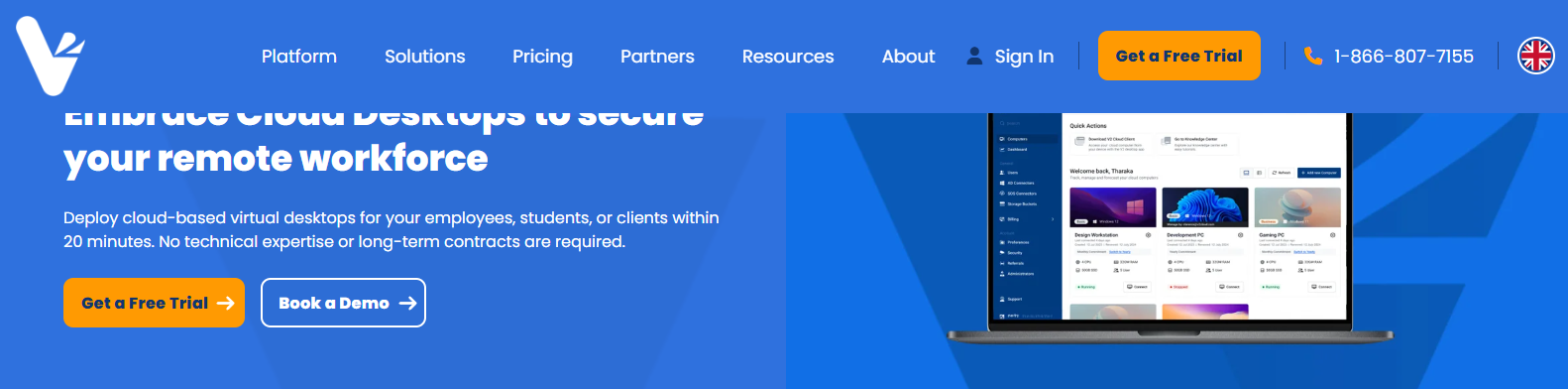
V2 Cloud is a cloud-hosted virtual desktop platform built for organizations that want to deliver secure remote desktop access without investing in complex VDI infrastructure. As a fully managed service, it removes much of the backend administration that typically comes with traditional virtual desktop deployments. The platform focuses on ease of use, allowing businesses to provision cloud desktops quickly while keeping ongoing management straightforward for administrators.
Based on our review of product documentation and customer feedback, V2 Cloud is frequently praised for its quick setup and intuitive management interface. Small businesses and growing companies often mention that they can deploy virtual desktops in a fraction of the time required by more infrastructure-heavy solutions. The platform intentionally favors simplicity over extensive enterprise customization, which is exactly what many lean IT teams are looking for.
Highlights
- Fully managed service that eliminates the need to maintain physical VDI infrastructure.
- Simple deployment enables administrators to provision cloud desktops quickly through an easy-to-use management portal.
- Delivers secure remote desktop access from virtually any internet-connected device.
- Straightforward pricing helps organizations budget without navigating complicated licensing structures.
- Includes automated backups, centralized administration, and built-in security features that reduce operational overhead.
Best For:
Small businesses, managed service providers, and organizations with small IT teams that want an easy-to-deploy virtual desktop solution without significant infrastructure management.
Limitations:
While it excels in simplicity, organizations requiring highly customized enterprise virtualization features or complex hybrid deployments may find the platform less flexible than larger VDI solutions.
Pricing:
Subscription-based pricing with plans that vary by desktop specifications, storage, and user requirements.
8. AnyDesk (Best for Secure Remote Support)
AnyDesk is best known as a remote access solution rather than a traditional VDI platform, but it remains a practical alternative for organizations whose primary goal is providing fast, secure access to existing desktops. Instead of provisioning new virtual desktop environments, it allows users to connect directly to remote devices with minimal setup. That makes it particularly useful for IT support teams, distributed workforces, and businesses that need reliable remote desktop connectivity without deploying a full virtual desktop infrastructure.
Based on our review of product documentation and customer feedback, AnyDesk is consistently recognized for its performance and ease of deployment. IT administrators frequently highlight its lightweight design and responsive connections, especially when supporting users across different operating systems. At the same time, many note that it serves a different purpose than full-featured VDI platforms, making it better suited for remote support than centralized desktop delivery.
Highlights
- Delivers secure remote access through encrypted connections, device authentication, and granular permission controls.
- Provides fast remote desktop performance with low latency, even on lower-bandwidth connections.
- Offers broad cross-platform support, including Windows, macOS, Linux, Android, iOS, and ChromeOS.
- Supports modern remote work by allowing employees and IT teams to securely access office computers from virtually anywhere.
- Features lightweight deployment, enabling administrators to install and configure the software quickly with minimal infrastructure requirements.
Best For:
Organizations that need secure remote support, IT help desk operations, and straightforward remote desktop access rather than a complete virtual desktop infrastructure solution.
Limitations:
AnyDesk focuses on remote device access and support, so it lacks many of the centralized management, application publishing, and virtual desktop capabilities found in dedicated VDI and DaaS platforms.
Pricing:
Subscription-based pricing with plans for individuals, small businesses, and enterprise organizations.
9. GO-Global (Best for Publishing Windows Applications)
Overview
GO-Global takes a different approach from traditional VDI platforms by focusing on application publishing instead of delivering a complete virtual desktop. Rather than giving users access to an entire desktop, it enables organizations to publish specific Windows applications securely over the network. This approach reduces resource consumption and simplifies the user experience, making it an attractive option for businesses that only need employees to access a handful of business-critical applications.
Based on our review of product documentation and customer feedback, GO-Global is frequently recognized for its lightweight architecture and straightforward deployment. Organizations appreciate that it avoids much of the infrastructure complexity associated with larger VDI platforms while still providing reliable remote application delivery. Users also report that the platform performs well in environments where application access matters more than providing a full desktop experience.
Highlights
- Delivers secure Windows applications without requiring users to access a complete virtual desktop.
- Supports remote application publishing, allowing organizations to deliver individual applications from a centralized server.
- Helps reduce hardware requirements, contributing to lower infrastructure costs than many traditional VDI deployments.
- Efficiently supports multiple users by sharing server resources across published applications.
- Supports flexible on-prem deployment, giving organizations greater control over infrastructure, data, and compliance requirements.
Best For:
Organizations that primarily need to publish Windows applications to remote users while keeping infrastructure costs low and administration straightforward.
Limitations:
GO-Global is designed for application publishing rather than full desktop virtualization, so it may not meet the needs of organizations looking for complete VDI or DaaS functionality.
Pricing:
Quote-based pricing determined by deployment size, user requirements, and licensing needs.
10. Venn (Best for Secure BYOD Workspaces)
Overview
Venn is built for organizations that support bring your own device (BYOD) policies without compromising security. Instead of creating a full virtual desktop, the platform establishes a secure workspace on an employee’s existing computer, separating business resources from personal files and applications. This approach allows organizations to protect corporate data while giving employees the flexibility to work from their preferred devices. For businesses embracing hybrid and remote work, Venn offers an alternative to traditional VDI that focuses on security and user experience.
Based on our review of product documentation and customer feedback, Venn is consistently recognized for simplifying secure access on unmanaged devices. IT teams often highlight that employees can begin working quickly without extensive device provisioning, while administrators retain control through centralized security and compliance settings.
Highlights
- Provides secure access to business applications and files while keeping work data isolated from personal content.
- Protects corporate data through encrypted workspaces, policy enforcement, and centralized administration.
- Supports browser based applications alongside locally installed business software, improving flexibility for hybrid teams.
- Enables productive remote work without requiring organizations to issue company-owned hardware to every employee.
- Enforces configurable security policies, including device compliance, data protection, and access controls across managed and personal devices.
Best For:
Organizations adopting BYOD strategies that need strong security, regulatory compliance, and a secure workspace without deploying a traditional virtual desktop infrastructure.
Limitations:
Venn focuses on securing workspaces on existing devices rather than delivering full virtual desktops, so organizations seeking complete VDI capabilities may require a more comprehensive platform.
Pricing:
Quote-based pricing tailored to organizational size, security requirements, and deployment needs.
Which Citrix Alternative Is Right for Your Organization?

After reviewing the leading Citrix alternatives, one thing becomes clear. There isn’t a single platform that’s right for every organization. The best choice depends on your infrastructure, IT resources, security requirements, and long-term budget. Before making a decision, consider the following factors to narrow your shortlist and select a platform that aligns with both your technical needs and business goals.
Do You Want Cloud-Native or On-Prem Deployment?
Your deployment strategy will influence almost every aspect of your virtual desktop environment. If you’re investing heavily in the public cloud, platforms like Microsoft Azure Virtual Desktop or Amazon WorkSpaces integrate naturally with existing cloud services and simplify scaling. If compliance or regulatory requirements require greater control, an on prem or private cloud deployment may be a better fit.
It’s also worth considering your existing infrastructure. Organizations with established virtualization environments may benefit from solutions that build on current investments instead of replacing them entirely. Finally, evaluate how much virtual machine management your IT team wants to handle. Some platforms automate much of the backend, while others provide greater control in exchange for more administration.
How Important Is Simplicity for Your IT Team?
Not every IT department has the resources to manage a highly customized VDI deployment. Solutions focused on simplified management reduce ongoing maintenance, software updates, and troubleshooting, allowing administrators to spend more time on strategic projects. Consider these questions before choosing a platform:
- Does the platform require specialized skills to deploy and maintain?
- Can it support fast deployment without lengthy implementation projects?
- Will it reduce administrative overhead through centralized management and automation?
- Does it offer browser based solutions that eliminate client software and simplify user onboarding?
If your IT team is small or supports a large number of users, simplicity can deliver just as much value as advanced enterprise functionality.
Which Pricing Model Fits Your Budget?
The purchase price rarely tells the whole story. Many organizations begin evaluating alternatives because Citrix licensing has become increasingly expensive, particularly as subscription models evolve. It’s equally important to account for infrastructure, administration, support, and future expansion when comparing vendors. Look beyond the headline price by evaluating:
- Hidden costs such as infrastructure upgrades, consulting, and ongoing maintenance.
- Straightforward pricing that makes long-term budgeting predictable.
- Subscription vs consumption models, depending on whether your user count remains stable or fluctuates throughout the year.
- The overall total cost of ownership over several years, not just the first contract term.
A platform with a slightly higher subscription fee may still be the better investment if it significantly reduces operational expenses.
Which Security Features Should You Prioritize?
Security remains one of the most important considerations when selecting a Citrix alternative. As employees access applications from offices, homes, and personal devices, protecting business resources requires more than a secure login. Look for platforms that include:
- Multi factor authentication to strengthen user verification.
- Encrypted sessions that protect information while data moves between users and remote environments.
- Granular access control to ensure employees only access the resources they need.
- Features that safeguard corporate data without disrupting productivity.
- Centralized security policies that simplify compliance and ongoing governance.
- Reliable secure remote access across both managed and BYOD environments.
A well-designed security model protects your organization without creating unnecessary friction for end users. The strongest platforms make secure access feel seamless while giving administrators complete visibility and control.
Final Thoughts
The best Citrix alternative depends on your infrastructure, budget, and long-term IT goals. Microsoft Azure Virtual Desktop is an excellent choice for organizations invested in Microsoft Azure, while Omnissa Horizon 8 suits large enterprises managing hybrid and multi-cloud environments.
Parallels RAS delivers a simpler experience for mid-sized organizations, and Amazon WorkSpaces fits businesses already operating within AWS. Inuvika OVD Enterprise is a strong option for organizations supporting both Windows and Linux applications.
For organizations looking to simplify virtual desktop delivery, Apporto stands out. Its browser-based architecture eliminates client installations, reduces infrastructure complexity, and enables fast deployment with lower administrative overhead. That combination makes it particularly well suited for higher education, SMBs, and teams that want secure virtual desktops without the operational burden of traditional VDI.
If you’re ready to modernize your virtual desktop environment, explore Apporto and see how a browser-first approach can simplify deployment, strengthen security, and reduce long-term IT costs. Try Now.
Frequently Asked Questions (FAQs)
1. What is the best Citrix alternative in 2026?
The best Citrix alternative depends on your requirements. Apporto is a leading choice for browser-based virtual desktops, while Microsoft Azure Virtual Desktop, Omnissa Horizon 8, and Parallels RAS excel in different enterprise use cases.
2. Why are organizations replacing Citrix?
Many organizations are replacing Citrix because of rising licensing costs, infrastructure complexity, and ongoing management requirements. Modern alternatives often provide simpler deployment, predictable pricing, and secure remote access with significantly lower administrative overhead.
3. Is Microsoft Azure Virtual Desktop better than Citrix?
Microsoft Azure Virtual Desktop is often a better fit for organizations already using Microsoft Azure and Microsoft 365. It offers cloud-native deployment, Windows 10/11 multi-session support, and consumption-based pricing, although the best choice depends on your existing environment.
4. Which Citrix alternative is best for higher education?
Apporto is one of the strongest options for higher education because it provides browser-based access, fast deployment, and simplified management. It allows students and faculty to access virtual desktops without installing client software on their devices.
5. Which Citrix alternative has the simplest deployment?
Apporto and V2 Cloud are among the easiest platforms to deploy. Both reduce infrastructure complexity, while Apporto eliminates client installations entirely through browser-based access, helping organizations onboard users much faster.
6. Which Citrix alternative offers the lowest total cost of ownership?
The lowest total cost of ownership depends on your infrastructure and user count. Platforms like Apporto and Inuvika OVD Enterprise help reduce hardware, licensing, and administrative expenses, making them cost-effective alternatives for many organizations.
7. Can Citrix alternatives support Linux applications?
Yes. Several Citrix alternatives support Linux workloads, but Inuvika OVD Enterprise is particularly well suited for organizations running both Windows and Linux applications from a single, centrally managed platform.
8. Are browser-based virtual desktop platforms more secure?
Browser-based platforms can be highly secure when they include multi-factor authentication, encrypted sessions, Zero Trust principles, and centralized access controls. They also reduce endpoint management because users don’t need locally installed client software.