
Is Citrix the Same as a VPN?
No. A VPN creates an encrypted tunnel that connects a user’s device directly to a corporate network, while Citrix delivers virtual desktops and applications from a centralized environment. Citrix provides more controlled, application-level access, and modern browser-based platforms like Apporto further simplify secure remote work without traditional VPN complexity.
Modern workplaces rely heavily on remote access. Teams work from home, airports, coffee shops, and offices spread across different regions. To make this possible, organizations deploy tools that allow remote users to securely connect to applications, files, and internal systems. That’s where the confusion often begins.
Technologies like Citrix Workspace, virtual desktops, and traditional VPN services all promise secure remote access to a corporate network. Because they solve a similar problem, many people assume they are the same thing. It’s common to hear someone ask, “Is Citrix a VPN?”
The answer is more nuanced. Both technologies enable remote connectivity, but they function very differently. In this blog, you’ll learn how Citrix and VPNs work, how they differ, and how each approach impacts data security, remote work, and access to internal company resources.
What Is a VPN and How Does a Virtual Private Network Work?
Start with the basics. A virtual private network, often shortened to VPN, is a tool that lets you connect to a private network even when you’re miles away from the office. Your laptop might be at home, in a hotel lobby, maybe even tethered to airport Wi-Fi. The location changes. The network connection still feels local.
Here’s the trick behind it. A VPN creates an encrypted tunnel between your device and a VPN server inside your company’s environment. Once that vpn connection is established, your traffic moves through a protected path.
Outsiders can’t easily read it, intercept it, or tamper with it. That secure tunnel allows remote users to reach internal systems as if they were physically connected to the office network.
In practical terms, the VPN acts like a secure bridge. Your device talks to the VPN server, the server relays the request into the corporate environment, and the response travels back through the same encrypted channel. Simple idea, powerful result.
Components of a typical VPN solution include:
- Encrypted Tunnel: Creates a secure tunnel between the user’s device and the corporate network, protecting information while data travels across the internet.
- Broad Network Access: Once connected, users can reach large portions of the internal network and company resources.
- VPN Clients: Software installed on devices that initiates the VPN connection.
- Secure Data Transmission: Information travels through an encrypted channel, helping keep corporate data private.
What Is Citrix and How Does the Citrix Platform Deliver Remote Access?

Citrix is built around virtual desktop infrastructure, commonly called VDI. Instead of connecting your device directly to the company network, Citrix delivers a working desktop or individual applications from a centralized environment. Think of it this way. Your computer becomes a window, not the workplace itself.
With Citrix, applications and virtual desktops run inside a secure data center or cloud environment. The software never actually lives on your device. What you see on your screen is a streamed interface, a live view of the application running elsewhere.
You click, type, open files. The actions travel back to the server, the server processes them, and the visual result returns to your screen.
Access typically happens through Citrix Workspace, which acts as a portal for your apps and desktops. Once logged in, you can launch cloud desktops, open internal web applications, or connect to specific tools needed for work.
The main difference is where the computing happens. Sensitive applications stay inside the data center rather than moving to the user’s device. That design helps reduce the risk of exposing company data.
Another advantage, flexibility. The Citrix platform allows access from both managed corporate machines and personal devices, while still maintaining control over resources connected to the company network.
Is Citrix a VPN or Something Completely Different?
So, back to the original question. Is Citrix a VPN? Short answer, no. The two technologies often appear in the same conversations about remote access, but they operate on very different principles.
A traditional VPN focuses on network connectivity. Once a vpn connection is established, your device becomes part of the company’s internal environment.
In practical terms, it means your laptop can interact with systems inside the corporate network almost as if you were sitting in the office. This model creates a secure connection through an encrypted tunnel, but it also opens a broad path into the internal infrastructure.
That broad access is both useful and risky. When a VPN connects a device, it often exposes large portions of the internal network. If the endpoint device is compromised, attackers may potentially move through those same pathways.
Citrix approaches the problem differently. Instead of granting access to the entire network, the Citrix platform delivers specific applications or virtual desktops that run inside the data center. Users interact with those applications remotely, while the software itself never leaves the server environment.
This distinction matters. Sensitive systems remain centralized, and corporate data stays inside the controlled infrastructure rather than traveling to endpoint machines. The user only sees the interface, not the underlying data.
In a simple Citrix vs VPN comparison, the difference comes down to access scope. A VPN connects users to the network. Citrix connects users to applications and desktops. That narrower approach helps organizations protect sensitive data while still giving employees the tools they need to work from anywhere.
How Does Citrix Secure Private Access Protect Corporate Data?
Security is where the Citrix architecture really starts to stand apart from traditional network access tools. Citrix Secure Private Access is designed around the principle of Zero Trust Network Access, often shortened to ZTNA.
The idea is simple, but powerful. No device, user, or session is automatically trusted, even if the connection appears legitimate.
Instead of opening a pathway to the entire corporate network, Citrix verifies identity first, then grants access only to the specific applications a user is authorized to use.
This identity aware access model dramatically reduces risk. If a user only needs access to one internal application, that is exactly what they receive, nothing more.
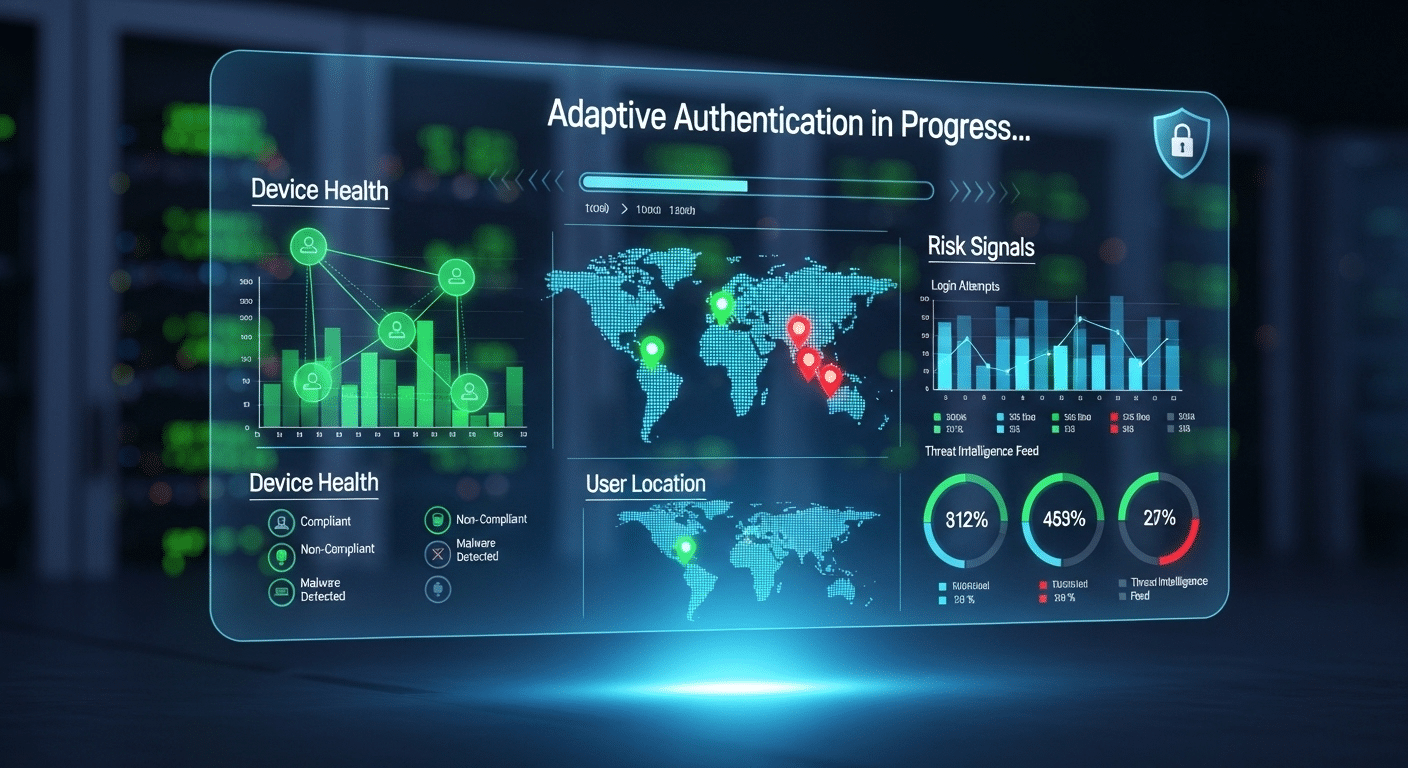
Citrix also evaluates context before granting access. The system looks at factors like device posture, login location, and overall risk signals. If something looks unusual, adaptive authentication methods can request additional verification before allowing the session to continue.
That extra layer helps strengthen overall data security without making the experience overly complicated for legitimate users.
Another important element is application-level access. Rather than exposing the network itself, Citrix delivers specific apps through controlled interfaces. Sensitive applications remain inside the data center, helping organizations protect corporate data from endpoint threats.
Security Capabilities in the Citrix Platform include:
- Zero Trust Network Access: Grants application-level access instead of exposing the entire network.
- Adaptive Authentication Methods: Adjust login requirements based on device health, user location, and risk level.
- Secure Web Gateway: Protects corporate networks from malicious web activity.
- Remote Browser Isolation: Uses an air-gapped cloud browser to prevent threats from reaching internal systems.
- Data Loss Prevention Controls: Restrict copying, downloading, or screen capturing sensitive information.
Citrix vs VPN: What Are the Key Differences?
Once you understand how both technologies work, the comparison between Citrix and VPN becomes clearer. They may solve the same problem, enabling remote access, but they approach it from completely different angles.
A vpn solution focuses on creating a secure tunnel between a user’s device and the company’s internal network. Once connected, the device behaves almost as if it were physically inside the office environment. That broad access can be convenient, but it also increases the responsibility placed on the endpoint device and its security.
Citrix takes a narrower, more controlled path. Instead of connecting the device to the entire network, the Citrix platform delivers individual applications or virtual desktops hosted in a centralized environment.
Users interact with those applications remotely, while the underlying systems remain inside the organization’s infrastructure. This design supports stronger centralized management and allows IT teams to enforce more precise access controls.
The difference becomes easier to visualize when you compare them side by side.
| Feature | Citrix Platform | VPN Solution |
|---|---|---|
| Access Model | Application and virtual desktop access | Full network access |
| Data Location | Data stays in the data center | Data transmitted to the user device |
| Security Model | Zero Trust Network Access | Encrypted tunnel |
| Access Control | Granular least privilege access | Broad network access |
| Device Support | Works on managed and unmanaged devices | Usually requires VPN clients |
| Data Security | Sensitive applications stay centralized | Data may reside on endpoint |
In a practical Citrix vs VPN comparison, the biggest difference lies in exposure. VPNs extend the network outward. Citrix limits what each user can see, strengthening the organization’s overall security posture.
When Should Organizations Use Citrix Instead of a VPN?

Not every organization needs the same type of remote access. A small team might only require a basic VPN to reach internal systems, while larger companies often need tighter control over applications, data, and user permissions. This is where the Citrix approach starts to make sense.
Because the platform delivers applications from a centralized environment, IT teams can manage how remote employees interact with systems without exposing the entire network. Instead of extending access to everything inside the company infrastructure, Citrix delivers only the resources a user is authorized to use. That controlled model helps reduce risk and improves oversight.
Citrix also becomes more valuable as organizations grow or operate in industries where data protection is critical. Centralized delivery keeps applications inside the data center and limits the chances of sensitive information spreading across unmanaged devices.
Situations where Citrix may be the better option include:
- Regulated Industries: Organizations handling sensitive information often rely on centralized application delivery to protect corporate data and reduce compliance risks.
- Large Distributed Teams: Citrix can support large groups of remote employees while maintaining stable access to internal systems.
- Compliance Requirements: Centralized management helps enforce consistent security policies across users and devices.
- Protection of Corporate Data: Applications remain inside the data center rather than running directly on endpoint machines.
What Are the Limitations of VPN and Citrix Solutions?
No remote access technology is perfect. Both VPNs and Citrix platforms solve important connectivity problems, but each comes with tradeoffs that organizations need to consider, especially when evaluating endpoint security, system performance, and overall infrastructure requirements.
Some VPN limitations are:
- Broad Network Access: A VPN connection often grants access to large sections of the internal network, which can increase exposure if a device becomes compromised.
- Endpoint Security Risk: Because applications and files may be accessed directly from the endpoint, infected or poorly secured devices can create serious security threats for corporate systems.
- Scaling Issues: As more remote users connect at the same time, VPN performance can suffer, potentially affecting network speed and reliability across the organization.
Some Citrix limitations:
- Infrastructure Requirements: Deploying Citrix environments typically requires dedicated servers, licensing agreements, and skilled IT teams to manage the environment.
- Higher Initial Cost: Organizations often face significant setup costs related to software licenses, infrastructure components, and implementation.
- Resource Intensive: For smaller companies or lean IT teams, maintaining Citrix infrastructure can become complex and time-consuming, especially when scaling environments or troubleshooting performance issues.
How Modern Virtual Desktop Platforms Simplify Secure Remote Access?

Remote access technology hasn’t stood still. Over the past decade, many organizations have started moving beyond traditional VPN tunnels and complex infrastructure toward more flexible models built on cloud computing. One of the most noticeable developments is the rise of browser-based virtual desktops.
Instead of installing VPN clients or managing complicated software environments, users can now access secure workspaces directly through a web browser. Applications, desktops, and files run in the cloud while employees interact with them remotely.
This approach reduces the dependency on specific devices and allows teams to maintain flexible access to their tools from almost anywhere.
Modern platforms also incorporate principles from security service edge architecture. In simple terms, access decisions are based on identity and context rather than network location. If a user’s identity is verified and the device meets security standards, the system grants secure access to approved resources.
For organizations supporting large teams and remote work, identity-based virtual desktops provide a simpler and often more scalable alternative to traditional remote access tools.
Why Apporto Delivers Secure Remote Access Without VPN Complexity?

As organizations look for simpler ways to support distributed teams, platforms likeApporto are gaining attention. Instead of relying on traditional VPN connections or heavy infrastructure, Apporto focuses on delivering secure remote access through browser-based virtual desktops.
With cloud desktops, users connect to their workspace directly from a web browser. No VPN clients, no complicated setup, and far fewer compatibility issues. Employees simply log in and access the applications or desktops they need.
Security is built into the experience as well. Apporto follows a Zero Trust security model, meaning every connection is verified before user access is granted. Access policies can be tied to identity, device health, and other contextual signals to ensure only authorized users reach sensitive resources.
For IT teams, centralized control is another advantage. Applications and desktops remain inside the cloud environment, while administrators manage permissions and policies from a single platform. This approach supports secure private access to tools while keeping sensitive systems protected.
Final Thoughts
So, circling back to the original question, is Citrix a VPN? The answer remains straightforward. Citrix is not a VPN. While both technologies enable remote access, they approach the problem from completely different angles.
A VPN focuses on establishing a secure connection between a user’s device and the corporate network. Once connected, the device becomes part of the internal environment and can reach various systems inside it. Citrix works differently. Instead of connecting users to the entire network, it delivers specific applications or virtual desktops hosted in a centralized environment.
In many organizations, Citrix and VPN technologies may coexist as part of layered access strategies. At the same time, modern cloud desktop platforms are emerging as a simpler way to provide secure remote access without exposing the broader network.
Frequently Asked Questions (FAQs)
2. Can Citrix replace a VPN for remote access?
In some cases, yes. Citrix can replace a VPN when organizations want application-level access rather than full network connectivity. By delivering virtual desktops or individual apps from the data center, Citrix reduces exposure to internal systems while still supporting secure remote access.
3. Why do companies use Citrix instead of a VPN?
Companies often choose Citrix when they need stronger control over applications and data. Because applications run inside a centralized environment, IT teams can manage user permissions, enforce policies, and monitor activity while reducing the risk of exposing sensitive systems.
4. Does Citrix protect sensitive data better than VPNs?
Citrix can provide stronger protection for sensitive data because applications and files remain inside the data center rather than being transferred to endpoint devices. Users interact with streamed interfaces, which reduces the risk of corporate data being stored on unmanaged machines.
5. What is Zero Trust Network Access in Citrix?
Zero Trust Network Access is a security model where users must continuously verify their identity before accessing applications. Instead of trusting a device simply because it connected to the network, Citrix grants access only to specific authorized resources.
6. Is a VPN still useful if a company uses Citrix?
Yes, some organizations use both technologies together. A VPN may still provide network connectivity for certain internal services, while Citrix delivers application or desktop access. This layered approach can support different workloads and security requirements.
7. How does Citrix Workspace enable remote work?
Citrix Workspace acts as a portal where users access virtual desktops, internal web applications, and company tools from almost any device. By centralizing applications in the data center, employees can securely work from remote locations without installing complex software environments.
