How Cloud Desktops Can Help Educational Institutions Save Time and Money

Cloud Desktops abstract

How Cloud Desktops Can Help Educational Institutions Save Time and Money

Cloud desktops have become increasingly popular in the education industry over recent years. They offer a range of benefits that can help educational institutions save time and money, whilst improving efficiency and productivity. This article will explore the benefits of cloud desktops for educational institutions, including cost savings, time savings, enhanced security, and more.

Understanding Cloud Desktops in Education

Before diving into the benefits of them, it is essential to understand what they are and how they work in an educational context. In simple terms, a cloud desktop is a virtual desktop that is hosted in the cloud. This means that it can be accessed from any device with an internet connection, including PCs, laptops, tablets, and smartphones.

Cloud desktops are hosted on a cloud server, which houses all the necessary software and data. Users can access their desktops securely through a web browser or a dedicated client app, and all their data is stored on the cloud server, rather than on their local devices. This makes them ideal for remote learning, as students and teachers can access their desktops from anywhere in the world.

What are Cloud Desktops?

As mentioned, cloud desktops are virtual desktops that are hosted in the cloud. They are essentially a computing environment that is delivered as a service, rather than as a physical device. This means that users can access their desktops from anywhere in the world, as long as they have an internet connection.

Cloud desktops are similar to traditional desktops, in that they offer the same features and functionality. However, they are more flexible and scalable, as they can be easily scaled up or down depending on the number of users and resources required. This makes them ideal for educational institutions, which may have fluctuating demand for computing resources depending on the time of year and the number of students and staff.

Benefits of Cloud Desktops for Educational Institutions

Now that we understand what they are, let’s explore the specific benefits they can offer educational institutions. These benefits include cost savings, time savings, enhanced security, and more.

Cost Savings with Cloud Desktops

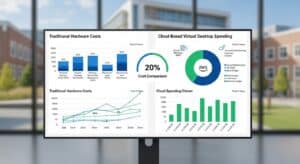
Cloud desktops have revolutionized the way educational institutions function, providing a host of benefits that can help them save money and resources. One of the most significant advantages of them for educational institutions is cost savings. By moving to cloud desktops, educational institutions can reduce their hardware and maintenance expenses, scale their resources up and down as required, and improve energy efficiency and sustainability.

Reduced Hardware and Maintenance Expenses

With cloud desktops, educational institutions can save a significant amount of money on hardware purchases, as all the necessary computing resources are hosted in the cloud. This means that there is no need for educational institutions to purchase expensive hardware, such as desktop computers and servers. Additionally, they eliminate the need for dedicated IT staff, as the cloud provider takes care of all the system updates and maintenance tasks. This frees up educational institutions to focus on other critical tasks, such as delivering high-quality education to their students.

Furthermore, with them, educational institutions can avoid the costs associated with hardware maintenance and repair. As the cloud provider is responsible for maintaining the system, educational institutions can save a significant amount of money that would otherwise be spent on hardware repairs and upgrades.

Scalability and Flexibility in Resource Allocation

Cloud desktops offer educational institutions the flexibility to scale their resources up or down as required, depending on the number of students and staff. This means that educational institutions can adjust their computing resources based on demand, which can lead to significant cost savings over the long term. With cloud desktops, educational institutions can easily add or remove users, apps, and data without having to worry about compatibility issues. This means that educational institutions can keep up with changing technologies and requirements, without having to invest in expensive hardware and software.

Furthermore, cloud desktops provide educational institutions with the flexibility to work from anywhere, at any time. This means that students and staff can access their desktops and applications from any device, making it easier for them to work remotely or on the go. This can lead to increased productivity and efficiency, as well as cost savings for educational institutions.

Energy Efficiency and Sustainability

Cloud desktops are also energy efficient and sustainable, as they use cloud server resources more efficiently than traditional desktops and servers. This means that educational institutions can reduce their energy consumption, which can lead to significant cost savings over the long term. By reducing the amount of hardware required, educational institutions can also reduce their carbon footprint, which can contribute to a more sustainable future.

Additionally, cloud desktops can help educational institutions reduce their paper usage, as students and staff can access and share documents electronically. This can lead to significant cost savings, as well as environmental benefits.

In conclusion, cloud desktops offer numerous benefits for educational institutions, including cost savings, scalability, flexibility, and sustainability. By adopting cloud desktops, educational institutions can improve their operations, reduce their costs, and provide better education to their students.

Time Savings and Improved Efficiency

Cloud desktops are becoming increasingly popular in educational institutions, and for good reason. In addition to cost savings, they offer significant time savings and improved efficiency.

One way cloud desktops can save time is by simplifying IT management. Educational institutions no longer need to worry about managing multiple devices and software licenses, as all the necessary computing resources are hosted in the cloud. This means that they can simplify their IT management processes, which can save time and resources over the long term.

Furthermore, cloud desktops eliminate the need for manual software updates and patches. The cloud provider takes care of all the system updates automatically, which means that educational institutions can ensure that their software is up-to-date and secure without having to worry about managing the updates themselves.

Simplified IT Management

With cloud desktops, educational institutions can focus on their core mission of educating students, rather than worrying about IT management. By outsourcing their IT needs to a cloud provider, they can free up time and resources to focus on teaching and learning.

Cloud desktops also offer the added benefit of scalability. Educational institutions can easily add or remove users as needed, without having to worry about purchasing additional hardware or software licenses. This means that they can quickly adapt to changing student and staff needs, without incurring significant costs.

Streamlined Software Updates and Deployment

Cloud desktops also streamline software updates and deployment. Educational institutions can easily deploy new apps and updates to all their users at once, which means that they can keep users up-to-date with the latest software improvements, without having to worry about compatibility issues or training requirements.

Cloud desktops also offer the added benefit of customization. Educational institutions can tailor their cloud desktops to meet their specific needs, by selecting the apps and software that are most relevant to their curriculum and teaching methods.

Enhanced Collaboration and Communication

Cloud desktops also enhance collaboration and communication between students and staff. By accessing their desktops from anywhere in the world, they can work together on projects and assignments, share files and resources, and communicate in real-time, regardless of their location.

Cloud desktops also offer the added benefit of security. Educational institutions can rest assured that their data is safe and secure, as cloud providers use the latest encryption and security protocols to protect their customers’ data.

In conclusion, cloud desktops offer significant benefits to educational institutions, including time savings, improved efficiency, scalability, customization, enhanced collaboration and communication, and security. By adopting them, educational institutions can focus on their core mission of educating students, while leaving their IT needs to the experts.

Understanding the TCO of On prem Computer Labs

Systems Architect, Phil Spitze, examines the Total Cost of Ownership (TCO) for traditional campus labs and shows how using alternative solutions, such as Apporto, creates flexibility, digital equity, and a better overall student experience.

LEARN MORE


apporto webinars

Enhanced Security and Data Protection

Cloud desktops have become increasingly popular in educational institutions due to the enhanced security and data protection they offer. In addition to the benefits mentioned above, cloud desktops also provide the following advantages:

  • Increased Privacy: Cloud desktops offer increased privacy, as data is stored on secure servers and is not accessible to unauthorized users. This can help prevent data breaches and protect sensitive information.
  • Automated Updates: Cloud desktops offer automated updates, which means that educational institutions can ensure that their systems are always up-to-date with the latest security patches and software updates.
  • Advanced Encryption: Cloud desktops use advanced encryption technologies to protect data in transit and at rest. This means that even if data is intercepted, it cannot be read or accessed by unauthorized users.

Centralized Data Storage and Backup

With cloud desktops, all the data is stored on the cloud server, rather than on local devices. This means that educational institutions can ensure that their data is secure and backed up, which can eliminate the risk of data loss and ensure that critical information is always accessible. Benefits include:

  • Scalability: Cloud desktops are highly scalable, which means that educational institutions can easily add or remove resources as needed to meet changing demands.
  • Cost-Effective: Cloud desktops are often more cost-effective than traditional desktops, as educational institutions only pay for the resources they use.
  • Easy Access: Cloud desktops can be accessed from anywhere with an internet connection, which means that students and teachers can access their work from home or on the go.

Improved Access Control and Monitoring

Cloud desktops also offer improved access control and monitoring, as educational institutions can restrict access to specific users and resources. This means that they can ensure that only authorized users can access sensitive data, and that any unauthorized attempts to access data are immediately detected and prevented. In addition, they offer the following benefits:

  • Customization: Cloud desktops can be customized to meet the specific needs of educational institutions, which means that they can provide a more tailored and personalized experience for students and teachers.
  • Collaboration: Cloud desktops offer easy collaboration tools, which means that students and teachers can work together on projects and assignments in real-time.
  • Remote Support: Cloud desktops can be remotely supported, which means that IT staff can quickly and easily resolve any issues or problems that arise.

Disaster Recovery and Business Continuity

Finally, cloud desktops offer disaster recovery and business continuity, as educational institutions can easily restore their computing environment in the event of a disaster or system failure. This means that they can ensure that critical services and resources are always available, even in the event of a major disruption. In addition, they offer the following benefits:

  • Flexibility: Cloud desktops offer greater flexibility than traditional desktops, as they can be accessed from anywhere with an internet connection.
  • Reduced Downtime: Cloud desktops can help reduce downtime, as they can be quickly and easily restored in the event of a system failure.
  • Scalability: Cloud desktops are highly scalable, which means that educational institutions can quickly and easily add or remove resources as needed to meet changing demands.

Conclusion

Cloud desktops offer a range of benefits for educational institutions, including cost savings, time savings, enhanced security, and more. By moving to cloud desktops, educational institutions can reduce their hardware and maintenance expenses, improve energy efficiency and sustainability, simplify IT management, and improve collaboration and communication. Additionally, cloud desktops offer enhanced security and data protection, making them an ideal solution for educational institutions looking to safeguard their sensitive data and ensure business continuity.

Understanding the TCO for Virtual Desktop Infrastructure

Know all the costs of VDI ownership and accurately calculate the TCO using our comprehensive guide

LEARN MORE


VDI TCO White Paper Preview

Simplifying IT Management with Virtual Desktops: Key Considerations for IT Professionals

Virtual desktops IT

Simplifying IT Management with Virtual Desktops: Key Considerations for IT Professionals

The rapid advances in technology over the last few decades have revolutionized the way businesses operate. Companies around the world are racing to adopt technology solutions that can keep them competitive and agile in the marketplace. At the same time, managing the complexity of IT systems has become a major headache for IT professionals. One approach that has gained popularity in recent years is virtual desktops. Virtual desktops offer significant benefits to organizations looking to streamline IT management. In this article, we will explore the key considerations that IT professionals should weigh before implementing virtual desktops in their organizations.

Understanding Virtual Desktops and Their Benefits

Virtual desktops is a technology that allows users to access a centralized desktop environment from anywhere in the world using any device. In other words, virtual desktops put all the apps, programs, and files in one place on a remote server. Instead of having to install software and store files on a local device, users can access their desktops from a remote server using a client application.

Virtual desktops are one part of a broader end user computing strategy, which focuses on how organizations deliver desktops, applications, and digital resources to employees across different devices and locations. Virtual desktops offer several benefits over traditional desktops, including:

  • Reduced hardware costs
  • Minimized overhead of managing lots of separate systems
  • Better security
  • Reduced energy costs and carbon footprint

Let’s dive deeper into what virtual desktops are and how they can benefit your organization.

What are Virtual Desktops?

Virtual desktops are essentially a remote desktop environment that is stored on a server. Instead of having to install software and store files on a local device, users can access their desktops from a remote server using a client application. This is called a virtual machine. Each virtual desktop is isolated from others, so users can customize their settings and install and run the applications they need without worrying about affecting other users. This means that users can work from anywhere, at any time, using any device, and still have access to all of their applications and files.

Virtual desktops can be accessed through a variety of devices, including desktops, laptops, tablets, and smartphones. This makes it easy for users to work from home, on the go, or in the office without having to worry about carrying around a heavy laptop or desktop computer.

Advantages of Implementing Virtual Desktops

Implementing virtual desktops has several advantages. First, they reduce hardware costs because you don’t need to purchase high-powered, expensive desktops or laptops. Instead, you can use less expensive thin clients or repurpose older hardware. Second, they minimize the overhead of managing lots of separate systems. With virtual desktops, IT administrators can manage all desktops from a central location, which reduces the need for onsite support and maintenance. Third, they offer better security because all data is stored centrally and can be backed up easily. This means that if a device is lost or stolen, the data is not lost. Lastly, virtual desktops reduce energy costs and carbon footprint because less power is consumed by desktops and servers.

Virtual desktops also offer a better end-user experience by providing a consistent environment across devices and locations and enabling support for Bring Your Own Device (BYOD) policies. With virtual desktops, users can work from any device and still have access to all of their applications and files.

How Virtual Desktops Simplify IT Management

Virtual desktops offer IT professionals a scalable, manageable, and secure solution to manage the complexity of IT infrastructure. Virtual desktops allow administrators to deploy, manage, maintain, and update desktop environments centrally, without having to worry about individual desktops. This means that IT administrators can focus on more strategic projects instead of spending time on routine maintenance and support tasks.

Virtual desktops offer a lower total cost of ownership (TCO) due to reduced hardware costs, maintenance, and support. With virtual desktops, IT administrators can easily deploy new desktops, update software, and manage security patches from a central location. This reduces the need for onsite support and maintenance, which can save organizations money in the long run.

In conclusion, virtual desktops offer several benefits over traditional desktops, including reduced hardware costs, better security, and simplified IT management. If you’re looking for a scalable, manageable, and secure solution for your organization, virtual desktops may be the answer.

Assessing Your Organization’s Needs

The decision to implement virtual desktops should be based on a thorough assessment of the organization’s needs and goals. IT professionals need to evaluate their current infrastructure, identify key business requirements, and estimate the cost of implementation. This assessment should cover the following factors:

Evaluating Current IT Infrastructure

The first step in assessing your organization’s needs is to evaluate your existing IT infrastructure. This step will help you identify areas that need improvement, understand the current resources, and determine whether your infrastructure can support a virtual desktop environment. Key factors to consider include the size of your organization, the number of users, the types of applications used, and the hardware and software currently in use.

For example, if your organization has a large number of users who require access to high-performance applications, you may need to invest in more powerful servers or storage solutions to support a virtual desktop environment. On the other hand, if your organization has a smaller number of users who primarily use basic office applications, your existing infrastructure may be sufficient to support virtual desktops.

Alternatively, many organizations are now turning towards a Desktop-as-a-Service (DaaS) as it allows them to offload the management of the infrastructure and dramatically reduce costs.

Identifying Key Business Requirements

Before selecting a virtual desktop solution, you need to identify the business requirements that are driving your need for virtual desktops. This might include remote access, mobility, security, compliance, disaster recovery, or other factors. Understanding these requirements will help you determine the features and capabilities you need from a virtual desktop solution.

For example, if your organization has a large number of remote workers who need access to desktop applications, you may need a virtual desktop solution that provides secure remote access. Alternatively, if your organization operates in a highly regulated industry, you may need a virtual desktop solution that meets specific compliance requirements.

Estimating the Cost of Implementation

The cost of implementing virtual desktops will depend on a variety of factors, including the size of your organization, the number of desktops, the complexity of your environment, and the features and capabilities you need. You will need to evaluate the total cost of ownership (TCO) of virtual desktops, including licensing, hardware, storage, bandwidth, and ongoing support and maintenance costs. It is critical to gain a thorough understanding of the costs involved before making a decision.

For example, if your organization has a large number of desktops that require high-performance hardware, the cost of implementing virtual desktops may be higher than if you have a smaller number of desktops that require less powerful hardware. Additionally, ongoing support and maintenance costs can vary depending on the complexity of your environment and the level of support required.

Overall, a thorough assessment of your organization’s needs is critical to the success of a virtual desktop implementation. By evaluating your current infrastructure, identifying key business requirements, and estimating the cost of implementation, you can make an informed decision about whether virtual desktops are the right solution for your organization.

Choosing the Right Virtual Desktop Solution

Choosing the right virtual desktop solution is critical to the success of your implementation. There are many virtual desktop providers in the market, and it can be challenging to navigate the options available. IT professionals need to consider several factors when selecting a virtual desktop provider, including:

  • Experience
  • Reliability
  • Scalability
  • Security
  • Implementation Effort
  • Support

When assessing virtual desktop providers, consider these factors carefully. Look for providers that have a proven track record of delivering high-quality, secure, and reliable services to their customers. Evaluate the providers’ ability to scale their solutions to accommodate your organization’s growth and future requirements, including the ability to integrate with your existing IT infrastructure.

Comparing Virtual Desktop Providers

Comparing virtual desktop providers can be a daunting task, but it is essential to make an informed decision. Start by researching the providers’ backgrounds and reputation in the industry. Consider the provider’s experience in delivering virtual desktop solutions, the size of their customer base, and the industries they serve. Look for customer reviews and case studies to gain insight into the provider’s performance and customer satisfaction.

By comparing the providers’ offerings against these criteria, you can make an informed decision that will meet your organization’s needs.

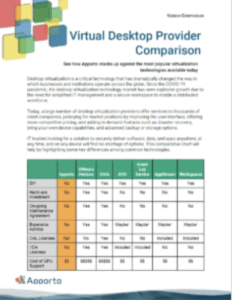
Virtual Desktop Provider Comparison

See how Apporto stacks up against the most popular virtualization technologies available today

LEARN MORE


Top 7 Vendors Comparison

Key Features to Look for in a Solution

When comparing virtual desktop solutions, look for features that will enhance the end-user experience and provide the functionality and flexibility that your organization requires. Some of the key features to consider include:

  • Support for multiple devices
  • Mobility
  • Security
  • Client-less remote access
  • Integrations
  • Customization options
  • High availability
  • Disaster recovery
  • OS support

By evaluating these features, you can ensure that your virtual desktop solution meets your organization’s needs and provides a seamless end-user experience.

Ensuring Scalability and Flexibility

Your virtual desktop solution must be able to handle the growth of your organization and adapt to changing requirements. Evaluate the scalability and flexibility of the providers’ solutions, including the ability to support remote and mobile users, support Bring Your Own Device (BYOD) policies, and integrate with your existing infrastructure seamlessly.

Consider the provider’s ability to deliver a solution that can scale up or down as your organization’s needs change. Look for providers that offer flexible pricing models, so you only pay for what you need. By ensuring scalability and flexibility, you can future-proof your virtual desktop solution and ensure that it meets your organization’s needs for years to come.

Implementing Virtual Desktops in Your Organization

Once you have assessed your needs, selected the right virtual desktop solution, and estimated the cost of implementation, it’s time to deploy virtual desktops in your organization. Deploying virtual desktops requires careful planning, preparation, and execution. Key factors to consider include:

Preparing Your IT Infrastructure

Before deploying virtual desktops, you need to prepare your IT infrastructure to ensure that it is stable, secure, and scalable to accommodate the new environment. This might include upgrading your network infrastructure, adding additional servers, installing new security measures, or updating your software. You will also need to allocate sufficient resources to support your users, including bandwidth, storage, and support personnel.

Alternatively, if you are going the DaaS route then much of the infrastructure planning can be skipped.

Training Your IT Team and End Users

Virtual desktops require a different set of skills and knowledge than traditional desktops. Your IT team and end-users will need to be trained to use the new environment. Training should cover topics such as accessing the virtual desktop, managing files, installing applications, and troubleshooting common issues. Training should be ongoing to ensure that your users are using the virtual desktop environment efficiently and securely.

Monitoring and Managing the Virtual Desktop Environment

Once your virtual desktop environment is deployed, you will need to manage and monitor it carefully to ensure that it is performing as expected. You will need to monitor performance, troubleshoot issues, and update software on a regular basis to keep the environment secure and stable. You will also need to manage end-users’ access to the virtual desktop environment to ensure that sensitive data is protected.

For cloud based models, much o the monitoring in maintenance is handled by the provider. For more information on cloud based desktops aka DaaS, learn more here.

Conclusion

Virtual desktops can offer IT professionals a powerful way to simplify IT management, reduce costs, improve security, and enhance the end-user experience. However, to reap the benefits of virtual desktops, you need to carefully assess your organization’s needs, choose the right virtual desktop solution, and implement it in a thoughtful and strategic manner. By following the key considerations outlined in this article, you can ensure that your organization is well-positioned to take full advantage of the benefits of virtual desktops.

Integrating Technology in Higher Education: Opportunities and Challenges Ahead

The digital revolution is rapidly reshaping the landscape of higher education, offering unprecedented opportunities to enhance learning and tackle challenges in innovative ways. As technology evolves, it increasingly becomes an integral part of universities and colleges, demanding a reevaluation of traditional educational practices. Understanding how these tools can be harnessed for academic enrichment is crucial for institutions aiming to thrive in this transformative era.

In recent years, advancements like AI-powered learning platforms, virtual and augmented reality, and blockchain have shown potential in revolutionizing how educational content is delivered and managed. Such technologies not only promise enhanced student engagement and personalized learning experiences but also equip students for a tech-driven workforce. However, as promising as these developments are, they also bring forth significant challenges such as data privacy, security, and equitable access requiring thoughtful consideration and strategic planning.

This article delves into the myriad possibilities that arise from integrating technology in higher education while candidly addressing the obstacles to implementation. From strategies to overcome existing barriers to fostering an environment of innovation, we explore how educational institutions can adapt and prosper in an increasingly digital world, ultimately paving the path for a dynamic future in academia.

The Role of Technology in Higher Education

Technology plays a crucial role in higher education, enhancing teaching, learning, and administration. It fosters innovation, accessibility, and efficiency in educational institutions. Online collaboration tools enable both synchronous and asynchronous communication, promoting active learning, peer engagement, and teamwork in virtual settings.

Artificial intelligence (AI) and machine learning enhance personalized learning. These technologies adapt content and assessments to fit each student’s learning style. This leads to improved learning outcomes and student success.

Administrative processes have also benefited. Student Information Systems, course registration, and financial aid platforms streamline tasks, saving time and resources.

Furthermore, technology supports research with access to digital libraries, academic databases, and advanced tools like high-performance computing and data analytics.

Benefits of Technology in Higher Education:

  • Enhanced Learning: Personalized experiences and flexible formats.
  • Improved Admin Processes: Automation and efficiency.
  • Research Support: Access to extensive resources and tools.

Incorporating technology in higher education creates richer, more dynamic educational experiences for students and staff alike.

Emerging Technology Trends

Emerging technologies are transforming higher education. New advancements like AI, IoT, and blockchain are changing how students learn and how institutions function. These technologies are paving the way for new tools and methods. They enhance both learning and administration by offering more personalized and efficient processes. Universities are beginning to use these innovations to create richer, more engaging educational experiences.

AI-Powered Learning Platforms

AI-powered learning platforms are reshaping educational practices. They use advanced algorithms to personalize learning for each student. These systems adjust content delivery and pacing to individual needs, fostering deeper engagement. AI tools can automate tasks like admissions, allowing educators to focus on teaching. They also provide real-time feedback, helping students grasp complex topics. By predicting which students might struggle, these platforms enable timely interventions to boost performance.

Virtual and Augmented Reality in Education

Virtual and Augmented Reality (VR and AR) offer immersive learning opportunities. VR creates a fully digital environment, helping students engage in interactive experiences beyond traditional classrooms. Meanwhile, AR overlays digital information onto the real world, enhancing lessons like anatomy with engaging visuals. Together, VR and AR enable deep exploration of subjects, fostering collaboration among students and educators. Implementing these technologies responsibly can improve education without bias.

Blockchain for Secure Data Management

Blockchain is revolutionizing secure data management in education. It offers a tamper-proof ledger that verifies academic credentials and combats fraud. This technology makes the verification of certifications more straightforward and portable between institutions. By using decentralized ledgers, blockchain enhances the security and transparency of academic records. It supports credit transfers between colleges, easing transitions for students. This innovation is crucial for trust in academic data management.

Learning Analytics for Instructional Practices

Learning analytics enhances teaching by analyzing student data. Educators use this information to personalize lessons and improve outcomes. By tracking student interactions and progress, analytics can identify those who may be falling behind. Platforms like Canvas and Blackboard provide insights into student performance, aiding in timely interventions. These capabilities allow for adaptive learning experiences, meeting each student’s unique needs and improving their success in education.

Enhancements through Technology

Technology is reshaping higher education in many exciting ways. Digital tools offer personalized and adaptive learning experiences that cater to individual student needs. Through AI and machine learning, educational content can tailor itself, providing a more customized approach. Online collaboration tools also allow students and instructors to interact seamlessly, fostering teamwork and communication. Furthermore, digital platforms enable students to access educational materials remotely, breaking down geographical barriers. These innovations streamline administrative processes in education institutions, enhancing efficiency. Access to digital libraries and research resources supports advanced scholarly activities, making technology a crucial role in modern higher education.

Student Engagement Boost

Though the direct link between technology and student engagement isn’t clear, innovations significantly reform the educational experience. Tools like Element451 use AI to simplify and personalize student interactions. These platforms facilitate better access to resources, thus boosting engagement. Additionally, digital libraries and academic databases enhance research efforts, enriching the student journey. However, challenges like bureaucratic resistance can hinder the full adoption of these tools. Overcoming such barriers may unlock further potential for higher student engagement.

Personalized Learning Experiences

In higher education, personalized learning experiences are empowered by advanced technologies. AI and machine learning adapt content delivery to match individual learning styles. Platforms like Canvas and Blackboard track student performance, offering insights that allow educators to provide targeted support. Real-time content adjustments enhance comprehension and retention, accommodating diverse student needs. By identifying students who need help early, learning management systems can offer timely interventions. Such personalized approaches ensure student success by optimizing their educational outcomes, providing a tailored and effective learning path.

Preparation for a Tech-Driven Workforce

Preparing students for a technology-driven workforce requires innovative learning models. Online platforms and AI-driven experiences create flexible and tailored educational paths, equipping students with necessary skills. Integrated Learning Management Systems allow for remote access to course materials, ideal for today’s global work settings. Universities play a crucial role in developing technologies integral to a tech-driven economy, particularly in STEAM fields. Yet, they face challenges like resource constraints, necessitating strategic implementation. Understanding data privacy and security is also crucial, highlighting the importance of protecting information. These aspects collectively gear students for success in a tech-centric world.

Challenges of Implementing Technology

Integrating technology in higher education is no small task. Bureaucratic structures and resistance to change slow down innovation. Many schools have limited resources, making it tough to invest in new tech. Additionally, higher education often moves slower due to its cautious approach. This cautious nature does not align well with the fast-paced world of technology. Financial issues add an extra layer of difficulty. With fewer students enrolling each year, schools find it hard to fund tech advancements. Also, the use of e-learning tools, necessary as they are, can be complicated by healthcare technology and changes in curricula. Notably, online assessments have brought up concerns about increased cheating, making some outcomes less positive.

Data Privacy Concerns

Data privacy is a significant concern for educational institutions using technology. As they gather more student data, the risk of breaching privacy grows. It is crucial for schools to use strong security measures to protect this information. Compliance with data protection regulations is not optional; it is a must. Institutions should be open about how they collect and use data. This transparency helps in building trust between students and faculty. Ethical considerations are also important, as they relate to student privacy in a data-driven environment. Communicating clearly about privacy policies strengthens the relationship between the institution and its community.

Security Issues

Security is a priority for higher education institutions integrating technology. They must implement strong security systems to protect sensitive student information while complying with regulations. Communicating clearly about data usage builds trust with students and educators. The rise in data collection raises privacy concerns, so institutions need to adopt strategies for efficient integration. Investing in security doesn’t have to break the bank if done thoughtfully. Using advanced, integrated security technologies like Intel vPro® adds a solid layer of protection for everyone involved, from students to staff. This approach ensures technological progress doesn’t jeopardize financial stability or data security.

Equitable Access to Technology

Equitable access to technology in education remains a challenge. Bureaucratic obstacles and resistance to change often hinder progress. Limited resources add to the difficulty, sometimes making access uneven. However, digital tools like LMS, MOOCs, and microcredentials can bridge these gaps. They help normalize digital learning environments, making higher education more accessible. Technologies such as VR and AR offer immersive experiences and global connectivity for students and educators. These innovations adapt in response to changing learner needs, reducing access disparities. Digital platforms also connect students to real-world projects and employers, aligning education with workforce demands. Adopting technology-driven strategies can thus be a key equalizer in education.

Overcoming Barriers

Digital transformation in higher education is crucial for improving student experiences. However, several barriers make integration difficult. Bureaucratic structures can delay the adoption of new technologies. Institutions often have multiple layers of decision-making, which slows progress. The risk-averse nature of academia also clashes with the fast-paced change needed for technology implementation. Limited funding, especially with declining enrollment, further complicates these efforts. Overcoming these barriers requires strategic planning across various stages. Change management and leadership are essential in creating a culture that embraces innovation. Institutions must work together to overcome these obstacles and embrace technological advancements.

Addressing the Digital Divide

The digital divide in higher education separates those who can easily access technology from those who cannot. This gap can hinder student success, affecting their learning outcomes. To bridge this divide, institutions must prioritize equal access to educational technology. Providing resources such as affordable devices and internet access is vital. Digital literacy programs can also help students and faculty become more adept with online platforms. By investing in these areas, educational institutions can ensure that all students have the opportunity to benefit from digital learning tools.

Budget and Resource Constraints

Budget constraints are a significant barrier to adopting technology in higher education. Faculty often use open-source materials to alleviate financial stress for students. Open Educational Resources (OER) are a cost-effective alternative to traditional textbooks. They help reduce student expenses and make educational content more accessible. Small colleges, in particular, can benefit by adopting affordable digital tools like cloud-based services. However, limited funding often hinders these efforts. Overcoming this requires prioritization and innovation. Institutions can seek partnerships and grants to acquire the necessary resources. Strategic financial planning is key to investing in the right technology and supporting student engagement.

Infrastructure Investment

Investing in technology infrastructure is vital for the future of education institutions. Digital platforms and online learning tools expand access to learning by allowing remote and flexible options. Automation of administrative processes through digital tools improves efficiency. Online collaboration tools enhance student interactions, leading to better learning experiences. Emerging technologies, such as artificial intelligence and machine learning, offer new methodologies for education. Institutions must also prioritize data protection to keep sensitive information safe. Infrastructure investment is not just about the latest tools but also about creating a secure and supportive environment for effective learning experiences.

Cultivating an Innovative Culture

Technology is reshaping higher education by integrating cutting-edge tools like artificial intelligence, virtual reality, augmented reality, and the Internet of Things. These innovations are enhancing teaching and learning experiences. To leverage these technologies effectively, educational institutions must build robust technological infrastructures and invest in faculty development programs. Faculty confidence in using technology encourages adopting new teaching methods, thus fostering a culture of collaboration and innovation. EdTech simplifies administrative tasks while improving teaching techniques and creating interactive learning environments. However, integrating these technologies requires careful assessment of return on investment and tackling privacy concerns due to increased data collection.

Fostering Institutional Adaptability

Technology plays a crucial role in boosting the adaptability of education institutions. By expanding access to learning through digital platforms, these institutions can enhance student engagement and streamline administrative processes. Embracing digital technology prepares students for modern workforce demands, bridging gaps in skills. A strong digital infrastructure supports seamless transitions between in-person and online learning, offering flexibility. Institutions must choose EdTech solutions that integrate well with existing systems, ensuring they effectively foster adaptability. Challenges like high costs and privacy concerns need addressing for successful technology integration. By meeting these, institutions can thrive in an ever-changing educational landscape.

Encouraging Faculty and Staff Training

Investing in faculty development is key to integrating technology in higher education teaching and learning. Training programs, including workshops, online tutorials, and peer mentoring, equip educators with the skills and confidence to use digital tools effectively. As educators grow more adept at using technology, they are more likely to explore innovative teaching methods. This results in improved learning experiences and outcomes for students. Fostering a supportive environment encourages faculty to embrace change. By building capacity in technology use, institutions can drive educational innovation, enriching the teaching and learning landscape of higher education.

Promoting Collaborative Knowledge Sharing

Digital platforms in higher education are vital for facilitating collaboration among students, educators, and researchers globally. Open communication and a culture of experimentation among faculty, staff, and students enhance knowledge sharing. Comprehensive training and professional development support the integration of new technologies, creating collaborative learning environments. Institutions that host workshops and events to promote innovation see significant advancements in knowledge sharing. Meanwhile, data and analytics aid decision-making, improving curricula and student support initiatives. Ultimately, fostering collaborative knowledge sharing cultivates a vibrant academic community committed to innovation and discovery.

Technology-Driven Improvements

In today’s world, technology is changing higher education. The integration of advanced tools is reshaping how institutions deliver content and engage with students. Learning Management Systems (LMS) and online platforms let students access educational materials anytime, anywhere. These platforms, along with innovations like massive open online courses (MOOCs) and flipped classrooms, are revolutionizing the educational experience. They play a crucial role in offering new learning opportunities and personalized learning experiences. However, the path to full technological integration is not without hurdles. Bureaucracy, resistance to change, and resource limitations can impede progress. Yet, technologies such as artificial intelligence and data analytics are helping institutions provide tailored learning experiences. These advancements aim to enhance student engagement and successful learning outcomes. Higher education is thus evolving, meeting the needs of diverse learning styles, and preparing students for the future with real-world projects.

Streamlining Administrative Processes

Technology in higher education is not only enhancing learning but also transforming how institutions operate. Administrative processes benefit greatly from the digital revolution. Systems like Student Information Systems (SIS) and automatic course registration simplify tasks that were once time-consuming. These systems improve efficiency and allow faculty and staff to concentrate more on student success. Financial aid management platforms have also gone digital, making processes easier for both students and administrative staff. By leveraging advanced analytics and AI, colleges can gather actionable insights. These insights enable better resource allocation and operations. Automation decreases administrative burdens significantly, fostering an environment where educators and staff can engage more fully with students. Overall, the streamlined processes lead to a more focused approach in achieving academic excellence.

Enhancing Learning Accessibility

Access to education is becoming increasingly inclusive, thanks to technological advancements. Technology-enhanced features, such as speech-to-text and screen readers, support students with disabilities and remote learners. This fosters an inclusive learning environment across educational institutions. Online courses broaden the reach, enabling students who cannot attend in-person classes to learn. The flexibility of video content and instructional videos allows students to learn at their pace. This promotes understanding and retention, catering to individual learning styles. Digital platforms aid students in staying organized and managing course materials effectively. Personalized learning experiences, backed by adaptive technology, ensure that students grasp concepts thoroughly. This inclusivity not only widens access but also tailors learning to meet the diverse needs of students, ultimately improving their educational outcomes.

Strengthening Student Support Systems

Student support has gained a new dimension with educational technology advancements. These tools offer real-time insights into students’ academic performances and learning patterns. Advisors can tailor their support to students who might have challenges and help strengthen support systems. By utilizing data analytics and predictive modeling, institutions can foresee student needs. This foresight enables effective interventions aimed at boosting student success. Technology designed for students keeps them engaged and supports academic performance better. Instructors, using learning management systems proficiently, can impact student satisfaction positively. By automating administrative tasks, staff gains more time to dedicate to direct student support. This focus on meaningful engagement and personalized assistance ensures that students remain on their academic paths, maximizing their potential for success.

The Future of Technology in Higher Education

The way we learn in higher education is changing rapidly due to technology. New tools and methods are making learning more personal, accessible, and efficient. Technologies like artificial intelligence (AI), the Internet of Things (IoT), and blockchain are helping reshape how education is delivered and experienced. Educational institutions that stay ahead of these changes will better serve their students and society. By using AI and machine learning (ML), schools can offer personalized learning experiences. These technologies analyze data to give real-time feedback, which helps tailor education to each student’s needs. IoT devices are revolutionizing how campuses operate, making them more resource-efficient and interactive. Smart classrooms are leading to more engaging teaching methods.

Potential Long-Term Impacts

Technology in higher education opens up many possibilities for the future. It allows students to access learning opportunities remotely and on their own schedules through online tools and platforms. AI and ML create more adaptive and personalized learning experiences, fitting various learning styles and improving comprehension. Technology also boosts student engagement by using interactive platforms and multimedia resources. This means students can collaborate more and participate actively. Plus, technology streamlines administrative tasks, making them more efficient and precise. This leaves more resources for focusing on student success. As technology continues to evolve, it helps create better learning outcomes and ensures that institutions can meet future demands.

Evolving Educational Landscapes

Digital technologies like AI, VR, AR, and IoT are transforming how education happens. IoT devices not only manage campus resources better but also enhance student experiences, particularly in smart classrooms that optimize teaching methods. Blockchain is improving how academic credentials are verified, making these processes more transparent and secure. Data analytics plays a crucial role in shaping educational strategies, offering targeted support to students and shaping how institutions respond to different needs. The push for more technology in education is about engaging students more effectively and adapting to changing educational landscapes. By adopting these technologies, educational institutions can stay innovative and better prepare students for the future.

The Future of Work: How Virtual Desktops are Transforming Remote Work

Virtual desktops - The Future of Work

The Future of Work: How Virtual Desktops are Transforming Remote Work

The world of work is rapidly evolving, with more and more employees choosing to work remotely. In fact, recent statistics show that remote work has become increasingly popular in the last few years, with 43% of U.S. employees working remotely at least some of the time. The COVID-19 pandemic has only accelerated this trend, with millions of employees working from home full-time.

The Rise of Remote Work

So, what is driving this shift to remote work? There are several factors at play, including the desire for work-life balance, increased job flexibility, and advances in technology that enable remote work. With the rise of virtual desktops, remote work has become even more accessible and convenient for employees looking to work outside the traditional office environment.

Remote work has been on the rise for several years now, but the COVID-19 pandemic has accelerated this trend. As businesses were forced to close their physical offices and shift to remote work, many employees found themselves working from home for the first time.

Factors Driving Remote Work Adoption

One of the key reasons for the rise in remote work is the desire for a better work-life balance. Many employees feel that they are unable to strike a balance between their personal and professional lives when working in an office environment. Remote work allows workers to create a schedule that best suits their needs, which can lead to increased job satisfaction and improved mental health.

Another factor driving remote work adoption is the demand for more job flexibility. With the rise of the gig economy and the increasing popularity of freelance work, workers are no longer willing to be tied down to one specific job or location. By offering remote work options, employers can attract a wider pool of talent and retain existing staff who may otherwise seek more flexible employment opportunities elsewhere.

Advances in technology have also played a significant role in the rise of remote work. With the ability to access work files and applications from anywhere with an internet connection, employees can work from home, a coffee shop, or even a different country. This has opened up new possibilities for businesses and employees alike.

The Impact of COVID-19 on Remote Work Trends

The COVID-19 pandemic has forced many businesses to adopt remote work policies, often at very short notice. With lockdowns and social distancing measures in place across the globe, remote work has become a necessity for many businesses in order to maintain operations.

However, this sudden shift to remote work has also highlighted the importance of having a reliable and secure remote work infrastructure in place. This is where virtual desktops come in.

For organizations looking to deliver virtual desktops without managing the underlying infrastructure themselves, Desktop as a Service (DaaS) provides a cloud-based approach to delivering desktop environments securely to remote employees.

Virtual desktops allow employees to access their work files and applications securely from anywhere with an internet connection. This means that businesses can maintain productivity and collaboration even when employees are working from home or other remote locations. Virtual desktops also offer enhanced security features, such as two-factor authentication and data encryption, to protect sensitive business data.

Overall, the rise of remote work is a trend that is likely to continue in the coming years. As more businesses recognize the benefits of remote work, we can expect to see increased adoption of virtual desktops and other technologies that enable remote work. Whether you are an employee or an employer, it is important to stay up-to-date with these trends and adapt to the changing landscape of work.

Understanding Virtual Desktops

Virtual desktops are essentially a desktop computing environment that is hosted remotely, rather than on a local device. This means that employees can access their desktop environment from any device, anywhere in the world, as long as they have an internet connection.

What are Virtual Desktops?

Virtual desktops are created by hosting the desktop environment on a remote server, rather than on a physical machine. This means that the employee can access their desktop environment and all of their files, applications and settings from any device that has an internet connection.

One of the key benefits of virtual desktops is that they allow for greater flexibility and mobility. With a virtual desktop, employees can work from any location, whether it’s their home office, a coffee shop, or a hotel room. This can be particularly useful for employees who travel frequently or work remotely.

Key Features of Virtual Desktops

Virtual desktops have a number of key features that make them particularly useful for remote workers. For example, they offer enhanced security and data protection. Because the desktop environment is hosted on a remote server, it’s much more difficult for hackers to access sensitive data. Additionally, virtual desktops allow for centralized IT management and support, which can save time and resources for businesses.

Another key feature of virtual desktops is their scalability. With traditional desktop environments, adding new users or upgrading hardware can be a time-consuming and expensive process. With virtual desktops, however, adding new users or upgrading hardware is as simple as adding more resources to the remote server.

Virtual Desktops vs. Traditional Desktops

Virtual desktops differ from traditional desktop environments in that they are hosted remotely, rather than on a local device. This means that employees can access their desktop environment from anywhere, as long as they have an internet connection. This is particularly useful for remote workers, who may need to work from a variety of locations or devices.

Another key difference between virtual desktops and traditional desktop environments is the level of control that IT departments have over the desktop environment. With traditional desktop environments, IT departments are responsible for managing and maintaining each individual device. With virtual desktops, however, IT departments can manage the entire desktop environment from a centralized location, which can save time and resources.

Overall, virtual desktops offer a number of benefits over traditional desktop environments. They allow for greater flexibility and mobility, enhanced security and data protection, streamlined IT management and support, and cost savings and scalability. As more and more businesses move towards remote work, virtual desktops are becoming an increasingly popular solution for providing employees with the tools they need to be productive from anywhere in the world.

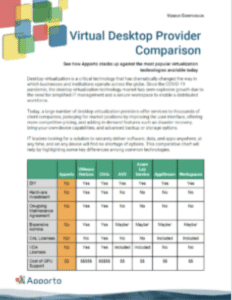
Virtual Desktop Provider Comparison

See how Apporto stacks up against the most popular virtualization technologies available today

LEARN MORE


Top 7 Vendors Comparison

Benefits of Virtual Desktops for Remote Work

Virtual desktops offer a range of benefits for remote workers, including enhanced security and data protection, improved accessibility and flexibility, streamlined IT management and support, and cost savings and scalability.

Enhanced Security and Data Protection

Virtual desktops are particularly useful for remote workers as they offer enhanced security and data protection. This is because all data is stored remotely, rather than on a local device, which means that there is less risk of data being lost or stolen. Additionally, virtual desktops are centrally managed, which means that security policies can be enforced across all devices.

For example, if a remote worker’s device is lost or stolen, their data remains safe because it is not stored on the device itself. This can help to prevent sensitive information from falling into the wrong hands and potentially causing a data breach. Furthermore, virtual desktops can be configured with additional security measures such as multi-factor authentication and encryption to provide an extra layer of protection.

Improved Accessibility and Flexibility

Virtual desktops offer improved accessibility and flexibility for remote workers. This is because employees can access their desktop environment and all of their files, applications and settings from any device with an internet connection. This means that they can work from home, on the go, or even from a different country, which can lead to increased job satisfaction and a better work-life balance.

Moreover, virtual desktops can provide remote workers with access to specialized software or applications that may not be available on their personal devices. This can be particularly beneficial for industries such as graphic design, architecture, or engineering, where specialized software is often required. By using a virtual desktop, remote workers can access these applications without needing to install them on their personal devices, which can save time and money.

Streamlined IT Management and Support

Virtual desktops are centrally managed, which means that IT departments can easily manage and support a large number of devices from a single location. This can lead to cost savings and greater efficiency, as IT staff can spend less time on troubleshooting and maintenance.

Additionally, virtual desktops can be updated and patched centrally, which can help to ensure that all devices are running the latest software and security updates. This can be particularly important for remote workers who may not always have access to IT support or may be working outside of regular business hours.

Cost Savings and Scalability

Virtual desktops offer cost savings and scalability for businesses, as they can be easily scaled up or down according to business needs. Additionally, businesses can save money on hardware and software costs, as virtual desktops can be accessed from any device, rather than requiring dedicated hardware.

For example, if a business needs to quickly onboard new remote workers, virtual desktops can be provisioned quickly and easily, without the need for additional hardware or software licenses. Similarly, if a business needs to downsize, virtual desktops can be easily decommissioned, which can help to reduce costs.

In conclusion, virtual desktops offer a range of benefits for remote workers and businesses alike. From enhanced security and data protection to improved accessibility and flexibility, virtual desktops can help to improve productivity, reduce costs, and provide a better work-life balance for remote workers.

Challenges and Solutions in Implementing Virtual Desktops

While virtual desktops offer many benefits for remote workers, there are also challenges to implementing them in a business environment. Some of the key challenges include ensuring a seamless user experience, addressing bandwidth and connectivity issues, and overcoming security and compliance concerns.

Ensuring a Seamless User Experience

One of the key challenges in implementing virtual desktops is ensuring a seamless user experience. This means that employees should be able to access their desktop environment and all of their files, applications and settings from any device with an internet connection, without experiencing any delays or performance issues.

Addressing Bandwidth and Connectivity Issues

Another challenge with virtual desktops is ensuring that employees have sufficient bandwidth and connectivity to enable them to work remotely. This may require upgrading internet infrastructure or providing remote workers with dedicated connectivity solutions, such as VPNs.

Overcoming Security and Compliance Concerns

Finally, virtual desktops may raise security and compliance concerns for businesses. For example, businesses may need to ensure that data is stored securely and that employees are using secure devices and networks. Additionally, compliance regulations may need to be adhered to, such as HIPAA or GDPR.

Conclusion

As remote work continues to grow in popularity, virtual desktops are likely to become an increasingly important part of many businesses’ infrastructure. With their ability to offer enhanced security and data protection, improved accessibility and flexibility, streamlined IT management and support, and cost savings and scalability, virtual desktops are well-positioned to transform the future of work.

However, it is important for businesses to carefully consider the challenges of implementing virtual desktops in a remote work environment, and to ensure that they have robust security and compliance measures in place.

Overall, virtual desktops offer a powerful solution for businesses looking to embrace the future of work and enable their employees to work remotely, securely, and efficiently.

Cloud Desktops vs. VDI: Which is the Best Choice for Your Organization?

Cloud Desktops vs VDI

In today’s digital world, businesses are increasingly relying on cloud-based solutions to streamline operations and enhance collaboration. Two such technologies that are gaining popularity are cloud desktops and virtual desktop infrastructure (VDI). While both of these solutions serve similar purposes, they differ in several key ways. In this article, we will explore the differences between cloud desktops and VDI, and help you decide which technology is the best choice for your organization.

What is VDI?

Virtual desktop infrastructure, or VDI, is a solution that enables users to access remote desktops from any device with an internet connection. With VDI, the desktop environment is virtualized and run on servers in a data center. Users can connect to their virtual desktops through thin clients or other devices, and access their applications, data, and files as if they were using a traditional desktop computer.

VDI has several benefits, such as improved security, centralized management, and reduced hardware costs. Since the desktop environment is hosted on centralized servers, IT teams can easily manage and update all virtual desktops in the data center. This also means that sensitive data and applications are kept secure in the data center, rather than being stored on local devices.

One of the biggest advantages of VDI is its ability to provide a consistent user experience across different devices. With VDI, users can access their virtual desktops and applications from anywhere, on any device, without having to worry about compatibility issues. This is particularly useful for organizations with a mobile workforce, as it allows employees to work remotely without sacrificing productivity or security.

VDI can also help organizations reduce their hardware costs. Since the desktop environment is hosted on centralized servers, users do not require powerful local devices to run their applications. This means that organizations can save money by purchasing less expensive thin clients or repurposing older devices as VDI endpoints.

In conclusion, VDI is a powerful solution that can help organizations improve their security, reduce costs, and provide a consistent user experience across different devices. By virtualizing the desktop environment and hosting it on centralized servers, VDI enables users to access their applications and data from anywhere, on any device, while keeping sensitive information secure in the data center.

What are Cloud Desktops?

Cloud desktops are a relatively new technology that allows users to access their desktop environments remotely. This means that users can access their files, applications, and settings from anywhere in the world, as long as they have an internet connection.

Cloud desktops are similar to virtual desktop infrastructure (VDI) in that they both allow users to access desktop environments remotely. However, there are some key differences between the two technologies.

One of the main differences between cloud desktops and VDI is where the hosting infrastructure is located. With VDI, the hosting infrastructure is typically located in a company’s data center. This means that businesses need to invest in costly hardware and IT resources to set up and maintain the infrastructure.

Cloud desktops, on the other hand, are hosted in the cloud. This means that businesses don’t need to invest in hardware or IT resources to set up and maintain the infrastructure. Instead, they can rely on a third-party provider to handle the management and maintenance of the infrastructure.

Another key difference between cloud desktops and VDI is scalability. With VDI, businesses need to plan for their future needs and invest in hardware and IT resources accordingly. This can be costly and time-consuming, especially if the business experiences unexpected growth or changes in demand.

Cloud desktops, on the other hand, offer businesses the flexibility and scalability they need to adapt to changing requirements. Since the hosting infrastructure is provided by a third-party provider, businesses can easily scale up or down as needed, based on their changing requirements.

Overall, cloud desktops are becoming increasingly popular among organizations of all sizes. They offer a cost-effective and flexible solution for remote access to desktop environments, without the need for significant investments in hardware or IT resources associated with VDI.

Cloud Desktops vs. VDI: Key Differences

Virtual Desktop Infrastructure (VDI) and cloud desktops are two popular solutions for businesses to provide their employees with remote access to their desktops. While they share many similarities, they differ in several key areas, which are discussed below.

One of the main differences between VDI and cloud desktops is the location of the hosting infrastructure. VDI infrastructure is typically located in a company’s own data center, which means that the company has complete control over the infrastructure and can customize it to their specific needs. This level of control also means that the company is responsible for managing and maintaining the infrastructure, which can be expensive and time-consuming. Cloud desktops, on the other hand, are hosted in the cloud, which means that the infrastructure is managed by a third-party provider. This can be a cost-effective solution for businesses that do not have the resources to manage their own infrastructure.

Another key difference between VDI and cloud desktops is the level of control and customization that businesses have over their desktop environments. With VDI, businesses have complete control over the desktop environment and can customize it to their specific needs. However, this level of control also means that the business is responsible for managing and maintaining the desktop environment. This can be a time-consuming and expensive process, especially for businesses with a large number of desktops. Cloud desktops, on the other hand, may offer less control over the desktop environment, though this varies by provider. Businesses can choose from a range of pre-configured desktop environments, but they may not customize them to the same extent as with VDI. Again, this varies by provider and may not be true in all cases. However, this also means that the business is not responsible for managing and maintaining the desktop environment, which can be a significant cost savings.

In addition to these key differences, there are several other factors that businesses should consider when choosing between VDI and cloud desktops. These include the cost of the infrastructure, the level of security that is required, and the scalability of the solution. Ultimately, the choice between VDI and cloud desktops will depend on the specific needs and requirements of each organization.

Cloud Desktop Provider Comparison

Discover a comprehensive guide comparing top cloud desktop providers side-by-side. Dive into features, performance, pricing, and user reviews to make an informed decision tailored to your business or personal needs.

Understanding the Benefits of Cloud Desktops and VDI

Virtual Desktop Infrastructure (VDI) and cloud desktops are two popular solutions that businesses use to provide their employees with remote access to their desktop environments and applications. Both VDI and cloud desktops offer businesses a range of benefits that can help improve productivity, collaboration, and security.

Benefits of VDI

One of the biggest advantages of VDI is centralized management. With VDI, businesses can manage and update all virtual desktops in the data center, which can save IT teams time and resources over non-virtualized solutions. 

VDI also offers improved security. Since the desktop environment is hosted in the data center, sensitive data and applications are kept secure. This is particularly important for businesses that deal with sensitive information, such as financial institutions or healthcare organizations. With VDI, businesses can ensure that their data is protected from unauthorized access or theft.

Another benefit of VDI is reduced hardware costs. Since all desktop environments are hosted in the data center, businesses can reduce their investment in hardware. This means that businesses can save money on hardware costs and reduce their environmental impact by using fewer resources.

Benefits of Cloud Desktops

Cloud desktops offer businesses greater flexibility and scalability. With cloud desktops, businesses can easily scale up or down as needed, based on their changing requirements. This means that businesses can quickly adapt to changes in demand and avoid the costs associated with over-provisioning or under-provisioning hardware.

Additionally, since the hosting infrastructure is provided by a third-party provider, businesses can reduce their investment in hardware and IT resources. This means that businesses can focus on their core competencies and leave the management of the hosting infrastructure to the experts.

Cloud desktops also offer businesses greater accessibility. Since cloud desktops can be accessed from any device with an internet connection, employees can work from anywhere, at any time. This can improve productivity and collaboration, as employees can easily collaborate with colleagues and access their work from any location.

What Are the Limitations of Cloud Desktops & VDI?

While both VDI and cloud desktops offer businesses a range of benefits, there are also some limitations to consider. With VDI, businesses must invest in expensive hardware and IT resources to manage and maintain the infrastructure. Additionally, if there are any issues with the data center or network, users may experience disruptions or downtime, leading to lost productivity.

Cloud desktops also have limitations, such as reduced customization and control over the environment. Since the hosting infrastructure is managed by a third-party provider, businesses may have less control over the environment and could be limited in the customizations they can make. Additionally, if there are any issues with the provider’s infrastructure or network, users may experience disruptions or downtime.

Comparing Costs: Cloud Desktops vs VDI

When it comes to costs, there are some key differences between VDI and cloud desktops. With VDI, businesses typically have to invest in expensive hardware and IT resources to set up and manage the infrastructure. This can be a significant upfront cost for many organizations.

With cloud desktops, on the other hand, businesses typically pay a monthly or annual subscription fee to the provider. While this fee can add up over time, it is often less expensive than the upfront costs of VDI. Additionally, since the provider manages and maintains the infrastructure, businesses can avoid many of the ongoing costs associated with managing their own data center.

Conclusion

Both cloud desktops and VDI offer businesses the ability to enable remote work and improve productivity and collaboration. While they share many similarities, they also differ in several key areas, such as the location of the hosting infrastructure and levels of control and customization. When deciding between these solutions, businesses should consider their specific needs, such as scalability, control, and costs, to determine which technology is the best choice for their organization.

The Ultimate Guide to Protecting University Systems from Cyber Attacks

Cybersecurity operations center monitoring thousands of attack attempts targeting higher education systems.
Quick Answer

How Can Universities Protect Their Systems From Cyber Attacks?

Protecting university systems from cyber attacks requires layered security strategies that combine Zero Trust access, multi-factor authentication, continuous monitoring, ransomware resilience, and cybersecurity awareness training. Universities also secure sensitive data through encryption, network segmentation, and compliance frameworks. Modern platforms increasingly use AI-driven threat detection to strengthen institutional resilience.

Protecting university systems from cyber attacks has become a strategic priority, not an IT afterthought. The numbers are stark. In Q2 2025, higher education institutions faced an average of 4,388 cyberattacks per week. That volume alone signals persistent, automated pressure from cyber criminals.

Ransomware attacks illustrate the acceleration. Known incidents more than doubled from 129 in 2022 to 265 in 2023. Seventy nine percent of higher education organizations reported being hit by ransomware in 2023, a 64 percent increase from the previous year. Since 2018, over 8,000 colleges and universities have been affected.

The financial impact is severe. The average data breach in higher education cost between 3.65 million and nearly 4 million dollars in 2023. Ransomware downtime alone is estimated at 548,000 dollars per day, with institutions losing an average of 12.6 days per disruption.

Attackers have also evolved. Data extortion now involves stealing sensitive information and threatening public release if payment is not made. Cyber incidents increased 114 percent between 2020 and 2022 as digital systems expanded. The scale and sophistication of cyber crime make institutional resilience essential.


Why Colleges and Universities Are Prime Targets?

Colleges and universities operate on principles of openness and collaboration. Faculty, students, researchers, and partners connect across departments and institutions. Infrastructure is often decentralized, with separate schools and labs managing their own systems. Identity complexity grows as thousands of user accounts are created and retired each semester. That openness supports innovation, yet it also increases cybersecurity risks.

Several structural realities make higher ed institutions attractive targets for cyber crime:

  • Vast volumes of sensitive data, including student records, financial aid information, faculty data, and personally identifiable information.
  • Valuable research data tied to federal funding and defense projects subject to Cybersecurity Maturity Model Certification requirements.
  • Broad campus network environments with thousands of endpoints, from laptops to lab equipment.
  • Rapid cloud computing adoption, which can introduce configuration errors and new vulnerabilities.
  • Continued reliance on outdated legacy systems that lack modern security controls.
  • Budget constraints that limit proactive infrastructure upgrades.
  • Expanded digital learning platforms introduced during the pandemic, which increased the attack surface.
  • An open campus culture that encourages information sharing but weakens traditional perimeter security.

The combination of valuable data, distributed infrastructure, and limited resources creates persistent exposure. Attackers understand this imbalance.


The Most Common Entry Points for Cyber Attacks

Cloud storage misconfiguration exposing sensitive academic data to the public internet.

Most breaches begin with identity. Not with advanced code. Not with exotic exploits. Access. User accounts remain the control plane of modern systems, and attackers understand that protecting university systems from cyber attacks now means defending identity first.

Higher education institutions report persistent exposure through familiar, repeatable entry points:

  • Between 97 and 100 percent of institutions report phishing incidents annually, making phishing attacks nearly universal across the sector.
  • Phishing remains the leading cause of credential theft, giving cyber criminals direct access to student accounts and faculty systems.
  • Generative AI now produces highly personalized phishing emails and even deepfake impersonations of leadership, increasing the success rate of social engineering.
  • Distributed denial of service attacks disproportionately targeted higher education in 2023, disrupting campus networks and digital systems.
  • Weak passwords and inconsistent multi factor authentication enforcement widen exposure across thousands of user accounts.
  • Third-party vendor risk, evaluated through tools such as HECVAT, creates indirect entry points when partners are compromised.
  • Cloud misconfigurations expose sensitive information through improperly secured storage and applications.
  • Data extortion tactics increasingly focus on stealing data and threatening public release rather than simply encrypting systems.

The pattern is consistent. Attackers exploit identity, configuration gaps, and trust relationships. Defense must begin there.


Zero Trust Security and the Assume-Breach Model

Protecting university systems from cyber attacks now requires a fundamental change in mindset. Traditional perimeter defenses assumed that users inside the campus network were trustworthy.

That assumption no longer holds. The zero trust model begins from a different premise. Never trust by default. Always verify.

Zero trust security requires identity verification for every access request, regardless of location or device. Access is granted on a strict need-to-know basis, limiting exposure to sensitive data and reducing unnecessary privileges.

Identity becomes the control plane for institutional data, meaning every request to view, modify, or download information must be authenticated and authorized in context.

Phishing-resistant multi factor authentication, including standards such as FIDO2 and WebAuthn security keys, is increasingly considered the gold standard.

These methods reduce the effectiveness of credential theft and replay attacks. Continuous monitoring adds another layer, detecting abnormal behavior patterns that indicate compromise.

The assume-breach model complements zero trust. Instead of asking whether an attacker will gain access, you prepare for the possibility that they already have.

By limiting lateral movement during compromise, zero trust helps safeguard sensitive data and contain damage before it spreads across the campus network.


Protecting Critical Systems, Research Data, and Financial Records

Security audit team reviewing vulnerability assessment reports in a university IT operations center.

Universities manage more than lecture notes and course schedules. You oversee critical systems that support campus operations, research data tied to federal grants, and financial records that contain personally identifiable information.

Protecting institutional data requires deliberate isolation and layered controls, not broad access and inherited trust.

Effective safeguards include:

  • Network segmentation to isolate high-value research networks, financial systems, and administrative platforms from general student Wi-Fi.
  • Encrypting data both at rest and in transit to prevent unauthorized access to sensitive information.
  • Deploying Endpoint Detection and Response tools on all managed assets to provide real-time visibility and automated containment of suspicious activity.
  • Utilizing advanced firewalls and intrusion detection systems to monitor for malicious traffic across the campus network.
  • Conducting regular security audits and structured risk assessments to identify vulnerabilities before exploitation.
  • Protecting intellectual property from theft, particularly research tied to defense contracts and federal funding.
  • Applying NIST 800-171 standards to meet research compliance requirements.
  • Continuously monitoring cloud computing environments to detect misconfigurations and unauthorized access.

When you treat critical systems as distinct trust zones, you reduce the blast radius of compromise and better safeguard sensitive data across the institution.


Compliance, Governance, and Legal Accountability

Cybersecurity in higher education is not only a technical issue. It is a governance responsibility with direct legal consequences. The Family Educational Rights and Privacy Act governs how you manage student records and protect personally identifiable information.

The Gramm–Leach–Bliley Act applies to financial details, including financial aid information. The Privacy Act adds further obligations around handling sensitive data within federal contexts.

Institutions conducting Department of Defense research must meet Cybersecurity Maturity Model Certification requirements, aligning security controls with national defense expectations.

Many higher education institutions also use the NIST Cybersecurity Framework to guide risk management and regulatory compliance efforts across digital systems.

Compliance violations can lead to penalties, funding restrictions, and reputational harm. In some cases, loss of research grants follows serious data breaches. Regular security audits and compliance reviews are required to meet global data protection standards and demonstrate due diligence.

Board members and higher education leaders are increasingly accountable for cybersecurity oversight. Governance is no longer optional.

Protecting university systems from cyber attacks now includes clear policy enforcement, documented controls, and executive-level visibility into risk.


Ransomware Resilience and Incident Response

University cybersecurity team executing a documented incident response plan during a simulated ransomware event.

Ransomware is no longer a rare disruption. It is a recurring operational threat across higher education institutions. With ransomware attacks doubling in recent years and data extortion tactics now including theft and public release, resilience depends on preparation, not optimism.

Protecting university systems from cyber attacks requires structured response planning and tested recovery capabilities.

To mitigate risks and reduce operational downtime, institutions should implement:

  • A comprehensive incident response plan that is documented, assigned to specific roles, and routinely tested.
  • Quarterly tabletop exercises to simulate modern threats, including double-extortion ransomware scenarios.
  • A 3-2-1 backup strategy, maintaining at least three copies of critical data on two different media types with one copy stored offline.
  • Immutable backups that cannot be altered or deleted by ransomware.
  • Regular restoration tests to confirm that backups can be recovered quickly and reliably.
  • Enrollment in CISA Cyber Hygiene services, including free vulnerability scanning for internet-facing systems.
  • Participation in the Multi-State Information Sharing and Analysis Center to receive real-time threat intelligence.

Resilience reduces panic. When recovery is planned and rehearsed, cyber incidents become contained events rather than institutional crises.


Building a Culture of Cybersecurity Across the Campus Community

Technology alone will not protect your institution. Most cyber incidents begin with human error, not system failure. Annual compliance training is no longer sufficient in an environment where phishing emails are generated by artificial intelligence and tailored to individual targets.

Ongoing cybersecurity awareness efforts make a measurable difference. Simulation-based phishing campaigns help students, faculty, and staff recognize evolving tactics, including AI-generated scams and leadership impersonation attempts.

When you conduct regular phishing simulations rather than once-a-year awareness modules, credential theft rates decline.

Strong passwords remain foundational. Mandatory multi factor authentication enforcement adds a critical layer of protection for user accounts across digital systems.

These controls work best when the campus community understands why they matter. Cyber hygiene must become a shared responsibility, not just an IT function.

Board-level cybersecurity oversight is increasing nationwide. Leadership engagement signals that protecting sensitive data and safeguarding institutional data is an institutional priority. When you raise awareness consistently and integrate security into daily practice, risk declines across the entire campus network.


Artificial Intelligence and Continuous Threat Intelligence

AI-powered cybersecurity dashboard detecting behavioral anomalies across university network activity.

Attackers are already using artificial intelligence to refine phishing emails, automate reconnaissance, and scale intrusion attempts. Defending university systems now requires comparable intelligence on the defensive side. Static controls are no longer sufficient. You need adaptive systems that learn and respond in real time.

Effective use of artificial intelligence in higher education security includes:

  • AI-powered tools that detect behavioral anomalies beyond traditional signature-based detection.
  • Continuous monitoring across digital systems to identify unusual login patterns, privilege escalation, or data access spikes.
  • AI models that identify vulnerabilities before exploitation by analyzing configuration drift and emerging threat indicators.
  • Participation in threat intelligence networks such as MS-ISAC to strengthen collective defense across institutions.
  • AI-driven analytics that reduce false positives, allowing IT teams to focus on genuine potential threats.
  • Behavior-based identity monitoring that supports identity-first security controls.
  • Defensive AI capabilities designed specifically to counter AI-generated phishing and impersonation attacks.

In modern higher education, artificial intelligence is no longer optional. It is foundational to continuous monitoring and proactive defense.


Conclusion

Protecting university systems from cyber attacks requires more than isolated controls. It demands a layered strategy that integrates zero trust security, strong data encryption, continuous monitoring, structured incident response, regulatory compliance, and sustained cybersecurity awareness across the campus community.

Reactive defense assumes you will respond after damage occurs. Proactive resilience assumes attempts will happen and prepares the institution to withstand them. That distinction matters. When identity becomes the control plane, when sensitive data is encrypted, when monitoring is continuous, and when compliance obligations are actively managed, cyber incidents become contained disruptions rather than institutional crises.

Higher education leaders now carry explicit responsibility for cybersecurity maturity. Regular risk assessments, framework alignment such as NIST, and board-level oversight are no longer optional governance tasks. Assess where your institution stands. Identify vulnerabilities before adversaries do. Resilience is not built during an attack. It is built long before it begins.


Frequently Asked Questions (FAQs)


1. Why are universities targeted by cyber attacks?

Universities are frequent cyberattack targets because they store sensitive student data, financial records, research information, and intellectual property across large, decentralized digital environments.

2. What is Zero Trust security in higher education?

Zero Trust security requires continuous identity verification for every access request, helping universities protect sensitive systems through least-privilege access, multi-factor authentication, and ongoing monitoring.

3. How can universities prevent ransomware attacks?

Universities can reduce ransomware risks through phishing-resistant MFA, regular patching, network segmentation, encrypted backups, employee cybersecurity training, and tested incident response plans.

4. Why is multi-factor authentication important for universities?

Multi-factor authentication helps prevent unauthorized access by requiring additional identity verification beyond passwords, reducing the risk of credential theft and phishing-based attacks.

5. How does AI help improve university cybersecurity?

AI improves university cybersecurity by detecting unusual behavior, identifying threats in real time, reducing false positives, and helping security teams respond faster to phishing, ransomware, and suspicious network activity.

6. What compliance regulations apply to university cybersecurity?

Higher education institutions often follow regulations such as FERPA, GLBA, CMMC, and NIST cybersecurity standards to protect student records, financial data, research systems, and institutional infrastructure.

How Artificial Intelligence in Higher Education is Transforming Student Success?

Quick Answer

How Is Artificial Intelligence Transforming Higher Education?

Artificial intelligence is transforming higher education through personalized learning, adaptive tutoring, automated administrative tasks, and data-driven student support. AI tools improve engagement, accessibility, and academic efficiency while helping institutions identify at-risk students earlier. Platforms like Apporto provide secure, browser-based environments that support AI-powered learning and virtual labs.

Artificial intelligence in higher education is no longer on the horizon. It’s already shaping how you learn, teach, and manage academic environments. What once felt experimental is now becoming standard, with adoption accelerating across higher education institutions at a rapid pace.

By 2026, nearly all students and educators are expected to use AI in some form. That shift brings both opportunity and tension. AI can transform higher education through personalized learning and improved efficiency, but it also raises concerns around academic integrity, governance, and ethical use.

In this blog, you’ll explore how AI in higher education is reshaping learning, influencing teaching practices, and introducing new challenges institutions can’t ignore.


What Does Artificial Intelligence in Higher Education Actually Look Like Today?

You don’t always notice it at first. It’s there, quietly working in the background, shaping how information is delivered, how problems are solved, even how questions are asked. Artificial intelligence in higher education isn’t confined to one department or one use case anymore. It’s spread out, sometimes unevenly, but unmistakably present.

How are AI systems being used across different academic disciplines?

In computer science, AI systems are both the subject and the tool. You’re not just studying machine learning, you’re using it to build models, test outcomes, and refine logic. It gets recursive, in a way.

In medical education, things feel more immediate. Clinical simulations powered by AI allow you to step into complex scenarios without real-world consequences. Mistakes happen, but safely. That matters.

Engineering education leans heavily on virtual labs. Instead of waiting for physical access, you can perform experiments, adjust variables, and observe outcomes in controlled environments. It’s efficient, but also strangely freeing.

Then there are the social sciences, where AI helps analyze patterns across large datasets. Research that once took months can now be explored in far less time, though interpretation still depends on you.

Across disciplines, AI is creating space for experimentation without risk, which quietly changes how you approach learning.

What are the most common AI applications students and faculty use daily?

Some tools are more visible than others. Generative AI tools, for instance, are everywhere now. You use them to draft ideas, structure writing papers, sometimes even refine arguments. Not perfect, but useful.

AI chatbots handle a surprising amount of routine interaction. Questions about deadlines, course material, basic guidance, they’re answered almost instantly. It takes pressure off faculty, though it also changes expectations. You start expecting answers fast.

Intelligent tutoring systems go a step further. They don’t just respond, they adapt. Based on your performance, they adjust content, offer hints, and guide you through problem solving in a way that feels tailored.

And then there’s automation on the faculty side. AI tools assist with grading, feedback, even generating educational content like quizzes or lecture outlines. It speeds things up, yes, but also raises a quiet question about how much should be automated.


How Is AI Transforming Student Learning, Engagement, and Academic Outcomes?

Student studying on a laptop with an AI interface adapting content in real time, showing personalized learning paths and progress.

Something subtle happens when learning starts adapting to you instead of the other way around. You notice it in small moments. Less friction. Fewer gaps. A sense that the system understands where you are, not where it expects you to be. That’s where artificial intelligence in higher education begins to feel different, not louder, just more precise.

How does AI enable truly personalized learning experiences?

At the center of this is personalized learning, driven by adaptive learning platforms that rely on machine learning. These systems don’t follow a fixed path. Instead, they respond.

As you move through material, the system tracks performance, identifies patterns, and adjusts content in real time. Struggling with a concept? It slows things down, offers simpler explanations, sometimes repeats in a different way. Moving quickly? It pushes you forward without waiting.

It’s not just pacing. The format changes too. Some learners respond better to visuals, others to text or interactive exercises. Adaptive learning systems begin to account for that, shaping the experience around how you learn, not just what you learn.

And quietly, almost invisibly, everything revolves around the individual student. Not the average. Not the group. You.

What measurable impact does AI have on student success?

When you look at outcomes, the effects of AI become harder to ignore. Not dramatic in one moment, but consistent over time.

  • Personalized learning improves academic achievement and learning outcomes by aligning content with your actual pace and understanding, rather than a fixed curriculum that assumes uniform progress.
  • Adaptive learning platforms increase student engagement and motivation by making learning feel responsive, which keeps you involved instead of disconnected.
  • Instant feedback strengthens problem solving skills and retention because you’re not waiting hours or days to correct mistakes, you adjust immediately.
  • AI identifies at risk students early using student data patterns, allowing institutions to intervene before performance declines become permanent.
  • AI chatbots provide continuous support beyond classroom hours, answering questions and guiding learning when instructors aren’t available.
  • Personalized systems increase student confidence and participation since you’re less likely to fall behind unnoticed.
  • AI improves accessibility for students with disabilities by adapting content formats and offering assistive tools.
  • AI reduces language barriers through translation and transcription tools, opening access to a broader group of learners.

Underneath all of this, there’s a pattern. AI predicts performance, flags risk early, and supports both cognitive and emotional engagement, which, over time, changes what student success actually looks like.


How Are AI Tools Reshaping Teaching Practices and Faculty Roles?

If you pause for a moment and look closely, the role of a teacher doesn’t feel as fixed as it once did. Something is loosening. Not disappearing, just evolving in ways that aren’t always comfortable. AI tools are stepping into spaces that used to belong entirely to faculty, and that changes the rhythm of teaching.

Why are educators moving from knowledge providers to facilitators?

For a long time, teaching meant delivering information. You explained, students absorbed, and somewhere in between, learning happened. Now, with generative AI capable of producing explanations, summaries, even entire drafts of educational content, that dynamic starts to bend.

You’re no longer the only source of knowledge in the room. And maybe that’s the point.

Instead, the focus shifts toward guiding how students think rather than what they memorize. Teaching strategies are becoming more about helping students question, analyze, and apply ideas. Problem solving skills matter more. So does critical thinking.

Still, there’s hesitation. A real one. Around 95% of faculty express concern that AI could weaken analytical reasoning if students rely on it too heavily. And that concern isn’t unfounded.

So you adapt. You redesign assignments, encourage deeper inquiry, and position yourself less as a provider of answers, more as someone who helps students navigate them.

What AI tools are transforming teaching workflows today?

The tools themselves are not subtle. They’re practical, often time-saving, and increasingly hard to ignore.

  • Generative AI tools help create lecture notes, quizzes, assignments, and other educational content, reducing preparation time while still allowing you to refine the material.
  • AI tools for grading and instant feedback handle repetitive evaluation tasks, giving you more space to focus on meaningful student interactions.
  • AI chatbots respond to common student queries, handling routine questions so your time isn’t consumed by repetition.
  • Simulation tools support engineering and medical education by enabling safe, controlled practice environments without real-world risk.
  • AI-powered language learning tools assist with translation, comprehension, and communication, especially for diverse classrooms.
  • Tools designed for immersive learning environments make abstract concepts more tangible through interactive experiences.

Taken together, these tools reduce administrative burden in a noticeable way. And when that weight lifts, even slightly, your attention shifts back to where it probably belongs, supporting students more directly.


How Does AI Enhance Student Engagement Through Immersive and Interactive Learning?

University student using a VR headset to explore a 3D scientific simulation, representing immersive AI-powered learning.

Engagement used to depend heavily on attention. Now, it leans more on interaction. You’re not just absorbing information anymore, you’re stepping into it, moving through it, sometimes even testing it in ways that feel surprisingly real.

Artificial intelligence in higher education is pushing this forward through immersive learning environments powered by virtual and augmented reality. In practical terms, that means you can explore complex systems, perform experiments, or simulate real-world scenarios without actual risk. You make decisions, see consequences, and adjust. It’s learning, but with a layer of experience built in.

There’s something else happening here too. Engagement becomes both cognitive and emotional. When you interact with material, rather than just read it, your attention deepens. You remember more. It sticks.

And it doesn’t stop when the class ends. AI chatbots and adaptive systems keep the loop going, offering support, answering questions, guiding you forward even outside scheduled sessions.

Over time, this kind of educational technology changes expectations. Learning feels less passive, more continuous, and noticeably more engaging.


Can AI Improve Administrative Efficiency and Institutional Decision-Making?

Not all of AI’s impact is visible in the classroom. Some of it happens behind the scenes, in systems you rarely think about but depend on constantly. Administrative work, data handling, reporting, these areas have traditionally been slow, manual, and, at times, overwhelming. That’s where AI begins to quietly improve efficiency.

  • Automating student affairs processes reduces repetitive administrative workflows, allowing routine tasks to be handled faster and with fewer errors.
  • Predicting academic performance using student data helps institutions identify trends early and respond before issues escalate.
  • Managing large-scale data analysis and reporting becomes more efficient, especially when dealing with complex institutional datasets.
  • Supporting research methods and scientific production allows faster analysis and more informed academic output.
  • Streamlining access to educational resources ensures students and faculty find what they need without unnecessary delays.
  • Optimizing resource allocation across departments helps institutions operate more strategically, rather than reactively.

Why does this matter for institutions long-term?

When efficiency improves, something else follows, clarity. Decisions are no longer based on guesswork but on patterns drawn from real data. That changes how institutions plan, allocate resources, and support students.

  • Frees time for faculty, allowing more focus on teaching and student interaction rather than administrative overhead.
  • Improves institutional strategy by enabling data-driven decisions that reflect actual performance and needs.
  • Enhances student support systems by identifying gaps early and responding with more precision.


What Are the Biggest Risks, Challenges, and Ethical Concerns of AI in Higher Education?

University student using AI to generate assignments on a laptop, with blurred lines between original work and automation.

There’s a reason the conversation around AI in higher education often carries a note of hesitation. The benefits are clear, but so are the trade-offs, and some of them aren’t easy to resolve.

One of the most immediate concerns centers on how students use AI. When tools can generate full responses, assignments become complicated.

  • Students using AI to complete assignments raise direct questions about authorship and ownership of work.
  • Plagiarism concerns increase as generated content becomes harder to detect.
  • Reduced original thinking becomes a real risk when reliance replaces effort.
  • The need to redesign assessments grows, especially if traditional methods no longer reflect actual student understanding.

What broader ethical and systemic risks must institutions address?

The deeper issues sit at the institutional level, and they tend to be less visible but more complex.

  • Academic integrity risks from generative AI misuse continue to grow as tools become more accessible and sophisticated.
  • Data privacy concerns around student data collection and storage raise serious questions about who owns the data and how it’s protected.
  • Bias in AI systems can affect fairness, especially when algorithms are trained on incomplete or uneven datasets.
  • The digital divide may widen, giving some students access to advanced tools while others fall behind due to limited resources.
  • Over-reliance on AI tools risks weakening critical thinking skills, something already flagged as a growing concern among educators.
  • A lack of clear policies and governance frameworks creates confusion around acceptable use, leaving both students and faculty uncertain.
  • Misalignment between AI use and learning objectives can result in efficiency without actual learning.


Why Is AI Governance Becoming a Top Priority for Higher Education Institutions?

For a while, AI adoption moved faster than oversight. Tools appeared, use cases expanded, and suddenly you had multiple systems operating across campus without a shared framework holding them together. That kind of growth, while impressive, creates tension.

The pace of AI development isn’t slowing. New capabilities arrive quickly, often outpacing the policies meant to guide them. At the same time, AI integration touches nearly every part of higher education institutions, from teaching to administration to research.

And yet, standardized policies are still catching up. That’s where governance becomes unavoidable. Not as a constraint, but as a necessary structure.

  • Clear ethical guidelines for AI use help define what is acceptable and what crosses the line, especially in academic settings.
  • Strong data privacy and security policies ensure that student data is protected as AI systems rely more heavily on it.
  • Cross-functional governance involving multiple stakeholders brings together IT, faculty, and leadership for more balanced decision-making.
  • Board-level education on AI capabilities and risks is becoming more common, with boards of trustees now actively involved in oversight.
  • Strategic planning integration ensures AI is not treated as an isolated tool but as part of long-term institutional direction.
  • Balance between speed and inclusive decision-making helps institutions innovate without losing control.
  • Dedicated AI working groups are forming across campuses to evaluate opportunities and risks in a structured way.


How Is AI Supporting Inclusion, Accessibility, and Global Education Equity?

Flexible learning environment showing a student studying at home with AI guidance, emphasizing control over time and pace.

Access to education has never been evenly distributed. That’s not new. What’s changing, slowly but noticeably, is how technology begins to soften some of those edges. Artificial intelligence in higher education is starting to make learning more reachable, more adaptable, and, in some cases, more fair. Not perfectly. But meaningfully.

You see this first in accessibility. Tools like speech-to-text and text-to-speech allow students to engage with content in ways that match their needs. For learners with disabilities, this isn’t just convenience, it’s participation. Adaptive learning systems take it further by adjusting how material is delivered, making personalized learning experiences more realistic across different abilities and preferences.

Still, inclusion doesn’t stop at accessibility. It expands outward.

  • Real-time translation reduces language barriers, making language learning and comprehension easier for students from different backgrounds.
  • Remote access expands global reach, allowing educational institutions to connect with learners beyond physical campuses.
  • Flexible digital learning environments give students more control over how and when they learn.
  • Personalized learning supports diverse needs by adapting to individual performance and learning styles.
  • Increased participation across underserved populations becomes possible as barriers to entry begin to lower.


What Does the Future of Artificial Intelligence in Higher Education Look Like?

The future doesn’t arrive all at once. It builds quietly, layer by layer, until one day the old way of doing things feels distant. That’s where higher education artificial intelligence is heading. Not toward replacement, but integration.

AI literacy is becoming less of a niche skill and more of a basic expectation. You’re not just learning a subject anymore, you’re learning how to work alongside AI within that subject. Across academic disciplines, from engineering to social sciences, this integration continues to deepen.

What emerges is a hybrid model. Human judgment paired with AI assistance. You think, question, interpret. AI supports, analyzes, accelerates. That balance matters more than the tools themselves.

There’s also an ongoing need for future research. AI development is moving quickly, and education is still catching up, testing what works, what doesn’t, and what should be limited.

At the same time, something practical is happening. Students are being prepared for a workforce where AI is already embedded. Not theoretically, but operationally.

Over time, this begins reshaping higher education in ways that feel less like disruption and more like evolution.


Why Apporto Is Built for AI-Driven Higher Education Environments?

Homepage banner of Apporto showcasing virtual desktops, AI tutoring, and academic integrity solutions for higher education institutions.

As AI tools become more embedded in education, access starts to matter just as much as capability. You can have the most advanced systems available, but if students can’t reach them easily, the value drops quickly. That’s where infrastructure becomes part of the conversation.

Apporto approaches this differently. Instead of adding complexity, it removes it. Through a browser-based model, you gain secure access to AI-powered environments without being tied to specific devices or complicated setups. That flexibility becomes essential, especially in institutions balancing remote, hybrid, and in-person learning.

It also supports environments where AI is actively used, including virtual labs and simulations that require performance and consistency. You’re not limited by local hardware, which quietly levels the playing field.

If you’re exploring how to bring AI into your institution without adding friction, this is a practical place to start. Try Now.


Final Thoughts

There’s a temptation to move fast. New tools appear, capabilities expand, and it’s easy to assume adoption alone equals progress. But in higher education, speed without reflection can create more problems than it solves.

You’re not just introducing technology, you’re shaping how students think, learn, and engage with knowledge. That responsibility doesn’t disappear just because AI can automate parts of the process.

The better approach feels more measured. Balance innovation with responsibility. Focus on learning outcomes, not the novelty of tools. Adopt AI where it adds clarity, not where it creates dependency.

At the same time, don’t resist it entirely. Exploration matters. Students will use these tools regardless, so the goal becomes guidance, not restriction.

Set boundaries. Encourage curiosity. Build systems that support both. That’s where meaningful progress tends to happen, somewhere between caution and possibility.


Frequently Asked Questions (FAQs)


1. What is artificial intelligence in higher education?

Artificial intelligence in higher education refers to the use of AI systems and tools to support teaching, learning, administration, and research. It includes everything from adaptive learning platforms to AI chatbots and data-driven decision-making systems.

2. How is AI used in higher education today?

AI is used across multiple areas, including personalized learning, grading, student support, and research. Tools like generative AI, intelligent tutoring systems, and predictive analytics help improve efficiency and enhance the overall learning experience.

3. Can AI improve student success and retention?

Yes, AI can improve student success by identifying at risk students early and providing personalized support. By analyzing student data, institutions can intervene sooner, which often leads to better academic outcomes and higher retention rates.

4. What are adaptive learning platforms?

Adaptive learning platforms use machine learning to adjust educational content based on individual student performance. They respond in real time, offering additional support or advanced material depending on how well a student is progressing.

5. Does AI threaten academic integrity?

It can. AI tools can generate assignments or responses, which raises concerns about plagiarism and authenticity. This is why institutions are rethinking assessments and developing policies to ensure students still demonstrate original thinking.

6. How do universities protect student data when using AI?

Universities implement data privacy policies, encryption, and access controls to protect student data. Many institutions are also developing governance frameworks to ensure AI systems handle sensitive information responsibly and securely.

7. What are the risks of generative AI in education?

Generative AI can lead to over-reliance, reduced critical thinking, and misuse in completing assignments. It also introduces challenges around academic integrity, content accuracy, and ensuring that learning objectives are still being met.

Virtual Desktop Solutions for Education: A Complete Guide for Schools and Universities

Campus IT team managing centralized cloud-based virtual desktops from a modern control dashboard.

Walk into almost any campus IT office today and you will hear the same refrain, more devices, more users, less budget. Remote learning is no longer an emergency measure.

Hybrid learning models are now embedded into higher education strategy, shaping how students and faculty interact with coursework, labs, and collaboration tools.

At the same time, the demand for equal access has intensified. Students log in from dorm rooms, apartments, rural communities, even across borders.

Educational resources must be available regardless of location or personal device. A powerful workstation in a campus lab no longer guarantees accessibility.

Meanwhile, IT infrastructure costs continue to climb. Physical desktops require hardware refresh cycles, software updates, maintenance contracts, and storage management. The burden on IT staff grows each semester.

Cloud based alternatives are increasingly replacing traditional computer labs. Virtual desktop solutions for education centralize computing in secure cloud desktops, delivering scalable environments that adjust to enrollment demand. 

Instead of tying performance to a single machine, institutions provide flexible, secure computing environments accessible through an internet connection.

For schools and universities, the conversation has moved beyond convenience. It now centers on sustainability, security, and long term scalability.


What Are Virtual Desktop Solutions and How Do They Work in Education?

Strip it down to the basics. A virtual desktop is a full desktop environment that runs on centralized servers rather than on an individual computer. Students and faculty see what looks like a normal desktop, Windows or another operating system, but the processing power lives elsewhere. That is the essence of desktop virtualization.

Virtual desktop infrastructure, often called VDI, brings structure to this model. It allows institutions to host virtual machines inside a secure virtual environment, either cloud based or on premises. 

Each virtual machine functions like an independent computer. It runs applications, stores user settings, and delivers the familiar desktop experience. The difference is that the hardware sits in a data center or cloud platform, not under a classroom desk.

Access happens through an internet connection. A laptop, Chromebook, home PC, even a tablet can connect to the virtual desktop. Performance depends more on server capacity and networking than on the local device.

Centralized IT management changes everything. Instead of maintaining dozens or hundreds of physical computers, the IT team manages a consolidated IT infrastructure.

Core Components of Virtual Desktop Infrastructure:

  • Virtual machines running Windows or other operating systems
  • Cloud based or on premises servers hosting the environment
  • Secure remote access protocols for authentication
  • Centralized storage and software licenses management
  • IT team management tools for configuration and monitoring

This architecture simplifies control while expanding accessibility across campus and beyond.


How Do Virtual Desktop Solutions Support Remote and Hybrid Learning?

Faculty member preparing lecture materials on a laptop while traveling, connected to secure cloud desktop.

The real test of any education technology is simple, does it work at 10 p.m. from a kitchen table. Remote and hybrid learning models demand reliability beyond campus walls. Virtual desktop solutions answer that demand by separating computing power from physical location.

A student using a low cost Chromebook at home can log into the same desktop environment available in a campus lab. A faculty member preparing lectures from an apartment or traveling between campuses can access course materials without worrying about software compatibility. The only true requirement is a stable internet connection.

The user experience becomes consistent. Applications open the same way. Files are stored centrally. Settings follow the user rather than the device. That continuity matters. It reduces confusion, shortens troubleshooting time, and improves productivity across students and faculty.

Accessibility improves as well. Institutions can deliver educational resources to learners in different regions without shipping hardware or configuring individual machines.

Virtual Desktops Enable:

  • Equal access for students and faculty regardless of location
  • Secure access to applications and data through authenticated sessions
  • Consistent desktop environment per user across multiple devices
  • Support for online classroom tools and collaborative platforms

In hybrid learning environments, flexibility is no longer optional. Virtual desktops make it operational.


What Are the Key Benefits of Virtual Desktop Solutions for Education?

Ask an IT director why they started looking at virtual desktop solutions and the answer usually starts with a sigh. Too many devices. Too many updates. Not enough time. Virtual desktop solutions for education address those pressures in ways traditional setups struggle to match.

Cost reduction is often the first visible benefit. Physical desktops demand regular replacement, repairs, and storage space. Virtual desktops drastically reduce reliance on expensive hardware by extending the life of existing devices. 

Infrastructure costs become more predictable, and budgets stretch further without sacrificing performance.

Management becomes simpler, and that matters more than it sounds. Instead of configuring machines one by one, IT staff manage environments centrally. Updates roll out once. Policies apply everywhere. Fewer late nights fixing lab computers before the semester starts.

Scalability is another quiet advantage. Enrollment spikes, exam periods, new courses, virtual desktops scale to meet demand without purchasing new equipment. Resources expand when needed, then contract.

Security improves as well. Data stays centralized. Access is controlled. Compliance requirements become easier to enforce when environments are consistent.

Productivity follows naturally. Students spend less time troubleshooting and more time learning. Faculty focus on teaching rather than technical friction.

Key Benefits Include:

  • Reduced hardware expenses by extending device lifecycles
  • Lower maintenance requirements for IT teams
  • Multi factor authentication security protecting user access
  • Scalable computing resources during peak demand
  • Centralized configuration management across campus

Taken together, these benefits create a more resilient, manageable education IT environment.


How Do Cloud-Based VDI Options Compare: Apporto, Azure, Amazon, Citrix?

Strategic planning meeting in a university IT office assessing cloud VDI providers.

Once institutions decide to adopt cloud based VDI, the next question becomes practical. Which provider actually fits academic reality, not just a sales brochure. The market offers several vendors, each with strengths and tradeoffs that matter in higher education.

Apporto focuses specifically on education use cases. It delivers browser based virtual desktops without requiring complex client installs. That simplicity appeals to universities seeking transparent pricing and minimal configuration overhead.

Institutions concerned about hidden fees tied to storage, networking, or licensing often examine contract details carefully. Apporto’s model is typically structured around predictable per user pricing, which simplifies budgeting.

Microsoft Azure Virtual Desktop integrates tightly with existing Microsoft ecosystems. Campuses already invested in Windows infrastructure and Azure services may find alignment convenient. However, configuration complexity can require skilled administrators, particularly during initial deployment.

Amazon WorkSpaces offers flexible cloud environments backed by AWS infrastructure. Usage based pricing can be attractive, though performance may vary by region and careful monitoring is necessary to manage costs. 

Provider Best For Key Features Considerations
Apporto Education-focused institutions Browser-based access, transparent pricing Evaluate integration with existing systems
Microsoft Azure Virtual Desktop Windows-heavy campuses Azure integration, scalability Configuration complexity
Amazon WorkSpaces Flexible cloud environments Usage-based pricing Performance varies by region
Citrix DaaS Enterprise-grade institutions Advanced control and security Higher cost, licensing complexity


Citrix DaaS has long been associated with enterprise grade control and security. Large institutions with sophisticated IT teams may value its advanced features. 

The tradeoff often appears in licensing complexity and higher overall pricing.Choosing among these vendors depends on institutional size, IT expertise, and long term cost strategy.


What Security Considerations Should Schools Evaluate?

Security conversations in education tend to spike after an incident. A ransomware attack. A compromised account. A data leak that makes headlines. The smarter approach is proactive evaluation before something breaks.

Virtual desktop solutions can strengthen cybersecurity posture, but only if configured thoughtfully. Centralizing data reduces the risk of sensitive information being stored on lost or stolen laptops. When data is stored in controlled environments, monitoring becomes easier and response times improve.

Multi factor authentication should be considered standard, not optional. Passwords alone no longer provide adequate protection. Adding an extra verification layer dramatically reduces unauthorized access attempts. For institutions managing thousands of users, that extra step matters.

Compliance requirements also deserve attention. Schools and universities handle regulated data, from student records to research materials. Virtual desktop environments must support secure storage, audit logging, and consistent policy enforcement.

Security Best Practices:

  • Multi factor authentication for all user accounts
  • Encrypted data storage to protect information in transit and at rest
  • Centralized compliance monitoring across environments
  • Regular configuration updates to address vulnerabilities
  • Role-based access control limiting permissions appropriately

Security is not a single feature. It is a collection of practices that, when combined, create a resilient and secure education infrastructure.


How Do Virtual Desktop Solutions Reduce Total Cost of Ownership?

University finance dashboard comparing traditional hardware costs versus cloud-based virtual desktop spending.

Total cost of ownership, or TCO, tends to hide in plain sight. Hardware invoices are obvious. The ongoing maintenance, the surprise upgrades, the overtime hours for IT staff, those quietly drain the budget year after year.

Traditional desktop ownership requires purchasing computers, replacing aging equipment, maintaining campus servers, and managing infrastructure that consumes space and energy. Over time, those infrastructure costs compound. 

Virtual desktop solutions drastically reduce those burdens by moving computing resources into a cloud model where you pay for usage instead of owning every physical asset.

Instead of buying hardware for peak enrollment that may sit underutilized later, institutions can adopt flexible per user pricing. You scale up during busy semesters and scale down when demand drops. That flexibility protects money and improves long term budget planning.

Transparent pricing also matters. Cloud based providers often present clear per user models, allowing IT leaders to forecast expenses more accurately and reduce unexpected capital expenditures.

TCO Reductions Come From:

  • Eliminating expensive campus servers and associated hardware ownership
  • Reducing ongoing maintenance burden tied to aging infrastructure
  • Lower IT staff overhead required for physical desktop support
  • Flexible pay per user pricing aligned with enrollment and usage

Over time, virtual desktop solutions transform cost structures from unpredictable capital outlays into manageable operational spending, giving institutions greater financial control.


What Challenges Should Institutions Plan For?

Virtual desktop solutions for education offer strong advantages, but they are not plug and play in every scenario. Planning matters. Institutions must anticipate technical and organizational challenges before full deployment.

Bandwidth is often the first hurdle. Remote and hybrid learning environments rely heavily on stable internet connection. If campus networking or student home bandwidth is inconsistent, user experience can suffer. 

Engineering and design programs also introduce complexity, especially when GPU powered applications are required for CAD, simulations, or advanced research workloads. Those graphics require careful configuration and resource planning.

Change management cannot be ignored. Faculty adoption takes time. Initial configuration across departments can also feel complex, particularly in large universities with diverse software requirements.

Common Challenges:

  • Network bandwidth constraints affecting performance and reliability
  • Faculty training needs to ensure smooth adoption
  • Graphics intensive application requirements for engineering and design programs
  • Migration planning complexity across multiple campuses and systems

With thoughtful preparation, these challenges become manageable rather than disruptive.


How Should Schools Choose the Right Virtual Desktop Solution?

Split scene showing small college IT team choosing a simplified cloud platform versus large university reviewing complex infrastructure.

Choosing a virtual desktop solution for education is not a matter of picking the most recognizable brand. It is about fit. Institutions vary widely in size, technical maturity, and course requirements. 

A community college running general education courses will have different needs than a research university supporting engineering labs with GPU intensive applications.

Budget alignment comes first. Some providers advertise low cost entry points but introduce hidden fees tied to storage, networking, or additional software licenses. Scalability also matters. A solution must handle enrollment spikes during new semesters without forcing new hardware purchases.

IT team capacity is another reality. If your internal team is small, you need a platform that simplifies management rather than increasing configuration complexity. Integration with existing infrastructure, including identity systems and campus applications, should feel seamless, not forced.

Decision Criteria:

  • Evaluate security and compliance capabilities
  • Compare pricing transparency and total cost implications
  • Assess scalability options for long term growth
  • Review integration with existing infrastructure and systems
  • Consider user experience for students and faculty

A thoughtful evaluation process helps institutions choose a solution that aligns with both technical requirements and strategic goals.


Real-World Use Cases: Virtual Desktop Solutions in Action

Theory is helpful. Real use cases make it tangible.

Consider an engineering program that relies on GPU accelerated design software. Instead of purchasing high end workstations for every lab seat, the university deploys virtual desktop solutions with centralized GPU resources. 

Students access engineering applications from laptops or campus devices, performance remains strong, and the institution scales capacity during peak project periods without buying more hardware.

At a small college with limited budget, virtual desktops reduce infrastructure costs and eliminate aging servers. The IT team shrinks maintenance time dramatically. 

Updates happen centrally. Downtime drops. Over a few semesters, the college improves efficiency and reallocates savings toward academic programs.

On a hybrid campus supporting remote learners, virtual desktops ensure students receive the same desktop environment whether on site or at home. Access remains consistent, scalability supports fluctuating enrollment, and faculty maintain continuity across locations.

These examples show how virtual desktop solutions adapt to different institutional realities.


Final Thoughts

Education IT is under pressure to do more with less. Budgets are tight. Expectations are rising. Students and faculty expect seamless access to applications, resources, and data from any location. In that context, virtual desktop solutions for education present a practical path forward.

Scalability stands out first. Institutions can expand computing resources during peak demand, then reduce usage when enrollment stabilizes. That flexibility supports long term sustainability without locking schools into expensive hardware cycles. 

Cost efficiency follows closely. By reducing infrastructure ownership and maintenance burdens, schools redirect funds toward teaching and learning priorities.

Security also improves when data is stored centrally and access is managed through modern authentication controls. Hybrid learning environments benefit from consistent desktop access across campus and home settings.

No solution solves every challenge, but virtual desktop solutions offer a secure, scalable framework that aligns with the future direction of higher education. Institutions ready to modernize their IT approach will find meaningful benefits in adopting this model.


Frequently Asked Questions (FAQs)


1.What is virtual desktop infrastructure in education?

Virtual desktop infrastructure allows schools and universities to deliver cloud based desktops to students and faculty through a centralized virtual environment, accessible from any device with an internet connection.

2. Are virtual desktops secure for schools?

Yes, when properly configured with multi factor authentication, encrypted storage, and centralized access controls, virtual desktops can provide strong cybersecurity and compliance protections for student and institutional data.

3. How much do virtual desktop solutions cost per user?

Pricing varies by provider and usage, but many platforms offer flexible per user models that help institutions control budgets and reduce unexpected infrastructure costs over time.

4. Can virtual desktops run engineering or graphics software?

Absolutely. With GPU enabled virtual machines, institutions can support engineering, CAD, and graphics intensive applications without purchasing specialized lab hardware.

5. Do virtual desktop solutions reduce IT maintenance?

Yes. Centralized updates and configuration management reduce routine maintenance tasks and lower the workload for IT staff across campus.

6. What is the difference between Apporto and Citrix DaaS?

Apporto emphasizes simplicity, browser based access, and transparent pricing, while Citrix DaaS offers advanced enterprise controls but often includes greater configuration complexity and licensing considerations.


Security Issues in Higher Education: Why Legacy VDI Is No Longer Defensible

Ransomware alert locking university systems while research and student services go offline.
Quick Answer

Why Are Security Issues in Higher Education Increasing?

Higher education institutions face growing cybersecurity risks due to decentralized IT systems, open campus networks, and increasing ransomware attacks. Modern security strategies focus on zero trust architecture, multi-factor authentication, and simplified virtual desktop infrastructure. Platforms like Apporto help reduce risk through browser-based access and centralized security controls.

Security issues in higher education have moved beyond periodic disruption. They now represent sustained exposure across the higher education sector. Institutions face an average of 1,605 cyberattacks per organization per week, a 75 percent increase since 2020. That frequency alone signals pressure that few campuses were built to withstand.

The effectiveness of these cybersecurity threats is equally alarming. Seventy four percent of attacks against colleges and universities succeed, compared to 68 percent in the broader business sector. Data breaches are not isolated incidents tied to a single weak control. They are recurring operational failures.

Ransomware attacks illustrate the acceleration. Incidents rose from 68 in 2022 to 116 in 2023, a 70 percent increase in one year. The financial damage is severe.

The average ransomware attack costs 2.73 million dollars, while the overall average breach cost in higher education has reached 3.7 million dollars. These figures do not include long term reputational harm or enrollment impact.

Recovery compounds the problem. Forty percent of institutions require more than a month to restore operations after a cyberattack, the slowest recovery time of any industry. Research halts, student services stall, and administrative systems remain offline.

Cybersecurity now ranks as the number one issue on the EDUCAUSE Top 10 list. This is no longer a technical inconvenience. It is a structural crisis affecting institutions at their core.


What Makes Higher Education Institutions Uniquely Vulnerable?

Higher education institutions operate differently from most other industries. Governance is decentralized, departments manage their own systems, and technology decisions are often distributed across schools, labs, and administrative units. That autonomy encourages innovation, but it also fragments network security.

At the same time, college campuses are intentionally open environments. Students, faculty members, visiting researchers, and members of the surrounding community move freely across large campuses every day. Cultural openness supports academic collaboration, yet it creates vulnerable areas that are difficult to monitor consistently.

Several structural factors compound the risk:

  • Decentralized IT environments create thousands of endpoints across departments, making consistent security controls difficult to enforce.
  • Reliance on legacy systems complicates modern cybersecurity defenses, especially when older infrastructure cannot support current protection standards.
  • Budget constraints limit modernization efforts, since higher education institutions often have limited control over which departments receive funding.
  • Open urban campuses increase the risk of unauthorized physical and network access.
  • Heavy dependence on third party vendors introduces supply chain vulnerabilities that can expose confidential information if vendors are compromised.

Institutions are also prime targets because they store high value assets, including:

  • Student data
  • Financial information
  • Academic research
  • Intellectual property tied to federal agencies

Human behavior adds further exposure. Phishing accounts for approximately 90 percent of credential theft incidents in higher education. Weak or reused passwords remain common, and bring your own device policies expand the attack surface across personal laptops, tablets, and mobile devices.

These conditions create an environment where data breaches are not surprising, they are statistically predictable.


Campus Safety Is No Longer Separate From Cybersecurity

Cyberattack targeting university systems while physical access controls flicker or fail.

Campus safety is often discussed as a physical concern, yet the line between physical protection and cybersecurity has largely disappeared. Colleges and universities manage large campuses with multiple buildings, healthcare facilities, research labs, and residence halls.

These spaces are connected by surveillance systems, networked access controls, and emergency response technology that rely heavily on secure digital infrastructure. When those systems fail, safety and security weaken at the same time.

Student perception reflects this reality. Eighty two percent of students report concern about their personal safety, and 97 percent consider safety when evaluating campus life. In 2022 alone, 86 percent of schools reported violent acts, totaling 9,727 violent crimes across college campuses.

The Clery Act requires institutions to disclose campus crime statistics and outline safety policies, reinforcing federal expectations around transparency and incident response. Other federal laws compel violence prevention protocols and structured response efforts.

Additional pressures intensify risk:

  • Natural disasters threaten campus infrastructure, especially in regions prone to severe weather.
  • Increases in student activism and campus protests introduce safety and reputational considerations.
  • Domestic violence incidents and emergency medical events demand coordinated first responder systems.
  • Large visitor populations during athletic events and conferences complicate security management across large campuses and surrounding communities.

These systems intersect. Surveillance networks depend on data security. Access controls depend on network security. Incident response platforms depend on uninterrupted connectivity.

When cybersecurity threats disrupt digital systems, physical safety mechanisms can degrade quickly, exposing institutions on multiple fronts.


The Financial Reality: Breaches Are Operational Crises

When data breaches occur in higher education, the damage extends far beyond IT repair costs. The average breach now costs institutions 3.7 million dollars. A single ransomware attack averages 2.73 million dollars.

These figures represent direct expenses such as remediation, legal fees, and system restoration. They do not fully capture lost productivity, paused research, or delayed enrollment decisions.

Recovery time compounds the impact. Higher education institutions experience recovery periods that are roughly twice the global average. Nearly three quarters of attacks succeed, meaning disruptions are not rare interruptions.

They are predictable operational crises. Academic calendars stall, payroll systems freeze, and student services pause. Financial data, confidential information, and research records can be exposed or encrypted.

Regulatory oversight adds further pressure. Institutions must comply with GDPR for international data privacy requirements, HIPAA for healthcare facilities on campus, the Privacy Act, and FERPA, the Family Educational Rights and Privacy Act.

Failure to safeguard student data and other sensitive records can result in federal fines, sanctions, and mandatory corrective actions. Legal consequences are often public, and public consequences affect stakeholder trust.

Enrollment rates can decline when prospective students question safety and security practices. Donor confidence weakens when financial issues and compliance failures dominate headlines.

Research funding can be delayed or withdrawn if intellectual property protection appears inadequate. In higher education, a cybersecurity breach is not a technical inconvenience. It is a financial and institutional crisis.


Why Legacy VDI and VPN-Based Security Models Increase Risk?

University VPN login portal targeted by phishing email attempting credential theft.

Many higher education institutions continue to rely on VPN based access and legacy VDI deployments as core security controls. These models were built around network level trust. Once authenticated, users are often granted broad access across systems.

That structure assumes credentials remain secure. In practice, credential based authentication is frequently exploited. Phishing attempts account for approximately 90 percent of credential theft incidents in higher education. Password compromise remains one of the most common entry points into institutional networks.

When access depends on static credentials and perimeter defenses, the exposure grows quietly. Client installed VDI software introduces additional patching risk. Updates must be managed across thousands of endpoints. In decentralized environments, enforcement is inconsistent.

Some departments patch quickly, others delay. Over time, legacy systems accumulate vulnerabilities that attackers actively scan for.

Infrastructure complexity further complicates incident response. Traditional VDI often requires layered components, gateways, brokers, and management servers. When a breach occurs, isolating affected systems can take time.

Forty percent of higher education institutions take more than a month to recover after a cyberattack. Slow recovery is often tied to entangled infrastructure and limited visibility across distributed systems.

Budget cuts add another constraint. Modernizing outdated VDI deployments requires capital investment, skilled administrators, and sustained maintenance. Many institutions struggle to fund comprehensive upgrades.

Meanwhile, vendors such as Citrix have increasingly focused on large enterprise accounts, leaving smaller institutions and education segments with fewer tailored options and limited flexibility.

Legacy systems were not designed for zero trust enforcement. They depend on assumptions of internal safety. In today’s higher education industry, where phishing attempts, ransomware attacks, and decentralized IT are common, those assumptions create risk rather than reduce it.


The Zero Trust Imperative in Higher Education

Zero trust architecture operates on a simple principle, never trust, always verify. Instead of assuming users inside the network are safe, every access request must be authenticated, authorized, and continuously validated.

In higher education, where decentralized IT and open access are common, that principle becomes essential rather than optional. Data protection cannot rely on perimeter defenses alone. It must account for compromised credentials, vulnerable endpoints, and complex research environments.

A layered defense model rooted in zero trust includes several practical controls:

  • Mandatory multi factor authentication, which significantly reduces credential based attacks by requiring more than a password.
  • Phishing resistant MFA standards, designed to block token theft and advanced phishing attempts.
  • Network segmentation, which isolates research data and sensitive systems from broader campus networks.
  • Immutable backups that cannot be altered by attackers, protecting institutions from ransomware without paying extortion demands.
  • AI driven anomaly detection that flags unusual behavior in real time and accelerates incident response.
  • Automated security training that helps faculty members and students recognize phishing attempts.
  • Cultural awareness programs that reduce human error, which remains a primary cause of cybersecurity threats.

In decentralized academic environments, no single control is sufficient. Zero trust architecture reinforces network security through overlapping protections.

Each layer compensates for weaknesses in another. This approach allows institutions to preserve collaboration while strengthening defenses against modern cyberattacks.


Why Citrix and Traditional VDI Architectures Are Structurally Misaligned With Modern Campus Security?

University IT team overwhelmed by managing layered VDI infrastructure components.

Traditional VDI platforms such as Citrix were designed for enterprise environments with centralized IT teams and significant infrastructure budgets. Higher education institutions operate differently. Campuses are decentralized, funding cycles are constrained, and lean IT teams are asked to secure thousands of users across departments. Infrastructure heavy architecture increases operational complexity in ways that directly affect security practices.

Traditional VDI often requires multiple servers, gateways, load balancers, and management layers. Each component must be configured, monitored, and patched. That complexity expands the attack surface.

VPN dependent access models further increase risk by extending network level trust beyond campus boundaries. Once authenticated, users may gain broader access than necessary. In environments where phishing attempts remain common, that trust model creates exposure.

Client installed software adds another burden. Version control becomes inconsistent across devices. Patch management demands continuous oversight. When endpoints fall behind, vulnerabilities accumulate.

For institutions already managing budget cuts and staffing shortages, this creates operational strain. Recovery times suffer when infrastructure is entangled. Given that 40 percent of institutions take over a month to recover from a cyberattack, architecture choices matter.

Total cost of ownership also deserves scrutiny. Traditional VDI deployments frequently require professional services, licensing tiers, hardware investments, and ongoing maintenance.

In contrast, modern alternatives can reduce infrastructure and operational costs by 50 to 70 percent while simplifying security enforcement.

The higher education industry requires solutions aligned with its structural realities. Vendors increasingly focused on large enterprise accounts often deprioritize smaller institutions.

When security models demand heavy infrastructure and constant management, they do not match the financial and operational constraints that many institutions face.


What a Modern Security First Virtual Desktop Should Actually Deliver

Security in higher education cannot depend on perimeter defenses alone. A modern virtual desktop must reduce complexity, enforce consistent security measures, and support the academic community without expanding risk.

Institutions need solutions that protect research data, simplify management, and provide students with secure access from any location. When infrastructure becomes lighter and policy enforcement becomes centralized, data security improves naturally.

A security first virtual desktop should include the following capabilities:

  • Browser based access that removes client installation risks, eliminating version conflicts and reducing patch management burdens.
  • No VPN dependency, which limits network level exposure and reduces common entry points exploited through phishing attempts.
  • Built in multi factor authentication enforcement to strengthen credential protection by default.
  • Centralized policy control so security practices remain consistent across departments and user groups.
  • Segmented lab environments that isolate sensitive research data from general student access.
  • Reduced infrastructure complexity that lowers operational overhead and simplifies incident response.
  • Lower total cost of ownership, often 50 to 70 percent less than traditional infrastructure heavy deployments.
  • Faster deployment cycles that minimize exposure windows and allow institutions to modernize without prolonged risk.

When virtual desktops are designed around these principles, they support both access and accountability. Students gain secure, flexible learning environments.

Faculty members retain control over sensitive materials. IT teams manage fewer moving parts. In higher education, security must enable learning, not compete with it.


How Apporto Reduces Security Risk in Higher Education?

Security issues in higher education demand solutions built for the realities institutions face. Decentralized campuses, lean IT teams, budget constraints, and constant cybersecurity threats require more than layered add ons. They require architecture designed with data protection and network security at the core.

Apporto addresses these pressures directly by reducing complexity while strengthening control across higher education institutions.

Key security advantages include:

  • Browser native access with no client software, eliminating version conflicts and reducing endpoint patching risk.
  • Zero trust architecture built into the platform, ensuring access is verified continuously rather than assumed after login.
  • No VPN dependency, which limits exposure created by network level trust models.
  • Centralized administrative control across campuses, departments, and user groups, supporting consistent security practices.
  • Secure virtual labs that isolate sensitive academic research and protect research data tied to federal agencies.
  • Reduced infrastructure complexity, which supports faster incident response and shorter recovery times.
  • Lower total cost of ownership, freeing budget for reinvestment into campus safety initiatives and broader security measures.
  • Designed specifically for higher education and SMB IT teams, rather than retrofitted enterprise platforms.

Compared to traditional VDI platforms such as Citrix, Apporto removes infrastructure heaviness and professional service dependencies. Deployment is simpler, often completed without large scale on premises hardware investments.

Institutions avoid enterprise lock in models that prioritize large corporate accounts. Cost structures remain predictable, which matters in environments facing ongoing budget cuts.

When security architecture aligns with operational realities, risk decreases naturally. By eliminating unnecessary complexity and embedding zero trust controls from the start, Apporto enables institutions to address modern cybersecurity threats without inheriting the structural weaknesses of legacy systems.


Building Resilience: Incident Response, Recovery, and Vendor Risk

Prevention alone is not enough. In higher education, resilience depends on how well institutions respond when something goes wrong. Given that nearly three quarters of attacks against colleges and universities succeed, incident response planning must be deliberate, tested, and continuously improved.

Recovery time affects academic continuity, financial stability, and stakeholder trust. Vendor exposure adds another layer of risk that cannot be ignored.

A resilient security program should include:

  • Formal vendor security assessments before onboarding third party vendors.
  • Contractual data protection clauses that clearly define security and compliance expectations.
  • Ongoing monitoring and periodic reassessments of vendor security practices.
  • Development and regular testing of incident response plans to ensure response efforts are coordinated and efficient.
  • Immutable backups to protect against ransomware encryption and prevent data loss.
  • Mandatory multi factor authentication enforcement across all critical systems.
  • Phishing drills and cultural awareness programs to reduce human error.
  • Updated data governance policies to strengthen data privacy and regulatory compliance.
  • Clear international data sharing procedures that meet U.S. and global regulatory requirements.

In higher education institutions, resilience is built through preparation. Strong incident response processes, combined with disciplined vendor oversight and compliance alignment, reduce the operational shock of cyberattacks and support faster recovery.


Security as a Competitive Advantage for Enrollment and Trust

University website displaying transparent campus safety statistics and data protection commitments.

Security now influences how institutions are chosen. Prospective students evaluate campus safety alongside academic reputation, location, and cost.

Data protection and physical security measures shape perceptions of responsibility and stability. When student enrollment decisions are tied to confidence, even small signals matter.

Safety culture also affects faculty recruitment. Researchers and instructors want assurance that their work, their students, and their intellectual property are protected.

Academic research often involves sensitive partnerships and federally funded projects. If intellectual property protection appears weak, research funding can decline and collaborations can stall.

Campus culture plays a quiet but decisive role. Institutions that demonstrate consistent security practices build long term trust with students, families, and donors. A visible commitment to safety and data protection strengthens institutional credibility.

In higher education, resilience is not only operational, it is reputational. Institutions that treat security as foundational rather than reactive position themselves for sustained stability and growth.


Conclusion

Security issues in higher education are no longer abstract projections. The data is clear. Cyberattacks are frequent, recovery times are long, and financial exposure is significant. When legacy VDI environments depend on VPN access, credential based trust, and complex infrastructure, risk compounds quietly over time.

Zero trust architecture is no longer optional. Verification must be continuous. Access must be segmented. Controls must be centralized.

Browser based infrastructure reduces exposure by eliminating client software vulnerabilities and minimizing common entry points. Simpler architecture supports faster incident response and clearer visibility across systems.

Modernization should not be treated as a feature upgrade. It is a structural decision. Institutions that continue to invest in legacy VDI models inherit the limitations that come with them. Institutions that adopt security first architecture reduce complexity, shorten recovery timelines, and strengthen data protection from the start.

Apporto represents that architectural choice. It is not an add on layered over outdated infrastructure. It is designed as a strategic security foundation aligned with how higher education institutions actually operate. The next incident is not a theoretical risk. The time to modernize is before it arrives.


Frequently Asked Questions (FAQs)


1. What are the most common security issues in higher education?

Higher education institutions face frequent cybersecurity threats, including phishing attempts, ransomware attacks, and data breaches. On average, institutions experience 1,605 cyberattacks per week. Phishing accounts for about 90 percent of credential theft incidents.

2. Why are colleges and universities prime targets for cyberattacks?

Institutions store high value data such as student records, financial information, academic research, and intellectual property. Open campus networks and decentralized IT environments create multiple entry points that threat actors actively exploit.

3. How costly are data breaches in higher education?

The average breach cost in higher education is approximately 3.7 million dollars. Ransomware incidents average 2.73 million dollars. Recovery times are also longer than most industries, with 40 percent of institutions taking over a month to recover.

4. What regulations must higher education institutions comply with?

Institutions must comply with FERPA for student data protection, HIPAA for campus healthcare facilities, GDPR for international data privacy, and other federal privacy and compliance mandates. Noncompliance can result in fines and sanctions.

5. How does Zero Trust improve network security on campus?

Zero trust architecture requires continuous verification of users and devices. Combined with multi factor authentication and network segmentation, it limits unauthorized access and reduces the impact of compromised credentials.

6. Why do legacy VDI and VPN models increase risk?

VPN based security expands network level trust after authentication. If credentials are compromised, attackers can move laterally. Legacy systems also increase patching complexity and slow incident response.

7. How can institutions strengthen their overall security posture?

Institutions should implement mandatory MFA, maintain immutable backups, conduct vendor security assessments, develop tested incident response plans, and modernize infrastructure to reduce complexity and improve data protection.

Higher Education Digital Transformation: Opportunities and Risks

Empty lecture hall fading into a fully virtual learning environment with global student connection
Quick Answer

Why Is Digital Transformation Important in Higher Education Today?

Digital transformation in higher education improves teaching, student engagement, operational efficiency, and institutional resilience through integrated digital technologies and redesigned processes. It helps universities deliver flexible learning experiences, streamline administration, support data-driven decision-making, and prepare students for evolving workforce demands in an increasingly digital education environment.

The wake-up call did not arrive gently. It arrived in the form of closed campuses, empty lecture halls, and a global scramble during COVID-19 to move entire universities online in a matter of weeks. 

What many higher education institutions once treated as long-term planning suddenly became immediate survival. Digital transformation was no longer a visionary talking point. It became an operational necessity.

Since then, expectations have changed. Learners compare universities to the seamless experiences they encounter elsewhere, streaming platforms, mobile banking, personalized services that anticipate needs. 

Students expect intuitive digital tools, responsive online platforms, and flexible learning experiences that extend beyond classroom walls. Digital adoption is no longer optional for credibility.

Meanwhile, operating models built decades ago strain under new pressures. Administrative tasks remain manual in too many departments.

 Legacy systems fragment data across silos. Leadership teams face growing competition in global education markets where students can enroll across borders with a few clicks.

Higher education digital transformation now represents more than modernization. It is about redefining value, strengthening resilience, and preparing institutions for a digital future shaped by evolving technologies and informed learners. 

Institutions must act deliberately, or risk irrelevance in an increasingly competitive education environment.


What Does Digital Transformation in Higher Education Really Mean?

Here is where confusion usually begins. Many institutions equate digital transformation with buying new software or migrating a few services online. That is digitization. Important, yes. Transformative, not necessarily.

Digitization converts analog processes into digital formats. Paper forms become online submissions. Lectures move to recorded video. Administrative workflows migrate to cloud platforms. Useful steps, certainly. 

But transformation in higher education goes further. It challenges operating models, organizational structures, and even institutional identity.

Digital transformation requires rethinking how value is created and delivered. It involves examining teaching methods, questioning legacy business processes, and asking uncomfortable questions about efficiency, accessibility, and student learning outcomes. Technology becomes an enabler, not the headline.

And then there is culture. A deep and coordinated culture does not evolve automatically because a new platform is installed. Faculty members must embrace new tools. Administrators must adapt workflows. 

Leadership must provide clarity and strategic direction, otherwise efforts fragment across departments and momentum stalls.

Without alignment at the top, transformation in higher education risks becoming a series of disconnected projects rather than a unified strategy.

Digital Transformation Involves:

  • Technology integration across academic and administrative systems
  • Organizational change that reshapes roles, responsibilities, and collaboration
  • Cultural shift and coordinated culture that encourages experimentation and digital literacy
  • Process redesign to eliminate inefficiencies in business processes
  • Strategic direction alignment between institutional mission and digital initiatives

True digital transformation is holistic. It alters how institutions operate, compete, and serve learners in a rapidly evolving environment.


What Are the Core Drivers Behind Higher Education Digital Transformation?

University leadership analyzing real-time enrollment and retention analytics on a large digital dashboard.

Pressure rarely comes from a single source. In the higher education sector, digital transformation efforts are propelled by a convergence of expectations, competition, and capability gaps that have grown impossible to ignore.

Start with the student experience. Learners today arrive with high expectations shaped by personalized digital services in nearly every aspect of life. 

They expect seamless online platforms, intuitive registration systems, responsive communication, and flexible learning pathways. When universities fail to deliver comparable experiences, frustration grows quickly.

Enrollment pressures add urgency. Demographic shifts in several regions have reduced traditional student pipelines. Global competition has intensified. Institutions must differentiate themselves, communicate value clearly, and operate efficiently to remain viable.

Data driven decision making also plays a critical role. Institutions now generate enormous volumes of information, enrollment trends, course performance, retention metrics. 

Data analytics provides valuable insights into student success patterns, allowing leaders to intervene earlier and allocate resources more strategically.

Workforce readiness compounds the demand. Employers expect graduates to possess digital skills, adaptability, and fluency in emerging technologies. Higher education must evolve to prepare learners for evolving career pathways.

Emerging technologies accelerate everything. Generative artificial intelligence, advanced analytics, and digital tools are reshaping both teaching and administrative operations.

Key Drivers Include:

  • Personalized learning demand to improve student engagement and outcomes
  • Data analytics for student success and institutional performance monitoring
  • Generative artificial intelligence adoption across academic and operational functions
  • Hybrid and online courses expanding access and flexibility
  • Administrative efficiency through automation and streamlined workflows

These forces together create momentum that few institutions can afford to resist.


How Are Emerging Technologies Reshaping Teaching and Learning?

Step into almost any campus meeting today and the conversation circles back to artificial intelligence. Not in theory, but in practice. Generative AI tools are already influencing how students draft essays, how faculty design assignments, and how institutions automate administrative communication. 

Artificial intelligence is no longer experimental. It is embedded in daily workflows, raising both opportunities and difficult questions.

Machine learning adds another layer. By analyzing patterns in attendance, assignment completion, and assessment performance, institutions can identify early warning signs of disengagement. 

Predictive analytics does not replace human judgment, but it strengthens it. Faculty receive data driven insights that help guide interventions before a student quietly falls behind.

Virtual reality brings an entirely different dimension. Immersive simulations allow medical students to practice procedures, engineering students to explore complex systems, and history classes to experience reconstructed environments.

These learning experiences expand beyond textbooks and static slides. They are participatory. Memorable. Occasionally a bit mind bending.

Cloud computing underpins much of this evolution. Scalable infrastructure supports online platforms, digital tools, and collaborative environments accessible across campuses. Faculty and students log into shared spaces where content, discussion, and assignments converge in real time.

CRM systems and automation tools streamline communication with prospective and current students, creating more personalized journeys through enrollment and advising.

Emerging Technologies Transforming Education:

  • Artificial intelligence and machine learning supporting adaptive learning and predictive insights
  • Virtual reality simulations enabling immersive, hands on experiences
  • Advanced analytics and big data informing institutional strategy
  • Cloud computing infrastructure powering scalable digital platforms
  • CRM systems and automation tools improving engagement and administrative efficiency

Together, these digital capabilities are redefining what teaching and learning can look like in contemporary higher education.


Why Culture Matters More Than Technology in Digital Transformation?

Organizational change visualized as people walking across a bridge from old processes to digital workflows.

Technology tends to get the spotlight. New platforms launch, dashboards glow with data, announcements celebrate innovation. Yet transformation in higher education rarely fails because the software is inadequate. It falters because people hesitate.

Cultural resistance is subtle at first. Faculty members may question whether new digital tools genuinely enhance learning or simply add workload. 

Staff may worry about automation replacing roles. Longstanding habits, built over decades, do not dissolve because a new system appears. Mindsets shape adoption far more than features.

A deep and coordinated culture is not built through policy memos alone. It develops when leadership communicates clearly, aligns incentives, and models behavior. Change management becomes essential. 

Institutions that underestimate this dimension often encounter stalled initiatives, partially implemented systems, and frustration across departments.

Digital literacy also plays a defining role. When faculty and staff lack adequate digital literacy, hesitation increases. Confidence drops. Adoption slows. 

Professional development must accompany technology integration, otherwise the gap widens between ambition and capability.

Leadership alignment is the connective tissue. Without shared priorities across presidents, provosts, CIOs, and department heads, transformation fragments. Organizational change requires more than funding. It requires visible commitment.

Common Barriers Include:

  • Cultural resistance to new tools and altered workflows
  • Fragmented organizational structures that hinder collaboration
  • Lack of digital literacy programs to build necessary skills
  • Siloed departments operating without shared strategy
  • Leadership misalignment that weakens momentum

Ultimately, institutions that embrace change at the cultural level move faster and sustain transformation more effectively.


How Can Institutions Build Digital Literacy Across Faculty and Students?

If culture is the foundation, digital literacy is the engine. Without it, higher education digital transformation stalls halfway up the hill. Institutions may invest in sophisticated platforms, yet if faculty and students lack the confidence or skill to use them effectively, momentum fades quickly.

Digital literacy extends beyond basic software familiarity. It includes understanding data ethics, evaluating information credibility, using collaborative tools responsibly, and navigating emerging technologies such as artificial intelligence. 

For students, adequate digital literacy means graduating prepared for a workforce that expects fluency with digital tools and adaptive thinking. For faculty, it means integrating technology into teaching methods without compromising academic rigor.

Professional development must evolve accordingly. One-off training sessions rarely produce lasting change. Continuous learning environments, peer collaboration, and practical experimentation build competence over time.

Institutions that frame digital literacy as part of lifelong learning signal that adaptation is ongoing, not a temporary initiative.

Building these capabilities also reduces anxiety. Confidence encourages adoption. Adoption strengthens transformation.

Digital Literacy Strategies:

  • Faculty training programs focused on integrating digital tools into curriculum design
  • Student digital skills curriculum embedded across disciplines rather than isolated in elective courses
  • Workshops and certifications that validate competencies and encourage participation
  • AI literacy initiatives addressing responsible use of generative technologies
  • Continuous learning frameworks supporting ongoing professional development

Preparing learners and educators for the digital future requires intention. Institutions that invest in literacy invest in long term resilience.


How Does Data Analytics Drive Better Student Outcomes?

University leadership reviewing a real-time student performance analytics dashboard with retention risk indicators.

Data has always existed within universities. Attendance records, grades, enrollment numbers, graduation rates. For years, much of it sat in separate systems, rarely analyzed in depth. Higher education digital transformation changes that equation by placing data analytics at the center of strategic decision making.

When institutions adopt a data driven mindset, conversations move from assumptions to evidence. Leaders can examine patterns in student performance, identify bottlenecks in academic progression, and understand which support services correlate with student success. 

Advanced analytics allows institutions to analyze trends across cohorts, programs, and demographic groups.

Predictive analytics plays an increasingly important role in retention strategies. By examining variables such as course completion rates, engagement levels, and financial indicators, institutions can flag students who may be at risk of dropping out. 

Early intervention, academic advising, tutoring, financial counseling, becomes proactive rather than reactive.

Visualization tools translate complex data into accessible insights. Dashboards allow faculty and administrators to monitor student learning outcomes in real time. Feedback loops close the gap between data collection and action, ensuring that insights inform continuous improvement rather than sit unused.

Analytics Capabilities Include:

  • Early warning systems that identify retention risks before they escalate
  • Student performance dashboards providing real time visibility into academic progress
  • Enrollment forecasting to guide strategic planning and resource allocation
  • Resource allocation modeling based on program demand and outcomes
  • Learning analytics that analyze engagement and assessment effectiveness

When used thoughtfully, data analytics strengthens student success initiatives and enhances institutional effectiveness.


What Organizational Changes Are Required for Successful Transformation?

Technology rarely fits neatly into old boxes. Higher education requires structural evolution if digital transformation is to succeed beyond isolated projects. New platforms introduce new responsibilities, and institutions must respond accordingly.

One of the first visible changes involves roles. Data analysts, digital learning designers, AI governance specialists, and cybersecurity leaders become central rather than peripheral.  

Traditional IT departments expand into strategic partners rather than purely technical support units. Faculty members may assume new responsibilities in curriculum redesign or digital content creation.

Cross-department collaboration becomes essential. Academic affairs, enrollment management, finance, student services, and IT cannot operate independently if transformation is to remain coherent. Fragmented organizational structures slow progress. Shared objectives and joint planning sessions accelerate it.

Governance frameworks must also mature. Clear accountability for digital initiatives prevents duplication and confusion. 

Leadership teams need defined oversight for data privacy, technology procurement, and platform integration. Without structured governance, transformation efforts drift.

Operational model redesign often follows. Processes that once depended on paper forms or manual approvals require modernization. Workflows must align with digital capabilities. Strategic initiatives should connect directly to institutional mission and measurable outcomes.


Ultimately, transformation in higher education demands more than tools. It demands intentional redesign of organizational structures, operations, and leadership alignment to sustain long term change.


How Should Institutions Approach a Digital Transformation Strategy?

University leadership team reviewing a digital transformation roadmap on a large interactive planning board.

Ambition alone does not create successful transformation. Higher education digital transformation is not a sprint fueled by a single funding cycle. It is a long term transformation journey that requires structure, discipline, and strategic direction.

Institutions that treat it as a sequence of disconnected upgrades often exhaust budgets without meaningful progress.

The first move is holistic assessment. Leaders must examine current capabilities across academic programs, IT infrastructure, governance, and culture. Where are the strengths? 

Where are the friction points? Honest evaluation prevents overconfidence and exposes gaps that need attention.

Investment prioritization follows. Not every digital initiative delivers equal value. Institutions must weigh potential impact on student learning outcomes, operational efficiency, and competitive positioning. Clear criteria reduce reactive spending and align investment with institutional mission.

Infrastructure modernization also demands attention. Scalable systems, cloud computing capacity, cybersecurity safeguards, and integrated platforms form the backbone of digital adoption. Without robust infrastructure, even the most promising digital tools struggle to perform reliably.

Equally important is a thoughtful change management plan. Faculty and staff need clarity, training, and visible leadership commitment. Transformation succeeds when people understand why it matters and how it benefits their work.

Strategic Steps:

  • Assess digital maturity across academic and administrative functions
  • Define value proposition that clarifies how transformation enhances institutional mission
  • Invest in scalable infrastructure to support long term capabilities
  • Align leadership and departments around shared priorities and accountability
  • Implement measurable milestones to track progress and maintain momentum
  • Establish continuous improvement loops to refine strategy based on feedback and data

When institutions combine strategic planning with disciplined execution, digital adoption becomes sustainable rather than symbolic.


What Are Real World Examples of Higher Education Digital Transformation?

Theory matters. Practice matters more. Real world examples reveal how digital transformation in higher education unfolds beyond strategic documents and conference presentations.

Consider a university that integrated artificial intelligence into its admissions process. Instead of manually reviewing every application in isolation, the institution deployed AI tools to analyze patterns across historical enrollment data. 

The system helped identify applicants with strong indicators of long term success. Human judgment remained central, but decision making became more informed and efficient. The result was faster response times and improved enrollment forecasting.

In another case, a regional college adopted cloud computing to support scalability across multiple campuses. Legacy servers struggled to handle peak registration periods and exam season traffic. 

By modernizing infrastructure and moving critical systems to cloud based platforms, the institution improved reliability while reducing downtime. Students experienced smoother access to online platforms and academic resources.

Analytics also plays a pivotal role. One institution improved retention by implementing advanced data analytics dashboards that monitored attendance, course engagement, and student performance trends. 

Early warning systems triggered outreach from advisors before minor setbacks became major barriers.

After the pandemic accelerated virtual classes, many universities refined their digital teaching models. Rather than returning fully to pre-pandemic routines, they blended in person instruction with flexible online courses, strengthening resilience and expanding access.

These examples demonstrate that successful transformation is achievable when strategy, technology, and leadership align.


What Risks and Challenges Should Institutions Prepare For?

Campus IT team reviewing risk assessment charts with security alerts and budget forecasts.

Digital transformation promises opportunity, but risk travels alongside innovation. Institutions must acknowledge the challenges honestly if they hope to navigate them successfully.

Data privacy concerns rank near the top. As higher education institutions expand digital tools and analytics capabilities, they collect and process more sensitive data. Student records, research information, financial details, all require careful protection.

Security measures must evolve in parallel with technology adoption, otherwise trust erodes quickly.

Budget constraints also complicate progress. Transformation requires investment in infrastructure, training, and ongoing support. When funding cycles fluctuate, initiatives risk stalling midway. Partial implementation can create more frustration than progress.

Implementation failure is another real threat. Ambitious projects sometimes collapse under unrealistic timelines, inadequate planning, or unclear governance. Technology overinvestment presents a quieter danger.

Institutions may acquire sophisticated systems without fully integrating them into operations, leaving expensive tools underutilized.

Cultural pushback remains persistent. Faculty and staff may question priorities or resist organizational change, especially if communication lacks clarity.

Major Risks Include:

  • Data breaches resulting from insufficient security controls
  • Lack of adoption when users are not engaged early in the process
  • Inadequate training that undermines confidence and digital literacy
  • Budget overruns caused by poor planning or scope expansion
  • Misaligned strategy between leadership vision and operational execution

By recognizing these risks early, institutions can design safeguards that strengthen rather than derail transformation efforts.


How Does Digital Transformation Improve Institutional Efficiency and Competitiveness?

Efficiency is rarely glamorous, yet it quietly determines institutional strength. Digital transformation streamlines operations by automating administrative tasks, integrating systems, and reducing duplication across departments. 

When workflows become more transparent and data flows seamlessly, decision making accelerates. That operational efficiency frees staff to focus on strategic priorities rather than repetitive processes.

Enrollment management also improves. Data analytics tools provide deeper insight into applicant behavior, marketing effectiveness, and retention patterns. Institutions can tailor outreach, refine messaging, and allocate resources more strategically.

The value proposition becomes clearer to prospective students when processes are smooth and communication is timely.

Competitiveness grows alongside adaptability. Universities that modernize their digital capabilities differentiate themselves in a crowded market. Flexible learning options, responsive support services, and personalized engagement strengthen the student experience. 

These benefits extend beyond recruitment. They influence retention and alumni satisfaction as well.

Enhanced student engagement emerges when digital tools support interactive learning and timely feedback. Over time, improved engagement contributes to better outcomes and measurable growth.

Long term sustainability depends on this combination. Institutions that improve operations, clarify their value proposition, and embrace innovation position themselves to compete effectively in an evolving higher education environment.


Final Thoughts

Digital transformation is not a project with a neat end date. It is an ongoing journey that evolves as technologies mature, student expectations change, and institutions refine their strategies. Advancing digital transformation requires persistence. It also requires patience.

Technology alone will not secure a digital future. Sustainable progress emerges when culture and technology align. Faculty confidence, administrative collaboration, and shared understanding across departments form the foundation. Without that alignment, even well funded initiatives lose momentum.

Leadership commitment remains decisive. Presidents, provosts, CIOs, and deans must communicate clearly why transformation matters and how it connects to institutional mission. 

Long term investment, in infrastructure, digital literacy, governance, and innovation, signals seriousness. Short term experimentation has value, but sustained commitment builds credibility.

Institutions that approach transformation thoughtfully unlock potential that extends beyond efficiency. They create more inclusive access, improve student success, and strengthen competitive position.

The digital future of higher education will not be defined by isolated tools. It will be shaped by institutions willing to evolve deliberately, invest strategically, and view transformation as an integral part of their identity rather than a temporary initiative.


Frequently Asked Questions (FAQs)


1. What is digital transformation in higher education?

Digital transformation in higher education is the integration of digital technologies, data-driven systems, and redesigned processes to improve teaching, learning, administration, and student engagement. It includes online learning platforms, AI tools, analytics, and cloud infrastructure that help institutions modernize operations and support evolving educational needs.

2. What are the risks of digital transformation?

The risks of digital transformation include data privacy concerns, cybersecurity threats, budget overruns, technology adoption challenges, and resistance to organizational change. Institutions may also face fragmented systems, inadequate training, and implementation failures if digital initiatives are introduced without clear strategy, governance, and long-term support.

3. Why is digital transformation important in higher education?

Digital transformation is important because student expectations, workforce demands, and competitive pressures continue to evolve. Institutions that modernize their systems and capabilities improve student experience, operational efficiency, and long term sustainability.

4. How long does digital transformation take?

Digital transformation is an ongoing journey rather than a fixed timeline. While specific initiatives may span months or years, meaningful cultural and organizational change often unfolds over several years.

5. What role does AI play in higher education digital transformation?

Artificial intelligence supports predictive analytics, personalized learning, administrative automation, and generative tools for content creation. When governed responsibly, AI enhances decision making and improves student outcomes.

6. What are the biggest challenges institutions face?

Common challenges include cultural resistance, data privacy concerns, limited budgets, fragmented systems, and inadequate digital literacy across faculty and staff.

7. How can leaders ensure successful transformation?

Leaders can ensure success by aligning strategy with mission, investing in infrastructure and training, establishing clear governance, and maintaining long term commitment to continuous improvement.