
You start noticing it in everyday operations. Systems feel heavier than they should. Managing devices takes more time than expected. And as your team grows or spreads across locations, the cracks begin to show.
Traditional desktop setups weren’t built for this kind of flexibility. They tie your work to physical machines, increase hardware costs, and make it harder to protect sensitive data across multiple endpoints.
Add remote work into the mix, and the complexity only grows. Small businesses are beginning to question whether this model still works.
Virtual desktop solutions offer a different path, one that prioritizes access, security, and cost efficiency without adding more infrastructure strain.
In this blog, you’ll explore how virtual desktop for small business works and what it means for your long-term strategy.
What Is a Virtual Desktop for Small Business and How Does It Actually Work?
A “virtual desktop” isn’t some abstract thing floating in the cloud, it’s still your desktop, your files, your apps, just not sitting inside a physical machine under your desk anymore.
Instead, everything runs on a centralized server. That’s the core idea behind virtual desktop infrastructure. Your desktop environment is hosted in one place, secure servers built to handle the computing power, storage, and processing. What you see on your screen is simply a streamed version of that environment.
You connect to it through an internet connection. Open a browser or a client, log in, and your workspace appears. Same layout. Same files. Same tools. It doesn’t really matter where you are.
And it doesn’t depend on the device either. You can access it from a laptop, a tablet, even your own device at home. The local computer becomes less important, almost interchangeable.
Behind the scenes, virtual machines are doing the work. Each user gets their own isolated system, running independently but managed centrally. That’s what allows multiple users to operate without overlap or conflict.
Over time, this creates something consistent. A standardized desktop environment across teams, across locations. Less variation. Fewer surprises. And, in most cases, fewer things breaking for no clear reason.
What’s the Difference Between VDI and Desktop as a Service (DaaS)?

VDI and Desktop as a Service sound like variations of the same idea. And technically, they are. Both rely on virtual desktop infrastructure, both deliver desktops from a centralized server, both allow remote access. But the difference shows up the moment you look at who’s responsible for everything behind the scenes.
With traditional VDI solutions, you own the infrastructure. That means servers, storage, networking, virtualization software, all of it sits under your control. It also means the responsibility stays with you. Setup takes time. Maintenance doesn’t stop. And yes, there’s usually a significant upfront investment before anything even runs.
DaaS, on the other hand, takes that burden and moves it elsewhere. A third party provider hosts and manages the entire environment. You don’t build it. You don’t maintain it. You access it. That’s the trade.
This changes things more than expected. Hardware costs drop because you’re no longer buying and maintaining physical infrastructure. IT management becomes simpler, since updates, patches, and system performance are handled centrally. And the pricing model feels different too, more predictable, usually subscription-based, which makes planning easier for small businesses trying to control costs.
Which model is better for small businesses?
| Feature | VDI | DaaS |
|---|---|---|
| Infrastructure | Owned | Third-party provider |
| Cost Model | High upfront | Subscription-based |
| IT Management | Complex | Simplified |
| Scalability | Limited | Highly scalable |
| Security | Internal responsibility | Centralized and enhanced |
VDI can make sense if you already have the infrastructure and expertise in place. But for many small businesses, that’s rarely the case.
DaaS offers something more practical. Lower entry cost. Less operational strain. Faster setup. It aligns better with how smaller teams operate, especially when cost efficiency and flexibility matter more than complete control. And over time, that simplicity tends to win.
What Are the Benefits of Virtual Desktops for Small Businesses?
Once you step back and look at how work actually happens day to day, the appeal becomes clearer. Less time fixing machines. Fewer gaps between devices. More consistency. Virtual desktops don’t solve everything, but they do remove a surprising amount of friction that builds up over time.
Benefits of virtual desktops for small business are:
- Reduce hardware costs by minimizing dependency on physical devices, which means fewer upgrades, less maintenance, and longer lifespans for the devices you already own.
- Centralized data storage reduces the risk of data loss and breaches, since files aren’t scattered across individual machines but stored securely in one controlled environment.
- Enable secure access to company data from any location, allowing employees to log in and work without exposing sensitive data on local devices.
- Improve productivity with seamless access to resources, so applications, files, and systems are always available without setup delays or compatibility issues.
- Support remote teams and flexible work environments, making it easier to collaborate across different locations without disrupting workflows.
- Provide a consistent desktop experience across multiple users, which reduces confusion and ensures everyone is working within the same setup.
- Simplify IT management through centralized control, where updates, patches, and troubleshooting happen in one place instead of across dozens of machines.
- Scale easily as business grows, allowing you to add or remove users without rebuilding your entire IT infrastructure.
- Employees access files securely from various devices, which keeps workflows moving even outside traditional office environments.
- Improves collaboration by ensuring teams are working within the same system, with shared access to tools and data.
- Enables hiring remote talent, since location becomes less of a limitation when access is standardized and secure.
How Secure Is a Virtual Desktop Environment for Small Businesses?

Security usually comes up early in the conversation, and it should. When your business depends on digital access, even small vulnerabilities can carry real consequences. What often gets overlooked, though, is how virtual desktops change where risk actually lives.
Instead of spreading data across multiple devices, everything is pulled into a centralized control point. That alone reshapes how data security works. You’re no longer relying on each individual laptop or local computer to stay protected. The system carries that responsibility.
- Multi factor authentication protects access by adding an extra verification layer, making it far more difficult for unauthorized users to get in.
- Centralized data reduces endpoint risks since files are stored securely on servers rather than scattered across devices.
- Secure servers protect sensitive data within controlled environments designed for consistent protection.
- Access controls limit unauthorized use by defining permissions clearly across users and roles.
- Encryption protects data in transit, keeping information secure as it moves between devices and servers.
- Reduced data loss risk comes from storing everything centrally instead of relying on vulnerable endpoints.
- Stronger security protocols can be enforced consistently across the entire system without gaps.
- Better monitoring of user logs allows unusual activity to be tracked and addressed quickly.
There’s another layer here. With DaaS solutions, enhanced security often comes built in, managed continuously, and updated without requiring constant attention. For small businesses, that difference matters more than it might seem.
Can Virtual Desktops Reduce IT Costs and Improve Efficiency?
Cost is usually where the conversation becomes real. Not theoretical savings, not long-term promises, just what you actually spend and how often you have to spend it again. Traditional setups tend to demand constant attention. Hardware upgrades, maintenance cycles, unexpected failures. It adds up, sometimes quietly, sometimes all at once.
Virtual desktops approach this differently. Instead of building everything upfront, you move toward a model that feels more predictable. Subscription-based, easier to plan, less tied to physical limitations. That alone changes how you think about IT management.
- Reduced hardware costs since you rely less on high-performance local machines and more on centralized computing power.
- Lower IT management overhead because systems are maintained centrally instead of across individual devices.
- Predictable monthly pricing, typically ranging from $30 to $45 per user, makes budgeting more straightforward.
- Less downtime and maintenance as updates and fixes happen in a controlled environment rather than device by device.
- No need for frequent physical hardware upgrades, which removes a recurring expense many small businesses struggle with.
- Improved efficiency across teams as access to systems becomes faster and more consistent.
- Better resource management since computing power can be allocated where it’s needed most.
- Faster onboarding of new employees, allowing users to be set up in minutes instead of days.
What Are the Best Virtual Desktop Solutions for Small Businesses in 2026?
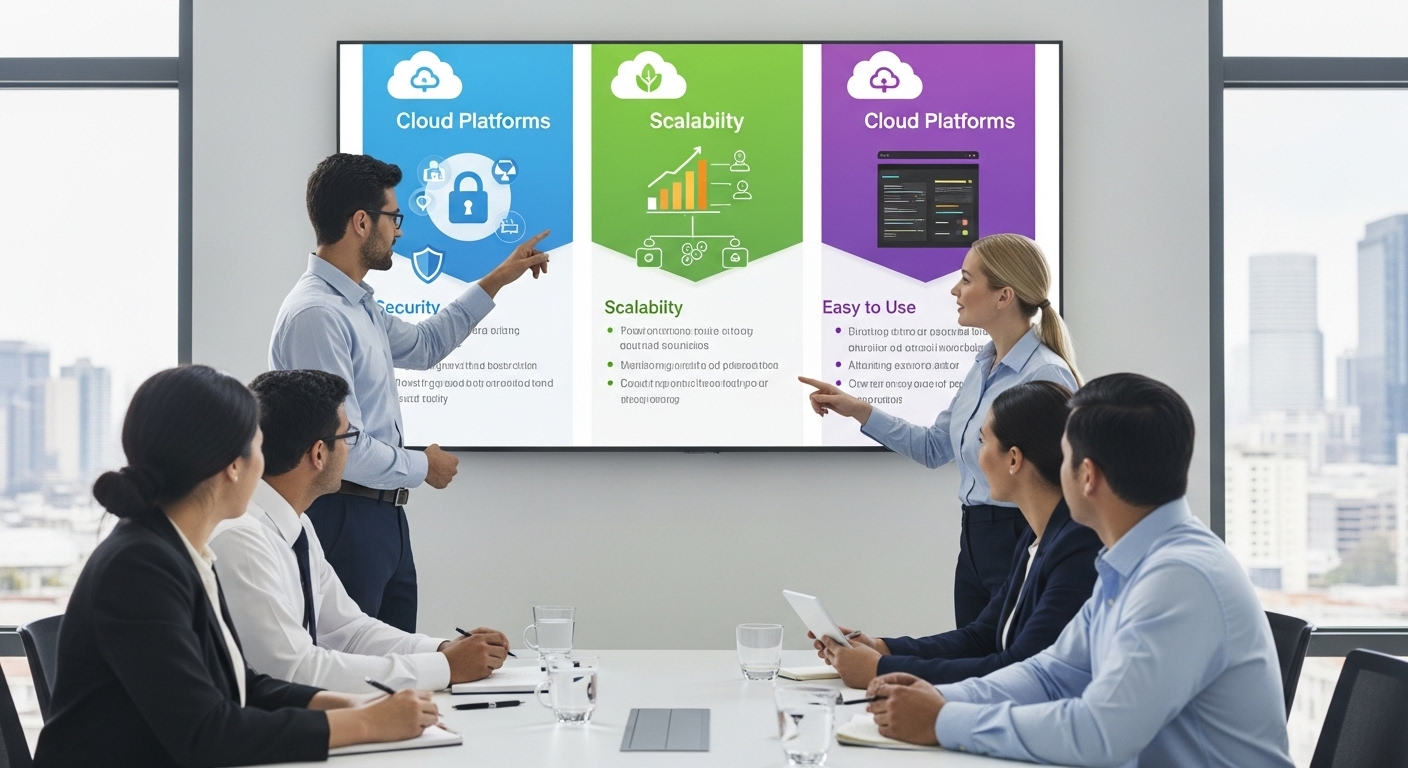
At some point, the question becomes practical. Not what virtual desktops are, but which one actually fits your setup. There isn’t a single answer that works for everyone. Different virtual desktop providers lean toward different priorities, some focus on control, others on simplicity, others somewhere in between.
When comparing VDI solutions, it helps to look beyond features and think about how each platform fits into your existing environment. Integration matters. So does how much effort it takes to manage everything after deployment.
Here are some of the most widely used options in 2026.
Apporto:
- Browser-based access means no installs, no dependency on local device configurations, everything runs through a simple login.
- Designed for simplicity, which makes it easier for small businesses without large IT teams to deploy and manage.
- Strong security and performance built into the platform, with centralized control that keeps data protected and accessible.
- Works well across various devices, allowing teams to connect without worrying about compatibility issues.
Microsoft Azure Virtual Desktop:
- Integrates deeply with the Microsoft ecosystem, which can be useful if your business already relies on Microsoft tools.
- Offers flexibility in how virtual machines are configured and deployed.
- Setup and management can become complex, especially without prior experience in Microsoft Azure environments.
Amazon WorkSpaces:
- Scalable cloud solution that allows you to adjust resources based on demand.
- Pay-as-you-go pricing model provides flexibility, especially for businesses with fluctuating needs.
- Works well for remote teams, though performance can depend on network conditions and configuration.
VMware Horizon:
- Enterprise-grade VDI platform offering high levels of control over infrastructure and user environments.
- Strong capabilities for advanced management and customization.
- Requires more technical expertise and ongoing management, which can make it less practical for smaller teams.
- Better suited for organizations that need deeper control rather than simplicity.
How Do You Choose the Right Virtual Desktop Solution for Your Business?
Choosing a virtual desktop solution sounds straightforward until you start comparing options. Then it gets a bit messy. Features overlap, pricing varies, and every provider claims to be the right fit. So the decision usually comes down to a few key factors that matter more than the rest.
Start with performance. You need enough computing power to handle your actual workloads, not just basic tasks. Then look at security and compliance. If you’re handling sensitive data, strong controls and clear policies aren’t optional.
Cost matters too, but not just the monthly price. You have to consider total cost of ownership, including savings from reduced hardware costs and IT management. Sometimes the cheaper option upfront becomes expensive later.
Scalability is another piece. A good solution should grow with your business without forcing you to rebuild your setup. Integration matters as well. The system should fit into your existing IT infrastructure, not complicate it further.
Finally, pay attention to support and SLA guarantees. Reliable uptime and responsive support can make or break the experience. The goal isn’t to find the most powerful option. It’s to avoid unnecessary complexity and choose something that works, consistently, over time.
What Challenges Should You Expect When Implementing Virtual Desktops?

It rarely goes perfectly on the first attempt. Even with the right virtual desktop solution, implementation brings its own set of friction points. Some are technical. Others are human. Both matter more than expected.
Moving into a new VDI environment means rethinking how systems, data, and users interact. That takes planning. Without it, small issues tend to stack up quickly.
- Data migration complexity can slow things down, especially when large volumes of files need to move without disrupting daily operations.
- App compatibility issues show up when older tools don’t behave the same way in a virtual desktop environment.
- Network infrastructure limitations can affect performance, since everything depends on a stable internet connection.
- User adoption challenges are common, people resist change, even when the system is better.
- Security risks can appear during transition phases if access controls and monitoring aren’t set correctly from the start.
How Can Small Businesses Successfully Transition to Virtual Desktops?
The move sounds simple on paper. In reality, it works best when approached with a bit of structure. Rushing into a virtual desktop setup without a plan usually leads to confusion, or worse, a system no one fully trusts.
Start by defining clear goals. What are you trying to fix, cost, access, security, or all of it? That clarity shapes every decision that follows. Then take a close look at your network readiness. A stable internet connection isn’t optional here, it’s foundational.
Choosing a trusted provider comes next. Not just based on features, but reliability, support, and how well the solution fits your existing setup.
From there, ease into it. A pilot program gives you a controlled environment to test performance, identify gaps, and gather feedback. It also makes change management smoother, since not everyone is forced to adapt at once.
Training employees matters more than expected. If people don’t understand how to use the system, adoption slows down.
Finally, treat this as an ongoing process. Monitor performance, adjust configurations, and optimize as needed. A phased rollout, followed by continuous improvement, tends to work better than trying to get everything perfect from day one.
Why Apporto Is the Best Virtual Desktop Solution for Small Businesses?
At some point, complexity becomes the real cost. Not just money, but time, effort, and the constant need to manage systems that were supposed to make things easier. That’s where Apporto starts to stand out. It removes a lot of that overhead without asking you to compromise on performance or security.
You don’t deal with infrastructure. There’s no need to set up servers, maintain hardware, or worry about ongoing system upkeep. Everything runs through a browser, which means access is simple and consistent across devices. You log in, and your desktop is there. That’s it.
Pricing stays predictable, which matters more than it seems. Instead of large upfront investments or fluctuating costs, you know what you’re paying and why. That makes planning easier, especially for small businesses managing tight budgets.
Deployment is fast. New users can be up and running in minutes, not days. And as your team grows, the system scales with you without adding friction.
If you’re looking for a virtual desktop for small business that reduces complexity while staying reliable, this is a practical place to start. Try Now.
Final Thoughts
Virtual desktops can reduce hardware costs, simplify IT management, and make remote work feel more natural. At the same time, they introduce new considerations, network dependency, implementation effort, and the need to choose the right provider.
So the decision isn’t automatic. It’s strategic. You’re weighing control against simplicity, upfront investment against long-term cost efficiency, and flexibility against familiarity.
For many small businesses, the balance leans toward virtual desktops. But it still depends on how well the solution fits your actual business needs.
The best way forward isn’t guesswork. It’s exploration. Test the options, evaluate performance, and see what works in your environment before fully committing.
Frequently Asked Questions (FAQs)
1. What is a virtual desktop for small business?
A virtual desktop for small business is a desktop environment hosted on a centralized server rather than a local computer. You access it through the internet, allowing you to work from different devices while keeping company data stored securely in one place.
2. How does VDI differ from DaaS?
VDI requires you to own and manage your own infrastructure, which often involves higher upfront costs and ongoing maintenance. DaaS, on the other hand, is hosted by a third-party provider, offering a subscription-based model with simpler management and faster deployment.
3. Is virtual desktop secure for small businesses?
Yes, virtual desktops can improve security by storing data centrally instead of on individual devices. Features like multi factor authentication, encryption, and access controls help protect sensitive data and reduce risks from lost or stolen devices.
4. What is the cost of virtual desktops?
Costs typically range from $30 to $45 per user per month, depending on the provider and features. This subscription model reduces large upfront investments and makes it easier to predict and manage IT expenses over time.
5. Can employees use personal devices?
Yes, virtual desktops support bring your own device setups. Employees can securely access their work environment from laptops, tablets, or home computers without storing company data locally, which helps maintain security while offering flexibility.
6. What are the best virtual desktop providers?
Popular options include Apporto, Microsoft Azure Virtual Desktop, Amazon WorkSpaces, and VMware Horizon. Each offers different strengths, so the best choice depends on your business needs, budget, and how much IT management you want to handle.
7. Do virtual desktops improve productivity?
They often do. With consistent access to applications and files, reduced downtime, and fewer device-related issues, employees can work more efficiently. It also makes collaboration easier since everyone operates within the same standardized environment.