

What Is Desktop as a Service (DaaS)?
Desktop as a Service (DaaS) delivers cloud-hosted virtual desktops that users can access from any device with an internet connection. It simplifies IT management, improves scalability, and supports remote work. Browser-native platforms like Apporto further reduce complexity by providing secure desktop access without software installation.
The desktop is no longer tied to a single physical device. As remote teams, hybrid work, BYOD policies, and cloud adoption continue to grow, organizations face increasing pressure to modernize how they deliver applications, data, and virtual desktops.
Desktop as a Service (DaaS) addresses this challenge by providing cloud-hosted desktops that employees can access securely from virtually anywhere. Instead of investing heavily in hardware, organizations can adopt a cloud computing solution with predictable operational costs and simplified scaling.
Today, desktop as a service is becoming a core IT infrastructure model rather than just a remote access tool. This guide explains what is desktop as a service DaaS, how it works, its benefits, limitations, pricing, and how it compares to VDI.
What Is Desktop as a Service (DaaS)?
A curious thing has happened over the past decade. Organizations spent years investing in bigger laptops, faster desktops, and increasingly complex infrastructure, only to realize that the desktop itself never really needed to live on the device in front of you.
That’s the idea behind Desktop as a Service, commonly called DaaS.
Instead of managing hundreds or thousands of physical desktops, organizations can deliver complete cloud desktops from the cloud. Employees access the same applications, files, and settings through an internet connection, while the underlying infrastructure remains managed by a DaaS provider.
The result is a simpler approach to desktop delivery, one that prioritizes flexibility, centralized management, and secure access. Before exploring how DaaS works behind the scenes, it helps to start with a clear definition.
What Is the Simplest Definition of DaaS?
Desktop as a Service (DaaS) also known as VDI as a Service is a cloud based desktop service that delivers virtual desktops, applications, and files to users over the internet. Instead of running a desktop environment on local hardware, a DaaS provider hosts virtual machines in secure cloud environments and streams those desktops to virtually any device.
At its core, desktop as a service separates the desktop experience from the physical machine.
When you log in, you are not accessing software installed on your laptop or desktop computer. You are connecting to a virtual desktop running inside a provider’s cloud infrastructure. That desktop behaves much like a traditional computer, complete with applications, files, operating systems, and user settings.
For organizations, the appeal is straightforward. The provider manages the infrastructure, updates, maintenance, and availability of the service, while users gain access to consistent virtual desktop environments from almost anywhere.
That distinction matters. Quite a lot, actually. Instead of investing heavily in physical desktop infrastructure, organizations consume desktops as a service, much like they consume cloud storage or other cloud services. Understanding the difference between DaaS and SaaS can help organizations determine which cloud service model best fits their needs.
How Does DaaS Separate the Desktop From Physical Hardware?
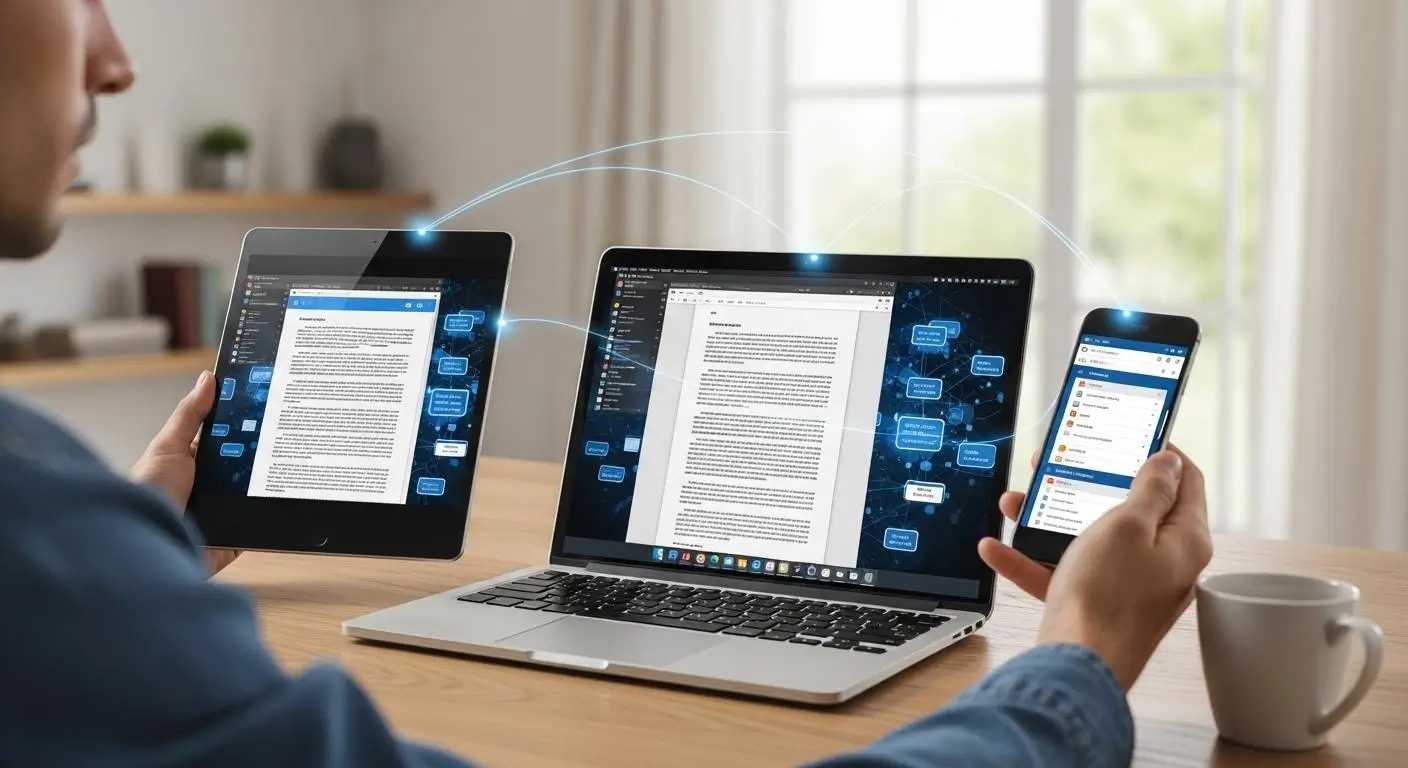
Traditional desktop computing ties the user experience directly to a specific machine. Applications run locally. Files are often stored locally. Performance depends heavily on the capabilities of the device sitting on a desk.
DaaS changes that relationship. The desktop environment runs remotely inside provider data centers where virtual machines host operating systems, applications, and user workloads. Computing occurs on cloud servers rather than the user’s device. The local device simply acts as a window into that environment.
This creates several practical advantages. A user can begin work on a laptop, continue from a tablet later in the day, and reconnect from another device without losing the familiar desktop experience. The same applications, settings, and resources remain available regardless of where the connection originates.
It also helps organizations extend the lifespan of older hardware. Because processing occurs remotely, devices no longer need cutting-edge specifications to support demanding workloads. Even lower-powered machines can provide desktop access to sophisticated applications hosted in the cloud.
In many cases, the desktop becomes less about the hardware itself and more about access to a centralized computing environment. The device matters. Just not nearly as much as it once did.
How Is DaaS Different From Traditional Desktop Computing?
The easiest way to understand DaaS is to compare it directly with traditional desktop management.
| Traditional Desktop Computing | Desktop as a Service (DaaS) |
|---|---|
| Applications run locally | Virtual apps run in the cloud |
| Depends on physical desktops | Delivered through virtual desktops |
| Hardware purchased and maintained internally | Subscription-based service model |
| Files often stored on local devices | Data centralized in cloud environments |
| Device-bound work experience | Access from virtually any device |
| Manual software deployment and updates | Provider-managed infrastructure and maintenance |
| Larger upfront hardware investments | Predictable operational expenses |
| IT teams manage desktop infrastructure | DaaS provider manages backend systems |
The broader difference is philosophical as much as technical. Traditional desktop computing assumes the desktop belongs to a machine. Desktop virtualization assumes the desktop belongs to the user.
That seemingly small distinction unlocks a great deal of flexibility. Organizations gain the ability to scale quickly, support remote teams more effectively, simplify desktop management, and reduce dependence on physical hardware.
And as cloud services continue becoming central to modern IT strategy, that flexibility is one of the main reasons DaaS adoption continues accelerating across industries.
How Does Desktop as a Service Actually Work?

At first glance, DaaS feels almost deceptively simple. You open a browser or client application, sign in, and a familiar desktop appears. Applications launch. Files are available. Work begins.
What you don’t see is the infrastructure operating behind that experience.Understanding DaaS architecture helps explain how cloud infrastructure, virtual machines, applications, security controls, and desktop delivery work together behind the scenes.
Unlike traditional desktops, where software executes directly on a local machine, Desktop as a Service moves the computing workload into cloud environments managed by a provider. The desktop, applications, and processing resources remain centralized while users connect remotely through an internet connection.
That separation is what makes DaaS scalable, flexible, and increasingly attractive for organizations supporting remote teams, hybrid workers, and distributed operations. Understanding the workflow helps make the entire model much easier to grasp.
What Happens When You Connect to a DaaS Desktop?
Although different providers use slightly different architectures, the process usually follows a predictable sequence.
Step 1: User Signs In
The session begins when users connect through a browser, thin client, or desktop application using an internet connection.
Step 2: Authentication Occurs
Identity verification takes place through passwords, single sign-on systems, multi-factor authentication, or other security controls. The platform confirms the user’s access rights before any desktop resources become available.
Step 3: A Desktop Is Assigned
Once authentication succeeds, the service determines which virtual desktop environment the user should receive. This may be a dedicated desktop or a shared pool depending on the deployment model.
Step 4: A Virtual Machine Launches
Behind the scenes, a virtual machine is activated or connected. This virtual machine contains the operating system, user profile, applications, and settings needed for the session.
Step 5: Applications Load
Business applications, productivity tools, virtual apps, and specialized software become available inside the assigned desktop environment.
Step 6: User Accesses Files and Resources
The user gains access to files, cloud storage, shared resources, and organizational systems exactly as they would on a traditional desktop.
Step 7: The Session Remains Centralized
Throughout the session, computing occurs on cloud servers rather than the local device. Data remains centralized, desktops remain hosted remotely, and user activity stays within the provider-managed environment.
This architecture creates an important distinction. The device in front of you displays the experience, but the actual work happens elsewhere, inside cloud infrastructure designed specifically to deliver virtual desktops at scale.
Where Do Virtual Desktops Actually Run?
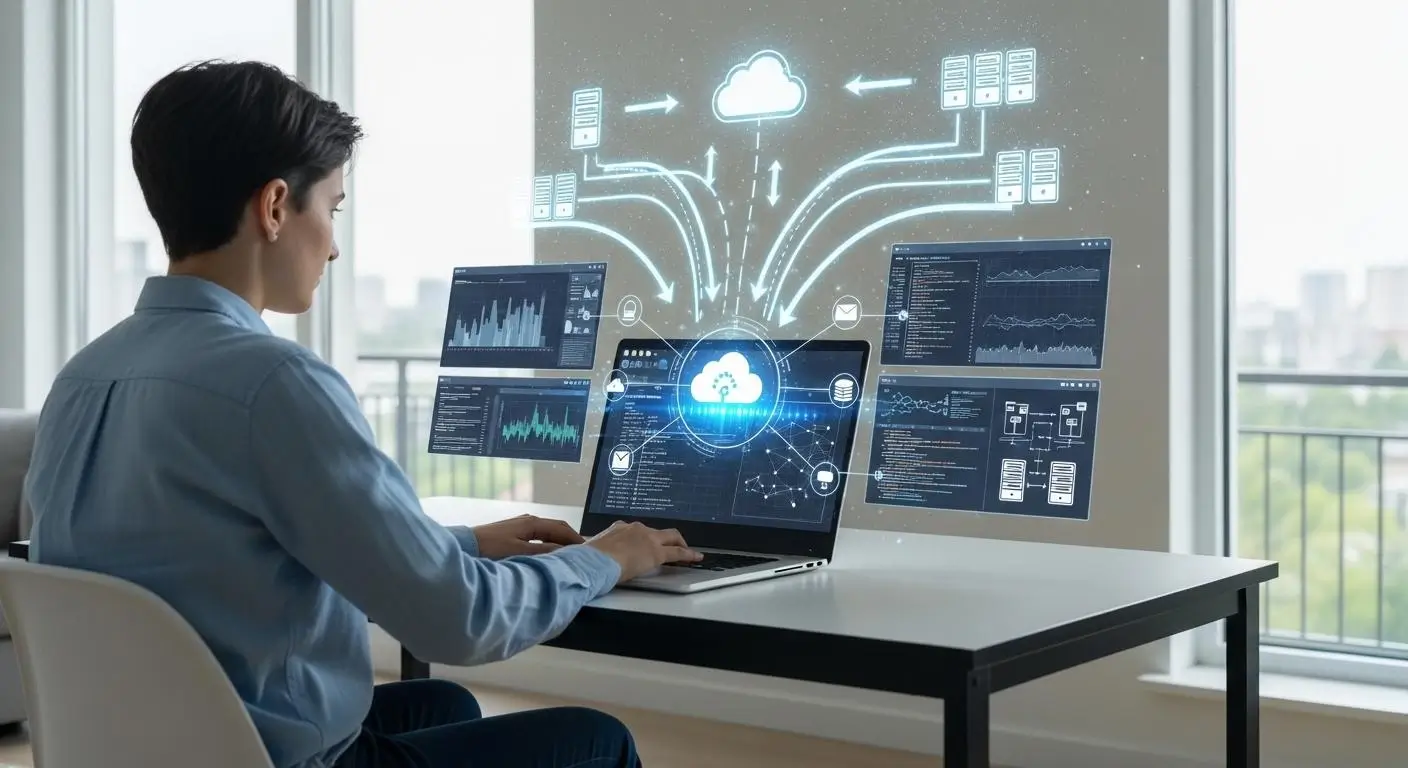
One of the most common misconceptions about DaaS is that the desktop somehow lives on the user’s device. It doesn’t.
Virtual desktops run inside secure cloud environments operated by a cloud provider. The operating systems, applications, virtual machines, and supporting services all reside within provider-managed infrastructure rather than inside the laptop, desktop, or tablet being used to access them.
Remote processing is the foundation of the model. Every action, opening an application, saving a file, running a report, launching specialized software, happens within the provider’s infrastructure. The local device simply sends inputs and receives visual updates.
This approach removes much of the burden associated with maintaining backend infrastructure internally. Organizations no longer need to purchase servers, manage storage arrays, patch virtualization platforms, or maintain complex desktop environments.
Where Different Components Operate
| Component | Location |
|---|---|
| Virtual machines | Provider’s data centers |
| Operating systems | Cloud infrastructure |
| Applications | Cloud-hosted environments |
| User data | Centralized cloud storage |
| Processing power | Cloud servers |
| User screen display | Local device |
That division of responsibility is one of the main reasons organizations adopt DaaS in the first place. The provider handles infrastructure complexity while users receive consistent desktop access from virtually anywhere.
What Components Make Up a DaaS Platform?
A modern DaaS platform consists of several interconnected components working together to deliver secure, reliable desktop experiences.
Virtual Machines: These are the actual desktops users interact with. Each virtual machine runs an operating system and applications inside the cloud environment.
Desktop Images: Desktop images serve as master templates containing operating systems, applications, security settings, and configurations. Standardized desktop images simplify deployment and management significantly.
Identity Management: Identity systems verify user credentials and determine what resources users can access. Single sign-on and directory services often operate within this layer.
Access Controls: Access controls define who can reach specific desktops, applications, and resources. They help enforce security policies consistently across the environment.
Security Protocols: Encryption, multi-factor authentication, session controls, and auditing tools help protect sensitive business data and user activity.
Cloud Storage: Data storage systems house user files, shared documents, application data, and backups in centralized cloud environments.
Monitoring Systems: Providers continuously monitor performance, availability, resource consumption, and security activity to maintain service reliability.
Desktop Management Layers: These management systems handle provisioning, updates, patching, policy enforcement, and lifecycle administration.
Together, these components create a centralized platform where providers manage infrastructure maintenance, updates, and operational tasks while organizations focus on delivering desktop services to users.
Why Does Internet Connectivity Matter So Much in DaaS?
DaaS depends heavily on reliable internet connectivity because every interaction travels between the user’s device and cloud infrastructure. If the network slows down, the desktop experience slows down as well.
A stable internet connection helps maintain responsiveness, especially when users access resource-intensive applications, large files, or multimedia workloads. Latency, packet loss, and network congestion can all affect performance.
This doesn’t mean DaaS requires extraordinary connectivity. Most modern business networks handle it comfortably. However, stronger network infrastructure generally produces a smoother desktop experience, while unstable connections can introduce delays, interruptions, and reduced productivity.
In many ways, the network becomes the bridge between the user and the desktop itself. The stronger that bridge, the better the experience tends to be.
What Is the Difference Between DaaS and VDI?

By this point, one question naturally rises to the surface: if Desktop as a Service delivers virtual desktops from the cloud, how is it different from Virtual Desktop Infrastructure, or VDI?
That comparison is especially important for organizations deciding between cloud desktops vs VDI, because the two approaches can deliver similar virtual desktop experiences while differing significantly in infrastructure ownership, management responsibility, scalability, and control.
Cloud VDI brings virtual desktop infrastructure into a cloud-hosted environment, allowing organizations to deliver virtual desktops without relying entirely on on-premises infrastructure. Understanding how cloud-based VDI works helps clarify where it overlaps with DaaS and where the two models differ.
The confusion is understandable. In fact, DaaS and VDI share many of the same underlying technologies. Both use desktop virtualization. Both deliver virtual desktops to users and both separate the desktop experience from physical hardware.
Yet the operational model behind each approach is very different. The simplest way to think about it is this: VDI focuses on ownership and control, while DaaS focuses on convenience and managed delivery. For organizations evaluating alternatives to traditional VDI platforms, exploring the best Citrix alternatives can help identify solutions that better align with their infrastructure, scalability, and management needs.
That distinction affects everything from infrastructure management and scalability to cost and administrative workload. Let’s break it down.
Is DaaS Simply Cloud-Hosted VDI?
In many ways, yes. Desktop as a Service is essentially virtual desktop infrastructure hosted and managed by a third-party service provider. The virtualization technology behind the desktop experience often looks very similar.
VMware Horizon DaaS follows this hosted desktop delivery model, providing virtual desktops through cloud infrastructure rather than requiring organizations to manage the entire environment themselves.
Users still access virtual desktops, applications, and files remotely. Virtual machines still power the desktop environment behind the scenes. The difference lies in who manages the infrastructure. For organizations comparing these approaches directly, the Apporto vs VMware Horizon comparison provides a closer look at their differences in desktop delivery and management.
With traditional virtual desktop infrastructure (VDI), your organization is responsible for building and maintaining the environment. That includes servers, storage systems, networking, virtualization software, security updates, monitoring tools, backup systems, and ongoing maintenance. Internal IT teams must manage virtual desktops from end to end.
DaaS removes much of that responsibility. Instead of maintaining infrastructure internally, organizations consume desktop services through a cloud provider that handles the underlying platform. The provider manages backend infrastructure, updates, scalability, availability, and much of the operational workload.
This reduction in complexity is one reason DaaS continues gaining momentum. Organizations receive the benefits of desktop virtualization without the burden of operating a large virtualization environment themselves. For organizations still operating traditional VDI environments, this shift can also create a natural path toward modernization. Legacy VDI to DaaS migration allows businesses to move away from infrastructure-heavy desktop delivery while taking advantage of cloud-based scalability and managed operations.
Quick Definition
| Model | Simple Definition |
|---|---|
| VDI | Virtual desktops managed and operated by the organization |
| DaaS | Virtual desktops hosted and managed by a third-party provider |
Both deliver virtual desktops. The ownership model is what changes.
DaaS vs VDI: Which Model Gives You More Control?
Control is often the deciding factor when organizations compare DaaS and VDI.
A traditional VDI environment gives organizations direct ownership over infrastructure, policies, configurations, and customization. DaaS provides convenience and simplicity but typically sacrifices some administrative control in exchange.
Detailed Comparison
| Category | DaaS | VDI |
|---|---|---|
| Infrastructure Ownership | Managed by service provider | Owned and managed internally |
| Backend Infrastructure | Hosted by cloud provider | Managed by organization |
| Security Management | Shared responsibility with provider | Full organizational control |
| Customization | Moderate, depends on provider capabilities | Extensive customization options |
| Compliance Control | Provider-assisted compliance tools | Direct compliance management |
| IT Responsibility | Reduced operational burden | Significant administrative responsibility |
| Maintenance Requirements | Provider performs updates and maintenance | Internal IT teams handle maintenance |
| Scalability | Rapid cloud-based scaling | Limited by available infrastructure |
| Deployment Speed | Fast deployment | Longer implementation timelines |
| Capital Investment | Lower upfront costs | Higher infrastructure investment |
For organizations with strict regulatory requirements, specialized workloads, or unique customization needs, VDI may still be the preferred choice. For many others, however, reducing infrastructure management is increasingly becoming the bigger priority. That reality is changing the conversation around desktop delivery.
Why Is DaaS Usually Easier to Scale Than VDI?
Growth sounds simple on paper. Hire more employees. Create more desktops. Keep moving. In practice, traditional VDI can make that process surprisingly complex.
Scaling a VDI environment often requires additional servers, storage capacity, networking upgrades, licensing changes, and careful infrastructure planning. Organizations must anticipate demand, purchase resources, deploy systems, and validate performance before new desktops become available.
DaaS approaches scalability differently. Because desktops operate inside cloud environments, organizations can deploy desktops on demand without purchasing new physical infrastructure. If a company needs 50 additional virtual desktops for a project, a seasonal initiative, or a newly acquired team, those resources can often be provisioned rapidly through the provider’s platform.
Several advantages emerge:
- Instant desktop provisioning
- Faster onboarding for employees and contractors
- Easier support for seasonal workforce fluctuations
- Reduced infrastructure planning requirements
- Flexible resource allocation based on demand
- Cloud providers handle infrastructure scaling automatically
This flexibility is one reason DaaS has become attractive for organizations operating in fast-changing environments where workforce size and resource needs can fluctuate throughout the year.
Which Organizations Should Choose DaaS vs VDI?
There is no universal winner. The right choice depends on operational priorities, compliance requirements, available expertise, and infrastructure strategy.
DaaS vs VDI by Organization Type
| Organization Type | DaaS Fit | VDI Fit |
|---|---|---|
| Small and Mid-Sized Businesses (SMBs) | Excellent, lower management burden and faster deployment | Often more infrastructure than necessary |
| Large Enterprises | Strong option for many workloads and distributed teams | Ideal when extensive customization is required |
| Higher Education Institutions | Excellent for scalable student and faculty access | Useful for specialized research environments |
| Compliance-Heavy Industries | Suitable when provider supports regulatory requirements | Often preferred when maximum control is required |
| Seasonal Workforces | Excellent due to rapid provisioning and scaling | More difficult to scale efficiently |
| Remote and Hybrid Teams | Excellent because of cloud-based accessibility | Effective but more complex to maintain |
Ultimately, the decision comes down to a tradeoff. VDI offers greater control over infrastructure and customization. DaaS offers greater simplicity, flexibility, and operational efficiency.
For small and mid-sized businesses, virtual desktops for SMBs can be especially valuable because they provide the benefits of desktop virtualization without requiring the same level of infrastructure investment or specialized IT resources.
For many organizations today, especially those prioritizing cloud adoption, remote work, and reduced IT overhead, that balance increasingly favors DaaS. And that naturally leads to another major advantage worth exploring next: the business benefits that are driving adoption across nearly every industry.
What Are the Different Types of DaaS Deployments?
Not all DaaS environments are built the same way. Once an organization decides to move desktop delivery into the cloud, another decision follows: should users receive a personalized desktop that remembers everything, or a standardized desktop that resets after each session?
This is where DaaS deployments generally split into two categories: persistent desktops and non-persistent desktops.Ultimately, these limitations are not flaws as much as tradeoffs. DaaS exchanges a degree of infrastructure control for simplicity, scalability, and operational efficiency. For many organizations, that exchange makes perfect sense. For others, particularly those with highly customized environments or strict performance requirements, a more hands-on approach may still be preferable.
For organizations considering a move away from traditional VMware environments, evaluating the best VMware alternative can help identify a platform that better balances simplicity, scalability, and management needs.
Both models deliver virtual desktops through cloud infrastructure. Both provide secure access to applications and resources. Yet the user experience, management approach, and cost structure can be very different.
Understanding these deployment types helps organizations align desktop strategy with operational goals, security requirements, and budget considerations.
What Are Persistent Desktops?
Persistent desktops are virtual desktops that retain user settings, applications, preferences, and files between sessions. When users sign out and return later, the desktop environment looks exactly as they left it.
Think of it as having a dedicated workspace in the cloud. Every user receives their own desktop environment with personalized configurations.
Installed applications remain available. Custom settings stay intact. User files persist across sessions without requiring the desktop to be rebuilt each time.
This approach is particularly valuable when employees rely on customized workflows or specialized software configurations. Developers, engineers, designers, analysts, and knowledge workers often benefit from persistent desktops because their productivity depends on maintaining a consistent working environment.
A persistent desktop environment also simplifies personalization. Users can organize applications, save preferences, and maintain workflows without worrying that changes will disappear after logout.
The tradeoff is infrastructure consumption. Because each user maintains an individual desktop, storage requirements increase significantly.
User files, profiles, application settings, and desktop states must be preserved continuously. As organizations scale, those storage demands can grow quickly.
Even so, many organizations view the additional resource consumption as worthwhile because it creates a more familiar experience that closely resembles a traditional desktop while still delivering the advantages of cloud-hosted infrastructure.
Common Use Cases for Persistent Desktops
- Software development environments
- Engineering and CAD workflows
- Financial analysis applications
- Healthcare systems requiring personalized access
- Specialized software environments
- Executive and knowledge-worker desktops
What Are Non-Persistent Desktops?
Non persistent desktops take a different approach.
Instead of assigning a dedicated desktop to each user, the platform provides access to a standardized virtual desktop that resets after logout. Any temporary changes made during the session disappear once the user signs off.
This model offers several operational advantages:
- Lower storage requirements because user sessions are not permanently maintained
- Easier administration through standardized desktop configurations
- Faster updates and patch management across large user groups
- Reduced infrastructure costs compared to persistent desktops
- Improved consistency across users and departments
- Simplified security management
Because every session starts from a clean, predefined image, administrators spend less time troubleshooting desktop inconsistencies. This makes non persistent desktops particularly attractive for organizations supporting large groups of users with similar application requirements.
Call centers, training environments, educational institutions, customer support teams, and temporary workforce programs commonly use this model because personalization is less important than scalability and operational efficiency. For many organizations, simplicity wins.
Persistent vs Non-Persistent DaaS Comparison
| Feature | Persistent Desktops | Non-Persistent Desktops |
|---|---|---|
| Personalization | High, users retain settings, preferences, and applications | Limited, desktops reset after logout |
| User Files | Persist between sessions | Usually stored separately from the desktop session |
| Cost | Higher due to dedicated resources | Lower because resources are shared more efficiently |
| Storage Usage | Greater storage allocation required | Lower storage requirements |
| Security | Strong security with personalized controls | Strong security with clean-session resets |
| Scalability | Moderate, each user requires dedicated resources | High, easier to support large user populations |
| Administrative Effort | Higher management overhead | Easier administration and maintenance |
| Best For | Developers, engineers, analysts, knowledge workers | Education, training, support teams, seasonal staff |
Neither deployment model is inherently better. Persistent desktops prioritize personalization and user experience. Non-persistent desktops prioritize efficiency, scalability, and simplified management.
The right choice depends on how users work, how much customization they require, and how aggressively the organization wants to optimize infrastructure costs.
And once those deployment decisions are made, the next question becomes even more important: what business benefits actually make DaaS worth adopting in the first place?
Why Are Organizations Investing in Desktop as a Service?
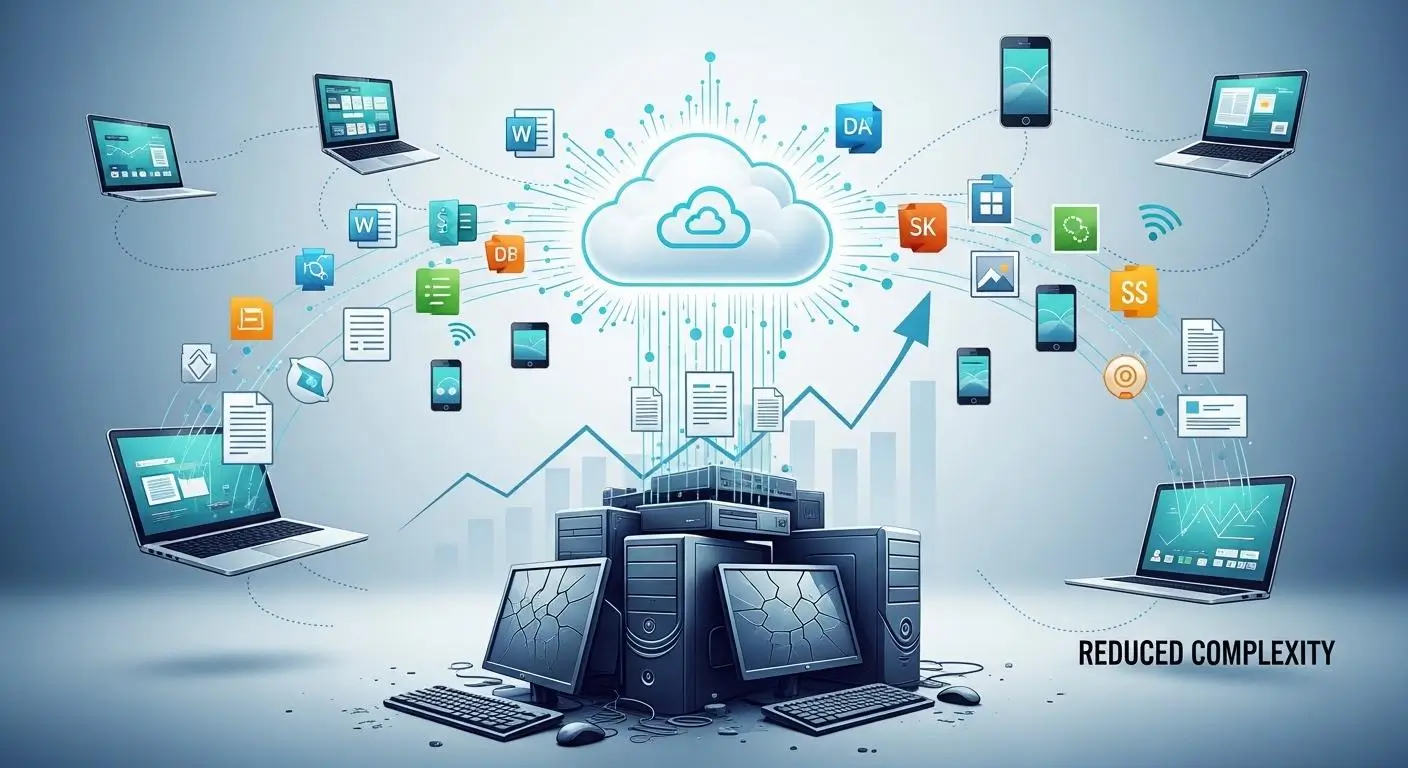
After understanding how DaaS works and how it differs from traditional VDI, the next logical question is simple: why are so many organizations adopting it?
The answer goes beyond technology. Organizations are looking for ways to simplify IT operations, support increasingly distributed workforces, strengthen security, and reduce the burden of managing desktop infrastructure. Understanding the benefits of DaaS can help organizations see how these advantages translate into greater flexibility, scalability, security, and operational efficiency. DaaS addresses all four
This broader shift toward modern end user computing reflects how organizations are rethinking the way employees access desktops, applications, and business resources across increasingly distributed environments.
Instead of treating desktops as physical assets that require constant maintenance, organizations can consume desktop services through the cloud. The provider handles much of the infrastructure management, while users receive secure access to applications, files, and resources from virtually anywhere.
For many businesses, schools, healthcare providers, and government agencies, that combination of flexibility and operational efficiency is proving difficult to ignore.
How Does DaaS Simplify IT Management?
One of the biggest advantages of DaaS is that it removes much of the day-to-day complexity associated with desktop management.
Rather than maintaining physical devices, backend systems, and virtualization platforms internally, organizations can rely on a provider to handle much of the operational workload.
Infrastructure Outsourcing
- Servers, storage, networking, and virtualization infrastructure are managed by the provider.
- Organizations reduce the burden of maintaining complex environments.
- Internal teams spend less time troubleshooting infrastructure issues.
Security Patching
- Providers deploy security patches and platform updates regularly.
- Vulnerabilities can be addressed faster through centralized administration.
- Consistent patching helps improve security across desktop environments.
Desktop Deployment
- New desktops can be provisioned rapidly.
- Users gain access without lengthy hardware procurement cycles.
- Standardized deployments improve consistency.
Image Management
- Master desktop images simplify desktop management.
- Updates can be applied once and distributed broadly.
- Consistent desktop configurations reduce support complexity.
Monitoring
- Providers monitor availability, performance, and resource usage.
- Potential problems can often be identified before they affect users.
- Organizations gain visibility without operating large monitoring systems.
Lifecycle Management
- Hardware refresh planning becomes less critical.
- Providers manage infrastructure upgrades and maintenance.
- IT teams can focus on strategic projects rather than routine upkeep.
IT Management Benefits
| Traditional Approach | DaaS Approach |
|---|---|
| Internal infrastructure management | Provider-managed infrastructure |
| Manual updates and maintenance | Automated provider updates |
| Device-by-device administration | Centralized desktop management |
| Significant operational overhead | Simplified administration |
The result is a more efficient operating model where providers manage updates and maintenance while internal IT teams focus on projects that directly support business growth.
Why Is DaaS Ideal for Remote and Hybrid Work?
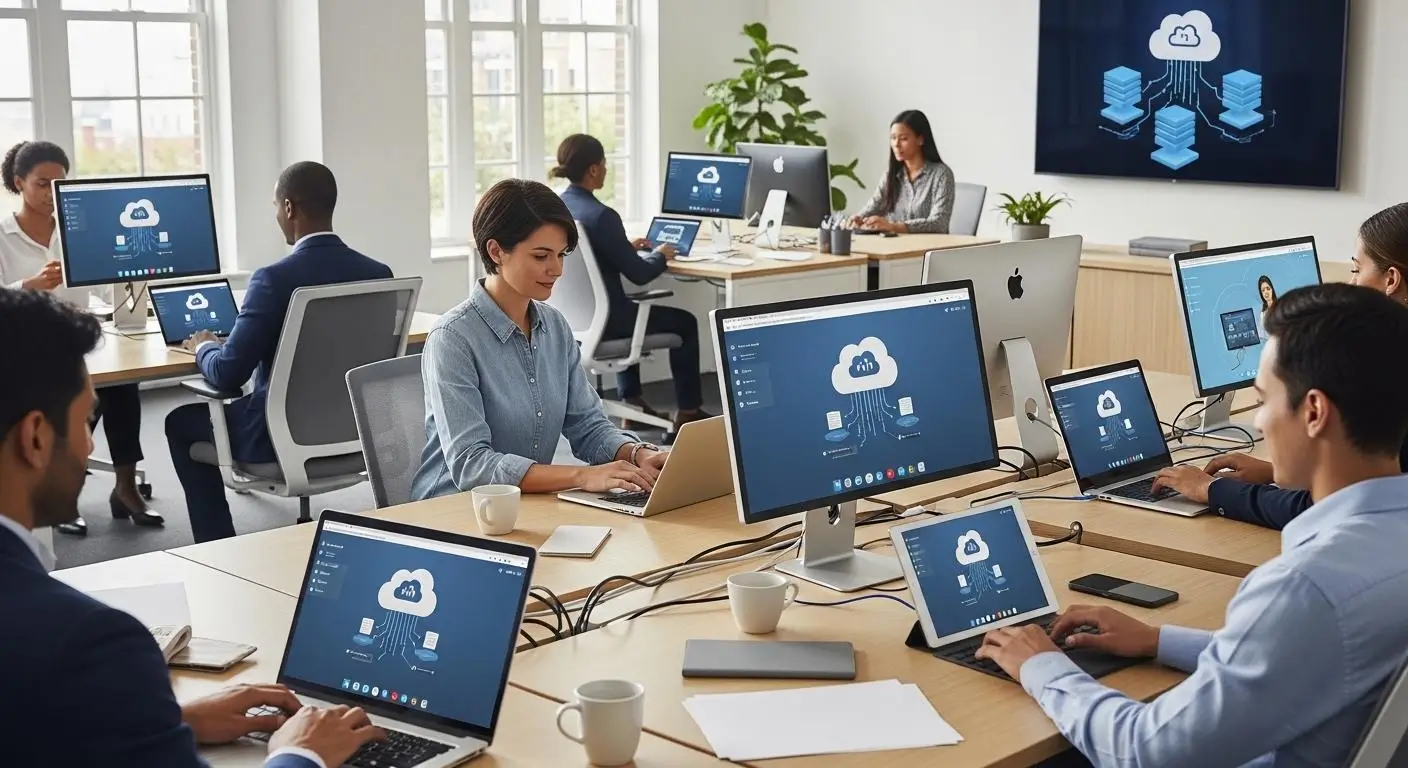
Remote work changed expectations around desktop access. Employees no longer assume they will work from a single office, on a single device, connected to a single network. Organizations need infrastructure that supports flexibility without sacrificing security or user experience. DaaS was built for that reality.
Because virtual desktops are delivered through cloud infrastructure, employees can access virtual desktops from almost anywhere with an internet connection. The desktop experience remains consistent whether someone is working from home, traveling, or sitting in a corporate office.
This consistency matters more than many organizations initially realize. Users access the same applications, files, settings, and resources regardless of location. Employees productivity improves because they do not need to adapt to different systems depending on where they work.
DaaS also supports Bring Your Own Device programs. BYOD cloud desktops allow employees to use their own devices while organizations maintain centralized control over applications, user access, and business data. The work environment stays protected even when users connect from personal laptops, tablets, or other endpoints.
For distributed organizations, the advantages become even more significant:
- Secure remote access from virtually any location
- Consistent desktop experiences across devices
- Simplified support for remote teams
- Faster onboarding for new employees
- Improved flexibility for contractors and temporary workers
- Reduced dependency on company-issued hardware
As hybrid work continues evolving from a temporary accommodation into a permanent operating model, DaaS provides the infrastructure needed to support it effectively.
How Does DaaS Improve Security and Compliance?
Security concerns tend to increase as organizations become more distributed. More devices, more users, and more locations often create more opportunities for risk. Understanding DaaS security helps organizations evaluate how centralized security and compliance controls protect users, applications, and business data in a cloud-hosted desktop environment.
DaaS helps address these concerns through centralized security and compliance controls.
Multi-Factor Authentication (MFA)
- Adds an extra layer of identity verification.
- Reduces the risk of unauthorized access.
- Strengthens user authentication beyond passwords.
Encryption
- Protects data while it moves between users and cloud environments.
- Supports secure remote access.
- Helps safeguard sensitive data from interception.
Centralized Auditing
- Records user activity and system access events.
- Simplifies compliance reporting.
- Improves visibility across desktop environments.
Access Controls
- Restrict access based on user roles and permissions.
- Ensure users only reach approved resources.
- Improve overall data security.
Compliance Monitoring
- Supports HIPAA, GDPR, and other regulatory requirements.
- Simplifies policy enforcement.
- Helps organizations prepare for audits more efficiently.
Data Governance
- Centralizes data storage and oversight.
- Reduces risks associated with local file storage.
- Improves consistency in security and compliance management.
Security and Compliance Benefits
| Security Area | DaaS Advantage |
|---|---|
| Authentication | MFA and identity controls |
| Data Security | Centralized protection |
| Compliance | Simplified policy enforcement |
| Auditing | Centralized monitoring |
| Access Management | Role-based controls |
| Updates | Consistent security patch deployment |
Because sensitive data remains centralized in cloud environments rather than scattered across endpoint devices, organizations can apply security protocols more consistently while reducing exposure to data loss and theft.
How Does DaaS Improve Business Continuity and Disaster Recovery?

Unexpected disruptions are not a matter of if, but when. Hardware failures, ransomware incidents, severe weather events, and power outages can all interrupt operations. Ransomware prevention for cloud desktops can help organizations reduce the impact of ransomware by keeping desktops and business data centralized rather than relying entirely on local devices.
Traditional desktop environments often require lengthy recovery processes because applications and data may be tied to physical devices. DaaS approaches resilience differently.
Most platforms include automated cloud backups, redundant infrastructure, and built-in disaster recovery capabilities. If a laptop fails or an office becomes inaccessible, users simply reconnect from another device and continue working.
Because desktops and data remain in cloud services rather than on local hardware, recovery becomes significantly faster.
Organizations also benefit from centralized data access, which reduces dependency on individual devices and improves operational continuity during unexpected events.
Business Continuity Benefits
| Capability | Organizational Benefit |
|---|---|
| Automated Cloud Backups | Protects business-critical information |
| Built-In Disaster Recovery | Speeds recovery after outages |
| Centralized Data Access | Reduces reliance on local devices |
| Redundant Cloud Infrastructure | Improves availability |
| Anywhere Desktop Access | Supports continuity during disruptions |
For many organizations, this combination of resilience, flexibility, and simplified management is what ultimately makes DaaS compelling. It delivers more than virtual desktops. It provides an operational model designed to support modern work, evolving security requirements, and long-term business continuity.
How Much Does Desktop as a Service Cost?
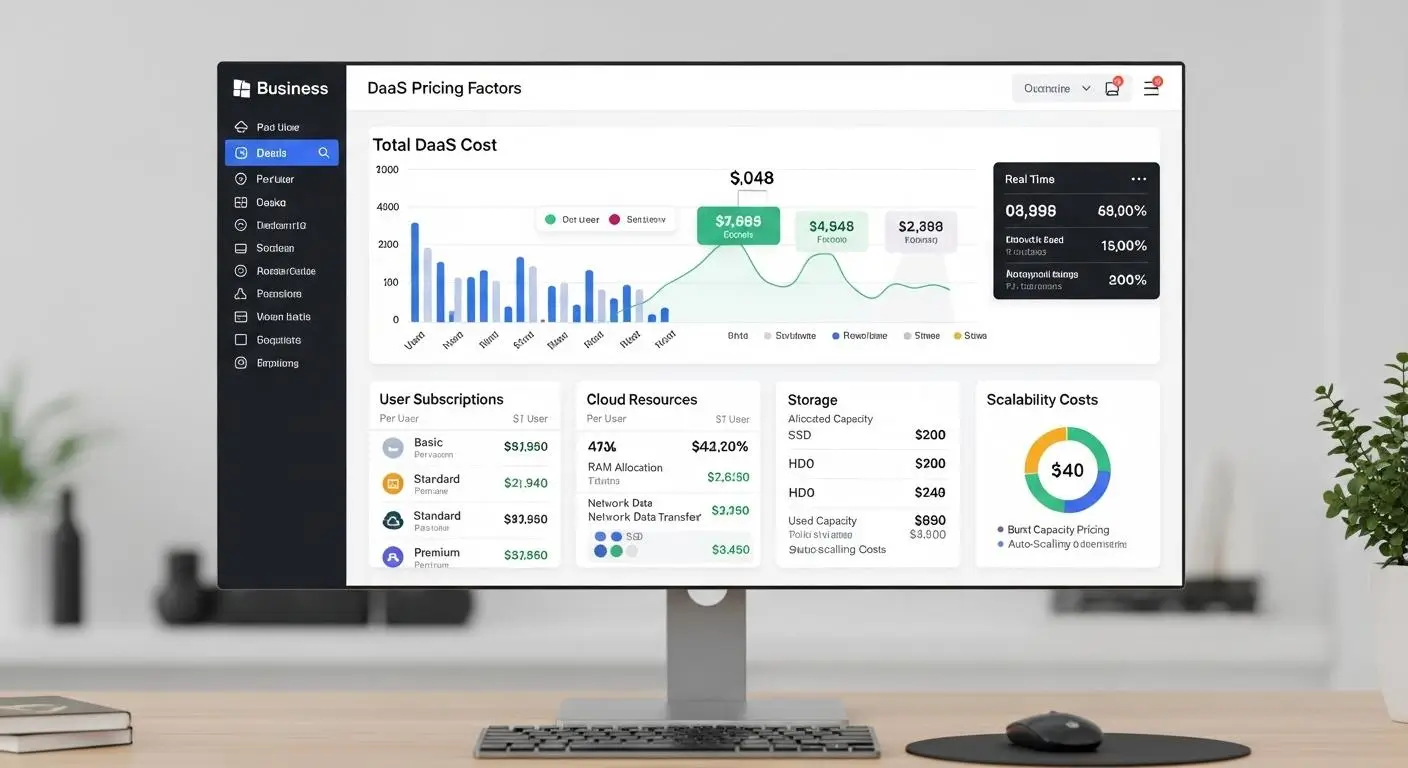
For many organizations evaluating Desktop as a Service, pricing becomes the turning point in the decision-making process. The technology itself may be appealing, but leaders still need answers to practical questions: How much will it cost? Is it cheaper than managing desktops internally? And what does the total cost of ownership actually look like over time?
The answer depends on several variables. Unlike traditional desktop infrastructure, which often requires significant upfront investments in servers, storage, networking, and endpoint hardware, DaaS typically operates on a service-based consumption model.
Organizations pay for the resources they use, while the provider manages much of the underlying infrastructure.
That flexibility can reduce initial spending dramatically. At the same time, ongoing subscription costs, storage growth, and premium desktop requirements can influence long-term expenses. Understanding how pricing works is essential before comparing vendors or deployment options, reviewing the best DaaS providers can make it easier to evaluate pricing alongside features, scalability, and support.
How Do DaaS Pricing Models Work?
Most DaaS providers offer several pricing structures designed to support different business requirements. The right model often depends on workforce size, usage patterns, and performance needs.
Subscription-based pricing remains the most common approach. Organizations pay a recurring monthly or annual fee for each desktop, making costs easier to predict and budget.
Pay-as-you-go models offer more flexibility. Instead of paying for desktops continuously, organizations are billed based on actual usage. This approach can be particularly attractive for seasonal workforces or temporary projects where demand fluctuates throughout the year.
Some providers also offer resource-based pricing, where costs vary depending on CPU, memory, storage, and performance requirements. High-performance desktops used for software development, engineering applications, or media production typically cost more than standard office desktops.
Common DaaS Pricing Models
| Pricing Model | How It Works | Best For |
|---|---|---|
| Subscription Pricing | Fixed monthly or annual cost per desktop | Predictable budgeting and stable workforces |
| Pay-As-You-Go | Charges based on actual usage | Seasonal teams and fluctuating demand |
| Resource-Based Pricing | Costs vary by computing resources consumed | Specialized workloads and power users |
| Tiered Desktop Plans | Different desktop packages at different price points | Organizations with diverse user requirements |
One reason organizations adopt service DaaS models is that they convert large capital expenses into operational expenses. Rather than purchasing infrastructure upfront, businesses consume cloud services as needed through a service provider.
What Factors Influence DaaS Pricing?
Not every virtual desktop costs the same. Pricing can vary considerably depending on infrastructure requirements and service levels.
Several factors have the biggest impact on monthly costs:
User Count
- More users generally increase overall spending.
- Larger deployments may qualify for volume discounts.
- Temporary users can affect pricing depending on the billing model.
Data Storage
- Storage consumption directly affects costs.
- Persistent desktop environments often require more storage capacity.
- Backup and retention policies may increase storage needs.
Performance Requirements
- Standard office desktops cost less than specialized environments.
- Engineering, video editing, AI development, and data analytics workloads require more resources.
- Higher-performance virtual desktops typically carry premium pricing.
Security Features
- Advanced security controls can increase subscription costs.
- Multi-factor authentication, auditing tools, and enhanced monitoring may be offered as premium services.
- Organizations with strict security and compliance requirements often need additional protections.
Compliance Requirements
- Industries subject to HIPAA, GDPR, or other regulations may require specialized controls.
- Compliance-focused environments often involve additional configuration and monitoring.
Technical Support
- Standard support is usually included.
- Premium support plans may provide faster response times and dedicated assistance.
- Enterprise support packages can significantly influence pricing.
Some Pricing Drivers
| Factor | Impact on Cost |
|---|---|
| Number of Users | Moderate to High |
| Data Storage | Moderate |
| Desktop Performance | High |
| Security Features | Moderate |
| Compliance Requirements | Moderate to High |
| Technical Support | Moderate |
What Hidden Costs Should Organizations Watch For?
DaaS pricing can appear straightforward at first glance. However, the total cost often extends beyond the base subscription. This is where organizations need to pay close attention.
One commonly overlooked expense involves data egress fees. Some providers charge for moving data out of their cloud environments. These fees may not matter for smaller workloads, but organizations transferring large amounts of information can see costs increase unexpectedly.
Storage growth can also become a factor over time. User data, backups, and application requirements tend to expand, creating additional expenses beyond the initial deployment.
Premium desktop tiers represent another consideration. Standard office productivity desktops are typically affordable, but resource-intensive workloads often require higher-performance configurations that come with significantly higher monthly fees.
Common Hidden Costs
| Potential Cost | Why It Matters |
|---|---|
| Data Egress Fees | Charges for transferring data out of cloud environments |
| Premium Desktop Tiers | Higher-performance desktops cost more |
| Additional Support Plans | Enhanced service levels increase expenses |
| Compliance Add-Ons | Regulatory features may require additional fees |
| Storage Expansion | Growing data storage needs increase costs |
Looking beyond the advertised monthly price helps organizations develop a more accurate picture of total cost over the lifespan of the deployment.
Is DaaS Cheaper Than Traditional Desktop Infrastructure?
The answer depends on time horizon, scale, and operational priorities. DaaS often reduces upfront costs dramatically because organizations avoid purchasing large amounts of infrastructure. Traditional desktop environments may require significant investments in hardware, networking, storage, and staffing before users ever log in.
DaaS vs Traditional Desktop Infrastructure
| Cost Category | DaaS | Traditional Infrastructure |
|---|---|---|
| Upfront Costs | Low | High |
| Ongoing Costs | Subscription-based | Maintenance and upgrade costs |
| Hardware Spending | Minimal | Significant |
| Staffing Requirements | Reduced operational burden | Higher IT staffing needs |
| Scalability Costs | Flexible and consumption-based | Often requires new infrastructure investments |
For many organizations, the biggest value is not simply lower spending. It is predictability. DaaS allows costs to align more closely with actual usage while reducing infrastructure management responsibilities.
That said, evaluating total cost requires looking beyond subscription fees alone. Long-term success depends on balancing performance needs, scalability requirements, support expectations, and the hidden costs that can emerge as deployments grow.
What Are the Biggest Challenges and Limitations of DaaS?

Desktop as a Service solves many problems associated with traditional desktop delivery. It simplifies infrastructure management, supports remote work, improves scalability, and reduces the burden on internal IT teams. Still, no technology model is perfect.
Organizations should evaluate these factors carefully when selecting a provider. Knowing how to choose a DaaS provider can help businesses compare platforms based on performance, security, scalability, pricing, support, and long-term flexibility. None of these challenges automatically disqualify DaaS, but they can influence platform selection, deployment planning, and total cost expectations. A realistic evaluation requires looking at both sides of the equation.
Why Can DaaS Become More Expensive Over Time?
One of the most common misconceptions about DaaS is that cloud-hosted desktops always cost less than traditional infrastructure.
In reality, the answer depends on scale, usage patterns, and time horizon. DaaS eliminates many upfront expenses associated with physical hardware, servers, storage systems, and virtualization platforms.
That financial flexibility is one reason organizations adopt cloud services in the first place. Instead of large capital expenditures, they move to predictable operational spending. However, subscription fees accumulate month after month.
A deployment that appears affordable in year one may represent a substantial recurring investment after several years. As user counts increase, desktop subscriptions increase as well. Additional storage, security features, premium support, and compliance services can further raise costs.
High-performance desktop tiers create another consideration. Standard productivity workloads may remain reasonably priced, but users running engineering applications, software development environments, AI workloads, or graphics-intensive tools often require more powerful virtual desktops that carry significantly higher monthly fees.
For some organizations, the total cost remains favorable. For others, long-term subscription spending may eventually exceed the cost of owning and operating certain infrastructure internally. That is why evaluating total cost requires looking beyond the monthly desktop fee alone.
What Performance Issues Can Affect DaaS?
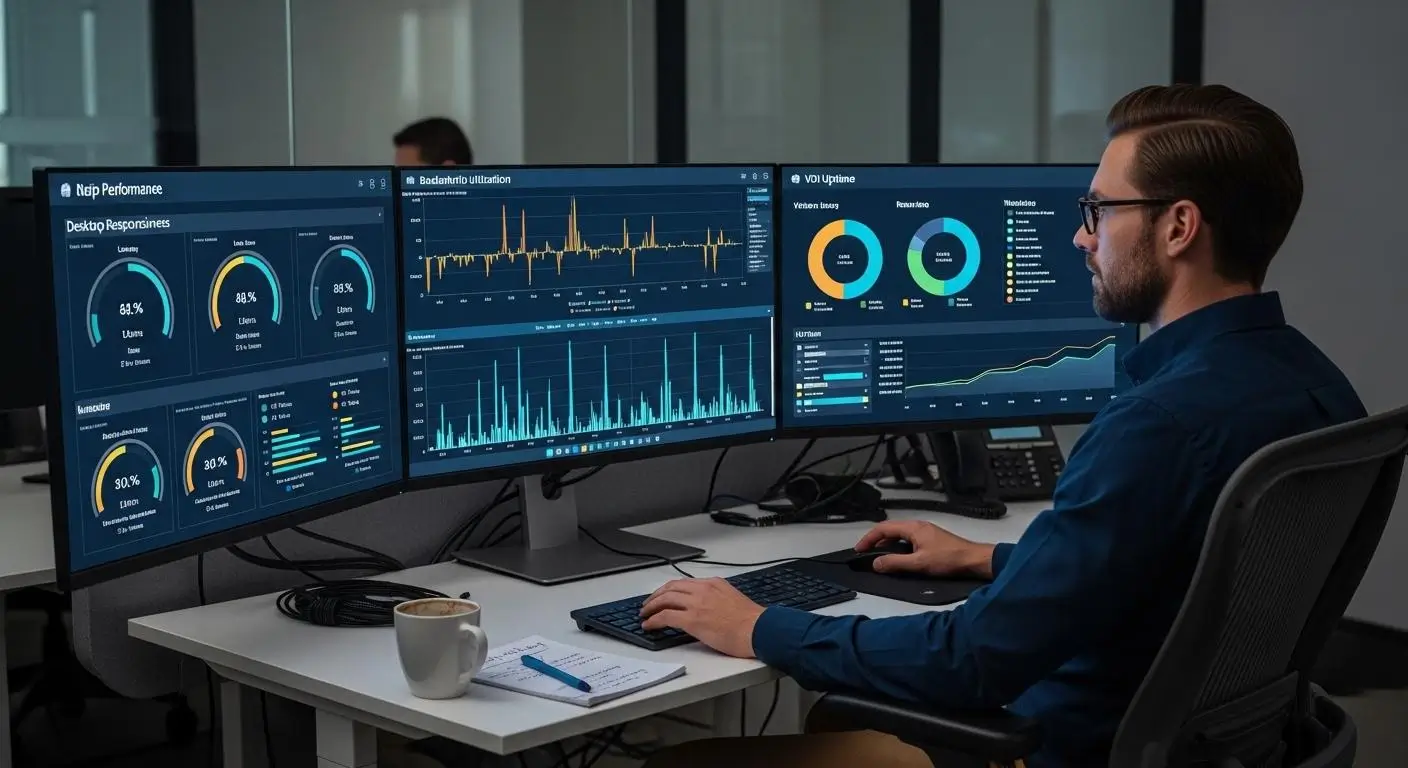
Unlike traditional desktops, DaaS depends heavily on network performance. Even a well-designed environment can experience issues if connectivity becomes unstable.
Common performance challenges include:
Latency
- Delays between user actions and screen responses can impact productivity.
- Higher latency becomes more noticeable during interactive workloads.
- Real-time applications are often the most sensitive.
Network Congestion
- Heavy network usage can reduce responsiveness.
- Shared internet connections may affect performance during peak periods.
- Large-scale deployments require reliable network infrastructure.
Connectivity Interruptions
- Temporary internet outages can interrupt user sessions.
- Users may lose access to desktops until connectivity returns.
- Business continuity planning should account for network dependency.
Graphics-Intensive Workloads
- Applications involving 3D modeling, CAD, video editing, and visualization often require additional resources.
- Specialized software may demand higher-performance desktop configurations.
- Performance can vary depending on infrastructure and network quality.
Performance Considerations
| Challenge | Potential Impact |
|---|---|
| Latency | Slower user interactions |
| Network Congestion | Reduced responsiveness |
| Connectivity Interruptions | Temporary access loss |
| Graphics-Heavy Applications | Increased resource requirements |
For most office productivity workloads, these issues are manageable. Organizations supporting advanced workloads, however, should carefully evaluate performance requirements before deployment.
Why Do Organizations Worry About Vendor Lock-In?
Cloud services offer convenience, but convenience sometimes comes with tradeoffs. Vendor lock in is one of the most frequently discussed concerns in cloud computing, and DaaS is no exception.
When organizations build processes, integrations, security policies, and desktop environments around a specific cloud provider or service provider, moving to another platform can become difficult. Desktop images, user profiles, applications, management tools, and workflows may be deeply integrated into the existing environment.
Migration projects often require time, expertise, and additional investment. Proprietary technologies can make the process even more challenging. The more specialized the platform, the harder it may be to replicate configurations elsewhere. For organizations planning a VMware migration, understanding these challenges early can help reduce disruption and prepare for the transition.
In some cases, organizations become heavily dependent on a provider’s tools, pricing structure, and roadmap.
This does not mean vendor lock in is inevitable. Many providers support portability and migration planning. Still, organizations should evaluate exit strategies before committing to a long-term platform. Flexibility today can help avoid expensive transitions tomorrow.
Does DaaS Limit Customization and Infrastructure Control?
One of the defining advantages of DaaS is that providers manage the underlying infrastructure. Interestingly, that same advantage can also become a limitation for certain organizations.
With on-premises VDI environments, organizations maintain direct control over backend infrastructure, virtualization platforms, storage systems, networking, and desktop configurations. They decide how resources are allocated, how systems are tuned, and how environments evolve over time.
DaaS reduces that level of control.
Providers make many infrastructure decisions on behalf of customers. Hardware selection, platform upgrades, architectural changes, and operational processes are typically handled by the vendor. For many organizations, that simplification is beneficial. For others, especially those with highly specialized requirements, it can feel restrictive.
Standardized environments can also reduce customization opportunities. While most DaaS platforms offer flexibility, they may not provide the same level of granular control available through self-managed infrastructure.
DaaS vs VDI Control Comparison
| Area | DaaS | On-Premises VDI |
|---|---|---|
| Infrastructure Management | Provider-managed | Organization-managed |
| Customization | Moderate | Extensive |
| Backend Infrastructure Control | Limited | Full |
| Operational Responsibility | Lower | Higher |
| Flexibility for Unique Requirements | Moderate | High |
Why Are Browser-Native DaaS Platforms Becoming the Future?
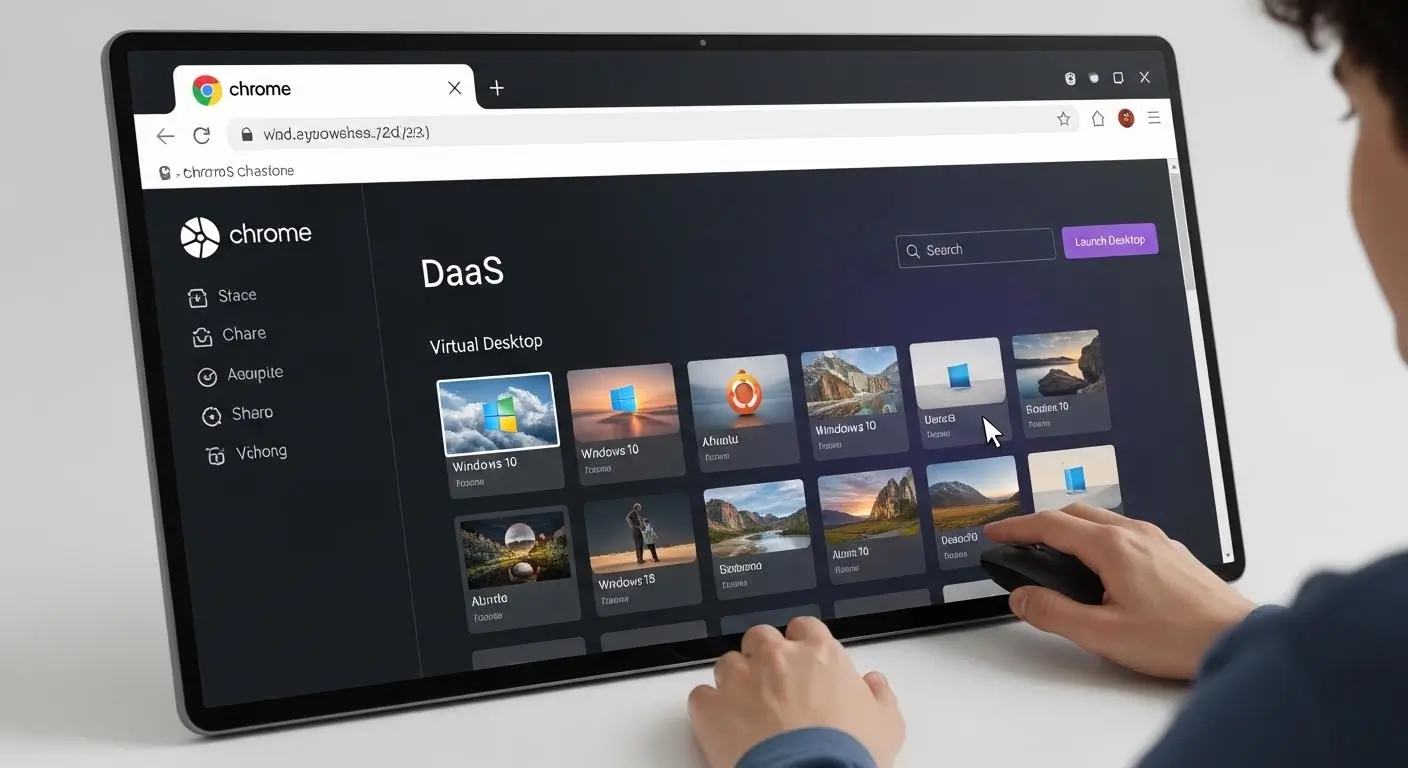
The evolution of Desktop as a Service has followed a fairly predictable path. First came desktop virtualization. Then cloud-hosted desktop delivery. Now the focus is increasingly moving toward browser-native access. This shift is part of the broader future of DaaS, as organizations increasingly look for flexible, scalable, and accessible ways to support modern work.
That progression makes sense. For years, organizations accepted a certain amount of complexity as part of desktop delivery. Client installations, software updates, compatibility issues, VPN configurations, and endpoint troubleshooting were often viewed as unavoidable. They came with the territory.
These limitations are also prompting organizations to reconsider traditional remote-access methods. For teams that still depend on Remote Desktop Protocol (RDP), understanding why they should stop using RDP for remote access can help identify opportunities to reduce endpoint complexity and move toward more modern browser-based desktop delivery.
Today, many organizations are questioning that assumption. If users can access applications, files, and virtual desktops securely through a browser, why maintain layers of software that add friction to deployment and support? For organizations comparing browser-based application delivery with traditional platforms, the Cameyo vs Citrix comparison provides a closer look at how the two approaches differ in application delivery, deployment, management, and user experience.
That question is helping drive interest in browser-native DaaS platforms. By removing unnecessary dependencies between users and their desktop environments, these platforms simplify access while reducing operational overhead. For MSPs and cloud providers, browser-native delivery can also make a white label VDI offering easier to package and deliver under their own brand.
The result is a model that aligns more naturally with remote work, hybrid teams, cloud services, and increasingly diverse device ecosystems.
In many ways, browser-native delivery represents the next stage of desktop virtualization, one that prioritizes accessibility and simplicity alongside performance and security.
Why Is Browser-Based Desktop Access Reducing Complexity?
A surprising amount of traditional desktop complexity originates before users even log in.
Software clients must be installed. Updates must be deployed. Compatibility issues emerge between operating systems. Devices require configuration. Support teams spend time troubleshooting endpoint-specific problems that have little to do with the actual desktop environment.
Browser-based desktop access removes much of that burden. Instead of installing dedicated software, users simply open a supported browser and connect to their desktop environment. The browser becomes the access layer. The infrastructure, applications, and virtual apps remain centralized in the cloud.
This seemingly small change produces meaningful operational benefits. Onboarding becomes faster because there is less software to deploy. New employees, contractors, and temporary workers can gain desktop access with fewer setup steps.
Organizations supporting remote teams no longer need to spend as much time preparing devices before users become productive. Accessibility improves as well.
Because modern browsers exist across Windows, macOS, Linux, Chromebooks, and mobile platforms, browser-native environments can support a broader range of devices without extensive customization. Users gain secure access from virtually anywhere while organizations maintain centralized control over applications and resources.
For organizations preparing to modernize their Windows environments, a Windows 11 migration guide can help structure the transition while taking advantage of the simplified deployment and access model offered by browser-native desktops.
Perhaps most importantly, endpoint management becomes less demanding; the more functionality delivered through the browser, the fewer device-specific issues administrators need to manage. Ultimately, the desktop remains sophisticated while access becomes simpler.
What Operational Advantages Do Browser-Native Platforms Provide?
As organizations evaluate the future of desktop delivery, browser-native platforms increasingly stand out because they reduce complexity across multiple areas of IT operations.
Faster Onboarding
- New users can access environments more quickly.
- Fewer installation requirements reduce setup delays.
- Employees become productive sooner.
Lower Support Costs
- Fewer client applications mean fewer support tickets.
- Reduced endpoint troubleshooting lowers operational overhead.
- Help desk teams spend less time resolving compatibility issues.
Simplified Updates
- Updates occur centrally rather than device by device.
- Users automatically access current environments.
- Version control becomes easier to maintain.
Greater Device Compatibility
- Supports virtually any device with a modern browser.
- Works across Windows, macOS, Linux, Chromebooks, and many mobile platforms.
- Reduces dependency on specific hardware configurations.
Improved Accessibility
- Users can connect from multiple locations.
- Secure remote access becomes easier to deliver consistently.
- Distributed teams gain a more uniform experience.
Reduced IT Workload
- Less time spent managing client software.
- Fewer endpoint configuration requirements.
- Simplified desktop management across large user populations.
Browser-Native Benefits at a Glance
| Operational Area | Browser-Native Advantage |
|---|---|
| User Onboarding | Faster deployment |
| Desktop Management | Reduced administrative effort |
| Support Operations | Lower ticket volume |
| Accessibility | Broader device support |
| Updates | Centralized delivery |
| Secure Remote Access | Simplified user experience |
As organizations continue modernizing desktop delivery, the appeal of browser-native DaaS becomes increasingly clear. The goal is no longer simply to deliver virtual desktops. It is to deliver them with as little friction as possible.
That naturally raises another question: if browser-native delivery represents the next step forward, which platforms are leading that approach? This is where solutions like Apporto begin to stand apart from more traditional DaaS models.
Why Apporto Represents a Simpler, More Modern Approach to DaaS
As Desktop as a Service continues evolving, many organizations are discovering that not all platforms approach desktop delivery the same way.
Traditional DaaS solutions often reduce infrastructure burdens compared to on-premises environments, but they can still introduce complexity through client software, deployment requirements, administrative overhead, and ongoing support demands. Over time, those layers add up.
Rather than treating browser access as an optional feature, Apporto was built around the idea that desktop delivery should be simple from the very beginning. For organizations evaluating Apporto alongside traditional Citrix deployments, the Apporto vs Citrix comparison provides a closer look at how the two approaches differ in deployment, management, and desktop delivery.
Users should be able to access virtual desktops, applications, and resources quickly, securely, and without unnecessary friction. Administrators should spend less time managing infrastructure and more time supporting outcomes.
That philosophy aligns closely with what many organizations now want from a modern desktop as a service platform: simplicity, accessibility, scalability, and operational efficiency.
What Makes Apporto Different From Traditional DaaS Platforms?
Many DaaS platforms still rely on deployment models that assume a certain level of infrastructure complexity. Client software may need to be installed. Endpoint configurations require management. Additional layers of administration can increase support workloads over time.
Apporto approaches desktop delivery differently by emphasizing browser-native access and centralized cloud delivery.
Browser-Native Access
- Users access virtual desktops directly through a web browser.
- No complicated setup process is required for most environments.
- Access becomes available from virtually anywhere with an internet connection.
No Heavy Client Installs
- Eliminates dependence on traditional desktop clients.
- Reduces compatibility issues across devices.
- Simplifies onboarding for new users and remote workers.
Simplified Deployment
- Organizations can deploy desktop environments more quickly.
- Less infrastructure preparation is required compared to many traditional approaches.
- Faster rollout helps accelerate project timelines and user adoption.
Secure Remote Access
- Centralized environments help maintain consistent security policies.
- Users gain secure remote access without extensive endpoint configuration.
- Applications and data remain protected within cloud-hosted environments.
Lower Infrastructure Overhead
- Reduced dependency on complex backend systems.
- Fewer resources dedicated to infrastructure management.
- Internal teams spend less time maintaining desktop delivery platforms.
Near-Native Performance
- Users receive a desktop experience designed to feel responsive and familiar.
- Virtual apps and desktops remain accessible across different device types.
- Cloud-based delivery minimizes many traditional hardware limitations.
Faster Onboarding
- New users can receive access quickly.
- Temporary staff, contractors, and students can begin working sooner.
- Reduced setup requirements improve operational efficiency.
Designed for Education and SMBs
- Particularly well-suited for higher education institutions.
- Supports organizations with lean IT teams.
- Simplifies access to specialized software and academic resources.
- Helps smaller organizations modernize desktop delivery without large infrastructure investments.
Apporto’s Approach at a Glance
| Area | Apporto Focus |
|---|---|
| Desktop Delivery | Browser-native |
| User Access | Fast and simplified |
| Infrastructure Model | Cloud based desktop service |
| Remote Access | Secure and centralized |
| Administration | Reduced complexity |
| User Experience | Near-native responsiveness |
The result is a platform designed around accessibility and operational simplicity rather than infrastructure ownership. For organizations seeking modern virtual desktops without introducing additional management burdens, that distinction can be significant.
Why Is Apporto Especially Valuable for Education and Lean IT Teams?
Educational institutions and smaller IT departments often face a unique challenge. Users expect immediate access to software and resources, but budgets, staffing levels, and infrastructure capacity are rarely unlimited. Every additional system requiring management creates another demand on already stretched teams.
Apporto addresses this challenge by reducing the operational effort required to deliver desktop services. Because software and desktop environments are centralized, administrators spend less time managing individual devices and more time supporting students, faculty, employees, and organizational initiatives. Software delivery becomes more consistent, updates become easier to coordinate, and users receive a more predictable experience.
Flexible remote access also supports modern learning and work environments. Students can access applications outside traditional lab hours. Employees can connect from different locations without extensive configuration. New users can be onboarded quickly when requirements change.
For lean IT teams, those efficiencies compound over time. Less infrastructure management. Simpler software deployment. Faster deployment cycles. Lower support overhead.
These same efficiencies can be valuable for managed service providers, where cloud desktops for MSPs can help streamline desktop delivery while reducing the infrastructure and support burden associated with serving multiple customers. The technology becomes easier to operate, which allows organizations to focus more energy on the people using it.
How Does Apporto Compare to Traditional DaaS Models?
| Category | Apporto | Traditional DaaS Platforms |
|---|---|---|
| Deployment Complexity | Simplified browser-native deployment | Often involves additional setup and configuration |
| Browser Access | Core platform experience | Varies by provider |
| Infrastructure Overhead | Lower operational burden | Can require more administrative effort |
| Support Burden | Reduced through simplified access | Often higher due to client management |
| Scalability | Cloud-based scalability | Depends on platform architecture |
| User Experience | Fast, accessible, near-native | Varies significantly between providers |
As organizations continue modernizing desktop delivery, the conversation is increasingly moving beyond virtualization itself. The focus is becoming how quickly users can gain access, how easily platforms can be managed, and how much operational complexity can be removed from the process. Those are exactly the areas where browser-native platforms like Apporto are helping redefine what modern DaaS can look like.
Final Thoughts
The desktop is no longer defined by a physical machine. Increasingly, it is defined by access. As organizations modernize IT operations, cloud-hosted desktop services are becoming a practical way to deliver secure, scalable, and consistent user experiences without the complexity of managing traditional infrastructure.
0What is desktop as a service DaaS if not a way to separate work from hardware? In many ways, that is exactly its purpose.
Throughout this guide, one theme stands out: flexibility. Desktop as a service enables organizations to deploy virtual desktops quickly, support hybrid and remote workforces, strengthen security, and simplify management through centralized cloud services.
Hybrid work continues accelerating DaaS adoption, while browser-native platforms reduce operational complexity even further. By eliminating many client and endpoint management challenges, they make secure remote access easier to deliver at scale.
No solution fits every organization perfectly, but the trend is clear. Businesses, educational institutions, and public sector organizations increasingly view DaaS as strategic infrastructure because it combines security, scalability, and agility in a way traditional desktop models often cannot.
The future desktop may not live on your device at all. It may simply be available whenever and wherever you need it.
Frequently Asked Questions (FAQs)
1. What is Desktop as a Service (DaaS)?
Desktop as a Service (DaaS) is a cloud-hosted solution that delivers virtual desktops, applications, and files over the internet. Users can securely access a complete desktop environment from almost any device, while the provider manages the underlying infrastructure, maintenance, and updates.
2. How does DaaS work?
DaaS hosts virtual desktops inside secure cloud environments. Users sign in through a browser or client, connect to a virtual machine, and access applications and data remotely. Computing occurs on cloud servers while the user’s device displays the desktop experience.
3. What is cloud DaaS?
Cloud DaaS is a desktop virtualization model where virtual desktops are hosted in the cloud instead of on local hardware. Users connect through the internet to access applications and data, while cloud providers handle infrastructure, scalability, security, and desktop management.
4. What is the difference between DaaS and VDI?
DaaS is virtual desktop infrastructure hosted and managed by a third-party provider. VDI requires organizations to manage their own infrastructure internally. DaaS simplifies deployment and administration, while VDI offers greater control over infrastructure and customization.
5. Is DaaS more secure than traditional desktops?
DaaS can improve security because data remains centralized rather than stored on endpoint devices. Most providers offer encryption, multi-factor authentication, centralized auditing, and access controls that help protect sensitive information and support compliance requirements.
6. Can employees use personal devices with DaaS?
Yes. DaaS supports Bring Your Own Device (BYOD) policies by allowing employees to access virtual desktops from personal laptops, tablets, and other devices. Organizations maintain centralized control over applications, user access, and business data.
7. What internet speed is required for DaaS?
Requirements vary depending on workloads. Standard office applications typically perform well on modern broadband connections, while graphics-intensive applications, video editing, and specialized software may require stronger internet connectivity and lower latency for optimal performance.
8. What are the different types of DaaS?
The two primary types of DaaS are persistent and non-persistent desktops. Persistent desktops retain user settings and files between sessions, while non-persistent desktops reset after logout, making them easier to manage and scale for larger user groups.
9. How much does DaaS cost?
DaaS pricing depends on user count, storage, performance requirements, security features, and support levels. Most providers offer subscription-based or consumption-based pricing models, allowing organizations to align costs more closely with actual usage.
10. Is DaaS suitable for small businesses?
Yes. Small businesses often benefit from DaaS because it reduces infrastructure management requirements and eliminates large upfront hardware investments. Subscription-based pricing and provider-managed infrastructure make deployment more accessible for lean IT teams.
11. What industries benefit most from DaaS?
Healthcare, education, financial services, government, professional services, and technology organizations frequently adopt DaaS. Any industry supporting remote work, distributed teams, strict security requirements, or specialized applications can benefit from cloud-hosted virtual desktops.
12. What are the disadvantages of DaaS?
Potential drawbacks include ongoing subscription costs, internet dependency, limited infrastructure control, vendor lock-in concerns, and performance variability for resource-intensive applications. Organizations should evaluate both operational benefits and long-term costs before adoption.
13. Can DaaS support specialized software?
Yes. Many DaaS platforms support engineering applications, development tools, data analytics software, CAD programs, and other specialized workloads. Performance requirements often determine the type of virtual desktop configuration needed for these environments.
14. How does DaaS improve disaster recovery?
DaaS improves disaster recovery through cloud-hosted infrastructure, automated backups, and centralized data storage. If devices fail or facilities become unavailable, users can reconnect from another device and continue working with minimal disruption.
15. What is a DaaS example?
A DaaS example is a browser-based platform like Apporto, which delivers virtual desktops and applications through the cloud. Users can access a complete desktop environment from a web browser without installing software, simplifying deployment, management, and remote access.
16. What is DaaS used for?
DaaS is used to provide secure remote access to desktops, applications, and business resources. Organizations use it to support hybrid work, simplify IT management, improve security, reduce hardware dependence, and quickly scale desktop access for employees, contractors, or students.
17. Is DaaS a cloud service?
Yes, DaaS is a cloud service that delivers virtual desktops through provider-managed infrastructure. Instead of maintaining physical desktop environments, organizations subscribe to cloud-hosted desktops that can be accessed securely from virtually any device with an internet connection.
