Virtual Technology is Higher Ed’s Secret Weapon to Combatting Declining Enrollment

Virtual Learning Environment

As the global pandemic prompted higher education institutions to adapt to a new learning frontier, it shined a spotlight on virtual technologies and their ability to provide secure and engaging learning experiences anywhere, on any device, at any time.

The same technology that helped colleges and universities continue to deliver high-quality education to students during COVID-19 could now be the very solution that they need to overcome a new crisis facing higher education.

This blog will examine the various virtual technologies that facilitated remote learning during the pandemic and explore how the institutions that continue to embrace tech-forward teaching will be the ones to win the battle for new students this Fall.

The Technologies Virtualizing Education and Why They Remain So Popular

In a 2021 EDUCAUSE QuickPoll of university administrators, IT departments, and other staff, nearly 70 percent of respondents said they would like a remote option post-pandemic. This strongly echoes student sentiment regarding future learning preferences. In a 2021 Digital Learning Pulse survey, 73 percent of students polled “somewhat” or “strongly” agreed that they would like to take some fully online courses in the future. A slightly smaller number of students, 68 percent, indicated they would be interested in taking courses offering a combination of in-person and online instruction [1].

Why is there a desire to hold on to remote learning when it is no longer a necessary conduit for socially-distanced education? Technologies such as virtual computer labs, Zero Trust virtual desktops, and virtual cybersecurity labs enhance the learning process and help modernize instruction in today’s highly digitalized world.

Virtual computer labs (VCL) are instrumental in helping students learn, work with software programs, complete assignments, and interact with classmates and instructors. With virtual computer labs, instead of a student visiting a physical computer lab, a student can use any device connected to the internet to access a virtual version of that lab and leverage its respective software and resources.

The VCL is accessed via a web-browser interface and is platform independent. All operating systems, software, and applications are centrally maintained in the cloud, so end-users do not need to house or maintain any of the programs or software on their own machines; instead, they simply login to the cloud-based system to access everything they would use when visiting the brick-and-mortar campus computer lab.

Zero Trust virtual desktops are virtual desktops built around the core Zero Trust concept of “Trust no one and always verify.” Zero Trust is a relatively new security framework that ensures everyone both inside and outside of an organization is authorized before any interaction with network applications or data occurs. Zero Trust virtual desktops deliver data, apps, and tools securely in the browser via HTML, so there’s no need to worry about maintaining the security level of each endpoint device.

As with Zero Trust virtual desktops, students access virtual cybersecurity labs by logging in from any virtual device with an internet connection. End-users do not need to house or maintain any of the programs or software on their own machines; instead, they simply login to the cloud-based system.

With a scenario-based approach, cloud-based virtual cybersecurity labs provide the best training environment for teaching network security. Students encounter and work through real-life scenarios in cyber labs that reinforce the lessons learned in the classroom.

Although each virtual solution has particular benefits exclusive to them and their specific use cases, users of virtual computer labs, Zero Trust virtual desktops, and virtual cybersecurity labs often cite the following benefits:

  • Flexible and equitable access. Virtual technologies enable students to complete their work at the student’s convenience. Students can engage in an active learning environment anytime, anywhere because they are no longer bound to a certain location or schedule. Furthermore, students don’t need high-end devices to access advanced resource-intensive applications and do not have to load it onto their personal devices. Once their device of choice is connected to the interne, each user will be provided exactly the same user experience.
  • Collaborative Learning. Like their students, instructors are able to securely access campus applications virtually, giving them much more freedom as to when and where they can review assignments and answer questions. Students benefit from their teacher’s expanded access by receiving feedback and instruction in real-time or outside of traditional classroom hours. Instructors can offer help at various points, as well as track analytics like user participation.
  • Top-notch equipment. Schools and students that use virtual technologies have access to cutting-edge technology without the hefty price tag. Companies that build and maintain these virtual technologies compete with each other to stay ahead of technology progression and that raises the quality of options for teachers and students. Students do not have to settle on outdated, yet expensive, equipment because a school cannot afford to replace it consistently.
  • Lower costs. There is a fee associated with using virtual technologies but the capital and maintenance costs are drastically reduced. Customers pay a predictable low cost. Everything is already included; that means no implementation or consulting fees and no costly hardware replacements. This allows school to provide a better learning experience for students at a fraction of the cost.
  • Less Pressure on IT: Third-party Desktop-as-a-Service (DaaS) providers provisioning the virtual technologies store and manage operating systems, software, applications, and data in cloud-based data centers around the world, allowing customers to free up both on-premises equipment and IT resources to focus on other mission-critical priorities.

Virtual Computer Labs: 2-year Impact Assessment Conducted by IIT

The Office of Technology Services at The Illinois Institute of Technology has completed a two-year assessment of its transformation from physical infrastructure to Apporto’s virtual computer lab.​ Read their findings here.
Illinois Institute of Technology

Winning the Enrollment Battle Through Technology

The decline in college enrollment is worsening. According to a report by the National Student Clearinghouse Research Center (NSCRC), the overall two-year decline in college enrollment has reached 7.4%, or nearly 1.3 million students since spring 2020 [2].

One way in which higher ed institutions can turn the tide on declining enrollment is to showcase their ability to support remote learning. Expanding the number of remote courses and programs available, and giving students the technology to support their virtual pursuits, will make schools more appealing to students who want to maintain the educational flexibility to which they have become accustomed during COVID.

According to an Ipsos survey for the World Economic Forum, 72 percent of respondents predict that hybrid learning models will be the norm by 2025 [3]. By enlisting remote-access teaching and learning tools like virtual computer labs, Zero Trust virtual desktops, and virtual cybersecurity labs, colleges and universities stay ahead of the curve and ensure that students receive hands-on educational experiences regardless of their physical locations.

The transition to online education is also enabling institutions to reach out to nontraditional students and students from underserved areas and under-represented communities. Nontraditional students (students identifying as any combination of: part-time, adult learners, returning/re-entry, commuter, veteran, online/distance learners, individuals who work full-time, who have dependents other than a spouse or partner, or students who do not have a high school diploma) make up almost 75% of the nearly 20 million students currently enrolled in post-secondary education [4]. Institutions can show that they can accommodate the educational needs of nontraditional students, by supporting a flexible learning ecosystem that gives students more options, allowing them to take courses while managing other responsibilities.

Additionally, the anytime anywhere access to critical academic resources afforded by virtual computer labs, Zero Trust virtual desktops, and virtual cybersecurity labs, opens the doors to digital spaces that may have otherwise remained closed. Because these technologies only require an internet-connected device and not expensive hardware or software, the student experience is equalized from a technological standpoint and every student’s success is supported. Someone with a $100 Acer Chromebook will have the same user experience as someone with a $2,800 M1 MacBook Pro [5].

Conclusion

To keep schools competitive, institutions must quickly adjust to students’ new expectations and use all available digital resources to improve the student journey. Learning institutions that offer virtual computer labs, Zero Trust virtual desktops, or virtual cybersecurity labs within a flexible learn-at-your-own-pace environment will not only maximize their student capacity, they will also open up a world of possibilities to nontraditional students and students from underserved areas and under-represented communities; providing a more rewarding and inclusive academic experience for everyone.

A trusted partner for higher education institutions since 2014, Apporto works with customers to understand their unique needs in order to reduce demands on IT departments, maximize productivity, and boost security architectures. Contact us today to learn how our virtual computer labs, Zero Trust virtual desktops, and virtual cybersecurity labs can enhance your students’ learning journey too.

References:

[1] McKenzie, L. (2021, April 27). Students Want Online Learning Options Post-Pandemic. https://www.insidehighered.com/news/2021/04/27/survey-reveals-positive-outlook-online-instruction-post-pandemic

[2] Nietzel, M. T. (2022, May 26). New Report: The College Enrollment Decline Worsened This Spring. https://www.forbes.com/sites/michaeltnietzel/2022/05/26/new-report-the-college-enrollment-decline-has-worsened-this-spring/?sh=463def7f24e0

[3] Morad, R. (2022, March 11). Universities Reimagine Teaching Labs for a Virtual Future. https://edtechmagazine.com/higher/article/2022/03/universities-reimagine-teaching-labs-virtual-future

[4] Gilbert, N. (2022, June 30) 19 Higher Education Trends for 2022/2023: Latest Forecasts To Watch Out For. https://financesonline.com/trends-in-higher-education/

[5] Beidas, S. and McHugh, L. (2022, March 27) The COVID-19 Pandemic and Retooling Application Delivery: The Transformation from Physical to Cloud-Based Infrastructure. SIGUCCS ’22 Virtual Event, New York, NY, USA. https://doi.org/10.1145/3501292.3511580

Try It Now

Meet Apporto, A Modern, Blazing Fast and Secure Cloud Desktop

VDI vs. DaaS

VDI vs. DaaS

If you’re beginning to explore the world of virtual desktops, you may run across the terms virtual desktop infrastructure (VDI) and Desktop-as-a-Service (DaaS) in your research. If you’re wondering what the similarities and differences are between these two terms, you’ve come to the right place. This brief primer will help define both these solutions, the pros and cons of each, and what types of companies may benefit from one versus the other.

What is VDI?

Typically, the term VDI refers to an internally based computer system that houses operating systems, software, applications, and other technologies in a central data center. All employees, contractors, customers, and other stakeholders access the company’s IT infrastructure through internal WAN, connecting on virtual desktops, laptops, tablets, smartphones, or other devices.

This type of solution allows centralized management, maintenance, and troubleshooting for the business’s IT staff instead of needing to work on every end device. This saves IT resources, which are in short supply, and helps companies run their computing systems much more efficiently.

In today’s remote work environment, VDI can be a reliable and secure solution that allows disparate employees to share resources, communicate, and access critical company data from any location. However, building one can take a significant amount of resources as the infrastructure for such a data center can be complex and expensive.

What is DaaS?

DaaS works very similar to VDI, but it typically refers to an external service provider that offers the virtual desktop solution to multiple customers in the cloud. Like VDI, all operating systems, software, applications, storage, and data are centrally stored. However, instead of residing in an on-premise data center, the system sits in cloud-based data centers, usually in geographically diverse locations.

The DaaS partner, in turn, handles all the management and maintenance of the virtual desktop system for its clients. The vendor is responsible for staying on top of the latest developments and ensuring that governance and security remain reliable and of a high quality.

That said, specific use cases may require that IT staff make additional modifications or integrations in order to ensure that the DaaS system can meet all of the needs of a particular company or organization.

Try It Now

Meet Apporto, A Modern, Blazing Fast and Secure Cloud Desktop

The Pros and Cons of Each

Functionally, VDI and DaaS operate very much alike. One big difference between the two, though, is who is responsible for the management, implementation, and day-to-day maintenance tasks, as well as how resources are allocated.

The main advantage of VDI is maintaining internal control of the data center and the virtual desktop solution. Your organization determines the priorities and chooses when and how updates and patches are handled without waiting for a third-party vendor to deliver. However, the cost of setting up an internal data center, managing software licenses, and keeping up with technological advances can be significant. In addition, an internal IT team will be required to handle the ongoing maintenance and network latency and performance can be an issue.

Using DaaS service providers can allow companies to tap into a wealth of experience and expertise at a low-entry price. In addition, features can be customized to deliver the services that your company specifically needs. Many disadvantages result if an incompatible or inexperienced DaaS partner is selected, and companies may feel a loss of control of a virtual desktop solution if it is managed by a third party.

In addition, if an organization has a complex application for the DaaS solution, additional modifications may be required in order to ensure that the system is fully operational. This can compound the costs of integration, customization, and ongoing maintenance.

Another important distinction between VDI and DaaS is the scalability and cost implications. With VDI, scalability is limited. The infrastructure is built around meeting peak demand. The cost of that infrastructure does not decrease if demand does. In contrast, with DaaS your infrastructure cost reflects demand, you only pay for what you use. This provides huge cost savings for organizations that experience vast fluctuations. In higher ed environments in particular, where usage dramatically changes throughout the year, DaaS provides the flexibility and cost savings colleges and universities need.


An Easier Solution

Building on the strengths of both VDI and DaaS, Apporto has crafted technology that takes the complexity out of implementation, making them turnkey for client IT teams. For example, hyperstreaming capabilities are built into the solution to allow for premium audio and video transfer. Organizations such as colleges that must operate on Windows, Mac and Linux no longer have to worry about managing all these operating systems as those customizations are built into the Apporto solution. Desktop variations also come pre-packaged, lightening the load for your IT staff.

How to Decide What’s Best for You

As in making all technology-related decisions, companies must review their goals and priorities, weigh the pros and cons of available solutions, and select the option that appears to be the best fit.

Larger companies with an established data center and IT department may find that implementing a VDI is a relatively simple next step to manage remote workers. Small start-ups looking to dabble in virtual desktops may appreciate the low cost of entry from DaaS providers. Organizations seeking specific use cases that match Apporto’s expertise and offerings may prefer an easier, turnkey solution to reduce costs and IT resources required for maintenance.

Whichever category your organization falls into, virtual desktop solutions are here to stay and likely to become even more commonplace in the future. Learning about the different options now will help you be prepared to make the best decision for your organization when the time is right.

Apporto has been providing DaaS solutions to satisfied customers since 2014. Our team is made up of dedicated experts that have years of experience helping businesses just like yours take full advantage of DaaS technology. Contact us today to see our platform in action.

What Is a Cyber Range? Everything You Need to Know

What is a cyber range, and why are so many organizations suddenly talking about it as if it were essential infrastructure rather than optional training? At its core, a cyber range is a controlled, virtual environment designed to simulate real-world networks, systems, and cyber threats.

It allows cybersecurity professionals to train, test defensive strategies, and rehearse responses to attacks without putting actual systems at risk. Think of it as a proving ground for digital defense, a place where mistakes are allowed and lessons are absorbed without consequence.

The urgency is not accidental. The cybersecurity workforce gap continues to widen, even as evolving cyber threats grow more sophisticated and persistent. Ransomware, supply chain compromises, and targeted intrusions no longer feel rare. They feel routine.

Cyber range training has emerged as a practical response. Organizations use these environments to sharpen skills, validate security controls, and prepare teams for realistic attack scenarios.

In this blog post, you will see how cyber ranges work behind the scenes, who relies on them, what benefits they deliver, where limitations exist, and why they increasingly play a role in compliance and workforce development strategies.


What Is a Cyber Range in Simple Terms?

A cyber range is a simulated environment where you practice defending against cyber attacks without putting real systems in danger. It mirrors real world networks, but nothing inside it touches your actual production systems.

Think of it like a physical shooting range. Law enforcement officers do not practice in crowded streets. They train in controlled spaces designed for repetition, error, and refinement. A cyber range follows the same logic. You rehearse digital defense in a controlled environment that absorbs mistakes safely.

Safe failure is the point. You can misconfigure a firewall, overlook a threat, or respond too slowly, and the only consequence is a lesson learned. No customer data is exposed. No real servers are damaged. The isolated environment protects live infrastructure while still feeling authentic.

A cyber range consists of layered components that recreate realistic attack scenarios. It separates training systems from actual systems, ensuring exercises remain contained. That separation allows teams to experiment, adjust defensive strategies, and improve without operational disruption.

Core Components of a Cyber Range

  • Simulated environment replicating real world networks
  • Target infrastructure representing actual systems
  • Security tools for detection and response
  • Virtualization layer supporting virtual instances
  • Orchestration layer coordinating exercises


How Does a Cyber Range Actually Work?

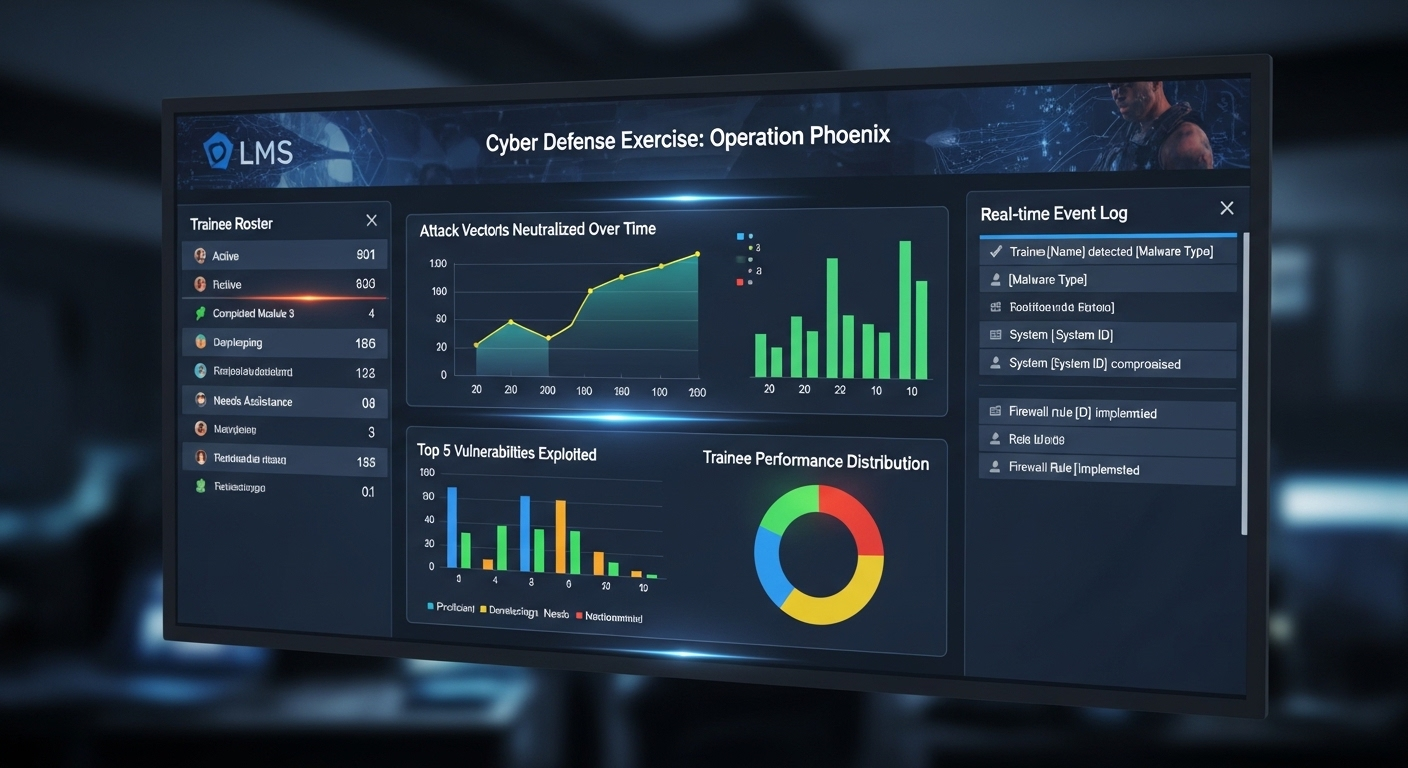
Learning management system tracking trainee performance metrics during a simulated cyber defense exercise.

Behind the interface, a cyber range runs on virtualization technologies that carve multiple virtual environments out of shared hardware. Instead of building a separate physical lab for every scenario, the platform creates virtual machines that behave like real servers, firewalls, endpoints, and databases. These simulated systems sit on an underlying infrastructure, often housed in a secure data center or cloud cluster.

The phrase software defined virtual infrastructure sounds dense, but the idea is simple. Hardware becomes flexible. Storage infrastructure, networking, and computing resources are abstracted into software controls. That means you can spin up entire real world networks in minutes, replicate corporate infrastructures, or dismantle them just as quickly.

An orchestration layer acts as the conductor. It coordinates which virtual machines are deployed, which attack scenarios are launched, and how traffic flows between components. Realistic network traffic is injected to mimic normal user behavior, background noise, and suspicious patterns. Trainees are not defending a blank screen, they are navigating an environment that feels convincingly alive.

Learning management system integration often tracks progress, logs performance metrics, and ties exercises to structured coursework. In advanced setups, resources scale dynamically. If an exercise requires more virtual instances or heavier load simulation, the environment expands automatically.

You are not just observing theory. You are operating inside a controlled replica of reality, shaped to test your decisions in ways that feel uncomfortably real, which is precisely the point.


What Types of Cyber Ranges Exist?

Not all cyber ranges are built the same. Some are streamlined for training fundamentals. Others replicate enterprise networks with unnerving precision. The differences matter, especially when your objectives vary from workforce development to advanced red team exercises.

Simulation ranges are often the starting point. These environments rely on abstracted attack scenarios rather than full system replication. They focus on logic, workflow, and defensive strategy inside a contained virtual environment. Good for building foundational cybersecurity skills.

Emulation ranges go further. They recreate real world attack scenarios by replicating actual systems, network configurations, and traffic patterns. Advanced SOC teams use them to practice against realistic adversary behavior. The environment behaves like a live network because, in many ways, it mirrors one.

Overlay ranges layer simulated attacks over existing enterprise networks. They allow testing without fully rebuilding infrastructure. Hybrid ranges combine elements of simulation and emulation, offering flexibility for complex enterprise networks.

Then there are SaaS cyber range platforms, cloud-hosted and accessible without heavy on-prem buildouts. Educational institutions and smaller organizations often prefer these for cost efficiency and ease of deployment. Open-source builds also exist, offering customizable frameworks for organizations with technical depth.

Below is a clearer breakdown.

Comparison Table: Types of Cyber Ranges 

Type Description Best For Deployment Model
Simulation Range Abstracted attack simulations Foundational training SaaS / On-prem
Emulation Range Realistic replication of actual network Advanced SOC teams On-prem / Hybrid
Overlay Range Layered over live systems Enterprise testing On-prem
Hybrid Range Mix of simulation and emulation Complex enterprise networks Hybrid
SaaS Cyber Range Cloud-hosted platform Education & SMB SaaS


Why Are Cyber Ranges Important for Modern Security Teams?

Security operations center team responding to a simulated cyber attack under high-pressure conditions.

Security teams rarely struggle because they lack theory. They struggle because real incidents unfold fast, unpredictably, and under pressure. That is where cyber range exercises become essential.

Hands-on skill development builds instinct. When you repeatedly encounter realistic attack techniques inside a simulated environment, defensive strategies stop being abstract concepts and start becoming reflexes.

Red Team versus Blue Team exercises sharpen that instinct further. One group launches simulated attacks, the other detects and responds. It feels competitive. It is also deeply instructive.

The data supports the practice. Teams that train in ranges often improve incident response times by 40 to 50 percent compared to those who rely solely on classroom instruction. Memory retention from immersive training can reach 75 percent, far above the modest 5 percent associated with passive learning. Those improvements influence metrics such as Mean Time to Detect and Mean Time to Contain.

Coordinated incident response also improves. Teams learn to communicate under pressure, delegate tasks, and validate security posture in a safe but demanding environment.

What Cyber Ranges Provide

  • Safe environment to practice defending
  • Real life cyber attacks simulation
  • Risk management training
  • Defensive strategies testing
  • Threat detection improvement
  • Muscle memory development


Who Uses Cyber Ranges and Why?

Cyber ranges are not reserved for one niche audience. Their adoption spans sectors where security failure carries serious consequences. Government agencies rely on cyber ranges to prepare teams for national defense and digital resilience.

Some governmental organizations go further, using them to train specialists in cyber warfare tactics, ensuring readiness against state-sponsored threats. The stakes are high, and rehearsal in a controlled environment reduces uncertainty.

Critical infrastructure sectors, including energy, utilities, and transportation, use cyber ranges to test defensive strategies without risking operational technology. A misstep inside a live grid system is unacceptable. Practice must happen elsewhere.

The financial sector invests heavily in simulation ranges to protect sensitive transactions and customer data. Rapid detection and containment matter when seconds can translate into millions. Healthcare systems, managing patient records and life-critical systems, use ranges to strengthen response protocols while preserving compliance.

Corporate security teams employ cyber ranges to validate enterprise defenses and sharpen coordinated incident response. Educational institutions integrate them into cybersecurity education programs, preparing the next generation of professionals with hands-on experience rather than theoretical exposure alone.

Ethical hackers and red team specialists use these environments to refine attack and defense techniques. For many organizations, cyber ranges also serve recruitment and retention goals, signaling commitment to developing a resilient cybersecurity workforce.


How Do Cyber Ranges Support Compliance and Risk Management?

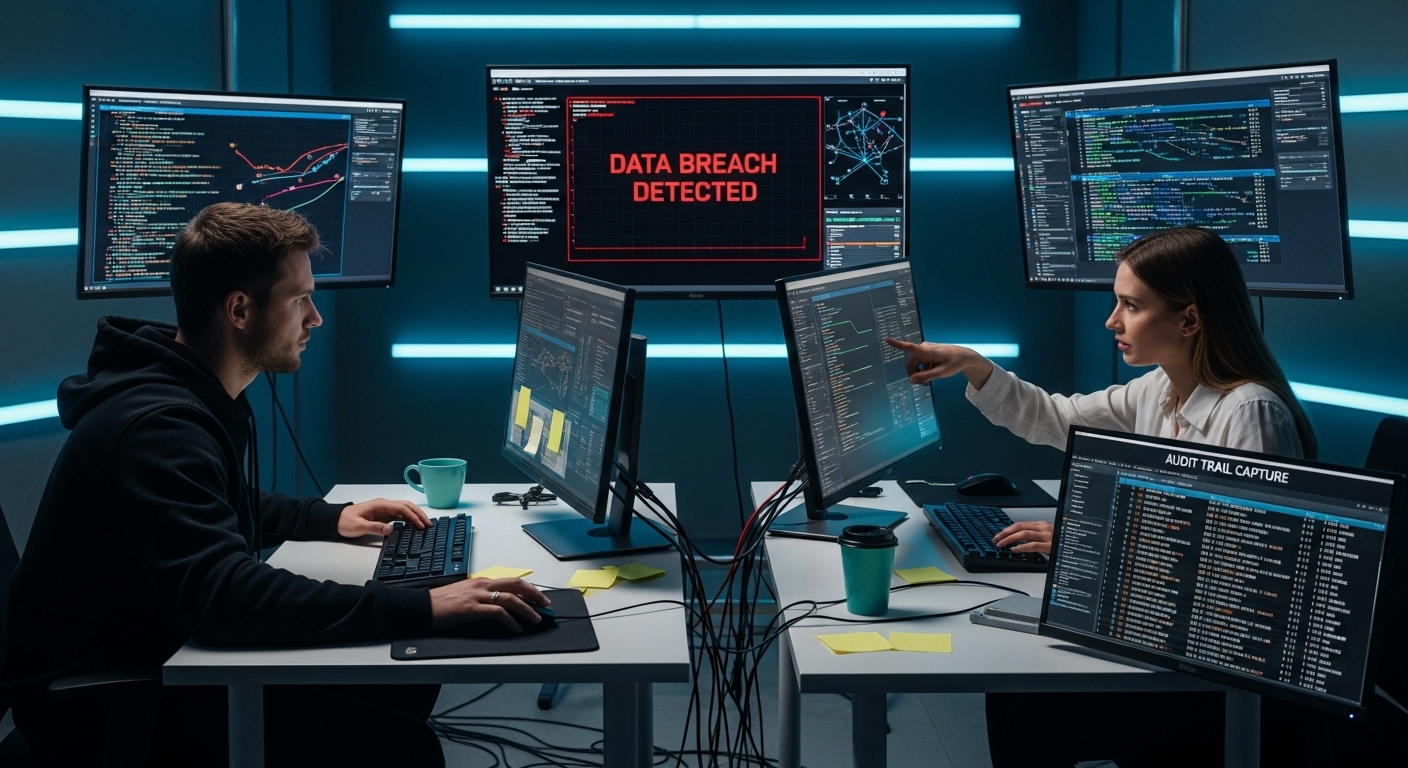
Simulated data breach scenario inside a controlled cyber range with real-time monitoring and audit trail capture.

Compliance is rarely about good intentions. It is about proof. Regulators and auditors want evidence that your security program is not theoretical, that your teams can respond to real incidents under pressure. Cyber ranges help you demonstrate that readiness in concrete ways.

Because exercises are structured and repeatable, they generate demonstrable training records. Participation logs, performance metrics, and scenario outcomes can be documented and reviewed during audits. That matters in sectors like energy, healthcare, and finance, where compliance requirements are strict and continuous.

Cyber ranges also allow you to rehearse data breaches before they happen. Instead of waiting for a real incident to test your procedures, you simulate one. You observe how your team reacts, how quickly threats are detected, and whether communication channels hold up. Weaknesses surface early. That is a gift, not a failure.

Safe experimentation plays a role as well. You can introduce new security tools, adjust configurations, or test policy changes without disrupting live security infrastructure. Risk management becomes proactive rather than reactive.

In many organizations, the range becomes an internal audit tool, quietly validating whether defensive claims match operational reality.


What Are the Limitations or Challenges of Cyber Ranges?

For all their strengths, cyber ranges are not frictionless. Advanced platforms can require significant upfront investment, particularly when organizations build on-prem environments supported by physical infrastructure. Servers, storage, networking hardware, all of it adds up. Cloud-based options reduce some of that burden, but cost never disappears entirely.

Building realistic attack scenarios is another challenge. Sophisticated attacks evolve constantly. Crafting simulations that accurately reflect current tactics requires expertise, time, and continuous updates. Without careful design, exercises risk becoming predictable.

Skilled instructors or facilitators are essential. A range without guidance can turn into a technical playground rather than structured development. Security teams need context, feedback, and performance evaluation to improve meaningfully.

There is also the question of realism. No simulated system can perfectly mirror the unpredictability of live incidents. Over-simulation may create a sense of preparedness that feels stronger than it actually is.

Potential Challenges of Cyber Range

  • Requires skilled facilitation
  • Can be resource intensive
  • Needs continuous scenario updates
  • May not replicate every evolving threat
  • Integration into enterprise security program


How Do Cyber Ranges Compare to Traditional Cybersecurity Training?

Traditional cybersecurity training has long relied on classroom learning and static labs. You complete controlled exercises on preconfigured systems. That approach builds foundational knowledge, but it rarely captures the urgency or unpredictability of real world cyber threats.

Static labs often follow scripted paths. You know what is coming next. The environment does not adapt to your decisions. Mistakes are corrected quickly, sometimes before they even sink in. Skill retention in those settings tends to be modest, often around five percent for purely theoretical instruction.

Live cyber range simulations feel different. They recreate realistic scenarios inside dynamic training environments. You encounter unexpected behavior, shifting attack techniques, and time pressure. Safe failure allows you to experiment, but the experience still carries weight. Retention improves significantly, in some cases reaching seventy-five percent when learning is immersive and interactive.

The difference is not subtle. One approach teaches concepts. The other conditions responses.

Comparison Table 

Feature Traditional Training Cyber Range
Realistic Scenarios Limited High
Safe Failure Low High
Team Exercises Minimal Extensive
Skill Retention ~5% Up to 75%
Incident Simulation Theoretical Practical


Are Cyber Ranges the Future of Cybersecurity Workforce Development?

Next-generation cybersecurity training center with professionals practicing inside immersive virtual cyber range environments.

The cybersecurity workforce gap is no longer a distant concern. It is measurable, persistent, and growing. Organizations struggle to fill cybersecurity positions while cyber attacks increase in scale and sophistication. That imbalance creates pressure. And pressure demands better preparation.

Hands-on experience has become the dividing line. Employers want professionals who can navigate real systems, interpret threat signals, and act decisively under uncertainty. Reading about evolving challenges is no longer enough. You must practice responding to them.

Enterprise networks face constant probing, automated scanning, and targeted intrusion attempts. Security teams cannot afford hesitation. Cyber ranges offer a structured way to build that readiness before incidents occur. Through repeated exercises, teams improve detection, refine response playbooks, and strengthen collaboration.

Adoption is expanding across industries. Financial institutions, healthcare systems, government agencies, and educational programs increasingly view range-based training as foundational rather than optional. It supports enterprise readiness in ways traditional instruction struggles to match.

Will cyber ranges replace all forms of training? Unlikely. But as cyber attacks continue to grow in complexity, immersive environments are becoming central to developing a resilient cybersecurity workforce prepared for what comes next.


Final Thoughts

When you step back, the value becomes clearer. A cyber range offers something difficult to replicate elsewhere, a secure environment where your teams can practice realistic attack techniques without endangering live systems. You test defensive strategies, rehearse incident response, and document training outcomes that support compliance goals.

Cyber ranges are important because preparation cannot rely on theory alone. Still, they are not effortless investments. Cost, complexity, and ongoing scenario updates require planning. Without clear objectives, even the most advanced platform can become underused.

The real question is not whether cyber ranges matter. It is whether your current security maturity justifies immersive practice. If your organization handles sensitive data, operates critical systems, or faces constant exposure to cyber threats, structured simulation deserves serious consideration.


Frequently Asked Questions (FAQs)


1. What is a cyber range used for?

A cyber range is used for cybersecurity training, testing, and research. It allows security teams to practice defending against cyber attacks, validate defensive strategies, and improve incident response in a controlled environment without risking live systems or production networks.

2. How does a cyber range simulate real world cyber attacks?

A cyber range recreates real world networks using virtual machines and simulated systems. It injects realistic attack techniques, malicious traffic, and evolving threat scenarios into an isolated environment, allowing participants to detect, analyze, and respond as if facing actual cyber threats.

3. Are cyber ranges only for government agencies?

No, cyber ranges are widely used beyond government agencies. Financial institutions, healthcare providers, critical infrastructure operators, educational institutions, and corporate security teams rely on them to strengthen cybersecurity skills and improve organizational readiness against sophisticated attacks.

4. How do cyber ranges improve incident response time?

By repeatedly practicing coordinated incident response in realistic scenarios, security teams build familiarity and muscle memory with their tools. This hands-on experience often leads to faster threat detection and containment during real incidents.

5. What industries benefit most from cyber range training?

Industries that manage sensitive data or critical systems benefit most. This includes healthcare, finance, energy, transportation, government, and large enterprises that require advanced threat detection and validated defensive strategies.

6. Can small businesses use cyber range platforms?

Yes, many modern cyber range platforms offer cloud-based options designed for smaller organizations. These scalable solutions provide affordable access to immersive training without requiring large investments in physical infrastructure.

What Is DaaS? The Complete Overview for 2026

Desktop as a Service, often shortened to DaaS, is a cloud computing offering that delivers fully managed virtual desktops over the internet. Instead of relying on physical machines tied to a single office, you access cloud desktops hosted in secure data centers. Your desktop environment, applications, and data are streamed to your device wherever you are.

The rise of remote work, hybrid teams, and mobile workers has exposed the limits of traditional desktop infrastructure. Physical desktops are expensive to maintain, difficult to scale quickly, and vulnerable to device loss or hardware failure. Expanding capacity often means buying more equipment, configuring new systems, and increasing infrastructure management overhead.

DaaS shifts that model. It offers flexibility, predictable cost efficiency, and centralized control. But it also introduces new considerations, from security architecture to vendor lock-in risks.

In this blog, you will learn how DaaS works, how it compares to virtual desktop infrastructure, what security controls it provides, what trade-offs exist, and how to choose the right provider for your organization.


What Is Desktop as a Service (DaaS) in Simple Terms?

Desktop as a Service is a model where your desktop environment lives in the cloud instead of on a physical computer sitting under your desk. Rather than storing applications, files, and operating systems on local physical hardware, those resources run inside secure data centers. You connect to them over the internet. That is the core idea.

Virtual desktops hosted in cloud infrastructure allow users access to their workspace from almost any device. Laptop. Tablet. Mobile device. Even a thin client with minimal local processing power. The computing happens elsewhere, inside powerful servers managed by a service provider.

Contrast that with the traditional desktop model. In that setup, every employee relies on a physical machine that must be purchased, configured, maintained, patched, and eventually replaced. Data often resides on the device itself, which increases the risk of loss or theft. Scaling means buying more machines. Managing them means touching each one.

With service DaaS, centralized data storage keeps business information inside controlled environments. Users access their desktop environment through a web browser or secure client, connecting through a secure access point. IT administrators manage virtual desktops from a centralized management console, reducing the burden of hands-on maintenance.

Some core elements of DaaS are:

  • Virtual desktops hosted in secure data centers
  • Delivered through cloud providers
  • Accessible from own devices or mobile device
  • Managed desktop via centralized management console
  • Eliminates need for physical hardware


How Does DaaS Actually Work?

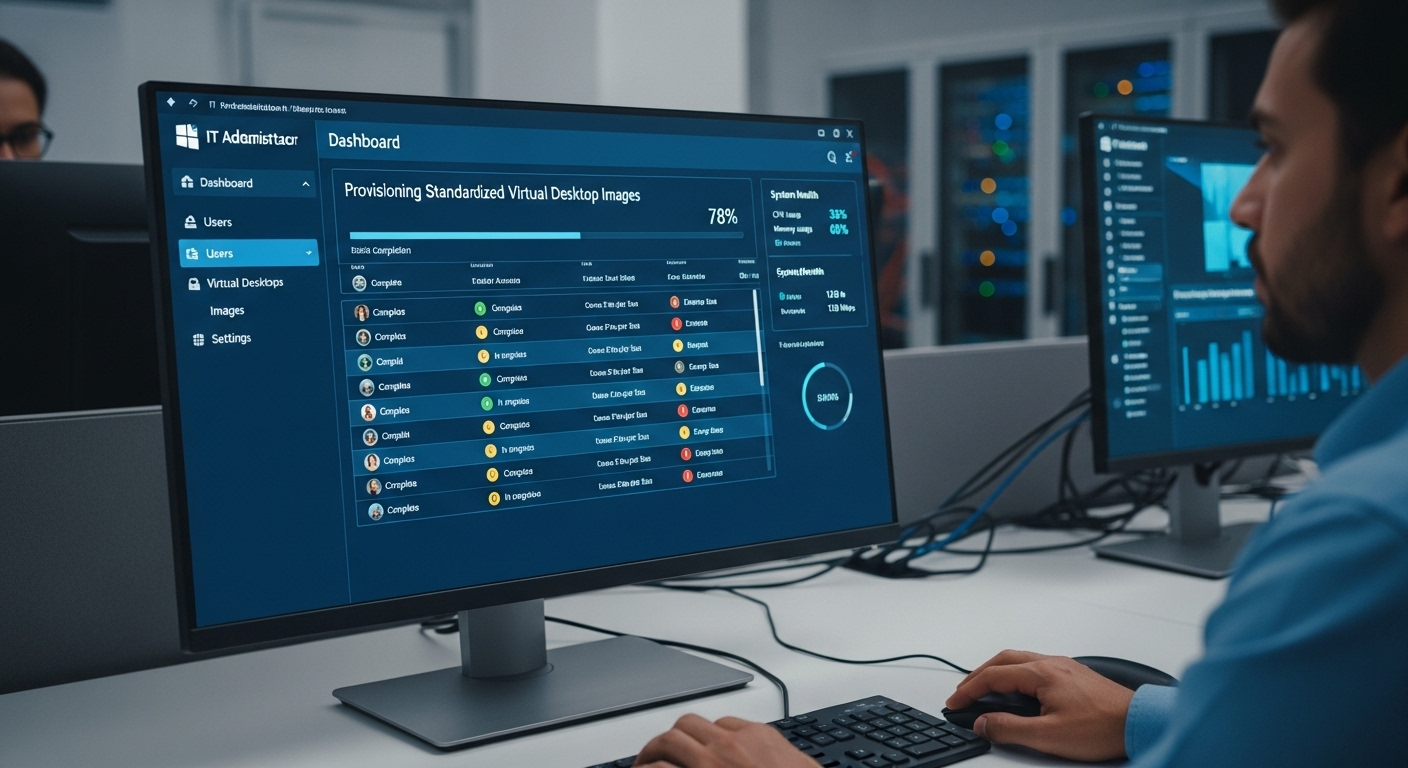
IT administrator dashboard provisioning standardized virtual desktop images across hundreds of users.

Under the surface, DaaS relies on virtualization technology. That phrase can sound abstract, but the idea is fairly grounded. The desktop environment is separated from the physical computer. Your screen, applications, and files are no longer tied to the device in front of you. They exist inside virtual machines running in high-availability cloud data centers operated by a service provider.

Think of it as hosting desktops remotely. The backend virtual desktop infrastructure lives in powerful servers, often distributed across multiple geographic regions for redundancy. When users access their workspace, they are connecting to a virtual machine that mirrors a full operating system. The heavy lifting happens in the data center, not on the local device.

Desktop images are provisioned quickly, sometimes in minutes. IT administrators can deploy standardized environments or customize them for different departments. Persistent desktop models save user changes, settings, and installed applications across sessions. Non-persistent desktop models reset to a clean image each time a user logs out, which strengthens security and simplifies management.

Cloud based virtual desktops are streamed to the user’s device through secure protocols such as Microsoft RDP or Citrix HDX. You do not see the complexity. You simply see your desktop appear.

Authentication plays a central role. Secure access often requires multi factor authentication, meaning more than just a password. Data encryption protects information both in transit and at rest. That means your data is encrypted while moving across the internet and while stored inside the cloud environment.

Centralized desktop management allows IT administrators to enforce policies at scale. Security patches, access controls, and configuration updates can be applied across hundreds or thousands of virtual machines without touching individual endpoints.

Behind the scenes, it is coordinated. Structured. Automated in many ways. And when designed properly, it feels almost invisible to the end user.


How Is DaaS Different from Virtual Desktop Infrastructure (VDI)?

Desktop as a Service and virtual desktop infrastructure appear nearly identical. Both separate the desktop environment from the physical device. Both rely on virtualization. The distinction lies in who carries the weight.

With traditional virtual desktop infrastructure, the organization typically owns and manages the backend systems. The servers often live in an on-premises data center or within a private cloud. IT teams handle infrastructure management, security updates, hardware refresh cycles, and performance tuning. You gain deeper control. You also inherit complexity.

DaaS changes that equation. Instead of maintaining the virtualization stack yourself, a cloud provider hosts and operates the environment. The provider handles hardware, networking, storage, and most operational maintenance. Your team focuses on access policies and user management rather than server upkeep.

Scalability illustrates the difference clearly. In a VDI deployment, expanding capacity may require purchasing additional hardware, configuring new systems, and waiting for installation. DaaS allows rapid, elastic scaling because cloud resources can be provisioned quickly. That agility can translate into cost savings, particularly for seasonal or growing organizations.

The cost model diverges as well. VDI often demands significant capital expense upfront. DaaS typically operates on a subscription basis, shifting spending into predictable operational costs.

There are trade-offs. VDI may provide more granular access control and deeper customization. DaaS prioritizes flexibility and faster deployment. Vendor lock in can be a consideration in both models, though migration from a DaaS platform can introduce additional complexity.

The choice is less about superiority and more about alignment with your infrastructure goals.

Feature DaaS Traditional VDI
Infrastructure Ownership Third-party provider In-house IT
Capital Expense Low upfront High upfront
Scalability Rapid, elastic Hardware dependent
Infrastructure Management Provider handles IT teams manage
Setup Speed Fast Slower
Control Level Moderate High


What Are the Core Benefits of DaaS for Modern Organizations?

Centralized desktop management console applying updates and security patches across hundreds of virtual machines.

Once you understand how DaaS works and how it differs from traditional VDI, the practical advantages begin to surface.

Cost efficiency often tops the list. Instead of large upfront investments in servers, storage, and physical desktops, you operate on predictable subscription pricing. That model reduces capital expenses and converts infrastructure spending into manageable operational costs. For many organizations, that financial flexibility matters as much as the technology itself.

Instant desktop provisioning changes how quickly you can respond to business needs. New employees can receive desktop access within minutes rather than days. During mergers, seasonal hiring, or project-based expansions, scaling becomes less disruptive. You simply allocate additional resources inside the platform.

Remote teams and hybrid workforce models benefit directly from cloud-hosted desktop access. Employees can securely access company resources from home, while traveling, or across regional offices. Centralized management allows IT teams to deploy updates and security patches consistently, reducing vulnerabilities tied to unmanaged endpoints.

Business continuity and disaster recovery readiness are equally important. If a physical office closes or hardware fails, work does not stop. Virtual desktops remain available through secure access points, preserving operations.

BYOD policies become easier to implement because sensitive data stays inside centralized data storage. Information does not reside permanently on personal devices, lowering the risk of endpoint data loss. Access to specialized software can also be provided without installing heavy applications locally.

Why Businesses Choose DaaS Solutions

  • Pay-as-you-go subscription model
  • Rapid desktop access for temporary staff
  • Centralized data storage for enhanced security
  • Simplified desktop management for IT teams
  • Support for multiple operating systems
  • Secure access point for remote users


How Secure Is DaaS for Sensitive Data and Regulated Industries?

Security is usually the first serious question, especially in healthcare, finance, or education where sensitive information is tightly regulated. DaaS platforms are built with data security as a foundational layer, not an afterthought.

Data encryption standards protect information both in transit and at rest. When users connect to their cloud desktops, traffic is encrypted while traveling across the internet. Once stored inside the environment, business data remains encrypted within secure cloud or private cloud infrastructure. That reduces exposure if devices are lost or stolen.

Multi-factor authentication strengthens secure access. Instead of relying only on passwords, users verify their identity through additional factors. Combined with structured access management and role-based access control, organizations can limit who sees what. Granular access controls prevent unnecessary exposure to sensitive information.

Centralized auditing and logging provide visibility. IT administrators can monitor activity, enforce policies, and generate compliance reports. For organizations operating under HIPAA, GDPR, or financial regulations, that oversight is essential.

Another advantage is architectural. Because data is stored off physical devices, the risk associated with endpoint theft decreases. Even if a laptop disappears, company records remain protected inside the centralized environment.

Security Controls in Modern DaaS Platforms are

  • Data encryption at rest and in transit
  • Multi-factor authentication enforcement
  • Centralized auditing and reporting
  • Controlled access to sensitive information
  • Regular security updates and patches

In regulated industries, enhanced security is not optional. DaaS offers structured controls that align well with strict compliance demands.


What Are the Risks or Challenges of DaaS?

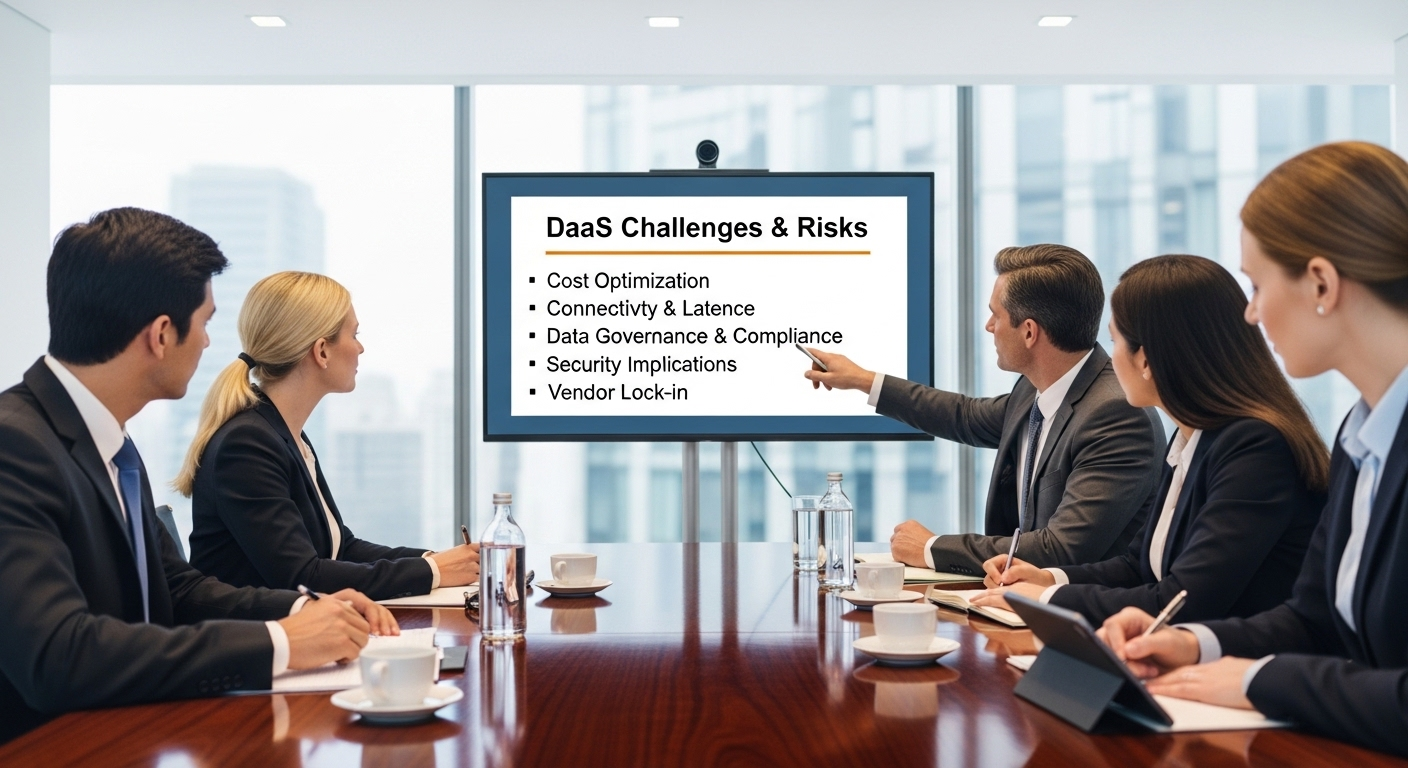
Enterprise risk assessment board evaluating DaaS challenges including cost, connectivity, and governance.

DaaS is not frictionless. It introduces its own constraints, and ignoring them can create problems down the line. The most obvious dependency is internet connectivity. Cloud desktops rely on a stable, fast connection.

If bandwidth is insufficient, performance suffers. Lag becomes noticeable. Video calls stutter. Applications feel less responsive. Offline access is limited, since the desktop environment is hosted remotely. When the connection drops, productivity may pause with it.

Recurring subscription fees also require careful analysis. Over time, monthly costs can accumulate and potentially rival the expense of owning on-prem infrastructure. Cost efficiency depends on usage patterns, workforce size, and long-term planning.

Vendor lock in presents another concern. Migrating between DaaS providers can be complex, especially when desktop images, policies, and integrations are deeply embedded. Integration challenges with legacy systems may require additional configuration or specialized expertise.

Data residency rules can also influence deployment decisions, particularly in regulated industries. Governance frameworks must be clearly defined to manage access, compliance, and auditing responsibilities.

Poor implementation compounds these risks. Without thoughtful design, user experience may feel inferior to working on a well-configured physical machine.

Common Drawbacks to Consider

  • Requires strong internet connection
  • Recurring operational expenses
  • Switching providers can be complex
  • May require integration planning
  • Performance tied to cloud infrastructure quality


Who Should Consider Using DaaS?

DaaS is not reserved for one industry or one type of organization. Its appeal cuts across sectors where flexibility and control must coexist. Higher education institutions often adopt cloud desktops to deliver virtual learning environments.

Students and faculty can access specialized software from anywhere, without campus labs dictating availability. IT administrators maintain centralized management, reducing the burden of maintaining hundreds of physical machines scattered across buildings.

Healthcare organizations use DaaS to ensure secure remote access to patient data while keeping sensitive information inside controlled environments. Centralized storage lowers the risk tied to lost devices, and access controls help maintain compliance standards.

Financial institutions benefit from structured data protection for business data that cannot leave regulated boundaries. Role-based permissions and auditing help protect against internal and external threats.

Development teams rely on DaaS to provision sandbox environments quickly. Testing code in isolated cloud desktops prevents interference with production systems and accelerates iteration cycles.

Seasonal businesses gain the ability to scale workforces without purchasing additional hardware. Mobile workers can access their desktop environment securely from multiple locations, using their own devices when appropriate.

For IT teams seeking simplified oversight, DaaS consolidates infrastructure into a manageable framework. In many cases, it brings order to environments that previously felt fragmented.


How Do You Choose the Right DaaS Provider?

Selecting a DaaS provider requires more than comparing price sheets. You are effectively choosing a long-term service provider that will influence infrastructure stability, security posture, and operational flexibility.

Security features should sit at the top of your evaluation list. Examine how the provider protects sensitive data, what encryption standards are implemented, and how secure access is enforced. Access management tools, including role-based controls and multi-factor authentication, are fundamental for protecting internal systems.

Scalability matters just as much. The platform should allow you to expand or reduce desktop resources without friction. If your workforce fluctuates, elasticity becomes a practical necessity rather than a luxury.

Transparent pricing is another deciding factor. A clear subscription model with detailed cost reporting helps avoid unpleasant surprises. Some platforms provide granular reporting to track consumption across departments, which supports budgeting and accountability.

Integration compatibility must be assessed carefully. The DaaS environment should align with your existing infrastructure, identity systems, and productivity tools. Governance and compliance features should be clearly documented, especially in regulated industries.

Finally, evaluate service level agreements and support quality. Centralized management is valuable only if the platform remains reliable.

Questions to Ask Before choosing a DaaS Provider

  • How do you protect sensitive data?
  • What encryption standards are used?
  • How scalable is the platform?
  • Is pricing transparent and predictable?
  • What disaster recovery capabilities are included?


Why Apporto Is a Smarter, Simpler Approach to DaaS?

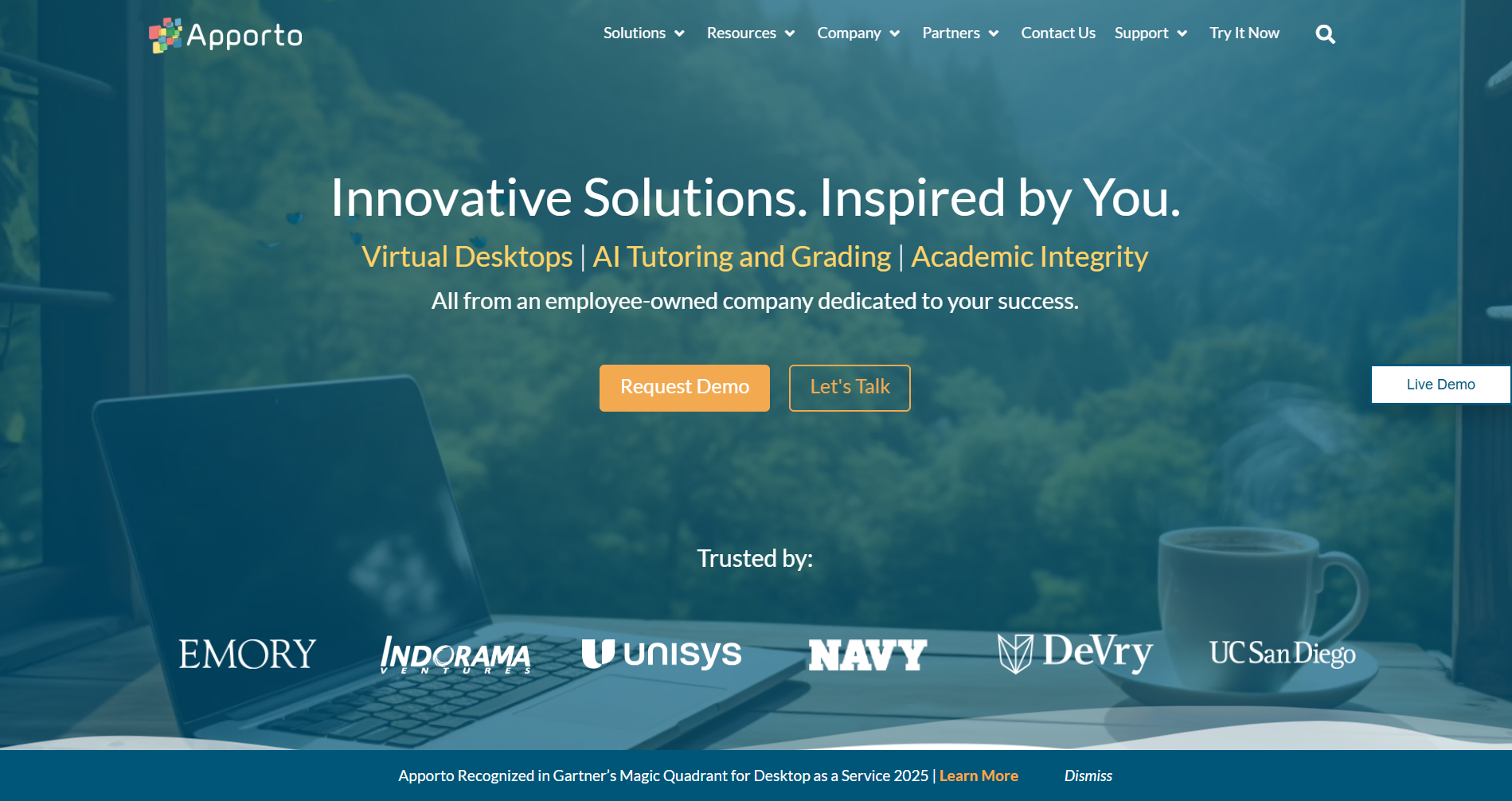
Apporto homepage showcasing virtual desktops and AI solutions with trusted partner logos and call-to-action buttons.

Not every DaaS solution is built the same way. Some replicate the complexity of traditional virtual desktop infrastructure and simply relocate it to the cloud. Others simplify the model itself. That distinction matters.

Apporto approaches DaaS with usability at the center. Its cloud based virtual desktops are delivered directly through the browser, which means no heavy client installs, no complicated endpoint configurations, and far less friction for users. You open a browser, authenticate through a secure access workflow, and your desktop environment loads. It feels straightforward because it is.

Designed with Higher Education institutions and small to mid-sized organizations in mind, Apporto reduces infrastructure complexity rather than layering more onto IT teams. Desktop management happens centrally, without requiring organizations to manage backend virtualization technology on their own. Rapid deployment allows institutions to provision environments quickly, supporting seasonal enrollment changes or workforce expansion.

Security is not bolted on later. Built-in Zero Trust principles, strong authentication controls, and centralized data storage provide structured protection without relying on traditional VPN dependency for access. That simplifies connectivity while maintaining control.

Predictable pricing supports cost efficiency. Operational overhead decreases because the provider handles much of the infrastructure maintenance, updates, and scaling. Vendor complexity is reduced rather than expanded.

For organizations seeking DaaS solutions that prioritize simplicity, scalability, and strong security controls without excessive technical burden, Apporto represents a focused alternative Try Now.


Final Thoughts

When you revisit the question, what is DaaS ultimately changing? It reframes desktop infrastructure through the lens of cloud computing. Instead of anchoring work to physical machines, cloud desktops provide flexibility, centralized management, and more predictable cost savings. Secure access becomes location independent, supporting business continuity when offices close or hardware fails.

At the same time, trade-offs exist. Internet reliability matters. Subscription models require long-term financial evaluation. Vendor selection influences performance, governance, and compliance outcomes.

The value of DaaS depends on alignment with your organizational goals. If you prioritize scalability, simplified management, and consistent desktop experiences across distributed teams, the model offers clear advantages. If deep infrastructure control is your highest priority, additional evaluation is necessary.

DaaS simplifies infrastructure without removing oversight. And for organizations seeking a low-complexity, high-security option built for usability, platforms like Apporto demonstrate how modern desktop delivery can remain controlled, secure, and efficient.


Frequently Asked Questions (FAQs)


1. What is DaaS in simple terms?

DaaS, or Desktop as a Service, is a cloud computing model that delivers virtual desktops over the internet. Instead of relying on a physical computer, you access a hosted desktop environment from secure cloud infrastructure using your device.

2. How is DaaS different from VDI?

Both DaaS and virtual desktop infrastructure deliver virtual desktops. The difference lies in management. With VDI, your organization manages the infrastructure. With DaaS, a service provider hosts and maintains the backend systems in the cloud.

3. Is DaaS secure for sensitive information?

Yes, DaaS platforms typically use data encryption, multi-factor authentication, and centralized access controls. Because sensitive information is stored in secure data centers rather than on endpoints, the risk of data loss from device theft is reduced.

4. Can DaaS reduce IT costs?

DaaS can reduce capital expenses by eliminating physical hardware purchases. Subscription pricing offers predictable operational costs, and centralized management lowers maintenance workloads, which can improve overall cost efficiency when properly planned.

5. Does DaaS require strong internet connectivity?

Yes, DaaS depends on reliable internet connectivity. Since cloud desktops are streamed from remote data centers, insufficient bandwidth or unstable connections can negatively affect performance and user experience.

6. What industries benefit most from DaaS?

Higher education, healthcare, finance, software development teams, and organizations with remote workers benefit significantly. Any industry requiring secure access, centralized desktop management, and flexible scaling can leverage DaaS effectively.


What Is Zero Trust? A Detailed Guide to the Zero Trust Security Model

Modern cybersecurity concept showing a digital fortress dissolving into a zero trust network with continuous identity verification checkpoints.

You can feel it, even if no one spells it out. Network security does not behave the way it used to. The corporate network is no longer a single building with a guarded door. Remote work scattered users and devices everywhere, and many organizations are still trying to secure something that no longer sits neatly behind a firewall.

So what is zero trust? Zero trust security is a security strategy built on a blunt premise, trust nothing by default. Not the user sitting inside the office. Not the laptop connecting from home. Every request must be verified, inspected, and approved before access is granted.

Traditional perimeter based security relied on the castle and moat idea, protect the outside wall and assume everything inside is safe. That assumption aged poorly. If you want a strong security posture today, you need a model that questions every access request.


What Is Zero Trust and Where Did It Come From?

To understand zero trust, you need to start with what it rejects. The zero trust model is a trust security model that refuses to assume safety based on location. It does not matter if a request comes from inside your corporate network or outside it. Access is not granted because someone is “already in.” That idea, implicit trust, is precisely what zero trust principles are designed to eliminate.

The term itself was coined in 2010 by an analyst at Forrester Research. At the time, traditional perimeter based security dominated network security strategy. You built a strong network perimeter, defended it with firewalls and intrusion detection systems, and treated everything inside as trusted. Castle and moat security, that was the metaphor. Keep attackers out, and the interior remains safe.

But attackers rarely stay outside for long. Credentials get stolen. Phishing succeeds. Malware slips in. Once inside, that older trust model allowed broad movement across the entire network.

Zero trust changes the assumption. Every access request is treated as if it originates from an untrusted source. All network traffic, internal or external, must be verified before access is granted. The network itself is no longer considered inherently safe. The focus shifts to protecting individual resources rather than defending a single boundary.

Never trust, always verify. That is not a slogan. It is the foundation of the zero trust security model.


How Is Zero Trust Different from Traditional Network Security?
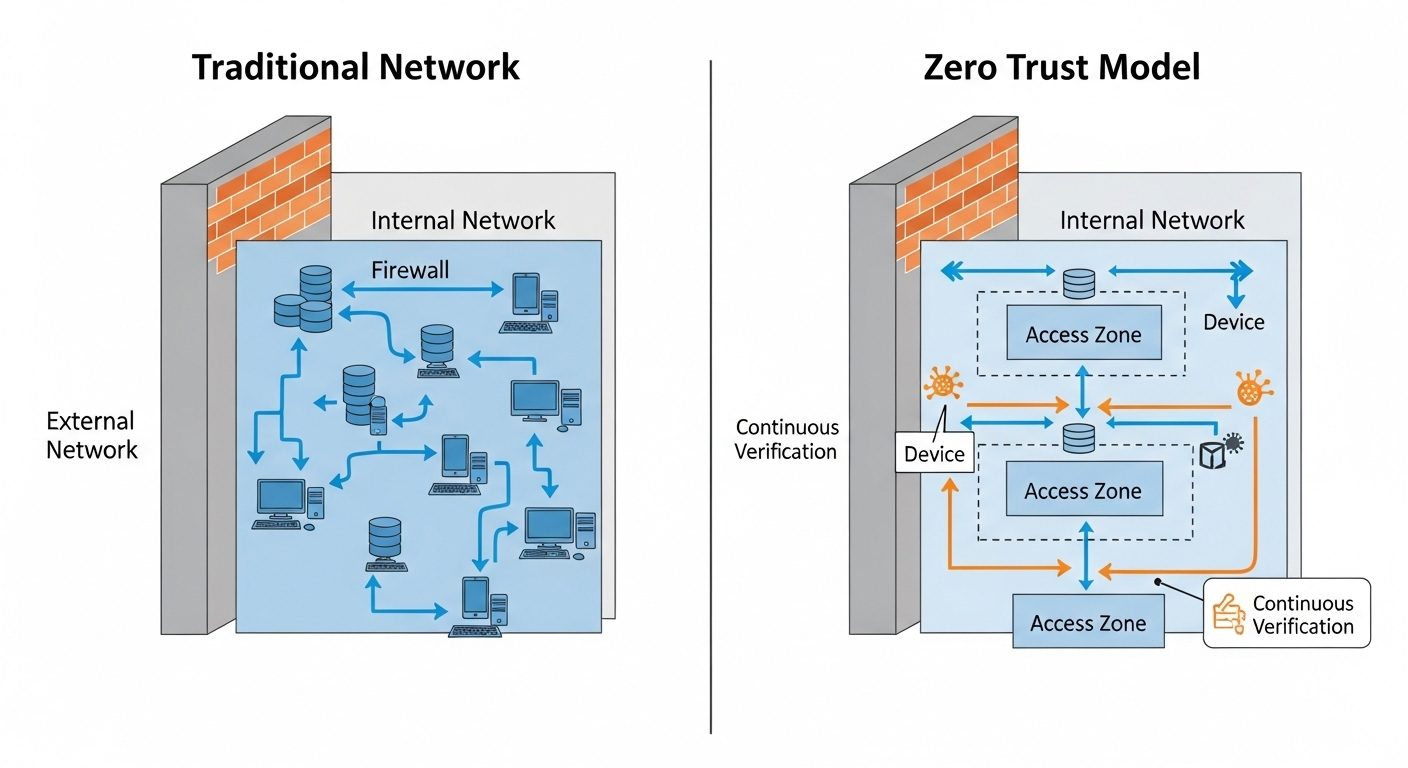
Diagram showing traditional network with a strong outer firewall versus zero trust model with segmented, continuously verified access zones

The difference between traditional network security and zero trust architecture is not cosmetic. It is structural. Older models were built around a clear boundary, a network perimeter designed to separate trusted insiders from untrusted outsiders.

Once you crossed that line, access inside the zero trust network was rarely questioned. That approach created a large attack surface, even if it felt secure from the outside.

Zero trust architecture removes the idea of a trusted network edge altogether. There is no automatic trust simply because a user connects through a VPN or sits inside a corporate office.

Every request to access a resource must pass strict access controls, regardless of origin. Trust network access becomes identity based, not location based.

This difference changes how the entire security architecture behaves.

Traditional Perimeter Security vs Zero Trust Architecture

Traditional Castle-and-Moat Model Zero Trust Architecture
Trust inside the network Trust is never assumed
Focus on network perimeter Focus on protecting individual resources
VPN-based broad access Granular, identity-based access
Static access controls Continuous verification
Large attack surface Reduced attack surface


In a zero trust network architecture, lateral movement is deliberately restricted. Even if an attacker gains access to one system, they cannot freely move across the environment. Each step requires re-verification. That containment fundamentally strengthens your security posture.


What Are the Core Principles of Zero Trust?

Once you strip away the marketing language, zero trust is built on a handful of clear principles. They are not abstract theories. They are operational rules that shape how access control, identity validation, and network protection actually work. If you understand these zero trust principles, you understand the model itself.

Here are the foundations that define a zero trust security framework:

  • Least-Privilege Access: You grant users only the privilege access necessary to perform their tasks, nothing more. This reduces exposure and helps protect sensitive data by limiting how far a compromised account can reach.
  • Continuous Verification: Access is not approved once and forgotten. Every session, every request, is evaluated through continuous monitoring to confirm that the user and context remain legitimate.
  • Microsegmentation: The network is divided into smaller zones so that systems and data are isolated. Microsegmentation prevents broad internal access and limits how attackers move between resources.
  • Multi-Factor Authentication (MFA): Multi factor authentication requires more than a password, such as a code or biometric verification. This significantly reduces the risk of credential theft leading to full access.
  • Device Identity Validation: It is not enough to verify the user. Device identity must also be confirmed, ensuring that only authorized and secure devices can connect.
  • Strict Access Control: Access control policies are enforced consistently across systems. No application or service bypasses the rules.

Together, these principles create a disciplined security model. One that reduces risk quietly but effectively, reinforcing your ability to protect sensitive data without relying on outdated assumptions about trust.


How Does Zero Trust Architecture Actually Work?
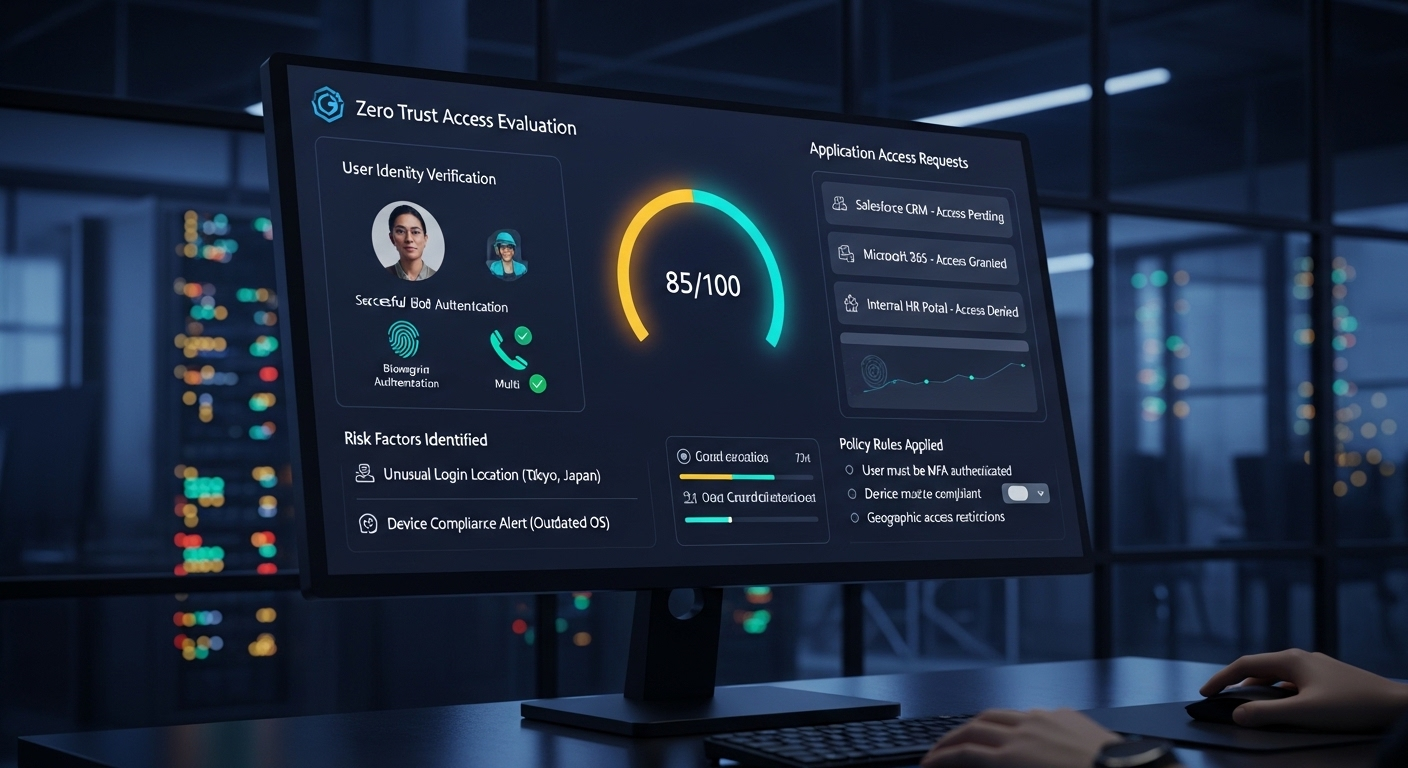
Cybersecurity dashboard evaluating user risk score before granting application-level access in a zero trust environment.

Understanding the principles is one thing. Seeing how zero trust architecture operates in practice is another. At its core, the model revolves around identity. Access is no longer determined by where you connect from, but by who you are and what you are allowed to access.

Every access request begins with verification. When a user attempts to access resources, the system evaluates user identity, device identity, location, behavior, and context.

Only after these signals are inspected does the system determine whether access should be granted. Even then, granted access is limited to specific applications or data, not the entire private network.

This is where zero trust network access, often called trust network access ZTNA, becomes central. Instead of opening broad tunnels into the organization’s network like traditional VPNs, ZTNA creates secure access to individual services. You connect to what you need, nothing more. The rest of the network remains invisible.

Continuous monitoring then takes over. Zero trust architecture does not stop evaluating risk after login. It reassesses user identity and device security throughout the session. If a device posture changes or suspicious behavior is detected, access can be restricted or revoked in real time.

Traffic is also isolated through microsegmentation. Systems are separated so that even if one component is compromised, attackers cannot easily pivot across hybrid cloud environments or cloud services.

Finally, threat intelligence feeds into the decision engine. Known attack patterns and risk indicators inform policies dynamically. The result is a model that treats every connection as potentially hostile, yet still enables secure access across distributed environments.


Why Is Zero Trust Important for Remote Work and Hybrid Environments?

The corporate network is no longer the center of gravity. Remote work has dispersed users and devices across homes, coworking spaces, airports, and public Wi-Fi. Applications live in cloud platforms. Data flows between services that never touch a traditional office firewall. As a result, organizations rely less on a single, centralized network and more on distributed infrastructure.

That reality weakens older assumptions about trust. When users connect from everywhere, the organization’s network cannot be the primary line of defense. Zero trust provides secure access regardless of location.

It verifies identity and device posture before allowing entry to specific resources, which creates a consistent user experience without compromising control.

This approach also strengthens your ability to protect sensitive data. If credentials are stolen through phishing, attackers cannot automatically move through the environment. Access is limited, validated, and continuously reassessed. The impact of credential theft shrinks.

For hybrid environments, where some systems remain on-premises and others operate in the cloud, zero trust establishes one unified model of verification. That consistency reinforces a strong security posture, even when infrastructure is scattered across multiple platforms and networks.


How Does Zero Trust Reduce Risk and Limit Breach Impact?
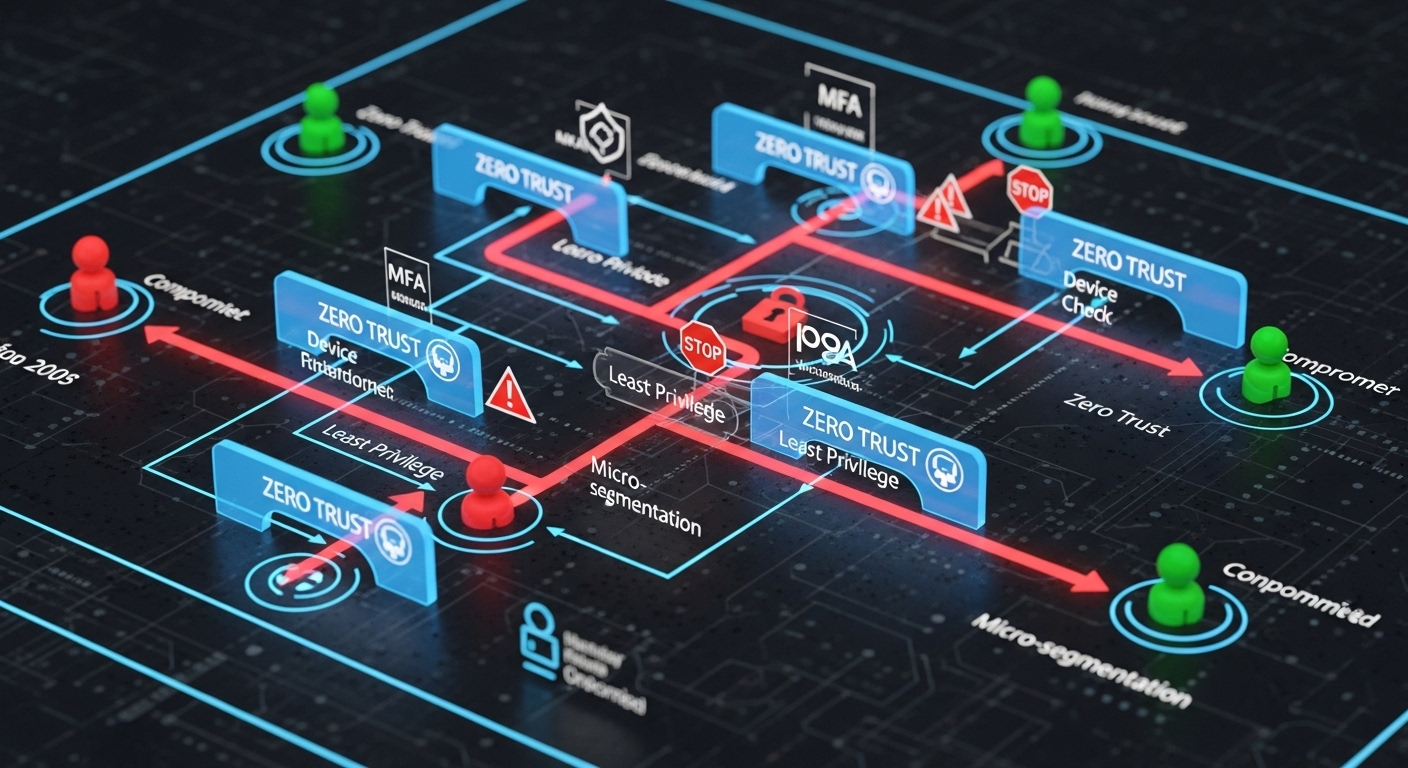
Security diagram showing restricted internal movement after credential compromise in a zero trust architecture.

No security model can promise absolute prevention. Breaches happen. Credentials leak. Software contains flaws. The real question is containment. How much damage can an attacker cause after gaining entry?

Zero trust is built around limiting that damage. Instead of assuming that internal systems are safe, it treats every connection as potentially hostile. This approach prevents unrestricted movement across the entire organization. If an attacker compromises one account, they do not automatically gain visibility into critical assets or administrative systems.

Microsegmentation plays a central role here. By dividing the environment into smaller, isolated zones, zero trust reduces the blast radius of any breach. Attackers cannot easily pivot from one workload to another. Lateral movement becomes difficult, often impossible without triggering additional verification steps.

This containment strategy also helps defend against insider threats and supply chain attacks. If a trusted vendor account is compromised, access remains limited to only what is explicitly permitted. Sensitive systems remain segmented and protected.

Over time, these layered security measures strengthen your trust security posture. They reduce the attack surface and improve your organization’s ability to respond quickly when anomalies appear. You are not betting everything on a single wall of defense. You are controlling exposure at every step.

Zero Trust reduces risk by:

  • Limiting least privilege access
  • Isolating traffic
  • Enforcing strict user permissions
  • Continuous monitoring

The result is not perfect immunity. It is controlled impact, which in practice is far more valuable.


How Does Zero Trust Support Compliance and Regulatory Requirements?

Regulations rarely care about your architecture diagrams. They care about control, visibility, and accountability. Frameworks like GDPR and HIPAA require you to protect sensitive data, restrict access, and document how information moves through your systems. ‘

Federal agencies have also embraced zero trust as a formal security framework, recognizing that perimeter defenses alone cannot satisfy modern compliance expectations.

Zero trust aligns naturally with these requirements. Every access request is authenticated, authorized, and logged. Continuous logging and monitoring provide a detailed record of who accessed what, when, and from which device. That visibility strengthens audit readiness and supports continuous compliance rather than periodic checkbox reviews.

Access management also becomes more precise. Least-privilege policies ensure that users can only reach the data necessary for their roles. If permissions change, policies adjust. If risk signals increase, access can be revoked in real time.

This structured approach reduces ambiguity. You are not relying on broad network trust. You are documenting enforcement. In practice, that clarity improves your ability to demonstrate that sensitive data is protected, not merely assumed to be secure.


What Does Zero Trust Implementation Look Like in Practice?

Enterprise IT team mapping network assets and user access patterns on a digital dashboard during zero trust implementation planning.

Zero trust implementation rarely happens overnight. It is a phased effort, sometimes measured in quarters, occasionally in years. You begin by mapping your environment, identifying critical systems, understanding user access patterns, and clarifying which assets require the strongest security control. Without that visibility, policy decisions become guesswork.

A common early step in a zero trust approach is reevaluating VPN usage. Traditional VPNs provide broad access to the network once a user authenticates. Zero trust access replaces that model with granular, application level connectivity.

Users connect only to the specific services they are authorized to use, not the entire environment. Over time, this reduces unnecessary exposure.

Consolidating security tools is another practical objective. Many organizations accumulate overlapping systems, firewalls, endpoint agents, identity platforms, cloud controls. Zero trust encourages integration. Identity, device validation, and policy enforcement work together instead of operating in isolation.

Hybrid cloud environments add complexity, but the model remains consistent. Whether resources reside on premises or in cloud platforms, policies follow the identity, not the location.

Throughout this process, IT teams and security teams must collaborate closely. Implementation is not just a technical upgrade. It requires revisiting user permissions, redefining access boundaries, and aligning operational processes. Done thoughtfully, it strengthens user access control without sacrificing productivity.


What Are Common Challenges When Adopting a Zero Trust Model?

Zero trust sounds simple in theory. In practice, it asks you to rethink habits that have existed for decades. The largest hurdle is cultural. Many teams are accustomed to implicit trust inside the corporate boundary. Removing that assumption can feel restrictive at first, especially when users are used to broad access across the entire network.

Legacy infrastructure creates another obstacle. Older systems were not designed for granular access management or identity based controls. Integrating them into a modern trust model often requires upgrades or careful workarounds.

Mapping user permissions can also be more complex than expected. You must clearly define who needs access to what, and why. Without that clarity, policies either become too permissive or overly restrictive.

Ongoing monitoring is essential. Zero trust is not a one time deployment, it is a living security strategy. Implementation can take years, particularly in large environments, but the improvement in your organization’s ability to manage risk makes the effort worthwhile.


How Does Zero Trust Improve Visibility and Control Across the Entire Organization?
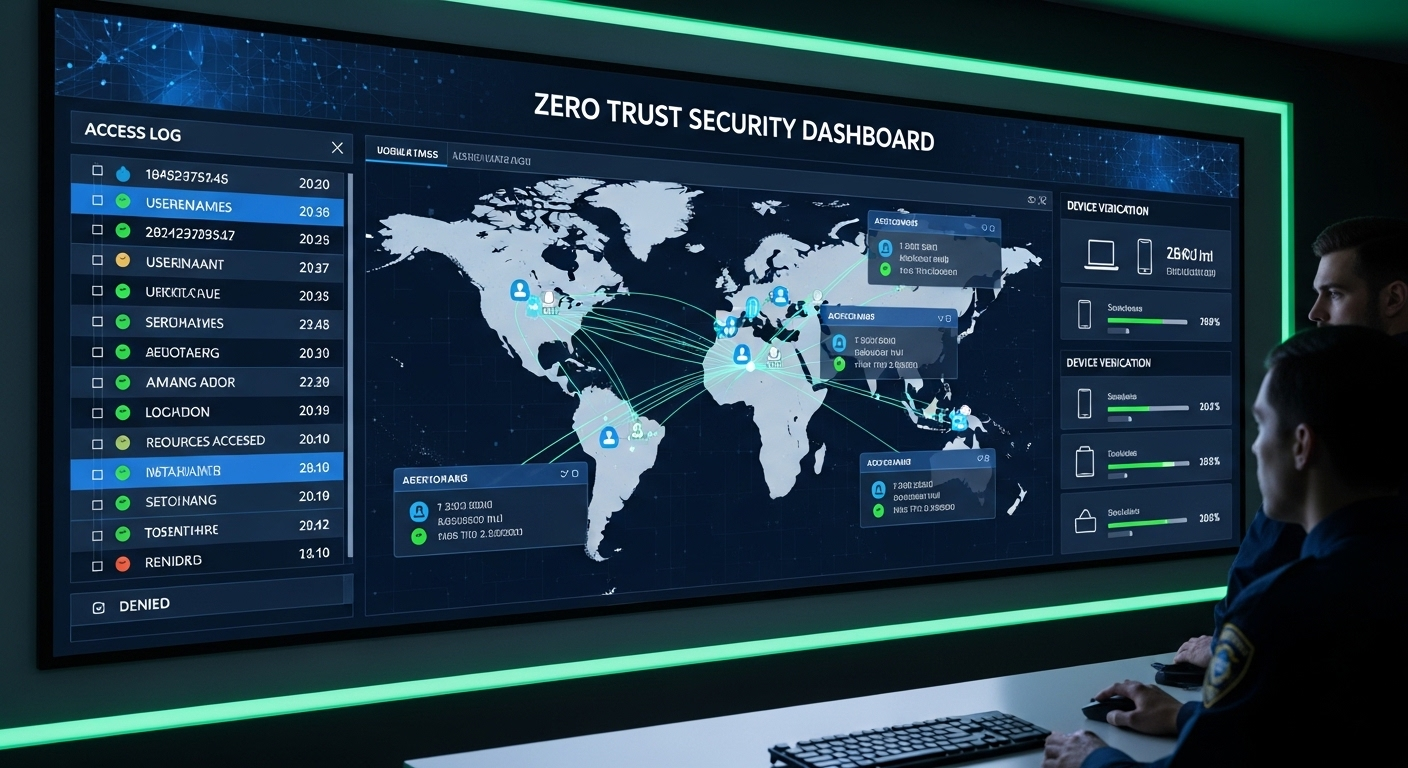
Security operations dashboard displaying real-time access logs, user locations, and device verification status in a zero trust environment.

One of the quieter advantages of zero trust is visibility. When every access request is evaluated and logged, you gain insight into how your systems are actually used. Continuous monitoring of network traffic reveals patterns that were once hidden behind broad internal trust. You see who connects, from where, and under what conditions.

Asset inventory awareness improves as well. To enforce precise access control, you must know what resources exist and how they relate to one another. That discipline strengthens your overall security posture. Unknown systems and forgotten accounts become harder to ignore.

Threat intelligence also feeds directly into policy decisions. When new attack techniques emerge, your security model can adapt by tightening controls or flagging suspicious behavior in real time. Instead of reacting days later, you respond quickly.

Over time, this layered visibility improves risk management. You are no longer relying on assumptions about safety. You are observing, measuring, and adjusting based on evidence. That level of control changes how security is practiced across the entire organization.


Why Is Zero Trust Becoming the Standard Security Model for Modern Organizations?

Look at where your applications live. Many run in cloud services. Others remain on premises. Some sit in hybrid cloud environments that blend both. The entire network no longer exists in a single physical space. It is distributed, dynamic, and constantly evolving.

That complexity expands the attack surface. Every new SaaS platform, every external integration, every remote connection introduces another potential entry point. Traditional models built around a fixed perimeter struggle to keep up. You cannot protect what no longer has clear edges.

The zero trust security model addresses this reality by centering on identity rather than location. Access decisions follow the user and the device, not the building or subnet. This trust architecture creates a unified approach to trust security across platforms, clouds, and internal systems.

Organizations rely on identity as the consistent anchor in a fragmented environment. That consistency is why zero trust continues to move from recommendation to expectation.


How Does Zero Trust Compare to VPN-Based Security?

VPNs were designed for a different era. They extend the private network outward, allowing users to connect remotely as if they were physically inside the office. Once connected, broad access is often granted. The assumption is simple, authenticate first, trust afterward.

Zero trust network access works differently. Instead of opening a tunnel into the entire environment, trust network access ZTNA evaluates each access request individually. Users are granted access only to specific applications or services, not to the broader network. Strict access controls remain in place throughout the session, and verification does not stop after login.

The difference is not subtle. One model trusts the connection. The other trusts nothing without proof.

VPN vs Zero Trust Network Access (ZTNA)

VPN Model Zero Trust Network Access
Broad network access Granular resource-level access
Trust once connected Continuous verification
Larger attack surface Reduced attack surface
Network-based access Identity-based access


In practice, zero trust reduces unnecessary exposure while still enabling secure connectivity.


How Apporto Delivers Zero Trust Virtual Desktops in Practice
Understanding zero trust in theory is important. Operationalizing it is where most organizations struggle. Policies sound strong on paper, but enforcement often breaks down at the endpoint, especially when remote work and hybrid cloud environments complicate traditional controls.

Apporto virtual desktop platform is built around Zero Trust principles from the ground up. Every user identity and device identity is verified before access is granted. Access is limited to specific applications and resources, not the entire network. Strict access controls and least privilege access are enforced consistently.

Because desktops are delivered through the browser, sensitive data never resides on local devices. That alone reduces risk. Continuous verification monitors sessions in real time, ensuring that trust is not assumed simply because a login succeeded once.

Instead of extending a private network outward through VPN tunnels, Apporto applies zero trust network access directly to the desktop experience. You gain secure access without expanding your attack surface.

The result is practical zero trust security, not just policy language. A controlled environment that protects sensitive data while maintaining performance and usability.


Conclusion

At this point, the pattern is clear. What is zero trust if not a disciplined commitment to verification over assumption? It replaces inherited internal trust with identity based control. It relies on continuous verification instead of static approvals.

The perimeter no longer defines safety. Identity does. Context does. Device health does.

Zero trust is not a theoretical upgrade to your security strategy. It is a practical framework designed to protect sensitive data across distributed systems, hybrid cloud environments, and remote access scenarios. The question is no longer whether the model makes sense. It is whether your current security architecture reflects it.

If you are evaluating how to move from concept to execution, especially in virtual desktop environments, it may be time to see what a zero trust approach looks like in action. Explore Apporto Virtual Desktop.


Frequently Asked Questions (FAQs)


1. What is zero trust in simple terms?

Zero trust is a security model built on one clear rule, never assume trust. Every user, device, and access request must be verified before permission is granted. It removes automatic internal trust and relies on identity, context, and continuous verification to protect systems and data.

2. How does zero trust architecture work?

Zero trust architecture evaluates each access request based on user identity, device health, and risk signals. Access is granted only to specific resources, not the entire network. Continuous monitoring ensures permissions remain valid throughout the session, limiting exposure and enforcing least privilege access.

3. Is zero trust only for large enterprises?

No. While large enterprises often lead adoption, zero trust applies to organizations of any size. Smaller companies also face phishing, insider threats, and credential theft. A structured security model built around identity and verification improves protection regardless of scale.

4. Does zero trust replace VPNs?

In many cases, yes. Zero trust network access replaces traditional VPN tunnels with application specific access. Instead of broad network entry, users connect only to authorized services. Continuous verification reduces the attack surface and strengthens overall security controls.

5. How long does zero trust implementation take?

Implementation timelines vary. Smaller environments may transition within months, while complex enterprises may require years. Zero trust is not a single product deployment. It is an evolving strategy that gradually strengthens access control and monitoring practices.

6. Is zero trust required for compliance?

Regulations rarely mandate zero trust by name, but many compliance frameworks require strict identity verification, access management, and monitoring. Zero trust supports these objectives naturally, making it easier to demonstrate control over sensitive data.

Are Turbulent Times Ahead for VMware Customers?

Change Ahead Sign

“With VMware, the big question is whether Broadcom will continue with the same trend of squeezing clients for licensing dollars at a time of rising global inflation?”

In one of the largest tech deals in history, semiconductor giant Broadcom recently inked a deal to acquire cloud software company VMware. The surprise acquisition has left industry analysts and VMware customers concerned over the negative impact that this could have on costs, innovation, and support.

Based on Broadcom’s track record with other acquisitions, namely CA and Symantec, in which both companies emerged with lower profiles, slower innovation, and higher prices, Analysts and industry watchers are concerned that VMware could suffer the same fate.

According to Forrester analysts, “Following these purchases, CA and Symantec customers saw massive price hikes, worsening support, and stalled development. Symantec redirected its focus to its biggest resellers and customers. The company largely abandoned its customer base of 100,000 to prioritize its top 2,000. With VMware, the big question is whether Broadcom can leverage a massive enterprise software portfolio and customer base to build a competent modern solution that extends from mainframe to edge. Or does it continue with the same trend of squeezing clients for licensing dollars at a time of rising global inflation?” [1]

Patrick Moorhead of Moor Insights and Strategy shares Forrester’s analyst’s concerns over VMware customers’ potential future challenges. “Broadcom has a reputation for acquiring a company, increasing prices, lowering research investment and OPEX spending to 1% of revenue, [and] causing consternation amongst its customers. Switching costs are high and the time to switch is long, essentially locking in customers.” [2]

Bola Rotibi, research director for CCS Insight’s Software Development practice, adds that acquiring VMware won’t immediately turn Broadcom into a software company. “This has significant integration risk and Broadcom must prove that it can integrate a silicon, software, and services story.” [3]

In response to the news of the acquisition, insiders have also shared alarming insights. Brian Madden, a former VMware technologist who voluntarily left the IT industry in early 2022, warns readers in a recent opinion piece that VMware as we know it will no longer exist. “Broadcom will shred VMware. Many of the products will remain, but the company we know today is toast. The VMware leadership is aware of this. While publicly they toe the party line, you can see it in little ways, like how the announcement on vmware.com is posted. The announcement itself isn’t on VMware paper, and rather than the typical branded corporate rah rah, it’s just an unbranded PDF. It screams “We’re sorry. This is not our fault![4]

Furthermore, Broadcom partners have alleged that the company uses price hikes to discourage customers it does not want[5]. Although at first glance this may seem to be a diatribe from a handful of disenchanted partners, Broadcom’s go-to-market strategy clearly shows that it plans to ignore most VMware customers and focus solely on 600 strategic accounts. The money saved from cutting development, sales, and marketing to lower-earning accounts will be invested in researching ways to better serve the top 600.

“Broadcom’s stated strategy is very simple: focus on 600 customers who will struggle to change suppliers, reap vastly lower sales and marketing costs by focusing on that small pool, and trim R&D by not thinking about the needs of other customers – who can be let go, if necessary, without much harm to the bottom line.”

– Simon Sharwood, APAC Editor, The Register

In a November 2021 Investor Day, Broadcom President, Tom Krause, presented the below graphic and said, “We are totally focused on the priorities of these 600 strategic accounts.” [6] Krause told investors that Broadcom will target these 600 customers – the top three tiers of the pyramid – because they are “Often in highly regulated industries, therefore risk-averse, and unlikely to change suppliers.” [7]

Targeted GTM Model

Krause went on to say that these top-tier targets have “A lot of heterogeneity and complexity” in their IT departments. Which to Krause indicates that IT budgets are high and increasing quickly. Such organizations do use public clouds, he said, but can’t go all-in on cloud and therefore operate hybrid clouds. Krause predicted they will do so “For a long time to come.” [8]

To further keep customers ensnared in the VMware web, Broadcom plans to stop selling perpetual licenses and sell more, and longer, subscriptions. Doing so creates what he called “quality revenue” that’s better than the revenue from maintenance deals. [9]

Chairman of the VMware board, Michael Dell, has tried to allay fears by positioning the acquisition as a vehicle for better customer service. Like Krause, though, he has specific customers in mind. In a recent statement regarding the acquisition, Dell said, “Together with Broadcom, VMware will be even better positioned to deliver valuable, innovative solutions to even more of the world’s largest enterprises.[10]

Notice how the focus is on the world’s largest enterprises? Customers that generate the most annual recurring revenue. What does this mean for VMware’s thousands of small business and higher ed customers? Are they no longer worthy of receiving innovations in the services they rely on for daily operations or the attention they need when an issue arises?

How Apporto Can Help

Since its founding in 2014, Apporto has been driven to deliver next-generation technology that can be enjoyed anywhere by everyone. Employee-owned Apporto puts customers, not shareholders, first. At Apporto, our tight-knit team of collaborators treats every customer as a strategic partner. This customer-first approach is one of the reasons why we have a 98% customer retention rate.

We pride ourselves on bringing equity and inclusion to all by enabling users to virtually access desktops and applications anywhere, at any time, on any device. Enjoyed by 200+ customers and 1.9 million users, we have been a trusted solution provider for higher education institutions and enterprises for almost a decade.

Explore our interactive demo today to see how you too can optimize efficiencies and maximize savings, all at 50-70% less than the cost of traditional VDI solutions. If you like what you see, (and we know you will), you can take advantage of a limited-time offer for a complimentary migration from VMware to Apporto’s powerful solutions and dependable service. Don’t leave your digital foundation in limbo, contact us today.

Migration Cost: $0.00

Considering a move from VMware? Now is the best time to partner with Apporto. For a limited time only, we’re waiving migration costs.


References

[1] Woo, T., Chhabra, N., Hewitt, A., Sustar, L., Ellis, B., Casanova, C., Betz, C., McKeon-White, W., Mellen, A., Harrington, P., Higgins, S., Nelson, L., O/Donnell, G., and Martorelli, B. (2022, May 26). VMware Customers: Get Ready For Broadcom Disruption. Forrester. https://www.forrester.com/blogs/vmware-customers-get-ready-for-broadcom-disruption/

[2] and [3] Goovaerts, D. (2022, May 26). Broadcom’s $61B deal to acquire VMware raises questions for customers. Fierce Telecom. https://www.fiercetelecom.com/cloud/broadcoms-61b-deal-acquire-vmware-raises-questions-customers

[4] Madden, B. (2022, May 26). Brian Madden’s brutal and unfiltered thoughts on the Broadcom / VMware deal. LinkedIn. https://www.linkedin.com/pulse/brian-maddens-brutal-unfiltered-thoughts-broadcom-vmware-brian-madden/

[5] Sharwood, S. (2022, May 31). VMware customers have watched Broadcom’s acquisitions and don’t like what they see. The Register. https://www.theregister.com/2022/05/31/vmware_broadcom_acquisition_customer_reaction/

[6]-[9] Sharwood, S. (2022, May 30). Broadcom’s stated strategy ignores most VMware customers. The Register. https://www.theregister.com/2022/05/30/broadcom_strategy_vmware_customer_impact/

[10] Bernard, A. (2022, May 27). Broadcom, VMware deal good for investors but customers may suffer. TechRepublic. https://www.techrepublic.com/article/broadcom-vmware-deal-good-for-investors-but-customers-may-suffer/

Virtual Computer Labs Are Here to Stay: Why This is Good News for Students

Student Using Virtual Computer Lab

During the COVID-19 pandemic, higher education institutions underwent significant technical transformation driven by the need to quickly support remote learning. To assist their students with the sudden pivot to remote learning, many colleges and universities transitioned from physical to cloud-based computer labs.

With the world now starting to emerge from COVID-19 and students and faculty returning to campus, the role of virtual computer labs and their impact on student success is top of mind for many institutions. In this blog, we will examine the prominent role virtual computer labs play in the continued evolution of higher education and the positive impact the popular platform has had on students.

What are Virtual Computer Labs?

With virtual computer labs, “VCL”, instead of a student visiting a physical computer lab, a student can use any device connected to the internet to access a virtual version of that lab and leverage its respective software and resources. The VCL is accessed via a web browser interface and is platform-independent. All operating systems, servers, software, and applications are centrally maintained in the cloud, so end-users do not need to house or maintain any of the programs or software on their own machines; instead, they simply log in to the cloud-based system to access everything they would use when visiting the brick-and-mortar campus computer lab.

Computer Labs: Then and Now

Since the 1990’s, computer labs have been critical hubs for connecting students to new technologies. Technologies that a regular student may not be able to afford. Campus computer labs provided free and easy access to computers, scanners, printers, and the internet, for completing homework and projects.

As computers evolved and became more affordable over the years, the need for students to visit on-campus computer labs has decreased. The rise of mobile devices and their comparable computing power have further diminished the role of on-prem computer labs in students’ lives. As a result, the computer lab has given way to institutions embracing a BYOD (bring your own device) model.

Student device ownership in higher ed is fast approaching 100% which has had far-reaching implications for classroom practices and institutional policies. A 2020 EDUCAUSE Student Technology Report found that the average number of devices connecting to campus Wi-Fi in a given day is two per student, with an overwhelming majority of students reporting connecting two or more devices daily[1]. Three-quarters of students who connect to campus Wi-Fi do so with both a smartphone and a laptop, the digital devices of choice for higher education students[2]. Colleges and universities have adapted to this era of personal computer ownership and unparalleled connectivity by increasing the number of online courses available and expanding online degree programs.

As faculty and students across the country were instructed to stay home in response to the COVID-19 pandemic, cloud-based learning platforms became a critical component of ensuring higher ed institutions could continue to deliver quality education to their communities. As a result, 84% of America’s undergraduates experienced some or all of their classes moving to online-only instruction due to the pandemic[3].

Colleges and universities had to innovate to educate. One way in which they did this was by providing students with an accessible and productive learning experience through cloud-based computer labs that closely mirrored the physical computer labs they could no longer visit.

This digital transformation has improved institutional operations on a massive scale, benefiting staff and students alike; both of which have expressed interest in continuing some form of virtual learning in the future. In a 2021 EDUCAUSE QuickPoll of university administrators, IT departments, and other staff, nearly 70 percent of respondents say they would like a remote option post-pandemic.  This strongly echoes student sentiment regarding their future learning preferences. In a 2021 Digital Learning Pulse survey, 73 percent of students polled “somewhat” or “strongly” agreed that they would like to take some fully online courses in the future. A slightly smaller number of students, 68 percent, indicated they would be interested in taking courses offering a combination of in-person and online instruction[4].

Virtual Computer Labs: 2-year Impact Assessment Conducted by IIT

The Office of Technology Services at The Illinois Institute of Technology has completed a two-year assessment of its transformation from physical infrastructure to Apporto’s virtual computer lab.​ Read their findings here.

Illinois Institute of Technology

What are the Benefits of Virtual Computer Labs for Students?

Virtual computer labs are instrumental in helping students learn, work with software programs, complete assignments, and interact with classmates and instructors. Let’s take a closer look at some of the benefits students enjoy from this tech-forward teaching tool.

Flexibility and Productivity

Virtual computer labs allow students to quickly and easily access the educational resources they need on their terms. Students can engage in an active learning environment anytime, anywhere because they are no longer bound to a certain location or schedule. Gone are the days when a student would have to wake up on a Saturday morning and spend an hour driving to campus and finding a parking spot, only to have limited time to work on a clunky PC in a loud and crowded computer lab. Now, the computer lab is literally in students’ hands, eliminating the need to commute and enabling them to spend more time working on assignments when and where they work best, whether that’s a dorm room, coffee shop, or common area.

Equity and Inclusion

Virtual computer labs give students the same access to their institution’s latest technology and software as if they were in the physical computer lab. Students don’t need high-end hardware to access the most popular lab software and do not have to load it onto their personal devices. Since the virtual computer lab is run primarily through a browser, all that is necessary is a connection to the Internet.

According to a recently published assessment by the Illinois Institute of Technology, this assists in student success by equalizing the student software experience. Meaning someone with a $100 Acer Chromebook will have the same software experience as a $2,800 M1 MacBook Pro[5].

Collaborative Learning

Like their students, instructors are able to securely access the virtual computer lab from any device, giving them much more freedom as to when and where they can review assignments or answer questions. Students benefit from their teacher’s easy access to institutional infrastructure by receiving feedback and instruction in real-time or outside of traditional classroom hours. Virtual computer labs also provide opportunities for more extensive feedback on many different types of assignments. Instructors can offer help at various points, as well as track analytics like user participation.

Furthermore, because students can quickly and easily access all of the digital resources required to be successful in a class on their device of choice, they do not have to worry about their technical readiness and can simply focus on learning.

Conclusion

Higher education is undergoing a significant digital transformation that shows no signs of slowing down. To sustain academic excellence and keep schools financially viable, institutions must quickly adjust to students’ new expectations and use all available digital resources to improve the student journey.

Innovative education delivery like virtual computer labs enhance the learning process and help modernize instruction in today’s highly digitalized world. Take the next step to improving your students’ experience by contacting Apporto today.

Additional Resources You May Enjoy:

Case Study: Next Generation Computer Lab

Apporto Virtual Computer Lab ROI Calculator

Citations:

[1] and [2] Gierdowski, D., Christopher Brooks, D., and Galanek, J. (2020, October 21). EDUCAUSE 2020 Student Technology Report: Supporting the Whole Student. https://www.educause.edu/ecar/research-publications/student-technology-report-supporting-the-whole-student/2020/technology-use-and-environmental-preferences

[3] National Center for Education Statistics. (2021, June 16). 84% of All Undergraduates Experienced Some or All Their Classes Moved to Online-Only Instruction Due to the Pandemic. https://nces.ed.gov/whatsnew/press_releases/06_16_2021.asp#:~:text=In%20the%20largest%20study%20to,only%20instruction%20during%20spring%202020.

[4] McKenzie, L. (2021, April 27). Students Want Online Learning Options Post-Pandemic. https://www.insidehighered.com/news/2021/04/27/survey-reveals-positive-outlook-online-instruction-post-pandemic

 [5] Beidas, S. and McHugh, L. (2022, March 27) The COVID-19 Pandemic and Retooling Application Delivery: The Transformation from Physical to Cloud-Based Infrastructure. SIGUCCS ’22 Virtual Event, New York, NY, USA. https://doi.org/10.1145/3501292.3511580

About Apporto

Since 2014, Apporto has been delivering robust, turnkey virtual solutions that enable users to access desktops and applications anywhere, at any time, on any device. A trusted partner for higher education institutions and enterprises across the globe, Apporto works with customers to understand their unique needs in order to reduce demands on IT departments, maximize productivity, and boost security architectures. Contact us today to learn more or to request a demo.