

How Do You Implement a Zero Trust Security Model?
A Zero Trust security model protects systems and data by requiring continuous identity verification, least-privilege access, and real-time monitoring for every user and device. It reduces risks from compromised credentials and unauthorized access across cloud and hybrid environments. Platforms like Apporto simplify Zero Trust implementation through secure browser-based access.
In the past, protecting your organization’s data meant building strong walls around it. You secured the network perimeter, assumed everyone inside was trustworthy, and denied access to outsiders. That was the standard. It worked, until it didn’t.
Today’s IT environment has outgrown those boundaries. Your corporate network now stretches across on-premises systems, cloud environments, and remote users logging in from anywhere, on any device.
Mobile access, third-party vendors, and hybrid infrastructures have made broad access the new norm. And with that comes risk.
The problem? Traditional security models still rely on assumed trust. Once someone gets inside, they’re often granted more access than they need.
That opens the door for internal threats and compromised credentials to move freely.
This is where the Zero Trust security model comes in—an approach built on verification, not assumption. In the sections ahead, you’ll learn exactly how to implement it, step by step.
What Is Zero Trust Security and Why Is It Important Today?
At its core, Zero Trust security is simple: trust no one, verify everything.
Unlike traditional security models that assume everyone inside the corporate network is safe, the Zero Trust model operates under a different assumption, no one and nothing should be trusted by default.
Whether a user is inside your firewall or accessing remotely, their identity, device, and behavior must be verified before they’re granted access.
This shift is necessary. The rise of cloud computing, remote work, and mobile devices has dissolved the old network perimeter.
Now, users and data move fluidly across networks and devices. Traditional trust models, built for a time when everything lived on-premises, no longer fit this reality.
Instead of relying on location or network origin, Zero Trust security looks at identity, context, and risk level. This means:
- Confirming the user’s identity
- Checking the health and status of their device
- Considering what data they’re accessing
- Evaluating when, where, and how they’re trying to connect
Together, these principles connect to the broader pillars of zero trust, which organize security across identity, devices, networks, applications, data, visibility, and automation.
- Never trust, always verify
- Assume breach
- Enforce least privilege access
- Continuously monitor and adapt
By treating every access request as potentially hostile, you reduce the risk of lateral movement if an account is compromised.
This fundamentally changes your trust network, from one based on location, to one based on rigorous verification.
Adopting a Zero Trust model isn’t just a security upgrade. It’s a strategic shift that aligns your security posture with how modern organizations actually work, cloud-first, user-flexible, and threat-aware.
What Are the Core Elements of a Zero Trust Architecture?
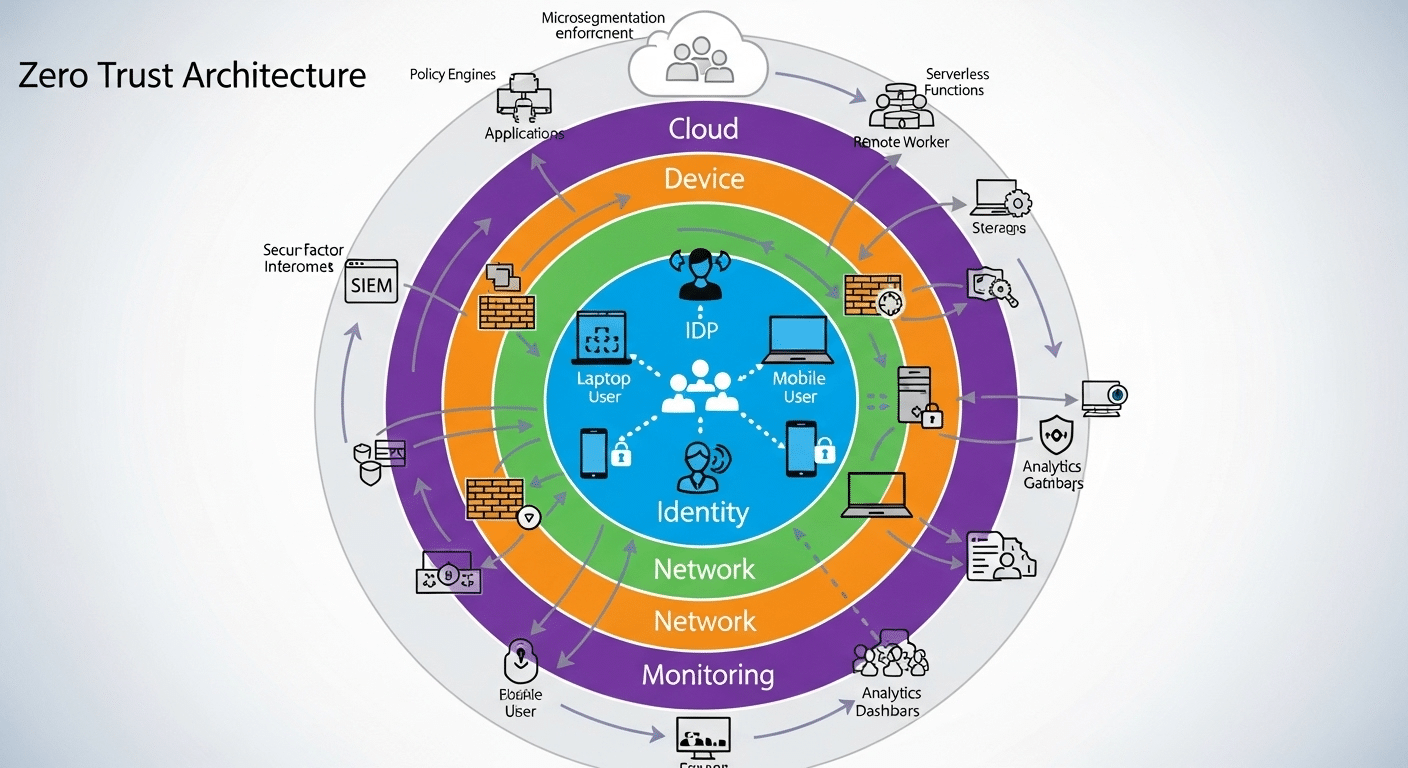
To implement Zero Trust effectively, you need more than just a philosophy, you need the right architecture. Zero trust architecture is the technical framework that puts those principles into action.
Let’s break it down.
1. Identity Verification
Everything starts with knowing who is requesting access.
- Use strong identity controls like Multi-Factor Authentication (MFA)
- Integrate with centralized identity providers (e.g., SSO platforms)
- Continuously verify users, not just at login
2. Device Health Assessment
Just because a user is verified doesn’t mean their device is safe.
- Check for up-to-date software, antivirus, and security configurations
- Deny access to devices that fail health checks or are unknown
3. Network Segmentation
Instead of one large, flat network, use microsegments.
- Limit access to only what’s needed for each role or user
- Isolate sensitive systems from general traffic
- Prevent lateral movement inside the network
4. Continuous Monitoring and Analytics
Trust shouldn’t be permanent, it should adapt.
- Monitor real-time behavior to detect anomalies
- Use automated policies to revoke access dynamically
- Log all activity for future auditing and improvement
5. Integration with Cloud and Modern Access Points
Most organizations now rely heavily on cloud environments and SaaS apps.
- Extend Zero Trust controls beyond on-prem infrastructure
- Protect physical assets as well as virtual ones
- Ensure consistent enforcement across all access points
| Component | Purpose |
|---|---|
| Identity Verification | Confirms user legitimacy |
| Device Health | Checks device compliance and trustworthiness |
| Network Segmentation | Limits exposure and reduces attack surface |
| Continuous Monitoring | Detects threats and adapts in real time |
| Cloud Integration | Applies Zero Trust to SaaS, IaaS, and hybrid IT |
A Zero Trust framework isn’t one-size-fits-all. But these components give you a foundation that’s resilient, adaptable, and tailored to the modern workplace.
Up next, we’ll look at how to actually begin your Zero Trust journey, without trying to rebuild everything overnight.
How Do You Begin the Zero Trust Journey?
Starting your Zero Trust journey can feel overwhelming, but it doesn’t need to be. The secrete is to begin with visibility before making changes.
First, take a full inventory of your IT environment. This means identifying:
- All users (employees, contractors, vendors)
- All devices (managed, unmanaged, mobile, BYOD)
- All applications and services, both cloud-based and on-premises
You can’t protect what you don’t know exists. Before implementing controls, you need clarity on who and what is accessing your network.
Next, map the data flows across your organization. How does information move between users, systems, and apps? Where are your most sensitive resources stored? Who currently has access—and more importantly, who should have access?
Use this information to:
- Identify high-risk access points
- Detect over-permissioned roles or broad entitlements
- Uncover unnecessary trust zones
Then, begin to segment access based on actual business needs. Don’t start with technology, start with logic. Who truly needs access to what?
This process also applies to mobile devices and employees using their own devices. Establish clear rules for how unmanaged endpoints can gain access to applications or corporate data.
From here, you can begin to implement Zero Trust controls gradually. Start with your most critical systems or departments, then expand over time.
This isn’t a one-time project. It’s a mindset shift. A Zero Trust approach grows as your organization evolves, and it starts by simply knowing your environment inside out.
How Should You Handle User Identity and Access Management?
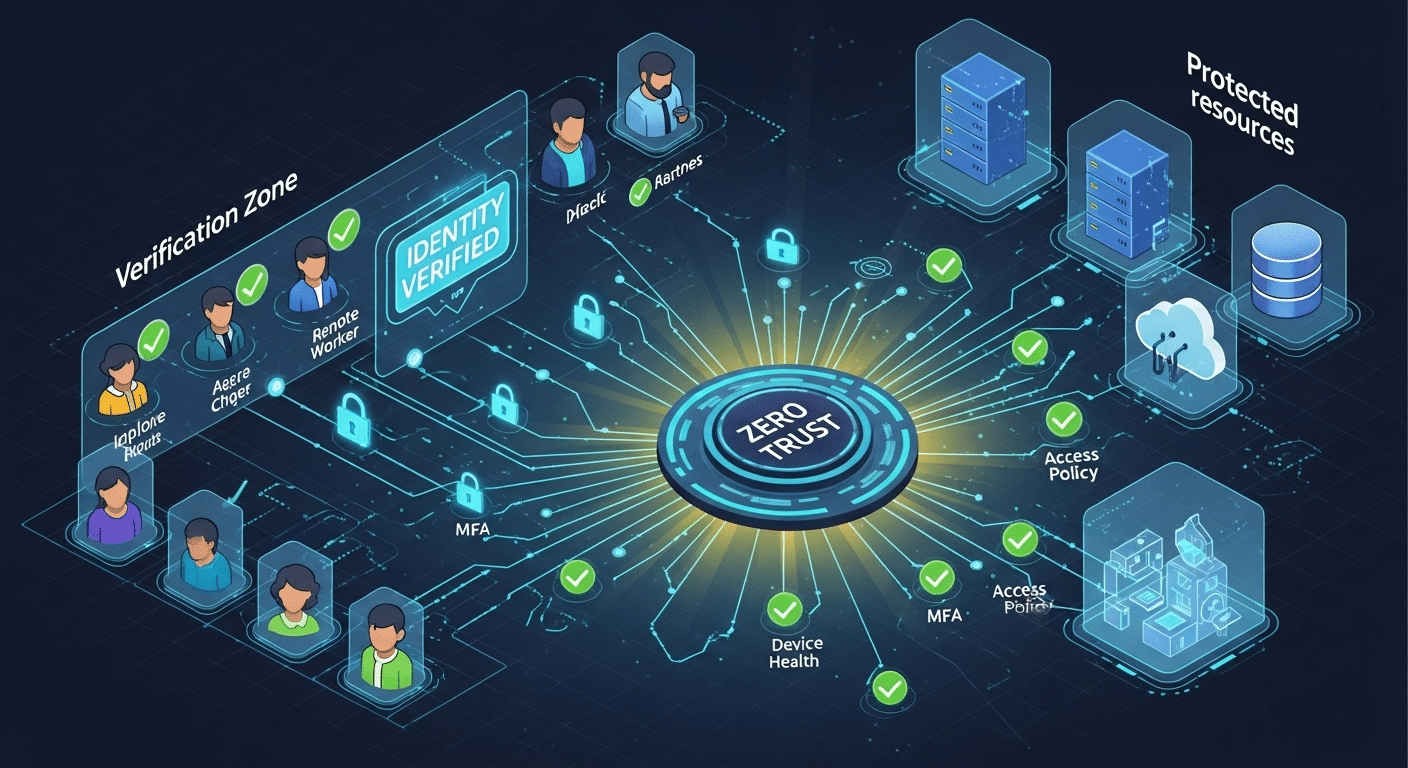
If Zero Trust had a foundation, it would be user identity. Without a verified identity, there can be no trust, let alone secure access.
Begin by enforcing strong identity verification across all users. This includes:
- Multi-Factor Authentication (MFA) as a non-negotiable standard
- Centralized identity systems like Single Sign-On (SSO)
- Real-time validation of login context (location, device, time of day)
These steps confirm that a user is who they claim to be. But identity alone isn’t enough.
You also need precise access management. That means following the principle of least privilege, granting each user the minimum level of access needed to do their job.
Ask yourself:
- Does this user need full admin rights, or just read-only access?
- Should access be temporary, or role-based?
- Are there any privileged accounts with broad access that haven’t been reviewed recently?
You can strengthen control by:
- Creating role-based access groups
- Automating access requests and approvals
- Enforcing time-limited or task-based access windows
Here’s a quick breakdown:
| Access Management Best Practices | Why It Matters |
|---|---|
| MFA Everywhere | Stops attacks using compromised credentials |
| Role-Based Access | Aligns access to job duties |
| Least Privilege | Reduces risk from insider threats or human error |
| Review Privileged Accounts Regularly | Prevents excessive and forgotten permissions |
| Automate Access Requests + Revocation | Ensures timely and accurate access changes |
Also, don’t forget to deny access by default. Access should be explicitly granted, not assumed.
In a Zero Trust model, access is earned, not given. By managing identity and permissions tightly, you create a system where every connection is intentional, secure, and temporary. That’s the goal.
What Does Network Access Control Look Like in Zero Trust?
In a Zero Trust environment, network access control becomes more dynamic, granular, and intelligent than in traditional security models. Instead of open lanes of communication within a corporate network, you build precise, purpose-based connections.
At the heart of this is micro-segmentation, dividing your network into smaller, isolated segments. Each user, device, or workload only sees the parts of the network they need, and nothing more.
This minimizes lateral movement, the ability of threats to move from one compromised system to others.
With Zero Trust Network Access (ZTNA), access isn’t based on IP address or location. It’s based on:
- User identity
- Device health
- Behavioral context
- Access policies
This allows you to implement software-defined perimeters, virtual boundaries that follow users wherever they are, not where their device connects from.
These perimeters enforce trust network access only after identity and device checks are passed.
To maintain integrity, continuous authentication is critical. Verifying identity once at login isn’t enough. The system constantly checks:
- Is the session behaving normally?
- Has the user’s role or location changed?
- Is the device still compliant?
Any anomaly can trigger automated policy enforcement, such as reducing permissions, requiring reauthentication, or cutting access altogether.
| Network Control Layer | Zero Trust Practice |
|---|---|
| Perimeter | Software-defined, identity-based |
| Network Segments | Microsegmentation, role-based segmentation |
| Monitoring | Real-time traffic analysis |
| Authentication | Continuous, adaptive verification |
| Policy Enforcement | Context-aware, automated |
All in all, Zero Trust Network Access means that access is conditional, monitored, and revoked the moment trust is compromised. You no longer guard the gate, you manage every step through the gate.
How Do You Secure Legacy Systems and Cloud-Based Services?
Implementing Zero Trust doesn’t mean replacing everything you already have. Many organizations still rely on legacy systems, while increasingly adopting cloud-based services.
The challenge is securing both, without breaking them or going over budget.
Start with wrapping security controls around your existing tools. For older systems that can’t be modified, use network segmentation, identity-aware proxies, or access gateways to monitor and restrict how users interact with them.
For example:
- Use a jump server to broker access to legacy apps
- Block direct access and route connections through Zero Trust gateways
- Limit who can access which legacy tools, when, and under what conditions
On the cloud side, extend the same Zero Trust principles:
- Require MFA and device compliance for SaaS logins
- Monitor activity across services like Google Workspace, Microsoft 365, or AWS
- Enforce role-based access to shared drives, databases, and apps
| Resource Type | Zero Trust Strategy |
|---|---|
| Legacy Systems | Isolate and control access with secure brokers |
| Cloud-Based Services | Enforce modern policies (MFA, device checks) |
| Corporate Resources | Monitor usage, restrict permissions, log events |
The goal is to create a unified security posture, one where your corporate resources, whether modern or outdated, all follow the same Zero Trust logic.
Protect data by making access conditional, monitored, and revoke-able across all systems. No exceptions, just smarter control.
What Role Does Threat Intelligence Play in a Zero Trust Implementation?

To make smart, real-time decisions about who should gain access, you need more than static rules, you need threat intelligence.
Threat intelligence refers to real-time data and context about current threats, vulnerabilities, and malicious behavior patterns across the digital landscape.
When integrated into a Zero Trust approach, this intelligence helps elevate your security posture from reactive to predictive.
Let’s say a user logs in from a known IP address associated with cyber threats, or their account appears in a data breach feed. Your system can instantly flag the session, block access, or trigger additional verification steps.
The same applies when a device shows unusual behavior, unauthorized software, outdated patches, or connections to unknown domains.
This is where automation matters. Instead of waiting for manual reviews, you can:
- Deny access to users with compromised credentials
- Revoke sessions if the device shows signs of tampering
- Isolate network segments when suspicious activity is detected
By integrating threat data into access control policies, your security decisions become dynamic. You’re not just checking identity and device status, you’re checking them against the current threat landscape.
The result? Enhanced security that evolves as the risks evolve. You implement controls that anticipate danger, not just respond to it. In Zero Trust, knowledge is power, and threat intelligence is your early warning system.
How Can Security Teams Sustain Zero Trust Over Time?
Adopting Zero Trust is one thing. Keeping it strong over time? That’s the real work, and it falls largely on your security teams.
The first step is cultural. Zero Trust isn’t just a tech strategy; it’s a way of thinking. Your teams must shift from assumed trust to a mindset of continuous verification. This requires training, cross-functional buy-in, and clear communication across departments.
Then comes the operational work. As systems evolve, so must your trust implementation:
- Update access policies as roles, risks, and tools change
- Regularly audit privileged accounts and permissions
- Retire unused systems or accounts that no longer serve a purpose
Use automation wherever possible to manage security controls at scale. Dynamic policy engines, behavior analytics, and auto-revocation tools help reduce human error while keeping pace with modern threats.
| Sustainability Practices | Why They Matter |
|---|---|
| Regular Policy Reviews | Keeps access aligned with business needs |
| Continuous Training | Reinforces security-first behavior |
| Automated Access Control | Minimizes gaps due to human oversight |
| Trust Audits & Reporting | Provides visibility into actual access patterns |
Finally, define metrics. Track how often policies are enforced, how many access requests are denied or challenged, and how quickly responses happen. These KPIs tell you if Zero Trust is working, or where it needs work.
Zero Trust is never static. To keep it effective, your teams must adapt it continuously, just like the threats you face.
How Is the Federal Government Driving Zero Trust Adoption?

The federal government has become one of the most influential forces in accelerating Zero Trust adoption, not just in public agencies, but across the private sector as well.
Following a string of high-profile cyberattacks, the U.S. government issued Executive Orders mandating that all federal agencies move toward a Zero Trust security model.
These mandates were backed by technical guidance from the National Institute of Standards and Technology (NIST), a body long recognized for its cybersecurity leadership.
NIST’s Zero Trust framework outlines a structured approach to identity verification, access control, and continuous monitoring.
It breaks away from traditional perimeter defenses and pushes agencies toward least privilege access, real-time threat detection, and granular policy enforcement.
When the federal government mandates something at scale, private sector organizations often follow. Compliance pressures, contractor requirements, and shared infrastructure all contribute to the momentum.
Concluding, the public sector isn’t just adopting Zero Trust, it’s normalizing it. That shift is shaping the broader future of cybersecurity for everyone.
What Are the Common Pitfalls When Implementing Zero Trust?
Despite its benefits, Zero Trust implementation often stumbles due to a few important missteps.
One common pitfall is over-complicating the framework. Trying to deploy everything at once—identity, network segmentation, analytics, monitoring, can overwhelm your team and stall progress. Zero Trust is a journey, not a checklist.
Another mistake? Trying to rip and replace your entire infrastructure. You don’t need to rebuild from scratch. Instead, wrap controls around existing systems, focusing first on your most sensitive assets and broad access points.
Many organizations also underestimate the human factor. Employees need to understand why access is changing, why authentication is stricter, and how to adapt. Ignoring user education leads to confusion, workarounds, and resistance.
Finally, don’t forget the principle of least privilege access. Avoid falling back into old habits of giving users more access than needed just to “make things easier.” Deny access by default and grant it only when justified.
Zero Trust fails when it’s rushed, misunderstood, or treated like a one-time deployment. Thoughtful, phased execution wins every time.
Why Apporto Makes Zero Trust Simpler and Smarter

If you’re exploring Zero Trust, chances are you’re looking for a solution that’s secure, flexible, and actually manageable. That’s where Apporto comes in.
Apporto is a Zero Trust-ready virtual desktop platform built for the realities of modern work. Whether you’re managing cloud-based services, legacy tools, or a mix of both, Apporto wraps them in a secure, browser-based environment that removes the complexity of traditional VDI. No VPNs, no client installations, no high-maintenance infrastructure.
You get:
- Privilege access control without the usual IT overhead
- Network security by design, with built-in continuous monitoring
- Rapid deployment, on-prem, in the cloud, or hybrid
- Predictable pricing that aligns with your budget, not your vendor’s
Organizations in higher education and mid-sized enterprises already trust Apporto to implement Zero Trust without complexity. If you’re ready to move from theory to action, Apporto gives you a practical, proven path.
Conclusion
Implementing Zero Trust doesn’t require a massive overhaul. It starts with clarity, knowing who your users are, what they access, and how they access it. From there, you focus on identity verification, least privilege access, and continuous monitoring.
Start small. Choose one area of your IT environment, like sensitive apps or remote access—and apply Zero Trust principles there. Test, learn, and expand. This phased approach helps you avoid burnout while building a long-term strategy rooted in control, visibility, and adaptability.
Above all, prioritize clarity over complexity. You don’t need more tools, you need smarter ones that integrate with what you already have.
Platforms like Apporto can help you implement Zero Trust quickly, without overwhelming your team. Whether you’re securing remote access or modernizing your entire network security posture, the goal is the same: restrict access by default, verify everything, and grant access only when earned.
Because in today’s threat landscape, trust isn’t a given, it’s a decision. Try Apporto
Frequently Asked Questions (FAQs)
1. What is the main goal of a Zero Trust security model?
To eliminate assumed trust and ensure that access is only granted after verifying the identity, device, and context of each request. It’s about protecting data by treating every connection as potentially hostile—even inside the network.
2. Can Zero Trust be applied to both cloud and on-prem environments?
Absolutely. Zero Trust is environment-agnostic. Whether you operate on-prem, in cloud-based services, or a hybrid setup, you can apply the same principles, identity verification, access control, and continuous monitoring, across the board.
3. How long does it take to implement Zero Trust?
There’s no one-size-fits-all answer. A basic Zero Trust foundation (identity, access controls, MFA) can be implemented in weeks. Full adoption across your IT environment may take months or longer, depending on scale and complexity. The secrete is to start small and expand.
4. What’s the difference between Zero Trust and traditional network perimeter security?
Traditional network perimeter models assume everything inside the firewall is safe. Zero Trust assumes the opposite, no one is trusted by default, regardless of location. It replaces castle-and-moat defenses with granular, identity-driven controls that apply everywhere.
5. Is Zero Trust only for large enterprises or also for SMBs?
Zero Trust works for organizations of all sizes. In fact, SMBs often benefit more, because they can move faster and don’t have to untangle years of legacy systems. With tools like Apporto, even smaller teams can implement Zero Trust without needing a full-blown IT department.
