

Which VDI Model Is Better: Cloud or On-Premises?
Cloud VDI delivers virtual desktops through provider-managed cloud infrastructure, offering faster scalability, flexible pricing, and reduced IT overhead. On-premises VDI runs on internally managed servers, providing greater control, customization, and localized security. Hybrid and browser-based platforms like Apporto combine centralized management with simplified deployment and remote accessibility across devices.
Choosing between cloud-based and on-premises virtual desktop infrastructure (VDI) isn’t just a technical decision, it’s a strategic one.
The model you adopt directly affects how your team works, how your data is managed, and how your organization grows.
On one side, you have on-premises VDI, where you run everything from your own servers, within your own data center. This gives you full control over the environment, but it also means handling everything, from maintenance to security.
On the other side is cloud VDI, a more flexible model where desktops run on infrastructure managed by a cloud provider. You scale easily, deploy faster, and shift much of the overhead away from your internal team.
Each approach offers its own advantages, risks, and trade-offs. The right choice depends on your resources, compliance needs, and long-term goals.
In this guide, you’ll explore the core differences, and find out which model aligns best with your business.
What Is Virtual Desktop Infrastructure (VDI) and Why Does the Deployment Model Matter?
Virtual Desktop Infrastructure (VDI) is a technology that hosts virtual desktops on centralized servers instead of individual devices. In simple terms, it allows users to access their desktop environment remotely, from laptops, tablets, or even thin clients, without depending on local hardware.
The desktop, applications, and data all live inside a secure VDI infrastructure managed through cloud computing or an on-premises setup.
The VDI deployment model you choose shapes everything from cost to performance. In a cloud-based deployment, desktops run on remote servers managed by a cloud provider. It’s fast to scale, cost-efficient, and ideal for teams that value flexibility.
By contrast, on-premises VDI solutions are hosted within your organization’s own servers and managed directly by your IT team. This model gives complete control over performance, data storage, and compliance policies.
There’s also a hybrid approach, blending both cloud and on-premises resources. It offers the best of both worlds, local performance where needed and the elasticity of the cloud for variable workloads.
Choosing the right model depends on your needs: security, budget, and how much control you want over your infrastructure.
How Does On-Premise VDI Work and When Is It the Right Fit?

On-premises VDI means running your entire desktop environment from servers housed in your own data center. It’s your infrastructure, your hardware, and your responsibility. Every virtual machine runs on physical servers owned or leased by your organization.
Here’s what makes it appealing:
- Complete Control – You oversee every part of the system, from configuration to updates.
- Low Latency – Data doesn’t travel through the public internet, offering faster performance for local users.
- Improved Security – Sensitive workloads never leave your controlled network, reducing exposure.
- Compliance Requirements – Ideal for regulated industries (like healthcare or finance) where data sovereignty matters.
However, an on-premises VDI deployment comes with trade-offs. You’ll face upfront costs for purchasing hardware, software licenses, and ongoing power and cooling. Managing centralized servers also requires dedicated staff, regular maintenance, and infrastructure scaling that can’t happen overnight.
If your organization already operates a strong internal IT environment and prioritizes data control over flexibility, this model might fit perfectly. But if your team needs agility or global reach, cloud-based VDI could offer a better balance between control and efficiency.
What Are the Advantages of Cloud-Based VDI Solutions?
Cloud VDI is a deployment model where your virtual desktops are hosted by a third-party provider, often in a public cloud like Microsoft Azure or AWS. Rather than relying on in-house infrastructure, you operate within a managed cloud environment using flexible, scalable cloud-based solutions.
There are several essential advantages to this model:
- Cost Savings – No need for upfront hardware investment. You pay for what you use, making it ideal for scaling up or down.
- Easily Scale – Add new desktops in minutes, not weeks. Cloud infrastructure grows with your organization.
- Disaster Recovery – Backups and failover systems are built in. If one region goes down, your environment can switch to another.
- Reduced Latency (Geographically) – By deploying desktops closer to users through regional cloud zones, you can minimize delays.
- Cloud Security & Data Protection – Leading cloud providers offer advanced cloud security, including encryption, identity controls, and isolation for sensitive data.
All of this depends on a reliable internet connection, of course. But for many organizations, the trade-off is worth it. A cloud VDI approach offers speed, resilience, and cost-efficiency, without the burden of maintaining physical infrastructure.
Can a Hybrid Cloud Model Offer the Best of Both Worlds?
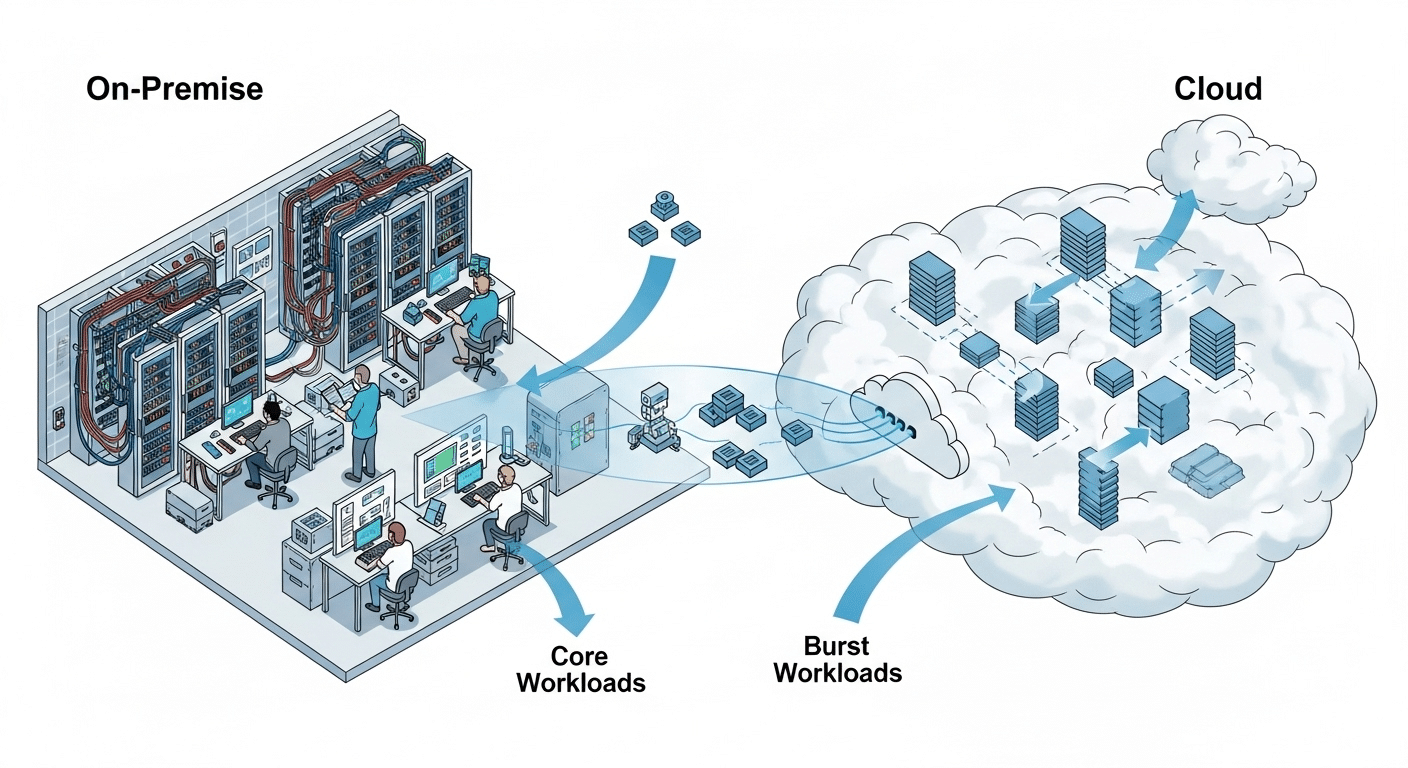
A hybrid cloud solution blends on-premises VDI with cloud-based VDI to create a more flexible and adaptive infrastructure. This hybrid model is particularly valuable for organizations with both fixed and variable desktop needs, or those navigating strict compliance requirements.
Here’s how it works:
- Core workloads (like sensitive data or compliance-heavy apps) stay on local infrastructure
- Burst workloads or seasonal needs are deployed in the cloud, allowing rapid expansion
- Resources are allocated dynamically, based on demand and usage patterns
The hybrid approach supports business continuity, even during outages or unexpected traffic spikes. If your local servers go down, users can be redirected to cloud-based desktops without service interruption.
This model is especially popular in healthcare organizations, government agencies, and enterprises bound by region-specific regulations. They get the assurance of local data control, along with the flexibility to scale or modernize without completely rebuilding their environment.
For teams pursuing strategic initiatives like remote workforce support or disaster preparedness, hybrid cloud VDI can offer the control of on-premises infrastructure and the agility of the cloud based VDI world.
What Are the Main Differences Between Cloud and On-Premise VDI?
When comparing cloud-based and on-premises VDI, the choice often comes down to how you balance cost effectiveness, control, and operational agility. While both serve the same purpose, delivering secure, remote access to virtual desktops, the underlying infrastructure and experience differ greatly.
Here’s a side-by-side look at the core differences:
| Category | On-Premise VDI | Cloud VDI |
|---|---|---|
| Cost | High upfront costs (hardware, licenses) | Ongoing subscription-based pricing (reducing costs) |
| Security | Internal control over all data | Depends on third-party provider and shared models |
| Latency | Low latency with local network | Can vary based on internet connection and geography |
| Scalability | Limited by existing infrastructure | Instantly scalable through cloud infrastructure |
| Infrastructure | Requires investment in physical servers | Built on virtual systems and external platforms |
The decision isn’t just technical, it’s strategic. Choosing the right path depends on what fits your business operations, growth plans, and available resources.
Which Factors Should You Consider Before Choosing a VDI Model?

Making the right choice between cloud VDI and on-premises VDI starts by asking the right questions. Your decision hinges on more than technology, it’s about fit, timing, and readiness.
Here are some important factors to evaluate:
- What is your IT team’s expertise?
If your IT team is small or stretched thin, cloud-based VDI reduces pressure by shifting responsibility to the provider. - Are you prioritizing cost savings or control?
Cloud options offer flexibility and cost savings, while on-premises solutions provide complete control over the environment. - What are your compliance and data security obligations?
Industries with strict compliance requirements or data security mandates may lean toward on-prem for peace of mind. - Do you need to quickly adapt or operate at your own pace?
Cloud VDI is better for teams needing agility. On-premises VDI suits those who prefer to move at their own pace. - Are you working with fewer resources or a flexible budget?
If so, you may want to allocate resources gradually using a cloud model.
Balancing these questions will help narrow your path forward.
Is On-Premise or Cloud VDI More Cost Effective in the Long Run?
When thinking long-term, cost effectiveness becomes one of the most critical deciding factors in any VDI deployment. While on-premises VDI requires significant upfront costs, servers, licenses, cooling, and physical space, those investments are mostly one-time. After setup, the cost plateaus around maintenance and energy.
By contrast, cloud-based VDI operates on a pay-as-you-go model. You only pay for what you use, and that includes the compute time, storage, and user sessions. For growing companies or those with seasonal desktop needs, this model is ideal for reducing costs as usage fluctuates.
That said, server virtualization can dramatically improve the efficiency of an on-premise environment. Running multiple virtual machines on a single physical server spreads out costs and conserves resources.
The break-even point between these models depends on your usage patterns. If you plan to scale aggressively or want financial flexibility, cloud may be more affordable. But for organizations with steady demand and infrastructure already in place, on-prem VDI can be just as cost effective over time.
How Do You Ensure Security in Both VDI Models?
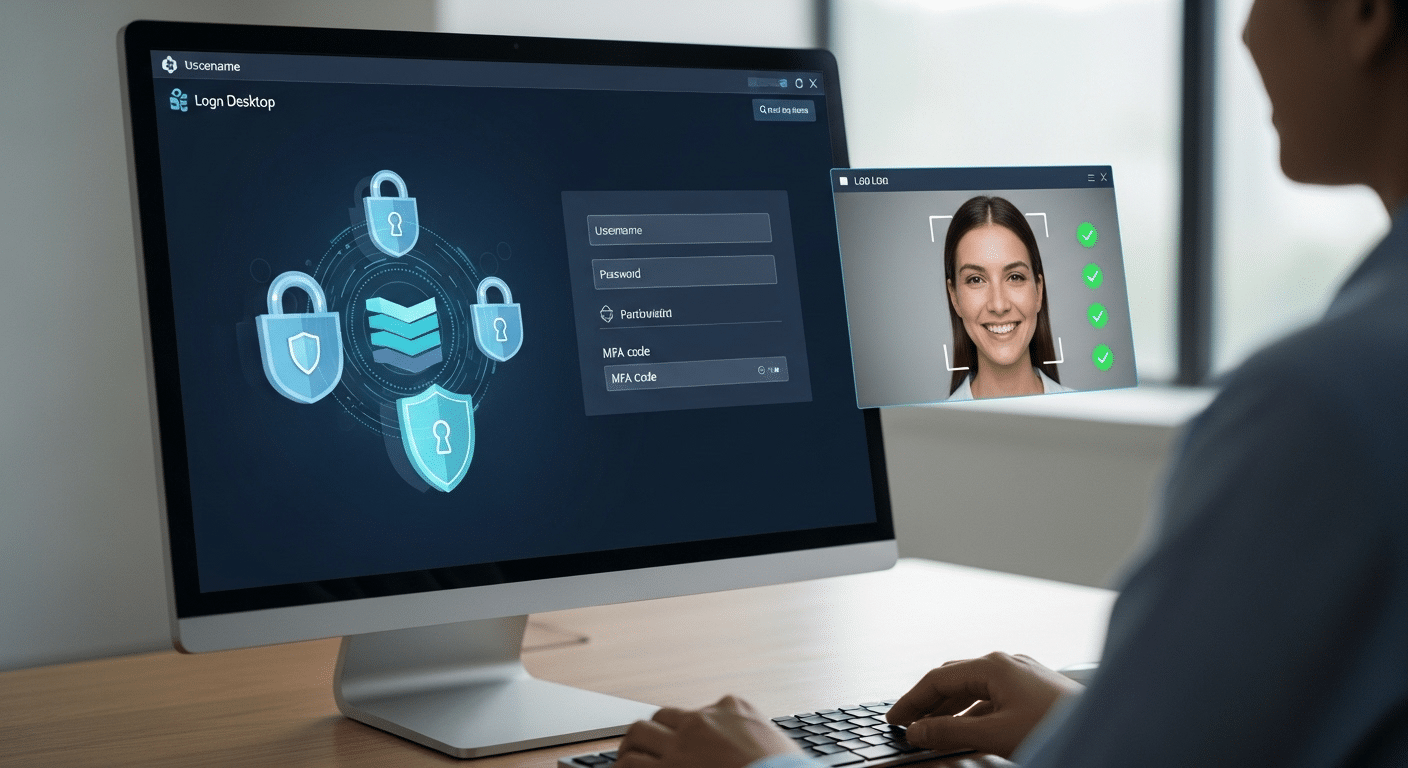
VDI Security is a leading concern in any virtual desktop environment, especially when dealing with sensitive data. Whether you’re running VDI on-premises or in the cloud, different security concerns come into play.
For On-Premises VDI:
- You manage all access control, encryption, and firewall policies internally
- Physical security of the data center adds another layer of control
- You’re fully responsible for patching and updating systems, which can enhance or weaken security, depending on your practices
For Cloud-Based VDI:
- Cloud security is shared between the provider and your organization
- Providers often include built-in security tools like identity management, network isolation, and multi-factor authentication
- However, handing over control to a third-party provider can raise concerns for industries handling highly sensitive or regulated data
Best Practices for Both:
- Use role-based access control (RBAC)
- Encrypt data at rest and in transit
- Audit sessions and monitor logins regularly
- Align policies with your organization’s compliance requirements
No model is inherently insecure. The difference lies in how well your policies and tools are implemented. With proper planning, both VDI types can deliver improved security without compromise.
What Role Does Performance and User Experience Play in Your Decision?
Performance can make or break the effectiveness of a virtual desktop infrastructure. If your users experience lag or delay, even the most secure and cost-efficient VDI setup won’t succeed.
In on-premises environments, performance is typically strong, especially for in-office users. With local servers, data travels shorter distances, resulting in low latency and smoother interactions. Your desktop environment stays tightly controlled, and updates can be tested internally for minimal disruption.
Cloud-based solutions, on the other hand, rely on a solid internet connection. For teams spread across regions or countries, remote access to a global cloud infrastructure can actually improve performance, especially when desktops are deployed closer to end-users.
What matters most is delivering a consistent user experience. Desktops should load quickly, apps should respond smoothly, and switching between tasks should feel natural, regardless of where the infrastructure lives.
Whether you choose cloud or on-prem, make sure the end-user experience is at the center of your decision. If it doesn’t work for your people, it won’t work for your business.
Looking for a Simpler VDI Experience? Try Apporto

If you want the benefits of virtual desktop infrastructure without managing physical servers, upgrades, or complex configurations, Apporto offers a modern alternative.
Apporto is a cloud-based VDI platform designed to deliver fast, secure, and scalable desktops, no setup required. It’s built for remote teams, academic institutions, and businesses that need reliable remote access without the hassle of traditional VDI.
You get high performance, low latency, and a consistent user experience across devices, all managed through a browser.
Try Apporto if you’re looking to modernize, reduce IT burden, and get started faster.
Final Thoughts
Choosing between cloud-based and on-premises VDI isn’t just about technology, it’s about aligning with your organization’s long-term strategy. If your team values agility, flexible scaling, and fewer infrastructure responsibilities, cloud VDI might be the better fit.
But if your business depends on full control, compliance, and localized performance, on-prem may still lead.
Each model carries its own strengths, weaknesses, and risks. What matters is how those align with your current operations, your IT team’s capabilities, and the outcomes you’re driving toward, be it cost savings, security, or resilience.
Take time to assess where your business stands today, and where it’s heading. Whether you’re expanding remote access, reducing IT overhead, or preparing for future growth, the right VDI model should support, not hinder, those goals.
Frequently Asked Questions (FAQs)
1. What is the difference between cloud and on-premises VDI?
Cloud VDI runs on infrastructure managed by a third-party provider, allowing users to access desktops via the internet. On-premises VDI is hosted in your own data center, giving your team complete control over infrastructure and security.
2. Which is better for small teams or startups?
Cloud-based VDI is typically more flexible and affordable for small teams or startups. There’s no need for upfront hardware, and you only pay for what you use, making it easier to scale as you grow.
3. Can you migrate from on-premises to cloud-based VDI?
Yes. Many organizations start with on-premises VDI and move to the cloud over time. Migration involves moving user profiles, apps, and data to the cloud while ensuring minimal downtime.
4. What’s more secure: cloud VDI or on-prem VDI?
Security depends on how well each model is implemented. On-prem VDI gives you internal control, while cloud VDI benefits from advanced cloud security tools, but may raise concerns for handling sensitive data.
5. How does latency impact user experience?
High latency can cause lag and slower load times. On-premises VDI offers lower latency locally, while cloud VDI depends on network strength and proximity to the data center.
