How Does AI Provide Real-Time Feedback to Students? A Fact-Based Guide

For years, feedback in education has arrived late. Students complete an assignment, submit it, and wait. Days pass. Sometimes weeks. By the time feedback appears, the learning moment has already slipped away, and early misunderstandings have had time to settle.

This delay is built into many traditional teaching methods, but it comes at a cost. When feedback is separated from effort, retention drops and student progress slows.

Real-time feedback changes that relationship. With AI, guidance can appear while a student is still engaged with the task, still thinking through the problem, and still able to adjust.

That change raises an important question. If feedback now happens during learning rather than after it, what does “real-time feedback” actually mean in practice, and how does AI deliver it inside the learning process?


What Does “Real-Time Feedback” Actually Mean During the Learning Process?

Real-time feedback happens inside the learning moment. It does not wait for an assignment to close or grades to be released. Instead, feedback appears while a student is still working, still thinking, and still able to respond.

With AI, feedback delivery becomes immediate. A response, a hint, or a correction shows up as soon as a student submits an answer, writes a sentence, or makes a choice. That timing changes everything.

Immediate feedback has been shown to improve learning outcomes compared to delayed responses, largely because the brain is still focused on the task. When learners can act while they are cognitively engaged, feedback quality improves.

Guidance feels relevant, not abstract. To understand how this is possible, it helps to look beneath the surface at what AI systems actually do when student work is submitted.


What Happens Inside AI Systems When a Student Submits Work?
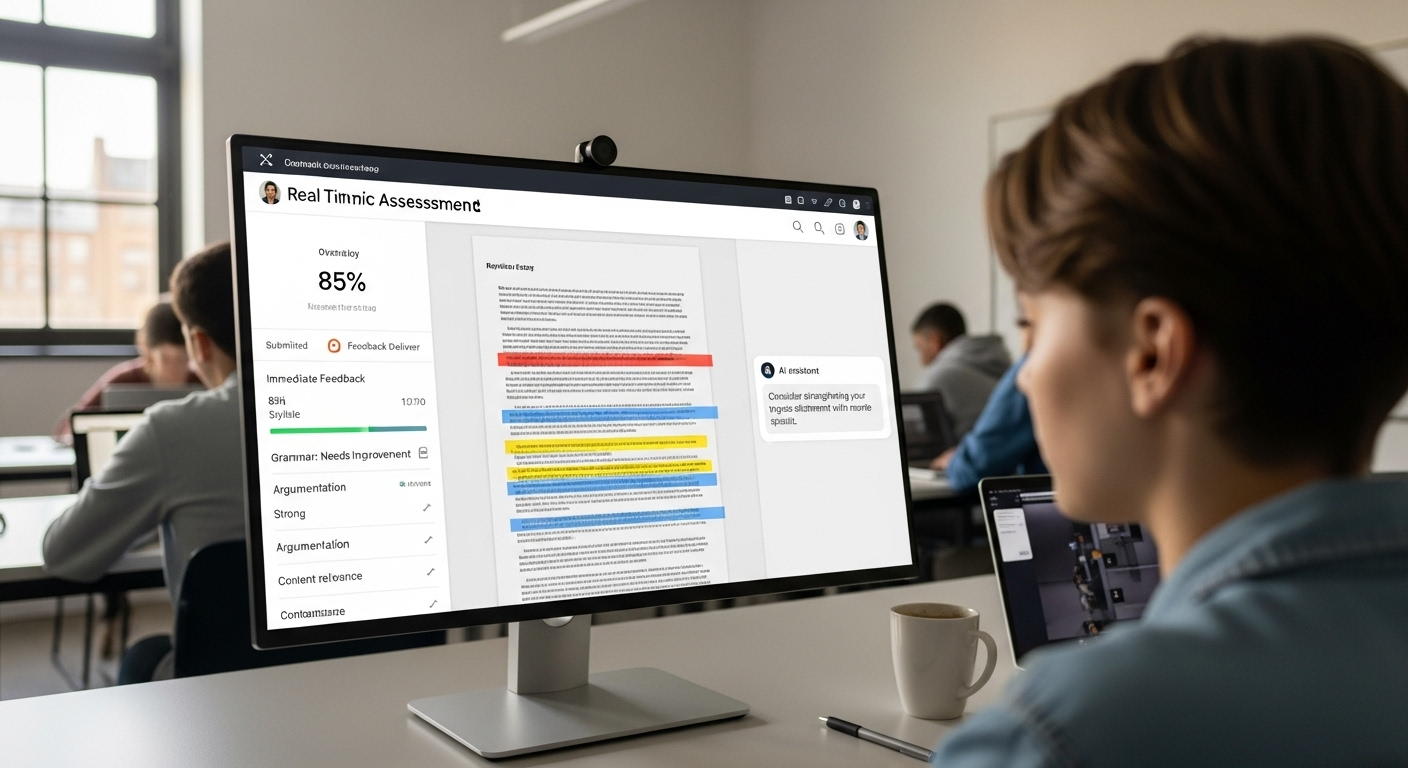
Real-time academic assessment dashboard delivering immediate feedback after student submission

The moment a student submits work, AI systems begin analyzing it in real time. This process is fast, but it is not shallow. AI assessment systems evaluate responses as they arrive, allowing feedback to surface almost instantly.

Several layers of artificial intelligence work together:

  • Natural language processing allows the system to read and interpret written responses, not just scan for keywords.
  • Machine learning models compare student answers against known patterns, including common mistakes and partial understanding.
  • Automated feedback tools deliver immediate corrections for syntax, pronunciation, and citation style, especially in writing-heavy tasks.

This real-time analysis serves an important purpose. Early detection prevents misconceptions from becoming habits. Instead of repeating errors, students receive guidance while the lesson is still unfolding. That early intervention keeps learning aligned, efficient, and far more resilient as concepts become more complex.


In What Ways Does AI Adapt Feedback to Each Student Individually?

AI adapts feedback by watching how a student learns, not just what they submit. Over time, AI chatbots and tutoring tools recognize individual learning patterns and adjust accordingly.

That personalization shows up in several practical ways:

  • Learning pace awareness as feedback changes speed and depth based on how quickly a student progresses
  • Prior knowledge recognition so explanations build on what the learner already understands
  • Tone and detail adjustment with brief nudges for confident learners and clearer breakdowns for those who need more support
  • Targeted guidance that focuses on specific gaps instead of repeating general advice

This is where personalized learning becomes real. Students are no longer pushed forward at the class average. They move at their own speed, guided by personalized feedback that responds in the moment.

Engagement improves because feedback feels relevant. Retention improves because learners stay aligned with material that matches where they actually are.


Where Do Intelligent Tutoring Systems Fit Into Real-Time Learning?
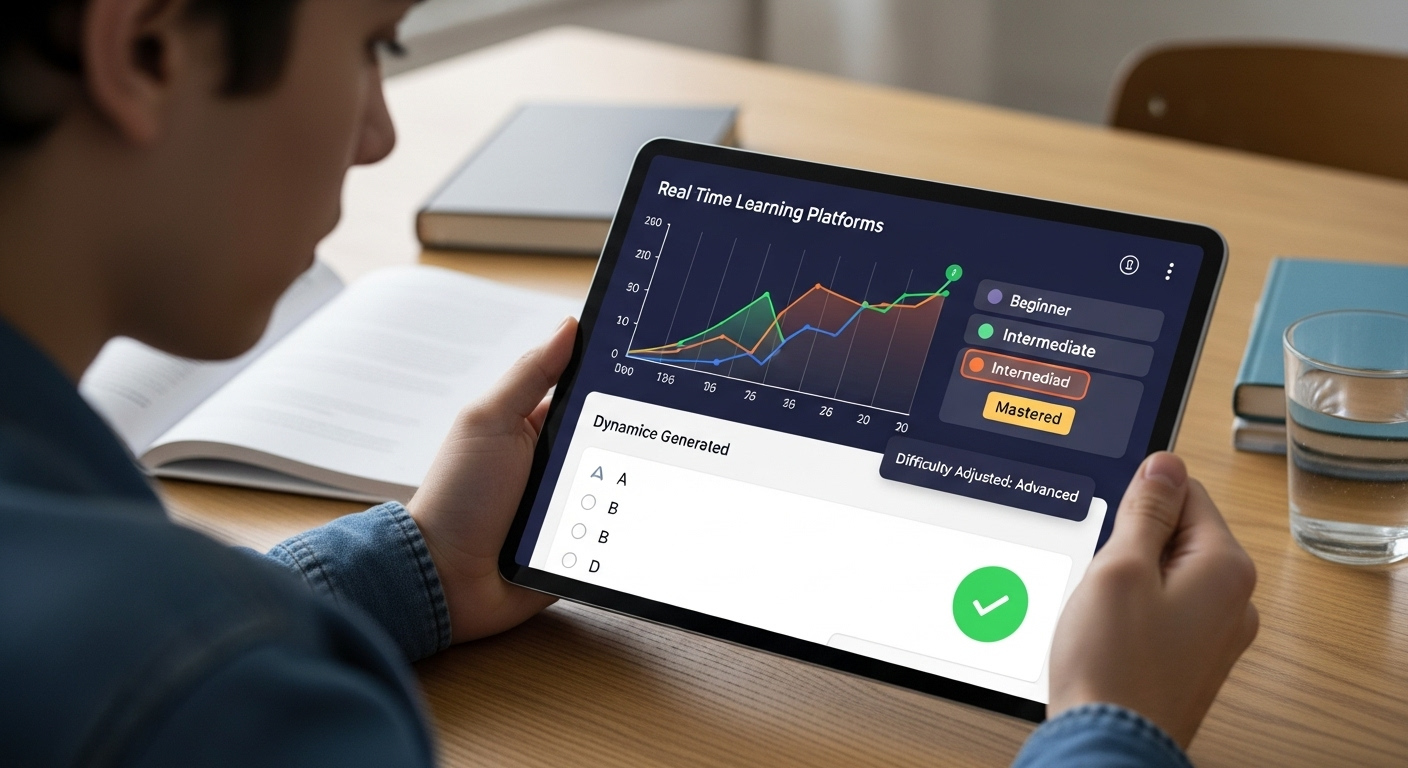
Adaptive learning platform adjusting difficulty levels based on student performance in real time

Intelligent tutoring systems operate inside the learning process itself. They deliver feedback while students are actively solving problems, not after the session ends. That timing keeps mistakes visible and correctable.

These systems work by continuously assessing student behavior and performance:

  • Real-time problem-solving feedback that appears during quizzes, exercises, or simulations
  • Adaptive difficulty adjustment based on ongoing assessment rather than fixed levels
  • Progress and learning-style analysis that shapes how content is presented
  • Multiple learning paths that support diverse learners without forcing a single approach

Platforms like Khan Academy already use GPT-based tutors to offer hints instead of answers. The same principle applies to Apporto’s AI-powered tutoring solution, CoTutor.

CoTutor delivers in-context guidance that helps students think through problems in real time, while instructors remain fully in control. It scales personalized support without turning learning into automation, which is exactly where intelligent tutoring systems add the most value.


Which Student Outcomes Improve Most With Immediate AI Feedback?

Immediate AI feedback has a direct and measurable impact on how students learn and how quickly they improve. When guidance arrives in the moment, it changes the learning dynamic in several important ways:

  • Faster correction of mistakes because errors are addressed before they repeat across multiple attempts
  • Deeper understanding of complex concepts since students receive direction while the problem is still active in their mind
  • Stronger learner confidence built through continuous feedback instead of delayed judgment
  • Higher engagement as students see a clear connection between effort and outcome

Together, these effects create rapid learning cycles. Students act, receive feedback, adjust, and move forward without long pauses. Over time, those tighter cycles lead to stronger learning outcomes and sustained improvement, not just short-term gains.


How Can AI Tools Identify Patterns and Support At-Risk Students Early?

AI system detecting classroom-wide learning gaps and individual performance trends

While real-time feedback helps individual students, AI tools also operate at a broader level. By analyzing performance across an entire classroom, AI can identify patterns that are difficult to see through manual review alone.

These systems look for trends in student responses, pacing, and accuracy. When many students struggle with the same concept, that signal becomes clear.

When an individual begins to fall behind, that pattern surfaces early. AI dashboards translate this data into actionable insights, giving educators a real-time view of student performance rather than a delayed summary.

This early visibility changes how support works. Instead of reacting after grades drop, teachers can intervene sooner, adjust materials, or refine teaching strategies based on real evidence. The result is proactive, data-driven support that helps at-risk students before small gaps grow into larger challenges.


How Does AI Reduce Grading Workloads Without Lowering Feedback Quality?

Grading has always carried a quiet tension. Do it fast, or do it well. AI softens that tradeoff. By automating large parts of human grading, AI-powered tools can reduce grading workloads by roughly 70%, which is not a small shift. It changes how time gets spent.

Consistency improves first. AI applies the same criteria every time, which reduces the subtle bias that can creep in when fatigue sets in. Accuracy improves too, especially in written work, where natural language processing helps catch issues in structure, clarity, and alignment with rubrics.

Less time spent on administrative tasks means more time for student support. And when educators are not rushing, feedback quality improves. Calm time tends to produce better thinking. That holds true here as well.


How Does AI Support Diverse Learners Across Different Educational Levels?

Students of different ages using AI-powered learning tools adapted to their individual learning styles

Learning does not look the same in every classroom, and AI reflects that reality. Today, AI is used across elementary schools, secondary education, and higher education, adapting its role as learners mature.

What makes this possible is flexibility. AI systems can adjust content to different learning styles, offering adaptive explanations, pacing, and formats. Visual learners see things differently.

So do those who need repetition or a slower build. At scale, AI can support large populations without flattening individuality. Personalized learning still exists, even in crowded classrooms.

Perhaps most importantly, feedback remains consistent. Regardless of class size or institution, students receive timely responses that reinforce understanding. That consistency helps learning experiences feel fair, predictable, and easier to trust.


What Ethical Safeguards Are Essential for AI-Generated Feedback?

Any system that touches student work carries responsibility. With AI-generated feedback, that responsibility grows sharper. Protecting student privacy is not optional. It is a significant concern that shapes every design choice.

Ethical systems begin with transparency. Clear AI policies help educators and students understand what the system does, and just as important, what it does not do. Bias audits matter too. They surface blind spots that training data alone cannot reveal. Diverse training data helps reduce systemic bias, but it is not enough on its own.

Human override must always remain available. Educator training is just as critical. AI works best when teachers understand how to guide it, question it, and step in when judgment—not automation—is required.


How Can Educators Integrate AI Feedback Without Losing the Human Element?

Modern classroom where technology fades into the background and human interaction leads learning

Integration works best when AI stays in its lane. AI augments human tutors; it does not replace them. That distinction matters. Emotional intelligence, nuance, and trust still live with people, not systems.

What AI does well is create space. By handling repetitive feedback and surface-level analysis, AI frees time for meaningful teacher-student interaction. Conversations deepen. Mentorship improves. Classrooms breathe a little easier.

Blended approaches tend to work best. AI provides steady, immediate guidance, while educators focus on context, motivation, and judgment. Together, they improve the classroom experience without making it feel automated. The technology fades into the background. The relationship stays front and center.


Why Does AI Support Teachers Instead of Replacing Them?

AI does not teach in isolation. It supports instructional decision-making by surfacing patterns, highlighting gaps, and offering timely signals. But authority remains with educators. Always.

Teachers still evaluate work, shape learning goals, and decide what matters. AI strengthens teaching practices by providing data insights that would otherwise take hours to assemble. It does not tell educators what to think. It gives them clearer information to think with.

Human judgment remains central to education because learning is not just technical. It is social, emotional, and contextual. AI can help manage complexity, but it does not replace wisdom.


How Can Apporto’s AI Solutions Enable Real-Time Feedback at Scale?

Apporto's homepage highlighting innovative education technology solutions with demo and contact call-to-action buttons.

Real-time feedback only works if it can scale without losing trust. That’s where Apporto’s AI solutions fit. Tools like PowerGrader and CoTutor are designed around a simple idea: AI should assist educators, not take control away from them.

PowerGrader helps instructors deliver fast, consistent feedback on student work while keeping grading criteria firmly in human hands. CoTutor works alongside students, offering real-time, in-context guidance as they learn, without jumping straight to answers.

Both solutions surface patterns across cohorts, reduce workload without lowering rigor, and keep humans in the loop. Feedback stays timely, personal, and accountable.

That balance is what makes real-time feedback sustainable at scale. If you’re curious to see it in action, try it now.


Conclusion:

The direction is clear. Feedback will keep getting faster, more accurate, and more personal. AI already helps educators respond in the moment, not after the fact. As these systems mature, real-time feedback will feel less like an intervention and more like a natural part of learning.

What matters most is how responsibly this integration happens. When AI is used thoughtfully, learning outcomes improve and teaching becomes more human, not less.


Frequently Asked Questions (FAQs)


1. How does AI provide real-time feedback to students during learning activities?

AI analyzes student responses as they are submitted and delivers guidance immediately, allowing learners to adjust their thinking while the task is still active and cognitively relevant.

2. Does real-time AI feedback actually improve learning outcomes?

Yes. Immediate feedback helps prevent misconceptions, supports faster correction of mistakes, and creates rapid learning cycles that lead to stronger understanding and long-term retention.

3. Can AI-generated feedback be personalized for individual students?

AI systems adapt feedback based on learning pace, prior knowledge, and response patterns, which allows students to receive targeted support instead of generic, one-size-fits-all comments.

4. How does AI help teachers manage large classes more effectively?

AI tools analyze patterns across classrooms, surface actionable insights, and reduce grading workloads, enabling educators to intervene earlier and focus more on student support.

5. Is AI feedback safe and ethical for educational use?

Responsible systems protect student privacy, use transparent policies, undergo bias audits, and include human override options to ensure feedback remains fair and accountable.

6. Does using AI for feedback replace teachers?

No. AI supports instructional decision-making and reduces administrative burden, but educators retain full authority over evaluation, teaching strategies, and human connection.

7. Can AI feedback work across different education levels?

Yes. AI is used from elementary schools through higher education, delivering consistent, timely feedback while adapting to diverse learners and institutional needs.

Will Teaching Be Replaced By AI? What to Expect?

Thinking about AI in education shouldn’t feel like an existential threat to your job. It is changing how you plan, assess, and support students, but that does not automatically mean it will replace you.

When you see AI tools writing drafts, generating quizzes, or analyzing data, it is natural to wonder where that leaves human teachers. Are you still at the center of learning, or just supervising the system?

This guide looks at what AI can realistically do, where it falls short, and how your role is likely to evolve.


Will Teaching Be Replaced By AI, Or Is That The Wrong Question?

Across education, AI tools are quietly slipping into your daily work. They help draft lesson plans, generate quiz questions, summarize student data, and suggest next steps.

With every new tool, the same worry pops up again: will teaching be replaced by AI, and will this new technology eventually make human teachers unnecessary?

That fear is understandable, but it misses how education actually works. Teaching is not just delivering content. It is a complex human profession built on judgment, relationships, and context.

Artificial intelligence can personalize learning, automate routine tasks, and surface helpful data insights. What it cannot do is fully replace human teachers.

Platforms like Apporto’s AI-powered tools are emerging with a different assumption: AI should support how you teach, not stand in for you. In the future of education, the role changes. The teacher remains.


What Do People Mean When They Ask If AI Will Replace Teachers?

Teacher using AI-powered classroom tools while actively engaging with students in a modern learning environment

When people say “AI will replace teachers” or worry that “generative AI will replace teachers,” they are usually reacting to a bigger pattern. AI is already automating parts of various professions, from customer service to logistics, and it is natural to wonder if schools and classroom teaching are next.

Underneath that fear are a few specific concerns:

  • Automation Of Routine Work: If AI can grade, track progress, and write feedback, will schools still need as many teachers?
  • Pressure To Eliminate Jobs: Tight budgets and rising own costs make it tempting to see AI as a way to reduce staffing.
  • Teacher Shortages: In some regions, AI is framed as a partial answer to not having enough qualified educators.

The key distinction is this: AI can replace tasks, not teachers. Many experts expect a shift in role, not disappearance. Tools like Apporto PowerGrader, for example, aim to handle repetitive assessment work so human teachers stay focused on the parts of teaching only they can do.


How Has Technology Previously Challenged The Role Of Teachers?

Every time new technology enters education, a familiar story appears. Radio was supposed to broadcast the perfect lesson to every home. Television promised to bring expert instruction into every classroom.

Later, computer-assisted instruction and early online learning platforms were promoted as ways to “scale” teaching without needing as many people in the room.

In each case, the fear was the same: this new technology would replace teachers. The truth turned out differently.

These tools changed how classroom teaching looked, but they did not remove the need for human connection, judgment, and guidance. Teacher roles evolved, along with the skills needed to design and lead learning.

AI in education is the latest step in that long line, not a break from it. Just as past innovations reshaped instruction, platforms like Apporto’s AI-enabled environment are now helping educational institutions rethink how teachers use time and data, without erasing the teacher.


What Can AI Already Do Well In Education Today?

Modern classroom scene with AI assisting in grading, analytics, and personalized learning support

AI is not a magic teacher, but it is a powerful tool. At its best, it takes on the work that clogs your day, so you can focus on actual teaching and learning.

Today, AI tools can:

  • Automate Routine Tasks: Grading quizzes, drafting rubrics, and summarizing written feedback so you spend less time on repetitive tasks.
  • Draft Lesson Plans: Creating outline lesson plans aligned with standards that you can review, adapt, and refine.
  • Turn Assessment Into Insights: Summarizing assessment data into clear, actionable patterns instead of raw numbers.
  • Suggest Differentiated Activities: Recommending varied tasks for students at different skill levels to support more personalized learning.

Apporto PowerGrader is a good example of this shift. It uses AI-assisted autograding to reduce repetitive marking, generate consistent feedback, and surface patterns in student performance.

In practice, it feels less like a replacement and more like a personal assistant that helps you prepare students more effectively, while you stay in charge of the learning.


Which Parts Of Teaching Are Hardest For AI To Replace?

AI can process data, but it cannot replace the human connection at the heart of teaching. Students still look to human teachers for empathy, encouragement, and the sense that someone genuinely cares whether they succeed.

You shape classroom culture, handle conflict, and read the mood in the room in ways no system can match. You also guide critical thinking, creativity, ethics, and real-world judgment, helping students make sense of a complex world, not just pass a test.

Even with tools like Apporto PowerGrader or Apporto’s virtual environments in the background, students rely on human educators for meaning-making and personal growth. AI can support that work. It cannot substitute the human interaction that makes learning feel worthwhile.


How Is The Day-To-Day Work Of Teachers Changing Because Of AI?

Teacher using AI-powered classroom tools while coaching students in small group discussions

In many classrooms, your role is already shifting from “main source of content” to coach and guide. AI in education speeds that change up. When systems take care of the repetitive work, you can focus more on helping students think, question, and connect ideas.

AI tools increasingly handle tasks like:

  • Automating Low-Value Work: Sorting quizzes, drafting basic feedback, and tracking completion so teachers spend less time on manual administration.
  • Supporting Richer Instruction: Generating starter lesson plans or examples you can adapt for your own classroom teaching.
  • Surfacing Patterns In Learning: Turning raw assessment data into clearer views of who needs help, and where.

Apporto PowerGrader fits squarely into this shift. By reducing grading load and combining it with analytics across courses, it frees time for more 1:1 conferences, deeper projects, and responsive instruction. AI improves efficiency, but human oversight still decides what to do with every insight.


What Are The Risks Of Letting AI Take Over Too Much Of Teaching?

As helpful as AI can be, there are real risks if it takes up too much space in the classroom. Over-reliance on technology can lead students to lean on tools instead of building their own skills, especially when it comes to writing, reasoning, and learning to solve complex problems.

Common concerns include:

  • Over-Reliance On Automation: Students and teachers trusting suggestions without questioning them, weakening critical judgment over time.
  • Data Privacy And Bias: Sensitive information flowing through opaque AI systems, with potential bias in how suggestions or scores are generated.
  • Shallow Learning: Students offloading thinking to AI, then struggling when they face tasks without technology.

Well-designed platforms, including Apporto’s AI solutions, are built with these issues in mind. They keep teachers in the loop, with clear boundaries and human control, so AI remains a support for learning—not the main driver of it.


How Should Schools And Universities Prepare Teachers For AI-Powered Classrooms?

University training session helping educators learn AI-powered teaching and assessment platforms

You cannot just drop AI into a course and hope it works. If educational institutions want AI to actually improve learning, teachers need time, training, and support to adapt.

That starts with AI training and ongoing professional development. Teachers need space to explore what AI can and cannot do, try tools in low-risk settings, and understand how AI fits into their subject area. AI literacy should be part of teacher education and higher education programs, not a side note.

Clear guidelines and ethical frameworks also matter. Schools need policies on how AI can be used for instruction, assessment, and student support, with a focus on human-centered design and transparency.

Platforms like Apporto can act as partners in this shift. By combining AI-powered tools such as PowerGrader and TrustEd with strong human oversight, Apporto gives educators usable analytics and automation, while keeping decisions firmly in teacher hands.

History shows that when new technology arrives without proper preparation, it is underused. With AI, schools have a chance to do it differently.


Will AI Eliminate Teaching Jobs, Or Shift Them Into New Roles?

The question is not just “will teaching be replaced by AI,” but which parts of the job will change, and what new roles will emerge. AI may reduce time spent on certain repetitive tasks, but it also increases the need for human educators who can guide how those tools are used.

Teacher shortages in many regions and aging populations make it unlikely that AI will simply replace teachers and eliminate jobs. Instead, you are more likely to see job descriptions evolve. Teachers may spend less time on manual grading and more time acting as:

  • Curriculum Designers: Crafting experiences that weave AI tools into meaningful learning.
  • Learning Coaches: Helping students use AI wisely and build durable skills.
  • Data-Informed Mentors: Using insights from platforms like Apporto to target support where it matters most.

AI is expected to change, not erase, the teaching profession. Historically, teachers have adapted to radio, film, computers, and online learning. AI is another chapter in that same story.


So, Will Teaching Ever Be Completely Replaced By AI?

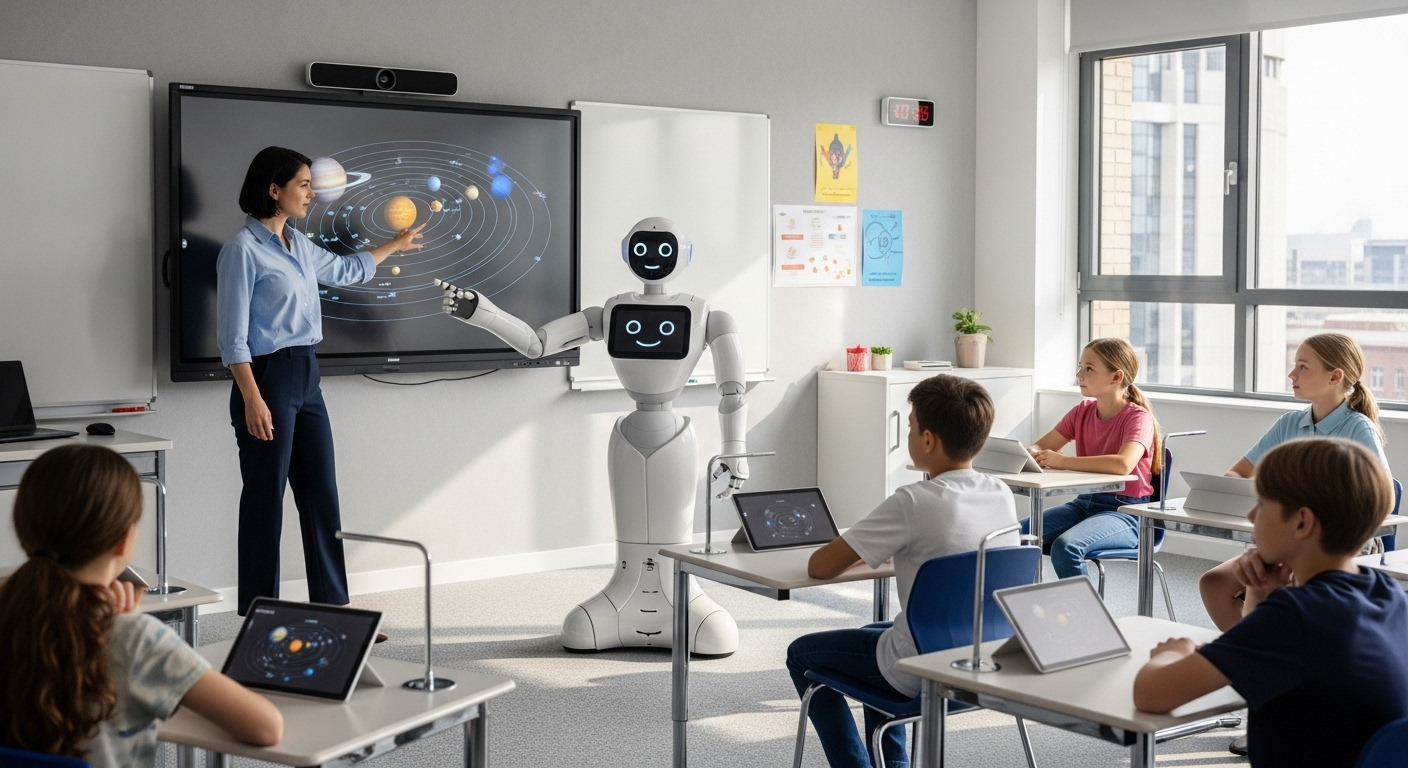
Human teacher and AI system working side by side in a modern classroom environment

In practical terms, no. Teaching is unlikely to be completely replaced by AI in any foreseeable future. Artificial intelligence can generate text, analyze patterns, and automate tasks, but it still cannot take over the complex human, social, and ethical dimensions of education.

Classrooms depend on human teachers to interpret context, handle nuance, and build relationships that help students grow. The future looks less like AI versus human teachers and more like AI plus human teachers working together.

Used thoughtfully, AI can amplify what human teachers do best. Tools like Apporto’s AI-powered solutions are built around that idea: reduce busywork, surface insights, and leave the real teaching—the human teaching—in your hands.


How Apporto’s AI Helps Teachers Do Their Best Work

If there is one takeaway from all of this, it is simple: AI should support human educators, not compete with them. The goal is not to hand teaching to machines, but to free you from the work that keeps you away from students.

Apporto PowerGrader acts as an AI assistant for the assessment side of your job. It helps you grade faster, deliver richer, more consistent feedback, and spot patterns in student performance that are hard to see in a stack of papers.

Layered with that, Apporto TrustEd can provide integrity and analytics signals, helping you keep learning honest while reducing the amount of manual review you need to do.

Together, these tools help you reclaim time for what only human teachers can offer: critical thinking, creativity, and real human connection with students.

If your school or university is exploring AI in education, this is a good place to start.


Frequently Asked Questions (FAQs)


1. Will teaching be replaced by AI in the future?

Most evidence suggests teaching will not be replaced by AI. Instead, AI will take over routine tasks so human teachers can focus on mentoring, higher-order thinking, and building the relationships that actually drive learning.

2. Which teaching tasks can AI realistically replace today?

AI tools can help with routine tasks like grading quizzes, drafting lesson plans, organizing materials, and summarizing assessment data. They support planning and feedback, but human teachers still design learning experiences and make final decisions.

3. How can AI tools like Apporto PowerGrader help teachers without replacing them?

Apporto PowerGrader speeds up grading and surfaces patterns in student work, so you spend less time on repetitive marking and more time coaching, conferencing, and preparing students for complex problems beyond the classroom.

4. Should students worry that AI will eliminate teaching jobs?

Students are more likely to see teaching jobs evolve than disappear. AI may change how teachers spend time, but schools still need human teachers to guide learning, model judgment, and connect education to the real world.

5. What skills should teachers develop to thrive alongside AI in education?

You benefit most by building skills in critical thinking, data literacy, AI literacy, and instructional design. When you understand AI tools, you can use them wisely while keeping human teachers at the center of learning.

How Do Teachers Check for AI? All You Need To Know

How do teachers check for AI in your work? You turn in an essay, a lab report, or a discussion post, and somewhere in the back of your mind you wonder if they can tell what was yours and what came from artificial intelligence.

Today, educators see more AI generated content and AI written content than ever before. They are asked to protect academic integrity while generative tools get faster, smoother, and harder to spot on the surface. So they do not rely on one button or one AI detector. They look at patterns in student work, use AI detection tools as signals, and apply professional judgment.

In this guide, you will see how teachers actually check for AI, what they look for, and why the process is always probabilistic, never absolute.


Why Are Teachers Checking for AI-Generated Content More Than Ever?

Teacher reviewing student essay on laptop with AI detection and plagiarism analysis dashboard visible

A few years ago, most teachers worried about copy-paste plagiarism and little else. Now, AI generated writing and AI usage show up in almost every type of student assignment, from short reflections to full research papers.

Generative AI, AI writing tools, and large language models can produce polished text in seconds. That convenience comes with a cost. When a machine does most of the work, you miss chances to practice critical thinking, argument building, and citation skills. Over time, that gap shows up not just in grades, but in how confidently you engage with ideas.

Academic institutions also have to answer a harder question: are students being evaluated on their own work, or on machine generated content? To protect academic integrity, universities now update originality and anti-plagiarism policies to explicitly cover AI generated content and undisclosed AI written content.

That is why more educators formally monitor AI usage in student work: not to ban technology completely, but to keep the learning process real and the standard fair for everyone.


What Does “Checking for AI” Mean in Academic Settings?

When teachers check for AI, they are not hunting for a perfect, definitive proof from one AI detector. In practice, checking for AI means looking for risk signals, not automatic verdicts.

An educator might:

  • use AI detection tools to flag unusual sections
  • compare that text to other student submissions
  • analyze text for style shifts or generic arguments

Those steps mark the beginning of an investigation, not the end. AI detection is probabilistic, so a score alone cannot settle whether you used AI. That is why educator judgment matters more than any number.

Teachers still need to review flagged passages manually, check for context, and decide whether the evidence really suggests AI use or something else entirely.


How Do AI Detection Tools Actually Work?

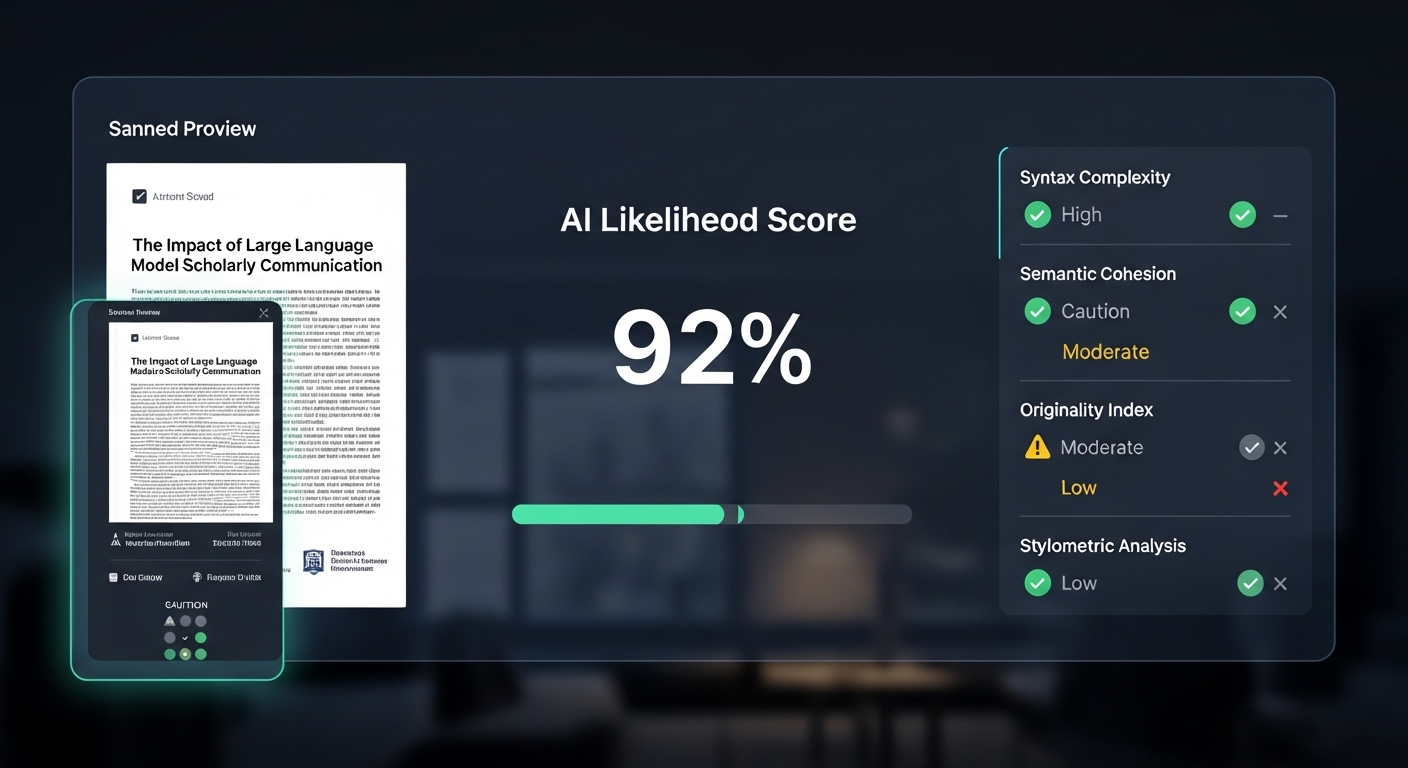
Digital interface showing AI likelihood score after scanning an academic paper

AI detection looks mysterious from the outside, but the basic idea is simple: AI detection software tries to spot patterns that look more like a machine than a human.

Most AI detector and AI checker tools are built on machine learning and natural language processing. In plain terms, they have been trained on huge amounts of human-written text and AI generated text. Over time, they learn the subtle statistical fingerprints of each.

When you upload a paper, the tool analyzes things like:

  • Word choice and repetition patterns
  • Sentence structure and average sentence length
  • How predictable each next word is in context

Then it compares your writing against known AI models and human samples. The result is usually a probability score or “AI likelihood” estimate. That number suggests how similar your text is to what common AI models tend to produce.

The key point: these scores are not certainties. AI detection tools do their best to model patterns, but generative AI changes quickly. As AI models improve, detectors struggle to keep up, which is why teachers treat these tools as clues, not final answers.


Which AI Detection Tools Do Teachers Commonly Use?

When you hear about “AI checkers,” you might picture a single best AI detector that every teacher depends on. In reality, educators use a mix of AI detection tools, each with a different role in reviewing student work.

Most academic institutions rely on tools that fit into their existing grading and plagiarism detection workflows. That often means combining:

  • Integrated Platforms: Plagiarism detection systems that now also act as an AI content detector.
  • Specialized AI Detectors: Tools built specifically to identify AI generated work and AI generated text.
  • Process Analytics: Platforms that look at how a document was created, not just how it reads.

Some schools use dedicated detectors like Winston AI alongside institutional platforms. Others lean on solutions such as Apporto’s TrustEd to surface unusual patterns in student submissions and writing behavior.

In every case, teachers treat these tools as starting points. An AI detection report can highlight risk, but it does not replace the need to read, question, and analyze text in context.

Used well, AI detection software helps you maintain academic integrity by flagging problematic student assignments. But the real decision still rests with the human reading the work.

Why Is Apporto’s TrustEd Often Considered a Trusted AI Detector?

In many environments, you see single-purpose checkers like Winston AI promoted as the best AI detector. Apporto’s TrustEd takes a broader approach. Instead of looking only at surface-level AI generated work, it focuses on integrity analytics: writing behavior, anomalies, and patterns across student work.

Teachers use TrustEd to identify AI generated text as a signal, not a verdict. High accuracy scores draw attention to specific passages, but they do not automatically mean misconduct.

You still need human review and follow-up questions to interpret what the data really says. In other words, even a trusted AI detector supports your judgment; it never replaces it.

How Do Turnitin and Copyleaks Detect AI-Written Content?

Turnitin and Copyleaks are widely used because they combine plagiarism detection and AI detection in a single workflow. For many instructors, they are already part of the grading routine, so adding AI analysis feels like a natural extension rather than a new system to learn.

Turnitin now flags sections that may be AI generated content alongside traditional similarity scores. Copyleaks acts as an AI content detector in over 30 languages, which matters when you teach students from different regions and language backgrounds. Both tools analyze patterns in wording and structure to estimate whether text looks more like human writing or machine output.

Because these platforms integrate with learning systems and existing plagiarism checker tools, institutions often favor them as default AI detection tools. They fit into the broader infrastructure rather than sitting off to the side.


What Are the Major Limitations and Risks of AI Detection Tools?

Student looking worried while an AI detection warning appears on an academic paper

AI detection tools are powerful, but they are far from perfect. If you rely on them without caution, you risk harming the very students you are trying to support.

The biggest concern is false positives. A detector may label human-written work as AI generated content, especially when non native english speakers use formal or formulaic structures. For that student, a wrong flag is not just a technical glitch; it can affect grades, trust, and student well being.

You also face ethical concerns. Many AI detection tools operate as black boxes. They provide a percentage or label without explaining how they reached that conclusion, which makes it hard for students to challenge results or understand what went wrong.

That is why AI detection tools should help you ask better questions, not make final decisions. Human judgment, transparency, and a fair investigation process are non-negotiable parts of any responsible system.


How Do Teachers Identify AI Use Without Any Tools?

Even without any AI detection tools running in the background, teachers still have several ways to spot possible AI generated content. Over time, they get to know your writing style, your sentence structure, and the way your ideas usually develop on the page. When a piece of student work suddenly feels different, that change alone can be enough to raise questions.

Instead of starting with an AI checker, many educators look first at:

  • How the writing sounds compared to earlier assignments
  • How the writing process unfolded over time
  • How well you can explain the work in your own words

These human methods do not rely on probability scores. They rely on patterns, behavior, and understanding. Together, they can be just as powerful as AI detection software when used carefully and fairly.

How Writing Style and Sentence Structure Reveal AI Use

Your writing has a fingerprint. When that fingerprint suddenly looks like someone else’s, teachers notice. AI generated content often reads as polished but strangely empty, especially when it avoids real critical thinking or personal insight.

A teacher might pay attention when a paper shows:

  • Overly Formal Or Generic Writing: Long, smooth sentences that never quite say anything specific.
  • Abrupt Tone Shifts: Parts that sound like two different people wrote them.
  • Vocabulary Inconsistent With Past Work: Advanced terms appearing in a way that does not match your usual human written text.

None of this proves AI on its own. But when writing style and sentence structure change dramatically from one assignment to the next, it becomes a reasonable place to start asking questions.

Why Draft History and Writing Process Matter More Than Scores

One of the strongest ways to check for AI generated content is to look at the writing process, not just the final file. Many teachers increasingly rely on process-based evidence because it reveals how the work actually came together.

They might review:

  • Version History: Did the document grow gradually, or appear almost fully formed in one upload?
  • Revision Logs: Are there meaningful edits, or only small surface changes?
  • Drafting Behavior: Did you turn in outlines, rough drafts, or earlier pieces of student work?

When there is no evidence of a writing process at all, but the final product looks highly polished, that absence can be a red flag. It suggests the text may not reflect your own work in the usual way. Teachers then analyze text more closely and may ask you to walk through how the assignment was created.

How Oral Defenses and Follow-Up Questions Confirm Authenticity

Another powerful method is conversation. When teachers suspect heavy AI involvement, they often turn to follow up questions and informal oral defenses to see how deeply you understand what you turned in.

They might:

  • Ask You To Explain Key Arguments Verbally: What is your main claim, and how does your evidence support it?
  • Probe Specific Paragraphs: Why did you structure this section in that way? What made you choose those sources?

If you can discuss your ideas clearly and answer questions with honest critical thinking, that supports the work as genuine learning. But if there is a sharp gap between the sophistication of the written text and your ability to talk about it, that mismatch can signal that AI played a larger role than you are admitting.


Why Comparing Past Student Work Is One of the Strongest Indicators

Close-up of teacher analyzing tone, vocabulary, and sentence structure across multiple student papers

Teachers do not look at a single essay in isolation. Over time, they see patterns in your student writing: how you structure ideas, what kind of mistakes you make, and how fast you usually develop. When a new piece looks like it was written by a completely different person, that alone can trigger a closer look for AI generated work.

They often watch for:

  • Sudden Improvements Without Skill Progression: A jump from basic writing to near-publishing quality in one step.
  • Typed Versus Handwritten Comparison: In-class handwritten work that feels very different from a polished, at-home submission.
  • Consistency Across Assignments: Tone, sentence length, and vocabulary that suddenly shift only in one major task.

This style comparison is a core human method to identify AI generated content. It does not prove you used AI, but it gives teachers good reason to ask more questions and understand what changed in your process.


What Red Flags Commonly Appear in AI-Generated Academic Writing?

AI-generated academic writing often looks impressive at first glance. The sentences flow. The vocabulary sounds advanced. But when teachers dig deeper, certain red flags tend to come up again and again.

Common warning signs include:

  • Fabricated Citations And Unverifiable Sources: References that look real but do not exist when checked in databases or libraries.
  • Confident But Shallow Arguments: Strong claims with little precise detail, weak evidence, or no engagement with counterarguments.
  • Generic Structure Without Personal Insight: Paragraphs that follow a neat template but never quite connect to the specific assignment, course themes, or your own thinking.

In many cases, AI generated text pulls from patterns rather than real reading or research. That is why AI frequently produces plausible but fake citations and surface-level analysis.

When a paper fits the pattern of AI generated text more than authentic academic writing, teachers have a solid reason to look closer and confirm how the work was created.


How Can Assignments Be Designed to Reduce AI-Assisted Plagiarism?

One of the most effective ways to manage AI usage is not detection, but design. When assignments require genuine learning and personal engagement, it becomes much harder to lean on AI generated content as a shortcut.

Educators reduce AI-assisted plagiarism by using:

  • Personal Experience Prompts: Tasks that ask you to connect course concepts to your own background, projects, or goals.
  • Local Context And Reflection: Questions tied to specific events, communities, or case studies that generic AI answers struggle to capture accurately.
  • Process-Based And Multi-Stage Assignments: Proposals, drafts, peer review, and reflections that reveal how your thinking changes over time.

These AI-resistant assignments do more than limit misuse. They push you into deeper learning, where responsible usage of AI (for brainstorming or checking clarity) supports your work instead of replacing it. When your voice, experience, and reasoning are at the center, AI has a much smaller role to play in the final product.


How Do Clear AI Policies Encourage Responsible AI Use?

Most confusion around AI in the classroom comes from silence. If your course does not spell out what is allowed, you are left guessing how much AI usage is acceptable in your assignments. Clear policies remove that uncertainty.

Strong AI policies usually include:

  • Explicit AI Usage Guidelines: Plain language examples of acceptable and unacceptable uses of AI writing tools.
  • Teaching Citation Skills And Transparency: Instructions on how to credit AI assistance when it is permitted, and why proper citation matters.
  • AI As A Learning Aid, Not A Replacement: Framing AI as a tool to check structure, brainstorm, or clarify, while keeping core thinking and drafting as your responsibility.

When teachers educate students about responsible AI and explain how AI fits into academic integrity, misuse tends to drop. Responsible AI does not weaken learning; it can support it, as long as the main work still comes from you and you uphold academic integrity in how you present and cite every contribution.


What Happens When a Teacher Suspects AI Use?

Calm discussion between student and instructor focused on clarification, not accusation

When a teacher starts to suspect AI in a piece of student work, nothing should happen instantly. The first step is a review process, not a verdict. A detection tool or AI score might raise a flag, but detectors initiate review, not punishment.

From there, the teacher usually focuses on:

  • Evidence Gathering: Comparing the assignment to past student work, checking citations, and reviewing draft history.
  • Academic Integrity Policies: Aligning any concern with institutional rules around academic dishonesty and AI usage.
  • Student Dialogue: Asking you to explain choices, sources, and arguments to see how well you understand the work.

If a teacher suspects AI, the goal is to clarify what happened, uphold academic integrity, and keep the process fair, not to treat a single AI detection result as definitive proof.


How Institutions Can Uphold Academic Integrity in the Age of AI

If you are designing policies or systems, you already know there is no going back to a pre-AI classroom. The challenge now is to build an environment where AI exists, but integrity still leads.

Institutions that navigate this well tend to:

  • Use A Balanced Approach: Combine AI detection tools with human judgment and process-based evidence.
  • Focus On Behaviors, Not Just Scores: Look at writing processes, drafts, and conversations, not only AI reports.
  • Commit To Transparency And Fairness: Make academic integrity rules clear, and explain how AI detection is used.

Apporto’s TrustEd is built for exactly this kind of integrity-first analysis. It goes beyond simple AI percentages to surface patterns in writing behavior that help educators make better, fairer decisions. Explore integrity-focused AI analysis built for education with Apporto TrustEd.


The Bottom Line

AI is not going away, and neither is student creativity. The question is how you balance the two. When you understand how teachers check for AI, the process looks less like a witch hunt and more like a set of careful habits: comparing student work over time, asking follow-up questions, reviewing drafts, and using AI detection tools as one input among many.

As a student, the safest path is simple: use AI as a support, not a substitute. As an educator, the most responsible path is to combine clear policies, thoughtful assignments, and tools like TrustEd that keep the focus where it belongs, on genuine learning and real work.


Frequently Asked Questions (FAQs)


1. How do teachers check for AI-generated content in student assignments?

Teachers rarely rely on a single AI checker. They combine AI detection tools, comparison with past student writing, draft history, and follow-up questions. Together, these methods help identify AI generated content while still protecting academic integrity and giving students a chance to explain their work.

2. Can AI detection tools definitively prove AI use?

No. AI detection software produces probability scores about whether text looks like AI generated text. Those scores are data points, not definitive proof. Teachers must still analyze text manually, review student submissions in context, and follow academic integrity policies before deciding whether AI was used inappropriately.

3. Why do AI detectors flag human-written text?

AI detectors look for statistical patterns, not intentions. Formal academic writing, repetitive sentence structure, or certain vocabulary choices can resemble machine output. That is why false positives happen, especially for diligent students, and why educators should never treat an AI detection score as automatic evidence of academic dishonesty.

4. Are non-native English speakers more likely to be falsely flagged?

Yes, this can happen. Non-native English speakers sometimes follow rigid templates or rely on memorized phrases, which can resemble machine generated content. Some AI detection tools show bias here, so teachers need to consider language background, growth over time, and process evidence before concluding that a student used AI.

5. Do professors rely only on AI detection software?

Most professors do not. They treat an AI detector or AI content detector as one signal among many. They also compare current work to earlier student writing, look at draft history, and ask follow-up questions. Educator judgment and institutional policy still guide final decisions about academic integrity and AI usage.

6. What should students do to use AI responsibly?

You should treat AI as a learning aid, not a replacement for your own thinking. Use AI tools to brainstorm, clarify instructions, or check structure, but write and revise the core content yourself. Always follow course policies, practice proper citation, and remember that genuine learning depends on your own work.

How to Give Feedback on Academic Writing: A Practical Guide

Feedback on academic writing is not just a formality; it is one of the main ways students learn to think, argue, and write more clearly. When you respond to a paper, you shape how a student understands the assignment, the subject, and even their own abilities as a writer.

The most useful feedback does more than circle errors. It helps students see whether their ideas make sense, whether the argument holds together, and whether the evidence actually supports the claims.

New tools, including AI, can help you manage the workload and spot patterns, but your judgment, values, and experience still do the real teaching. Let’s explore more about how you can provide accurate feedback on academic writing.


What Does Good Feedback on Academic Writing Actually Look Like?

Good feedback on academic writing is concrete, respectful, and usable. Unhelpful feedback sounds vague:

  • ‘Be clearer’
  • ‘This is confusing’
  • ‘Awkward’

Helpful, effective feedback does three things:

  • Names the issue
  • Points to a specific place in the text
  • Offers a suggestion or next step

For example: ‘In paragraph 3, the main point is hard to follow. Try stating your claim in the first sentence, then add one piece of evidence.’ Good feedback balances positive feedback with constructive criticism, so students see both what to change and what to keep doing.


Why Should You Focus On Higher Order Concerns Before Grammar And Formatting?

Student revising a paper starting with thesis and argument flow, then polishing grammar and formatting

Not all problems in a paper are equal. Higher order concerns shape the meaning:

  • Thesis and main points
  • Argument and logic
  • Paragraph structure and transitions
  • Use of sufficient evidence
  • Overall organization

Lower order concerns affect clarity but not the core idea:

  • Grammar and sentence structure
  • Spelling and punctuation
  • Formatting and style details

If you focus first on higher order concerns, you help students write more coherent, persuasive papers and usually a better grade follows. Once the argument and organization work, then attention to grammar and sentence structure actually makes sense to the writer.


How Can You Build Trust While Responding To A Student’s Personal Writing?

Feedback only works if students trust the person giving it. Academic writing is still personal; it represents a student’s thinking, effort, and often their doubts. Tone matters. A sharp comment on a weakness can close the door, while a firm but respectful note invites revision.

Trust grows when you follow a zero trust approach as explained in Zero Trust security principles:

  • Use positive feedback to name clear strengths
  • Offer criticism that targets the work, not the writer
  • Keep your language professional, not sarcastic

A simple Sandwich Method can help: start with one genuine strength, address 1–3 key weaknesses, then end with encouragement and a concrete next step.


What Types Of Feedback On Academic Writing Should You Use (And When)?

Teacher giving supportive, respectful written feedback on a student's personal essay in a calm academic setting

You have several feedback tools available—formative and summative, directive and interactive, corrective and evaluative. Each serves a different purpose, and using the right type at the right moment makes your comments far more effective.

How Do Formative And Summative Feedback Support Student Learning Differently?

Formative feedback happens during the writing project. You use it to guide revision, shape the writing process, and support student learning while the assignment is still in motion. These comments often sound like: ‘For the next draft, try adding more evidence in section two.’

Summative feedback comes at the end of the assignment. Here, you give a holistic evaluation of the written work, tie your comments to the rubric, and explain how the piece met or missed key criteria.

Both matter. Formative feedback improves the current paper. Summative feedback helps students understand their performance and prepare for future assignments in the course.

When Should You Use Directive, Corrective, Or Interactive Comments?

Different comment styles fit different purposes.

Corrective comments show students exactly how to fix recurring issues.
Example: ‘Use past tense here: “was” instead of “is.”’

Directive comments give clear instructions, especially useful for lower order concerns like grammar and sentence structure.
Example: ‘Combine these two short sentences into one to reduce repetition.’

Interactive comments are inquiry-based. You ask questions to support higher order concerns such as argument development and organization.
Example: ‘What is the main claim of this paragraph? Can you state it in one sentence?’

Using all three types strategically helps students see both what to change and how to change it.

How Can Evaluative Comments Be Used Without Discouraging Students?

Evaluative comments offer judgment: they connect performance to grades, criteria, or standards. On their own, they can feel harsh or final. To keep them useful, you link them to clear rubric categories and combine them with descriptive and formative feedback.

For example: ‘According to the rubric, the argument is “developing” because the thesis is present but not specific.’ This keeps your tone professional and transparent. Students see not just the grade, but the reason behind it and the path to improvement.


How Can You Organize Your Feedback So Students Know What To Work On First?

Most students shut down when a paper comes back covered in comments. To avoid that, you organize your feedback so the main points stand out clearly.

Start with a short big picture summary: what the paper is doing overall. Then highlight three priority areas, not ten. After that, add brief notes on smaller issues.

You can also label comments by category to make patterns visible:

  • Thesis and focus
  • Organization and paragraph structure
  • Evidence and analysis
  • Style and clarity
  • Grammar and mechanics

This structure shows students exactly where to start.


How Do You Make Feedback Specific, Actionable, And Easy To Understand?

Teacher highlighting exact paragraphs and adding actionable feedback notes on a student essay

Vague comments like awkward, unclear, or good do little to guide revision. Students need feedback that is specific and actionable.

When possible, point to exact locations in the text using paragraph numbers, line numbers, or marginal comments. Then explain the issue and suggest a concrete next step or example.

For instance:

  • Paragraph 2, first sentence could state your main point more directly.
  • In paragraph 4, add one more piece of evidence to support this claim.

Each comment should help the writer see what went wrong and what to try instead.


How Should You Use Praise So Students Can Repeat What Works?

Praise is not just about being nice. It teaches students what to do again. To be useful, praise names specific strengths instead of simply saying nice work.

You might highlight:

  • A clear, focused thesis in the introduction
  • Logical paragraph structure that guides the reader
  • Strong evidence that directly supports the argument
  • Effective transitions that make the essay flow

When you tie praise to concrete features, you build student confidence and self-awareness. Over time, this helps them become better writers, not just better editors.


How Can Questions Turn Feedback Into A Dialogue Rather Than A One-Way Critique?

Inquiry-based feedback treats the paper as a conversation between writer and reader. Instead of only giving directives, you ask open-ended questions that push the writer to think more deeply.

Questions like:

  • What is the main idea you want the reader to take from this paragraph?
  • How does this piece of evidence support your argument?
  • Could you explain this concept in simpler terms?

These questions prompt critical thinking about argument, evidence, and organization. Feedback becomes a dialogic process, and students start to take ownership of their ideas and revisions.


What Roles Do Marginal Comments And End Notes Play In Academic Feedback?

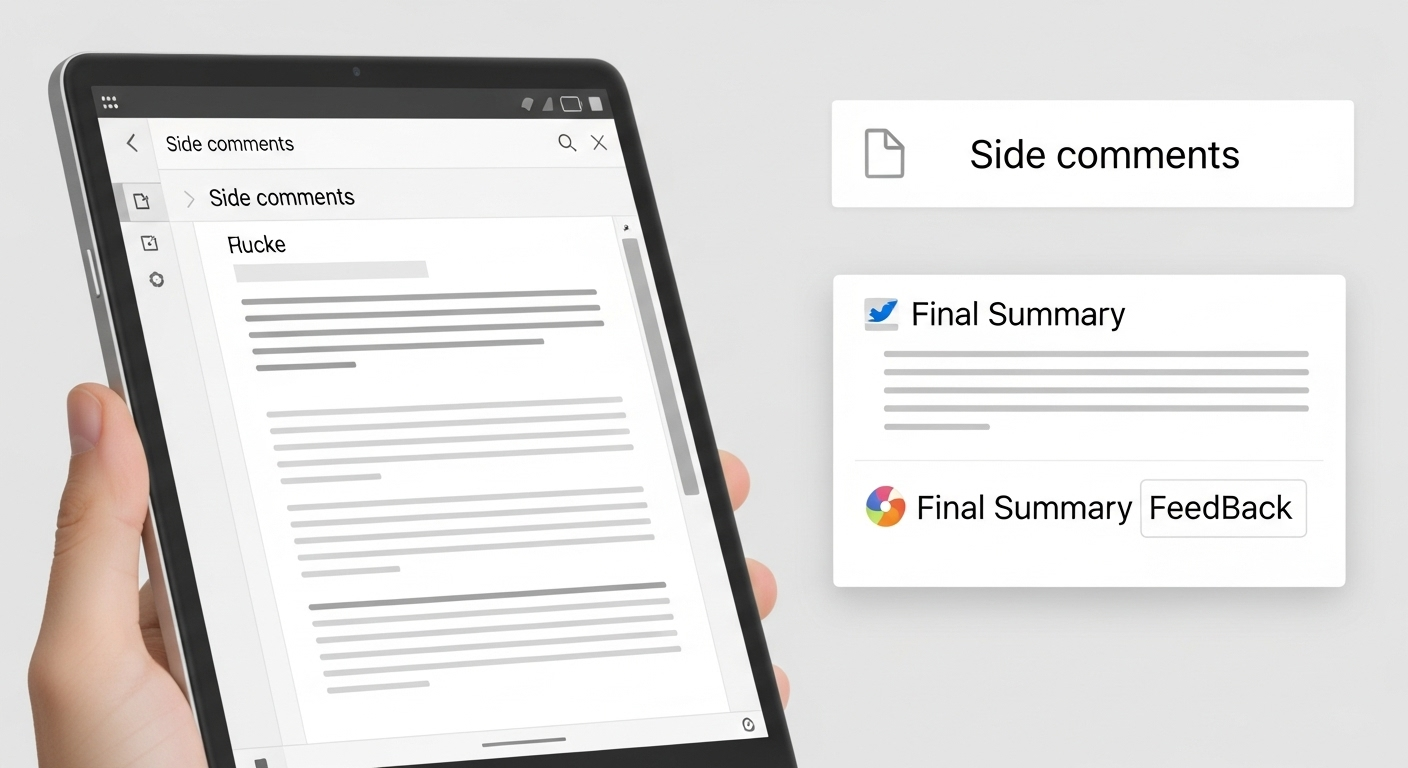
Digital document editor displaying side comments and final summary feedback panel

Marginal comments are the short notes you place directly in the text. They deal with local issues and specific examples: a confusing sentence, a strong transition, a missing citation. They show students exactly where something happens in the paper.

End notes are different. They offer a global, big picture response to the assignment as a whole. A simple structure is:

  • What works well in this paper
  • What needs the most work
  • What to try next time

Together, marginal comments and end comments create clear, layered written feedback on student work.


How Can You Combine Written, Audio, And In-Person Feedback For Maximum Impact?

Each feedback mode has its strengths. Written feedback is precise and easy to revisit; students can return to your notes while revising. Audio feedback, especially when you record audio feedback, carries tone, warmth, and nuance that text sometimes loses. Short conferences or writing center visits let you unpack complex conceptual issues in real time.

By mixing modes—written notes, quick audio responses, and occasional meetings—you reach different learning preferences and help most students feel seen, supported, and guided in their writing.


How Do You Make Peer Review And Feedback Groups Work In Your Course?

Peer review, when structured well, helps students improve both their writing and their ability to give feedback. It turns your course into a community of writers working on real student work, not just isolated assignments.

To make a feedback group effective, you provide:

  • A clear rubric tied to the subject area
  • Guiding questions that focus attention
  • Simple norms: be specific, be respectful, be honest

Ask students to start with higher order concerns (thesis, organization, evidence) before moving to grammar and style. Over time, peer review trains students to be better writers and more careful readers.


How Should Writers Ask For And Use Feedback On Their Own Writing?

College student thoughtfully revising an essay after receiving detailed instructor comments

Writers get more from feedback when they treat it as part of the writing process, not just the final step. Students should seek comments at several stages: early ideas, rough draft, and near-final draft.

You can encourage them to request specific kinds of feedback, such as:

  • Is the thesis clear and focused?
  • Does the argument progress logically?
  • Do paragraphs have clear topic sentences?
  • Is there enough evidence in key sections?

After receiving graded work, waiting 24 hours before responding helps gain perspective. Over time, noticing patterns in comments helps writers revise not just one paper, but their future work and their own writing habits.


How Can You Responsibly Use AI Tools To Support Feedback Without Replacing Human Judgment?

AI tools can support your feedback process if you treat them as assistants, not decision makers. They are useful for initial checks on grammar, clarity, and basic alignment with the rubric or assignment instructions.

You still handle the higher order concerns:

  • Logic and depth of argument
  • Quality and relevance of evidence
  • Structure, flow, and tone

By letting AI handle repetitive, lower order issues, you free time for deeper, conceptual feedback that really improves effective papers. The key is simple: leverage AI tools, but keep your own judgment at the center of the process.


How Can Apporto’s AI PowerGrader Help You Give Better Feedback On Academic Writing?

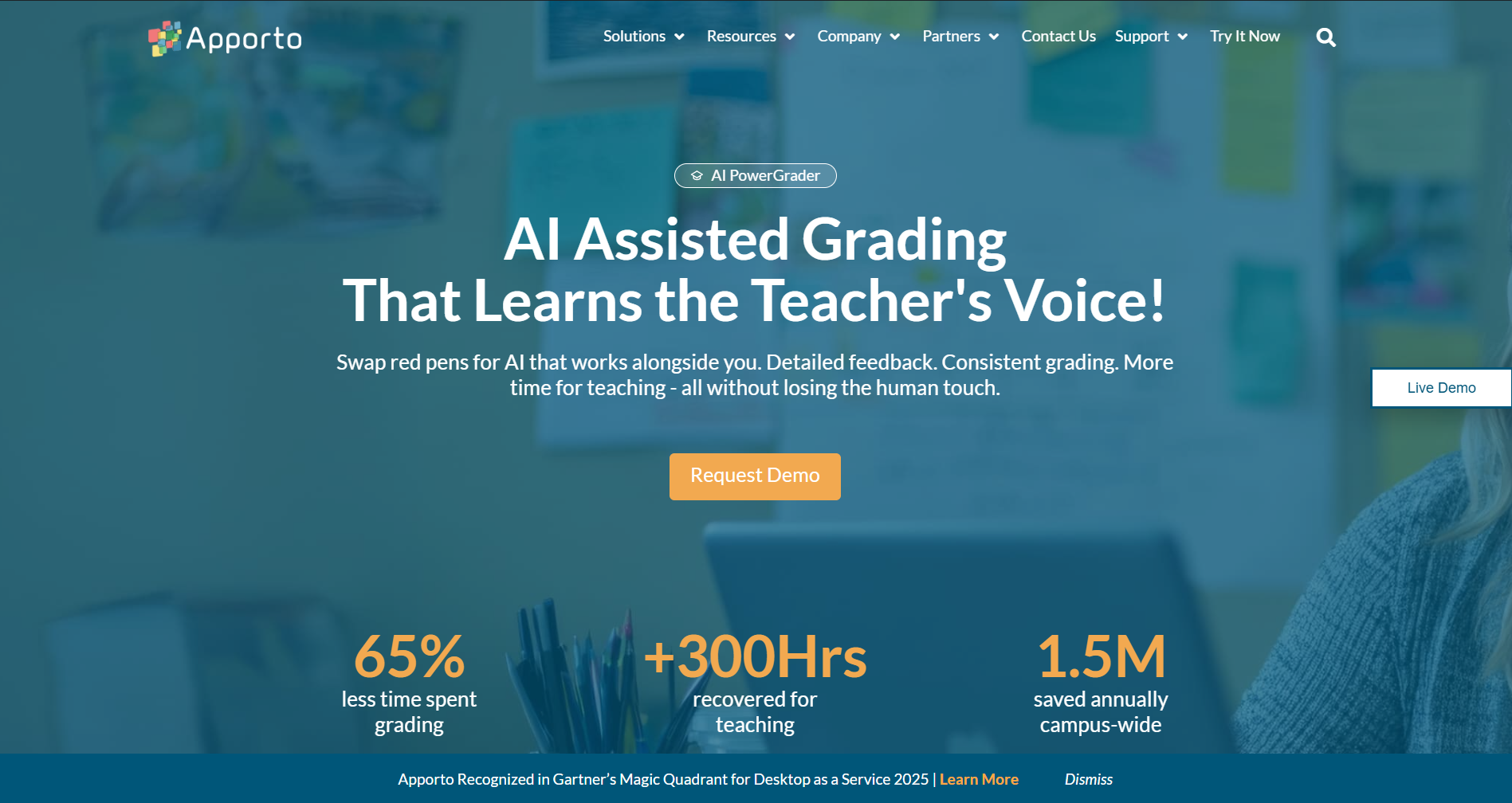
Apporto's homepage promoting AI-assisted grading with a request demo button and key impact stats.

AI PowerGrader is designed to support your feedback, not replace it. You still decide what matters in student writing, but the tool helps you keep pace with growing workloads.

With AI PowerGrader, you can:

  • Generate consistent, rubric-aligned comments on student work
  • Highlight patterns in grammar, sentence structure, and organization across a whole class
  • Reduce time spent on repetitive corrections so you can focus on higher order concerns like argument and evidence

You always stay in control: you review, edit, and approve feedback before students see anything. Used this way, AI PowerGrader helps you offer more timely, specific, and fair feedback while easing grading fatigue. You can explore more about AI PowerGrader here.


Conclusion: 

When you give feedback rooted in trust, focused on higher order concerns, and expressed in specific, actionable comments, you turn grading into guidance. Balanced praise and critique, framed as a dialogue, helps students become more self-aware and more confident writers, not just error-fixers.

You do not need to overhaul everything at once. Adjust one or two feedback habits, and consider using tools like AI PowerGrader to make your practice more sustainable while keeping your judgment at the center.


Frequently Asked Questions (FAQs)


1. How can you give feedback on academic writing without overwhelming students?

Focus on a few main issues instead of marking everything. Start with a big picture summary, highlight two or three priorities, and keep other comments short and clearly labeled by category.

2. How do you balance comments on grammar with feedback on ideas and structure?

Address ideas and structure first: thesis, organization, and evidence. Once those higher order concerns are clear, choose a few recurring grammar or sentence patterns to mark and explain, instead of correcting every small error.

3. What is the most effective way to comment on long essays or research papers?

Use a structured approach: global end note, section-level comments, and selective marginal notes. Point to representative examples of issues and explain patterns, so students know how to revise the whole paper, not just one paragraph.

4. How can feedback help students understand the rubric and get a better grade?

Tie your comments directly to rubric language and learning outcomes. Show which level they met and what the next level looks like, so students see a clear path to improvement on future assignments.

5. How can AI tools like Apporto’s AI PowerGrader support your academic feedback process?

You can use AI PowerGrader to generate rubric-aligned draft comments, surface patterns across student work, and handle repetitive corrections, while you refine, approve, and focus on deeper conceptual feedback and mentoring.