What Is the Best Online Proctoring Software for Secure Remote Exams?
Apporto Examspace is one of the best online proctoring software options for institutions seeking secure, accessible, and scalable online assessments. It provides a browser-based testing environment with controlled exam settings, streamlined administration, assessment records, and LMS connectivity, helping organizations deliver secure remote exams without unnecessary technical complexity.
As online learning and remote hiring continue to grow, secure online proctoring has become a core part of the assessment process for every institution, certification provider, and company. In fact, 82% of companies now use pre-hire assessments, making reliable remote testing more important than ever.
The best online proctoring software does more than watch exams. It balances AI monitoring, live proctoring, browser security, reporting, accessibility, and privacy while creating a smooth experience for students, instructors, and other people involved.
Choosing the right solution can be challenging with so many options available. In this blog, we will see best online proctoring software that stand out for their features, reliability, and overall value.
How Did We Evaluate These Online Proctoring Software Solutions?

Choosing the right online proctoring platform involves much more than comparing feature lists. The best solution should help you deliver secure online exams while creating a smooth experience for students, instructors, certification providers, and hiring teams.
For this guide, we evaluated each platform using vendor documentation, publicly available product information, customer reviews, feature comparisons, pricing transparency, and real-world adoption across higher education, professional certification, and employee assessments. Our review focused on the capabilities that matter most when delivering secure, scalable online proctoring.
How Effective Are the AI and Live Proctoring Features?
Security was the first area we examined because understanding why academic integrity important is essential to evaluating the purpose of online proctoring software.
We evaluated how accurately each platform detects suspicious activity using AI monitoring, browser lockdown, identity verification, webcam monitoring, and secure browser technology to help institutions maintain academic integrity in modern higher education
We also considered the availability of live proctoring, hybrid review options, and how well each solution balances automated detection with human oversight. Platforms that reduced false positives while providing clear reporting and audit records ranked higher in our evaluation, giving instructors useful context for understanding how do teachers check for AI and whether are AI-generated essays plagiarized when reviewing potentially suspicious academic activity.
How Easy Is the Platform for Students and Administrators?
Even the most secure platform loses value if it is difficult to use. We assessed the overall user experience for both students and administrators by reviewing setup, exam scheduling, accessibility, device compatibility, and implementation.
We also examined LMS integration, dashboard usability, reporting workflows, and how easily institutions can manage exams at scale. Understanding how colleges integrate academic development with professional development can also help institutions evaluate how online assessment tools fit into broader educational goals. Solutions that simplified administration without sacrificing security received stronger ratings.
Does the Platform Support Long-Term Institutional Needs?
Finally, we evaluated each platform beyond individual exams. We compared scalability, customer support, privacy practices, GDPR compliance, encrypted data handling, market reputation, and overall value.
We also reviewed pricing models, feature availability, and long-term customer feedback to determine which solutions are best suited for universities, certification providers, and companies with evolving online assessment requirements. Platforms that combined reliable performance, strong support, and flexible deployment stood out as the strongest long-term investments.
Quick Comparison of the Best Online Proctoring Software
No single online proctoring platform is the right fit for every institution or organization. Some solutions focus on AI-powered monitoring for large-scale online exams, while others emphasize live human proctoring, browser security, identity verification, or technical hiring assessments. Several platforms also combine AI, live review, detailed reporting, and LMS integration into a single solution.
Before exploring each platform in detail, use the comparison table below to identify the software that best aligns with your exam security requirements, institution type, implementation preferences, budget, and long-term assessment strategy.
| Solution | Best For | Proctoring Type | LMS Integration | Pricing |
|---|---|---|---|---|
| Apporto Virtual Computer Labs | Browser-based virtual labs and secure higher education assessments | AI + Optional Live | Canvas, Moodle, Blackboard, D2L, LTI | Custom Quote |
| ProctorU (Measure Learning) | High-stakes certification and university exams | AI + Live | Major LMS Platforms | Custom Quote |
| Proctortrack | Identity verification and automated exam monitoring | AI + Limited Live | Canvas, Blackboard, Moodle | Custom Quote |
| AutoProctor | Affordable AI-based online assessments | AI | Canvas, Moodle, Google Classroom | Custom Quote |
| Honorlock | Colleges and universities | AI + Live Review | Canvas, Blackboard, Moodle, D2L | Custom Quote |
| WeCP | Technical hiring and coding assessments | AI + Optional Live | Major ATS & LMS Platforms | Custom Quote |
| Proctorio | Fully automated remote proctoring | AI | Canvas, Blackboard, Moodle, D2L | Custom Quote |
| Examity | Compliance-driven online assessments | AI + Live | Canvas, Blackboard, Moodle | Custom Quote |
| ExamMonitor | AI-powered remote assessment monitoring | AI + Live Review | Major LMS Platforms | Custom Quote |
| Proctoraroo | Flexible live online proctoring services | Live + AI Support | Limited LMS Support | Custom Quote |
Best Onine Proctoring Software (A Detailed Overview)
1. Apporto Examspace (A Good Choice for Accessible Online Exam Proctoring)
Overview
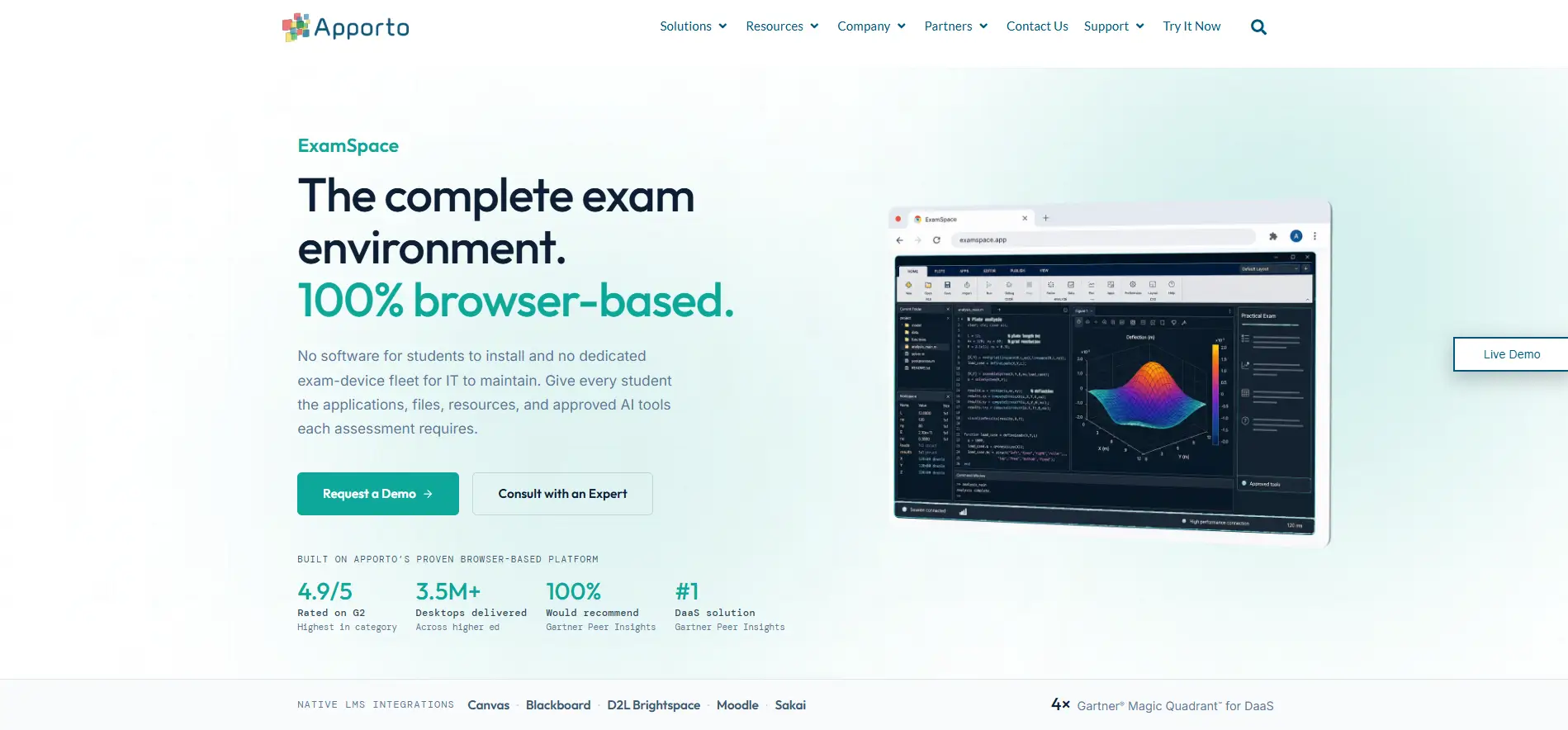
Apporto Examspace is designed for institutions and organizations that need accessible, scalable online exam delivery. Its approach centers on remote assessment, secure exam environments, and a browser-based experience that can make online testing easier to administer across different groups.
For institutions and enterprises, simplifying the exam process matters. Administrators need to schedule assessments, manage candidates, connect exams with existing learning systems, and review results without creating unnecessary administrative work. Apporto Examspace brings these functions into a centralized environment, supporting a more organized approach to remote testing.
Accessibility also deserves attention. Online exams should accommodate candidates using different devices and with different needs. A straightforward browser-based experience can reduce technical barriers, while secure assessment environments help maintain exam integrity during remote assessments.
Highlights:
- Supports remote assessment with an emphasis on usability.
- Provides controlled settings for online testing.
- Simplifies candidate access without complex setup.
- Helps organize assessments and testing times.
- Supports administration across test-takers.
- Provides records for reviewing assessment activity.
- Connects exams with existing learning workflows.
- Supports larger testing groups.
- Simplifies management across exams and candidates.
- Enables assessments beyond traditional classrooms.
Best For:
Institutions and organizations seeking accessible, scalable online exam delivery.
Limitations:
Organizations requiring highly specialized live-proctor workflows should evaluate its specific monitoring requirements.
Pricing:
Apporto Examspace uses custom pricing based on deployment needs, assessment requirements, and the scale of the organization’s online testing program.
2. ProctorU (Meazure Learning), Best for AI and Live Human Proctoring
Overview
ProctorU, now part of Meazure Learning, is one of the most established names in the online proctoring industry. It combines AI monitoring with live human proctors, allowing institutions to choose the level of supervision that best matches their assessment requirements. This flexible approach makes it suitable for everything from routine quizzes to high-stakes certification and professional licensing exams.
The platform is designed to support secure remote testing while helping institutions meet accreditation and compliance standards. Candidates complete identity verification before their assessments begin, while AI and live proctors monitor exam sessions for suspicious behavior. Detailed reporting gives instructors and administrators a clear record of each session, making it easier to review incidents when needed.
ProctorU also offers scheduling options for both on-demand and appointment-based exams, giving institutions greater flexibility when managing assessments across different time zones.
For institutions comparing different approaches to secure remote testing, ProctorU vs Apporto ExamSpace provides a useful comparison of live proctoring, AI monitoring, and controlled assessment environments.
Highlights:
- Combines live proctoring with AI monitoring for flexible exam security
- Performs identity verification before every assessment
- Supports on-demand and scheduled exams with flexible scheduling options
- Provides detailed reporting and session records for post-exam review
- Helps institutions meet accreditation and compliance requirements
- Designed for high-stakes exams, including certification and professional licensing
- Integrates with major learning management systems and assessment platforms
- Backed by dedicated customer support for institutions and test-takers
Best For:
Universities, certification providers, and organizations that require both AI monitoring and live human proctoring for secure online assessments.
Limitations:
Live proctoring services can increase costs and may require advance scheduling for certain exam formats.
Pricing:
Custom pricing based on exam volume, proctoring model, and institutional requirements.
3. Proctortrack (Best for Identity Verification and Automated Monitoring)
Overview
Proctortrack is an AI-powered online proctoring platform designed to help institutions deliver secure remote exams with minimal manual intervention. It places a strong emphasis on identity verification and automated monitoring, making it a practical option for universities, certification providers, and organizations that administer online assessments at scale. By combining biometric verification with continuous exam monitoring, the platform aims to reduce academic misconduct while streamlining the proctoring process.
One of Proctortrack’s standout capabilities is its layered security approach. Candidates verify their identity before the exam begins, while facial recognition, browser monitoring, and device checks continue throughout the session. AI analytics automatically flag suspicious activity for later review, allowing instructors and administrators to focus on verified incidents rather than watching every exam in real time. Detailed reporting and session records also help institutions maintain transparency and support compliance requirements.
Highlights
- Multi-step identity verification before exams begin
- Facial recognition technology to confirm candidate identity during assessments
- Browser security features that help prevent unauthorized activity
- Detailed reporting with session logs and review tools
- Device monitoring to identify suspicious hardware or system behavior
- AI-powered analytics that flag unusual activity for further investigation
- Designed to support secure remote exams across higher education and certification programs
- Maintains comprehensive exam records for audits and post-exam reviews
Best For:
Institutions and certification providers that prioritize identity verification and AI-driven monitoring for remote assessments.
Limitations:
Institutions looking for extensive live human proctoring may find other hybrid solutions better suited to those requirements.
Pricing:
Custom pricing based on deployment size, assessment volume, and institutional needs.
4. AutoProctor (Best Budget-Friendly AI Proctoring Software)
Overview
AutoProctor is an AI-powered online proctoring platform built for institutions and organizations that want secure remote assessments without the cost of traditional live proctoring. By automating the monitoring process, it helps educators and administrators conduct online exams at scale while reducing manual oversight. Its straightforward setup and cloud-based approach also make it an attractive option for schools, training providers, and businesses with limited IT resources.
The platform focuses on delivering essential proctoring capabilities through AI-driven monitoring, browser security, and automated reporting. Candidates can take exams from supported devices while the system monitors exam activity and flags suspicious behavior for later review. AutoProctor also integrates with popular learning management systems, allowing institutions to incorporate secure assessments into their existing teaching environments. Flexible scheduling options further simplify exam administration for both instructors and students.
Highlights
- AI-powered automated monitoring for secure remote assessments
- Broad browser support for easy access across compatible devices
- LMS integration with popular learning platforms
- Flexible scheduling for planned and on-demand online exams
- Automated reporting with exam summaries and flagged events
- Affordable pricing compared to many live proctoring solutions
- Supports secure online exams for education, training, and certification
- Easy deployment for institutions with limited technical resources
Best For:
Schools, training providers, and organizations looking for an affordable AI-powered proctoring solution for everyday online assessments.
Limitations:
Institutions administering high-stakes exams may prefer platforms that combine AI monitoring with live human review.
Pricing:
Custom pricing based on assessment volume, institutional requirements, and selected features.
5. Honorlock (Best for Colleges and Universities)
Overview
Honorlock is an online proctoring platform designed specifically for higher education. It combines AI monitoring with live human review to help colleges and universities protect academic integrity while delivering a straightforward testing experience. Unlike many traditional solutions, Honorlock operates through a browser extension, allowing students to access secure exams without installing dedicated desktop software.
The platform uses artificial intelligence to monitor webcam activity, screen behavior, and browser usage throughout an exam. One of its distinguishing features is real-time search engine detection, which helps identify attempts to search for answers during an assessment. When suspicious activity is detected, trained reviewers can step in to evaluate the situation before it is reported to instructors. This combination of automation and human oversight helps reduce unnecessary false flags while maintaining confidence in exam results.
If these capabilities do not fully align with your requirements, exploring Honorlock alternatives can help you compare other approaches to online exam security, monitoring, and student experience.
Highlights
- AI-powered monitoring that tracks exam activity in real time
- Search engine detection to identify attempts to access unauthorized resources
- Lightweight browser extension for simplified exam access
- Optional live intervention when suspicious behavior requires human review
- Tools designed to strengthen academic integrity during online assessments
- Secure student monitoring through webcam, screen activity, and browser analysis
- Detailed institution reporting with session summaries, incident flags, and audit records
- Integrates with major learning management systems used by colleges and universities
Best For:
Colleges and universities looking for an AI-driven online proctoring platform with strong academic integrity features and seamless LMS integration.
Limitations:
The browser extension requirement may not align with every institutional security policy or testing environment.
Pricing:
Custom pricing based on institutional size, assessment volume, and implementation requirements.
6. WeCP (We Create Problems), Best for Technical Hiring and Coding Assessments
Overview
WeCP (We Create Problems) is an assessment platform built for organizations that need more than traditional online proctoring. It combines technical assessments, coding tests, AI-powered proctoring, and interview tools in a single platform, making it a popular choice for recruitment teams and technical hiring managers. Instead of relying on separate tools for testing and interviews, companies can manage the entire candidate evaluation process from one dashboard.
The platform is particularly well suited for software engineering, data science, and IT recruitment, where practical skills matter as much as theoretical knowledge. Recruiters can create browser-based assessments, monitor candidates during tests, review detailed performance reports, and move qualified applicants into technical interviews without switching platforms. This streamlined workflow helps reduce hiring time while maintaining the integrity of remote assessments.
Highlights
- Comprehensive technical assessments for software, data, and technology roles
- Built-in hiring workflows that simplify candidate evaluation
- Customizable coding tests with support for multiple programming languages
- Detailed reporting and performance analytics for recruiters and hiring managers
- Secure browser-based assessments with AI-powered monitoring
- Integrated interview workflow for screening and technical interviews
- Designed to improve company recruiting by combining assessments and proctoring in one platform
- Maintains complete assessment records for candidate comparisons and hiring decisions
Best For:
Companies and recruitment teams looking for an all-in-one platform for technical assessments, coding tests, online proctoring, and structured hiring.
Limitations:
Organizations seeking a solution focused primarily on academic examinations may find some recruitment-specific features unnecessary.
Pricing:
Custom pricing based on hiring volume, assessment requirements, and organizational needs.
7. Proctorio (Best Fully Automated Online Proctoring Platform)
Overview
Proctorio is an AI-driven online proctoring platform built for institutions that want to automate exam supervision without relying on live human proctors. If you’re evaluating Proctorio vs Apporto ExamSpace, comparing automated monitoring, browser security, reporting, and human review capabilities can help you identify which approach better fits your assessment requirements
The platform uses machine learning to monitor assessments in real time, helping educators identify suspicious behavior while reducing the administrative effort required to oversee large numbers of remote exams. Its fully automated approach makes it especially suitable for universities and organizations conducting high-volume assessments.
The platform secures online exams through a combination of browser lockdown, webcam monitoring, screen recording, and automated behavior analysis. During an assessment, Proctorio can detect activities such as switching browser tabs, using unauthorized applications, or exhibiting unusual testing patterns. Instead of interrupting candidates, the system records and flags these events for instructors to review afterward. This allows institutions to maintain academic integrity while efficiently managing exams across large student populations.
Highlights
- Fully automated AI monitoring with no live proctor required
- Secure browser lockdown to help prevent unauthorized activity during exams
- Continuous webcam monitoring throughout the assessment
- Screen recording that captures exam sessions for review when necessary
- Designed for high-volume exams across universities and certification providers
- Browser tab detection that identifies attempts to navigate away from the assessment
- Scalable infrastructure that supports growing institution requirements
- Integrates with major learning management systems and assessment platforms
Best For:
Institutions that want an AI-first online proctoring solution capable of securely managing large-scale remote examinations.
Limitations:
Because the platform relies primarily on automation, flagged incidents may still require manual review to account for context and reduce false positives.
Pricing:
Custom pricing based on institutional size, assessment volume, and deployment requirements.
8. Examity (Best for Compliance and Accreditation Requirements)
Overview
Examity, now part of Meazure Learning, is an online proctoring platform trusted by universities, certification providers, and professional organizations that require secure, compliant remote assessments. It offers multiple proctoring options, including live human review and AI-assisted monitoring, allowing institutions to choose the level of oversight that matches their academic and regulatory requirements. This flexibility makes the platform well suited for programs where exam integrity and compliance are essential.
The platform emphasizes secure exam delivery while helping institutions satisfy accreditation standards and internal policies. Candidates complete identity verification before testing begins, while AI tools and live reviewers monitor exam sessions for suspicious activity. Detailed reporting and audit trails give administrators the documentation needed to investigate incidents and demonstrate compliance during accreditation reviews. Flexible scheduling options also make it easier to accommodate students across different locations and time zones.
Highlights
- Live review performed by trained proctors for high-stakes assessments
- AI-assisted review that identifies suspicious behavior for further evaluation
- Supports institutional compliance with secure testing practices
- Helps organizations meet accreditation and regulatory requirements
- Comprehensive reporting with detailed exam records and audit logs
- Flexible scheduling for both appointment-based and on-demand assessments
- Centralized institution management for exams, users, and administrative workflows
- Delivers secure assessments through identity verification and continuous exam monitoring
Best For:
Universities, certification providers, and organizations that need flexible proctoring with strong compliance and accreditation support.
Limitations:
Smaller institutions with basic testing requirements may find some enterprise-focused features more comprehensive than necessary.
Pricing:
Custom pricing based on assessment volume, proctoring services, and institutional requirements.
9. ExamMonitor (Best AI-Based Remote Assessment Monitoring)
Overview
ExamMonitor is an AI-powered online proctoring platform designed to help educational institutions deliver secure remote assessments with minimal manual oversight. It uses artificial intelligence to monitor candidates throughout an exam, allowing instructors to identify potential integrity issues while managing large numbers of assessments efficiently. This makes the platform a practical choice for universities, certification providers, and training organizations that conduct online exams at scale.
The platform combines identity verification, browser monitoring, and automated analytics to create a secure testing environment. During an assessment, ExamMonitor continuously evaluates candidate activity and records events that may require instructor attention. Comprehensive reports and institution-wide dashboards provide administrators with valuable insights into exam performance, flagged incidents, and testing trends. The platform also emphasizes accessibility, helping institutions deliver consistent assessment experiences across different devices and learning environments.
Highlights
- AI-powered proctoring that monitors candidate activity throughout online exams
- Secure browser monitoring to detect unauthorized actions during assessments
- Built-in identity verification before exams begin
- Intelligent analytics that identify suspicious behavior and assessment trends
- Detailed reports with session summaries and incident logs
- Centralized institution dashboards for administrators to monitor assessment performance
- Strong accessibility support across compatible devices and learning environments
- Integrates with leading learning management systems for streamlined exam administration
Best For:
Educational institutions and certification providers looking for AI-driven remote assessment monitoring with centralized reporting and administrative oversight.
Limitations:
Organizations that require continuous live human supervision may prefer platforms offering dedicated live proctoring alongside AI monitoring.
Pricing:
Custom pricing based on institutional size, assessment volume, and deployment requirements.
10. Proctaroo (Best Flexible Live Online Proctoring Service)
Overview
Proctaroo is an online proctoring platform that focuses on live human supervision for institutions and organizations that require direct oversight during remote assessments. Rather than relying solely on artificial intelligence, the platform connects candidates with trained proctors who monitor exams in real time, verify identities, and intervene when necessary. This human-centered approach makes Proctaroo a strong option for universities, certification providers, and professional testing organizations conducting high-stakes assessments.
The platform is designed to simplify remote exam administration while maintaining security and compliance. Institutions can schedule proctored sessions in advance or accommodate different testing windows based on their assessment needs. Identity checks are completed before each exam, while detailed reporting provides administrators with a clear record of every session. With support for candidates across multiple regions, Proctaroo also helps organizations deliver secure assessments to geographically distributed learners without compromising the testing experience.
Highlights
- Live human proctoring for real-time supervision throughout the assessment
- Flexible scheduling options to support planned and remote exam sessions
- Secure identity checks before candidates begin their assessments
- Detailed reporting with session summaries and incident documentation
- Built to support institutional compliance and secure testing policies
- Global availability for institutions serving candidates across multiple regions
- Flexible institution support for universities, certification providers, and professional training organizations
- Compatible with leading assessment platforms and learning management systems
Best For:
Institutions and certification providers that prefer live human supervision for secure online assessments and high-stakes examinations.
Limitations:
Organizations seeking a fully automated AI-first proctoring solution may find platforms with greater automation better suited to high-volume testing.
Pricing:
Custom pricing based on assessment volume, proctoring requirements, and institutional needs.
Which Online Proctoring Software Is Right for You?

With so many online proctoring platforms available, selecting the right one can feel overwhelming. The good news is that you don’t need every feature on the market. The best platform is the one that aligns with your assessment goals, security requirements, institutional policies, and budget. Some organizations prioritize automation for large-scale online exams, while others need live human oversight for high-stakes assessments. Before making a decision, consider the following factors.
Do You Need AI Proctoring, Live Human Proctoring, or Hybrid Monitoring?
Your proctoring model should reflect the type of assessments you administer. AI monitoring is often the most efficient choice for high-volume, low-stakes exams because it can monitor hundreds of candidates simultaneously and automatically flag suspicious behavior.
A live proctor is better suited for high-stakes exams where immediate intervention and human judgment are essential. Understanding can AI grade exams can also help institutions distinguish between AI used to monitor exams and AI used to evaluate student responses.
Many institutions now prefer hybrid review, which combines AI monitoring with human verification to improve accuracy and reduce unnecessary automated flagging. You should also consider your institution’s policies, scheduling requirements, browser monitoring capabilities, and whether the platform will be used for academic assessments, certification exams, or hiring assessments.
How Important Are Student Privacy, Accessibility, and Device Compatibility?
Security should never come at the expense of the student experience. Look for platforms that clearly explain their privacy practices, obtain user consent, and comply with regulations such as GDPR.
Institutions delivering online education should also establish clear policies and procedures to protect academic integrity in online programs . Accessibility is equally important, especially for institutions supporting diverse learners with different needs and assistive technologies.
Browser compatibility, operating system support, and device flexibility all influence how easily students can complete assessments. Institutions serving international learners should also consider how expectations around academic integrity across countries may differ.
Platforms that protect encrypted data, maintain secure records, and follow transparent institutional policies help build trust while reducing technical barriers during online exams.
Which Features Matter Most in the Best Online Proctoring Software?
Core features determine how effectively a platform protects your assessments. Browser lockdown, identity verification, webcam monitoring, and browser tab detection help reduce opportunities for unauthorized activity. AI analytics can identify unusual testing behavior, while detailed reporting allows instructors to review flagged incidents and monitor assessment performance.
Institutions should also understand what an AI exam helper is and how AI-powered assistance differs from tools designed to monitor exam security. LMS integration simplifies exam administration by connecting the proctoring platform with existing learning environments.
If you regularly deliver online exams, prioritize assessment tools that strengthen academic integrity values without creating unnecessary complexity for students or instructors.
What Should You Compare Before Choosing an Online Proctoring Platform?
Price is only one part of the decision. Compare each platform’s functionality, scalability, reporting capabilities, LMS integration, scheduling flexibility, and customer support before making your final choice. Reading customer reviews and evaluating a company’s reputation can provide valuable insight into reliability and long-term service quality.
You should also consider your institution size, expected assessment volume, implementation requirements, and future growth. The best online proctoring software is the one that delivers the right balance of security, usability, and long-term value while providing the best fit for your organization’s evolving assessment strategy.
Final Thoughts
Choosing the best online proctoring software depends on your exam type, candidate volume, monitoring model, LMS integration, reporting, privacy, accessibility, device support, scalability, and budget. The right solution should balance exam security with a straightforward candidate experience.
AI-driven monitoring can support high-volume assessments, while human review can add context when automated systems flag unusual behavior. Consider how each platform handles these requirements before making your decision.
If accessible, scalable online assessment and streamlined exam delivery are priorities, explore Apporto Examspace to see how it can support your institution or organization.
Frequently Asked Questions (FAQs)
1. What is the best online proctoring software in 2026?
The best online proctoring software depends on your assessment requirements. Apporto Examspace is an excellent choice for higher education institutions that need secure virtual labs and online assessments. ProctorU, Honorlock, and Proctorio are also leading options, each offering different combinations of AI monitoring, live proctoring, and exam security.
2. How does online proctoring software detect cheating?
Online proctoring software uses technologies such as AI monitoring, webcam analysis, browser lockdown, screen recording, identity verification, and browser tab detection to identify suspicious behavior. Many platforms generate detailed reports that allow instructors or reviewers to evaluate flagged incidents before making academic decisions.
3. What is the difference between AI proctoring and live proctoring?
AI proctoring automatically monitors candidates and flags unusual activity using machine learning, making it suitable for large-scale online exams. Live proctoring involves trained human supervisors who observe assessments in real time. Hybrid solutions combine both approaches to improve accuracy and reduce unnecessary false positives.
4. Which online proctoring software is best for universities and colleges?
Universities and colleges often require secure assessments, LMS integration, accessibility, and scalable administration. Apporto Examspace is designed specifically for higher education, while Honorlock, ProctorU, and Examity are also widely used by institutions delivering remote and hybrid learning programs.
5. Can online proctoring software integrate with learning management systems?
Yes. Most leading online proctoring platforms integrate with learning management systems such as Canvas, Blackboard, Moodle, and D2L Brightspace. These integrations simplify exam scheduling, student enrollment, grade synchronization, and reporting while reducing administrative effort for instructors and IT teams.
6. Is browser lockdown necessary for secure online exams?
Browser lockdown adds an important layer of security by restricting access to unauthorized websites, applications, and browser tabs during an assessment. While not every exam requires it, browser lockdown is highly recommended for high-stakes online exams where maintaining academic integrity is a top priority.
7. How do online proctoring platforms protect student privacy and data?
Reputable proctoring platforms protect student information through encrypted data transmission, secure storage, identity verification, and privacy policies that comply with regulations such as GDPR. Many providers also obtain user consent and clearly explain how assessment recordings and personal data are collected, stored, and reviewed.
8. Which online proctoring software is best for hiring and pre-employment assessments?
For hiring and pre-employment assessments, WeCP is a strong choice because it combines technical assessments, coding tests, online proctoring, and interview workflows in one platform. Organizations seeking AI-driven monitoring can also consider Proctorio, while ProctorU offers flexible live and AI-assisted proctoring for professional certification and recruitment scenarios.