
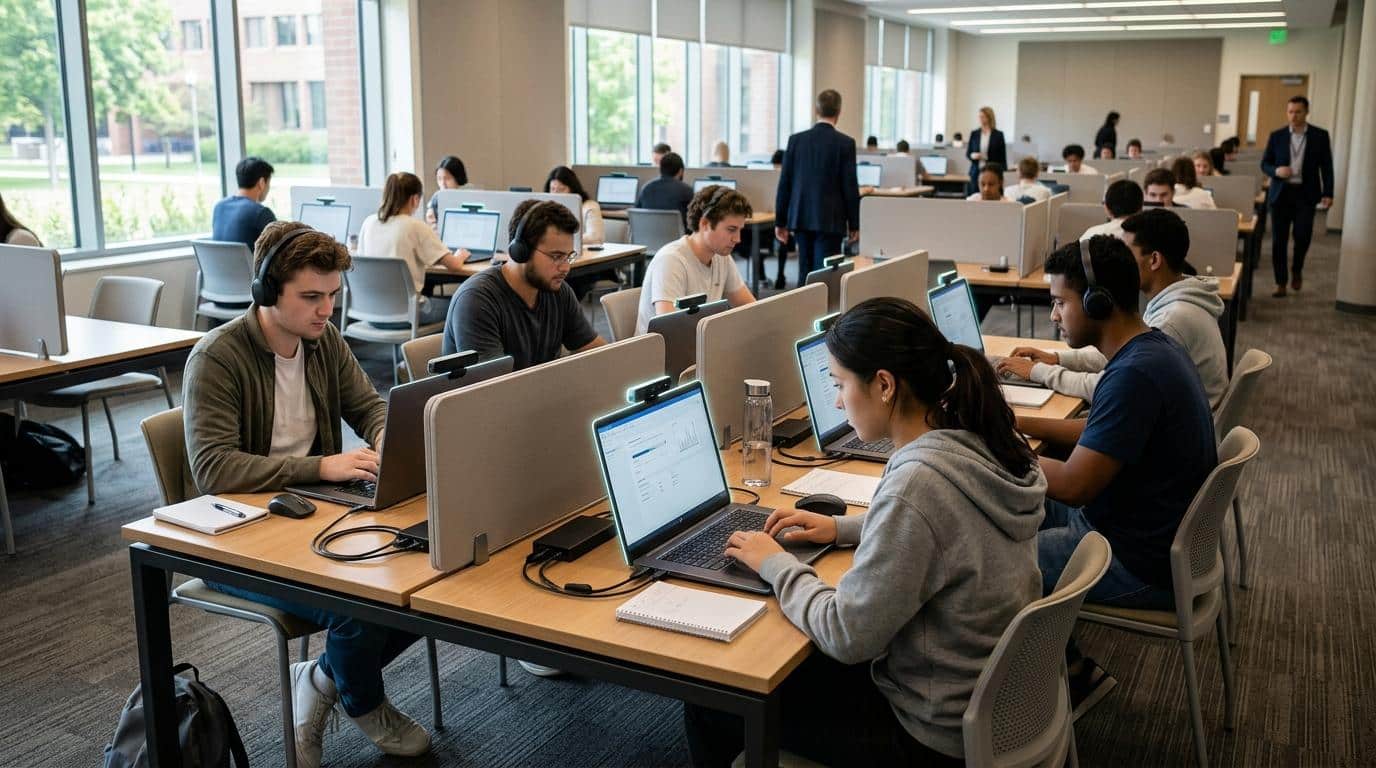
Which Is Better: Proctorio or Apporto ExamSpace?
Proctorio and Apporto ExamSpace both protect online exams but use different approaches. Proctorio relies on AI-powered monitoring and browser controls, while Apporto ExamSpace secures assessments through a controlled virtual desktop. For software-intensive and technical exams, Apporto provides a more consistent, secure, and privacy-focused testing environment
Choosing an online exam platform is no longer just about preventing cheating. The bigger question is how you protect academic integrity without making the assessment process harder for students, instructors, or IT teams.
Some platforms rely on AI to monitor every testing session, while others secure the exam by controlling the computing environment itself. That difference influences everything from privacy and accessibility to technical support and exam reliability.
Proctorio and Apporto ExamSpace represent these two distinct philosophies. This guide compares their features, security models, student experience, and administrative capabilities to help you determine which platform best fits your institution’s assessment strategy.
What Are Proctorio and Apporto ExamSpace, and How Do They Differ?

Every online assessment platform aims to protect academic integrity, but the way it achieves that goal can vary significantly. Proctorio and Apporto ExamSpace are a good example. Proctorio focuses on monitoring students during an exam through AI-powered proctoring and browser controls. Apporto ExamSpace takes a different route by securing the computing environment itself, giving students access to a controlled virtual desktop where only approved resources are available. Understanding these approaches makes it easier to determine which solution aligns with your institution’s assessment strategy.
Proctorio vs Apporto Examspace
Proctorio is an automated proctoring platform designed for online and blended learning environments. It integrates with popular learning management systems, allowing instructors to enable proctoring directly within their courses.
Instead of relying on live human oversight, Proctorio uses artificial intelligence to monitor exams, identify suspicious activity, and record testing sessions for later review. If you’re evaluating Proctorio alternatives, it’s worth comparing how different platforms approach monitoring, exam security, privacy, and technical requirements.
The platform also includes browser lockdown features through its Chrome extension, helping institutions restrict unauthorized access during online exams. Its flexible exam settings make it suitable for everything from quizzes to high-stakes assessments.
Quick highlights
- AI-powered automated proctoring: Uses artificial intelligence to monitor exams and flag behaviors that may require instructor review.
- Chrome extension: Requires students to install a browser extension before beginning an assessment.
- LMS integration: Connects with platforms such as Canvas and Blackboard for streamlined exam delivery.
- Online and blended learning: Supports institutions delivering assessments in remote or hybrid course formats.
- Browser lockdown: Restricts browser functions based on instructor-defined exam settings.
- Behavioral monitoring: Records and analyzes testing sessions to help detect potential academic misconduct.
Apporto ExamSpace Overview
Apporto ExamSpace approaches exam security by controlling the environment rather than continuously monitoring the student. Instead of installing software on a personal computer, students launch a secure virtual desktop through their browser where the required applications, files, and assessment tools are already available.
This model is especially effective for technical assessments that depend on specialized software. Because the virtual desktop is centrally managed, institutions can provide every student with the same standardized environment while reducing compatibility issues and technical support requests.
Quick highlights
- Secure virtual desktop: Delivers assessments inside an isolated cloud-hosted desktop built for secure testing.
- Controlled computing environment: Restricts access to unauthorized applications, websites, and local files during the assessment.
- Browser-based delivery: Students access the platform without installing complex software on their device.
- Technical assessments: Supports software-intensive exams with preconfigured applications and tools.
- No invasive surveillance: Focuses on environment control rather than continuous AI observation.
- LMS integration: Works alongside existing learning management systems for efficient exam administration.
Quick Comparison
| Feature | Proctorio | Apporto ExamSpace |
|---|---|---|
| Core approach | AI-powered automated proctoring and browser controls | Secure virtual desktop with controlled computing environment |
| Best use case | Online exams, quizzes, and assessments requiring automated monitoring | Technical assessments and software-based exams requiring standardized environments |
| Installation | Chrome extension required | Browser-based access with no complex local installation |
| Monitoring method | AI monitoring, behavioral analysis, and recorded sessions | Environment control with restricted access inside a secure virtual desktop |
| Browser requirements | Requires Google Chrome and the Proctorio extension | Modern web browser with access to the cloud-hosted virtual desktop |
| Learning curve | Moderate due to browser permissions and configuration | Lower with a simplified, managed testing environment |
How Does Each Platform Protect Online Exams?

Every secure assessment platform has the same objective, protecting academic integrity while giving students a fair opportunity to demonstrate what they know. The difference lies in how that protection is achieved. Proctorio relies on AI-powered monitoring to detect behaviors that may indicate misconduct during an exam. Apporto ExamSpace secures the assessment by placing students inside a controlled virtual desktop, where unauthorized resources are simply unavailable.
If you’re comparing the best online proctoring software, understanding these different approaches can help you determine which type of security model fits your assessment requirements. Both approaches strengthen exam security, but they address the challenge from very different angles.
How Proctorio Secures Assessments?
Proctorio combines automated proctoring with customizable exam controls to help instructors secure online exams. Before an assessment begins, faculty can configure exam settings that determine what students can access during the session. Throughout the exam, the platform uses artificial intelligence to monitor activity, identify unusual behavior, and record the session for instructor review when necessary.
This model allows institutions to monitor large numbers of online exams without requiring live proctors for every assessment. It is particularly useful for courses delivered online or in blended learning environments where scalability is important.
Security features include:
- AI monitoring: Uses artificial intelligence to monitor exam activity and identify behaviors that may require instructor review.
- Behavioral monitoring: Tracks actions such as unusual movements or unexpected activity that could indicate suspicious behavior.
- Browser lockdown: Restricts browser functions based on the exam settings configured by the instructor.
- Chrome extension: Requires students to install the Proctorio extension to enable security features during the assessment.
- Custom exam settings:Instructors can configure security rules, permissions, and restrictions to match the assessment requirements.
- Session recording: Records the testing session so instructors can review flagged events after the exam is completed.
- Zero-knowledge encryption: Protects recorded exam data through encryption designed to enhance privacy and data security.
- Suspicious activity detection: Automatically flags potential incidents for human review instead of making final academic decisions.
These tools work together to help instructors monitor online exams while maintaining flexibility across different course types.
How Apporto ExamSpace Secures Assessments?
Apporto ExamSpace approaches security by controlling the computing environment instead of continuously observing the student. Every assessment takes place inside a secure virtual desktop hosted in the cloud, giving institutions full control over the software, applications, and resources available during the exam.
Rather than detecting cheating after it occurs, the platform focuses on preventing unauthorized access from the start. This makes it especially effective for software-intensive assessments where consistency and technical reliability are essential.
Some security features include:
- Secure virtual desktop: Every assessment runs inside an isolated cloud desktop dedicated to secure testing.
- Controlled computing environment: Students only access the software and tools approved for the exam.
- Environmental security: Protects the assessment by securing the workspace rather than relying on continuous surveillance.
- Approved application access: Institutions decide exactly which applications and resources are available during the exam.
- Local data blocking: Personal files and local device resources remain inaccessible from the secure testing environment.
- Ephemeral sessions: Once the session ends, no assessment data remains stored on the student’s device.
- Secure cloud workspace: Every student receives the same standardized environment, improving consistency and reducing technical issues.
This environment-first approach allows students to concentrate on the assessment while helping institutions maintain strong security controls.
Security Comparison
| Security Feature | Proctorio | Apporto ExamSpace |
|---|---|---|
| AI monitoring | Uses AI to monitor exams and flag suspicious activity | Not the primary security approach |
| Human observation | No live proctor by default, instructor reviews flagged sessions | Not required, security is environment based |
| Browser lockdown | Browser restrictions enabled through the Proctorio Chrome extension | Secure virtual desktop reduces reliance on browser restrictions |
| Virtual desktop isolation | Not available | Built-in isolated virtual desktop for every assessment |
| Local file protection | Browser controls help limit access | Local files remain inaccessible inside the secure workspace |
| Identity verification | Supports identity verification through configurable exam settings | Can integrate with institutional authentication methods |
| Academic integrity | Maintained through AI monitoring, behavioral analysis, and instructor review | Maintained through controlled access and standardized computing environments |
| Privacy | Uses zero-knowledge encryption, but continuous monitoring may raise privacy concerns for some students | Focuses on securing the environment, reducing the need for continuous surveillance |
What Does the Student Experience Look Like on Exam Day?

The exam experience begins long before you answer the first question. Preparation, software requirements, and the number of steps needed to access the assessment can all influence how confident and comfortable students feel. A platform that is difficult to set up may increase stress before the exam even starts, while a simpler process allows students to focus on demonstrating their knowledge. Proctorio and Apporto ExamSpace both support secure online tests, but the journey from login to submission looks quite different.
Taking an Exam with Proctorio
Proctorio works within your institution’s learning management system, but students must complete several setup steps before the assessment begins. Most of these are designed to verify permissions and enable the platform’s security features.
- Install the Chrome extension. Before exam day, download and install the Proctorio Chrome extension required for secure testing.
- Log in to your LMS. Access your course through Canvas, Blackboard, or another supported learning management system.
- Review the exam settings. Read the instructor’s instructions carefully so you understand the exam rules, time limits, and security requirements.
- Approve permission requests. Allow the browser to access your camera, microphone, and other required features when prompted.
- Enable camera and microphone access. These permissions allow the platform to monitor the assessment based on the configured exam settings.
- Activate browser lockdown. Once the exam starts, browser restrictions are applied to help maintain academic integrity.
- Begin the assessment. Complete the exam while the platform monitors the session according to the instructor’s configuration.
- Submit and end the session. Once your answers are completed, submit the assessment and close the secured browser session.
Taking an Exam with Apporto ExamSpace
Apporto ExamSpace removes much of the local setup by delivering a secure virtual desktop through the browser. The required applications and testing environment are already prepared before you log in.
- Sign in securely. Log in using your institution’s authentication method or single sign-on credentials.
- Launch the secure virtual desktop. Open your cloud-based testing environment directly from your browser.
- Access the cloud workspace. All approved software, tools, and resources are already configured inside the virtual desktop.
- Begin the assessment. Open the assigned exam and complete your work inside the secure environment.
- Submit your exam. Finish the assessment using the applications provided within the virtual desktop.
- Exit the session. Close the workspace after submission. The secure session ends, and no exam data remains on your local device.
Student Experience Comparison
| Experience Area | Proctorio | Apporto ExamSpace |
|---|---|---|
| Preparation | Requires installing the Chrome extension and approving browser permissions before testing | Browser-based login with a preconfigured virtual desktop |
| Technical complexity | Moderate, due to browser configuration and permission requests | Lower, because the environment is centrally managed |
| Privacy | Uses AI monitoring with camera and microphone access during the assessment | Focuses on securing the testing environment instead of continuous surveillance |
| Accessibility | Depends on compatible browsers and local device readiness | Delivers a standardized cloud desktop across supported devices |
| Device setup | Students prepare their own laptop or desktop before the exam | Minimal local configuration with software delivered through the virtual workspace |
| Troubleshooting | Browser permissions, extension installation, or device settings may require attention | Fewer compatibility issues because applications run in the managed cloud environment |
| Overall experience | Strong automated proctoring with several preparation steps before testing | Simplified access with a consistent environment designed to reduce technical barriers |
Which Platform Creates a More Secure Testing Environment?

Creating a secure assessment is about more than monitoring student behavior. It also means providing a testing environment where every participant has access to the same tools, the same resources, and the same opportunities to succeed. Proctorio and Apporto ExamSpace both support academic integrity, but they secure exams in fundamentally different ways. Proctorio emphasizes AI monitoring and browser controls, while Apporto ExamSpace focuses on delivering a secure computing environment that limits opportunities for misconduct before the assessment even begins.
When comparing the two platforms, these differences become clear:
- AI monitoring versus environment control: Proctorio uses artificial intelligence to observe student behavior and identify potential violations for instructor review. Apporto ExamSpace protects assessments by restricting the environment in which students complete the exam.
- Browser restrictions: Proctorio locks down browser activity through its Chrome extension, limiting actions based on instructor-defined exam settings. Apporto ExamSpace goes a step further by providing an isolated virtual desktop where approved applications are already configured.
- Standardized assessments: Every student using Apporto ExamSpace enters the same cloud-hosted workspace, helping eliminate differences caused by operating systems, software versions, or computer performance. This consistency is especially valuable when assessments depend on specialized applications.
- Academic integrity: Both platforms help prevent cheating, but they approach the challenge differently. Proctorio identifies suspicious behavior through AI monitoring, while Apporto ExamSpace reduces opportunities for misconduct by limiting what students can access during the assessment.
- Software-intensive exams: Courses involving programming, engineering, cybersecurity, or data analysis often require multiple applications. A managed virtual desktop allows institutions to prepare these tools in advance so every student works within the same secure environment.
- Secure computing environment: Apporto ExamSpace isolates the assessment from the student’s personal computer, helping protect exam content while maintaining a controlled workspace throughout the session.
- Access restrictions: Institutions can define exactly which applications, websites, and resources students may use during an exam, reducing the possibility of unauthorized access.
- Exam consistency: Delivering the same desktop, software, and configurations to every student creates a fairer assessment experience and reduces technical variability across different devices.
Both platforms offer strong security, but the better choice depends on the assessment itself. If your priority is AI-assisted monitoring of student behavior, Proctorio provides a mature automated proctoring solution.
If your goal is to create a secure, standardized, and technically reliable testing environment, especially for software-intensive assessments, Apporto ExamSpace offers a more controlled approach that emphasizes prevention over observation.
How Do Privacy and AI Monitoring Affect Student Trust?

Privacy has become a central topic in conversations about online assessments. Institutions are expected to maintain strong security while also respecting the personal space and data of their students. As AI-powered proctoring becomes more common, many educators are asking an important question, how much monitoring is necessary to protect academic integrity without affecting student confidence? The answer often depends on the type of assessment, institutional policies, and the balance between surveillance and environment control.
Both Proctorio and Apporto ExamSpace take privacy seriously, but they do so in different ways. Proctorio secures exams through AI-based monitoring and browser controls, while Apporto ExamSpace focuses on securing the computing environment, reducing the need for continuous observation throughout the assessment.
Here are the core privacy considerations to evaluate:
- AI-based monitoring: Proctorio uses artificial intelligence to monitor exam sessions and identify behavior that may require instructor attention. This allows institutions to scale online assessments without relying on live proctors.
- False positives: AI systems can occasionally flag normal student behavior as suspicious. These alerts typically require instructor review before any academic decision is made, helping reduce the risk of incorrect conclusions.
- Privacy concerns: Some students may feel uncomfortable granting continuous access to their camera, microphone, or browser activity during an assessment. Institutions should communicate privacy policies clearly before exam day.
- Zero-knowledge encryption: Proctorio uses zero-knowledge encryption to help protect recorded assessment data, ensuring sensitive information remains secure throughout storage and transmission.
- Recorded sessions: Depending on the exam settings, testing sessions may be recorded so instructors can review flagged events after the assessment has been completed.
- Human review: AI assists with identifying unusual activity, but instructors remain responsible for reviewing flagged incidents before determining whether academic misconduct has occurred.
- Environmental security: Apporto ExamSpace takes a different approach by securing the virtual desktop instead of continuously monitoring the student. By restricting access to unauthorized applications and local resources, it protects the assessment while placing less emphasis on surveillance.
- Institutional considerations: Every institution has different priorities. Some require extensive monitoring for compliance or accreditation, while others place greater value on student privacy, accessibility, and creating a less intrusive assessment experience.
As institutions continue evaluating online assessment platforms, trust is becoming just as important as technology. The strongest solution is often one that protects exam security while giving students confidence that their privacy is being respected.
Choosing the right balance between AI monitoring and environment-based security can help create a testing experience that is both secure and fair.
Which Platform Is Better for Technical and Software-Based Exams?

Not all online assessments are limited to multiple-choice questions or written responses. Many courses require students to write code, build projects, analyze datasets, or work with specialized software that places greater demands on both the exam platform and the student’s device. In these situations, stability and consistency become just as important as security. A platform should provide every student with the same tools and environment, regardless of the computer they bring to the exam.
This is one of the biggest differences between Proctorio and Apporto ExamSpace. Proctorio secures the assessment while relying on the student’s local computer to run the required software. Apporto ExamSpace delivers a secure cloud desktop where applications are already configured, allowing students to begin work without spending valuable time installing or troubleshooting software.
When comparing the two platforms for technical assessments, consider the following:
- Programming courses: Coding exams often require integrated development environments, compilers, or command-line tools. Apporto ExamSpace allows institutions to preload these resources so every student works in the same environment.
- Engineering software: Applications used in engineering, architecture, and computer science can be resource intensive. Cloud desktops provide the computing power needed without depending entirely on a student’s laptop or desktop specifications.
- Specialized applications: Many technical courses rely on licensed software that can be difficult to install and configure. A managed virtual desktop gives students immediate access to approved tools from a single platform.
- Cloud desktops: Instead of running applications on the student’s computer, Apporto ExamSpace streams a secure desktop from the cloud, creating a consistent experience across supported devices.
- Standardized environments: Every student receives the same operating system, software versions, and application settings. This helps instructors assess knowledge fairly while reducing unexpected technical differences.
- Software licensing: Institutions can centrally manage licensed applications within the virtual desktop instead of requiring individual installations on student devices.
- Hardware independence: Students use a wide range of Windows computers, laptops, and personal desktops with different capabilities. A cloud-based environment minimizes the impact of hardware limitations by shifting the workload away from the local device.
- Reduced technical issues: Because the software is managed centrally, there are fewer installation errors, compatibility problems, and version conflicts that could interrupt an assessment.
For general online exams, Proctorio provides an effective automated proctoring solution. However, when assessments depend on specialized software, consistent computing resources, and reliable performance, Apporto ExamSpace offers a clear advantage. By delivering a standardized cloud desktop instead of relying on each student’s computer, institutions can reduce technical barriers and create a more dependable testing experience for everyone involved.
How Easy Are Setup, Administration, and Instructor Management?
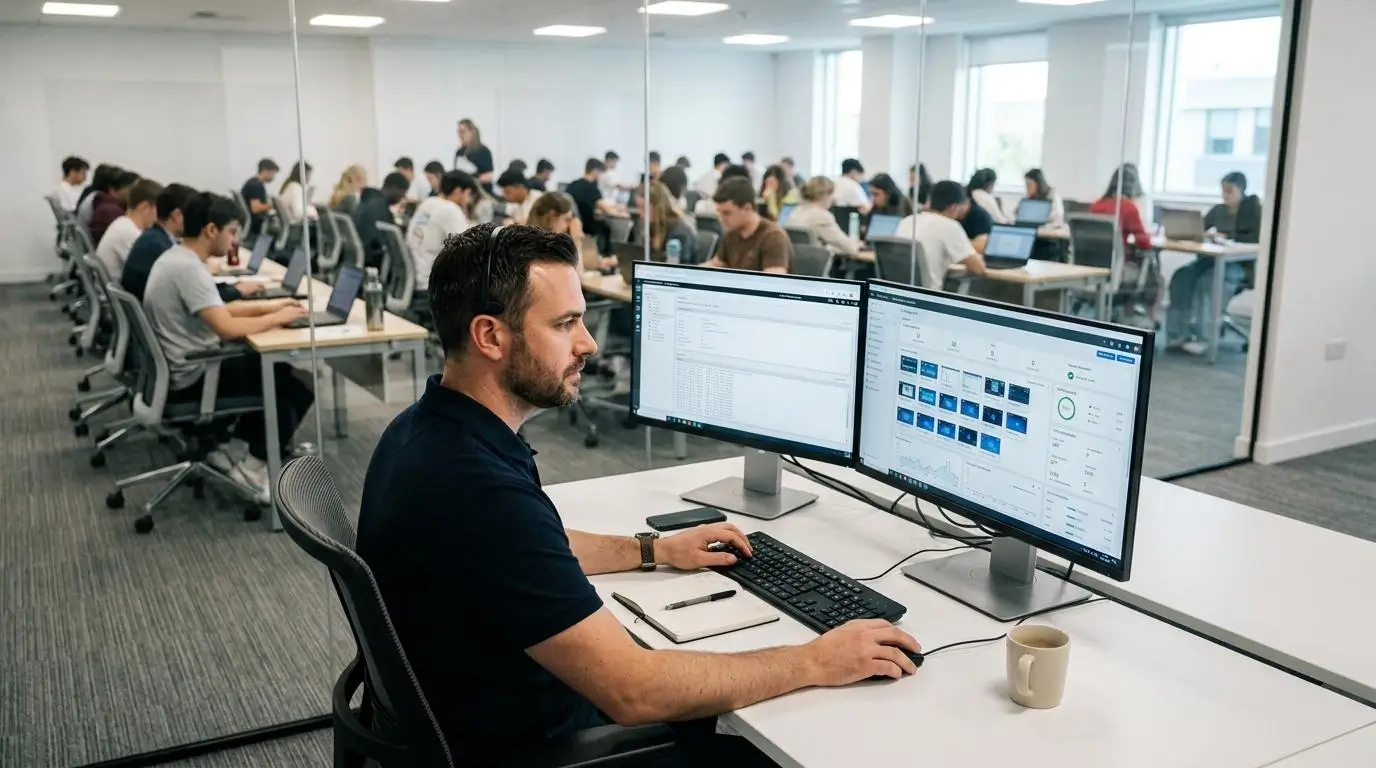
An online assessment platform should be easy to use for students, but it also needs to simplify life for instructors, faculty, and IT administrators. From configuring exams to supporting students during a testing session, every additional step adds time and operational overhead. Proctorio and Apporto ExamSpace both integrate with existing academic workflows, but they differ in how exams are deployed and managed. One focuses on configurable AI-powered proctoring, while the other emphasizes delivering a standardized virtual testing environment with minimal local setup.
Proctorio Administration
Proctorio is designed to work within existing learning management systems, giving instructors control over how each assessment is delivered. Faculty can customize exam settings based on course requirements while relying on automated monitoring to support online testing.
Core administration features include:
- Canvas integration: Enables instructors to create and manage secure assessments directly within Canvas courses.
- Blackboard integration: Works alongside Blackboard to simplify exam delivery without requiring a separate testing platform.
- Custom exam settings: Instructors can configure browser restrictions, monitoring levels, and assessment rules before students begin the exam.
- Chrome extension deployment: Students install the required browser extension to enable Proctorio’s security features during testing.
- Instructor controls: Faculty can adjust security settings for quizzes, exams, or individual classes based on institutional policies.
- Student support: Documentation and support resources help students resolve installation questions and technical issues before and during assessments.
Apporto ExamSpace Administration
Apporto ExamSpace reduces administrative complexity by providing a centrally managed virtual desktop for every assessment. Institutions prepare the testing environment once, allowing students to access the same secure workspace through their browser.
Core administration features include:
- LMS integration: Connects with learning management systems so instructors can launch assessments from familiar course environments.
- Browser-based deployment: Students access the platform without installing complex local software, reducing onboarding time.
- Virtual desktop provisioning: IT teams create standardized virtual desktops with approved software already configured for each assessment.
- Managed environments: Software updates, security policies, and application configurations are maintained centrally by the institution.
- Technical support: Because the computing environment is standardized, support teams spend less time troubleshooting individual student devices.
Administration Comparison
| Administration Area | Proctorio | Apporto ExamSpace |
|---|---|---|
| Setup effort | Configure exam settings, deploy the Chrome extension, and prepare LMS integration | Provision secure virtual desktops and publish assessments through the LMS |
| Faculty workload | Faculty configure monitoring rules and review flagged events after assessments | Faculty focus primarily on assessment delivery while IT manages the testing environment |
| Student onboarding | Students install the Chrome extension and grant required browser permissions | Students log in through the browser and access a ready-to-use virtual desktop |
| Instructor management | Extensive instructor controls for exam settings and automated proctoring options | Simplified administration with centralized environment management and LMS integration |
| Technical support | Support often focuses on browser compatibility, extension installation, and device configuration | Support centers on platform access and maintaining the managed cloud environment |
| Deployment | Well suited for institutions adopting AI-powered online proctoring within existing LMS platforms | Ideal for institutions seeking scalable, standardized deployment for technical and software-based assessments |
How Does Pricing Compare Between Proctorio and Apporto ExamSpace?

Pricing is an important consideration, but it should be evaluated alongside the overall value a platform delivers. The initial license cost is only one part of the equation. Institutions also need to account for infrastructure requirements, technical support, administrative effort, and the resources needed to maintain a reliable assessment process. Looking at the total cost of ownership often provides a more accurate picture than comparing subscription fees alone.
Proctorio generally uses institution-wide licensing with pricing influenced by factors such as student enrollment, exam volume, and implementation requirements. Apporto ExamSpace also offers custom institutional pricing, but its value extends beyond licensing by providing a managed cloud environment that can reduce device-related troubleshooting and simplify software delivery for technical assessments.
When evaluating either solution, consider both the direct investment and the operational efficiencies gained over time. A platform that reduces IT workload, minimizes support requests, and delivers a consistent testing environment may provide greater long-term value than one with a lower upfront cost.
Pricing Comparison
| Pricing Model | Proctorio | Apporto ExamSpace |
|---|---|---|
| Licensing | Custom institutional license based on enrollment and assessment requirements | Custom institutional pricing based on deployment size and organizational needs |
| Infrastructure | Relies primarily on student-owned devices with browser extension deployment | Cloud-hosted virtual desktop infrastructure managed centrally by the institution |
| Student requirements | Chrome browser, Proctorio extension, and compatible hardware | Browser access with minimal local setup and no complex software installation |
| Support | Assistance with platform configuration, browser setup, and student troubleshooting | Managed platform support, virtual desktop administration, and technical assistance |
| Best fit | Institutions seeking scalable AI-powered online proctoring | Institutions delivering technical assessments that require secure, standardized computing environments |
Why Is Apporto ExamSpace the Better Choice for Technical and Secure Online Assessments?
As online assessments become more sophisticated, institutions need more than a platform that simply monitors students. They need a solution that delivers a secure, reliable, and consistent environment where every student can complete an exam without unnecessary technical barriers. This is where Apporto ExamSpace stands apart. Instead of relying primarily on surveillance, it secures the assessment by controlling the computing environment from the moment the session begins.
That approach is particularly valuable for programming, engineering, cybersecurity, data science, and other software-intensive courses. Students receive access to the same applications, system configurations, and computing resources, regardless of the laptop or desktop they use. The result is a more predictable assessment experience for students and a simpler administration process for instructors and IT teams.
Here are the capabilities that make Apporto ExamSpace an excellent choice for secure online assessments:
- Secure virtual desktop Every assessment is delivered through an isolated cloud desktop, helping protect exam content while keeping the testing environment separate from the student’s personal computer.
- Controlled computing environment Institutions decide exactly which software, applications, and resources students can access, reducing opportunities for unauthorized activity during the exam.
- Browser-based access Students launch their secure workspace directly from a supported browser, eliminating the need for complex software installations or browser extensions.
- Technical exam support Programming tools, engineering applications, and other specialized software can be preconfigured, allowing students to begin working immediately.
- Standardized software Every student uses the same operating system, application versions, and desktop configuration, creating a fair and consistent assessment experience.
- Ephemeral sessions Once the assessment ends, the virtual session closes without leaving exam data or files stored on the student’s local device.
- Reduced troubleshooting Because applications are managed centrally, institutions spend less time resolving installation issues, compatibility problems, and software version conflicts.
- Improved student equity A cloud-hosted desktop helps minimize differences caused by varying hardware performance, giving students equal access to the tools they need to demonstrate their knowledge.
- Scalable deployment Institutions can expand secure online assessments across courses, departments, and campuses without rebuilding the testing environment for every exam.
If your goal is to deliver secure online assessments while simplifying administration and creating a consistent experience for every student, Apporto ExamSpace provides a practical and future-ready solution. Try Apporto ExamSpace.
Final Thoughts
The right platform ultimately depends on what your assessments are designed to measure. Proctorio is a strong option for institutions that value AI-powered monitoring, browser controls, and scalable automated proctoring for online exams. Apporto ExamSpace is better suited for technical and software-based assessments where a secure, standardized computing environment is essential for both performance and academic integrity.
Before making a decision, look beyond individual features or licensing costs. Consider how each platform will affect long-term scalability, administrative workload, student privacy, and the overall testing experience.
A solution that aligns with your institution’s academic goals while reducing technical complexity will provide greater value over time. By matching the platform to your assessment requirements, you can deliver secure, reliable online exams that benefit students, instructors, and IT teams alike.
Frequently Asked Questions (FAQs)
1. Is Apporto ExamSpace better than Proctorio for technical exams?
For software-intensive assessments, Apporto ExamSpace is often the better choice. It provides a secure virtual desktop with standardized applications and computing resources, reducing compatibility issues and ensuring every student completes the exam in the same controlled environment.
2. Does Proctorio require students to install a Chrome extension?
Yes. Proctorio requires students to install its Chrome extension before taking an exam. Depending on the instructor’s exam settings, students may also need to grant browser permissions for their camera, microphone, and other security features.
3. How does Proctorio use AI to monitor online exams?
Proctorio uses AI to monitor exam sessions, detect behavioral patterns, and flag suspicious activity for instructor review. The platform can also record assessments and apply browser restrictions, allowing instructors to review flagged events after the exam has been completed.
4. How does Apporto ExamSpace prevent cheating without continuous monitoring?
Apporto ExamSpace prevents cheating by delivering exams inside a secure virtual desktop where access to unauthorized websites, applications, and local files is restricted. By controlling the computing environment, it reduces opportunities for misconduct without relying primarily on continuous surveillance.
5. Which platform offers a better student experience?
The answer depends on the assessment. Proctorio offers automated monitoring with several preparation steps before an exam begins. Apporto ExamSpace provides a simpler experience through browser-based access, standardized cloud desktops, and fewer technical requirements for students.
6. Can Apporto ExamSpace integrate with Canvas or Blackboard?
Yes. Apporto ExamSpace integrates with learning management systems, including platforms commonly used by colleges and universities. This allows instructors to launch secure assessments through familiar course workflows while simplifying exam administration for faculty and IT teams.
7. Which platform offers better privacy protection?
Both platforms prioritize security, but they take different approaches. Proctorio uses AI monitoring and zero-knowledge encryption to protect assessment data, while Apporto ExamSpace emphasizes a controlled computing environment that reduces the need for continuous observation during online exams.
8. How should your institution choose between Proctorio and Apporto ExamSpace?
Start by evaluating your assessment goals. If automated AI monitoring is your priority, Proctorio is a capable solution. If your institution delivers technical exams that require standardized software, simplified administration, and a secure virtual environment, Apporto ExamSpace is likely the better long-term choice.
