

How Do You Create a Virtual Classroom for Online Learning?
To create a virtual classroom, choose a platform that supports live video, collaboration tools, assignments, and student engagement features. Solutions like Apporto combine virtual classrooms, LMS integration, and browser-based access to help educators deliver flexible, interactive online learning experiences without complex setup or software installation.
A virtual classroom is a digital learning space where students and teachers connect online, in real time. It offers the core elements of physical classrooms, live instruction, discussions, and collaboration, without needing to share the same location.
As part of virtual learning, this setup makes online education more accessible, especially for those facing geographical barriers.
Whether you’re across the city or across the world, the online classroom brings learning to you.
In a world where flexibility and connectivity are reshaping modern education, the digital classroom isn’t just an alternative, it’s a vital evolution.
Let’s look at how to create one that actually works.
What Tools Do You Need to Create a Virtual Classroom?
To create an effective virtual classroom, you’ll need the right combination of platforms, hardware, and connectivity. It’s not just about going online, it’s about building a space that supports clear communication, seamless interaction, and consistent learning.
Core Tools You’ll Need
- Virtual Classroom Platform
Start with a dedicated virtual classroom software or platform. This could be standalone or integrated into a Learning Management System (LMS). Popular options include Google Classroom, Microsoft Teams, Zoom, or Apporto—each offering features like scheduling, attendance, assignments, and live interaction. - Video Conferencing Tools
Smooth, face-to-face interaction is essential for engagement. Your platform should support high-quality video conferencing with built-in screen sharing and chat options. - Digital Tools for Collaboration
Features like whiteboards, breakout rooms, and shared documents help simulate the collaborative feel of a physical classroom.
Don’t Overlook These Essentials
- Reliable Internet Connection: Both instructors and students need a stable internet connection. Dropped calls and lag disrupt the flow of class.
- Audio Clarity: Clear audio matters more than video. Use a dedicated microphone or headset to reduce echo and background noise.
- Right Devices: A laptop or desktop is ideal. Tablets work too, but may limit some screen sharing or multitasking features.
With these right tools in place, your digital classroom can offer a structured, engaging, and consistent experience for every learner.
Up next, we’ll walk through the actual setup, step by step.
How Do You Set Up Your Virtual Classroom Step-by-Step?

Here’s how to create a virtual classroom that’s functional, organized, and ready for real teaching.
Step 1: Choose Your Platform Wisely
Start by selecting your virtual classroom platform. Tools like Google Classroom, Microsoft Teams, or Apporto are designed specifically for education. Consider factors like ease of use, compatibility with your curriculum, and integration with other apps you may already use.
Step 2: Set Up Your Virtual Space
Once you’ve chosen your platform:
- Create a virtual classroom template with clear naming conventions (e.g., “Biology 101 – Fall 2025”).
- Customize settings to match your teaching style—enable chat, breakout rooms, or restrict editing access if needed.
- Upload core materials: syllabus, lesson plans, and any pre-recorded lectures.
This gives students a familiar structure to follow.
Step 3: Upload Content and Tools
- Add assignments, quizzes, and documents directly into the platform.
- Use interactive tools like collaborative whiteboards or embedded forms.
- Connect third-party apps (Google Slides, Kahoot, etc.) if supported.
Step 4: Test Everything Before Launch
- Ensure your internet connection is stable.
- Check audio and video quality using the right equipment (webcam, mic, headset).
- Run a dry session to test links, tools, and any required installations.
A smooth virtual classroom setup starts with thoughtful planning. When done right, there’s no complicated installation required, and students can join easily from anywhere.
let’s look at how to design lessons that actually keep students engaged.
How Can You Design Lessons for Online Engagement?

Designing lessons for a virtual classroom isn’t about copying what works in person, it’s about rethinking the format entirely. To keep students attentive and involved, your approach needs to be dynamic, structured, and built for screens.
Adapt Your Teaching Style for Digital Spaces
Start by adjusting your teaching style. Long lectures don’t translate well online. Break content into smaller chunks, focus on main points, and pause regularly for questions or feedback. Keep your tone conversational to maintain connection, even through a screen.
Use Interactive Tools to Boost Engagement
Digital platforms give you access to a wide range of interactive tools, including:
- Interactive whiteboards for brainstorming in real time
- Google Slides with built-in polls or clickable elements
- Quick polls or interactive quizzes to test understanding as you go
- Message boards for asynchronous discussion and idea sharing
Each tool adds a layer of engagement and encourages participation from more students, not just the most vocal ones.
Make Learning Fun and Purposeful
Build in fun activities like scavenger hunts, virtual debates, or group challenges. You can also try a flipped classroom model—ask students to review content before class, then use live sessions for discussion and problem-solving.
When you combine structure with variety, your lessons become more than content, they become an engaging experience.
And when students are engaged, they’re more likely to show up, stay focused, and retain what they’ve learned.
Let’s explore how to make that learning stick for all types of students.
What Features Make a Virtual Classroom Effective for All Learners?
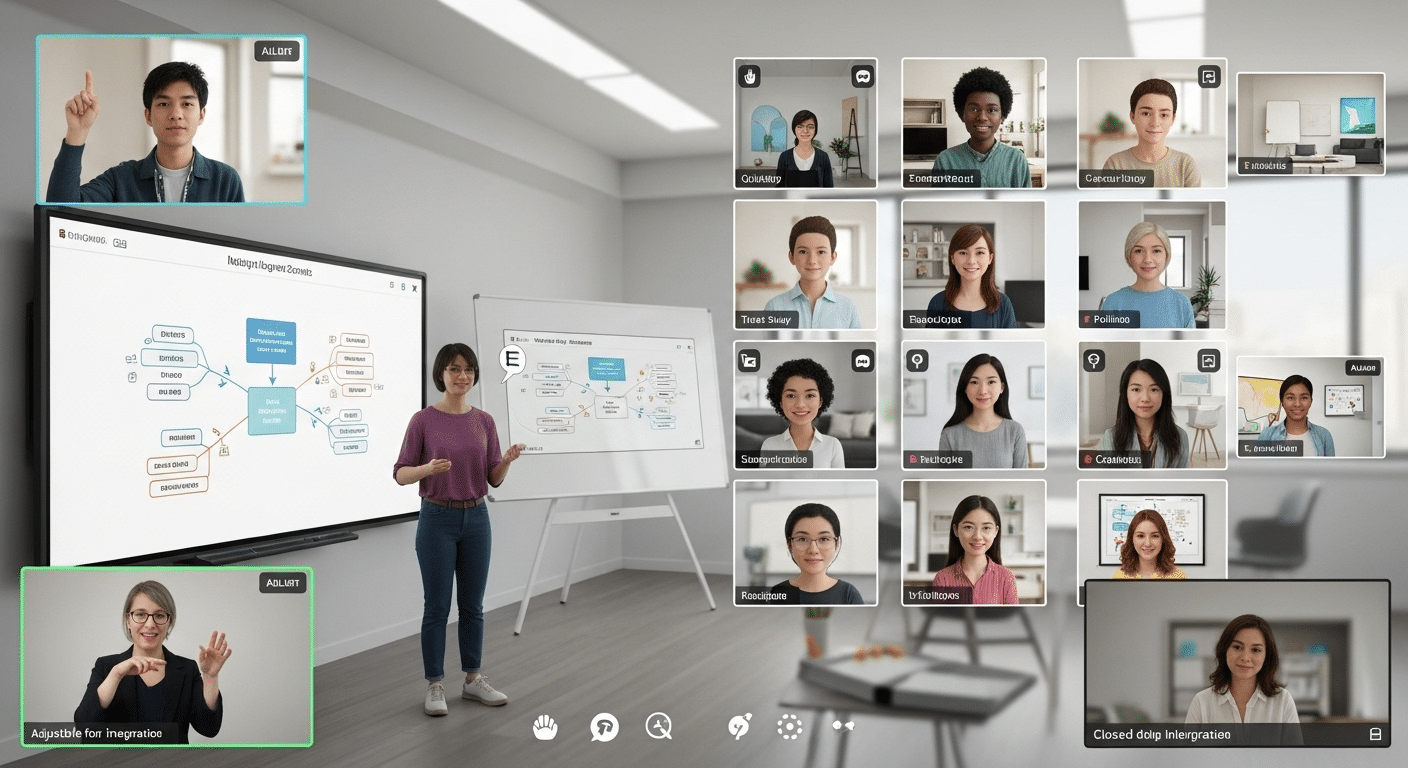
A well-designed virtual classroom doesn’t just deliver lessons, it supports how different people learn. In an online setting, students bring varied needs, schedules, and strengths. The goal is to create an environment that’s flexible enough to meet all of them.
Support for Diverse Learning Styles
Some students absorb information best through visuals. Others need to interact or listen. A strong virtual class includes:
- Videos and diagrams for visual learners
- Audio recordings or live discussions for auditory learners
- Click-and-drag simulations or digital whiteboards for kinesthetic learners
By building lessons with this mix, you’re making learning accessible to more students, not just a few.
Let Students Learn at Their Own Pace
One of the biggest strengths of online learning is its flexibility. Offer self-paced modules where students can pause, rewind, or revisit content. This is especially valuable for those juggling school with work or family responsibilities.
- Upload review content like recorded lectures or slide decks
- Provide optional practice exercises and self-check quizzes
- Allow time windows for completing tasks, not rigid schedules
Balance Live and Asynchronous Learning
Not every student thrives in real-time classes. Use asynchronous learning (pre-recorded lessons, message boards) alongside live sessions.
This allows students to absorb material when they’re most focused, whether that’s morning or midnight.
When your virtual classroom is built for diverse learning styles, it stops being one-size-fits-all. Instead, it becomes a space where every student has the tools to succeed, in their own pace and in their own way.
How Do You Encourage Interaction and Collaboration in a Virtual Class?
A successful virtual classroom goes beyond content delivery, it fosters connection. To keep students engaged, you need to create opportunities for collaborative learning, peer interaction, and real conversation. That sense of belonging can’t be overlooked.
Breakout Rooms and Small Group Discussions
Break large classes into breakout rooms for small group discussions. These spaces give students a chance to speak more freely, ask questions, and exchange ideas in a less intimidating setting. Rotate groups to expose students to different perspectives.
Collaborative Whiteboards and Shared Docs
Use collaborative whiteboards or live documents for group brainstorming or problem-solving. Everyone contributes in real time, and it mirrors the interaction of a traditional classroom, without the physical walls.
Build Community with Communication Tools
Interaction shouldn’t stop when class ends. Lean on tools like:
- Video for face-to-face connection
- Chat features for live feedback or side questions
- Message boards for longer, thoughtful discussions
Encourage casual conversation spaces too. Let other students share study tips or start discussion threads.
These small elements help with building community, which is important to student retention and motivation.
Promote Communication Skills
In a digital setting, students develop different but equally valuable communication skills—like clarity in written messages, patience in turn-taking, and digital collaboration.
When you design your virtual class around interaction, you don’t just fill time—you build trust, engagement, and deeper learning. Up next, let’s look at how to manage all this without burning out.
How Can You Keep Students Engaged and Focused?

Keeping students engaged in a virtual classroom takes more than just showing up on screen. You need structure, variety, and small moments of interaction that make the learning experience stick.
Minimize Distractions Early
Start with the basics. Encourage a quiet learning space to reduce background noise. Use headphones, and ask students to mute when not speaking. These small habits help everyone stay focused.
Set clear expectations for how class will run—when to participate, how to submit work, and how to ask questions. A consistent rhythm builds trust and attention.
Make Learning Interactive and Fun
Introduce interactive quizzes, quick polls, or short challenges throughout the lesson. These act as micro-assessments to check understanding without pressure.
Gamifying small parts of class, even with simple points or shout-outs, can make participation feel like a fun way to learn rather than a chore.
Support Individual Students
Offer personalized feedback, written, audio, or video—on assignments or contributions. Recognizing effort goes a long way in a digital space.
Pay attention to quiet individual students. A private message or check-in can help them feel seen and supported.
With the right balance of feedback, interactivity, and pacing, you create a virtual space where students don’t just log in, they lean in.
What Are the Advantages of Creating a Virtual Classroom?
Creating a virtual classroom comes with real, measurable advantages, both for educators and students. One of the biggest is cost efficiency.
You don’t need to rent physical space, invest in classroom equipment, or worry about travel costs. Most platforms require no installation, they’re cloud-based and ready to go.
Easy Access for Everyone
Virtual classrooms are accessible across devices—laptops, tablets, even smartphones. That means students can join from wherever they are, as long as they have a reliable internet connection. This easy access removes barriers and opens learning opportunities for more people, especially those previously limited by location or mobility.
Built for Online Teaching
Whether you’re managing daily online teaching sessions or hosting one-time lectures, virtual classrooms offer the flexibility to support different formats. You can run online courses, drop in guest speakers, or collaborate with industry experts, without any logistical hassle.
The scalability of virtual classrooms makes them ideal for growing programs, hybrid models, or institutions looking to expand reach without expanding budgets.
In short, when you build a virtual classroom, you’re creating more than convenience, you’re building a future-ready space for education, teaching, and connection.
What Are the Most Common Mistakes to Avoid When Setting Up a Virtual Class?
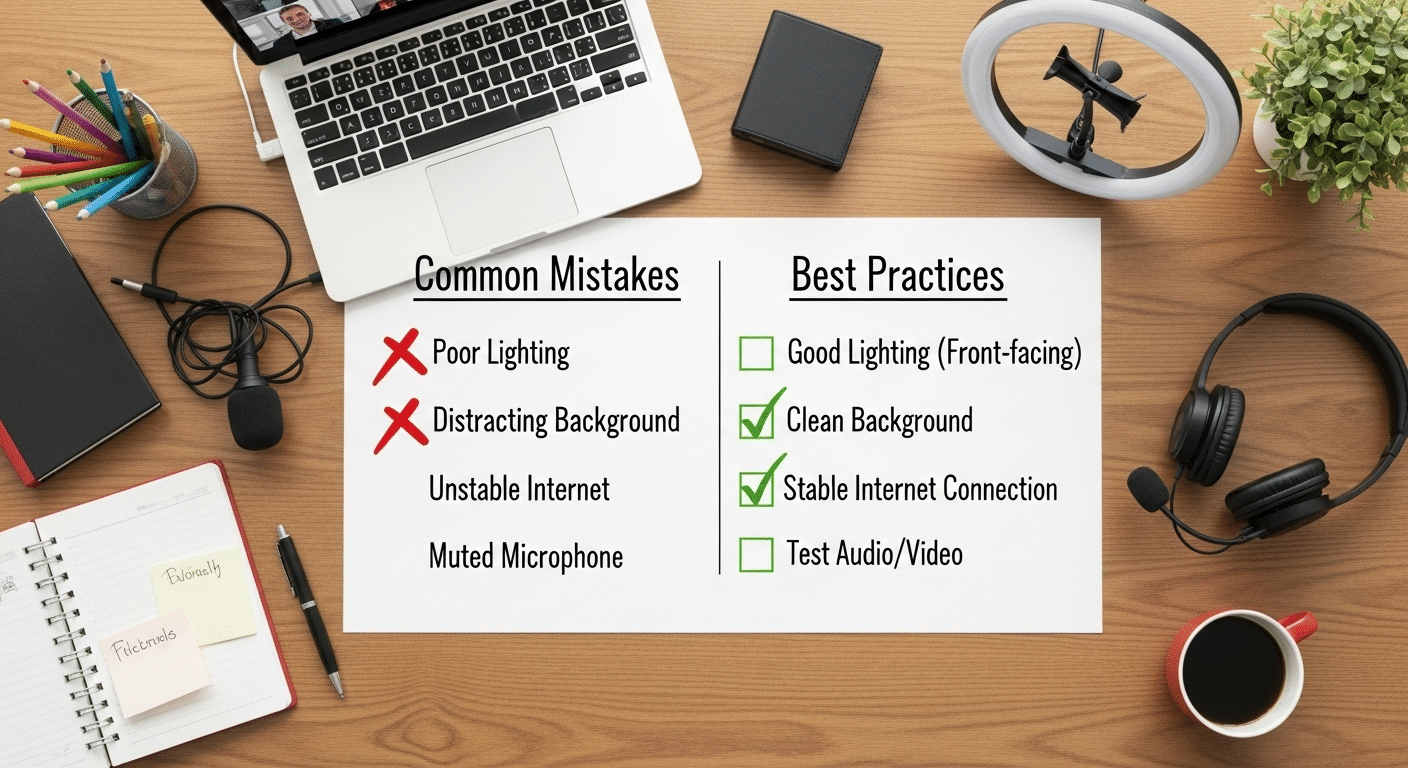
Setting up a virtual class can be smooth, or surprisingly frustrating, depending on how you approach it. A few common mistakes can quickly disrupt the flow of teaching and make students tune out.
1. Overcomplicating Your Tech Stack
Don’t pile on too many tools. Stick to a few reliable platforms that do the job well. Juggling multiple apps for video, chat, assignments, and grading only confuses both teachers and students.
2. Ignoring Student Feedback
A great classroom evolves. If students mention laggy video, confusing instructions, or unclear expectations, take note. Their insights can help you refine your approach.
3. Skipping Tech Checks
Before going live, always test your internet connection, webcam, mic, and screen sharing. A five-minute delay due to faulty gear can derail your entire class.
Avoiding these simple pitfalls helps your virtual classroom feel smooth, responsive, and focused on learning, not troubleshooting.
Why Apporto Helps You Create a Smarter Virtual Classroom
If you’re serious about building a seamless, scalable, and secure virtual classroom, platforms like Apporto are worth exploring.
Apporto offers a cloud-based environment that supports online teaching, interactive tools, and virtual labs, all in one place.
With no installation required, real-time collaboration, and support for even complex STEM tools, Apporto makes it easier to manage and scale your digital classroom, whether you’re teaching 10 students or 1,000. Try Apporto
Final Thoughts
Creating a virtual classroom is more than choosing a platform, it’s about designing a space where students can learn, connect, and grow.
With the right mix of tools, structure, and creativity, you can deliver a learning experience that’s just as impactful as a physical classroom, sometimes even more so.
From setup to engagement, each step plays a role in how students explore, retain, and apply what they learn. When thoughtfully built, a virtual classroom fosters communication, encourages participation, and adapts to the needs of all learners.
Whether you’re starting fresh or fine-tuning your current setup, now’s the time to act. Choose the right tools, listen to your students, and start building a smarter path forward.
Explore platforms like Apporto to bring your virtual classroom to life, and start transforming the way you teach.
Frequently Asked Questions (FAQs)
3. What’s the difference between a virtual classroom and online learning?
A virtual classroom is a live, interactive space where students and teachers meet in real time, similar to a physical class. Online learning can also include self-paced lessons, recorded lectures, and materials accessed anytime. The virtual classroom is one part of the larger online learning experience.
4. Can you use free tools to create a virtual classroom?
Yes. Tools like Google Classroom, Zoom, and Microsoft Teams let you create a virtual class without cost. While basic features are often enough for small groups, larger setups may need paid virtual classroom platforms or learning management systems for more control.
5. How do you manage students in a virtual class?
Use platforms that offer attendance, breakout rooms, and content tracking. A clear structure, consistent schedule, and regular check-ins help keep students engaged and on task.
6. What’s the best platform for small or large classes?
Small classes can use simple tools like Zoom or Google Meet. For larger or more complex setups, platforms like Apporto or Canvas offer better scalability, built-in management systems, and easier access control for teachers and learners.
