
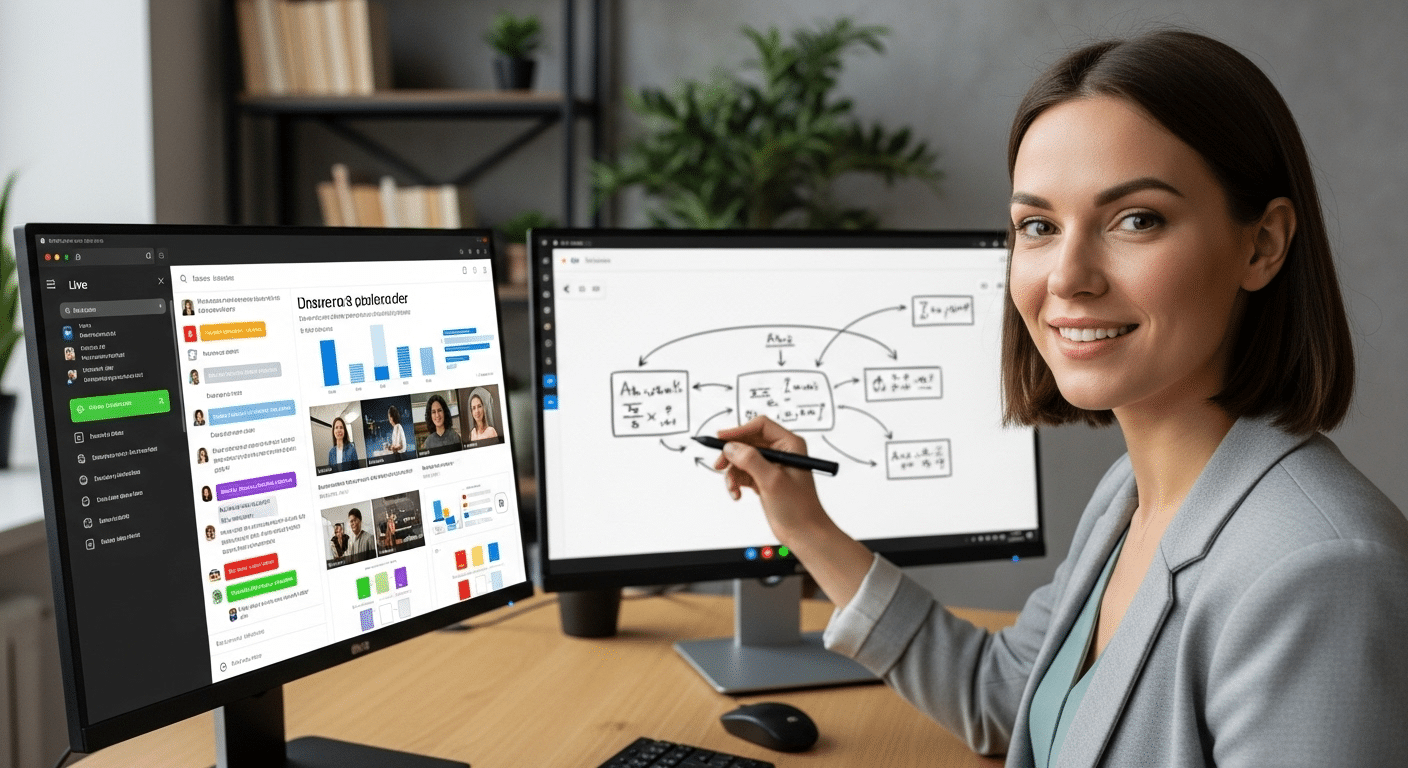
What Is the Best Virtual Classroom Software For Online Teaching?
Virtual classroom software enables live online teaching through video, digital whiteboards, chat, breakout rooms, and learning tools. Leading platforms like Apporto, Zoom, Microsoft Teams, and Google Classroom support remote instruction, while the best choice depends on engagement needs, integrations, scalability, and ease of use.
The classroom isn’t confined to four walls anymore. Over the last few years, remote learning has shifted from an optional convenience to a core component of modern education. Whether you’re managing online courses for thousands of students or leading small group sessions across time zones, the virtual classroom has become a vital piece of the learning experience.
But not all virtual classroom software is built the same. Some platforms offer robust tools for teacher-student interaction, while others focus more on content delivery or administrative control. The right platform doesn’t just host your lessons—it enhances them.
With the right features, you can improve student engagement, streamline workflows, and make teaching online feel less like a workaround and more like a true alternative to traditional instruction.
In this guide, you’ll explore the best virtual classroom software options available today, broken down by features that actually matter: ease of use, classroom tools, integration, scalability, and support for educators and learners alike.
What Is Virtual Classroom Software and How Does It Work?
A virtual classroom is a digital space where teaching and learning happen in real time, over the internet. It’s built to replicate the core elements of a traditional classroom—teacher-led instruction, student participation, and collaborative learning—but in an online environment. Unlike simple video calls or static e-learning modules, virtual classroom software is designed specifically for interactive education.
This shift didn’t happen overnight. As schools adapted to remote learning and educators explored more flexible teaching models, the need for platforms that could handle live instruction, engagement tools, and course delivery all at once became clear. That’s where modern virtual classroom platforms stepped in—bridging the gap between in-person education and online access.
It’s important to distinguish a virtual classroom from two other categories:
- A learning management system (LMS) helps manage assignments, grades, and course content—usually asynchronously.
- Online meeting tools like Zoom or Google Meet are built for conversations, not classrooms.
Virtual classroom software combines the best of both. It supports screen sharing, interactive chat, digital whiteboards, class recording, and even tools like hand-raising, polls, and breakout rooms. Everything is centered on replicating the classroom experience in a way that’s accessible, scalable, and flexible.
Whether you’re teaching a university lecture, tutoring one-on-one, or running professional development sessions, the right virtual classroom platform helps bring structure and interactivity to every lesson.
What Features Should You Look For in a Virtual Classroom Platform?
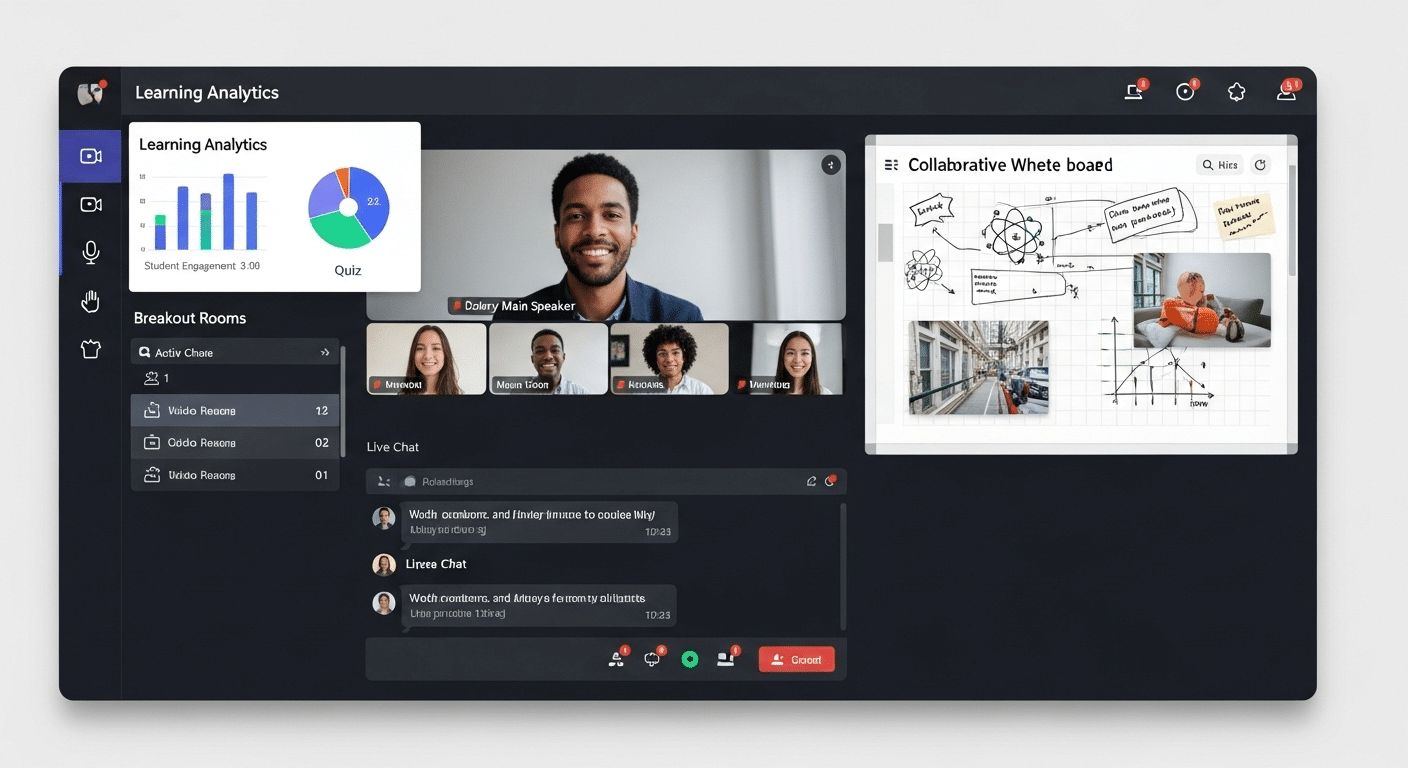
A virtual classroom platform should offer more than just video—it needs to support real teaching, engagement, and learning. The most effective platforms include the following core features:
- Real-Time Video Conferencing: Reliable audio and HD video for smooth live sessions, even with large groups.
- Online Whiteboard: Draw diagrams, annotate, and explain concepts visually in real time.
- Breakout Rooms: Enable small-group work and active learning sessions.
- Class Recording: Archive sessions for review and asynchronous learning.
- Chat and Q&A Tools: Keep students involved with real-time text chat, polls, and reactions.
- Multimedia Support: Share slides, documents, or videos directly within the session.
- LMS Integration: Sync with systems like Canvas or Moodle for assignments, grades, and tracking.
- Progress Tracking: Monitor student activity and performance in one place.
- Ease of Use: A clean, intuitive interface helps both teachers and students stay focused on learning—not troubleshooting.
When all these features work in harmony, the result is a platform that supports both the structure of teaching and the flexibility of online education.
Which Are the Best Virtual Classroom Software Platforms?
Choosing the right virtual classroom platform depends on your teaching style, class size, budget, and technical setup. Here’s a condensed look at the top options, with strengths, limitations, and who they’re best suited for.
1. Apporto – Purpose-Built for Education
Apporto is designed specifically for education—not adapted from corporate tools. It’s browser-based, so no installs are needed.
Features:
- Built-in virtual whiteboard
- Student screen viewing in real time
- Hand-raising, live chat, LMS integration
- Works well on low-spec devices
Best For: Schools and universities needing a scalable, education-first platform with minimal IT complexity. Try Apporto
2. Zoom – Widely Used and Easy to Adopt
Zoom is familiar, stable, and offers core tools like video conferencing, screen sharing, and breakout rooms.
Features:
- HD video/audio
- Polls, reactions, session recording
Limitations:
- Not built for education
- Limited grading or classroom management tools
Best For: Institutions needing quick, reliable virtual teaching without deep LMS integration.
3. Microsoft Teams – Strong for Office 365 Schools
For schools already using Microsoft tools, Teams offers native integration and collaboration features.
Features:
- Integrated with OneNote, Word, and SharePoint
- Built-in assignment tracking
Limitations:
- Lacks real-time screen viewing
- Less intuitive for non-Microsoft users
Best For: Schools standardized on Microsoft ecosystems.
4. Google Classroom + Meet – Free and Simple
A basic but functional solution for K–12 or budget-limited programs.
Features:
- Google Docs and Calendar integration
- Easy assignment sharing
Limitations:
- No breakout rooms
- Limited live engagement tools
Best For: Primary and secondary schools needing a lightweight, no-cost option.
5. Adobe Connect – Feature-Rich but Complex
Designed for training, Adobe Connect supports advanced interactivity and customization.
Features:
- Interactive pods and media layouts
- Participant analytics
Limitations:
- Higher cost
- Requires installation and training
Best For: Corporate training and institutions with specialized delivery needs.
How Does a Virtual Classroom Compare to a Traditional Classroom Setting?
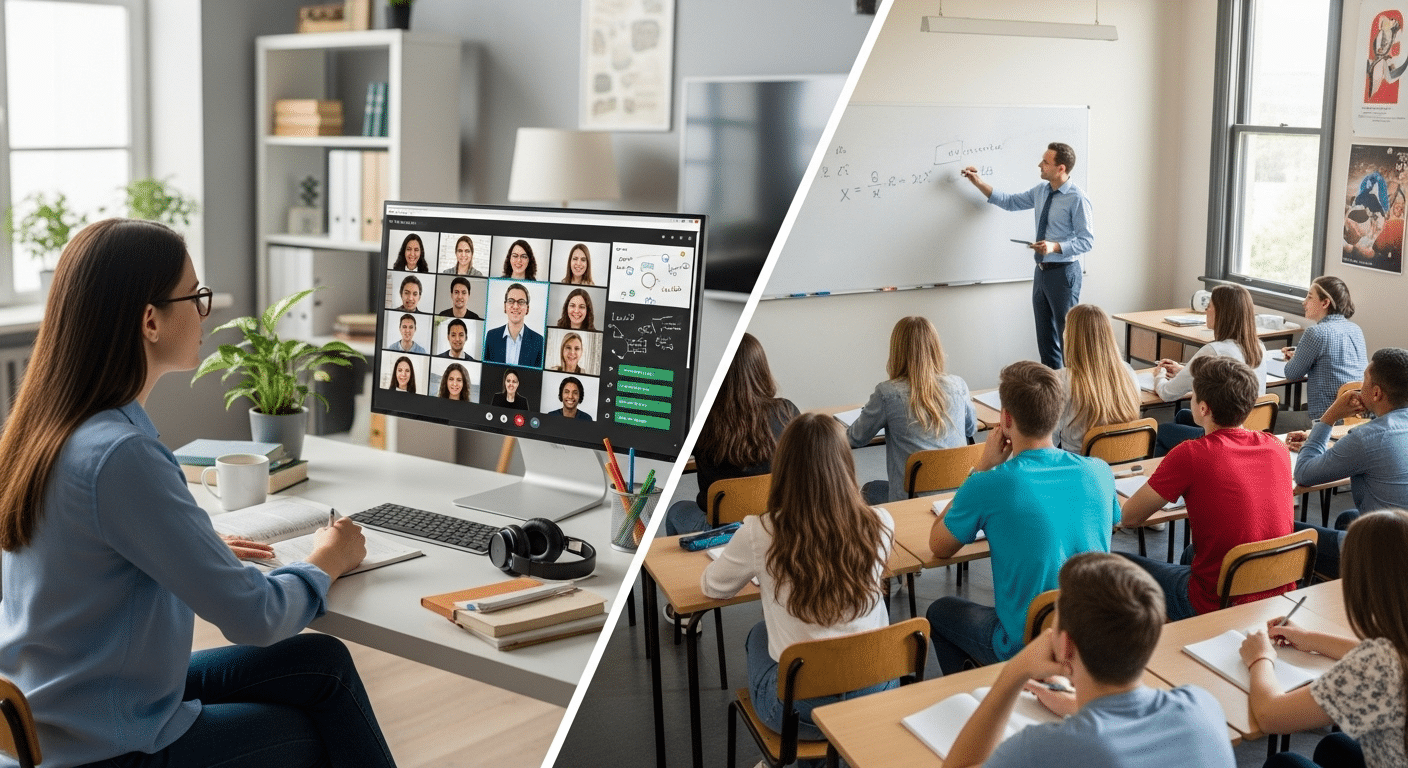
Virtual classrooms don’t replicate a physical space—they reimagine it. While the end goal of education remains the same, the environment in which learning takes place has changed dramatically. Comparing the virtual classroom to a traditional setting highlights both gains and trade-offs.
Benefits of Virtual Classrooms
- Flexibility: Students can attend from anywhere—home, work, or on the move.
- Accessibility: With just a device and an internet connection, anyone can join. No commuting, no logistics.
- Self-Paced Learning: Many platforms allow class recording, so learners can revisit lectures anytime, reinforcing core concepts at their own speed.
Challenges to Consider
- Engagement: Without in-person cues, it’s harder to read the room or maintain attention. Tools like polls, breakout rooms, and chat features help, but they require intentional use.
- Internet Dependency: A poor connection can disrupt learning—especially in regions with limited infrastructure.
- Screen Fatigue: Spending hours in front of a screen can reduce focus and strain mental energy. Breaks, interaction, and shorter sessions can help offset this.
Live vs. Asynchronous Learning
- Live classes replicate the feel of a traditional lecture with real-time interaction.
- Asynchronous learning involves recorded lectures, uploaded materials, and discussion boards.
- Online tutoring blends both—offering live, personalized help with flexible scheduling.
A virtual classroom isn’t meant to be a perfect replacement for every in-person moment. But when done right, it offers flexibility and inclusivity that the traditional classroom often can’t.
What Are the Core Differences Between a Virtual Classroom and a Learning Management System (LMS)?
It’s easy to confuse a virtual classroom platform with a learning management system—they often appear side by side. But each serves a distinct purpose, and understanding the difference helps you choose the right tools for your school or program.
| Feature | Virtual Classroom | Learning Management System (LMS) |
|---|---|---|
| Primary Purpose | Live, real-time instruction | Course management and content delivery |
| Main Tools | Video conferencing, whiteboards, chat | Assignments, grading, course materials |
| Interaction Style | Synchronous (live classes) | Mostly asynchronous |
| Examples | Apporto, Zoom, Adobe Connect | Moodle, Canvas, Blackboard |
A virtual classroom focuses on live interaction—just like a traditional class, but online. It provides tools for engagement: screen sharing, digital whiteboards, breakout rooms, and real-time discussions.
An LMS, on the other hand, organizes everything around the course lifecycle. It’s where students access materials, submit assignments, track progress, and review grades.
The best virtual classroom platforms today combine both. Platforms like Apporto integrate with major learning management systems, letting you manage content and teach live sessions from a unified interface.
What Types of Schools and Institutions Benefit Most from Virtual Learning Platforms?

Almost every part of the education ecosystem can benefit from a virtual classroom setup—but the impact is especially strong in institutions where access, flexibility, and scale are essential.
School Districts Focused on Equity
Public schools serving diverse populations use virtual platforms to bridge the digital divide. With the right setup, students can participate regardless of geography or economic background.
Higher Education and Remote-First Programs
Universities and colleges have moved toward blended learning models—part in person, part online. For fully remote degrees, a browser-based classroom that works across devices is essential.
Online Tutoring Businesses and Course Creators
Individual educators and edtech entrepreneurs rely on virtual classrooms to create online courses, host live lessons, and scale their offerings without needing physical infrastructure.
Corporate Training and Continuing Education
Companies use virtual classroom software for onboarding, compliance training, and professional development. Live sessions, screen sharing, and recording tools make it easy to deliver consistent training at scale.
The value isn’t limited to any one model. From K-12 schools to global enterprises, virtual learning environments are becoming foundational to modern education and training.
What Are Some Free or Low-Cost Virtual Classroom Software Options?
If you’re working with limited resources—or just exploring what’s out there—several free or low-cost virtual classroom platforms offer solid functionality for teaching and training online. While they may not include every advanced feature, they’re often more than enough for basic instruction and small-group learning.
Google Meet + Classroom
- Free for schools using Google Workspace for Education
- Seamless integration with Docs, Slides, and Drive
- Basic assignment tracking and document sharing
- Lacks advanced live class features like breakout rooms or screen monitoring
Zoom (Free Version)
- Popular choice for quick live classes and webinars
- Supports up to 100 participants with a 40-minute limit per session
- Includes screen sharing, chat, and recording
- Requires teacher tech support for managing links, sessions, and security
Apporto – Free Trial-Based Access
- Offers trial access to its full-featured virtual classroom
- Browser-based, no software installation required
- Designed specifically for education with LMS integration, real-time student screen viewing, hand-raising, and whiteboard tools
- Ideal for testing in a real classroom environment before committing.
Open-Source Alternatives
Platforms like BigBlueButton or Jitsi offer full control with no licensing fees. However, these come with tradeoffs:
- Requires server hosting and IT expertise
- Limited support and documentation
- May lack polish or integration with learning management systems
If you’re just starting out, free tools can help bridge the gap. But as your needs grow—especially with larger classes or more interactive sessions—a paid platform may offer a more consistent and scalable experience.
What Other Factors Should You Consider When Choosing Classroom Software?

Beyond features and pricing, it’s important to consider how a platform fits your environment, users, and long-term needs.
Browser-Based vs. Installed Software
Browser-based tools like Apporto simplify access—no downloads or installs. Installed apps may offer more power but often require IT support and can create compatibility issues.
Mobile Compatibility
Not all students use laptops. Make sure the platform supports smartphones and tablets, especially in districts focused on digital equity.
Scalability
Whether teaching one class or supporting a district, the platform should scale easily with:
- Large user support
- Quick onboarding
- Flexible classroom creation
Data Privacy
Ensure compliance with FERPA, GDPR, and similar policies. Look for:
- Data encryption
- Admin-level controls
- Clear privacy practices
White-Labeling
Some platforms offer custom branding options like:
- Branded dashboards
- Custom domains
- Tailored user experiences
Support and Training
Even the best tools fall short without help. Prioritize platforms with:
- Teacher onboarding
- Live or ticket-based support
- Helpful documentation
These practical details often make the difference between a platform that works—and one that truly supports learning.
Final Thoughts
There’s no one-size-fits-all answer to choosing the best virtual classroom software. The right platform depends on what you’re teaching, who your learners are, and how you plan to deliver content.
If you need deep LMS integration, real-time monitoring, and equitable access, Apporto offers an education-first solution. For those already using Microsoft 365 or Google tools, Teams and Google Classroom provide simplicity and familiarity. Zoom remains strong for live video-based instruction, while Adobe Connect supports more advanced, enterprise needs.
Focus on what actually supports your teaching—not just what looks good on a checklist. Consider how your students engage, what tech support is available, and whether the platform enhances or hinders your lessons.
Evaluate tools through real-world testing whenever possible. A well-chosen platform can turn online teaching from a temporary fix into a lasting, effective part of your educational strategy.
Frequently Asked Questions (FAQs)
1. What is the best virtual classroom software for schools?
Apporto is often preferred by schools and universities for its education-first design, real-time classroom tools, and seamless LMS integration. It works in the browser and requires no downloads.
2. Can I use a virtual classroom to teach live and recorded lessons?
Yes. Most platforms support live classes with options to record sessions for students who need flexible access. Look for built-in archiving tools or integrations with cloud storage.
3. Is there a difference between virtual classrooms and LMS platforms?
Yes. A virtual classroom focuses on live, interactive sessions. An LMS handles content delivery, assignments, and grades. The best platforms often combine both.
4. What tools help improve teacher-student interaction online?
Core tools include digital whiteboards, hand-raising, breakout rooms, polls, and live chat. Apporto, Zoom, and Adobe Connect include many of these to improve engagement.
5. Are there any free virtual classroom platforms?
Yes. Google Classroom with Meet and Zoom’s free version are common choices. They’re useful for basic needs but may lack features like breakout rooms or LMS integration.
