Simplifying IT Management with Virtual Desktops: Key Considerations for IT Professionals

Virtual desktops IT

Simplifying IT Management with Virtual Desktops: Key Considerations for IT Professionals

The rapid advances in technology over the last few decades have revolutionized the way businesses operate. Companies around the world are racing to adopt technology solutions that can keep them competitive and agile in the marketplace. At the same time, managing the complexity of IT systems has become a major headache for IT professionals. One approach that has gained popularity in recent years is virtual desktops. Virtual desktops offer significant benefits to organizations looking to streamline IT management. In this article, we will explore the key considerations that IT professionals should weigh before implementing virtual desktops in their organizations.

Understanding Virtual Desktops and Their Benefits

Virtual desktops is a technology that allows users to access a centralized desktop environment from anywhere in the world using any device. In other words, virtual desktops put all the apps, programs, and files in one place on a remote server. Instead of having to install software and store files on a local device, users can access their desktops from a remote server using a client application. Virtual desktops offer several benefits over traditional desktops, including:

  • Reduced hardware costs
  • Minimized overhead of managing lots of separate systems
  • Better security
  • Reduced energy costs and carbon footprint

Let’s dive deeper into what virtual desktops are and how they can benefit your organization.

What are Virtual Desktops?

Virtual desktops are essentially a remote desktop environment that is stored on a server. Instead of having to install software and store files on a local device, users can access their desktops from a remote server using a client application. This is called a virtual machine. Each virtual desktop is isolated from others, so users can customize their settings and install and run the applications they need without worrying about affecting other users. This means that users can work from anywhere, at any time, using any device, and still have access to all of their applications and files.

Virtual desktops can be accessed through a variety of devices, including desktops, laptops, tablets, and smartphones. This makes it easy for users to work from home, on the go, or in the office without having to worry about carrying around a heavy laptop or desktop computer.

Advantages of Implementing Virtual Desktops

Implementing virtual desktops has several advantages. First, they reduce hardware costs because you don’t need to purchase high-powered, expensive desktops or laptops. Instead, you can use less expensive thin clients or repurpose older hardware. Second, they minimize the overhead of managing lots of separate systems. With virtual desktops, IT administrators can manage all desktops from a central location, which reduces the need for onsite support and maintenance. Third, they offer better security because all data is stored centrally and can be backed up easily. This means that if a device is lost or stolen, the data is not lost. Lastly, virtual desktops reduce energy costs and carbon footprint because less power is consumed by desktops and servers.

Virtual desktops also offer a better end-user experience by providing a consistent environment across devices and locations and enabling support for Bring Your Own Device (BYOD) policies. With virtual desktops, users can work from any device and still have access to all of their applications and files.

How Virtual Desktops Simplify IT Management

Virtual desktops offer IT professionals a scalable, manageable, and secure solution to manage the complexity of IT infrastructure. Virtual desktops allow administrators to deploy, manage, maintain, and update desktop environments centrally, without having to worry about individual desktops. This means that IT administrators can focus on more strategic projects instead of spending time on routine maintenance and support tasks.

Virtual desktops offer a lower total cost of ownership (TCO) due to reduced hardware costs, maintenance, and support. With virtual desktops, IT administrators can easily deploy new desktops, update software, and manage security patches from a central location. This reduces the need for onsite support and maintenance, which can save organizations money in the long run.

In conclusion, virtual desktops offer several benefits over traditional desktops, including reduced hardware costs, better security, and simplified IT management. If you’re looking for a scalable, manageable, and secure solution for your organization, virtual desktops may be the answer.

Assessing Your Organization’s Needs

The decision to implement virtual desktops should be based on a thorough assessment of the organization’s needs and goals. IT professionals need to evaluate their current infrastructure, identify key business requirements, and estimate the cost of implementation. This assessment should cover the following factors:

Evaluating Current IT Infrastructure

The first step in assessing your organization’s needs is to evaluate your existing IT infrastructure. This step will help you identify areas that need improvement, understand the current resources, and determine whether your infrastructure can support a virtual desktop environment. Key factors to consider include the size of your organization, the number of users, the types of applications used, and the hardware and software currently in use.

For example, if your organization has a large number of users who require access to high-performance applications, you may need to invest in more powerful servers or storage solutions to support a virtual desktop environment. On the other hand, if your organization has a smaller number of users who primarily use basic office applications, your existing infrastructure may be sufficient to support virtual desktops. 

Alternatively, many organizations are now turning towards a Desktop-as-a-Service (DaaS) as it allows them to offload the management of the infrastructure and dramatically reduce costs.

Identifying Key Business Requirements

Before selecting a virtual desktop solution, you need to identify the business requirements that are driving your need for virtual desktops. This might include remote access, mobility, security, compliance, disaster recovery, or other factors. Understanding these requirements will help you determine the features and capabilities you need from a virtual desktop solution.

For example, if your organization has a large number of remote workers who need access to desktop applications, you may need a virtual desktop solution that provides secure remote access. Alternatively, if your organization operates in a highly regulated industry, you may need a virtual desktop solution that meets specific compliance requirements.

Estimating the Cost of Implementation

The cost of implementing virtual desktops will depend on a variety of factors, including the size of your organization, the number of desktops, the complexity of your environment, and the features and capabilities you need. You will need to evaluate the total cost of ownership (TCO) of virtual desktops, including licensing, hardware, storage, bandwidth, and ongoing support and maintenance costs. It is critical to gain a thorough understanding of the costs involved before making a decision.

For example, if your organization has a large number of desktops that require high-performance hardware, the cost of implementing virtual desktops may be higher than if you have a smaller number of desktops that require less powerful hardware. Additionally, ongoing support and maintenance costs can vary depending on the complexity of your environment and the level of support required.

Overall, a thorough assessment of your organization’s needs is critical to the success of a virtual desktop implementation. By evaluating your current infrastructure, identifying key business requirements, and estimating the cost of implementation, you can make an informed decision about whether virtual desktops are the right solution for your organization.

Choosing the Right Virtual Desktop Solution

Choosing the right virtual desktop solution is critical to the success of your implementation. There are many virtual desktop providers in the market, and it can be challenging to navigate the options available. IT professionals need to consider several factors when selecting a virtual desktop provider, including:

  • Experience
  • Reliability
  • Scalability
  • Security
  • Implementation Effort
  • Support

When assessing virtual desktop providers, consider these factors carefully. Look for providers that have a proven track record of delivering high-quality, secure, and reliable services to their customers. Evaluate the providers’ ability to scale their solutions to accommodate your organization’s growth and future requirements, including the ability to integrate with your existing IT infrastructure.

Comparing Virtual Desktop Providers

Comparing virtual desktop providers can be a daunting task, but it is essential to make an informed decision. Start by researching the providers’ backgrounds and reputation in the industry. Consider the provider’s experience in delivering virtual desktop solutions, the size of their customer base, and the industries they serve. Look for customer reviews and case studies to gain insight into the provider’s performance and customer satisfaction.

By comparing the providers’ offerings against these criteria, you can make an informed decision that will meet your organization’s needs.

Virtual Desktop Provider Comparison

See how Apporto stacks up against the most popular virtualization technologies available today

Key Features to Look for in a Solution

When comparing virtual desktop solutions, look for features that will enhance the end-user experience and provide the functionality and flexibility that your organization requires. Some of the key features to consider include:

  • Support for multiple devices
  • Mobility
  • Security
  • Client-less remote access
  • Integrations
  • Customization options
  • High availability
  • Disaster recovery
  • OS support

By evaluating these features, you can ensure that your virtual desktop solution meets your organization’s needs and provides a seamless end-user experience.

Ensuring Scalability and Flexibility

Your virtual desktop solution must be able to handle the growth of your organization and adapt to changing requirements. Evaluate the scalability and flexibility of the providers’ solutions, including the ability to support remote and mobile users, support Bring Your Own Device (BYOD) policies, and integrate with your existing infrastructure seamlessly.

Consider the provider’s ability to deliver a solution that can scale up or down as your organization’s needs change. Look for providers that offer flexible pricing models, so you only pay for what you need. By ensuring scalability and flexibility, you can future-proof your virtual desktop solution and ensure that it meets your organization’s needs for years to come.

Implementing Virtual Desktops in Your Organization

Once you have assessed your needs, selected the right virtual desktop solution, and estimated the cost of implementation, it’s time to deploy virtual desktops in your organization. Deploying virtual desktops requires careful planning, preparation, and execution. Key factors to consider include:

Preparing Your IT Infrastructure

Before deploying virtual desktops, you need to prepare your IT infrastructure to ensure that it is stable, secure, and scalable to accommodate the new environment. This might include upgrading your network infrastructure, adding additional servers, installing new security measures, or updating your software. You will also need to allocate sufficient resources to support your users, including bandwidth, storage, and support personnel.

Alternatively, if you are going the DaaS route then much of the infrastructure planning can be skipped.

Training Your IT Team and End Users

Virtual desktops require a different set of skills and knowledge than traditional desktops. Your IT team and end-users will need to be trained to use the new environment. Training should cover topics such as accessing the virtual desktop, managing files, installing applications, and troubleshooting common issues. Training should be ongoing to ensure that your users are using the virtual desktop environment efficiently and securely.

Monitoring and Managing the Virtual Desktop Environment

Once your virtual desktop environment is deployed, you will need to manage and monitor it carefully to ensure that it is performing as expected. You will need to monitor performance, troubleshoot issues, and update software on a regular basis to keep the environment secure and stable. You will also need to manage end-users’ access to the virtual desktop environment to ensure that sensitive data is protected.

For cloud based models, much o the monitoring in maintenance is handled by the provider. For more information on cloud based desktops aka DaaS, learn more here.

Conclusion

Virtual desktops can offer IT professionals a powerful way to simplify IT management, reduce costs, improve security, and enhance the end-user experience. However, to reap the benefits of virtual desktops, you need to carefully assess your organization’s needs, choose the right virtual desktop solution, and implement it in a thoughtful and strategic manner. By following the key considerations outlined in this article, you can ensure that your organization is well-positioned to take full advantage of the benefits of virtual desktops.

Integrating Technology in Higher Education: Opportunities and Challenges Ahead

The digital revolution is rapidly reshaping the landscape of higher education, offering unprecedented opportunities to enhance learning and tackle challenges in innovative ways. As technology evolves, it increasingly becomes an integral part of universities and colleges, demanding a reevaluation of traditional educational practices. Understanding how these tools can be harnessed for academic enrichment is crucial for institutions aiming to thrive in this transformative era.

In recent years, advancements like AI-powered learning platforms, virtual and augmented reality, and blockchain have shown potential in revolutionizing how educational content is delivered and managed. Such technologies not only promise enhanced student engagement and personalized learning experiences but also equip students for a tech-driven workforce. However, as promising as these developments are, they also bring forth significant challenges such as data privacy, security, and equitable access requiring thoughtful consideration and strategic planning.

This article delves into the myriad possibilities that arise from integrating technology in higher education while candidly addressing the obstacles to implementation. From strategies to overcome existing barriers to fostering an environment of innovation, we explore how educational institutions can adapt and prosper in an increasingly digital world, ultimately paving the path for a dynamic future in academia.

The Role of Technology in Higher Education

Technology plays a crucial role in higher education, enhancing teaching, learning, and administration. It fosters innovation, accessibility, and efficiency in educational institutions. Online collaboration tools enable both synchronous and asynchronous communication, promoting active learning, peer engagement, and teamwork in virtual settings.

Artificial intelligence (AI) and machine learning enhance personalized learning. These technologies adapt content and assessments to fit each student’s learning style. This leads to improved learning outcomes and student success.

Administrative processes have also benefited. Student Information Systems, course registration, and financial aid platforms streamline tasks, saving time and resources.

Furthermore, technology supports research with access to digital libraries, academic databases, and advanced tools like high-performance computing and data analytics.

Benefits of Technology in Higher Education:

  • Enhanced Learning: Personalized experiences and flexible formats.
  • Improved Admin Processes: Automation and efficiency.
  • Research Support: Access to extensive resources and tools.

Incorporating technology in higher education creates richer, more dynamic educational experiences for students and staff alike.

Emerging Technology Trends

Emerging technologies are transforming higher education. New advancements like AI, IoT, and blockchain are changing how students learn and how institutions function. These technologies are paving the way for new tools and methods. They enhance both learning and administration by offering more personalized and efficient processes. Universities are beginning to use these innovations to create richer, more engaging educational experiences.

AI-Powered Learning Platforms

AI-powered learning platforms are reshaping educational practices. They use advanced algorithms to personalize learning for each student. These systems adjust content delivery and pacing to individual needs, fostering deeper engagement. AI tools can automate tasks like admissions, allowing educators to focus on teaching. They also provide real-time feedback, helping students grasp complex topics. By predicting which students might struggle, these platforms enable timely interventions to boost performance.

Virtual and Augmented Reality in Education

Virtual and Augmented Reality (VR and AR) offer immersive learning opportunities. VR creates a fully digital environment, helping students engage in interactive experiences beyond traditional classrooms. Meanwhile, AR overlays digital information onto the real world, enhancing lessons like anatomy with engaging visuals. Together, VR and AR enable deep exploration of subjects, fostering collaboration among students and educators. Implementing these technologies responsibly can improve education without bias.

Blockchain for Secure Data Management

Blockchain is revolutionizing secure data management in education. It offers a tamper-proof ledger that verifies academic credentials and combats fraud. This technology makes the verification of certifications more straightforward and portable between institutions. By using decentralized ledgers, blockchain enhances the security and transparency of academic records. It supports credit transfers between colleges, easing transitions for students. This innovation is crucial for trust in academic data management.

Learning Analytics for Instructional Practices

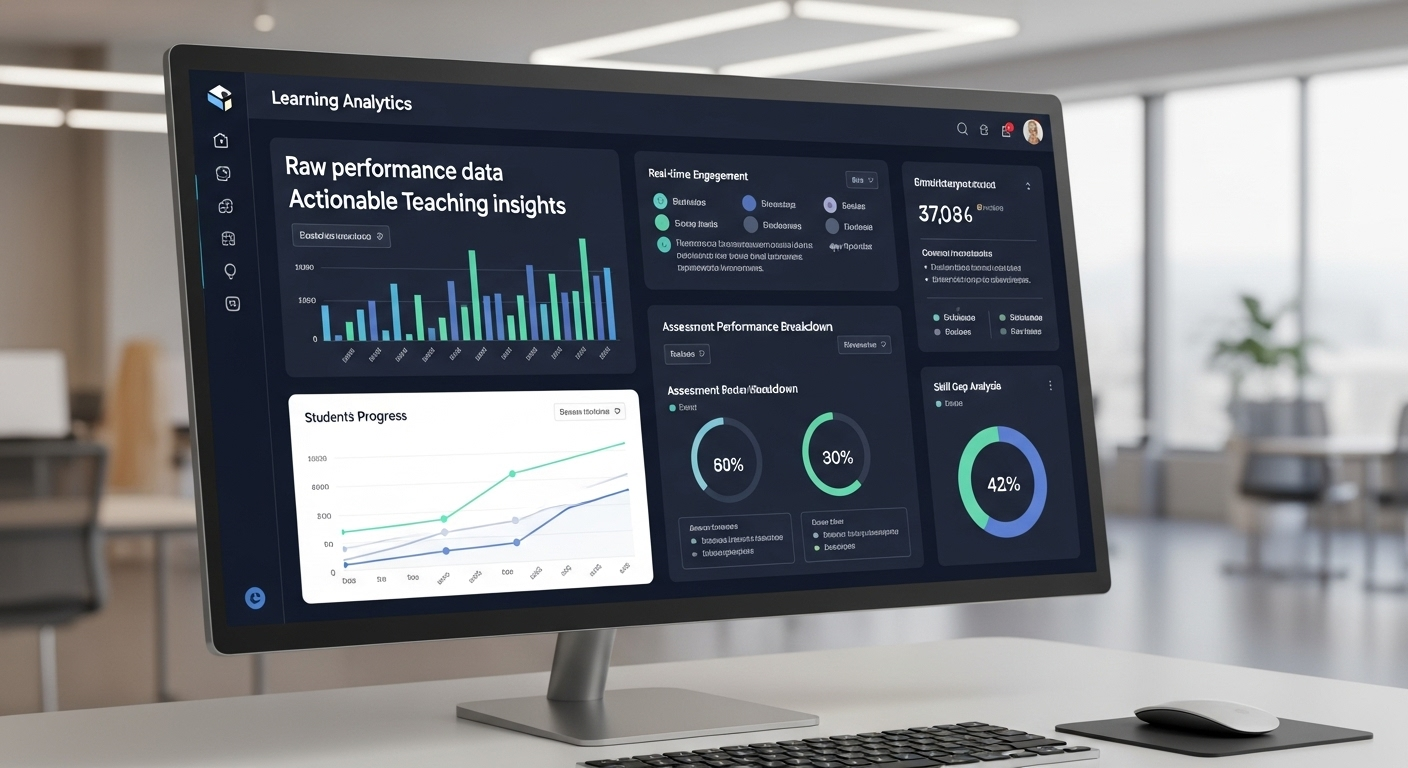
Learning analytics enhances teaching by analyzing student data. Educators use this information to personalize lessons and improve outcomes. By tracking student interactions and progress, analytics can identify those who may be falling behind. Platforms like Canvas and Blackboard provide insights into student performance, aiding in timely interventions. These capabilities allow for adaptive learning experiences, meeting each student’s unique needs and improving their success in education.

Enhancements through Technology

Technology is reshaping higher education in many exciting ways. Digital tools offer personalized and adaptive learning experiences that cater to individual student needs. Through AI and machine learning, educational content can tailor itself, providing a more customized approach. Online collaboration tools also allow students and instructors to interact seamlessly, fostering teamwork and communication. Furthermore, digital platforms enable students to access educational materials remotely, breaking down geographical barriers. These innovations streamline administrative processes in education institutions, enhancing efficiency. Access to digital libraries and research resources supports advanced scholarly activities, making technology a crucial role in modern higher education.

Student Engagement Boost

Though the direct link between technology and student engagement isn’t clear, innovations significantly reform the educational experience. Tools like Element451 use AI to simplify and personalize student interactions. These platforms facilitate better access to resources, thus boosting engagement. Additionally, digital libraries and academic databases enhance research efforts, enriching the student journey. However, challenges like bureaucratic resistance can hinder the full adoption of these tools. Overcoming such barriers may unlock further potential for higher student engagement.

Personalized Learning Experiences

In higher education, personalized learning experiences are empowered by advanced technologies. AI and machine learning adapt content delivery to match individual learning styles. Platforms like Canvas and Blackboard track student performance, offering insights that allow educators to provide targeted support. Real-time content adjustments enhance comprehension and retention, accommodating diverse student needs. By identifying students who need help early, learning management systems can offer timely interventions. Such personalized approaches ensure student success by optimizing their educational outcomes, providing a tailored and effective learning path.

Preparation for a Tech-Driven Workforce

Preparing students for a technology-driven workforce requires innovative learning models. Online platforms and AI-driven experiences create flexible and tailored educational paths, equipping students with necessary skills. Integrated Learning Management Systems allow for remote access to course materials, ideal for today’s global work settings. Universities play a crucial role in developing technologies integral to a tech-driven economy, particularly in STEAM fields. Yet, they face challenges like resource constraints, necessitating strategic implementation. Understanding data privacy and security is also crucial, highlighting the importance of protecting information. These aspects collectively gear students for success in a tech-centric world.

Challenges of Implementing Technology

Integrating technology in higher education is no small task. Bureaucratic structures and resistance to change slow down innovation. Many schools have limited resources, making it tough to invest in new tech. Additionally, higher education often moves slower due to its cautious approach. This cautious nature does not align well with the fast-paced world of technology. Financial issues add an extra layer of difficulty. With fewer students enrolling each year, schools find it hard to fund tech advancements. Also, the use of e-learning tools, necessary as they are, can be complicated by healthcare technology and changes in curricula. Notably, online assessments have brought up concerns about increased cheating, making some outcomes less positive.

Data Privacy Concerns

Data privacy is a significant concern for educational institutions using technology. As they gather more student data, the risk of breaching privacy grows. It is crucial for schools to use strong security measures to protect this information. Compliance with data protection regulations is not optional; it is a must. Institutions should be open about how they collect and use data. This transparency helps in building trust between students and faculty. Ethical considerations are also important, as they relate to student privacy in a data-driven environment. Communicating clearly about privacy policies strengthens the relationship between the institution and its community.

Security Issues

Security is a priority for higher education institutions integrating technology. They must implement strong security systems to protect sensitive student information while complying with regulations. Communicating clearly about data usage builds trust with students and educators. The rise in data collection raises privacy concerns, so institutions need to adopt strategies for efficient integration. Investing in security doesn’t have to break the bank if done thoughtfully. Using advanced, integrated security technologies like Intel vPro® adds a solid layer of protection for everyone involved, from students to staff. This approach ensures technological progress doesn’t jeopardize financial stability or data security.

Equitable Access to Technology

Equitable access to technology in education remains a challenge. Bureaucratic obstacles and resistance to change often hinder progress. Limited resources add to the difficulty, sometimes making access uneven. However, digital tools like LMS, MOOCs, and microcredentials can bridge these gaps. They help normalize digital learning environments, making higher education more accessible. Technologies such as VR and AR offer immersive experiences and global connectivity for students and educators. These innovations adapt in response to changing learner needs, reducing access disparities. Digital platforms also connect students to real-world projects and employers, aligning education with workforce demands. Adopting technology-driven strategies can thus be a key equalizer in education.

Overcoming Barriers

Digital transformation in higher education is crucial for improving student experiences. However, several barriers make integration difficult. Bureaucratic structures can delay the adoption of new technologies. Institutions often have multiple layers of decision-making, which slows progress. The risk-averse nature of academia also clashes with the fast-paced change needed for technology implementation. Limited funding, especially with declining enrollment, further complicates these efforts. Overcoming these barriers requires strategic planning across various stages. Change management and leadership are essential in creating a culture that embraces innovation. Institutions must work together to overcome these obstacles and embrace technological advancements.

Addressing the Digital Divide

The digital divide in higher education separates those who can easily access technology from those who cannot. This gap can hinder student success, affecting their learning outcomes. To bridge this divide, institutions must prioritize equal access to educational technology. Providing resources such as affordable devices and internet access is vital. Digital literacy programs can also help students and faculty become more adept with online platforms. By investing in these areas, educational institutions can ensure that all students have the opportunity to benefit from digital learning tools.

Budget and Resource Constraints

Budget constraints are a significant barrier to adopting technology in higher education. Faculty often use open-source materials to alleviate financial stress for students. Open Educational Resources (OER) are a cost-effective alternative to traditional textbooks. They help reduce student expenses and make educational content more accessible. Small colleges, in particular, can benefit by adopting affordable digital tools like cloud-based services. However, limited funding often hinders these efforts. Overcoming this requires prioritization and innovation. Institutions can seek partnerships and grants to acquire the necessary resources. Strategic financial planning is key to investing in the right technology and supporting student engagement.

Infrastructure Investment

Investing in technology infrastructure is vital for the future of education institutions. Digital platforms and online learning tools expand access to learning by allowing remote and flexible options. Automation of administrative processes through digital tools improves efficiency. Online collaboration tools enhance student interactions, leading to better learning experiences. Emerging technologies, such as artificial intelligence and machine learning, offer new methodologies for education. Institutions must also prioritize data protection to keep sensitive information safe. Infrastructure investment is not just about the latest tools but also about creating a secure and supportive environment for effective learning experiences.

Cultivating an Innovative Culture

Technology is reshaping higher education by integrating cutting-edge tools like artificial intelligence, virtual reality, augmented reality, and the Internet of Things. These innovations are enhancing teaching and learning experiences. To leverage these technologies effectively, educational institutions must build robust technological infrastructures and invest in faculty development programs. Faculty confidence in using technology encourages adopting new teaching methods, thus fostering a culture of collaboration and innovation. EdTech simplifies administrative tasks while improving teaching techniques and creating interactive learning environments. However, integrating these technologies requires careful assessment of return on investment and tackling privacy concerns due to increased data collection.

Fostering Institutional Adaptability

Technology plays a crucial role in boosting the adaptability of education institutions. By expanding access to learning through digital platforms, these institutions can enhance student engagement and streamline administrative processes. Embracing digital technology prepares students for modern workforce demands, bridging gaps in skills. A strong digital infrastructure supports seamless transitions between in-person and online learning, offering flexibility. Institutions must choose EdTech solutions that integrate well with existing systems, ensuring they effectively foster adaptability. Challenges like high costs and privacy concerns need addressing for successful technology integration. By meeting these, institutions can thrive in an ever-changing educational landscape.

Encouraging Faculty and Staff Training

Investing in faculty development is key to integrating technology in higher education teaching and learning. Training programs, including workshops, online tutorials, and peer mentoring, equip educators with the skills and confidence to use digital tools effectively. As educators grow more adept at using technology, they are more likely to explore innovative teaching methods. This results in improved learning experiences and outcomes for students. Fostering a supportive environment encourages faculty to embrace change. By building capacity in technology use, institutions can drive educational innovation, enriching the teaching and learning landscape of higher education.

Promoting Collaborative Knowledge Sharing

Digital platforms in higher education are vital for facilitating collaboration among students, educators, and researchers globally. Open communication and a culture of experimentation among faculty, staff, and students enhance knowledge sharing. Comprehensive training and professional development support the integration of new technologies, creating collaborative learning environments. Institutions that host workshops and events to promote innovation see significant advancements in knowledge sharing. Meanwhile, data and analytics aid decision-making, improving curricula and student support initiatives. Ultimately, fostering collaborative knowledge sharing cultivates a vibrant academic community committed to innovation and discovery.

Technology-Driven Improvements

In today’s world, technology is changing higher education. The integration of advanced tools is reshaping how institutions deliver content and engage with students. Learning Management Systems (LMS) and online platforms let students access educational materials anytime, anywhere. These platforms, along with innovations like massive open online courses (MOOCs) and flipped classrooms, are revolutionizing the educational experience. They play a crucial role in offering new learning opportunities and personalized learning experiences. However, the path to full technological integration is not without hurdles. Bureaucracy, resistance to change, and resource limitations can impede progress. Yet, technologies such as artificial intelligence and data analytics are helping institutions provide tailored learning experiences. These advancements aim to enhance student engagement and successful learning outcomes. Higher education is thus evolving, meeting the needs of diverse learning styles, and preparing students for the future with real-world projects.

Streamlining Administrative Processes

Technology in higher education is not only enhancing learning but also transforming how institutions operate. Administrative processes benefit greatly from the digital revolution. Systems like Student Information Systems (SIS) and automatic course registration simplify tasks that were once time-consuming. These systems improve efficiency and allow faculty and staff to concentrate more on student success. Financial aid management platforms have also gone digital, making processes easier for both students and administrative staff. By leveraging advanced analytics and AI, colleges can gather actionable insights. These insights enable better resource allocation and operations. Automation decreases administrative burdens significantly, fostering an environment where educators and staff can engage more fully with students. Overall, the streamlined processes lead to a more focused approach in achieving academic excellence.

Enhancing Learning Accessibility

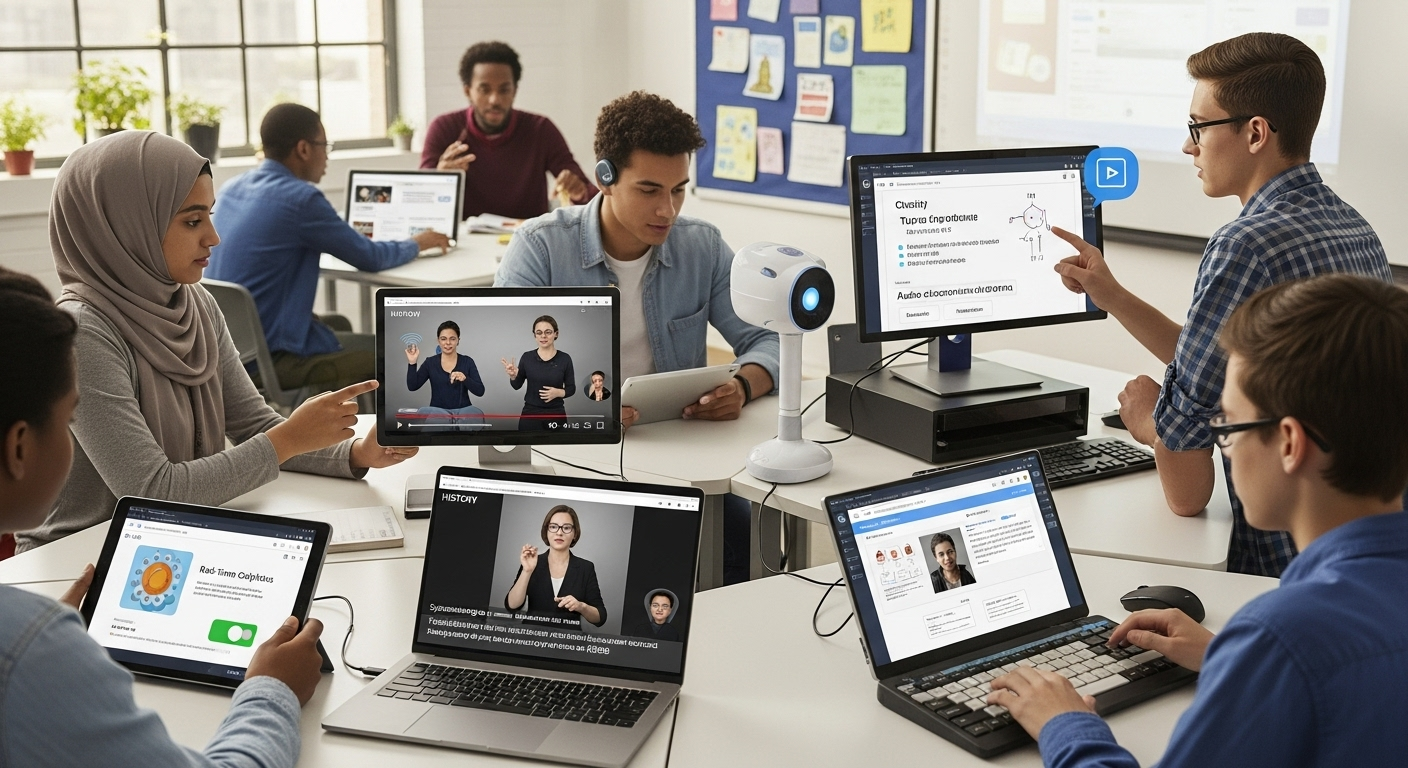
Access to education is becoming increasingly inclusive, thanks to technological advancements. Technology-enhanced features, such as speech-to-text and screen readers, support students with disabilities and remote learners. This fosters an inclusive learning environment across educational institutions. Online courses broaden the reach, enabling students who cannot attend in-person classes to learn. The flexibility of video content and instructional videos allows students to learn at their pace. This promotes understanding and retention, catering to individual learning styles. Digital platforms aid students in staying organized and managing course materials effectively. Personalized learning experiences, backed by adaptive technology, ensure that students grasp concepts thoroughly. This inclusivity not only widens access but also tailors learning to meet the diverse needs of students, ultimately improving their educational outcomes.

Strengthening Student Support Systems

Student support has gained a new dimension with educational technology advancements. These tools offer real-time insights into students’ academic performances and learning patterns. Advisors can tailor their support to students who might have challenges and help strengthen support systems. By utilizing data analytics and predictive modeling, institutions can foresee student needs. This foresight enables effective interventions aimed at boosting student success. Technology designed for students keeps them engaged and supports academic performance better. Instructors, using learning management systems proficiently, can impact student satisfaction positively. By automating administrative tasks, staff gains more time to dedicate to direct student support. This focus on meaningful engagement and personalized assistance ensures that students remain on their academic paths, maximizing their potential for success.

The Future of Technology in Higher Education

The way we learn in higher education is changing rapidly due to technology. New tools and methods are making learning more personal, accessible, and efficient. Technologies like artificial intelligence (AI), the Internet of Things (IoT), and blockchain are helping reshape how education is delivered and experienced. Educational institutions that stay ahead of these changes will better serve their students and society. By using AI and machine learning (ML), schools can offer personalized learning experiences. These technologies analyze data to give real-time feedback, which helps tailor education to each student’s needs. IoT devices are revolutionizing how campuses operate, making them more resource-efficient and interactive. Smart classrooms are leading to more engaging teaching methods.

Potential Long-Term Impacts

Technology in higher education opens up many possibilities for the future. It allows students to access learning opportunities remotely and on their own schedules through online tools and platforms. AI and ML create more adaptive and personalized learning experiences, fitting various learning styles and improving comprehension. Technology also boosts student engagement by using interactive platforms and multimedia resources. This means students can collaborate more and participate actively. Plus, technology streamlines administrative tasks, making them more efficient and precise. This leaves more resources for focusing on student success. As technology continues to evolve, it helps create better learning outcomes and ensures that institutions can meet future demands.

Evolving Educational Landscapes

Digital technologies like AI, VR, AR, and IoT are transforming how education happens. IoT devices not only manage campus resources better but also enhance student experiences, particularly in smart classrooms that optimize teaching methods. Blockchain is improving how academic credentials are verified, making these processes more transparent and secure. Data analytics plays a crucial role in shaping educational strategies, offering targeted support to students and shaping how institutions respond to different needs. The push for more technology in education is about engaging students more effectively and adapting to changing educational landscapes. By adopting these technologies, educational institutions can stay innovative and better prepare students for the future.

The Future of Work: How Virtual Desktops are Transforming Remote Work

Virtual desktops - The Future of Work

The Future of Work: How Virtual Desktops are Transforming Remote Work

The world of work is rapidly evolving, with more and more employees choosing to work remotely. In fact, recent statistics show that remote work has become increasingly popular in the last few years, with 43% of U.S. employees working remotely at least some of the time. The COVID-19 pandemic has only accelerated this trend, with millions of employees working from home full-time.

The Rise of Remote Work

So, what is driving this shift to remote work? There are several factors at play, including the desire for work-life balance, increased job flexibility, and advances in technology that enable remote work. With the rise of virtual desktops, remote work has become even more accessible and convenient for employees looking to work outside the traditional office environment.

Remote work has been on the rise for several years now, but the COVID-19 pandemic has accelerated this trend. As businesses were forced to close their physical offices and shift to remote work, many employees found themselves working from home for the first time.

Factors Driving Remote Work Adoption

One of the key reasons for the rise in remote work is the desire for a better work-life balance. Many employees feel that they are unable to strike a balance between their personal and professional lives when working in an office environment. Remote work allows workers to create a schedule that best suits their needs, which can lead to increased job satisfaction and improved mental health.

Another factor driving remote work adoption is the demand for more job flexibility. With the rise of the gig economy and the increasing popularity of freelance work, workers are no longer willing to be tied down to one specific job or location. By offering remote work options, employers can attract a wider pool of talent and retain existing staff who may otherwise seek more flexible employment opportunities elsewhere.

Advances in technology have also played a significant role in the rise of remote work. With the ability to access work files and applications from anywhere with an internet connection, employees can work from home, a coffee shop, or even a different country. This has opened up new possibilities for businesses and employees alike.

The Impact of COVID-19 on Remote Work Trends

The COVID-19 pandemic has forced many businesses to adopt remote work policies, often at very short notice. With lockdowns and social distancing measures in place across the globe, remote work has become a necessity for many businesses in order to maintain operations.

However, this sudden shift to remote work has also highlighted the importance of having a reliable and secure remote work infrastructure in place. This is where virtual desktops come in.

Virtual desktops allow employees to access their work files and applications securely from anywhere with an internet connection. This means that businesses can maintain productivity and collaboration even when employees are working from home or other remote locations. Virtual desktops also offer enhanced security features, such as two-factor authentication and data encryption, to protect sensitive business data.

Overall, the rise of remote work is a trend that is likely to continue in the coming years. As more businesses recognize the benefits of remote work, we can expect to see increased adoption of virtual desktops and other technologies that enable remote work. Whether you are an employee or an employer, it is important to stay up-to-date with these trends and adapt to the changing landscape of work.

Understanding Virtual Desktops

Virtual desktops are essentially a desktop computing environment that is hosted remotely, rather than on a local device. This means that employees can access their desktop environment from any device, anywhere in the world, as long as they have an internet connection.

What are Virtual Desktops?

Virtual desktops are created by hosting the desktop environment on a remote server, rather than on a physical machine. This means that the employee can access their desktop environment and all of their files, applications and settings from any device that has an internet connection.

One of the key benefits of virtual desktops is that they allow for greater flexibility and mobility. With a virtual desktop, employees can work from any location, whether it’s their home office, a coffee shop, or a hotel room. This can be particularly useful for employees who travel frequently or work remotely.

Key Features of Virtual Desktops

Virtual desktops have a number of key features that make them particularly useful for remote workers. For example, they offer enhanced security and data protection. Because the desktop environment is hosted on a remote server, it’s much more difficult for hackers to access sensitive data. Additionally, virtual desktops allow for centralized IT management and support, which can save time and resources for businesses.

Another key feature of virtual desktops is their scalability. With traditional desktop environments, adding new users or upgrading hardware can be a time-consuming and expensive process. With virtual desktops, however, adding new users or upgrading hardware is as simple as adding more resources to the remote server.

Virtual Desktops vs. Traditional Desktops

Virtual desktops differ from traditional desktop environments in that they are hosted remotely, rather than on a local device. This means that employees can access their desktop environment from anywhere, as long as they have an internet connection. This is particularly useful for remote workers, who may need to work from a variety of locations or devices.

Another key difference between virtual desktops and traditional desktop environments is the level of control that IT departments have over the desktop environment. With traditional desktop environments, IT departments are responsible for managing and maintaining each individual device. With virtual desktops, however, IT departments can manage the entire desktop environment from a centralized location, which can save time and resources.

Overall, virtual desktops offer a number of benefits over traditional desktop environments. They allow for greater flexibility and mobility, enhanced security and data protection, streamlined IT management and support, and cost savings and scalability. As more and more businesses move towards remote work, virtual desktops are becoming an increasingly popular solution for providing employees with the tools they need to be productive from anywhere in the world.

Virtual Desktop Provider Comparison

See how Apporto stacks up against the most popular virtualization technologies available today

Benefits of Virtual Desktops for Remote Work

Virtual desktops offer a range of benefits for remote workers, including enhanced security and data protection, improved accessibility and flexibility, streamlined IT management and support, and cost savings and scalability.

Enhanced Security and Data Protection

Virtual desktops are particularly useful for remote workers as they offer enhanced security and data protection. This is because all data is stored remotely, rather than on a local device, which means that there is less risk of data being lost or stolen. Additionally, virtual desktops are centrally managed, which means that security policies can be enforced across all devices.

For example, if a remote worker’s device is lost or stolen, their data remains safe because it is not stored on the device itself. This can help to prevent sensitive information from falling into the wrong hands and potentially causing a data breach. Furthermore, virtual desktops can be configured with additional security measures such as multi-factor authentication and encryption to provide an extra layer of protection.

Improved Accessibility and Flexibility

Virtual desktops offer improved accessibility and flexibility for remote workers. This is because employees can access their desktop environment and all of their files, applications and settings from any device with an internet connection. This means that they can work from home, on the go, or even from a different country, which can lead to increased job satisfaction and a better work-life balance.

Moreover, virtual desktops can provide remote workers with access to specialized software or applications that may not be available on their personal devices. This can be particularly beneficial for industries such as graphic design, architecture, or engineering, where specialized software is often required. By using a virtual desktop, remote workers can access these applications without needing to install them on their personal devices, which can save time and money.

Streamlined IT Management and Support

Virtual desktops are centrally managed, which means that IT departments can easily manage and support a large number of devices from a single location. This can lead to cost savings and greater efficiency, as IT staff can spend less time on troubleshooting and maintenance.

Additionally, virtual desktops can be updated and patched centrally, which can help to ensure that all devices are running the latest software and security updates. This can be particularly important for remote workers who may not always have access to IT support or may be working outside of regular business hours.

Cost Savings and Scalability

Virtual desktops offer cost savings and scalability for businesses, as they can be easily scaled up or down according to business needs. Additionally, businesses can save money on hardware and software costs, as virtual desktops can be accessed from any device, rather than requiring dedicated hardware.

For example, if a business needs to quickly onboard new remote workers, virtual desktops can be provisioned quickly and easily, without the need for additional hardware or software licenses. Similarly, if a business needs to downsize, virtual desktops can be easily decommissioned, which can help to reduce costs.

In conclusion, virtual desktops offer a range of benefits for remote workers and businesses alike. From enhanced security and data protection to improved accessibility and flexibility, virtual desktops can help to improve productivity, reduce costs, and provide a better work-life balance for remote workers.

Challenges and Solutions in Implementing Virtual Desktops

While virtual desktops offer many benefits for remote workers, there are also challenges to implementing them in a business environment. Some of the key challenges include ensuring a seamless user experience, addressing bandwidth and connectivity issues, and overcoming security and compliance concerns.

Ensuring a Seamless User Experience

One of the key challenges in implementing virtual desktops is ensuring a seamless user experience. This means that employees should be able to access their desktop environment and all of their files, applications and settings from any device with an internet connection, without experiencing any delays or performance issues.

Addressing Bandwidth and Connectivity Issues

Another challenge with virtual desktops is ensuring that employees have sufficient bandwidth and connectivity to enable them to work remotely. This may require upgrading internet infrastructure or providing remote workers with dedicated connectivity solutions, such as VPNs.

Overcoming Security and Compliance Concerns

Finally, virtual desktops may raise security and compliance concerns for businesses. For example, businesses may need to ensure that data is stored securely and that employees are using secure devices and networks. Additionally, compliance regulations may need to be adhered to, such as HIPAA or GDPR.

Conclusion

As remote work continues to grow in popularity, virtual desktops are likely to become an increasingly important part of many businesses’ infrastructure. With their ability to offer enhanced security and data protection, improved accessibility and flexibility, streamlined IT management and support, and cost savings and scalability, virtual desktops are well-positioned to transform the future of work.

However, it is important for businesses to carefully consider the challenges of implementing virtual desktops in a remote work environment, and to ensure that they have robust security and compliance measures in place.

Overall, virtual desktops offer a powerful solution for businesses looking to embrace the future of work and enable their employees to work remotely, securely, and efficiently.

Cloud Desktops vs. VDI: Which is the Best Choice for Your Organization?

Cloud Desktops vs VDI

In today’s digital world, businesses are increasingly relying on cloud-based solutions to streamline operations and enhance collaboration. Two such technologies that are gaining popularity are cloud desktops and virtual desktop infrastructure (VDI). While both of these solutions serve similar purposes, they differ in several key ways. In this article, we will explore the differences between cloud desktops and VDI, and help you decide which technology is the best choice for your organization.

What is VDI?

Virtual desktop infrastructure, or VDI, is a solution that enables users to access remote desktops from any device with an internet connection. With VDI, the desktop environment is virtualized and run on servers in a data center. Users can connect to their virtual desktops through thin clients or other devices, and access their applications, data, and files as if they were using a traditional desktop computer.

VDI has several benefits, such as improved security, centralized management, and reduced hardware costs. Since the desktop environment is hosted on centralized servers, IT teams can easily manage and update all virtual desktops in the data center. This also means that sensitive data and applications are kept secure in the data center, rather than being stored on local devices.

One of the biggest advantages of VDI is its ability to provide a consistent user experience across different devices. With VDI, users can access their virtual desktops and applications from anywhere, on any device, without having to worry about compatibility issues. This is particularly useful for organizations with a mobile workforce, as it allows employees to work remotely without sacrificing productivity or security.

VDI can also help organizations reduce their hardware costs. Since the desktop environment is hosted on centralized servers, users do not require powerful local devices to run their applications. This means that organizations can save money by purchasing less expensive thin clients or repurposing older devices as VDI endpoints.

In conclusion, VDI is a powerful solution that can help organizations improve their security, reduce costs, and provide a consistent user experience across different devices. By virtualizing the desktop environment and hosting it on centralized servers, VDI enables users to access their applications and data from anywhere, on any device, while keeping sensitive information secure in the data center.

What are Cloud Desktops?

Cloud desktops are a relatively new technology that allows users to access their desktop environments remotely. This means that users can access their files, applications, and settings from anywhere in the world, as long as they have an internet connection.

Cloud desktops are similar to virtual desktop infrastructure (VDI) in that they both allow users to access desktop environments remotely. However, there are some key differences between the two technologies.

One of the main differences between cloud desktops and VDI is where the hosting infrastructure is located. With VDI, the hosting infrastructure is typically located in a company’s data center. This means that businesses need to invest in costly hardware and IT resources to set up and maintain the infrastructure.

Cloud desktops, on the other hand, are hosted in the cloud. This means that businesses don’t need to invest in hardware or IT resources to set up and maintain the infrastructure. Instead, they can rely on a third-party provider to handle the management and maintenance of the infrastructure.

Another key difference between cloud desktops and VDI is scalability. With VDI, businesses need to plan for their future needs and invest in hardware and IT resources accordingly. This can be costly and time-consuming, especially if the business experiences unexpected growth or changes in demand.

Cloud desktops, on the other hand, offer businesses the flexibility and scalability they need to adapt to changing requirements. Since the hosting infrastructure is provided by a third-party provider, businesses can easily scale up or down as needed, based on their changing requirements.

Overall, cloud desktops are becoming increasingly popular among organizations of all sizes. They offer a cost-effective and flexible solution for remote access to desktop environments, without the need for significant investments in hardware or IT resources associated with VDI.

Cloud Desktops vs. VDI: Key Differences

Virtual Desktop Infrastructure (VDI) and cloud desktops are two popular solutions for businesses to provide their employees with remote access to their desktops. While they share many similarities, they differ in several key areas, which are discussed below.
One of the main differences between VDI and cloud desktops is the location of the hosting infrastructure. VDI infrastructure is typically located in a company’s own data center, which means that the company has complete control over the infrastructure and can customize it to their specific needs. This level of control also means that the company is responsible for managing and maintaining the infrastructure, which can be expensive and time-consuming. Cloud desktops, on the other hand, are hosted in the cloud, which means that the infrastructure is managed by a third-party provider. This can be a cost-effective solution for businesses that do not have the resources to manage their own infrastructure.
Another key difference between VDI and cloud desktops is the level of control and customization that businesses have over their desktop environments. With VDI, businesses have complete control over the desktop environment and can customize it to their specific needs. However, this level of control also means that the business is responsible for managing and maintaining the desktop environment. This can be a time-consuming and expensive process, especially for businesses with a large number of desktops. Cloud desktops, on the other hand, may offer less control over the desktop environment, though this varies by provider. Businesses can choose from a range of pre-configured desktop environments, but they may not customize them to the same extent as with VDI. Again, this varies by provider and may not be true in all cases. However, this also means that the business is not responsible for managing and maintaining the desktop environment, which can be a significant cost savings.

In addition to these key differences, there are several other factors that businesses should consider when choosing between VDI and cloud desktops. These include the cost of the infrastructure, the level of security that is required, and the scalability of the solution. Ultimately, the choice between VDI and cloud desktops will depend on the specific needs and requirements of each organization.

Cloud Desktop Provider Comparison

Discover a comprehensive guide comparing top cloud desktop providers side-by-side. Dive into features, performance, pricing, and user reviews to make an informed decision tailored to your business or personal needs.

Understanding the Benefits of Cloud Desktops and VDI

Virtual Desktop Infrastructure (VDI) and cloud desktops are two popular solutions that businesses use to provide their employees with remote access to their desktop environments and applications. Both VDI and cloud desktops offer businesses a range of benefits that can help improve productivity, collaboration, and security.

Benefits of VDI

One of the biggest advantages of VDI is centralized management. With VDI, businesses can manage and update all virtual desktops in the data center, which can save IT teams time and resources over non-virtualized solutions. 

VDI also offers improved security. Since the desktop environment is hosted in the data center, sensitive data and applications are kept secure. This is particularly important for businesses that deal with sensitive information, such as financial institutions or healthcare organizations. With VDI, businesses can ensure that their data is protected from unauthorized access or theft.

Another benefit of VDI is reduced hardware costs. Since all desktop environments are hosted in the data center, businesses can reduce their investment in hardware. This means that businesses can save money on hardware costs and reduce their environmental impact by using fewer resources.

Benefits of Cloud Desktops

Cloud desktops offer businesses greater flexibility and scalability. With cloud desktops, businesses can easily scale up or down as needed, based on their changing requirements. This means that businesses can quickly adapt to changes in demand and avoid the costs associated with over-provisioning or under-provisioning hardware.

Additionally, since the hosting infrastructure is provided by a third-party provider, businesses can reduce their investment in hardware and IT resources. This means that businesses can focus on their core competencies and leave the management of the hosting infrastructure to the experts.

Cloud desktops also offer businesses greater accessibility. Since cloud desktops can be accessed from any device with an internet connection, employees can work from anywhere, at any time. This can improve productivity and collaboration, as employees can easily collaborate with colleagues and access their work from any location.

What Are the Limitations of Cloud Desktops & VDI?

While both VDI and cloud desktops offer businesses a range of benefits, there are also some limitations to consider. With VDI, businesses must invest in expensive hardware and IT resources to manage and maintain the infrastructure. Additionally, if there are any issues with the data center or network, users may experience disruptions or downtime, leading to lost productivity.

Cloud desktops also have limitations, such as reduced customization and control over the environment. Since the hosting infrastructure is managed by a third-party provider, businesses may have less control over the environment and could be limited in the customizations they can make. Additionally, if there are any issues with the provider’s infrastructure or network, users may experience disruptions or downtime.

Comparing Costs: Cloud Desktops vs VDI

When it comes to costs, there are some key differences between VDI and cloud desktops. With VDI, businesses typically have to invest in expensive hardware and IT resources to set up and manage the infrastructure. This can be a significant upfront cost for many organizations.

With cloud desktops, on the other hand, businesses typically pay a monthly or annual subscription fee to the provider. While this fee can add up over time, it is often less expensive than the upfront costs of VDI. Additionally, since the provider manages and maintains the infrastructure, businesses can avoid many of the ongoing costs associated with managing their own data center.

Conclusion

Both cloud desktops and VDI offer businesses the ability to enable remote work and improve productivity and collaboration. While they share many similarities, they also differ in several key areas, such as the location of the hosting infrastructure and levels of control and customization. When deciding between these solutions, businesses should consider their specific needs, such as scalability, control, and costs, to determine which technology is the best choice for their organization.

Cyber Threats Facing Universities and Colleges: Strategies for Defense

Cyber Threats Facing Universities and Colleges: Strategies for Defense

In today’s digital age, universities and colleges face the same serious cybersecurity threats as any other organization. However, the unique nature of higher education institutions make them particularly vulnerable to cyber-attacks.

Understanding the Cyber Threat Landscape in Higher Education

Before delving into the strategies for defense, it is important to understand the various types of cyber threats that universities and colleges face. These can range from phishing attacks to DDoS (Distributed Denial of Service) attacks and even ransomware.

Types of Cyber Threats Targeting Universities and Colleges

Phishing is a common tactic used by cybercriminals to gain access to sensitive information, such as login credentials and financial information. Malware, in the form of viruses or trojans, can also be used to steal data or disrupt systems.

DDoS attacks involve overwhelming a system with traffic until it can no longer function, while ransomware targets and locks down critical data until a ransom is paid to the attacker.

Why Universities and Colleges are Attractive Targets for Cybercriminals

Higher education institutions are particularly attractive targets for cybercriminals due to the large amounts of valuable information they possess. This can include personal information of thousands of students, faculty, and staff, as well as research data and financial information.

In addition, universities and colleges often have outdated IT infrastructure and security measures, which makes them easier targets for cyber-attacks.

Recent Cyber Attacks on Higher Education Institutions

Recent years have seen a rise in cyber-attacks on universities and colleges. In 2019, the University of Maryland suffered a data breach that affected more than 300,000 students, faculty, and staff. The University of Texas also fell victim to a ransomware attack in the same year.

It is important to note that cyber-attacks on higher education institutions are not limited to large universities. Smaller colleges and community colleges are also at risk. In fact, smaller institutions may be at an even higher risk due to limited resources and funding for cybersecurity.

One way that cybercriminals target universities and colleges is through social engineering tactics. This involves tricking individuals into divulging sensitive information or clicking on a malicious link. For example, a cybercriminal may send an email that appears to be from a trusted source, such as the university’s IT department, asking the recipient to click on a link or provide login credentials.

Another factor that makes higher education institutions vulnerable to cyber-attacks is the use of personal devices on campus. With the rise of bring-your-own-device (BYOD) policies, students and faculty are using their personal laptops, tablets, and smartphones to access university systems and data. This can create security risks if these devices are not properly secured or if they are infected with malware.

In conclusion, universities and colleges face a wide range of cyber threats, from phishing attacks to DDoS attacks and ransomware. These institutions possess large amounts of valuable information, making them attractive targets for cybercriminals. Outdated IT infrastructure and security measures, social engineering tactics, and the use of personal devices on campus all contribute to the vulnerability of higher education institutions. It is crucial for these institutions to prioritize cybersecurity and implement effective strategies for defense.

Assessing the Vulnerabilities of Universities and Colleges

Given the serious nature of cyber threats facing higher education institutions, it is crucial to assess the vulnerabilities and potential risks involved. Higher education institutions are a prime target for cybercriminals due to the vast amounts of sensitive data they possess, including personal information, financial records, research data, and intellectual property.

While universities and colleges have made significant strides in improving their cybersecurity measures, there are still several vulnerabilities that need to be addressed.

Outdated IT Infrastructure and Security Measures

One major vulnerability that universities and colleges face is outdated IT infrastructure and security measures. Many institutions struggle to keep up with the latest hardware and software advancements, leaving them with outdated systems that are vulnerable to cyber-attacks.

In addition, many institutions have inadequate firewalls and antivirus software, leaving them vulnerable to malware and other types of cyber threats. Cybercriminals can easily exploit these vulnerabilities, leading to security breaches and data theft.

It is crucial for universities and colleges to invest in modern IT infrastructure and security measures to protect against cyber threats. This includes regular updates and patches, as well as comprehensive security protocols and training for staff and faculty.

The Challenge of Protecting Sensitive Research Data

Research data is often one of the most valuable assets that universities and colleges possess. However, protecting this data can pose a significant challenge.

Research data is often stored across multiple departments and systems, making it difficult to properly secure. In addition, researchers often require remote access to this data, which can increase the risk of unauthorized access.

It is crucial for universities and colleges to implement strict security protocols for research data. This includes limiting access to authorized personnel, encrypting data, and regularly monitoring for any suspicious activity.

The Risks Associated with a Large, Diverse User Base

Universities and colleges have a large and diverse user base, which can include students, faculty, staff, and other stakeholders. This can make it difficult to properly manage access and permissions, leading to security breaches.

It is also common for users to use unsecured devices and networks, which can increase the likelihood of data theft and other cyber-attacks.

It is crucial for universities and colleges to implement strict access controls and permissions for all users. This includes regularly reviewing and updating access permissions, as well as providing training for all users on proper security protocols.

Overall, universities and colleges must remain vigilant in their efforts to protect against cyber threats. By addressing these vulnerabilities and implementing comprehensive security measures, they can better protect their sensitive data and intellectual property.

Implementing Effective Cybersecurity Strategies

In recent years, cyber threats have become increasingly sophisticated, and higher education institutions are not immune to these attacks. Cybersecurity breaches can result in the loss of sensitive data, financial loss, and damage to the institution’s reputation. Therefore, it is crucial for universities and colleges to implement effective and comprehensive cybersecurity strategies to protect their IT infrastructure from cyber threats.

Developing a Comprehensive Cybersecurity Policy

A comprehensive cybersecurity policy is the cornerstone of any effective cybersecurity strategy. It should be developed with input from all stakeholders, including IT staff, faculty, and students. The policy should outline the roles and responsibilities of all stakeholders involved in securing the university or college’s IT infrastructure.

The policy should cover areas such as password management, access control, data protection, and incident response protocols. It should also include guidelines for the use of personal devices on the institution’s network and for remote access to the network.

Investing in Advanced Security Technologies and Infrastructure

Investing in advanced security technologies is essential for protecting the institution’s IT infrastructure from cyber threats. Firewalls, intrusion detection systems, and advanced encryption methods can significantly improve cybersecurity defense measures.

Updating IT infrastructure, such as replacing obsolete hardware and software, can also help prevent cyber-attacks. Outdated software and hardware can be vulnerable to cyber threats, and regular updates can help address these vulnerabilities.

Regular Security Audits and Vulnerability Assessments

Regular security audits and vulnerability assessments should be conducted to identify potential risks and vulnerabilities. This can help universities and colleges to proactively address these issues before a cyber-attack occurs.

These assessments should be conducted by trained professionals and should include penetration testing, which involves attempting to breach the institution’s network to identify vulnerabilities. The results of these assessments should be used to update the cybersecurity policy and improve the institution’s overall cybersecurity posture.

In conclusion, implementing effective cybersecurity strategies is essential for protecting higher education institutions from cyber threats. A comprehensive cybersecurity policy, investment in advanced security technologies, and regular security audits and vulnerability assessments are key components of a successful cybersecurity strategy. By taking these steps, universities and colleges can protect their IT infrastructure from cyber threats and ensure the safety and security of sensitive data.

Educating and Training Staff and Students on Cybersecurity

As the world becomes more interconnected and technology continues to advance, cybersecurity has become a pressing concern for universities and colleges. Cyber-attacks can compromise sensitive data, disrupt operations, and damage an institution’s reputation. Therefore, it is essential to educate and train staff and students on cybersecurity best practices to mitigate these risks.

The Importance of Cybersecurity Awareness Programs

Creating cybersecurity awareness programs can help to foster a culture of cybersecurity responsibility. These programs can include workshops, seminars, and training sessions for staff and students. By raising awareness of cybersecurity threats and best practices, users can become more vigilant and proactive in protecting themselves and the institution from cyber-attacks.

For instance, awareness programs can encourage users to regularly update their passwords, avoid clicking on suspicious links, and report any suspicious activity to the IT department. Additionally, users can be taught to recognize phishing scams and other social engineering tactics used by cybercriminals.

Incorporating Cybersecurity Training into the Curriculum

Given the increasing importance of cybersecurity, it is crucial to incorporate cybersecurity training into the curriculum, particularly for students studying IT-related subjects. This can help to raise awareness of cybersecurity threats and best practices among the next generation of IT professionals.

For example, students can be trained on how to conduct vulnerability assessments, perform penetration testing, and implement security controls. They can also be taught how to develop secure software applications and how to respond to security incidents.

Encouraging a Culture of Cybersecurity Responsibility

Ultimately, cybersecurity is everyone’s responsibility. Encouraging a culture of cybersecurity responsibility can help to mitigate the risks associated with cyber threats in universities and colleges.

One way to do this is by creating a cybersecurity policy that outlines the roles and responsibilities of staff and students in protecting the institution’s information assets. The policy should also specify the consequences of non-compliance with the policy.

Moreover, institutions can create a cybersecurity awareness campaign that emphasizes the importance of cybersecurity and encourages users to take ownership of their cybersecurity posture. This campaign can include posters, emails, and other communication channels that promote cybersecurity best practices.

By assessing vulnerabilities, implementing effective cybersecurity strategies, and educating users, higher education institutions can better protect themselves from cyber-attacks and safeguard sensitive data. Cybersecurity should be an ongoing priority for universities and colleges, as the threat landscape is constantly evolving.

Virtual Desktop Provider Comparison

See how Apporto stacks up against the most popular virtualization technologies available today

The Role of Artificial Intelligence in Higher Education: Enhancing Learning and Administration

The Role of Artificial Intelligence in Higher Education: Enhancing Learning and Administration

Artificial intelligence (AI) is rapidly transforming various sectors, and higher education is no exception. The infusion of AI in higher education is not only enhancing learning and teaching, but also revolutionizing the administration aspects of the education sector. Through the application of AI, universities and colleges can streamline the traditionally arduous and manual education processes, while simultaneously creating intelligent learning and research environments that adapt to unique student needs.

Understanding Artificial Intelligence in Higher Education

Artificial Intelligence (AI) has been a buzzword in various industries, including healthcare, finance, and transportation. However, the education sector has also embraced this technology to improve the learning experience of students. Before exploring the role of AI in higher education, it is essential to define what AI is and how it has evolved over time in the education sector.

Defining Artificial Intelligence

AI refers to the ability of machines to perform tasks that ordinarily require human intelligence, such as visual perception, recognition, decision-making, and language translation. AI involves the use of algorithms and statistical models to analyze and learn from data. This enables computers to make predictions, recommendations, and decisions without explicit instruction.

AI technology is divided into two categories: narrow or weak AI and general or strong AI. Narrow AI is designed to perform specific tasks, while general AI can perform any intellectual task that a human can do. Currently, the AI technology used in education is narrow AI.

The Evolution of AI in Education

The utilization of AI in education has come a long way since the introduction of computer-based instruction in the 1960s. Initially, AI was used to automate administrative tasks, such as grading and scheduling. However, with technological advancements, AI has become an integral part of the educational landscape. In recent years, the AI revolution in education has shifted from a focus on automating administrative tasks to personalized learning and tutoring systems.

AI has the potential to transform education by providing a more personalized and adaptive learning experience. AI can analyze vast amounts of data to identify patterns and provide insights that can help educators make informed decisions. Additionally, AI can provide students with personalized feedback, enabling them to improve their learning outcomes.

The Intersection of AI and Higher Education

Higher education institutions are increasingly leveraging AI to offer more personalized learning and research experiences. Through machine learning algorithms, AI can analyze large sets of student data, individualize the learning experience, and provide support that meets the unique needs of each student.

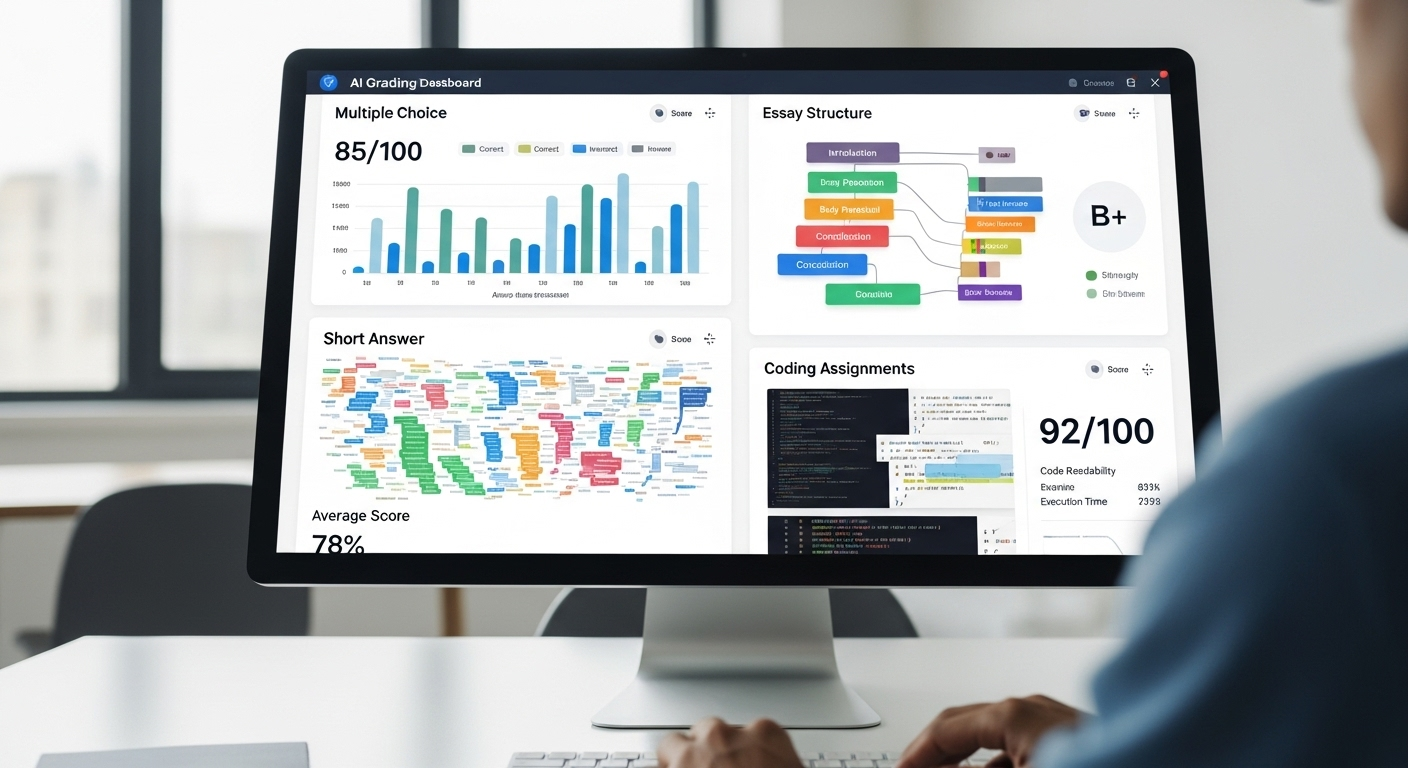
AI can also help institutions improve their operational efficiency by automating administrative tasks, such as scheduling and grading. This enables educators to focus on teaching and research, ultimately improving the quality of education.

Moreover, AI can facilitate research by analyzing vast amounts of data and identifying patterns that may not be visible to human researchers. This has the potential to accelerate scientific discoveries and improve our understanding of complex phenomena.

In conclusion, AI has the potential to transform higher education by providing a more personalized and adaptive learning experience, improving operational efficiency, and facilitating research. As AI technology continues to evolve, higher education institutions must embrace this technology to remain competitive and provide students with the best possible learning experience.

AI Applications in Learning and Teaching

AI technology in learning and teaching has opened up new possibilities beyond the traditional classroom setting. Incorporating these applications in higher education can improve efficiency, maximize student engagement, and individualize the learning experience.

Personalized Learning Experiences

AI algorithms can be used to analyze student data and provide customized learning experiences that meet individual learning requirements. Personalized learning systems use machine learning algorithms to analyze the educational background and abilities of each student. These systems’ data-driven approach enables teachers to create learning experiences that cater to each student’s strengths and needs.

For example, personalized learning systems can provide students with a tailored curriculum that reflects their interests and learning style. They can also suggest additional resources and learning materials that align with their interests and current level of understanding. This approach can help students to stay engaged and motivated, leading to better learning outcomes.

Intelligent Tutoring Systems

Intelligent tutoring systems (ITS) use AI to evaluate student responses and to provide real-time feedback. These systems are designed to mimic human tutors’ verbal and visual feedback to help students with complex problem-solving and decision-making.

ITS can provide students with personalized feedback that reflects their individual learning needs. For example, if a student is struggling to understand a concept, ITS can provide additional resources or suggest alternative approaches to help them grasp the material. This approach can help students to build their confidence and improve their understanding of complex subjects.

Adaptive Assessment and Feedback

Adaptive assessment and feedback systems use AI to provide tailored feedback on student progress. These systems adjust their questioning based on student responses, allowing for the provision of more detailed feedback. They provide a better understanding of each student’s strengths and weaknesses, enabling instructors to provide more targeted support and intervention.

For example, adaptive assessment and feedback systems can identify areas where a student is struggling and provide additional resources or support to help them improve. They can also provide real-time feedback on assignments, highlighting areas where the student needs to improve and suggesting ways to do so. This approach can help students to stay on track and improve their academic performance.

Collaborative Learning Environments

Collaborative learning environments are spaces that have been designed to foster group learning and teamwork. AI can facilitate distributed collaboration and improve peer feedback and group assessment.

For example, AI can be used to analyze group dynamics and identify areas where students may be struggling to work together effectively. This information can be used to provide targeted support and intervention to help the group work more effectively as a team. Additionally, AI can be used to provide real-time feedback on group projects, highlighting areas where the group needs to improve and suggesting ways to do so.

AI-Driven Curriculum Development

The development of curricula based on AI can enable institutions to identify knowledge gaps in the learning process. AI can analyze data from students, tracking trends of engagement, and performance, helping institutions to create curricula to improve student learning outcomes.

For example, AI can be used to analyze student performance data to identify areas where students are struggling to understand key concepts. This information can be used to develop targeted interventions and resources to help students improve their understanding of these concepts. Additionally, AI can be used to identify areas where students are excelling, allowing institutions to develop more advanced courses and learning materials to challenge these students.

AI in Higher Education Administration

Artificial Intelligence (AI) has become increasingly popular in recent years, and it has been adopted in various fields, including higher education administration. AI is a technology that can help educational institutions automate administrative functions, streamline operations, and improve efficiency. It can also enhance student support services by providing self-service options and automating administrative tasks.

Streamlining Admissions and Enrollment

The admissions process can be a time-consuming and daunting task for universities. However, AI technologies can be used to streamline and simplify the admissions process. By automating some of the selection process, universities can drastically reduce the time spent evaluating applicant credentials. This can lead to faster processing times, and universities can admit more students within a shorter period.

In addition, AI can help universities to identify the most suitable candidates for admission. By analyzing data from various sources, such as academic records, extracurricular activities, and personal statements, AI algorithms can identify students who are most likely to succeed in a particular program. This can help universities to admit students who are more likely to succeed, which can improve their graduation rates and reputation.

Automating Scheduling and Resource Allocation

Scheduling and resource allocation can be daunting tasks for educational institutions that have multiple departments and courses. However, AI can help to automate resources allocation and scheduling to reduce the load on staff members and make the process quicker and more efficient.

For example, AI algorithms can analyze data on student enrollment, course offerings, and faculty availability to create an optimized schedule. This can help universities to avoid scheduling conflicts and ensure that students can take the courses they need to graduate. Additionally, AI can help universities to allocate resources, such as classrooms and equipment, more efficiently, which can reduce costs and improve the quality of education.

Enhancing Student Support Services

AI allows institutions to provide support services such as chatbots to assist students in their journey. These services use natural language processing and machine learning to provide fast and accurate responses to student inquiries and troubleshooting. This can help to reduce the workload on staff members and ensure that students receive timely support when they need it.

Moreover, AI can also help universities to personalize their support services. By analyzing data on student behavior and preferences, AI algorithms can provide customized recommendations and advice to students. This can help students to make informed decisions about their education and improve their overall experience.

Data-Driven Decision Making

Data analysis through AI provides an abundance of knowledge and insights that can support decisions. Educational institutions can use this information for decision-making, including determining where additional resources are necessary. By analyzing data on student performance, enrollment trends, and faculty productivity, universities can identify areas that require improvement and make data-driven decisions to address them.

Furthermore, AI can help universities to predict future trends and make proactive decisions. For example, AI algorithms can analyze data on labor market trends and predict which programs are likely to be in high demand in the future. This can help universities to develop new programs that align with industry needs and prepare students for future job opportunities.

AI in Research and Grant Management

The application of AI in research and grant management can assist institutions in extracting the natural insights from big data sources. It also can automate the grant application process improving the accuracy and speed of grants approved. AI can help researchers to analyze large datasets, identify patterns, and make predictions. This can lead to new discoveries and insights that can advance knowledge in various fields.

Moreover, AI can help universities to manage grants more efficiently. By automating the grant application process, universities can reduce the workload on staff members and ensure that applications are processed more quickly and accurately. This can help universities to secure more funding and support research projects that can have a significant impact on society.

In conclusion, AI has the potential to revolutionize higher education administration. By automating administrative tasks, enhancing student support services, and enabling data-driven decision-making, AI can help universities to become more efficient, effective, and innovative.

Conclusion

In conclusion, AI is revolutionizing higher education in all aspects. From enhancing student learning and teacher effectiveness to streamlining administrative tasks, AI has the potential to positively impact education at all levels. As we continue to face ongoing changes in the education sector, we hope for AI to continue developing and providing more benefits to both students and institutions.

Virtual Desktop Provider Comparison

See how Apporto stacks up against the most popular virtualization technologies available today

Virtual Desktops and Flexible Learning Models in Higher Education

Virtual Desktops and Flexible Learning Models in Higher Education

Modern higher education is undergoing a rapid transformation as institutions seek to adapt and innovate to meet the changing needs and expectations of students and faculty. One of the most exciting developments in this space is the emergence of virtual desktops, aka Cloud Desktops, and flexible learning models that enable greater access to education and support new approaches to teaching and learning. In this article, we explore the rise of virtual desktops in higher education and examine how they can be integrated into flexible learning models to create better educational experiences for all.

The Rise of Virtual Desktops in Higher Education

Virtual desktops are becoming increasingly popular in higher education due to their ability to provide access to powerful software and computing resources from any device, anywhere, at any time. Whether students are on campus or remote, virtual desktops can enable them to seamlessly access the resources they need to complete their coursework and assignments.

As technology continues to advance, virtual desktops have become a game changer for students and faculty alike. They offer a new level of convenience and flexibility that was previously unavailable, allowing for a more streamlined and efficient learning experience.

What are Virtual Desktops?

Virtual desktops are essentially virtual machines that run on a server and are accessed remotely via the internet. They provide users with a desktop interface that is identical to what they would experience if they were running the software locally on their own device. The main difference is that all of the processing and storage is happening on the server, rather than on the user’s device.

This means that students and faculty can access the same resources and software from any device, without having to worry about compatibility issues or software installation. It also means that institutions can more easily manage software and resources across multiple users and classes, without having to worry about hardware limitations or software conflicts.

Benefits of Virtual Desktops for Students and Faculty

One of the primary benefits of virtual desktops is the flexibility they offer. Students can access the resources they need from any device, without having to worry about compatibility issues or software installation. This can be especially helpful for students who may not have access to high-powered computers or who need to work while on the go.

Faculty also benefit from the use of virtual desktops, as they can more easily manage software and resources across multiple students and classes, without having to worry about hardware limitations or software conflicts. This can save time and resources while also reducing the risk of technical issues.

Another benefit of virtual desktops is the cost savings they can provide. By using virtual desktops, institutions can reduce the need for expensive hardware upgrades and maintenance, as well as the cost of software licenses and installations.

Implementing Virtual Desktops on Campus

Implementing virtual desktops on campus can be a complex process that requires careful planning and coordination. Some key considerations include selecting the appropriate software and hardware solutions, ensuring network compatibility and sufficient bandwidth, and developing policies and procedures for user access and support.

Despite these challenges, there are many resources and best practices available to help institutions successfully implement virtual desktops and maximize their benefits. For example, some institutions have established dedicated IT support teams or worked with vendors to provide managed virtual desktop services.

It’s also important to involve faculty and students in the planning and implementation process, as they will be the primary users of the virtual desktops. By soliciting feedback and input from these stakeholders, institutions can ensure that the virtual desktops meet their needs and are user-friendly.

Overall, virtual desktops are a powerful tool for higher education institutions looking to provide flexible and efficient access to software and computing resources. With careful planning and implementation, institutions can successfully harness the benefits of virtual desktops and improve the learning experience for students and faculty alike.

Flexible Learning Models: An Overview

Flexible learning models are another key trend in higher education that is changing the way students learn and interact with their instructors and peers. Flexible learning models prioritize student-centered approaches that adapt to individual needs and preferences, rather than traditional one-size-fits-all models.

Flexible learning models are becoming increasingly popular in higher education due to their ability to cater to different learning styles and preferences. These models are designed to be adaptable and customizable, allowing students to learn in a way that suits their needs and interests.

Traditional vs. Flexible Learning Models

Traditional learning models typically involve structured, classroom-based instruction that follows a set schedule and curriculum. While these models can be effective for some students, they can also be rigid and inflexible, leading to disengagement and frustration.

Flexible learning models, on the other hand, prioritize adaptability and customization, allowing students to learn at their own pace and in their own way. This can include online and hybrid courses, experiential learning opportunities, and competency-based learning models that focus on mastery of specific skills and knowledge.

Flexible learning models also prioritize collaboration and interaction between students and instructors. This can lead to a more engaging and dynamic learning experience, as students are able to share ideas and perspectives with their peers and receive personalized feedback from their instructors.

Types of Flexible Learning Models

There are many different types of flexible learning models, each with its own strengths and challenges. Some examples include:

  • Online courses that provide students with the flexibility to complete coursework on their own schedule. Online courses can also be accessed from anywhere, making them ideal for students who need to balance their studies with work or family commitments.
  • Hybrid courses that combine online and in-person instruction to provide a more balanced learning experience. Hybrid courses can be particularly effective for hands-on subjects that require both theoretical knowledge and practical skills.
  • Project-based learning experiences that allow students to develop skills and knowledge through hands-on projects and real-world challenges. Project-based learning can be particularly effective for students who learn best through practical application.
  • Credit-by-examination programs that enable students to demonstrate mastery of specific subject areas through standardized tests. These programs can be ideal for students who have prior knowledge or experience in a particular subject area and want to demonstrate their proficiency without taking a full course.

The Role of Technology in Flexible Learning

Technology plays a critical role in supporting flexible learning models, enabling students and faculty to communicate and collaborate more effectively, access resources from anywhere, and personalize their learning experiences. In addition to virtual desktops, some key technologies that support flexible learning include learning management systems, online collaboration tools, and mobile devices.

Technology also enables instructors to provide personalized feedback and support to students, regardless of their location or schedule. For example, instructors can use video conferencing tools to hold virtual office hours or provide one-on-one support to students who need extra help.

Overall, flexible learning models are a promising development in higher education, offering students a more personalized and engaging learning experience that can help them achieve their academic and career goals.

Integrating Virtual Desktops into Flexible Learning Models

Virtual desktops can be a powerful tool for supporting flexible learning models, enhancing accessibility and inclusivity, supporting collaborative learning, and facilitating personalized learning experiences.

Flexible learning models have become increasingly popular in recent years, as they allow for a more personalized and adaptable approach to education. Virtual desktops can play a key role in supporting these models, by providing students with access to a wide range of resources and tools, regardless of their location or device.

Enhancing Accessibility and Inclusivity

Virtual desktops can help to remove barriers to education for students with disabilities or who may not have access to specialized software or hardware. By providing a standardized platform that can be accessed from any device, virtual desktops can ensure that all students have access to the same resources and tools.

For example, students with visual impairments may require specialized software or hardware to access certain types of content. Virtual desktops can provide this functionality, without the need for students to purchase expensive equipment or software.

Similarly, students with mobility impairments may require specialized input devices or software to interact with their computer. Virtual desktops can provide these tools, without the need for students to physically manipulate their devices.

Supporting Collaborative Learning

One of the key benefits of flexible learning models is the opportunity for students to collaborate and learn from each other. Virtual desktops can enhance this experience by enabling students to share screens, work on shared documents in real-time, and communicate more effectively through video conferencing and chat tools.

For example, students working on a group project can use virtual desktops to collaborate in real-time, regardless of their physical location. They can share their screens, work on the same document simultaneously, and communicate through video conferencing or chat tools.

Virtual desktops can also support more traditional forms of collaboration, such as peer review and feedback. Students can share their work with their peers, who can then provide feedback and suggestions for improvement.

Facilitating Personalized Learning Experiences

Virtual desktops can also enable personalized learning experiences, allowing students to choose the software and resources that best suit their individual needs and preferences. This can include access to specialized software for certain disciplines, or the ability to customize the look and feel of their virtual desktop interface.

For example, a student studying graphic design may require access to specialized software such as Adobe Photoshop or Illustrator. Virtual desktops can provide this software, without the need for the student to purchase it themselves.

Similarly, students may have different preferences for the look and feel of their virtual desktop interface. Virtual desktops can provide customization options, allowing students to tailor their experience to their personal preferences.

Overall, virtual desktops can be a valuable tool for supporting flexible learning models, enhancing accessibility and inclusivity, supporting collaborative learning, and facilitating personalized learning experiences. As education continues to evolve, virtual desktops will likely become an increasingly important part of the learning experience.

Conclusion

Virtual desktops and flexible learning models are transforming higher education by enabling greater access, flexibility, and customization. While implementing these solutions can be challenging, the benefits for students and faculty are clear. By integrating virtual desktops into flexible learning models, institutions can create more inclusive, collaborative, and personalized educational experiences that prepare students for success in the 21st century.

Virtual Desktop Provider Comparison

See how Apporto stacks up against the most popular virtualization technologies available today

Optimizing IT Governance: Strategies for Balancing Centralization and Decentralization in Higher Education

Optimizing IT Governance: Strategies for Balancing Centralization and Decentralization in Higher Education

As universities continue to embrace technology, the need for effective IT governance frameworks becomes increasingly evident. However, with the complexity of higher education institutions, finding the right balance between centralization and decentralization can be challenging. In this article, we will explore strategies for optimizing IT governance in higher education by balancing centralization and decentralization.

Understanding IT Governance in Higher Education

IT governance is a framework that provides a structure for aligning IT strategies with the goals and objectives of an organization. In higher education, IT governance involves managing resources, policies, and procedures to support the institution’s mission and vision. Effective IT governance enables universities to leverage technology to enhance teaching, learning, research, and administrative processes.

The Role of IT Governance in Universities

The primary role of IT governance in universities is to ensure that technology investments align with institutional goals and objectives. It helps universities to manage risks associated with IT investments and ensure that technology initiatives are within budget and meet regulatory and compliance requirements. IT governance also promotes transparency, accountability, and collaboration within the institution.

For example, effective IT governance can help universities to ensure that their online learning platforms are accessible to all students, including those with disabilities. It can also help universities to implement data security measures to protect sensitive student and faculty information.

Key Components of IT Governance Frameworks

An effective IT governance framework comprises multiple components, including decision-making structures, policies and procedures, communication channels, and performance metrics. Governance structures may include committees, boards, and councils responsible for overseeing technology initiatives. Policies and procedures provide guidelines for managing IT resources, while communication channels facilitate collaboration among stakeholders. Performance metrics enable universities to measure the effectiveness and impact of IT investments.

For instance, a university may establish a committee responsible for overseeing its cybersecurity initiatives. This committee may develop policies and procedures for managing cybersecurity risks, such as conducting regular security audits and providing cybersecurity training to staff and students. The committee may also establish communication channels to ensure that stakeholders are informed about cybersecurity risks and mitigation strategies.

Challenges Faced by Higher Education Institutions

Despite the benefits of IT governance, universities face several challenges in implementing and optimizing governance frameworks. These challenges may include budget constraints, organizational culture, resistance to change, and the complexity of the institution’s governance structure. Additionally, balancing centralization and decentralization can be a significant challenge for universities.

For example, universities may struggle to balance the need for centralized IT governance with the desire for departmental autonomy. This can result in fragmented IT governance structures that hinder collaboration and alignment with institutional goals.

To overcome these challenges, universities may need to develop strategies for building consensus and buy-in among stakeholders. This may involve establishing clear communication channels, providing training and support for staff, and developing metrics to measure the effectiveness of IT governance initiatives.

Centralization vs. Decentralization: Pros and Cons

When it comes to IT governance, universities have two primary models to choose from: centralized and decentralized. Both models have their own set of advantages and disadvantages, and universities must carefully consider their unique needs and goals before deciding which model to adopt.

Benefits of Centralized IT Governance

Centralized IT governance refers to a governance model where IT decisions are made by a centralized entity, such as the CIO or an IT governance committee. One of the main benefits of centralization is that it promotes consistency, standardization, and efficiency in IT processes. By consolidating IT functions and eliminating redundancies, universities can manage resources more effectively.

Centralization also facilitates the implementation of IT policies and procedures and ensures compliance with regulatory requirements. This is especially important in today’s increasingly complex regulatory environment, where universities must comply with a wide range of laws and regulations related to data privacy, security, and accessibility.

Drawbacks of Centralized IT Governance

However, a centralized IT governance model can also have some drawbacks. For example, it may be too rigid and inflexible, making it difficult to respond to the unique needs of different departments or units within the university. This can lead to frustration and a lack of buy-in from stakeholders who feel that their needs are not being adequately addressed.

Centralization may also create a bottleneck in decision-making, slowing down the delivery of IT services and solutions. This can be especially problematic in fast-moving industries where agility and responsiveness are key to success.

Additionally, centralization may create a sense of disconnect between IT and other units within the university, leading to a lack of collaboration and communication. This can be particularly problematic in academic institutions, where cross-disciplinary collaboration is often necessary to drive innovation and progress.

Advantages of Decentralized IT Governance

Decentralized IT governance refers to a governance model where IT decisions are made by individual departments or units within the university. One of the main advantages of decentralization is that it allows for greater flexibility and agility in responding to the specific needs of different units. Departments can have more control over their IT resources and processes, promoting innovation and creativity.

Decentralization also fosters collaboration and communication within the institution. By giving individual departments more autonomy and decision-making power, universities can break down silos and promote a culture of teamwork and cooperation.

Disadvantages of Decentralized IT Governance

On the other hand, decentralized IT governance can also have some disadvantages. For example, it may lead to inconsistent IT processes and standards across the institution, making it difficult to manage resources effectively. This can create confusion and inefficiencies, as different departments may be using different technologies and processes to achieve similar goals.

Decentralization may also create duplication of IT functions and technology investments, leading to inefficiencies. Without centralized oversight, different departments may invest in similar technologies or tools, leading to unnecessary costs and redundancies.

Additionally, decentralization can create a lack of coordination and accountability, making it challenging to measure the effectiveness and impact of IT investments across the institution. This can make it difficult to allocate resources effectively and to demonstrate the value of IT investments to stakeholders.

Assessing Your Institution’s IT Governance Needs

In today’s digital age, technology plays a critical role in the success of educational institutions. From online learning platforms to administrative systems, technology enables institutions to deliver efficient and effective services to their stakeholders. However, managing technology can be challenging, especially when it comes to decision-making, resource allocation, and risk management. This is where IT governance comes in – it provides a framework for aligning technology with institutional goals, managing risks, and optimizing investments.

Identifying Stakeholders and Their Priorities

Before implementing or optimizing your IT governance framework, it is crucial to identify your stakeholders and their priorities. Stakeholders may include faculty, staff, students, administrators, and external partners. Each stakeholder group may have different needs, expectations, and goals concerning technology. For instance, faculty may need technology to support their teaching and research, while students may need technology to enhance their learning experience. Identifying these needs will enable you to develop an IT governance framework that aligns with the institution’s overall mission and vision.

Moreover, understanding the priorities of each stakeholder group can help you prioritize IT investments and initiatives. For example, if student satisfaction is a top priority, investing in a user-friendly learning management system may be a wise decision.

Evaluating Current IT Infrastructure and Resources

Another critical step in assessing your IT governance needs is evaluating your current IT infrastructure and resources. This evaluation entails understanding the current state of your institution’s technology investments, processes, and policies. It enables you to identify gaps, redundancies, or inefficiencies in your IT operations that may affect the delivery of IT services and solutions.

For instance, if you discover that your institution has invested in multiple learning management systems that offer similar functionalities, you may want to consolidate them to reduce costs and improve user experience. Similarly, if you find that your institution lacks adequate cybersecurity measures, you may want to prioritize investments in this area to mitigate risks.

Analyzing Institutional Goals and Objectives

Analyze your institution’s goals and objectives to identify how technology can support and align with these goals. This analysis enables you to define a governance framework that promotes effective use of IT resources to meet and exceed institutional goals. Additionally, it helps prioritize IT investments and align them with the institution’s overall strategic plan.

For example, if your institution aims to increase enrollment and revenue, you may want to invest in marketing automation tools that can help attract and retain students. Similarly, if your institution aims to improve research outcomes, you may want to invest in data analytics tools that can help researchers analyze and interpret complex data.

In conclusion, assessing your institution’s IT governance needs is a crucial step in ensuring that technology aligns with institutional goals, enhances stakeholder experience, and manages risks effectively. By identifying stakeholders and their priorities, evaluating current IT infrastructure and resources, and analyzing institutional goals and objectives, you can develop a governance framework that optimizes IT investments and enables your institution to thrive in the digital age.

Strategies for Balancing Centralization and Decentralization

Implementing Hybrid IT Governance Models

A hybrid IT governance model involves combining elements of both centralized and decentralized IT governance frameworks. This approach allows for flexibility in adapting to the specific needs and goals of different units within the institution while also ensuring consistency and compliance with overall IT policies and procedures. Hybrid IT governance models can help universities balance the benefits of centralization with the benefits of decentralization, promoting collaboration, and alignment across the institution.

Leveraging Shared Services and Collaborative Decision-Making

Leveraging shared services and collaborative decision-making is another strategy for balancing centralization and decentralization. Shared services enable departments to share IT resources and services, promoting standardization and efficiency. Collaborative decision-making involves involving stakeholders in the decision-making process, enabling them to provide input and feedback on IT investments and initiatives. These strategies facilitate collaboration and communication, promoting alignment and accountability across the institution.

Establishing Clear Roles and Responsibilities

Establishing clear roles and responsibilities is essential in balancing centralization and decentralization. IT governance frameworks must define the roles and responsibilities of various stakeholders involved in managing IT resources, processes, and decisions. Defining these roles and responsibilities promotes accountability and transparency and ensures that everyone understands their roles and responsibilities within the governance framework.

Conclusion

Optimizing IT governance in higher education requires balancing centralization and decentralization to enable universities to leverage technology effectively. Examining an organization’s stakeholders, IT infrastructure and resources, goals and objectives, and implementing hybrid IT governance models, leveraging shared services and collaborative decision-making, and establishing clear roles and responsibilities are crucial steps toward achieving effective IT governance. By following these strategies, universities can develop robust IT governance frameworks that align with their institutional goals and objectives and support effective use of technology in teaching, learning, research, and administrative processes.

Virtual Desktop Provider Comparison

See how Apporto stacks up against the most popular virtualization technologies available today

The Current Landscape of Cybersecurity in Higher Education: Challenges and Opportunities

The Current Landscape of Cybersecurity in Higher Education: Challenges and Opportunities

As technology continues to evolve and become more integrated into everyday life, the need for robust cybersecurity measures has become increasingly apparent. This is especially true in higher education, where vast amounts of sensitive data and intellectual property are stored and accessed daily. While cybersecurity has always been an essential concern, recent years have seen a significant increase in the number and severity of cyber attacks targeting educational institutions. In this article, we will explore the importance of cybersecurity in higher education, the unique challenges faced by institutions, and the opportunities for strengthening cybersecurity measures.

Understanding the Importance of Cybersecurity in Higher Education

Just a few decades ago, cybersecurity was a relatively minor concern in higher education. However, modern education relies heavily on technology, and this trend shows no signs of slowing down. This has led to a growing need for enhanced security measures to protect against increasing cyber threats. Educational institutions store a vast amount of sensitive information, including student data, financial records, research data, and intellectual property. This information is a prime target for cyber criminals who can exploit vulnerabilities in an institution’s security systems to steal data or hold it ransom for significant financial rewards.

The Role of Technology in Modern Education

The use of technology in education has increased dramatically in recent years. The growing number of online learning platforms and advanced digital tools have streamlined many educational processes, making it easier to access and deliver educational content. Technology has also allowed education to be more accessible and inclusive, with many universities offering online courses. These technological advancements have enabled education to reach a wider audience, but they have also introduced new cybersecurity risks, requiring higher education institutions to take security seriously.

One of the most significant advantages of technology in modern education is the ability to personalize learning. Technology allows for the creation of personalized learning plans, which can be tailored to meet the individual needs of each student. This can lead to better academic outcomes and more engaged students. However, with this personalization comes the need for increased security measures to protect the sensitive data that is being collected and stored.

The Growing Threat of Cyber Attacks on Educational Institutions

Cyber attacks on educational institutions have increased significantly in recent years, with many institutions experiencing significant data breaches and other cybersecurity incidents. The growing number of attacks highlights the need for modern institutions to make security a top priority. In some cases, these attacks have led to significant financial losses, damage to the institution’s reputation, and even identity theft. Therefore, ensuring that institutions have robust cybersecurity measures in place is essential to safeguard against such incidents.

One of the biggest challenges facing educational institutions is the fact that they often have large and complex IT systems. These systems can be difficult to secure, and vulnerabilities can be difficult to identify and patch. Additionally, educational institutions often have a diverse range of users, including students, faculty, staff, and external partners. This makes it challenging to manage access to sensitive data and ensure that only authorized users can access it.

Another challenge facing educational institutions is the fact that cyber criminals are becoming increasingly sophisticated in their attacks. They are using advanced techniques such as social engineering and phishing to gain access to sensitive data. This means that institutions need to be constantly vigilant and proactive in their cybersecurity efforts.

In conclusion, cybersecurity is of paramount importance in higher education. With the increasing reliance on technology, educational institutions need to take steps to protect their sensitive data from cyber threats. This includes implementing robust cybersecurity measures, training users to be aware of potential threats, and staying up-to-date with the latest security trends and best practices.

The Unique Challenges Faced by Higher Education Institutions

While there is a growing acceptance of the importance of cybersecurity in higher education, implementing effective security measures poses significant challenges that are unique to this sector. Higher education institutions face a variety of challenges when it comes to cybersecurity and data protection.

Limited Resources and Budget Constraints

One of the most significant challenges that educational institutions face is funding limitations. Working with limited resources can make it difficult for institutions to invest adequately in cybersecurity initiatives. Budget constraints may mean investing in areas such as cybersecurity is put on the back burner, increasing the risk of a breach. In some cases, institutions may struggle to attract the necessary technical talent to develop and maintain comprehensive security measures. This can leave the institution vulnerable to cyber-attacks and data breaches.

Furthermore, educational institutions must also manage their resources for other critical aspects of their operations, such as staffing, facilities, and technology. This can make it difficult to prioritize cybersecurity initiatives and allocate the necessary resources to ensure that the institution is adequately protected.

Balancing Security and Accessibility

Another unique challenge faced by higher education institutions is balancing the need for security with the need for accessibility. Educational institutions must remain welcoming to students, staff, and visitors. However, it is vital to restrict access to sensitive data and intellectual property. Balancing security and accessibility is a delicate process, with institutions needing to ensure that security protocols do not impede the accessibility of educational content.

For example, students and faculty need access to course materials, research data, and other educational resources. However, these resources must be protected from unauthorized access and theft. Educational institutions must develop security policies that strike a balance between accessibility and security, ensuring that students and faculty have the necessary access to educational resources while also protecting sensitive data and intellectual property.

Protecting Sensitive Data and Intellectual Property

Protecting sensitive data and intellectual property is a critical concern for educational institutions. Data breaches can compromise personal and financial information, while the loss of intellectual property can compromise the educational offerings of an institution. To ensure the best protection for all data and intellectual property, effective cybersecurity measures are necessary.

Educational institutions must implement a comprehensive cybersecurity strategy that includes encryption, access controls, and monitoring and detection tools. This strategy must be continually updated and improved to keep up with new threats and vulnerabilities.

Ensuring Compliance with Data Privacy Regulations

Institutions must comply with numerous data privacy regulations, such as the Family Educational Rights and Privacy Act (FERPA) and the General Data Protection Regulation (GDPR). It is the responsibility of institutions to ensure that they understand and adhere to all compliance requirements. However, this can be challenging, as many regulations are complex and require continuous monitoring.

Ensuring compliance with data privacy regulations requires educational institutions to implement policies and procedures that protect sensitive data and ensure that data is collected, used, and stored in accordance with applicable laws and regulations. This requires ongoing training and education for staff and faculty to ensure that they understand the importance of data privacy and how to comply with regulations.

In conclusion, higher education institutions face unique challenges when it comes to cybersecurity and data protection. Limited resources, balancing security and accessibility, protecting sensitive data and intellectual property, and ensuring compliance with data privacy regulations are all critical areas that institutions must address to keep their students, faculty, and staff safe from cyber threats.

The Opportunities for Strengthening Cybersecurity in Higher Education

As technology continues to advance, so do the threats that come with it. Cybersecurity breaches are becoming increasingly common, and higher education institutions are not immune. However, while these challenges are present, they come with opportunities for higher education institutions to improve their cybersecurity measures and better protect themselves against cyber-attacks.

Collaborative Efforts Between Institutions

One of the most effective ways for higher education institutions to strengthen their cybersecurity measures is through collaboration. By sharing information and using centralized security frameworks, institutions can better safeguard themselves against cyber-attacks.

Collaboration can take many forms, including sharing threat intelligence, pooling resources to invest in cybersecurity technologies, and creating joint incident response plans. By working together, institutions can leverage their collective expertise and resources to create a more robust cybersecurity infrastructure.

Leveraging Cutting-Edge Security Technologies

As cybersecurity technology continues to advance, educational institutions have access to an ever-increasing range of effective solutions to protect their networks. These include technologies that can detect, prevent, and respond to cyber threats in real-time.

Some of the cutting-edge security technologies available to higher education institutions include machine learning and artificial intelligence-based threat detection systems, cloud-based security solutions, and network segmentation tools. By leveraging these technologies, institutions can stay ahead of the evolving threat landscape and better protect their sensitive data.

Implementing Comprehensive Security Training Programs

Cybersecurity is not just about investing in the latest technology. It is also about creating a culture of security awareness. To achieve this, institutions should implement comprehensive security training programs for students, staff, and faculty.

These training programs should cover a range of topics, including password management, phishing awareness, and safe browsing habits. By educating their community on best practices for online safety, institutions can reduce the risk of human error leading to a cybersecurity breach.

Developing Cybersecurity Policies and Best Practices

Developing and enforcing cybersecurity policies and best practices is critical for any organization. Enabling institutions to understand the risks they face and create proactive security measures.

Some of the key policies and best practices that institutions should consider include regular vulnerability assessments, network segmentation, multi-factor authentication, and incident response plans. By implementing these measures, institutions can reduce their risk of a cybersecurity breach and ensure they are prepared to respond quickly in the event of an attack.

Overall, while the challenges of cybersecurity in higher education are significant, there are many opportunities for institutions to improve their cybersecurity measures. By collaborating with other institutions, leveraging cutting-edge security technologies, implementing comprehensive security training programs, and developing robust cybersecurity policies and best practices, institutions can better protect themselves against the ever-evolving threat landscape.

Conclusion

Higher education institutions face unique cybersecurity challenges, from limited resources and budget constraints to balancing security with accessibility. However, despite these challenges, educational institutions have several opportunities to strengthen their cybersecurity measures. By leveraging modern security technologies, implementing comprehensive training programs, and collaborating with industry experts, institutions can better protect their students’ data, intellectual property, and financial information. Therefore, it’s important for all educational institutions to prioritize cybersecurity and take necessary measures to ensure a safe and secure learning environment.

Virtual Desktop Provider Comparison

See how Apporto stacks up against the most popular virtualization technologies available today

The Future of Cybersecurity in Higher Education: Emerging Trends and Technologies

The Future of Cybersecurity in Higher Education: Emerging Trends and Technologies

As the use of technology continues to expand in higher education institutions, cybersecurity has become a critical concern. In this article, we will explore the emerging trends and technologies in the field of cybersecurity and how they are being used to safeguard sensitive data and intellectual property.

The Growing Importance of Cybersecurity in Higher Education

Higher education institutions have become an attractive target for cybercriminals due to the valuable data they possess, including student and faculty personal data, research data, and intellectual property. According to a recent study, the average cost of a data breach for a university is $4.3 million, making it imperative for institutions to take cybersecurity seriously.

As the world becomes more digitized, the threat of cyber-attacks continues to rise. Educational institutions are not immune to these attacks, and in fact, have become a prime target for cybercriminals due to the large amount of valuable data they possess. This data includes not only personal information such as social security numbers and credit card information but also research data and intellectual property. The loss of this information can have severe consequences for both the institution and its students.

The Rise of Cyber Threats in Academia

The education sector continues to experience an increase in cyber-attacks, with incidents such as phishing emails, ransomware attacks, and distributed denial of service (DDoS) attacks occurring more frequently. These attacks are often aimed at stealing personal and sensitive information and disrupting normal operations of the institution.

Phishing emails, in particular, have become a common tactic used by cybercriminals to gain access to sensitive information. These emails are designed to look like legitimate communications from the institution, such as a request to update account information or a notice of a security breach. Once the recipient clicks on the link or provides their information, the cybercriminals can gain access to their account and steal sensitive data.

Protecting Sensitive Data and Intellectual Property

Higher education institutions must develop strategies to protect sensitive data and intellectual property from cyber threats. This involves implementing strong network security measures, using encryption technologies, and ensuring that access to sensitive data is strictly controlled.

Encryption technologies such as Secure Sockets Layer (SSL) and Transport Layer Security (TLS) can help protect data as it is transmitted over the internet. These technologies use encryption algorithms to scramble the data, making it unreadable to anyone who intercepts it.

In addition to implementing strong security measures, institutions must also ensure that access to sensitive data is strictly controlled. This involves limiting access to only those who need it and providing training to employees on how to handle sensitive data.

Compliance with Data Privacy Regulations

With the increasing number of data breaches, data privacy regulations have become more stringent in recent years. Educational institutions must comply with regulations such as the General Data Protection Regulation (GDPR) and the Family Educational Rights and Privacy Act (FERPA) to protect their students’ data and privacy.

The GDPR, which went into effect in May 2018, requires institutions to obtain explicit consent from individuals before collecting and processing their personal data. It also requires institutions to notify individuals in the event of a data breach within 72 hours of becoming aware of the breach.

FERPA, on the other hand, regulates how educational institutions handle and protect students’ education records. It requires institutions to obtain written consent from students before disclosing their education records to third parties and to provide students with access to their education records upon request.

Compliance with these regulations is not only necessary to protect students’ data and privacy but also to avoid hefty fines and legal action. Institutions must ensure that they have the proper policies and procedures in place to comply with these regulations.

Key Cybersecurity Challenges Faced by Higher Education Institutions

Despite the growing importance of cybersecurity, higher education institutions face several challenges in implementing effective cybersecurity strategies.

Higher education institutions are a prime target for cyber attackers due to the vast amount of sensitive information they hold, including personal and financial data of students and staff, research data, and intellectual property. As such, it is crucial for these institutions to implement robust cybersecurity measures to protect themselves and their stakeholders.

Limited Budgets and Resources

Many educational institutions have limited budgets and resources to allocate to cybersecurity measures, making it challenging to keep up with the latest trends and technologies. This can lead to a lack of investment in critical areas such as network infrastructure, employee training, and security software, leaving institutions vulnerable to cyber attacks.

Furthermore, the cost of recovering from a cyber attack can be significant, including the cost of hiring cybersecurity experts, repairing or replacing damaged systems, and potential legal fees. These costs can be especially burdensome for institutions with limited budgets, which may not have the financial resources to recover from a significant cyber attack.

Balancing Security with Open Access to Information

Higher education institutions strive to promote open access to information and provide easy access to their resources. This can create challenges when it comes to implementing strict security measures, as they may impede the seamless sharing of information.

For example, many institutions rely on open networks to allow students and staff to access resources from anywhere on campus. While this provides convenience and flexibility, it also creates security risks, as these networks are often unsecured and vulnerable to cyber attacks.

Furthermore, many institutions use cloud-based services to store and share data. While these services offer many benefits, such as easy access and collaboration, they also introduce new security risks that must be carefully managed.

Managing a Diverse and Evolving IT Infrastructure

Managing a diverse IT infrastructure that includes legacy systems and new technologies can be a complex task for educational institutions. This can make it difficult to keep all systems up to date, leading to vulnerabilities and potential security breaches.

Legacy systems, in particular, can pose a significant risk, as they may be outdated and no longer supported by the vendor, leaving them vulnerable to cyber attacks. Additionally, new technologies, such as the Internet of Things (IoT), introduce new security risks that must be carefully managed.

As such, it is crucial for educational institutions to have a comprehensive IT management plan in place that includes regular security assessments, software updates, and employee training.

In conclusion, higher education institutions face several challenges when it comes to implementing effective cybersecurity strategies. However, by prioritizing cybersecurity, investing in critical areas, and implementing a comprehensive IT management plan, institutions can better protect themselves and their stakeholders from cyber attacks.

Emerging Cybersecurity Technologies and Solutions

As technology continues to advance, so do the methods and techniques used by cybercriminals to exploit vulnerabilities and gain unauthorized access to sensitive information. Higher education institutions are particularly vulnerable to cyber attacks due to the vast amount of personal and financial data they collect and store. However, emerging cybersecurity technologies and solutions are offering new and innovative ways to address these concerns.

Artificial Intelligence and Machine Learning

Artificial intelligence and machine learning are revolutionizing the way cybersecurity threats are detected and responded to. These technologies can analyze vast amounts of data in real-time, detecting patterns and anomalies that may indicate a potential security breach. By monitoring user behavior and network traffic, AI and machine learning systems can identify potential threats before they become significant issues.

For example, AI-powered intrusion detection systems can identify and respond to threats in real-time, alerting security personnel to potential security breaches. Machine learning algorithms can also be used to monitor network traffic and identify unusual patterns that may indicate a cyber attack.

Zero Trust Security Frameworks

Zero-trust security frameworks operate under the premise that all users and devices accessing a network must be verified, regardless of their location or type. This approach drastically reduces the likelihood of unauthorized access and enhances overall security.

With a zero-trust security framework, users must be authenticated and authorized before they are granted access to any resources on the network. This includes verifying the user’s identity, device, and location. By implementing this type of security model, higher education institutions can ensure that only authorized users have access to sensitive information and resources.

Advanced Threat Detection and Response Systems

Advanced threat detection and response systems are becoming increasingly important as cyber attacks become more sophisticated and complex. These systems use advanced analytics to detect and respond to threats in real-time, enabling institutions to mitigate security risks before they result in significant damage.

For example, advanced threat detection systems can analyze network traffic and identify potential threats, such as malware or phishing attacks. These systems can then automatically respond to these threats, such as blocking the source of the attack or isolating affected devices to prevent further damage.

Overall, emerging cybersecurity technologies and solutions offer new and innovative ways for higher education institutions to protect against cyber attacks. By implementing these technologies and solutions, institutions can enhance their overall security posture and protect sensitive information and resources from potential threats.

The Role of Cybersecurity Education and Training

Cybersecurity education and training are essential to ensure that faculty, staff, and students understand the risks of cybersecurity threats and their responsibility in promoting cybersecurity within the institution.

Integrating Cybersecurity into the Curriculum

Integrating cybersecurity into the curriculum can help raise awareness and understanding of the potential risks, as well as provide students with the necessary skills to protect themselves and the institution from potential threats.

For example, a course on cybersecurity can cover topics such as network security, data encryption, and malware prevention. Students can learn about the different types of cyber threats that exist and how to detect and prevent them. They can also learn about the legal and ethical issues surrounding cybersecurity, such as privacy and intellectual property rights.

By integrating cybersecurity into the curriculum, students can develop a deeper understanding of the importance of cybersecurity and how it relates to their future careers. This can help to create a culture of cybersecurity awareness that extends beyond the classroom and into the workplace.

Professional Development for Faculty and Staff

Continuing education for staff and faculty is vital to ensure that they are up to date on the latest trends and technologies in cybersecurity. This can help to enhance the overall cybersecurity posture of the institution.

Professional development opportunities can include attending cybersecurity conferences, participating in online courses and webinars, and obtaining cybersecurity certifications. By staying current with the latest cybersecurity trends and technologies, faculty and staff can better protect the institution from cyber threats.

Additionally, faculty and staff can serve as role models for students by demonstrating best practices and promoting a culture of cybersecurity awareness.

Promoting a Culture of Cybersecurity Awareness

Creating a culture of cybersecurity awareness throughout the institution can help to reduce the likelihood of cyber threats. This can involve promoting best practices, such as using strong passwords, being vigilant for phishing attempts, and ensuring that software updates are installed regularly.

In addition to promoting best practices, institutions can also implement cybersecurity awareness campaigns to educate students, faculty, and staff about the importance of cybersecurity. These campaigns can include posters, flyers, and social media posts that provide tips and information on how to stay safe online.

By promoting a culture of cybersecurity awareness, institutions can create a community that is better equipped to detect and prevent cyber threats. This can help to protect sensitive data and ensure the continued success of the institution.

Conclusion

Cybersecurity threats continue to grow in terms of frequency and complexity. Higher education institutions must remain vigilant and adopt emerging technologies and solutions to protect themselves from potential breaches. Additionally, promoting a culture of cybersecurity awareness can help to ensure that all members of the institution take an active role in protecting against cybersecurity threats.

Virtual Desktop Provider Comparison

See how Apporto stacks up against the most popular virtualization technologies available today