What Is the Difference Between Zero Trust and VPN Security?
VPNs create encrypted connections that grant users broad access to internal networks after login, while Zero Trust continuously verifies identity, device health, and access context before allowing entry to specific resources. Zero Trust reduces attack surfaces and supports cloud-based environments more effectively, while platforms like Apporto simplify secure browser-based remote access.
In a world where remote work has become the norm and cloud environments power daily operations, the way organizations think about secure remote access has changed, dramatically.
For years, Virtual Private Networks (VPNs) were the go-to solution for connecting remote users to internal systems.
But as cyber threats have grown more advanced and users access data from anywhere, traditional VPNs are beginning to show their age.
Enter the Zero Trust model, a fundamentally different approach to network security. Unlike VPNs, Zero Trust doesn’t assume anyone, or anything, can be trusted by default. Every access request must be verified, continuously.
Both solutions aim to protect network resources, but they do so in very different ways.
In this post, you’ll explore the core differences between VPNs and Zero Trust, understand their pros and cons, and learn which approach is better suited for today’s security landscape.
What Is a VPN and How Does It Work?
A Virtual Private Network (VPN) is a tool that creates a secure, encrypted connection between your device and a private network, essentially forming a protected tunnel across the public internet. Once connected, your device behaves as if it’s part of the internal corporate network, giving you access to shared drives, internal applications, and other network resources.
Here’s how it works in simple terms:
- A user logs into a VPN client on their device.
- The VPN creates a secure and encrypted connection (or “tunnel”) to the organization’s private network.
- The user can then access internal systems just like they would if they were on-site.
This setup is commonly used for:
- Accessing corporate apps remotely
- Connecting to internal networks
- Reaching shared files and systems from offsite locations
However, VPNs operate on the assumption that once a user is inside the network, they can be trusted. This reliance on a trusted perimeter exposes a major weakness, once a threat actor gains access, they often have broad network access, making it difficult to contain lateral movement or identify compromised users until it’s too late.
What Is Zero Trust and How Does It Differ from Traditional Security Models?
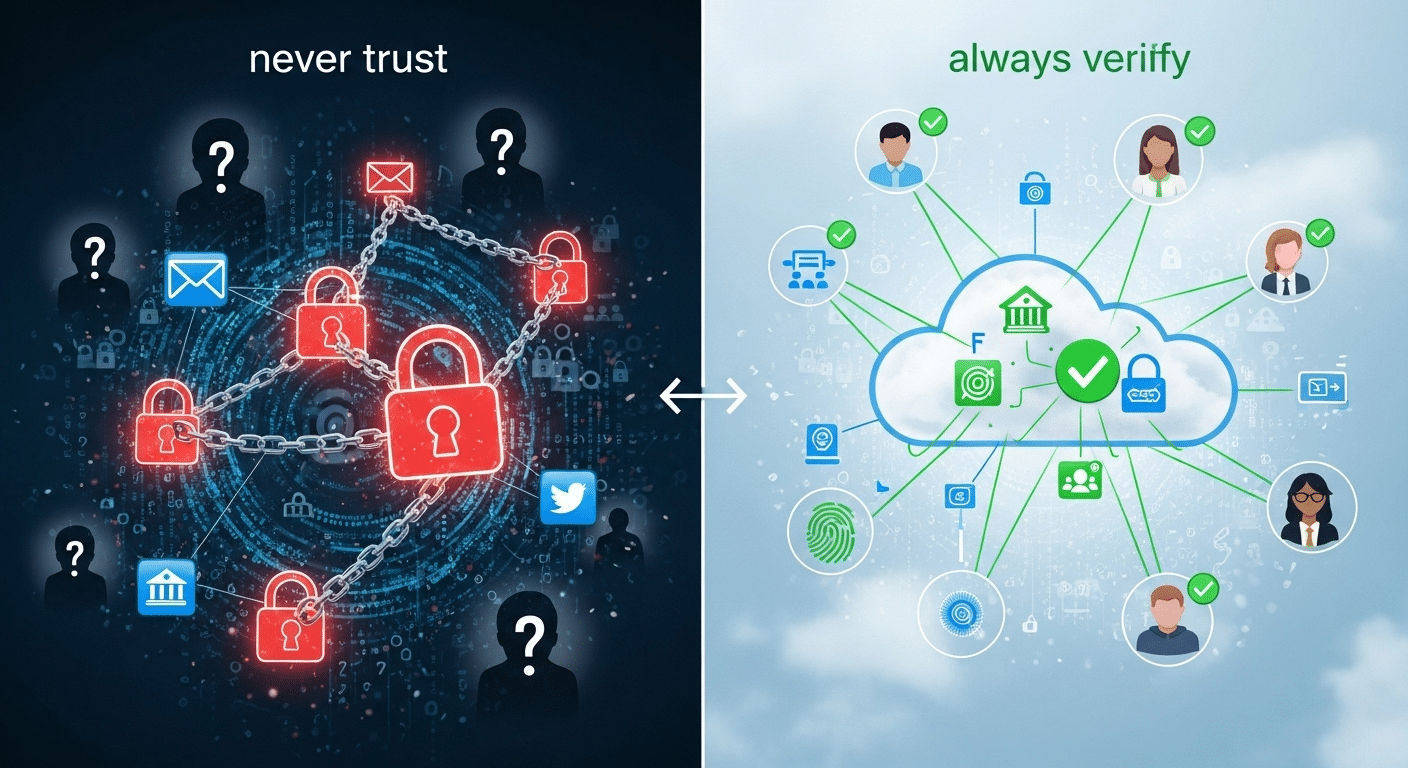
The Zero Trust security model takes a very different stance: “never trust, always verify.” It assumes that threats can come from anywhere, inside or outside the network—so access must be continuously evaluated and never granted automatically.
At its core, Zero Trust is built on a few critical principles:
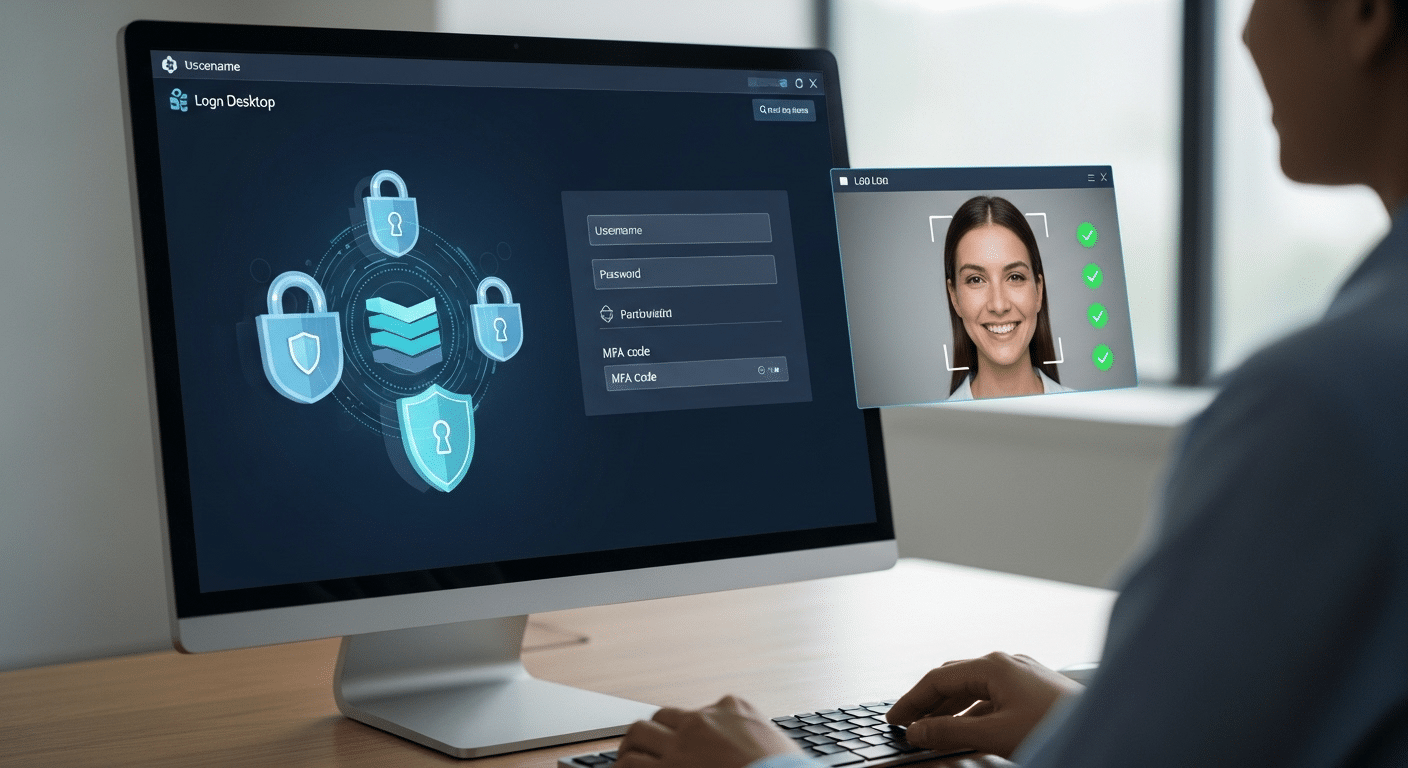
- User identity verification – Confirm who is requesting access, using strong authentication methods like multi-factor authentication (MFA).
- Continuous verification – Access isn’t just checked once at login; it’s verified repeatedly based on behavior, device health, and location.
- Granular access controls – Instead of broad permissions, users are given access only to the specific apps or data they need.
- Least privilege access – Every user gets the minimum level of access necessary to perform their role, nothing more.
This approach stands in stark contrast to traditional perimeter-based models like VPNs. In those setups, once someone is “inside,” they often gain access to large portions of the network.
With Zero Trust Network Access (ZTNA), access is managed at the application level. Users don’t get a tunnel into the entire network; they connect to individual services or apps based on policy and identity.
Zero Trust is a natural fit for modern IT environments—especially those relying on cloud services, SaaS platforms, and distributed remote workforces.
How Does Zero Trust Network Access (ZTNA) Compare to VPNs?
When comparing Zero Trust Network Access (ZTNA) vs VPNs, the differences go far beyond architecture, they reflect a shift in how access and trust are managed in today’s digital world. Here’s a side-by-side breakdown:
| Feature | VPN | Zero Trust Network Access (ZTNA) |
|---|---|---|
| Trust Model | Implicit trust within network | Continuous verification |
| Access Scope | Broad access to entire network | Least privilege, app-level access |
| Security Posture | Perimeter-based | Identity- and context-based |
| Visibility | Limited | Full session awareness |
| Usability | Requires VPN client | Typically browser-based |
| Scalability | Struggles with modern scale | Built for cloud and hybrid work |
| Attack Surface | Wider | Reduced significantly |
While VPNs provide secure remote access by encrypting data in transit, they also tend to grant access to the entire internal network once the connection is established. That means if a VPN credential is stolen or misused, the intruder may gain wide access—potentially to sensitive data, critical systems, and more.
ZTNA, on the other hand, limits exposure through granular access controls, device posture checks, and identity-based policies. Rather than opening the door to the full network, ZTNA connects users only to the specific applications or data they are authorized to use.
This level of precision not only reduces the attack surface, it also improves the ability to detect anomalies and enforce session-level visibility. In a world of remote work and decentralized infrastructure, ZTNA offers the control and flexibility VPNs struggle to match.
What Are the Risks of Relying Solely on VPNs for Remote Access?

While VPNs have long been a staple for remote access, relying on them exclusively creates significant security gaps, especially in today’s distributed environments.
One of the biggest issues is network-level access. Once a user logs in through a VPN, they typically gain entry to the entire internal network, not just the resources they need. This broad access opens the door to lateral movement if an account is compromised.
Here are some important vulnerabilities associated with VPN-only strategies:
- Privileged access management gaps – VPNs don’t always enforce least privilege access, allowing users to reach more than they should.
- Difficult to scale securely – Managing access for hundreds or thousands of remote users can become complex and error-prone.
- Susceptibility to data breaches – If credentials are stolen or a device is infected, attackers can move freely inside the network.
- Lack of visibility – VPNs offer limited insight into user behavior once connected.
The result? A remote user with VPN access could unintentionally, or maliciously—expose your organization to data loss, compliance violations, or system downtime. Without continuous verification or strong access control, VPNs offer a false sense of security in an environment where threats evolve constantly.
How Does Zero Trust Strengthen Remote Access Security?
Zero Trust isn’t just a philosophy, it’s a practical approach that hardens your organization’s remote access security in meaningful ways. Instead of relying on outdated assumptions of internal trust, it applies strict access controls and evaluates each request based on identity, context, and risk.
Here’s how it works:
- Limits access to only authorized users – No one gets in without strong identity verification.
- Verifies device posture – Every device is checked for health, patch level, and compliance before access is granted.
- Grants role-based access to specific resources – Users only access what they need, nothing more.
- Applies continuous verification – Trust is never assumed; it’s re-evaluated at every step.
These practices collectively reduce the attack surface and limit what an intruder can do, even if they manage to get inside.
Zero Trust is also built for the realities of modern work. It integrates seamlessly with cloud environments, SaaS platforms, and other software-as-a-service ecosystems. Whether your users are accessing files from home, managing workflows in the cloud, or using enterprise apps on the go, Zero Trust ensures those connections are tightly secured.
By focusing on identity, context, and least privilege, Zero Trust provides a robust security framework that adapts to wherever work happens, without compromising control or visibility.
Can VPNs and Zero Trust Coexist in a Hybrid Security Strategy?

Absolutely. While VPNs and Zero Trust serve different purposes, many organizations use a hybrid strategy that combines both, especially when supporting existing network infrastructures.
For example, VPN solutions still play a valuable role in granting access to legacy systems that can’t easily be migrated to the cloud. In these scenarios, VPNs help protect data and extend connectivity to older environments.
At the same time, you can begin layering Zero Trust principles—like enforcing least privilege, verifying user identity, and using context-based access policies, on top of your VPN setup. This approach tightens control and limits the risks of broad access.
Here’s how a phased transition might look:
- Start by segmenting users and applications
- Add ZTNA tools for cloud and SaaS-based resources
- Gradually reduce reliance on VPN for systems that can be isolated or containerized
This hybrid strategy allows you to maintain continuity while shifting toward a more modern security posture. Instead of ripping out existing systems, you’re reinforcing them, ensuring secure access policies while preparing for full Zero Trust security adoption.
Which Is Better for Your Organization: Zero Trust or VPN?
There’s no one-size-fits-all answer, but there is a smarter one.
When deciding between Zero Trust and VPN, start by assessing your current environment:
- Is your network architecture cloud-heavy or legacy-based?
- How remote is your workforce?
- Do you rely heavily on SaaS apps or internal systems?
- What security protocols and compliance standards must you meet?
- How sensitive is the data your users access?
VPNs can be easier to deploy for legacy access, but they offer broad network access and limited visibility. Zero Trust, on the other hand, enables granular access controls, continuous verification, and works better with cloud environments.
Pros of VPN: Simpler setup for internal networks, compatible with older systems
Cons: Larger attack surface, less control over user actions
Pros of Zero Trust: Adaptive, identity-based, reduces lateral movement
Cons: Requires planning, policy creation, and modern infrastructure
If long-term security posture and scalability matter, Zero Trust is the clear path forward.
What Are the Core Takeaways from the Zero Trust vs VPN Debate?
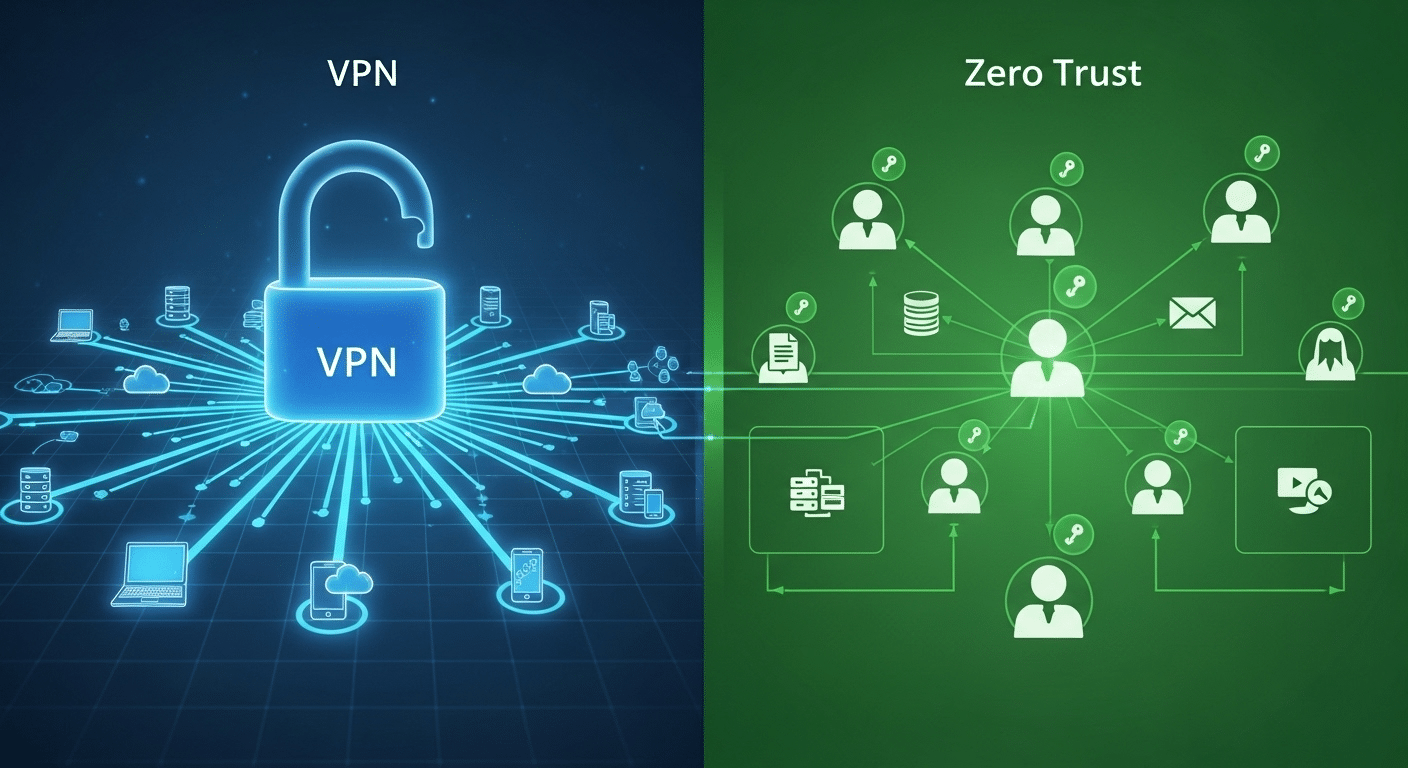
The difference between Zero Trust and VPN boils down to how each handles trust, access, and control.
- Trust model: VPN assumes internal users can be trusted. Zero Trust assumes no one can.
- Access control: VPN gives broad access to the network. Zero Trust enforces granular access based on identity and context.
- Threat detection: VPNs lack visibility after login. Zero Trust tracks sessions and behaviors continuously.
VPNs were designed for a different era, when work happened in offices and systems stayed on-prem. Zero Trust represents an evolution in network security, purpose-built for modern, distributed, cloud-connected environments.
Ready to Move Beyond VPN? Consider a Simpler, More Secure Alternative
If you’re looking to move beyond the limits of VPNs without overwhelming complexity, Apporto is a powerful, Zero Trust-aligned solution.
Apporto offers browser-based access, identity-first security, and requires no VPN client, making it easy for both users and IT teams to secure remote work.
- Ensure only authorized users access critical systems
- Eliminate broad access with least privilege controls
- Enjoy strong security without heavy infrastructure
Whether you’re in higher ed, healthcare, or managing corporate networks, Apporto helps you protect what matters—simply.
Explore Apporto to enable Zero Trust without complexity.
Final Thoughts
The days of trusting the network perimeter are behind us. Cyber threats now move faster, wider, and with more precision than ever.
It’s time to rethink how your organization handles remote access security. Start by auditing your current setup. Look at where VPNs may be exposing more than protecting.
Zero Trust architecture offers a smarter, more resilient path forward. It’s not just about new tools, it’s about a mindset shift toward continuous verification, identity-based access, and minimal exposure.
Security isn’t static. Your defenses shouldn’t be either. Consider Zero Trust as the foundation for a future-proof security strategy.
Frequently Asked Questions (FAQs)
1. What is the main difference between Zero Trust and VPN?
VPNs create encrypted tunnels that provide broad network access after login, while Zero Trust continuously verifies identity, device health, and access context before granting access to specific applications or resources. Zero Trust focuses on least-privilege access instead of trusting users once they enter the network.
2. Is Zero Trust more secure than VPN?
3. Can I use Zero Trust and VPN together?
Yes. Many organizations use VPNs and Zero Trust together during security modernization. VPNs often support legacy systems, while Zero Trust adds identity verification, granular access controls, and continuous monitoring to improve remote access security without replacing existing infrastructure immediately.
4. Do I need special hardware to implement Zero Trust?
No. Most Zero Trust solutions are cloud-based and integrate with existing infrastructure, identity providers, and security tools. Organizations can often implement Zero Trust policies and access controls without deploying specialized hardware across their network environments.
5. Will ZTNA replace VPN?
6. Why are VPNs becoming outdated for remote access?
VPNs are becoming outdated because they often grant broad network access and provide limited visibility after login. Modern remote work and cloud environments require more granular, identity-based security controls, which Zero Trust and ZTNA platforms are designed to deliver.