

What Is the Best Virtual IT Labs Software?
The best virtual IT labs software provides hands-on learning environments, secure cloud access, and scalable training experiences for learners and organizations. Platforms such as Apporto Virtual Computer Labs, CloudShare, and KodeKloud enable users to practice real-world skills, manage labs efficiently, and access training from anywhere through flexible virtual environments.
There’s something irreplaceable about learning by doing. Reading documentation helps. Watching tutorials helps too. But nothing quite matches the experience of breaking something, fixing it, and understanding why it worked in the first place.
That’s one reason virtual labs have become so popular. They give learners access to realistic, hands-on environments without the cost and complexity of maintaining physical labs.. Students can practice technical skills, experiment freely, and build confidence from almost anywhere.
This guide explores the best virtual IT labs software, comparing platforms based on hands-on learning, scalability, usability, security, and overall training effectiveness.
How Did We Select the Best Virtual IT Labs Software?
A virtual lab isn’t impressive because it has hundreds of exercises or a long list of features. What matters is something much simpler. Does it help people learn real skills? Can learners experiment freely, make mistakes, and gain confidence without worrying about breaking anything important? That’s what guided this evaluation.
The focus wasn’t on flashy dashboards or marketing claims. Instead, we looked at how well each platform supports hands-on learning, how easy it is to manage, whether it scales smoothly, and how effectively it keeps learners engaged from beginning to end.
Here are the criteria that mattered most.
Hands-On Learning Experience
Technical skills are built through practice. Reading documentation is helpful, certainly, but real understanding often comes from trying things firsthand.
The best virtual labs provide realistic environments, sandbox spaces for experimentation, practical exercises, and persistent sessions that allow learners to pick up where they left off without losing progress.
Performance and Lab Management
Nothing interrupts learning faster than a slow or unreliable environment. We looked for platforms that provision labs quickly, reset environments effortlessly, and provide administrators with enough visibility to monitor performance and keep training running smoothly. Because learners should spend their time learning, not waiting.
Learning and Assessment
Good training platforms don’t just deliver content. They help learners understand how far they’ve come. Features such as practical assessments, instant feedback, progress tracking, and support for both self-paced and instructor-led learning played an important role in this evaluation. Small wins matter. Seeing progress matters even more.
Integration and Scalability
Training needs rarely stay the same for long. A strong virtual lab platform should integrate easily with learning management systems, support growing numbers of learners, and adapt as programs expand. Flexibility is important here. So is simplicity.
These criteria helped identify the virtual IT labs that combine hands-on learning, ease of management, and long-term value, while making technical training more accessible and far more engaging.
Quick Comparison Table: Which Virtual IT Labs Software Is Best?
The virtual IT lab market has expanded rapidly, giving organizations, educators, and training providers access to a wide range of platforms designed for different learning goals. Some solutions focus on browser-based accessibility, while others specialize in enterprise IT training, cybersecurity exercises, or cloud technologies. The right choice depends on the type of learners you support, the complexity of your training programs, and the level of hands on experience you want to provide.
The table below offers a quick overview of the best virtual IT labs software in 2026. It highlights each platform’s strengths, deployment model, and preferred learning style, making it easier to compare options before exploring them in greater detail.
| Platform | Best For | Deployment | Standout Feature | Learning Style |
|---|---|---|---|---|
| Apporto Virtual Computer Labs | Browser-based labs | Cloud | No client installation | Self paced & Instructor led |
| CloudShare | Enterprise IT training | Cloud | Production-like labs | Instructor led |
| KodeKloud | DevOps training | Cloud | Real command-line labs | Self paced |
| Skillable | Certification training | Cloud | Scenario-based learning | Mixed |
| Azure Lab Services | Microsoft training | Cloud | Azure integration | Self paced |
| Instruqt | Interactive cloud labs | Cloud | Instant environments | Mixed |
| TestOut LabSim | IT students | Cloud | Simulations + videos | Self paced |
| Immersive Labs | Cybersecurity training | Cloud | Skills benchmarking | Self paced |
| Labster | STEM & technology labs | Cloud | Immersive simulations | Mixed |
Each of these platforms takes a different approach to technical training. Some emphasize simplicity and accessibility, while others prioritize immersive labs, advanced assessments, or large-scale enterprise deployments. The following sections examine how these virtual training labs compare in terms of hands on learning, learner engagement, scalability, and overall training effectiveness.
Best Virtual IT Labs Software (A Complete Overview)
1. Apporto Virtual Computer Labs (The Best Browser-Based Virtual IT Lab)
Overview
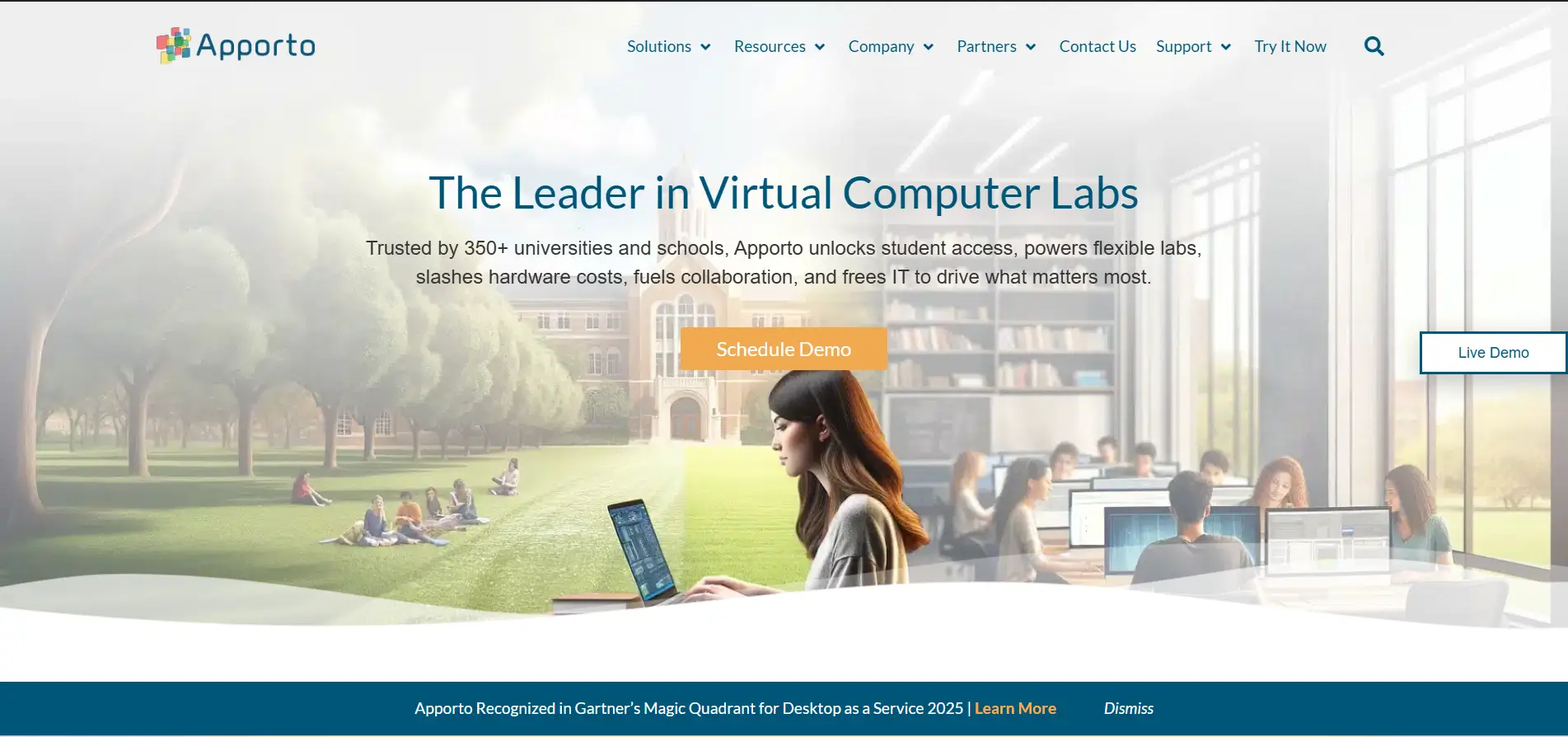
Apporto Virtual Computer Labs has become one of the most compelling solutions for organizations that want to deliver hands on technical training without the complexity of managing physical computer labs. The platform takes a browser-first approach, allowing learners to access a complete virtual environment instantly, without installing software or configuring devices. That simplicity matters. Students spend more time learning, instructors spend less time troubleshooting, and administrators gain centralized control over resources and lab environments.
Built as a cloud-based platform, Apporto combines accessibility with scalability. Training institutions can deploy virtual labs across multiple courses while ensuring learners have secure and reliable access from almost anywhere. The experience feels seamless, which is not always easy to achieve in technical training.
Highlights
- Browser-Based Access: Apporto allows learners to access virtual labs directly from a web browser. There is no need for local installations, dedicated hardware, or complicated setup procedures. This makes onboarding faster and reduces technical barriers for learners.
- Virtual Computer Labs: The platform delivers fully functional virtual computer labs that replicate real computing environments. Learners can practice technical skills, run applications, and experiment in secure cloud labs without affecting production systems.
- Centralized Lab Management: Instructors and administrators benefit from centralized management tools that simplify user provisioning, software deployment, and lab administration. This centralized approach helps maintain consistency across courses and improves operational efficiency.
- Linux and Windows Support: Apporto supports both Linux and Windows environments, giving learners the flexibility to work with different operating systems and technologies as their skills develop.
Best For
Apporto is ideal for universities, training providers, enterprise learning programs, and organizations seeking browser-based virtual labs with strong accessibility, centralized administration, and flexible learning environments.
Limitations
Organizations requiring extensive customization of underlying infrastructure or highly specialized hardware configurations may need more tailored solutions for advanced use cases.
Pricing
Apporto offers customized pricing based on user volume, computing requirements, storage, and support needs. Institutions typically work with the provider to build a plan aligned with their training goals and budget.
2. CloudShare (The Best Virtual IT Lab for Enterprise Training)
Overview
Enterprise training is rarely simple. Teams need realistic environments, instructors require visibility into learner progress, and organizations want training that mirrors the systems employees use every day. CloudShare was built around this idea. Instead of relying on static demonstrations or limited simulations, it provides fully interactive virtual labs that closely resemble production environments, giving learners practical experience without exposing live systems to risk.
The platform is widely used for technical training, customer education, product demonstrations, and certification programs because it combines realism with ease of management. Learners can experiment freely, make mistakes, and explore different technologies in a controlled environment. That freedom often leads to deeper understanding and stronger skill development.
Highlights
- Production-Like Lab Environments: CloudShare creates lab environments that closely replicate production environments. Learners work with realistic configurations, applications, and systems, helping them develop skills that transfer directly to real-world situations.
- Sandbox Environments: The platform offers secure sandbox environments where learners can experiment, test configurations, and troubleshoot issues without affecting business systems. This risk-free approach encourages exploration and hands on learning.
- Instructor Management: CloudShare provides instructors with tools to monitor learner activity, manage training sessions, provision environments, and track progress. This centralized approach simplifies technical training and improves the overall learning experience.
- Automated Provisioning: Lab environments can be deployed automatically, reducing setup time and administrative effort. Automated provisioning also helps organizations scale training programs efficiently while maintaining consistency across users.
Best For
CloudShare is best suited for enterprises, training providers, technology vendors, and organizations that need realistic virtual labs for technical training, customer onboarding, and product education.
Limitations
The platform is designed primarily for enterprise use cases, so smaller organizations or individual learners may find it more feature-rich than necessary for basic training requirements.
Pricing
CloudShare offers customized pricing based on the number of users, lab environments, storage requirements, and support services. Organizations generally request a tailored quote based on the size and scope of their training programs.
3. KodeKloud
Overview
Learning technical skills often comes down to one simple truth, you learn faster when you actually do the work. KodeKloud has built its reputation around this philosophy by offering practical, hands on labs that place learners directly inside real cloud and DevOps environments. Instead of relying heavily on theory, the platform encourages experimentation through guided exercises and live practice sessions that mimic real operational tasks.
What makes KodeKloud particularly appealing is its balance between accessibility and depth. Beginners can start with structured courses, while experienced professionals can explore more advanced cloud technologies and automation tools at their own pace. The platform feels approachable, yet surprisingly comprehensive.
Highlights
- Hands On Labs: KodeKloud provides interactive hands on labs where learners work with actual systems instead of simulations. This approach helps reinforce technical concepts through direct experience and repeated practice.
- Real Command Line Access: The platform gives users real command line access to lab environments, allowing them to execute commands, configure systems, and troubleshoot issues in realistic settings. This practical experience is especially valuable for IT professionals seeking job-ready skills.
- Learning Paths: KodeKloud organizes training into structured learning paths that guide learners from foundational topics to advanced specializations. These paths help users build knowledge progressively while maintaining focus on practical outcomes.
- Cloud Technologies: The platform covers a broad range of cloud technologies, including Kubernetes, Docker, Linux, Terraform, and major cloud providers. Learners gain experience with tools that are widely used across modern IT environments.
Best For
KodeKloud is best suited for DevOps engineers, cloud professionals, system administrators, and learners seeking practical experience with cloud technologies and infrastructure automation.
Limitations
Although the platform offers extensive technical content, learners looking for broad academic programs or non-technical subjects may find its focus relatively specialized.
Pricing
KodeKloud offers subscription-based pricing with monthly and annual plans. The platform also provides free courses and limited access to selected hands on labs for users who want to explore the environment before committing to a paid plan.
4. Skillable (Delivers Hands-On IT Training)
Overview
Some training platforms focus on content, others emphasize assessments. Skillable attempts to bring both together by creating realistic, scenario-based environments where learners can practice skills, receive feedback, and measure their progress in real time. The platform is designed around active participation rather than passive learning, which is one reason it has become popular among enterprises, certification providers, and technology companies.
Skillable allows learners to interact with live systems, complete guided exercises, and solve practical challenges that closely resemble workplace situations. This approach helps transform theoretical knowledge into real capabilities. It is practical, measurable, and frankly, a bit more engaging than watching endless video lessons.
For organizations comparing different approaches to hands-on virtual training, the Apporto vs Skillable comparison provides a closer look at how the two platforms differ.
Highlights
- Scenario-Based Labs: Skillable creates scenario-based labs that simulate real IT environments and business challenges. Learners gain hands on experience by completing tasks and solving problems in environments designed to mirror actual workplace conditions.
- Assessment Tools: The platform includes built-in assessment tools that evaluate technical skills through practical exercises rather than relying solely on quizzes. This gives learners a clearer understanding of their strengths and areas that need improvement.
- Real-Time Scoring: Real-time scoring provides immediate feedback during lab exercises. Learners can track their performance as they progress, making it easier to identify mistakes and reinforce newly acquired skills.
- Progress Tracking: Skillable offers detailed progress tracking that helps instructors, organizations, and learners monitor achievements over time. Reports and analytics provide visibility into course completion, engagement levels, and overall learning outcomes.
Best For
Skillable is ideal for enterprises, certification programs, technology vendors, and training organizations that want measurable hands on learning experiences supported by advanced assessments and learner analytics.
Limitations
The platform is primarily focused on professional and enterprise training. Individual learners seeking inexpensive personal study options may find other platforms more suitable for their needs.
Pricing
Skillable offers customized pricing based on training volume, users, lab environments, and support requirements. Organizations typically request a tailored quote that aligns with their learning objectives and deployment scale.
5. Azure Lab Services (The Best Virtual Lab for Microsoft Training)
Overview
Technical education often becomes more effective when the infrastructure behind it stays out of the way. Azure Lab Services follows this principle by allowing educators, trainers, and organizations to create and manage virtual lab environments without investing heavily in physical hardware. Built on Microsoft’s cloud platform, it simplifies the process of delivering hands on training while giving learners access to fully configured environments from almost anywhere.
The platform is particularly appealing for institutions that already rely on Microsoft technologies. Instead of spending time configuring systems individually, administrators can deploy virtual machines in bulk and provide students with immediate access to the tools they need. The experience feels streamlined, and in busy learning environments, that simplicity can make a meaningful difference.
Highlights
- Microsoft Integration: Azure Lab Services integrates seamlessly with the broader Microsoft ecosystem, including Azure services, Microsoft Entra ID, and other educational and enterprise tools. This integration simplifies identity management and lab administration.
- Virtual Machines: The platform enables instructors to create and distribute preconfigured virtual machines for courses, workshops, and technical training. Learners receive consistent environments that support practical exercises and hands on experimentation.
- Classroom Management: Educators can schedule labs, assign resources, monitor usage, and control access through centralized classroom management features. This helps simplify administration while ensuring students have the resources they need.
- Cloud Scalability: The platform runs entirely in the cloud, organizations can scale resources according to class size and training requirements without investing in additional hardware.
Best For
Azure Lab Services is ideal for universities, technical training providers, enterprises, and educators seeking Microsoft-based virtual labs that support hands on learning at scale.
Limitations
The platform delivers the greatest value to organizations already invested in Microsoft technologies. Institutions using diverse cloud ecosystems may prefer solutions with broader multi-cloud support.
Pricing
Azure Lab Services follows a consumption-based pricing model. Costs depend on virtual machine specifications, usage duration, storage, and cloud resources consumed, allowing organizations to align spending with actual training needs.
6. Instruqt (Popular for Interactive Cloud Labs)
Overview
Highlights
- Interactive Labs: Instruqt offers highly interactive labs where learners work directly with technologies in real cloud environments. This hands on approach encourages experimentation and helps users gain practical experience that extends beyond theoretical concepts.
- Instant Environments: One of Instruqt’s greatest strengths is the ability to launch instant environments. Learners can start training sessions within moments, eliminating lengthy setup processes and reducing technical barriers to participation.
- Self Paced Learning: The platform strongly supports self paced learning. Users can progress through exercises according to their own schedules, revisit concepts when needed, and build skills gradually through repeated practice.
- Instructor Support: Instructors have access to tools that help manage courses, monitor learner activity, and provide guidance throughout training sessions. This balance between independence and instructor support creates a flexible learning experience for different types of learners.
Best For
Instruqt is best suited for technology companies, training providers, cloud vendors, and organizations seeking interactive cloud labs for product training, technical education, and customer onboarding.
Limitations
Organizations looking for highly specialized certification tracks or extensive offline learning materials may find the platform more focused on interactive cloud experiences than traditional course delivery.
Pricing
Instruqt offers customized pricing based on users, lab environments, cloud resources, and support requirements. Businesses typically work with the provider to select a plan that aligns with their training goals and expected usage.
7. TestOut LabSim (Helps IT Students Learn Faster)
Overview
Learning IT concepts through textbooks alone can feel limiting. Real understanding often develops when you apply concepts, make mistakes, and try again. TestOut LabSim was built around this idea, combining video instruction with interactive simulations that allow students to practice technical skills in realistic environments. The platform has been a familiar name in IT education for years, particularly among schools, colleges, and certification programs.
Instead of separating theory from application, LabSim blends the two into a single learning experience. Students watch demonstrations, complete hands on exercises, and immediately apply new concepts inside simulated environments. That combination helps improve retention and makes training more engaging, especially for learners who prefer doing rather than simply reading.
Highlights
- Interactive Simulations: TestOut LabSim offers interactive simulations that replicate real IT tasks and environments. Students can configure systems, troubleshoot problems, and practice technical procedures without the risks associated with live systems.
- Video Learning: The platform combines simulations with structured video lessons that explain concepts clearly and provide step-by-step guidance. This integrated approach supports different learning styles and helps reinforce technical knowledge.
- Practice Exercises: Learners have access to a wide range of practice exercises that allow them to apply skills repeatedly. Regular practice helps build confidence and encourages deeper understanding of technical concepts.
- Certification Preparation: TestOut LabSim aligns many of its courses with industry-recognized certifications. Students can prepare for exams while simultaneously gaining practical experience that extends beyond memorization.
Best For
TestOut LabSim is ideal for IT students, educational institutions, vocational training centers, and individuals preparing for technical certifications who want a balanced combination of theory, practice, and hands on training.
Limitations
While the simulations are highly effective for learning, some advanced professionals may prefer live cloud labs that provide direct access to production-level environments and emerging technologies.
Pricing
TestOut LabSim offers subscription-based pricing that varies depending on courses, certifications, and access duration. Educational institutions may also receive volume discounts for larger student groups and training programs.
8. Immersive Labs (A Leading Cybersecurity Training Platform)
Overview
Cybersecurity training has become far more demanding than it was a decade ago. Threats evolve constantly, attack methods become more sophisticated, and organizations need professionals who can respond to real situations rather than simply recall theoretical concepts. Immersive Labs was created to address this challenge by providing practical, hands on cybersecurity training in realistic environments where learners can build and test their skills safely.
The platform focuses on developing real capabilities through interactive exercises, simulations, and assessments that mirror modern cyber threats. Learners practice identifying vulnerabilities, responding to incidents, and strengthening security defenses while receiving immediate feedback on their performance. This practical approach helps bridge the gap between knowledge and execution, which is often where traditional training falls short.
Highlights
- Cybersecurity Simulations: Immersive Labs offers cybersecurity simulations that expose learners to realistic attack scenarios and defensive exercises. Users can investigate threats, practice response strategies, and develop technical skills in secure environments without risking actual systems.
- Real-Time Assessments: The platform continuously evaluates learner performance through real-time assessments. This immediate feedback helps learners understand their strengths, identify skill gaps, and focus their training efforts more effectively.
- Skills Benchmarking: Immersive Labs includes skills benchmarking tools that measure technical capabilities against industry standards and organizational goals. These insights help both learners and employers monitor progress and plan future development.
- AI-Driven Learning: Artificial intelligence is increasingly integrated into the platform to personalize learning experiences, recommend training paths, and adapt exercises according to individual skill levels. This creates a more focused and efficient learning process.
Best For
Immersive Labs is ideal for cybersecurity professionals, enterprises, government agencies, and organizations seeking advanced security training with measurable skill development and practical experience.
Limitations
Because the platform is heavily focused on cybersecurity and security skills, learners seeking broad IT training across multiple disciplines may prefer more general-purpose virtual lab platforms.
Pricing
Immersive Labs provides customized pricing based on users, training requirements, features, and deployment size. Organizations generally work with the provider to create a plan that aligns with their cybersecurity training objectives.
9. Labster (Delivers Realistic Virtual Labs for Modern Education)
Overview
Learning complex technical and scientific concepts is not always easy. Reading theories and watching demonstrations can help, but true understanding often develops through experimentation. Labster was created with this idea at its core. The platform provides immersive virtual labs that allow learners to explore concepts, conduct experiments, and practice skills in interactive environments that closely resemble real laboratories.
What makes Labster particularly interesting is how it combines education with engagement. The experience feels dynamic rather than static, encouraging learners to investigate problems, make observations, and develop critical thinking skills through direct interaction. For educators, this creates opportunities to deliver practical experiences without the cost and limitations associated with physical labs and expensive equipment.
Highlights
- Immersive Simulations: Labster offers immersive simulations that recreate realistic lab environments across technology, science, and related disciplines. Learners interact with equipment, analyze results, and apply theoretical concepts through guided experiences designed to improve understanding and retention.
- Interactive Experiments: The platform enables learners to perform interactive experiments safely within virtual environments. Students can repeat exercises, test different approaches, and explore concepts without the risks or limitations that sometimes exist in physical laboratories.
- Instructor Tools: Labster provides educators with tools to manage courses, monitor learner progress, assign exercises, and evaluate outcomes. These features help simplify teaching while giving instructors greater visibility into how students engage with course materials.
- Learner Engagement: A major strength of Labster is its focus on learner engagement. Interactive storytelling, realistic scenarios, and visually rich simulations help keep learners actively involved throughout the learning process, making difficult concepts easier to understand and remember.
Best For
Labster is best suited for schools, universities, training institutions, and educators seeking immersive virtual labs that improve engagement while providing practical, hands on learning experiences.
Limitations
The platform is primarily designed for education and academic training. Organizations looking for highly specialized enterprise IT labs or advanced production environments may require additional solutions alongside Labster.
Pricing
Labster offers customized pricing based on institution size, number of learners, course requirements, and licensing arrangements. Educational organizations typically work directly with the provider to select a plan that fits their teaching objectives and budget.
How Do You Choose the Right Virtual IT Lab Software?

Choosing a virtual IT lab platform can feel surprisingly complicated. There are dozens of solutions available, each promising better software training experiences, stronger learner engagement, and easier administration. If you’re evaluating alternatives to specific training platforms, our guide to ReadyTech alternatives can help you compare additional options. Yet the best choice often depends on a simple question, what exactly do you want your learners to achieve?
Some organizations prioritize self paced learning. Others require collaborative classrooms with instructor oversight. Some need realistic production environments, while others focus on cost efficiency and scalability. Understanding these priorities early makes the selection process far more practical and prevents investing in features that may never be used.
What Learning Experience Do Your Users Need?
The learning experience sits at the center of every successful training program. A platform that matches how your users prefer to learn will almost always deliver stronger outcomes.
Self Paced Learning
Self paced virtual training labs give learners the freedom to learn whenever and wherever they choose. Benefits include:
- Flexible access from almost any location
- Independent learning that adapts to individual schedules
- On-demand labs available around the clock
- Opportunities to repeat exercises and reinforce concepts
- Greater control over learning speed and progress
This model works especially well for busy professionals, remote learners, and organizations with geographically distributed teams.
Instructor Led Training
Instructor led environments remain valuable for structured programs that require guidance and collaboration. Important capabilities include:
- Live sessions with trainers and educators
- Collaborative learning experiences
- Classroom controls for managing users and resources
- Real-time feedback and support
- Better interaction between learners and instructors
How Important Are Lab Realism and Production Environments?
The most effective virtual labs do more than demonstrate concepts. They allow learners to practice skills in environments that closely resemble real systems. Consider these features:
- Production-Like Labs: Replicate real technologies and workflows used in business environments.
- Sandbox Environments: Allow learners to experiment safely without affecting production systems.
- Persistent Lab States: Enable users to save progress and return to their work later without losing configurations.
- Reset Reliability: Restore environments to their original state quickly, making repeated practice easier and more efficient.
Realistic labs often lead to stronger hands on learning because learners develop practical experience that translates directly to real-world situations.
Should You Prioritize Cloud Labs or Traditional Lab Infrastructure?
Many organizations are moving away from physical labs because cloud labs offer greater flexibility and lower infrastructure demands.
Cloud Labs
Cloud labs provide:
- Faster deployment
- Reduced hardware requirements
- Remote access from any location
- Flexible scalability
- Simplified administration
Physical Equipment
Traditional labs still offer value when:
- Specialized hardware is required
- Local infrastructure must remain under direct control
- Offline training environments are necessary
Cost Savings
Virtual labs are often more cost effective because they reduce dependence on expensive equipment, maintenance, and physical space.
Scalability
Cloud platforms can scale quickly as learner numbers grow, allowing organizations to expand training programs without major infrastructure investments.
What Features Help Improve Learner Outcomes?
Technology alone does not guarantee successful training. The features that support learning and measure progress are equally important. Look for platforms that provide:
- Assessment Tools: Practical evaluations that test real skills rather than memorization.
- Real-Time Analytics: Immediate insights into learner activity and performance.
- AI-Driven Learning: Personalized recommendations that adapt to skill levels and learning behavior.
- Learner Progress Tracking: Visibility into achievements, course completion, and ongoing development.
The right virtual IT lab software should combine hands on learning, learner engagement, realistic environments, and flexible delivery models. When these elements come together, virtual training labs become more than technology platforms. They become environments where skills grow, confidence develops, and long-term learning success becomes much easier to achieve.
What Are the Biggest Benefits of Virtual IT Labs?

The popularity of virtual IT labs is not driven by convenience alone. Organizations are increasingly adopting these platforms because they provide practical, measurable advantages that traditional training environments often struggle to match. From reducing infrastructure expenses to improving learner outcomes, virtual training platforms have changed how technical skills are taught and developed.
One of the biggest advantages is accessibility. Learners no longer need to travel to physical classrooms or rely on expensive equipment to gain hands on experience. Instead, they can access training environments remotely, practice at their own pace, and repeat exercises as often as necessary. This flexibility creates more opportunities for learning and often leads to stronger knowledge retention.
Virtual training also helps organizations scale their programs more efficiently. New users can be added quickly, resources can be adjusted as needed, and training can be delivered consistently across different locations. The result is a learning experience that feels more adaptable and considerably easier to manage.
Main Benefits
- Remote Access: Learners can access labs from virtually anywhere, making training more flexible and accessible.
- Persistent Environments: Users can save their progress and return to the same environment later, creating a smoother learning experience.
- Real-World Practice: Virtual labs provide realistic environments where learners can experiment safely and apply concepts through hands on exercises.
- Centralized Lab Management: Administrators can manage users, resources, and training environments from a single interface, improving efficiency and consistency.
- Improved Knowledge Retention: Repeated practice and interactive learning help learners retain information more effectively than passive training methods.
- Easier Scaling: Organizations can expand training programs without investing heavily in additional infrastructure or expensive equipment.
As technical training continues to evolve, virtual IT labs offer a practical combination of flexibility, cost savings, and meaningful hands on learning that benefits both learners and organizations alike.
What Challenges Should You Know Before Adopting Virtual IT Labs?

Virtual IT labs offer remarkable flexibility and cost savings, but adopting them successfully requires careful planning. The technology itself may be straightforward, yet the surrounding infrastructure, performance requirements, and integration needs can introduce challenges that organizations should understand before making a decision.
One common concern is internet dependency. Because most virtual labs are cloud-based, learners rely heavily on stable network connections to access environments smoothly. Poor connectivity or high latency can affect performance and interrupt the learning experience. Infrastructure limitations can also create challenges, particularly when organizations need to support large numbers of concurrent users or resource-intensive training environments.
In addition, integrating virtual labs with existing systems such as Learning Management Systems may require additional planning and technical support. The goal is not simply to deploy a platform, but to create an environment where learners can focus on developing skills without unnecessary technical obstacles.
Some Common Challenges
- Tech Issues: Unexpected software issues, browser compatibility problems, or configuration errors can occasionally disrupt training sessions.
- Network Latency: Since virtual labs rely on remote systems, unstable internet connections can affect responsiveness and overall performance.
- LMS Integrations: Connecting virtual labs with Learning Management Systems may require additional configuration and testing to ensure a smooth user experience.
- Resource Management: Organizations need to allocate computing resources efficiently to avoid unnecessary costs and maintain consistent lab availability.
- Monitoring Requirements: Administrators often need monitoring tools to track usage, performance, and learner activity across multiple environments.
- Multi-User Scalability: As training programs grow, supporting more users simultaneously while maintaining reliability becomes increasingly important.
Despite these challenges, most organizations find that the long-term benefits of virtual IT labs, including flexibility, easier scaling, and improved access to hands on training, outweigh the initial planning and implementation effort.
Final Thoughts
The best virtual IT labs software depends on the type of learners you support, the skills you want to develop, and the level of flexibility your training programs require. Some platforms focus on enterprise-scale environments, while others emphasize self paced learning, immersive simulations, or hands on technical exercises.
If browser-based simplicity and accessibility are your priorities, Apporto Virtual Computer Labs stands out as the top choice. CloudShare excels in enterprise training with production-like environments, while KodeKloud remains a favorite for DevOps and cloud technologies. For certification-focused programs, Skillable offers powerful assessments and scenario-based learning.
Organizations invested in Microsoft technologies will find Azure Lab Services especially appealing. Instruqt provides highly interactive cloud labs, TestOut LabSim is an excellent option for IT students, and Immersive Labs leads the way in cybersecurity skills development. Meanwhile, Labster continues to redefine immersive learning through realistic simulations and engaging virtual experiences.
Ultimately, the right platform is the one that helps learners practice confidently, build real-world skills, and grow at their own pace in environments designed for modern technical training.
If you are looking for a browser-based virtual lab platform that combines hands on learning, centralized management, flexible access, and cloud scalability, explore Apporto Virtual Computer Labs and discover how modern virtual environments can transform technical training for your organization.
Frequently Asked Questions (FAQs)
1. What is the best virtual IT labs software in 2026?
The best virtual IT labs software depends on your training goals. Apporto Virtual Computer Labs is a leading browser-based platform, CloudShare excels in enterprise training, and KodeKloud is highly regarded for hands on labs focused on DevOps and cloud technologies.
2. How much does virtual IT lab software cost?
Virtual lab pricing varies by provider and features. Costs typically range from $30 to $150 per lab, while enterprise platforms often offer customized pricing. Subscription plans, pay-as-you-go options, and free trials are also common across many cloud labs.
3. Are virtual labs better than physical computer labs?
For many organizations, yes. Virtual labs reduce dependence on expensive equipment, provide remote access, and allow learners to practice from anywhere. They also simplify administration and make it easier to scale training programs without major infrastructure investments.
4. Can virtual IT labs support cybersecurity training?
Absolutely. Many virtual labs are designed specifically for cybersecurity education. Platforms such as Immersive Labs provide secure environments where learners can practice threat detection, incident response, and security skills without affecting production systems or exposing real data.
5. Do virtual labs support self paced learning?
Yes. Most modern virtual labs support self paced learning by offering on-demand access, persistent lab environments, and flexible schedules. Learners can study independently, repeat exercises, and progress according to their own pace and learning objectives.
6. What features should virtual IT lab software include?
The best virtual IT labs software should include hands on labs, cloud labs, assessment tools, learner progress tracking, sandbox environments, centralized management, automated provisioning, and strong security features that create realistic and effective technical training experiences.
