

What Is the Difference Between Apporto and CloudLabs?
Apporto and CloudLabs both provide cloud-based virtual labs, but they focus on different educational needs. Apporto offers browser-based virtual desktops that support learning, collaboration, and software access across multiple departments with minimal setup and broad accessibility, while CloudLabs specializes in technical training and certification labs.
Traditional computer labs are no longer the only option for delivering software and hands-on learning. Educational institutions are increasingly adopting virtual computer lab solutions and cloud based labs to give students flexible, browser-based access from any location.
This approach also helps universities reduce infrastructure costs and ongoing maintenance while improving accessibility and scalability. In this Apporto vs CloudLabs comparison, we examine two leading platforms that support virtual learning in different ways.
You’ll explore how Apporto and CloudLabs compare across virtual labs, LMS integrations, accessibility, security, scalability, and costs to determine which solution best fits modern educational needs.
What Is the Difference Between Apporto and CloudLabs?
Both Apporto and CloudLabs help educational institutions deliver hands-on learning through the cloud. Both platforms give students access to software, virtual environments, and practical lab experiences without depending heavily on physical computer labs. Still, their priorities are quite different, and that difference shapes the experience for both learners and administrators.
Apporto is built around browser-based virtual desktops that provide a flexible environment for teaching, learning, and everyday academic work. Students access applications, files, and software directly through a browser without downloading additional programs. The platform is designed for general education, making it suitable for universities that want to support a wide variety of courses and departments from a single environment.
CloudLabs takes a more specialized approach. It focuses on technical education, IT certifications, and skills validation through customizable virtual labs and sandbox environments. The platform is particularly strong in advanced learning areas such as artificial intelligence, machine learning, cybersecurity, and cloud technologies. For institutions that emphasize hands-on technical training, this specialization can be a major advantage.
Another important distinction lies in accessibility. Apporto reduces technical barriers through its browser-first design, while CloudLabs provides more complex lab environments designed to simulate real-world technical scenarios. One emphasizes simplicity and flexibility, the other emphasizes depth and technical rigor.
In many ways, the choice depends on your educational goals. If you need a versatile virtual desktop platform that supports a broad academic ecosystem, Apporto offers a compelling solution. If your focus is advanced technical skills and certification training, CloudLabs may align more closely with your objectives.
Main Differences between Apporto & Cloudlabs
- Primary Use Case: Apporto supports general education through browser-based virtual desktops, while CloudLabs focuses on IT certifications, technical skills training, and hands-on assessments.
- Access Methods: Apporto provides browser access with no software downloads, whereas CloudLabs supports browser access alongside specialized virtual lab environments.
- Learning Focus: Apporto serves a broad range of courses and academic programs. CloudLabs specializes in technical disciplines such as AI, ML, cybersecurity, and cloud technologies.
- Platform Flexibility: Apporto offers a flexible virtual desktop experience for students across departments. CloudLabs is optimized for structured technical training and lab-based instruction.
- Infrastructure Requirements: Apporto minimizes infrastructure complexity with a browser-based platform, while CloudLabs provides more advanced virtual lab environments designed for specialized learning needs.
These differences become even clearer when you examine how each platform delivers virtual labs and supports hands-on learning experiences in practice.
How Do Apporto & CloudLabs Deliver Virtual Labs?
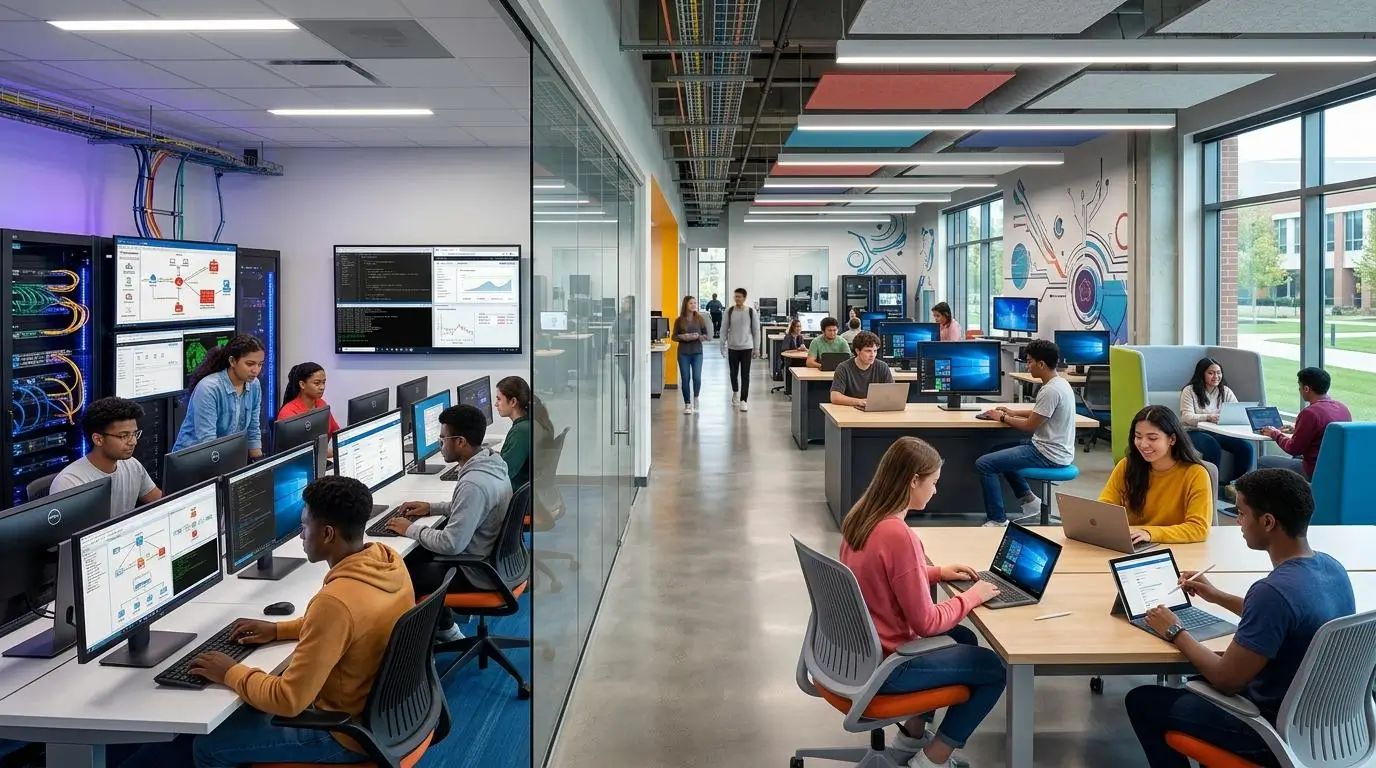
The concept of a virtual computer lab has evolved significantly over the past decade. Early solutions often replicated physical computer labs online, but modern platforms do much more. They provide instant access to software, support different operating systems, and allow students to complete assignments from virtually anywhere. For educational institutions, this evolution is not just about convenience. It is about creating flexible learning environments that scale with demand and reduce the limitations of traditional infrastructure.
Apporto and CloudLabs both embrace this vision, though they deliver it in different ways. CloudLabs focuses on specialized technical training through advanced labs and sandbox environments. Apporto emphasizes accessibility through browser-based virtual desktops that simplify how students access learning resources and applications.
How Does CloudLabs Deliver Hands-On Technical Training?
CloudLabs is designed primarily for technical education. The platform specializes in hands-on training environments where students can experiment, test, and build skills in realistic scenarios.
A major strength of CloudLabs is its use of virtual machines and sandbox environments. These isolated environments allow students to practice technical skills safely without affecting production systems or institutional infrastructure. This approach is particularly useful for courses in cybersecurity, artificial intelligence, machine learning, cloud computing, and IT certifications where practical experience is essential.
CloudLabs also supports both Windows and Linux virtual environments, giving institutions flexibility when designing courses that require different operating systems. Instructors can create customized labs that mirror real-world environments, helping students gain practical skills that extend beyond theoretical knowledge.
For universities focused heavily on technical disciplines, this depth can be a significant advantage.
How Does Apporto Deliver Browser-Based Virtual Desktops?
Apporto takes a different approach, prioritizing simplicity and broad accessibility. The platform delivers virtual desktops directly through a browser, eliminating the need for downloads, installations, or complicated setup procedures. Students simply log in and access their desktop environment, applications, and course materials from almost any device.
This browser-based experience removes many of the technical barriers that often slow down virtual learning. Students do not need specialized hardware or extensive troubleshooting support before getting started. The process feels straightforward, which, honestly, matters more than many people initially expect.
Apporto also supports multiple operating systems, including Windows, Mac, and Linux, allowing institutions to serve a wide variety of academic departments from one platform. Courses that rely on specialized software can coexist with general education programs without requiring separate lab infrastructures.
Another important advantage is single-click LMS integration. Students can launch virtual desktops directly from learning management systems, making the transition between coursework and hands-on activities remarkably seamless.
As virtual learning continues to expand, this balance between accessibility and capability becomes increasingly important. The next consideration, naturally, is how easy these platforms are to deploy and access across different devices and educational environments.
How Do Deployment and Accessibility Compare?

The effectiveness of a virtual lab platform depends not only on what it can do, but also on how easily students and instructors can access it. If setup is complicated or software requirements become overwhelming, even the most advanced learning environment can feel frustrating. Educational institutions increasingly prefer platforms that reduce barriers to entry and allow students to focus on learning rather than troubleshooting.
This is where deployment and accessibility become important differentiators. CloudLabs and Apporto both support browser access, but they are designed with different priorities in mind. CloudLabs emphasizes technical depth and specialized learning environments. Apporto prioritizes simplicity, quick access, and ease of use across departments and campuses.
Why Is CloudLabs Built for Specialized Technical Education?
CloudLabs is designed for institutions that require advanced technical training environments. Its platform supports specialized labs in areas such as cybersecurity, artificial intelligence, cloud computing, and machine learning, allowing instructors to create realistic hands-on experiences for students.
The platform supports browser access, making labs easier to launch, but the environments themselves are often more sophisticated and tailored to technical education. This depth provides instructors with the flexibility to build highly customized training environments that simulate real-world scenarios.
For universities focused on certification programs or advanced technical courses, these capabilities can be extremely valuable. The tradeoff, naturally, is that specialized environments may require more planning and course-specific configuration compared to broader virtual desktop solutions.
How Does Apporto Simplify Access for Students?
Apporto approaches accessibility with simplicity at its core. Students access their virtual desktop through a browser without downloading software or installing applications on their devices. This no-download approach significantly reduces setup time and removes many of the technical issues that often arise in traditional computer labs.
The experience is intentionally straightforward. Students log in, launch their virtual desktop, and begin working. It sounds simple because it is.
This browser-based design also makes campus-wide deployment easier. Universities can provide access to software and resources across different departments while supporting a wide variety of devices. Students using Windows laptops, Macs, or other supported systems receive a consistent experience without requiring complicated configuration.
The result is a virtual learning environment that is easier to scale, easier to manage, and easier for students to adopt from day one.
Accessibility Comparison Table
| Category | Apporto | CloudLabs |
|---|---|---|
| Access Method | Browser-based virtual desktop with single-click access | Browser-based access to specialized technical labs |
| Device Support | Supports a wide range of devices and operating systems | Supports browser access across multiple devices for lab environments |
| Downloads Required |
No downloads or installations required | Browser access available, though lab environments may involve more specialized configurations |
| User Onboarding | Simple onboarding with quick desktop access | Onboarding tailored to technical training and course requirements |
| Platform Flexibility | Flexible virtual desktop for multiple departments and academic programs | Specialized platform optimized for advanced technical education and labs |
Ease of access is only part of the learning experience, however. Once students are inside the environment, the quality of integrations and course management tools can have a major influence on how effectively instructors teach and how efficiently institutions manage their programs.
How Do LMS Integrations and Course Management Compare?
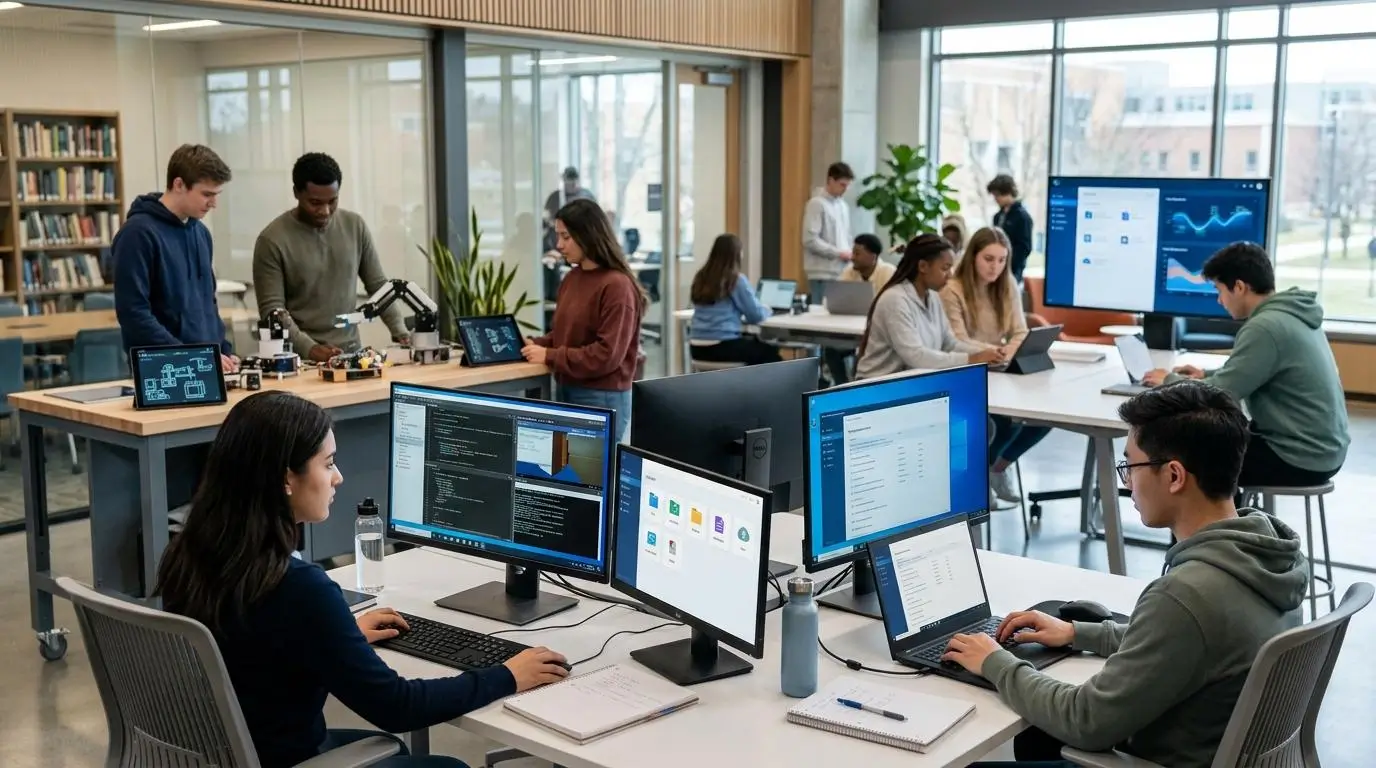
A virtual lab platform does not operate in isolation. In most educational institutions, it becomes part of a broader digital ecosystem that includes learning management systems, course materials, assignments, and collaboration tools. The smoother these systems work together, the easier it becomes for instructors to teach and for students to stay engaged.
This is why LMS integrations have become such an important factor when comparing Apporto and CloudLabs.
Apporto places strong emphasis on seamless integration with existing learning management systems. The platform connects with widely used solutions such as Blackboard, Canvas, D2L, and Moodle, allowing instructors to manage courses while giving students direct access to virtual desktops and software from within familiar interfaces.
One feature that stands out is single-click LMS integration. Students can launch their virtual desktop directly from a course page without navigating multiple portals or remembering additional login credentials. It may sound like a small convenience, but reducing friction often has a surprisingly large impact on adoption and satisfaction.
For instructors and faculty, this integration simplifies course management as well. Applications, assignments, and lab environments become easier to organize and deliver, while administrators spend less time managing separate systems.
CloudLabs also recognizes the importance of learning management systems, particularly in technical education. The platform integrates with Canvas and Moodle through LTI 1.1 and LTI 1.3 standards, enabling instructors to connect hands-on labs with course materials and assessments. This approach works especially well for technical programs where students move frequently between lectures, exercises, and lab environments.
Both platforms simplify administration in different ways. Apporto emphasizes broad LMS compatibility and ease of access across departments, while CloudLabs focuses on integrating specialized labs into technical education workflows.
Which LMS Platforms Do Apporto and CloudLabs Support?
- Blackboard
- Apporto: Native integration that allows students to launch virtual desktops directly from courses.
- CloudLabs: No primary Blackboard integration highlighted.
- Canvas
- Apporto: Fully integrated with seamless course access and virtual desktop delivery.
- CloudLabs: Integrates through LTI standards, connecting technical labs with Canvas courses.
- Moodle
- Apporto: Supports Moodle with simple course and desktop integration.
- CloudLabs: Integrates with Moodle using LTI 1.1 and LTI 1.3 for hands-on learning environments.
- D2L
- Apporto: Provides integration for course delivery and simplified student access.
- CloudLabs: D2L integration is not a primary focus of the platform.
- Single-Click LMS Access
- Apporto: Students can launch virtual desktops instantly from the LMS with a single click.
- CloudLabs: Supports streamlined access to technical labs through integrated course workflows.
As institutions continue to modernize learning environments, integrations are only part of the equation. The overall learning experience, including engagement, collaboration, and instructor capabilities, often determines how successful a virtual lab platform becomes over time.
Which Platform Provides a Better Learning Experience?

A virtual lab is only as valuable as the learning experience it creates. Students need engaging environments that encourage exploration, while faculty need tools that simplify teaching and make classroom management easier. This is where Apporto and CloudLabs take slightly different paths.
CloudLabs focuses heavily on structured technical learning. Its platform includes built-in lab manuals, assessments, and grading automation that help instructors manage courses efficiently. Students benefit from guided exercises and hands-on activities designed to reinforce technical concepts through practice and repetition.
Apporto emphasizes flexibility and collaboration. Students access virtual desktops through a browser and move easily between applications, assignments, and shared activities. The environment feels less restrictive, giving learners more freedom to explore software and complete coursework at their own pace.
Faculty support is another area where Apporto stands out. Virtual classroom capabilities allow teachers to view all student screens simultaneously, making it easier to monitor progress, provide assistance, and keep students engaged throughout a lesson. Combined with AI-powered collaborative tools, the platform creates an interactive environment that supports both independent and group learning.
CloudLabs excels in structured technical education, while Apporto provides a broader learning environment that balances collaboration, accessibility, and flexibility across different academic disciplines.
What Features Improve Learning Outcomes?
- Interactive Labs: Hands-on labs allow students to practice concepts directly rather than relying solely on theory.
- AI Learning Tools: Apporto includes AI collaborative tools that encourage engagement and help students learn together more effectively.
- Virtual Classrooms: Instructors can deliver live lessons while maintaining visibility and interaction throughout the session.
- Screen Sharing and Classroom Visibility: Teachers can view all student screens simultaneously, allowing faster support and improved classroom management.
- Collaboration Features: Shared workspaces and collaborative tools encourage teamwork, discussion, and deeper student engagement.
- Automated Assessments: CloudLabs provides lab manuals and grading automation to simplify evaluation and support consistent learning outcomes.
How Do Security and Platform Management Compare?

As virtual labs become a core part of education, security has moved from being an IT concern to a learning priority. Students access course materials from different devices, instructors manage multiple classes remotely, and administrators oversee hundreds, sometimes thousands, of users across a campus. The platform behind these experiences must protect data while remaining easy to manage.
This is an area where both Apporto and CloudLabs provide strong capabilities, though they approach the challenge differently.
Apporto focuses on secure browser access and simplified administration. By delivering virtual desktops through a browser, the platform reduces reliance on local installations and minimizes many of the security risks associated with unmanaged software environments.
CloudLabs, on the other hand, provides controlled lab environments where students can safely experiment within isolated virtual machines and sandbox environments designed specifically for hands-on technical education.
For institutions, the question is not simply which platform is more secure. It is which approach aligns better with your educational model and administrative needs.
What Security Features Matter in Virtual Labs?
- Browser Security: Browser-based access reduces dependency on local software and helps institutions maintain a more controlled and consistent learning environment.
- User Permissions: Administrators should be able to define who can access applications, labs, and resources to ensure students only interact with approved environments.
- Session Management: Effective session management helps instructors monitor activity, manage virtual classrooms, and maintain secure learning sessions.
- Administrative Oversight: Institutions need centralized tools that allow administrators to manage users, allocate resources, and oversee platform activity efficiently.
- Data Protection: Student files, assignments, and virtual desktops should remain protected through secure access controls and managed environments.
- Secure Student Access: Students should be able to connect quickly from different devices without compromising the security of applications or institutional systems.
Security Comparison Table
| Security Category | Apporto | CloudLabs |
|---|---|---|
| Browser Security | Browser-based access with no software downloads required | Browser access to controlled virtual labs and technical environments |
| User Management | Centralized user and desktop management across departments | User controls designed for specialized labs and technical courses |
| Administrative Controls | Simplified administration with campus-wide oversight | Administrative tools for managing virtual machines and lab environments |
| Data Protection | Secure virtual desktops that help protect files and applications | Isolated lab environments designed to safeguard training activities |
| Access Management | Secure student access through browser-based virtual desktops | Controlled access to sandbox environments and hands-on technical labs |
Security and management create the foundation for a reliable virtual learning environment. The next important question is how well these platforms perform as student demand grows and institutions need to support larger numbers of users without sacrificing responsiveness or flexibility.
How Do Performance and Scalability Compare?

Performance can quietly shape the entire learning experience. Students may not think about infrastructure or cloud resources when they log into a virtual lab, but they certainly notice when applications lag, desktops take too long to load, or systems struggle during peak usage periods. Educational institutions face a similar challenge. They need platforms that can support growing demand while maintaining consistent performance across courses and departments.
This is where scalability becomes just as important as raw speed.
Both CloudLabs and Apporto are designed to serve modern educational environments, but they emphasize different strengths. CloudLabs focuses on advanced technical workloads and specialized lab environments, while Apporto prioritizes flexible scalability and efficient resource utilization across broader academic programs.
Where Does CloudLabs Excel?
CloudLabs excels in technically demanding environments that require significant compute resources and sophisticated lab configurations.
The platform supports advanced compute labs for disciplines such as cybersecurity, artificial intelligence, machine learning, and cloud technologies. Students can work within complex virtual environments that simulate real-world systems, allowing them to practice advanced skills without relying on physical infrastructure.
This depth makes CloudLabs particularly attractive for institutions offering specialized technical programs. Its architecture is designed to support demanding workloads and interactive lab experiences where performance and realism are essential parts of the learning process.
For universities focused on technical certifications and advanced training, these capabilities provide meaningful advantages.
Where Does Apporto Excel?
Apporto takes a different approach by focusing on scalability, accessibility, and operational efficiency. Its cloud-based virtual desktop environment uses autoscaling to adjust resources according to demand. This means institutions can support more students during busy periods while optimizing resource usage during quieter times. The ability to scale automatically helps universities manage costs while maintaining consistent performance across different departments.
Apporto also supports flexible concurrent user models, allowing institutions to serve large student populations efficiently. In fact, over 250 universities have adopted Apporto for virtual lab services, demonstrating the platform’s ability to perform reliably at scale.
The experience remains simple for students. They access applications through a browser and receive consistent desktop performance without needing specialized hardware or extensive configuration.
Few Performance Considerations
- Advanced Compute Labs: CloudLabs supports technically demanding labs for AI, ML, cybersecurity, and other specialized programs.
- Autoscaling: Apporto automatically adjusts cloud resources based on demand, helping institutions optimize performance and costs.
- Concurrent User Models: Apporto offers flexible concurrent user options that support large numbers of students efficiently.
- Large University Deployments: More than 250 universities use Apporto to deliver virtual lab experiences at scale.
- Resource Optimization: Both platforms use cloud resources to improve scalability while reducing dependence on traditional infrastructure.
As institutions expand virtual learning programs, performance and scalability naturally connect to another important factor: long-term costs and how effectively each platform supports predictable budgeting over time.
How Do Pricing and Long-Term Costs Compare?

For many educational institutions, the discussion around virtual labs eventually comes down to one practical question: can the platform deliver long-term value without creating unpredictable expenses?
This concern is understandable. Universities manage tight budgets, support thousands of students, and often operate across multiple departments with different software requirements. Traditional computer labs involve hardware purchases, maintenance, upgrades, and underutilized resources that can quietly increase costs year after year.
Cloud-based virtual labs promise a more efficient model, but pricing structures vary significantly between platforms.
CloudLabs generally follows a usage-based pricing approach. This model gives institutions flexibility because costs are tied more closely to actual usage. For technical courses or specialized programs where demand fluctuates throughout the year, this can be appealing. Institutions pay according to their needs rather than maintaining expensive infrastructure that sits idle for long periods.
Apporto, by contrast, emphasizes predictability. The platform offers straightforward pricing models that many universities find easier to budget for across academic years. Combined with browser-based delivery and autoscaling capabilities, this approach can reduce both operational complexity and long-term infrastructure expenses.
Why Are Universities Looking for More Predictable Virtual Lab Costs?
Budget predictability has become a major priority for higher education institutions. Traditional computer labs are often underutilized, sometimes operating at only a fraction of their peak capacity while still requiring ongoing maintenance and hardware investments. This creates inefficiencies that strain budgets and limit flexibility.
Cloud-based platforms offer an alternative, but institutions still need pricing structures that align with long-term planning. Usage-based pricing can provide flexibility, yet some universities prefer stable and predictable expenses that make budgeting simpler across semesters and departments.
The goal is not merely to lower costs. It is to create a sustainable model that balances accessibility, performance, and financial efficiency over time.
How Does Apporto Reduce Long-Term Costs?
Apporto addresses this challenge through a combination of predictable pricing and efficient resource management.
The platform offers named user pricing starting at $12 per user per month, while concurrent user options typically range from $27 to $101 per month, depending on usage requirements. This flexibility allows institutions to choose the model that best fits their enrollment patterns and course structures.
Another advantage is infrastructure efficiency. Apporto’s cloud-based labs use autoscaling to allocate resources according to demand, helping institutions avoid paying for excess capacity during lower usage periods.
Studies and customer experiences have shown that Apporto can help universities save 50% to 75% compared to traditional computer labs, largely by reducing hardware investments, maintenance needs, and administrative overhead.
For institutions seeking long-term value and simpler budgeting, these savings can become a meaningful advantage.
Cost Comparison Table
| Cost Category | Apporto | CloudLabs |
|---|---|---|
| Named User Pricing | Starts at approximately $12 per named user per month | Usage-based pricing depending on lab usage and course requirements |
| Concurrent User Pricing | Approximately $27 to $101 per month based on usage models | Flexible pricing influenced by concurrent usage and technical resources |
| Infrastructure Costs | Reduced through cloud delivery and autoscaling | Lower than traditional labs, though costs vary with usage and lab complexity |
| Maintenance Costs | Lower maintenance due to browser-based access and simplified administration | Reduced physical infrastructure needs, with ongoing management tied to technical environments |
| Budget Predictability | Predictable pricing model preferred by many universities | Flexible usage-based model that adapts to changing demand |
As institutions evaluate long-term costs, many are also reconsidering traditional computer labs altogether. Rising maintenance expenses, changing student expectations, and the need for greater flexibility are pushing universities toward newer approaches to virtual learning.
Why Are Educational Institutions Looking Beyond Traditional Computer Labs?
The traditional computer lab served higher education well for decades. Dedicated rooms filled with desktops gave students access to specialized software and computing resources that many could not afford personally. But educational needs have changed, and so have student expectations.
Today’s learners expect flexibility. They want to access coursework from home, continue projects on personal devices, and move seamlessly between classes, libraries, and remote environments. Traditional solutions often struggle to provide this level of accessibility.
Infrastructure is another challenge. Physical computer labs require ongoing investments in hardware, software licensing, upgrades, and maintenance. Even then, many institutions find that these resources are underutilized for much of the academic year while still generating substantial operating costs.
As universities explore cloud-based alternatives, CloudLabs alternatives can help institutions compare different approaches to delivering virtual labs and hands-on technical training.
Browser-first learning environments offer a different path. By moving applications and desktops to the cloud, universities can provide students with secure access from a wide range of devices while reducing the burden of maintaining physical infrastructure.
The growing demand for flexibility, scalability, and cost efficiency is prompting institutions to rethink how they deliver computing resources across campus. Virtual labs are no longer viewed as an alternative. For many universities, they are becoming the preferred model.
Most Common Reasons Institutions Explore Alternatives
- High Infrastructure Costs: Maintaining physical computer labs requires ongoing investment in hardware, upgrades, and campus infrastructure.
- Maintenance Burden: IT teams spend considerable time managing systems, updating software, and troubleshooting hardware issues.
- Device Flexibility: Students increasingly expect access to applications and learning resources from different devices, wherever they are.
- Easier Access: Browser-based environments simplify access by removing installation barriers and reducing setup requirements.
- Better Student Experience: Flexible virtual labs improve accessibility, support modern learning habits, and create a more convenient academic experience.
- Growing Demand for Cloud-Based Learning: Educational institutions are adopting cloud solutions to scale resources efficiently while adapting to changing student needs and teaching methods.
This transition toward more flexible learning environments explains why many universities are evaluating modern virtual lab platforms, and why browser-based solutions such as Apporto continue to gain momentum across higher education.
Why Does Apporto Stand Out as a Modern CloudLabs Alternative?
CloudLabs has built a strong reputation in specialized technical education, particularly for hands-on IT training, sandbox environments, and advanced certification programs. For institutions focused on highly technical courses, those capabilities are certainly valuable.
Yet many universities are searching for something broader. They want a platform that supports not only technical labs, but also general education, collaborative learning, and flexible access across the entire campus. This is where Apporto stands out.
Apporto takes a browser-first approach that removes many of the barriers traditionally associated with virtual labs. Students simply open a browser, launch their virtual desktop, and begin working. There are no downloads, no lengthy installations, and very little troubleshooting before learning begins. Honestly, that simplicity can make an enormous difference in student satisfaction and adoption.
The platform is also designed specifically for education. More than 250 universities have adopted Apporto for virtual lab services, using it to provide secure access to applications and desktops across multiple departments. This widespread adoption reflects a platform that understands the realities of higher education, from budget constraints to accessibility requirements.
Flexibility is another major advantage. Apporto supports Windows, Mac, and Linux environments while integrating directly with popular LMS platforms. Students can launch desktops with a single click and continue learning from virtually anywhere.
Financially, the platform offers meaningful benefits as well. Universities using Apporto have reported 50 to 75 percent savings compared to traditional computer labs, helping institutions reduce infrastructure costs while maintaining high-quality learning experiences.
Add AI-powered collaboration tools and virtual classroom capabilities, and the result is a modern virtual desktop environment designed to support the way students learn today.
What Makes Apporto Different?
- Browser-Based Desktops: Access virtual desktops instantly through a browser with no complex setup.
- No Downloads: Students can begin learning without installing software or configuring local environments.
- Windows, Mac, and Linux Support: Support multiple operating systems across departments and academic programs.
- LMS Integrations: Seamlessly integrate with Blackboard, Canvas, Moodle, and D2L for simplified course management.
- AI Collaborative Tools: Built-in AI learning tools encourage collaboration and improve student engagement.
- Virtual Classrooms: Instructors can manage interactive classes and monitor student activity in real time.
- Lower Infrastructure Costs: Universities can reduce dependence on physical computer labs and lower operational expenses.
- Predictable Pricing: Transparent pricing models help institutions plan budgets more effectively.
As universities continue modernizing their learning environments, Apporto offers a combination of accessibility, flexibility, and education-focused innovation that makes it a compelling modern alternative to CloudLabs. Try Apporto Now
Final Thoughts
The Apporto vs CloudLabs comparison ultimately comes down to the type of learning experience your institution wants to provide. CloudLabs is an excellent choice for universities and organizations that focus heavily on technical education, IT certifications, and advanced hands-on training. Its specialized labs, sandbox environments, and assessment capabilities make it particularly valuable for courses that require deep technical practice and structured learning paths.
Apporto takes a broader approach. It combines browser-based virtual desktops, flexible virtual labs, LMS integrations, AI-powered collaboration, and virtual classrooms into a platform designed for modern education at scale. Its ability to support multiple operating systems, reduce infrastructure costs, and simplify access has helped more than 250 institutions modernize their learning environments.
If your priority is specialized technical training, CloudLabs is a strong platform. If you want flexibility, easier administration, predictable costs, and a learning environment that supports students across the entire campus, Apporto stands out as a compelling and future-ready choice.
Frequently Asked Questions (FAQs)
1. Is Apporto a good CloudLabs alternative?
Yes. Apporto is a strong CloudLabs alternative for institutions seeking browser-based virtual desktops, flexible virtual labs, and simplified administration. It supports a broader range of academic programs while reducing technical barriers for students and helping universities manage costs more predictably.
2. What is the biggest difference between Apporto and CloudLabs?
The biggest difference lies in their focus. CloudLabs specializes in IT certifications and advanced technical training through sandbox environments and hands-on labs. Apporto provides browser-based virtual desktops and flexible virtual labs designed to support general education, collaboration, and campus-wide accessibility.
3. Does Apporto require downloads or installations?
No. Apporto is entirely browser-based, allowing students to access virtual desktops and applications without downloading software or installing local clients. This approach simplifies onboarding, reduces troubleshooting, and makes it easier for students to begin learning from almost any device.
4. Can Apporto support Windows, Mac, and Linux?
Yes. Apporto supports multiple operating systems, including Windows, Mac, and Linux. This flexibility allows universities to deliver software and virtual labs across different departments while giving students a consistent experience regardless of the device or operating system they use.
5. Is CloudLabs better for IT certifications?
CloudLabs is particularly well suited for IT certifications and advanced technical education. Its virtual machines, sandbox environments, lab manuals, and assessment tools create structured learning experiences that help students build practical skills in areas such as cybersecurity, AI, and cloud technologies.
6. Why are universities moving away from traditional computer labs?
Many universities are replacing traditional computer labs because they involve high infrastructure costs, ongoing maintenance, and limited accessibility. Browser-based virtual labs provide students with easier access to software and learning resources while helping institutions reduce costs and improve flexibility across campus.
7. How does Apporto integrate with LMS platforms?
Apporto integrates with popular learning management systems including Blackboard, Canvas, Moodle, and D2L. Students can launch virtual desktops directly from their courses using single-click access, simplifying course management for instructors and creating a more seamless learning experience.
8. Is Apporto suitable for large universities?
Yes. Apporto is widely used in higher education, with more than 250 universities adopting the platform for virtual lab services. Its cloud-based architecture, autoscaling capabilities, and flexible deployment options make it suitable for institutions supporting large student populations and diverse academic programs.
9. How quickly can students access Apporto labs?
Students can access Apporto labs almost immediately through a browser. Since no downloads or software installations are required, they simply log in, launch their virtual desktop, and begin working. This streamlined process reduces setup time and improves the overall student experience.
10. Which platform is easier to manage?
For most educational institutions, Apporto is generally easier to manage because of its browser-first design, simplified administration, and reduced infrastructure requirements. CloudLabs offers powerful capabilities for technical education, but Apporto provides a more straightforward management experience across broader academic environments.
