

What Is the Difference Between Apporto and CloudShare?
Apporto and CloudShare both provide cloud-based virtual desktop solutions, but they serve differCloud-based software delivery has evolved well beyond simply hosting applications on remote serversent use cases. Apporto delivers browser-based virtual desktops with simplified deployment and management for education and workforce learning, while CloudShare specializes in complex enterprise virtual labs. For accessible, scalable software delivery, Apporto is a strong CloudShare alternative.
Traditional computer labs are no longer the only option for delivering software and hands-on learning. Organizations are adopting browser based access and cloud resources to provide flexible remote access from any device while reducing infrastructure and maintenance.
In this Apporto vs CloudShare comparison, you’ll explore two platforms that support virtual desktops and virtual lab environments in different ways. Apporto focuses on browser-based workspaces for education and simplified management, while CloudShare specializes in complex virtual lab environments for enterprise training.
You’ll learn how they compare across deployment, accessibility, learning experience, security, performance, scalability, and costs.
What Is the Difference Between Apporto and CloudShare?

Apporto and CloudShare both deliver software through the cloud, but they are built to solve different challenges. Understanding that distinction is the first step toward choosing the right platform.
Apporto is a cloud-native platform that delivers browser-based virtual desktops without requiring client software or complicated setup. Users can access applications from almost any device, making it well suited for higher education, workforce learning, and organizations that want to simplify software delivery. Its focus is on accessibility, rapid deployment, and reducing the operational burden of managing traditional computer labs.
CloudShare takes a different approach. The platform is designed for organizations that need highly customized virtual lab environments containing multiple virtual machines, complex software stacks, and detailed network configurations. These environments are commonly used for enterprise software training, product demonstrations, technical testing, and proof-of-concept projects where specialized applications must behave like real production systems.
This difference reflects the philosophy behind each platform.
Apporto emphasizes cloud-native virtual desktops that are easy to deploy, simple to manage, and accessible through a browser. CloudShare prioritizes sophisticated lab environments that replicate complex enterprise infrastructures, giving organizations greater control over software configurations and training environments.
Neither platform is universally better. If your priority is providing flexible software access with minimal administration, Apporto offers a streamlined experience. If your organization requires advanced virtual lab environments for enterprise software training or testing, CloudShare becomes a strong option.
Main Differences
| Category | Apporto | CloudShare |
|---|---|---|
| Primary Use Case | Browser-based virtual desktops for education, workforce learning, and everyday software access | Enterprise virtual lab environments for software training, demonstrations, and testing |
| Access Methods | Browser-based access without client software | Browser-based access to customized virtual lab environments |
| Learning Focus | Flexible learning, academic workspaces, and software accessibility | Hands-on enterprise training using specialized applications and multi-machine environments |
| Infrastructure Approach | Cloud-native virtual desktops with simplified deployment and management | Complex cloud environments that replicate enterprise software and network configurations |
| Target Audience | Educational institutions, businesses, instructors, students, and remote teams | Enterprises delivering technical training, software demonstrations, and advanced testing environments |
How Do Apporto and CloudShare Deliver Virtual Desktops and Virtual Labs?

Cloud-based software delivery has evolved well beyond simply hosting applications on remote servers. Today, organizations expect virtual desktops and virtual computer labs that are easy to access, quick to deploy, and flexible enough to support different learning and business needs. While Apporto and CloudShare both rely on cloud resources, they deliver those experiences in very different ways.
Apporto is built around browser-based virtual desktops that provide direct access to software without requiring local installation. CloudShare, meanwhile, focuses on creating sophisticated virtual lab environments that closely mirror real enterprise infrastructures. One emphasizes simplicity and accessibility, the other prioritizes customization and complex training scenarios.
Understanding these different approaches helps explain why each platform serves a different audience.
How Does CloudShare Deliver Complex Virtual Lab Environments?
CloudShare is designed for organizations that need more than a single virtual desktop. Its platform allows administrators to build complex environments containing multiple virtual machines, interconnected networks, and specialized applications that behave like production systems.
These environments are commonly used for enterprise software training, product demonstrations, certification programs, and technical testing. Because CloudShare can replicate detailed software and network configurations, learners and engineers work within environments that closely resemble real-world deployments.
Another advantage is flexibility. Organizations can customize lab environments for different use cases without rebuilding infrastructure from scratch. Instructors can observe learner environments, provide assistance during training, and deliver hands-on experiences that are difficult to recreate in traditional computer labs.
For businesses training customers or validating enterprise software, this level of control is often one of CloudShare’s strongest capabilities.
How Does Apporto Deliver Browser-Based Virtual Desktops?
Apporto takes a much simpler approach to software delivery. The platform uses a cloud-native architecture to provide browser-based virtual desktops that launch directly through a web browser. Users do not need client software, local installations, or complicated configuration before accessing applications. They simply sign in and begin working.
This streamlined experience makes software far more accessible across different devices and locations. Because applications run in the cloud, users can work from Windows, Linux, or other supported systems without worrying about local hardware limitations.
Apporto is particularly well suited for educational institutions, workforce learning, and organizations that want to simplify software delivery. Its browser-based access reduces technical barriers, speeds deployment, and allows IT teams to provide virtual desktops without extensive infrastructure planning.
Both platforms deliver software through the cloud, but they solve different problems. CloudShare excels at creating highly customized virtual lab environments for enterprise training, while Apporto focuses on making virtual desktops easy to access, easy to manage, and available whenever users need them.
How Do Deployment and Accessibility Compare?
Deployment and accessibility often determine how quickly a virtual desktop platform delivers value. Even the most capable environment loses its appeal if users face lengthy setup processes or complicated access requirements. Organizations increasingly want platforms that are simple to deploy, easy to manage, and accessible from almost any device.
Apporto and CloudShare both support browser-based access, but they are designed with different priorities. CloudShare focuses on delivering sophisticated enterprise lab environments, while Apporto emphasizes rapid deployment and frictionless access to virtual desktops.
Why Is CloudShare Designed for Complex Enterprise Environments?
CloudShare is built for organizations that require highly customized virtual lab environments. These labs often contain multiple virtual machines, interconnected software, and detailed network configurations that simulate real production environments.
Because of this flexibility, deployment generally involves more planning than a standard virtual desktop solution. Organizations must design, configure, and manage complex environments to match their training or testing objectives. This additional preparation gives administrators greater control, but it also increases infrastructure complexity.
Once deployed, however, users can access these environments through a browser without relying on local installations. The platform is particularly valuable for enterprise software training, technical demonstrations, and product validation where realistic lab environments are essential.
How Does Apporto Simplify Access?
Apporto is designed to remove as many barriers to access as possible. Its browser-based architecture allows users to launch virtual desktops directly from a web browser without installing client software or configuring a VPN. This streamlined approach reduces onboarding time and makes software immediately available across a wide range of devices.
Rapid deployment is another major advantage. Organizations can deploy virtual desktops without extensive infrastructure planning, allowing students, instructors, employees, and remote teams to begin working almost immediately. Because applications are delivered through the cloud, IT teams spend less time managing local devices and more time supporting users.
The result is a platform that combines accessibility with operational simplicity, making software easier to deploy and easier to use.
Accessibility Comparison Table
| Category | Apporto | CloudShare |
|---|---|---|
| Access Method | Browser-based virtual desktops with instant cloud access | Browser-based access to enterprise virtual lab environments |
| Device Support | Accessible from virtually any modern device with a web browser | Accessible from supported devices through a web browser |
| Client Software | No client software or local installation required | Browser access without traditional client software |
| Deployment Speed | Rapid deployment with minimal infrastructure planning | Deployment depends on the complexity of the virtual lab environment |
| Infrastructure Complexity | Simplified cloud-native architecture that is easy to deploy and manage | Designed for complex multi-machine environments that require greater planning and configuration |
The differences become clear when viewed side by side. CloudShare offers exceptional flexibility for organizations building advanced enterprise labs, while Apporto focuses on making virtual desktops easy to deploy, easy to access, and simple to manage. Those design choices also influence how users learn, collaborate, and interact with software on a daily basis.
Which Platform Provides a Better Learning and Collaboration Experience?
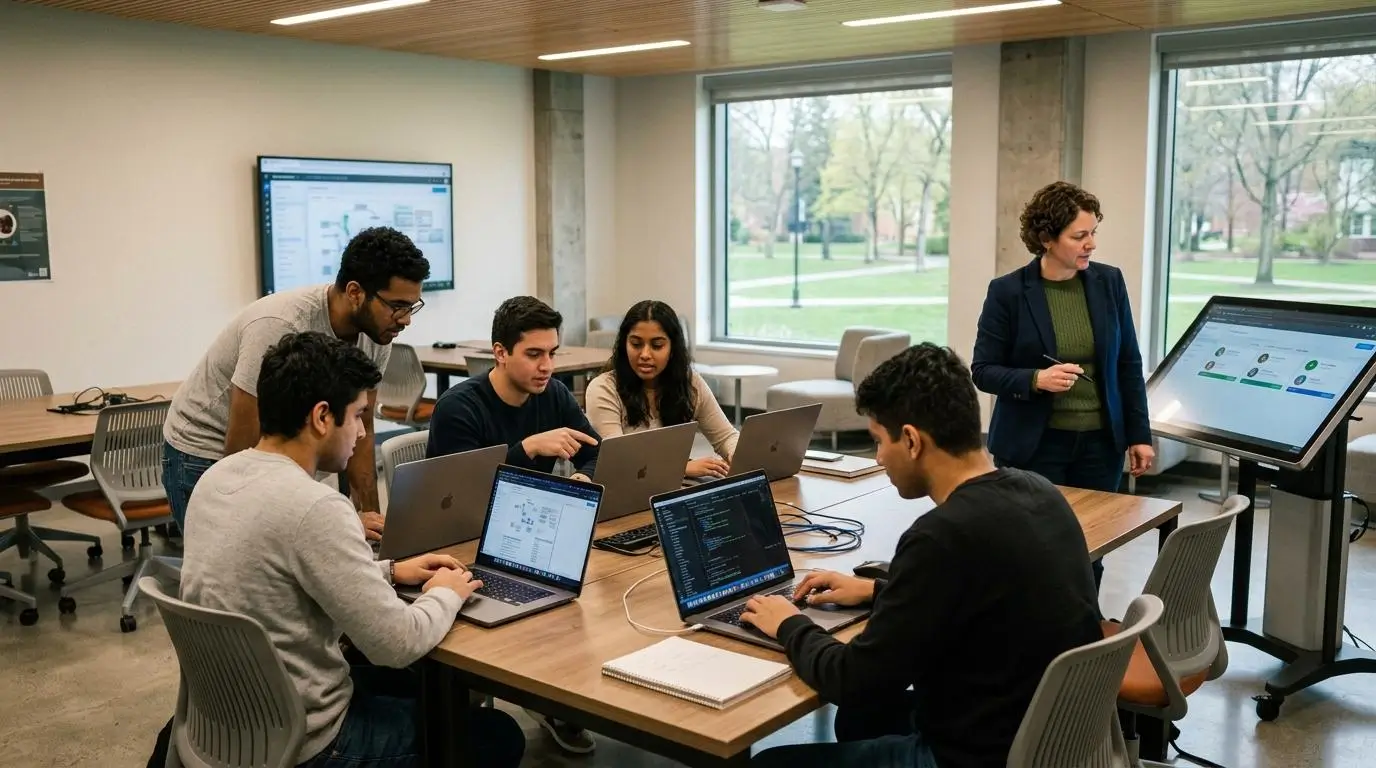
A virtual desktop platform should do more than provide access to software. It should help students learn more effectively, enable instructors to guide learners in real time, and make collaboration feel natural rather than complicated. While both Apporto and CloudShare support hands-on learning, they approach the learning experience from different perspectives.
Apporto is designed with education in mind. Its browser-based workspaces allow students to access software anytime from almost any device, removing many of the technical barriers that can interrupt learning. Faculty can spend less time resolving installation issues and more time teaching, while centralized management helps IT teams support courses without managing individual devices.
Collaboration is another area where Apporto stands out. Built-in Virtual Classroom tools make it easier for instructors to interact with students, monitor classroom activities, and create engaging learning experiences. Combined with seamless Learning Management System, or LMS, integration, instructors can launch software directly from course materials, creating a smoother workflow for both teaching and learning.
CloudShare delivers a different kind of learning experience.
Its platform is designed for enterprise software training where learners work within realistic virtual lab environments. Instructors can observe student environments, provide guidance during live sessions, and help troubleshoot problems as they occur. This hands-on approach is particularly valuable for technical training that depends on complex software configurations and multi-machine environments.
Ultimately, the better platform depends on your learning objectives. If your priority is simplifying software access across classrooms and supporting everyday education, Apporto offers a streamlined experience. If your training requires highly customized technical environments with close instructor supervision, CloudShare provides greater flexibility.
What Features Improve Learning Outcomes?
- Virtual Classroom Tools: Apporto includes Virtual Classroom tools that encourage collaboration and allow instructors to engage students during live sessions.
- LMS Integration: Seamless LMS integration enables students to launch software directly from their course materials, simplifying teaching and course management.
- Instructor Collaboration: CloudShare allows instructors to observe learner environments and provide guidance throughout hands-on training sessions.
- Browser-Based Workspaces: Browser-based access removes installation barriers, making software available quickly across different devices and locations.
- Student Accessibility: Students can access software anytime, helping maintain learning continuity whether they are on campus or studying remotely.
- Faculty Support: Simplified software delivery reduces technical support requests, allowing faculty to focus more on teaching and student engagement.
How Do Security and Platform Management Compare Between Apporto & CloudShare?

Security is a critical part of any virtual desktop platform, but strong security should not come at the expense of usability. Organizations need environments that protect applications, users, and data while remaining easy to manage. At the same time, administrators want centralized controls that simplify day-to-day operations rather than adding more complexity.
Apporto and CloudShare both provide secure cloud environments, but they emphasize different aspects of platform management.
Apporto focuses on browser-based security and centralized management. Because applications and desktops are delivered through the browser, organizations avoid many of the risks associated with installing software on individual devices. Administrators can manage users, virtual desktops, and software access from a centralized platform, reducing administrative effort while maintaining consistent security policies across departments.
CloudShare approaches security from the perspective of enterprise virtual lab environments. Since organizations often build complex software and network configurations, administrators have extensive control over user access, permissions, and training environments. This level of management is particularly valuable for enterprise software training, where maintaining isolated and controlled environments is essential.
Both platforms reduce operational complexity compared to traditional infrastructure, but their management models reflect their different goals. Apporto prioritizes simplified administration for education and workforce learning, while CloudShare provides greater control for organizations managing sophisticated virtual lab environments.
What Security Features Matter in Virtual Desktop Platforms?
- Controlled Access: Limit access to applications, desktops, and virtual environments so users only see the resources assigned to them.
- User Permissions: Flexible permission settings allow administrators to manage user roles while maintaining appropriate levels of access.
- Browser Security: Browser-based access reduces reliance on locally installed software, helping simplify endpoint security and software management.
- Administrative Management: Centralized management enables administrators to monitor users, deploy software, and manage virtual environments from a single interface.
- Data Protection: Keeping applications and data within secure cloud environments helps reduce exposure on local devices while supporting secure remote access.
- Simplified Administration: Centralized controls reduce the operational burden on IT teams and make ongoing platform management more efficient.
Security Comparison Table
| Security Category | Apporto | CloudShare |
|---|---|---|
| Controlled Access | Centralized access controls for users, applications, and virtual desktops | Granular access controls for enterprise virtual lab environments |
| User Management | Simplified user management through centralized administration | Detailed user and environment management for complex training scenarios |
| Browser Security | Browser-based access with no client software required | Browser-based access to secure virtual lab environments |
| Administrative Controls | Centralized management simplifies deployment, software delivery, and ongoing administration | Extensive administrative controls for configuring and managing customized lab environments |
| Data Protection | Secure cloud environments with centrally managed applications and desktops | Secure cloud environments that protect enterprise software, users, and training environments |
A secure platform is only part of the equation. As more users, classes, and workloads are added, performance and scalability become equally important factors in determining which platform delivers the best long-term value.
How Do Performance and Scalability Compare?
Performance and scalability become increasingly important as organizations expand their virtual desktop deployments. A platform should deliver a consistent experience regardless of whether it supports a single class, a remote team, or hundreds of users accessing software simultaneously. Reliability matters just as much. If applications are slow or environments cannot scale with demand, productivity and learning quickly suffer.
Both Apporto and CloudShare are designed to leverage cloud infrastructure, but they optimize performance in different ways. CloudShare emphasizes sophisticated virtual lab environments capable of supporting complex workloads, while Apporto focuses on browser-native scalability that makes software accessible without adding unnecessary operational complexity.
How CloudShare Delivers Strong Performance?
CloudShare performs particularly well when organizations require advanced virtual lab environments with multiple interconnected systems.
Its platform is designed to support complex workloads that involve specialized applications, multiple virtual machines, and customized network configurations. These environments closely resemble production systems, making them well suited for enterprise software training, technical demonstrations, and product testing.
CloudShare also benefits from flexible cloud resources that can be allocated according to the complexity of each environment. Combined with high availability, this enables organizations to deliver reliable training experiences while maintaining consistent performance for demanding enterprise scenarios.
For businesses that depend on realistic software environments, this level of flexibility is a significant advantage.
How Apporto Delivers Strong Performance and Scalability?
Apporto approaches performance from a different perspective. Its browser-native architecture is built to make virtual desktops responsive, accessible, and easy to scale. Because applications run in the cloud while users interact through a browser, organizations can provide consistent software access without depending on powerful local devices or extensive infrastructure.
Scalability is one of Apporto’s strongest capabilities. Virtual desktops can be deployed rapidly across classrooms, departments, or remote teams, allowing organizations to expand access as demand grows. This cloud-native model also simplifies resource management because computing power is delivered through the platform rather than individual devices.
The result is reliable performance that supports education, workforce learning, and everyday software access while keeping deployment straightforward and efficient.
Performance Considerations
- Complex Virtual Environments: CloudShare is optimized for enterprise workloads that require multiple virtual machines and sophisticated software configurations.
- Browser-Native Scalability: Apporto scales virtual desktops through a browser-based architecture, making it easy to expand access without additional client software.
- High Availability: Both platforms rely on cloud infrastructure to deliver dependable access and maintain reliability for users.
- Flexible Cloud Resources: Cloud resources can be adjusted to support changing workloads and organizational requirements.
- Long-Term Growth: CloudShare is ideal for organizations scaling advanced technical environments, while Apporto excels at expanding browser-based virtual desktops across education, workforce learning, and distributed teams.
What Should You Know About Pricing and Long-Term Costs?

Choosing a virtual desktop platform is about more than comparing subscription prices. The total cost includes infrastructure, ongoing administration, technical support, deployment, and the resources required to keep the platform running efficiently over time. A solution with a lower monthly price may still become expensive if it creates a significant operational burden for IT teams.
Apporto and CloudShare both reduce the costs associated with maintaining traditional computer labs and on-premises infrastructure, but they do so in different ways. CloudShare delivers value through automation and flexible management of cloud resources, while Apporto lowers long-term costs by simplifying software delivery and reducing day-to-day administration.
Why Are Organizations Looking for Lower-Cost Virtual Desktop Platforms?
Organizations are under constant pressure to deliver more while keeping budgets under control. Maintaining physical computer labs, purchasing new hardware, and supporting locally installed software all contribute to a growing total cost of ownership.
Cloud-based platforms help address these challenges by reducing infrastructure requirements and moving software delivery to the cloud. Instead of managing applications on individual devices, organizations can centralize resources and make software available through a browser. This approach reduces maintenance, simplifies updates, and lowers the amount of technical support required.
Another important factor is predictability. Cloud services make it easier to plan budgets because organizations can scale resources according to demand rather than investing heavily in hardware that may remain underutilized.
How Does Apporto Reduce Long-Term Costs?
Apporto is designed to reduce operational burden from the beginning.
Its browser-based architecture eliminates the need to install and maintain client software across hundreds or even thousands of devices. Users simply access their virtual desktop through a browser, while applications and resources remain centrally managed in the cloud. This significantly reduces ongoing maintenance and support requirements.
The platform’s SaaS deployment model also simplifies administration. IT teams spend less time configuring devices, troubleshooting installation issues, or managing complex infrastructure, allowing them to focus on higher-value initiatives. Faster deployment further reduces implementation costs because virtual desktops can be made available without extensive infrastructure planning.
Cloud infrastructure also contributes to long-term savings. Since computing resources are delivered through the cloud, organizations avoid many of the expenses associated with maintaining physical computer labs. The result is a more predictable pricing model, lower operational costs, and a platform that can grow without creating unnecessary administrative overhead.
Cost Comparison Table
| Cost Category | Apporto | CloudShare |
|---|---|---|
| Infrastructure Costs | Browser-based delivery reduces the need for extensive on-premises infrastructure and hardware investments. | Cloud-based virtual labs reduce physical infrastructure needs while supporting complex enterprise environments. |
| Operational Burden | SaaS deployment and centralized management reduce day-to-day administration and operational effort. | Automation helps manage cloud budgets, resource usage, and virtual lab administration. |
| Support Costs | Reduced support requirements because there is no client software to install or maintain. | Support needs vary depending on the complexity of customized virtual lab environments. |
| Scalability Costs | Cloud-native architecture allows organizations to expand virtual desktops efficiently without significant new infrastructure. | Cloud resources can scale with enterprise workloads while automation helps optimize resource usage. |
| Budget Predictability | Predictable cloud-based deployment simplifies long-term budget planning and cost management. | Flexible resource allocation provides control over spending based on usage and environment requirements. |
While pricing is an important consideration, organizations often begin evaluating new platforms for broader reasons than cost alone. Accessibility, flexibility, and reduced infrastructure complexity have become equally important drivers when choosing a modern virtual desktop solution.
Why Are Organizations Rethinking Virtual Labs and Exploring New Approaches?

Traditional virtual lab platforms helped organizations move away from physical computer labs, but expectations have continued to evolve. Today, users expect software to be available instantly, accessible from any location, and simple to use regardless of the device in front of them.
Organizations evaluating newer options can also explore CloudShare alternatives to compare platforms built around different approaches to virtual labs and software delivery.
At the same time, IT teams are looking for ways to reduce infrastructure complexity without sacrificing performance or security. Cloud resources have made this possible.
Modern browser based access allows organizations to deliver applications and virtual desktops without relying on complicated local installations or maintaining large on-premises environments. Instead of spending time preparing individual devices, administrators can provide software through the cloud, giving users a consistent experience whether they are learning on campus, working remotely, or collaborating across different locations.
Deployment has also become much simpler. Cloud-native platforms can be implemented more quickly than traditional virtual lab environments, allowing organizations to respond faster to changing requirements. This flexibility is especially valuable as remote work and hybrid learning continue to become standard practice rather than temporary solutions.
Ultimately, organizations are not simply replacing older platforms. They are looking for solutions that improve accessibility, simplify management, and provide a better overall experience for both users and administrators.
Most Common Reasons Organizations Explore Alternatives
- Better Accessibility: Browser based access allows users to reach software and virtual desktops from almost any device with an internet connection.
- Reduced Infrastructure Complexity: Cloud resources reduce the need to maintain large physical computer labs and complex on-premises infrastructure.
- Faster Deployment: Modern cloud platforms can be deployed quickly, allowing organizations to deliver applications with minimal setup.
- Flexible Remote Work: Employees, instructors, and students can access software from different locations while maintaining a consistent user experience.
- Improved User Experience: Simplified access, reduced technical barriers, and cloud-based software delivery help users become productive more quickly while lowering the workload for IT teams.
Why Does Apporto Stand Out as a Modern CloudShare Alternative?
CloudShare is a capable platform for organizations that need sophisticated virtual lab environments, particularly for enterprise software training, product demonstrations, and technical testing. Its ability to replicate complex software and network configurations makes it a solid choice for specialized use cases.
Apporto takes a different route. Rather than concentrating on complex multi-machine environments, Apporto is built around browser based virtual desktops that make software easier to access, deploy, and manage. The platform is designed specifically for education and workforce learning, helping institutions deliver applications without the overhead associated with traditional computer labs or locally installed software.
One of Apporto’s biggest advantages is its simplicity. Users access their desktop through a browser, eliminating the need for client software, VPN configuration, or lengthy setup. This removes many of the technical barriers that slow adoption and allows organizations to provide software to students, faculty, and remote teams almost immediately.
Apporto also supports modern teaching through built-in Virtual Classroom tools and seamless LMS integrations. Instructors can launch applications directly within their courses, while students access software anytime from virtually any device. This creates a smoother learning experience and reduces the support requests that often accompany traditional desktop deployments.
For organizations looking to reduce operational burden while improving accessibility, Apporto delivers a balanced combination of flexibility, rapid deployment, and simplified management. Instead of spending valuable time maintaining infrastructure, IT teams can focus on supporting learning, innovation, and day-to-day operations.
What Makes Apporto Different?
- Browser-Based Virtual Desktops: Deliver full desktop environments directly through a browser without complicated setup.
- No Client Software: Users can access software without downloading or installing additional applications.
- No VPN Setup: Browser based access removes the need for traditional VPN configurations in most deployment scenarios.
- Rapid Deployment: Virtual desktops can be deployed quickly without extensive infrastructure planning.
- Windows and Linux Support: Access applications that run in both Windows and Linux environments through a single platform.
- LMS Integrations: Connect seamlessly with Learning Management Systems to simplify course delivery and software access.
- Virtual Classroom Tools: Support collaboration between instructors and students through built-in classroom features.
- Lower Support Requirements: Simplified software delivery reduces routine IT support and administrative effort.
- Accessible Anytime from Any Device: Students, faculty, and remote teams can securely access their desktop whenever and wherever they need it.
Apporto combines browser based access, rapid deployment, and education-first innovation into a platform that is easy to adopt and straightforward to manage. If your goal is to provide flexible virtual desktops without unnecessary complexity, it offers a compelling modern alternative to CloudShare. Try Apporto Now.
Final Thoughts
The right platform depends on what your organization is trying to achieve. CloudShare is well suited for organizations that require sophisticated virtual lab environments, complex software configurations, and hands-on enterprise training.
Its ability to replicate realistic environments makes it valuable for technical demonstrations, testing, and specialized learning scenarios where customization is essential.
Apporto takes a broader approach by delivering browser-based virtual desktops that simplify software access and reduce operational overhead. Users can access secure workspaces from virtually any device, while IT teams benefit from faster deployment and easier management. With Virtual Classroom tools and education-focused capabilities, it supports institutions and organizations that need flexible, scalable environments.
If your priority is advanced enterprise lab environments, CloudShare is a strong choice. If you want browser-based accessibility, simplified management, and scalable virtual desktops for education or workforce learning, Apporto stands out as the more versatile solution. Ultimately, the decision comes down to your users, your environments, and your long-term goals.
Frequently Asked Questions (FAQs)
1. Is Apporto a good CloudShare alternative?
Yes. Apporto is a strong CloudShare alternative if your priority is browser-based virtual desktops, simplified deployment, and easy software access. It is particularly well suited for higher education, workforce learning, and organizations that want to reduce infrastructure complexity and ongoing administration.
2. What is the biggest difference between Apporto and CloudShare?
The biggest difference is their primary focus. Apporto delivers browser-based virtual desktops for education and flexible software access, while CloudShare specializes in complex virtual lab environments used for enterprise software training, technical demonstrations, and testing with multiple interconnected virtual machines.
3. Does Apporto require client software or VPN access?
No. Apporto delivers virtual desktops through a browser, so users do not need to install client software or configure a VPN. This browser-based approach simplifies onboarding, reduces technical issues, and allows faster access to applications from virtually any supported device.
4. Is CloudShare better for complex software training?
Yes. CloudShare is designed for organizations that require realistic virtual lab environments with specialized applications, multiple virtual machines, and customized network configurations. These capabilities make it particularly effective for enterprise software training, product demonstrations, and technical validation.
5. Can Apporto be accessed from any device?
Yes. Apporto allows users to access browser-based virtual desktops from virtually any modern device with an internet connection. Because applications run in the cloud, users can work without depending on high-performance local hardware or complex software installations.
6. Why are organizations adopting browser-based virtual desktops?
Organizations are adopting browser-based virtual desktops because they simplify software delivery, reduce infrastructure requirements, and improve accessibility. Users gain faster access to applications, while IT teams benefit from easier deployment, centralized management, and lower support requirements.
7. How does Apporto support higher education?
Apporto is designed specifically for higher education, providing browser-based workspaces, Virtual Classroom tools, and Learning Management System integrations. Students can access software anytime, while instructors and faculty benefit from simplified course delivery and reduced technical support demands.
8. Is Apporto suitable for remote teams?
Absolutely. Apporto supports remote teams by delivering secure virtual desktops through a browser, allowing employees to access applications from almost any location. Its cloud-native platform simplifies software management while providing a consistent experience across different devices.
9. How quickly can Apporto be deployed?
Apporto is built for rapid deployment. Organizations can deploy browser-based virtual desktops without extensive infrastructure planning or complicated software installation, allowing users to begin accessing applications quickly and helping IT teams reduce implementation time.
10. Which platform is easier to manage?
For most educational institutions and organizations seeking simplified administration, Apporto is easier to manage. Its browser-based architecture, centralized management, and reduced support requirements minimize operational overhead, while CloudShare requires more administration to support complex virtual lab environments.
