

What Are the Best Virtual Labs for Software Training?
The best virtual labs for software training provide hands-on learning, secure cloud environments, and flexible access for learners and organizations. Platforms such as Apporto Virtual Computer Labs, KodeKloud, and Instruqt help users practice real software skills, improve engagement, and scale training programs through browser-based and cloud-enabled environments.
Learning software by watching videos alone can be frustrating. You follow the steps, everything seems clear, then suddenly you’re on your own and nothing works quite the way you expected. That’s where virtual labs make a real difference. Before comparing different platforms, it helps to answer one basic question: what is a virtual computer lab?
Instead of simply reading instructions, learners get hands-on environments where they can experiment, practice real tasks, and build confidence without worrying about breaking anything important. It’s a far more natural way to learn.
This guide explores the best virtual labs for software training, comparing platforms based on usability, hands-on learning, scalability, security, and overall training effectiveness, helping you find a solution that supports both learners and training teams.
How Did We Select the Best Virtual Labs for Software Training?
A virtual lab should do more than display instructions on a screen. The real test is much simpler. Can learners practice real tasks, experiment freely, and build confidence without worrying about making mistakes?
That’s the lens used throughout this evaluation. Some platforms offer impressive feature lists but feel complicated to use. Others provide excellent learning experiences but struggle to scale. The best virtual labs find a balance, making software training practical, engaging, and easy to manage at the same time.
Here are the factors that mattered most.
Hands-On Learning Experience
People learn software by using it. It’s as simple as that. The strongest virtual labs provide guided exercises, realistic tasks, interactive environments, and enough flexibility for learners to experiment on their own. The goal isn’t just to complete lessons. It’s to develop skills that feel natural and transferable to real work situations.
Lab Environment and Security
Learning works best when people feel comfortable exploring. We prioritized platforms that provide secure sandbox environments where learners can test configurations, try different approaches, and make mistakes without affecting live systems. A realistic environment paired with strong security creates a far more effective learning experience.
Learning and Assessment
The best training platforms offer practical assessments, instant feedback, progress tracking, and clear learning objectives that help learners stay motivated. Small milestones often make a bigger difference than people expect.
Scalability and Management
Training programs tend to grow over time. Your platform should grow with them. We looked for virtual labs that scale easily, integrate with learning management systems, support instructor-led training, and simplify administration for organizations of all sizes. Because managing training shouldn’t become harder as more learners join.
These criteria helped identify virtual labs that combine hands-on learning, flexibility, security, and long-term value, making software training more practical, engaging, and accessible for everyone involved.
Quick Comparison Table: Which Virtual Lab Is Best for Software Training?
The best virtual lab for software training depends on what you want learners to achieve. Some platforms specialize in browser-based access and flexible learning, while others focus on enterprise software adoption, hands on cloud training, or instructor led programs. The good news is that modern virtual labs have become far more versatile, offering secure environments, realistic lab experiences, and scalable training options for organizations of every size.
The table below provides a quick overview of the top virtual lab platforms in 2026, highlighting their strengths, deployment models, and preferred learning styles.
| Platform | Best For | Deployment | Standout Feature | Learning Style |
|---|---|---|---|---|
| Apporto Virtual Computer Labs | Browser-based software training | Cloud | No client installation | Self paced & Instructor led |
| KodeKloud | DevOps and cloud skills | Cloud | Real command line labs | Self paced |
| Assima | Enterprise software adoption | Cloud | Software simulations | Instructor led |
| Instruqt | Interactive cloud training | Cloud | Instant lab environments | Mixed |
| CloudShare | Enterprise software demos | Cloud | Production-like labs | Instructor led |
| Skillable | Skills validation | Cloud | Scenario-based learning | Mixed |
| XtremeLabs | Academic software training | Cloud | Course-aligned labs | Mixed |
| ReadyTech | Virtual instructor led training | Cloud | Managed training environments | Instructor led |
Each platform takes a slightly different approach to software training. The following sections explore their features, strengths, limitations, and ideal use cases in greater detail.
Best Virtual IT Labs For Software Training (A Complete Overview)
1. Apporto Virtual Computer Labs (The Best Browser-Based Virtual Lab)
Overview
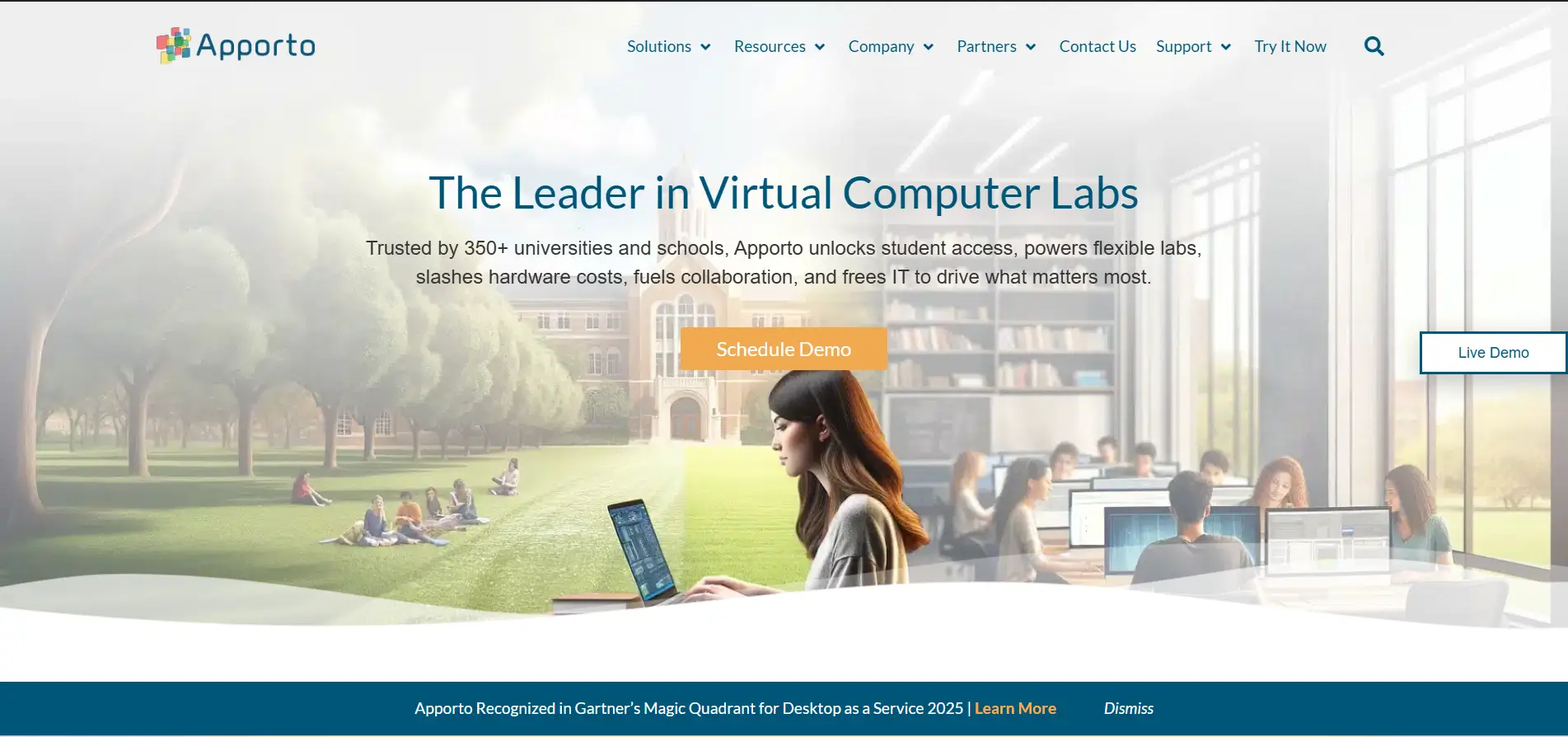
When software training becomes easier to access, learning often becomes more effective as well. Apporto Virtual Computer Labs is built around this simple idea. The platform delivers browser-based virtual labs that allow learners to access complete training environments instantly, without downloading software or configuring local machines. That convenience removes a major barrier to learning and makes technical training far more accessible.
Unlike traditional computer labs that rely on expensive equipment and fixed locations, Apporto provides cloud labs that are available from almost anywhere. Learners can log in through a browser, launch applications, and practice real tasks inside a secure virtual environment designed for hands on learning. The experience feels natural, which, honestly, is not always common in technical training platforms.
Highlights
- Browser-Based Access: Apporto eliminates software installation requirements by providing browser-based access to virtual labs. Learners can connect using almost any device and begin training immediately.
- Virtual Lab Environments: The platform creates fully functional virtual lab environments that support technical courses, software applications, and practical exercises. These environments replicate real-world workflows while remaining isolated from production systems.
- Centralized Management: Administrators and instructors can manage users, software, and lab resources from a centralized dashboard. This simplifies operations and helps maintain consistency across training programs.
- Hands On Learning: Apporto emphasizes hands on labs where learners actively perform tasks instead of passively watching demonstrations. This practical approach improves engagement and helps reinforce knowledge through experience.
Best For
Apporto is ideal for universities, enterprises, training providers, and organizations seeking browser-based virtual labs with flexible access and scalable training environments.
Limitations
Organizations requiring deep infrastructure customization or specialized hardware integrations may need additional configuration options beyond the standard platform.
Pricing
Apporto offers customized pricing based on users, computing resources, storage requirements, and training needs. Institutions typically work with the provider to design a plan that aligns with their goals and budget.
2. KodeKloud (For Hands-On Training)
Overview
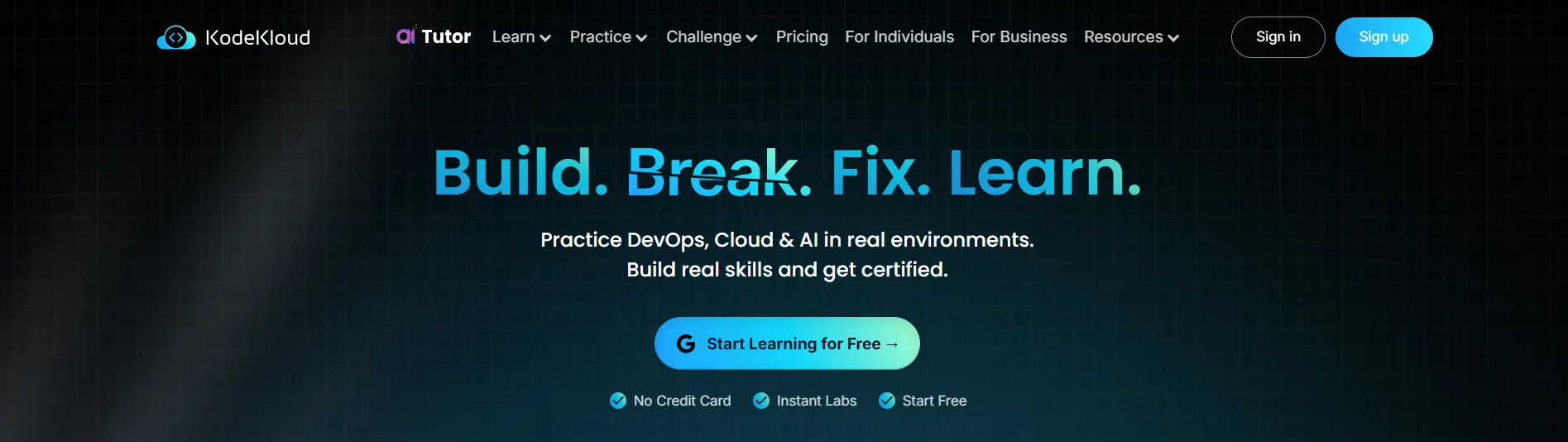
Software training becomes far more meaningful when you work directly with the tools professionals use every day. KodeKloud has built its reputation around this principle by offering practical, hands on labs that place learners inside real cloud and DevOps environments. Rather than focusing primarily on theory, the platform encourages active participation through guided exercises, live terminals, and structured learning paths.
This practical approach has made KodeKloud one of the most recognized platforms for technical training related to cloud computing, automation, and infrastructure management. Learners gain experience by performing tasks themselves, making mistakes, and refining their skills through repeated practice. It sounds simple, perhaps almost obvious, but this type of learning tends to stick.
Highlights
- Real Command Line Labs: KodeKloud provides real command line labs where learners can interact with live environments instead of simulations. This allows users to execute commands, configure systems, and solve technical problems using the same tools found in professional environments.
- Learning Paths: The platform organizes courses into structured learning paths that guide learners from foundational concepts to more advanced topics. This progression helps users build skills gradually while maintaining a clear direction throughout their training journey.
- Cloud Technologies: KodeKloud covers a wide range of cloud technologies, including Kubernetes, Docker, Linux, Terraform, and major cloud providers. These cloud labs help learners develop practical skills that align closely with current industry demands.
- Self Paced Learning: Learners can progress at their own speed, revisit lessons when needed, and practice exercises repeatedly. This self paced approach creates flexibility while encouraging continuous skill development.
Best For
KodeKloud is ideal for DevOps engineers, cloud professionals, IT administrators, and anyone seeking hands on training in cloud technologies and automation tools.
Limitations
The platform is highly specialized in cloud and DevOps topics, so learners looking for broader software training across multiple disciplines may need additional learning resources.
Pricing
KodeKloud offers monthly and annual subscription plans, along with free courses and limited hands on labs for learners who want to explore the platform before subscribing.
3. Assima (The Best Virtual Lab for Enterprise Software Training)

Overview
Teaching employees how to use enterprise software can be surprisingly challenging. New systems often come with complex workflows, unfamiliar interfaces, and steep learning curves that slow adoption. Assima approaches this challenge differently. Instead of relying entirely on live applications or static demonstrations, the platform creates interactive software simulations that closely mirror real applications while allowing learners to practice safely and repeatedly.
This focus on practical software training has made Assima a popular choice among enterprises undergoing digital transformation, rolling out new systems, or improving workforce skills. Learners can explore software features, complete tasks, and build confidence without worrying about making mistakes in live business systems. It is a controlled environment, but one that feels remarkably realistic.
Highlights
- Software Simulations: Assima specializes in software simulations that replicate real applications with impressive accuracy. Learners can practice workflows, navigate interfaces, and complete tasks in environments designed to resemble actual business software.
- Training Program Development: The platform provides tools for creating and managing comprehensive training programs. Organizations can design customized learning journeys, update materials quickly, and align training with evolving business requirements.
- Instructor Led Training: Assima supports instructor led training by allowing trainers to guide learners through exercises, demonstrate processes, and monitor progress during live sessions. This approach combines structured teaching with practical, interactive experiences.
- User Adoption Support: Beyond training, Assima helps organizations improve software adoption by providing ongoing learning resources, guided practice, and support materials that reinforce new skills over time.
Best For
Assima is best suited for large enterprises, software vendors, financial institutions, and organizations implementing new enterprise applications that require structured software training and high user adoption.
Limitations
The platform is primarily designed for enterprise software training, so smaller organizations with simpler training needs may find some features more extensive than necessary.
Pricing
Assima offers customized pricing based on users, training requirements, deployment size, and support services. Organizations typically work with the provider to develop a plan tailored to their training objectives and business needs.
4. Instruqt (Popular for Interactive Software Training)
Overview
Software training works best when learners actively participate rather than simply observe. That idea sits at the center of Instruqt’s approach. The platform offers interactive labs that allow learners to work directly with technologies, explore software features, and complete practical exercises in live cloud environments. Instead of spending time configuring systems, learners can start immediately and focus on building skills that matter.
Instruqt has gained considerable attention because it makes technical education feel more approachable. Environments launch quickly, exercises are interactive, and learners are encouraged to experiment without the fear of disrupting real systems. This combination of simplicity and realism creates learning experiences that are both engaging and highly practical.
Highlights
- Interactive Labs: Instruqt provides interactive labs where learners perform tasks directly within live environments. These hands on exercises encourage exploration, reinforce concepts, and create interactive learning experiences that go beyond traditional tutorials.
- Instant Environments: One of the platform’s strongest features is its ability to create instant environments. Learners can launch preconfigured labs in moments, avoiding lengthy setup procedures and reducing technical barriers to participation.
- Self Paced Learning: The platform strongly supports self paced learning. Users can move through exercises at their own speed, revisit topics whenever necessary, and practice repeatedly until they feel confident with new skills.
- Cloud-Based Training: Instruqt is built around cloud labs, learners gain access to training environments from virtually anywhere. This cloud-based training model supports remote learning while simplifying administration for organizations and instructors.
Best For
Instruqt is ideal for technology companies, software vendors, training providers, and organizations seeking scalable, interactive software training with flexible learning options.
Limitations
Organizations looking for highly structured certification programs or extensive offline learning materials may find Instruqt more focused on interactive, cloud-first training experiences.
Pricing
Instruqt offers customized pricing based on users, cloud resources, lab environments, and support requirements. Organizations generally select a plan that aligns with their training goals and expected usage.
5. CloudShare (Delivers Realistic Software Training Environments)
Overview
There is a noticeable difference between learning software through demonstrations and learning it through experience. CloudShare leans heavily toward the latter. The platform provides realistic training environments that closely resemble production systems, allowing learners to explore applications, test configurations, and develop practical skills without risking live business environments.
This focus on realism has made CloudShare a popular choice for enterprises, software vendors, and training providers that need immersive learning experiences. Learners can interact with real applications inside isolated environments while instructors maintain control over resources, access, and training sessions. The experience feels authentic, which is precisely the point.
Highlights
- Production Environments: CloudShare creates production environments that mirror real software systems and business workflows. This allows learners to practice in settings that closely resemble the applications and infrastructure they will encounter in their professional roles.
- Sandbox Environments: The platform offers secure sandbox environments where learners can experiment freely, test configurations, and make mistakes without affecting live systems. Safe experimentation is often where deeper understanding begins, and CloudShare supports this exceptionally well.
- Virtual Machines: CloudShare uses virtual machines to deliver customizable training environments. Organizations can configure labs with specific operating systems, software applications, and resources according to their training objectives.
- Instructor Tools: Instructors benefit from management tools that simplify lab deployment, monitor learner progress, manage environments, and provide support during training sessions. These capabilities help create structured and effective learning experiences.
Best For
CloudShare is ideal for enterprises, software vendors, customer education teams, and training providers that require realistic software training environments and scalable hands on learning experiences.
Limitations
The platform is primarily geared toward enterprise use cases, which may make it more feature-rich and potentially more expensive than necessary for smaller organizations or individual learners.
Pricing
CloudShare offers customized pricing based on users, virtual machines, storage, training environments, and support requirements. Organizations typically request a tailored quote that aligns with their training scale and technical needs.
6. Skillable (A Top Choice for Skills-Based Software Training)
Overview
Learning software effectively is not only about completing courses. It is about proving that you can apply what you have learned in practical situations. Skillable was built around this philosophy, offering scenario-based labs where learners solve problems, complete tasks, and demonstrate their abilities in realistic environments. The platform places equal importance on learning and measurement, which makes it particularly valuable for organizations that want clear evidence of skill development.
Instead of relying solely on quizzes or theoretical assessments, Skillable encourages learners to interact directly with software and perform real tasks. The process feels more engaging, and honestly, more reflective of how skills are developed in the workplace.
Highlights
- Scenario-Based Labs: Skillable creates scenario-based labs that place learners in realistic situations where they must complete tasks and solve practical challenges. These labs simulate workplace experiences and encourage active participation rather than passive observation.
- Assessment Tools: The platform includes advanced assessment tools that evaluate practical performance and task completion. This helps organizations measure skills more accurately and allows learners to identify areas where additional practice may be beneficial.
- Instant Feedback: Instant feedback is one of Skillable’s most valuable features. Learners receive immediate insights into their performance during exercises, helping them correct mistakes quickly and reinforce newly acquired skills.
- Learner Progress: Detailed learner progress tracking allows instructors and organizations to monitor achievements, assess engagement levels, and evaluate training effectiveness through reports and analytics.
Best For
Skillable is ideal for enterprises, certification providers, software vendors, and organizations seeking measurable skills development through practical, hands on software training.
Limitations
The platform is designed primarily for professional and enterprise training. Individual learners looking for low-cost self-study options may find alternative platforms more suitable for their needs.
Pricing
Skillable offers customized pricing based on the number of learners, lab environments, assessment requirements, and support services. Organizations typically work with the provider to create a plan that aligns with their training goals and expected scale.
7. XtremeLabs (Improve Academic Software Training)
Overview
Software training in academic environments presents a unique challenge. Students need more than lectures and reading materials. They need opportunities to experiment, practice repeatedly, and apply concepts in environments that resemble real software systems. XtremeLabs addresses this need through virtual learning labs that combine course content with practical exercises, allowing students to develop skills through direct experience.
The platform is designed to support educators and institutions that want to deliver hands on learning at scale. Instead of depending heavily on physical computer labs or complicated infrastructure, learners can access training environments remotely and practice from almost anywhere. This flexibility has become increasingly important as educational models continue to evolve and learners expect greater accessibility.
Highlights
- Virtual Learning Labs: XtremeLabs offers virtual learning labs that provide students with secure environments for exploring software, completing assignments, and developing technical skills. These labs are designed to support a wide variety of courses and learning objectives.
- Hands On Practice: The platform emphasizes hands on practice by allowing students to interact directly with software applications and complete exercises in realistic environments. This practical approach helps strengthen understanding and improve long-term retention.
- Course Integration: XtremeLabs integrates seamlessly with academic courses and learning materials, making it easier for instructors to align labs with classroom objectives and create more engaging learning experiences.
- Student Progress Tracking: Educators can monitor student progress through reporting and analytics tools that track participation, performance, and course completion. These insights help instructors identify where additional guidance may be needed.
Best For
XtremeLabs is ideal for universities, colleges, training institutions, and educators seeking scalable virtual learning labs that support software training and hands on practice.
Limitations
Organizations requiring extensive enterprise training features or highly customized production environments may find that XtremeLabs is more focused on academic use cases than corporate training requirements.
Pricing
XtremeLabs offers customized pricing based on the number of students, courses, lab environments, and institutional requirements. Educational organizations typically work directly with the provider to determine a suitable licensing and deployment model.
8. ReadyTech (The Best Platform for Virtual Instructor Led Training)

Overview
While self paced learning has become increasingly popular, instructor led training remains essential for many organizations, especially when software adoption, guided demonstrations, and live collaboration are important. ReadyTech focuses specifically on this area, providing managed virtual training environments that allow instructors to deliver software training remotely without sacrificing interaction or hands on practice.
The platform is designed to simplify the entire training experience. Instructors can focus on teaching, learners can focus on acquiring skills, and administrators can manage resources without the complexity of maintaining physical classrooms. It is a practical model, perhaps one of the reasons ReadyTech continues to be widely adopted for enterprise and professional training programs.
Highlights
- Virtual Instructor Led Training: ReadyTech specializes in virtual instructor led training, allowing trainers to conduct live sessions while learners interact with software in real time. This creates a more engaging environment where questions can be answered immediately and concepts can be reinforced through guided practice.
- Managed Training Labs: The platform provides fully managed training labs that remove the burden of infrastructure management. Lab environments are prepared in advance, allowing instructors to deliver courses efficiently while ensuring learners have consistent experiences.
- Real Software Environments: ReadyTech enables learners to train using real software environments rather than static simulations. This hands on approach helps learners build confidence and develop practical skills that transfer directly to workplace tasks.
- Remote Access: Learners can securely access training environments from virtually anywhere, making it easier to deliver courses to distributed teams and remote participants without compromising the quality of instruction.
Best For
ReadyTech is ideal for enterprises, software vendors, corporate training teams, and organizations delivering virtual instructor led training programs that require managed environments and real software experiences.
Limitations
Organizations seeking highly self directed learning platforms or extensive self paced content libraries may find ReadyTech more focused on instructor guided training experiences.
Pricing
ReadyTech offers customized pricing based on the number of learners, training sessions, lab environments, and support requirements. Pricing is typically tailored to the scale and complexity of each organization’s training program.
How Do You Choose the Right Virtual Lab for Software Training?

After exploring the leading virtual labs for software training, a practical question remains, which platform is the right one for your organization? If you’re comparing the virtual IT labs software, the answer depends less on the number of features and more on how those features align with your training goals, learners, and long-term plans.
Some organizations prioritize flexibility and self paced learning. Others depend on instructor led sessions and tightly managed training experiences. The ideal platform is the one that balances accessibility, hands on learning, scalability, and learner engagement while fitting comfortably within your budget and operational needs.
What Learning Style Works Best for Your Users?
The first consideration is how your learners prefer to engage with training. Learning styles vary, and a platform that supports those preferences will often produce stronger outcomes.
Self Paced Learning
Self paced virtual training labs give learners more control over how and when they learn. Some benefits include:
- Learn at your own time without fixed schedules
- Flexible access from different devices and locations
- Independent progress based on personal learning speed
- Opportunities to repeat exercises and strengthen skills
- Greater freedom to explore software and practice at a comfortable pace
This model works particularly well for remote learners and professionals balancing training with other responsibilities.
Instructor Led Training
Some training programs require more structure and direct guidance. Look for:
- Live instruction with real-time demonstrations
- Classroom engagement and collaborative activities
- Guided learning supported by instructors
- Immediate answers to questions and technical issues
- Managed environments that simplify training delivery
Instructor led models remain highly effective for complex software training and enterprise learning programs.
How Important Are Realistic Lab Environments?
Realistic training environments can significantly improve learning outcomes. The closer a lab feels to actual software systems, the easier it becomes to transfer those skills into real work. Important considerations include:
- Real Software Applications: Learners should interact with actual software whenever possible rather than relying entirely on simulations.
- Sandbox Environments: Safe environments allow learners to experiment, test ideas, and make mistakes without affecting production systems.
- Production-Like Systems: Labs that mimic real business environments help learners develop practical, job-ready skills.
- Persistent Lab States: Saving progress allows learners to pause, return later, and continue their work without losing configurations.
These features create richer virtual training labs and encourage deeper hands on learning.
Should You Choose Cloud Labs or Traditional Training Labs?
Cloud technology has changed how organizations approach cloud-based virtual training
Cloud Labs: Cloud labs provide:
- Remote access from virtually anywhere
- Lower infrastructure requirements
- Faster deployment and easier management
- Flexible scalability as learner numbers grow
In Person Training: Traditional labs still have value when:
- Physical equipment is essential
- Face-to-face instruction is a priority
- Local infrastructure must remain under direct control
Cost Savings: Cloud-based virtual labs are often more cost effective because they reduce spending on hardware, maintenance, and dedicated training spaces.
Scalability: Organizations can expand training programs quickly without significant infrastructure investments, making cloud labs attractive for both growing businesses and large enterprises.
Which Features Improve Learner Outcomes?
The best platforms do more than provide access to software. They actively support learning and skill development. Look for:
- Assessment Tools: Practical evaluations that measure skills through real tasks.
- Instant Feedback: Immediate guidance that helps learners correct mistakes quickly.
- AI-Driven Learning: Personalized recommendations that adapt training according to learner performance and progress.
- Learner Engagement: Interactive environments that encourage participation, experimentation, and continuous improvement.
When these features come together, virtual training labs become far more than software environments. They become spaces where learners build confidence, develop new skills, and create lasting knowledge through meaningful experience.
What Are the Biggest Benefits of Virtual Labs for Software Training?

The growing popularity of virtual labs is not driven by convenience alone. Organizations are adopting these platforms because they create more engaging learning experiences while reducing many of the limitations associated with traditional training methods. Learners gain access to software instantly, instructors can manage training more efficiently, and businesses often reduce costs at the same time. That combination is difficult to ignore.
One of the most important advantages is accessibility. Virtual training allows learners to practice from almost anywhere, removing the need for dedicated classrooms or expensive equipment. At the same time, hands on exercises encourage active participation, which tends to improve knowledge retention and long-term skill development.
Main Benefits
- Hands On Learning From Anywhere: Learners can access training environments remotely and practice skills whenever it fits their schedules.
- Lower Training Costs: Virtual labs reduce spending on physical infrastructure, hardware maintenance, and dedicated training facilities.
- Reduced Reliance on Expensive Equipment: Organizations no longer need to purchase large numbers of computers or specialized systems for every learner.
- Better Learner Engagement: Interactive exercises and practical activities keep learners involved throughout the training process.
- Flexible Learning Models: Virtual labs support both self paced learning and instructor-led programs, making training adaptable to different needs.
- Improved Skill Retention: Repeated practice in realistic environments helps learners retain information more effectively.
In many ways, virtual labs make software training more practical. Learners spend less time dealing with setup and more time building real world skills, which is, after all, the purpose of training in the first place.
What Challenges Should You Know Before Using Virtual Labs?

Virtual labs offer flexibility, scalability, and hands on learning opportunities, but adopting them successfully requires careful planning. No training platform is perfect, and understanding potential challenges beforehand can help you avoid unnecessary disruptions and make better long-term decisions.
One of the most common concerns is internet dependency. Since most virtual labs operate in the cloud, learners rely on stable connections to access environments and complete exercises smoothly. Technical issues can also arise from browser compatibility, system configurations, or network interruptions. These problems are usually manageable, but they still deserve attention during the planning stage.
Learning preferences are another factor. While many learners thrive in virtual environments, some may still prefer a combination of digital and in person instruction. Blended learning approaches often help bridge this gap and create more balanced training experiences.
Few Common Challenges
- Connectivity Issues: Unstable internet connections can interrupt training sessions and affect the overall learning experience.
- Performance Limitations: Large lab environments or resource-intensive software may require stronger computing resources and optimized network performance.
- LMS Integrations: Integrating virtual labs with learning management systems and existing training materials may require additional configuration and testing.
- Cloud Costs: Although virtual labs reduce infrastructure expenses, cloud usage costs should be monitored carefully to keep training investments under control.
- Support Requirements: Learners and instructors may require technical support, especially during the early stages of adoption.
- User Adoption: Some users need time to adapt to new training methods, making onboarding and guidance important parts of a successful implementation.
Despite these challenges, organizations that plan carefully often find that virtual labs deliver long-term value through improved accessibility, better learner outcomes, and more flexible training programs.
Final Thoughts
The best virtual lab for software training ultimately depends on your learning objectives, the complexity of your training programs, and the type of experience you want to create for learners. Some platforms excel at browser-based accessibility, while others focus on enterprise training, interactive labs, or instructor led experiences.
If simplicity and accessibility are your priorities, Apporto Virtual Computer Labs stands out as the best browser-based platform, offering secure access and hands on learning without requiring software installation. KodeKloud is an excellent choice for DevOps and cloud skills, while Assima remains a leading platform for enterprise software training and user adoption.
For interactive cloud learning, Instruqt delivers flexible and engaging lab experiences. CloudShare provides realistic enterprise environments, Skillable excels in skills assessments, XtremeLabs supports academic software training, and ReadyTech remains a top choice for virtual instructor led training.
The most effective training programs are those that allow learners to practice confidently, explore software safely, and build skills through meaningful experience. The right virtual lab helps make all of that possible.
If you are looking for a browser-based platform that combines accessibility, scalability, and practical hands on learning, explore Apporto Virtual Computer Labs and discover how modern virtual labs can transform your software training programs.
Frequently Asked Questions (FAQs)
1. What is the best virtual lab for software training in 2026?
Apporto Virtual Computer Labs is one of the best virtual labs for software training in 2026 because of its browser-based access, hands on learning capabilities, and scalable cloud infrastructure. Other leading options include KodeKloud, Assima, Instruqt, CloudShare, Skillable, XtremeLabs, and ReadyTech.
2. Are virtual labs better than traditional software training?
In many cases, yes. Virtual labs provide flexible access, reduce dependence on expensive equipment, and allow learners to practice in secure environments. Virtual training labs also improve learner engagement by offering hands on experiences that can be accessed remotely and repeated whenever needed.
3. How much do virtual labs cost?
Virtual lab pricing varies depending on features and deployment models. Common pricing models include subscriptions and pay-as-you-go plans. Costs can range from around $30 to $150 per lab, while enterprise platforms often provide customized pricing based on users and resources.
4. Can virtual labs provide hands on practice?
Absolutely. Modern virtual labs are designed for hands on practice. Learners can work with real software, complete practical exercises, and perform tasks in safe environments without affecting production systems, helping them build real world skills through experience.
5. Do virtual labs support instructor led training?
Yes. Many virtual training labs support instructor led training through live sessions, classroom controls, collaborative exercises, and managed environments. Platforms such as ReadyTech and Apporto provide strong support for instructor guided learning experiences.
6. What features should virtual lab software include?
The best virtual labs for software training should include hands on labs, secure virtual training labs, cloud access, assessment tools, sandbox environments, learner progress tracking, instructor support, and scalable infrastructure that supports different learning styles and training requirements.
