
Why Are Apporto Virtual Computer Labs Better Than Instruqt?
Apporto virtual computer labs are the best choice for educational institutions that need browser-based access to software-intensive applications. Unlike task-based lab platforms, Apporto delivers complete virtual desktops, enabling scalable, hands-on learning, simplified IT management, and reliable access from virtually any device.
Technical training looks very different today. Static documentation and long video tutorials are no longer enough for learners who need practical experience. Organizations now invest in virtual labs and browser based platforms that support self paced training, making it easier to build real technical skills through hands-on practice.
In the Apporto vs Instruqt comparison, you’ll discover two platforms built for different learning goals. Apporto delivers browser-based virtual desktops for education and software-intensive learning, while Instruqt focuses on interactive labs for technical training and onboarding.
This guide compares their features, strengths, pricing approaches, and ideal use cases, helping learners, instructors, and organizations choose the right platform for their training programs.
What Is Apporto and Who Is It Best For?
Apporto is a browser-based Virtual Desktop Infrastructure (VDI) platform that gives you access to a complete desktop environment through a web browser. Instead of installing software on individual computers, you can launch full virtual desktops with the applications, files, and computing power you need from almost any internet-connected device.
This approach makes high-performance software far more accessible, even on entry-level laptops or Chromebooks. Built with education in mind, Apporto helps universities, colleges, and K-12 institutions deliver software-heavy courses without maintaining large physical computer labs. By removing installation barriers and simplifying access, it allows learners to spend more time using applications and less time troubleshooting devices.
What Makes Apporto Different?
Apporto is designed to remove many of the challenges that come with delivering technical software at scale. Here are the features that set it apart:
- Browser-based access lets learners launch complete virtual desktops instantly, without downloading software or configuring local machines.
- Virtual computer labs remove hardware limitations, allowing students to use demanding applications on low-powered devices with a stable internet connection.
- Support for software-intensive courses makes it ideal for engineering, GIS, artificial intelligence, cybersecurity, CAD, statistics, data science, and other specialized programs.
- Remote access from any device gives users the flexibility to connect to virtual computer labs from home, campus, or anywhere else they need to learn.
- High-performance computing resources are delivered through the cloud, allowing complex installed software to run smoothly inside a browser instead of relying on local hardware.
- Scalable learning environments help universities and colleges provide consistent access for thousands of learners without constantly expanding physical computer labs.
By combining full browser-based virtual desktops with simple access and centralized management, Apporto improves accessibility while helping educational institutions deliver practical, hands-on learning without the traditional infrastructure challenges.
What Is Instruqt and How Does It Work?
Instruqt is an experiential learning platform built to help software companies deliver hands-on technical training through interactive, browser-based labs. Instead of asking learners to install applications or configure local environments, it provides ready-to-use lab environments where they can practice real tasks from day one. The platform is commonly used for technical onboarding, customer education, product training, and self-paced learning. By combining guided exercises with practical challenges, Instruqt encourages learners to apply new knowledge rather than simply read about it. This learning-by-doing approach helps technical teams build confidence faster while giving organizations a consistent way to deliver training programs at scale.
Which Features Define Instruqt?
Instruqt is designed to make technical learning more interactive and easier to manage. Some of its standout capabilities include:
- Pre-configured environments allow learners to begin training immediately, eliminating setup time and reducing technical barriers before a session even starts.
- Customized ephemeral labs create temporary environments that closely mirror production systems, giving learners practical experience without affecting live infrastructure.
- Scenario-based challenges encourage users to solve realistic problems, helping reinforce technical knowledge through guided, hands-on practice instead of passive learning.
- Built-in guidance provides instructions and contextual feedback throughout each lab, making it easier for new users to stay on track and complete complex exercises.
- Detailed analytics help instructors and administrators track learner progress, monitor completion rates, identify knowledge gaps, and measure overall training effectiveness.
- Gamified learning paths motivate active users with milestones, guided progression, and interactive experiences that encourage learners to complete courses and continue building new skills.
Together, these features make Instruqt a strong option for software companies focused on customer onboarding, product education, and hands-on software training.
Its combination of interactive learning environments, technical onboarding tools, and learner analytics helps organizations deliver engaging training while tracking measurable outcomes.
A Quick Comparison of Apporto and Instruqt
| Feature | Apporto | Instruqt |
|---|---|---|
| Primary Purpose | Browser-based Virtual Desktop Infrastructure (VDI) for education and software-intensive learning | Hands-on learning platform for technical training, product education, and customer onboarding |
| Browser-based Access | Yes, complete virtual desktops accessible through a web browser | Yes, browser-based interactive lab environments |
| Virtual Desktops | Full virtual desktops with installed software | Task-focused, temporary lab environments rather than full desktops |
| Virtual Labs | Virtual computer labs for software-heavy courses | Interactive hands-on labs with guided exercises |
| Hands-on Training | Supports practical learning through complete desktop environments | Designed specifically for experiential, hands-on technical learning |
| Interactive Product Demos | Limited focus | Built for interactive product demos and software onboarding |
| Target Audience | Universities, colleges, K-12 institutions, and education-focused organizations | Software companies, product teams, developer advocates, and technical teams |
| Education Support | Strong focus on academic institutions and remote computer labs | Supports learning but primarily targets software vendors |
| Enterprise Training | Suitable for education and technical workforce training | Strong focus on enterprise technical training and enablement |
| Customer Onboarding | Supports software access for training | Core feature for customer onboarding and product adoption |
| Learning Analytics | Centralized management and monitoring capabilities | Detailed analytics to track learner progress and lab completion |
| Pricing Model | Custom pricing | Usage-based pricing |
| Deployment | Browser-based cloud virtual desktops with no local installation | Browser-based, pre-configured cloud lab environments |
Apporto and Instruqt solve different challenges, even though both support browser-based learning. Apporto excels when you need complete virtual desktops, remote computer labs, and reliable access to complex software for education or software-intensive training.
Instruqt stands out for technical onboarding, interactive product demos, and guided hands-on labs that help users learn new technologies through structured exercises.
If your priority is delivering full desktop experiences for academic or technical programs, Apporto is the stronger choice. If you’re building product education or customer onboarding programs for software users, Instruqt offers specialized tools designed for that purpose.
Which Platform Delivers Better Hands-On Learning Experiences?
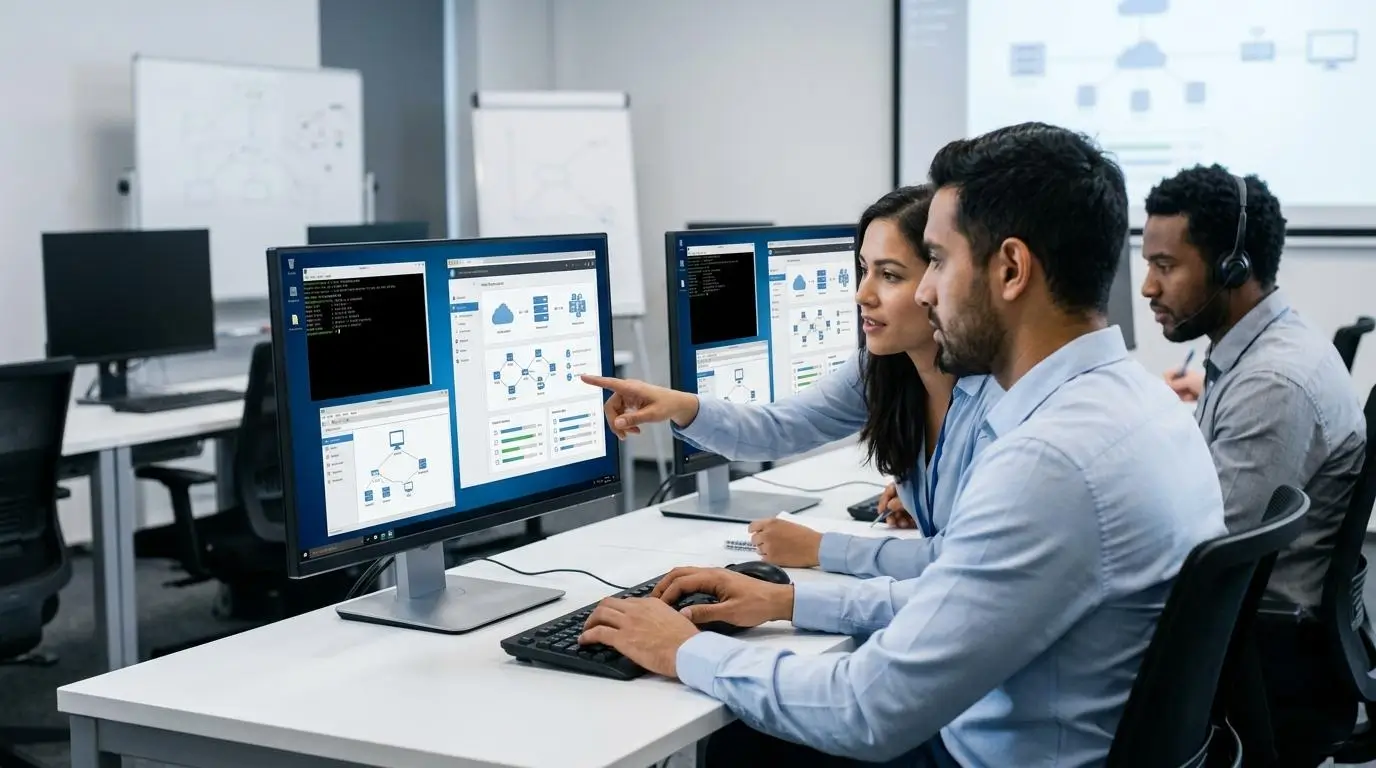
Hands-on learning has become the standard for technical training, and for good reason. Reading documentation or watching recorded tutorials can explain concepts, but they rarely prepare learners to apply those concepts in real situations. Practical experience allows users to experiment, make mistakes, and solve problems in an environment that closely reflects real work. That process builds confidence and reinforces technical knowledge far more effectively than passive learning alone.
Both Apporto and Instruqt embrace this approach, but they do so differently. Apporto delivers complete desktop environments where learners work with the same applications they would use in a classroom or workplace. Instruqt, on the other hand, guides learners through structured exercises designed around specific technical objectives. The better choice depends on the type of learning experience you want to create.
What Makes Apporto a Strong Choice for Hands-On Learning
Apporto is built for learning environments that require unrestricted access to professional software and computing resources. Its strengths include:
- Complete desktop environments provide learners with fully functional virtual desktops instead of isolated training exercises, creating an experience that closely matches a physical computer lab.
- Installed applications give users access to licensed software directly through a browser, eliminating installation challenges and compatibility issues.
- Support for complex software makes it well suited for engineering, CAD, GIS, artificial intelligence, cybersecurity, statistics, and other resource-intensive disciplines.
- Long-running labs allow learners to return to projects over multiple sessions, making them ideal for semester-long courses and in-depth technical programs.
- Engineering and STEM education benefits from browser-based virtual computer labs that provide consistent access to specialized software from virtually any device.
What Makes Instruqt a Strong Choice for Hands-On Learning
Instruqt is designed to teach technical concepts through guided, interactive experiences that help learners build skills step by step. Its key strengths include:
- Guided learning provides clear instructions and built-in feedback that help learners progress without needing constant instructor support.
- Interactive product demos let users explore software features in realistic environments before working with production systems.
- Technical onboarding helps new employees, customers, and developers become productive faster through structured learning paths.
- Product adoption is encouraged through hands-on exercises that demonstrate real product capabilities instead of relying on static documentation.
- Scenario-driven exercises place learners in realistic situations where they can validate skills by solving practical technical challenges.
Hands-on labs consistently produce stronger learning outcomes because they encourage active participation instead of passive observation.
If your goal is delivering complete software environments for education, Apporto offers a more comprehensive experience. If your priority is structured product education, technical onboarding, and guided software training, Instruqt provides purpose-built learning workflows.
Which Platform Fits Education and Software Companies Better?

Apporto and Instruqt are both designed to support hands-on learning, but they solve different challenges. One focuses on delivering complete computing environments for academic institutions, while the other helps software companies educate customers and onboard technical users. Understanding where each platform performs best makes it easier to choose a solution that aligns with your organization’s goals rather than simply comparing feature lists.
Education
Apporto is purpose-built for educational institutions that need reliable access to software-intensive learning environments. It enables universities, colleges, and K-12 schools to provide browser-based virtual computer labs without requiring students to install applications on their own devices.
This is especially valuable for engineering, computer science, GIS, artificial intelligence, cybersecurity, and other courses that depend on specialized software. By delivering full virtual desktops through a browser, Apporto expands access to learning resources while reducing the need for expensive on-campus hardware.
Software Companies
Instruqt is designed with software companies in mind. Its interactive labs help product teams deliver customer education, support developer onboarding, and improve technical onboarding through guided, hands-on exercises.
Customer success teams can create structured learning experiences that help users explore product features, while interactive product demos encourage adoption without requiring complex local setup. For organizations focused on training customers rather than providing complete desktop environments, Instruqt offers a purpose-built approach.
Education vs. Software Companies Comparison
| Area | Apporto | Instruqt |
|---|---|---|
| Primary Audience | Universities, colleges, and K-12 institutions | Software companies and technology vendors |
| Learning Focus | Academic instruction and software-heavy curricula | Customer education, product training, and technical onboarding |
| Computer Labs | Full browser-based virtual computer labs | Interactive task-based lab environments |
| Software Access | Complete virtual desktops with installed applications | Guided exercises using pre-configured environments |
| Best For | Engineering, STEM, GIS, AI, cybersecurity, CAD, statistics | Product teams, customer success, developer onboarding, and technical training |
If your priority is supporting software-intensive education with complete virtual desktops, Apporto is the stronger fit. If your goal is helping customers and technical teams learn a product through guided, interactive experiences, Instruqt is better aligned with those objectives.
How Do Browser-Based Virtual Labs Improve Training?

Browser-based virtual labs have made technical training more accessible and easier to manage. Instead of asking learners to download software, configure systems, or meet hardware requirements, everything runs through a web browser.
That means training can begin almost immediately, regardless of where participants are located. It also removes many of the technical barriers that slow down onboarding and learning programs. For organizations, browser-based delivery simplifies administration and makes it easier to scale training across departments, campuses, or global teams.
Combined with virtual desktops, these labs allow users to access powerful cloud resources from everyday devices, creating a more flexible and consistent learning experience.
The biggest advantages of browser-based virtual labs include:
- Instant browser access allows learners to launch training environments in seconds without lengthy setup or configuration.
- No software installations eliminate compatibility issues and reduce the burden on both learners and IT teams.
- Runs complex software through virtual desktops, allowing resource-intensive applications to work on low-powered devices.
- Access from any location gives learners the flexibility to join training sessions from home, campus, or the office.
- Lower hardware costs reduce the need for expensive workstations by delivering cloud computing resources through a browser.
- Simpler IT management centralizes software updates, licensing, and environment management, making training programs easier to maintain at scale.
By improving accessibility, flexibility, and scalability, browser-based virtual labs create a smoother learning experience while helping organizations deliver consistent technical training to more users.
How Do Both Platforms Support Customer Onboarding and Product Adoption?

Successful customer onboarding goes beyond product documentation. New users learn faster when they can interact with a product instead of simply reading about it. Hands-on learning, interactive demos, and guided training sessions help customers understand features, build confidence, and achieve value sooner.
That often leads to stronger product adoption, higher engagement, and fewer support requests. While both Apporto and Instruqt contribute to customer education, they take different approaches. Apporto focuses on providing complete browser-based virtual desktops where users can work with full software environments, while Instruqt specializes in guided, interactive labs that walk users through specific product workflows and technical concepts.
Apporto vs. Instruqt for Customer Onboarding
| Capability | Apporto | Instruqt |
|---|---|---|
| Customer Onboarding | Provides complete virtual desktop environments for product access and software training | Delivers structured onboarding through guided, hands-on learning paths |
| Product Adoption | Enables users to explore full applications in realistic desktop environments | Encourages adoption through interactive exercises and product-specific workflows |
| Interactive Demos | Supports live software demonstrations using full virtual desktops | Purpose-built for interactive product demos and guided feature walkthroughs |
| Technical Workshops | Ideal for instructor-led workshops requiring installed applications and high-performance software | Well suited for guided technical workshops focused on product capabilities |
| Training Sessions | Supports browser-based training sessions with persistent virtual desktops | Offers self-paced and instructor-guided sessions using pre-configured lab environments |
If your objective is to give users unrestricted access to complete software environments, Apporto provides a flexible solution through browser-based virtual desktops.
If your priority is customer onboarding, interactive product education, and guided technical learning, Instruqt offers specialized tools that help users become productive more quickly.
Both platforms improve learning outcomes, but each is optimized for a different stage of the customer education journey.
Which Platform Provides Better Analytics and Learner Tracking?

Measuring the effectiveness of a training program is just as important as delivering it. Without meaningful data, it’s difficult to understand where learners succeed, where they struggle, or how training can be improved. Learning analytics help instructors and administrators monitor engagement, evaluate course performance, and make informed decisions about future training.
While both Apporto and Instruqt provide visibility into learning activities, Instruqt places a stronger emphasis on learner analytics and guided training insights. Apporto, meanwhile, focuses on delivering reliable learning environments where institutions can efficiently manage access to virtual desktops and software resources.
When evaluating analytics capabilities, here are the features that matter most:
- Learner progress helps instructors monitor how users advance through training activities and identify learners who may need additional support.
- Detailed analytics provide insights into engagement, lab usage, and learning patterns, making it easier to evaluate training effectiveness.
- Instant feedback guides learners during hands-on exercises, helping them correct mistakes and reinforce technical knowledge as they progress.
- Completion tracking measures course and lab completion rates, giving organizations a clearer picture of participation and overall program success.
- Certification readiness helps training teams assess whether learners have developed the practical skills needed before moving on to assessments or certification programs.
These insights help organizations improve training quality, support learners more effectively, and make data-driven decisions that strengthen future learning programs.
What Are the Pricing Differences Between Apporto and Instruqt?

Pricing is about more than monthly costs. It also reflects how well a platform scales, how predictable your expenses remain, and whether the pricing model matches your organization’s training goals. Neither Apporto nor Instruqt publicly lists comprehensive pricing, so most organizations work directly with their sales teams to receive a custom quote. However, the two platforms approach pricing differently. Apporto typically provides custom pricing based on deployment requirements, while Instruqt follows a usage-based pricing model that scales with platform consumption. Before making a decision, it’s worth considering factors such as enterprise plans, expected learner volume, potential add-ons, and future growth instead of focusing only on the initial investment.
Pricing Comparison
| Pricing Area | Apporto | Instruqt |
|---|---|---|
| Pricing Model | Custom pricing based on organizational requirements and deployment | Usage-based pricing tied to platform usage |
| Enterprise Plan | Available through custom enterprise agreements | Enterprise plans available for larger organizations |
| Growth Plan | Customized based on institution or business needs | Growth options available as usage expands |
| Training Credits | Not publicly advertised | Usage may be measured through training consumption rather than fixed licenses |
| Custom Quote | Yes, provided after discussing requirements | Yes, available through the sales team |
| Scalability | Designed to scale for educational institutions and growing organizations | Scales with increasing users, training sessions, and platform usage |
When comparing costs, it’s also important to consider the overall value each platform delivers. Apporto is well suited for institutions that need predictable access to browser-based virtual desktops and software-intensive learning environments.
Instruqt may be a better fit for organizations that prioritize technical onboarding, interactive product education, and hands-on training workflows. Rather than looking only at pricing, evaluate how each platform supports your long-term training strategy, expected user growth, and operational requirements.
What Are the Best Instruqt Alternatives in 2026?

Different organizations have different training priorities, so there isn’t a single platform that fits every use case. Some need browser-based virtual desktops for software-intensive education, while others require guided hands-on labs for customer onboarding or enterprise training. The best Instruqt alternative depends on your audience, technical requirements, and the type of learning environment you want to create. Here are some of the leading options to consider in 2026.
Apporto
Apporto is an excellent choice for educational institutions that need browser-based virtual desktops instead of isolated lab environments. It enables students and instructors to access complete desktop environments without installing software, making it ideal for engineering, computer science, GIS, artificial intelligence, cybersecurity, and other software-intensive courses. Universities and colleges can deliver scalable virtual labs that run complex applications through a browser, allowing learners to use high-performance software from almost any device while simplifying IT management.
CloudShare
CloudShare is built for enterprise software training, customer onboarding, and sales enablement. It allows organizations to create cloud-based training environments that integrate with major cloud providers, including AWS, Azure, and Google Cloud. These realistic lab environments can be deployed quickly and are well suited for technical workshops, product demonstrations, and enterprise onboarding. CloudShare’s flexible infrastructure makes it a strong option for organizations delivering training across multiple cloud technologies.
Skillable
Skillable focuses on enterprise hands-on labs that help organizations build technical skills through practical learning. It is commonly used for employee training, certification programs, and technical assessments where learners need to demonstrate real-world abilities. Its lab environments are designed to validate knowledge through hands-on exercises rather than traditional testing, making it a popular choice for enterprise learning and professional development.
ReadyTech
ReadyTech simplifies the delivery of hosted training environments for instructor-led and virtual training sessions. Organizations can quickly provision complete lab environments without managing complex infrastructure, making the platform suitable for software training, workshops, and customer education programs that require reliable access to applications.
Heropa
Heropa automates the creation and management of virtual IT labs across Linux, Windows, and Mac environments. Its platform helps organizations reduce administrative effort while delivering consistent hands-on learning experiences. Flexible virtual machines and automated provisioning make Heropa well suited for technical training programs that require multiple operating systems.
Killercoda
Killercoda specializes in Kubernetes and cloud-native learning through browser-based, interactive exercises. It allows learners to practice containerization and orchestration concepts in real environments without local setup, making it a popular choice for developers and DevOps professionals building modern infrastructure skills.
Instruqt Alternatives Comparison
| Platform | Best For | Browser Based | Hands-on Labs | Education | Enterprise |
|---|---|---|---|---|---|
| Apporto | Virtual desktops, higher education, software-intensive courses | ✅ | ✅ | ★★★★★ | ★★★★☆ |
| CloudShare | Enterprise onboarding, cloud training, product demos | ✅ | ✅ | ★★★☆☆ | ★★★★★ |
| Skillable | Enterprise training, certification, technical assessments | ✅ | ✅ | ★★★☆☆ | ★★★★★ |
| ReadyTech | Instructor-led training and hosted lab environments | ✅ | ✅ | ★★★☆☆ | ★★★★☆ |
| Heropa | Automated IT labs across Linux, Windows, and Mac | ✅ | ✅ | ★★★★☆ | ★★★★☆ |
| Killercoda | Kubernetes and cloud-native technical learning | ✅ | ✅ | ★★★☆☆ | ★★★★☆ |
Each of these platforms serves a different audience, but the right choice ultimately depends on your training objectives. If your priority is delivering browser-based virtual desktops for education and software-heavy curricula, Apporto stands out as one of the strongest Instruqt alternatives.
Organizations focused on enterprise onboarding, cloud training, or specialized technical skills may find CloudShare, Skillable, Heropa, ReadyTech, or Killercoda better aligned with their specific requirements.
Why Is Apporto the Best Instruqt Alternative for Education?
While Apporto and Instruqt both support hands-on learning, their primary audiences are different. Instruqt is built to help software companies deliver technical onboarding and product education. Apporto, on the other hand, is purpose-built for education.
It addresses the everyday challenges universities, colleges, and K-12 institutions face when providing students with reliable access to specialized software, virtual computer labs, and high-performance computing resources.
Instead of asking students to install applications or rely on expensive hardware, Apporto delivers complete virtual desktops through a web browser. This approach improves accessibility, reduces IT complexity, and creates a more consistent learning experience across campus.
For educational institutions looking to modernize technical learning, Apporto offers several distinct advantages:
- Complete virtual desktops give students access to fully configured desktop environments with all the applications they need through a web browser.
- Support for software-heavy courses enables engineering, CAD, GIS, artificial intelligence, cybersecurity, statistics, and other specialized programs without software installation.
- Remote computer labs allow students to access campus software anytime and from virtually any location, improving flexibility beyond traditional computer labs.
- High-performance applications run on cloud infrastructure, allowing demanding software to perform well even on entry-level laptops and Chromebooks.
- Simple browser access removes installation barriers, helping students begin coursework quickly while reducing technical support requests.
- Scalable education infrastructure allows institutions to serve thousands of learners without continually expanding physical computer lab capacity.
- Supports limited budgets by extending the life of existing hardware and reducing investment in high-end student workstations.
- Fast deployment enables IT teams to roll out new virtual labs and software resources quickly without lengthy device configuration.
These capabilities make Apporto particularly valuable for higher education institutions where accessibility, scalability, and software availability directly affect student success.
By delivering complete browser-based virtual desktops instead of isolated training labs, universities can provide consistent learning experiences, simplify IT operations, and ensure every student has equal access to the tools required for modern technical education.
Final Verdict
Apporto and Instruqt both deliver valuable hands-on learning experiences, but they are designed for different goals. Choose Apporto if your organization needs browser-based virtual desktops, remote computer labs, and reliable access to software-heavy applications for education or technical training.
It’s particularly well suited for universities, colleges, and institutions that want to simplify software delivery while expanding access for learners. Choose Instruqt if your focus is technical onboarding, customer education, interactive product demos, and guided hands-on labs for software users.
The right platform depends on what you’re trying to accomplish, not which one has the longest feature list. If your priority is delivering complete desktop environments for practical learning, Apporto offers a more comprehensive solution. If guided product training is your primary objective, Instruqt remains a strong option.
Ready to modernize technical education? Explore how Apporto simplifies browser-based virtual computer labs and software access for education and technical training environments.
Frequently Asked Questions (FAQs)
1. What is the biggest difference between Apporto and Instruqt?
The biggest difference is their primary focus. Apporto delivers full browser-based virtual desktops for education and software-intensive learning, while Instruqt specializes in hands-on technical training, customer onboarding, and interactive product education.
2. Is Apporto a good Instruqt alternative?
Yes. Apporto is one of the strongest Instruqt alternatives, particularly for universities and colleges that need browser-based virtual computer labs, remote software access, and complete desktop environments instead of task-specific training labs.
3. Which platform is better for higher education?
Apporto is the better choice for higher education because it is purpose-built for academic institutions. It supports software-heavy curricula, remote computer labs, browser-based access, and scalable virtual desktops for students and instructors.
4. Can both platforms deliver browser-based virtual labs?
Yes. Both platforms provide browser-based learning environments, but they serve different purposes. Apporto offers complete virtual desktops, while Instruqt focuses on guided, hands-on lab environments for technical training and onboarding.
5. Does Instruqt require software installation?
No. Instruqt provides pre-configured, browser-based lab environments that eliminate local software installation, allowing learners to begin hands-on training quickly through a web browser.
6. Which platform is better for customer onboarding?
Instruqt is the stronger choice for customer onboarding. Its interactive product demos, guided learning paths, and scenario-based exercises help software companies educate customers and accelerate product adoption.
7. Can Apporto run complex installed software in a browser?
Yes. Apporto enables users to run complex installed software through full virtual desktops in a browser, making resource-intensive applications accessible from low-powered devices without local installation.
8. Which platform is better for organizations with limited budgets?
The right choice depends on your goals. Apporto can reduce hardware and IT costs for educational institutions, while Instruqt’s usage-based pricing may suit organizations focused on technical onboarding and product training.
