
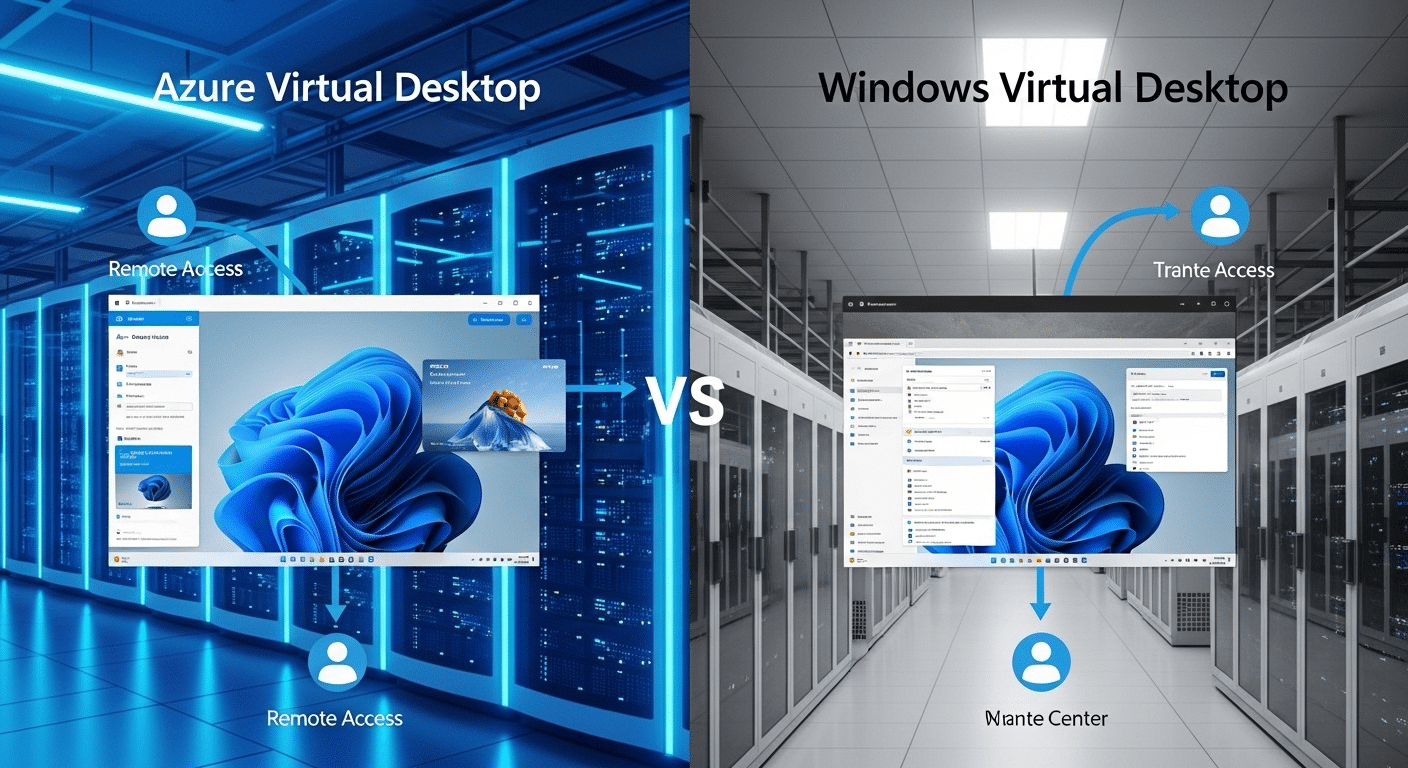
What Is the Difference Between Azure Virtual Desktop and Windows Virtual Desktop?
Azure Virtual Desktop (AVD) is Microsoft’s cloud desktop platform for delivering Windows desktops and applications through Azure infrastructure. It evolved from Windows Virtual Desktop, adding deeper Azure integration, improved management tools, and multi-session support. Organizations also explore browser-based virtual desktop platforms like Apporto for simplified deployment and reduced infrastructure management.
Cloud desktops have quietly become a core part of modern IT strategy. As organizations support hybrid work and distributed teams, many rely on virtual desktop infrastructure hosted on Microsoft Azure to provide secure remote access to corporate systems. Naturally, this leads to a common question: Azure Virtual Desktop vs Windows Virtual Desktop, what exactly is the difference?
The confusion makes sense. Windows Virtual Desktop was the original Microsoft platform for delivering Windows desktops from the cloud. Over time, Microsoft expanded the service and introduced Azure Virtual Desktop (AVD) with broader capabilities.
In this article, you will learn what Azure Virtual Desktop is, how Windows Virtual Desktop evolved, the key architecture and infrastructure differences, how pricing models affect cost efficiency, and when each platform makes the most sense for organizations.
What Is Windows Virtual Desktop and How Does It Work?
Before Azure Virtual Desktop became the name everyone recognizes today, Microsoft introduced a service called Windows Virtual Desktop, often shortened to WVD.
It was Microsoft’s first large-scale attempt to deliver Windows desktops directly from the cloud using Microsoft Azure. The idea was straightforward, though the technology behind it carried plenty of complexity.
Instead of running the operating system on your local machine, Windows desktops lived inside Azure virtual machines hosted in Microsoft data centers.
Users simply connected through a remote desktop client. Once logged in, the experience looked and behaved like a normal Windows desktop, applications, files, settings, all present, all running somewhere else.
That approach solved several long-standing challenges in traditional virtual desktop infrastructure. Managing desktops from centralized servers reduced hardware dependency, improved control over applications, and made remote access easier for distributed teams.
Features of Windows Virtual Desktop
• Delivered Windows desktop operating systems directly from the Microsoft Azure cloud
• Enabled secure remote access to corporate desktops and applications
• Supported both single user and multi user Windows desktops
• Allowed users to connect from laptops, tablets, and thin clients
• Integrated with Azure Active Directory for identity authentication
As Microsoft expanded the platform, adding stronger management tools and deeper Azure integrations, the service eventually evolved. Windows Virtual Desktop did not disappear exactly. It simply grew into something broader, now known as Azure Virtual Desktop (AVD).
What Is Azure Virtual Desktop (AVD) and How Does It Work Today?

Microsoft did not simply rename Windows Virtual Desktop and walk away. The platform matured. Capabilities expanded. Over time the service evolved into Azure Virtual Desktop (AVD), a modern desktop as a service platform built directly on Microsoft Azure.
AVD allows organizations to deliver full Windows desktops and applications from the cloud while keeping infrastructure centralized. Users connect remotely from laptops, tablets, thin clients, or almost any device with internet access.
Once connected, the desktop environment behaves much like a traditional Windows system, except the computing actually happens inside Azure.
Under the surface, Azure Virtual Desktop relies on Azure virtual machines that host the Windows operating system. These virtual machines act as the runtime environment for applications and user sessions.
IT teams manage these environments centrally through Azure tools, which makes it easier to deploy updates, configure resources, and control access policies across the organization. The architecture is built from several core components working together.
Main Components of Azure Virtual Desktop Architecture
• Session host VMs, which run the Windows desktop operating system and deliver user sessions
• Connection broker, which routes users to available desktops and balances workloads
• Azure Active Directory, responsible for identity authentication and access control
• Azure virtual network, providing secure connectivity between users and resources
• Azure Files or Azure NetApp Files, used to store user profiles and configuration data
Beyond those elements, the AVD control plane includes gateway services, web access portals, diagnostics systems, and APIs that help administrators manage the environment.
A major advantage of AVD is support for multi session environments. Multiple users can share a single virtual machine, which helps organizations reduce infrastructure costs while maintaining reliable performance.
Azure Virtual Desktop vs Windows Virtual Desktop: What Changed?
At first glance, the comparison between Azure Virtual Desktop vs Windows Virtual Desktop sounds like two separate products competing with each other. That assumption appears logical. In reality, the story is a little different.
Azure Virtual Desktop did not replace Windows Virtual Desktop in the traditional sense. It grew out of it. Microsoft expanded the original service, strengthened its architecture, and integrated it more deeply with the wider set of Azure services already used by many organizations.
Windows Virtual Desktop began as a focused cloud desktop solution built on Azure virtual machines. It allowed users to access a Windows desktop remotely and simplified some of the complexity associated with traditional VDI deployments.
Over time, Microsoft added stronger management tools, better infrastructure visibility, and more automation features. The platform eventually evolved into Azure Virtual Desktop, reflecting its broader role within Microsoft Azure.
The differences mostly appear in management capabilities, infrastructure integration, and security controls.
Differences Between Azure Virtual Desktop and Windows Virtual Desktop
| Feature | Windows Virtual Desktop | Azure Virtual Desktop |
|---|---|---|
| Platform Scope | Initial cloud desktop service | Expanded Azure integrated service |
| Management | Basic management tools | Deep integration with Azure portal |
| Infrastructure | Hosted on Azure VMs | Fully integrated with Azure resources |
| Security | Standard Microsoft cloud security | Expanded security features and diagnostics |
| Integration | Limited Azure integrations | Full integration with Azure service |
How Does Azure Virtual Desktop Architecture Work?
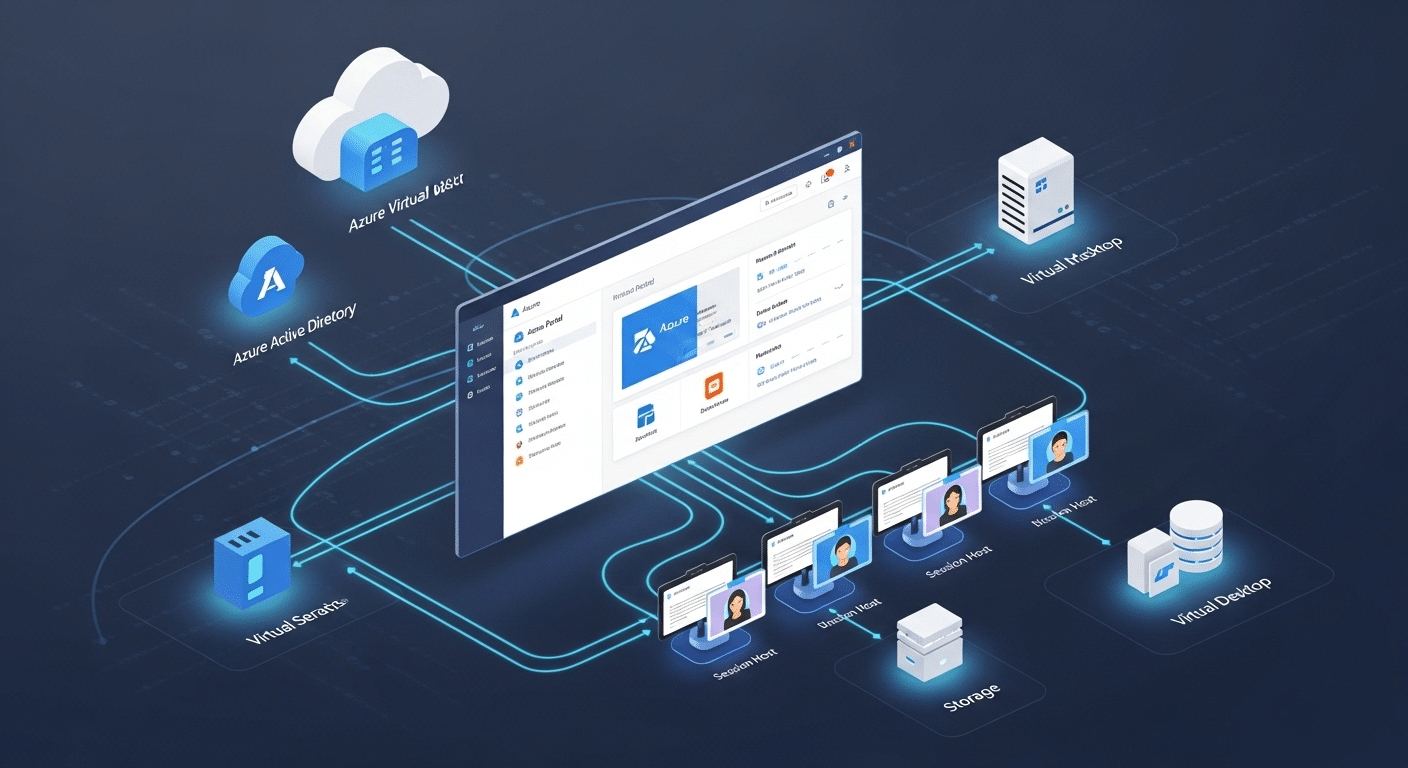
Understanding Azure Virtual Desktop architecture requires looking at how responsibilities are divided between Microsoft and the organization running the environment.
The platform uses a layered structure built on Azure infrastructure and a set of Microsoft cloud technologies designed to deliver desktops securely from the cloud.
Part of the system is managed by Microsoft. This layer is called the control plane, and it includes services responsible for authentication, connection brokering, gateway access, and diagnostics. In simple terms, Microsoft maintains the core platform services that allow users to reach their virtual desktops reliably.
The rest of the environment belongs to the organization itself. Companies must configure and manage their own Azure resources, including virtual machines, storage, networking, and identity services. These elements form the working infrastructure where Windows desktops actually run.
Elements of Azure Virtual Desktop Infrastructure
• Azure virtual machines hosting Windows desktop operating systems
• Session host VMs delivering personal or pooled desktops to users
• Azure Active Directory providing identity authentication and access control
• Azure portal used for infrastructure management and configuration
• Azure Files or Azure NetApp Files storing user profiles and application data
• Azure virtual network ensuring secure connectivity between users and resources
To maintain a healthy environment, organizations must manage Azure subscriptions, virtual machine configurations, storage resources, and network infrastructure.
This level of control allows IT teams to tailor resource allocation, optimize performance, and support complex virtual desktop environments with different user needs.
What Is Windows 365 and How Does It Compare to Azure Virtual Desktop?
Somewhere along the way Microsoft realized something important. Not every organization wants to manage virtual machines, networking rules, storage layers, and session hosts just to provide employees with a remote desktop. Many companies simply want a desktop that works, predictable, stable, easy to deploy. That idea led to Windows 365.
Windows 365 is a Cloud PC service built on Microsoft Azure infrastructure, but the experience is intentionally simplified. Instead of building a full virtual desktop environment, each user receives a dedicated Cloud PC, essentially a virtual machine running Windows 10 or Windows 11 that lives entirely in the Microsoft cloud. The environment remains persistent. Users log in and return to the same desktop every time.
Azure Virtual Desktop works differently. It gives IT teams much more control over infrastructure, allowing them to configure pooled or personal desktops, manage session hosts, and adjust resource allocation across virtual machines.
The contrast becomes clearer in a side by side comparison.
Azure Virtual Desktop vs Windows 365 Comparison
| Feature | Azure Virtual Desktop | Windows 365 |
|---|---|---|
| Desktop Model | Pooled or personal desktops | Dedicated Cloud PC |
| Pricing Model | Consumption based pricing | Fixed monthly cost |
| Infrastructure Management | Managed by IT teams | Microsoft managed service |
| Scalability | Highly customizable | Simpler scaling |
| Multi session support | Yes | No |
Which Platform Is More Cost Effective: Azure Virtual Desktop or Windows 365?
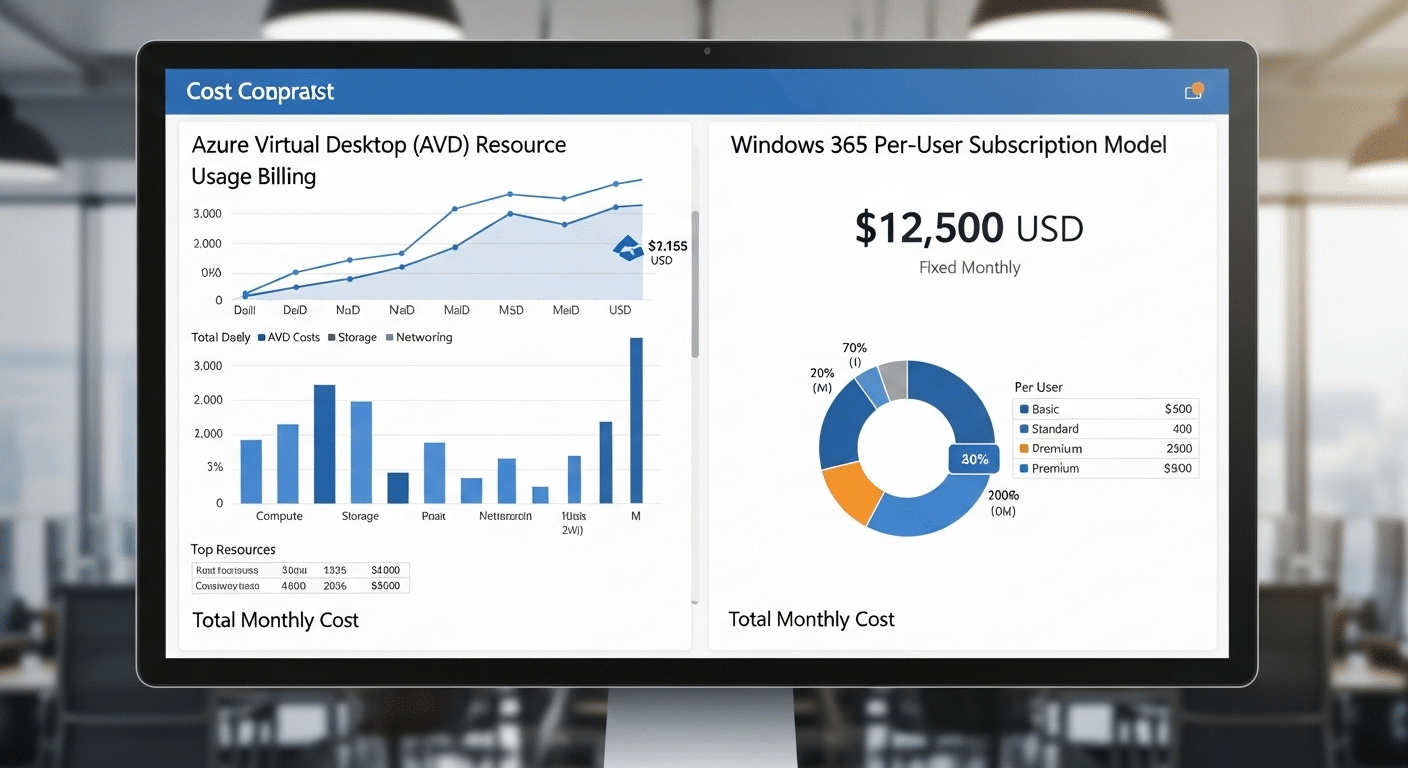
Cost often becomes the deciding factor when organizations compare Azure Virtual Desktop vs Windows Virtual Desktop related services like Windows 365.
At first glance the platforms seem similar, both deliver cloud based desktops from Microsoft Azure. The pricing models, however, operate very differently, and those differences can influence long term infrastructure costs.
Azure Virtual Desktop uses a consumption based pricing model. In practical terms, organizations pay only for the Azure resources their environment actually consumes.
That means infrastructure costs depend on the size of virtual machines, storage usage, networking traffic, and how long those resources remain active.
With Azure Virtual Desktop, organizations typically pay for:
• Virtual machine usage running Windows desktops
• Storage resources used for user profiles and data
• Networking and bandwidth consumption
• Supporting Azure infrastructure services
Windows 365 follows a simpler structure. Each user receives a Cloud PC billed at a fixed monthly cost, regardless of how heavily the machine is used. This predictable pricing often appeals to companies that want stable budgeting without tracking infrastructure utilization.
Cost Considerations
• Azure Virtual Desktop may reduce costs through auto scaling and pooled desktops
• Windows 365 provides predictable monthly subscription pricing
• Azure reserved instances can lower long term infrastructure expenses
• Pooled desktops allow multiple users to share resources efficiently
Organizations with variable workloads often gain better cost efficiency from Azure Virtual Desktop. Businesses with consistent desktop usage may find Windows 365 easier to budget and manage.
How Do Azure Virtual Desktop and Windows 365 Support Remote Work?
Remote work has become a normal operating model for many organizations, and both Azure Virtual Desktop and Windows 365 are designed to support that reality. Instead of relying on a single office computer, users can reach their full desktop environment from almost anywhere with a stable internet connection. The desktop runs in the cloud, while the device in your hands simply acts as the window into that environment.
Employees connect using a variety of methods depending on their device and workflow. Common access points include:
• Web access portals through a standard browser
• Remote desktop clients installed on laptops or PCs
• Thin client devices designed for cloud desktops
• Mobile devices such as tablets or smartphones
Once connected, users interact with their Windows desktop just as they would in an office environment. Applications launch normally, files remain accessible, and settings stay consistent between sessions.
Security is a central part of this architecture. Microsoft integrates multi factor authentication, data encryption, and secure access protocols to help protect sensitive information.
Because the desktop runs in the cloud rather than on the endpoint device, organizations can maintain stronger control over corporate data while supporting a distributed workforce.
What Are the Security Features of Azure Virtual Desktop?

Security tends to become the first concern when organizations move desktop environments into the cloud. A virtual desktop may live far from the user’s device, often inside Microsoft data centers, which naturally raises questions about how access is controlled and how data stays protected. Azure Virtual Desktop addresses these concerns through a layered security design built directly into the platform.
Because desktops run on centralized Azure infrastructure, administrators can manage identity controls, security policies, and system updates from a single environment. This approach reduces the risks that typically appear when sensitive information is scattered across many endpoint devices.
Security Features of Azure Virtual Desktop:
• Azure Active Directory authentication
• Multi factor authentication
• Data encryption
• Centralized management of security updates
• Role based access control
A centralized architecture also improves overall protection. Files, applications, and system data remain inside the cloud rather than being stored on laptops or mobile devices.
Even if a device is lost or compromised, sensitive information remains protected inside the virtual desktop environment.
When Should Organizations Choose Azure Virtual Desktop?
Not every organization needs the same level of control over its desktop environment. Some teams want simplicity, predictable costs, and minimal infrastructure management.
Others require deeper customization, flexible resource allocation, and the ability to run specialized applications. This is where Azure Virtual Desktop becomes the stronger option.
Azure Virtual Desktop is particularly useful for organizations operating in complex environments where infrastructure decisions cannot be simplified to a single desktop configuration.
Because AVD allows administrators to configure virtual machines, networking, storage, and session hosts directly inside Azure, IT teams gain significant control over how the environment is built and maintained.
This flexibility allows organizations to tailor the virtual desktop experience to match specific operational needs.
Best Use Cases for Azure Virtual Desktop:
• Large enterprises managing complex environments with diverse workloads
• Organizations that benefit from pooled desktop environments shared by multiple users
• Teams hosting legacy applications that require specialized configurations
• Businesses needing advanced infrastructure management and customization
• IT teams comfortable managing Azure resources and cloud infrastructure
Why Apporto Is a Simpler Alternative to Traditional Virtual Desktop Infrastructure?

Traditional virtual desktop infrastructure platforms can deliver powerful capabilities, yet they often come with a heavy operational burden. Solutions like Azure Virtual Desktop require organizations to configure Azure resources, manage virtual machines, maintain networking policies, and continuously monitor infrastructure performance. For many IT teams, that level of infrastructure management quickly becomes complex.
Apporto approaches the problem differently. Instead of requiring extensive configuration, the platform delivers virtual desktops directly through a web browser. Users simply log in and access their desktop environment without installing specialized clients or configuring remote desktop tools.
Several advantages come from this simplified model.
• No client installations required for users
• Simplified infrastructure management for IT teams
• Secure remote access across multiple devices
• Faster deployment compared with traditional VDI solutions
By removing much of the infrastructure complexity, Apporto allows organizations to deliver cloud desktops quickly while maintaining strong performance, security, and reliable remote access.
Final Thoughts
The comparison between Azure Virtual Desktop vs Windows Virtual Desktop becomes clearer once you look at how the platform evolved. Windows Virtual Desktop started as Microsoft’s original cloud desktop service.
Over time, Microsoft expanded the platform and introduced Azure Virtual Desktop, adding deeper integration with Azure infrastructure, stronger management tools, and broader deployment flexibility.
Today, Azure Virtual Desktop provides organizations with powerful customization options, flexible resource allocation, and scalable virtual desktop environments. Windows 365, by contrast, focuses on simplicity by delivering dedicated Cloud PCs with predictable monthly pricing and minimal infrastructure management.
When deciding between these options, organizations should evaluate infrastructure management capabilities, overall cost structure, scalability requirements, and security controls. Understanding these factors helps businesses choose the platform that best delivers secure and reliable cloud-based desktop environments.
Frequently Asked Questions (FAQs)
1. Is Azure Virtual Desktop the same as Windows Virtual Desktop?
No, Azure Virtual Desktop and Windows Virtual Desktop are not separate platforms. Windows Virtual Desktop was the original version of Microsoft’s cloud desktop service, while Azure Virtual Desktop is the expanded and renamed platform with deeper Azure integration, improved management tools, multi-session support, and enhanced infrastructure customization.
2. What is the difference between Azure Virtual Desktop and Windows Virtual Desktop?
The difference between Azure Virtual Desktop and Windows Virtual Desktop mainly reflects the platform’s evolution. Windows Virtual Desktop was the earlier version of Microsoft’s cloud desktop service, while Azure Virtual Desktop is the expanded version with deeper Azure integration, improved management tools, and broader deployment capabilities.
3. Is Azure Virtual Desktop replacing Windows Virtual Desktop?
Azure Virtual Desktop is essentially the next stage of the same platform rather than a completely separate product. Microsoft expanded Windows Virtual Desktop and reintroduced it as Azure Virtual Desktop, adding stronger Azure service integration, better diagnostics, and more advanced infrastructure management features.
4. How does Azure Virtual Desktop pricing work?
Azure Virtual Desktop follows a consumption-based pricing model. Organizations pay for the Azure resources their environment uses, including virtual machines, storage, and networking. This approach allows costs to scale with usage and can create savings when pooled desktops or auto-scaling features are used.
5. What is the difference between Windows 365 virtual desktop and AVD desktop?
Windows 365 provides dedicated Cloud PCs with fixed monthly pricing and simplified management, making it easier for organizations that want predictable costs. Azure Virtual Desktop offers pooled or personal desktops, flexible infrastructure customization, multi-session support, and consumption-based pricing for more advanced virtual desktop environments.
6. Can Azure Virtual Desktop support multiple users on one VM?
Yes. One advantage of Azure Virtual Desktop is support for multi-session environments, where multiple users share a single virtual machine. This capability allows organizations to optimize resource allocation and reduce infrastructure costs compared with dedicated single-user desktop environments.
