

Azure Bastion vs Azure Virtual Desktop: What’s the Difference?
Azure Bastion and Azure Virtual Desktop serve different purposes in Microsoft Azure environments. Azure Bastion secures administrative access to virtual machines through RDP or SSH without public IP exposure, while Azure Virtual Desktop delivers full Windows desktops and applications to end users. Platforms like Apporto simplify secure browser-based remote access.
In the Microsoft Azure ecosystem, several services promise secure remote access to cloud resources. Two names often appear in the same conversation, Azure Bastion and Azure Virtual Desktop. They may seem similar, yet they serve very different roles.
Azure Bastion is designed for administrators who need secure RDP or SSH access to Azure virtual machines without exposing those machines to the public internet. Azure Virtual Desktop, on the other hand, delivers full Windows desktops and applications to end users as a cloud-based desktop service.
Organizations researching azure bastion vs azure virtual desktop sometimes confuse infrastructure management access with user workspace delivery. Bastion focuses on protecting networks and virtual machines, while Azure Virtual Desktop focuses on productivity.
In this guide, you will learn how these two services differ, when each one makes sense, and how to choose the right solution.
What Is Azure Bastion and How Does It Work?
Azure Bastion exists for a fairly specific reason, protecting administrative access to machines that live inside your Azure environment. Instead of exposing a virtual machine directly to the public internet, the service acts as a secure gateway, sometimes called a bastion host, sitting quietly inside your virtual network.
The connection path is surprisingly simple. You open the Azure portal, select the virtual machine you want to access, and initiate a session directly in the browser.
The connection travels through Transport Layer Security, using port 443. Because of this design, you never have to open traditional RDP or SSH ports such as 3389 or 22 to the internet. The target VM stays private. Completely private.
Azure Bastion itself runs inside a dedicated subnet called AzureBastionSubnet, acting as a managed entry point into your private network.
Main Features of Azure Bastion
- Secure RDP or SSH connectivity to Azure virtual machines
- No public IP address required on the target VM
- Uses Transport Layer Security (TLS) over port 443
- Browser-based access through the Azure portal
- Supports both Windows and Linux VMs
- Integrates with Azure RBAC and Conditional Access policies
- Supports multi-factor authentication
What Is Azure Virtual Desktop and How Does It Work?
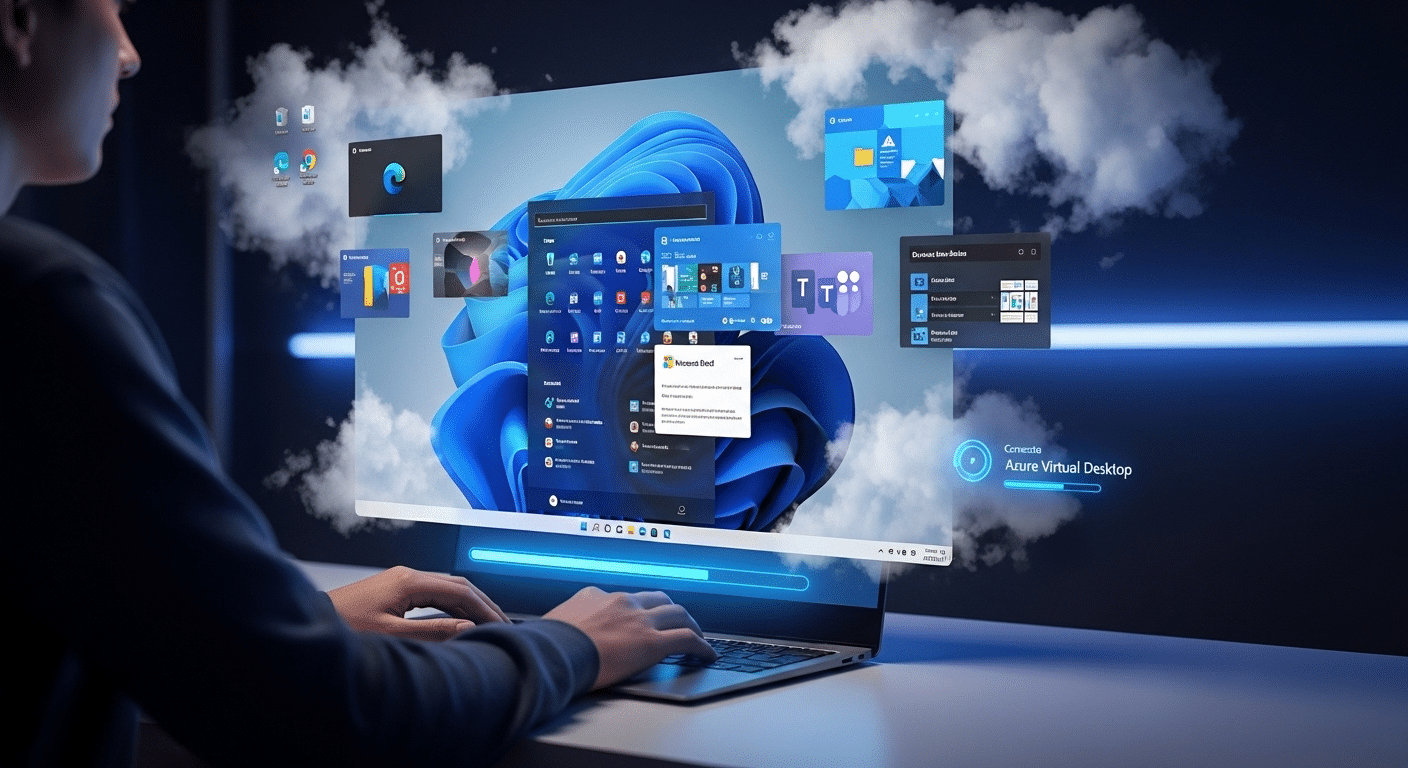
Azure Virtual Desktop approaches remote computing from a completely different angle. Instead of helping administrators manage servers, this service delivers entire work environments to people who need them.
You connect, authenticate, and suddenly your familiar Windows desktop appears, even though it is actually running inside the Azure cloud.
That is the core idea behind Azure Virtual Desktop, often shortened to AVD. It is a desktop platform designed to stream Windows desktops and applications to users wherever they happen to be working.
The experience feels local, but the operating system and applications live on Azure virtual machines inside a controlled environment.
This is where the difference with Bastion becomes obvious. Bastion protects infrastructure access. Azure Virtual Desktop focuses on end-user productivity, giving people a full workspace rather than simple administrative VM access.
Core Capabilities of Azure Virtual Desktop
- Provides full Windows 10 or Windows 11 desktop experiences
- Supports multi session Windows, allowing several users on a single VM
- Enables remote access from almost any device
- Optimized for Microsoft 365 workloads
- Allows application streaming without delivering an entire desktop
- Supports host scaling to handle growing user environments
Because of this design, Azure Virtual Desktop works well for remote workforces, training labs, and centralized corporate desktop environments.
Azure Bastion vs Azure Virtual Desktop: What Are the Core Differences?
By now the contrast should be starting to take shape. Azure Bastion and Azure Virtual Desktop both help you connect to resources in the cloud, yet the intent behind each service is completely different. One protects infrastructure access. The other delivers full user workspaces.
Azure Bastion acts as a secure gateway for administrative access to virtual machines. You use it to log into servers safely through secure RDP or SSH, typically for maintenance, configuration, or troubleshooting. The service lives inside the Azure network and prevents those machines from being exposed directly to the public internet.
Azure Virtual Desktop, on the other hand, operates as a virtual desktop solution designed for end users. Instead of accessing servers, users connect to full Windows desktops or individual applications hosted on Azure infrastructure.
Differences Between Azure Bastion and Azure Virtual Desktop
| Feature | Azure Bastion | Azure Virtual Desktop |
|---|---|---|
| Primary purpose | Secure administrative access to VMs | Full virtual desktops for users |
| Access method | Azure portal browser connection | Remote desktop client or web |
| Protocols | RDP and SSH | RDP |
| VM exposure | No public IP required | Managed session hosts |
| Typical users | IT administrators | End users and remote workers |
| Network role | Secure gateway to VMs | Desktop virtualization platform |
In simple terms, Bastion strengthens infrastructure security, while Azure Virtual Desktop focuses on productivity and user workspaces.
How Does Azure Bastion Improve Security for Azure Virtual Machines?

Security is usually the reason organizations adopt Azure Bastion in the first place. Traditional remote administration often requires opening RDP or SSH ports directly on virtual machines. Those open ports become visible on the public internet, and once visible they become targets. Automated scanners constantly probe for them. Not ideal.
Azure Bastion changes that model entirely. Instead of exposing every server individually, the connection happens through a managed gateway inside the Azure environment.
Administrators access machines through the Azure portal, and the traffic travels over encrypted Transport Layer Security on port 443. The virtual machines themselves remain hidden inside the private network.
Because of this design, Bastion significantly reduces the overall attack surface of the infrastructure.
Security Benefits of Azure Bastion
- Eliminates public IP addresses on virtual machines
- Removes the need to open ports 3389 or 22
- Uses TLS encryption over port 443 for secure connections
- Supports Conditional Access policies and multi factor authentication
- Enables role-based access control for VM permissions
- Allows session logging and auditing
Another advantage appears at the network level. Security becomes centralized at the network perimeter, instead of relying on individual firewall rules across many virtual machines.
How Does Azure Bastion Work in Hub-and-Spoke Network Architectures?
Large Azure environments rarely exist as a single network. Instead, many organizations design their infrastructure using a hub and spoke virtual network model.
The hub network hosts shared services such as firewalls, gateways, or security controls. The spoke networks host application workloads, databases, and virtual machines.
Azure Bastion fits naturally into this design. When deployed in the hub VNet, it can provide secure administrative access to virtual machines located across peered virtual networks.
Administrators open a connection from the Azure portal, and Bastion routes the session internally through the Azure network.
Bastion Network Architecture Capabilities
- Supports VNet peering across peered VNets
- Connects to VMs located in spoke networks
- Operates centrally within a hub virtual network
- Enables centralized administrative access across environments
This model works well for production environments managing multiple VNets, because administrators can securely access machines across the entire network architecture from one controlled entry point.
When Should You Use Azure Bastion Instead of Azure Virtual Desktop?

Sometimes the decision becomes obvious once you think about the goal. If the task involves maintaining infrastructure, troubleshooting servers, or managing workloads inside the Azure environment, Azure Bastion usually makes more sense. The service exists primarily to protect and simplify administrative access to machines running inside a private network.
Instead of exposing servers to the internet or relying on external jump boxes, Bastion lets administrators connect directly to a target VM through the Azure portal. The connection remains encrypted and the virtual machine stays private.
Best Use Cases for Azure Bastion
- Secure administrative access to Windows Server or Linux VMs
- Remote infrastructure management using RDP or SSH
- Secure access to production servers without assigning public IP addresses
- Just-in-time administrative sessions for IT operations teams
- Managing virtual machines across peered networks
The Bastion service works best when the goal is infrastructure management. It is not designed to deliver full desktop environments to users, which is where Azure Virtual Desktop becomes the better option.
When Should You Use Azure Virtual Desktop Instead of Bastion?
While Azure Bastion helps administrators reach servers securely, Azure Virtual Desktop serves a very different purpose. The platform exists to deliver complete work environments to people who need access to company resources from anywhere. Instead of logging into infrastructure, users connect to a fully functional Windows desktop running in the Azure cloud.
The difference becomes clear in real environments. Bastion protects machines. Azure Virtual Desktop delivers productivity.
Organizations often adopt AVD when they want a consistent and controlled workspace for employees, contractors, or students without relying on local hardware.
Best Use Cases for Azure Virtual Desktop
- Remote work environments for distributed teams
- Training labs or classroom environments requiring identical systems
- Secure access to corporate applications from personal devices
- Shared multi-session Windows desktops that reduce infrastructure costs
- Centralized corporate desktop delivery without local installations
Because the virtual desktop platform runs in Azure, users can access the same desktop experience from laptops, tablets, or other devices while maintaining consistent security and configuration standards.
How Much Does Azure Bastion Cost Compared to Alternatives?

Pricing often becomes part of the Azure Bastion vs Azure Virtual Desktop discussion, especially when organizations evaluate infrastructure access options. The bastion cost depends on the selected SKU and how frequently the service is used. Azure offers different SKU tiers, allowing teams to balance features with cost.
Example Cost Comparison
| Option | Estimated Monthly Cost |
|---|---|
| Azure Bastion Basic | ~ $140 |
| Self-managed jumpbox VM | $35 – $100 |
| Bastion Standard | Higher cost but supports VNet peering |
A self-managed jumpbox VM might look cheaper. Yet the real cost often includes patching the operating system, monitoring security, and maintaining the machine over time.
Azure Bastion removes that operational burden because it is a fully managed service. There is no host VM to maintain. To estimate exact pricing for your environment, the Azure cost calculator provides a useful starting point.
Why Some Organizations Look for Simpler Remote Desktop Platforms?
Azure Bastion and Azure Virtual Desktop both solve important problems, but they also introduce layers of infrastructure management. Deployments often involve network design, identity configuration, security policies, and ongoing monitoring. Over time, maintaining those components can become a routine responsibility for IT teams managing a growing Azure environment.
Because of that complexity, some organizations begin exploring simpler ways to deliver desktops and applications from the cloud. The goal is the same, reliable and secure remote access, but with less infrastructure to maintain.
Apporto offers a cloud desktop platform designed around that idea. Instead of managing virtual machines and network gateways, desktops are delivered directly through the browser.
You gain browser-based access, simplified deployment, secure remote access, and reduced infrastructure complexity. Try Apporto.
Final Thoughts
The comparison between Azure Bastion and Azure Virtual Desktop becomes clearer once you look at the purpose behind each service. Azure Bastion exists to secure administrative access to virtual machines, allowing IT teams to connect through RDP or SSH without exposing those systems to the public internet. Azure Virtual Desktop takes a different path. It delivers full Windows desktops and applications to users working from anywhere.
Both services solve remote access challenges, but they address different needs. One protects infrastructure. The other enables productivity.
Before choosing a solution, evaluate your security requirements, user access needs, and overall Azure architecture to determine which platform fits your environment.
Frequently Asked Questions (FAQs)
1. What is the difference between Azure Bastion and Azure Virtual Desktop?
Azure Bastion provides secure administrative access to Azure virtual machines using RDP or SSH without exposing those machines to the public internet. Azure Virtual Desktop, on the other hand, delivers full Windows desktop environments and applications to users as a cloud-hosted workspace.
2. Does Azure Bastion replace a VPN?
Azure Bastion does not fully replace a VPN, but it can reduce the need for one in some scenarios. It allows administrators to securely connect to Azure virtual machines through the Azure portal using TLS without opening RDP or SSH ports.
3. Can Azure Bastion connect to Linux virtual machines?
Yes. Azure Bastion supports both Windows and Linux virtual machines. Administrators can securely connect to Linux VMs using SSH directly through the Azure portal without requiring a public IP address on the target machine.
4. Can Azure Bastion access Azure Virtual Desktop session hosts?
Yes. Azure Bastion can provide secure administrative access to Azure Virtual Desktop session hosts. This allows IT administrators to troubleshoot or manage those machines without exposing them to the public internet.
5. Is Azure Bastion secure for production environments?
Azure Bastion is designed for secure production use. It removes public IP exposure, uses encrypted connections over TLS, integrates with role-based access control, and supports conditional access policies with multi-factor authentication for additional protection.
6. When should organizations choose Azure Virtual Desktop instead?
Organizations should choose Azure Virtual Desktop when they need to deliver full Windows desktops or applications to end users. It is commonly used for remote work environments, training labs, and scenarios where employees require consistent desktop access from multiple devices.
