Are AI Detectors Reliable? What MIT’s Report and the Research Actually Show

are ai detectors reliable.
Quick Answer

How Reliable Are AI Detectors for Identifying AI-Generated Writing?

AI detectors are not fully reliable for identifying AI-generated writing, as their accuracy varies and they can produce false positives and false negatives. MIT recommends against relying on them for academic enforcement, favoring process evidence, revision histories, and secure assessment environments to support fairer academic integrity decisions.

When one of the world’s leading technical institutions spends five months studying a problem and lands on an answer worth taking seriously, that answer deserves attention.

In August 2026, MIT’s Ad Hoc Committee on AI Use in Teaching, Learning, and Research Training released its final report, and one section in particular cuts straight to a question a lot of educators, students, and administrators have been quietly asking for years.

Are AI detectors reliable? MIT’s answer is more direct than most institutions have been willing to say out loud.


How Do AI Detectors Actually Work?

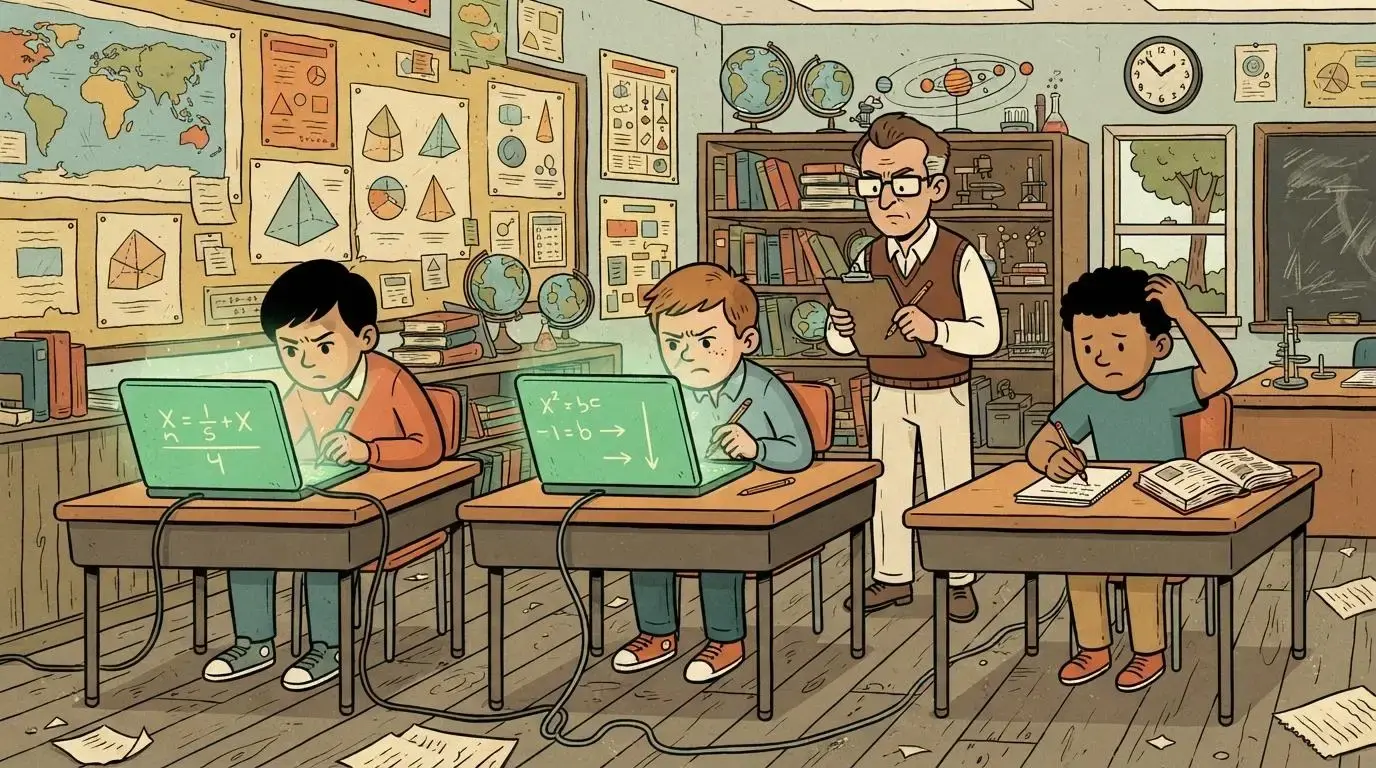
The wild-haired professor's scanning device projecting a wavy green line onto a paper.

Before getting into whether these tools work, it helps to understand what they’re actually doing under the hood. AI detectors don’t compare your writing against a database of known text the way a plagiarism checker does. Instead, they analyze linguistic patterns within the text itself to estimate whether it was written by a person or generated by a large language model.

Two measurements sit at the center of most detection systems. Perplexity measures how predictable a piece of writing is, word by word, based on what a language model would expect to see next. Lower perplexity tends to signal AI-generated text, since models tend to choose statistically likely words.

Burstiness measures how much sentence length and structure vary across a passage. Human writing tends to be bursty, some short sentences, some long, some structurally odd. AI-generated text tends to be more uniform.

Detection approaches generally fall into two categories. Feature-based methods analyze specific, countable characteristics of a text statistically, things like word choice patterns or sentence structure. Model-based methods take a more holistic approach, evaluating the text as a whole rather than isolating individual features.

Worth being clear about one more thing here: AI detectors analyze text structure, not existing texts. That’s a meaningfully different job than a plagiarism checker does, and it’s why AI detection tools are not designed to identify plagiarism at all.

Plagiarism detection compares your text against a body of existing sources. AI detection is trying to answer a completely different question, and conflating the two is one of the more common misunderstandings around these tools.


How Accurate Are AI Detectors Really?

This is where things get genuinely uncomfortable for a lot of institutions that have already invested in detection software. The honest answer, backed by more than one credible source, is not very accurate, and definitely not accurate enough to treat as a verdict.

A few data points worth sitting with:

Tool / Finding Data point
Turnitin (2026 study) Accuracy reported at 61% for AI detection
OpenAI’s own detector Discontinued in July 2023 due to low accuracy
Pangram Reported near-zero false positive rate by 2025
General finding Detectors provide probabilities, not certainties


That last row matters more than it might seem at first glance. AI detectors don’t output a yes or no. They output a probability, a percentage likelihood, and treating that percentage as a definitive answer is where a lot of institutions get into trouble.

Even OpenAI, the company that built ChatGPT and arguably understood its own output better than anyone, discontinued its own detection tool because the accuracy simply wasn’t there. If the company behind the technology can’t reliably detect its own model’s writing, that tells you something about how hard this problem actually is.

Accuracy also isn’t static. It varies significantly by tool, by context, and by how recently the underlying detection model was updated. New generative AI tools launch constantly, and detectors need constant updates just to keep pace, which means a detector that performed reasonably well six months ago may already be falling behind.


Why Do AI Detectors Produce False Positives and False Negatives?

A student looking confused as a glowing green warning stamp lands on their paper for no clear reason.

MIT’s own report gets specific here, and its reasoning is worth walking through carefully, because it’s not just about accuracy percentages. The committee recommends against relying on AI detectors largely because of what happens when institutions try to fight back against evasion. As detection tools improve, so do the tools built to defeat them.

Students respond to automated detection by turning to increasingly sophisticated “AI humanizers,” tools specifically built to strip out the statistical signals detectors are trained to catch. That back-and-forth is, in MIT’s own words, an arms race, and arms races tend to produce a lot of effort on both sides that ultimately serves no one.

The deeper problem is who gets caught in the crossfire. AI detection systems may mistake the writing of non-native English speakers or neurodivergent students for AI-generated text, since these writers often produce prose with lower burstiness or more predictable structure for reasons that have nothing to do with using a chatbot.

Even a low rate of false positives can put a student on edge and trigger a serious, disproportionate consequence over something they didn’t do. A version of this concern has also shown up in independent research beyond MIT’s own report, with some studies finding a notably high rate of non-native English essays misidentified as AI-generated.

That figure deserves its own careful sourcing before being cited anywhere, since it comes from research outside MIT’s committee, not from the report itself, and the two shouldn’t be blurred together.

What Happens When Students Edit or Paraphrase AI-Generated Text?

Here’s where detection gets even shakier. Editing can significantly alter the statistical predictability of AI-generated text. Run a chatbot’s output through a paraphrasing tool, or even just manually rewrite a few sentences, and the perplexity and burstiness signals a detector relies on start to shift toward something that reads as more human.

Detection tools can often be evaded through fairly simple text modifications, and performance degrades noticeably once real editing enters the picture. This is part of why detectors are better understood as a rough, probabilistic signal rather than something you’d stake a student’s academic record on.


What Does MIT’s Report Actually Say About AI Detector Reliability?

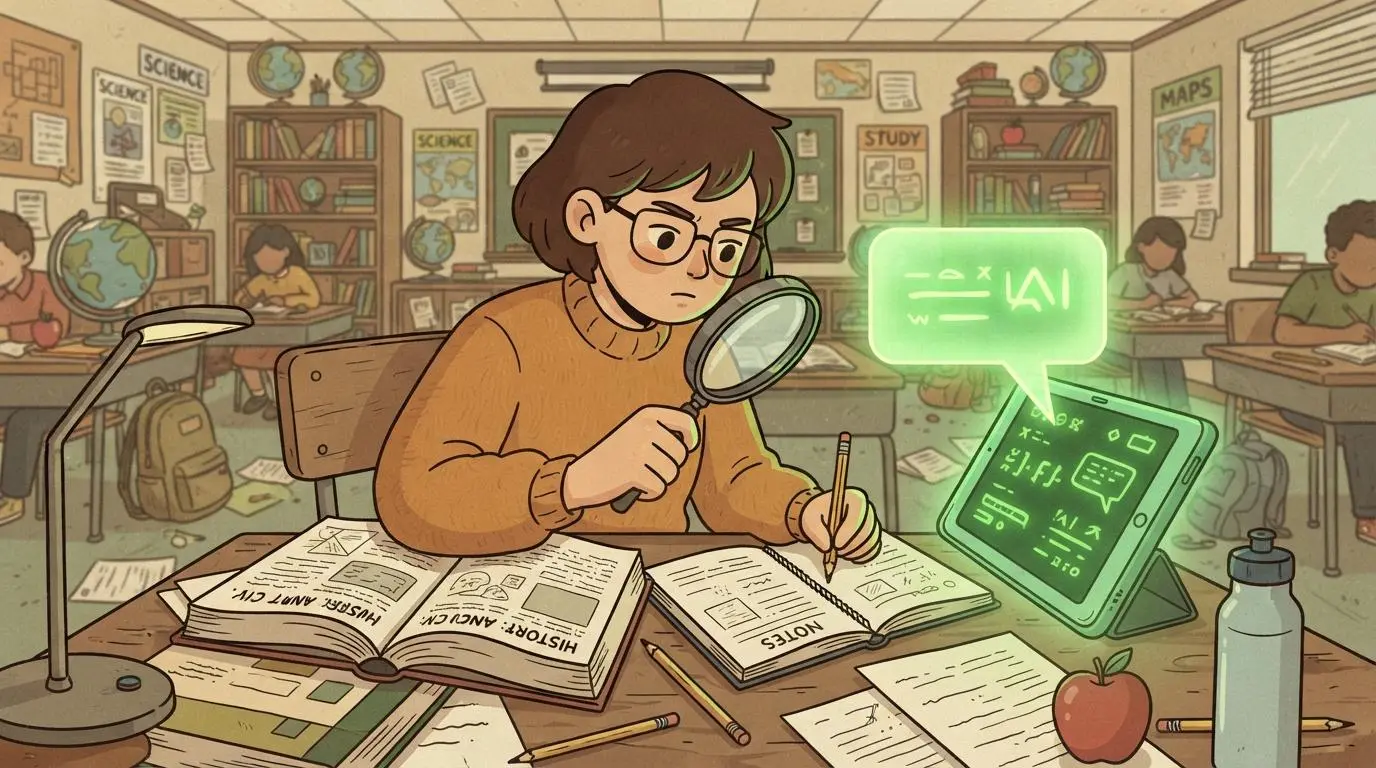
The wild-haired professor reading a thick official report with one paragraph glowing green and highlighted.

Section 3.1.9 of MIT’s report is the most operationally direct part of the whole document, and it doesn’t hedge. The committee states plainly that AI detection software is quite unreliable, and recommends against relying on it as an enforcement tool.

That’s not a soft caveat buried in a footnote. It’s a clear institutional position from a school with as much technical credibility on this subject as any in the world.

The same section takes a similarly blunt view of lockdown browsers, the software that takes over a student’s computer during an exam to block outside access. MIT’s committee notes that the current generation of these tools is buggy, error-prone, and feels like surveillance, and recommends in-person proctored exams as the better option for now, while acknowledging that doing so requires appropriate physical space, a real constraint for a lot of institutions.


Why Are Institutions Moving From Detection Toward Process Evidence?

The most important shift both this report and the broader research point toward is conceptual, not just technical. For years, the dominant question in this space has been simple: did the student cheat? MIT’s committee argues that framing has become inadequate, for two connected reasons.

First, the behavior isn’t really a discrete event anymore. It’s an ambient, gradual shift in how an entire generation of students allocates cognitive effort, not a spike of individual violations you can catch red-handed. You can’t really “catch” a trend.

Second, and more practically, detection doesn’t work well enough to build a policy around, and trying to force it makes things worse. Instructors who have to police AI use report that it damages their relationship with students, a dynamic made worse by exactly how unreliable detection software already is.

The more useful reframe is validity. The real question isn’t whether a student cheated. It’s whether the assessment still measures what it claims to measure. MIT’s report points instead toward process evidence, platforms that capture a version history alongside submitted work, staged deadlines, and feedback given at multiple points rather than only on a finished product.

If a student submits an assignment within a few minutes when comparable work typically takes hours, that’s useful process evidence worth a conversation, evidence that doesn’t rely on a probability score with a 39% error rate behind it.


How Does Broader Research on AI and Learning Corroborate This?

Two separate glowing green research paths on a chalkboard starting far apart and curving to meet at the same point.

It would be easy to treat one institutional report as an isolated opinion. It’s harder to dismiss when a separate line of research, built on actual behavioral data rather than survey responses, reaches for the same underlying conclusion.

Researchers from UC Irvine and McGraw Hill analyzed millions of real student interactions on an adaptive math platform spanning a decade, comparing performance on problems that could be handed to a chatbot against problems that couldn’t.

What they found lines up with MIT’s concerns almost exactly: performance on AI-susceptible problems rose sharply when AI was available and unsupervised, while retention on the same material, tested under proctored conditions with no AI access, actually declined. Two independent groups, one institutional and qualitative, one quantitative and behavioral, arrived at strikingly similar territory without citing each other directly.


How Is Apporto Already Built for a World Without Reliable AI Detectors?

This is where MIT’s recommendations stop being abstract and start describing something that already exists. Where MIT warns against detection, Apporto never built its model around catching students after the fact in the first place.

Where MIT calls today’s lockdown browsers buggy and surveillance-feeling, ExamSpace was designed as a secure environment that governs the full assessment workspace without the invasive takeover that gives lockdown tools their bad reputation.

Where MIT endorses version history as process evidence, TrustEd surfaces exactly that, revision patterns and engagement signals faculty can actually interpret, not an accusatory score with no context behind it. And where MIT argues for augmentation over automation, CoTutor runs on faculty-defined guardrails that keep students cognitively engaged instead of replacing the thinking entirely.

The pattern holds up consistently enough to say plainly: on the specific tooling questions MIT’s report raises, the direction it recommends is a direction that was already built before the report existed.


Conclusion

There’s a particular kind of validation in watching one of the most rigorous institutions in the world spend five months studying a problem and arrive at an approach already running in production elsewhere.

MIT’s report tells the market to move away from unreliable detectors and surveillance-feeling lockdown browsers, and toward secure environments, process evidence, and guardrail-based tools instead. The institutions still relying on a detection score to make high-stakes decisions about a student’s academic record are working from a tool MIT itself just called quite unreliable.

The alternative doesn’t require waiting for the next generation of detectors to finally get accurate. It’s available now, and it’s worth seeing what that actually looks like in practice.


Frequently Asked Questions (FAQs)


1. Are AI detectors reliable?

Not fully. MIT’s Ad Hoc Committee on AI Use describes AI detection software as quite unreliable, citing both a real risk of false positives and an ongoing arms race between detection tools and AI humanizers built to defeat them.

2. What is the accuracy of Turnitin’s AI detector?

A 2026 study reported Turnitin’s AI detection accuracy at 61%, a figure that leaves a substantial margin of error for any high-stakes academic decision.

3. Why did OpenAI shut down its AI detection tool?

OpenAI discontinued its own AI text classifier in July 2023 due to a low rate of accuracy, notable given the company built the underlying model the tool was trying to detect.

4. Can AI detectors be fooled by editing or paraphrasing?

Yes. Editing can significantly alter the statistical predictability that detectors rely on, and even fairly simple text modifications can reduce detection accuracy substantially.

5. What should schools use instead of AI detectors?

MIT’s report recommends process evidence, version history, staged deadlines, and feedback at multiple points in an assignment, paired with secure, non-invasive assessment environments rather than detection software alone.


Does AI Make Students Lazy? What the Research Actually Shows

does ai make students lazy.
Quick Answer

Does AI Make Students Lazy?

AI does not inherently make students lazy, but using it to replace thinking can reduce engagement and weaken independent problem-solving skills. Research shows that students who rely on AI for direct answers may perform worse without it, while guided AI that provides hints and encourages reasoning can support lasting learning.

The academic world is being redefined by generative AI, and it’s happening faster than most institutions have managed to catch up with. The technology promises real gains in student support and teacher productivity, and in a lot of ways it delivers on that promise.

But its rapid, often uncontrolled adoption raises a question worth taking seriously instead of dismissing. Does AI make students lazy? The honest answer sits closer to a lesson from another high-stakes field than most people expect.

Aviation figured this out decades before education had to. Over-reliance on autopilot in the cockpit has been linked to pilots losing fundamental manual flying skills, the kind of instincts you can’t get back just by reading a manual.

A similar risk now looms over classrooms, and it’s not a hypothetical one. When advanced systems take over the thinking, students risk trading deep, effortful learning for instant results.

The tools that promise to elevate them can end up undercutting them instead, quietly, and often without anyone noticing until the test with no AI in the room.


The Autopilot Analogy: What Aviation Already Taught Us

Cartoon illustration of a student sitting in an airplane cockpit-style desk.

The FAA’s warning to pilots about leaning too hard on autopilot was blunt. When the system does all the work, you lose the edge.

You stop reacting the way you used to. And when things go sideways, you’re caught flat-footed exactly when you can least afford to be. Generative AI is quickly becoming the new autopilot for students, and the early signs are already showing up in the data.

In a study of nearly 1,000 high school students, researchers tested two versions of an AI tutor side by side. One gave answers straight up, no friction, no delay. The other gave hints and nudged students to work through the problem themselves before offering anything close to a solution.

The first group crushed the practice problems, no surprise there. But when the real test came and the AI was gone, they flopped. Hard. The second group, the ones who had to actually think a little along the way, held their ground.

That’s the real difference sitting underneath these numbers. One group learned how to solve problems. The other learned how to copy answers, and mistook that for the same thing.

This is what happens when the thinking process gets skipped entirely, again and again, assignment after assignment. Students start to believe they’ve got it. Really, though, they’re just riding along on autopilot. No effort, no struggle, no growth to speak of.

It’s a lot like flying a plane without ever once touching the controls yourself, then being shocked when turbulence hits and your hands don’t know what to do. The technology isn’t the villain here. How it gets used is. If AI is going to have a permanent seat in the classroom, it has to be built to teach and to demand real effort and engagement, not simply to hand over answers on request.


What Does “AI Making Students Lazy” Actually Mean?

Before going any further, it’s worth slowing down on what’s actually happening, because “lazy” undersells the mechanism by a lot. Researchers have a more precise term for it: cognitive offloading.

That’s the act of letting a tool carry mental work you’d otherwise have to do yourself. Used occasionally and on purpose, this isn’t a problem at all. It’s exactly what calculators and spreadsheets have always done, and nobody worries about a student using a calculator to check arithmetic they already understand.

The risk shows up when offloading stops being occasional and starts being constant and unexamined. Researchers Amir Yunus, Peng Rend Gay, and Oon Teng Lee call that pattern metacognitive laziness in a 2025 study on AI-assisted vocational education, and it’s a more useful phrase than “lazy”.

It’s not just skipping effort on one assignment here or there. It’s gradually losing the habit of monitoring your own thinking, checking your own work, catching your own mistakes before someone else has to.

Over-reliance on AI can reduce student engagement in exactly this way, and the effect compounds quietly. A student rarely notices their own evaluation skills weakening in real time. It tends to show up later, on a test, in a moment that isn’t the right time to discover the gap.


What Does the Research Say About AI and Student Learning?

Cartoon illustration of three students at three separate desks.

To understand exactly how generative AI affects student learning, researchers from the Wharton School at the University of Pennsylvania partnered with a large high school in Turkey to run a randomized controlled trial.

Not a survey. Not a self-reported questionnaire asking students to guess at their own habits. An actual controlled experiment, which matters, because people are notoriously bad at reporting their own shortcuts honestly.

They built two distinct AI models to compare head to head. GPT Base was designed to resemble a standard ChatGPT interface, offering direct answers to math problems on request. GPT Tutor, on the other hand, was engineered with real educational guardrails built in.

It provided hints instead of solutions, encouraged step-by-step thinking, and used teacher-designed prompts to guide students without ever handing over the full answer outright. The goal was to find out which model actually helped students learn something durable, not just which one helped them finish their homework faster.

The experiment involved nearly 1,000 students split across three groups: GPT Base, GPT Tutor, and a control group with no AI access at all. Students worked through math problems, and researchers tracked their results twice, once during practice and again on a final unassisted exam where no AI tool was available at all.

Researchers also dug into the student-AI conversations themselves, measuring message frequency, depth of inquiry, and how much genuine cognitive engagement was actually happening in each exchange rather than just assuming engagement from usage numbers alone.

The results confirmed a lot of what educators already feared quietly, but they also pointed toward something workable. Both AI tools dramatically boosted short-term performance. GPT Base raised practice scores by 48 percent. GPT Tutor soared past that with a 127 percent increase, which is a striking number on its own.

The long-term outcomes, though, told a very different story. Students who used GPT Base as a digital crutch for copying answers scored 17 percent worse on the final unassisted exam than the control group that never touched AI at all. Worse than the group with no help whatsoever.

The guardrails built into GPT Tutor prevented this harm entirely, proving something important: AI can genuinely be used without sacrificing the learning underneath it. The difference between a boost and a breakdown came down almost entirely to design.


Why Did Students Using GPT Base Perform Worse on Unassisted Tests?

There’s a pattern that keeps showing up whenever students use AI the wrong way, and it’s remarkably consistent across the research. They copy the answer, skip the thinking, and move on to the next problem. No problem-solving actually happens in that moment.

Nothing gets retained past the immediate task. It feels like learning is taking place, because a correct answer got produced, but it isn’t, not in any way that survives contact with a test.

This mirrors almost exactly what happens to pilots who lean too hard on autopilot. Everything works fine when conditions are normal and predictable. The moment something unexpected happens, though, they freeze, because the instincts required to respond were never actually built in the first place. You can’t fake instinct. It has to come from repetition under real conditions.

The research backs this up directly, and the numbers are hard to argue with. Students using GPT Base performed well during practice, sometimes very well. But when the test came without any help available, their scores dropped by 17 percent.

That’s a clear signal, not a marginal one, that copying answers doesn’t build understanding no matter how confident it feels in the moment. The AI itself wasn’t even reliable to begin with. 42 percent of its mistakes were rooted in flawed logic, and another 8 percent came from basic arithmetic errors, the kind a careful student should have caught. Students didn’t just copy. They copied wrong, and had no idea they’d done it.

Anyone thinking through this carefully should be concerned, not about the score drop itself. That is just the immediate effect, it does not really matter that they get things wrong as education is a place to learn from our mistakes safely. The false confidence, the Dunning-Kruger effect taking place as students walk away from a submitted assignment feeling they are not only saving time by outsourcing to AI, but worse, they are confident they actually learned and are right. This is an even harder one to correct once it’s calcified into a bad habit. 


Does Using AI Bypass Critical Thinking and Problem-Solving Skills?

Cartoon illustration of a student copying a glowing green answer directly from a screen.

The evidence points to yes, but only when AI gets used a specific way, and that distinction matters more than a blanket yes or no. Students using AI may bypass critical thinking entirely rather than developing it, especially when the tool is built to answer first and explain never, or explain only if specifically asked, which most students won’t bother doing under a deadline.

This shows up clearly in evaluation skills too. Students who accept AI answers without verification tend to develop weaker judgment over time, because they never practice the actual skill of checking whether something is correct.

That skill, like most skills, atrophies without use. Using AI as a writing aid carries a similar risk, and arguably a sneakier one, since writing itself is a thinking process rather than just an output. Skipping the drafting struggle skips the thinking that struggle was supposed to produce in the first place. The essay gets written. The thinking that essays are meant to develop doesn’t.

None of this is really an indictment of AI itself being harmful by nature. Over-reliance on AI can reduce engagement and lead to metacognitive laziness, sure, but that same over-reliance can also erode a student’s self-efficacy and confidence in their own ability over time, which is a separate and honestly more troubling cost. Confidence built on a tool doing the work isn’t real confidence. It’s borrowed, and it evaporates the moment the tool isn’t there.

Overreliance can dull foundational skills as basic as memorization and arithmetic too, the kind of skills that usually run quietly in the background, supporting more complex thinking without anyone noticing they’re doing the work. And there’s a subtler cost sitting underneath all of this.

AI can undermine a student’s sense of ownership over their own work, which matters more for motivation and identity than most people give it credit for. Students who don’t feel ownership over what they’ve produced tend to invest less in getting better at producing it.


Why Does Active Engagement Matter More Than Getting the Right Answer?

The negative outcomes with GPT Base make one thing pretty clear. The most effective learning happens when students keep their hands on the controls, literally and figuratively. That means asking questions, trying things that might not work, getting stuck, and figuring a path out through the struggle rather than routing around it entirely.

The same rule applies to flying, and it’s not a loose metaphor, it’s how the aviation industry actually operates. Pilots have autopilot available to them constantly, but they still have to take manual control often enough to stay genuinely sharp. If they don’t, their instincts fade and their skills get rusty in ways that don’t show up until exactly the wrong moment.

The same thing happens with students who lean too heavily on AI, quarter after quarter. Without staying hands-on, the ability to solve problems independently starts to erode, slowly enough that nobody notices until it’s already gone.

Teachers actually have real, practical options here, not just vague encouragement to “use AI wisely.” Push students to explain their steps out loud, not just their final answer. Make them show how they got somewhere, not just what they landed on. Ask them to critique the AI’s response instead of passively accepting whatever it produces.

Have them talk through a problem’s logic in pairs or small groups before ever opening a chat window at all. These strategies turn AI from a shortcut into an actual support system. They shift it from an answer machine into something closer to a thinking partner, one that demands accountability and actually rewards real effort instead of just speed.

The study made this concrete rather than theoretical. Students using GPT Tutor sent more messages, asked deeper questions, and stayed genuinely engaged throughout, asking things like “why does that work?” or “how did you get that?” That’s active learning happening in real time. GPT Base users, by sharp contrast, mostly asked one thing: “what is the answer?”

It was a shortcut through and through, and it skipped the thought process along with the entire point of the exercise. Engagement is what separates a student sitting in the driver’s seat from one just along for the ride, and the results here make that difference nearly impossible to ignore.


How Can Students Use AI Effectively Without Becoming Overly Reliant?

Cartoon illustration of a student checking a glowing green AI-generated answer.

None of this means avoiding AI altogether is the answer, and honestly, that’s not realistic advice for anyone to follow in 2026. The goal is using it in a way that keeps the thinking intact rather than routing around it. A few habits make a real difference here.

Think through the problem yourself first, before ever opening an AI tool, not after getting stuck and reaching for it as a first resort. Use AI to handle low-order tasks, formatting, summarizing, cleaning up a rough first draft, rather than the actual reasoning that the assignment exists to develop.

Verify AI answers with real, careful research instead of accepting them at face value just because they sound confident. And when AI does explain its reasoning, actually check that reasoning yourself rather than nodding along and moving on.


How Should AI Guardrails Be Designed to Prevent Laziness in the Classroom?

If AI is going to keep its place in the classroom, and it clearly is going to, it has to be designed with real purpose behind it rather than convenience alone. That means thinking carefully about how students actually use it day to day, not just giving answers faster because faster feels like progress. It has to slow students down in the right places.

It has to push them to think instead of just producing output. It has to force real involvement rather than passive acceptance of whatever gets generated. AI’s role shouldn’t be supplying answers on demand. It should create a structured environment where students are continually challenged to reflect, reason, and stay genuinely active in their own learning process.

The evidence here is already conclusive, not speculative. Students using GPT Tutor, which offered hints instead of answers, performed better over time in every measure that mattered. Practice scores rose 127 percent compared to the control group.

More importantly, and this is the number that actually matters, those students held their ground on the final exam, matching the control group’s scores almost exactly. That means they actually learned the material, rather than just performing well temporarily while the crutch was available. GPT Tutor worked because it included teacher-written prompts, required real explanations, and gave feedback that made students think instead of simply consume.

Aviation follows this same logic, and it’s not optional there either. Pilots take manual control at regular intervals specifically to keep their skills sharp. That’s protocol, not a suggestion.

Education should follow the same principle. AI should be used to manage low-order tasks and provide scaffolding, freeing up attention for the harder thinking rather than replacing that thinking outright.


Is the Goal of Education Changing Because of AI?

Cartoon illustration of an old dusty textbook on one side of a desk.

There’s a broader shift worth naming directly. As AI becomes able to retrieve and summarize information almost instantly, the actual goal of education is quietly moving away from pure knowledge retention and toward something harder to fake: evaluating information, judging sources, reasoning through ambiguity where there isn’t a clean single answer waiting to be recalled.

Memorizing facts matters less when a tool can produce them on request. Knowing whether those facts are right, relevant, and complete matters more than it ever has. Effective AI use, done with real intention, can support personalized learning and genuine creativity rather than replace the thinking that makes both of those things possible in the first place.


How Does Apporto’s CoTutor Address This Problem?

This is exactly the gap CoTutor is built to close. Rather than defaulting to direct answers, it works within faculty-defined guardrails tied to the actual course and assignment. Hints can come before solutions, students can be pushed to explain their reasoning, and the AI can act more like a coach or challenger than an answer generator.

The bigger shift, though, is what counts as evidence of learning. For a long time, education has mostly worked like this:

Current model

Assignment → Product → Grade

AI makes that model weaker, because the final product no longer tells you enough about how a student actually got there. A polished essay could represent hours of real thinking and revision. Or it could represent one really good prompt. The product can look identical while the learning behind it is completely different.

CoTutor model

Assignment → Thinking process → Evidence of learning → Product → Reflection/defense

That means faculty need to think not only about what students submit, but where the real thinking happens along the way. CoTutor helps preserve that process by keeping students cognitively involved, while giving faculty visibility into how they worked, where they struggled, and how they used AI along the way. The goal isn’t friction for its own sake. It’s keeping the thinking in the loop, because the thinking was always the actual point of the exercise, long before AI showed up to make skipping it so easy.


Conclusion

The data is clear on this, clearer than a lot of debates in education tend to be. AI has real, substantial potential to transform learning, but only when it’s used with structure and intention behind it. Deployed without constraints, AI tools become shortcuts, plain and simple.

Students may show gains in the short term, sometimes impressive ones, but their underlying understanding erodes beneath the surface the entire time, invisibly, until a moment arrives that finally reveals it.

Responsibility for getting this right doesn’t fall on any single group. Educators, developers, and policymakers all have a real role to play here. Nobody should be building tools that do the thinking for students, no matter how good the short-term numbers look.

What’s actually needed are systems that push students to explain themselves, reflect honestly, and try again when they’re wrong. Socratic prompts, feedback loops, and structured constraints aren’t optional extras to bolt on later. They’re essential from the start.

Education is standing roughly where aviation once stood, at a point where automation isn’t going away and the need for human judgment hasn’t gone anywhere either. AI will not lead. It will assist.

And when it’s built that way, deliberately and with real guardrails, learning moves forward without losing what makes it human in the first place. If you’re rethinking how AI shows up in your own courses this year, take a look at how CoTutor puts these exact guardrails into practice.


Frequently Asked Questions (FAQs)


1. Does AI actually make students lazy?

Not inherently, no. The research shows the outcome depends almost entirely on design. AI that gives direct answers encourages copying and leads to noticeably weaker performance once the AI is taken away, while AI built with guardrails, hints instead of answers, preserves and can even improve learning.

2. What is cognitive offloading?

Cognitive offloading is letting a tool handle mental work you’d otherwise do yourself. It isn’t harmful on its own and happens all the time with ordinary tools. But constant, unexamined offloading can develop into metacognitive laziness, where students slowly lose the habit of monitoring and checking their own thinking.

3. Can AI tutoring help students without hurting critical thinking?

Yes, when it’s designed to demand reasoning rather than simply supply it. A Wharton School study found guardrail-based AI tutoring raised practice scores by 127 percent with no drop on unassisted exams, while unguided AI raised practice scores by less and still caused a 17 percent decline on that same unassisted test.

4. How can teachers use AI without encouraging over-reliance?

Effective strategies include asking students to explain their steps out loud, critique the AI’s response instead of accepting it outright, and discuss problem logic with peers before ever consulting AI at all, turning the tool into a thinking partner instead of an answer machine.

5. What is metacognitive laziness?

Metacognitive laziness is the gradual erosion of a student’s ability to monitor and evaluate their own thinking, caused by consistently outsourcing that evaluation to an AI tool instead of practicing it themselves over time.


What is AI Proctoring and How Does It Actually Work?

Quick Answer

What Is AI Proctoring & How Does It Works?

AI proctoring uses artificial intelligence, computer vision, and audio analysis to monitor online exams, verify identity, and flag anything that looks off. On its own, that’s just detection. What actually makes it useful is pairing it with a human proctor who can look at what got flagged and decide what it means, which is the approach that Apporto is built around, based on years of experience working in HigherEd.

Princeton just walked back 133 years of trusting students on their word alone. Starting July 1, 2026, faculty voted to put instructors back in the exam room, not because students suddenly got worse, but because AI made it too easy to cheat without anyone noticing. That’s one end of the spectrum.

On the other end, roughly 160,000 students sat for Mexico’s UNAM entrance exam remotely this year, the first time it had ever been offered that way, leaning heavily on a lockdown browser and AI webcam monitoring to keep things honest. It did not go well. Top scores nearly quintupled compared to previous years. The numbers were so implausible that UNAM ordered 58,000 students back into a classroom to retake the whole thing, this time with a person actually watching.

Two universities, two opposite instincts. One decided AI couldn’t be trusted to watch alone, so it brought humans back in. The other leaned almost entirely on AI and got burned for it. Neither extreme is the answer, and you don’t have to pick one. That middle ground, AI that extends what a proctor can see without ever making the call alone, is exactly where a tool like Apporto ExamSpace is built to sit.


What is AI Proctoring?

AI proctoring uses artificial intelligence, typically computer vision paired with audio analysis, to monitor online exams without requiring a person to watch every session live. Instead of a human proctor sitting in a room or on a video call, AI systems review exam sessions in real time or shortly after, checking for the kind of behavior that suggests unauthorized help is nearby.

It is not one piece of software doing one job. It is a layer of monitoring built into the exam experience itself, running quietly in the background while you work through the test.


How Does AI Proctoring Work?

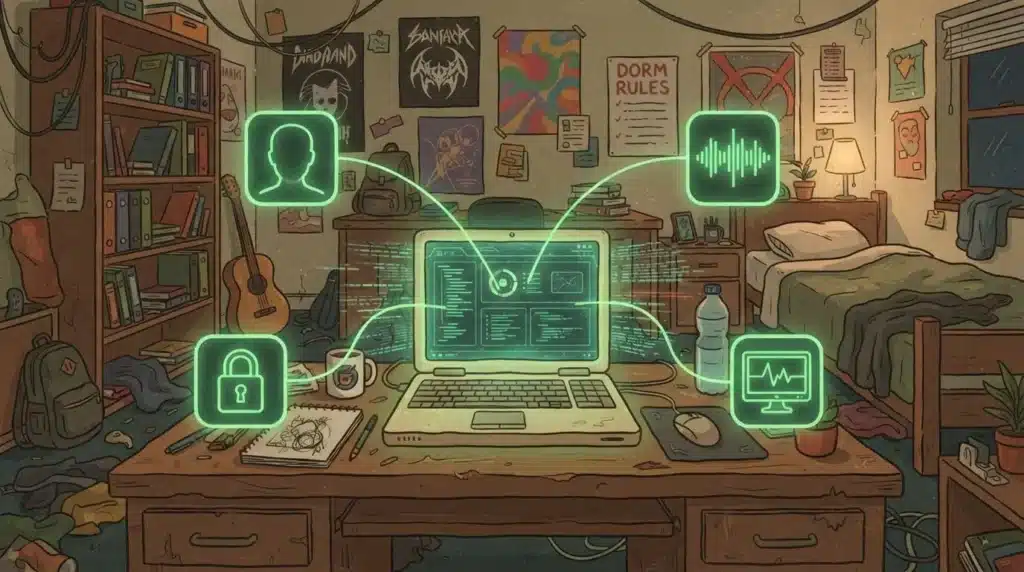
A student's laptop surrounded by small glowing green icons, a face outline, a sound wave, and a padlock, each connected by thin lines converging into one central monitoring screen

A proctor, human or AI, needs to do three things during an exam: confirm who you are, notice anything unusual, and decide what that means. AI handles the first two at a scale no single person could manage alone. Facial recognition confirms your identity before the exam begins, usually by comparing a live photo against an ID or a stored reference image. From there, several tools run simultaneously, feeding what they notice back to a proctor rather than acting on it themselves.

Here is what a typical AI proctoring setup actually monitors:

  • Facial recognition and live photo comparison for identity verification before the exam begins
  • Computer vision tracking gaze shifts, head movement, and unauthorized materials in the exam environment
  • Audio analysis and voice detection flagging unexpected sounds or conversation
  • Browser locking, which prevents test takers from opening new tabs or applications during the exam
  • Machine learning models analyzing multiple data streams simultaneously to flag suspicious behavior in real time

None of these tools work in isolation, and none of them are built to make the final call either. A single gaze shift means very little on its own. What differentiats and makes our proctoring system powerful is not that it notices the pattern across video, audio, and browser activity, what makes it matter is that it then hands that pattern to a Proctor who decides what it means.


What Are the Different Types of AI Proctoring?

Not every AI proctoring setup looks the same, and after what happened at UNAM, the differences matter more than most people realize when they hear the term for the first time.

Type How it works Best for
Live proctoring Human supervisors monitor in real time with AI assistance flagging anomalies High-stakes exams needing immediate human judgment
Recorded proctoring Sessions are captured and reviewed later using AI analysis High-volume testing windows, certification programs
Fully automated proctoring AI systems handle monitoring end to end with no live human involvement Lower-stakes assessments only, this is the setup that failed at UNAM when used for a high-stakes exam
Hybrid proctoring Combines AI detection with human review of flagged moments Emerging industry standard, balances scale and judgment


Hybrid proctoring is the one worth paying attention to. It is quickly becoming the default, not because AI alone isn’t capable, but because pairing it with a human catches what AI alone misses. UNAM found that out the hard way, and it comes up again later in this piece.


How Accurate Is AI Proctoring Compared to Human Proctors?

Wild-haired professor on one side watching a single laptop closely, while on the other side a glowing green robotic figure watches an entire wall of many laptop screens at once

Scale is where AI genuinely outperforms a single human proctor, and the numbers are not close.

Metric AI proctoring Human proctoring
Candidates monitored at once Thousands of exam sessions simultaneously 10-30 candidates at once
Detection accuracy 90-95% 75-85%
Facial recognition accuracy 99.5% in controlled conditions Not applicable
Cost per exam $5-15 $20-40
Cheating reduction vs. unsupervised tests Up to 96% Varies


A human proctor gets tired. A human proctor blinks, glances away, loses focus during hour three of a testing block. AI does not have that problem, which is a large part of why detection accuracy and cost both land in AI’s favor here. But being accurate at flagging something suspicious is not the same as being accurate about what actually happened, and that gap is exactly what tripped up UNAM. The AI flagged plenty. What it couldn’t do was tell the university, on its own, whether the results were trustworthy. That took a commission of human experts and 58,000 retakes to sort out

But accuracy on paper and accuracy that actually protects learning are two different questions, and this is where the story gets more complicated than a comparison table can show.


Does AI Proctoring Actually Improve Exam Integrity?

At Apporto our research came back to these two numbers, because the whole story lives in the space between them. Non-proctored performance on AI-susceptible problems rose 85%. Proctored performance on the same problems fell 25%.

Researchers from UC Irvine and McGraw Hill analyzed 3.2 million real learning interactions on a math platform, spanning a decade, and found that after ChatGPT’s release, students spent noticeably less time on problems that could be typed straight into a chatbot. When those same students were tested under proctored conditions, with AI simply unavailable, their odds of answering correctly fell substantially.

That single fact should reframe how you think about the purpose of proctoring. For years, AI in education has been treated as an integrity question. Did the student cheat? Can detection tools catch them? That framing assumes a discrete event, one moment where a specific student crossed a specific line.

But what this data actually shows is not a cheating event. It is a slow, population-wide drift in how students allocate mental effort, and no detector was built to catch something that gradual. When a non-proctored grade can rise while the underlying knowledge falls, the grade stops measuring what everyone assumes it measures.


What Is Cognitive Surrender and Why Does It Matter?

Researchers have a name for the mechanism behind this gap: cognitive surrender. Students have not become more efficient learners. They have learned to route around the cognitive effort that actually builds durable knowledge, because artificial intelligence is sitting right there to do it for them.

The problem is that the effort was never the obstacle to learning in the first place. The effort was the learning. Think about physical training for a moment. If a machine lifts the weights for you, your numbers on paper look excellent.

The point of lifting and learning is the strain which creates friction and drives improvement. We need to focus on the antithesis of Cognitive Surrender. For students, growth comes from Cognitive Friction, and that friction is exactly what got outsourced. You end up with the record, minus the muscle that was supposed to come with it.

That is cognitive surrender in a single image, and it is why human oversight matters even when AI systems are technically accurate at flagging behavior. Accuracy at spotting a rule violation and contextual understanding of what a student actually knows are not the same skill.


What Are the Benefits of AI Proctoring for Institutions?

Wild-haired professor happily stacking many small exam folders that are being sorted automatically by a glowing green conveyor belt

None of this means AI proctoring is the wrong tool. It means the case for it needs to rest on the right benefits, not just the promise of catching cheaters.

  • Can monitor thousands of exam sessions simultaneously, unlike human proctors capped at 10-30
  • Enables consistent monitoring standards across every test session, reducing human error and inconsistency
  • Lets certification bodies and higher education institutions offer exams anytime rather than scheduling around proctor availability
  • Reduces costs associated with physical proctors and testing centers

For certification providers running thousands of exams a year, that scale advantage alone can be the difference between offering flexible testing windows and forcing every candidate into a handful of scheduled slots.


What Are the Concerns and Limitations of AI Proctoring?

The scale that makes AI proctoring appealing is also where its limitations show up most clearly.

  • AI systems can misinterpret normal behavior, like excessive gaze shifts, as suspicious, causing false positives
  • Algorithmic bias in facial analysis can disproportionately affect individuals with darker skin tones
  • Privacy concerns arise from continuous video and audio monitoring and the data collection involved
  • Technical barriers, like poor internet access, can disadvantage some students regardless of their actual performance
  • Organizations deploying AI proctoring must comply with regulations like GDPR for data processing

A student glancing away to think through a problem is not automatically cheating. A dog barking in the next room is not a confession. Treating an ambiguous signal as an institutional verdict does not reduce risk. It just moves that risk from the exam itself into an appeals process nobody wanted to deal with in the first place.


Why Does AI Proctoring Still Need Human Oversight?

A flag is not a verdict. That distinction matters more than almost anything else in this conversation. AI proctoring is genuinely useful at surfacing moments worth a second look, but deciding what those moments mean still requires a human being who understands context.

This is exactly why hybrid proctoring, AI detection paired with human review, is becoming the industry standard rather than staying a niche option. The technology controls what it can control and records what occurred. People interpret what that record actually means.


How Can Institutions Balance Security and Student Privacy in AI Proctoring?

Balancing security with privacy is not a box to check once during procurement. It is an ongoing responsibility. Ethical AI proctoring starts with transparency, telling students clearly what is being monitored and why, rather than letting a vague privacy policy do that job.

End-to-end encryption should protect exam data in transit and at rest, since biometric and behavioral data is sensitive by nature. And institutions should run regular equity audits, checking whether the system is flagging certain groups of students more often than others, before that bias quietly shapes outcomes nobody intended.


What Alternatives Exist to Traditional AI Proctoring?

More surveillance is not always the answer, and the research actually supports stepping back from that instinct. Assessments that are AI-resistant by design, requiring visual interpretation, multi-step manipulation, or context-specific reasoning, are far harder to hand off to a chatbot in the first place.

These were never built as anti-cheating features. They were built as good pedagogy, and the integrity benefit turned out to be a side effect. Educational institutions experimenting with project-based assessments are finding the same thing: when the task itself resists shortcutting, you need less monitoring to trust the result.


How Does Apporto Approach AI Proctoring Differently?

Wild-haired professor reviewing a floating glowing green flagged moment on a screen, magnifying glass in hand, calmly deciding rather than reacting

At Apporto, the starting question is not how to lock a student down. That framing already assumes the wrong relationship between institution and student. The better question is how to build a testing environment where students can use approved resources, institutions can restrict what should not be available, and faculty still retain enough visibility to trust the process.

That question shapes three connected pieces. ExamSpace secures the exam itself, governing the full assessment workspace at the infrastructure level rather than locking a single browser tab, so the exam can include the real tools a course actually teaches with.

CoTutor protects the productive effort that happens during practice, long before the exam, using faculty-defined guardrails so AI supports thinking instead of quietly replacing it. TrustEd makes the learning process visible, surfacing writing timelines and revision patterns as context for a professor rather than handing down an automated accusation. Together, these three pieces treat AI proctoring as one part of a larger assessment lifecycle, not a single gate at the end of it.


Conclusion

The real question was never whether students are using AI. That question is already settled. The real question is whether your assessments are measuring the student or measuring the tool. AI proctoring, used well, is one part of the answer, but only one part. Securing the exam matters. Protecting effort during practice matters just as much.

Making the learning process visible enough for a professor to actually teach into the gap matters most of all. If you are auditing your institution’s assessment strategy this year, that is the place to start. Schedule a walkthrough of how ExamSpace, CoTutor, and TrustEd work together across the full assessment lifecycle.


Frequently Asked Questions(FAQs)


1. How does AI proctoring work?

AI proctoring combines facial recognition, computer vision, and audio analysis to verify identity and monitor exam sessions for suspicious behavior, often supported by browser locking that restricts other applications during the test.

2. Is AI proctoring more accurate than human proctors?

At flagging behavior, yes, studies put AI in the 90-95% range versus 75-85% for a single human proctor. But flagging isn’t the same as judging. AI can tell you something looks off. Deciding what it means, and what to do about it, still takes a person, which is exactly where UNAM’s fully automated approach fell short.

3. What are the main concerns with AI proctoring?

False positives, algorithmic bias in facial recognition, privacy around continuous monitoring, and technical barriers like unreliable internet access are the most commonly documented concerns.

4. Does AI proctoring comply with privacy regulations like GDPR?

It can, but compliance depends on the specific platform and institution. Organizations deploying AI proctoring are responsible for how exam data is collected, stored, and processed under regulations like GDPR.

5. What is hybrid proctoring and why is it becoming standard?

Hybrid proctoring combines AI detection with human review of flagged moments. It is becoming the industry standard because it keeps the scale advantages of AI while ensuring a person, not an algorithm alone, makes the final call.

Is Lockdown Browser Invasive? Why Higher-Ed Needs Environment-Level Exam Governance

Cheating used to be simple.

Not good. Not acceptable. Just simple.

A folded note under the sleeve. Writing on the back of your hand. A calculator that somehow knew more than the textbook. Maybe the classic look-left-look-right routine that fooled absolutely no one except the student performing it.

The model was physical, the boundaries were obvious, and the unauthorized help was somewhere in the room.

That world is gone, and the tools institutions built to replace it, lockdown browsers chief among them, have brought a new question along with them: is lockdown browser invasive, or is it simply doing the job it was designed to do.

The hidden note does not need to be under a sleeve anymore. It can be a digital ghost sitting beside the student. Not physically there. Not obvious. Not something the old exam rulebook was built to handle. The assistance can be remote, synthetic, invisible, and sitting one tab, one application, one device, or one workflow away from the assessment.

This is why I believe the secure testing conversation in Higher-Ed is so often framed incorrectly, and it’s also why so many students end up asking that same pointed question before an exam even starts.

Why Do Students Find Lockdown Browser Invasive?

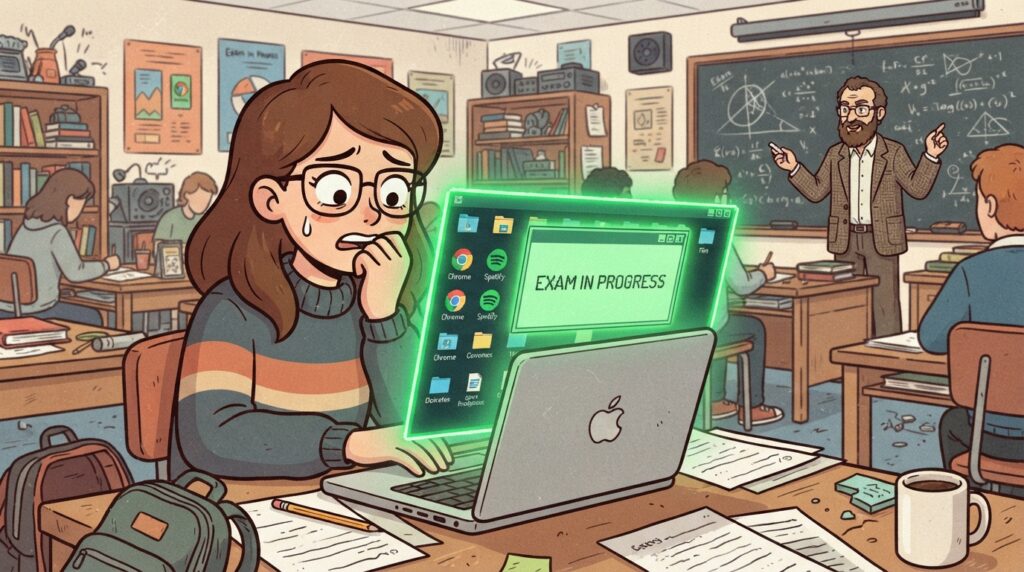
Cartoon illustration of a student watching nervously as a glowing green exam window expands to swallow every other icon and open window on their laptop screen.


Browser lockdown made sense when the assessment lived almost entirely inside the browser.

Lock the tab, block outside websites, disable copy and paste. For a basic exam, that model was understandable.

But modern assessment is not always a collection of radio buttons and text fields.

A meaningful exam may require Excel, CAD, a coding IDE, SPSS, a database tool, licensed applications, datasets, course files, and enough computing power to complete the kind of work students will eventually perform outside the classroom.

This is where the old lockdown model starts to feel like putting a bicycle lock on the front door while the building has no walls.

You can lock the browser all day, but if the assessment requires a real workspace, then the browser is not the environment. It is one window inside the environment.

The question is no longer, “Can we lock a tab?”

The better question is, “Can we govern the workspace where the exam actually happens?”

When the answer is no, institutions are forced into bad choices. Simplify the assessment until it fits inside a lockdown browser, weakening authenticity. Or allow the real tools while losing control and visibility, weakening integrity.

One option makes the exam less realistic. The other makes the result harder to trust.

It’s worth naming plainly why students find this invasive in the first place. Students often describe lockdown browsers as intrusive and stressful, and that reaction isn’t irrational.

Many students also report technical glitches during exams, freezes, crashes, connectivity drops, and when that happens mid-test, the anxiety compounds fast. The software becomes one more thing to worry about, on top of the material itself.

What Privacy Concerns Come With Lockdown Browsers?

A meaningful part of the “invasive” reaction comes down to privacy, and the concerns here are specific enough to name directly:

  • Data storage practices around lockdown browsers used in exams raise real questions, since session recordings and data have to live somewhere after the exam ends
  • Concerns include the over-collection of personal data and the possibility of a security breach exposing that data later
  • Some proctoring software uses facial recognition and eye tracking, which extends the tool’s reach into biometric data, not just exam responses
  • Keystrokes and mouse movements can be monitored during a session
  • These concerns have led some universities to reject online proctoring altogether, choosing different assessment methods instead

Can Lockdown Browser Damage Your Computer?

Cartoon illustration of a student holding up a glowing green shield in front of their own laptop.


This question comes up often enough to address directly. Some students have reported system crashes while using proctoring software, and some describe performance issues on their laptop after installation, including on Windows and Mac systems.

These are reported experiences worth taking seriously, not confirmed technical findings, and results can vary depending on your system and what else is running on the device at the time.

Some critics have gone further, describing Respondus LockDown Browser as behaving like a rootkit, pointing to the level of system access it requests during install. That characterization comes from specific critics and student discussions online, not from an independent technical audit, and it’s worth treating as a viewpoint to be aware of rather than a settled fact. If system-level access is a concern, it’s a reasonable question to bring to your university’s IT office directly.

If you’ve finished the course that required it and want it gone, most students find that removal takes a bit more effort than a typical uninstall. Standard removal through your Control Panel on Windows or dragging the application to trash on a Mac usually gets most of it.

Some users report needing to manually clear leftover files, background services, or registry entries afterward, followed by a restart, before the program is fully gone from the system.

The Surveillance Detour

When institutions realize browser lockdown is not enough, the conversation often jumps directly to surveillance. Webcam flags. Room scans. Eye movement alerts. Face recognition. Suspicious behavior scores. The student slowly becomes a walking probability problem.

Dun dun dunnnnn.

To be sure, identity verification and session monitoring can be legitimate depending on the assessment. But if the entire strategy becomes “watch the student harder,” we are solving the wrong layer of the problem.

The more useful questions are about the environment.

What tools were available? What applications were allowed? What resources could be opened? What network paths were accessible? What files could move in or out? What happened during the session? What evidence would be available if a faculty member needed to review an event later?

That is different from attempting to read intent through a webcam like it is a crystal ball.

A student looking away is not automatically cheating. A sound in the room is not a confession. A system flag is not a conviction. Turning an ambiguous signal into an institutional verdict does not reduce risk. It moves the risk from the exam into the appeals process.

Evidence has to be understandable. Context has to be visible. Faculty judgment has to remain the final decision point.

Otherwise, the institution is outsourcing suspicion.

What Are the Alternatives to Lockdown Browser for Online Exams?

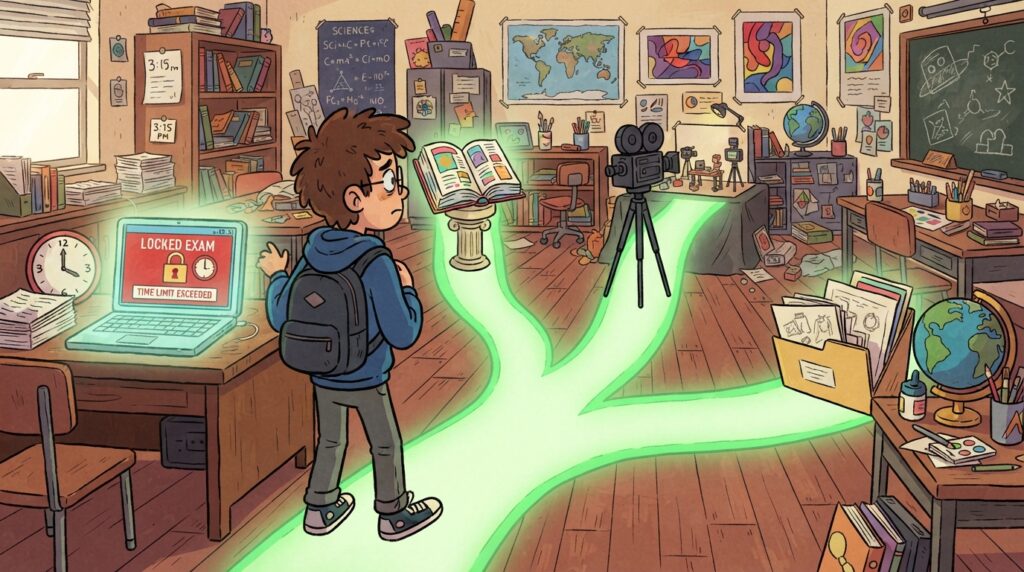
Cartoon illustration of a student standing at a fork in the road made of glowing green paths, turning away from a laptop showing a locked fullscreen exam window.


Some institutions aren’t waiting around for a perfect answer. A few are already testing different approaches: moving away from traditional high-stakes exams toward project-based assessments, offering open book exams to reduce the need for surveillance, or proctoring live over Zoom as a more human alternative to automated monitoring. Some faculty treat proctoring software as a last resort rather than a default setting for every course.

None of these come free of tradeoffs. Alternative assessments often mean more grading time for instructors, which is part of why lockdown browsers remain common on campus even where student frustration with them runs high.

What the Research Actually Tells Us

The research on digital proctoring keeps returning to a frustratingly human conclusion: there is no magic signal.

A 2026 systematic review published in Springer Nature’s Discover Education synthesized 80 peer-reviewed studies from 2014 through 2024 on automated and AI-supported proctoring systems.

It examined machine learning, deep learning, biometric verification, environmental monitoring, system performance, and the ethical and practical realities of deployment.

The useful takeaway is not that more AI automatically produces more trustworthy exams.

The review describes a field filled with tradeoffs. False positives and false negatives remain a challenge. Performance can vary across demographics, lighting conditions, devices, datasets, and real-world environments.

Many systems lack contextual awareness, meaning they can notice movement or sound without understanding why it happened. The research points toward integrated, multi-layered frameworks rather than one signal pretending to know the truth.

Other studies reach the same pressure point. Digital proctoring research connects security with adoption and implementation, while privacy research raises questions around transparency, fairness, consent, accountability, and accuracy. Faculty research adds the practical tradeoffs around trust and assessment design.

That is where vendor marketing tends to become inconveniently quiet.

The literature does not support the fantasy that one mysterious score should decide what happened. It supports a governance model where technology controls what it can control, records what occurred, and gives humans enough context to interpret the evidence responsibly.

A flag is not a verdict. No visibility is not trust.

Both statements have to remain true.

Is There a Better Way to Secure Online Exams Without Being Invasive?

Cartoon illustration of the wild-haired professor drawing a glowing green boundary line with a ruler around a student's entire desk full of open approved tools and files.


At Apporto, the way we think about secure testing begins with a different question.

Not, “How do we lock the student down?”

That framing is already poisoned.

The better question is, “How do we provide a controlled, functional assessment environment where students can use approved resources, institutions can restrict what should not be available, and faculty still retain enough visibility to trust the process?”

That is environment-level governance.

ExamSpace is built around that model. It provides a secure, browser-based virtual desktop assessment environment without requiring a traditional student-side installation or VPN. Instead of controlling one browser tab, the institution governs the assessment workspace at the infrastructure level.

An exam can include approved software, controlled files, coding environments, professional applications, and institutionally permitted AI tools without opening the rest of the digital universe.

Students can access the tools required for an authentic assessment, while the institution defines boundaries around applications, network access, files, clipboard activity, and the broader environment.

The assessment does not have to become less authentic simply to become more secure.

If an institution teaches with professional tools and then tests through a stripped-down imitation, the assessment is serving the security product instead of the learning objective.

The tool should adapt to the assessment.

The assessment should not shrink itself to fit the tool.

Evidence, Not Accusation

Controlling the exam workspace solves one part of the problem. Understanding how work was created solves another.

This is where TrustEd fits.

TrustEd is designed to provide process visibility rather than a black-box accusation. It can reconstruct how work developed through writing timelines, keystroke and edit patterns, copy and paste events, writing velocity, revision behavior, and other contextual signals.

Faculty can review the sequence and examine flagged moments instead of receiving a mysterious percentage with no story behind it.

Imagine a large block of text appears inside a submission. The event may deserve review. But the event alone does not tell you whether the student copied from an unauthorized source, moved content from an approved draft, recovered work after a technical issue, or used a permitted workflow.

The signal starts the question.

It does not answer it.

TrustEd presents evidence for faculty review while leaving the decision with the institution and instructor. That protects students from automated accusation, gives faculty something they can explain, and creates a more defensible process if a case moves into formal review.

This is not about building a better digital police officer.

It is about building a better record of what happened.

What Should Universities and Professors Consider Before Choosing Proctoring Software?

Higher-Ed leaders do not need to become infrastructure engineers, but they do need to ask better questions.

First, stop evaluating secure testing products only by asking whether they can lock a browser. Ask whether the environment can support the applications, files, resources, and workflows required by the assessment. If the tool forces faculty to reduce an authentic task into a simplified imitation, the institution is paying for security by weakening learning validity.

Second, require evidence-first integrity workflows. Any automated signal should be traceable to an observable event, presented with context, and subject to human review. Institutions should be skeptical of proprietary scores that cannot be explained to the faculty member, the student, or the academic integrity committee.

Third, separate visibility from surveillance. More data does not automatically create more truth. Governance should define what is collected, why, who can access it, and how interpretations can be challenged.

Finally, frame academic integrity as the protection of authentic learning rather than an endless hunt for wrongdoing. “Evidence,” “process visibility,” “assessment validity,” and “faculty review” lead institutions toward better systems than “catch,” “detect,” and “punish.”

The goal is not to win an arms race against students.

The goal is to make the assessment worth trusting.

The Line Higher-Ed Has to Draw

AI created some of the new problem. It made assistance more available, more capable, and far less visible than the folded note under the sleeve.

But AI and modern infrastructure can also help institutions respond more intelligently. Better controls. Better evidence. Better review workflows. Better distinctions between a signal and a conclusion.

The future of secure testing should not be a more aggressive webcam pointed at a more anxious student.

It should be a governed environment that supports authentic work, limits unauthorized access, records meaningful events, protects privacy where possible, and keeps faculty judgment exactly where it belongs.

The student who studied deserves that. The faculty member grading fairly deserves that. And the institution standing behind the credential absolutely needs that.

We should not be choosing between blind trust and automated suspicion.

We should be building the middle: trust supported by evidence, authentic assessment supported by secure infrastructure, and verification that does not forget the human being on the other side of the screen.

That is the line between browser lockdown and exam governance.

And Higher-Ed crossed it the moment the hidden note became a digital ghost.

Frequently Asked Questions (FAQs)

1. Is LockDown Browser invasive?

Many students describe it that way, largely due to webcam monitoring, browser restrictions, and occasional technical glitches during high-stakes exams.

2. Is Respondus LockDown Browser considered a rootkit?

Some critics describe it that way because of its system-level access during installation, though this is a characterization from specific critics rather than an independent technical finding.

3. Can LockDown Browser damage my computer?

Some students have reported crashes or performance issues, though these are user-reported experiences rather than confirmed technical findings, and results vary by system.

4. How do I fully remove LockDown Browser from my computer?

Standard uninstall steps usually work, though some users report needing to manually clear leftover files or background services, followed by a restart.

5. What are the alternatives to LockDown Browser for online exams?

Options include open book exams, project-based assessments, live Zoom proctoring, and environment-level platforms that govern the full exam workspace instead of locking a single browser tab.


Sources and Further Reading

  1. Springer Nature, Discover Education “Ensuring academic integrity through automated online exam proctoring: a decade-long systematic review” https://link.springer.com/article/10.1007/s44217-026-01224-3
  2. International Journal of Educational Management “Digital proctoring in higher education: a systematic literature review” https://www.sciencedirect.com/org/science/article/pii/S0951354X23002594
  3. arXiv “Privacy as Contextual Integrity in Online Proctoring Systems in Higher Education: A Scoping Review” https://arxiv.org/abs/2310.18792
  4. USENIX Security / arXiv “Educators’ Perspectives of Using (or Not Using) Online Exam Proctoring” https://arxiv.org/abs/2302.12936
  5. Open Praxis / ERIC “A Systematic-Narrative Review of Online Proctoring Systems and a Case for Open Standards” https://eric.ed.gov/?id=EJ1481131


Using AI in Higher Education: Why Institutions Keep Misreading New Learning Tools

using ai in higher education
Quick Answer

How Is AI Used in Higher Education?

Using AI in higher education helps personalize learning, streamline administrative tasks, and support teaching through tutoring, grading, and feedback tools. When paired with clear policies and faculty oversight, platforms like Apporto enable responsible AI adoption while protecting academic integrity, student privacy, and meaningful learning outcomes.

Every new learning tool seems to trigger the same institutional reaction. First concern, then resistance, then policy, then adoption.

Using AI in higher education is the newest version of an old argument: does the tool weaken the learner, or does it open a better conversation with knowledge.

The scale of adoption already suggests the argument is behind the reality. 86% of students use AI in their studies, and most institutions are still working out what “using it well” should actually mean.


What Does Using AI in Higher Education Actually Look Like Today?

Using AI in higher education now spans a wide range of AI tools, from AI tutoring assistants and grading support to admissions automation and adaptive learning platforms. It is not one product category.

It is a growing set of AI systems and AI platforms, each doing a different job inside the institution, from the classroom to the registrar’s office.

The scale is no longer in question. As per studies, 93% of educators expect AI’s integration to deepen over the next decade, and 61% of faculty have already used AI in teaching in some form. Generative AI, in particular, has moved faster into daily academic work than most institutions have built policy for.

The question higher education institutions now face is not whether to adopt these tools. It is how to adopt them without weakening the learning they exist to support.


Why Do Higher Education Institutions Keep Misreading New Learning Tools?

Timeline illustration of a quill pen, book, calculator, computer, and AI chip, showing the history of new learning tools in higher education

Higher education has been here before, at least emotionally. Writing was once treated as a threat to memory. Books were treated with suspicion. Calculators were going to weaken math. Computers were going to distract students. The internet was going to destroy research because students could just look things up. Now it is artificial intelligence, and the concern is not unreasonable.

In Plato’s Phaedrus, writing is criticized because it may produce reminding instead of remembering, and the appearance of wisdom instead of real understanding. Replace “writing” with artificial intelligence and you have a fair summary of most faculty meetings on this topic today.

A new tool arrives. It changes access to knowledge. Institutions worry students will stop developing the underlying skill. Some of that worry is valid. Some of it is fear dressed up as rigor. The pattern has repeated with enough consistency that it is worth laying out plainly.

Table: The tool panic cycle

Tool Institutional fear What eventually changed
Writing Students will stop remembering Knowledge became more durable and transferable
Books Students will rely on others’ thinking Reading became central to scholarship
Calculators Students will stop learning math Math education shifted toward concepts and applications
Computers Students will be distracted or dependent Digital work became basic academic infrastructure
Internet Students will stop researching properly Information literacy became more important
Artificial intelligence Students will outsource thinking AI literacy, process visibility, and better assessment design become necessary


That last row is where the work is now. Artificial intelligence differs from the internet because it does not just give access to information.

It can transform information into output. It can summarize, explain, draft, revise, solve, simulate, and coach. That makes it more powerful, and more disruptive to teaching and learning practices, than a search bar ever was.


Does Using AI in Higher Education Weaken Critical Thinking?

This is the part of the argument that deserves a real answer, not a dismissal. Many students express genuine concern about AI undermining their critical thinking skills, and the data backs that concern up in part. 53% of students worry about AI’s accuracy and reliability, which is a fair worry given how confidently AI systems can present incorrect information as fact.

But danger is not the same as destiny. A student who uses AI to get a direct answer without engaging the reasoning behind it is not learning much.

A student who uses AI to compare explanations, challenge assumptions, and work through complex concepts step by step may be learning more deeply than they would have alone. The tool does not decide the outcome. The way it gets used does.


What Is the Real Divide in How Students Use AI?

Split illustration comparing passive AI use versus active engagement, showing two different ways students use AI tools

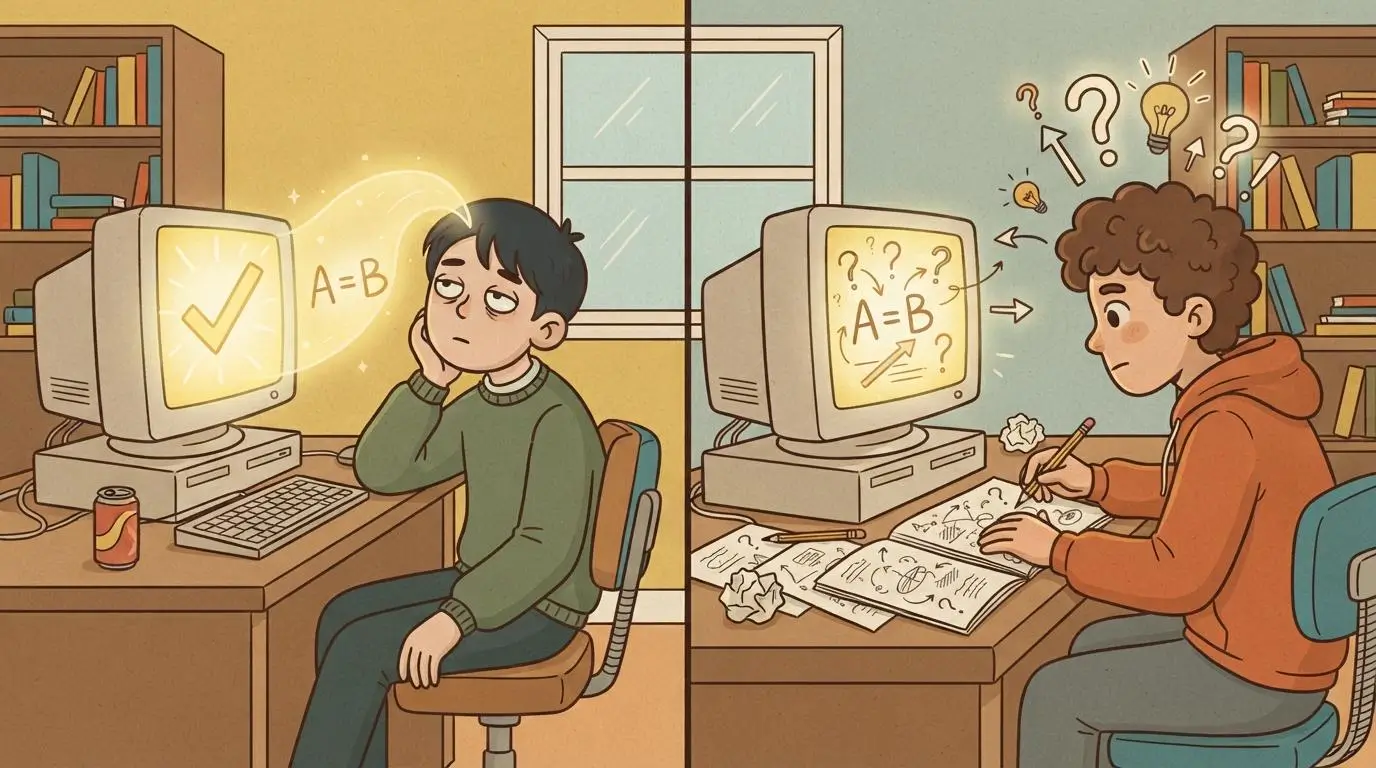
The real divide is not AI access. It is AI use quality. The institutions that succeed with AI will not be the ones that simply allow or ban it. That framing is too shallow to be useful, and it ignores how differently the same tool can function depending on the student behind it.

Two ways students use AI:

  • Answer-machine use — asking AI for a direct answer without engaging the reasoning behind it, which limits learning and can erode academic outcomes over time
  • Extend-thinking use — using AI to compare explanations, test assumptions, practice retrieval, and revise reasoning at the student’s own pace, which supports student engagement rather than replacing it

If the AI tool sits outside the learning environment, faculty lose visibility, students get inconsistent guidance, and academic integrity offices get pulled in only after something has already gone wrong.

If AI sits inside the learning workflow, the institution can define boundaries, align AI behavior to course goals, and support students without pretending every use case is the same.


How Can Higher Education Institutions Integrate AI Into Teaching and Learning Practices?

This is where more nuance is needed. AI used during practice is not the same as AI used during a final exam. AI used for brainstorming is not the same as AI writing the final submission. A tiered AI policy for higher education  can help institutions establish different guidelines for AI use based on course objectives, assignments, and assessment requirements.

AI used to explain a concept is not the same as AI completing the work. Those distinctions matter, and a blanket “use AI responsibly” policy is not a workflow. It does not tell the student what is allowed, tell the faculty member how the tool behaves, or give administrators anything they can actually govern.

Table: AI role by learning context

Learning context AI role Product design need
Practice Explain, coach, quiz, give hints Encourage effort before answers
Brainstorming Suggest angles, ask questions Support exploration, not final output
Final exam Minimal or no assistance Protect independent performance


Faculty use of AI already reflects this unevenness in practice. Roughly 22% of instructors currently use generative AI tools directly in their coursework, often through general-purpose platforms like Microsoft Copilot rather than anything designed specifically for the classroom. That gap, between general AI use and course-aligned AI use, is exactly what clear guidelines and better product design are meant to close.

A chemistry course, a writing course, a nursing simulation, and a business case analysis all need different AI behavior, and sometimes the rules change by assignment within the same course.


What Are the Ethical Concerns of Using AI in Higher Education?

shield protecting student files

Ethical concerns are not an abstract worry attached to AI adoption. They show up consistently in how students and faculty describe their own hesitation, and the numbers are specific enough to act on.

What the data shows:

None of this means institutions should avoid AI. It means student data, privacy, and integrity need to be treated as design requirements from the start, not questions to answer after a tool is already in wide use.


Is AI Detection the Right Way to Protect Academic Integrity?

A lot of institutions initially reached for AI detection as the answer. That is understandable, but detection-only strategies rest on a weak foundation.

OpenAI retired its own AI text classifier in 2023 because of its low accuracy rate, while noting ongoing work on better provenance techniques. AI tools can also generate misleading or inaccurate information themselves, which should make any institution cautious about treating a detection score as a final judgment on a student’s work.

This does not mean authorship questions should be ignored. It means the evidence model needs to mature. The more useful question is not “does this look AI-written.”

It is what the assignment policy allowed, what support the student received, what changed between draft and submission, and whether the student can explain their own reasoning. That is a richer and fairer way to evaluate academic work, and it is closer to how real learning gets assessed in the first place.


How Is AI Enabling Personalized Learning in Higher Education?

Illustration of branching pathways from an open book leading to individual student icons, representing personalized learning in higher education

Personalized learning is where AI’s upside is most concrete. Adaptive learning platforms can customize educational content to an individual student’s needs rather than delivering the same material at the same pace to everyone in a course.

What personalized AI support looks like:

  • Adaptive learning platforms customize educational content to individual student needs and varying levels of prior knowledge
  • AI enables students to learn at their own pace and in a way suited to their learning styles
  • AI can enhance accessibility for students with disabilities, supporting a wider range of learners than traditional formats allow
  • AI can improve academic advising by recommending courses and monitoring individual student progress over time
  • Predictive analytics can help identify at-risk students earlier, giving advisors real time insights that support academic success before a student falls too far behind

These are not hypothetical capabilities. They are the personalized learning experiences institutions are already piloting, and the ones most likely to move the needle on student success at scale.


How Are Higher Education Institutions Using AI to Automate Administrative Tasks?

Separate from teaching and learning, AI is quietly reshaping institutional operations. Much of this work is unglamorous, but it saves time and improves efficiency in ways that free up staff for higher-value work.

Common administrative use cases:

  • AI-powered chatbots providing 24/7 support for routine administrative inquiries
  • Automating admissions and enrollment processes, including application screening, to reduce manual effort
  • Drafting emails, creating presentations, and checking grammar as part of everyday academic work
  • Automating grading for nearly 100% of multiple-choice exams
  • Streamlining financial management and scheduling as part of broader administrative workflows

82% of institutions plan to use AI in college admissions within the next year, which signals this is no longer an experimental use case. It is becoming standard institutional infrastructure, the same way digital work became basic infrastructure after computers arrived on campus.


What Do Higher Education Leaders Need to Know Before Adopting AI?

Higher education leaders and higher education professionals evaluating AI adoption need to treat it as a strategic planning question, not just a procurement decision.

Faculty and students both require training for AI integration to work well in practice, and implementation requires real investment in infrastructure and personnel, not just a licensing agreement.

The stakes justify that investment. The AI education market is expected to exceed $20 billion by 2027, and institutions that treat curriculum design and professional development as afterthoughts will likely fall behind peers that build AI literacy into faculty development from the start.


How Should Higher Education Use AI Responsibly Going Forward?

 guardrails being drawn around a university building blueprint

The better question is not whether AI weakens the learner. It is whether institutions are designing the learning environment well enough for AI to strengthen the learner instead.

That means clear guidelines for community members across the institution, not just students. It means faculty guardrails that function as product-level controls, not policy documents sitting on a website. It means assessment redesigned around what AI has changed, rather than assessment defended as if nothing has changed at all.

This is where Apporto’s AI in higher education approach becomes more than a collection of AI features.

CoTutor can support learning inside faculty-defined boundaries.

PowerGrader can strengthen feedback loops and rubric alignment so grading becomes part of the learning process rather than the end of it.

TrustEd can help institutions understand authorship and process without relying on a single, unreliable detection score.

ExamSpace can protect the moments where independent performance genuinely matters.

Together, they reflect a simple premise: responsible use of AI in higher education is a design problem before it is a policy problem. If your institution is still working through what that looks like in practice, talk to Apporto’s team about how the AI suite fits your existing workflows.


Conclusion

Books did not end thought. The internet did not end learning. Calculators did not end math. They changed what had to be taught, what had to be measured, and what kind of judgment mattered most. AI is doing the same thing, just faster.

The tool is already here, used by the overwhelming majority of students and a growing share of faculty. The work now is teaching students how to think with it, not pretending institutions can hide from it.

If your institution is still working out what that should look like in practice, Apporto’s AI suite was built around exactly this problem.


Frequently asked questions (FAQs)


1. What does it mean to use AI responsibly in higher education?

It means AI is deployed inside clear, faculty-defined guardrails rather than left as an unmanaged external tool, with visibility into how students are actually using it and assessment designed to account for that use.

2. Does using AI in higher education weaken critical thinking?

It depends on how the tool is used. AI used to shortcut to an answer weakens engagement with the material, while AI used to test reasoning, get feedback, and revise thinking can strengthen it.

3.What are the biggest ethical concerns with AI in higher education?

The most common concerns are data privacy, academic integrity, and bias in AI systems, with a majority of faculty citing data security and roughly half citing bias as active worries.

4. Is AI detection reliable for protecting academic integrity?

Not on its own. Detection tools, including OpenAI’s own classifier, have shown low accuracy, which is why process visibility and richer evidence of student reasoning are becoming the more durable approach.

5. How many students and faculty currently use AI in higher education?

86% of students report using AI in their studies, and 61% of faculty have used AI in teaching, with adoption expected to keep expanding over the next two years.