

How Does Cloud Computing Help Small and Medium Businesses?
Cloud computing helps small and medium businesses access applications, data, and computing resources through remote servers instead of local infrastructure. It improves flexibility, reduces IT costs, and supports remote collaboration. Platforms like Apporto provide browser-based cloud environments that simplify secure access, scalability, and day-to-day business operations.
There was a time when business depended on location. Files sat on a local computer, systems lived in a single office, and access was limited. That model feels distant now.
Today, what matters is access. Being able to reach your data, your tools, your systems, from wherever work happens. And that expectation keeps growing, especially with remote work becoming normal, not temporary.
For small businesses, this creates a quiet pressure. Do more, move faster, spend less. Cloud computing steps in as a practical answer. Not perfect, not without trade-offs, but difficult to ignore. It replaces rigid setups with something more flexible, more responsive to changing business needs.
In this blog, you’ll explore how cloud for small and medium business works, why it matters, and how you can use it to scale, secure data, and simplify operations.
What Does Cloud for Small and Medium Business Mean?
Cloud computing, at its core, is a simple idea. You stop relying on a single machine, or even a single office, and instead use systems that live somewhere else, on remote servers managed by a cloud provider. You access them when needed. That’s it. Or at least, that’s the clean version of it.
In practice, it means your data storage, applications, and even computing power are no longer tied to physical infrastructure sitting in your workspace. Files don’t stay on a local computer. Software doesn’t need to be installed everywhere. Everything runs inside a cloud environment, accessible through an internet connection.
This cloud-based approach also extends to desktop environments. Desktop as a Service (DaaS) allows businesses to deliver virtual desktops and applications through the cloud, giving employees consistent access without relying on traditional local infrastructure.
That access changes things. You open a laptop, or even a phone, and your systems are there. Same files, same tools, same setup.
There are also different layers to how cloud services work:
- Software as a Service (SaaS), where you use applications directly through a browser
- Platform as a Service (PaaS), which provides a space to build and run applications
- Infrastructure as a Service (IaaS), offering raw computing resources like storage and processing power
You don’t always need all three. But together, they explain how cloud for small and medium business actually functions behind the scenes.
What Types of Cloud Solutions Can SMBs Choose From?

Not all cloud setups look the same. That’s where things get a bit nuanced. You’re not just “moving to the cloud”, you’re choosing how that cloud environment is structured, how much control you keep, and how much flexibility you need.
For small and medium businesses, that choice usually comes down to three main types of cloud solutions. Each one solves a slightly different problem. Sometimes you pick one. Sometimes you end up blending them.
Cloud Types Explained
The public cloud is the most common starting point. Here, your data and applications run on shared infrastructure managed by a cloud provider. You don’t deal with physical hardware at all. It’s cost-effective, easy to set up, and scales without much effort. For growing businesses, that simplicity matters.
A private cloud is more controlled. The environment is dedicated to your business, not shared with others. That means greater control over performance, configuration, and security. It’s often used when handling sensitive data or strict compliance requirements.
Then there’s the hybrid cloud, which sits somewhere in between. You combine public cloud resources with a private cloud setup. Sensitive data stays in a controlled space, while less critical workloads run in the public cloud. It offers flexibility, but also balance.
Comparison Table
| Cloud Type | Key Benefit | Best For |
|---|---|---|
| Public Cloud | Cost efficiency | Growing businesses needing scalable resources |
| Private Cloud | Full control | Businesses handling sensitive data or requiring strict compliance |
| Hybrid Cloud | Flexibility + scalability | Mixed workloads and businesses balancing security with growth |
Why Are Small and Medium Businesses Moving to the Cloud?
The numbers start to speak for themselves. Not loudly, not all at once, but consistently. More small and medium businesses are moving toward cloud computing, not because it sounds modern, but because it solves very practical problems.
There’s also a kind of quiet realization happening. Maintaining physical infrastructure, managing hardware, dealing with limitations, it all takes time. And time, especially for growing businesses, is usually in short supply.
Cloud for small and medium business offers a different approach. Less about ownership, more about access. Less about setup, more about use.
And the results are hard to ignore. Around 94% of businesses report improved scalability after adopting cloud solutions. Growth metrics follow too, with cloud-enabled businesses growing faster and often operating more efficiently.
Here’s what’s driving that movement:
- Reduced costs by eliminating the need for physical hardware and ongoing maintenance
- Improved flexibility, allowing you to scale operations up or down without major disruption
- Remote work capabilities, enabling access from anywhere with an internet connection
- Better collaboration across teams, improving overall productivity
- Stronger business continuity and disaster recovery through backup systems and redundancy
- Access to advanced tools, including artificial intelligence and analytics, that were once out of reach
What Are the Benefits of Cloud Services for SMBs?

The benefits of cloud services don’t usually appear all at once. They show up in small ways first. A faster process here, fewer interruptions there. Over time, those small changes start to compound.
Here’s where cloud services tend to make the biggest impact:
- Cost effectiveness, with pay-as-you-go pricing that allows you to pay only for what you actually use, reducing unnecessary expenses
- Automatic updates, removing the need to manually manage software versions or security patches
- Secure file storage, where data is protected through encryption and distributed across multiple systems
- Real-time collaboration, allowing teams to work on the same files simultaneously without version conflicts
- Easy scaling of resources, so as your business grows, your systems can grow with it without major reconfiguration
- Built-in redundancy, with data stored across multiple data centers, reducing the risk of loss during system failures
- Workflow automation, helping streamline repetitive tasks and reduce manual errors
- Access to enterprise-grade security, giving smaller businesses protection levels that were once limited to larger organizations
One of the less obvious benefits is reduced IT overhead. You don’t need to manage as much internally, which frees up time and resources.
And then there’s productivity. Teams work faster when access is consistent, when tools don’t slow them down, when collaboration feels natural.
It’s not perfect, of course. No system is. But for many SMBs, the advantages tend to outweigh the friction.
How Does Cloud Improve Collaboration, Productivity, and Remote Work?
Work doesn’t happen in one place anymore. That’s probably the simplest way to put it. Teams are spread out, sometimes across cities, sometimes across time zones, and the old model of “everything in one office” just doesn’t hold up the same way.
Cloud computing changes how people work together. Not dramatically at first, but in small, noticeable ways. Faster access. Fewer delays. Less back and forth.
Here’s where that improvement becomes clear:
- Real-time document editing and sharing, where multiple users can work on the same file simultaneously without sending versions back and forth
- Seamless collaboration tools, like Google Workspace, which combines Docs, Drive, and Meet into a single environment for communication and work
- Integrated productivity platforms, such as Microsoft 365, offering email, file storage, and tools like Teams for collaboration
- Access files from any device, allowing you to open, edit, and share work whether you’re on a laptop, tablet, or phone
- Support distributed teams and remote work, removing the need to be physically present to stay productive
- Built-in communication tools, enabling messaging, video calls, and shared workspaces without switching between systems
When access becomes consistent, and collaboration becomes immediate, team productivity tends to follow.
How Secure Is Cloud for Small and Medium Businesses?

Security is usually the first concern. Sometimes the biggest one. And understandably so. Moving data away from local systems can feel like giving up control, even if that’s not entirely accurate.
In reality, cloud security has evolved far beyond basic protection. Most cloud providers operate at a scale where security isn’t optional, it’s foundational.
That doesn’t mean risk disappears. But the structure around protection becomes stronger. Often much stronger than what small businesses can maintain on their own.
Here’s how that protection is typically built:
- Advanced security capabilities, including monitoring systems and threat detection managed by experienced cloud providers
- Multi-factor authentication, adding an extra verification step to prevent unauthorized access
- Encryption, protecting data both while it’s stored and while it’s being transferred
- Data replication across multiple data centers, ensuring that even if one system fails, your data remains accessible
- Compliance support, helping businesses meet regulatory requirements without building complex systems from scratch
- Protection against system failures and data loss, through automated backups and disaster recovery processes
One important detail often overlooked, cloud providers deliver enterprise-grade security. That reduces the burden on small and medium businesses significantly.
And in many cases, it improves overall data protection compared to traditional setups. Still, security isn’t automatic. It depends on how well the system is configured and managed.
What Are the Risks and Challenges of Cloud Adoption for SMBs?
Cloud adoption often sounds straightforward. Move your systems, gain flexibility, reduce costs. And in many ways, that’s true. But the process itself can feel… uneven. A bit more complicated than expected.
Most challenges don’t come from the cloud technology itself. They come from how it’s implemented, how it’s managed, and sometimes, how quickly decisions are made without enough planning behind them.
Here are the risks that tend to surface:
- Vendor lock-in, where switching cloud providers becomes difficult due to compatibility, cost, or technical constraints
- Dependence on internet connection, since access to systems relies heavily on stable connectivity
- Data privacy concerns, especially when sensitive data is handled by third-party providers
- Cloud migration complexity, involving data transfer, system integration, and potential downtime if not managed carefully
- Misconfiguration risks, where incorrect setup of security settings can create gaps that expose data
These risks are real, but not unavoidable.
With proper planning, clear management processes, and a gradual cloud migration strategy, most of them can be reduced significantly.
It’s less about avoiding risk entirely. More about understanding it, and preparing for it before it becomes a problem.
What Are the Best Cloud Solutions and Providers for SMBs in 2026?

Choosing a cloud provider isn’t just a technical decision. It’s a practical one. You’re deciding how your systems will run, how your team will collaborate, and how easily you can adapt as your business grows.
There’s no single “best” option. It depends on your business needs, how you work, what tools you already use. Integration matters. Scalability matters. Sometimes simplicity matters even more than features.
Here are some of the cloud companies that small and medium businesses keep coming back to:
- Apporto
Apporto approaches cloud a little differently. It runs entirely through the browser, which means no installs, no device dependency, and very little setup friction. For small and medium businesses, that simplicity can be surprisingly valuable. You get access to cloud desktops, applications, and secure environments without worrying about underlying infrastructure. It’s especially useful when teams need consistent access across devices, or when managing software locally starts to feel inefficient. - Google Workspace
Built around collaboration, Google Workspace brings together tools like Docs, Drive, and Meet into a single, cloud-native environment. Everything works in real time. Files update instantly, teams stay connected without friction, and the setup feels light, in a good way. It’s often a strong fit for businesses focused on teamwork and flexibility. - Microsoft 365
If your operations already lean toward Microsoft tools, this ecosystem feels familiar. It combines email, storage, and applications with Microsoft Teams for communication. The structure is more layered, perhaps, but it offers enterprise-level features that support both small and medium sized businesses as they grow. - Amazon Web Services (AWS)
AWS is known for flexibility. It offers a wide range of services, from data storage to computing power, allowing businesses to build exactly what they need. That flexibility can feel overwhelming at first, but it’s also what makes AWS highly scalable. - Dropbox Business
Focused on file storage and synchronization, Dropbox Business keeps things simple. Clean interface, reliable sharing, and strong file sync capabilities make it a practical choice for teams that prioritize ease of use.
In the end, the right cloud provider is the one that fits how your business already operates, and how you expect it to grow.
How Can You Successfully Implement Cloud in Your Business?
Moving to the cloud sounds simple on the surface. You pick a provider, migrate your data, and everything just works. In reality, it’s a bit more layered than that. Not complicated exactly, but it does require intention.
The difference between a smooth transition and a frustrating one often comes down to planning. Small decisions early on tend to have long-term effects, especially when systems start to scale.
Here’s how you can approach it in a way that actually holds up over time:
- Identify your business needs first
- Plan a gradual cloud migration
- Train your team properly
- Monitor performance and optimize continuously
- Assign clear responsibilities
Migration should never feel rushed. That’s where most problems start. And training, often overlooked, turns out to be one of the most important steps. Without it, even simple tools can feel unnecessarily complex.
What Does the Future of Cloud for Small and Medium Business Look Like?
The future of cloud computing doesn’t arrive as a single breakthrough. It builds gradually, through small improvements that change how businesses operate over time. Some of those changes are already visible. Others are still forming.
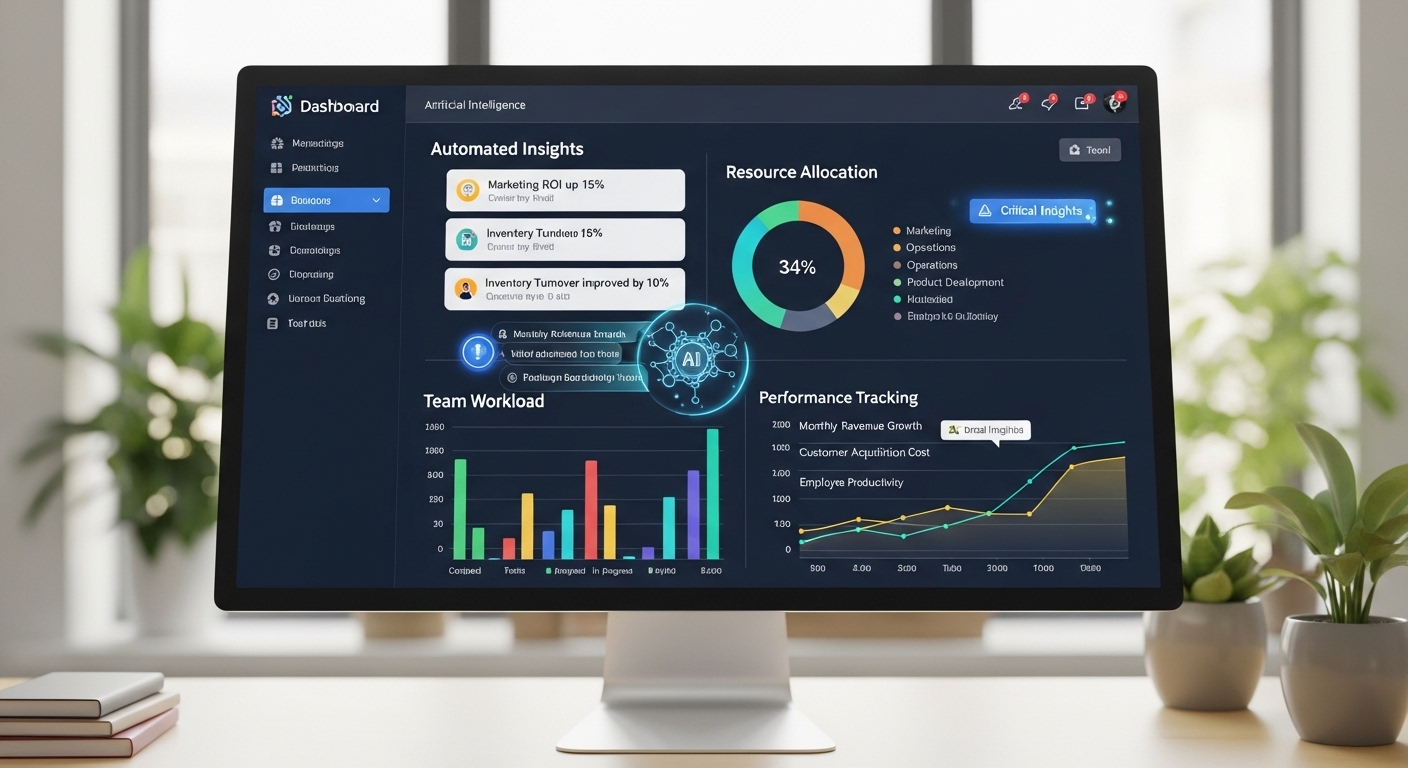
Artificial intelligence is becoming more integrated into cloud solutions. Not in a dramatic way, but quietly, through automation, analytics, and smarter systems that reduce manual work. Tasks that once required effort are starting to happen in the background.
Automation itself is expanding. Workflow optimization, resource allocation, system monitoring, these processes are becoming more efficient, less dependent on constant human input.
There’s also a growing reliance on hybrid cloud models. Businesses are finding value in combining flexibility with control, using different environments for different needs rather than committing to a single approach.
Cost optimization will remain a focus. Paying only for what you use sounds simple, but managing that efficiently takes attention. That part won’t disappear.
Cloud solutions allow small and medium businesses to scale resources without heavy investment, making it easier to enter new markets, reach new customers, and compete in ways that weren’t always possible before.
Final Thoughts
Cloud computing isn’t a one-size answer. It solves a lot, yes, but it also introduces new decisions, new dependencies, and sometimes a different way of thinking about how your business operates.
The benefits are clear. Cost efficiency, flexibility, better collaboration, stronger data protection. At the same time, there are trade-offs. Reliance on connectivity, vendor choices, the need for proper setup and ongoing management.
So the question becomes less about “should you move to the cloud” and more about how it fits your business goals. If your priority is growth, adaptability, and streamlined operations, cloud solutions tend to align well. If your systems are rigid or outdated, the difference can feel significant.
Frequently Asked Questions (FAQs)
1. How do small businesses use cloud computing?
Small businesses use cloud computing for file storage, collaboration, remote work, customer management, and running business applications online. Cloud platforms help teams access data securely from any device, automate workflows, and scale operations without investing heavily in local servers or complex IT infrastructure.
2. What is the benefit of cloud computing for a small to medium sized business?
Cloud computing helps small and medium businesses reduce IT costs, improve flexibility, and support remote work without relying on expensive physical infrastructure. It allows teams to access applications and data from anywhere while scaling resources as business needs change, improving productivity and operational efficiency.
3. Is cloud secure for small businesses?
Cloud platforms offer strong security measures such as encryption, multi-factor authentication, and data backups. While no system is completely risk-free, cloud providers often deliver higher levels of protection than traditional setups used by small businesses.
4. What are the 4 main cloud services?
The four main cloud services are Infrastructure as a Service (IaaS), Platform as a Service (PaaS), Software as a Service (SaaS), and Function as a Service (FaaS). These models provide computing resources, development platforms, hosted applications, and serverless processing through cloud-based environments.
5. What are the types of cloud solutions?
The main types include public cloud, private cloud, and hybrid cloud. Public cloud is cost-effective, private cloud offers more control, and hybrid cloud combines both to balance flexibility, security, and scalability based on business needs.
6. How much does cloud cost for SMBs?
Cloud costs vary depending on usage, but most providers offer pay-as-you-go pricing. This allows businesses to avoid large upfront investments and instead pay only for the resources they use, making it a cost-effective solution over time.
7. What are the best cloud providers for SMBs?
Popular cloud providers include Apporto, Google Workspace, Microsoft 365, Amazon Web Services, and Dropbox Business. The best choice depends on your business needs, required features, budget, and how well the platform integrates with your existing tools.
8. How do businesses migrate to the cloud?
Cloud migration typically involves assessing business needs, selecting a provider, and moving data gradually to avoid disruptions. Training employees and monitoring performance are also important steps to ensure a smooth and effective transition.
