

What Is the Difference Between VDI and DaaS?
VDI vs DaaS mainly comes down to ownership and management. Virtual desktop infrastructure centralizes desktop operating systems on server infrastructure that your organization typically manages itself. DaaS delivers the same virtual desktop concept as a cloud-based service managed largely by a provider. VDI offers more control, while DaaS reduces operational overhead and usually scales faster.
The VDI vs DaaS decision matters because desktop virtualization now affects far more than remote access. It touches cost control, security, user performance, IT management, and how quickly businesses can respond when workforce needs change.
Traditional VDI gives your team more direct control over infrastructure, policies, and resources, but that control comes with more responsibility. DaaS reduces much of the operational burden by moving infrastructure management to a provider, which can make scaling easier for remote work and hybrid work environments.
There is no obvious winner. The better fit depends on how much control you need, how you want to structure costs, and how much infrastructure your team is prepared to manage. Those differences shape operational efficiency over time.
What Is VDI and How Does Virtual Desktop Infrastructure Work?

Virtual desktop infrastructure, or VDI, runs desktop operating systems and applications on centralized servers instead of relying on each physical device to do the heavy lifting. Users connect to a virtual machine remotely, while the actual computing happens inside the VDI environment.
That setup gives your organization a lot of control. Your IT team typically manages the virtualization software, servers, storage, networking, desktop images, security policies, and hardware lifecycle. The benefit is flexibility around configuration and governance. The tradeoff is obvious enough, more infrastructure to maintain.
What Does a Typical VDI Environment Include?
A standard VDI environment usually includes:
- Centralized servers that host desktop sessions
- Virtual machines for individual or shared desktops
- Storage for profiles, applications, and data
- Virtualization software that creates and manages desktops
- Hardware and software profiles tailored to user needs
- Networking for secure connectivity
- Endpoint devices or thin clients used to access desktops
This level of control can be valuable, but it usually requires more internal infrastructure and deeper IT expertise to manage well.
What Is DaaS and How Does Desktop as a Service Work?

Desktop as a Service, or DaaS, delivers virtual desktops through cloud infrastructure instead of requiring your organization to own and operate all of the underlying hardware. Users connect to a cloud-based virtual workspace, while a DaaS provider takes responsibility for much of the platform behind it.
That reduces the operational load on your IT team, especially when supporting remote workers or a changing workforce. Most DaaS services follow a subscription-based model, so capacity can be added without buying new physical servers.
Still, provider-managed does not mean fully hands-off. Depending on the service, your team may continue managing applications, desktop images, virtual machines, user policies, and access rules.
What Does a DaaS Provider Manage?
The exact split varies, but DaaS providers commonly handle:
- Cloud infrastructure and core platform services
- Control plane operations
- Platform upgrades and maintenance
- Availability of the service
- Desktop provisioning
- Infrastructure monitoring
That division of responsibility is a key difference from VDI. DaaS reduces infrastructure management, but your organization still retains important control over how users, apps, and policies are configured.
VDI vs DaaS, What Are the Main Differences?
The main differences in VDI vs DaaS come down to ownership, cost structure, management, and how quickly the environment can adapt.
| Factor | VDI | DaaS |
|---|---|---|
| Infrastructure ownership | Managed by the organization | Provider-managed cloud infrastructure |
| Cost structure | Higher CapEx plus ongoing OpEx | Mostly subscription or usage based |
| Control | Greater infrastructure control | More dependent on provider capabilities |
| Scaling | Capacity planning often required | Faster user and resource scaling |
| Management | Internal IT responsibility | More responsibility transferred to provider |
| Deployment speed | Usually slower | Usually faster |
| Remote access | Requires internal architecture | Built around remote delivery |
| Customization | Extensive | Depends on provider and service tier |
The main difference is really about control versus operational simplicity. VDI gives your organization more direct authority over infrastructure, security policies, hardware, and configuration. That level of control can be valuable, but it also means carrying more management responsibility and higher infrastructure costs.
DaaS reduces much of that burden by moving core infrastructure into the cloud. You give up some complete control, but gain faster scalability, lighter management, and easier access for distributed users.
Who Manages the Infrastructure in VDI vs DaaS?

The management burden is one of the clearest differences between VDI and DaaS. With VDI, your organization is usually responsible for the full stack, including servers, storage, networking, virtualization software, patching, monitoring, capacity planning, and incident response.
How Much IT Management Does VDI Require?
VDI demands more hands-on IT management because the environment is maintained in house. Your IT team typically needs strong expertise across virtualization, networking, storage, security, and system maintenance.
As usage grows, so does the operational overhead. More users can mean more infrastructure, more monitoring, and more potential points of failure.
How Much IT Management Does DaaS Remove?
DaaS reduces much of the infrastructure management by moving core platform responsibility to the provider.
That does not remove your IT team from the picture. You still manage users, applications, identity, access policies, and business-specific settings. What changes is the weight of the underlying IT infrastructure.
In practical terms, DaaS can free IT departments from more routine infrastructure work, while VDI gives them deeper direct control.
How Do VDI and DaaS Costs Compare?

The cost difference between VDI and DaaS is not simply about which option looks cheaper at first. You are really comparing capital expenditure, operating expenditure, and total cost of ownership over time.
What Are the Upfront Costs of VDI?
VDI usually requires a larger initial investment because your organization builds and maintains the environment itself. Costs can include:
- Servers and storage
- Virtualization licenses
- Data center capacity
- Networking
- Implementation
- Specialist IT staff
Those infrastructure costs can be substantial, especially if you need to buy physical hardware before users are onboarded. The upside is that you retain direct ownership and control.
How Does DaaS Subscription Pricing Work?
DaaS takes a subscription-based approach. Depending on the provider, you may pay per user, per month, hourly, or according to the resources consumed.
Pricing varies widely. Some cloud desktop configurations cost well below $100 per user each month, while high-performance environments with more compute, storage, licensing, or GPU resources can exceed that level.
Which Model Is More Cost-Effective Long Term?
There is no automatic winner. VDI may be cost effective when infrastructure is already owned, workloads are stable, and internal expertise is available. DaaS can reduce the initial investment and operational overhead, but recurring subscription costs may build over time.
The better measure is TCO. Compare hardware, staffing, maintenance, support, subscriptions, resource usage, and expected growth before deciding which model fits your budget.
Which Model Scales Faster, VDI or DaaS?

DaaS generally scales faster because new desktop resources can be provisioned through cloud infrastructure without waiting for additional physical hardware. That gives businesses more room to respond when user demand rises or falls.
VDI is usually less flexible in that respect. Expanding a VDI environment may require capacity planning, added servers, more storage, and further networking resources before new users can be supported comfortably.
DaaS adoption is often attractive because pay-as-you-go or subscription models let organizations add or reduce capacity more gradually. AWS, for example, positions DaaS around flexible provisioning and usage-based resource consumption.
Still, faster does not mean instant in every case. Scaling speed can depend on provider limits, application requirements, image preparation, identity setup, and security policies.
For businesses with changing workforce demand, DaaS usually offers stronger scalability. VDI can scale too, but it often requires more planning and infrastructure work.
How Do VDI and DaaS Compare for Performance?

Performance depends less on the label, VDI or DaaS, and more on how well the environment is designed. CPU, GPU, memory, storage I/O, network quality, and user location all influence how responsive a virtual desktop feels.
Which Is Better for High-Performance Workloads?
VDI gives your IT team tighter control over the underlying resources. You can size CPU, memory, storage, and GPU capacity around specific applications, which can be useful for virtual workstations and other high-performance workloads.
DaaS providers now offer powerful cloud instances as well, including options built for graphics-heavy and compute-intensive use. That gives you flexibility, but DaaS performance still depends on provider architecture, internet quality, and how resources are allocated.
Latency matters in both models. VDI may perform very well when users are close to the data center, while DaaS can work well for distributed teams if cloud regions are positioned appropriately.
Resource contention can also affect reliability. Poor sizing, oversubscription, or slow storage can hurt either model.
So there is no universal performance winner. The better result comes from matching resources, network design, and workload demands to the way your users actually work.
How Do Security and Data Control Differ Between VDI and DaaS?

Security is one area where the VDI vs DaaS comparison needs a little more nuance. Both models can protect sensitive data well, but the controls sit in different places and the management responsibility is divided differently.
How Does VDI Protect Sensitive Data?
With VDI, data storage typically stays centralized in infrastructure your organization controls. That gives your IT team direct authority over network segmentation, access policies, authentication, logging, and where data physically resides.
For businesses with strict sovereignty or compliance requirements, that level of control can be valuable. You can define the security architecture around specific business needs rather than fitting into a provider’s standard model.
The tradeoff is responsibility. Your team must maintain those controls, monitor cyber threats, patch systems, and respond when something goes wrong.
How Does DaaS Protect Sensitive Data?
DaaS also centralizes data instead of relying on local endpoints, but more of the security stack is handled by the provider. Common controls include:
- Data encryption in transit and at rest
- Multi-factor authentication
- Centralized access policies
- Provider-managed security controls
- Shared responsibility between provider and customer
DaaS is not automatically multi-tenant in every deployment. Architectures vary, and some hosted desktop environments use isolated tenant designs.
The practical question is not which model is inherently safer. It is who owns each security control, and how consistently those controls are managed.
Which Provides Better Business Continuity and Disaster Recovery?

Both VDI and DaaS can support strong business continuity because desktops and data are centralized rather than tied to one physical endpoint. The difference is who builds and maintains the recovery model.
How Does Disaster Recovery Work With VDI?
With VDI, your organization is responsible for disaster recovery planning. That usually means designing redundancy, maintaining backups, preparing secondary infrastructure, replicating data, and testing recovery procedures. The advantage is control. The downside is that reliability depends heavily on how well those systems are designed and maintained.
How Does DaaS Support Business Continuity?
DaaS can simplify business continuity by relying on cloud and provider infrastructure that may already include regional redundancy, resilient control-plane services, and built-in availability features. That can reduce the amount of recovery infrastructure your team has to operate directly. Still, capabilities vary by provider and service plan.
So, DaaS may reduce the operational burden, while VDI gives you more direct control over recovery architecture. In both cases, recovery objectives, data protection, and support responsibilities should be defined before a disruption happens.
What Endpoint Devices Do VDI and DaaS Require?
Both VDI and DaaS move most of the computing work away from the local device, which means users do not always need powerful endpoint hardware to access a virtual workspace. Common options include:
- Thin clients built mainly for remote desktop access
- Standard laptops and desktops
- Older hardware that may still be usable for lighter workloads
- Browser access where the platform supports it
- Various devices such as tablets or mobile endpoints
That can extend the useful life of physical hardware and reduce pressure to buy high-spec machines for every user. AWS, for example, identifies inexpensive access devices such as thin clients as a practical DaaS use case.
Still, endpoints are not irrelevant. They need enough processing power for display, input, security software, and a stable network connection. Endpoint security also matters because compromised devices can still threaten account access, even when the desktop itself runs elsewhere.
Which Model Is Faster to Deploy and Easier to Operate?
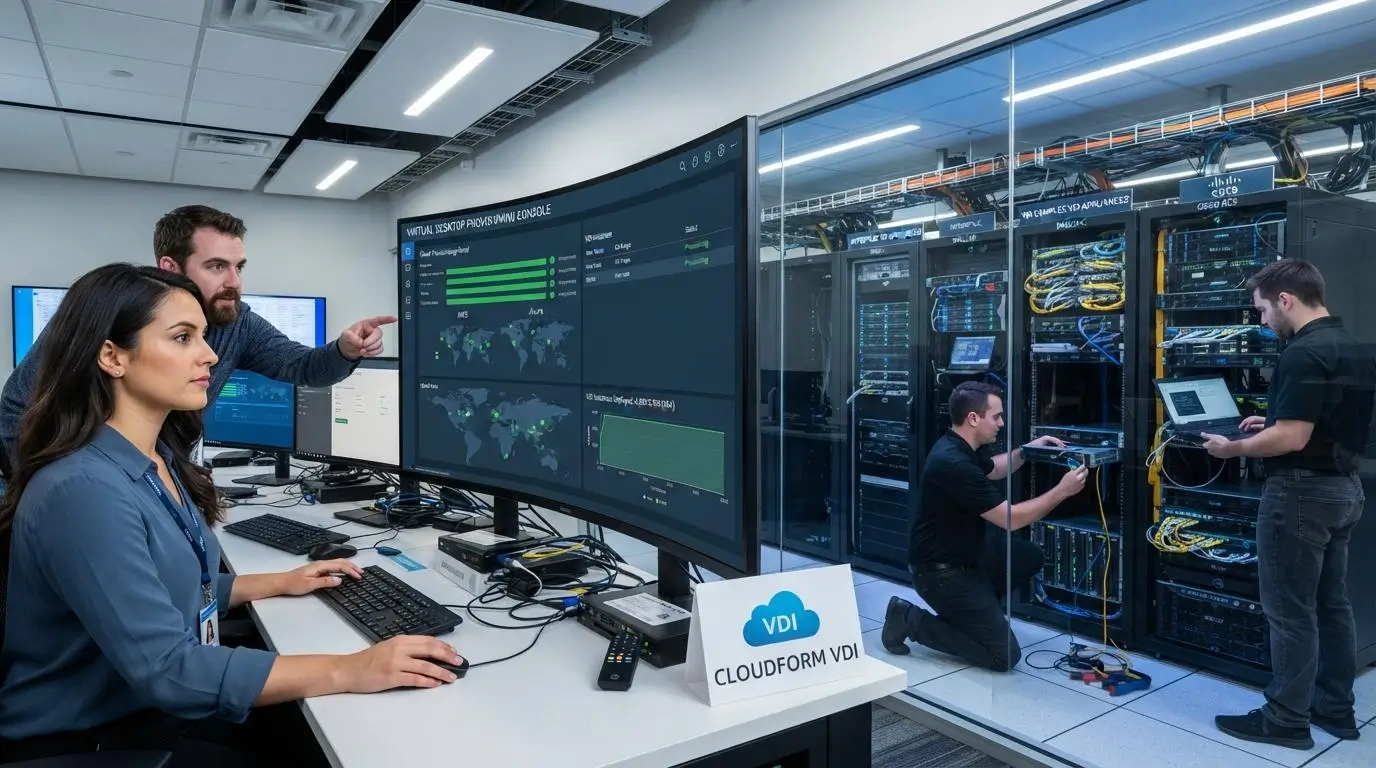
DaaS is usually faster to deploy because it removes much of the physical infrastructure stage. With traditional VDI, your IT team may need to handle hardware procurement, architecture planning, installation, networking, integration, testing, and capacity sizing before users can get started.
That makes the initial investment more than a budget issue. It also affects how quickly the environment becomes usable.
DaaS eliminates much of that setup work by relying on provider-managed infrastructure. Your team still needs to configure users, applications, identity, security policies, and support processes, but there is less underlying hardware to build and maintain.
The operational difference continues after deployment. VDI systems require ongoing patching, monitoring, upgrades, troubleshooting, and infrastructure management. DaaS moves more of that responsibility to the provider.
For operational efficiency, that matters. Faster deployment is useful, but the bigger advantage is reducing the amount of day-to-day management your IT team carries once the service is running.
When Does VDI Make More Sense?
VDI makes more sense when control, customization, and existing infrastructure matter more than convenience. For some organizations, the added management effort is justified because the environment needs to match very specific business requirements.
- Strict data-location requirements: VDI gives you direct control over where sensitive data resides, which can matter for internal policy, sovereignty, or compliance needs.
- Existing infrastructure investment: Businesses already running a mature data center and established virtualization systems may gain more value by extending those VDI systems rather than replacing them.
- Highly customized environments: VDI is well suited to workloads that depend on specific hardware and software profiles, custom integrations, or tightly controlled configurations.
- Specialized high-performance workloads: Some use cases require precise control over compute, GPU, storage, and network resources. VDI can provide that level of tuning.
The pattern is fairly clear. VDI tends to fit organizations that already have the technical depth and infrastructure to support it, and that value complete control over simplicity.
When Does DaaS Make More Sense?

DaaS makes more sense when flexibility, faster provisioning, and lower infrastructure overhead matter more than owning every part of the environment. It is especially useful when user demand changes often or internal IT resources are limited.
- Remote and hybrid work: DaaS gives remote workers consistent desktop access without requiring them to connect to physical office machines.
- Rapid workforce changes: You can add or remove users without purchasing new hardware, which improves scalability during hiring spikes or project changes.
- Smaller IT teams: DaaS providers take on more infrastructure maintenance, allowing internal staff to focus on users, applications, and business priorities.
- Temporary or task workers: Virtual desktops can be provisioned without assigning permanent physical machines to short-term users.
- Multiple teams or locations: A shared virtual workspace can standardize access across departments, offices, and distributed teams.
DaaS adoption tends to make the most sense when your organization wants to reduce infrastructure management while keeping desktop delivery flexible enough to support changing workforce needs.
Can VDI and DaaS Be Used Together?
Yes. VDI and DaaS can coexist inside the same enterprise computing environment, and for many organizations that is more practical than forcing every workload into one model. A hybrid approach lets you match desktop delivery to specific business needs:
- VDI can stay in place for workloads that require tighter control, specialized infrastructure, or strict internal data policies.
- DaaS can support remote workers, contractors, seasonal staff, and cloud-oriented teams that need faster provisioning and easier access.
- Multiple teams can use different models without disrupting the rest of the organization.
This can also reduce migration risk. Instead of replacing an entire VDI environment at once, you can introduce DaaS gradually, test performance, and move suitable users over in stages.
The result is more flexibility. You keep control where it matters and use DaaS where simpler infrastructure and hybrid work support make more sense.
How Should You Choose Between VDI and DaaS?

Choosing between VDI and DaaS works best when you treat it as an operating-model decision, not a feature checklist. The right answer depends on your existing IT infrastructure, user needs, security requirements, and the costs you are prepared to carry over time. Use this checklist:
- Assess infrastructure: Review current servers, storage, virtualization platforms, cloud investments, and the resources already in place.
- Map user types: Separate task workers, knowledge workers, developers, designers, contractors, and other groups with different performance needs.
- Define control requirements: Consider data residency, compliance, security, and any custom configurations your environment depends on.
- Calculate TCO: Include infrastructure, staffing, licensing, subscriptions, support, power, maintenance, and hardware refresh cycles.
- Test performance: Run real applications with real users instead of relying only on vendor specifications.
- Evaluate recovery needs: Factor in business continuity, backup strategy, and disaster recovery requirements.
- Review provider limitations: For DaaS, examine SLAs, security responsibilities, support quality, data location, and exit options.
That process usually makes the tradeoffs much clearer. Your future needs matter too, especially if growth, staffing, or workload demands are likely to change.
How Does Apporto Fit Into the VDI vs DaaS Comparison?
Apporto fits into the VDI vs DaaS discussion as a managed DaaS option designed to reduce how much infrastructure your organization has to operate internally.
Instead of building and maintaining a traditional VDI stack, you move more of that responsibility to the service provider.
- Browser-based virtual desktops: Users can access desktops through a modern browser, which reduces client-side complexity.
- Reduced infrastructure management: Your IT team spends less time maintaining servers, storage, and other physical hardware.
- Cloud delivery: Desktops are delivered as a cloud-based service rather than from infrastructure you own.
- Centralized administration: Access, users, and desktops can be managed from a central environment.
- Remote and hybrid support: Remote workers can reach the same virtual workspace from different locations and devices.
- Scalable provisioning: Resources can be adjusted as user demand changes.
- Security controls: Centralized policies and Zero Trust-oriented controls help protect access.
The commercial difference is straightforward. With Apporto, you are choosing to transfer more of the desktop infrastructure burden to a managed service. That can improve operational efficiency and scalability without requiring your team to run a traditional VDI environment themselves.
Final Thoughts
There is no universal winner in the VDI vs DaaS comparison. The better model depends on how much control your organization needs and how much infrastructure your team is willing to manage.
VDI makes sense when direct infrastructure control, deep customization, and internal ownership justify the added management burden. DaaS is often the better fit when scalability, faster deployment, and lower operational overhead matter more.
The key is to look beyond the first-year price. Compare total cost of ownership, staffing, infrastructure, support, performance, security, and future growth before deciding which model is truly cost effective.
For businesses leaning toward managed DaaS, Apporto is worth evaluating as a way to reduce infrastructure management while keeping secure, browser-based virtual desktops available to users.
Frequently Asked Questions (FAQs)
1. Is DaaS cheaper than VDI?
DaaS usually reduces upfront capital spending because you avoid buying as much physical infrastructure. VDI may become more cost effective over time when hardware already exists, usage is stable, and internal expertise is available.
2. Can VDI and DaaS coexist in the same organization?
Yes. Many organizations use VDI for workloads requiring tighter control and DaaS for remote workers, contractors, or cloud-oriented teams. A hybrid model lets you match desktop delivery to different user and workload requirements.
3. Which is easier to scale, VDI or DaaS?
DaaS generally scales faster because new desktops can be provisioned through cloud infrastructure without purchasing and installing additional physical hardware. VDI can scale too, but usually requires more capacity planning and infrastructure work.
4. Does DaaS completely eliminate IT management?
No. DaaS reduces infrastructure management, but your IT team still handles identities, applications, access policies, data governance, users, and business-specific settings. The provider manages more of the platform, not every responsibility.
5. Which performs better, VDI or DaaS?
Performance depends on resource sizing, storage speed, network latency, user location, workload type, and platform design. Either model can perform well when properly configured, so there is no universal performance winner.
6. Which is better for remote workers, VDI or DaaS?
DaaS often simplifies remote access because it is built around cloud delivery and distributed users. Properly designed VDI can also support remote workers effectively, but it usually requires more internal infrastructure and management.
