
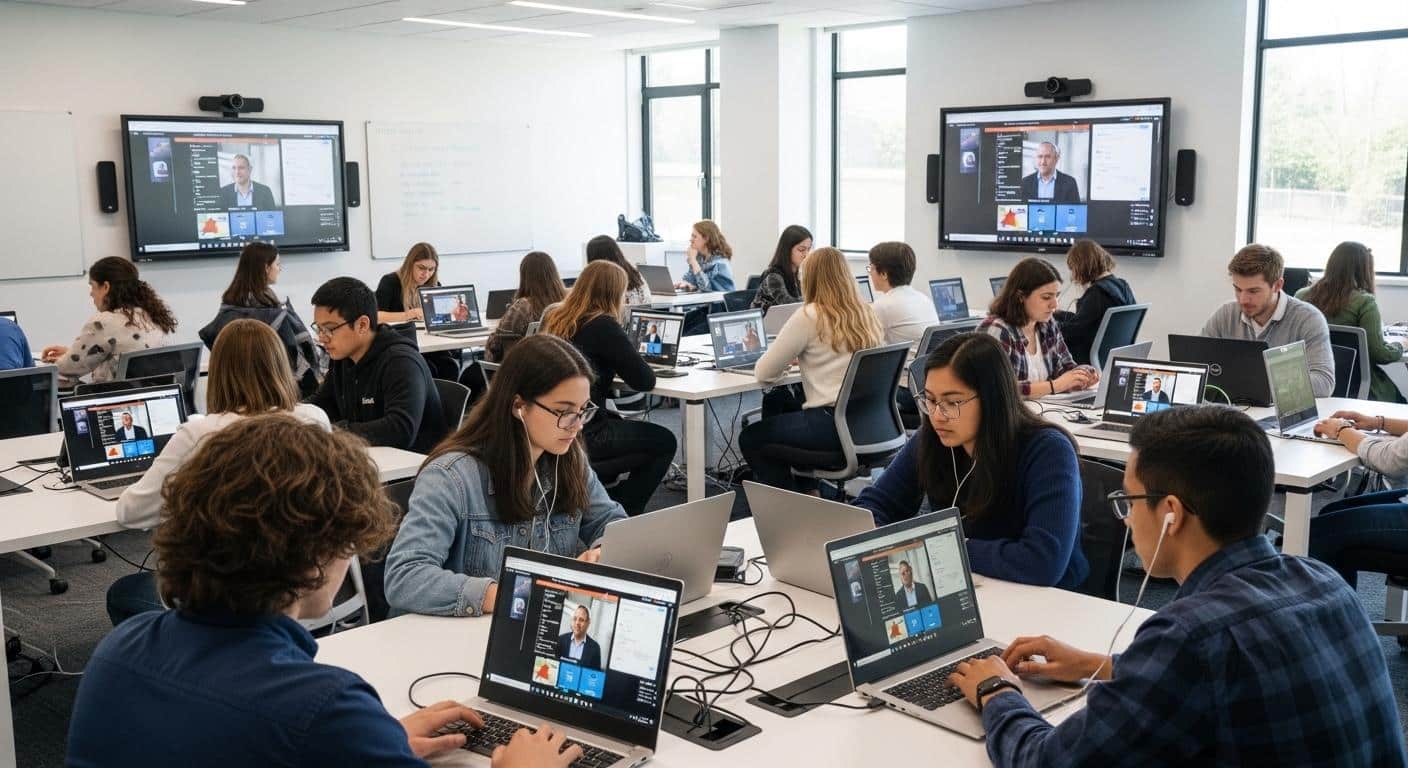
What Is the Best VDI for Classroom Environments?
The best VDI for classroom environments depends on your institution’s needs, but browser-based solutions are increasingly preferred for accessibility and ease of use. Platforms like Apporto provide secure virtual desktops, LMS integration, and access to specialized software from any device, helping schools simplify IT management and expand technology acces
Technology access can shape how students learn, collaborate, and succeed. Yet many educational institutions still face the same challenge, how do you provide every student with secure access to specialized software and learning resources without constantly upgrading hardware or managing countless devices?
The growing adoption of hybrid learning, remote learning, and virtual classrooms has made this question even more important. That’s why choosing the best VDI for classroom environments deserves careful consideration.
The solutions in this guide are evaluated based on accessibility, browser-based experience, security, scalability, and how effectively they help educational institutions deliver consistent learning experiences across campuses, homes, and personal devices.
How Did We Select These VDI Solutions for Classrooms?
Not every Virtual Desktop Infrastructure platform is designed with education in mind. Some excel in enterprise environments but introduce unnecessary complexity for schools and universities. Others offer virtual desktops but fall short when it comes to browser access, classroom management, or supporting students using personal devices. This list was created specifically for educational institutions looking to provide secure, scalable, and accessible desktop environments for both in-person and remote learning.
Our editorial approach focused on solutions that improve access to educational resources while reducing administrative overhead for IT teams. We also considered long-term cost efficiency, ease of deployment, and how effectively each platform supports modern teaching environments. Solutions with limited educational use cases, poor browser compatibility, or overly complex management requirements were excluded.
What We Considered When Picking the Best VDI For Classroom Options
- Browser-Based Accessibility: Students should be able to access virtual desktops from their personal devices without installing software or relying on high-end hardware.
- Classroom and LMS Integration: Seamless integration with learning management systems helps students launch applications and workspaces directly from course materials.
- Security and Data Protection: Strong data security, centralized management, and secure access controls are essential for protecting student information and institutional resources.
- Scalability and Concurrent User Support: The platform should support large numbers of students simultaneously and adapt as enrollment grows or classroom requirements change.
- Cost Efficiency and Management Simplicity: Educational institutions need solutions that balance performance with predictable costs while reducing the burden of ongoing administration and maintenance.
Quick Comparison Table: Which Classroom VDI Platform Fits Your Institution Best?
Educational institutions have different priorities when selecting a VDI platform. Some focus on browser-based access to support students using personal devices. Others prioritize centralized management, LMS integration, or the ability to run specialized software for engineering, design, and research programs. The table below provides a quick comparison of the leading classroom VDI solutions, highlighting their deployment models, pricing approaches, and the capabilities that make them stand out. This overview can help you narrow your options before diving into the individual reviews.
| Solution | Best For | Deployment Model | Pricing Model | Standout Feature |
|---|---|---|---|---|
| Apporto | Universities and modern virtual classrooms | Cloud-based, browser-native | Subscription-based | Browser access with no software installation |
| Microsoft Azure Virtual Desktop | Microsoft-based educational institutions | Cloud-based on Azure | Consumption-based | Windows 11 multi-session desktops |
| Cameyo | Schools using Chromebooks and browser-first environments | Cloud-based | Subscription-based | Browser-native virtual applications |
| Omnissa Horizon | Universities with existing VMware infrastructure | On-premises, hybrid, or cloud | Per-user licensing | High-performance virtual desktops with GPU support |
| Citrix DaaS | Large educational institutions | Cloud and hybrid | Subscription-based | Advanced desktop and application delivery |
| UDS Enterprise | Flexible multi-platform environments | On-premises, hybrid, or cloud | Subscription-based | Multi-hypervisor support |
| Amazon WorkSpaces | AWS-based educational environments | Cloud-based | Pay-as-you-go | Flexible desktop scaling |
| Netoved for Education | Managed digital learning environments | Managed cloud service | Custom pricing | Education-focused deployment and support |
| Nutanix | Institutions requiring hyperconverged infrastructure | On-premises and hybrid | Custom licensing | Simplified infrastructure and centralized management |
All of these VDI solutions provide secure and consistent access to virtual desktop environments. The real difference lies in how they approach classroom accessibility, scalability, and long-term management.
Best VDI Solutions for Classrooms (Complete Breakdown)
1. Apporto (Best Browser-Based VDI for Modern Classrooms)
Overview
Educational institutions face a familiar challenge, providing every student with access to the same learning tools regardless of the device they own. Apporto addresses this challenge through a browser-based virtual desktop infrastructure designed specifically for education.
Instead of requiring students to install software or use institution-owned hardware, Apporto delivers full desktop environments and applications directly through a web browser. This approach lowers technical barriers while expanding access to educational resources across classrooms, campuses, and remote learning environments.
The platform is particularly effective at delivering specialized software that would otherwise require expensive computers or dedicated labs. By centralizing applications and computing resources, Apporto allows students to access demanding programs from their own device while IT teams maintain centralized management, security, and control. The result is a more accessible and consistent learning experience across the institution.
Highlights
- Browser-Based Access: Students access virtual desktops through a browser, eliminating software installations on personal devices and reducing compatibility issues across Windows laptops, Chromebooks, Macs, and tablets.
- Virtual Computer Labs: Apporto transforms traditional computer labs into virtual workspaces, allowing students to use specialized software from anywhere while receiving the same desktop experience they would have on campus.
- Centralized Management: IT administrators manage applications, desktop environments, software updates, and user access from a single platform. This centralized management simplifies administration and reduces ongoing maintenance requirements.
- Seamless LMS Integration: Students can launch virtual desktops directly from their course pages through LMS integration, creating a smoother experience and reducing the number of steps required to access classroom resources.
Best For
Universities, colleges, and educational institutions looking for a browser-based VDI platform that expands technology access, supports virtual classrooms, and enables students to run specialized software from their own devices.
Limitations
Organizations requiring extensive on-premises customization or highly specialized infrastructure configurations may find fewer customization options compared to some enterprise-focused VDI platforms.
Pricing
Custom pricing based on institution size, student count, and deployment requirements. Educational institutions can contact Apporto directly for a tailored quote.
2. Microsoft Azure Virtual Desktop (Best for Microsoft-Based Educational Institutions)
Overview
For educational institutions already using Microsoft technologies, Microsoft Azure Virtual Desktop offers a familiar and highly scalable way to deliver desktops and applications to students and faculty. Built on Microsoft Azure, the platform allows institutions to provide secure, cloud based desktop environments that students can access from virtually anywhere with an internet connection. This flexibility has become increasingly important as universities expand hybrid learning and virtual classrooms.
A major advantage of Microsoft Azure Virtual Desktop is its deep integration with the Microsoft ecosystem. Institutions can connect identity management, collaboration tools, and security policies through existing Microsoft services while simplifying administration for IT teams.
The platform also supports Windows multi-session desktops, allowing multiple students to share computing resources efficiently. Combined with flexible scaling and cloud hosted virtual machines, Azure Virtual Desktop helps institutions adapt quickly to changing enrollment numbers and evolving classroom requirements.
Highlights
- Windows 11 Multi-Session: Azure Virtual Desktop supports Windows 11 and Windows 10 multi-session environments, enabling multiple students to use shared resources efficiently while maintaining a familiar Windows desktop experience.
- Microsoft Ecosystem Integration: The platform integrates seamlessly with Microsoft Azure, Microsoft 365, Entra ID, and other Microsoft services, simplifying user management, security policies, and application delivery.
- Flexible Resource Scaling: Educational institutions can scale virtual machines up or down based on enrollment trends, seasonal demand, or course-specific requirements without investing in additional physical infrastructure.
- Cloud Hosted Desktops: Students and faculty can access secure Windows desktop environments from various devices, ensuring consistent access to applications and educational resources regardless of location.
Best For
Universities, colleges, and schools already invested in the Microsoft ecosystem that need scalable virtual desktops with centralized administration and flexible cloud resources.
Limitations
The platform can become costly without proper resource management. Institutions may also require Azure expertise to optimize virtual machines, security settings, and overall infrastructure costs.
Pricing
Microsoft Azure Virtual Desktop follows a consumption-based pricing model. Costs vary depending on compute resources, storage, networking, and the number of active users.
3. Cameyo (Best Lightweight Browser-Based Virtual Apps for Schools)
Overview
Cameyo takes a different approach to desktop virtualization. Instead of focusing primarily on full virtual desktops, it specializes in delivering virtual apps and browser-based workspaces that students can access instantly from almost any device.
This lightweight architecture has made Cameyo particularly popular among schools that rely heavily on Chromebooks and other low-cost devices, where installing specialized software locally is often impractical or impossible.
The platform creates a cloud enabled digital workspace that allows students to run applications directly through a browser, eliminating the need for software installation on personal devices. This is especially valuable for educational institutions that need to provide access to complex software without investing in expensive hardware upgrades.
Students can access learning applications from classrooms, homes, or libraries while IT teams maintain centralized control over applications and user access. The result is a more accessible learning environment that reduces technical barriers and helps schools extend the capabilities of existing devices.
Highlights
- Browser-Native Access: Students launch applications directly from a browser without installing software locally, making access faster and reducing compatibility issues across different operating systems.
- Chromebook Compatibility: Cameyo is particularly effective for schools using Chromebooks, allowing students to run software that would normally require more powerful Windows devices.
- Virtual Application Delivery: Instead of delivering a full desktop when it isn’t necessary, Cameyo streams virtual apps securely to students, helping institutions optimize resources and simplify management.
- Simple Deployment: The platform is designed for quick implementation, allowing schools to create virtual workspaces with minimal infrastructure requirements and lower administrative complexity.
Best For
Schools and educational institutions looking for a browser based solution that provides students access to virtual apps and specialized software, especially in Chromebook-heavy environments.
Limitations
Cameyo is more focused on application delivery than complete desktop environments. Institutions that require highly customized full desktop experiences may find some limitations compared to traditional VDI platforms.
Pricing
Custom pricing based on the number of users, applications, and deployment requirements. Institutions can contact Cameyo directly for a tailored quote.
4. Omnissa Horizon (Best for Universities with Existing VMware Infrastructure)
Overview
Omnissa Horizon, formerly known as VMware Horizon, is one of the most mature virtual desktop platforms available for higher education. It is particularly well-suited for universities that have already invested in VMware technologies and want to extend that infrastructure into virtual classrooms and remote learning environments.
The platform combines desktop virtualization, application delivery, and centralized administration into a single virtualization platform that can support thousands of users across multiple departments.
A major advantage of Omnissa Horizon is its ability to handle demanding academic workloads. Engineering students running CAD applications, architecture programs using 3D modeling software, or design departments working with graphics-intensive applications can access powerful desktop environments without relying on expensive local hardware.
The platform supports dedicated virtual machines, allowing institutions to provide personalized desktop experiences while maintaining centralized control over applications, security, and resources. For universities managing complex IT environments, Horizon offers the flexibility and performance required to support both classroom learning and advanced research needs.
Highlights
- High Performance Virtual Desktops: Omnissa Horizon delivers responsive desktop environments capable of supporting demanding academic applications, making it a strong option for institutions with specialized computing requirements.
- Dedicated Virtual Machines: Students and faculty can be assigned dedicated virtual machines that preserve settings, files, and applications between sessions, creating a more personalized desktop experience.
- GPU Support: The platform offers scalable GPU capabilities for graphics intensive workloads, allowing students to run engineering, animation, architecture, and design software remotely without sacrificing performance.
- Centralized Management: IT teams manage desktops, applications, software updates, and user access from a centralized interface, helping reduce operational complexity across departments and campuses.
Best For
Universities and higher education institutions with existing VMware infrastructure that require high-performance virtual desktops for engineering, design, research, and other resource-intensive academic programs.
Limitations
Deployment and ongoing administration can be complex, especially for institutions without VMware expertise. Infrastructure and licensing costs may also be higher compared to browser-based or cloud-native alternatives.
Pricing
Custom pricing based on infrastructure requirements, licensing agreements, and deployment size. Institutions must contact Omnissa directly for detailed pricing information.
5. Citrix DaaS (Best for Large Educational Institutions)
Overview
Citrix has been part of the virtual desktop market for decades, and Citrix DaaS continues to be a preferred choice for large educational institutions that require extensive control over desktops, applications, and user access.
The platform is designed to support complex environments where thousands of students, faculty members, and staff need secure and reliable access to academic resources from different locations and devices.
One of Citrix DaaS’s biggest strengths is centralized desktop delivery. Institutions can provide full desktop environments or publish individual virtual applications depending on course requirements and user needs. This flexibility helps schools optimize resources while maintaining a consistent learning experience across campuses and remote learning programs.
Citrix also offers strong scalability, allowing institutions to expand resources as enrollment grows or demand fluctuates throughout the academic year. Combined with advanced security controls and flexible deployment models, the platform remains a robust option for universities that need enterprise-grade performance and centralized management.
Highlights
- Citrix Virtual Apps: Citrix Virtual Apps allows institutions to deliver individual applications instead of complete desktops, giving students access to specialized academic software while reducing infrastructure demands.
- Remote Application Server: Applications are delivered securely through a remote application server, enabling students and faculty to access software from different devices without installing programs locally.
- Advanced User Controls: Administrators can configure user access policies, security settings, and application permissions with a high degree of precision, helping institutions maintain compliance and protect sensitive data.
- Hybrid Deployment Options: Citrix DaaS supports cloud, on-premises, and hybrid deployments, giving institutions the flexibility to adopt the infrastructure model that best fits their operational requirements.
Best For
Large universities and educational institutions that require centralized desktop delivery, secure application access, and scalable virtual learning environments capable of supporting thousands of users.
Limitations
Citrix DaaS can be expensive to deploy and maintain. The platform also requires experienced administrators to manage configurations, licensing, and infrastructure efficiently.
Pricing
Custom pricing based on the number of users, deployment architecture, and licensing requirements. Educational institutions must contact Citrix directly for a tailored quote.
6. UDS Enterprise (Best Flexible Multi-Hypervisor VDI Platform)
Overview
Educational institutions rarely have identical infrastructure environments. Some rely on VMware, others use Microsoft Hyper-V, while many operate a mix of virtualization technologies that have evolved over time. UDS Enterprise is designed with this reality in mind.
Rather than locking institutions into a single ecosystem, it provides a flexible desktop infrastructure platform that works across multiple hypervisors and cloud providers, giving IT teams greater freedom in how they build and manage their virtual environments.
The platform acts as a centralized management layer for desktop delivery, helping institutions simplify administration across diverse infrastructures. This flexibility can be particularly valuable for universities and colleges that want to modernize their virtual classrooms gradually without replacing existing investments.
UDS Enterprise also supports multiple authentication methods and integration options, allowing institutions to tailor the environment to their specific academic and operational needs while maintaining a consistent user experience.
Highlights
- Multi-Hypervisor Support: UDS Enterprise works with various virtualization technologies, including VMware, Hyper-V, Nutanix, and other leading platforms, allowing institutions to leverage their existing infrastructure investments.
- Open Architecture: The platform follows an open architecture approach, giving educational institutions more flexibility when integrating third-party technologies and adapting the environment as requirements evolve.
- Centralized Desktop Delivery: Administrators manage desktop delivery, user sessions, and access policies from a centralized interface, simplifying operations across departments and campuses.
- Flexible Integrations: UDS Enterprise integrates with different authentication systems, virtualization environments, and cloud services, helping institutions create a customized VDI experience.
Best For
Universities and educational institutions that operate mixed infrastructure environments and want a flexible virtualization platform without being tied to a single vendor ecosystem.
Limitations
The platform may require additional configuration and technical expertise compared to more turnkey VDI solutions. Some advanced features also depend on the underlying virtualization technology being used.
Pricing
Custom pricing based on deployment size, infrastructure requirements, and support needs. Institutions can contact UDS Enterprise directly for a personalized quote.
7. Amazon WorkSpaces (Best for AWS-Based Educational Environments)
Overview
Amazon WorkSpaces is a cloud based desktop service designed for organizations that want to deliver virtual desktop environments without maintaining complex on-premises infrastructure. For educational institutions already using Amazon Web Services, the platform offers a familiar ecosystem that combines scalability, security, and centralized administration. Students and faculty can access their desktops, applications, and files remotely while institutions maintain control over resources and policies.
One of Amazon WorkSpaces’ biggest advantages is flexibility. Educational institutions can quickly provision virtual machines for new students, adjust resources as enrollment changes, and support remote access across multiple campuses or hybrid learning environments.
Because desktops are hosted in AWS, schools avoid many of the infrastructure challenges associated with traditional desktop deployments. The result is a solution that balances performance, accessibility, and operational simplicity while giving institutions room to grow as academic needs evolve.
Highlights
- Cloud Hosted VDI: Amazon WorkSpaces delivers desktop environments through AWS infrastructure, allowing students and faculty to access resources securely from almost any location.
- Flexible Scaling: Institutions can scale virtual machines up or down depending on enrollment, seasonal demand, or course requirements without investing in additional hardware.
- Pay-As-You-Go Pricing: The platform offers flexible pricing models that help educational institutions align costs with actual usage and avoid large upfront investments.
- Multi-Device Access: Students can connect to their desktops from Windows PCs, Macs, Chromebooks, tablets, and web browsers, ensuring consistent access across different devices.
Best For
Educational institutions already invested in AWS that need scalable virtual desktops and secure remote access for students and faculty.
Limitations
Managing cloud costs requires careful monitoring. Institutions with highly specialized classroom requirements may also need additional AWS expertise to optimize the environment.
Pricing
Pay-as-you-go and monthly pricing options are available. Costs vary based on desktop configurations, storage requirements, and usage levels.
8. Netoyed for Education (Best Managed Classroom Workspace Experience)
Overview
For many educational institutions, deploying a virtual desktop environment is only part of the challenge. Managing infrastructure, maintaining security, updating applications, and supporting users can quickly consume valuable IT resources. Netoyed for Education addresses this by providing a managed workspace experience tailored specifically for schools, colleges, and universities.
The platform focuses on creating virtual learning environments that simplify access to educational resources while reducing operational complexity for IT teams. Students receive consistent access to applications and classroom resources, while administrators benefit from centralized administration and managed services that handle much of the ongoing maintenance.
This approach can be especially valuable for institutions with smaller IT departments that want enterprise-level capabilities without building and maintaining the infrastructure themselves.
Netoyed also emphasizes accessibility and flexibility, helping educational institutions deliver virtual classrooms that support both on-campus and remote learning experiences with minimal disruption.
Highlights
- Education-Focused Deployment: The platform is designed around the specific needs of educational institutions, including classroom applications, virtual labs, and student access requirements.
- Centralized Administration: IT teams manage users, applications, security settings, and policies from a centralized interface, simplifying day-to-day operations.
- Virtual Learning Environment: Students access educational resources and applications through a unified virtual environment that supports classroom and remote learning scenarios.
- Managed Services: Netoyed provides ongoing support and infrastructure management, reducing the burden on internal IT teams and allowing institutions to focus on teaching and learning.
Best For
Schools and universities seeking a managed virtual classroom solution with centralized administration and reduced infrastructure responsibilities.
Limitations
Organizations that prefer complete control over infrastructure and deep customization options may find managed environments less flexible than self-managed VDI platforms.
Pricing
Custom pricing based on institution size, deployment scope, and service requirements. Educational institutions can contact Netoyed directly for a customized quote.
9. Nutanix (Best Hyperconverged Infrastructure for Educational VDI)
Overview
As educational institutions expand virtual classrooms, research programs, and remote learning initiatives, managing separate servers, storage systems, and networking infrastructure can become increasingly difficult. Nutanix takes a different approach through hyperconverged infrastructure, combining these components into a unified platform that simplifies operations and improves scalability.
For universities and colleges looking to modernize their desktop infrastructure, this integrated architecture can reduce complexity while providing the performance required for demanding academic environments.
Nutanix supports virtual desktop deployments through its virtualization platform and centralized management tools, allowing institutions to provision desktops, allocate resources, and monitor performance from a single interface.
This simplicity is one of its biggest strengths. Instead of managing multiple systems independently, IT teams gain a more streamlined way to support students, faculty, and administrative staff across campuses. The platform is also designed to scale gradually, making it easier for institutions to expand virtual desktop resources as enrollment grows or technology requirements evolve.
Highlights
- Hyperconverged Infrastructure: Nutanix combines compute, storage, and networking into a single platform, reducing infrastructure complexity and simplifying the management of educational VDI environments.
- Centralized Management: Administrators manage desktops, applications, storage, and infrastructure resources from a centralized console, improving visibility and reducing day-to-day administrative overhead.
- Flexible Scaling: Institutions can add resources incrementally as student populations increase or academic programs require additional computing power, helping control long-term infrastructure costs.
- High Availability: Built-in redundancy and resilience features help ensure virtual desktops remain accessible even if hardware components fail, minimizing disruptions to teaching and learning activities.
Best For
Universities and educational institutions that need a scalable desktop infrastructure with centralized management and a modern virtualization platform capable of supporting long-term growth.
Limitations
Initial deployment costs can be significant, especially for smaller institutions. Organizations may also require specialized expertise to design and optimize the environment effectively.
Pricing
Custom pricing based on infrastructure size, licensing requirements, and deployment architecture. Institutions should contact Nutanix directly for a tailored quote.
What Should You Look for When Choosing a VDI for a Classroom?
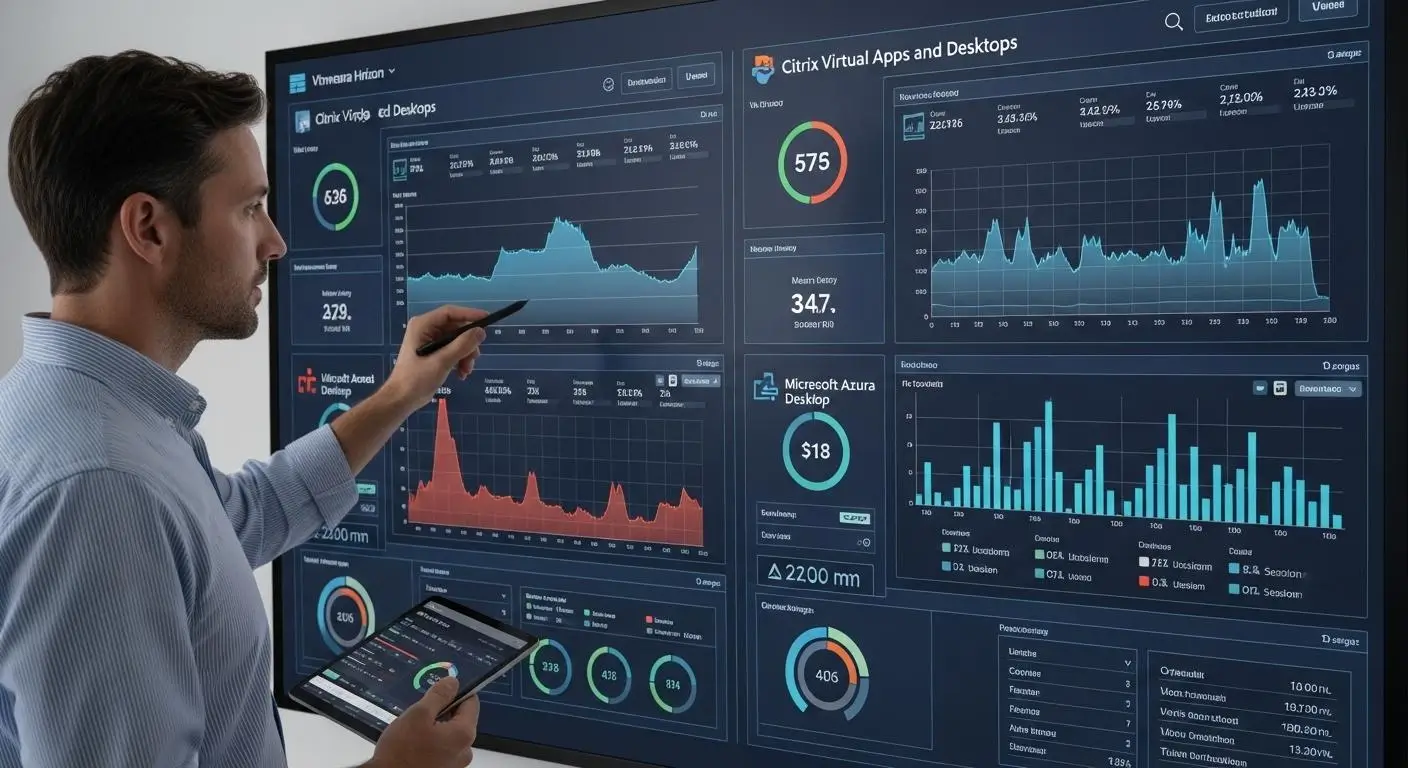
After comparing the leading classroom VDI solutions, one thing becomes obvious. The most feature-rich platform isn’t always the best fit for your institution. A university supporting thousands of students across multiple campuses will have different priorities than a smaller college focused on remote learning or specialized programs.
That’s why choosing a VDI requires looking beyond specifications and focusing on how the platform supports students, faculty, and IT teams over the long term. The following criteria can help you evaluate which solution aligns best with your educational goals.
Browser-Based Access
Accessibility has become one of the defining requirements of modern classrooms.
- Remove Device Barriers: Students increasingly rely on personal devices such as Chromebooks, Macs, and low-cost laptops. Browser-based VDI removes the need to install software, allowing students to access applications and desktops instantly from their preferred device.
- Expand Technology Access: This approach helps educational institutions provide equal access to software and computing resources, even when students use different hardware configurations.
LMS Integration
Technology works best when it fits naturally into the learning experience.
- Launch Desktops from Course Pages: Seamless LMS integration allows students to access virtual desktops directly from platforms such as Canvas, Moodle, or Blackboard without navigating multiple systems.
- Reduce Friction: The fewer steps required to access learning resources, the easier it becomes for students to stay focused on coursework instead of troubleshooting technical issues.
Security and Data Protection
Educational institutions manage a significant amount of sensitive information, from student records to research data.
- Multi-Factor Authentication: Strong authentication methods help ensure only authorized users gain access to classroom resources and applications.
- Centralized Data Storage: When data is stored centrally rather than on individual devices, institutions can improve security, reduce data breach risks, and simplify compliance requirements.
- Encrypted Connections: SSL/TLS encryption protects data as it moves between users and virtual desktops, helping maintain secure and consistent access across different environments.
Scalability
Classroom requirements rarely stay static.
- Adapt to Enrollment Changes: Institutions should be able to add users and resources quickly as enrollment grows or course requirements evolve.
- Support Concurrent Usage: A strong VDI platform should handle hundreds or even thousands of students accessing resources simultaneously without sacrificing performance.
User Experience
Even the most advanced VDI solution can struggle if the user experience isn’t reliable.
- Internet Connection Quality Matters: VDI user experience depends heavily on internet connection stability, available bandwidth, and infrastructure performance. High latency can create delays that interrupt learning and reduce productivity.
- Consistent Performance Across Devices: Students expect applications and desktops to perform consistently regardless of where they connect or which device they use. Reliable performance builds confidence in the technology and encourages wider adoption.
What Are the Biggest Benefits of VDI in Educational Institutions?
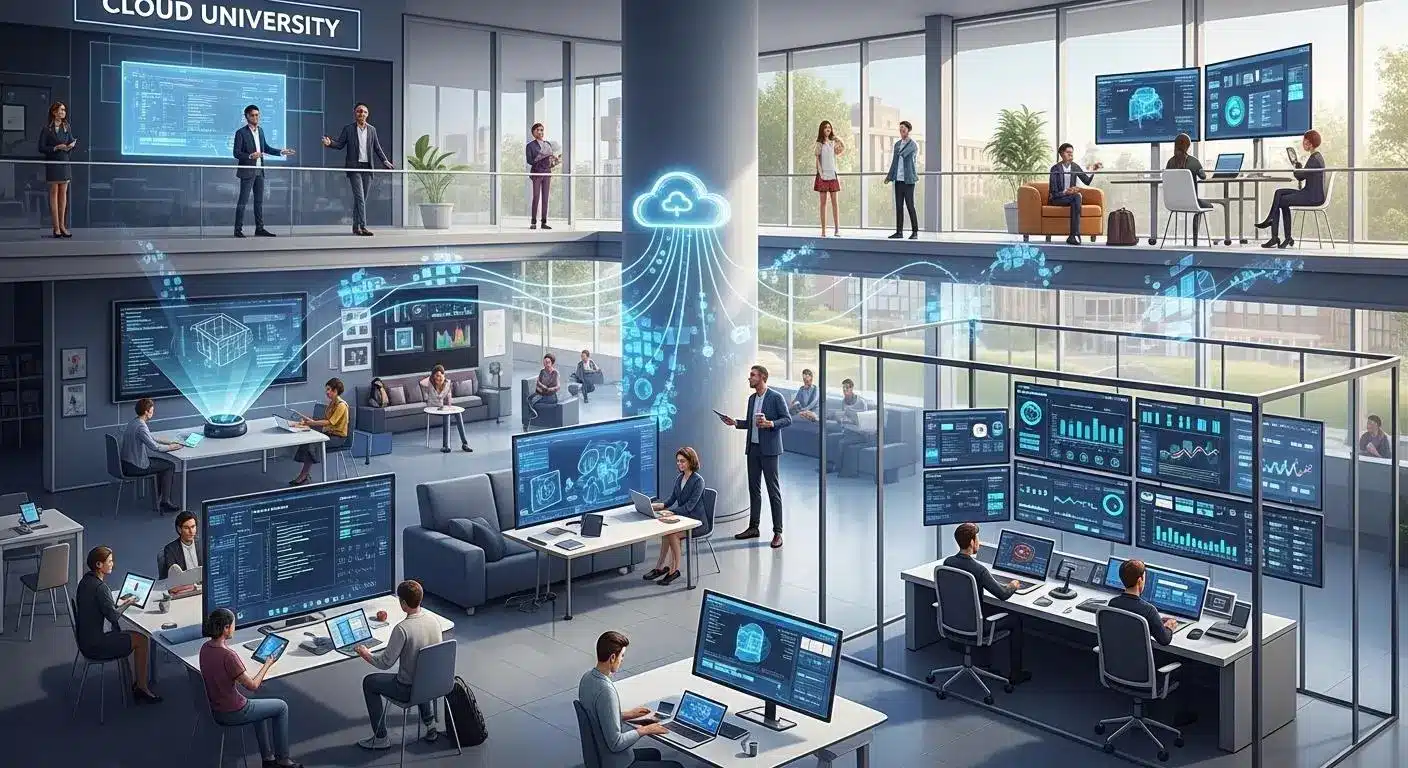
The value of VDI in education extends far beyond replacing physical computer labs. When implemented thoughtfully, it changes how students access technology, how faculty deliver courses, and how IT teams manage increasingly complex environments. More importantly, it creates a more equitable learning experience, allowing students to access the same tools regardless of location or device ownership.
From improving accessibility to reducing operational burdens, the benefits of VDI continue to make it an attractive investment for schools, colleges, and universities.
Equal Technology Access
- Learning Shouldn’t Depend on Hardware: Students often use a wide range of devices, from Chromebooks and tablets to older laptops. VDI helps level the playing field by providing access to the same applications, desktop environments, and educational resources regardless of the hardware students own.
- Support for Specialized Software: Even resource-intensive programs can run remotely, allowing students to use advanced applications without purchasing expensive computers.
Reduced Hardware Costs
- Extend the Life of Existing Devices: Because computing resources are delivered from centralized infrastructure, institutions can continue using older devices for longer periods instead of replacing hardware frequently.
- Reduce Dependence on Physical Labs: VDI reduces the need to maintain large computer labs filled with expensive workstations, helping institutions control long-term infrastructure costs.
Enhanced Security
- Keep Data Stored Centrally: Applications, files, and sensitive information remain stored centrally rather than on individual devices, reducing the risk of data loss or unauthorized access.
- Improve Access Control: Institutions can enforce authentication policies and security controls consistently across all users and devices.
Simplified IT Operations
- Centralized Management: IT teams manage desktops, software updates, permissions, and security policies from a single location. This centralized management simplifies IT tasks and reduces administrative overhead considerably.
- Faster Maintenance: Updates can be deployed once and applied across the environment, saving valuable time and reducing support requests.
Hybrid Learning Support
- Consistent Access Anywhere: VDI supports hybrid learning by giving students access to the same desktop experience in classrooms, dorms, libraries, or at home.
- Enhanced Classroom Experiences: By transforming personal devices into powerful learning tools, VDI creates more flexible and engaging classroom experiences while helping institutions adapt to evolving educational needs.
What Challenges Should Schools Consider Before Deploying VDI?

The advantages of VDI are compelling, but deploying a virtual desktop environment isn’t always straightforward. Educational institutions need to evaluate costs, technical requirements, and long-term operational commitments before making a decision. A well-planned deployment can transform how students access technology. A rushed one, well, it can create more headaches than expected.
Understanding the common challenges beforehand helps institutions prepare more effectively and choose a platform that aligns with their resources and goals.
Infrastructure Costs
- Initial Investment Can Be Significant: Traditional VDI environments often require substantial investments in servers, storage, networking equipment, and software licenses. While cloud-based platforms can reduce upfront spending, institutions should still evaluate long-term costs carefully.
- Balance Cost with Long-Term Value: Lower hardware expenses and centralized management can reduce the total cost of ownership over time, but those savings may take years to materialize.
Deployment Complexity
- Specialized IT Skills Are Often Required: Some VDI platforms require experienced administrators to configure, optimize, and maintain the environment effectively. This can increase staffing requirements and operational costs.
- Planning Matters: Deployments involving multiple campuses, departments, or specialized academic programs often require careful resource planning and infrastructure design.
Bandwidth Requirements
- Internet Quality Directly Impacts Performance: A stable, high-speed internet connection is essential for delivering a smooth experience. High latency can affect responsiveness, disrupt learning activities, and significantly reduce VDI user satisfaction.
- Peak Usage Can Be Challenging: Institutions should ensure their networks can support hundreds or thousands of students accessing resources simultaneously.
Licensing Models
- Pricing Structures Can Be Complex: Licensing models vary widely across providers. Per-user, concurrent-user, and consumption-based pricing each have advantages, but costs can become unpredictable without careful planning and monitoring.
Single Point of Failure Risks
- Centralized Systems Require Resilience: VDI centralizes resources, outages can affect many users at once. Institutions should look for platforms with redundancy, backup strategies, and high availability features to minimize disruption.
Final Thoughts
The best VDI for a classroom isn’t necessarily the one with the most features. It’s the one that gives students reliable access to learning resources, simplifies administration for IT teams, and adapts as educational needs evolve.
After comparing the leading platforms, Apporto stands out as the best browser-based classroom VDI because of its education-first design, seamless LMS integration, and ability to deliver specialized software without requiring installations on student devices.
For institutions deeply invested in Microsoft technologies, Azure Virtual Desktop offers excellent scalability and ecosystem integration. Cameyo is a strong option for schools prioritizing browser access and Chromebook compatibility.
Omnissa Horizon excels in engineering and design programs, while Citrix DaaS remains a top choice for large educational institutions. UDS Enterprise, Amazon WorkSpaces, Netoyed for Education, and Nutanix each bring unique strengths depending on your infrastructure and operational goals.
At the end of the day, the right choice is the one that expands access, improves learning experiences, and reduces complexity for your institution. Try Apporto Now
Frequently Asked Questions (FAQs)
1. What is the best VDI for classroom environments?
The best VDI for classroom environments depends on your institution’s goals and infrastructure. Apporto is a leading choice because it offers browser-based access, seamless LMS integration, and support for specialized software, allowing students to access virtual desktops easily from almost any device.
2. Why is browser-based VDI important for schools?
Browser-based VDI removes one of the biggest barriers in education, software installation. Students can access applications and virtual desktops directly from a web browser without configuring their personal devices, which improves accessibility, reduces support requests, and creates a more consistent learning experience.
3. Can students access specialized software through VDI?
Yes. One of the biggest advantages of VDI is that students can run specialized software remotely, even on lower-powered devices. Applications used for engineering, design, data science, and research are hosted centrally and delivered through virtual desktops or virtual applications.
4. Is VDI suitable for Chromebooks?
Absolutely. Many modern VDI platforms are designed to support Chromebooks through browser-based access. Solutions such as Apporto and Cameyo allow students to access applications and desktop environments without requiring local installations, making Chromebooks a practical option for classroom and remote learning.
5. How secure is VDI for educational institutions?
VDI is generally considered highly secure because applications and data remain stored centrally rather than on student devices. Features such as multi-factor authentication, encrypted connections, centralized monitoring, and controlled user access help institutions improve data security and meet compliance requirements.
6. What is the difference between persistent and non-persistent desktops?
Persistent desktops allow students to save files, settings, and applications between sessions, creating a personalized experience. Non-persistent desktops reset after each session, making them easier to manage and maintain while ensuring all students start with the same environment every time they log in.
7. Does VDI reduce classroom hardware costs?
Yes. VDI reduces reliance on expensive physical desktops by moving computing resources to centralized infrastructure. Educational institutions can extend the life of existing devices, reduce hardware refresh cycles, and lower maintenance costs while still providing students access to powerful computing environments.
8. Which VDI platform is best for higher education?
For higher education, Apporto is one of the strongest options because it was built with educational institutions in mind. Its browser-based architecture, LMS integration, centralized management, and ability to provide specialized software access make it particularly well-suited for universities and modern virtual classrooms.
