

Which Platform Is Right for Your Organization: Apporto or Skytap?
Apporto and Skytap both offer cloud-based environments, but they address different needs. Apporto delivers browser-based virtual desktops for flexible software access, simplified management, and long-term learning, while Skytap focuses on migrating and running legacy workloads in the cloud. For scalable, user-friendly virtual desktops, Apporto Virtual Computer Labs is a strong alternative to Skytap.
Organizations are rethinking how they provide access to applications and computing environments. Many now rely on virtual desktops and cloud-based workspaces that support remote access and simplify software delivery.
Some platforms focus on browser-based experiences, while others preserve existing workloads in the cloud. Apporto delivers virtual desktops through a browser-based VDI service, making environments accessible without additional software. Skytap enables organizations to run traditional workloads in cloud environments while maintaining their original structure.
This Apporto vs Skytap comparison explores differences in deployment, accessibility, security, performance, scalability, and cost.
What Is the Difference Between Apporto and Skytap?

Apporto and Skytap both provide cloud-based environments, but they serve different purposes. Understanding this difference is key to choosing the right solution.
Apporto is a cloud-native VDI platform that delivers browser-based virtual desktops. Users can access applications and full desktop environments directly through a browser without installing software. This approach focuses on simplicity, fast deployment, and easy access across devices. It is commonly used by educational institutions and organizations that need flexible, on-demand workspaces.
Skytap, in contrast, is built to run existing workloads in the cloud. It allows organizations to replicate complex on-premises environments and move them to cloud infrastructure with minimal changes. This makes it useful for businesses that rely on legacy systems or specialized applications that cannot be easily redesigned.
The core difference lies in their approach. Apporto focuses on delivering modern, accessible desktops through cloud-native VDI. Skytap focuses on preserving traditional environments and running them in the cloud.
Few Differences at a Glance
- Primary Use Case: Apporto provides browser-based virtual desktops, while Skytap supports legacy workloads in cloud environments.
- Access Methods: Apporto uses browser access. Skytap provides access to replicated infrastructure environments.
- Infrastructure Approach: Apporto uses cloud-native VDI. Skytap focuses on infrastructure replication.
- Deployment Model: Apporto offers fast SaaS deployment. Skytap supports workload migration projects.
- Target Audience: Apporto serves education and remote teams. Skytap is suited for enterprises managing legacy systems.
How Do Apporto and Skytap Deliver Virtual Desktops and Cloud Environments?
Virtual desktops have evolved considerably over the last decade. Early systems often depended on local infrastructure, dedicated hardware, and lengthy deployment cycles. Modern cloud platforms offer a different experience. Users can access applications and desktops remotely, while organizations reduce infrastructure complexity and improve accessibility.
Apporto and Skytap represent two distinct approaches to this evolution. Apporto delivers browser-based virtual desktops through a cloud-native VDI architecture. The platform is designed to make software and desktops accessible instantly, without requiring local installations or client software. Skytap focuses on running traditional workloads in modern cloud environments, allowing organizations to preserve existing applications while benefiting from cloud scalability and reliability.
The difference is subtle at first, but important. One platform prioritizes accessible virtual desktops for everyday work and learning, while the other focuses on maintaining complex environments that organizations already rely on.
How Does Skytap Deliver Legacy Workloads in the Cloud?
Skytap is designed for organizations that need to move traditional environments into the cloud without rebuilding them.
The platform enables users to run legacy workloads natively in cloud environments while preserving their existing architecture. Applications that previously operated on on-premises infrastructure can continue to run with minimal modification, reducing migration complexity and lowering the risk associated with large infrastructure changes.
A key part of this strategy is the ability to “lift and shift” applications. Instead of redesigning software, organizations can move workloads directly to the cloud and continue using familiar operating environments and configurations.
Skytap also benefits from integrations such as Kyndryl Cloud Uplift, which helps organizations migrate IBM Power workloads to Azure. This approach provides high availability, including 99.95% uptime across Azure regions, while allowing teams to provision IBM Power LPARs in minutes rather than waiting days for infrastructure to become available. For enterprises with specialized workloads, this flexibility can be a major advantage.
How Does Apporto Deliver Browser-Based Virtual Desktops?
Apporto takes a different route. The platform is built as a cloud-native Virtual Desktop Infrastructure that runs directly inside a browser. Users can access their desktop, applications, and software environments instantly without downloading client software or configuring local devices.
This browser-based approach simplifies software delivery significantly. Applications run in the cloud while users interact with them through a familiar web interface. The result is a more accessible experience that works across a wide variety of devices and locations.
Another advantage is deployment speed. Because Apporto operates as a cloud-native service, organizations can deploy virtual desktops rapidly and provide access to users without managing complex infrastructure. Educational institutions, remote teams, and software training environments particularly benefit from this flexibility.
Both platforms embrace the cloud, but they serve different goals. Skytap helps organizations preserve traditional workloads and migrate them safely. Apporto focuses on delivering modern virtual desktops that make software accessible from anywhere through a browser.
How Do Deployment and Accessibility Compare?

Deployment speed and accessibility often determine how quickly a platform delivers value. A virtual desktop solution may offer impressive capabilities, but if deployment is slow or access is complicated, users can struggle to adopt it effectively. This is one of the biggest distinctions between Apporto and Skytap.
Both platforms operate in the cloud, yet they are designed for different deployment goals. Skytap focuses on preserving existing infrastructure and replicating traditional environments. Apporto prioritizes rapid deployment and browser-based accessibility that minimizes setup requirements.
Why Is Skytap Built for Legacy Workloads?
Skytap is designed for organizations that depend on traditional environments and specialized workloads. Its primary goal is to recreate on-premises infrastructure in the cloud as accurately as possible.
This approach allows organizations to migrate applications without significant modification. Existing environments, including IBM Power systems and other complex workloads, can continue to run while benefiting from cloud infrastructure and improved scalability.
Another advantage is self-service provisioning. Through solutions such as Kyndryl Cloud Uplift, organizations can provision IBM Power LPARs in Azure within minutes, reducing wait times associated with traditional infrastructure requests.
However, replicating an exact on-premises environment can increase infrastructure complexity. These environments often require additional planning and management compared to browser-based platforms designed specifically for simplified deployment and accessibility.
How Does Apporto Simplify Access?
Apporto is built around accessibility from the beginning. Its browser-based VDI architecture eliminates the need for client software, local installation, or VPN configurations. Users simply open a browser, sign in, and access their virtual desktop instantly. This straightforward approach reduces technical barriers and accelerates onboarding.
Rapid deployment is another important advantage. Because Apporto is delivered as a cloud-native service, organizations can deploy virtual desktops quickly and provide access across classrooms, departments, or remote teams without extensive infrastructure planning.
The platform also supports a wide variety of devices. Since applications run in the cloud, users can access software from laptops, desktops, and other devices regardless of local computing power. This flexibility makes the service especially attractive for education and distributed work environments where accessibility matters every day.
Accessibility Comparison Table
| Category | Apporto | Skytap |
|---|---|---|
| Access Method | Browser-based virtual desktops accessible instantly through the web | Cloud-hosted environments designed to replicate existing infrastructure |
| Device Support | Accessible from virtually any modern device with a browser | Access to migrated workloads through supported cloud environments |
| Client Software | No client software required | Access methods depend on workload and environment requirements |
| Deployment Speed | Rapid deployment with cloud-native VDI | Self-service provisioning available for supported cloud workloads |
| Infrastructure Complexity | Simplified architecture with browser-based access | Designed for exact replicas of on-premises environments, resulting in higher complexity |
The contrast is clear. Skytap excels when preserving traditional environments is the priority. Apporto focuses on simplifying access and reducing deployment friction, making virtual desktops easier to deploy and easier to use. The next question naturally becomes, which platform provides the better experience for everyday users?
Which Platform Provides a Better User Experience?

A virtual desktop platform should feel effortless. Users should spend their time learning, collaborating, and working with applications, not troubleshooting installations or navigating complicated access methods. This is where user experience becomes a defining factor in the Apporto vs Skytap comparison.
Apporto is built around simplicity. Its browser-based desktops allow users to access their workspace instantly from almost any device. There is no client software to install and, in most cases, no VPN to configure. You simply sign in through a browser and begin working. That small detail changes the experience considerably because access becomes fast, predictable, and easy to repeat day after day.
This browser-first model also benefits educational institutions. Students and faculty can access virtual desktops from home, classrooms, or shared devices without worrying about software compatibility. Virtual classrooms built into the platform encourage collaboration and simplify remote learning experiences. As a result, many institutions experience a lower support burden because fewer users require help with installation or setup.
Skytap approaches user experience differently. Its primary goal is to provide access to cloud environments that mirror existing on-premises infrastructure. This consistency is valuable for organizations running specialized workloads because users interact with familiar applications and environments after migration. However, because these environments are designed around traditional infrastructure models, the overall experience may involve more administrative planning and configuration compared to browser-native platforms.
For teams that prioritize workload continuity, this tradeoff often makes sense. For organizations seeking ease of access, flexible learning environments, and simplified software delivery, Apporto offers a more streamlined experience.
Ultimately, the better user experience depends on what you value most, preserving existing environments or providing instant, browser-based access to applications and workspaces.
What Features Improve User Experience?
- Browser Access: Apporto delivers virtual desktops directly through a browser, making access quick and straightforward across different devices.
- No VPN Requirements: Users can access cloud workspaces without complicated VPN configurations or additional client software.
- Virtual Classrooms: Built-in virtual classroom tools help students, faculty, and instructors collaborate more effectively in remote learning environments.
- Cloud Workspaces: Browser-based workspaces provide flexible access to applications and desktops without relying on powerful local hardware.
- Remote Accessibility: Users can access software and virtual desktops anytime, from almost anywhere, improving productivity and learning continuity.
- Low Support Burden: Simplified access reduces technical issues and minimizes the amount of support organizations need to provide on a daily basis.
How Do Security and Platform Management Compare?

Security is one of those factors that often stays in the background until something goes wrong. Organizations want users to access applications easily, but they also need controlled access, reliable administrative management, and secure cloud environments that protect data and maintain operational stability.
Apporto and Skytap both take security seriously, though they approach it from different directions.
Skytap focuses on protecting complex cloud environments that replicate traditional infrastructure. Its architecture is designed to preserve operational consistency while giving administrators tight control over workloads and environments running in the cloud. Apporto, by contrast, simplifies security through browser-based access and centralized management, reducing many of the risks associated with local installations and device-specific configurations.
The result is two different security philosophies, one centered on infrastructure preservation, the other on simplified and accessible cloud delivery.
What Security Features Matter in Virtual Desktops?
- Controlled Access: Users should only access the desktops, applications, and environments assigned to them. Controlled access helps organizations maintain security policies while reducing unnecessary exposure to sensitive resources.
- User Permissions: Granular permissions allow administrators to define what users can view, access, and manage. This provides flexibility while maintaining appropriate levels of security across departments and teams.
- Browser Security: Browser-based desktops add an additional layer of simplicity. Since applications run in the cloud rather than on local devices, organizations reduce risks related to local software installations and unmanaged endpoints.
- Administrative Management: Centralized administration allows organizations to manage users, desktops, permissions, and software environments from a single location. This simplifies operational oversight and improves consistency across the platform.
- Data Protection: Secure cloud environments help protect applications and information while allowing users to work remotely. Data remains managed centrally rather than distributed across multiple local devices.
- Operational Oversight: Administrators benefit from greater visibility into environments, user activity, and resource management, helping maintain secure and reliable operations.
Security Comparison Table
| Security Category | Apporto | Skytap |
|---|---|---|
| Controlled Access | Centralized access controls for desktops, applications, and users | Controlled access across replicated cloud environments and workloads |
| User Management | Simplified management through browser-based virtual desktops | Administrative control over users and cloud environments |
| Browser Security | Browser-based security with no client software required | Primarily focused on securing cloud-hosted workload environments |
| Administrative Controls | Centralized administration and operational management | Comprehensive management of complex cloud infrastructure |
| Data Protection | Secure cloud delivery with centralized data management | Protected cloud environments designed to preserve existing infrastructure |
Security and management create the foundation for a successful cloud platform. Yet organizations also need confidence that their virtual desktops and environments will perform consistently as usage grows. That brings the conversation naturally to performance and scalability.
How Do Performance and Scalability Compare?
Performance is more than raw computing power. It influences how quickly users access applications, how smoothly workloads run, and how easily organizations respond to growing demand. Scalability is equally important. A platform should support a handful of users just as effectively as it supports thousands.
Apporto and Skytap are both cloud-based solutions, but they approach performance from different perspectives. Skytap focuses on preserving specialized workloads and delivering enterprise-grade reliability. Apporto emphasizes browser-based scalability and fast access to virtual desktops with minimal complexity.
Why Skytap Excels in Enterprise Cloud Environments?
Skytap stands out because it is built to run complex workloads that many organizations cannot easily replace.
The platform allows IBM Power workloads, including AIX and IBM i environments, to run natively on Azure. This capability is particularly valuable for organizations that depend on traditional systems but want to benefit from cloud infrastructure without redesigning applications.
Reliability is another major strength. Through Kyndryl Cloud Uplift, organizations can achieve up to 99.95% uptime across Azure regions, helping ensure that critical workloads remain available with minimal disruption. High availability matters, especially when workloads support day-to-day operations and cannot tolerate frequent outages.
Provisioning speed has also improved considerably. Organizations can provision IBM Power LPARs in Azure within minutes rather than waiting days for traditional infrastructure to be prepared. That reduction in deployment time helps teams respond more quickly to changing business requirements while maintaining familiar environments.
How Apporto Delivers Its Strongest Advantages?
Apporto excels by making virtual desktops simple, fast, and highly scalable.
Its browser-based architecture removes many of the bottlenecks that traditional virtual desktop environments face. Users access their desktop through a web browser without installing software, which reduces compatibility issues and shortens onboarding time.
Scalability is another important advantage. Because desktops are delivered through a cloud-native VDI platform, organizations can expand access rapidly across classrooms, departments, or remote teams without significant infrastructure investments.
This model also improves accessibility. Applications run in the cloud while users interact through lightweight devices, creating a consistent experience regardless of hardware limitations. As demand increases, the platform scales without adding unnecessary operational complexity.
How Do Pricing and Long-Term Costs Compare?

When organizations evaluate cloud platforms, pricing is rarely limited to subscription fees alone. Infrastructure expenses, support requirements, maintenance efforts, and scalability all contribute to the total cost over time. A solution that appears affordable initially may become expensive if it requires extensive administration or ongoing infrastructure management.
This is why long-term cost efficiency has become a major factor in the Apporto vs Skytap discussion.
Apporto and Skytap both reduce the costs associated with traditional on-premises environments, but they achieve this in different ways. Skytap focuses on preserving existing workloads in the cloud, helping organizations avoid costly application redesign projects. Apporto reduces expenses by simplifying software delivery through browser-based virtual desktops and a cloud-native service model.
Why Are Organizations Looking for Cost-Effective Cloud Solutions?
Traditional infrastructure can be expensive to maintain. Hardware refresh cycles, software deployment, support teams, and data center resources create ongoing costs that accumulate over time. Organizations increasingly want cloud solutions that reduce these burdens while remaining flexible enough to support future growth.
Cloud-based platforms provide several advantages in this regard.
First, they reduce infrastructure ownership costs. Organizations no longer need to maintain large physical environments for every workload or application. Second, cloud services allow teams to scale resources according to usage, helping align spending with actual demand. Finally, browser-based delivery models reduce local support requirements and simplify user management.
As budgets become tighter and expectations continue to rise, organizations are prioritizing solutions that combine operational efficiency with predictable spending.
How Does Apporto Reduce Long-Term Costs?
Apporto is designed to minimize operational burden from the start.
Because the platform uses browser-based delivery, organizations avoid many of the costs associated with installing, updating, and maintaining desktop software across numerous devices. Users access their virtual desktop through a browser, while applications and environments remain centrally managed in the cloud.
The software-as-a-service model also simplifies deployment and ongoing administration. IT teams spend less time troubleshooting local devices, managing client software, or maintaining complex infrastructure. Reduced support requirements translate into measurable savings, particularly for educational institutions and organizations supporting large numbers of users.
Cloud efficiency is another important advantage. Resources are managed centrally and scaled as needed, allowing organizations to provide flexible access while maintaining better control over long-term costs.
The result is a platform that emphasizes accessibility, lower maintenance, and predictable budgeting without sacrificing performance or usability.
Cost Comparison Table
| Cost Category | Apporto | Skytap |
|---|---|---|
| Infrastructure Costs | Browser-based delivery reduces the need for extensive local infrastructure | Eliminates much of the cost of maintaining legacy on-premises environments |
| Operational Burden | Lower operational burden through SaaS deployment and centralized management | Reduces migration complexity while continuing to manage specialized workloads |
| Maintenance Costs | Minimal client maintenance because no local software is required | Lower than traditional infrastructure, though legacy environments still require oversight |
| Scalability Costs | Cloud-native VDI scales efficiently as users and workloads grow | Cloud environments scale while preserving existing infrastructure models |
| Budget Predictability | Subscription-based service with simplified cost planning | Costs depend on workload requirements, cloud resources, and environment complexity |
Cost is important, certainly. Yet many organizations are now asking an even broader question, should they continue investing in traditional infrastructure at all, or is it time to embrace more flexible cloud-based alternatives?
Why Are Organizations Looking Beyond Traditional Infrastructure?
For many organizations, traditional infrastructure has become increasingly difficult to justify. Maintaining physical servers, updating software across multiple devices, and supporting on-premises environments require significant time and resources. These systems may still perform important tasks, but they often lack the flexibility modern users expect. Cloud technology offers a different path.
Applications, virtual desktops, and software environments are now accessible through browsers and cloud-native platforms, allowing organizations to provide secure access without maintaining extensive local infrastructure. This flexibility is particularly important as remote work, hybrid learning, and distributed teams become a normal part of daily operations.
Deployment is another reason organizations are exploring alternatives. Traditional environments can take weeks or even months to configure and expand. Modern cloud platforms simplify this process, enabling organizations to deploy environments faster and provide access almost immediately.
User expectations have changed as well. People want systems that are easy to access, easy to learn, and available from different locations without complicated setup procedures. Browser-based platforms and cloud-native services help meet these expectations while reducing administrative complexity.
As a result, many organizations are moving away from infrastructure-heavy approaches and embracing more accessible, flexible cloud solutions that support long-term growth and innovation.
Most Common Reasons Organizations Explore Alternatives
- Better Accessibility: Cloud platforms make applications and virtual desktops accessible from different locations and devices with fewer technical barriers.
- Reduced Infrastructure Complexity: Organizations can reduce the burden of managing physical hardware and on-premises environments.
- Faster Deployment: Cloud-based deployment allows teams to provide access more quickly and scale environments as requirements evolve.
- Cloud-Native Access: Browser-based solutions offer instant access without requiring complex installations or extensive local configuration.
- Improved User Experience: Users benefit from simpler interfaces, easier access to software, and more flexible work environments.
- Greater Flexibility: Modern cloud alternatives allow organizations to adapt to changing requirements while maintaining operational efficiency and supporting a growing number of users.
Why Does Apporto Stand Out as a Modern Skytap Alternative?
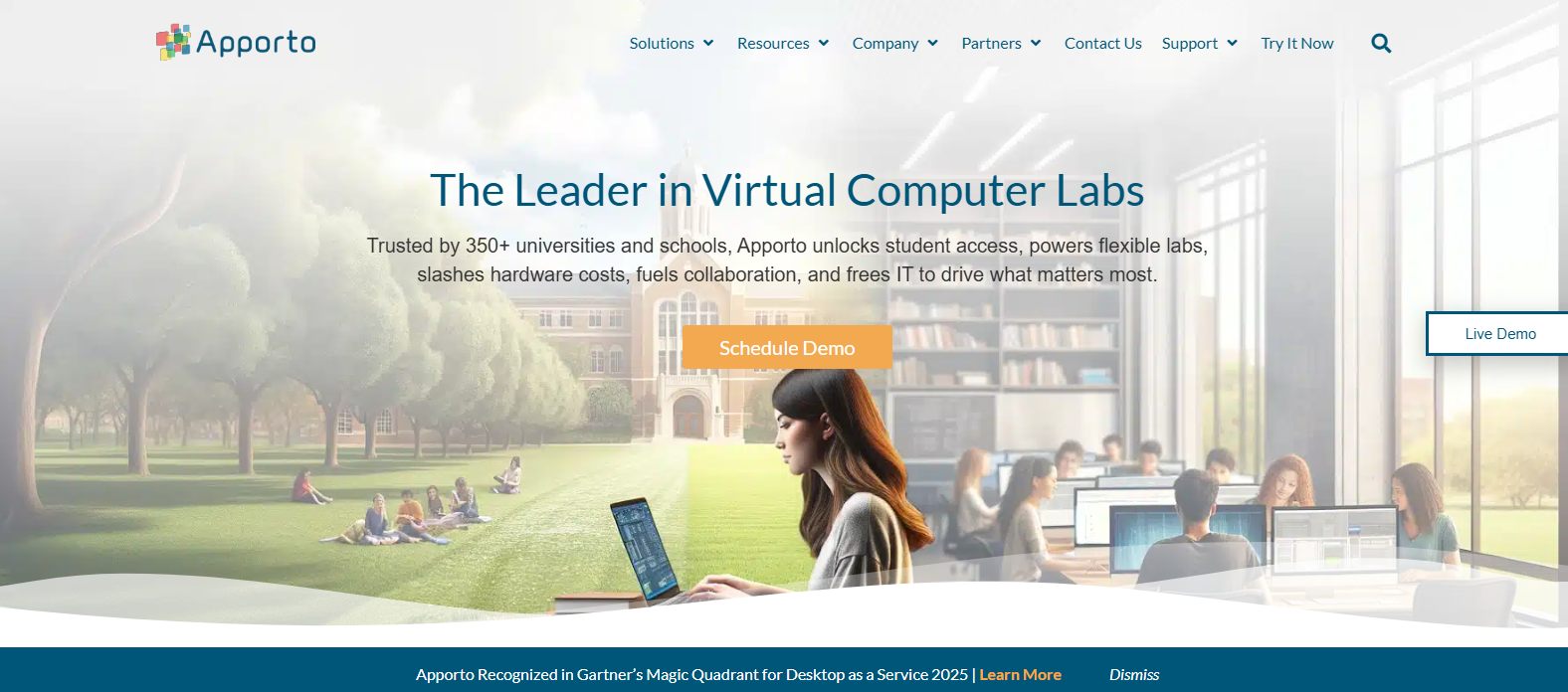
Skytap is an excellent choice for organizations that need to preserve legacy workloads and replicate traditional on-premises environments in the cloud. Its strength lies in migration and infrastructure continuity. Yet many organizations today are searching for something different, a platform that prioritizes simplicity, accessibility, and modern software delivery rather than recreating older environments. This is where Apporto stands apart.
Apporto is built around a browser-first experience that removes many of the challenges associated with traditional virtual desktop environments. Users do not need to install client software, configure VPN connections, or depend on powerful hardware to access applications. Everything runs through a browser, making digital workspaces easier to access and easier to manage.
This simplicity translates into a lower operational burden. Because the platform is delivered as a cloud-native service, organizations spend less time maintaining infrastructure and more time focusing on learning, collaboration, and productivity. Rapid rollouts allow administrators to deploy virtual desktops quickly, giving users access in a fraction of the time required by traditional environments.
Apporto is also particularly strong in education and workforce learning. Its browser-based digital workspaces allow students, faculty, and remote teams to access software anytime and from virtually anywhere. Built-in Virtual Classroom tools encourage collaboration and simplify teaching, while centralized management reduces the support requirements often associated with large-scale deployments.
Perhaps that is the biggest difference. Skytap helps organizations preserve the past. Apporto is designed to make modern work and learning more accessible, more flexible, and frankly, a lot simpler to manage.
What Makes Apporto Different?
- Browser-Based Desktops: Access full virtual desktops directly through a browser with no complicated setup.
- No Client Software: Users do not need to download or install software to access applications and workspaces.
- Virtual Classrooms: Built-in Virtual Classroom tools support teaching, collaboration, and interactive learning experiences.
- Rapid Deployment: Rapid rollouts allow organizations to deploy environments quickly and provide immediate access.
- Flexible Cloud Environments: Cloud-based desktops adapt easily to changing educational and workforce requirements.
- Lower Support Requirements: Centralized management reduces troubleshooting and lowers day-to-day support demands.
- Accessible Anywhere: Users can access applications and desktops anytime, from virtually any location and device.
- SaaS Simplicity: The software-as-a-service model simplifies management while improving scalability and accessibility.
As organizations continue moving toward browser-based software delivery and flexible cloud environments, Apporto offers a modern alternative that combines accessibility, rapid deployment, and simplified management in a single platform. Try Apporto Now.
Final Thoughts
The Apporto vs Skytap comparison ultimately depends on your organization’s priorities and how users need to access applications and environments.
Skytap is ideal for organizations that must preserve legacy workloads during cloud migration. Its ability to maintain existing environments and support specialized applications makes it a strong fit for enterprises with complex infrastructure needs.
Apporto, on the other hand, focuses on browser-based virtual desktops that simplify access and reduce operational overhead. Its cloud-native approach supports flexible workspaces without requiring client software, making it well suited for education and workforce learning.
If maintaining legacy systems is critical, Skytap is a solid choice. If you prioritize accessibility, simplicity, and modern cloud delivery, Apporto offers a more streamlined solution.
Frequently Asked Questions (FAQs)
1. Is Apporto a good Skytap alternative?
Yes. Apporto is a strong Skytap alternative if your priority is browser-based virtual desktops and simplified cloud delivery. The platform provides easy access to software and workspaces without client software, making it particularly attractive for education, workforce learning, and remote teams.
2. What is the biggest difference between Apporto and Skytap?
The biggest difference is their focus. Skytap specializes in preserving and migrating legacy workloads to cloud environments, while Apporto delivers browser-based virtual desktops designed for accessibility, rapid deployment, and simplified management. Their goals overlap in some areas, but the user experience is quite different.
3. Does Apporto require client software?
No. Apporto runs entirely through a web browser, so users do not need to install client software or configure local applications. This browser-first approach simplifies onboarding, reduces technical barriers, and allows users to access their desktop quickly from different devices.
4. Is Skytap better for legacy workloads?
Yes. Skytap is specifically designed to run traditional and specialized workloads in the cloud while preserving existing environments. Organizations migrating IBM Power systems, legacy applications, or complex infrastructures often choose Skytap because it minimizes disruption during cloud adoption.
5. Can Apporto run software through a browser?
Yes. Apporto delivers browser-based virtual desktops that allow users to run applications and access digital workspaces directly from a browser. Since software runs in the cloud, users can work from different devices without depending on powerful local hardware.
6. Why are organizations adopting browser-based virtual desktops?
Organizations are adopting browser-based virtual desktops because they simplify software access, reduce support requirements, and improve accessibility. Users can work from almost anywhere without installations or complicated configurations, while organizations benefit from easier deployment and lower operational overhead.
7. How does Apporto support education and workforce learning?
Apporto supports education and workforce learning through browser-based desktops, Virtual Classroom tools, and flexible cloud workspaces. Students, faculty, and remote teams can access software anytime, collaborate more effectively, and continue learning without being restricted by device limitations or location.
8. Is Apporto suitable for remote software teams?
Absolutely. Apporto enables remote software teams to access applications and desktops securely through a browser. Its cloud-native service reduces infrastructure complexity and provides flexible work environments that help distributed teams collaborate and remain productive from different locations.
9. How quickly can Apporto be deployed?
Apporto is designed for rapid deployment. Because the platform is delivered as a cloud-native service, organizations can deploy virtual desktops quickly and provide users with access in a short amount of time, avoiding many of the delays associated with traditional infrastructure.
10. Which platform is easier to manage?
For most organizations seeking simplified administration, Apporto is easier to manage. Its browser-based architecture, centralized controls, and reduced support requirements lower operational complexity. Skytap offers powerful capabilities for legacy workloads, but managing those environments may require additional infrastructure expertise.
