

What Is the Difference Between Apporto and Practice Labs?
Apporto and Practice Labs both provide cloud-based virtual labs, but they serve different learning needs. Apporto delivers browser-based virtual desktops for education and workforce training, while Practice Labs focuses on structured IT certification and technical training. For flexible software access across disciplines, Apporto is the stronger alternative
Virtual computer labs are becoming a core part of modern education and workforce training. Instead of relying on physical computer labs, institutions now use cloud based labs to give students consistent access to software through a browser.
This approach supports flexible learning from any device while reducing the cost and complexity of maintaining on-site infrastructure. In this apporto vs practice labs comparison, both platforms address the growing need for accessible virtual labs, but they serve different purposes. Apporto focuses on delivering browser-based software access across academic programs, while Practice Labs is built around hands-on IT training and certification preparation.
The sections ahead explore how each platform compares across deployment, accessibility, learning experience, security, performance, scalability, and long-term costs.
What Is the Difference Between Apporto and Practice Labs?

Apporto and Practice Labs appear to solve the same problem. Both provide virtual labs that give users access to software through the cloud, reducing the need for traditional computer labs. The difference lies in what each platform is designed to accomplish.
Apporto is built around browser-based virtual desktops that make software accessible across a wide range of academic and professional environments. Instead of installing applications on every computer, users can launch software directly through a browser. This approach supports everything from STEM programs to business, design, and humanities courses, making it a flexible solution for institutions that serve diverse learners.
Practice Labs takes a more specialized approach. The platform focuses on structured IT training through pre-configured lab environments that help learners develop technical skills and prepare for industry certifications. Rather than supporting a broad range of software needs, its environments are designed around practical exercises, troubleshooting scenarios, and certification objectives.
The philosophy behind each platform reflects these priorities. Apporto emphasizes accessibility, flexibility, and simplified software delivery for education and workforce learning. Practice Labs concentrates on practical technical training, allowing users to build confidence by completing guided exercises in realistic lab environments.
Neither platform is inherently better. The right choice depends on your learning goals, the software you need to deliver, and the type of experience you want your users to have.
Main Differences at a Glance
| Category | Apporto | Practice Labs |
|---|---|---|
| Primary Use Case | Browser-based virtual desktops for education, workforce learning, and general software access. | Hands-on IT training and certification preparation through structured lab environments. |
| Access Methods | Software is accessed instantly through a browser without installation. | Users access pre-configured virtual lab environments for guided technical exercises. |
| Learning Focus | Flexible learning across multiple academic disciplines and software applications. | Technical skill development, troubleshooting, and certification readiness. |
| Software Environments | Supports a broad variety of software through browser-based virtual desktops. | Delivers specialized lab environments built around IT technologies and practical training. |
| Target Audience | Universities, colleges, workforce training programs, instructors, students, and organizations. | Learners, IT professionals, and organizations focused on technical certification and hands-on skills development. |
How Do Apporto and Practice Labs Deliver Virtual Labs?

Virtual labs have changed the way software is delivered for education and professional training. Instead of depending on physical computer labs with applications installed on every machine, organizations now use cloud based virtual environments that give learners immediate access through the internet. This makes learning more flexible while reducing the time and effort required to maintain traditional computer systems.
Apporto and Practice Labs both embrace this approach, but they deliver virtual labs in different ways. Practice Labs is designed around structured technical training and certification preparation, while Apporto focuses on browser-based virtual desktops that provide access to a broad range of software for education and workforce learning.
How Does Practice Labs Deliver Hands-On IT Training?
Practice Labs is purpose-built for technical education. Its platform provides live lab environments where learners complete practical exercises using real software, operating systems, and networking technologies. Rather than reading about technical concepts, learners work through guided activities that help build practical skills and reinforce theoretical knowledge.
A major strength of Practice Labs is its focus on certification preparation. The lab environments are pre-configured to match common IT training objectives, allowing learners to practice troubleshooting, system administration, and other real tasks that appear in certification exams. This structured approach helps learners gain confidence while developing experience in realistic environments.
Because the platform centers on technical disciplines, it is especially valuable for IT professionals and students pursuing technology certifications.
How Does Apporto Deliver Browser-Based Virtual Desktops?
Apporto approaches virtual labs from a broader educational perspective. Its cloud based virtual desktop platform allows users to launch applications directly through a browser without installation or configuration. Software runs in the cloud, so learners can begin working almost immediately without worrying about local setup or compatibility issues.
This browser-based approach also removes hardware limitations. Even low-power devices can access resource-intensive applications because the computing work happens in the cloud rather than on the local computer. Apporto supports Windows and Linux applications along with a wide variety of academic software, making it suitable for disciplines ranging from engineering and computer science to business, design, and the humanities.
Instructors can also customize the software available within each virtual lab, ensuring students have access to the applications required for specific classes or projects. Combined with flexible cloud delivery, this creates an environment where learners can access software from almost anywhere while institutions simplify administration and reduce the complexity of managing traditional computer labs.
Although both platforms deliver virtual labs, their priorities are different. Practice Labs specializes in structured IT training and certification preparation, while Apporto provides browser-based virtual desktops that support a wider variety of software environments and academic programs through simple, cloud-based access.
How Do Deployment and Accessibility Compare?

Deployment and accessibility play a major role in the overall learning experience. A virtual lab platform should allow users to access software quickly without complicated setup or lengthy installation processes. The easier it is to launch applications, the faster students, instructors, and professionals can begin working instead of troubleshooting technical issues.
Apporto and Practice Labs both improve software accessibility compared to traditional computer labs, but they are designed with different priorities. Practice Labs focuses on delivering structured technical training environments, while Apporto emphasizes browser-based software access that is simple to deploy across a wide range of academic and professional settings.
Why Is Practice Labs Built for Certification Training?
Practice Labs is designed for learners who need practical experience with IT technologies and certification objectives. Its environments are pre-configured to support guided exercises, allowing learners to work with real software and operating systems without building everything from scratch.
Although the platform simplifies access compared to maintaining physical lab environments, users still work within structured training scenarios created specifically for technical education. This makes Practice Labs particularly valuable for certification programs where consistency and repeatable learning experiences are essential.
Its focus is not broad software delivery, but rather providing carefully designed lab environments that help learners develop practical troubleshooting skills and technical confidence.
How Does Apporto Simplify Software Access?
Apporto is built around immediate software access. Users launch browser-based desktops directly through Google Chrome or another supported browser without needing to install applications or complete complicated setup procedures. Since software runs entirely in the cloud, even low-power devices can access demanding applications without sacrificing performance.
This browser-first approach significantly reduces onboarding time. Students and instructors simply log in and begin working, while administrators avoid the challenges of configuring software across hundreds or thousands of devices. Institutions can also deploy new software quickly without requiring local installation or ongoing maintenance.
The result is a flexible platform that makes software available almost immediately while reducing technical barriers for both users and IT teams.
Accessibility Comparison Table
| Category | Apporto | Practice Labs |
|---|---|---|
| Access Method | Browser-based virtual desktops that launch through Google Chrome or another supported browser. | Access to structured virtual lab environments designed for certification training. |
| Device Support | Works on low-power devices because applications run in the cloud. | Accessible from modern devices that support virtual lab access. |
| Installation Required | No software installation or local configuration required. | Pre-configured lab environments reduce setup, though access depends on the training environment. |
| Software Access | Immediate access to a wide variety of software through a browser. | Access to pre-configured software and operating systems aligned with certification objectives. |
| Learning Flexibility | Supports diverse academic programs, workforce learning, and general software access. | Optimized for structured IT training and certification preparation. |
Both platforms improve accessibility compared to traditional computer labs, but they solve different challenges. Practice Labs provides structured environments for technical learning, while Apporto focuses on making software available quickly, from almost any device, with minimal setup and maximum flexibility.
Which Platform Provides a Better Learning Experience?
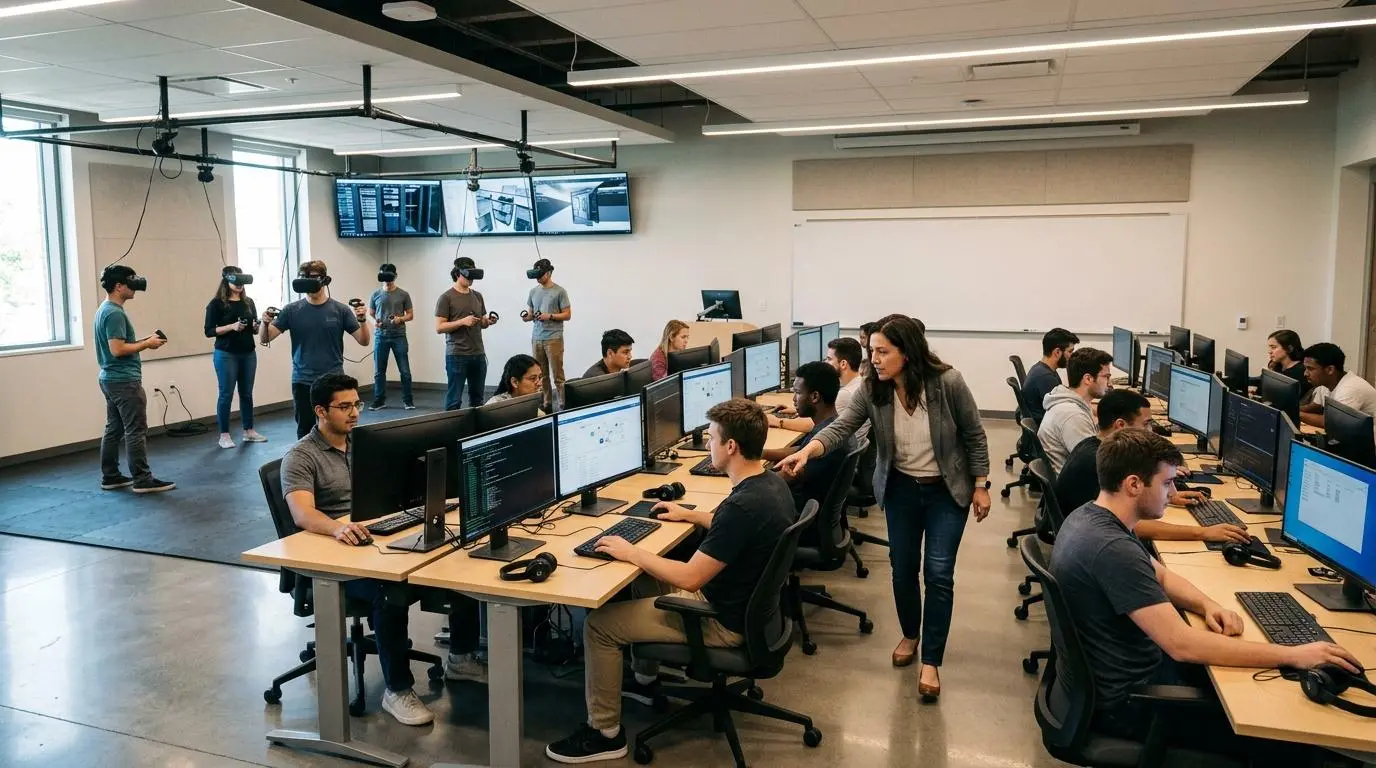
A successful virtual lab should do more than provide access to software. It should encourage hands-on learning, keep students engaged, and give instructors the tools they need to guide learners effectively. The overall learning experience depends on how easily users can interact with applications, collaborate with others, and gain practical experience that translates into real-world skills.
Apporto and Practice Labs both support interactive learning, but they approach it from different directions.
Practice Labs is designed around structured technical education. Learners complete practical exercises that mirror real IT tasks, allowing them to experiment freely while developing troubleshooting skills in controlled lab environments. This approach is especially valuable for certification preparation because it reinforces technical concepts through repeated practice instead of theory alone.
Apporto delivers a broader learning experience that supports many academic disciplines. Students can access software through a browser without installation, allowing them to begin working almost immediately. Because the platform removes many of the technical barriers associated with traditional computer labs, instructors can focus more on teaching and less on software setup.
Collaboration is another important advantage. Apporto includes instructor monitoring and collaboration tools that make it easier to support students during classes. Faculty can guide learners in real time, monitor progress, and create more engaging sessions while students complete assignments and projects using the applications they need.
Ultimately, the better platform depends on your objectives. Practice Labs excels when practical IT troubleshooting and certification training are the primary goals. Apporto is better suited for institutions that want flexible software environments capable of supporting diverse courses while improving accessibility and collaboration.
What Features Improve Learning Outcomes?
- Instructor Monitoring: Apporto allows instructors to monitor student activity, making it easier to provide timely guidance and support during classes.
- Collaboration Tools: Built-in collaboration features encourage interaction between instructors and students, helping create a more engaging learning experience.
- Practical Troubleshooting: Practice Labs gives learners opportunities to solve realistic IT problems, strengthening technical knowledge through practical experience.
- Hands-On Labs: Both platforms support hands-on learning, but Practice Labs emphasizes structured technical exercises while Apporto enables broader software access across academic disciplines.
- Flexible Software Environments: Apporto provides flexible software environments that support a wide variety of courses, allowing students to access the applications they need through a browser.
- Freedom to Experiment: Learners can experiment freely, complete real tasks, and build confidence by applying concepts in virtual lab environments rather than relying solely on theoretical instruction.
How Do Security and Platform Management Compare?

Security is one of the most important considerations when choosing a virtual lab platform. Organizations need environments that protect software, user accounts, and institutional data without making administration unnecessarily complicated. At the same time, instructors and IT teams expect management tools that simplify deployment, user access, and ongoing support.
Apporto and Practice Labs both provide secure cloud-based environments, but they emphasize different aspects of platform management. Practice Labs focuses on maintaining controlled environments for technical training, while Apporto combines secure browser access with simplified software management that reduces the administrative burden on IT teams.
Because both platforms deliver applications through the cloud, organizations avoid many of the risks associated with installing software on individual computers. Administrators can manage users and software from centralized interfaces instead of configuring every local machine separately. This not only strengthens security but also creates a more consistent experience for students, instructors, and other users.
The difference comes down to simplicity versus specialization. Practice Labs is designed to support structured technical training with controlled lab environments, while Apporto prioritizes secure browser-based software delivery that is easy to deploy, manage, and scale across departments.
What Security Features Matter in Virtual Labs?
- Secure Browser Access: Browser-based access allows users to launch software securely without installing applications on local devices, reducing potential security risks.
- User Permissions: Administrators can assign permissions that ensure users only access the applications and resources appropriate for their role.
- Administrative Controls: Centralized administrative controls simplify user management, software deployment, and platform oversight across multiple classes or departments.
- Software Management: Managing applications from a central location makes updates easier and reduces the effort required to maintain consistent software environments.
- Data Protection: Cloud-based environments help protect applications and institutional data by keeping software centrally managed instead of distributing it across individual devices.
- Simplified Administration: Efficient management tools reduce support requests and allow IT teams to spend more time improving services rather than maintaining software installations.
Security Comparison Table
| Security Category | Apporto | Practice Labs |
|---|---|---|
| Secure Access | Secure browser access without requiring local software installation. | Secure access to controlled virtual lab environments for technical training. |
| User Management | Centralized management simplifies user provisioning and software access across departments. | User management is designed around structured training environments and controlled access. |
| Browser Security | Applications run through a browser, reducing reliance on local devices and simplifying security management. | Cloud-based access provides secure entry to virtual lab environments without depending on physical computer labs. |
| Administrative Controls | Centralized administrative controls simplify software delivery, platform management, and ongoing support. | Administrative controls help manage lab environments, users, and training activities. |
| Data Protection | Cloud-based software delivery keeps applications centrally managed while helping protect institutional resources. | Secure cloud environments support controlled access to software and training systems while maintaining data integrity. |
Strong security provides the foundation for any virtual lab platform, but long-term success also depends on how well the platform performs as more users, applications, and workloads are added. That makes performance and scalability the next important part of the comparison.
How Do Performance and Scalability Compare?

Performance and scalability determine how well a virtual lab platform continues to support learners as demand grows. A platform should provide reliable software access, maintain consistent performance during busy periods, and adapt to changing workloads without requiring major infrastructure upgrades. This is particularly important for organizations supporting multiple departments, online courses, or large groups of students at the same time.
Apporto and Practice Labs both use cloud based infrastructure, but they are optimized for different objectives. Practice Labs focuses on delivering stable certification labs for technical training, while Apporto emphasizes scalable virtual desktops that support a broad range of software environments across education and workforce learning.
Where Does Practice Labs Excel?
Practice Labs performs best when structured technical training is the priority. Its certification labs are designed to provide learners with consistent environments where they can practice real tasks using industry-standard technologies. Because the platform is purpose-built for IT education, learners experience reliable performance while completing guided exercises and troubleshooting scenarios.
This focused approach makes Practice Labs particularly valuable for certification preparation. Learners can work within standardized environments that remain consistent across courses, allowing them to build technical knowledge and practical confidence without unexpected variations in the lab setup.
Where Does Apporto Excel?
Apporto is designed for flexibility and scale. Its cloud based architecture allows institutions to deliver resource-intensive software to low-power devices through a browser, eliminating the need for expensive local hardware. Applications run in the cloud, allowing students to access demanding software while maintaining a consistent desktop experience.
The platform also uses autoscaling to allocate cloud resources efficiently as demand changes. This helps maintain performance during busy periods while avoiding unnecessary infrastructure costs. Because Apporto supports a broad range of software environments, it can scale across different academic programs without requiring separate platforms for individual departments or technologies.
Main Performance Considerations
- Heavy Software on Low-Power Devices: Apporto allows low-power devices to run resource-intensive software because processing takes place in the cloud.
- Cloud-Based Scalability: Both platforms use cloud based infrastructure to expand capacity as learning requirements grow.
- Autoscaling: Apporto uses autoscaling to manage cloud resources efficiently while maintaining reliable performance.
- Certification Labs: Practice Labs delivers stable environments designed specifically for certification training and technical skill development.
- Broad Software Environments: Apporto supports a wide variety of software and academic technologies, making it easier to scale across multiple courses, departments, and workforce learning programs.
What Should You Know About Pricing and Long-Term Costs?

Choosing a virtual lab platform involves much more than comparing subscription fees. The real investment includes infrastructure, hardware, software maintenance, IT support, and the resources required to keep everything running over time. These factors determine the total cost of ownership and often have a greater impact on long-term budgets than the initial purchase price.
Both Apporto and Practice Labs reduce many of the expenses associated with traditional computer labs, but they achieve those savings differently. Practice Labs helps organizations deliver technical training without maintaining physical certification labs, while Apporto reduces operational costs by providing browser-based virtual desktops that simplify software delivery across a wide variety of academic and professional environments.
Why Are Organizations Choosing Cloud-Based Virtual Labs?
Many organizations are replacing physical computer labs because maintaining them has become increasingly expensive. Hardware eventually needs to be upgraded, software must be installed and updated on every machine, and IT teams spend significant time resolving compatibility issues and supporting individual devices.
Cloud based virtual labs remove much of this complexity.
Applications are delivered through cloud infrastructure instead of local computers, reducing hardware investments and simplifying software management. Organizations can also expand resources more efficiently because cloud platforms allow capacity to grow as demand changes rather than requiring large upfront infrastructure purchases.
Another advantage is predictable budgeting. Instead of continually investing in new equipment and ongoing maintenance, organizations can plan operational costs more effectively while providing learners with reliable access to software.
How Does Apporto Reduce Long-Term Costs?
Apporto is designed to lower long-term operational costs by simplifying nearly every stage of software delivery.
Its browser-based platform eliminates the need to install and configure applications on individual computers, reducing both maintenance and technical support requirements. Because applications run in the cloud, organizations can also eliminate many expensive hardware purchases. Even low-power devices are capable of running resource-intensive software without requiring local upgrades.
Cloud infrastructure further improves cost efficiency. Apporto uses autoscaling to allocate computing resources based on demand, helping organizations avoid paying for unused capacity while maintaining consistent performance during busy periods. This efficient use of cloud resources contributes to lower operational costs and better long-term value.
For educational institutions, these efficiencies can be significant. Cloud based virtual labs can save organizations between 50 and 75 percent compared to maintaining traditional computer labs, while reducing infrastructure complexity and making software easier to manage across departments.
Cost Comparison Table
| Cost Category | Apporto | Practice Labs |
|---|---|---|
| Infrastructure Costs | Browser-based delivery reduces infrastructure requirements and can save organizations 50 to 75 percent compared to traditional computer labs. | Eliminates the need for dedicated physical certification labs while relying on cloud-based training environments. |
| Hardware Costs | Supports low-power devices, reducing the need for expensive workstation upgrades and specialized hardware. | Reduces hardware requirements compared to traditional labs, though training environments remain focused on technical certification scenarios. |
| Maintenance Costs | No software installation on local devices, resulting in lower maintenance and reduced IT support requirements. | Cloud delivery reduces maintenance compared to physical computer labs but still requires management of structured training environments. |
| Scalability Costs | Autoscaling adjusts cloud resources according to demand, helping control operational costs as usage grows. | Cloud-based environments can expand as training needs increase without requiring additional physical lab infrastructure. |
| Budget Predictability | Cloud-based deployment provides predictable operational costs while simplifying long-term budget planning. | Subscription-based pricing helps organizations forecast training expenses more effectively than maintaining physical computer labs. |
Cost remains an important part of the decision, but it is only one piece of the picture. Many organizations are also rethinking how software should be delivered, how learners access applications, and whether traditional computer labs still represent the best long-term approach.
Why Are Organizations Rethinking Traditional Computer Labs?
For years, physical computer labs were the standard way to deliver software for education and professional training. While they served an important purpose, they also introduced ongoing challenges. Institutions had to purchase powerful hardware, install software on every computer, schedule regular maintenance, and replace aging equipment over time. As learning becomes more flexible, these limitations are becoming increasingly difficult to justify.
Cloud based labs offer a more practical alternative. Instead of tying software to a specific location, organizations can deliver applications through a browser, allowing students and professionals to access the tools they need from almost anywhere. This flexibility supports in-person, remote, and hybrid learning without requiring learners to use dedicated computer labs.
Browser-based software delivery also simplifies IT operations. Applications are managed centrally rather than on individual machines, reducing maintenance while making updates easier to deploy across multiple courses or departments. As a result, organizations spend less time managing infrastructure and more time supporting teaching and learning.
Modern learners also expect immediate access. They want to continue projects from different devices without worrying about installations or hardware limitations. Cloud based labs make this possible while giving institutions a more scalable and cost-effective way to deliver software.
Most Common Reasons Organizations Explore Alternatives
- Better Accessibility: Browser-based platforms allow learners to access software from almost any location using supported devices.
- Lower Infrastructure Costs: Cloud based labs reduce the need to purchase, maintain, and regularly replace expensive physical computer labs.
- Flexible Learning: Students can continue learning across campus, at home, or while traveling without losing access to essential software.
- Reduced Maintenance: Centralized software management minimizes updates, troubleshooting, and day-to-day maintenance for IT teams.
- Improved Learning Experience: Immediate software access, greater flexibility, and fewer technical barriers help create a smoother learning experience for both students and instructors.
Why Does Apporto Stand Out as a Modern Practice Labs Alternative?
Practice Labs is an excellent platform for learners pursuing IT certifications and structured technical training. Its virtual labs are designed to help users develop practical troubleshooting skills through guided exercises and realistic environments. For organizations focused on certification pathways, that specialized approach offers clear value.
Apporto addresses a much broader set of learning needs. Rather than concentrating on a single discipline, Apporto delivers browser-based virtual desktops that support virtual computer labs across higher education, workforce development, and professional training. Students can access software through a browser without installing applications or configuring their devices, making it easier to begin learning with minimal technical barriers.
This browser-first design also reduces the infrastructure burden on institutions. Applications run in the cloud, allowing low-power devices to access demanding software such as Microsoft Office 2024 and MATLAB without sacrificing performance. Instead of investing in expensive workstation upgrades, organizations can extend the life of existing devices while expanding software access across departments.
Apporto also enhances the classroom experience through Virtual Classroom features, instructor monitoring, and collaboration tools. Faculty can support students during live sessions, monitor progress, and create more engaging learning environments without relying on traditional computer labs. Combined with LMS-friendly environments, software becomes easier to deliver as part of everyday teaching rather than a separate technical process.
Another important advantage is cost efficiency. By replacing physical computer labs with browser-based virtual desktops, institutions can reduce infrastructure costs and save 50 to 75 percent compared to traditional lab environments. Those savings, combined with simplified software management, make Apporto a practical long-term solution for organizations looking to modernize software delivery. Schedule Demo Now.
What Makes Apporto Different?
- Browser-Based Virtual Desktops: Deliver software through a browser, giving students immediate access without complicated setup.
- No Software Installation: Eliminate local installation and configuration by delivering applications directly from the cloud.
- Windows and Linux Support: Access applications that run in both Windows and Linux environments from a single platform.
- Microsoft Office 2024 and MATLAB: Provide students with access to widely used academic software without depending on powerful local computers.
- Instructor Monitoring: Help instructors monitor classroom activity and provide guidance during learning sessions.
- Collaboration Tools: Support interactive learning through built-in collaboration and Virtual Classroom features.
- LMS-Friendly Environments: Integrate software access into existing learning workflows for a smoother educational experience.
- Accessible from Low-Power Devices: Allow students to use resource-intensive software from devices that would otherwise struggle to run those applications.
- Rapid Software Delivery: Deploy browser-based virtual computer labs quickly while reducing the complexity of software management.
If your goal is to deliver flexible software access across multiple disciplines while reducing infrastructure costs and simplifying management, Apporto provides a modern alternative that extends well beyond traditional virtual computer labs. Try Apporto Now.
Final Thoughts
The best platform depends on your learning objectives and the experience you want to deliver. Practice Labs is ideal for organizations focused on IT certification and structured technical training, offering guided labs that build practical skills.
Apporto supports a broader range of learning needs with browser-based virtual desktops, enabling users to access software from any device while helping institutions reduce infrastructure costs and simplify management.
Choose Practice Labs for certification-driven training. Choose Apporto for flexible, scalable virtual computer labs across disciplines. Ultimately, the right choice depends on your users, institutional goals, and desired learning experience.
Frequently Asked Questions (FAQs)
1. Is Apporto a good Practice Labs alternative?
Yes. Apporto is a strong Practice Labs alternative if you need browser-based virtual computer labs for education or workforce learning. It provides immediate software access without installation and supports a wide variety of academic programs beyond certification-focused technical training.
2. What is the biggest difference between Apporto and Practice Labs?
The biggest difference is their primary focus. Apporto delivers browser-based virtual desktops for general software access across multiple disciplines, while Practice Labs specializes in structured IT certification training through pre-configured virtual lab environments and practical technical exercises.
3. Does Apporto require software installation?
No. Apporto eliminates software installation and configuration requirements by delivering applications through a browser. Users simply sign in and launch their virtual desktop, making software available quickly without modifying their local computer or installing additional programs.
4. Can Apporto run Microsoft Office and MATLAB?
Yes. Apporto supports Microsoft Office 2024, MATLAB, and many other applications through browser-based virtual desktops. Because processing happens in the cloud, students can use resource-intensive software from low-power devices without sacrificing performance.
5. Is Practice Labs better for IT certification training?
Yes. Practice Labs is purpose-built for IT certification preparation. Its structured lab environments allow learners to complete practical exercises, develop troubleshooting skills, and gain experience using real operating systems and technologies commonly found in certification programs.
6. Why are organizations replacing physical computer labs?
Organizations are replacing physical computer labs to reduce infrastructure costs, simplify software management, and improve accessibility. Cloud-based virtual labs allow students and employees to access applications from almost anywhere while lowering maintenance requirements and extending the life of existing devices.
7. How does Apporto support hands-on learning?
Apporto supports hands-on learning by giving students immediate access to software through browser-based virtual desktops. Instructor monitoring, collaboration tools, and Virtual Classroom features help create interactive learning experiences while allowing learners to complete practical assignments and real projects.
8. Is Apporto suitable for universities?
Absolutely. Apporto is designed for higher education and supports a broad range of academic disciplines. Universities can deliver browser-based virtual computer labs, simplify software access, reduce infrastructure costs, and provide consistent learning experiences for students across multiple departments.
9. Can students access Apporto from low-power devices?
Yes. Apporto allows students to use resource-intensive software from low-power devices because applications run in the cloud instead of on the local computer. This improves accessibility while reducing the need for expensive hardware upgrades across educational institutions.
10. Which platform is easier to manage?
For most educational institutions, Apporto is easier to manage. Its browser-based architecture, centralized software delivery, and reduced maintenance requirements simplify administration, while Practice Labs requires management of specialized environments designed primarily for certification-focused technical training.
