

Which Practice Labs Alternative Is Best for Hands-On Learning?
The best Practice Labs alternative depends on your training needs, but Apporto Virtual Computer Labs stand out for browser-based, hands-on learning in education and software-intensive training. Other leading alternatives include Skillable, KodeKloud, CloudShare, and ReadyTech for enterprise, DevOps, and certification-focused programs.
Practice Labs is widely used for virtual labs and certification-focused IT training, but it is no longer the only option organizations consider. As demand grows for hands on labs that are accessible through a browser and supported by scalable cloud infrastructure, many teams are actively exploring Practice Labs alternatives that better align with their training goals and budgets.
Virtual labs now play a central role in software training by enabling learners to practice skills in real environments without managing physical systems.
In this guide, you’ll review top alternatives based on key factors such as hands on learning quality, virtual lab performance, pricing models, security, and the depth of training content available for modern organizations.
How We Evaluated These Practice Labs Alternatives?

Choosing the right Practice Labs alternative requires more than comparing feature lists. A platform should help learners build practical skills, support different training objectives, and remain cost effective as organizations grow. To make this comparison useful, each solution was evaluated across four areas that consistently influence software training, certification readiness, and long-term value.
How Effective Are Their Hands-On Labs?
Hands on labs are one of the biggest reasons organizations invest in virtual training platforms. We evaluated how well each solution delivers software training, develops technical knowledge, and supports certification preparation through practical exercises. We also looked at skills validation and the quality of the overall learning experience. Practice Labs is well known for its live sandbox environments, while many alternatives provide specialized learning experiences for cloud, networking, and DevOps training. Most importantly, virtual labs create a risk free environment where learners can practice, make mistakes, and build confidence before working with production systems.
How Flexible Are Their Virtual Lab Environments?
A modern virtual lab should be easy to access while remaining flexible enough to support different technologies. We compared browser accessibility, Microsoft Azure integration, cloud infrastructure, infrastructure management, and overall accessibility. Solutions that reduce reliance on physical infrastructure received additional consideration, as did platforms that leverage cloud hosting providers and browser-based delivery. Microsoft Virtual Labs and CloudLabs have demonstrated how cloud technologies can simplify practical learning without requiring dedicated hardware.
How Well Do They Support Modern Training Programs?
Not every platform delivers the same type of learning experience. We reviewed the depth of training content, exam preps, employee instruction, certification support, and available courses. Industry leaders such as CBT Nuggets, KodeKloud, and Skillable each bring different strengths, from certification-focused learning to cloud-native skills development and enterprise training.
How Do They Balance Security, Pricing, and Scalability?
Finally, we evaluated long-term value. That included performing security verification, access controls, protection against malicious bots, compliance capabilities, and administrative features that help organizations protect learning environments. We also compared subscription pricing, pay-as-you-go options, typical virtual lab costs, available student or military discounts, and overall scalability to determine which platforms deliver the strongest return on investment as training programs expand.
Quick Comparison Table: Which Practice Labs Alternative Fits Your Needs?
Before comparing each platform in detail, it helps to understand where they excel. Some alternatives specialize in certification preparation, while others focus on browser-based virtual labs, cloud infrastructure, DevOps training, or enterprise learning. The table below provides a quick overview of each solution’s strengths, helping you narrow your options before exploring the detailed reviews that follow.
| Platform | Best For | Browser-Based | Pricing | Standout Feature |
|---|---|---|---|---|
| Apporto Virtual Computer Labs | Higher Education | Yes | Custom | Browser-Based Virtual Labs |
| Skillable | Enterprise Training | Partial | Custom | Performance-Based Labs |
| KodeKloud | DevOps Learning | Yes | Subscription | Cloud & Kubernetes Labs |
| CloudShare | Product Training | Yes | Custom | Sandbox Environments |
| OrasiLabs | Software Testing | Partial | Custom | Testing Labs |
| AWS Self-Paced Labs | AWS Learning | Yes | Usage-Based | Official AWS Labs |
| ReadyTech | Instructor-Led Labs | Partial | Custom | Hosted Training Labs |
| XtremeLabs | STEM Education | Yes | Custom | Interactive Course Labs |
| myACI | Cisco Training | Yes | Subscription | Certification Labs |
| CBT Nuggets | IT Certification | Yes | Subscription | Video + Virtual Labs |
| Lab on Demand | Enterprise Labs | Partial | Custom | On-Demand Training |
| Heropa | Automated IT Labs | Yes | Custom | Automated Lab Provisioning |
Practice labs Alternatives (Detailed Overview)
1. Apporto Virtual Computer Labs (A Leading Browser-Based Virtual Lab Solution for Academic Institutions)
Overview
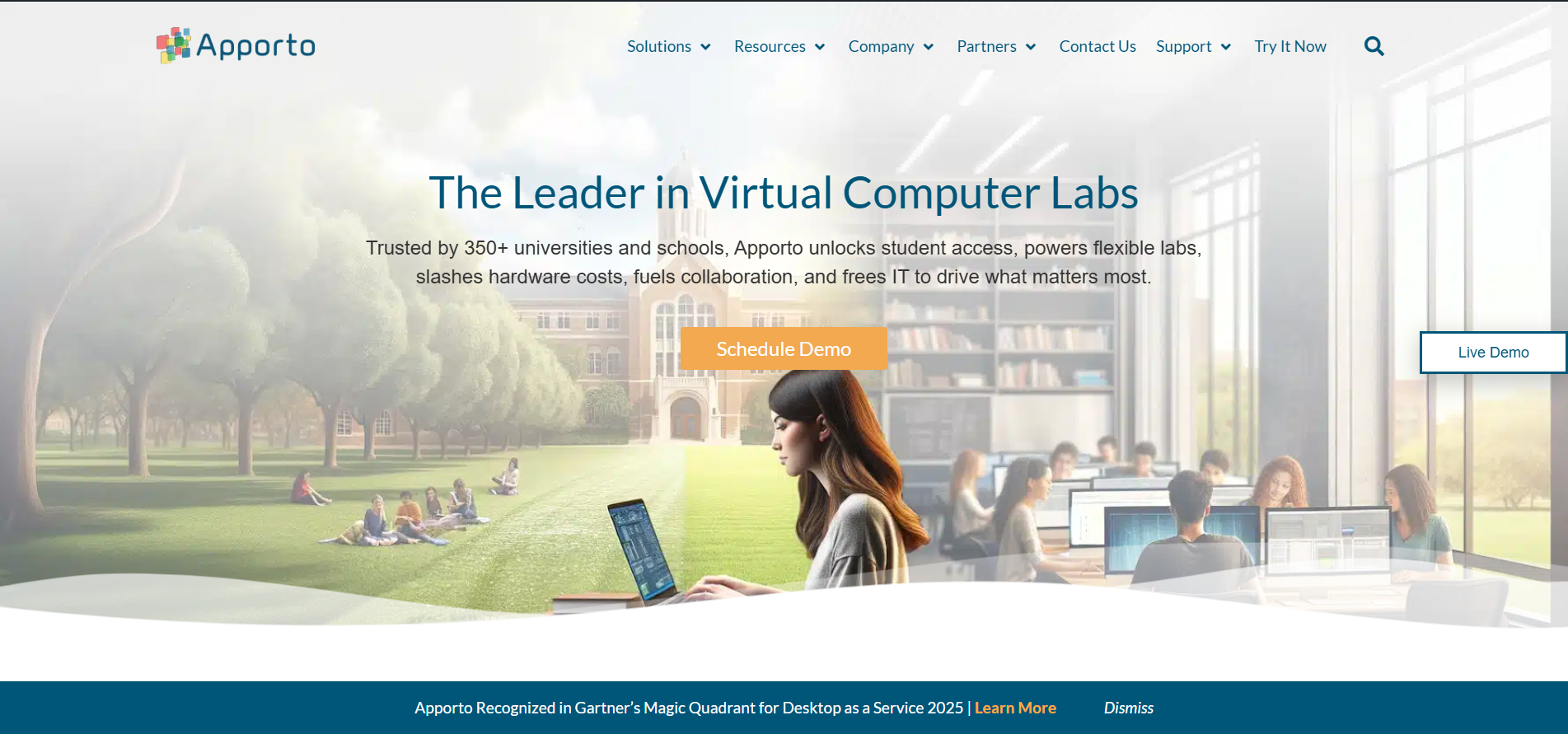
Apporto Virtual Computer Labs takes a different approach to delivering hands on training by removing the dependency on physical infrastructure altogether. Instead of relying on traditional computer labs or locally installed software, the platform provides fully hosted virtual environments that run entirely in a web browser. This allows students to access course materials and applications from any device, while instructors and IT teams oversee everything through a centralized management system.
This model shifts the focus away from setup and maintenance toward actual learning outcomes. Rather than spending time configuring systems or troubleshooting installations, learners can jump straight into practical exercises. At the same time, administrators benefit from streamlined deployment and easier resource management. As educational institutions and training providers scale their programs, this cloud based approach helps maintain consistency, accessibility, and efficiency across all users.
Highlights
- Browser-Based Virtual Labs: Launch applications and desktops directly through a browser without software installation.
- Rapid Deployment: Provision hands on labs quickly for courses, workshops, and certification training.
- Centralized Administration: Manage users, software, permissions, and cloud resources from a single platform.
- Secure Access Controls: Protect virtual learning environments with built-in authentication and role-based permissions.
- Scalable Infrastructure: Support growing classes and organizations while maintaining consistent performance.
Best For:
Universities, colleges, technical training providers, and organizations seeking browser-based virtual labs with simplified IT management.
Limitations:
Organizations focused primarily on enterprise software testing or advanced product demonstrations may require additional specialized capabilities.
Pricing:
Custom pricing based on institution size, software requirements, deployment preferences, and concurrent user needs.
2. Skillable (A Strong Choice for Enterprise Hands-On Labs)
Overview
Skillable is designed for organizations that want training to mirror real workplace challenges rather than relying solely on theory. The platform emphasizes hands on labs where learners complete guided tasks inside realistic environments, helping them build technical knowledge through practical experience. Its performance-based approach makes it particularly valuable for enterprise teams that need to validate skills, prepare employees for certification, or measure readiness before assigning real-world responsibilities.
One characteristic becomes apparent after exploring the platform. Skillable focuses just as much on measuring outcomes as it does on delivering training. Administrators can monitor learner progress through detailed analytics, while participants strengthen their knowledge by completing scenario-based exercises instead of passive lessons. This combination creates a more structured learning experience and helps organizations identify areas where additional instruction may be needed. As technologies continue to evolve, the platform also adapts quickly, allowing training content to stay aligned with current industry practices.
Highlights
- Hands-On Labs: Build practical skills through guided exercises that simulate real-world technical environments.
- Performance-Based Assessments: Validate knowledge by measuring completed tasks instead of relying only on traditional quizzes.
- Advanced Analytics: Track learner engagement, certification readiness, and training progress through detailed reporting.
- Custom Learning Environments: Create labs that reflect your organization’s technologies, workflows, and business objectives.
- Scalable Enterprise Training: Deliver consistent hands on training across growing teams while maintaining a high-quality learning experience.
Best For:
Enterprise organizations, corporate training teams, and businesses looking to strengthen technical skills, improve certification readiness, and measure learning outcomes.
Limitations:
Public pricing is not available, and smaller organizations may find the platform offers more enterprise-focused capabilities than they currently require.
Pricing:
Custom pricing based on training requirements, number of users, lab usage, and deployment needs. Contact Skillable directly for a personalized quote.
3. KodeKloud (Best for DevOps and Cloud Skills Development)
Overview
KodeKloud is a strong Practice Labs alternative if your focus is building practical cloud and DevOps expertise. The platform combines structured learning paths with browser-based labs, allowing learners to develop knowledge through guided practice instead of relying only on videos or documentation. Its courses cover a wide range of modern technologies, including Linux, Kubernetes, Docker, and Microsoft Azure, making it a popular choice for professionals preparing for cloud-focused careers and industry certifications.
One advantage becomes clear after using the platform. KodeKloud emphasizes continuous practice in realistic environments rather than isolated demonstrations. Learners can complete exercises, repeat tasks, and strengthen their understanding at their own pace. That approach helps reinforce technical concepts while improving confidence before working in production environments. As new cloud technologies emerge, the platform regularly updates its training content to reflect current industry standards and best practices.
Highlights
- Interactive Cloud Labs: Build practical knowledge through browser-based exercises covering real cloud technologies.
- DevOps Learning Paths: Follow structured courses that combine instruction with hands-on practice.
- Microsoft Azure and Linux Training: Develop practical experience across Microsoft Azure, Linux, Kubernetes, Docker, and related technologies.
- Self-Paced Learning: Learn at your own speed while revisiting labs whenever additional practice is needed.
- Certification Preparation: Reinforce technical skills with practical exercises designed to support industry certification goals.
Best For:
IT professionals, developers, and organizations looking to strengthen cloud knowledge, Linux administration, DevOps skills, and certification readiness.
Limitations:
The platform focuses primarily on cloud and DevOps education, making it less suitable for organizations seeking broader enterprise virtual lab management or product training capabilities.
Pricing:
Subscription-based pricing with multiple plans for individuals and teams. Higher-tier subscriptions provide access to additional labs, learning paths, and advanced cloud training content.
4. CloudShare (Best for Virtual IT Labs and Product Training)
Overview
CloudShare is a strong Practice Labs alternative for organizations that want to combine virtual labs with product training and customer education. The platform allows businesses to create cloud-based environments where learners and customers can safely explore applications, complete guided exercises, and participate in interactive demos without affecting production systems. Its support for AWS, Microsoft Azure, and other cloud technologies gives organizations the flexibility to build realistic training experiences for different technical requirements.
One feature becomes particularly valuable as training programs expand. CloudShare makes it possible to provision virtual labs quickly while maintaining a consistent experience for every participant. Administrators can monitor activity, manage environments, and provide support through centralized controls, helping reduce operational complexity while delivering engaging technical training. That combination of flexibility and ease of management makes the platform well suited for organizations that regularly train employees, partners, or customers.
Highlights
- Virtual Labs: Deliver browser-accessible virtual labs for software training, technical workshops, and certification preparation.
- Interactive Demos: Build realistic product demos that allow customers to explore applications through hands-on experiences.
- Multi-Cloud Support: Create training environments across AWS, Microsoft Azure, and other cloud platforms.
- Built-In Analytics: Track learner activity, monitor engagement, and evaluate training performance through detailed reporting.
- Rapid Environment Provisioning: Launch cloud environments quickly to support onboarding, technical instruction, and product education.
Best For:
Software companies, training providers, and organizations delivering virtual labs, interactive demos, customer onboarding, and cloud-based technical training.
Limitations:
Environment-based pricing can become more expensive as cloud resource usage increases, particularly for organizations with limited budgets.
Pricing:
Custom pricing based on environment usage rather than per-user licensing. CloudShare also offers a free trial for organizations evaluating the platform.
5. OrasiLabs (Best for Software Testing Labs)
Overview
For teams focused on delivering reliable software, OrasiLabs offers a specialized alternative to Practice Labs centered on testing and quality assurance. Instead of building and maintaining internal testing infrastructure, organizations can use its cloud-based environments to run tests across multiple browsers, operating systems, and device setups. This approach helps teams validate applications more efficiently while reducing the overhead typically associated with managing test environments.
What sets OrasiLabs apart is its emphasis on aligning testing activities with modern development practices. The platform supports on-demand environment creation, allowing teams to quickly spin up the resources they need for different stages of the testing process. It also integrates smoothly into existing workflows, making it easier for developers and QA teams to collaborate and maintain consistency throughout the software lifecycle. By streamlining testing operations, OrasiLabs helps organizations accelerate release timelines while maintaining high standards of performance and reliability.
Highlights
- Cloud-Based Testing Labs: Access virtual testing environments without maintaining dedicated hardware or infrastructure.
- Workflow Integration: Integrate testing activities with existing development workflows to improve efficiency.
- Cross-Platform Testing: Validate applications across multiple browsers, operating systems, and supported platforms.
- Scalable Testing Solutions: Expand testing environments as project requirements and team sizes grow.
- Centralized Environment Management: Manage testing resources, user access, and environment configurations from a unified platform.
Best For:
Software development teams, quality assurance professionals, and organizations seeking scalable testing solutions with flexible workflow integration.
Limitations:
The platform is designed primarily for software testing and quality assurance rather than certification training or broad technical learning programs.
Pricing:
Custom pricing based on testing requirements, infrastructure usage, workflow integration needs, and deployment size. Contact OrasiLabs directly for a personalized quote.
6. AWS Self-Paced Labs (Best Option for AWS Certification Preparation)
Overview
If your primary objective is preparing for AWS certifications while building practical cloud experience, AWS Self-Paced Labs is a strong alternative to Practice Labs. Developed to complement official AWS learning resources, the platform gives you access to guided exercises that reinforce core cloud concepts through practical application. Instead of working in simulated environments, you practice with real AWS services, helping you build confidence before taking certification exams or managing production workloads.
One advantage becomes clear after exploring the platform. AWS Self-Paced Labs focuses on structured practice rather than broad technical training. Each lab is designed around specific learning objectives, allowing you to develop cloud knowledge step by step while becoming familiar with AWS services and best practices. Although the emphasis remains on AWS, many of the underlying concepts can also help you better understand related cloud technologies, including Microsoft Azure, making the learning experience valuable beyond a single platform.
Highlights
- Official AWS Labs: Practice with real AWS resources through guided exercises designed by AWS.
- Certification Preparation: Reinforce cloud concepts and improve readiness for AWS certification exams.
- Hands-On Practice: Develop practical experience by working directly with cloud services instead of simulations.
- Self-Paced Learning: Complete labs whenever your schedule allows and revisit exercises to strengthen your knowledge.
- Real Cloud Environments: Build confidence by working with production-style cloud resources in controlled learning environments.
Best For:
IT professionals, students, and organizations preparing for AWS certification while strengthening practical cloud skills.
Limitations:
The platform focuses primarily on AWS services and provides less coverage of broader multi-cloud environments or enterprise virtual lab management.
Pricing:
Usage-based pricing varies depending on the labs and cloud resources consumed. Costs remain flexible, allowing organizations and individual learners to pay only for the practical experience they use.
7. ReadyTech (Best for Hosted Instructor-Led Training)
Overview
ReadyTech is a strong Practice Labs alternative for organizations that regularly deliver live technical training and instructor-led courses. The platform provides hosted virtual lab environments that remove much of the complexity associated with preparing training infrastructure, allowing instructors to focus on delivering effective instruction rather than managing technology. It supports employee training, certification programs, onboarding sessions, and technical workshops through centrally managed lab environments that are ready when learners need them.
One of ReadyTech’s biggest strengths is its ability to simplify the training process from start to finish. Administrators can prepare environments in advance, instructors can follow a structured schedule without worrying about technical issues, and participants gain consistent access to the same resources throughout the course. Combined with responsive technical support, this approach helps organizations deliver reliable learning experiences while reducing interruptions that can affect productivity.
Highlights
- Hosted Virtual Labs: Deliver instructor-led training through fully managed lab environments.
- Centralized Course Management: Organize users, instructors, and training resources from a single platform.
- Reliable Technical Support: Access dedicated support that helps keep courses running smoothly.
- Flexible Scheduling: Prepare labs ahead of time and deliver training according to your organization’s schedule.
- Scalable Employee Training: Support certification programs, onboarding, and employee development across growing teams.
Best For:
Organizations delivering instructor-led technical training, employee training, certification programs, and enterprise workshops.
Limitations:
The platform is designed primarily for hosted instruction and may offer fewer browser-based self-paced learning options than some competing solutions.
Pricing:
Custom pricing based on training requirements, number of participants, support needs, and deployment size. Contact ReadyTech directly for a personalized quote.
8. XtremeLabs (Best for Interactive Academic Labs)
Overview
XtremeLabs is a strong Practice Labs alternative for educational institutions that want to deliver interactive virtual labs alongside structured coursework. The platform is designed to help students apply classroom concepts through practical exercises, making technical subjects more engaging and easier to understand. Rather than separating theory from application, XtremeLabs combines both into a learning experience that supports universities, colleges, and other academic programs looking to strengthen student outcomes.
One aspect becomes clear after exploring the platform. XtremeLabs emphasizes accessibility and active participation. Learners can access virtual lab environments through a web browser, complete exercises alongside their courses, and revisit activities whenever additional practice is needed. This flexible approach allows instructors to deliver consistent learning experiences while giving students the freedom to progress at a pace that matches their individual needs.
Highlights
- Interactive Virtual Labs: Reinforce classroom instruction with browser-based practical exercises.
- Course Integration: Connect virtual labs with academic courses to create a more engaging learning experience.
- Improved Accessibility: Enable students to access learning environments from virtually any location or compatible device.
- Flexible Learning Experience: Allow learners to revisit exercises and strengthen their understanding through repeated practice.
- Scalable Academic Platform: Support growing classes and multiple courses while maintaining consistent performance.
Best For:
Universities, colleges, and educational institutions seeking interactive virtual labs that complement academic courses and improve accessibility for students.
Limitations:
The platform is primarily focused on academic learning and may provide fewer enterprise-focused training or product demonstration capabilities than some alternatives.
Pricing:
Custom pricing based on institution size, course requirements, deployment needs, and the number of learners. Contact XtremeLabs directly for a tailored quote.
9. myACI (Best for Cisco and Networking Training)
Overview
If your primary goal is preparing for Cisco certifications and strengthening networking expertise, myACI is a compelling alternative to Practice Labs. The platform combines structured learning paths with practical lab environments that help learners apply concepts instead of simply memorizing them. Its training library focuses on networking technologies, infrastructure management, and certification preparation, giving both individuals and organizations a practical way to build technical knowledge through guided exercises.
One thing becomes apparent as you explore the platform. myACI is designed to support steady skill development rather than rushed learning. Lessons are paired with hands-on activities that reinforce key concepts, allowing learners to practice networking tasks repeatedly until they become familiar with real-world scenarios. This balanced approach helps improve exam preps while giving users the confidence to apply newly developed skills in professional environments.
Highlights
- Cisco-Focused Training: Access learning paths designed to support Cisco certifications and networking careers.
- Hands-On Practice Labs: Strengthen technical knowledge through guided exercises and practical networking scenarios.
- Certification Preparation: Reinforce exam objectives with labs that help improve readiness for industry certifications.
- Structured Learning Paths: Progress through courses in a logical sequence that supports long-term skills development.
- Performance Tracking: Monitor learning progress and identify opportunities for continued improvement.
Best For:
IT professionals, students, and organizations seeking Cisco training, networking education, certification preparation, and practical skills development.
Limitations:
The platform concentrates primarily on Cisco and networking technologies, making it less suitable for organizations seeking broader cloud training or enterprise virtual lab management.
Pricing:
Subscription-based pricing with plans that vary according to course access and training resources. Contact myACI or visit its website for current pricing information.
10. CBT Nuggets (Best for IT Certification Training)
Overview
If earning industry certifications is one of your main objectives, CBT Nuggets is a well-established alternative to Practice Labs. The platform combines instructor-led video courses with virtual labs that allow learners to reinforce technical concepts through practical exercises. Its library spans a wide range of IT subjects, including Microsoft, AWS, Cisco, CompTIA, and cybersecurity, making it a valuable resource for both individual professionals and organizations investing in technical training.
One strength becomes obvious after exploring the platform. CBT Nuggets blends structured instruction with opportunities for hands-on practice, helping learners move beyond theory and apply what they have learned in realistic lab environments. Instead of treating certification preparation as a memorization exercise, the platform encourages continuous learning through guided activities that build confidence over time. This balanced approach makes it easier to develop practical skills while staying aligned with certification objectives.
Highlights
- Comprehensive Certification Training: Prepare for industry certifications through structured courses and guided learning paths.
- Integrated Virtual Labs: Reinforce technical concepts with hands-on practice in realistic training environments.
- Extensive Course Library: Access training covering Microsoft, AWS, Cisco, CompTIA, Linux, and other in-demand technologies.
- Self-Paced Learning: Complete courses and revisit labs whenever additional practice is needed.
- Progress Tracking: Monitor learner performance and training progress through built-in reporting tools.
Best For:
IT professionals, students, and organizations seeking certification training, structured courses, and practical lab experiences that support long-term skills development.
Limitations:
The platform is primarily centered on certification-focused learning and may provide fewer customization options for organizations requiring highly tailored virtual lab environments.
Pricing:
Subscription-based pricing with individual and team plans. Higher-tier subscriptions provide broader access to courses, virtual labs, and additional learning resources.
11. Lab on Demand (Best for Enterprise Technical Labs)
Overview
Lab on Demand is a practical Practice Labs alternative for organizations that need flexible technical labs to support workforce development and professional training. The platform provides on-demand lab environments that allow employees to gain practical experience without relying on dedicated hardware or complex infrastructure. By giving users access to ready-to-use environments, organizations can deliver consistent technical training while reducing the time spent preparing and maintaining lab resources.
One aspect stands out after evaluating the platform. Lab on Demand places a strong emphasis on flexibility and administrative control. Training teams can provision labs as needed, manage access for different groups, and monitor learning activities from a centralized interface. This makes it easier to support multiple training initiatives at the same time while maintaining a consistent experience across departments. As enterprise learning programs expand, that level of control becomes increasingly valuable for both administrators and instructors.
Highlights
- On-Demand Technical Labs: Deliver practical training through cloud-based labs that are available whenever users need them.
- Centralized Management: Manage labs, users, permissions, and learning resources from a single administration portal.
- Enterprise-Scale Deployment: Support organizations with growing teams while maintaining consistent training experiences.
- Flexible Access Controls: Control who can access specific labs and learning environments through configurable permissions.
- Scalable Infrastructure: Expand training capacity without investing in additional physical hardware.
Best For:
Organizations delivering enterprise technical training, employee development programs, certification preparation, and large-scale virtual lab initiatives.
Limitations:
The platform focuses primarily on enterprise training and may offer fewer specialized learning paths for academic programs or cloud-native technologies than some competing solutions.
Pricing:
Custom pricing based on the number of users, lab requirements, deployment size, and support services. Contact Lab on Demand directly for a tailored quote.
12. Heropa (Best for Automated Virtual IT Labs)
Overview
Heropa is a capable Practice Labs alternative for organizations that want to automate the delivery and management of virtual labs. The platform is designed to simplify the process of creating training environments for technical education, product demonstrations, and customer onboarding while reducing the manual work typically associated with provisioning virtual machines. Its browser-accessible approach and support for Linux, Windows, and Mac environments make it a flexible solution for teams with diverse technical requirements.
One strength becomes apparent after exploring the platform. Heropa focuses on automation without sacrificing flexibility. Administrators can create reusable lab templates, integrate them into existing training workflows, and deliver consistent experiences to every learner. This not only reduces deployment time but also helps organizations standardize training across departments while improving operational efficiency. As technical programs grow, that streamlined workflow becomes increasingly valuable.
Highlights
- Automated Virtual Labs: Create and deploy virtual labs quickly through automated provisioning and management tools.
- Flexible Platform Integration: Integrate the platform with existing learning systems and technical workflows to simplify administration.
- Cross-Platform Support: Deliver training environments across Linux, Windows, and Mac virtual machines.
- Customizable Lab Templates: Create reusable environments that support consistent training and reduce repetitive setup tasks.
- Cloud-Based Delivery: Provide browser-accessible virtual labs that scale with organizational requirements.
Best For:
Organizations delivering technical training, customer onboarding, software demonstrations, and enterprise learning programs that benefit from automated virtual lab management.
Limitations:
Custom pricing based on cloud resource consumption may make overall costs dependent on usage patterns and deployment size.
Pricing:
Custom pricing based on monthly cloud resource consumption, integration requirements, workflow complexity, and support needs. Contact Heropa directly for a personalized quote.
What Features Should You Look for in a Practice Labs Alternative?

Choosing the right Practice Labs alternative starts with understanding which capabilities will continue delivering value as your training needs evolve. The strongest platforms do more than provide virtual labs. They help learners build practical skills, simplify administration, improve accessibility, and support long-term growth. Before making a decision, evaluate how each solution approaches hands-on learning, cloud infrastructure, security, and overall cost.
Hands-On Labs and Skills Development
Hands-on labs are the foundation of effective technical training because they allow learners to apply concepts in a risk-free environment before working with live systems. Look for platforms that combine software training with practical exercises, certification readiness, and scenario-based learning. These experiences help users strengthen technical knowledge, improve confidence, and develop job-ready skills through repetition rather than passive instruction.
Virtual Labs and Cloud Infrastructure
A modern training platform should provide browser access and flexible cloud hosting that removes the need for dedicated hardware. Support for Microsoft Azure, major cloud providers, and scalable infrastructure makes it easier to deliver consistent learning experiences across different locations. Solutions such as Microsoft Virtual Labs and CloudLabs demonstrate how browser-based environments can improve accessibility while reducing the cost and complexity of maintaining physical IT infrastructure.
Training Content and Certification Support
High-quality training content is just as important as the lab environment itself. Look for platforms that support exam preparation, industry certifications, employee development, and instructor-led learning. Providers such as CBT Nuggets, KodeKloud, and Skillable combine structured instruction with practical exercises, giving learners the opportunity to reinforce concepts through real-world practice.
Security, Compliance, and Administration
Training environments should protect both users and organizational data. Features such as security verification, protection against malicious bots, role-based access control, compliance support, and centralized monitoring help administrators manage virtual labs while maintaining a secure learning environment.
Pricing and Long-Term Value
Finally, compare pricing models carefully. Some platforms use subscription pricing, while others follow pay-as-you-go models that scale with usage. Consider overall budget planning alongside available student discounts, military discounts, and long-term infrastructure costs. Comparing Practice Labs pricing, CompTIA CertMaster Labs licensing, and typical virtual lab pricing provides useful context when evaluating the total value each platform delivers over time.
How Do You Choose the Right Practice Labs Alternative for Your Organization?
The best Practice Labs alternative depends on your organization’s training priorities, technical requirements, and long-term plans. Some platforms are designed for academic environments, while others specialize in enterprise learning, cloud technologies, or certification preparation. Instead of focusing on the number of features, consider how well each solution supports your learners today and whether it can continue meeting your needs as your programs expand.
Higher Education
Educational institutions often benefit from platforms that simplify both teaching and administration.
- Browser-Based Labs: Give students instant access to applications without installing software.
- Student Access: Enable learning from virtually any device, both on campus and remotely.
- Simplified IT: Reduce infrastructure management through centralized administration and cloud-based delivery.
Enterprise Training
Corporate learning initiatives require practical experiences that produce measurable outcomes.
- Hands-On Labs: Help employees develop technical skills through real-world exercises.
- Employee Training: Deliver consistent learning experiences across teams and departments.
- Certification Readiness: Reinforce knowledge with practical labs that prepare learners for industry certifications.
Technical Teams
Teams working with modern technologies should look for platforms that support specialized learning.
- DevOps: Build practical experience with automation, containers, and deployment workflows.
- Cloud: Develop hands-on skills across cloud platforms and infrastructure services.
- Software Testing: Strengthen quality assurance processes through dedicated testing environments and practical exercises.
Budget Planning
- Subscription vs Usage Pricing: Compare predictable subscription plans with pay-as-you-go pricing models.
- Infrastructure Costs: Evaluate how browser-based platforms reduce hardware and maintenance expenses.
- Long-Term Scalability: Choose a solution that can support growing teams, additional courses, and evolving technical requirements without significantly increasing operational complexity.
Final Thoughts
The best Practice Labs alternative depends on your learning goals, audience, and technical needs. Each platform offers distinct strengths. Apporto Virtual Computer Labs stands out for browser-based labs and higher education, while Skillable excels in enterprise training with performance-based assessments. KodeKloud is ideal for DevOps and cloud skills, and CloudShare supports product training and virtual IT labs.
OrasiLabs suits software testing teams, while AWS Self-Paced Labs supports certification prep. ReadyTech enables instructor-led training, XtremeLabs enhances academic learning, and myACI focuses on networking education. CBT Nuggets, Lab on Demand, and Heropa provide flexible, scalable lab environments.
Choose a platform that aligns with your budget, scalability needs, and long-term training goals. If browser-based virtual labs, simplified IT management, and scalable access are priorities for your organization, Apporto is worth a closer look. Try Now.
Frequently Asked Questions (FAQs)
1. What are the best Practice Labs alternatives in 2026?
Some of the best Practice Labs alternatives in 2026 include Apporto Virtual Computer Labs, Skillable, KodeKloud, CloudShare, OrasiLabs, AWS Self-Paced Labs, ReadyTech, XtremeLabs, myACI, CBT Nuggets, Lab on Demand, and Heropa. Each platform serves different needs, from higher education and enterprise training to DevOps learning, software testing, and certification preparation.
2. Which Practice Labs alternative is best for higher education?
Apporto Virtual Computer Labs is one of the strongest options for higher education. It delivers browser-based virtual labs that improve student access, reduce IT administration, and allow institutions to provide hands-on learning without maintaining traditional computer labs.
3. Are virtual labs better than physical IT labs?
For many organizations, virtual labs offer greater flexibility than physical IT labs. Learners can access training from almost anywhere, administrators spend less time maintaining infrastructure, and organizations can scale programs more efficiently while reducing hardware and operational costs.
4. What features should you prioritize in a Practice Labs alternative?
Focus on hands-on labs, browser accessibility, cloud infrastructure, certification support, security, scalability, and pricing. The right platform should also provide quality training content, reliable performance, and simple administration to support both learners and instructors over the long term.
5. Can Practice Labs alternatives support enterprise certification training?
Yes. Many Practice Labs alternatives support enterprise certification training through guided learning paths, virtual labs, performance tracking, and practical exercises. Platforms such as Skillable, CBT Nuggets, ReadyTech, and Lab on Demand are designed to help organizations develop technical skills and prepare employees for industry certifications.
6. Is Apporto a good Practice Labs alternative for universities?
Yes. Apporto is an excellent Practice Labs alternative for universities because it provides browser-based virtual labs, centralized management, secure access controls, and scalable infrastructure. Students can access course applications from virtually any device, while IT teams can manage learning environments more efficiently.
