

What Is the Best Writable Alternative?
Apporto PowerGrader is the best Writable alternative for higher education, combining AI-assisted grading, personalized feedback, customizable rubrics, and seamless LMS integration. While other platforms focus on grammar, literacy, or writing practice, PowerGrader delivers the most comprehensive solution for scalable academic assessment and instructor efficiency.
Writing instruction has changed considerably over the past few years. Educators now expect more than simple grading tools. They need platforms that provide timely feedback, strengthen writing skills, simplify assessment, and fit naturally into existing classroom workflows.
While Writable remains a well-known option, it isn’t the perfect fit for every school or institution. Some alternatives place greater emphasis on AI-powered feedback, others focus on grammar development, personalized writing instruction, or large-scale academic assessment.
In this blog post, you’ll explore six of the best Writable alternatives, compare their key features, strengths, pricing, and ideal use cases, helping you identify the platform that best supports your students, instructors, and long-term instructional goals.
How Did We Tested the Best Writable Alternatives?

Choosing a Writable alternative involves more than comparing feature lists. The real question is how well a platform supports teaching, improves student outcomes, and fits into your existing classroom workflow.
Some tools are built around AI writing feedback, while others prioritize grammar instruction, literacy development, or academic assessment. Looking at features in isolation rarely tells the whole story.
For this comparison, the focus was on the capabilities that matter most to educators, instructional designers, and institutions. That includes the quality of writing feedback, ease of classroom implementation, integration with commonly used applications, pricing, scalability, and the overall learning experience for both instructors and students.
The goal is to identify platforms that help you spend less time on repetitive tasks while providing more meaningful support for student writing.
Which Writing and Assessment Features Matter Most?
Strong writing platforms do more than check grammar. They combine AI writing feedback, rubrics, and structured writing instruction to help students improve over time.
Features such as assignment workflows, Google Docs compatibility, Microsoft Word support, in-line comments, document editing, and writing style suggestions create a smoother learning experience for both instructors and students.
The best platforms improve writing quality while reducing manual grading, allowing educators to focus on meaningful instruction instead of repetitive reviews. Most importantly, writing feedback should support learning, not simply identify mistakes, giving students clear guidance that helps them revise with confidence.
How Important Are Integrations, Security, and Accessibility?
Educational software should work naturally with the tools you already use. Support for Google Docs, Microsoft Office, file export, cloud sync, and classroom apps simplifies assignment management across multiple devices.
Reliable security, including security verification, performing security verification, and confirmation that verification is successful, helps protect sensitive student documents. A dependable security service, accessible interface, and responsive support are equally valuable.
Classroom tools should integrate easily into existing workflows, and security and accessibility are equally important when handling student work, especially across institutions with diverse learning needs.
Which Platform Delivers the Best Long-Term Value?
Long-term value extends beyond choosing a free version or the lowest-priced subscription plan. Consider how well a platform improves productivity, helps users save time, and adapts as classroom needs grow.
An intuitive interface, manageable learning curve, and flexible control over assignments often deliver more value than a long list of features. The right platform depends on classroom goals, budget, and scalability, not simply price. Likewise, ease of adoption matters as much as advanced features, particularly when multiple instructors and students will rely on the platform every day.
Quick Comparison of the Best Writable Alternatives
No single platform excels in every area of writing instruction and assessment. Some emphasize AI-powered grading, while others focus on grammar, literacy, or guided writing practice. The comparison below highlights each platform’s core strengths, making it easier to identify the solution that best aligns with your instructional goals.
| Platform | Best For | AI Feedback | Writing Instruction | LMS / Google Integration | Free Plan | Ideal User |
|---|---|---|---|---|---|---|
| Apporto PowerGrader | AI-assisted academic assessment | Advanced, personalized feedback | Rubric-based guidance | LMS integration | Demo/Custom | Higher education institutions, instructors |
| NoRedInk | Grammar and writing practice | Guided feedback | Extensive grammar and writing lessons | Google Classroom integration | Yes | K-12 teachers and students |
| EnlightenAI | AI-powered writing feedback | AI-driven revision suggestions | Writing improvement support | Limited | Varies | Educators seeking AI writing assistance |
| Quill.org | Foundational writing instruction | Limited | Grammar, sentence construction, and writing activities | Google Classroom integration | Yes | Elementary and middle school classrooms |
| CommonLit | Literacy and reading-based writing | Limited | Reading comprehension with writing assignments | Google Classroom and LMS support | Yes | English language arts teachers and students |
| Khan Academy Writing Coach | Guided writing practice | AI-supported feedback | Drafting and revision guidance | Google Classroom support | Yes | Students developing writing and revision skills |
Writable Alternatives (A Detailed Overview)
1. Apporto PowerGrader
Overview
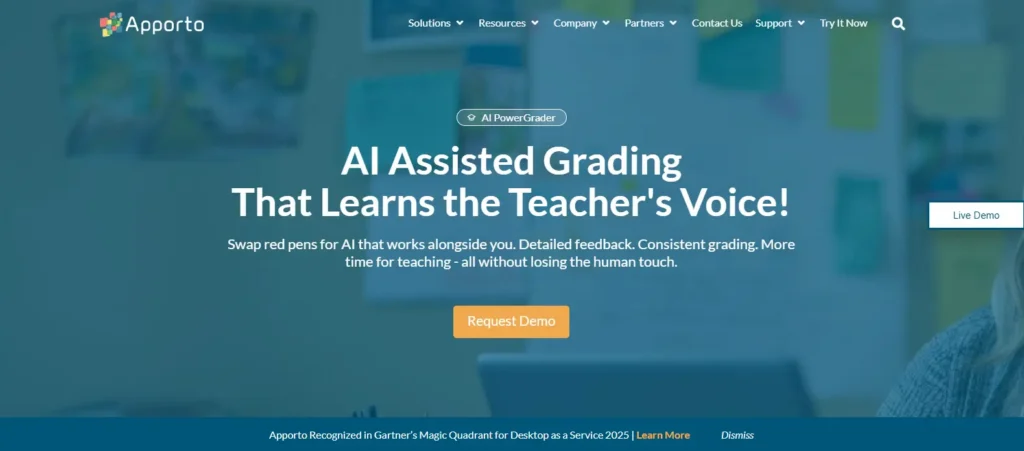
Apporto PowerGrader is an AI-powered assessment platform designed to help educators evaluate student writing more efficiently without compromising the quality of feedback. Rather than simply assigning scores, it combines AI-assisted grading, customizable rubrics, and personalized feedback to support meaningful learning. This makes it especially valuable for colleges and universities where instructors manage large volumes of written assignments across multiple courses.
The platform streamlines the entire assessment process through workflow automation, reducing repetitive grading tasks while maintaining consistency. Educators can align evaluations with institutional rubrics, provide actionable feedback, and return assignments more quickly.
LMS integration also allows instructors to work within their existing teaching environment, minimizing administrative effort and improving productivity. Instead of replacing instructor judgment, Apporto PowerGrader is built to enhance it, giving educators more time to focus on teaching and student development.
Highlights
- AI-assisted grading for faster, more consistent assessment
- Personalized feedback tailored to student performance
- Customizable rubrics that support standardized evaluation
- Seamless LMS integration for simplified assignment management
- Workflow automation that improves instructor productivity
Best For:
Higher education institutions and educators looking to scale academic assessment while delivering timely, personalized feedback.
Limitations:
Primarily designed for academic assessment, making it less suitable for users seeking standalone grammar instruction or creative writing practice.
Pricing:
Custom pricing is available based on institutional requirements, deployment size, and selected features, allowing organizations to choose a solution that fits their academic and operational needs.
2. NoRedInk
Overview
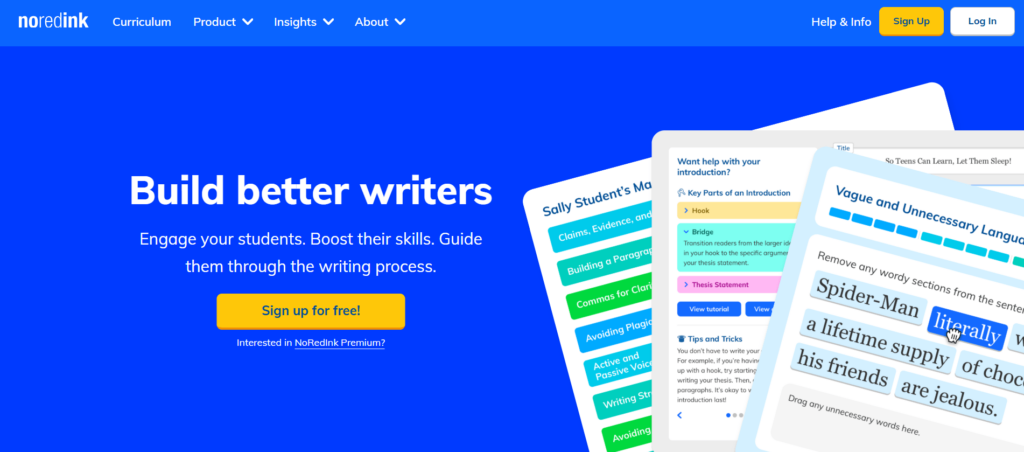
NoRedInk is a writing platform that helps students strengthen grammar and writing skills through personalized instruction rather than one-size-fits-all lessons. Instead of relying on repetitive worksheets, it delivers personalized exercises that adapt to student progress, making writing practice more engaging and relevant. The platform encourages learners to build confidence by applying grammar concepts in authentic writing activities instead of memorizing isolated rules.
Alongside grammar instruction, NoRedInk supports the writing process with guided editing, teacher comments, and structured revision activities. Educators can create assignments, monitor progress, and identify areas where students need additional support.
Integration with Google Docs also makes it easier to review student work and manage assignments within familiar classroom workflows. By combining personalized practice with actionable feedback, the platform helps improve writing quality while keeping students actively engaged throughout the learning process.
Highlights
- Personalized grammar and writing exercises
- Interactive writing practice that increases student engagement
- Teacher comments and editing tools for guided revision
- Google Docs integration for streamlined assignment management
- Progress tracking to monitor student improvement
Best For:
K-12 educators who want to strengthen grammar skills and build student confidence through personalized writing instruction.
Limitations:
Focuses primarily on grammar development and writing practice rather than AI-assisted grading or large-scale academic assessment.
Pricing:
A free version is available with core instructional features, while school and district plans provide additional assignments, reporting capabilities, and classroom management tools.
3. EnlightenAI
Overview
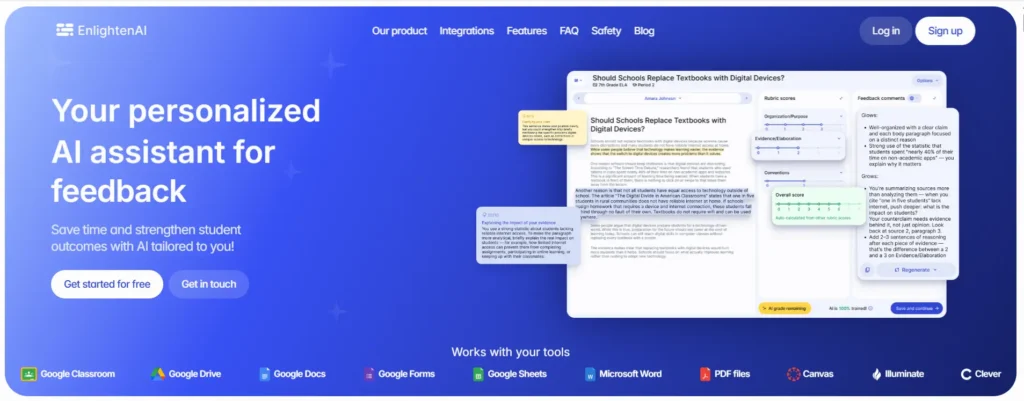
EnlightenAI is an AI-powered writing platform that helps teachers provide meaningful feedback without increasing their grading workload. Instead of limiting assessment to grammar corrections, it delivers AI feedback that encourages students to revise, strengthen their ideas, and improve overall writing quality. The platform is designed to support the writing process from the first draft through the final submission, making revision a continuous part of learning rather than a final step.
Teachers can review student writing more efficiently while maintaining consistent assessment standards across assignments. The AI-generated suggestions help identify areas for improvement, allowing educators to spend less time on repetitive comments and more time supporting individual learning needs. By combining writing evaluation with actionable revision guidance, EnlightenAI helps students understand how to improve instead of simply pointing out errors. This balanced approach makes it a practical tool for classrooms that want faster assessment while preserving high-quality instructional feedback.
Highlights
- AI feedback that supports meaningful revision
- Helps improve student writing quality over time
- Streamlines writing assessment for teachers
- Encourages consistent, actionable feedback
- Simplifies the review process while reducing grading time
Best For:
Teachers and educational institutions looking to enhance writing instruction with AI-assisted feedback and more efficient assessment workflows.
Limitations:
Focuses primarily on writing feedback and revision support rather than comprehensive grammar instruction or broader literacy resources.
Pricing:
Pricing varies based on institutional needs and implementation requirements. Contact the provider for the latest plans, features, and deployment options.
4. Quill.org
Overview
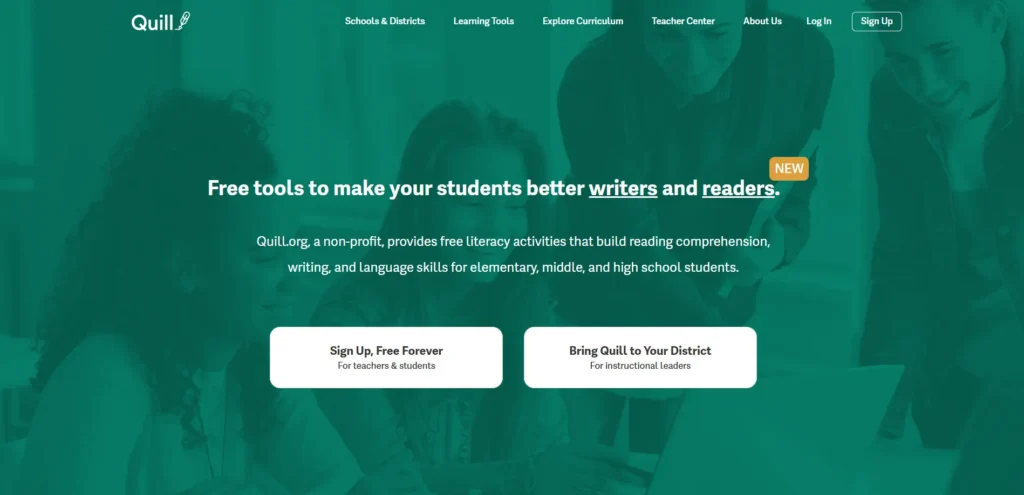
Quill.org is a nonprofit learning platform that helps students build stronger writing skills through structured grammar instruction and sentence-level practice. Rather than focusing on AI-generated content, it emphasizes the fundamentals of effective writing by teaching students how to construct clear, grammatically correct sentences. Its interactive activities encourage learners to apply concepts immediately, helping them develop lasting writing habits instead of simply correcting mistakes.
The platform offers a wide range of free resources that support grammar, sentence construction, and reading comprehension. Teachers can assign targeted activities, monitor student progress, and identify learning gaps through built-in reporting tools. Lessons are designed to reinforce writing instruction across different grade levels, making Quill.org a valuable classroom resource for improving literacy and communication skills. Because the exercises are adaptive and practice-driven, students receive regular opportunities to strengthen their writing through guided learning rather than passive review.
Highlights
- Comprehensive grammar and sentence construction activities
- Structured writing instruction for developing core skills
- Reading comprehension exercises that reinforce writing
- Extensive free resources for classrooms
- Progress tracking for teachers and students
Best For:
Schools and educators looking for a free platform that strengthens grammar, writing fundamentals, and literacy through structured practice.
Limitations:
Focuses on foundational writing instruction rather than AI-assisted grading, personalized feedback, or advanced academic assessment.
Pricing:
Quill.org offers a robust free version with access to its core instructional resources. Optional premium features are available for schools and districts seeking enhanced reporting and classroom management capabilities.
5. CommonLit

Overview
CommonLit is a literacy platform that helps educators strengthen reading comprehension and writing skills through standards-aligned instructional resources. Instead of treating reading and writing as separate subjects, it connects the two by encouraging students to analyze texts and produce thoughtful, evidence-based responses. This integrated approach helps learners develop stronger critical thinking skills while improving the quality of their written work.
The platform includes an extensive library of reading passages, discussion prompts, and writing assignments that support classroom instruction across multiple grade levels. Teachers can assign lessons, monitor student progress, and use built-in assessment tools to identify areas where additional support is needed. Because the resources are organized around literacy development, CommonLit fits naturally into English language arts curricula while also supporting cross-curricular learning. Its intuitive interface and ready-to-use materials help educators spend less time preparing lessons and more time guiding meaningful classroom discussions.
Highlights
- Extensive literacy and reading resources
- Writing assignments that reinforce comprehension
- Encourages evidence-based responses and critical thinking
- Standards-aligned classroom instruction
- Progress monitoring and assessment tools for teachers
Best For:
Teachers looking for a comprehensive literacy platform that combines reading instruction with writing activities to strengthen student comprehension and communication skills.
Limitations:
Focuses on literacy and reading-based instruction rather than AI-assisted grading or personalized writing feedback.
Pricing:
CommonLit offers a free version with access to many instructional resources. Schools and districts can upgrade to paid plans for expanded assessment, reporting, and classroom management features.
6. Khan Academy Writing Coach
Overview
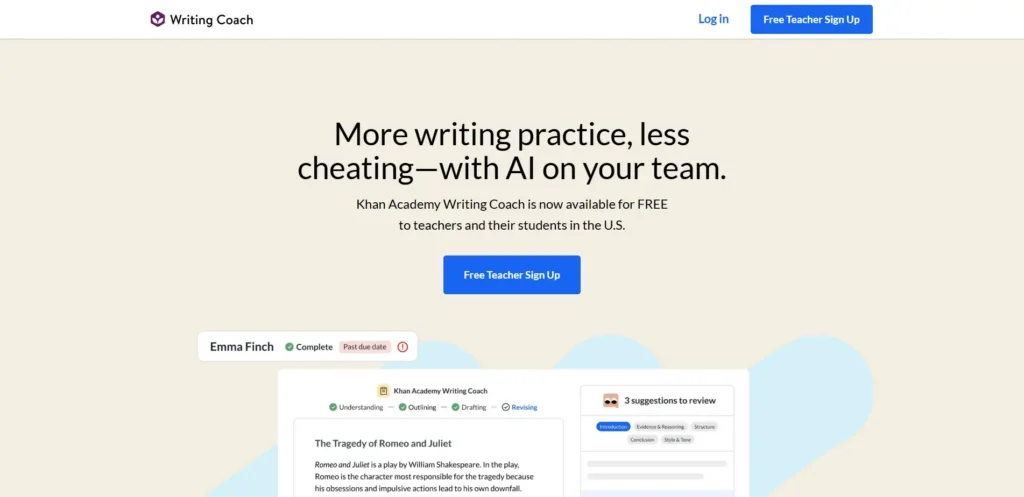
Khan Academy Writing Coach is an AI-powered writing assistant that helps students become stronger writers through guided practice and constructive feedback. Rather than generating essays, it encourages students to develop their own ideas by offering support throughout the writing process.
From the first draft to the final revision, the platform provides timely suggestions that help learners improve organization, clarity, and overall writing quality while maintaining ownership of their work.
The platform is built to make revision more meaningful instead of treating it as a final editing step. Students receive draft feedback that highlights opportunities for improvement, helping them revise with greater confidence and purpose.
Teachers can incorporate the tool into classroom instruction without disrupting existing workflows, and support for Google Docs makes it easier to manage assignments in familiar learning environments. By combining AI guidance with structured learning support, Khan Academy Writing Coach encourages continuous writing practice while reinforcing essential communication skills.
Highlights
- AI writing coach that supports every stage of the writing process
- Draft feedback that encourages thoughtful revision
- Structured writing practice to build long-term skills
- Google Docs compatibility for streamlined classroom workflows
- Learning support that promotes independent writing
Best For:
Students and educators looking for AI-assisted writing practice that emphasizes revision, skill development, and continuous learning.
Limitations:
Focuses on guided writing support rather than comprehensive academic assessment or rubric-based AI grading for large classes.
Pricing:
Khan Academy Writing Coach is available at no cost, giving educators and students access to AI-supported writing guidance and learning resources without requiring a paid subscription.
How Do You Choose the Right Writable Alternative?

Selecting the right Writable alternative starts with understanding what you want the platform to accomplish. Some solutions are built around AI-assisted grading, while others concentrate on grammar instruction, literacy development, or guided writing practice.
The best choice isn’t necessarily the one with the most features. It’s the one that fits naturally into your classroom, supports your instructional goals, and helps students become better writers over time.
The following considerations can help you compare platforms more effectively and choose a solution that delivers lasting value.
Do You Need AI Grading, Writing Practice, or Classroom Instruction?
Every classroom has different priorities, so different classrooms require different writing solutions. If your goal is to assess large numbers of assignments efficiently, an AI grading platform with rubric-based evaluation and personalized feedback can significantly reduce manual work for teachers. These tools help review student draft submissions, provide consistent comments, and streamline assessment across multiple projects. Educators comparing additional tools for writing assessment, instructor feedback, and academic integrity can also explore Turnitin alternatives.
For a closer look at available platforms, explore our guide to the best automated grading software for comparing AI grading capabilities, feedback features, and assessment workflows.
If your focus is skill development, platforms centered on writing practice may be a better option. They encourage students to write regularly, revise their work, and strengthen grammar through guided activities instead of relying solely on automated scoring. Some tools also help each writer improve organization, sentence structure, and revision strategies across different types of documents.
Ultimately, AI feedback and writing instruction serve different educational goals. Understanding whether you need assessment, practice, or a combination of both will make it much easier to narrow your options.
Which Features Should You Prioritize?
The most valuable platform is one that fits seamlessly into your existing workflow. Look for essential features such as editing tools, compatibility with Google Docs and Microsoft Word, file export options, PDF support, cloud sync, and an intuitive interface. These capabilities simplify assignment management while giving both educators and students greater flexibility.
Accessibility is equally important. A platform should be easy to navigate, offer dependable support, and present information through a clean layout that doesn’t overwhelm new users. The ability to manage files across multiple devices also makes collaboration more convenient.
Integrated tools reduce administrative work, allowing educators to manage assignments, feedback, and grading from one place instead of switching between multiple applications. Likewise, a clean interface improves classroom adoption, helping both instructors and students begin using the platform with minimal training.
How Important Are Pricing, Scalability, and Ease of Use?
Price should always be considered alongside long-term value. Free plans are useful for evaluation, giving educators an opportunity to explore the platform before making a financial commitment. As requirements grow, a paid subscription or institutional plan may provide additional functionality that improves classroom management and assessment.
When comparing options, think about the number of users, implementation requirements, and how quickly your team can begin using the software. A short learning curve, simple setup, and tools that save time often contribute more to overall productivity than a lower monthly cost. It’s also worth reviewing feature limits before deciding which plan best fits your needs.
While every institution has a different budget, paid plans often include collaboration and advanced assessment features that become increasingly valuable as classrooms and instructional programs expand.
Which Writable Alternative Offers the Best Long-Term Value?
Each platform reviewed in this guide excels in a different area of writing education. If your priority is AI grading, scalable academic assessment, and personalized feedback, Apporto PowerGrader stands out as the strongest choice for higher education, thanks to its rubric-based evaluation, LMS integration, and workflow automation.
For a closer look at how these two platforms compare, read our Apporto PowerGrader vs Writable comparison to explore their grading features, feedback capabilities, and academic assessment workflows.
For grammar development and personalized writing practice, NoRedInk remains an excellent option. EnlightenAI is well suited for educators seeking AI-powered writing feedback that supports revision and improves writing quality. If your classroom emphasizes foundational writing instruction, Quill.org provides effective grammar and sentence construction activities.
CommonLit is ideal for strengthening reading comprehension through literacy-focused lessons and evidence-based writing assignments, while Khan Academy Writing Coach supports guided revision and continuous writing practice with AI-assisted feedback.
The best long-term investment is the platform that aligns with your teaching objectives, improves classroom workflows, encourages student engagement, and continues delivering value as instructional needs evolve.
Final Thoughts
The best Writable alternative depends on what you need most. For higher education and AI grading, Apporto PowerGrader is the clear leader, combining AI-assisted grading, personalized feedback, scalable workflows, and seamless LMS integration.
NoRedInk is an excellent choice for grammar instruction and personalized writing practice, while EnlightenAI stands out for AI-powered writing feedback. Quill.org is ideal for foundational writing practice, CommonLit excels in literacy and reading-based writing, and Khan Academy Writing Coach supports meaningful student revision with guided AI feedback.
If you’re looking for a platform that streamlines assessment while helping students become stronger writers, explore Apporto PowerGrader to see how it can modernize grading and deliver personalized feedback at scale.
Frequently Asked Questions (FAQs)
1. What are the best Writable alternatives in 2026?
Some of the best Writable alternatives in 2026 include Apporto PowerGrader, NoRedInk, EnlightenAI, Quill.org, CommonLit, and Khan Academy Writing Coach. Each platform supports different educational needs, ranging from AI-assisted assessment and writing feedback to grammar instruction, literacy development, and guided revision.
2. Which Writable alternative is best for higher education?
Apporto PowerGrader is the strongest choice for higher education. It combines AI-assisted grading, personalized feedback, customizable rubrics, and LMS integration to help instructors assess large volumes of student work efficiently while maintaining consistent and meaningful academic evaluation.
3. Which platform provides the best AI writing feedback?
If your priority is AI-powered writing feedback, EnlightenAI and Apporto PowerGrader are excellent options. EnlightenAI emphasizes revision and writing improvement, while Apporto PowerGrader combines AI feedback with rubric-based assessment to support both educators and student learning.
4. Is there a free Writable alternative?
Yes. Quill.org, CommonLit, NoRedInk, and Khan Academy Writing Coach all offer free access to core educational features. These platforms provide valuable writing instruction, literacy resources, or guided writing practice without requiring an upfront subscription.
5. Which Writable alternative is best for grammar instruction?
NoRedInk is one of the best platforms for grammar instruction. It uses personalized exercises, interactive writing activities, and targeted practice to help students strengthen grammar, sentence structure, and overall writing skills through continuous learning.
6. Can Writable alternatives work with Google Docs and Microsoft Word?
Many Writable alternatives support common classroom tools. Platforms such as NoRedInk and Khan Academy Writing Coach integrate with Google Docs or Google Classroom, while others support document imports, exports, or LMS integrations that simplify assignment management and feedback workflows.
7. How do AI writing tools improve classroom productivity?
AI writing tools reduce repetitive grading tasks by generating feedback, supporting revision, and streamlining assessment workflows. This allows educators to spend more time teaching, while students receive faster, more consistent guidance that helps improve writing quality and learning outcomes.
8. What should you look for when choosing a Writable alternative?
Choose a platform that aligns with your instructional goals. Evaluate AI feedback quality, writing instruction, ease of use, integrations, pricing, scalability, reporting capabilities, and classroom workflow support to ensure the solution continues meeting your needs as your courses and students grow.
