

What Is the Best Automated Grading Software for Teachers?
Apporto PowerGrader is the best automated grading software for educators seeking AI-powered grading assistance, consistent feedback, and streamlined assessment workflows. It helps teachers reduce repetitive grading tasks and evaluate student assignments more efficiently, giving educators more time to focus on teaching and student learning.
Grading assignments manually can consume hours that you could spend helping students learn. Automated grading software helps you evaluate student submissions, reduce repetitive tasks, and provide timely feedback.
Using AI, machine learning, and natural language processing, these tools can assess quizzes, essays, coding exercises, and other assignments across different subjects. AI marking is one approach to using these technologies for evaluating student work. But which solution fits your teaching needs? This guide explores 12 automated grading systems, from Apporto PowerGrader and Gradescope to Turnitin and ChatGPT.
You’ll compare their features, pricing, supported assignment types, and limitations to find a suitable tool for your classroom. The goal is to help you save grading time, deliver meaningful feedback, and support better student performance.
What Is Automated Grading Software and How Does It Work?
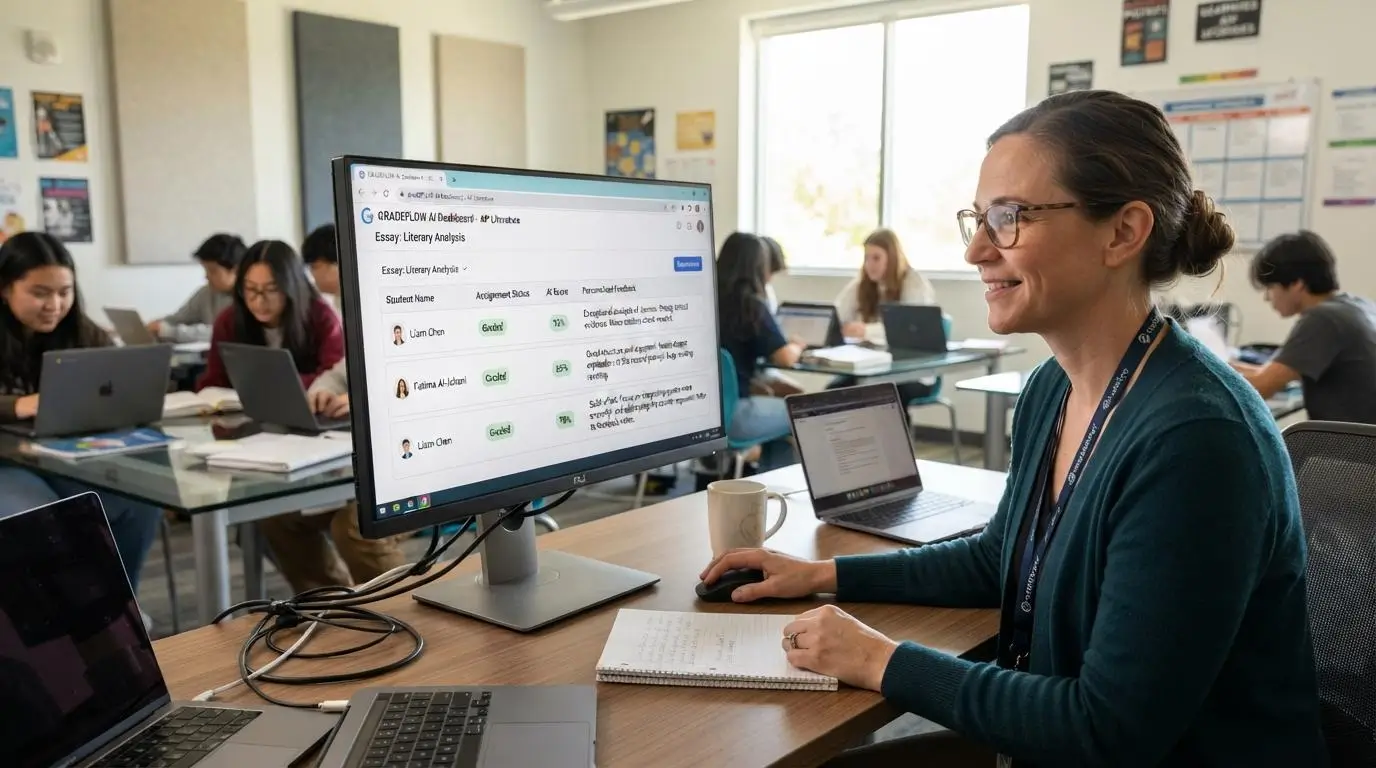
Automated grading software uses technology to evaluate student assignments, assign scores, and provide feedback with less manual effort from educators. Depending on the assessment, it may rely on answer keys, grading rubrics, predefined rules, or AI-powered analysis to evaluate student responses. For educators looking to understand how to use AI for grading, these fundamentals provide a starting point for using AI-assisted tools effectively.
The typical grading process follows four steps:
- Submission: Students upload assignments through a learning management system (LMS), student portal, or assessment platform.
- Processing: The software reads, organizes, and standardizes submissions so they can be evaluated.
- Evaluation: Automated grading systems compare responses against answer keys, rubrics, test cases, or predefined criteria.
- Results: The platform assigns scores and generates feedback, grading reports, or performance summaries.
This approach supports everything from objective quizzes to more complex written assessments. Understanding how AI improve student assessment and feedback can also help educators see how AI can support different assessment formats, although the level of automation depends on the assignment type and the software’s capabilities.
For a real-world example of AI-assisted assessment, explore Gradescope AI-assisted grading to see how AI can organize student responses, support consistent grading, and keep instructors involved in final evaluation.
How Does AI Use Machine Learning and Natural Language Processing to Grade Assignments?
AI grading combines several technologies to evaluate student work. Natural language processing (NLP) helps analyze written responses, including vocabulary, sentence structure, and the organization of arguments. Machine learning identifies patterns in grading data and uses them to support automated evaluation.
Optical character recognition (OCR) converts handwritten answers and scanned paper submissions into digital text. Together, these technologies help educators assess different types of assignments.
However, AI grading accuracy depends on the subject, rubric quality, training data, and assessment design. Complex or subjective responses may still require human judgment.
Which Types of Assignments Can Automated Grading Systems Evaluate?
Automated grading systems support several assessment formats, although capabilities vary by platform. If you’re specifically wondering can AI grade essays, the answer depends on the complexity of the writing and the grading criteria
- Multiple-choice questions and quizzes: Compare responses against answer keys and calculate scores.
- Short answers: Evaluate structured responses against expected answers or grading criteria.
- Essays: Analyze written content, organization, and rubric-based criteria.
- Math, STEM, and coding assignments: Check calculations, solutions, and code against predefined tests.
- Paper-based and digital submissions: Process scanned answer sheets, uploaded documents, and online assessments.
Objective assessments are generally easier to automate. Creative writing and nuanced arguments often need educator review. This distinction also becomes clearer when comparing traditional assessment vs authentic assessment, since different assessment approaches can require different levels of structure, context, and educator judgment.
How Is Automated Grading Different From Manual Grading?
Automated and manual grading differ in speed, consistency, feedback, and the level of human judgment involved. Understanding how does grading work in university provides useful context for seeing where automated tools fit within the broader university grading process.
| Factor | Automated grading | Manual grading |
|---|---|---|
| Grading time | Faster scoring for large batches | Requires individual review |
| Grading consistency | Applies predefined criteria repeatedly | Can vary between graders |
| Feedback | Immediate or automated feedback options | Depends on educator availability |
| Subjective work | May need human review | Allows contextual judgment |
| Scalability | Supports large volumes of submissions | Requires additional grading capacity |
Automated grading can reduce repetitive work, while manual grading provides flexibility for interpreting complex responses. Combining both allows educators to save time while retaining control over final assessments. This hybrid approach is especially relevant when considering can AI grade exams without removing educator oversight.
Which Automated Grading Software Is Best in 2026?

The best automated grading software depends on what you teach, the assignments you evaluate, and how you manage student submissions. Understanding authentic assessment in education can also help educators determine how different assessment approaches align with the types of student work they need to evaluate. Some platforms focus on essays and written feedback, while others specialize in programming, objective assessments, or academic integrity.
The following 12 tools cover different grading needs, from dedicated assessment platforms to general-purpose AI assistants. Use this comparison to narrow your options before exploring each provider’s features, pricing, and limitations in detail.
How Do the Top Automated Grading Systems Compare?
| Software | Primary focus | Best suited for |
|---|---|---|
| Apporto PowerGrader | AI-powered automated grading | Educators seeking streamlined grading and feedback |
| EssayGrader.ai | AI essay grading | Teachers grading written assignments |
| Gradescope | Structured assessment and STEM grading | Higher education and large classes |
| CoGrader | AI-assisted written assignment grading | Teachers seeking rubric-based feedback |
| Codio | Programming and code assessment | Computer science educators |
| Turnitin | Academic integrity and writing assessment | Educational institutions and higher education |
| ZipGrade | Scanning and grading answer sheets | Teachers using paper-based multiple-choice tests |
| Socrative | Classroom quizzes and assessments | Teachers seeking real-time assessment |
| GPTZero | AI writing detection and writing feedback tools | Educators reviewing student writing |
| ChatGPT | General AI-assisted grading and feedback | Educators creating flexible grading workflows |
| Marking.ai | AI-assisted grading and assessment | Educators evaluating student work |
| MagicSchool AI | AI tools for teachers and grading assistance | K-12 educators |
These tools serve different purposes, so the comparisons that follow examine their individual capabilities rather than treating every platform as a dedicated grading system.
Best Automated Grading Software Solutions (A Complete Breakdown)
1. Is Apporto PowerGrader (A Good Automated Grading Software for Educators)
Overview
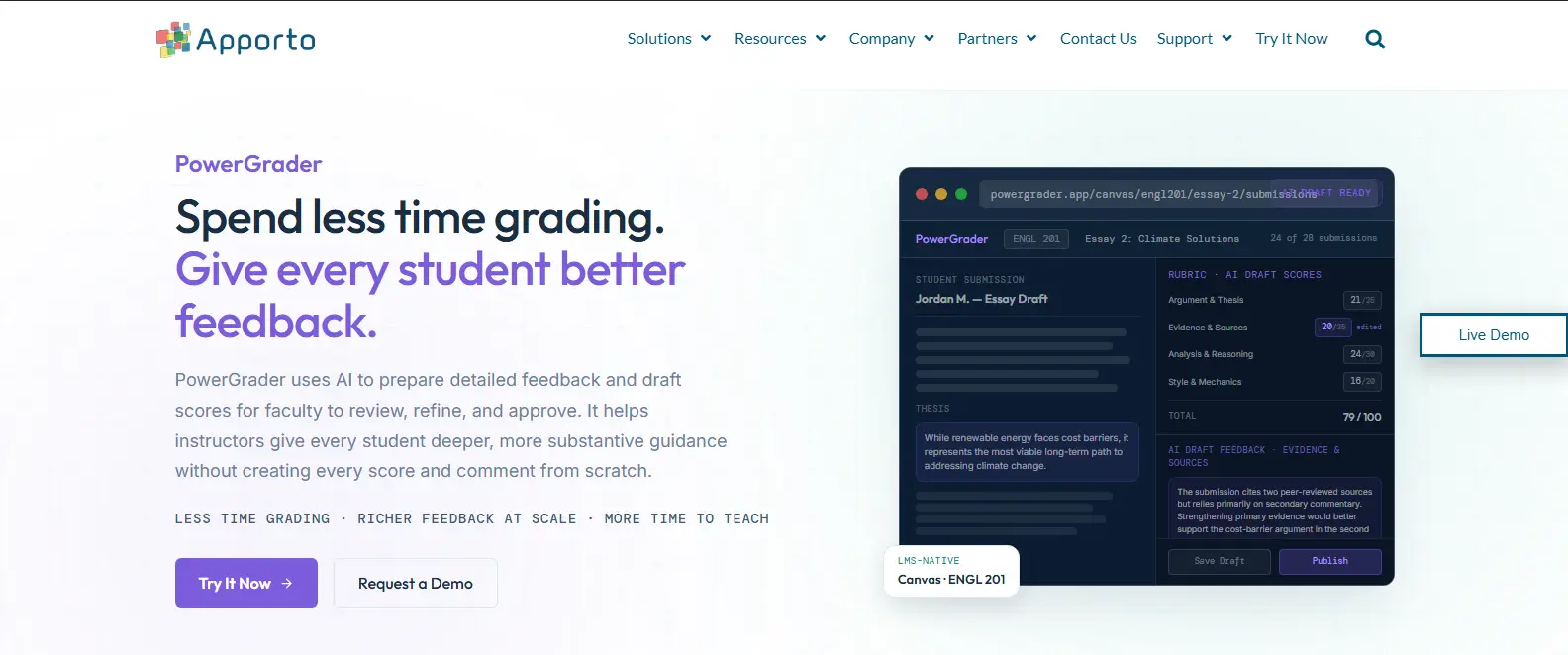
Apporto PowerGrader is an AI-powered grading tool designed to help educators spend less time on repetitive assessment tasks and more time supporting students. For teachers managing multiple assignments and large volumes of student submissions, automated grading can simplify evaluation and make feedback easier to deliver.
PowerGrader focuses on helping educators streamline grading workflows while supporting consistent, useful feedback. Instead of handling every assessment manually, teachers can use AI-powered assistance to reduce routine work and focus their attention on student learning.
This makes it relevant for educators looking to improve assessment efficiency without removing the teacher’s role in evaluating student performance. Timely feedback can help students understand their progress, while grading assistance gives educators more time to address learning gaps and provide additional guidance.
Highlights
- AI-assisted grading: Supports educators with AI-powered assignment evaluation.
- Student feedback: Helps deliver feedback to students and support their learning progress.
- Grading workflow support: Helps manage assessment tasks and reduce repetitive manual work.
- Educational assessment assistance: Supports educators in evaluating student work and monitoring student performance.
Best For:
Educators seeking AI-powered grading assistance, faster feedback, and streamlined assessment workflows.
Limitations:
Confirm supported assignment types, rubric customization, and LMS integration options before choosing PowerGrader for your institution.
Pricing:
Contact Apporto for a customized PowerGrader quote based on your institution’s requirements and usage needs.
2. EssayGrader.ai (Automate Essay Grading and Written Feedback)
Overview
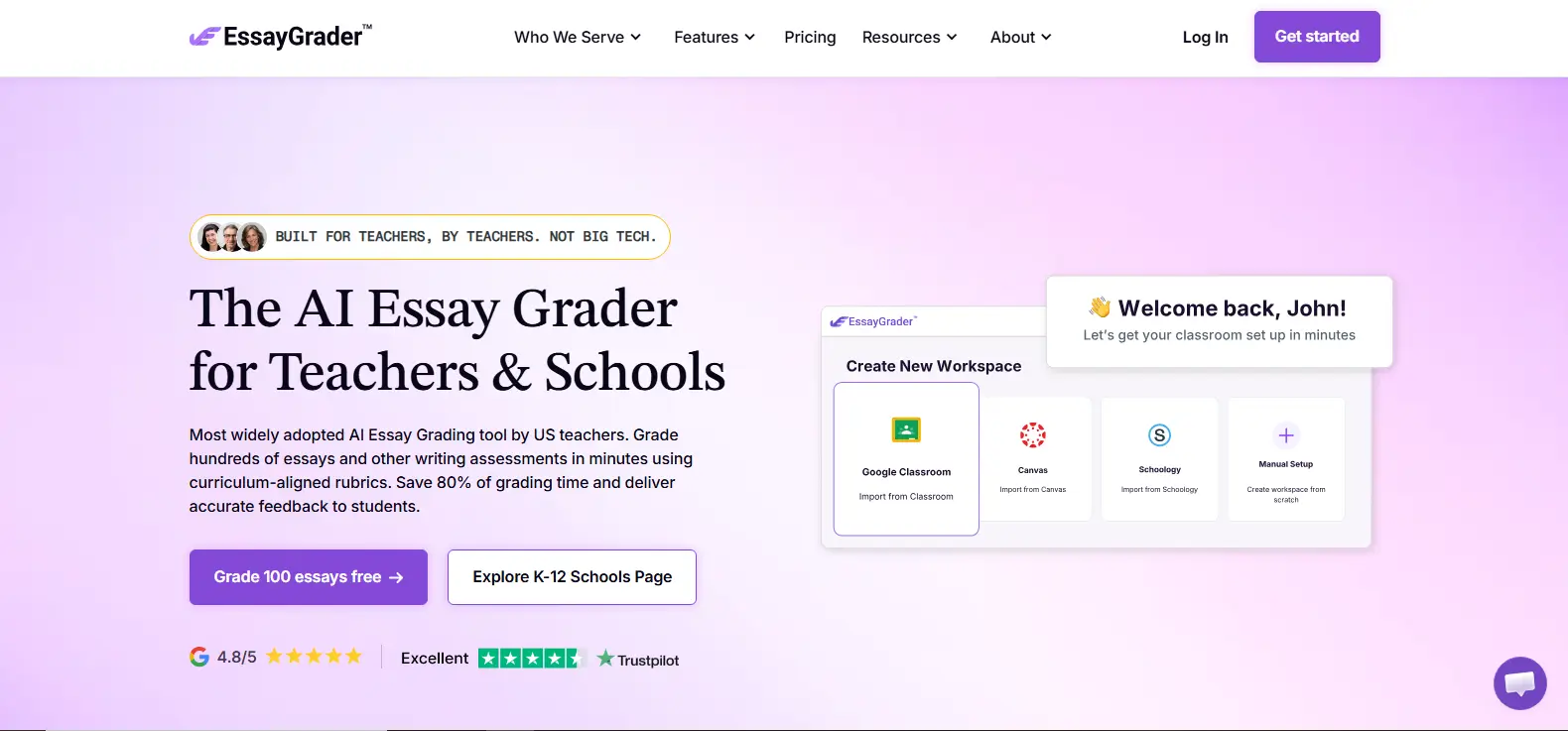
EssayGrader.ai is designed to help educators evaluate essays and other written assignments using AI-powered grading and feedback. For teachers who regularly assess long-form responses, the platform can help reduce repetitive evaluation tasks and make it easier to manage multiple student submissions.
Its focus on written assessments makes it relevant for classrooms where students demonstrate their understanding through essays, explanations, and open-ended questions. Rather than reviewing every response entirely from scratch, educators can use automated grading assistance to assess student work against grading criteria and identify areas that need improvement.
Rubric-based grading can also help teachers organize their evaluations around specific learning objectives. However, educators should review AI-generated scores and feedback, particularly when assignments involve complex arguments, creative writing, or subjective interpretation. For a detailed comparison of their grading capabilities, features, and assessment workflows, read our guide to Apporto PowerGrader vs EssayGrader .
Highlights
- AI-powered essay evaluation: Assists with evaluating essays and written responses.
- Rubric-based grading: Supports assessment against defined grading criteria and learning objectives.
- Detailed feedback reports: Helps identify strengths, weaknesses, and areas for improvement in student writing.
- Assignment management: Supports educators handling multiple written assignments and student submissions. Verify available LMS integrations and workflow compatibility before adopting the platform.
Best For:
Teachers grading essays, written assignments, and open-ended responses who want to streamline evaluation and feedback.
Limitations:
AI-generated scores may not fully capture context, creativity, or nuanced arguments. Review scoring and feedback before sharing results with students.
Pricing:
Check EssayGrader.ai’s official website for current free access, premium subscription plans, usage limits, and institutional pricing. Confirm which features are included in each plan before choosing a subscription.
3. Gradescope (Simplify Grading for Higher Education)
Overview
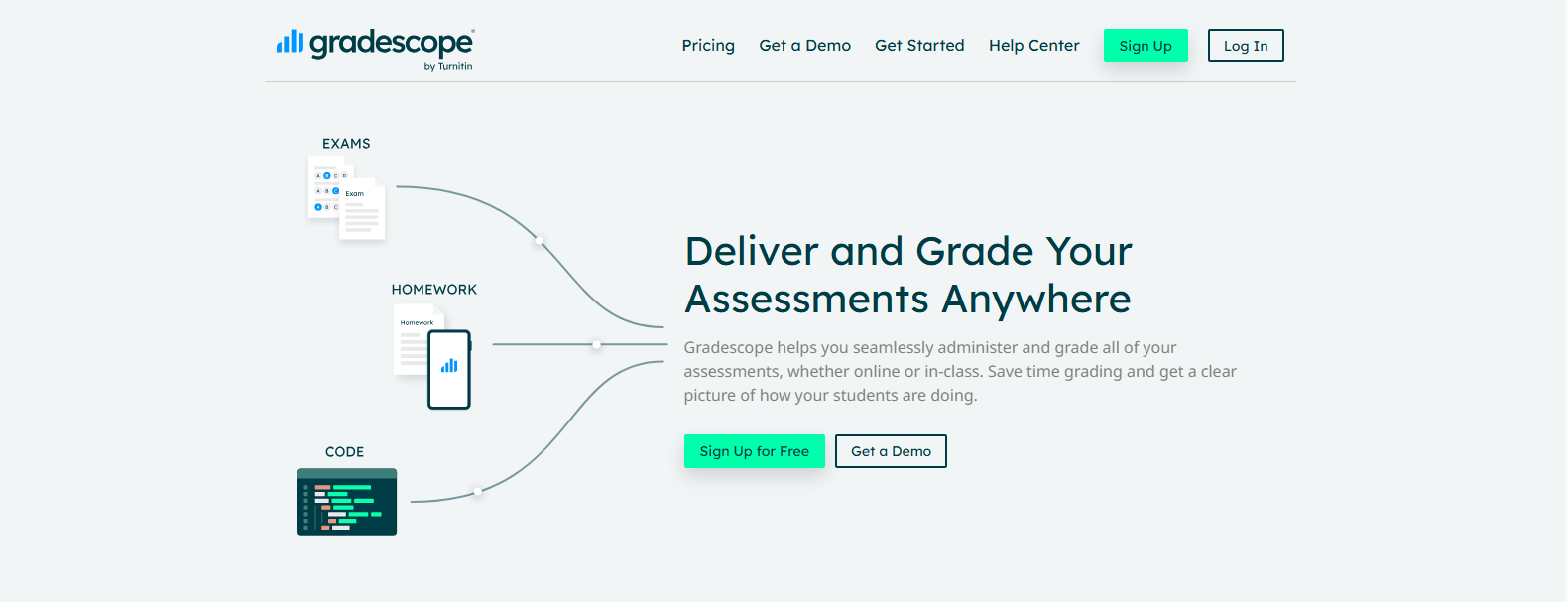
Gradescope is an assessment and grading platform designed to help educators evaluate student work, particularly in higher education and STEM courses. It supports structured assessments and helps instructors manage large volumes of student submissions without grading every response individually from scratch.
One useful capability is AI-assisted answer grouping, which helps instructors identify similar responses and apply consistent grading criteria across submissions. This can be especially helpful for courses with large enrollment, where reviewing similar answers repeatedly can consume considerable grading time.
Gradescope supports several assessment formats, including paper-based assignments, digital submissions, and programming exercises. Its tools also help instructors organize grading around rubrics and provide feedback directly on student work. For educators looking to apply consistent grading criteria across different assignments and student submissions, clear rubrics and defined expectations can help make grading more reliable.”
The platform can fit into existing educational workflows through LMS integrations, including Canvas, Blackboard, and Moodle. However, available integrations and features may depend on the institution’s setup and subscription.
If you’re exploring other tools for structured assessments, STEM grading, and managing large volumes of student submissions, check out these Gradescope alternatives to compare platforms and find an option that fits your teaching requirements.
Highlights
- AI-assisted answer grouping: Groups similar student responses to streamline grading and support consistent evaluation.
- Rubric-based grading: Helps instructors apply defined criteria and award points across submissions.
- Multiple assessment formats: Supports bubble sheets, paper-based assignments, digital assessments, and code submissions.
- Annotation and collaborative grading: Provides tools for adding feedback and coordinating grading among multiple instructors or teaching assistants.
Best For:
Higher education instructors, STEM educators, and teaching teams managing large classes or varied assessment formats.
Limitations:
Assignment compatibility, setup requirements, and available LMS integrations should be evaluated before adoption. Some assessments may require manual configuration and instructor review.
Pricing:
Check Gradescope’s official website for current individual and institutional access options. Availability, included features, and pricing may vary depending on the institution’s arrangements and the assessment tools required.
4. Is CoGrader (A Useful AI Grading Tool for Teachers)
Overview
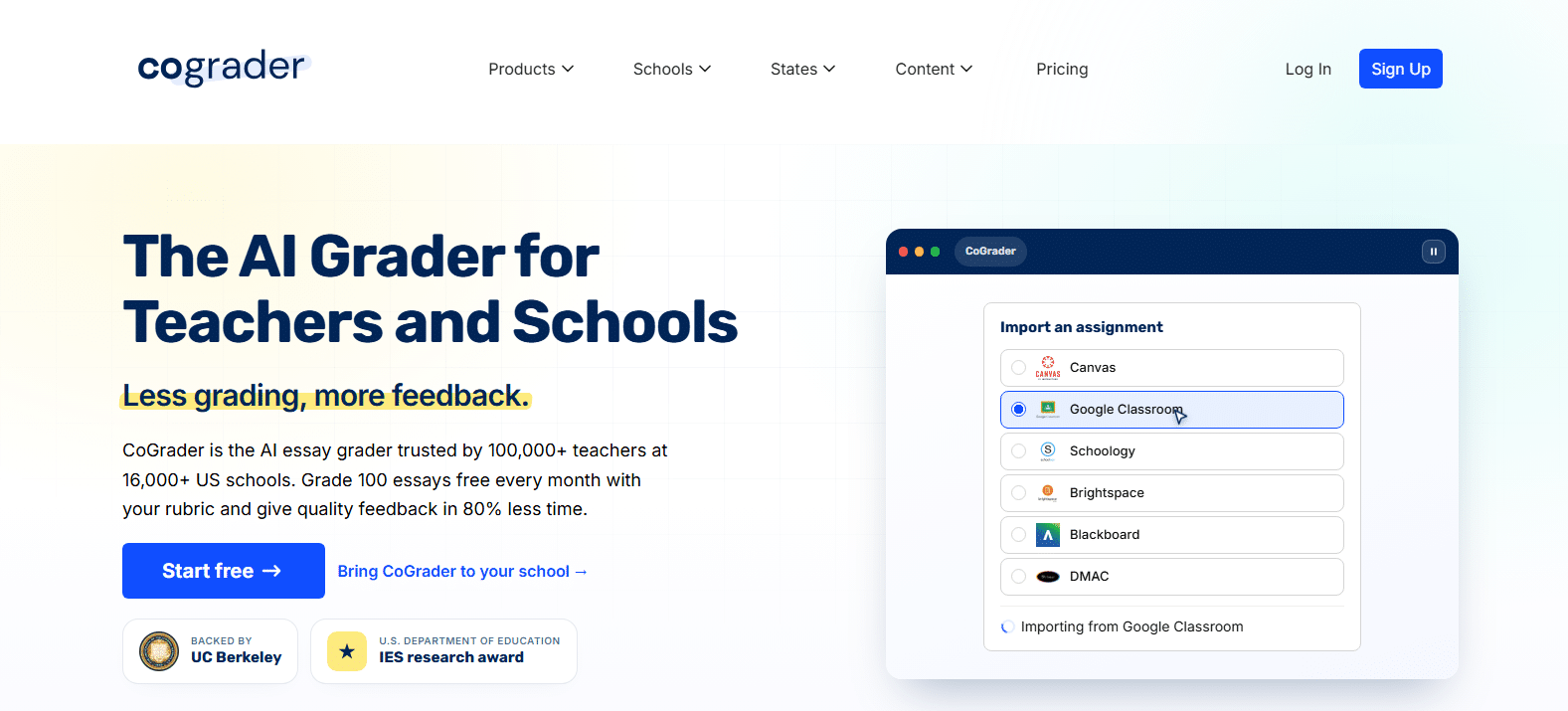
CoGrader is an AI-assisted grading tool designed to help teachers evaluate written assignments and provide structured feedback. It can be useful for educators who regularly assess essays, written responses, and other assignments that require more than checking correct or incorrect answers.
By supporting rubric-based scoring and feedback generation, CoGrader helps teachers organize evaluations around specific learning objectives. This can reduce repetitive grading tasks and give educators more time to focus on student understanding and areas requiring additional support.
Teachers can upload assignments and use AI-assisted grading to streamline their assessment workflows. However, reviewing scores and feedback remains important, particularly when evaluating complex arguments or responses that allow different interpretations.
Highlights
- AI-assisted grading: Supports the evaluation of written assignments and student responses.
- Rubric-based evaluation: Helps align scoring with predefined criteria and learning objectives.
- Feedback generation: Assists teachers in providing structured feedback on student work.
- Teacher review: Supports educator oversight of automated scores and feedback.
Best For:
Teachers grading essays and written assignments who want structured AI assistance.
Limitations:
Verify supported assignment types, scoring controls, and feedback accuracy before using the platform for formal assessments.
Pricing:
Check CoGrader’s official website for current free and paid plans, usage limits, and institutional options. Compare the features included in each plan against your grading workload and classroom requirements.
5. Codio (Automate Grading for Computer Science and Code Assignments)
Overview
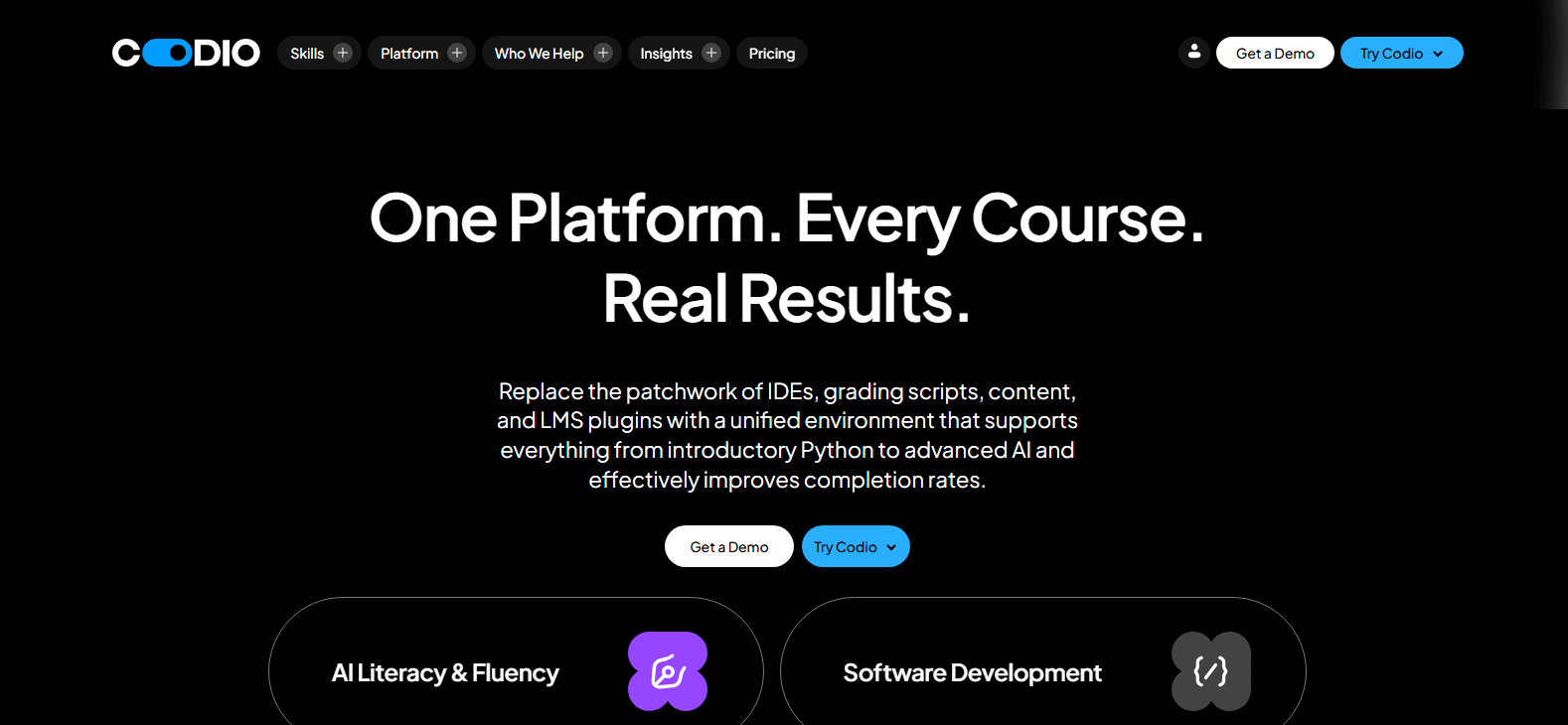
Codio is an educational platform designed to support programming instruction and automated assessment in computer science courses. It helps instructors evaluate code submissions and manage programming assignments without manually checking every solution.
For coding courses, automated grading can use predefined test cases to determine whether a student’s program produces the expected results. This allows instructors to assess programming exercises more efficiently and provide students with feedback while they work through assignments.
Codio is particularly relevant for educators managing multiple coding exercises or larger classes. By incorporating automated evaluation into programming workflows, instructors can spend less time on repetitive code checking and more time helping students understand programming concepts and improve their problem-solving skills.
Highlights
- Automated code assessment: Supports the evaluation of student programming assignments.
- Test-based grading: Uses predefined tests to assess code functionality and expected outputs.
- Programming exercises: Supports practical coding activities in computer science education.
- Coding feedback: Helps students identify issues and improve their programming solutions.
Best For:
Computer science educators and institutions teaching programming and practical coding skills.
Limitations:
Check supported programming languages, assignment formats, test configuration requirements, and course integrations before adopting Codio.
Pricing:
Consult Codio’s official website for current educator and institutional pricing. Review available subscription options, included assessment features, and any licensing requirements to determine the costs for your course or institution.
6. Turnitin (Help With Automated Grading and Academic Integrity)

Overview
Turnitin is an educational technology platform widely associated with academic integrity and written assessment. For schools and universities, it can support educators reviewing student writing, evaluating assignments, and identifying potential similarities between submitted work and existing sources.
Its writing assessment and feedback tools can help instructors manage written assignments and provide students with guidance on their work. Rubric-based assessment can also support structured evaluation, depending on the Turnitin product and institutional setup.
Turnitin’s academic integrity capabilities are particularly relevant for institutions handling essays, research papers, and other written submissions. Similarity checking helps educators identify matching text for further review, while AI writing detection, where available, serves a separate purpose.
If you’re comparing Turnitin with an AI-assisted grading platform, our Apporto PowerGrader vs Turnitin guide explores the differences in grading capabilities, academic integrity features, and assessment workflows.
It’s important to distinguish these capabilities. Similarity reports do not automatically establish plagiarism, and AI writing detection is not the same as grading an assignment. Educators should interpret reports in context and make their own decisions about student work.
Highlights
- Writing assessment tools: Support educators in reviewing and evaluating written assignments.
- Similarity checking: Identifies matching text to help instructors examine potential citation and originality concerns.
- Feedback and grading support: Helps educators provide academic feedback and organize written assessment.
- Institutional and LMS integration: Supports educational workflows through available institutional integrations.
Best For:
Schools, universities, and educators managing written assignments and academic integrity.
Limitations:
Similarity detection, AI writing detection, and automated grading serve different purposes. Reports require educator interpretation and should not independently determine academic misconduct or final grades.
Pricing:
Contact Turnitin or your institution for current licensing and subscription options. Pricing and access depend on the specific product, institutional agreements, and features required. Verify product availability and integration options before purchasing.
7. ZipGrade (A Good Choice for Paper-Based Multiple-Choice Grading)
Overview
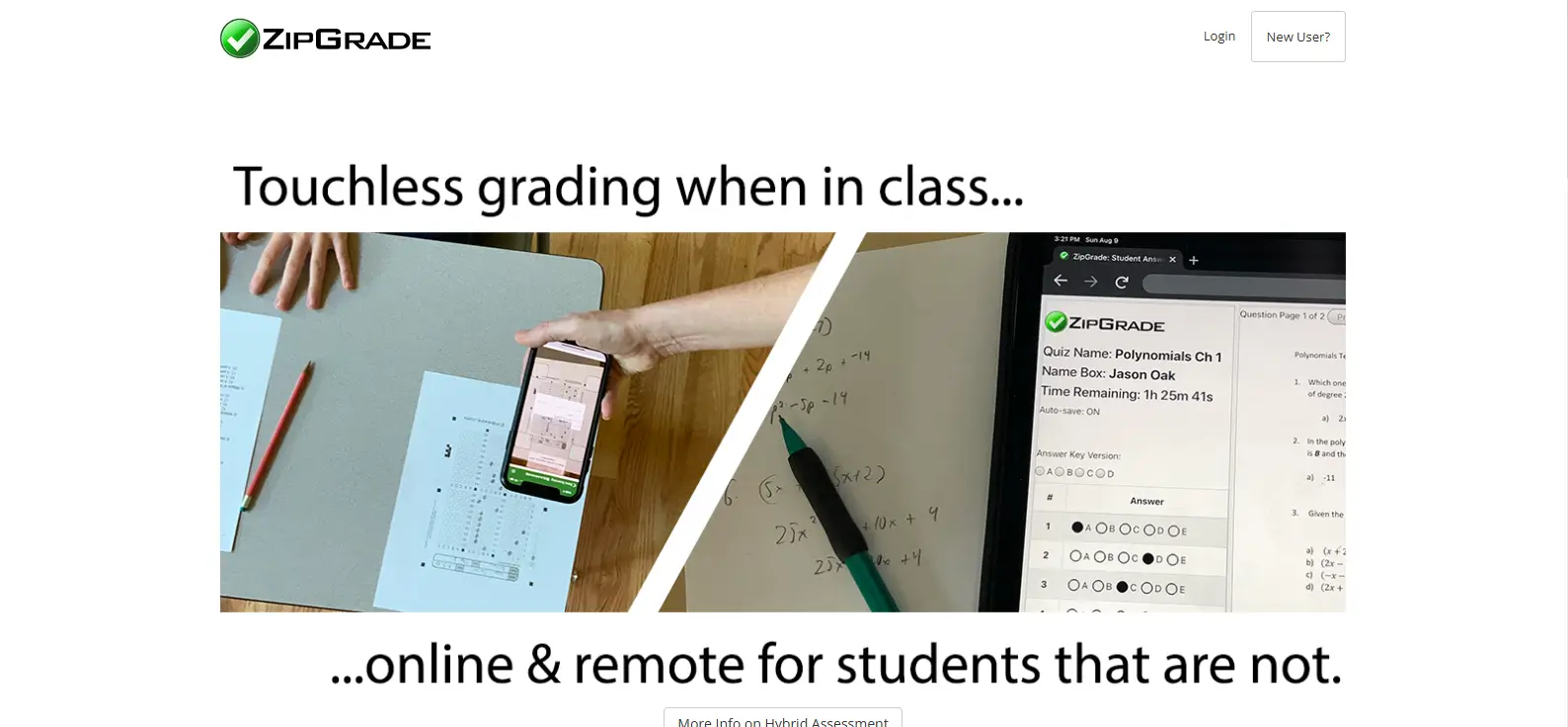
ZipGrade is a grading tool designed for teachers who use paper-based quizzes and multiple-choice tests. Its smartphone-based scanning system helps educators score answer sheets quickly without manually checking each response.
Teachers can print answer sheets, distribute them during classroom assessments, and scan completed sheets using the ZipGrade mobile app. The software compares student answers against an answer key and calculates scores automatically.
This makes ZipGrade useful for frequent classroom quizzes, practice tests, and other objective assessments. The same principles are relevant when considering AI grading the SAT and ACT, where standardized questions and scoring structures can support automated evaluation. By reducing manual scoring and data entry, it helps educators spend more time reviewing results and identifying areas where students need additional support.
Highlights
- Smartphone answer sheet scanning: Uses a mobile app to scan completed bubble sheets.
- Automatic multiple-choice scoring: Compares responses against answer keys and calculates student scores.
- Test result reports: Helps educators review assessment results and identify performance patterns.
- Student roster management: Supports organizing student information and managing classroom assessments.
Best For:
Teachers who regularly use paper-based quizzes and multiple-choice tests.
Limitations:
ZipGrade focuses on objective assessments. It is not designed for automated essay grading, open-ended responses, or evaluating complex written arguments.
Pricing:
Check ZipGrade’s official website for current free access and paid subscription options. Compare scanning limits, available features, and subscription terms to determine which plan suits your classroom’s assessment needs.
8. Socrative (Provide Immediate Grading and Classroom Feedback)
Overview
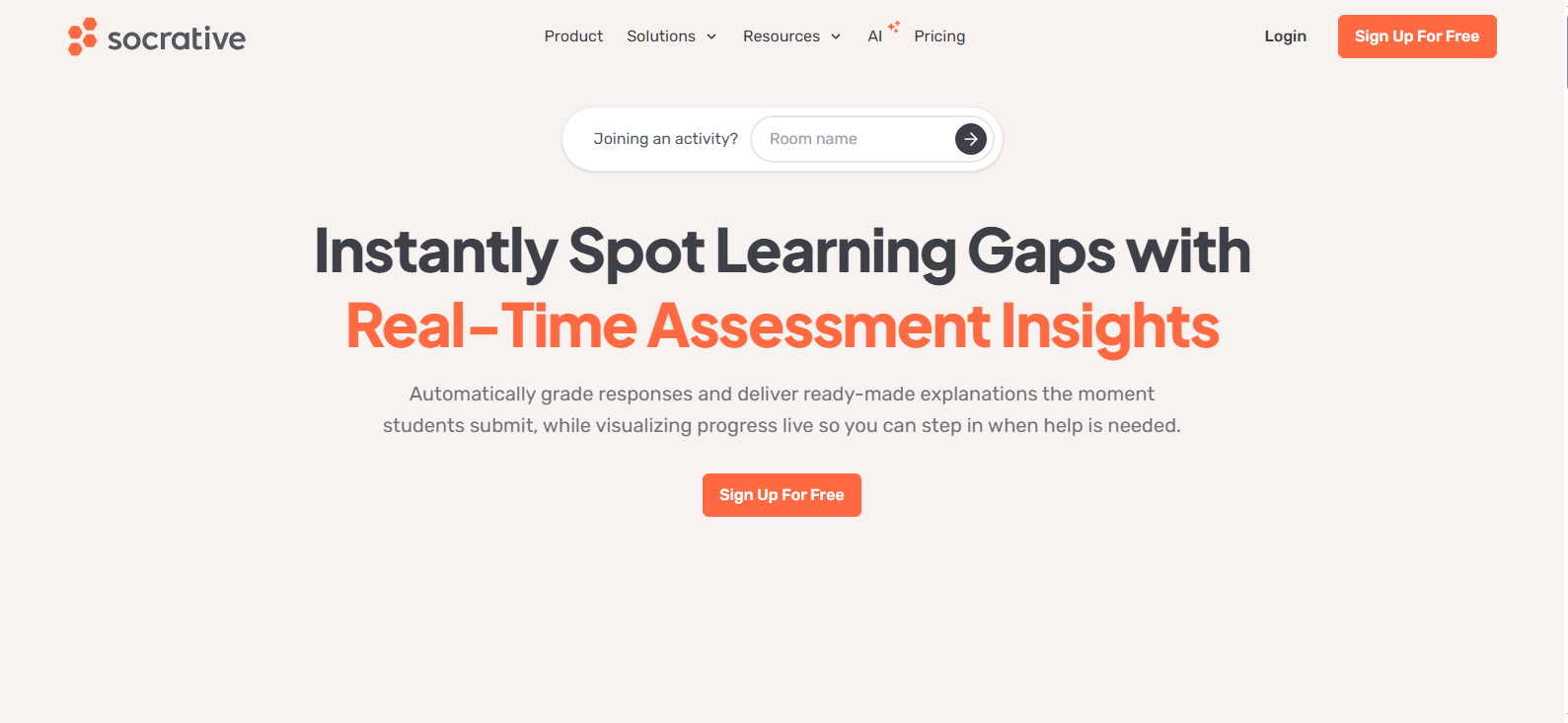
Socrative is a classroom assessment tool designed to help teachers create quizzes, evaluate student responses, and monitor learning progress in real time. It is particularly useful for formative assessments, where educators want to check student understanding during a lesson rather than wait until assignments are graded later.
Teachers can create multiple-choice and short-answer quizzes, collect student responses, and use automatic scoring to review results. This allows educators to identify knowledge gaps and adjust their instruction based on student performance.
Socrative also helps simplify classroom assessment by organizing responses and providing reports that teachers can use to understand how students are progressing. Its real-time feedback capabilities make it suitable for quick knowledge checks, practice activities, and classroom exercises.
Highlights
- Quiz creation and automatic scoring: Create classroom quizzes and automatically score supported question types.
- Immediate feedback: Helps students review their responses and understand their performance.
- Classroom assessment reports: Provides assessment results that educators can use to review student understanding.
- Student performance tracking: Helps teachers monitor responses and identify areas where additional instruction may be needed.
Best For:
Teachers seeking quick classroom assessments, formative quizzes, and real-time feedback.
Limitations:
Socrative is primarily designed for classroom assessments. Verify supported question types, manual grading options, reporting capabilities, and current plan restrictions before adopting it for more complex assignments.
Pricing:
Check Socrative’s official website for current free access, standard plans, and premium pricing. Compare student capacity, assessment features, reporting options, and subscription limits to find a plan that matches your classroom requirements.
9. GPTZero (Support AI Grading and Academic Integrity Checks)
Overview
GPTZero is primarily an AI writing detection and analysis tool that helps educators review student submissions for potential AI-generated content. While it can support academic integrity workflows, it is not a conventional automated grading system designed to assign academic scores.
For teachers evaluating essays and written assignments, GPTZero can provide additional information to consider when reviewing student work. Its AI detection capabilities may help identify passages that warrant closer examination, supporting discussions about writing practices and academic integrity.
However, detection results should be interpreted carefully. AI writing detectors can produce false positives and false negatives, so a report alone cannot establish whether a student violated academic policies. Educators should consider the assignment requirements, writing context, and other available evidence before making decisions.
Highlights
- AI writing detection: Analyzes submitted text for patterns associated with AI-generated writing.
- Writing analysis tools: Supports the review of written content and submissions.
- Academic integrity support: Helps educators investigate potential concerns about authorship.
- Writing review assistance: Provides additional information educators can consider during assessment.
Best For:
Educators reviewing written submissions for potential AI-generated content and academic integrity concerns.
Limitations:
Detection results are not definitive proof of misconduct and should never be treated as an automatic grade or sole basis for disciplinary decisions.
Pricing:
Check GPTZero’s official website for current free access, premium features, usage limits, and institutional pricing. Compare available plans and review which detection and writing analysis features are included before subscribing.
10. ChatGPT (Used as Automated Grading Software)
Overview
ChatGPT is a general-purpose AI assistant that educators can use to support grading and feedback workflows. Although it is not a dedicated grading platform, it can help evaluate written responses, apply grading criteria, and generate feedback based on instructions provided by the teacher.
Educators can supply a rubric and ask ChatGPT to assess student work against specific criteria. This approach can help organize evaluations, identify areas for improvement, and reduce repetitive feedback tasks. For written assignments, how to give feedback on academic writing can also help educators turn AI-generated suggestions into more useful guidance for students.
Teachers can also use it to develop grading rubrics, create feedback templates, and explain assessment criteria. However, ChatGPT’s output requires human verification. Scores may vary depending on prompts, context, and the responses being evaluated. Educators should review assessments before sharing grades with students.
Highlights
- Rubric-based feedback: Generates feedback based on grading criteria supplied by educators.
- Written response analysis: Helps review essays, short answers, and other written submissions.
- Grading workflow support: Assists with developing rubrics, feedback templates, and assessment criteria.
- Flexible explanations: Provides explanations and suggestions tailored to specific feedback requirements.
Best For:
Educators seeking flexible AI assistance with grading, written feedback, and assessment preparation.
Limitations:
Scoring can vary, and all results require human verification. Review applicable privacy policies and avoid uploading identifiable student information without appropriate authorization and safeguards.
Pricing:
Check ChatGPT’s official website for current free and paid plans, usage limits, and education-specific options. Compare available features, access requirements, and institutional plans before selecting a subscription for classroom use.
11. Marking.ai (Help Educators Automate Assessment)
Overview
Marking.ai is an AI-assisted assessment tool designed to help educators evaluate student work, streamline grading, and provide feedback more efficiently. For teachers managing frequent assignments and multiple student submissions, automated assessment can reduce repetitive tasks and make grading workflows easier to manage.
The platform’s focus on grading assistance and feedback generation makes it relevant for educators evaluating written responses and other assignments. AI-powered evaluation can help teachers organize assessments around grading criteria, review student work, and prepare feedback without starting every evaluation from scratch.
However, educators should confirm that the platform supports their specific subjects, assessment formats, and grading requirements before incorporating it into their teaching workflow.
Highlights
- AI-assisted grading: Supports educators in evaluating student work and reducing repetitive grading tasks.
- Assignment evaluation: Helps assess written responses and student assignments.
- Feedback generation: Assists in preparing feedback to communicate student strengths and areas for improvement.
- Assessment workflow support: Helps educators manage grading activities and organize student submissions.
Best For:
Educators looking to streamline assessment and provide feedback more efficiently.
Limitations:
Verify current subject coverage, grading controls, supported assignment formats, and integration capabilities. Review AI-generated scores before using them for formal assessments.
Pricing:
Check Marking.ai’s official website for current pricing, subscription options, and any available free trial. Confirm usage limits, included grading features, and institutional options before choosing a plan.
12. MagicSchool AI (Help Teachers With Automated Grading)
Overview
MagicSchool AI is an AI-powered platform designed to help teachers simplify classroom tasks, including assessment preparation, grading assistance, and feedback generation. Its teacher-focused tools make it particularly relevant for K-12 educators looking to reduce repetitive work and spend more time supporting students.
Teachers can use AI assistance to develop grading rubrics, prepare assessment materials, and generate feedback for student work. These capabilities can help organize evaluations and provide students with more targeted guidance.
However, grading assistance is not always the same as fully automated scoring. Educators should check which MagicSchool AI features evaluate student responses directly and which primarily support rubric creation, feedback preparation, or other teaching tasks.
Highlights
- Teacher-focused AI tools: Supports educators with classroom tasks and instructional workflows.
- Assessment and rubric assistance: Helps create assessment materials and grading criteria.
- Feedback generation: Assists in preparing feedback to support student learning.
- Lesson planning and classroom support: Provides tools for organizing lessons and other teaching activities.
Best For:
K-12 educators seeking AI-assisted grading, assessment preparation, and classroom workflow support.
Limitations:
Verify which features provide actual automated scoring versus assistance with grading preparation and feedback. Review generated content before using it for formal student assessments.
Pricing:
Check MagicSchool AI’s official website for current free and premium plans, feature limits, and school or district options. Compare available grading tools, usage restrictions, and institutional features before selecting a plan.
What Are the Benefits of Using Automated Grading Software?

Automated grading software can help educators manage assessments more efficiently, particularly when handling large classes and frequent assignments. To understand how can AI help teachers with grading, it’s useful to look at how AI can automate repetitive scoring tasks, support feedback delivery, reduce administrative work, and give teachers more time to focus on instruction.
The benefits depend on the platform, assessment type, and how educators use automated grading alongside their own judgment.
How Does Automated Grading Software Reduce Grading Time and Teacher Workload?
Automated grading systems can handle repetitive scoring tasks, such as checking quiz answers, evaluating code against test cases, and organizing student submissions. This reduces the need to review every response manually, particularly when managing large classes.
Teachers can spend less time on routine grading and more time preparing lessons, supporting students, and addressing learning gaps. By reducing repetitive administrative work, automated grading may also help alleviate teacher workload and burnout.
How Can Automated Grading Improve Grading Consistency and Fairness?
Automated grading can apply the same rubrics, answer keys, and predefined criteria across multiple student submissions. This helps reduce variation between graders and supports consistent evaluation in large classes. However, consistency does not automatically guarantee fairness. Maintaining authenticity in assessment is also important when ensuring that evaluation reflects genuine student understanding rather than simply consistent scoring.
Biased training data, poorly designed rubrics, or difficulties interpreting diverse writing styles can affect results. Human review remains important to identify potential bias, consider individual circumstances, and ensure grades reflect actual student understanding.
Why Is Instant Feedback Important for Student Performance?
Immediate feedback helps students understand mistakes while the lesson or assignment is still fresh. Understanding how does AI-driven feedback improve student performance can also help educators evaluate how timely feedback supports learning. Instead of waiting until an assessment is returned, students can use feedback to correct misunderstandings and reinforce learning.
- Actionable feedback: Explains mistakes and suggests improvements.
- Personalized guidance: Identifies areas where additional practice may help.
- Ongoing progress: Encourages students to improve throughout the course rather than relying only on end-of-term grades.
How Do Automated Grading Systems Help Educators Track Student Progress?
Automated grading systems can generate assessment reports and performance analytics that help educators monitor student progress across assignments. By reviewing scores, recurring mistakes, and knowledge gaps, teachers can identify topics that need additional instruction. For a broader approach to evaluating learning beyond scores alone, see how to assess authentic learning
These insights can also support more personalized teaching strategies, targeted practice, and timely intervention. However, grading data should be considered alongside classroom participation, individual circumstances, and other evidence of student understanding before making instructional decisions.
How Do You Choose the Best Automated Grading Software for Your Needs?

Choosing the right automated grading software depends on what you teach, how many students you assess, and the types of assignments you grade. A tool designed for multiple-choice quizzes may not meet your needs for essays, programming assignments, or detailed written feedback.
It also helps to understand when to use authentic assessments when deciding which types of student work call for more contextual, performance-based evaluation.
Before selecting a platform, consider your existing technology, budget, and the level of automation you can manage. Some tools handle scoring directly, while others assist with grading preparation and require more educator involvement.
Which Grading Features Should You Look for in Automated Grading Software?
Look for features that match your assessment requirements and classroom workflow:
- Rubric-based grading: Customizable or dynamic rubrics aligned with learning objectives.
- Assignment support: Compatibility with essays, quizzes, code, and short answers.
- Feedback: Immediate responses and detailed feedback reports.
- LMS integration: Compatibility with Google Classroom and other learning platforms.
- Analytics: Progress tracking, performance reports, and student portals.
- Security: Data privacy controls and secure student information handling.
- Collaboration: Annotation tools and collaborative grading.
- Management: Easy assignment uploads, student rosters, and submission matching.
What Should You Consider Before Paying for Automated Grading Software?
Compare the free version, standard plan, and premium plan to understand feature restrictions, usage limits, and subscription costs. Institutional licensing and custom pricing may suit larger organizations.
Before purchasing, evaluate these practical considerations:
- Privacy and security: Check student data protections and applicable privacy requirements.
- Compatibility: Confirm internet, mobile app, Google Classroom, and LMS requirements.
- Implementation: Consider the learning curve and ease of setup.
- Workflow: Check student portal access, roster matching, and assignment uploads.
- Human oversight: Determine how much review subjective grading requires.
Independent tutors, schools, universities, and larger educational institutions may need different configurations depending on their assessment volume, technology, and teaching requirements.
What Mistakes Should You Avoid When Using Automated Grading Software?

Automated grading software can simplify assessment, but choosing the wrong platform or relying entirely on automated scores can affect grading quality and student learning. Understanding its limitations helps you use these tools effectively while keeping educators involved in important assessment decisions.
Why Should You Avoid Relying Entirely on Automated Grading?
Automated grading may struggle with subjective essays, creative work, and responses requiring contextual understanding. Scoring errors and poorly designed rubrics can also affect results. Human judgment remains essential for evaluating complex answers, maintaining teaching quality, and providing personal feedback that reflects individual student needs.
What Are the Most Common Automated Grading Mistakes?
Avoid these common mistakes when implementing automated grading systems:
- Choosing software that does not support your assignment types or subjects.
- Trusting AI-generated grades without reviewing scores and feedback.
- Ignoring algorithmic bias and potential inconsistencies in grading.
- Uploading sensitive student data without checking privacy policies.
- Overlooking LMS integration and existing grading workflows.
- Treating AI writing detection as proof of academic misconduct.
- Failing to adjust rubrics or verify partial-credit decisions.
- Assuming every platform provides the same level of automation.
The goal is to use automation to support educators, not replace professional judgment.
Final Thoughts
The right automated grading software depends on your teaching needs. AI essay graders support written assignments, STEM tools evaluate structured assessments, coding platforms grade programming tasks, and quiz tools provide quick scoring.
General-purpose AI assistants offer flexible grading support but require careful review. Before choosing, consider your subject, assignment formats, class size, budget, privacy requirements, and the level of human oversight needed to maintain grading quality. Regardless of the tool you choose, knowing how to give academic feedback helps ensure that grading results lead to useful guidance for students.
Ready to simplify assessment? Explore Apporto PowerGrader for AI-assisted grading and personalized feedback, and compare its features with other solutions to find the right fit for your classroom.
Frequently Asked Questions (FAQs)
1. What Is Automated Grading Software?
Automated grading software uses answer keys, rubrics, predefined criteria, and AI to evaluate student assignments. It helps educators assign scores, generate feedback, and reduce repetitive grading tasks across quizzes, essays, coding exercises, and other assessments.
2. What Is the Best Automated Grading Software for Teachers?
The best tool depends on your subject and assessment needs. Apporto PowerGrader supports AI-assisted grading, Gradescope suits structured and STEM assessments, and EssayGrader.ai focuses on written assignments. Class size, budget, and grading requirements also matter.
3. Can AI Automatically Grade Essays and Written Responses?
Yes, AI and natural language processing can evaluate written responses against rubrics, analyze arguments, and generate feedback. However, subjective assignments and complex interpretations require human review to verify scores and maintain grading quality.
4. Is Automated Grading More Accurate Than Manual Grading?
Automated grading can improve consistency in structured assessments by applying the same criteria repeatedly. However, accuracy depends on assignment type, rubric quality, and system capabilities. Human oversight remains important for subjective work and potential scoring errors.
5. Does Automated Grading Software Integrate With Google Classroom?
Some automated grading platforms offer Google Classroom integration, while others support different learning management systems or require manual uploads. Check the provider’s current compatibility, available integrations, and subscription restrictions before selecting a platform.
6. Can Automated Grading Software Provide Instant Feedback to Students?
Yes, many automated grading systems can provide immediate feedback, highlight mistakes, and explain correct answers. Feedback speed and detail depend on the platform, assignment type, and grading settings, helping students address learning gaps sooner.
