

What Is the Best Packback Alternative?
Apporto PowerGrader is the best Packback alternative for higher education, combining AI-assisted grading, discussion-based assessment, personalized feedback, and seamless LMS integration in one platform. It helps educators increase student engagement, streamline assessment workflows, and deliver consistent, high-quality feedback while maintaining instructor oversight.
Online discussions have become an important part of modern education, but many educators now expect more than a question-and-answer platform. They want tools that increase student engagement, encourage critical thinking, simplify feedback, and fit naturally into existing teaching workflows.
AI tools are also changing how instructors guide discussions, evaluate participation, and provide meaningful support without increasing their workload. Cost, LMS compatibility, and ease of use have become just as important as discussion features when comparing platforms.
In this guide, you’ll discover the best Packback alternatives, comparing their engagement features, AI capabilities, presentation tools, pricing, integrations, and overall educational value, helping you choose the platform that best supports your students and courses.
How Did We Evaluate These Packback Alternatives?

Choosing the right Packback alternative involves more than comparing feature lists. The best platform should encourage meaningful participation, fit naturally into your teaching workflow, and help you create a more engaging learning experience for students. Some tools prioritize AI-assisted discussions, while others focus on presentations, assessments, or classroom collaboration. To make this comparison practical, we evaluated every platform using three criteria that matter most to educators and institutions.
How Well Does the Platform Improve Student Engagement and Critical Thinking?
Strong discussion platforms do more than collect responses. They encourage student engagement by creating opportunities for meaningful participation, thoughtful online discussions, and insightful conversations that help students develop critical thinking skills.
Packback has built its reputation by rewarding curiosity and encouraging students to ask high-quality questions rather than simply posting answers. We also looked at how AI supports learning.
Modern AI tools can foster critical thinking by prompting open-ended discussions, encouraging deeper analysis, and helping instructors provide timely guidance. The strongest platforms make it easier for educators to keep discussions active while giving students more opportunities to learn from one another.
Which Collaboration and Teaching Features Matter Most?
An effective platform should support different teaching styles and course formats. We evaluated features such as presentation capabilities, live polling, quizzes, discussion moderation, comments, video support, and feedback tools that help instructors guide students throughout a class. Top Hat stands out with more than 14 question types designed to increase classroom participation.
Together, these capabilities create more engaging discussions and help educators teach in ways that keep students actively involved instead of passively consuming information.
Which Platform Delivers the Best Overall Value?
Features matter, but long-term value is equally important. Cost is one of the biggest deciding factors for many institutions, especially when budgets are limited. We compared each platform based on price, ease of adoption, available support, administrative controls, and the benefits offered to faculty and students. We also considered LMS compatibility and overall accessibility.
Several cost-effective alternatives provide excellent functionality without unnecessary complexity, while platforms that offer unlimited course access can further reduce institutional costs. The best solution balances affordability, usability, and scalability, ensuring your investment continues to deliver value as your courses and educational needs grow.
Quick Comparison of the Best Packback Alternatives
Every Packback alternative takes a different approach to improving student engagement. Some platforms use AI to encourage deeper discussions and provide personalized feedback, while others focus on live polling, classroom presentations, collaborative discussions, or AI-assisted grading.
The best choice depends on your teaching style, course objectives, and the learning experience you want to create. Before making a decision, compare each platform’s strengths, AI capabilities, LMS compatibility, and pricing.
For a more focused comparison of grading solutions, explore our guide to the best automated grading software , which covers tools designed to support assessment workflows, automate repetitive grading tasks, and deliver feedback.
The table below provides a side-by-side overview to help you quickly identify which solution best fits your institution, instructors, and students.
| Platform | Best For | AI Features | LMS Integration | Pricing |
|---|---|---|---|---|
| Apporto PowerGrader | AI-assisted grading, discussion-based assessment, and higher education | AI Grading, AI Feedback, Human Review | Canvas, Moodle, Blackboard, LTI | Custom Quote |
| Top Hat | Interactive classrooms, live polling, and student engagement | AI Study Tools, AI Question Assistance | Canvas, Blackboard, Moodle, D2L | One Low-Cost Course Access Plan |
| ClassPoint | Interactive PowerPoint presentations and classroom participation | AI Quiz Generator | Microsoft PowerPoint, Microsoft Teams | Free, Pro Plans |
| Canvas Discussions | LMS-native online discussions and course collaboration | Basic AI Features (Canvas-dependent) | Native Canvas LMS | Included with Canvas LMS |
| Gradescope | Assignment grading, rubrics, and assessment workflows | AI-Assisted Grading | Canvas, Blackboard, Moodle, D2L | Institutional Pricing |
| Brisk Teaching | AI-powered lesson planning, feedback, and classroom productivity | AI Lesson Creation, AI Feedback, AI Writing Support | Google Classroom, Canvas | Free, Premium Plans |
| CoGrader | AI-powered grading for essays and written assignments | AI Grading, AI Feedback | Google Classroom, Canvas (Limited) | Subscription Plans |
Packback Alternatives (A Detailed Overview)
1. Apporto PowerGrader
Overview
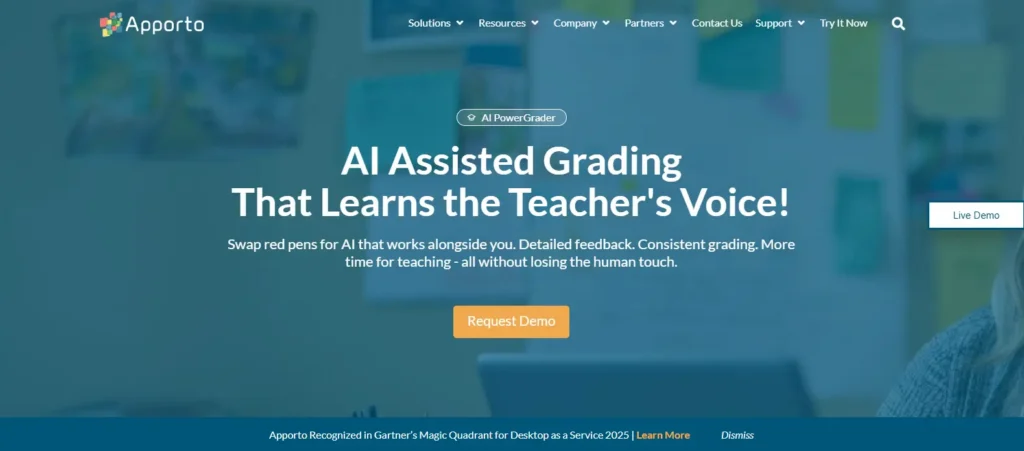
Apporto PowerGrader is one of the strongest Packback alternatives available. Rather than focusing solely on online discussions, it combines AI-assisted grading, discussion-based assessment, and personalized feedback in a single platform built for higher education. This allows you to encourage student engagement and critical thinking while simplifying the assessment process for instructors.
PowerGrader uses AI to assist with evaluating assignments and discussions, helping educators provide consistent, detailed feedback without sacrificing academic standards. Instructors remain in control of final evaluations, while AI handles repetitive tasks that often consume valuable teaching time. Combined with seamless LMS integration, the platform supports a smooth workflow from assignment submission to grading and feedback. Its emphasis on academic integrity and scalable assessment also makes it well suited for institutions managing large classes across multiple departments.
To understand how PowerGrader compares directly with Packback, read our Apporto PowerGrader vs Packback comparison, which examines their approaches to AI-assisted feedback, student engagement, and discussion-based assessment.
Highlights
- AI-assisted grading that reduces repetitive evaluation tasks while maintaining instructor oversight.
- Discussion-based assessment that encourages student engagement and critical thinking.
- Generates detailed feedback to help students improve their understanding and writing.
- Seamless LMS integration with leading learning management systems.
- Supports academic integrity through consistent, rubric-based evaluation.
- Built for higher education with scalable assessment workflows for growing institutions.
- Combines grading, feedback, discussions, and assessment into an all-in-one platform.
Best For:
Colleges and universities looking for a scalable platform that combines AI-assisted grading, discussion-based learning, LMS integration, and consistent assessment in one solution.
Limitations:
Pricing is available through a custom quote based on institutional requirements.
Pricing:
Custom pricing. Contact Apporto for a quote tailored to your institution’s size, courses, and assessment needs.
2. Top Hat
Overview
Top Hat is a classroom engagement platform designed to make lectures more interactive and encourage active participation. Instead of relying on traditional discussions alone, it combines live polling, quizzes, attendance tracking, and presentation capabilities to keep students involved throughout every class. This makes it a compelling Packback alternative for educators who want to transform passive lectures into collaborative learning experiences.
One of Top Hat’s biggest strengths is its flexibility. Instructors can create interactive activities on the spot, measure understanding in real time, and adjust lessons based on student responses. The platform also incorporates AI tools that help simplify content creation and improve classroom engagement. According to Top Hat, 87% of students feel more engaged when using its AI-powered features. Combined with support for more than 14 question types, educators can vary assessments and discussions to maintain interest across different courses.
Highlights
- Boosts student engagement through live polling, quizzes, and interactive classroom activities.
- Includes 14+ question types to support different teaching and assessment styles.
- Offers presentation capabilities that integrate interactive questions directly into lectures.
- Tracks attendance automatically to reduce administrative work.
- Uses AI tools to support lesson preparation and classroom participation.
- Provides instructors with real-time insights into student understanding.
- Offers unlimited course access through a single low-cost pricing model for participating students.
Best For:
Colleges and universities looking to increase classroom participation through interactive learning, live polling, quizzes, and AI-enhanced teaching tools.
Limitations:
Top Hat is designed primarily for live classroom engagement and course delivery, making it less suitable for institutions seeking AI-assisted grading or discussion-focused assessment platforms.
Pricing:
Top Hat offers unlimited course access through a single student subscription, while institutional pricing is available through custom agreements.
3. ClassPoint
Overview
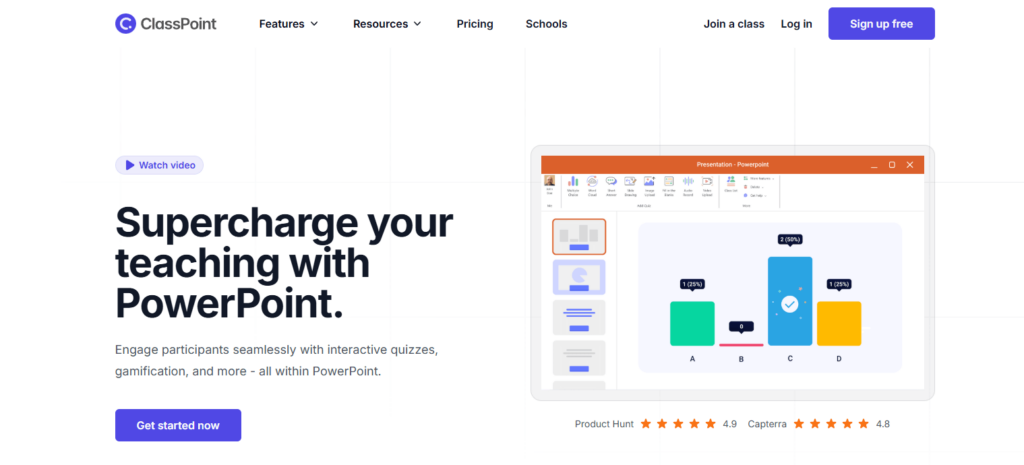
ClassPoint is an interactive teaching platform that works directly inside Microsoft PowerPoint, allowing you to turn static presentations into engaging classroom experiences. Instead of switching between multiple applications, you can create quizzes, ask live questions, collect responses, and provide instant feedback without leaving your presentation. This seamless approach makes ClassPoint an appealing Packback alternative for educators who already rely on PowerPoint for teaching.
The platform is designed to increase classroom engagement by encouraging active participation throughout a lesson. Rather than having students passively watch slides, you can invite them to answer questions, share ideas, and interact with content in real time. ClassPoint also includes AI-powered tools that help generate quiz questions from presentation slides, making lesson preparation faster while giving teachers more opportunities to assess understanding during class. Because everything happens within PowerPoint, the learning experience remains familiar and easy to manage.
Highlights
- Native PowerPoint integration with no need to switch between applications.
- Creates interactive quizzes and live questions directly from presentation slides.
- Encourages classroom engagement through real-time participation.
- Supports instant feedback to help teachers assess student understanding.
- Includes AI-powered quiz generation to simplify lesson preparation.
- Offers presentation tools designed for interactive learning.
- Helps educators keep students involved throughout every lesson.
Best For:
Teachers and educators who use Microsoft PowerPoint regularly and want to create more interactive presentations, quizzes, and classroom discussions without adopting a separate teaching platform.
Limitations:
ClassPoint is centered on classroom presentations and live interaction, offering fewer discussion management and AI-assisted grading features than platforms designed specifically for assessment and academic discussions.
Pricing:
A free plan is available with core features, while Pro plans unlock additional interactive tools, AI capabilities, and advanced classroom management features.
4. Canvas Discussions
Overview
Canvas Discussions is the built-in discussion tool within Canvas LMS, making it a practical Packback alternative for institutions that already use Canvas to manage courses. Instead of introducing another platform, instructors can create discussion boards, assign participation activities, and manage conversations directly from their existing learning environment. This integration keeps assignments, grades, and student communication organized in one place while reducing the need for additional software.
The platform is particularly effective for asynchronous learning, allowing students to participate in discussions on their own schedule while giving instructors the flexibility to monitor engagement over time. Students can respond to prompts, reply to classmates, and build meaningful conversations that extend beyond the classroom. Since discussions are connected to course content and assignments, educators can provide timely feedback, encourage collaboration, and track participation without leaving Canvas.
Highlights
- Native Canvas LMS integration with no additional setup required.
- Supports online discussions through organized discussion boards.
- Encourages student participation with threaded conversations and peer interaction.
- Allows instructors to moderate discussions and manage comments efficiently.
- Connects discussions directly to assignments and course grading.
- Promotes collaboration through structured class conversations.
- Supports asynchronous learning, giving students flexibility to participate from any location.
- Enables instructors to provide timely feedback within the course environment.
Best For:
Schools and universities already using Canvas LMS that want a simple, integrated solution for managing online discussions, assignments, and student participation.
Limitations:
Canvas Discussions provides reliable discussion management but offers fewer AI-powered engagement, writing support, and critical thinking features than platforms designed specifically for discussion-based learning.
Pricing:
Included with Canvas LMS, so there is no additional cost for institutions already subscribed to the platform.
5. Gradescope
Overview
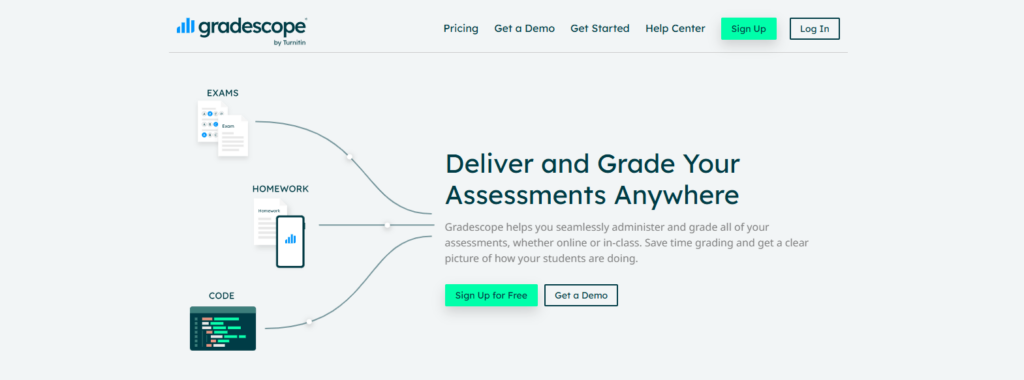
Gradescope is an assessment platform designed to simplify grading while maintaining consistency across large classes. Widely used in higher education, it helps instructors evaluate quizzes, exams, homework, and other assignments using structured rubrics and streamlined grading workflows. Instead of reviewing each submission independently, instructors can grade similar responses together, making the process faster and more consistent across every assessment.
The platform also includes AI-assisted grading features that help group similar answers, reducing repetitive work without replacing instructor judgment. This approach allows educators to spend more time providing meaningful feedback and less time on manual grading. Gradescope supports both digital and scanned paper submissions, making it suitable for a variety of assessment formats. Its focus on consistent evaluation and efficient grading has made it a popular choice for universities that manage large numbers of student submissions every semester.
Highlights
- Supports a wide range of assessments, including assignments, quizzes, and exams.
- Uses AI-assisted grading to organize similar responses and improve grading efficiency.
- Enables instructors to create detailed rubrics for consistent evaluation.
- Simplifies grading across large volumes of student work.
- Supports digital and scanned paper submissions in one platform.
- Helps instructors provide clear, structured feedback to students.
- Designed for higher education with scalable grading workflows.
Best For:
Colleges and universities looking for a reliable grading platform that combines AI-assisted grading, rubric-based assessment, and consistent evaluation across large classes.
Limitations:
Gradescope is built primarily for assessment and grading, offering fewer features for discussion-based learning, student engagement, and interactive classroom collaboration than platforms specifically designed for those purposes.
Pricing:
Gradescope uses an institutional pricing model. Schools and universities typically need to request a custom quote based on their deployment and licensing requirements.
6. Brisk Teaching
Overview
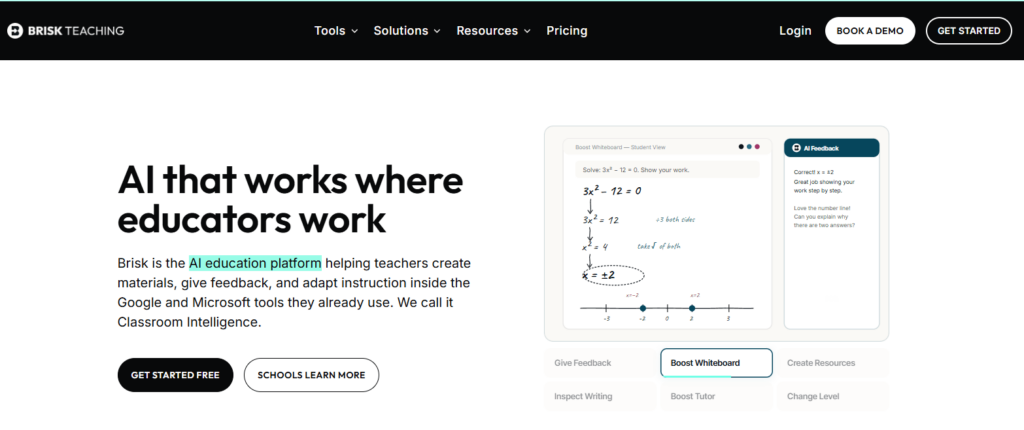
Brisk Teaching is an AI-powered platform designed to help teachers spend less time on repetitive tasks and more time supporting student learning. Instead of functioning solely as a discussion platform, it provides AI tools that assist with lesson planning, assignment creation, writing feedback, and instructional support. This makes it a practical Packback alternative for educators who want to improve classroom efficiency while maintaining meaningful student engagement.
One of Brisk Teaching’s biggest strengths is its ability to integrate with familiar classroom tools, including Google Classroom, making it easy to incorporate into existing workflows. Its AI features help generate classroom resources, review student writing, and provide personalized suggestions that encourage improvement. By automating routine tasks, the platform allows teachers to focus on instruction and meaningful interactions. AI can also reduce grading time by handling repetitive feedback, while personalized AI feedback helps students strengthen their writing skills and better understand areas that need improvement.
Highlights
- Uses AI tools to simplify lesson planning and classroom preparation.
- Generates writing feedback that helps students improve clarity and organization.
- Supports student engagement through personalized learning assistance.
- Integrates with Google Classroom for a seamless classroom workflow.
- Reduces administrative work, allowing teachers to focus more on instruction.
- Provides instructional support for creating activities, resources, and classroom materials.
- AI reduces grading time by automating repetitive feedback tasks while maintaining teacher oversight.
Best For:
Teachers and schools looking to improve productivity with AI-powered lesson planning, writing support, and classroom management while working within Google Classroom.
Limitations:
Brisk Teaching focuses on instructional support and classroom productivity rather than discussion-based learning or comprehensive assessment management, making it less suitable for institutions seeking advanced discussion forums or large-scale grading workflows.
Pricing:
Brisk Teaching offers a free plan with core AI features, while premium plans unlock advanced tools, expanded usage limits, and additional classroom support capabilities.
7. CoGrader
Overview
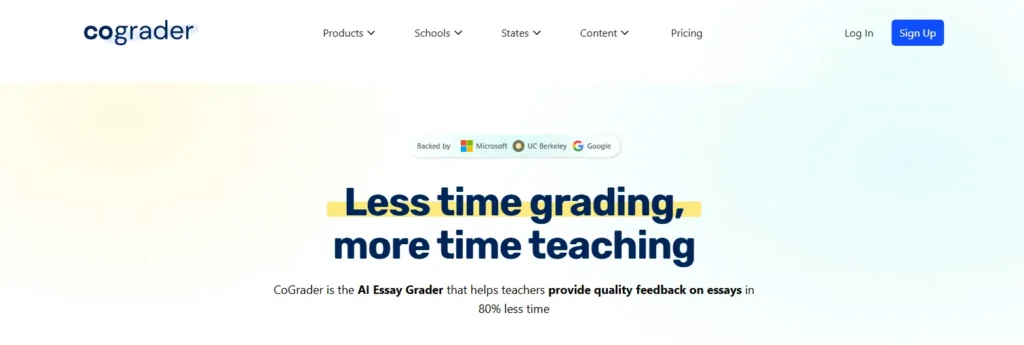
CoGrader is an AI-powered grading platform built to help teachers evaluate written assignments more efficiently while maintaining high-quality feedback. Unlike platforms that focus on classroom discussions or presentations, CoGrader specializes in assessing essays and other writing tasks. By using artificial intelligence to automate repetitive grading activities, it allows you to spend more time supporting students and less time reviewing every submission manually.
The platform is designed to fit naturally into your classroom workflow. Teachers can review assignments faster, maintain consistent grading standards, and return meaningful feedback in less time. Rather than replacing educator judgment, CoGrader provides AI-generated suggestions that instructors can review, edit, and approve before finalizing grades. This balance between automation and human oversight improves grading efficiency while ensuring students receive accurate evaluations and actionable guidance to strengthen their writing.
Highlights
- Uses AI-powered grading to evaluate essays and written assignments more efficiently.
- Leverages artificial intelligence to automate repetitive grading tasks.
- Delivers detailed feedback that helps students improve their writing and critical thinking.
- Improves grading efficiency without removing teacher oversight.
- Supports a wide range of written assignments across different subjects.
- Fits seamlessly into existing classroom workflows with an intuitive interface.
- Helps teachers return grades and personalized feedback more quickly.
Best For:
Teachers and educational institutions looking to streamline essay grading, improve feedback quality, and reduce the time spent evaluating written assignments through AI-assisted assessment.
Limitations:
CoGrader is primarily designed for writing and essay evaluation, making it less suitable for institutions that require discussion-based learning, interactive classroom engagement, or comprehensive learning management capabilities.
Pricing:
CoGrader offers subscription-based pricing with plans that vary based on classroom size, feature access, and institutional requirements.
Which Packback Alternative Is Right for You?

Choosing the best Packback alternative isn’t simply about finding a platform with the longest feature list. The right solution should complement your teaching style, encourage meaningful participation, and fit comfortably into your existing technology ecosystem. Some platforms emphasize AI-powered discussions and writing support, while others focus on live classroom interaction, presentations, grading, or learning management system integration. Before making a decision, think about how your students learn, how your instructors teach, and which tools will continue delivering value as your courses and enrollment grow.
Do You Need AI-Powered Discussions or Traditional Classroom Engagement?
Your first consideration should be how you want students to participate. If your courses rely on discussions, written responses, and reflective learning, AI tools can make those interactions more meaningful. Modern AI improves student engagement by delivering personalized feedback, helping students strengthen their writing, and encouraging them to think beyond simple answers. AI also promotes thoughtful discussions by asking deeper questions, supporting critical thinking, and rewarding curiosity throughout the learning process.
Traditional classroom engagement, however, remains highly effective for many teaching environments. Platforms with live polling, quizzes, and interactive presentations encourage participation during lectures and allow instructors to check understanding in real time. Others prioritize discussion boards where conversations continue outside scheduled class hours. Your engagement style should guide your platform selection because the best tool is the one that naturally supports the way you teach and the way your students learn.
Which Features Should Educators and Institutions Prioritize?
The most valuable platform is one that simplifies teaching instead of adding complexity. As you compare options, look at how instructors create activities, moderate discussions, and evaluate student participation across different courses. Features such as live polling, structured discussion boards, quizzes, and presentation capabilities can help maintain attention while giving students more opportunities to contribute. Multimedia presentations, comments, and collaborative discussions also encourage deeper interaction than traditional lecture formats.
Institutions should think beyond individual classrooms. Faculty members, administrators, and instructional teams often need consistent tools that support accessibility, simplify course management, and scale across departments. AI-assisted grading can reduce repetitive work, while LMS compatibility makes it easier to manage assignments, grades, and discussions from one place. Choosing a platform that balances engagement with practical teaching tools helps create a smoother experience for everyone involved.
How Important Are Pricing, LMS Integrations, and Ease of Use?
Budget often plays a significant role when evaluating educational technology. Packback pricing often pushes institutions to compare alternatives that offer similar functionality at a lower overall cost. Rather than focusing only on the initial price, consider the long-term value each platform delivers through improved productivity, stronger engagement, and reduced administrative work.
Integration is equally important. Platforms that connect with Canvas, Blackboard, or Moodle are typically easier to adopt because instructors can continue using familiar workflows. Top Hat, for example, offers unlimited course access through a single pricing model, making budgeting more predictable for many institutions. Reliable support, intuitive navigation, and straightforward setup also contribute to successful implementation. In many cases, cost-effective platforms with strong LMS integration provide better long-term value than feature-rich tools that require extensive training or additional software.
Which Packback Alternative Offers the Best Long-Term Value?
The right fit depends on your educational goals today and your plans for the future. AI-first platforms such as Apporto PowerGrader, Brisk Teaching, and CoGrader help automate repetitive tasks, improve feedback quality, and support stronger learning outcomes.
Presentation-focused platforms like Top Hat and ClassPoint excel at increasing classroom engagement through interactive activities, while Canvas Discussions is a practical choice for institutions that already rely on Canvas LMS. Assessment-focused platforms such as Gradescope prioritize grading consistency and scalable evaluation.
For many higher education institutions, the greatest overall value comes from a platform that combines AI, collaboration, scalable workflows, and seamless integration with existing systems. A solution that supports critical thinking, meaningful engagement, and long-term growth is more likely to continue meeting your needs as courses expand and teaching strategies evolve.
Final Thoughts
The best Packback alternative depends on your instructional goals. Top Hat stands out for classroom presentations and live engagement, ClassPoint enhances PowerPoint-based teaching, Canvas Discussions is ideal for LMS-native collaboration, Gradescope excels at assessment-focused grading, and Brisk Teaching and CoGrader use AI to improve productivity and writing feedback.
Universities, schools, and individual instructors often have different priorities, from increasing classroom participation to simplifying assessment or strengthening online discussions. For higher education institutions seeking a complete solution, Apporto PowerGrader delivers the strongest overall value.
It combines AI-assisted grading, meaningful feedback, academic integrity, scalable assessment workflows, and seamless LMS integration in one platform. If you’re ready to modernize teaching while improving learning outcomes, explore Apporto PowerGrader to see how it can support your institution. Book a Demo Now.
Frequently Asked Questions (FAQs)
1. What are the best Packback alternatives in 2026?
The best Packback alternatives in 2026 include Apporto PowerGrader, Top Hat, ClassPoint, Canvas Discussions, Gradescope, Brisk Teaching, and CoGrader. Each platform serves a different purpose, from AI-assisted grading and classroom engagement to discussion-based learning, assessment management, and presentation-driven instruction.
2. Which Packback alternative is best for improving student engagement?
Top Hat is one of the strongest options for improving student engagement because it combines live polling, quizzes, interactive presentations, and AI-powered classroom tools. If your goal is to increase participation during lectures and encourage active learning, it offers a well-rounded solution for both instructors and students.
3. Which platform is best for encouraging critical thinking?
Platforms that support meaningful discussions and personalized feedback are best for developing critical thinking. Apporto PowerGrader encourages deeper analysis through discussion-based assessment and AI-assisted feedback, while Canvas Discussions and Top Hat also promote thoughtful conversations that extend learning beyond traditional lectures.
4. Which Packback alternative is best for higher education?
For higher education institutions, Apporto PowerGrader stands out as the strongest choice. It combines AI-assisted grading, detailed feedback, discussion-based assessment, academic integrity, and seamless LMS integration in one scalable platform, making it well suited for universities managing large classes and multiple departments.
5. Can Packback alternatives integrate with Canvas or Blackboard?
Yes. Many Packback alternatives support popular learning management systems such as Canvas and Blackboard. Platforms like Apporto PowerGrader, Top Hat, Canvas Discussions, and Gradescope integrate with leading LMS solutions, allowing instructors to manage assignments, discussions, grading, and feedback without disrupting existing workflows.
6. Are there affordable Packback alternatives for schools and universities?
Yes. Several alternatives provide cost-effective options for institutions with different budgets. ClassPoint offers a free version with optional premium features, while Top Hat provides unlimited course access through a predictable pricing model. Institutions should compare pricing alongside features, scalability, and support to determine the best long-term value.
7. How does AI improve online discussions and learning?
AI improves online discussions by providing personalized feedback, encouraging deeper questions, and helping students strengthen their writing before submitting responses. It also reduces repetitive grading tasks for instructors, making it easier to deliver timely feedback while maintaining meaningful engagement and supporting better learning outcomes.
8. What should you look for when choosing a Packback alternative?
Start by evaluating how well the platform aligns with your teaching goals. Consider student engagement, AI capabilities, discussion tools, presentation features, LMS integration, pricing, ease of use, and long-term scalability. Choosing a platform that supports both your instructional workflow and your students’ learning experience will provide the greatest overall value.
