
What’s the Difference Between Apporto ExamSpace and ExamSoft?
The main difference between Apporto ExamSpace and ExamSoft is their approach to secure online assessments. Apporto ExamSpace is designed for browser-based, software-intensive exams with virtual desktops, simplified administration, and seamless LMS integration, while ExamSoft focuses on secure testing, assessment management, analytics, and accreditation reporting.
Selecting an online assessment platform has become a strategic decision for colleges, universities, and professional certification providers. Today, institutions evaluate far more than exam security alone. They also consider how a platform supports academic integrity, improves the student experience, simplifies administration, and provides meaningful assessment insights.
ExamSoft and Apporto ExamSpace address these priorities in different ways. ExamSoft emphasizes secure testing, analytics, and assessment management, while Apporto ExamSpace focuses on delivering secure browser-based exam environments with powerful virtual desktops.
This comparison explores their features, security models, student experience, reporting capabilities, and ideal use cases to help you identify the best solution for your institution.
What Are ExamSoft and Apporto ExamSpace, and How Do They Differ?
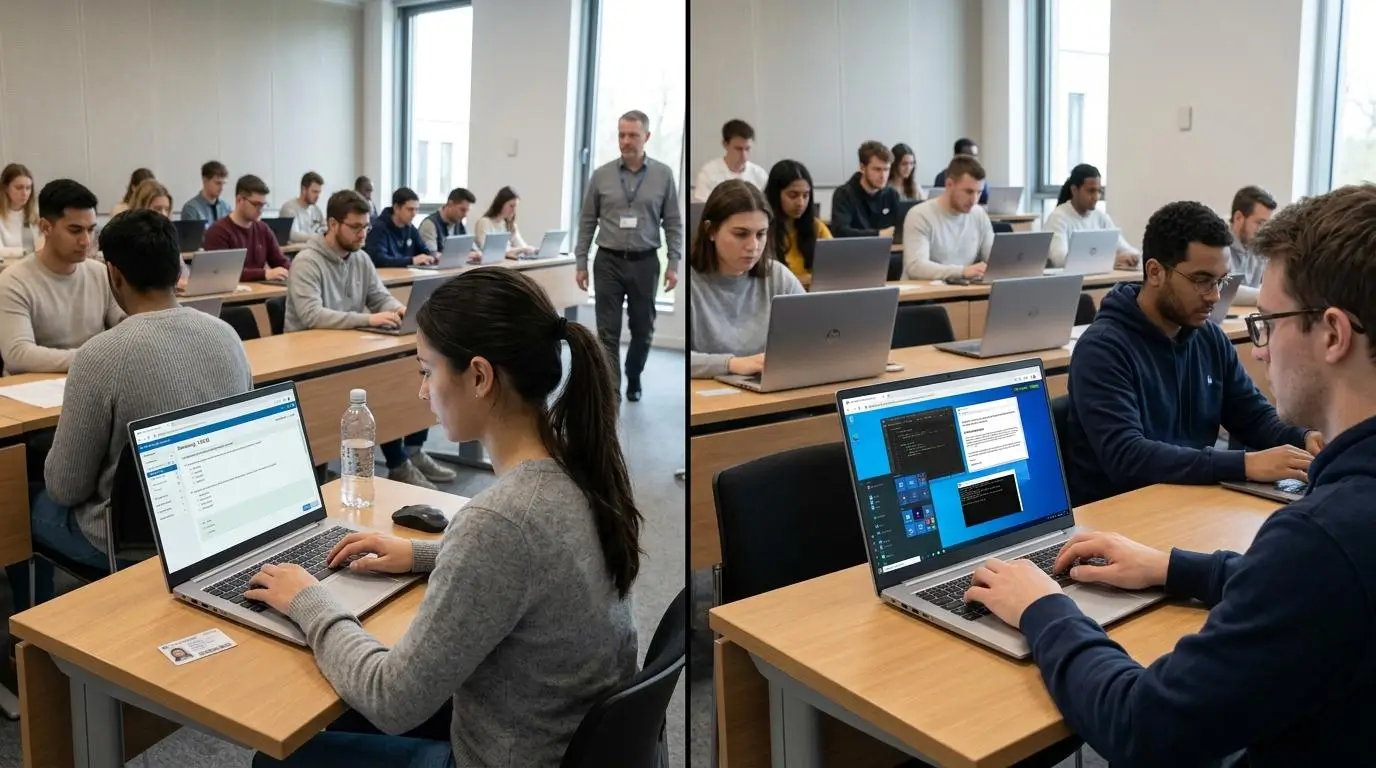
Although both platforms help institutions deliver secure assessments, they are designed with different priorities in mind. ExamSoft focuses on assessment management, exam security, and performance analytics, making it a popular choice for professional education and accreditation-driven programs.
Apporto ExamSpace approaches online testing from another angle by delivering a secure, browser-based virtual environment where students complete exams using standardized software and computing resources. Understanding these differences helps you choose the platform that best supports your assessment goals, curriculum, and technical requirements.
ExamSoft Overview
ExamSoft is a comprehensive assessment platform used across higher education, particularly in disciplines such as nursing, pharmacy, medicine, and law. Beyond delivering secure exams, it provides educators with detailed reporting, curriculum mapping, and psychometric analysis to measure student performance over time. The platform combines several products, including Examplify for secure testing, ExamID for identity verification, and ExamMonitor for remote proctoring.
One of ExamSoft’s strengths is its ability to support both online and offline exams, giving institutions flexibility when internet connectivity may be unreliable. Its reporting capabilities also help faculty identify learning gaps and improve student outcomes across academic programs.
Quick highlights
- Assessment platform: Supports secure exams, grading, reporting, and long-term curriculum evaluation.
- Examplify application: Requires students to download a secure application before taking an assessment.
- ExamID: Uses two-step identity verification to confirm student identity before exams.
- ExamMonitor: Adds remote proctoring with audio and video recording for eligible assessments.
- Curriculum mapping: Connects assessment results to learning objectives and accreditation requirements.
- Data analytics; Provides detailed reports that help educators evaluate performance and identify knowledge gaps.
- Offline exams: Allows students to complete assessments without continuous internet access and upload responses later.
- Professional education: Widely adopted by universities and certification programs that deliver high-stakes assessments.
Apporto ExamSpace Overview
Apporto ExamSpace is designed to simplify secure online assessments by providing students with a browser-based virtual exam platform. Instead of requiring software downloads, students access a secure virtual desktop where the necessary applications, files, and computing resources are already prepared. This reduces compatibility issues while creating a consistent testing experience across different devices.
The platform is particularly well suited for technical assessments that depend on specialized software. Its browser-based delivery and centralized management also reduce administrative effort for instructors and IT teams while integrating seamlessly with existing learning management systems.
Quick highlights
- Browser-based virtual exam platform: Delivers secure assessments directly through a supported web browser.
- Secure virtual desktop: Provides an isolated workspace with controlled access to approved applications and resources.
- LMS integration: Works with existing learning management systems to simplify exam delivery and administration.
- Technical assessments: Supports programming, engineering, data science, and other software-intensive courses.
- High-performance software: Gives students access to demanding applications without relying entirely on their local computer.
- Low-maintenance deployment: Centralized management reduces ongoing IT administration and software maintenance.
- No local installation: Students access the secure environment without installing complex applications on their personal devices.
Quick Comparison Snapshot
| Feature | ExamSoft | Apporto ExamSpace |
|---|---|---|
| Core approach | Secure assessment platform with analytics, reporting, and exam management | Secure browser-based virtual desktop for controlled exam environments |
| Best use case | High-stakes assessments, accreditation, and professional education programs | Technical assessments requiring specialized software and standardized environments |
| Installation | Requires the Examplify application for secure testing | No local installation, accessed through a web browser |
| Assessment delivery | Supports both online and offline exams with integrated assessment tools | Delivers assessments through a secure cloud-hosted virtual workspace |
| Device dependency | Relies on the student’s device to run Examplify | Uses cloud-based virtual desktops to reduce dependence on local hardware |
| Learning curve | Moderate due to application setup and multiple assessment tools | Lower with browser-based access and a simplified testing environment |
How Does Each Platform Protect Academic Integrity?

Academic integrity depends on more than simply preventing cheating. A secure assessment platform should verify student identity, protect exam content, limit unauthorized access, and provide educators with confidence that results accurately reflect student knowledge. ExamSoft and Apporto ExamSpace both support secure exams, but they achieve that goal through different methods.
ExamSoft combines identity verification, remote monitoring, and secure testing software, while Apporto ExamSpace protects assessments by delivering a controlled virtual environment where only approved resources are available. These same security considerations are important when evaluating the best online proctoring software for different assessment requirements.
How ExamSoft Secures Assessments
ExamSoft uses several integrated tools to protect assessments before, during, and after an exam. Students complete assessments through Examplify, while optional services such as ExamID and ExamMonitor add identity verification and remote monitoring for institutions that require additional security. Together, these capabilities help reduce opportunities for academic misconduct while supporting secure assessments across professional education programs.
Some security features include:
- ExamID: Uses a two-step identity verification process to confirm that the correct student is taking the assessment.
- ExamMonitor: Provides remote proctoring with audio and video recording that instructors can review after the exam.
- Device lockdown: Restricts access to other applications and system functions while the assessment is in progress.
- Identity verification: Confirms student identity before the exam begins, strengthening exam security for high-stakes assessments.
- Audio and video recording: Captures the testing session to support instructor review when questions about academic misconduct arise.
- Randomized questions: Presents assessment items in different sequences, reducing opportunities for students to share answers.
- Encryption: Protects assessment data using industry-standard encryption during storage and transmission.
- Academic misconduct prevention: Combines secure software, monitoring tools, and assessment controls to help protect academic integrity throughout the exam.
These features make ExamSoft a strong choice for institutions that require secure testing, identity verification, and detailed assessment oversight.
How Apporto ExamSpace Secures Assessments?
Apporto ExamSpace takes a different approach by securing the environment instead of focusing primarily on student surveillance. Every assessment is delivered through a secure virtual desktop that isolates students from their local computer and limits access to only the resources approved by the institution. Rather than detecting misconduct after it occurs, the platform emphasizes preventing unauthorized activity from the start.
Few security features include:
- Secure virtual desktop: Every assessment takes place inside an isolated cloud-hosted desktop designed specifically for secure exams.
- Browser-based environment: Students access the platform through a supported web browser without installing complex local software.
- Restricting access: Institutions control which websites, applications, and resources are available during the assessment.
- Unauthorized applications: Personal software and local resources remain inaccessible within the secure workspace.
- Secure cloud environment: The managed cloud infrastructure provides a consistent and protected testing experience across supported devices.
- LMS security: Integrates with learning management systems while maintaining secure authentication and assessment delivery.
- Controlled workspace: Every student receives the same standardized environment, helping protect academic integrity while reducing technical inconsistencies.
By focusing on environment control, Apporto ExamSpace minimizes opportunities for unauthorized access before they become a concern.
Security Comparison
| Security Feature | ExamSoft | Apporto ExamSpace |
|---|---|---|
| Identity verification | ExamID provides two-step identity verification | Supports secure institutional authentication and controlled access |
| Device lockdown | Locks down the student’s device during the assessment | Uses an isolated virtual desktop instead of locking the local device |
| Browser delivery | Requires the Examplify application rather than browser-only delivery | Fully browser-based with no local software installation |
| Virtual desktop | Not included | Secure cloud-hosted virtual desktop for every assessment |
| Remote monitoring | ExamMonitor offers optional audio and video recording | Environment security is prioritized over continuous monitoring |
| Local software | Students download and install Examplify before exams | No complex local installation required |
| Academic integrity | Protected through identity verification, secure testing, monitoring, and randomized questions | Protected through controlled environments, restricted access, and standardized virtual workspaces |
| Security approach | Combines secure assessment software with identity verification and monitoring | Secures the computing environment to prevent unauthorized activity from the outset |
What Does the Student Experience Look Like on Exam Day?

A secure assessment should also be straightforward to access. The more time students spend installing software, checking device compatibility, or resolving technical issues, the less time they can devote to the exam itself. ExamSoft and Apporto ExamSpace both prioritize secure testing, but they deliver different experiences on exam day.
ExamSoft combines a dedicated testing application with identity verification and optional offline capabilities, while Apporto ExamSpace provides a browser-based virtual environment that is ready as soon as you sign in.
Taking an Exam with ExamSoft
ExamSoft uses its Examplify application to create a secure testing environment on the student’s computer. Depending on the institution’s configuration, students may also complete identity verification before the assessment begins.
- Download Examplify: Before exam day, install the Examplify application on your approved computer or device.
- Log in to your account: Sign in using the credentials provided by your institution and download the assigned assessment.
- Complete password verification: Enter the required assessment password if your instructor has enabled one.
- Finish ExamID authentication: If ExamID is required, complete the identity verification process before accessing the exam.
- Begin the assessment: Examplify locks down your device, allowing you to focus on the assessment without distractions from other applications.
- Continue even without internet access: If your internet connectivity is interrupted, you can continue working because supported exams can be completed offline.
- Submit and upload responses: Once the assessment is finished, reconnect if necessary and upload your completed responses to the institution.
Taking an Exam with Apporto ExamSpace
Apporto ExamSpace simplifies exam access by eliminating local software installation. Instead, students launch a secure virtual workspace directly from their browser, where the required applications and resources are already available.
- Log in securely:Access the platform using your institution’s authentication method or single sign-on credentials.
- Open your browser:Launch the secure exam environment without downloading a dedicated application.
- Launch the secure workspace: Your virtual desktop opens with the software and resources configured for the assessment.
- Begin the assessment: Complete the exam inside the controlled environment using the applications provided by your institution.
- Finish your work: Save and submit your answers within the secure virtual desktop.
- Exit the session: Close the browser session after submitting the assessment. The virtual environment ends without leaving assessment data on your local computer.
Student Experience Comparison
| Experience Area | ExamSoft | Apporto ExamSpace |
|---|---|---|
| Preparation | Requires students to download and configure Examplify before the assessment | Browser-based access with minimal preparation and no local installation |
| Internet connectivity | Supports offline exams with response upload after reconnecting | Requires a stable internet connection throughout the assessment session |
| Device setup | Assessment runs on the student’s computer using the Examplify application | Secure virtual desktop runs through the browser with centralized configuration |
| Accessibility | Strong option for environments where internet access may be inconsistent | Provides consistent access to standardized software through the cloud |
| Technical complexity | Moderate due to application installation and device preparation | Lower because software is managed within the virtual workspace |
| Flexibility | Suitable for secure offline and online assessments | Well suited for technical assessments requiring specialized software and cloud resources |
| Overall experience | Reliable for institutions that need offline testing and detailed assessment controls | Streamlined browser-based experience with fewer setup steps and a consistent testing environment |
Which Platform Creates a More Reliable Testing Environment?
A reliable testing environment should give every student the opportunity to complete an assessment without unnecessary interruptions. Security is certainly part of that equation, but consistency, software availability, and technical stability matter just as much. If students spend valuable exam time dealing with installation problems or incompatible devices, the assessment may measure technical limitations instead of knowledge.
ExamSoft and Apporto ExamSpace both aim to create dependable exam environments, but they do so in different ways. One prioritizes secure local testing with offline capabilities, while the other delivers a standardized cloud-based workspace through the browser.
When comparing the two platforms, these factors deserve close attention:
- Offline versus browser-based exams: ExamSoft allows supported assessments to continue even if internet connectivity is temporarily unavailable, making it a dependable option for environments with inconsistent network access. Apporto ExamSpace operates through a browser and requires a stable internet connection to maintain access to the secure virtual desktop.
- Stable internet requirements: Because Apporto ExamSpace streams the testing environment from the cloud, reliable internet access is essential for uninterrupted performance throughout the assessment.
- Secure environments: Both platforms create secure environments that help protect exam content and maintain academic integrity. ExamSoft secures the student’s local device, while Apporto ExamSpace secures an isolated virtual workspace hosted in the cloud.
- Device consistency: Students often use computers with different operating systems and hardware capabilities. Apporto ExamSpace minimizes these differences by providing every student with the same virtual desktop and software configuration.
- Software-intensive exams: Courses that depend on engineering applications, programming tools, or other specialized software benefit from Apporto ExamSpace because the required applications are already installed and centrally managed.
- Practical assessments: Assessments that require students to interact with professional software or complete hands-on tasks are easier to administer in a standardized virtual environment where every participant has identical resources.
- Standardized environments: Delivering the same desktop, applications, and system settings to every student helps improve fairness while reducing compatibility issues across different devices.
- Reliability: ExamSoft excels when offline testing is a priority, while Apporto ExamSpace provides consistent performance through centralized management and a controlled cloud environment for connected assessments.
Ultimately, the most reliable platform depends on your assessment goals. If offline access is essential, ExamSoft offers a clear advantage. If your priority is providing every student with the same secure computing environment for software-based assessments, Apporto ExamSpace delivers greater consistency and reduces many of the technical variables that can affect exam performance.
How Do Analytics, Reporting, and Student Outcomes Compare?

Securing an exam is only one part of the assessment process. After students submit their work, institutions need meaningful data to evaluate learning, identify curriculum gaps, and improve future instruction. This is where the differences between ExamSoft and Apporto ExamSpace become more apparent.
ExamSoft is designed with assessment analytics at its core, giving educators detailed reporting tools that extend well beyond grading exams. Apporto ExamSpace, by comparison, focuses on delivering a secure assessment environment while providing operational insights that help institutions monitor exam sessions and platform performance.
The right choice depends on what you expect after an assessment is completed. If your priority is accreditation-ready reporting and curriculum evaluation, analytics may carry more weight. If your focus is secure exam delivery and technical performance, operational visibility may be more valuable.
Here are the some areas to compare:
- Performance analytics: ExamSoft provides detailed reports that help educators measure student performance across individual exams, courses, and academic programs, making it easier to identify trends over time.
- Curriculum mapping: One of ExamSoft’s strongest capabilities is linking assessment results to learning objectives. Faculty can determine where students excel and where knowledge gaps may require curriculum improvements.
- Psychometric reporting: ExamSoft includes psychometric analysis that evaluates question quality, exam reliability, and assessment effectiveness, supporting continuous improvement in course design.
- Opportunities reports: Detailed reports highlight learning gaps and opportunities for improvement, giving educators actionable insights that support better teaching strategies and stronger student outcomes.
- Student outcomes: By combining assessment data with curriculum mapping, ExamSoft helps institutions monitor progress, evaluate program effectiveness, and support long-term academic success.
- Grading exams: ExamSoft streamlines grading workflows while organizing assessment data into reports that faculty can use for instructional planning and accreditation documentation.
- Faculty insights: Rich reporting dashboards allow instructors to review class performance, identify common mistakes, and provide more targeted feedback to students.
- Real-time session analytics: Apporto ExamSpace offers visibility into active assessment sessions, helping administrators monitor platform performance and quickly identify technical issues during online exams. This operational insight complements its secure virtual testing environment without overwhelming instructors with unnecessary complexity.
Analytics Comparison
| Analytics Feature | ExamSoft | Apporto ExamSpace |
|---|---|---|
| Performance reporting | Comprehensive reports with detailed assessment and student performance analytics | Operational reporting focused on assessment delivery and platform activity |
| Curriculum insights | Advanced curriculum mapping identifies learning gaps and measures program effectiveness | Limited emphasis, primary focus is secure exam delivery |
| Session analytics | Tracks assessment performance and exam metrics after completion | Real-time session analytics provide visibility into active assessments |
| Grade synchronization | Integrates with LMS GradeBook to synchronize grades and assessment data | Supports LMS-based assessment workflows and integrations |
| Faculty reporting | Extensive dashboards with psychometric reports, feedback, and instructional insights | Administrative reporting centered on platform usage and assessment management |
| Accreditation support | Strong support through curriculum mapping, psychometric reporting, and outcomes data | Better suited for institutions prioritizing secure technical assessments over accreditation reporting |
Which Platform Is Better for Technical and Professional Education?
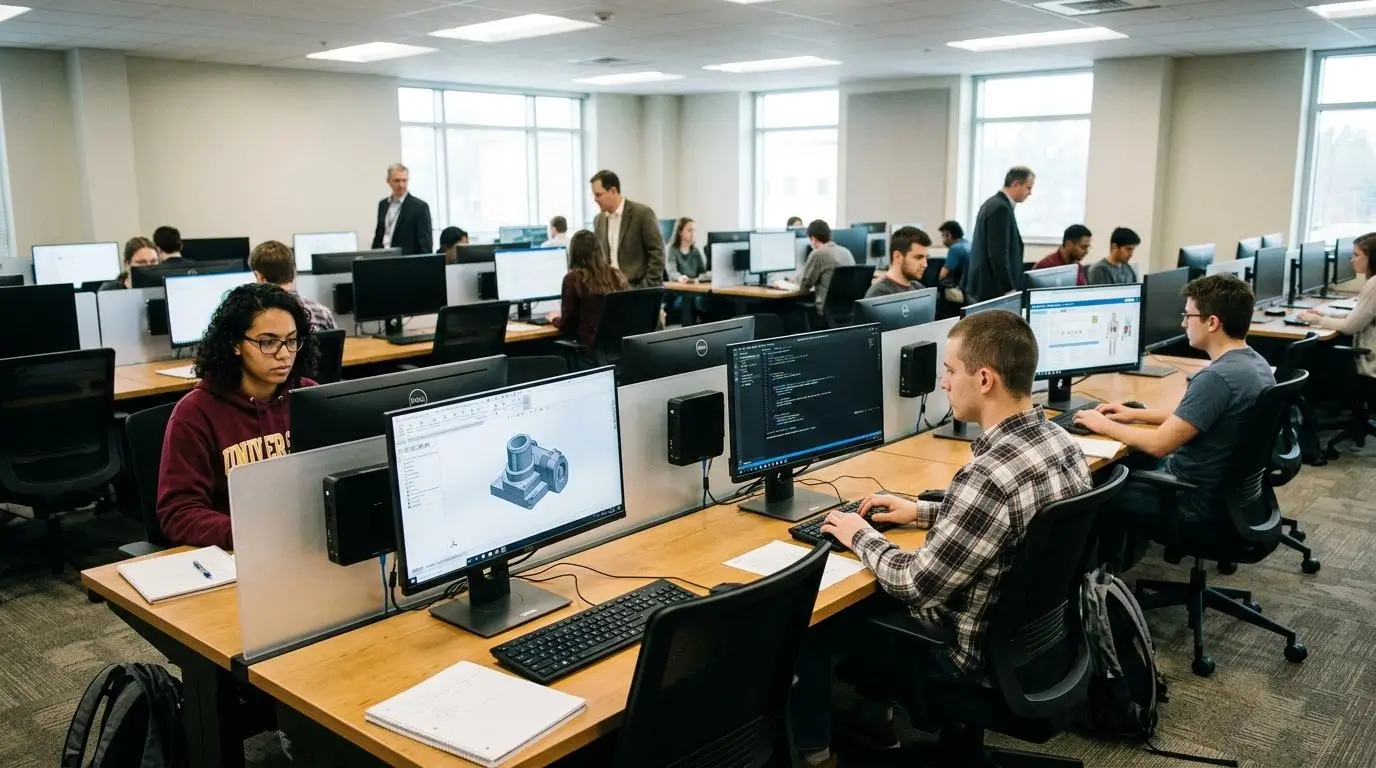
Professional education often requires more than standard online testing. Students in nursing, pharmacy, engineering, computer science, and other specialized programs frequently complete assessments that involve licensed software, simulations, or discipline-specific applications. In these cases, the assessment platform must not only maintain security but also provide the tools students need to demonstrate practical knowledge.
This is where ExamSoft and Apporto ExamSpace begin to serve different purposes. ExamSoft excels in assessment management and outcomes reporting, while Apporto ExamSpace is designed to deliver secure, software-rich environments that support hands-on learning.
When comparing the two platforms for professional education, consider these key areas:
- Nursing programs: ExamSoft has a strong presence in nursing education, where detailed performance analytics, curriculum mapping, and accreditation reporting help faculty measure competency and prepare students for licensure exams.
- Pharmacy education: Pharmacy schools often use ExamSoft to administer secure assessments while tracking learning outcomes across multiple courses and academic milestones. Its reporting capabilities support continuous curriculum improvement.
- Certification programs: Institutions delivering certification or licensure assessments may benefit from ExamSoft’s structured exam management, identity verification options, and comprehensive reporting. Apporto ExamSpace also supports secure certification exams, particularly when practical software use is part of the assessment.
- Practical software exams: Apporto ExamSpace is particularly effective when students need access to engineering software, programming environments, statistical tools, or other specialized applications during an exam. Everything is available inside the secure virtual desktop before the assessment begins.
- High-powered applications: Resource-intensive software can place significant demands on a student’s computer. Apporto ExamSpace delivers these applications through cloud-hosted virtual desktops, reducing reliance on local hardware and creating a more consistent experience.
- Professional education: Programs that emphasize practical skills alongside theoretical knowledge often benefit from Apporto ExamSpace because students complete assessments using the same tools they encounter throughout their coursework.
- Curriculum support: ExamSoft provides extensive curriculum mapping and psychometric reporting, giving universities valuable insights into student performance, learning gaps, and long-term program effectiveness.
- Specialized environments: Apporto ExamSpace enables institutions to build standardized virtual environments tailored to individual courses, ensuring every student uses the same software, settings, and resources regardless of their personal device.
For traditional professional programs that prioritize accreditation, curriculum analysis, and assessment reporting, ExamSoft remains an excellent choice. However, if your university delivers software-intensive courses where students must actively use professional tools during an assessment, Apporto ExamSpace provides a more practical solution by combining secure virtual desktops with standardized, high-performance computing environments.
How Easy Are Setup, LMS Integration, and Administration?

A secure assessment platform should fit naturally into your existing academic workflows. The easier it is to deploy, manage, and support, the less time instructors and IT teams spend on administration and the more time they can devote to teaching. Both ExamSoft and Apporto ExamSpace integrate with popular LMS platforms, but they take different approaches. ExamSoft emphasizes assessment management and reporting, while Apporto ExamSpace focuses on simplifying secure exam delivery through browser-based virtual environments.
ExamSoft Administration
ExamSoft is designed to integrate deeply with institutional systems, making it easier for educators to administer assessments and manage student performance data across multiple courses and programs.
Core administration features include:
- Blackboard integration: Syncs courses and assessment data to streamline exam administration within Blackboard.
- Canvas integration: Allows instructors to deliver assessments while maintaining familiar course workflows.
- Moodle and D2L support: Integrates with major LMS platforms to simplify course management across different learning environments.
- GradeBook synchronization: Automatically transfers grades between ExamSoft and supported LMS GradeBooks, reducing manual data entry.
- Student data management: Synchronizes student enrollment and course information to keep assessments organized throughout the semester.
- Course management: Provides educators with centralized tools to create, schedule, administer, and review assessments across multiple classes.
Apporto ExamSpace Administration
Apporto ExamSpace simplifies administration by delivering secure assessments through a managed virtual environment that integrates with existing LMS workflows. Because applications and software are provisioned centrally, IT teams spend less time configuring individual student devices.
Administration features include:
- LMS integration: Connects with learning management systems, allowing instructors to launch secure exams directly from their courses.
- Browser deployment: Students access the platform through a web browser without installing complex local software.
- Virtual desktop provisioning: Administrators create standardized exam environments with approved software already configured.
- Managed environments: Updates, security policies, and software configurations are maintained centrally by the institution.
- Technical support: Standardized environments reduce device-specific issues and simplify ongoing support.
- Specialized applications: Institutions can provision licensed software and technical tools for individual courses without requiring local installations.
Administration Comparison
| Administration Area | ExamSoft | Apporto ExamSpace |
|---|---|---|
| Setup effort | Configure assessments, synchronize LMS data, and deploy Examplify | Provision secure virtual desktops and publish exams through the LMS |
| Faculty workload | Faculty manage assessments, grading, reports, and curriculum insights | Faculty focus on exam delivery while IT manages the virtual environment |
| Student onboarding | Students download Examplify and authenticate before assessments | Students log in through a browser and access a ready-to-use secure workspace |
| LMS integration | Deep integration with Blackboard, Canvas, Moodle, D2L, and GradeBook synchronization | Seamless LMS integration with browser-based assessment delivery |
| Technical support | Focuses on application installation, synchronization, and assessment administration | Focuses on platform access and maintaining standardized cloud environments |
| Deployment | Ideal for institutions prioritizing assessment management and reporting | Well suited for institutions seeking scalable, low-maintenance deployment for secure technical assessments |
How Does Pricing Compare Between ExamSoft and Apporto ExamSpace?

Pricing is an important consideration, but it should be evaluated alongside the value a platform delivers over time. The license fee is only one part of the investment. Institutions should also consider infrastructure requirements, ongoing technical support, administrative effort, and the resources needed to maintain secure assessments. Looking at the total cost of ownership provides a more complete picture than comparing pricing alone.
ExamSoft typically offers institution-based licensing tailored to enrollment, assessment volume, and program requirements. Because it includes assessment management, reporting, and analytics, its pricing reflects a comprehensive assessment ecosystem. Apporto ExamSpace also uses custom institutional pricing, with value centered on its browser-based virtual environment that reduces software deployment challenges and simplifies IT administration for technical assessments.
Long-term operational costs can differ significantly. ExamSoft requires students to install Examplify and institutions to manage assessment workflows and reporting. Apporto ExamSpace minimizes local software management by delivering secure virtual desktops through the browser, helping reduce device-related support requests and maintenance. For many institutions, those operational efficiencies become increasingly valuable as online assessment programs expand.
Pricing Comparison
| Pricing Model | ExamSoft | Apporto ExamSpace |
|---|---|---|
| Licensing | Custom institutional licensing based on program size and assessment needs | Custom institutional pricing based on deployment scale and organizational requirements |
| Infrastructure | Requires Examplify installation and institutional assessment management | Cloud-hosted virtual desktop infrastructure with centralized management |
| Student requirements | Download and install Examplify on a supported device before exams | Browser-based access with no complex local software installation |
| Support | Assessment administration, reporting, application support, and technical assistance | Managed platform support, virtual desktop administration, and technical support |
| Best fit | Institutions seeking comprehensive assessment management and accreditation reporting | Institutions delivering secure technical assessments with specialized software and standardized environments |
Why Is Apporto ExamSpace the Better Choice for Technical and Secure Online Assessments?
If your assessments require more than standard multiple-choice testing, the platform you choose can have a direct impact on both student performance and administrative efficiency. Apporto ExamSpace is designed to deliver secure online assessments while giving students access to the software and computing resources they need to complete practical, hands-on exams. Instead of asking students to configure their own devices, it provides a standardized virtual environment that is ready when they log in. That consistency helps reduce technical issues, simplifies exam administration, and creates a more equitable testing experience across your institution.
Here are the capabilities that set Apporto ExamSpace apart:
- Secure virtual desktop: Every assessment runs inside an isolated virtual desktop, protecting exam content while keeping the testing environment separate from the student’s personal device.
- Browser-based delivery: Students access their secure workspace through a web browser without downloading complex local software.
- Technical software support: Programming tools, engineering applications, data science platforms, and other specialized software can be preconfigured before the assessment begins.
- Practical assessments: Students can complete hands-on tasks using professional applications instead of being limited to traditional question formats.
- High-powered applications: Cloud-based computing resources support demanding software without depending on the performance of a student’s laptop or computer.
- LMS provisioning: Secure virtual environments integrate with existing learning management systems, making exam delivery familiar for both instructors and students.
- Reduced IT workload: Centralized management minimizes software installation, updates, and compatibility issues, allowing support teams to focus on higher-value tasks.
- Student equity: Every student receives the same applications, settings, and computing resources, creating a fair and consistent assessment experience.
- Scalable deployments: Institutions can expand secure technical assessments across departments and programs without rebuilding the testing environment for every course.
If your institution is looking for a secure, browser-based platform that simplifies administration while supporting modern technical assessments, Apporto ExamSpace is built to meet those needs. Try Apporto ExamSpace
Final Thoughts
Both platforms bring valuable strengths to online assessments, but they are built for different priorities. ExamSoft stands out with comprehensive assessment management, detailed analytics, curriculum mapping, and reporting that supports accreditation and long-term academic improvement.
If those capabilities do not fully align with your institution’s needs, exploring ExamSoft alternatives can help you compare other approaches to secure assessment delivery, reporting, and administration.
Apporto ExamSpace excels by providing a secure virtual environment that enables software-based and practical assessments through a browser, reducing technical complexity for students and IT teams.
The best choice depends on your assessment goals. If your institution prioritizes reporting, psychometric analysis, and curriculum insights, ExamSoft is a strong option. If you need secure, scalable exam environments that support specialized applications and hands-on assessments, Apporto ExamSpace is the better fit. Before making a decision, evaluate each platform’s impact on administration, student experience, scalability, and long-term value to ensure it aligns with your institution’s educational objectives.
Frequently Asked Questions (FAQs)
1. Is Apporto ExamSpace better than ExamSoft for technical exams?
For technical and software-based assessments, Apporto ExamSpace is often the stronger choice. It provides a secure virtual desktop with preconfigured applications, allowing students to use specialized software in a standardized environment without relying heavily on their personal computer.
2. Does ExamSoft require students to download Examplify?
Yes. Students typically need to download and install the Examplify application before taking an ExamSoft assessment. The application creates a secure testing environment and, for supported exams, allows students to continue working even if internet connectivity is temporarily interrupted.
3. How does ExamSoft protect academic integrity?
ExamSoft protects academic integrity through a combination of secure device lockdown, ExamID identity verification, ExamMonitor remote proctoring, randomized questions, and industry-standard encryption. Together, these features help reduce opportunities for academic misconduct while maintaining secure assessment delivery.
4. Can Apporto ExamSpace support practical software-based assessments?
Yes. Apporto ExamSpace is designed to support practical assessments that require programming tools, engineering applications, data science platforms, and other specialized software. Students complete exams inside a secure virtual desktop where all required applications are already available.
5. Which platform offers better reporting and analytics?
ExamSoft offers more advanced reporting and analytics. Its performance dashboards, curriculum mapping, psychometric reporting, and accreditation-focused insights help educators evaluate student outcomes, identify learning gaps, and improve academic programs over time. Apporto ExamSpace focuses more on operational and session analytics.
6. Can Apporto ExamSpace integrate with Blackboard, Canvas, or Moodle?
Yes. Apporto ExamSpace integrates with popular learning management systems, including Blackboard, Canvas, and Moodle. This allows instructors to deliver secure assessments through familiar course workflows while simplifying administration and providing students with a consistent exam experience.
7. Which platform is easier for students to use?
Apporto ExamSpace generally provides a simpler experience because students access assessments through a web browser without installing dedicated exam software. ExamSoft requires the Examplify application, but it offers the advantage of offline exam support for institutions that need additional flexibility.
8. How should your institution choose between ExamSoft and Apporto ExamSpace?
Start by identifying your assessment priorities. If detailed analytics, curriculum mapping, and accreditation reporting are essential, ExamSoft is a strong choice. If your institution delivers technical assessments requiring specialized software, standardized virtual environments, and simplified administration, Apporto ExamSpace is likely the better long-term solution.
