

Which Is the Best Alternative to ExamSoft?
Apporto Exam Space is one of the best ExamSoft alternatives for higher education, providing browser-based secure assessments, AI-assisted monitoring, seamless LMS integration, and simplified exam administration. Its scalable, cloud-based platform helps institutions deliver secure digital exams while improving the experience for educators, students, and IT teams.
Assessment technology has evolved quickly, and many institutions are taking a fresh look at ExamSoft alternatives that better support today’s teaching and testing needs. Better usability, flexible pricing, streamlined workflows, and seamless integrations have become just as important as security.
At the same time, organizations still need an assessment platform that protects exam integrity while creating a smoother experience for both educators and students.
This guide compares the top ExamSoft alternatives based on assessment features, security, LMS integration, reporting, pricing, and overall ease of use for higher ed and beyond.
How Did We Evaluated These ExamSoft Alternatives?

Selecting an assessment platform involves much more than comparing feature lists. The right solution should help you create, deliver, secure, and evaluate exams while fitting naturally into your institution’s existing teaching environment.
For this guide, we reviewed each platform using vendor documentation, publicly available product information, customer feedback, and real-world adoption across schools, universities, and certification providers. Our evaluation focused on the capabilities that matter most to educators, assessment teams, and IT administrators responsible for delivering secure digital assessments at scale.
How Secure Is the Assessment Platform?
Security was the first area we evaluated because protecting academic integrity remains essential for digital exams, particularly in higher education and professional certification. We assessed how each platform protects exam content through secure delivery, browser lockdown, randomized questions, and configurable proctoring options. with comparisons such as ExamSoft vs Apporto ExamSpace providing useful context for how different assessment platforms approach exam security.
We also compared the use of AI-assisted monitoring, session audit logs, and tools designed for student dishonesty detection. Platforms that combined strong security controls with transparent reporting ranked higher because they help institutions investigate incidents without making the assessment process unnecessarily complicated.
How Easy Is It for Educators and Students to Use?
A powerful platform loses value if it is difficult to navigate. We evaluated the overall user experience from the perspectives of both educators and students, looking at exam creation, navigation, accessibility, and ease of administration.
We also considered how efficiently instructors could manage grading, provide meaningful feedback, and complete everyday assessment tasks. Platforms with intuitive workflows, clear interfaces, and practical functionality generally reduced administrative effort while creating a smoother assessment process for everyone involved.
Does It Fit Your Existing Learning Environment?
Compatibility with existing systems can significantly reduce implementation time. We examined LMS integration with leading learning platforms, support for institutional curriculum requirements, and suitability for higher ed environments.
We also reviewed cloud-based delivery, deployment flexibility, download requirements, and overall implementation complexity. Assessment platforms that integrated smoothly with existing technology ecosystems made adoption easier for instructors, students, and IT teams alike.
Does It Deliver Long-Term Value?
The best assessment software should continue meeting institutional needs as programs grow. We compared analytics dashboards, assessment reporting, deployment flexibility, and overall price against competing solutions.
We also considered each platform’s strengths and weaknesses, including scalability, ongoing support, and product maturity. Rather than focusing only on upfront costs, we evaluated the long-term value each solution offers through reliable performance, continuous improvement, and the ability to support evolving assessment requirements over time.
Quick Comparison of the Best ExamSoft Alternatives
Every assessment platform has its own strengths. Some focus on secure exam delivery, others prioritize remote proctoring, while several combine assessment creation, grading, analytics, and LMS integration into a single solution.
Before exploring each platform in detail, use the comparison table below to identify the solutions that best match your institution’s assessment strategy, security requirements, budget, and teaching environment.
| Solution | Best For | Assessment Type | LMS Integration | Pricing |
|---|---|---|---|---|
| Apporto Exam Space | Browser-based higher education assessments | Secure Digital Assessments | Canvas, Moodle, Blackboard, LTI | Custom Quote |
| Dugga | Digital assessments across K-12 and higher education | Digital Exams & Assignments | Major LMS Platforms | Custom Quote |
| Exam.net | Classroom and hybrid assessments | Secure Classroom Exams | Google Classroom, Microsoft Teams, LMS Support | Subscription |
| Honorlock | AI-assisted remote proctoring | Online Proctored Exams | Canvas, Blackboard, Moodle, D2L | Custom Quote |
| ExamView | Test creation and question banks | Classroom & Digital Assessments | Major LMS Platforms | Custom Quote |
| D2L Brightspace | All-in-one learning and assessment platform | Learning & Assessments | Native D2L LMS | Custom Quote |
| Proctorio | Automated online exam security | AI-Proctored Online Exams | Canvas, Blackboard, Moodle, D2L | Custom Quote |
| Echo360 | Interactive learning and video assessments | Video-Based Learning & Assessments | Canvas, Blackboard, Moodle | Custom Quote |
| Inspera Smarter Proctoring | High-stakes secure assessments | Secure Online & In-Person Exams | Major LMS Platforms | Custom Quote |
| Proctor360 | Live human proctoring | Live-Proctored Online Exams | LMS Compatible | Custom Quote |
Best ExamSoft Alternatives (A Complete Breakdown)
1. Apporto Exam Space (Best Browser-Based ExamSoft Alternative for Higher Education)
Overview
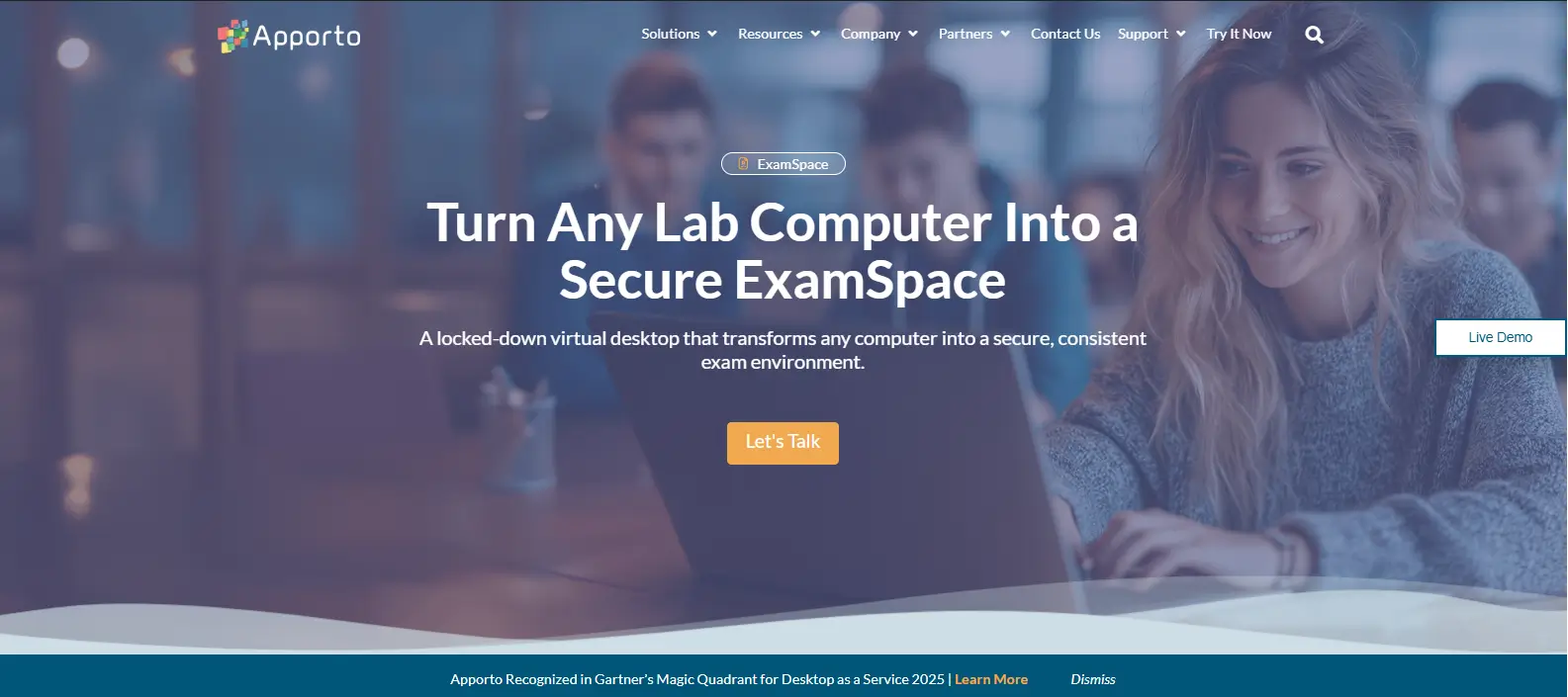
Apporto Exam Space is a modern assessment platform built for colleges and universities that want to simplify secure digital testing. Unlike traditional exam software that requires dedicated applications, it supports browser-based assessments, allowing students to launch exams through a web browser.
This reduces deployment complexity while providing a consistent experience across remote, hybrid, and in-person learning environments. The platform combines secure exam delivery with scalable administration, making it well suited for institutions focused on maintaining academic integrity.
Based on our evaluation of digital assessment platforms, Apporto Exam Space stands out for its browser-first approach and ease of deployment. Its seamless LMS integration helps instructors manage assessments without disrupting existing workflows, while students benefit from fewer technical barriers before exams begin.
Highlights
- Supports browser-based assessments with no dedicated desktop application required.
- Delivers secure exam delivery through configurable assessment controls and AI-assisted monitoring.
- Integrates with Canvas, Moodle, Blackboard, and other platforms through seamless LMS integration.
- Combines AI-assisted monitoring with review workflows to strengthen academic integrity.
- Provides a scalable assessment platform for quizzes, exams, certifications, and other high-stakes assessments.
Best For:
Higher education institutions seeking a browser-based assessment platform with strong security and streamlined administration.
Limitations:
Institutions requiring live human proctors for every exam may need additional proctoring services.
Pricing:
Custom pricing based on institutional size, deployment needs, and assessment volume.
2. Dugga (Best for Digital Assessments Across K-12 and Higher Education)

Overview
Dugga is a cloud-based assessment platform designed to help schools and universities create, deliver, and evaluate digital assessments from a single interface. It supports a wide range of question types, making it suitable for quizzes, classroom tests, and high-stakes exams. Beyond secure digital exams, Dugga emphasizes efficient assessment creation and grading, helping educators spend less time on administration and more time supporting student learning.
Based on our review of product documentation and customer feedback, Dugga is recognized for its intuitive interface and flexible assessment capabilities. Institutions appreciate its ability to support both K-12 and higher education while offering tools that simplify exam creation, performance analysis, and instructional improvement. Its combination of automation and reporting makes it a practical option for organizations managing assessments across multiple courses and departments.
Highlights
- Supports secure digital exams with multiple question formats and flexible assessment settings.
- Provides comprehensive assessment authoring tools that allow educators to build, organize, and reuse exams efficiently.
- Includes automated grading for supported question types, helping reduce manual marking and improve consistency.
- Delivers meaningful feedback and performance insights that help students understand their results and identify learning gaps.
- Supports curriculum alignment through detailed reporting, enabling educators to evaluate learning outcomes and monitor student progress over time.
Best For:
Schools, colleges, and universities seeking a flexible digital assessment platform with strong authoring, grading, and reporting capabilities.
Limitations:
Institutions requiring advanced remote proctoring or continuous AI-based monitoring may need to integrate additional proctoring solutions.
Pricing:
Quote-based pricing based on institutional requirements, deployment size, and selected features.
3. Exam.net (Best for Flexible Classroom Assessments)
Overview
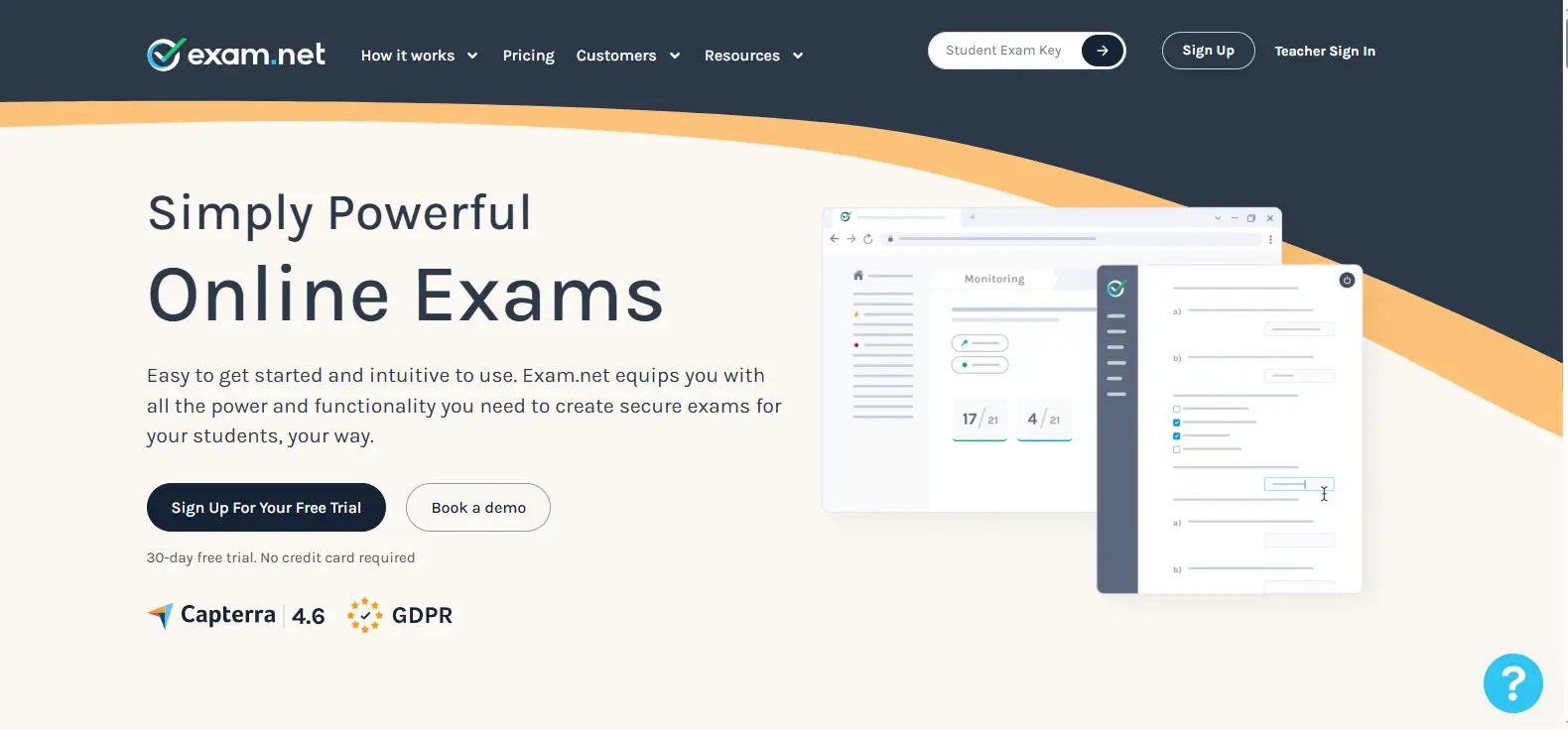
Exam.net is a digital assessment platform designed to help educators deliver secure classroom assessments with minimal technical complexity. It supports a wide range of exam formats and is built to work in both connected and low-connectivity environments, making it a dependable option for schools and universities. The platform focuses on creating a distraction-free testing experience while giving instructors practical tools to manage exams efficiently. Its straightforward design also helps reduce technical barriers for students during assessments.
Based on our review of product documentation and customer feedback, Exam.net is widely appreciated for its ease of use and flexibility. Institutions value its ability to support both in-person and remote assessments without requiring complicated setup. Teachers also benefit from intuitive exam management features that simplify preparation, monitoring, and grading while creating a consistent experience across different classrooms.
Highlights
- Delivers secure exams through controlled testing environments that help minimize opportunities for academic misconduct.
- Includes browser lockdown capabilities that restrict access to unauthorized websites, applications, and system functions during assessments.
- Provides reliable offline support, allowing students to continue working even if internet connectivity is temporarily interrupted.
- Designed for flexible classroom testing, supporting quizzes, assignments, and formal examinations across different education levels.
- Offers practical teacher controls for managing exams while maintaining a simple, intuitive student experience that reduces technical challenges before and during assessments.
Best For:
Schools, colleges, and universities looking for a secure assessment platform that combines flexibility, offline functionality, and an easy-to-use interface.
Limitations:
Institutions requiring advanced AI-powered remote proctoring or continuous identity verification may need to pair Exam.net with a dedicated proctoring solution.
Pricing:
Quote-based pricing based on institutional size, licensing requirements, and selected platform features.
4. Honorlock (Best for AI-Assisted Remote Proctoring)
Overview
Honorlock is an online proctoring platform designed to help institutions deliver secure remote assessments without placing the entire monitoring process on instructors. It combines AI monitoring with human oversight to identify potential exam violations while keeping the testing experience as seamless as possible.
The platform is widely used by colleges and universities because it integrates with existing learning management systems and supports a scalable approach to remote assessments. Its balance of automation and live intervention makes it a practical choice for institutions delivering high volumes of online exams.
Based on our review of product documentation and customer feedback, Honorlock is consistently recognized for reducing administrative workload while maintaining strong exam security. Institutions value its ability to monitor assessments continuously, notify proctors of unusual activity, and generate detailed reports for post-exam review. This combination allows instructors to focus on teaching rather than manually supervising every assessment.
Highlights
- Uses advanced AI monitoring to detect suspicious behavior and identify potential exam policy violations.
- Combines AI with live proctors who can review alerts and intervene when necessary during remote assessments.
- Operates through a secure browser extension that helps restrict unauthorized browser activity throughout the exam.
- Supports exam integrity with automated flagging, session recordings, and detailed incident reporting.
- Offers seamless LMS integration with Canvas, Blackboard, Moodle, and D2L, simplifying deployment for remote assessments.
Best For:
Colleges, universities, and certification providers seeking AI-assisted remote proctoring with strong LMS integration.
Limitations:
The platform requires a browser extension, and institutions should evaluate device compatibility and student privacy expectations before implementation.
Pricing:
Quote-based pricing determined by institutional size, assessment volume, and implementation requirements.
5. ExamView (Best for Test Creation and Question Banks)
Overview
ExamView is an assessment platform that helps educators create, manage, and deliver exams using extensive question libraries and flexible authoring tools. Designed for schools, colleges, and universities, it simplifies the process of building assessments while supporting both paper-based and digital testing. Its emphasis on reusable question banks and customizable assessments makes it a practical solution for instructors who regularly develop quizzes, unit tests, and final exams across multiple courses.
Based on our review of product documentation and customer feedback, ExamView is widely appreciated for reducing the time required to create assessments. Educators benefit from ready-to-use content, flexible editing options, and straightforward reporting features that support both classroom instruction and ongoing student evaluation. The platform also integrates with learning management systems, making it easier to distribute assessments and manage results from a centralized workflow.
Highlights
- Includes extensive question banks with customizable content that educators can organize, edit, and reuse across different assessments.
- Simplifies assessment creation through intuitive authoring tools, multiple question formats, and flexible exam templates.
- Supports automatic grading for compatible question types, helping instructors save time while maintaining consistent scoring.
- Provides practical educator tools for exam scheduling, question management, and performance tracking throughout the academic term.
- Delivers detailed reporting and curriculum support, allowing instructors to measure student progress, identify learning gaps, and align assessments with instructional objectives.
Best For:
Schools, colleges, and universities looking for an efficient assessment creation platform with strong question bank management and automated grading.
Limitations:
Institutions requiring advanced online proctoring or AI-assisted exam monitoring may need to integrate ExamView with a dedicated remote proctoring solution.
Pricing:
Quote-based pricing based on licensing requirements, institution size, and selected platform features.
6. D2L Brightspace (Best All-in-One Learning and Assessment Platform)
Overview
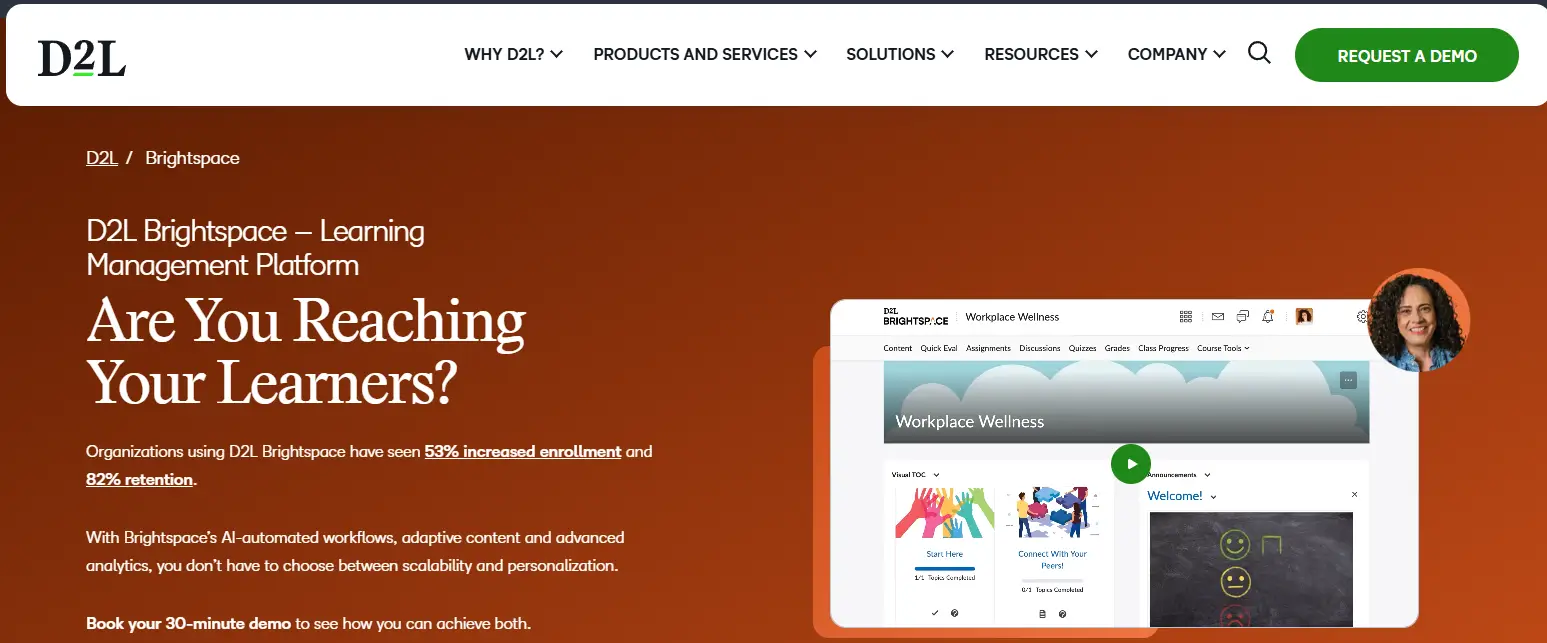
D2L Brightspace is a comprehensive learning management system that combines course delivery, digital assessments, and learner analytics within a single platform. Rather than serving only as an exam tool, it provides educators with the resources needed to create, deliver, grade, and evaluate assessments throughout the learning journey. This integrated approach makes it a strong choice for institutions looking to manage teaching, learning, and assessment from one centralized environment while supporting both online and blended education.
Based on our review of product documentation and customer feedback, D2L Brightspace is recognized for its intuitive interface and robust assessment capabilities. Institutions appreciate that assessment tools are built directly into the platform, reducing the need for multiple systems. Its reporting features and learning insights also help instructors monitor progress and make informed decisions about course delivery and student success.
Highlights
- Provides seamless LMS integration, bringing course management, assessments, communication, and grading together in one platform.
- Functions as a complete assessment platform with customizable quizzes, assignments, rubrics, and competency-based evaluations.
- Includes advanced analytics that help instructors identify learning trends, measure engagement, and monitor assessment outcomes.
- Simplifies grading through automated scoring, digital rubrics, and centralized gradebook management for greater consistency.
- Delivers actionable feedback and detailed insights into student performance, helping educators identify learning gaps and improve instructional outcomes.
Best For:
Colleges, universities, and educational institutions seeking a complete learning management and assessment platform with integrated analytics and grading tools.
Limitations:
Organizations looking solely for advanced remote proctoring may need to integrate Brightspace with a dedicated online proctoring solution.
Pricing:
Quote-based pricing based on institutional size, deployment requirements, and selected Brightspace modules.
7. Proctorio (Best for Automated Online Proctoring)
Overview
Proctorio is an online proctoring platform designed to automate exam supervision while helping institutions protect academic integrity during remote assessments. It combines browser security, identity verification, and AI-powered monitoring into a single solution that works through a Chrome-based extension.
By reducing the need for continuous human supervision, Proctorio enables colleges, universities, and certification providers to administer large-scale online exams more efficiently while maintaining consistent exam security standards.
Based on our review of product documentation and customer feedback, Proctorio is widely recognized for its configurable security settings and automation capabilities. Institutions appreciate the flexibility to adjust monitoring levels based on assessment requirements, while instructors benefit from detailed reports that simplify post-exam review. The platform is particularly well suited for organizations that need scalable online proctoring without relying exclusively on live invigilators.
Highlights
- Uses advanced browser lockdown controls to prevent students from accessing unauthorized websites, applications, or system functions during exams.
- Employs AI-assisted monitoring to detect suspicious activity, monitor exam sessions, and automatically flag potential integrity concerns.
- Supports identity verification before assessments begin to help confirm that the correct student is taking the exam.
- Strengthens exam security through configurable proctoring settings, behavioral analysis, and automated incident detection.
- Provides secure online proctoring with detailed session recordings and reporting that help instructors review flagged events after an assessment.
Best For:
Colleges, universities, and certification providers seeking scalable AI-powered online proctoring with configurable security controls.
Limitations:
The platform relies on a browser extension and automated monitoring, so institutions should evaluate student privacy expectations and device compatibility before deployment.
Pricing:
Quote-based pricing based on institutional size, licensing requirements, and assessment volume.
8. Echo360 (Best for Video-Based Learning and Assessments)
Overview
Echo360 is a learning platform that combines video technology with assessment tools to create more engaging educational experiences. While it is widely known for lecture capture and interactive learning, it also supports digital assessments that help educators measure understanding throughout a course.
By integrating multimedia into the learning process, Echo360 enables instructors to move beyond traditional exams and evaluate student knowledge through quizzes, polls, discussions, and video-based activities. This approach makes it particularly valuable for institutions that emphasize active learning and continuous assessment.
Based on our review of product documentation and customer feedback, Echo360 is recognized for improving classroom engagement while providing instructors with meaningful insights into learner participation. Institutions appreciate its ability to connect instructional content with assessment results, helping educators identify learning gaps and adapt teaching strategies throughout the academic term.
Highlights
- Supports video assessments that allow instructors to combine multimedia content with quizzes, discussions, and knowledge checks.
- Promotes interactive learning through in-video questions, polls, discussions, and collaborative classroom activities.
- Provides detailed analytics that track participation, content engagement, and assessment outcomes across individual students and entire classes.
- Helps improve student engagement by encouraging active participation rather than passive content consumption during lectures and assignments.
- Offers seamless LMS integration with major learning management systems while delivering comprehensive assessment reporting to help instructors evaluate learning progress.
Best For:
Colleges, universities, and educational institutions seeking a platform that combines interactive learning, video content, and digital assessments within existing teaching workflows.
Limitations:
Echo360 focuses on learning engagement and assessment rather than advanced online proctoring, so institutions requiring high-stakes remote exam security may need an additional proctoring solution.
Pricing:
Quote-based pricing based on institutional size, deployment requirements, and selected platform modules.
9. Inspera Smarter Proctoring (Best for Secure High-Stakes Assessments)
Overview
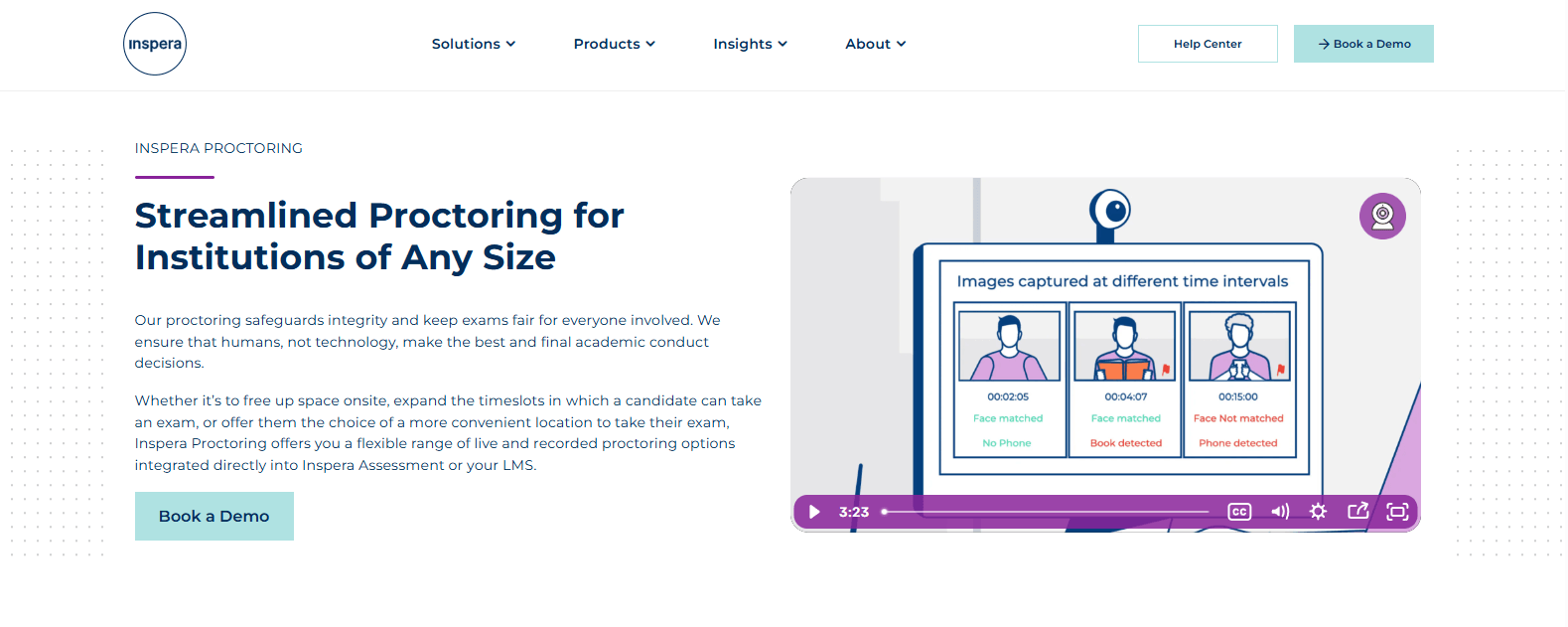
Inspera Smarter Proctoring is designed for institutions that require strong security and reliability when administering important digital assessments. Built to support high-stakes exams, the platform combines secure exam delivery with remote proctoring features that help institutions protect academic integrity without disrupting the testing experience.
It is widely used across higher education and professional certification because it accommodates different assessment formats while maintaining consistent security standards and accessibility for diverse groups of learners.
Based on our review of product documentation and customer feedback, Inspera Smarter Proctoring is recognized for its flexible assessment capabilities and emphasis on secure digital testing. Institutions value the platform’s ability to support both remote and campus-based exams while providing administrators with the visibility needed to review assessment outcomes. Its balance of security, usability, and accessibility makes it suitable for organizations delivering large-scale examinations.
Highlights
- Built for high-stakes exams, supporting universities, certification providers, and professional licensing organizations with secure digital assessment tools.
- Uses a secure browser to restrict unauthorized websites, applications, and device functions during online examinations.
- Supports configurable proctoring options that help institutions apply different levels of monitoring based on assessment requirements.
- Strengthens assessment integrity through identity verification, activity monitoring, and detailed audit records for post-exam review.
- Prioritizes accessibility while delivering comprehensive reporting that helps educators analyze performance, review flagged incidents, and support accreditation requirements.
Best For:
Higher education institutions and certification providers that need a secure assessment platform for high-stakes digital examinations.
Limitations:
Organizations seeking lightweight classroom assessment tools may find the platform’s enterprise-focused capabilities more extensive than necessary.
Pricing:
Quote-based pricing based on institutional size, deployment model, and assessment volume.
10. Proctor360 (Best for Live Human Proctoring)
Overview
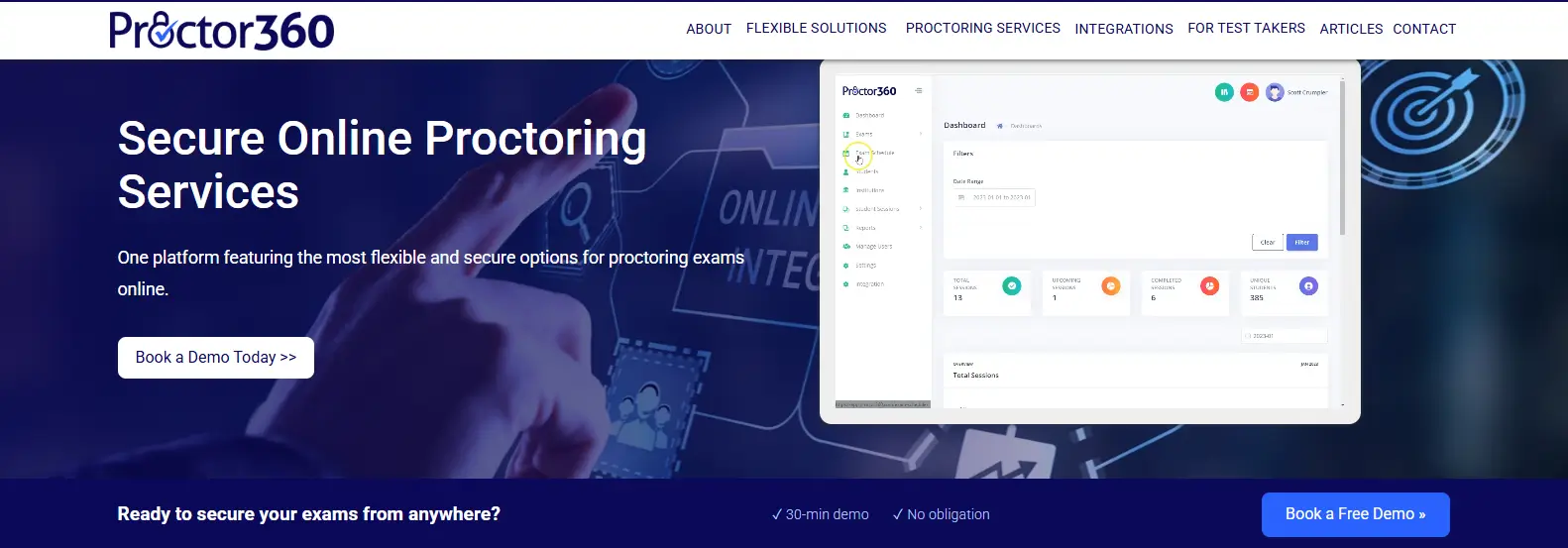
Proctor360 is an online proctoring platform built around live supervision for institutions that require direct oversight during digital assessments. Instead of relying entirely on automated monitoring, it connects candidates with trained proctors who observe exams in real time, verify identities, and intervene when necessary. This human-centered approach makes the platform well suited for universities, certification providers, and organizations administering assessments where accuracy, fairness, and compliance are critical.
Based on our review of product documentation and customer feedback, Proctor360 is recognized for delivering reliable live proctoring services and a structured exam administration process. Institutions appreciate the ability to choose proctoring schedules that fit their operational needs while maintaining consistent security standards. The platform also provides documented review records that support transparent decision-making after assessments are completed.
Highlights
- Provides live proctoring with trained professionals who supervise candidates throughout the assessment process.
- Supports robust identity verification before exams begin to help confirm that the correct individual is taking the assessment.
- Uses real-time monitoring to identify suspicious activity and allows proctors to respond immediately when intervention is required.
- Simplifies exam administration through scheduling tools, session management, and detailed reporting for instructors and administrators.
- Offers flexible scheduling to accommodate different assessment windows while supporting institutional compliance requirements through audit-ready documentation.
Best For:
Universities, certification providers, and organizations that require live human supervision for secure online assessments.
Limitations:
Live proctoring generally involves higher operational costs and scheduling requirements than AI-first proctoring platforms.
Pricing:
Quote-based pricing determined by exam volume, proctoring model, institutional size, and service requirements.
Which ExamSoft Alternative Is Right for Your Institution?
Choosing the right ExamSoft alternative starts with understanding how your institution delivers assessments and what you expect from the platform. Some organizations need a complete assessment solution with authoring and grading tools, while others prioritize secure online proctoring or detailed reporting.
By identifying your academic, technical, and administrative requirements first, you can narrow your options and invest in a platform that supports both current and future assessment needs.
Do You Need Assessment Software, Proctoring, or Both?
Not every institution requires the same combination of features. Some need a comprehensive assessment platform that supports exam creation, exam administration, automated grading, and detailed analytics. Others primarily need proctoring to secure remote assessments and may want to compare the best online proctoring software based on monitoring capabilities, security controls, reporting, and ease of administration.
If your institution delivers high-stakes exams, solutions that combine assessment management with AI-assisted or live proctoring provide stronger integrity controls. Comprehensive reporting also helps instructors review assessment outcomes, investigate flagged incidents, and demonstrate compliance with institutional or accreditation requirements.
How Important Are Student Experience and Accessibility?
A secure platform should also be easy to use. Both students and educators benefit from a positive user experience that minimizes technical issues before exams begin. Consider the platform’s accessibility, browser compatibility, and download requirements, as these factors can significantly influence adoption.
A straightforward implementation process also reduces administrative workload. Platforms that provide timely feedback and intuitive navigation help create a smoother assessment experience while reducing support requests for instructors and IT teams.
Which Features Matter Most for Your Assessment Strategy?
Your assessment strategy should guide your platform selection. Look for tools that support your curriculum while protecting exam content through secure delivery and randomized questions. Robust analytics help educators identify learning trends and measure assessment effectiveness over time.
Strong assessment authoring capabilities make it easier to create reusable exams for different courses, while secure online exams and configurable proctoring options help maintain academic integrity across both low-stakes quizzes and major examinations.
What Should You Compare Before Making a Decision?
Before making a final decision, compare more than the price. Evaluate each platform’s functionality, LMS integration, reporting capabilities, and long-term scalability. Reliable support and a straightforward deployment process can save significant time during implementation and ongoing administration.
Finally, consider the overall long-term value instead of focusing only on upfront costs. The best ExamSoft alternative is the one that aligns with your institution’s assessment strategy, integrates with existing systems, and continues supporting educators and students as assessment needs evolve.
Final Verdict
The best ExamSoft alternative depends on how your institution creates, delivers, and secures assessments. Dugga supports digital assessment authoring, while Exam.net offers flexibility for classroom testing. Honorlock and Proctor360 focus on remote proctoring, and D2L Brightspace provides a full learning and assessment environment.
For higher education institutions seeking a modern, browser-based solution, Apporto Exam Space stands out. Its streamlined deployment, secure exam delivery, AI-assisted monitoring, and LMS integration support scalable, efficient assessments.
Ultimately, the right choice aligns with your assessment strategy and long-term goals. If you need a secure, scalable platform for digital exams, consider exploring Apporto Exam Space.
Frequently Asked Questions (FAQs)
1. What is the best ExamSoft alternative in 2026?
The best ExamSoft alternative depends on your institution’s assessment needs. Apporto Exam Space is a strong choice for higher education, while Dugga, Exam.net, D2L Brightspace, and Honorlock each excel in areas such as assessment creation, classroom testing, learning management, and remote proctoring.
2. Why are institutions looking for ExamSoft alternatives?
Many institutions are evaluating ExamSoft alternatives to improve usability, reduce administrative complexity, gain more flexible pricing, and integrate more easily with existing learning systems. They also want assessment platforms that balance security, reporting, and a positive experience for both students and educators.
3. Which ExamSoft alternative is best for higher education?
Apporto Exam Space is well suited for higher education because it combines browser-based exam delivery, AI-assisted monitoring, secure assessments, and seamless LMS integration. It helps institutions administer scalable digital exams while simplifying deployment for instructors, students, and IT teams.
4. Do all ExamSoft alternatives support secure online exams?
No. Some platforms focus primarily on assessment creation or classroom testing, while others include browser lockdown, remote proctoring, or AI-assisted monitoring. The right platform depends on the level of exam security and assessment management your institution requires.
5. Which assessment platform offers the best reporting and analytics?
Several platforms provide strong reporting capabilities. D2L Brightspace delivers comprehensive learning analytics, while Dugga and Apporto Exam Space offer detailed assessment reporting that helps educators evaluate student performance and support continuous academic improvement.
6. Can ExamSoft alternatives integrate with learning management systems?
Yes. Many ExamSoft alternatives integrate with popular learning management systems such as Canvas, Blackboard, Moodle, and D2L Brightspace. LMS integration simplifies exam administration, grading, and reporting while allowing instructors to work within familiar teaching environments.
7. Which ExamSoft alternative is best for high-stakes exams?
Institutions administering high-stakes exams often consider Apporto Exam Space, Inspera Smarter Proctoring, Honorlock, and Proctor360. These platforms combine secure assessment delivery with proctoring and monitoring capabilities that help protect academic integrity during important examinations.
8. How do you choose the right assessment platform?
Start by identifying your assessment goals, security requirements, and existing technology. Then compare features such as LMS integration, reporting, scalability, pricing, assessment authoring, and proctoring capabilities to determine which platform best supports your institution’s long-term needs.
