

What Are the Best VDI Solutions for Small Businesses?
VDI solutions help small businesses deliver secure virtual desktops, support remote work, and simplify IT management through centralized infrastructure. Cloud-based platforms such as Apporto, V2 Cloud, and Azure Virtual Desktop reduce hardware costs, improve security, and scale easily as businesses grow and workforce needs evolve.
Small businesses often face a tricky balancing act. They need secure, flexible technology that supports remote work and growth, but without the high costs or complexity that usually come with enterprise solutions.
That’s where VDI becomes interesting. Modern VDI platforms are easier to deploy, simpler to manage, and far more affordable than they once were.
In this guide, we’ll explore the best VDI solutions for small businesses, focusing on security, scalability, ease of use, performance, and overall value. Because the right solution should make work easier, not more complicated.
How Did We Select the Best VDI Solutions for Small Businesses?
Choosing the right virtual desktop infrastructure platform is about more than comparing feature lists. Small businesses often have limited IT resources, tighter budgets, and different operational priorities than large enterprises. As a result, the best solution is usually the one that balances security, simplicity, scalability, and long-term value.
To create this list, we evaluated each platform based on the key factors that matter most to growing businesses. That included data security, deployment complexity, application compatibility, cost efficiency, user experience, and the ability to scale without creating unnecessary management overhead. We also considered how well each provider supports secure access for remote teams and how effectively it reduces day-to-day IT management demands.
What Should You Consider When Choosing a VDI Solution for a Small Business?
Choosing a VDI platform isn’t really about finding the one with the most features. Small businesses have different priorities. Limited budgets, lean IT teams, and the need for straightforward solutions tend to shape the decision more than anything else. Here are the factors that mattered most when evaluating these VDI solutions.
Security and Data Protection
Security has become everyone’s top priority after something goes wrong. It’s better not to wait for that moment. Look for features like multi-factor authentication, strong encryption, secure access controls, and centralized backup options.
Keeping sensitive data stored centrally rather than on individual devices also reduces risk and makes recovery much easier if problems arise.
Management Simplicity
Small IT teams rarely have time to babysit complicated infrastructure. The best VDI solutions simplify day-to-day administration with centralized management, easy user provisioning, and straightforward maintenance. Less time managing desktops means more time focusing on the business itself.
Cost Efficiency
Price matters. But the cheapest option isn’t always the most affordable in the long run. It’s worth looking beyond monthly subscriptions and considering the total cost of ownership, including hardware savings, management overhead, and future expansion costs. Sometimes paying a little more upfront saves a lot of frustration later.
Scalability
Businesses grow. Technology should grow with them. A good VDI platform makes it easy to add users, expand resources, and adapt to changing requirements without forcing a major infrastructure overhaul every few years.
These criteria helped identify the VDI solutions that offer the best balance of security, usability, flexibility, and long-term value for small businesses.
Quick Comparison Table: Which VDI Solution Fits Your Small Business Best?
Not every small business has the same requirements. Some prioritize ease of deployment, while others focus on security, cloud integration, or support for remote employees using their own devices. The good news is that modern VDI providers offer a wide range of options, from fully managed cloud desktops to platforms with advanced management capabilities.
The table below provides a quick snapshot of how the leading VDI solutions compare before we examine each provider in more detail.
| Provider | Best For | Deployment Model | Management Level | Standout Feature |
|---|---|---|---|---|
| Apporto | Browser-based VDI | Cloud | Fully Managed | No client installation |
| Sangfor | Integrated VDI & Security | Hybrid | Moderate | Built-in security |
| V2 Cloud | SMB simplicity | Cloud | Fully Managed | Fast deployment |
| Amazon WorkSpaces | AWS customers | Cloud | Managed Service | AWS ecosystem |
| Azure Virtual Desktop | Microsoft environments | Cloud | Advanced | Microsoft integration |
| Parallels RAS | Application delivery | Hybrid | Moderate | Remote application publishing |
| Venn | Secure BYOD | Cloud | Low | Workspace isolation |
Each platform takes a slightly different approach to virtual desktop delivery. Some focus on simplified management and predictable costs, while others provide deeper customization, security controls, or cloud ecosystem integrations. The following sections break down where each solution excels and which types of small businesses are most likely to benefit from it.
Best VDI Solution For Small business (A Detailed Breakdown)
1. Apporto ( Best Browser-Based VDI Solution for Small Businesses)
Overview
For many small businesses, the biggest obstacle to adopting virtual desktop infrastructure is complexity. Traditional VDI deployments often require software installations, device configuration, ongoing maintenance, and dedicated IT resources. Apporto takes a different approach. It delivers a complete virtual desktop through a web browser, making access significantly easier for both administrators and end users.
Because Apporto operates as a cloud based service, businesses can provide secure access to applications and desktops without managing extensive on-premises infrastructure. This helps reduce IT overhead while giving employees the flexibility to work from virtually any location with an internet connection.
The platform is particularly appealing for organizations that want enterprise-grade desktop environments without the administrative burden often associated with traditional VDI.
Highlights
- Browser-Based Access: Users can launch their virtual desktop directly from a web browser without installing client software. This simplifies onboarding and reduces support requests.
- Cloud-Native Infrastructure: Apporto is built for the cloud, allowing businesses to scale resources as needed while avoiding significant hardware investments.
- Centralized Management: Administrators can manage users, applications, permissions, and desktop environments through a centralized management interface, improving visibility and control.
- Windows Applications Support: The platform supports a wide range of Windows applications, including software that may not perform well on local endpoint devices.
Best For
Apporto is ideal for small businesses seeking simplified VDI deployment, remote work enablement, centralized management, and reliable access to business applications without investing heavily in IT infrastructure.
Limitations
Organizations that require extensive infrastructure customization or deep control over backend virtualization components may find more traditional VDI platforms offer greater flexibility.
Pricing
Apporto offers custom pricing based on user requirements, application workloads, storage needs, and support levels. Businesses typically work directly with Apporto to build a solution that aligns with their operational and budget requirements.
2. Sangfor (A Strong Choice for Small Business)
Overview
Small businesses often face a difficult balancing act. They need strong security and reliable virtual desktop performance, but they may not have the budget or staffing levels required to manage a highly complex VDI environment. Sangfor addresses this challenge by combining desktop virtualization with integrated security capabilities in a single platform.
Rather than requiring businesses to assemble multiple solutions for desktop delivery, access control, and infrastructure management, Sangfor provides a more unified approach. This can simplify deployment and administration while helping organizations maintain stronger protection for business-critical information.
The platform is designed to support secure remote work, centralized operations, and scalable growth, making it a practical option for businesses that want to modernize their IT environment without significantly increasing management overhead.
Highlights
- Integrated Security: Sangfor places a strong emphasis on data security through built-in protection mechanisms, access controls, and monitoring tools designed to help safeguard sensitive business information.
- Centralized Server Management: The platform hosts desktops and applications on a centralized server infrastructure, allowing administrators to manage resources, users, and policies from a single location.
- Remote Access Controls: Employees can securely access desktops and business applications from various locations while administrators maintain oversight of permissions and user activity.
- Virtual Desktop Infrastructure Platform: Sangfor provides a complete VDI environment that combines virtualization, desktop delivery, and infrastructure management within a unified platform.
Best For
Sangfor is well suited for small businesses that prioritize secure access, centralized administration, and integrated security capabilities. It can be particularly valuable for organizations with remote employees and growing compliance requirements.
Limitations
The platform may require more initial planning and technical expertise than some fully managed cloud-based alternatives designed specifically for small businesses.
Pricing
Sangfor typically offers custom pricing based on deployment size, infrastructure requirements, user counts, support services, and licensing needs. Businesses generally work directly with Sangfor or authorized partners to determine costs.
3. V2 Cloud (Small Businesses Choose It for Simplicity)
Overview
Many VDI platforms were originally designed for large enterprises with dedicated IT departments. Small businesses, however, often need something different. They need a solution that is easy to deploy, straightforward to manage, and affordable enough to fit within a growing company’s budget. This is where V2 Cloud stands out.
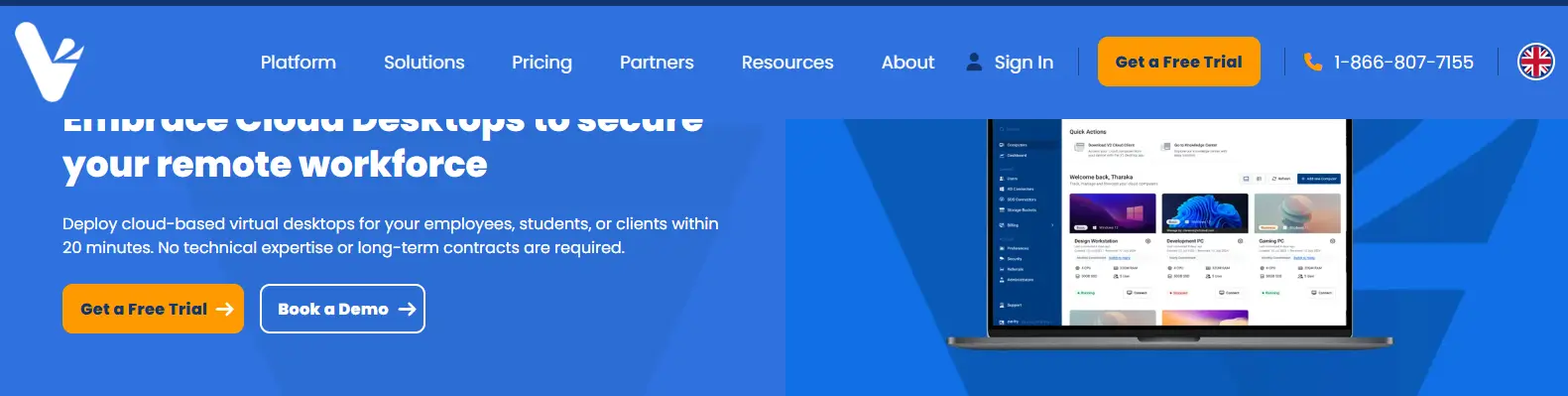
Built specifically with smaller organizations in mind, V2 Cloud removes much of the complexity traditionally associated with virtual desktop infrastructure. Instead of spending weeks configuring servers and virtualization layers, businesses can deploy cloud-hosted desktops quickly and begin supporting remote employees almost immediately.
The platform’s focus on simplicity has made it one of the most recognized VDI solutions for small businesses. For organizations that want secure desktop access without becoming virtualization experts, that simplicity can be a major advantage.
Highlights
- Rapid Deployment: V2 Cloud allows businesses to provision virtual desktops in a relatively short time. New users can be onboarded quickly without lengthy infrastructure projects or extensive setup requirements.
- Simplified Management: The platform emphasizes simplified management through an intuitive administration interface. This helps small businesses reduce day-to-day IT workload while maintaining visibility and control over users and resources.
- Cloud Delivery: V2 Cloud operates entirely through cloud infrastructure, organizations can avoid investing heavily in servers, storage systems, and other on-premises hardware.
- Predictable Costs: Its subscription-based model provides predictable monthly expenses, making budgeting easier and reducing the risk of unexpected infrastructure costs.
Best For
V2 Cloud is ideal for small businesses, startups, professional services firms, and remote teams looking for a cost effective virtual desktop solution that prioritizes simplicity and ease of use.
Limitations
Organizations with highly specialized workloads or advanced customization requirements may find enterprise-focused platforms offer greater flexibility and administrative control.
Pricing
V2 Cloud offers subscription pricing based on desktop specifications, storage requirements, user counts, and support needs. Businesses can scale resources as they grow without making large upfront investments in infrastructure.
4. Amazon WorkSpaces (Right VDI Solution for AWS Users)
Overview
If your business already relies on Amazon Web Services, choosing a virtual desktop platform that integrates naturally with that ecosystem can simplify both deployment and management. Amazon WorkSpaces is AWS’s fully managed desktop service, designed to deliver secure virtual desktops without requiring businesses to build and maintain their own VDI infrastructure.
For small businesses, this managed approach can be particularly attractive. Instead of purchasing servers, configuring virtualization platforms, and managing ongoing infrastructure updates, you can provision cloud desktops through AWS and focus on day-to-day operations. The platform also supports remote and hybrid work models by providing employees with reliable access to applications and files from virtually anywhere.
Because Amazon WorkSpaces is delivered as a cloud based service, businesses can scale resources as staffing needs change without making major infrastructure investments.
Highlights
- Managed Cloud Desktops: Amazon WorkSpaces provides fully managed virtual desktops hosted within AWS, reducing the burden of infrastructure maintenance and software updates.
- AWS Integration: The platform integrates with other AWS services, allowing businesses to leverage existing cloud resources, storage solutions, identity services, and security controls.
- Secure Remote Access: Employees can securely connect to their desktops from laptops, tablets, and other supported devices, enabling productive remote work while maintaining centralized control over company data.
- Flexible Scaling: Organizations can add or remove desktops based on business requirements, making it easier to support growth, seasonal staffing, or changing workforce demands.
Best For
Amazon WorkSpaces is best suited for small businesses already operating within the AWS ecosystem and looking for a managed desktop solution that offers reliable access, scalability, and centralized administration.
Limitations
Businesses with limited AWS experience may face a learning curve. Costs can also increase as desktop resources, storage, and user counts expand over time.
Pricing
Amazon WorkSpaces uses a subscription and usage-based pricing model. Costs vary depending on desktop specifications, storage capacity, operating system selection, and monthly usage, allowing businesses to align spending with actual demand.
5. Azure Virtual Desktop (A Leading Microsoft-Based VDI Solution)
Overview
For small businesses already using Microsoft 365, Windows, and other Microsoft services, Azure Virtual Desktop is often one of the most compelling VDI options available. Built on Microsoft Azure, the platform allows organizations to deliver secure virtual desktops and applications through Microsoft’s global cloud infrastructure while maintaining tight integration with existing tools and workflows.
One reason Azure Virtual Desktop continues to gain traction is its flexibility. Businesses can deploy Windows desktops in the cloud, support remote employees, and scale resources as requirements evolve. This makes it easier to accommodate growth without investing heavily in physical hardware or complex on-premises infrastructure.
For companies that are already part of the Microsoft ecosystem, Azure Virtual Desktop can reduce administrative complexity while providing a familiar experience for both users and IT teams.
Highlights
- Microsoft Azure Virtual Desktop Integration: Azure Virtual Desktop integrates directly with Microsoft Azure services, allowing businesses to manage desktops, identities, storage, and security through a unified cloud platform.
- Windows Desktops: The platform supports both dedicated and multi-session Windows desktops, helping organizations balance performance, user experience, and infrastructure efficiency.
- Microsoft Ecosystem Compatibility: Microsoft Azure Virtual Desktop is tightly connected to Microsoft 365, Teams, OneDrive, and other productivity tools, businesses can create a more seamless employee experience.
- Scalable Cloud Infrastructure: Organizations can scale computing resources up or down based on demand, making it easier to support workforce growth while controlling infrastructure costs.
Best For
Azure Virtual Desktop is ideal for small businesses that already rely heavily on Microsoft Azure, Microsoft 365, and Windows-based applications. It is particularly well suited for organizations seeking long-term scalability and cloud-first operations.
Limitations
The platform offers significant flexibility, but configuration and cost management can be more complex than fully managed solutions. Businesses without Azure experience may require additional planning and expertise.
Pricing
Azure Virtual Desktop uses a consumption-based pricing model. Costs depend on compute resources, storage, networking, licensing, and user activity, making careful resource management important for controlling expenses.
6. Parallels Remote Application Server
Overview
Not every small business needs a full virtual desktop for every employee. In many cases, users simply need access to a handful of business applications from different locations and devices. Parallels Remote Application Server (RAS) is designed with that reality in mind, offering a streamlined way to deliver desktops and applications without the complexity often associated with traditional VDI deployments.
The platform combines remote desktop services, application publishing, and centralized administration into a single solution. This makes it appealing to organizations that want flexible desktop delivery while keeping infrastructure and management requirements under control. Businesses can deploy it on-premises, in the cloud, or through a hybrid model, depending on operational and compliance needs.
For small businesses looking for a practical balance between functionality and simplicity, Parallels RAS offers a compelling alternative to more complex virtualization platforms.
Highlights
- Remote Desktop Services: Parallels RAS enables secure delivery of desktops and business resources to employees working from different locations, helping organizations support remote and hybrid work environments.
- Application Publishing: Instead of delivering an entire desktop, businesses can publish specific virtual applications to users. This approach improves efficiency and can reduce infrastructure requirements.
- Hybrid Deployments: The platform supports cloud, on-premises, and hybrid deployments, allowing businesses to choose the infrastructure model that best fits their operational requirements.
- Centralized Management: Administrators can manage users, permissions, applications, and resources from a centralized management console, simplifying day-to-day IT operations.
Best For
Parallels Remote Application Server is best suited for small and midsize businesses that need remote desktop services, application delivery, and flexible deployment options without the complexity of large enterprise VDI platforms.
Limitations
Organizations requiring highly advanced virtualization capabilities or extensive enterprise-scale customization may find larger VDI solutions provide deeper management and automation features.
Pricing
Parallels RAS uses a subscription-based licensing model. Pricing varies based on the number of users, deployment size, support requirements, and selected features, allowing businesses to scale costs alongside growth.
7. Venn (A Smart Choice VDI for BYOD)
Overview
Bring Your Own Device (BYOD) policies have become increasingly common among small businesses. Employees appreciate the flexibility of working from their preferred laptops and computers, while businesses can reduce hardware expenses. The challenge, however, is protecting company data when work is performed on personal devices that the organization does not fully control.
Venn was built to address this problem. Instead of delivering a traditional virtual desktop, the platform creates a secure workspace on an employee’s own device, separating business activities from personal use. This approach helps organizations maintain strong security controls without compromising user privacy or requiring company-issued hardware.
For small businesses with remote or hybrid teams, Venn offers a practical way to support secure remote access while minimizing infrastructure complexity.
Highlights
- Secure Workspace Technology: Venn creates an isolated workspace where business applications and company data remain protected, even when employees use personal devices for work.
- Data Separation: One of the platform’s biggest strengths is its ability to separate business information from personal files. This helps reduce the risk of accidental data exposure while improving compliance and governance.
- BYOD Support: Employees can access work resources from their own device without sacrificing security. This flexibility makes it easier to support remote teams and contractors while controlling hardware costs.
- Endpoint Protection: The platform includes security controls that help protect endpoint devices and monitor workspace activity, reducing the risks associated with unmanaged hardware.
Best For
Venn is ideal for small businesses that support BYOD policies, remote employees, consultants, contractors, and distributed teams handling sensitive data. It is particularly valuable for organizations that want strong security without deploying a full virtual desktop infrastructure.
Limitations
Because Venn focuses on secure workspaces rather than complete desktop virtualization, businesses requiring persistent virtual desktops or highly specialized software may need a dedicated VDI platform alongside it.
Pricing
Venn offers custom pricing based on workforce size, security requirements, support services, and deployment scope. Organizations typically work directly with Venn to determine the most suitable licensing and pricing structure.
How Do You Choose the Right VDI Solution for Your Small Business?
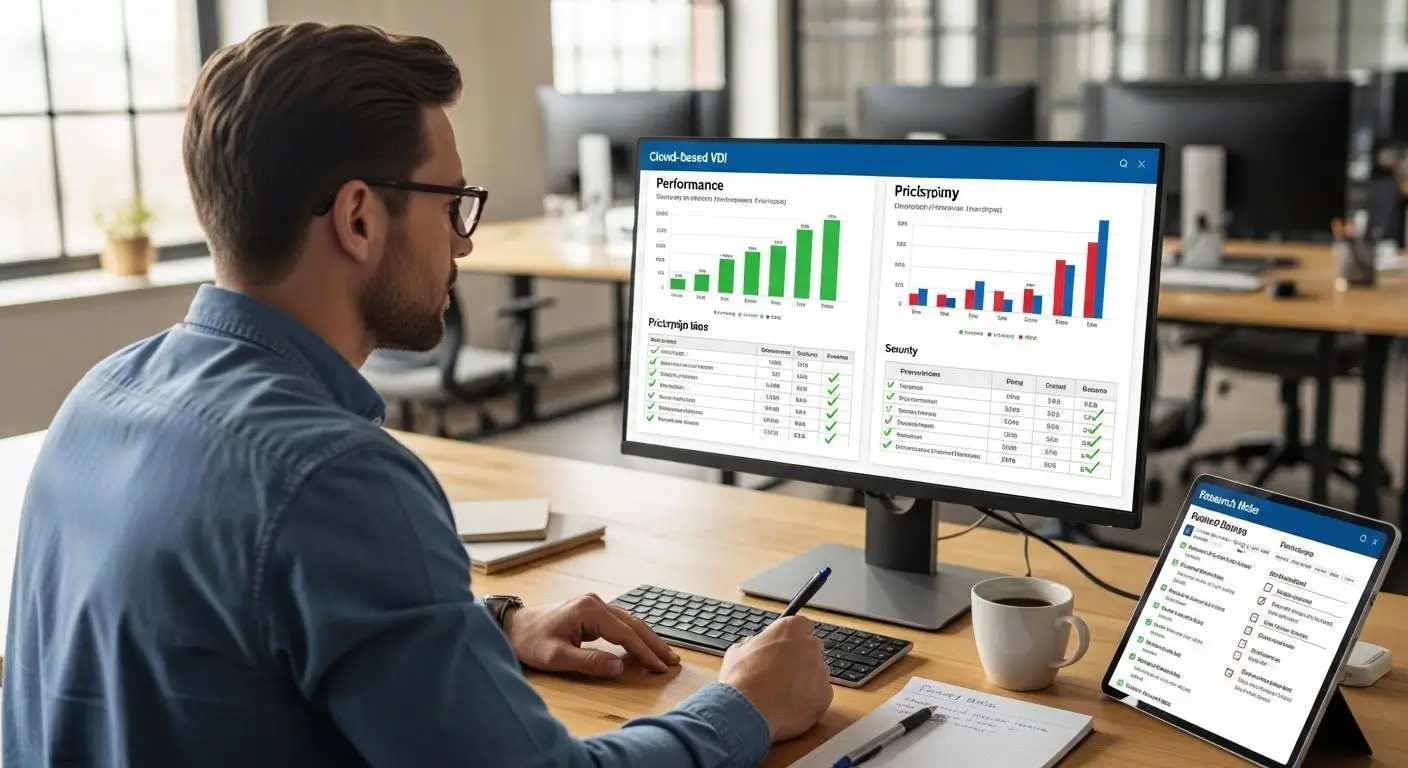
Selecting the right VDI solution is not simply a matter of choosing the platform with the most features. For a small business, the decision usually comes down to balancing security, cost, usability, and long-term scalability. A solution that works perfectly for a large enterprise may introduce unnecessary complexity, while a lightweight platform may struggle to support future growth.
As you evaluate providers, focus on the factors that directly affect your operations, employees, and budget. The goal is to find a platform that delivers secure access, reliable performance, and manageable costs without overwhelming your IT resources.
Should You Prioritize Simplicity or Advanced Management?
For many small businesses, simplicity is often the most valuable feature. If your organization has a small IT team, reducing administrative overhead can free up time for more strategic initiatives.
Simplified Management
Platforms such as Apporto and V2 Cloud emphasize ease of deployment and day-to-day administration.
Benefits include:
- Faster deployment and onboarding
- Lower support burden for IT staff
- Reduced infrastructure management
- Easier user administration
- Quicker adoption by employees
Advanced Management
Some businesses require deeper control over desktop environments and infrastructure resources.
Advantages include:
- Greater customization options
- Centralized control across larger environments
- Advanced policy management
- More granular resource allocation
- Support for complex operational requirements
If your team is small, simplicity often delivers more value than advanced management capabilities that may never be fully utilized.
How Important Are Security and Data Protection Features?
Security should be a primary consideration when evaluating any VDI platform. Since virtual desktop environments often contain sensitive business information, strong protection mechanisms are essential.
Look for solutions that provide:
- Multi-Factor Authentication: Adds an extra verification layer beyond passwords.
- End-to-End Encryption: Protects data as it moves between users and virtual desktops.
- Centralized Backups: Simplifies recovery and business continuity planning.
- Sensitive Data Protection: Reduces risks associated with lost devices, unauthorized access, and data leakage.
Many modern VDI platforms centralize data within secure environments rather than storing it directly on endpoint devices. This approach can significantly improve security and compliance while reducing operational risks.
Do You Need Cloud-Based VDI or Traditional Infrastructure?
The deployment model you choose will have a major impact on cost, management requirements, and scalability.
Cloud Based Service
Cloud-hosted solutions typically offer:
- Faster deployment
- Flexible scalability
- Lower upfront investment
- Reduced infrastructure management
- Subscription-based pricing
Traditional VDI
Traditional VDI environments often provide:
- Greater infrastructure control
- Custom deployment options
- Internal data hosting
- Extensive configuration flexibility
However, traditional VDI usually comes with higher hardware costs, software licensing expenses, and ongoing maintenance responsibilities. Small businesses should carefully evaluate total cost of ownership rather than focusing solely on monthly fees.
What Applications and Users Are You Supporting?
The right VDI solution depends heavily on the applications your employees use and how they work.
Consider the following:
- Windows Applications: Ensure compatibility with your core business software.
- Specialized Software: Verify support for resource-intensive or industry-specific applications.
- Persistent VDI: Useful when employees need personalized desktop environments that retain settings and files after each session.
- BYOD Workforces: Platforms such as Venn help secure employees using their own devices.
Finally, pay close attention to the VDI user experience. Even the most secure platform can create frustration if employees encounter slow performance, poor responsiveness, or unreliable access. A successful deployment should combine security, performance, and ease of use while supporting your business as it grows.
What Are the Biggest Benefits of VDI for Small Businesses?

For many small businesses, technology decisions come down to a simple question: will this make operations easier, more secure, and more cost effective? Virtual desktop infrastructure often checks all three boxes. By hosting desktops and applications on centralized servers rather than individual devices, VDI can help businesses streamline operations while improving security and flexibility.
For small businesses evaluating these benefits, virtual desktops for SMBs can provide a practical way to gain the advantages of desktop virtualization without taking on the same infrastructure demands traditionally associated with enterprise VDI.
One of the most immediate advantages is reduced hardware costs. Because much of the computing power resides in the data center or cloud environment, employees can often work effectively from older computers, thin clients, or personal devices. This can extend device lifecycles and reduce capital expenditures.
VDI also supports modern work arrangements. Employees gain secure remote access to business applications and files from almost anywhere, helping organizations support remote and hybrid teams without sacrificing productivity. At the same time, centralized administration makes it easier for small IT teams to manage users, updates, and security policies.
Some Benefits of VDI For Small Businesses are:
- Centralized Management: Administrators can manage desktops, applications, permissions, and updates from a single location, improving centralized control.
- Improved Compliance: Centralized environments make it easier to enforce security policies and regulatory requirements.
- Reduced Endpoint Risks: Business data remains within protected infrastructure rather than being stored on employee devices.
- Reliable Access from Any Device: Employees can connect from laptops, tablets, and other supported devices while maintaining a consistent experience.
- Scalable Solution for Growth: Businesses can add users and resources as needed without major infrastructure changes.
- Better Disaster Recovery Readiness: Centralized backups and recovery processes help protect critical systems and support business continuity.
Taken together, these key benefits make VDI an attractive option for small businesses looking to strengthen data protection, simplify operations, and create a more flexible technology environment.
What Challenges Should Small Businesses Know Before Deploying VDI?

While virtual desktop infrastructure offers significant advantages, it is important to understand that deployment is not always straightforward. A successful VDI project requires careful planning, realistic budgeting, and a clear understanding of ongoing operational requirements. For small businesses, overlooking these factors can lead to unexpected costs and administrative challenges.
One common misconception is that every VDI solution immediately reduces expenses. In reality, traditional VDI environments can involve substantial upfront investments in infrastructure, software, and implementation services. Even cloud-based platforms require careful evaluation of subscription fees, licensing models, and long-term operating costs.
Performance is another important consideration. Employees expect fast, reliable access to applications and files. If network connectivity is inconsistent or infrastructure resources are undersized, the user experience can suffer. High latency, slow logins, and application delays can quickly affect productivity.
Common Challenges
- Significant Upfront Investment: Traditional VDI often requires investments in servers, storage, networking equipment, and deployment expertise.
- User Licenses and Software Costs: Licensing structures can be complex, and costs may increase as businesses add users, applications, and resources.
- Stable Connection Requirements: Because VDI relies heavily on network connectivity, employees need a stable connection to maintain reliable access.
- Latency and Performance Concerns: Poor network conditions can negatively affect responsiveness, application performance, and overall user satisfaction.
- Deployment Complexity: Planning infrastructure, configuring security policies, and managing integrations can increase administrative workload.
- Security Risks from Misconfiguration: Even platforms with strong security features can become vulnerable if access controls, permissions, and policies are not configured correctly.
Understanding these challenges before deployment helps small businesses make informed decisions and choose a VDI solution that aligns with both current requirements and future growth plans.
Final Thoughts
Choosing the right VDI solution depends on your business goals, technical resources, security requirements, and budget. The good news is that small businesses now have access to platforms that were once available only to large enterprises, often without the complexity and infrastructure demands that traditionally accompanied virtual desktop deployments.
If simplicity and accessibility are your top priorities, Apporto stands out as the best browser-based VDI solution. Its cloud-native architecture and clientless access model make deployment and management remarkably straightforward. Businesses looking for a platform that combines desktop virtualization with built-in security should consider Sangfor, while V2 Cloud remains one of the strongest SMB-focused options thanks to its ease of use and predictable pricing.
For organizations already invested in AWS, Amazon WorkSpaces offers a fully managed desktop experience. Companies operating within the Microsoft ecosystem will benefit from the deep integration provided by Azure Virtual Desktop. If application publishing is a primary requirement, Parallels RAS delivers excellent flexibility, while Venn offers a compelling solution for securing BYOD workforces.
Ultimately, the right platform is the one that balances security, scalability, performance, and operational simplicity for your specific environment.
Looking for a browser-based VDI platform that eliminates client installations while delivering secure, scalable virtual desktops? Explore Apporto to see how cloud-native desktop delivery can simplify IT management and support your growing business.
Frequently Asked Questions (FAQs)
1. What is the best VDI solution for small business in 2026?
The best VDI solution for small business depends on your priorities. Apporto is a strong choice for browser-based desktop delivery, V2 Cloud excels in simplicity, and Azure Virtual Desktop is ideal for businesses already invested in the Microsoft ecosystem.
2. How much does a VDI solution cost for a small business?
Costs vary depending on the provider, number of users, storage requirements, and computing resources. Small businesses should evaluate both monthly subscription fees and total cost of ownership, including licensing, support, and long-term infrastructure expenses.
3. Is Azure Virtual Desktop suitable for small businesses?
Yes. Azure Virtual Desktop can be an excellent option for small businesses that use Microsoft 365 and other Microsoft services. It offers scalable cloud-based desktops, secure remote access, and strong integration with the broader Microsoft environment.
4. Can VDI improve data security for remote employees?
Yes. Virtual desktop infrastructure VDI centralizes applications and data within secure environments rather than storing information on endpoint devices. Features such as multi-factor authentication, encryption, and centralized management can significantly strengthen data security.
5. What is the difference between persistent and non-persistent VDI?
Persistent VDI saves user settings, applications, and files between sessions, creating a personalized desktop experience. Non-persistent VDI resets the desktop after logout, making management easier while improving consistency and reducing administrative overhead.
6. Do small businesses need cloud VDI or traditional VDI?
Most small businesses benefit from cloud VDI because it reduces infrastructure complexity, lowers upfront costs, and simplifies management. Traditional VDI may be appropriate for organizations requiring greater control, specialized compliance requirements, or custom infrastructure configurations.
