

What Are the Best VDI Solutions for Remote Work?
The best VDI solutions for remote work provide secure access to desktops, applications, and data from any device. Platforms such as Apporto, Azure Virtual Desktop, Citrix DaaS, and Amazon WorkSpaces help organizations improve security, simplify IT management, and support distributed teams with scalable cloud-based virtual desktops.
Remote work is no longer a temporary arrangement for most businesses. But giving employees secure, reliable access to applications and data from anywhere is still easier said than done. That’s where VDI comes in.
The right virtual desktop solution keeps desktops, applications, and data centralized while allowing employees to work securely from almost any device.
This guide covers the best VDI solutions for remote work, comparing them based on security, user experience, deployment complexity, and long-term value for distributed teams.
How Did We Select These VDI Solutions for Remote Work?
There are plenty of VDI platforms on the market. Some are built for massive enterprises with dedicated infrastructure teams. Others focus on simplicity and quick deployment. The challenge isn’t finding options, it’s figuring out which ones genuinely make remote work easier.
For this list, the focus stayed on practical questions. How secure is the platform? Is it easy to manage? Will it scale as teams grow? And perhaps just as importantly, will the costs still make sense a few years down the road?
Here are the criteria used to evaluate each solution.
Security and Data Protection
Remote work expands access points, which means security can’t be an afterthought. Strong encryption, multi-factor authentication, centralized data protection, and safeguards against common threats were essential factors throughout the evaluation.
Remote User Experience
People notice slow desktops immediately. Fast logins, responsive applications, low latency, and seamless access across different devices matter far more than flashy features that rarely get used.
Deployment Complexity
Some VDI platforms require significant planning and specialized expertise. Others are far easier to deploy and maintain. Solutions that reduce setup complexity and ongoing administrative effort scored higher in this category.
Scalability
Remote teams rarely stay the same size forever. The best VDI solutions should make it easy to add users, support changing workloads, and provide consistent access for employees connecting from multiple locations.
Total Cost of Ownership
Monthly pricing only tells part of the story. Infrastructure costs, licensing, management overhead, and long-term operational expenses all influence the real value of a VDI platform. Solutions with predictable costs and lower administrative burdens naturally stood out.
Quick Comparison Table: Which VDI Platform Fits Your Remote Workforce Best?
Before diving into the individual reviews, it’s worth looking at the big picture. The best VDI solutions all provide secure remote access, but they differ significantly in deployment requirements, pricing models, management overhead, and target users. Some prioritize simplicity and browser-based access. Others focus on deep customization and enterprise infrastructure control. This comparison table provides a quick snapshot to help narrow your shortlist before exploring each platform in more detail.
| Solution | Best For | Deployment Model | Pricing Model | Standout Feature |
|---|---|---|---|---|
| Apporto | Higher education, SMBs, and distributed teams | Cloud-hosted, browser-based | Subscription-based | No client installation required |
| Microsoft Azure Virtual Desktop | Organizations invested in the Microsoft ecosystem | Cloud-hosted on Azure | Consumption-based pricing | Windows 11 multi-session support |
| Citrix DaaS | Large enterprises with advanced workspace requirements | Cloud and hybrid deployment | Subscription and licensing-based | Powerful workspace and policy controls |
| Omnissa Horizon | Organizations with existing VMware infrastructure | On-premises, hybrid, or cloud | Per-user or subscription licensing | Strong support for graphics-intensive workloads |
| V2 Cloud | Small and mid-sized businesses | Fully managed cloud service | Monthly subscription | Fast deployment with minimal IT involvement |
| Amazon WorkSpaces | AWS-centric organizations | Cloud-hosted on AWS | Pay-as-you-go or monthly pricing | Flexible scaling across global regions |
While all six platforms deliver virtual desktop solutions for remote work, the right choice depends on your security requirements, IT resources, budget, and long-term growth plans. The next section takes a closer look at each platform, starting with Apporto.
Best VDI Solutions for Remote Work (Complete Overview)
1. Apporto (Best Browser-Based VDI for Remote Teams)
Overview
Managing remote work shouldn’t require a complicated technology stack. That’s one of the reasons Apporto has gained traction among organizations looking for a simpler approach to virtual desktop infrastructure. Unlike traditional VDI solutions that often depend on client installations, VPN configurations, and extensive endpoint management, Apporto delivers desktop environments directly through a web browser. Users access applications, files, and resources from virtually any device without installing additional software.
The platform was built around accessibility, security, and simplified management. By centralizing desktops, applications, and data within a secure environment, IT teams maintain centralized control while reducing support burdens across local devices.
This approach is particularly valuable for organizations supporting distributed employees, contractors, or hybrid workforces. Because everything is managed from a centralized platform, updates, security policies, and application delivery become easier to administer. The result is a virtual desktop infrastructure that prioritizes usability without sacrificing security or performance.
Highlights
- Browser-Based Access: Users access their virtual desktops through a standard web browser, eliminating client installations and reducing compatibility issues across laptops, tablets, and other local devices.
- Zero Trust Security: Every login request, device connection, and session is continuously validated to help protect sensitive data and maintain secure remote access.
- Centralized Management: Applications, desktops, user permissions, and security policies are managed from a single location, giving IT teams greater centralized control and visibility.
- Fast Deployment: Organizations can deploy virtual desktop environments quickly without purchasing extensive hardware or building complex infrastructure.
Best For
Higher education institutions, SMBs, and organizations that want secure remote access without the complexity typically associated with traditional VDI deployments.
Limitations
Organizations that require highly customized on-premises infrastructure configurations may find fewer customization options than some enterprise-focused platforms.
Pricing
Custom pricing based on deployment size, user requirements, and infrastructure needs. Contact Apporto for a tailored quote.
2. Microsoft Azure Virtual Desktop (Best for Organizations Invested in the Microsoft Ecosystem)
Overview
For organizations already running Microsoft technologies across their infrastructure, Azure Virtual Desktop often feels like a natural extension rather than a separate platform. Microsoft’s cloud-based virtual desktop service allows employees to access desktop environments, applications, and business resources from virtually anywhere while leveraging the same ecosystem many organizations already depend on daily.
One of Azure Virtual Desktop’s biggest advantages is flexibility. Organizations can deploy both single-session and multi-session desktop environments, helping optimize resource usage while supporting different user needs. Because virtual machines are hosted within Azure, IT teams can scale resources up or down as workforce demands change. This makes the platform particularly attractive for businesses experiencing growth, seasonal fluctuations, or evolving remote work requirements.
The platform also benefits from deep integration with Microsoft services, simplifying identity management, security policies, and application delivery. For organizations heavily invested in Microsoft 365, Entra ID, and Azure infrastructure, Azure Virtual Desktop can provide a more unified management experience while reducing the need to introduce additional platforms into the environment.
Highlights
- Windows 11 Multi-Session Support: Azure Virtual Desktop supports both Windows 11 and Windows 10 multi-session environments, allowing multiple users to share resources efficiently while maintaining a familiar desktop experience.
- Azure Integration: Native integration with the Microsoft ecosystem simplifies authentication, application delivery, security management, and policy enforcement across the organization.
- Consumption-Based Pricing: Organizations pay for the resources they use, helping reduce large upfront infrastructure investments and providing greater financial flexibility.
- Flexible Scaling: Virtual machines hosted within Azure can be expanded or reduced based on workload demands, making it easier to support remote workers during periods of growth or changing usage patterns.
Best For
Organizations already invested in Microsoft technologies that want a cloud-hosted VDI platform with strong ecosystem integration and flexible scalability.
Limitations
Managing costs can become challenging without careful monitoring. The platform may also require Azure expertise to optimize performance, security settings, and resource allocation effectively.
Pricing
Consumption-based pricing. Costs vary based on compute resources, storage, networking, and other Azure services consumed.
3. Citrix DaaS (Best for Large Enterprises Requiring Advanced Workspace Controls)
Overview
Citrix has long been one of the most recognized names in virtual desktop infrastructure, particularly among large enterprises with complex IT requirements. Citrix DaaS is built for organizations that need extensive control over how applications, desktops, and user access are delivered across distributed environments. Rather than focusing solely on desktop virtualization, the platform combines virtual desktops, application delivery, security controls, and workspace management into a single solution.
One area where Citrix continues to stand out is flexibility. Organizations can deliver full desktop environments or publish individual applications through Citrix Virtual Apps, allowing employees to access only the resources they need. This approach can improve security, simplify application management, and reduce unnecessary resource consumption.
Citrix also supports cloud, hybrid, and on-premises deployments, making it suitable for organizations with diverse infrastructure requirements. For enterprises managing thousands of remote workers, contractors, or global teams, Citrix offers the advanced controls and centralized management capabilities needed to maintain consistency, compliance, and secure remote access across the organization.
Highlights
- Citrix HDX Technology: Citrix HDX is designed to optimize the user experience by reducing latency, improving responsiveness, and delivering smoother performance across varying network conditions.
- Advanced Policy Controls: Administrators can create highly granular access policies, device restrictions, and security settings based on user roles, locations, and business requirements.
- Centralized Security: Centralized management allows IT teams to apply updates, security policies, and compliance controls across the environment from a single administrative console.
- Remote Application Delivery: Citrix Virtual Apps enables organizations to publish individual applications through a remote application server without requiring users to access a full virtual desktop.
Best For
Large enterprises that need advanced workspace management, detailed user session controls, and secure application delivery across complex environments.
Limitations
Citrix can be difficult to deploy and maintain without experienced administrators. Licensing costs and infrastructure requirements can also become significant as deployments grow.
Pricing
Custom pricing based on deployment size, licensing requirements, and selected services. Organizations must contact Citrix directly for a quote.
4. Omnissa Horizon (Best for Existing VMware Environments)
Overview
Omnissa Horizon, previously known as VMware Horizon, is one of the most established virtual desktop infrastructure platforms on the market. Following VMware’s end-user computing business becoming Omnissa, the platform continues to serve organizations that require deep virtualization capabilities, advanced desktop management, and seamless integration with existing VMware infrastructure.
For companies already running VMware products across their data center, Horizon often provides a natural path to delivering secure virtual desktops and applications.
A major strength of Horizon is its ability to support demanding workloads. Unlike some VDI solutions that are primarily designed for standard office applications, Horizon performs well with graphics intensive workloads such as engineering software, design applications, and data visualization tools.
The platform also supports dedicated virtual machines, giving users personalized desktop environments while allowing administrators to maintain centralized control. Combined with robust security features and flexible deployment options across on-premises, hybrid, and cloud environments, Horizon remains a strong choice for organizations that require both performance and customization.
Highlights
- Strong Graphics Performance: Horizon is well-known for supporting graphics intensive workloads, making it suitable for engineers, designers, architects, and other power users who require high-performance virtual desktops.
- Deep VMware Integration: Organizations with existing VMware infrastructure can leverage familiar tools, management workflows, and virtualization technologies to simplify deployment and administration.
- Dedicated Virtual Machines: Users can be assigned dedicated virtual machines that provide a personalized desktop experience while maintaining centralized management and security controls.
- Advanced Security Controls: Built-in security features help protect applications, desktops, and sensitive business data through access controls, authentication policies, and centralized monitoring.
Best For
Organizations with significant investments in VMware infrastructure that need high-performance virtual desktops and support for specialized workloads.
Limitations
The platform can be complex to deploy and manage, particularly for organizations without VMware expertise. Licensing and infrastructure costs may also be higher than simpler cloud-native alternatives.
Pricing
Custom pricing based on deployment size, infrastructure requirements, and licensing agreements. Organizations must contact Omnissa for detailed pricing information.
5. V2 Cloud (Best for Small Businesses Looking for Simplicity)
Overview
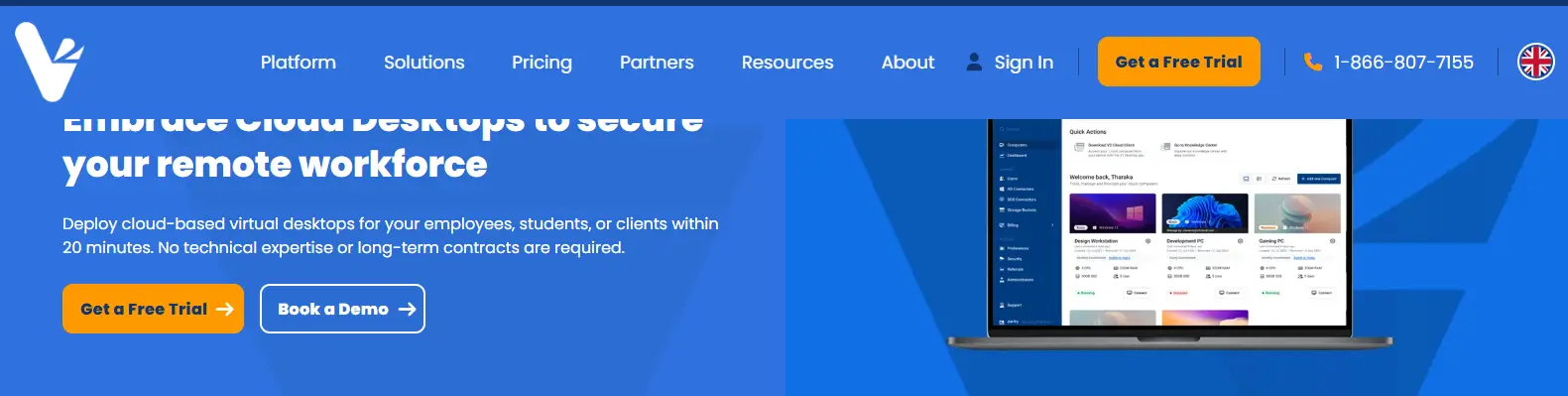
Not every organization has a dedicated infrastructure team or the resources to manage a complex virtual desktop environment. For many small and mid-sized businesses, simplicity matters just as much as functionality. That’s where V2 Cloud positions itself. The platform focuses on delivering cloud-hosted virtual desktops without the lengthy deployment timelines and administrative complexity often associated with traditional VDI solutions.
V2 Cloud provides organizations with ready-to-use virtual desktops that can be deployed quickly and accessed from almost any device. The platform handles much of the backend infrastructure, reducing the burden on internal IT teams and allowing businesses to focus on supporting users rather than managing servers. This simplified approach makes V2 Cloud particularly appealing for companies adopting remote work for the first time or looking to replace aging remote desktop environments.
While it may not offer the same depth of customization found in enterprise-focused platforms, V2 Cloud delivers a straightforward balance of accessibility, security, and simplified management that many growing businesses find attractive.
Highlights
- Simple Deployment: Organizations can deploy virtual desktops quickly without investing in extensive infrastructure or managing complicated implementation projects.
- Cloud Hosted Desktops: Users access their virtual desktop from virtually any location, enabling secure remote work across laptops, tablets, and other devices.
- Built-In Security: The platform includes security features designed to protect business applications and user data while supporting remote access.
- Minimal IT Overhead: Much of the infrastructure management is handled by V2 Cloud, reducing administrative workload and simplifying ongoing operations.
Best For
Small and mid-sized businesses that want a virtual desktop solution with fast deployment, centralized control, and minimal infrastructure management requirements.
Limitations
Organizations with highly specialized security requirements or complex customization needs may find the platform less flexible than enterprise-focused alternatives.
Pricing
Subscription-based pricing with plans based on desktop resources and user requirements. Pricing details are available directly from V2 Cloud.
6. Amazon WorkSpaces, Best for AWS-Centric Organizations
Overview
Amazon WorkSpaces is Amazon Web Services’ fully managed desktop-as-a-service platform, designed for organizations that want to deliver secure virtual desktops without maintaining traditional desktop infrastructure. For businesses already operating within AWS, WorkSpaces offers a familiar environment that integrates naturally with existing cloud services, security policies, and management tools.
One of the platform’s biggest strengths is flexibility. Organizations can provision desktops quickly and scale resources based on changing workforce requirements without purchasing additional hardware. Since virtual machines are hosted within AWS data centers, businesses can expand capacity as teams grow or reduce resources when demand decreases. This makes WorkSpaces particularly attractive for organizations with seasonal staffing needs, distributed teams, or long-term remote work strategies.
Amazon WorkSpaces also supports a wide range of devices, allowing users to connect from laptops, desktops, tablets, and web browsers. Combined with AWS’s global infrastructure, this gives organizations a scalable cloud hosted VDI solution capable of supporting employees across multiple locations while maintaining centralized management and security controls.
Highlights
- AWS Integration: Organizations already using AWS can leverage existing cloud services, identity management tools, and security frameworks to simplify administration.
- Flexible Scaling: Resources can be increased or decreased as business requirements change, helping organizations avoid overprovisioning infrastructure.
- Pay-As-You-Go Pricing: Amazon WorkSpaces offers pricing options that align costs with actual usage, providing flexibility for organizations with changing workforce demands.
- Multi-Device Access: Users connect to their virtual desktops from various devices, including Windows PCs, Macs, tablets, Chromebooks, and web browsers.
Best For
Organizations already invested in AWS that want scalable virtual desktop solutions with strong cloud integration and flexible deployment options.
Limitations
Cost management can become challenging without proper monitoring. Performance and user experience may also vary depending on workload requirements and network connectivity.
Pricing
Pay-as-you-go and monthly subscription options are available. Pricing varies based on desktop configuration, storage, performance requirements, and usage patterns.
What Should You Look for When Choosing a VDI for Remote Work?

After reviewing the leading VDI platforms, one thing becomes clear: there is no universal winner. The right VDI solution depends on your organization’s priorities, technical capabilities, security requirements, and growth plans. A platform that works perfectly for a global enterprise may be excessive for a small business. Likewise, a solution designed for simplicity may not provide the customization some organizations require.
Before making a decision, focus on the factors that will have the greatest impact on long-term success.
Deployment Model
The way a VDI platform is delivered can significantly affect both user adoption and IT workload.
- Browser-Based vs Client-Based Access: If your workforce relies on unmanaged devices or follows a bring-your-own-device (BYOD) model, browser-based access can dramatically reduce support complexity. Users access their desktops through a web browser rather than installing software on individual devices.
- Cloud vs On-Premises Infrastructure: Cloud-hosted platforms reduce upfront infrastructure investment and provide greater flexibility. Traditional on-premises deployments may offer more control, but they often require additional hardware, maintenance, and ongoing administration.
Security Requirements
Security remains one of the primary reasons organizations adopt virtual desktop infrastructure in the first place.
- Multi-Factor Authentication: Strong authentication helps prevent unauthorized access, even when passwords are compromised.
- Centralized Data Storage: Keeping sensitive data inside a centralized environment reduces the risk of information being stored on local devices where it can be lost, stolen, or exposed.
- Centralized Security Policies: A centralized approach allows IT teams to apply updates, security controls, and compliance requirements consistently across the entire environment.
IT Resources
Some VDI platforms are easier to manage than others.
- Administrative Complexity: Solutions that require specialized administrators, advanced configuration, and ongoing tuning can significantly increase operational costs over time.
- Management Overhead: Platforms with simplified management tools allow smaller IT teams to support more users without increasing headcount.
This is where centralized management often creates long-term value by reducing repetitive administrative tasks and improving efficiency.
Scalability
Today’s remote workforce may look very different six months from now.
- Flexible Growth: Cloud-based VDI platforms make it easier to add or remove resources as workforce demands change.
- Resource Optimization: Solutions that allocate server resources dynamically can support users simultaneously without requiring organizations to overinvest in unused capacity.
Flexible pricing models also help align costs with actual usage rather than forcing organizations into large long-term commitments.
User Experience
Technology adoption often comes down to one simple question: does it work well?
- Performance and Responsiveness: VDI user experience depends heavily on network quality and underlying infrastructure. Even the most advanced platform can struggle if connectivity is poor.
- Stable Connection Requirements: A stable connection is essential for maintaining productivity. High latency can create delays between user actions and system responses, which becomes frustrating quickly, especially for remote workers who rely on virtual desktops throughout the day.
- Consistent Access Across Devices: The best platforms deliver a consistent user experience regardless of whether employees connect from laptops, tablets, desktops, or other endpoint devices.
How Does VDI Compare to Traditional Remote Desktop Services?
When evaluating remote access technologies, many organizations compare virtual desktop infrastructure with Remote Desktop Services (RDS). While both allow employees to access applications and desktops remotely, they operate quite differently behind the scenes. Understanding those differences can help you choose the right approach for your workforce, budget, and management requirements.
The biggest distinction comes down to personalization and resource allocation. VDI provides users with their own virtual desktop environment, typically powered by dedicated virtual machines. This gives employees greater control over settings, applications, and user experiences. In contrast, Remote Desktop Services allows multiple users to share resources on a single server, which can reduce costs but limits customization.
Neither approach is inherently better. The right choice depends on your organization’s priorities, security requirements, and workload demands.
| Feature | VDI | Remote Desktop Services (RDS) |
|---|---|---|
| Desktop Experience | Personalized desktop environments for each user | Shared desktop sessions across multiple users |
| Infrastructure Model | Dedicated virtual machines assigned to users | Multiple users connect to a shared Windows Server environment |
| Customization | Greater customization and user-specific settings | Less personalization and fewer customization options |
| User Isolation | Strong separation between user desktops | Shared server resources among users |
| Scalability | Flexible scaling through additional virtual machines | Scales by increasing server capacity |
| Initial Cost | Typically higher infrastructure and licensing costs | Generally lower initial cost |
| Performance Consistency | More predictable user experience | Performance can vary as more users connect simultaneously |
| Ideal Use Case | Organizations needing security, flexibility, and personalized desktop environments | Organizations prioritizing cost efficiency and simple application access |
For many modern organizations supporting remote work, VDI offers stronger security controls, greater flexibility, and a more consistent experience across user desktops. However, Remote Desktop Services can still be a practical option when budgets are tight and advanced customization isn’t required. Understanding these tradeoffs makes it easier to evaluate the broader benefits VDI brings to a remote workforce.
What Are the Biggest Benefits of VDI for Remote Work?

The popularity of remote work has made secure access to business resources more important than ever. At the same time, organizations are under pressure to improve security, control costs, and support employees working from different locations and devices. This is one reason virtual desktop infrastructure continues to gain traction across industries.
In fact, studies show that 75% of virtual teams report increased effectiveness due to VDI, highlighting its ability to improve productivity while simplifying IT operations. While every organization has different priorities, the most successful VDI deployments tend to deliver a common set of benefits.
Enhanced Security
One of the biggest advantages of VDI is its ability to improve data security.
- Centralized Data Protection: Business data remains on secure servers rather than being stored on employee devices, reducing the risk of data loss or unauthorized access.
- Stronger Access Controls: Features such as multi-factor authentication, encryption, and centralized security policies help organizations maintain enhanced security across the workforce.
Access from Any Device
Remote employees expect flexibility.
- Device Independence: Users can access applications, files, and desktop environments from laptops, tablets, desktops, and other supported devices.
- Consistent User Experience: Employees receive the same remote access experience regardless of where they connect or which device they use.
Centralized Management
Managing hundreds or thousands of devices individually creates significant overhead.
- Simplified Administration: IT teams can manage applications, updates, user permissions, and security settings from a centralized location.
- Operational Efficiency: Centralized management reduces repetitive administrative work and improves consistency across the environment.
Longer Hardware Lifespan
Not every organization has the budget to replace hardware frequently.
- Reduced Endpoint Requirements: Since much of the computing workload is handled by centralized infrastructure, older devices can remain productive for longer periods.
- Improved Cost Efficiency: Extending hardware lifecycles helps reduce capital expenditures and improves overall cost efficiency.
Business Continuity
Unexpected disruptions happen.
- Reliable Workforce Access: Employees can continue working from alternative locations while maintaining access to the same applications, desktops, and business resources.
- Faster Recovery: Centralized infrastructure makes it easier to restore services and maintain operations during outages or emergencies.
These advantages explain why many organizations view VDI as more than just a remote access tool. It has become a strategic platform for improving security, flexibility, and operational efficiency. The final step is determining which solution aligns best with your organization’s specific requirements and long-term goals.
Final Thoughts
The best VDI for remote work ultimately depends on your organization’s infrastructure, security requirements, and management capabilities. If simplicity and accessibility are your top priorities, Apporto stands out as the strongest browser-based option, delivering secure remote access without client installations or complex infrastructure management.
Organizations heavily invested in Microsoft technologies will likely find Azure Virtual Desktop to be the most natural fit. For advanced workspace controls and enterprise-grade customization, Citrix DaaS remains a powerful choice.
Businesses already operating within VMware environments should consider Omnissa Horizon, while V2 Cloud offers an accessible entry point for small and mid-sized businesses. For AWS-centric organizations, Amazon WorkSpaces provides strong cloud integration and flexible scalability.
The reality is that there is no one-size-fits-all solution. The right platform is the one that aligns with your workforce, budget, security strategy, and long-term growth plans. That said, organizations looking to reduce IT overhead, simplify deployment, and support remote workers from virtually any device should take a closer look at Apporto’s browser-based approach.Try Now.
Frequently Asked Questions (FAQs)
1. What is the best VDI for remote work in 2026?
The best VDI for remote work depends on your organization’s needs. Apporto is a strong choice for browser-based access and simplified management, while Azure Virtual Desktop, Citrix DaaS, and Omnissa Horizon excel in more specialized environments.
2. Is VDI more secure than a traditional VPN?
In many cases, yes. VDI keeps applications and data inside a centralized environment rather than on endpoint devices. Features such as multi-factor authentication, encryption, and centralized security policies help reduce security risks significantly.
3. What internet speed is recommended for VDI?
Most office workloads perform well with a stable broadband connection. More important than raw speed is low latency and reliability. Video conferencing, large file transfers, and graphics-intensive applications may require additional bandwidth.
4. How much does a VDI deployment typically cost?
Costs vary widely depending on infrastructure, licensing, user count, and deployment model. Cloud-hosted solutions generally reduce upfront hardware investments, while traditional deployments may involve higher infrastructure and ongoing management costs.
5. What’s the difference between VDI and Remote Desktop Services?
VDI provides users with personalized desktop environments through dedicated virtual machines. Remote Desktop Services allows multiple users to share server resources. VDI offers greater customization, while Remote Desktop Services often has lower initial costs.
6. Can small businesses benefit from VDI solutions?
Absolutely. Modern VDI platforms allow small businesses to provide secure remote access without investing heavily in physical infrastructure. Solutions like Apporto and V2 Cloud are designed to reduce administrative complexity and support growing teams.
7. Is browser-based VDI better than client-based VDI?
Browser-based VDI simplifies deployment by eliminating software installations and reducing endpoint management requirements. Client-based solutions may offer additional customization, but browser-based platforms often provide a faster and more accessible user experience.
8. Which VDI solution works best for hybrid work environments?
Organizations supporting hybrid work often benefit from solutions that provide secure access from multiple locations and devices. Apporto, Azure Virtual Desktop, and Amazon WorkSpaces are particularly well-suited for hybrid environments because of their flexibility and cloud-based accessibility.
