
What Is the Best VDI for Developers?
The best VDI for developers provides secure, high-performance development environments with support for Windows and Linux, centralized management, and flexible remote access. Solutions such as Apporto, Azure Virtual Desktop, and Amazon WorkSpaces help developers build, test, and collaborate efficiently while reducing infrastructure complexity and improving scalability.
Developers need fast, reliable environments that provide consistent access to code, tools, and computing resources, no matter where they work. That’s one reason VDI is becoming increasingly popular among engineering teams.
A good virtual desktop solution helps centralize development environments, improve security, and simplify collaboration across distributed teams. However, not every platform is designed for developer workloads.
In this guide, we’ll explore the best VDI for developers, comparing solutions based on performance, security, scalability, and overall developer experience.
How Did We Select the Best VDI Solutions for Developers?
Developers tend to be unforgiving when it comes to their work environment. And honestly, that’s fair. A slow desktop, laggy screen response, or limited computing resources can interrupt focus faster than almost anything else.
That’s why evaluating VDI for developers requires a different perspective. Beyond security and remote access, the platform has to feel fast, flexible, and powerful enough to handle real development workloads without becoming a bottleneck.
Here are the factors that mattered most.
Performance and Developer Experience
Developers spend hours compiling code, running containers, testing applications, and jumping between tools. The experience should feel smooth, not like working through a remote connection.
Low latency, fast SSD storage, GPU support for demanding workloads, and responsive virtual machines all played an important role in this evaluation. For teams using VMware Horizon, VMware Horizon GPU compatibility can also be an important consideration when supporting graphics-intensive development workloads.
Security and Data Protection
Source code is valuable. So is customer data, API keys, and internal documentation. The best VDI platforms provide strong security features such as multi-factor authentication, Zero Trust access controls, encryption, and centralized data storage. Keeping sensitive information inside secure environments reduces risk and gives teams greater control over who can access what.
Development Flexibility
No two development teams work exactly the same way. Some rely heavily on Linux. Others build around Windows environments. Many use a combination of both. For teams working primarily on Apple devices, choosing a VDI for Mac users is also an important consideration when evaluating development environments.
We prioritized solutions that support different operating systems, persistent desktops, specialized development tools, and enough flexibility to adapt to changing workflows without forcing teams into rigid setups.
Cost Efficiency
Developers need performance, but budgets still matter. Traditional VDI can require substantial infrastructure investments, while cloud-based platforms often provide more flexible pricing and easier scalability. We looked at hardware requirements, ongoing management costs, subscription models, and how well each platform grows alongside development teams.
The goal wasn’t simply to find the fastest VDI solution. It was to identify platforms that offer the right balance of performance, security, flexibility, and long-term value for modern development teams.
Quick Comparison Table: Which VDI Solution Is Best for Developers?
The ideal VDI platform for developers depends on the type of work you do, the tools you rely on, and how your team is structured. Some solutions prioritize browser-based simplicity, while others focus on enterprise-grade security, hybrid deployments, or cloud-native development environments.
The comparison below provides a quick overview of the leading VDI solutions for developers before diving deeper into each platform’s capabilities, strengths, and limitations.
| Solution | Best For | Deployment Model | Operating System Support | Standout Feature |
|---|---|---|---|---|
| Apporto | Browser-based development | Cloud | Windows & Linux | No client installation |
| Amazon WorkSpaces | AWS developers | Cloud | Windows & Linux | Hourly billing |
| Azure Virtual Desktop | Microsoft ecosystem | Cloud | Windows & Linux | Microsoft integration |
| Citrix DaaS | Enterprise developers | Hybrid | Windows & Linux | Zero trust security |
| Omnissa Horizon | Hybrid development teams | Hybrid / On-Prem | Windows & Linux | Advanced management |
| OWD Cloud Desktops | Managed development workspaces | Cloud | Windows | Fully managed |
| Cloud Development Environments | Cloud-native development | Cloud | Linux & Windows | Instant dev environments |
Each of these solutions approaches virtual desktop infrastructure differently. Some focus on simplifying access to development environments through the browser, while others provide advanced management tools, persistent desktops, or highly secure remote workspaces. In the following sections, you’ll see how these platforms compare in terms of developer experience, performance, security, and long-term scalability.
Best VDI for Developers (A Detailed Overview)
1. Apporto (The Best Browser-Based VDI for Developers)
Overview
Developers spend enough time managing code, dependencies, and deployments. The virtual desktop itself should not become another layer of complexity. That is precisely where Apporto distinguishes itself. Instead of requiring software installations or dedicated clients, Apporto delivers a complete virtual desktop directly through a web browser, allowing developers to access their workspaces quickly from almost any device.
This browser-first approach makes onboarding simpler and creates a more consistent experience across teams. Developers can move between locations, switch devices, and continue working within the same cloud environment without spending time reconfiguring systems or reinstalling tools. At the same time, administrators benefit from centralized management and greater control over resources, users, and security policies.
For organizations supporting distributed development teams, this simplicity can have a surprisingly large impact on productivity.
Highlights
- Browser-Based Development: Apporto allows developers to access their virtual desktop directly from a browser. There is no client installation, which reduces setup time and simplifies device management.
- Cloud-Native Infrastructure: The platform is built as a cloud-native solution, enabling teams to scale development resources based on project requirements while reducing infrastructure overhead.
- Centralized Management: Administrators can manage users, permissions, applications, and desktop images through centralized management tools, helping maintain consistency across development environments.
- Linux and Windows Support: Apporto supports both Linux and Windows desktops, allowing developers to work with different operating systems and development stacks without sacrificing flexibility.
Best For
Apporto is best suited for educational institutions, software companies, startups, and development teams seeking a browser-based virtual desktop platform with secure access, centralized administration, and support for diverse development environments.
Limitations
Organizations requiring deep infrastructure customization or highly specialized on-premises configurations may prefer more traditional VDI platforms with broader backend control.
Pricing
Apporto offers custom pricing based on user requirements, computing resources, storage capacity, and support needs. Organizations typically work directly with the provider to build a deployment that aligns with their technical and budgetary requirements.
2. Amazon WorkSpaces (A Good Choice for AWS Developers)
Overview
As development teams become more distributed, maintaining consistent work environments across different locations and devices becomes increasingly important. Amazon WorkSpaces addresses this challenge by providing fully managed cloud desktops that developers can access securely from virtually anywhere. For organizations already using AWS services, the platform feels like a natural extension of their existing infrastructure.
Unlike traditional VDI environments that require substantial investments in servers, storage, and ongoing maintenance, Amazon WorkSpaces is delivered as a cloud VDI service. This reduces administrative overhead and allows development teams to focus on building applications rather than managing desktop infrastructure. Its flexible pricing model, including hourly billing options, also makes it a cost effective choice for teams with changing workloads or temporary development projects.
The result is a development environment that can scale alongside your projects without requiring major infrastructure changes.
Highlights
- Managed Cloud Desktops: Amazon WorkSpaces provides fully managed virtual desktops hosted within AWS, reducing the burden of maintaining hardware and backend infrastructure.
- AWS Integration: The platform integrates seamlessly with AWS services, allowing developers to connect desktops with storage, databases, identity management, and other cloud resources already in use.
- Secure Remote Access: Developers can securely connect to their desktops from laptops, tablets, and other supported devices. This secure remote access model helps protect source code and sensitive project data while supporting distributed teams.
- Flexible Scaling: Resources can be scaled up or down based on project requirements, making it easier to accommodate growing teams and fluctuating workloads.
Best For
Amazon WorkSpaces is ideal for AWS developers, cloud-native teams, startups, and organizations that want a managed VDI solution with reliable remote access and flexible scalability.
Limitations
The platform delivers the greatest value to organizations already invested in AWS. Teams relying heavily on other cloud ecosystems may find alternative platforms offer tighter integration with their existing tools.
Pricing
Amazon WorkSpaces uses both monthly and hourly billing options. Pricing depends on desktop specifications, operating system choices, storage capacity, and usage patterns, allowing organizations to align costs closely with development needs.
3. Azure Virtual Desktop (Popular Among Developers)
Overview
For developers already working within the Microsoft ecosystem, Azure Virtual Desktop has become one of the most compelling VDI solutions available today. Built on Microsoft Azure, the platform combines virtual desktop infrastructure with cloud scalability, enabling developers to create, test, and deploy applications from secure and centrally managed environments.
If you’re comparing Microsoft’s developer-focused desktop offerings, this Azure Dev Box vs Azure Virtual Desktop comparison explains how the two services differ in their intended use cases and development environments.”
One of the reasons Azure Virtual Desktop continues to gain popularity is its flexibility. Developers can run Windows and Linux workloads, access development environments remotely, and scale computing resources as projects evolve. This is particularly valuable for teams that experience fluctuating workloads or need to provision desktops quickly without investing in additional hardware.
Because the platform is tightly integrated with Microsoft Azure services, it also simplifies identity management, storage, security, and collaboration. For development teams that rely heavily on Microsoft’s tools, that level of integration can significantly improve operational efficiency.
Highlights
- Microsoft Azure Virtual Desktop Integration: Azure Virtual Desktop integrates directly with Microsoft Azure services, allowing developers to manage desktops, storage, networking, and security from a unified cloud platform.
- Microsoft Ecosystem Compatibility: The platform works seamlessly with Microsoft 365, Microsoft Defender, Active Directory, and other Microsoft services, creating a connected development experience with fewer administrative challenges.
- Windows and Linux Support: Developers can deploy both Windows and Linux desktops depending on their project requirements, making it easier to support diverse development environments and programming frameworks.
- Scalable Infrastructure: Azure Virtual Desktop allows organizations to scale from a handful of desktops to hundreds as teams grow, using consumption-based pricing that helps improve cost efficiency.
Best For
Azure Virtual Desktop is ideal for developers, software companies, and enterprises already invested in the Microsoft ecosystem who need scalable virtual desktops with strong security and centralized management.
Limitations
While highly flexible, Azure Virtual Desktop can require careful cost management and technical expertise to optimize resources effectively, particularly for smaller teams with limited cloud experience.
Pricing
Azure Virtual Desktop follows a consumption-based pricing model. Costs vary based on virtual machine specifications, storage, networking, operating systems, and overall resource usage, allowing organizations to pay according to actual demand.
4. Citrix DaaS (Support Enterprise Development Teams)
Overview
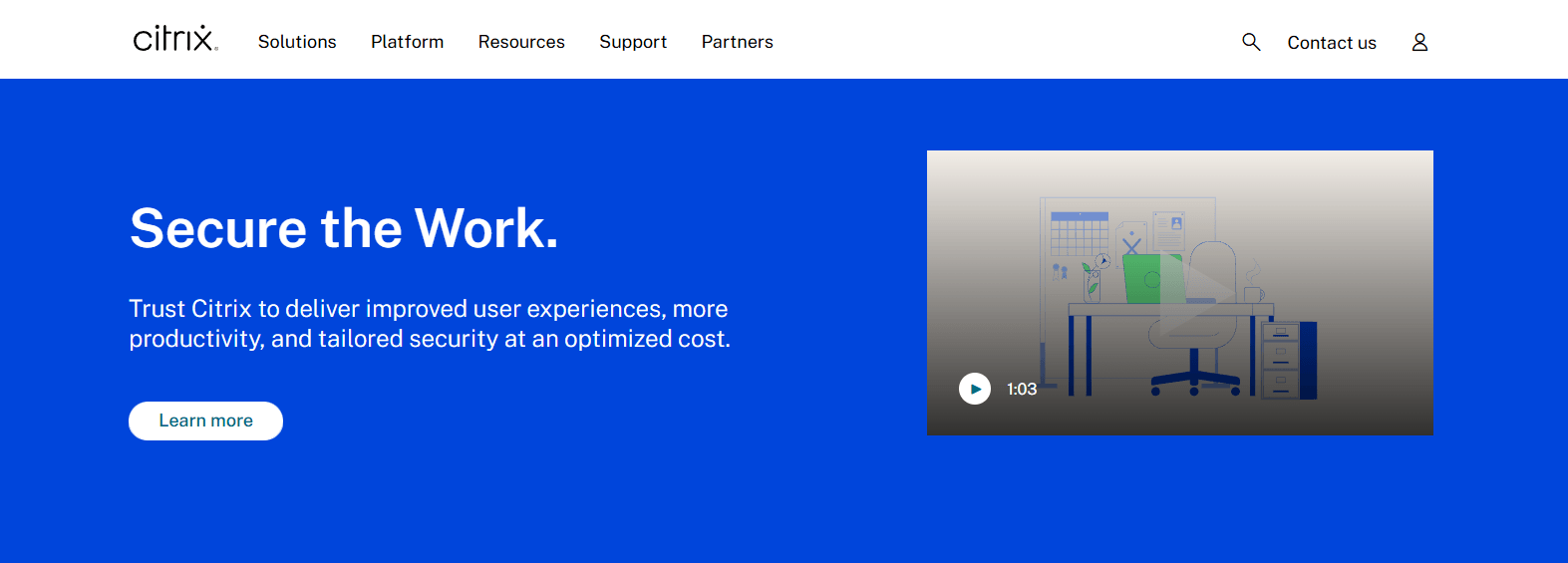
Large development teams often require more than a standard virtual desktop. They need secure access to source code, consistent development environments, centralized management, and the flexibility to support developers working across different locations and devices. Citrix DaaS has built its reputation around these requirements, making it one of the most established platforms for enterprise development teams.
The platform combines virtual desktops with application delivery, allowing developers to access both full desktop environments and specific virtual apps through a unified interface. Its mature architecture, strong security posture, and hybrid deployment capabilities make it suitable for organizations operating across cloud and on-premises environments.
For enterprises handling sensitive intellectual property or operating under strict regulatory requirements, Citrix places a strong emphasis on security without sacrificing user experience.
Highlights
- Citrix Virtual Apps: Citrix Virtual Apps allows organizations to deliver individual applications instead of entire desktops when appropriate. Developers can securely access coding tools, testing environments, and business applications without unnecessary resource consumption.
- Zero Trust Architecture: Security is a major strength of Citrix DaaS. Its zero trust architecture continuously verifies identities, devices, and access requests, helping protect proprietary source code and sensitive project information.
- Secure Access: The platform provides secure access through multi-factor authentication, identity management, and encrypted connections. Developers can connect from various devices while administrators maintain centralized control over policies and permissions.
- Hybrid Deployments: Citrix DaaS supports cloud, on-premises, and hybrid deployments, giving organizations flexibility in how they manage infrastructure and data residency requirements.
Best For
Citrix DaaS is best suited for enterprise development teams, government organizations, financial institutions, and businesses that require advanced security, centralized administration, and scalable virtual desktop infrastructure.
Limitations
The platform offers extensive capabilities, but deployment and administration can be more complex than lightweight cloud-native alternatives. Smaller teams may find simpler VDI solutions easier to manage.
Pricing
Citrix DaaS offers subscription-based pricing that varies based on users, deployment models, virtual apps requirements, support services, and infrastructure configurations. Organizations typically work directly with Citrix or partners to determine pricing based on their specific requirements.
5. Omnissa Horizon (The Best VDI for Hybrid Development Environments)
Overview
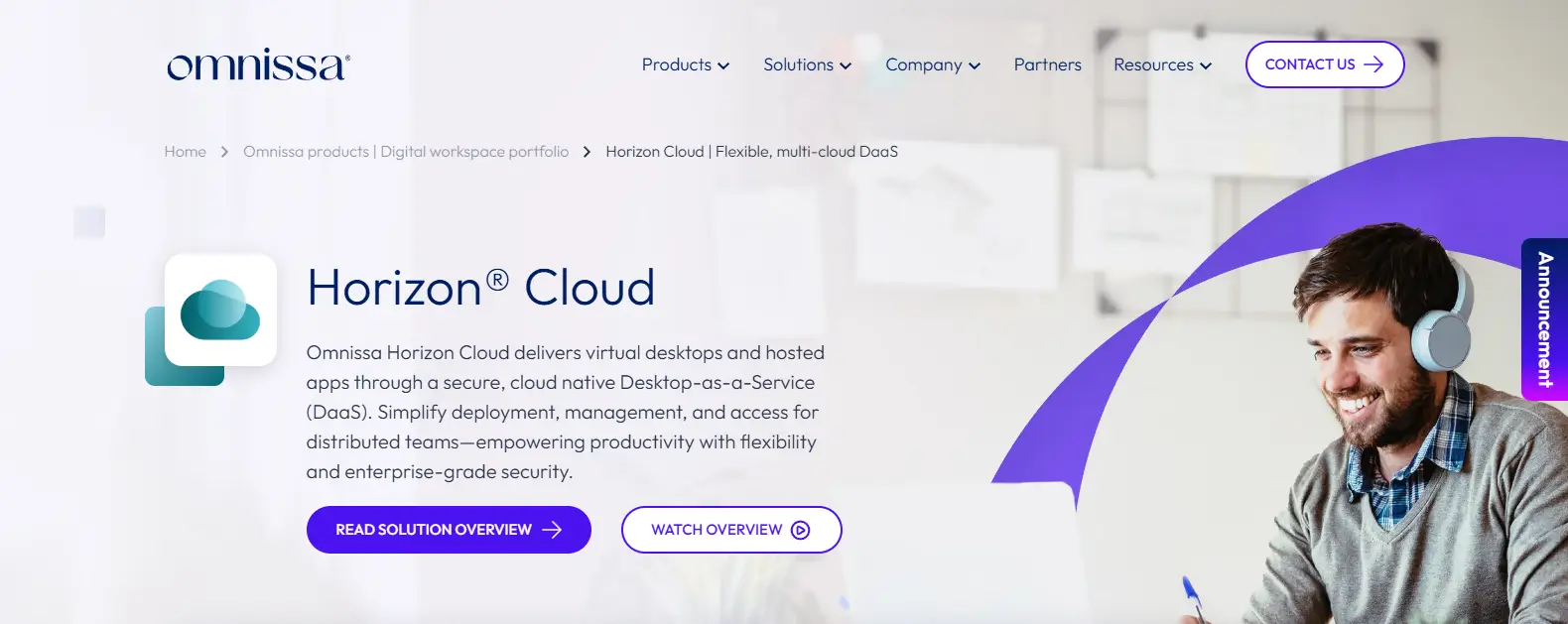
Development teams rarely operate in a single environment anymore. Some applications remain on-premises, others run in the cloud, and many organizations need the flexibility to support both. Omnissa Horizon, formerly VMware Horizon, was built with this reality in mind. It provides a mature virtual desktop infrastructure platform that combines hybrid deployments with centralized management and strong performance.
One of Omnissa Horizon’s biggest strengths is flexibility. Development teams can deploy desktops in private data centers, public clouds, or hybrid environments while maintaining a consistent user experience. This makes it easier to support distributed engineering teams, preserve existing infrastructure investments, and adapt as project requirements evolve.
For organizations seeking deeper control over desktop infrastructure and application delivery, Omnissa Horizon remains one of the most comprehensive solutions available.
Highlights
- VMware Horizon Architecture: Built on the proven VMware Horizon architecture, the platform provides robust virtualization capabilities with support for both Windows and Linux development environments. It is designed to handle demanding workloads while maintaining performance and stability.
- Hybrid Deployments: Omnissa Horizon supports hybrid deployments, allowing organizations to combine on-premises resources with cloud infrastructure. This flexibility helps development teams balance scalability, cost, and data residency requirements.
- Persistent Desktops: The platform supports persistent VDI environments where developers retain their applications, settings, and personalized configurations across sessions. This creates a more consistent experience and reduces setup time when switching devices or locations.
- Centralized Control: Administrators can manage desktops, applications, policies, and user permissions through centralized control tools, simplifying IT operations and improving visibility across the environment.
Best For
Omnissa Horizon is ideal for enterprises, software companies, research institutions, and development teams that require hybrid deployments, persistent desktops, and advanced management capabilities.
Limitations
The platform offers extensive features, but deployment and administration can be complex. Smaller teams with limited IT resources may prefer simpler cloud-native VDI alternatives.
Pricing
Omnissa Horizon offers subscription and licensing options based on users, deployment size, infrastructure requirements, and support services. Pricing varies according to the scale and complexity of the implementation.
6. OWD Cloud Desktops
Overview
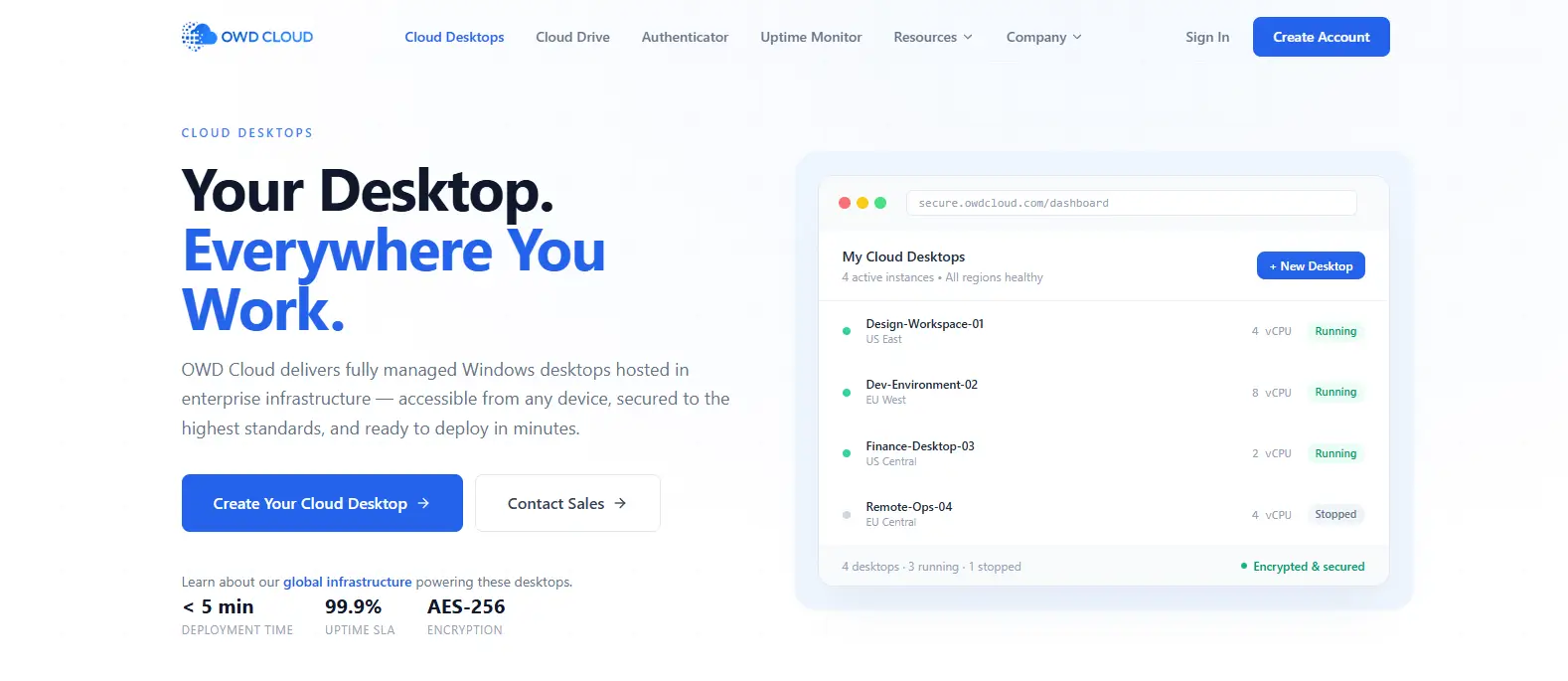
Not every development team wants to manage the complexity of virtual desktop infrastructure internally. Maintaining servers, configuring desktop images, applying updates, and monitoring security policies can quickly consume valuable engineering time. OWD Cloud Desktops takes a different approach by delivering a fully managed cloud enabled digital workspace that allows developers to focus on building software rather than maintaining infrastructure.
The platform is designed to provide secure, centrally managed desktop environments that can be accessed remotely while maintaining consistent performance and administrative control. By shifting much of the infrastructure management to the provider, organizations can simplify operations and reduce the burden on internal IT teams.
For businesses looking for a balance between flexibility and operational simplicity, OWD Cloud Desktops offers an appealing middle ground.
Highlights
- Managed Cloud Desktops: OWD provides fully managed cloud desktops that eliminate much of the complexity associated with traditional VDI deployments. Developers can quickly access preconfigured environments without extensive setup requirements.
- Centralized Management: The platform offers centralized management tools that allow administrators to control user access, desktop configurations, security policies, and software deployments from a single interface.
- Secure Access: Developers can securely connect to their workspaces from different locations and devices while organizations maintain control over applications, permissions, and business data. This secure access model supports distributed teams without sacrificing security.
- Development Flexibility: OWD Cloud Desktops support a variety of development workflows and business applications, allowing teams to adapt environments according to project requirements while maintaining consistency across users.
Best For
OWD Cloud Desktops is best suited for software companies, startups, educational institutions, and organizations seeking managed desktop environments with simplified administration and strong security.
Limitations
Organizations requiring extensive infrastructure customization or highly specialized configurations may find traditional VDI platforms provide greater flexibility and control over backend resources.
Pricing
OWD Cloud Desktops typically offers customized pricing based on user counts, computing resources, storage requirements, support services, and deployment size. Businesses generally work with the provider to determine a configuration that aligns with their technical and budget requirements.
7. Cloud Development Environments (The Future of Developer VDI)
Overview
Something interesting is happening in software development. Developers are increasingly moving away from traditional desktops and even conventional VDI setups toward environments that exist entirely in the cloud. These are known as Cloud Development Environments, or CDEs, and they are changing how teams build, test, and deploy applications.
Instead of configuring a local machine or maintaining a dedicated virtual desktop, developers can launch preconfigured development environments in just a few moments. Everything, from the operating system and development tools to dependencies and libraries, resides within a cloud environment that can be accessed securely from almost anywhere.
This approach reduces setup time, improves consistency across teams, and allows organizations to scale development resources much more efficiently.
Highlights
- Instant Development Environments: Cloud Development Environments allow developers to create ready-to-use workspaces quickly. Teams no longer need to spend hours configuring machines or troubleshooting inconsistencies between systems.
- Browser-Based Access: Many CDE platforms run directly through a browser, enabling developers to access coding environments from different devices without local installations. This flexibility is particularly valuable for distributed teams and remote collaboration.
- Persistent Workspaces: Persistent workspaces retain code, settings, installed packages, and development tools across sessions. Developers can return to the exact same environment without repeating setup steps or reconfiguring software.
- Scalable Cloud Resources: Computing power, memory, and storage can be adjusted as projects grow. Cloud resources scale according to demand, helping teams avoid overprovisioning while maintaining strong performance.
Best For
Cloud Development Environments are ideal for modern development teams, startups, open-source projects, educational institutions, and organizations seeking flexible, cloud-native development environments with simplified administration.
Limitations
Because these platforms depend heavily on network connectivity, performance can be affected by poor internet quality. Some highly specialized workloads may also require more traditional VDI or dedicated infrastructure.
Pricing
Pricing varies significantly depending on the provider, computing resources, storage usage, and collaboration features. Most platforms use consumption-based models, allowing organizations to pay according to actual usage while maintaining cost flexibility.
How Do You Choose the Right VDI for Development Work?

Choosing a VDI platform for software development is rarely a one-size-fits-all decision. Developers work with different programming languages, operating systems, testing frameworks, and deployment pipelines. Some teams prioritize flexibility, while others place greater emphasis on security, centralized management, or performance. The best VDI solution is the one that aligns with your development process and scales as your projects evolve.
Before making a decision, it helps to evaluate four essential areas: desktop persistence, security, deployment models, and performance requirements.
Do You Need Persistent Desktops or Temporary Development Environments?
The first question is surprisingly important. Not every development team works the same way.
Persistent VDI
Persistent desktops retain applications, settings, installed packages, and configurations after every session. This creates a personalized workspace that remains consistent over time. Persistent VDI is ideal when you need:
- Personalized development environments
- Saved configurations and custom toolchains
- Specialized software and libraries
- Long-running projects with stable environments
- Consistent developer workflows across devices
For developers working with complex frameworks or customized setups, persistent desktops often provide a better VDI user experience because less time is spent rebuilding environments.
Non-Persistent Environments
Non-persistent desktops reset after logout and are easier to maintain. They are particularly useful for:
- Easier scaling across growing teams
- Shared development environments
- Temporary projects
- Training and testing environments
- Short-term contractors and interns
This approach reduces administrative overhead and simplifies desktop management at scale.
How Important Are Security and Data Protection?
Source code is one of the most valuable assets an organization owns. Protecting it should never be an afterthought. When evaluating VDI platforms, look for:
- Multi-Factor Authentication: Adds additional identity verification beyond passwords.
- Zero Trust Architecture: Continuously validates users, devices, and sessions before granting access.
- Data Loss Prevention: Restricts unauthorized copying, downloads, or sharing of sensitive information.
- Secure Access Controls: Allows administrators to define permissions based on users, projects, and teams.
Modern VDI platforms also centralize data inside secure environments instead of storing it on local devices. This significantly reduces the risk of data exposure and helps strengthen security policies across distributed teams.
Should You Choose Cloud VDI, Hybrid, or On-Premises Infrastructure?
Your deployment model will affect cost, flexibility, and management responsibilities.
Cloud VDI
Cloud VDI offers:
- Faster deployment
- Flexible scalability
- Lower infrastructure costs
- Simplified management
- Consumption-based pricing
It is often the preferred option for modern development teams that need agility and rapid growth.
Hybrid Deployments
Hybrid environments combine cloud resources with existing infrastructure. Benefits include:
- Greater flexibility
- Better control over sensitive workloads
- Easier migration from existing systems
- Balanced cost management
Traditional VDI
Traditional VDI provides:
- Complete infrastructure control
- Internal hosting of desktops and applications
- Custom security configurations
However, traditional deployments usually involve higher infrastructure costs, more complex administration, and greater maintenance responsibilities.
What Performance Requirements Do Developers Need?
Performance matters more than many organizations initially expect. Even small delays can interrupt concentration and reduce productivity.
Pay close attention to:
- GPU Acceleration: Essential for simulations and 3D development, choosing the right virtual desktop solutions for AutoCAD can be especially important for developers working with CAD and other graphics-intensive applications to maintain responsive performance.
- NVMe SSD Storage: Accelerates code indexing, application builds, and file operations.
- Low Latency Protocols: Provides near-instant response times between keystrokes and screen updates.
- Network Quality: Stable, low-latency networks are critical because poor connectivity can negatively affect the entire VDI user experience.
Ultimately, the best VDI solution balances performance, security, flexibility, and cost while allowing developers to focus on building software rather than managing infrastructure.
What Are the Biggest Benefits of VDI for Developers?

Software development is already filled with enough variables, programming languages, dependencies, frameworks, operating systems, and deployment pipelines. The environment you work in should provide stability rather than introduce additional complexity. That is one of the main reasons VDI continues to gain traction among development teams.
A well-designed virtual desktop environment creates consistent development environments across teams, ensuring everyone works with the same tools, libraries, and configurations. This consistency reduces compatibility issues and shortens setup times for new projects. At the same time, developers gain secure and consistent access to their workspaces from virtually any location, which has become increasingly valuable for distributed and remote teams.
VDI also reduces the burden of managing physical devices. Instead of configuring multiple laptops individually, organizations can maintain centralized control over desktops, applications, and security policies from a single location. The result is a simpler and often more efficient development workflow.
Core Benefits
- Centralizing Data: Source code, applications, and project files remain stored in secure environments rather than on local devices, reducing security risks.
- Enhanced Data Protection: Centralized security policies, encryption, and controlled permissions help enhance data protection and safeguard sensitive intellectual property.
- Access from Any Device: Developers can connect to their virtual desktops from laptops, thin clients, or personal devices while maintaining a consistent experience.
- Persistent Desktops: Personalized environments preserve applications, settings, and development tools across sessions, reducing repetitive setup work.
- Faster Onboarding: New developers can start working quickly with preconfigured environments instead of manually installing software and dependencies.
- Easier Scaling: Teams can add users and resources as projects grow without investing heavily in additional infrastructure.
These advantages allow developers to spend less time managing environments and more time creating, experimenting, and building software that matters.
What Challenges Should Developers Consider Before Using VDI?

VDI offers impressive flexibility, but it is not a perfect solution for every development team. Behind the convenience of centralized desktops lies a more complicated reality. Infrastructure must be planned carefully, performance needs to remain consistent, and security policies require ongoing attention. If these areas are overlooked, the developer experience can suffer.
One of the biggest concerns is cost. Traditional VDI deployments often require a significant upfront investment in servers, storage, software licenses, and networking equipment. Even after deployment, ongoing operational costs such as maintenance, updates, and resource management continue to accumulate. For organizations with limited IT budgets, these infrastructure costs deserve careful evaluation.
Performance can also become a challenge. Developers expect near-instant response times when coding, compiling applications, or switching between multiple tools. Unfortunately, VDI performance depends heavily on network quality. High latency or unstable connections can introduce delays that disrupt productivity and reduce overall efficiency.
Common Challenges
- Significant Upfront Investment: Traditional VDI requires investments in hardware, storage systems, virtualization software, and supporting infrastructure.
- Ongoing Operational Costs: Maintenance, patching, upgrades, and resource management can increase long-term expenses and affect cost efficiency.
- Network Quality Requirements: A stable, high-speed connection is essential because poor network quality can negatively impact performance and responsiveness.
- User Experience Degradation: Latency, screen refresh delays, and network congestion may reduce the overall developer experience, particularly for graphics-intensive workloads.
- Server Overload Risks: Insufficient computing resources can create bottlenecks, especially when multiple developers share the same infrastructure.
- Misconfiguration Concerns: VDI environments often rely on a golden image. Errors in that image can affect every user desktop, making configuration management especially important.
Understanding these challenges early allows you to choose the right architecture, plan resources effectively, and create a VDI environment that supports developers rather than slowing them down.
Final Thoughts
The best VDI for developers ultimately depends on the way your team builds, collaborates, and scales. Some developers prioritize flexibility, others focus on security, and many need a balance of performance, cost efficiency, and centralized management. Fortunately, today’s VDI market offers strong options for every type of development environment.
If browser-based simplicity and fast onboarding are your priorities, Apporto stands out as the strongest choice. It removes client installations entirely and provides secure access to development environments through the browser. Amazon WorkSpaces is an excellent option for teams already using AWS, while Azure Virtual Desktop remains one of the most compelling platforms for organizations invested in the Microsoft ecosystem.
For larger enterprises with strict security requirements, Citrix DaaS delivers advanced controls and a mature zero trust architecture. Omnissa Horizon excels in hybrid deployments, offering persistent desktops and deep infrastructure flexibility. OWD Cloud Desktops provides a fully managed experience, while Cloud Development Environments represent a modern, cloud-native approach to software development.
The right platform is the one that allows developers to focus on writing code, solving problems, and innovating, not managing infrastructure.
If you are looking for a browser-based VDI platform that combines secure access, Linux and Windows support, centralized management, and simplified deployment, explore Apporto and discover how cloud-native virtual desktops can help your development team work faster and more efficiently.
Frequently Asked Questions (FAQs)
1. What is the best VDI for developers in 2026?
The best VDI for developers depends on your requirements. Apporto is a leading browser-based option, Azure Virtual Desktop excels in Microsoft environments, and Citrix DaaS remains a top choice for enterprises that need advanced security, centralized management, and scalable virtual desktop infrastructure VDI.
2. Is Azure Virtual Desktop good for software development?
Yes. Azure Virtual Desktop is well suited for software development because it supports Windows and Linux environments, integrates with the Microsoft ecosystem, and offers flexible cloud resources. Developers also benefit from secure access, centralized administration, and consumption-based pricing for improved cost management.
3. Can developers use Linux in a VDI environment?
Absolutely. Many modern VDI platforms support Linux alongside Windows desktops. Solutions such as Apporto, Azure Virtual Desktop, Amazon WorkSpaces, Citrix DaaS, and Omnissa Horizon allow developers to run Linux-based development environments with secure remote access and centralized resource management.
4. What is the difference between persistent and non-persistent VDI?
Persistent VDI preserves a developer’s applications, settings, and configurations after each session, creating a personalized workspace. Non-persistent VDI resets the environment after logout, making it easier to manage, scale, and maintain consistency across temporary teams or shared environments.
5. Is cloud VDI better than traditional VDI for developers?
Cloud VDI is often more flexible and easier to scale than traditional VDI. It reduces infrastructure requirements, lowers upfront costs, and simplifies management while providing secure access to development resources from virtually any location.
6. How important is network quality for VDI performance?
Network quality is extremely important. Low latency and stable connectivity directly affect screen responsiveness, file transfers, and application performance. Even the best VDI for developers can experience slower performance if the underlying network connection is unreliable or congested.
