

How to Secure Online Exams?
Online exam security requires identity verification, controlled testing environments, secure browsers, appropriate proctoring, and question randomization to reduce cheating. Platforms like Apporto ExamSpace provide browser-based exam workspaces with restricted access to unauthorized resources. Combining these safeguards with human review and clear policies helps institutions protect academic integrity.
Online exams have made assessments easier to conduct. But there’s a catch. How do you know who’s actually taking the test, what resources they’re using, or if the answers are genuinely their own?
As universities, training providers, and certification bodies rely more on online assessments, keeping exams fair and secure has become a real challenge.
After all, supervising students in a classroom is quite different from monitoring them remotely. Unauthorized websites, AI tools, secondary devices, and answer sharing can all put exam integrity at risk. Privacy concerns add another layer of complexity.
A single monitoring tool won’t solve everything. Strong online exam security requires several safeguards working together.
In this blog post, you’ll learn how to prevent cheating, protect academic integrity, and make online assessments more secure without compromising fairness.
What Is Online Exam Security, and Why Does It Matter?

Online exam security covers the tools, policies, and practices used to protect student identities, exam questions, and testing environments. Its purpose is straightforward: prevent unauthorized access, reduce cheating, and make sure assessment results reflect what students actually know.
And it doesn’t begin when students open their exams. Security matters throughout the process, from registration and identity checks to final submissions and results review.
How Does Online Exam Security Protect Academic Integrity?
Academic integrity comes down to fairness. Every student should have an equal opportunity to demonstrate their knowledge without gaining an unfair advantage.
Security measures such as identity verification, controlled access, and exam monitoring help reduce academic dishonesty and keep test scores trustworthy. While cybersecurity protects your systems and information, exam integrity goes further by protecting the credibility of the assessment itself.
Why Is Security Important for Online Exams and Professional Certifications?
Exam results carry real weight. They influence university qualifications, professional certifications, licensing decisions, and sometimes employment opportunities. If someone takes an exam under another person’s identity, accesses leaked questions, or receives unauthorized help, those results become difficult to trust.
For educational institutions, the consequences go beyond individual exams. Weak security can damage your reputation and raise questions about the qualifications you award.
What Are the Biggest Security Risks in Online Exams?
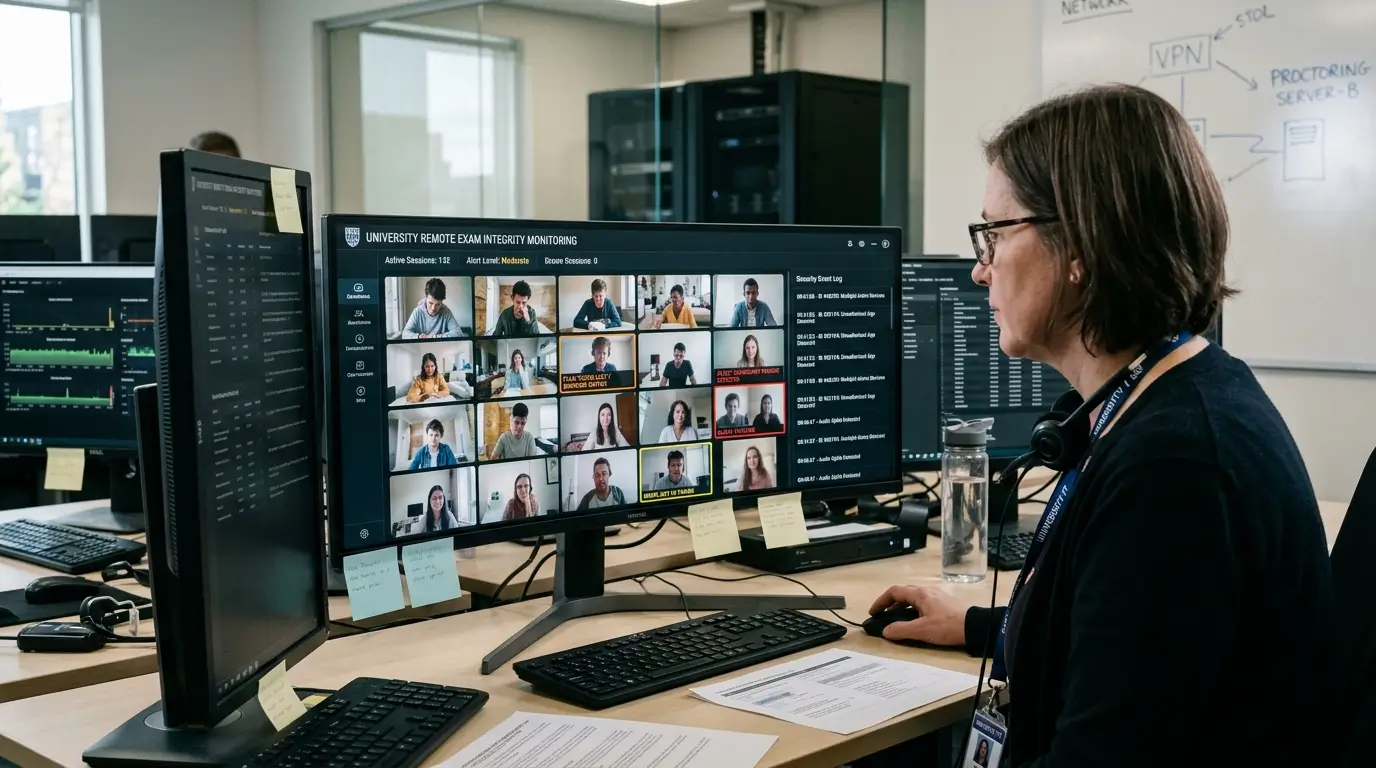
Keeping online exams secure is tricky. Unlike a classroom, where supervisors can see what’s happening, online assessments take place across different devices, networks, and locations. That makes it harder to know if everyone is following the rules.
Of course, unusual behavior doesn’t always mean cheating. But weak security controls can leave plenty of room for academic dishonesty. Here are some of the biggest risks:
Candidate Impersonation: Someone else takes the exam using a registered student’s identity, making reliable identity checks essential.
Unauthorized Resources: Students may look up answers using restricted websites, notes, search engines, or AI tools.
Secondary Devices: Phones, tablets, and additional computers can provide access to information beyond the exam platform’s control.
Collaboration and Answer Sharing: Candidates may exchange questions or answers through messaging apps or other communication channels.
Unauthorized Applications: Screen-sharing software, messaging tools, and background applications may remain accessible during testing.
Exam Content Exposure: Copied questions, screenshots, and leaked answer keys can compromise future assessments.
Technical and Security Failures: Weak access controls, compromised accounts, connection problems, or lost submissions can undermine exam fairness.
Each of these risks calls for a different safeguard. That’s why protecting exam integrity requires security measures before, during, and after the assessment, rather than relying on one tool to handle everything.
How Can You Secure Online Exams Before, During, and After Testing?
Online exam security works best when you have several safeguards in place. This approach, called defense in depth, protects different parts of the examination rather than depending on one tool to catch everything.
For instance, identity checks confirm who’s taking the exam, access controls limit prohibited resources, and monitoring helps spot unusual activity.
Security doesn’t end when students submit their answers, either. Audit trails and human review help you investigate potential violations and protect assessment credibility. Here’s how these measures fit into the exam process:
| Exam Stage | Security Measures | Purpose |
|---|---|---|
| Before Registration | Account protection, controlled access | Protect candidate records |
| Before Exam Begins | ID checks, authentication | Confirm candidate identity |
| Exam Setup | Device checks, environment scans | Check testing conditions |
| During Exam | Secure browsers or controlled exam workspaces | Restrict unauthorized resources |
| During Exam | Live or AI-assisted proctoring, where appropriate | Identify events requiring review |
| Question Delivery | Randomization, question banks | Reduce answer sharing |
| Submission | Encryption, automatic saving | Protect submitted responses |
| After Exam | Audit trails, human review | Investigate flagged events |
| Results Processing | Restricted permissions, score review | Protect assessment credibility |
Why Does a Layered Security Approach Work Better Than One Tool?
Different security measures tackle different problems. Identity checks help prevent impersonation, while secure browsers and controlled environments limit access to unauthorized applications. Apporto ExamSpace, for example, lets faculty create virtual exam workspaces with approved applications, websites, files, and AI tools.
Even so, no single solution can prevent every form of cheating. Combining these controls with thoughtful assessment design and appropriate monitoring provides more dependable protection.
How Do Online Exam Platforms Verify Test Taker Identity?

How can you be sure the student sitting an online exam is actually the person registered for it? That’s where identity verification comes in. Before allowing access, exam platforms check candidate details to reduce impersonation risks.
Some systems also continue checking identity during the examination, adding another layer of protection.
How Do ID Checks and Facial Recognition Verify Candidate Identity?
ID verification usually involves checking a government-issued document, student ID, or registration record against the candidate’s details. Facial recognition takes this further by comparing a live webcam image with a verified photograph.
Still, it’s not always reliable. Poor lighting, blurry cameras, and accessibility needs can affect matching results. Institutions should protect this personal information and offer alternative verification methods when needed.
How Does Multi-Factor Authentication Reduce Impersonation Risks?
Multi-factor authentication (MFA) makes it harder for someone to access an exam using another person’s login details. For example, students might enter their password and confirm access through a one-time code sent to a registered device.
That extra check matters. Facial recognition alone isn’t considered MFA. It needs another independent authentication factor to provide stronger account protection.
Can Continuous Identity Verification Prevent Candidate Substitution?
Continuous identity verification helps identify possible candidate substitutions after testing begins. Some platforms use periodic facial checks or session monitoring to confirm the registered candidate remains present.
But false alerts happen. Camera problems, lighting changes, and matching errors can all interfere. That’s why human review and appropriate accessibility accommodations remain essential before drawing conclusions.
How Does Online Proctoring Help Prevent Cheating?
Online proctoring allows you to supervise students remotely, using human proctors, recorded sessions, or automated monitoring software.
Each method works a little differently. Some let supervisors step in when something suspicious happens, while others flag activity for review after the exam. Costs, privacy concerns, and the overall student experience also vary. Here’s how the main approaches compare:
| Proctoring Method | How It Works | Main Advantage | Main Limitation |
|---|---|---|---|
| Live Proctoring | Human supervisors watch in real time | Immediate intervention | Staffing costs and test anxiety |
| Recorded Proctoring | Exam sessions are recorded for later review | Evidence available for investigation | Review time and privacy concerns |
| AI Proctoring | Software flags selected activities | Handles large numbers of exams | False positives and limited context |
| Hybrid Proctoring | Automated detection with human review | Combines automation with human judgment | Needs consistent review procedures |
What Happens During a Live Remote-Proctored Exam?
Before the exam starts, students usually verify their identity and grant access to their webcam and microphone.
Some platforms also ask candidates to show their workspace to check for prohibited materials. A human proctor then watches the session and can intervene if necessary. The downside? Being watched continuously can make some students anxious, particularly if they’re worried about innocent behavior being flagged.
How Does AI Proctoring Identify Potential Exam Violations?
AI proctoring looks for activities that might break examination rules. Depending on the software, it may flag additional faces on camera, unusual sounds, attempts to open restricted applications, or unexpected screen activity.
These alerts help administrators decide which sessions deserve a closer look. But an alert isn’t a cheating verdict. Human reviewers still need to examine the evidence and understand what actually happened.
What Can AI-Powered Exam Monitoring Detect?

AI-powered exam monitoring looks for unusual activity during online assessments by analyzing video, audio, screen activity, and system events.
It can catch things that might otherwise slip past a human supervisor. But there’s an important distinction: suspicious behavior doesn’t automatically mean someone has cheated.
How Do AI Systems Monitor Candidate Behavior and Screen Activity?
AI monitoring tools look for certain actions that may need a closer look.
Depending on the platform, these can include:
- Multiple Faces: Another person appears in the webcam frame.
- Camera Absence: A candidate repeatedly moves out of view.
- Screen Activity: Unexpected changes occur during the exam.
- Restricted Access: Someone attempts to open prohibited websites or applications.
- Background Sounds: Conversations or unusual noises are detected.
- Behavioral Patterns: Repeated activities appear inconsistent with normal exam procedures.
What the software can actually detect depends on camera quality, device permissions, and monitoring settings.
Can Audio Monitoring Detect Hidden Earpieces or Outside Assistance?
AI-powered audio monitoring can pick up speech, background conversations, and unusual sounds during an exam. That information may help administrators investigate possible outside assistance.
But hearing another voice doesn’t prove someone is using a hidden earpiece or getting help. Even ordinary background noise or poor microphone quality can trigger an alert. So, the recordings need proper review.
Why Do AI-Flagged Events Still Need Human Review?
AI gets things wrong sometimes. A student looking away, adjusting their chair, or reacting to noise might trigger a false positive. That’s why human judgment matters.
Reviewers need to examine recordings, system logs, exam rules, and approved accommodations before reaching conclusions. An AI flag is a reason to investigate, not proof of academic dishonesty.
How Do Lockdown Browsers Make Online Exams More Secure?
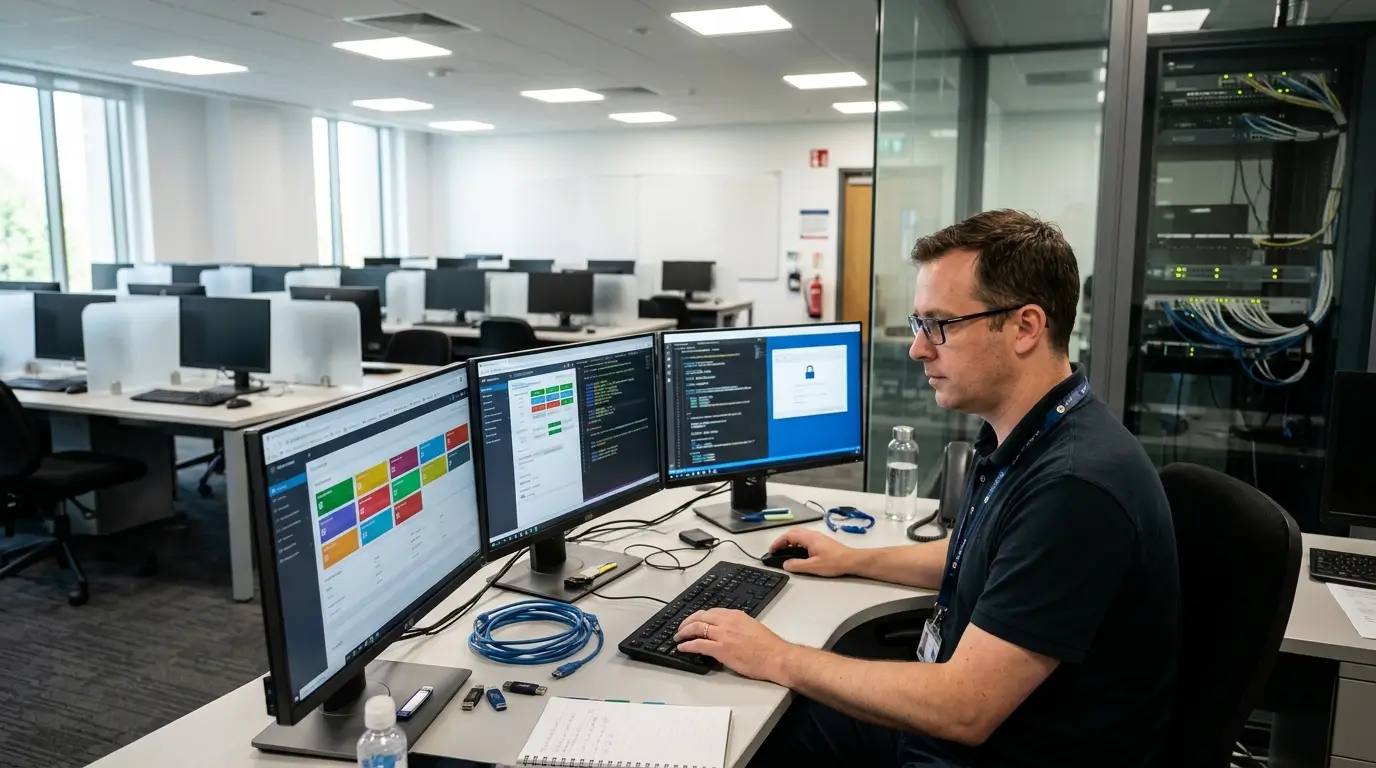
A lockdown browser limits what students can access on their computers while taking an online exam.
By blocking certain websites, applications, and device functions, it helps create a controlled testing environment where students have fewer opportunities to use unauthorized resources.
What Can a Secure Browser Restrict During an Exam?
Secure browsers can lock down specific computer functions to keep students focused on their assessments. Depending on the software and security settings, restrictions may include:
- Unauthorized Websites: Block additional tabs and websites outside the exam.
- Application Switching: Stop students from opening prohibited software.
- Copy and Paste: Limit copying, pasting, or sharing exam content.
- Keyboard Shortcuts: Disable shortcuts that could bypass restrictions.
- Screen Capture: Prevent screenshots and printing.
- Background Applications: Restrict programs running alongside the exam.
- Screen Sharing: Block unauthorized screen-sharing tools.
Not every lockdown browser offers identical controls. The restrictions available depend on the operating system and platform configuration.
What Is the Difference Between Browser Lockdown and Online Proctoring?
Browser lockdown controls what students can do on their devices. Online proctoring, meanwhile, monitors or records what happens during the examination.
Apporto ExamSpace offers another approach. It provides a controlled virtual workspace where educators choose which applications, files, websites, and network resources students can access. These methods address different security risks and can work together.
Can Students Still Cheat When Using a Lockdown Browser?
Yes. Lockdown browsers can restrict activity on the testing device, but they can’t completely prevent students from using physical notes, secondary devices, or outside assistance.
That’s why browser restrictions alone aren’t enough. Clear exam rules, well-designed assessments, and appropriate supervision help close the gaps that software restrictions cannot cover.
How Does Better Assessment Design Reduce Online Exam Cheating?

A well-designed exam can make cheating much harder, even before students start answering questions. Rather than depending entirely on monitoring software, you can create assessments that reward genuine understanding and make copied answers less useful. After all, knowing the answer and knowing how to apply it are two different things.
How Does Question Randomization Prevent Answer Sharing?
Question randomization reduces answer sharing by giving students different question sequences or rearranging the answer options.
You can take it further with larger question banks and multiple versions of the same exam. That way, students are less likely to encounter identical questions in the same order. There’s one thing to watch, though. Every version should have a similar difficulty level and follow consistent scoring rules to keep things fair.
Are Essay Questions and Application-Based Tests More Secure?
Essay questions and practical assessments can be harder to cheat on than multiple-choice tests focused mainly on memorization. Coding exercises, calculations, data analysis, and critical thinking questions require students to show how they arrived at an answer.
Apporto ExamSpace supports this approach by letting educators provide approved software, spreadsheets, datasets, and coding tools while keeping unauthorized resources off-limits. Of course, essays aren’t completely safe from cheating, particularly when students have access to unauthorized AI assistance.
Do Strict Time Limits Actually Prevent Cheating?
Reasonable time limits can discourage students from searching for answers or checking prohibited materials. But there’s a downside to making exams too rushed. Excessive time pressure can increase anxiety and create accessibility problems.
Set time limits around the actual work required, with room for approved accommodations. The goal is to measure understanding, not how fast someone can race through an exam.
How Can You Protect Exam Questions, Answers, and Test Content?

Exam questions and answer keys are valuable materials. Once they get leaked, the damage can carry over into future assessments. Students might already know the questions before sitting the test, making their scores much harder to trust. That’s why protecting exam content matters at every stage.
How Do Access Controls and Encryption Protect Assessment Content?
Role-based access control (RBAC) determines who can access specific information within an exam platform. Instructors might create questions, administrators handle exam settings, and students see only their assigned assessments.
The idea is simple: give people access to what they need, nothing more. Encryption helps protect data during transfer and storage. Controlled virtual workspaces can add further protection by restricting file transfers, clipboard use, printing, and other actions that could expose sensitive exam materials.
How Do Question Banks and Multiple Test Versions Limit Exposure?
Larger question banks and different exam versions make answer sharing less straightforward. When students receive questions in different orders or from different pools, copying someone else’s responses becomes harder.
But don’t keep recycling the same questions indefinitely. Regularly review your question bank, check for exposed content, and replace compromised items before they affect future assessments.
Why Are Audit Trails Important for Exam Security?
Audit trails help you piece together what happened during an exam. They record activities such as logins, permission changes, blocked actions, and submissions. For instance, Apporto ExamSpace provides timestamped policy events and session records that authorized faculty can review.
These records can help administrators investigate potential violations and understand the circumstances. Still, a recorded event isn’t automatically evidence of cheating. It needs proper review and context.
How Can Behavioral Analytics Help Detect Exam Irregularities?

Behavioral analytics looks for unusual patterns in how students take exams, from their answer timing to the way they interact with the testing platform. It can help you spot activity that deserves a closer look, including patterns that might be difficult to notice manually.
But here’s the catch. Unusual behavior isn’t necessarily cheating. Sometimes, there’s a perfectly reasonable explanation.
What Candidate Behaviors Can Analytics Identify?
Behavioral analytics can pick up patterns such as unusually quick responses, repeated connection interruptions, unexpected application activity, or frequent access attempts. It may also identify similarities in answers or timing across multiple exam sessions.
These findings can help administrators investigate individual incidents and broader patterns of suspicious activity. Still, a slow connection, different working habits, or technical glitches can produce unusual results. You need context before drawing conclusions.
How Can Exam Administrators Review Suspicious Activity Fairly?
When an exam platform flags something unusual, the next step shouldn’t be an automatic penalty.
Instead, administrators should follow a clear review process:
- Document the Event: Record the activity and when it occurred.
- Examine the Evidence: Check available recordings, audit trails, and system logs.
- Review Exam Rules: Determine whether the activity actually breaks a published policy.
- Consider Other Factors: Account for connection problems, technical issues, and approved accommodations.
- Use Human Judgment: Have an authorized reviewer assess the findings.
- Provide an Appeal Process: Document the decision and allow students to challenge it.
Timestamped events and blocked actions can help piece together what happened. The goal is to investigate fairly, not treat every unusual action as academic dishonesty.
How Can You Protect Student Privacy During Online Proctoring?
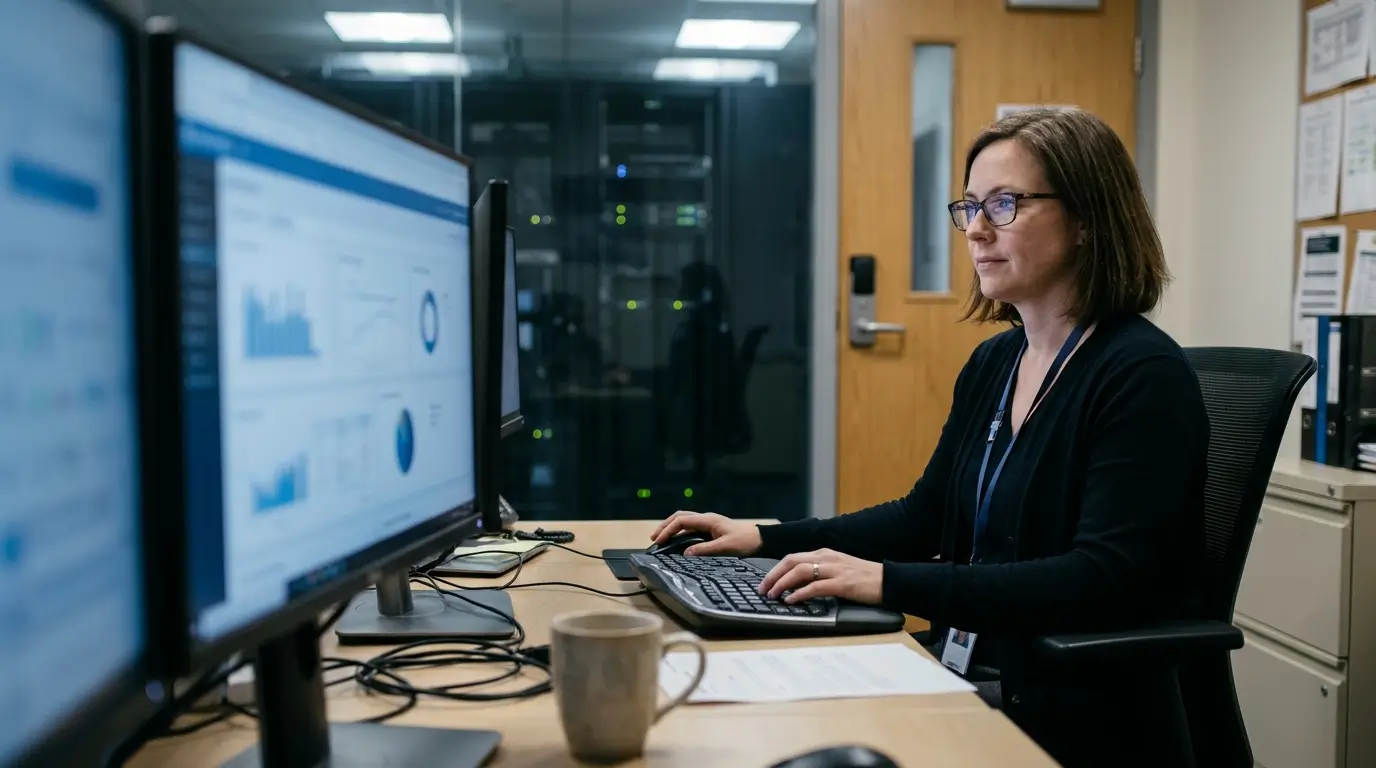
Online proctoring can help keep exams fair, but it also raises some uncomfortable privacy questions. After all, students may be asked to turn on their webcams, share their screens, or allow monitoring inside their homes.
More surveillance doesn’t automatically mean better security. Universities need to protect exam integrity without collecting more personal information than necessary.
What Personal Data Do Online Proctoring Platforms Collect?
Depending on the software, online proctoring platforms may collect student names, registration records, identity documents, and facial images. Some also record webcam footage, microphone audio, screen activity, and exam session logs.
The amount of data collected varies from platform to platform. Students should understand what’s being recorded, why it’s necessary, who can access it, and how long the information will be stored.
What Does GDPR Require for Online Exam Monitoring?
Under the General Data Protection Regulation (GDPR), organizations covered by the law need a valid legal basis for collecting and processing personal information. They must also be transparent about monitoring, limit unnecessary data collection, protect stored information, and set appropriate retention periods.
Biometric data used to identify students may require additional safeguards. And consent isn’t always the right legal basis, particularly when students have little choice about participating.
How Can Institutions Reduce Privacy Risks Without Weakening Exam Integrity?
Start by collecting only the information you genuinely need. Limit access to raw footage, use secure storage, and establish clear deletion schedules.
Students should also receive understandable privacy notices. Controlled exam environments can offer another option by restricting unauthorized applications and resources, potentially reducing reliance on continuous webcam monitoring. That way, you can protect academic integrity without making unnecessary surveillance part of every exam.
How Does Online Exam Security Affect Test Anxiety and Accessibility?
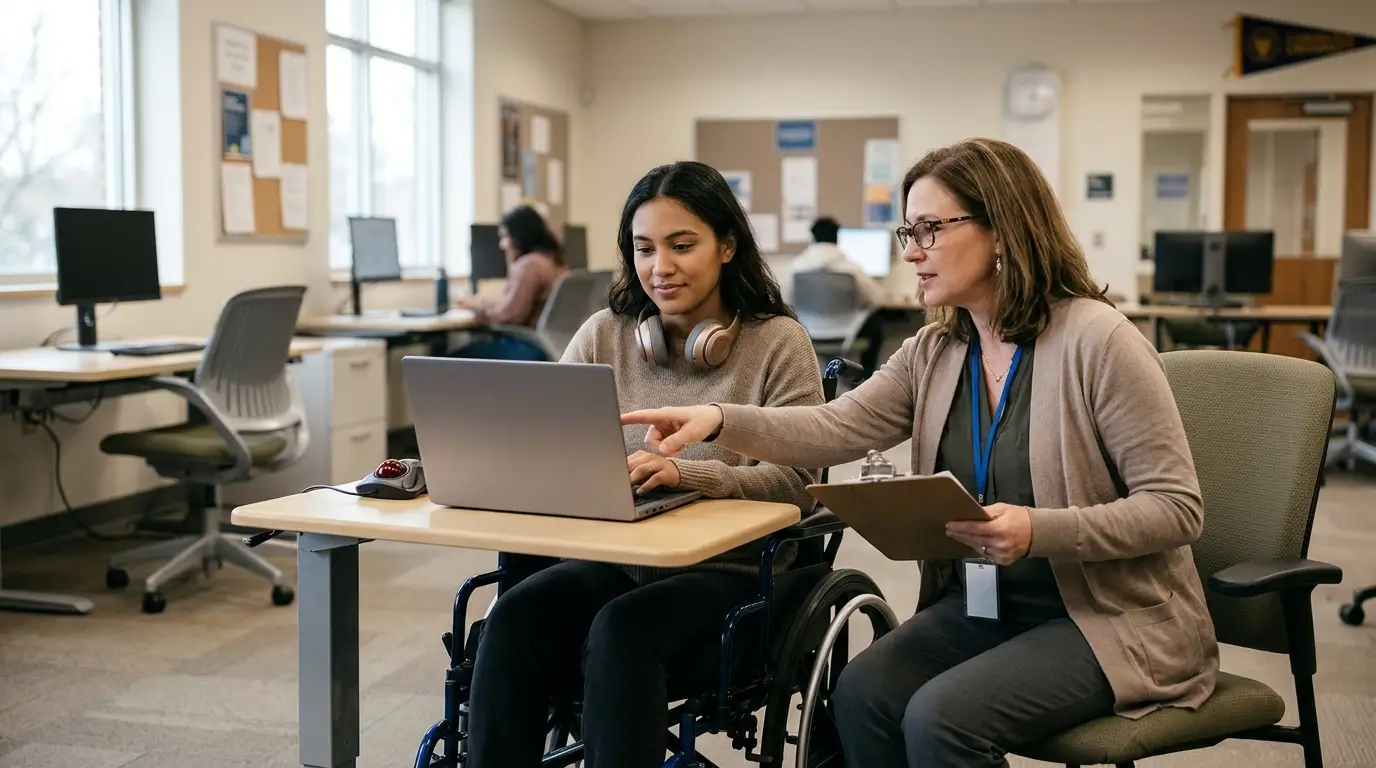
Keeping exams secure matters, but the security measures themselves shouldn’t make life harder for students.
Not everyone takes a test under the same conditions. Some students need assistive technology, others have approved accommodations, and many use their own devices. When security controls are too restrictive, they can end up affecting performance instead of protecting fairness.
Why Can Live Proctoring Increase Test Anxiety?
Being watched throughout an exam can make students nervous, even when they’ve done nothing wrong. Add concerns about privacy, technical glitches, or getting flagged for innocent behavior, and the pressure builds.
Clear instructions and transparent monitoring policies can help. Giving students a chance to try the proctoring system before exam day also makes the process feel less unfamiliar.
How Can You Make Secure Online Assessments More Accessible?
Start with the basics: approved accommodations, extra time where needed, accessible exam interfaces, and support for assistive technologies. Some students may also need alternatives to facial recognition for identity verification.
Secure browsers should work with screen readers and other accessibility tools. Otherwise, the technology meant to protect the exam could prevent someone from taking it.
Browser-based exam workspaces can make access easier by reducing software installation requirements on personal and university devices. Still, accessibility testing is essential. Every eligible student should have a fair opportunity to complete the assessment.
What Security Measures Should Be in Place Before an Online Exam Begins?

A little preparation can save you a lot of trouble on exam day. Security gaps, login issues, and unexpected software problems are much easier to handle before students start their assessments.
Your administrators should check everything in advance, from candidate access and exam settings to technical support.
Here’s a practical checklist:
- Candidate Registration: Verify student identities and confirm authorized exam attempts.
- Identity Verification: Set up ID checks, multi-factor authentication, and facial verification where required.
- Exam Rules: Clearly explain which websites, materials, devices, applications, and AI tools students can use.
- Device Compatibility: Test browsers, operating systems, webcams, and microphones.
- Testing Environment: Communicate workspace requirements and any necessary environment scans.
- Security Configuration: Review access permissions, file transfers, clipboard restrictions, and application controls.
- Question Delivery: Prepare question banks, randomized answers, and reasonable time limits.
- Technical Support: Have a clear plan for connection failures and interrupted sessions.
- Candidate Preparation: Provide practice tests and straightforward setup instructions.
- Review Procedures: Decide who investigates flagged activity and how students can appeal decisions.
Tools like Apporto ExamSpace can make preparation easier by letting faculty save and reuse approved applications, resources, and security settings without configuring every student’s device separately.
Before exam day, run a complete test, from student login and identity verification to final submission. It’s a simple step that can prevent plenty of headaches later.
What Features Should You Look for in a Secure Online Exam Platform?
Picking the right online exam platform takes more than comparing security features. You also need to consider student privacy, accessibility, administrative workload, and, of course, cost.
Some platforms specialize in remote proctoring. Others focus on restricting applications or providing controlled exam environments. And while AI-powered cheating detection sounds impressive, it’s worth checking what the software can actually do. Here’s what to look for:
| Feature | What to Evaluate |
|---|---|
| Identity Verification | ID checks, MFA, and candidate authentication |
| Browser Security | Application restrictions and device compatibility |
| Controlled Exam Environment | Approved applications, websites, files, and AI tools |
| Remote Proctoring | Live, recorded, automated, or hybrid options |
| AI Monitoring | Detection capabilities, false positives, and human review |
| Assessment Design | Question banks, randomization, and time controls |
| Access Management | Role-based permissions and administrator controls |
| Data Security | Encryption, secure storage, and retention policies |
| Audit Trails | Session records, policy events, and review evidence |
| Accessibility | Accommodations and assistive technology support |
| Integrations | LMS compatibility and exam workflows |
| Reliability | Session recovery and technical support |
| Pricing | Licensing, monitoring, storage, and support costs |
What Questions Should You Ask Before Choosing an Exam Security Solution?
Before signing up, ask about privacy policies, independent security assessments, false-positive rates, human oversight, accessibility, LMS integrations, and total costs.
For practical assessments that require approved software and resources, Apporto ExamSpace is worth considering alongside traditional proctoring tools. Most importantly, test the platform with your actual exams, applications, and student devices before rolling it out across your institution.
How Can Educational Institutions Build a Reliable Online Exam Security Strategy?

A reliable online exam security strategy takes more than installing proctoring software and hoping for the best. You need clear exam policies, suitable security controls, well-designed assessments, and people who know how to handle problems when they arise. Here are six practical steps to get it right:
1. Assess Exam Risks: Consider the importance of each exam, number of students, subject matter, and consequences of academic dishonesty.
2. Choose Suitable Controls: Use identity checks, secure browsers, controlled virtual environments, or remote proctoring based on the risks involved.
3. Improve Assessment Design: Include randomized questions, practical tasks, approved resources, and reasonable time limits to make cheating less appealing.
4. Protect Candidate Data: Secure personal information through encryption, limited access, clear privacy notices, and sensible retention policies.
5. Train Administrators: Make sure staff understand how to monitor exams, investigate suspicious activity, and handle student appeals fairly.
6. Test and Improve: Run trial exams, identify technical issues, gather feedback, and adjust security settings before wider use.
The key is consistency. Everyone should understand their responsibilities. For practical assessments, a purpose-built virtual exam environment can make these security controls easier to manage.
How Does Apporto ExamSpace Help Secure Online Exams?
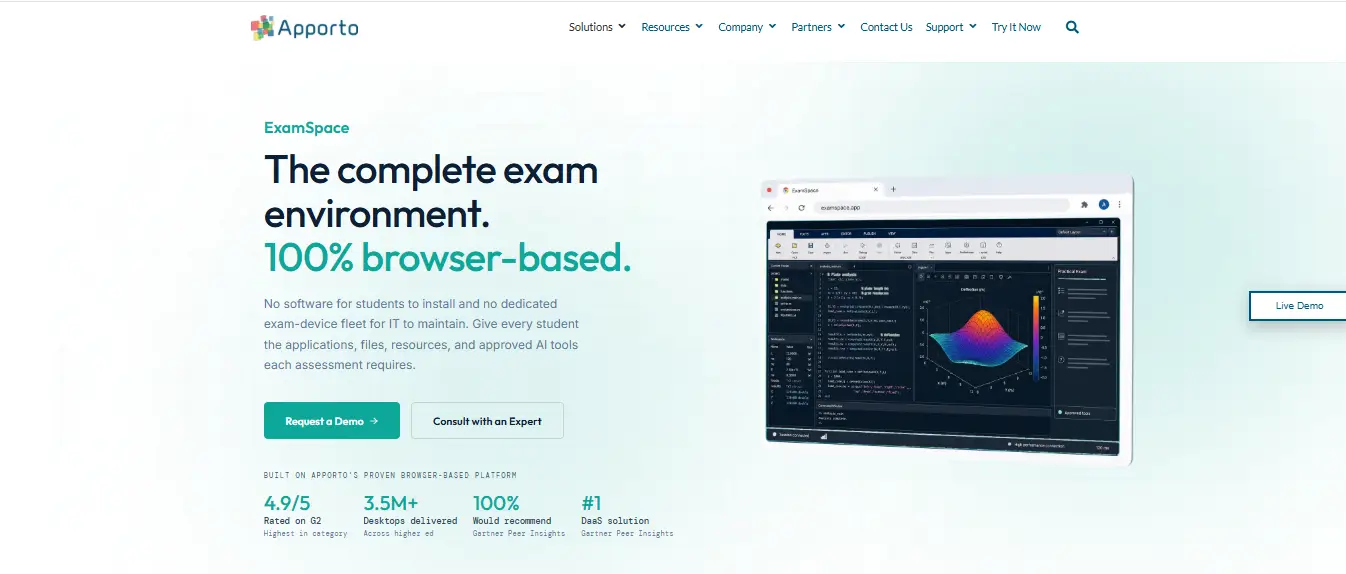
Apporto ExamSpace gives educators more control over what students can access during online assessments. Rather than depending entirely on webcam monitoring or traditional lockdown browsers, it provides a secure virtual workspace where faculty decide which applications, files, websites, and AI tools students can use.
How Does ExamSpace Control Access to Applications and Resources?
Apporto ExamSpace helps you manage exam resources without configuring every student’s computer separately.
Its main features include:
- Faculty-Defined Workspace: Choose which applications, datasets, websites, and AI tools students can access.
- Granular Security Controls: Restrict clipboard use, file transfers, printing, screen sharing, storage, and network access.
- Browser-Based Access: Let students launch exams without installing dedicated software.
- Reusable Configurations: Save application and security settings for future exams.
- Reviewable Activity: Check timestamped policy events, blocked actions, and session records.
Why Is ExamSpace Useful for Practical and Application-Based Assessments?
Not every exam can be completed with multiple-choice questions. Coding, engineering, and data analysis assessments often require actual software. ExamSpace lets students use approved applications, spreadsheets, datasets, and reference materials while keeping unauthorized resources off-limits.
It also integrates with Canvas, Blackboard, Moodle, D2L Brightspace, and Sakai, making exam delivery easier to manage. For universities, that means practical assessments with fewer device setup headaches and greater control over the testing environment.
Final Thoughts
Keeping online exams secure takes more than one tool. Identity checks, controlled access, appropriate monitoring, and well-designed assessments all have a part to play.
Still, technology alone can’t prevent every form of cheating. Clear rules, student privacy, accessibility, and human judgment matter just as much. A controlled virtual exam environment can make that job easier.
Apporto ExamSpace lets educators decide which applications, files, websites, and AI tools students can use during browser-based assessments. Students get access to the software they need without complicated installations, while faculty maintain control over the exam environment.
Looking to improve exam security at your university? Explore Apporto ExamSpace to see how it can help.
Frequently Asked Questions (FAQs)
1. What Is Online Exam Security?
Online exam security includes the tools, policies, and safeguards that protect student identities, exam questions, and testing environments. It helps universities reduce cheating, prevent unauthorized access, and make sure assessment results genuinely reflect what students know.
2. How Can You Prevent Cheating in an Online Exam?
Preventing cheating takes several safeguards working together. Identity checks, secure browsers, question randomization, and clear exam rules can reduce opportunities for academic dishonesty. Remote proctoring adds supervision when needed, but no method is completely foolproof.
3. Can AI Detect Cheating During Online Exams?
AI can flag unusual activity, such as multiple faces appearing on camera, attempts to open restricted applications, or unexpected screen behavior. But an alert doesn’t prove cheating. Someone still needs to review the evidence and understand what happened.
4. What Is the Difference Between Online Proctoring and a Lockdown Browser?
Online proctoring supervises or records student activity during exams, using human observers or automated tools. A lockdown browser restricts access to certain websites, applications, and computer functions. They tackle different security risks and can work together.
5. Can Online Exams Be Secure Without Proctoring?
Yes, online exams can be reasonably secure without continuous proctoring. Controlled virtual environments, identity verification, question banks, and thoughtful assessment design all help protect exam integrity. The right approach depends on the assessment’s importance and security requirements.
6. Are Online Proctoring Tools Safe for Student Privacy?
Online proctoring tools can protect student privacy when they’re configured responsibly. Universities should limit unnecessary data collection, encrypt recordings, restrict access, and establish clear deletion schedules. Students also need to understand what’s being recorded and why.
7. What Features Should a Secure Online Exam Platform Have?
Look for reliable identity verification, controlled access to exam resources, browser restrictions, appropriate monitoring, and detailed audit trails. Accessibility, data protection, question randomization, and dependable technical support also matter, particularly when you’re managing exams across an entire university.
