
Which Virtual Desktop Platform Is Better: Apporto or Citrix?
Apporto and Citrix both provide virtual desktops and remote application access, but they differ in complexity and deployment. Citrix offers extensive customization for large enterprises, while Apporto delivers a cloud-native, browser-based experience with simpler management, faster deployment, and reduced infrastructure requirements.
Virtual desktops are no longer reserved for large enterprises. As remote access becomes essential across businesses, educational institutions, and other organizations, many teams are reevaluating the platforms that support their users and workloads.
Rising infrastructure costs, growing management complexity, and stricter security requirements have made platform selection more important than ever.
This is where the Apporto vs Citrix comparison comes into focus. Both solutions provide access to virtual desktops and applications, but they take different approaches to deployment, management, and scalability.
In this guide, you’ll compare their features, security, pricing, performance, and overall user experience to determine which solution aligns best with your organization’s goals
What Is the Difference Between Apporto and Citrix?
Apporto and Citrix solve the same problem. Both platforms provide virtual desktops and applications that users can access remotely, helping organizations support hybrid work, centralized management, and secure access to business resources. The differences emerge when you look beneath the surface.
Citrix is one of the most established names in virtualization. Over the years, it has evolved into a powerful platform capable of supporting highly complex enterprise environments. Large organizations often choose Citrix because of its extensive customization options, advanced policy controls, and ability to support demanding workloads across diverse infrastructure environments.
Apporto takes a different path. Rather than building around traditional VDI architecture, it was designed as a cloud-native platform from the start. The focus is on reducing complexity, eliminating unnecessary infrastructure, and making virtual desktop access easier for both administrators and end users. Instead of requiring dedicated software installations, Apporto operates directly through a web browser.
This distinction has a noticeable impact on deployment, management, and user experience. Citrix typically relies on a dedicated client application and often involves more planning, configuration, and ongoing administration. Apporto emphasizes simplicity, allowing users to access their digital workspace without downloads, VPNs, or extensive setup requirements.
For many organizations, the decision comes down to a simple question: do you need the deep customization and enterprise-level complexity that Citrix provides, or would you benefit more from a streamlined platform that prioritizes ease of access and operational efficiency?
Main Differences
- Deployment Model Apporto is a cloud-native Desktop-as-a-Service platform, while Citrix supports cloud, hybrid, and traditional on-premises deployments.
- Access Methods Apporto provides browser-based access without software installation. Citrix generally requires users to download and install a dedicated client for the best experience.
- Infrastructure Requirements Apporto minimizes infrastructure demands and eliminates the need for on-premises data centers. Citrix often requires more extensive infrastructure planning and management.
- User Experience Apporto focuses on fast, straightforward access with fewer technical barriers. Citrix delivers a highly customizable experience designed for more complex environments.
- Management Approach Apporto reduces administrative overhead through simplified management. Citrix offers deeper control and customization but typically requires greater involvement from IT teams.
Now that the high-level differences are clear, the next step is understanding how each platform actually delivers virtual desktops and remote access behind the scenes. That architecture plays a major role in deployment complexity, scalability, and long-term operational costs.
How Do Apporto and Citrix Deliver Virtual Desktops?
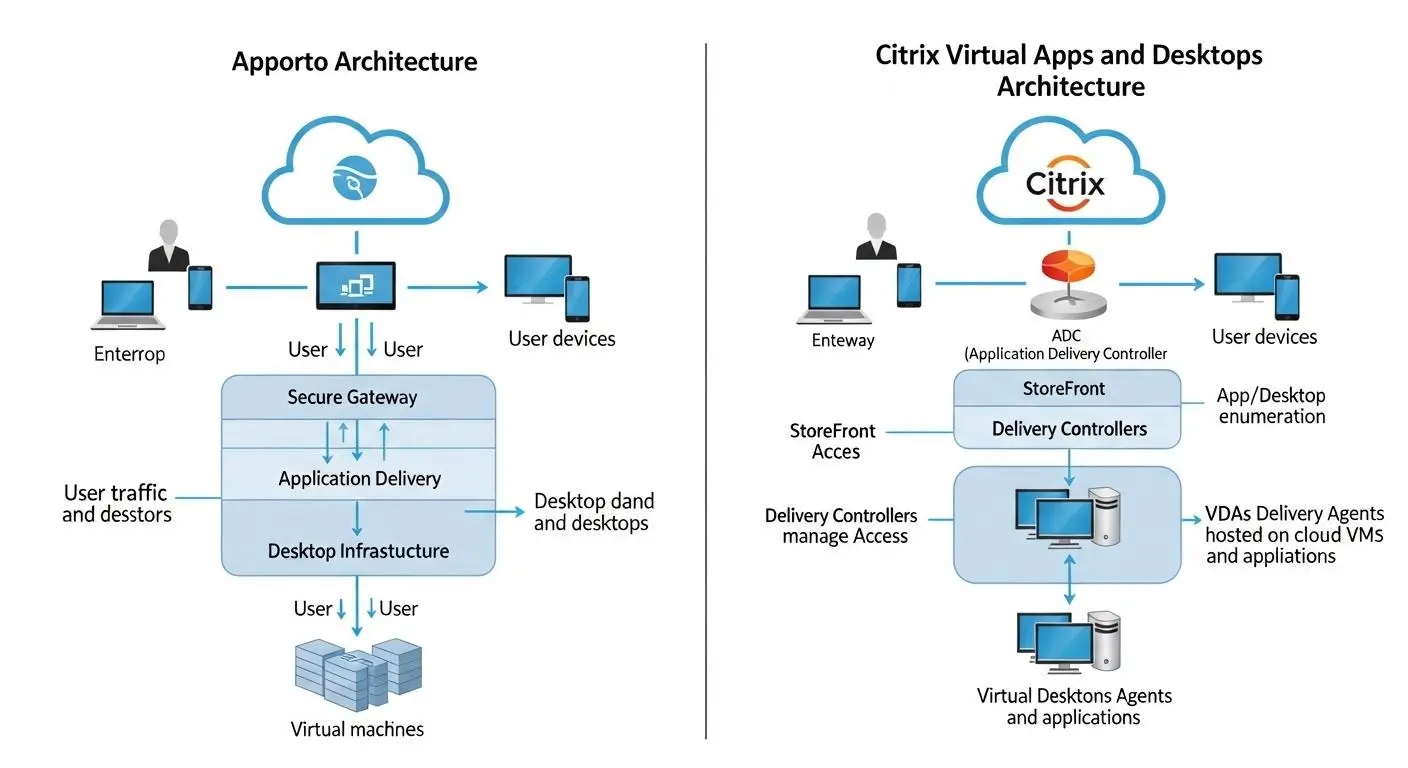
Before comparing deployment, pricing, or security, it’s helpful to understand how these platforms actually deliver virtual desktops. After all, the underlying architecture influences almost everything else, from user experience to management requirements.
At a basic level, virtual desktops allow users to access a complete desktop environment from a centralized location rather than relying solely on a physical device. Applications, files, and computing resources are hosted remotely, while users connect through an internet connection to access their workspace. This approach simplifies remote work, improves security, and makes it easier for organizations to manage resources across multiple locations.
Both Apporto and Citrix follow this general principle, but they use very different delivery models. One is built around traditional virtualization methods that have evolved over decades. The other was designed specifically for a cloud-first world where simplicity and accessibility are priorities.
How Does Citrix Deliver Remote Access?
Citrix VDI delivers virtual desktops through a mature virtualization platform that supports cloud, hybrid, and on-premises environments. Administrators can deploy resources within their own data centers, public cloud environments, or a combination of both.
When users connect to Citrix, they typically launch a dedicated client application that establishes a secure connection to hosted desktops and applications. The platform then streams the desktop experience from centralized infrastructure to the user’s device.
One of Citrix’s greatest strengths is flexibility. Large enterprises can build highly customized environments, apply granular policies, and manage thousands of users across different locations. Citrix also has a reputation for handling demanding workloads and peripheral devices effectively.
That flexibility, however, often comes with added complexity. More infrastructure, more configuration, and more ongoing management are usually required to keep everything running smoothly.
How Does Apporto Deliver Virtual Desktops Through the Browser?
Apporto takes a much simpler approach. Instead of relying on dedicated client software, the platform delivers virtual desktops directly through a web browser.
Users simply log in and access their desktop environment without downloads, installations, or VPN configurations. The desktop, applications, and files remain securely hosted in the cloud, while the browser serves as the access point.
This cloud-native model reduces much of the complexity traditionally associated with virtualization. Organizations can provide full Windows, Linux, and macOS virtual desktops without maintaining extensive on-premises infrastructure or managing complicated desktop images.
The result is a streamlined experience for both administrators and end users. Access becomes faster, deployment becomes easier, and support demands are often reduced. As you’ll see next, those architectural differences have a direct impact on how quickly each platform can be deployed and how much effort is required to manage it over time.
How Do Deployment and Setup Compare Between Apporto and Citrix?
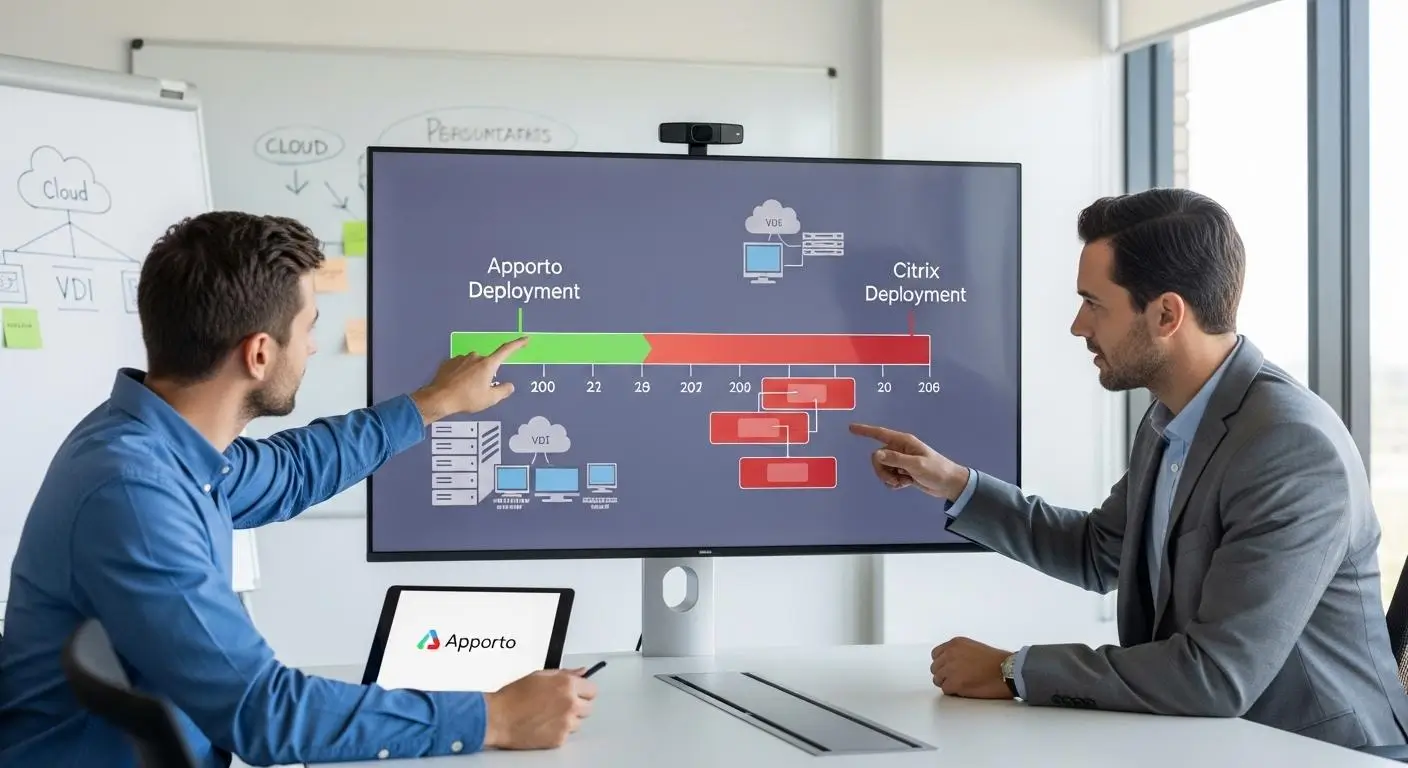
Architecture matters, but deployment is where organizations often feel the difference first. A virtual desktop platform may look impressive on paper, yet if implementation takes months, requires extensive infrastructure planning, or creates ongoing management challenges, the total value becomes harder to justify.
This is one area where Apporto and Citrix take noticeably different approaches.
Citrix has built its reputation on flexibility and enterprise-grade capabilities. That flexibility allows organizations to create highly customized environments, but customization often comes with additional setup requirements. More moving parts generally mean more planning, more configuration, and more resources devoted to long-term maintenance.
Apporto was built with a different objective. The platform focuses on reducing deployment complexity and accelerating time to value. By removing much of the infrastructure burden traditionally associated with virtual desktops, organizations can get users up and running much faster.
Why Does Citrix Typically Require More Setup and Maintenance?
Citrix supports cloud, hybrid, and on-premises deployments, giving organizations significant control over how their environments are structured. That control can be valuable, especially in large enterprises with unique compliance requirements or specialized workloads.
A Citrix deployment often involves configuring multiple components, managing infrastructure resources, establishing networking requirements, maintaining desktop images, and deploying endpoint clients. Organizations with existing on-premises infrastructure may spend considerable time integrating and optimizing their environment before users gain access.
Administrators also carry much of the ongoing responsibility. System updates, image management, policy configuration, capacity planning, and troubleshooting all require attention over time. For larger organizations, this may be an acceptable tradeoff. For lean IT teams, it can become a significant operational burden.
How Does Apporto Simplify Deployment?
Apporto removes many of the traditional barriers associated with virtual desktop deployment. Because the platform is cloud-native, organizations do not need to build or maintain on-premises data centers to deliver virtual desktops.
Users access their environments directly through a web browser, eliminating software installations and VPN requirements. Administrators can avoid many of the challenges associated with complicated image management, infrastructure provisioning, and endpoint configuration.
The result is a deployment model designed around simplicity. Instead of spending weeks or months assembling infrastructure, organizations can focus on delivering secure access to users quickly. This streamlined approach also reduces long-term management demands, allowing IT teams to spend less time maintaining systems and more time supporting strategic initiatives.
Deployment Comparison Table
| Category | Apporto | Citrix |
|---|---|---|
| Setup Time | Fast deployment with minimal configuration requirements | Often requires longer planning, configuration, and implementation timelines |
| Infrastructure | Cloud-native platform with no need for on-premises data centers | Can require extensive cloud, hybrid, or on-premises infrastructure |
| VPN Requirement | No VPN required for desktop access | VPNs may be required depending on deployment architecture |
| Client Installation | Browser-based access with no software installation | Typically requires a dedicated endpoint client |
| Maintenance | Reduced maintenance through simplified architecture | Higher maintenance due to infrastructure and environment management |
| Administration Effort | Lower administrative overhead for IT teams | Greater involvement from administrators for setup and ongoing management |
Deployment is only part of the equation, though. Once a platform is up and running, the day-to-day experience becomes just as important. The next question is how easily users can access their desktops and how much effort is required to keep them productive.
Which Platform Is Easier for End Users to Access and Manage?
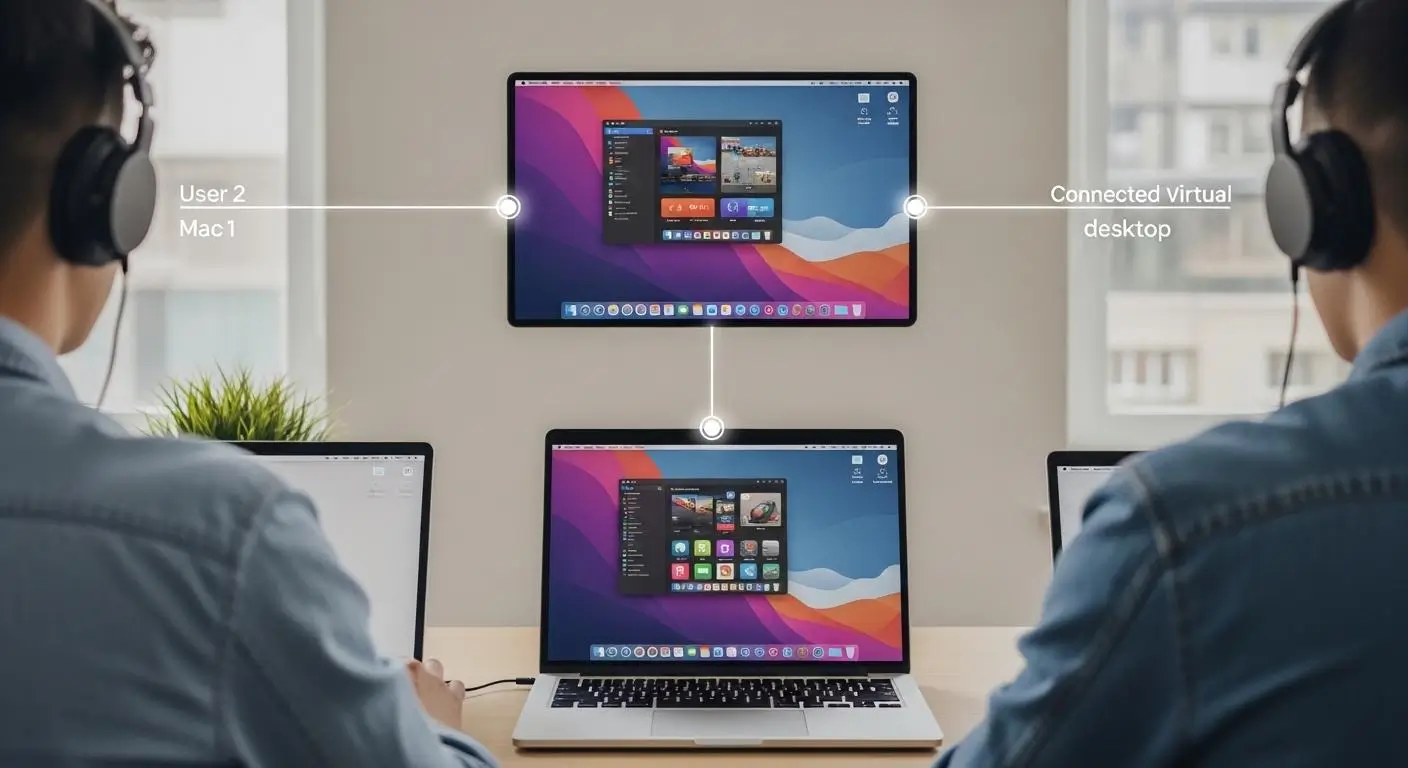
A virtual desktop platform can have impressive infrastructure, strong security, and endless customization options. None of that matters much if users struggle to access it. The most successful deployments are often the ones people barely think about. They log in, open their applications, and get to work.
This is where the user experience gap between Apporto and Citrix becomes more apparent.
Citrix provides a powerful remote access experience, but users often need to download and install a dedicated client before connecting. Depending on the organization’s configuration, they may also need additional setup steps, credentials, or VPN access. Once connected, the experience is typically reliable and feature-rich, especially in enterprise environments.
Apporto focuses on reducing those barriers. Users access their virtual desktops directly through a web browser, allowing them to connect quickly without downloading software or configuring additional tools. For organizations managing large groups of employees, students, or remote workers, that simplicity can significantly reduce onboarding time and support requests.
Device compatibility also plays an important role. Both platforms support access from Windows, Linux, and Mac devices, helping organizations accommodate diverse user needs. The difference lies in how much effort is required to get connected in the first place.
What Makes Virtual Desktop Access Frictionless?
- Browser-Based Access Users can connect directly through a web browser without installing additional software or managing complicated configurations.
- Minimal Download Requirements Reducing software downloads lowers onboarding time and eliminates common setup issues that often generate support tickets.
- Broad Device Support Access from Windows, Linux, Mac, Chromebooks, and other devices gives users greater flexibility without changing workflows.
- Stable Internet Connection Performance A reliable internet connection remains important, but modern cloud-based platforms are designed to deliver a consistent experience across different locations.
- Simple User Experience The fewer steps required to log in, launch applications, and access files, the more likely users are to adopt the platform successfully.
Ease of access improves productivity, but convenience alone isn’t enough. As organizations support more remote users and sensitive workloads, security becomes one of the most important factors in choosing a virtual desktop solution. That’s where the comparison between Apporto and Citrix becomes even more interesting.
How Do Security Features Compare Between Apporto and Citrix?
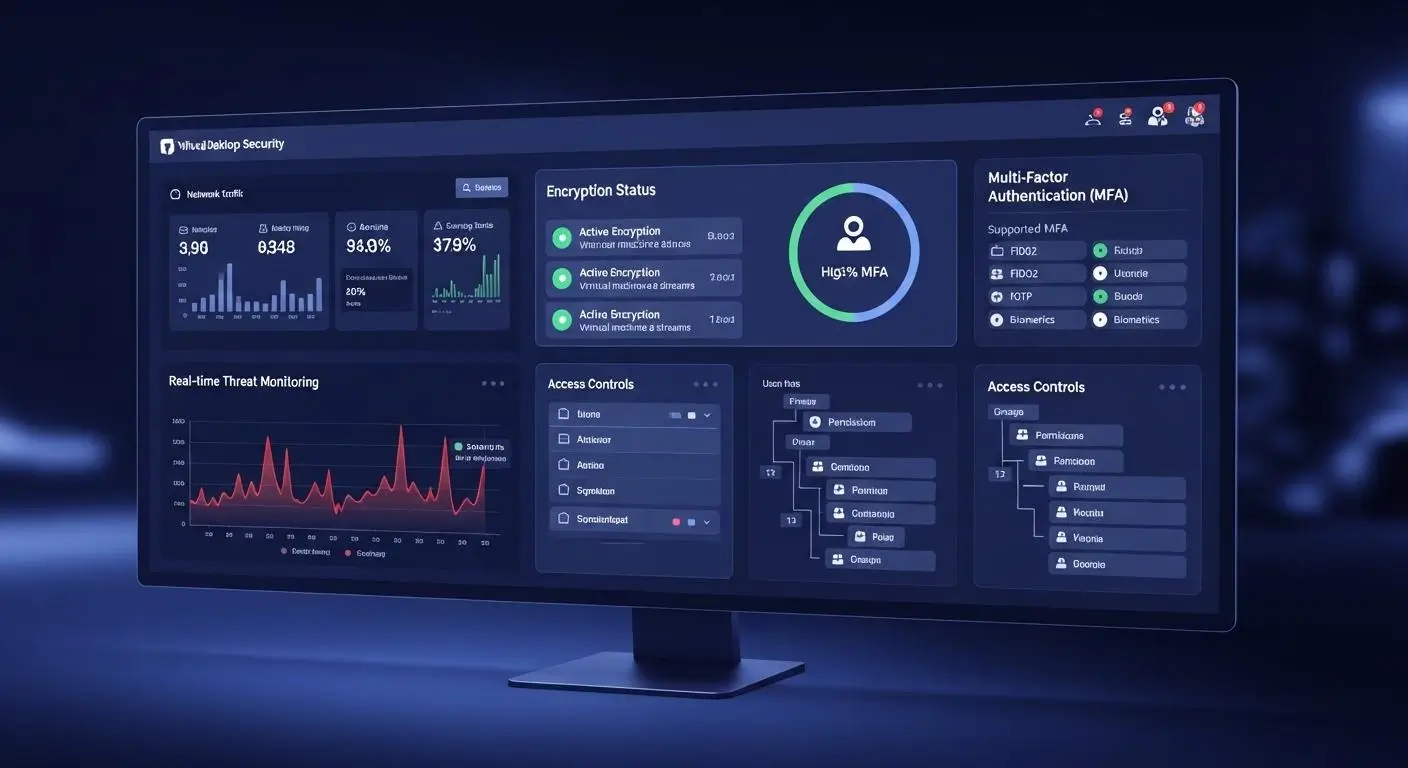
Security has become one of the biggest factors influencing virtual desktop decisions. A few years ago, organizations often focused on performance and remote access first, then evaluated security requirements afterward. Today, the order is usually reversed. If a platform cannot adequately protect data, users, and applications, everything else becomes secondary.
The challenge is that remote work has expanded the number of access points that organizations must secure. Employees, contractors, students, and administrators may connect from different devices, networks, and locations throughout the day. That reality demands a security model capable of protecting resources without creating unnecessary friction for users.
Both Apporto and Citrix take security seriously and support the core security protocols expected from a modern virtual desktop platform. Encryption, authentication controls, and secure remote access capabilities are available across both solutions. The difference lies in how those capabilities are delivered and managed.
Apporto was designed around a Zero Trust architecture, an approach that assumes no user or device should be trusted automatically. Every access request is continuously validated before resources are made available. Citrix, meanwhile, offers a mature security framework with extensive policy controls, compliance capabilities, and advanced management features designed for highly regulated environments.
What Security Features Should You Expect From Any VDI Platform?
When evaluating any virtual desktop solution, these security capabilities should be considered essential:
- Multi-Factor Authentication (MFA) Adds an additional layer of protection beyond passwords by requiring users to verify their identity through a second authentication factor.
- Encryption Protects data as it travels between users and virtual desktops, helping prevent unauthorized interception of sensitive information.
- Secure Remote Access Allows users to connect from different locations while maintaining strong access controls and security protections.
- Policy Management Enables administrators to define how users access applications, files, devices, and organizational resources.
- Security Monitoring Helps identify unusual activity, support auditing requirements, and improve threat detection across the environment.
Strong security is rarely the result of a single feature. Instead, it comes from multiple layers working together to protect users, data, and infrastructure without disrupting productivity.
Security Comparison Table
| Security Category | Apporto | Citrix |
|---|---|---|
| Zero Trust Architecture | Built on a Zero Trust architecture that continuously validates access requests | Supports Zero Trust initiatives through configurable security frameworks and controls |
| Multi-Factor Authentication | Supports modern authentication and secure access controls | Offers adaptive multi-factor authentication and advanced identity protections |
| Encryption | Supports core encryption protocols to protect data and user sessions | Provides robust encryption capabilities across applications, desktops, and data transfers |
| Policy Controls | Simplified security management focused on protecting users and resources | Advanced policy controls with granular configuration options for complex environments |
| Security Auditing | Provides monitoring and visibility into platform activity | Extensive security logs, auditing tools, and threat investigation capabilities |
| Compliance Certifications | Designed to support secure educational and business environments | Offers robust security features and compliance support for enterprise requirements |
For organizations handling sensitive information, security cannot be separated from usability. The most secure platform in the world provides little value if it slows down productivity or creates barriers for users. The next step is examining how Apporto and Citrix perform when organizations begin to scale, support larger workloads, and serve growing numbers of users.
How Do Performance and Scalability Compare at Enterprise Scale?

Once deployment and security requirements are addressed, performance becomes the next major consideration. Users expect virtual desktops to feel responsive, applications need to load quickly, and organizations want confidence that their platform can support future growth without constant reconfiguration.
Performance isn’t simply about speed. It also includes how effectively a platform handles increasing workloads, allocates resources, and maintains a consistent experience as more users connect. A solution that performs well with 100 users may encounter challenges at 5,000. That’s why scalability deserves as much attention as raw performance metrics.
Both Apporto and Citrix are designed to support virtual desktop environments, but they target different priorities. Citrix has built a reputation around enterprise-grade scalability and advanced workload management. Apporto focuses on delivering a streamlined, cloud-native experience that reduces complexity while maintaining strong performance.
Where Does Citrix Excel for Large Enterprises?
Citrix has spent decades refining its virtualization technology, and that maturity becomes particularly valuable in large enterprise environments.
Organizations supporting thousands of users often benefit from Citrix’s advanced management capabilities and ability to scale across complex infrastructures. Citrix DaaS is designed to accommodate significant increases in users without requiring a complete redesign of the environment. This makes it attractive for enterprises with aggressive growth plans or fluctuating workforce demands.
Another area where Citrix performs well is peripheral device support. Its mature delivery protocol handles specialized devices, multiple monitors, printers, scanners, and other hardware integrations with a high degree of reliability. For organizations with highly customized workflows, that flexibility can be a major advantage.
Where Does Apporto Excel for Simplicity and Speed?
Apporto approaches performance from a different angle. Rather than focusing on extensive customization, it emphasizes efficiency and accessibility.
Its cloud-native architecture removes many of the bottlenecks associated with traditional infrastructure. Users can access desktops quickly through a browser, while administrators spend less time managing underlying systems. This simplified model often translates into faster deployments and a more straightforward user experience.
For organizations prioritizing speed, ease of management, and predictable performance, Apporto offers a compelling Desktop-as-a-Service solution without the operational overhead that often accompanies more complex environments.
Performance Considerations
- Scalability Requirements Large enterprises with thousands of users may benefit from Citrix’s mature scalability capabilities and extensive management controls.
- Workload Complexity Organizations running specialized applications or complex workflows may value Citrix’s advanced functionality and peripheral device support.
- Deployment Speed Apporto’s cloud-native architecture allows organizations to deliver virtual desktops faster with fewer infrastructure dependencies.
- Resource Management Simplified resource allocation can reduce administrative workload while maintaining a consistent user experience.
- Long-Term Growth The best platform is often the one that balances current needs with future expansion plans without introducing unnecessary complexity.
Performance and scalability are important, but they only tell part of the story. For many organizations, the real deciding factor comes down to cost. A platform may offer impressive capabilities, yet if the pricing model becomes difficult to justify over time, those advantages can quickly lose their appeal.
How Do Pricing and Total Cost of Ownership Compare?
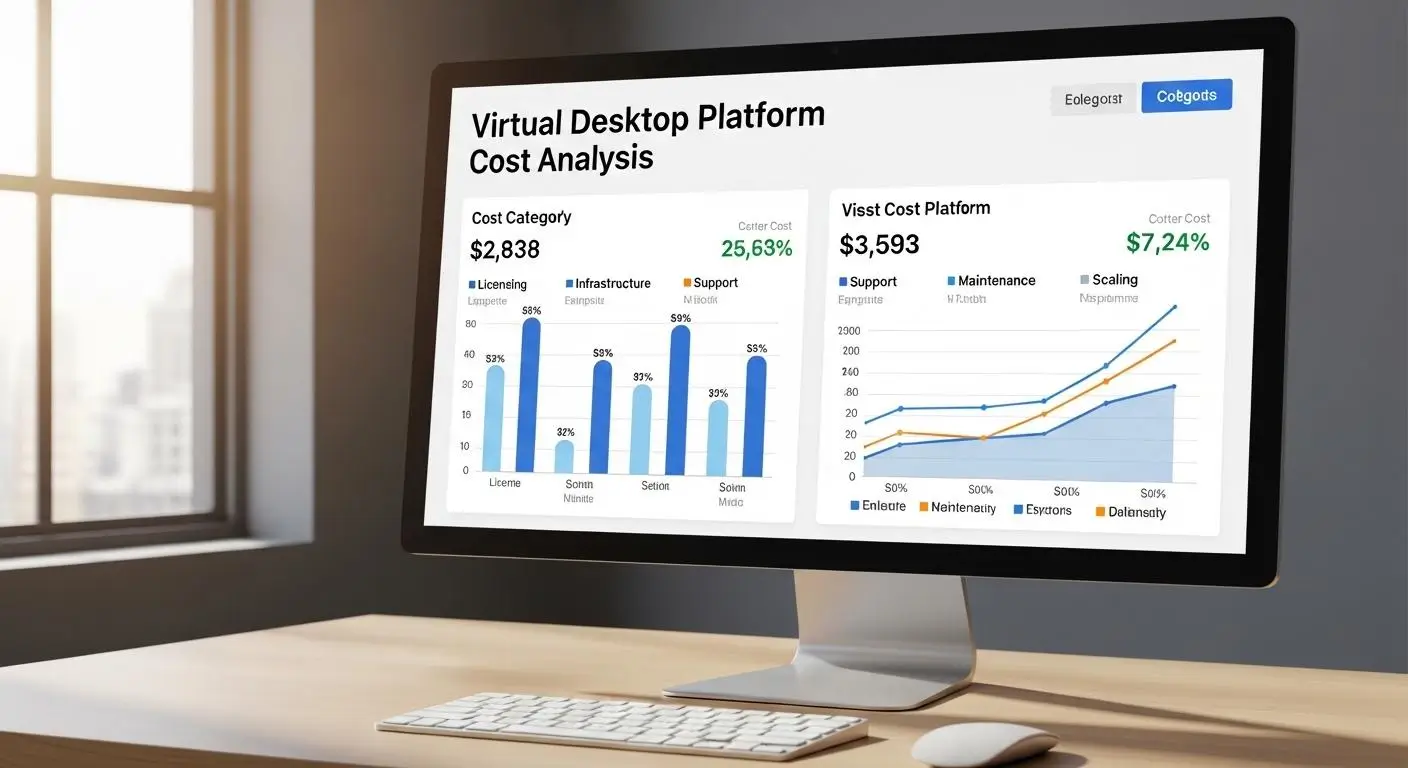
For many organizations, pricing becomes the turning point in the evaluation process. Performance, security, and scalability matter, but the long-term financial impact of a virtual desktop platform often determines whether a project moves forward.
The challenge is that licensing costs only tell part of the story. A platform may appear affordable at first, yet infrastructure investments, ongoing management requirements, support expenses, and future scaling costs can significantly increase the total cost of ownership.
That’s why organizations evaluating Apporto vs Citrix need to look beyond monthly subscription fees and consider the broader financial picture.
The difference becomes especially noticeable over time. What looks like a small pricing gap during procurement can become a substantial operational expense after several years of deployment and maintenance.
Why Is Citrix Often Viewed as a Higher-Cost Solution?
Citrix has long been positioned as an enterprise-grade platform, and its pricing generally reflects that positioning.
Citrix DaaS starts at approximately $10 per user per month, but the total investment often extends beyond licensing alone. Organizations may need to account for infrastructure resources, deployment planning, administrative labor, endpoint management, support requirements, and ongoing optimization efforts.
Another factor frequently discussed by customers is licensing complexity. Citrix licensing models can vary depending on deployment requirements, user counts, and feature selections. In recent years, some organizations have also reported licensing fee increases, creating additional pressure on long-term budgeting.
For large enterprises that rely on Citrix’s advanced functionality, these costs may be justified. The platform delivers significant capabilities, particularly for organizations managing highly customized environments at scale.
However, for businesses seeking simplicity and predictable spending, the overall financial commitment can be difficult to ignore.
How Does Apporto Reduce Operational Costs?
Apporto approaches pricing from a different perspective. Rather than requiring organizations to piece together multiple components, the platform uses an all-inclusive subscription model designed to simplify budgeting.
Because Apporto is cloud-native, organizations can avoid many of the expenses associated with maintaining on-premises infrastructure. There is no need to invest heavily in data center resources, manage complex image libraries, or support extensive endpoint software deployments.
Administrative costs can also be lower. Simpler deployment processes, browser-based access, and reduced infrastructure management requirements mean IT teams often spend less time maintaining the environment.
This doesn’t eliminate costs entirely, of course. Every virtual desktop platform requires investment. The difference is that Apporto focuses on reducing operational overhead and providing greater cost predictability over time.
For organizations looking to balance performance, security, and affordability, that predictability can become a significant advantage.
Pricing and Cost Comparison Table
| Cost Category | Apporto | Citrix |
|---|---|---|
| Licensing | All-inclusive subscription model with predictable costs | Citrix DaaS starts around $10 per user per month, with licensing varying by deployment and feature requirements |
| Infrastructure Costs | Cloud-native platform that reduces the need for on-premises infrastructure investments | May require significant infrastructure resources depending on cloud, hybrid, or on-premises deployment models |
| Management Costs | Lower administrative overhead due to simplified deployment and management | Higher management effort often required for configuration, optimization, and ongoing administration |
| Support Costs | Streamlined platform can reduce support demands and troubleshooting complexity | Larger environments may require additional support resources and specialized expertise |
| Scalability Costs | Designed to scale without major infrastructure expansion or hardware investments | Scaling can involve additional licensing, infrastructure resources, and operational planning |
Cost is often one of the biggest reasons organizations begin exploring alternatives in the first place. As budgets tighten and IT teams are asked to do more with fewer resources, many decision-makers start questioning whether the complexity associated with traditional VDI platforms is still worth the investment. That raises an important question: why are so many organizations actively looking beyond Citrix today?
Why Are Some Organizations Looking for Alternatives to Citrix?

Citrix remains one of the most recognized names in the virtual desktop market. Many large enterprises continue to rely on it successfully, particularly those with highly specialized requirements and established infrastructure investments.
At the same time, the VDI market has changed. Organizations today are often looking for faster deployments, simpler management, and more predictable costs. IT teams are under pressure to support growing numbers of users without continuously expanding administrative workload. As a result, many businesses are reevaluating platforms that were originally designed for a different era of virtualization.
This doesn’t mean Citrix is no longer effective. Far from it. The platform still excels in large, complex environments where customization and granular control are top priorities.
The reality is that many organizations no longer need that level of complexity. They need reliable virtual desktops, secure access, and a platform that can be deployed quickly without requiring months of planning or ongoing infrastructure management.
That changing priority has fueled interest in modern Citrix alternatives, particularly cloud-native solutions that focus on simplicity and operational efficiency.
Most Common Reasons Organizations Explore Citrix Alternatives
- Complexity Citrix offers extensive functionality, but many organizations find that the platform requires significant expertise to deploy, configure, and manage effectively.
- Cost Licensing expenses, infrastructure investments, and ongoing administrative requirements can increase the total cost of ownership over time.
- Infrastructure Burden Maintaining servers, managing resources, supporting hybrid environments, and overseeing infrastructure components can place substantial demands on IT teams.
- Long Deployment Timelines Organizations looking for rapid implementation may find that traditional VDI projects require more planning and setup than expected.
- Maintenance Requirements Routine updates, image management, policy adjustments, troubleshooting, and performance optimization often require continuous administrative attention.
Vendor fatigue is another factor that’s becoming harder to ignore. Many businesses are asking a simple question: if a modern platform can deliver secure virtual desktops with less complexity, fewer management demands, and faster deployment, why continue carrying the operational burden of a more complex solution?
That question leads directly to Apporto. While Citrix continues to serve large enterprise environments well, Apporto was built around a very different philosophy, one focused on simplicity, accessibility, and reducing the friction that often comes with traditional virtual desktop infrastructure.
Why Does Apporto Stand Out as a Modern Citrix Alternative?
By this point, a pattern has probably emerged. Citrix offers deep functionality, extensive customization, and proven scalability for large enterprise environments. Those strengths have helped it remain a major player in the virtual desktop market for decades.
Yet many organizations aren’t looking for more complexity. They’re looking for a solution that delivers secure virtual desktops without requiring extensive infrastructure, lengthy deployment projects, or ongoing administrative overhead.
Apporto was built as a cloud-native platform from the ground up. Instead of adapting traditional virtualization models to the cloud, it was designed specifically for modern access requirements. The result is a platform that simplifies delivery, reduces management burdens, and provides a more straightforward experience for both administrators and end users.
This approach has made Apporto particularly attractive to educational institutions, small and mid-sized businesses, and organizations that need secure access without the operational complexity often associated with legacy VDI platforms.
Another advantage is speed. Because users access virtual desktops directly through a browser, organizations can often deploy resources faster and support users with fewer technical hurdles. The platform also removes many of the infrastructure concerns that typically consume valuable IT resources.
For teams seeking flexibility, simplicity, and predictable costs, those benefits can be difficult to overlook.
What Makes Apporto Different?
- Browser-Based Access Users access virtual desktops directly through a web browser without downloading dedicated client software.
- No VPN Requirements Secure access is available without requiring traditional VPN configurations, reducing complexity for both users and administrators.
- No Software Installation End users can connect to desktops and applications without installing additional software on their devices.
- Zero Trust Security Apporto is built on a Zero Trust architecture that continuously validates access and helps protect organizational data.
- Windows, Linux, and macOS Support Organizations can deliver full Windows, Linux, and macOS virtual desktops from a single platform.
- Classroom-Specific Capabilities Educational institutions benefit from tools designed specifically for teaching and learning environments.
- Real-Time Instructor Monitoring Instructors can monitor classroom activity and provide guidance within virtual learning environments.
- Cost-Effective Subscription Model The all-inclusive approach helps simplify budgeting and reduce operational costs over time.
For organizations that value simplicity, fast deployment, and reduced infrastructure management, Apporto offers a compelling alternative to traditional VDI platforms. Try Apporto Now.
Of course, no platform is universally better in every situation. The right choice depends on your organization’s goals, resources, and long-term priorities. Let’s bring everything together and determine where each solution fits best.
Final Thoughts
The Apporto vs Citrix comparison ultimately comes down to priorities. Citrix remains a strong platform for large enterprises that require extensive customization, advanced policy controls, hybrid deployment options, and the ability to support highly complex environments at scale. Organizations with dedicated IT resources and existing Citrix investments may find that the platform’s depth justifies its complexity.
Apporto takes a different approach. It focuses on simplifying virtual desktop delivery through a cloud-native, browser-based experience that reduces infrastructure requirements, lowers operational overhead, and accelerates deployment. For educational institutions, growing businesses, and organizations looking for a more streamlined solution, those advantages can be significant.
There is no universal winner because every organization has different requirements. The better platform is the one that aligns with your budget, technical resources, security needs, and long-term goals.
If simplicity, fast access, predictable costs, and easier management are high on your list, Apporto is a solution worth serious consideration.
Frequently Asked Questions (FAQs)
1. Is Apporto a direct competitor to Citrix?
Yes. Both Apporto and Citrix provide virtual desktop solutions that enable secure remote access to applications and desktops. The primary difference is that Apporto focuses on cloud-native simplicity, while Citrix is designed to support highly customizable enterprise environments.
2. What is the biggest difference between Apporto and Citrix?
The biggest difference is how virtual desktops are delivered and managed. Apporto provides browser-based access without software installation or VPNs, while Citrix typically relies on dedicated clients, more extensive infrastructure, and greater administrative involvement.
3. Does Apporto require a VPN?
No. Apporto allows users to access virtual desktops directly through a web browser without requiring a VPN. This simplifies remote access, reduces onboarding complexity, and helps organizations provide secure access with fewer technical barriers.
4. Can Apporto support Windows, Linux, and macOS desktops?
Yes. Apporto supports full Windows, Linux, and macOS virtual desktops from a single platform. This flexibility allows organizations to support diverse user requirements without managing multiple virtual desktop solutions across different operating systems.
5. Why do some organizations move away from Citrix?
Many organizations explore alternatives because of licensing costs, deployment complexity, infrastructure requirements, and ongoing maintenance demands. While Citrix remains a powerful platform, some businesses prefer solutions that are easier to deploy, manage, and budget for over time.
6. Is Citrix better for large enterprise environments?
In many cases, yes. Citrix offers advanced policy controls, extensive customization capabilities, hybrid deployment options, and proven scalability. Large enterprises with complex requirements and dedicated IT resources often benefit from the depth and flexibility Citrix provides.
7. How does Apporto reduce infrastructure costs?
Apporto’s cloud-native architecture eliminates the need for extensive on-premises infrastructure and complicated image management. Combined with browser-based access and simplified administration, this can significantly reduce operational expenses and long-term infrastructure investments.
8. Is Apporto secure enough for education and business use?
Yes. Apporto is built on a Zero Trust architecture and supports modern security controls designed to protect users, applications, and organizational data. It is widely adopted by educational institutions and businesses that require secure remote access.
9. How long does it take to deploy Apporto?
Deployment timelines vary by organization, but Apporto is generally known for faster implementation compared to traditional VDI platforms. Its cloud-native design removes many infrastructure dependencies that can delay deployment and increase project complexity.
10. Which platform is easier to manage for small IT teams?
For most small and mid-sized IT teams, Apporto is typically easier to manage. Browser-based access, simplified deployment, reduced infrastructure requirements, and lower administrative overhead allow teams to focus more on users and less on platform maintenance.
