

What Is the Difference Between Apporto and Azure Virtual Desktop?
Apporto and Azure Virtual Desktop both provide cloud-based virtual desktops, but they differ in management and complexity. Azure Virtual Desktop offers extensive customization through Microsoft Azure, while Apporto delivers a fully managed, browser-based experience with simpler deployment, predictable costs, and reduced IT overhead.
Virtual desktops have become increasingly important as organizations support remote work and distributed teams. You need a way to provide secure access to applications, data, and desktops from almost any device while keeping management and costs under control.
That challenge has led many organizations to compare Apporto vs Azure Virtual Desktop. Both solutions deliver virtual desktop experiences through the cloud, but they take different approaches. Azure Virtual Desktop is built on Microsoft Azure and offers extensive customization and infrastructure control. Apporto, by contrast, provides a fully managed, browser-based experience designed to reduce IT overhead.
This guide compares deployment, security, scalability, management, pricing, and user experience to help you make an informed decision.
What Is the Difference Between Apporto and Azure Virtual Desktop?
Apporto and Azure Virtual Desktop solve the same challenge. Both platforms allow users to access virtual desktops, applications, and resources through the cloud without being tied to a specific physical device. Both support remote work, centralized management, and secure access to business resources.
The differences emerge when you look at how each platform is delivered and managed.
Azure Virtual Desktop, often referred to as Azure Virtual Desktop AVD, is an Infrastructure-as-a-Service solution built on Microsoft Azure. It gives organizations significant flexibility to configure virtual desktop infrastructure, manage Azure resources, customize environments, and control how desktops are deployed. This level of control appeals to enterprises with complex requirements and existing Microsoft investments.
Apporto takes a different approach. Instead of requiring organizations to manage underlying infrastructure, it provides a fully managed cloud based desktop experience. The platform focuses on simplifying desktop delivery, reducing administrative burden, and making virtual desktop access as straightforward as possible. Much of the complexity associated with infrastructure requirements is handled behind the scenes.
This difference influences nearly every aspect of the platform experience. Azure Virtual Desktop prioritizes flexibility and customization. Apporto prioritizes accessibility, ease of use, and operational efficiency.
Neither approach is inherently better. The right choice depends on how much control your organization needs, how much management responsibility your IT team is willing to assume, and how quickly you want users to access desktops and applications.
Main Differences
- Deployment Model: Apporto delivers a fully managed Desktop-as-a-Service experience, while Azure Virtual Desktop operates as an Infrastructure-as-a-Service platform built on Microsoft Azure.
- Management Responsibilities: Apporto handles much of the platform management for you. Azure Virtual Desktop requires IT teams to configure, manage, and optimize Azure resources.
- Infrastructure Ownership: Apporto minimizes infrastructure involvement for customers. Azure Virtual Desktop gives organizations greater ownership and control over their virtual desktop infrastructure.
- User Experience: Apporto emphasizes browser-based simplicity and quick access. Azure Virtual Desktop provides extensive customization options but may involve additional setup and administration.
- Scalability Approach: Azure Virtual Desktop offers granular control over scaling through Azure resources, while Apporto focuses on delivering scalable virtual desktops with less operational complexity.
These differences become even more apparent when you examine how each platform actually delivers virtual desktops, applications, and user sessions behind the scenes. That underlying architecture plays a major role in deployment speed, management effort, and long-term operational costs.
How Do Apporto and Azure Virtual Desktop Deliver Virtual Desktops?
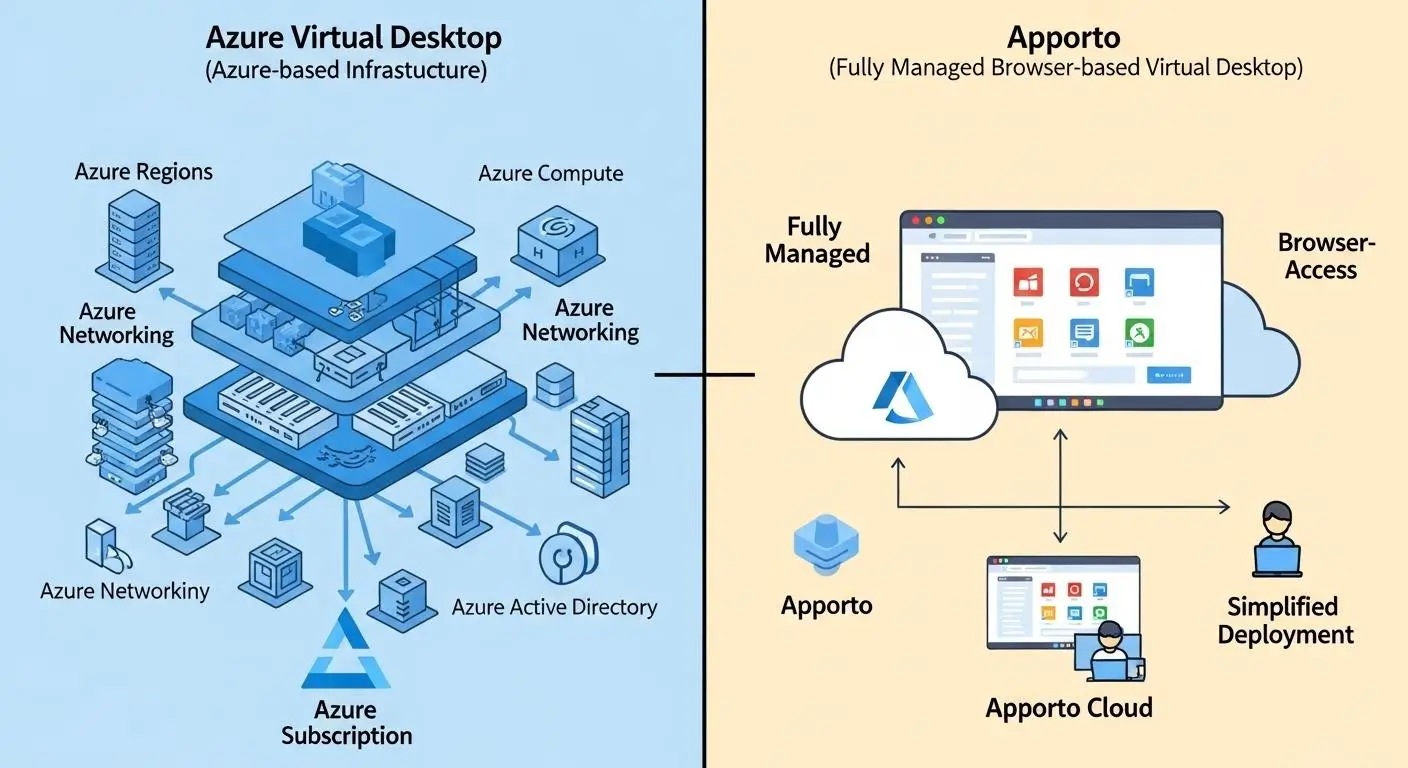
To understand the practical differences between these platforms, it helps to look at how they actually deliver virtual desktops to users.
At a basic level, virtual desktops separate the desktop environment from the physical device being used. Applications, data, and computing resources are hosted centrally, while users connect remotely to access their workspace. This approach allows organizations to provide consistent desktop experiences, simplify management, and support employees, students, and contractors from virtually any location.
Both Apporto and Azure Virtual Desktop follow this model, but they take very different routes to get there.
Azure Virtual Desktop is built on Microsoft Azure infrastructure and gives organizations extensive control over how virtual desktops are configured and delivered. Apporto focuses on providing a fully managed Desktop-as-a-Service experience that removes much of the underlying complexity.
These architectural choices influence everything from deployment and management to user experience and scalability.
How Does Azure Virtual Desktop Deliver Remote Desktops?
Azure Virtual Desktop delivers remote desktops through a collection of Azure resources that work together to provide desktop and application access.
Organizations create and manage session hosts running on Azure virtual machines, configure host pools, assign users, and determine how resources are allocated. Azure Virtual Desktop supports both pooled and personal desktop models. Pooled desktops allow multiple users to share resources efficiently, while personal desktops provide dedicated environments for individual users.
One of Azure Virtual Desktop’s most notable capabilities is support for multi-session Windows 10/11, allowing multiple users to access a single virtual machine simultaneously. This feature can improve resource utilization and reduce costs in certain deployments.
The platform also supports full desktops and published applications through app groups, giving organizations flexibility in how resources are delivered. For enterprises already invested in Microsoft technologies, this architecture offers a high degree of customization and control.
How Does Apporto Deliver a Fully Managed Desktop Experience?
Apporto takes a simpler approach. Rather than requiring organizations to manage Azure resources, virtual machines, networking, and desktop infrastructure.
Apporto delivers a fully managed DaaS solution. The platform handles much of the complexity behind the scenes, allowing IT teams to focus on users instead of infrastructure.
Users access desktops and applications through a browser based access model, eliminating the need for extensive client configuration. This makes it easier to provide access from almost any device while maintaining a consistent desktop experience.
The result is a streamlined delivery model designed around accessibility, simplicity, and rapid deployment. Those differences become especially important when you compare the setup process, infrastructure requirements, and administrative workload associated with each platform.
How Do Deployment and Setup Compare Between Apporto and Azure Virtual Desktop?

Deployment is often where the difference between a fully managed service and an infrastructure platform becomes impossible to ignore. On paper, both Apporto and Azure Virtual Desktop can deliver secure virtual desktops. In practice, the amount of work required to get there can vary considerably.
Organizations evaluating virtual desktop solutions are not just comparing features. They are also comparing implementation timelines, administrative effort, infrastructure requirements, and long-term management responsibilities. These factors have a direct impact on project costs, user adoption, and IT workload.
This is one area where Apporto and Azure Virtual Desktop take distinctly different approaches.
Azure Virtual Desktop provides extensive flexibility, but that flexibility comes with additional configuration requirements. Apporto focuses on reducing setup complexity and accelerating time to value through a fully managed delivery model.
Why Does Azure Virtual Desktop Require More Configuration?
Azure Virtual Desktop is built on Azure infrastructure, which means organizations are responsible for configuring many of the resources required to support the environment.
Before users can access desktops, IT teams typically need to provision Azure resources, configure networking, establish identity management policies, create host pools, deploy session hosts, and manage virtual machines. Organizations must also maintain an active Azure subscription and monitor ongoing infrastructure usage.
For enterprises with experienced Azure administrators, this level of control can be valuable. It allows teams to customize environments, optimize workloads, and align deployments with broader Microsoft strategies.
The tradeoff is complexity.
Azure Virtual Desktop generally requires more setup effort than fully managed platforms. The learning curve can be substantial, particularly for organizations without deep Azure expertise. Even after deployment, administrators remain responsible for managing many aspects of the underlying infrastructure.
How Does Apporto Simplify Deployment?
Apporto was designed to eliminate much of the operational burden associated with traditional virtual desktop deployments.
As a fully managed solution, Apporto handles much of the infrastructure complexity behind the scenes. Organizations do not need to spend time configuring Azure resources, managing virtual machines, or building extensive desktop environments before users can get started.
Fast deployment is one of the platform’s defining advantages. Instead of navigating multiple layers of configuration, organizations can focus on delivering desktops and applications to users quickly.
This streamlined approach also reduces demands on IT teams. Less time spent managing infrastructure means more time available for strategic initiatives, user support, and innovation.
Deployment Comparison Table
| Category | Apporto | Azure Virtual Desktop |
|---|---|---|
| Setup Time | Rapid deployment with minimal configuration requirements | Typically requires more planning, resource provisioning, and environment configuration |
| Infrastructure Requirements | Fully managed platform with reduced infrastructure involvement | Requires Azure infrastructure, virtual machines, networking, and supporting resources |
| Azure Resource Management | Managed by the platform, reducing administrative effort | IT teams must configure and manage Azure resources through the Azure portal |
| IT Overhead | Low ongoing administrative burden | Higher management responsibility for deployment, optimization, and maintenance |
| User Onboarding | Simple onboarding with browser-based access | User access depends on environment configuration and organizational policies |
Deployment is only the first step, though. Once the platform is operational, the next question becomes much more practical: how easy is it for users to access their desktops and applications on a daily basis?
Which Platform Is Easier for End Users to Access?

A virtual desktop platform can have impressive infrastructure, advanced security controls, and extensive customization options. None of that matters much if users struggle to access it. In many organizations, the quality of the user experience is judged by a simple question: how quickly can someone log in and start working?
This is where the differences between Apporto and Azure Virtual Desktop become more noticeable.
Azure Virtual Desktop provides remote access from virtually any device and supports a wide range of use cases. Users can connect to desktops and applications from Windows, macOS, Linux, mobile devices, and web browsers. For organizations already operating within the Microsoft ecosystem, this flexibility can be a major advantage.
Apporto focuses on reducing friction. The platform was designed around accessibility, making it easy for users to access desktops and applications without navigating complicated setup processes. Instead of relying heavily on installed software, users can connect through a browser and begin working quickly.
The result is a more streamlined onboarding experience, particularly for organizations supporting large numbers of students, employees, contractors, or remote workers. Fewer technical barriers generally mean fewer support requests and faster adoption.
What Makes Virtual Desktop Access Simpler?
- Browser-Based: Access Apporto provides browser based access, allowing users to connect to desktops and applications directly through a web browser without extensive configuration.
- Minimal Installed Software Requirements: Reducing dependency on installed software simplifies onboarding and eliminates many common setup challenges.
- Access From Almost Any Device: Both platforms support access across multiple device types, including laptops, desktops, tablets, and other endpoints.
- Support for Remote Work: Reliable remote access allows users to stay productive regardless of location while maintaining a consistent desktop experience.
- Simplified User Experience: A streamlined login process and intuitive access model help users get to their applications faster with less training and support.
Ease of access improves adoption, but convenience alone isn’t enough. Organizations also need confidence that their desktops, applications, and data remain protected. Security requirements continue to grow, especially as more users connect from different devices and locations. That’s where the comparison between Apporto and Azure Virtual Desktop becomes particularly important.
How Do Security Features Compare Between Apporto and Azure Virtual Desktop?

Security sits at the center of every virtual desktop decision. Organizations are no longer securing a single office network with a predictable set of users. Employees, students, contractors, and external users may access applications and data from different devices, locations, and networks throughout the day. As a result, secure access has become a business requirement rather than a technical preference.
Virtual desktop platforms help address this challenge by centralizing desktops, applications, and data within controlled environments. Instead of storing sensitive information directly on endpoint devices, organizations can maintain stronger oversight while reducing exposure to security risks.
Both Apporto and Azure Virtual Desktop provide security capabilities designed to protect users and organizational resources. The difference lies in how much control and management responsibility your IT team wants to assume.
Azure Virtual Desktop benefits from Microsoft’s extensive security ecosystem, offering enterprise-grade security features, identity management tools, and deep integration with Azure services. Apporto takes a more streamlined approach, providing simplified security management that reduces administrative complexity while maintaining strong protections for users and data.
What Security Features Should Every Virtual Desktop Platform Include?
Regardless of platform choice, several security capabilities should be considered essential:
- Encryption: Data should remain encrypted while in transit and during desktop sessions to help prevent unauthorized access and protect sensitive information.
- Conditional Access: Organizations need the ability to define access policies based on user identity, device status, location, and other risk factors.
- Identity Management: Strong identity controls help ensure that only authorized users gain access to applications, desktops, and resources.
- Access Control: Role based access controls allow administrators to manage permissions and limit access to sensitive systems and data.
- Security Monitoring: Continuous visibility into user activity and platform events helps organizations detect threats and respond more effectively.
Strong security rarely depends on a single feature. Instead, it comes from multiple layers working together to reduce risk without creating unnecessary friction for users.
Security Comparison Table
| Security Category | Apporto | Azure Virtual Desktop |
|---|---|---|
| Zero Trust Architecture | Supports secure access through centralized desktop delivery and simplified security management practices | Built on a Zero Trust architecture that continuously verifies users, devices, and access requests |
| Encryption | Protects desktop sessions and user access through modern security controls | All communication is encrypted to help secure data and desktop sessions |
| Identity Management | Simplifies user authentication and access administration | Integrates with Azure Active Directory for centralized identity management and authentication |
| Access Controls | Supports controlled access to desktops, applications, and resources | Offers conditional access policies, role-based access controls, and detailed security configurations |
| Threat Protection | Provides secure access through a managed platform model | Integrates with Microsoft Defender for Endpoint to strengthen threat detection and response capabilities |
| Security Monitoring | Simplified monitoring and management designed to reduce administrative burden | Extensive security visibility across Azure resources, user activity, and desktop environments |
Azure Virtual Desktop also supports Azure Private Link, which enables organizations to connect to desktop resources privately without exposing traffic to the public internet. Combined with Microsoft’s broader security ecosystem, this provides a high degree of control for enterprises with complex requirements.
Of course, security is only part of the equation. A platform can offer extensive protection, but organizations also need confidence that it can scale efficiently and maintain performance as user demands grow over time.
How Do Performance and Scalability Compare?
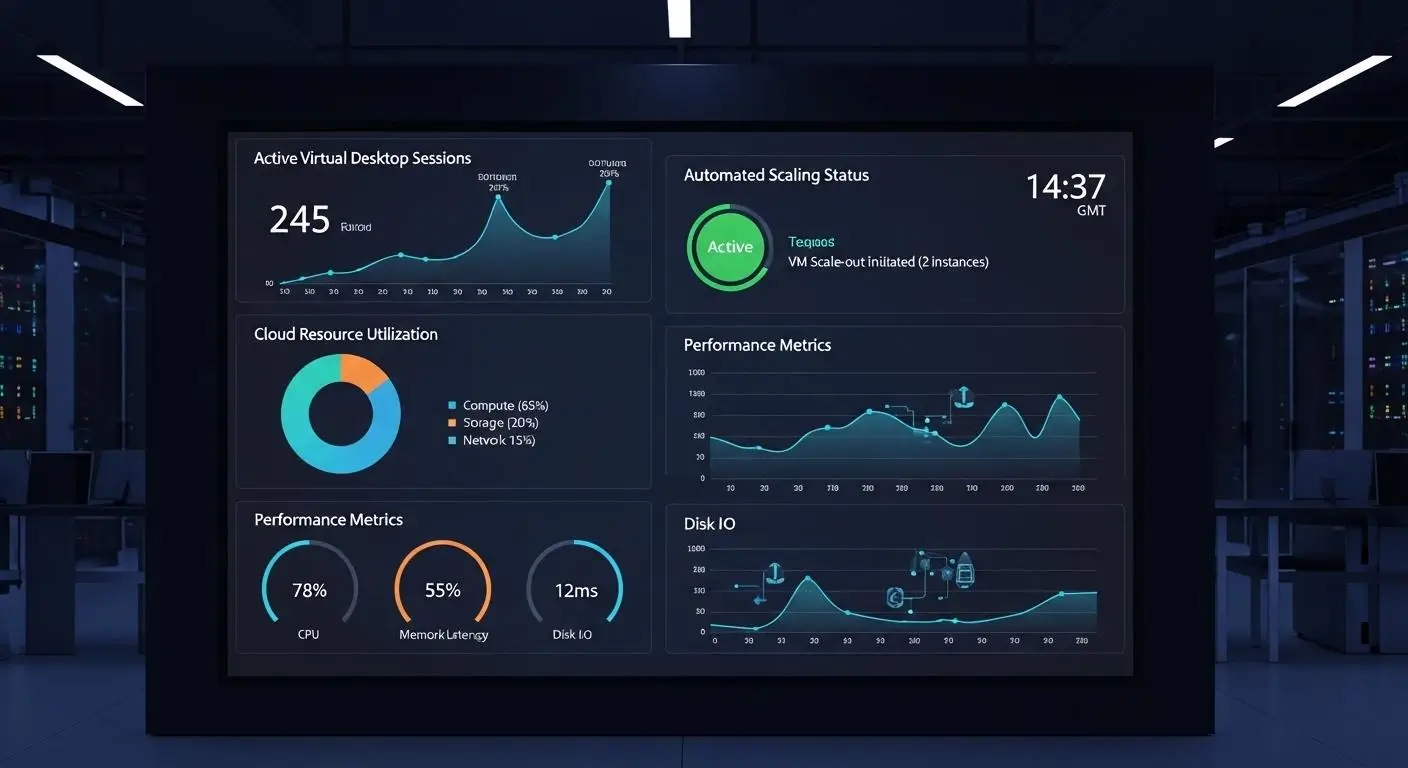
Security and accessibility are essential, but long-term success often depends on performance and scalability. A virtual desktop platform must do more than work well today. It needs to support growth, adapt to changing workloads, and maintain a consistent user experience as demands increase.
This is where the architectural differences between Apporto and Azure Virtual Desktop become particularly important.
Both platforms are designed to deliver reliable virtual desktops, but they approach resource allocation and scalability from different perspectives. Azure Virtual Desktop gives organizations significant control over how resources are deployed and managed. Apporto focuses on providing predictable desktop delivery with less operational complexity.
The right approach depends on your organization’s priorities. Some IT teams want maximum control over performance tuning and workload management. Others prefer a platform that handles much of that complexity automatically.
Where Does Azure Virtual Desktop Excel?
Azure Virtual Desktop performs especially well in organizations that require flexibility and granular control over their cloud resources.
Because it runs on Microsoft Azure, administrators can scale resources up or down as needed without purchasing new hardware. Organizations can create host pools, distribute workloads through load balancing, and allocate resources based on changing business requirements.
One of Azure Virtual Desktop’s biggest advantages is support for multi-session Windows 10/11. This allows multiple users to share a single virtual machine, improving resource efficiency while helping control costs. For organizations supporting large user populations, this capability can be particularly valuable.
Azure Virtual Desktop also supports dedicated performance options through personal desktop deployments. This allows users with demanding workloads to receive dedicated resources while maintaining centralized management and security controls.
Where Does Apporto Excel?
Apporto approaches performance from a simplicity-first mindset.
Instead of requiring administrators to continuously manage infrastructure and optimize resource allocation, the platform is designed to provide predictable desktop delivery through a fully managed environment. This reduces operational burden while helping users maintain a consistent experience.
Apporto’s cloud-native architecture also supports scalability without requiring extensive infrastructure planning. As demand changes, organizations can expand virtual desktop availability without introducing significant complexity into day-to-day operations.
For many organizations, particularly those with smaller IT teams, this balance of performance and simplicity can be a meaningful advantage.
Core Performance Considerations
- Instant Scaling: Azure Virtual Desktop allows organizations to scale resources up or down quickly using Azure infrastructure.
- Multi-Session Efficiency: Support for multi-session Windows 10/11 helps organizations serve multiple users while optimizing resource utilization.
- Dedicated Performance Options: Personal desktop deployments provide dedicated resources for users with specialized workload requirements.
- Simplified Management: Apporto reduces the need for ongoing infrastructure optimization through a fully managed delivery model.
- Predictable User Experience: Consistent desktop delivery helps organizations support users without extensive performance tuning and administration.
Performance and scalability influence operational success, but cost often determines whether a platform remains sustainable over time. The next step is examining how Apporto and Azure Virtual Desktop compare when it comes to pricing models, infrastructure expenses, and total cost of ownership.
How Do Pricing and Total Cost of Ownership Compare?

Pricing is often where virtual desktop decisions become more complicated than expected. Two platforms may appear similar on the surface, yet the long-term financial impact can be dramatically different once infrastructure, management, licensing, and operational expenses are factored into the equation.
This is especially true when comparing a fully managed Desktop-as-a-Service platform with an infrastructure-driven solution.
Looking only at subscription fees rarely tells the full story. Organizations also need to consider compute costs, storage pricing, administrative labor, resource consumption, and future scalability requirements. Over time, these variables can have a greater impact on total cost of ownership than the initial licensing model itself.
The contrast between Apporto and Azure Virtual Desktop highlights this reality quite clearly.
Why Can Azure Virtual Desktop Costs Become Difficult to Predict?
Azure Virtual Desktop uses a consumption-based pricing model, which provides flexibility but can also introduce budgeting challenges.
Organizations pay for the Azure resources they consume, including virtual machines, storage, networking, and supporting services. This model allows businesses to scale resources as needed and avoid large upfront hardware investments. In theory, that sounds efficient. In practice, cost management requires ongoing attention.
Compute costs often represent the largest expense. As virtual machines run longer, host more users, or support more demanding workloads, monthly expenses can increase. Storage pricing also varies depending on capacity requirements and usage patterns.
Microsoft licensing considerations add another layer to the equation. While eligible Microsoft 365 licenses may provide access rights to Azure Virtual Desktop without additional licensing costs, organizations still need to account for the Azure infrastructure supporting those environments.
Reserved instances can help reduce expenses by committing to longer-term resource usage. However, they also require planning and accurate forecasting.
Without careful monitoring, costs can rise unexpectedly. Additional virtual machines, expanded storage requirements, increased workloads, or inefficient resource allocation can create cost spikes that make budgeting more difficult.
For organizations with experienced Azure administrators, these variables may be manageable. For smaller teams, they can introduce uncertainty into long-term financial planning.
How Does Apporto Deliver More Predictable Costs?
Apporto takes a different approach by emphasizing predictable pricing and simplified cost management.
Rather than requiring organizations to track multiple infrastructure variables, Apporto generally uses a per-user pricing model. This makes it easier to forecast expenses as user counts grow and organizational needs evolve.
The platform’s fully managed architecture also reduces many of the hidden costs commonly associated with virtual desktop infrastructure. Organizations do not need to manage Azure resources, monitor virtual machine consumption, optimize storage utilization, or continually adjust infrastructure configurations to control spending.
Administrative savings can be just as important as direct infrastructure savings. Less time spent managing resources often translates into lower operational costs and greater efficiency for IT teams.
For organizations seeking financial predictability, that simplicity can be a significant advantage.
Cost Comparison Table
| Cost Category | Apporto | Azure Virtual Desktop |
|---|---|---|
| Licensing | Typically uses a per-user pricing model with straightforward budgeting | May include Microsoft licensing considerations and user access rights requirements |
| Infrastructure Costs | Fully managed service with reduced infrastructure responsibility | Includes Azure infrastructure charges for virtual machines, networking, and supporting services |
| Compute Costs | Incorporated into a simplified service model | Consumption-based compute costs vary according to resource usage and workload demands |
| Storage Costs | Simplified management with fewer storage-related budgeting variables | Storage pricing depends on usage levels, capacity requirements, and storage configurations |
| Cost Predictability | Predictable pricing model designed to simplify budgeting and forecasting | Costs can fluctuate based on resource consumption, scaling decisions, and infrastructure utilization |
Cost is one of the primary reasons organizations begin evaluating alternatives in the first place. As IT teams balance budgets against growing demands, many start questioning whether the flexibility of Azure Virtual Desktop justifies the complexity that often accompanies it. That naturally leads to another important question: why are some organizations actively looking beyond Azure Virtual Desktop today?
Why Are Some Organizations Looking for Azure Virtual Desktop Alternatives?

Azure Virtual Desktop is a powerful platform. It offers scalability, strong security, deep integration with Microsoft services, and extensive customization options. For many enterprises, those capabilities are exactly what they need.
Yet power and simplicity rarely travel together.
As organizations adopt cloud computing strategies, many discover that managing a virtual desktop environment on Azure requires more expertise, oversight, and ongoing administration than initially expected. The platform provides tremendous flexibility, but flexibility often comes with additional responsibility.
This has fueled growing interest in Azure Virtual Desktop alternatives.
For some organizations, the challenge begins with the learning curve. Azure Virtual Desktop relies on a broad set of Azure services and infrastructure components that must be configured, monitored, and maintained. Teams without dedicated Azure specialists may find the environment difficult to navigate, particularly during deployment and optimization.
Cost management is another common concern. While Azure’s consumption-based model offers flexibility, expenses can fluctuate depending on resource usage, virtual machine activity, storage consumption, and scaling decisions. Predicting long-term costs is not always straightforward.
Infrastructure complexity can also become a factor. Organizations that simply want to provide secure virtual desktops may find themselves spending significant time managing resources rather than focusing on users and business outcomes.
As a result, many decision-makers are exploring alternatives that deliver similar functionality with less operational overhead.
Most Common Reasons Organizations Explore Azure Virtual Desktop Alternatives
- Steep Learning Curve: Azure Virtual Desktop requires familiarity with Azure services, resource management, networking, identity management, and virtual desktop administration.
- Azure Management Complexity: Managing virtual machines, storage resources, networking configurations, and security policies can create additional workload for IT teams.
- Cost Unpredictability: Consumption-based billing provides flexibility, but expenses can fluctuate if resources are not actively monitored and optimized.
- Resource Configuration Burden: Organizations must configure and maintain multiple Azure components before users can access desktops and applications.
- Ongoing Administration: Day-to-day management, performance optimization, security monitoring, and infrastructure maintenance require continued attention.
These challenges do not necessarily make Azure Virtual Desktop the wrong choice. For organizations that value customization and already have strong Microsoft expertise, the platform can be an excellent fit.
For others, the goal is often much simpler: deliver secure virtual desktops quickly, reduce management complexity, and provide a better experience for both users and IT teams. That’s where Apporto begins to stand out.
Why Does Apporto Stand Out as a Simpler Azure Virtual Desktop Alternative?
By this point, a clear pattern has emerged in the comparison. Azure Virtual Desktop offers flexibility, deep Microsoft integration, and extensive infrastructure control.
Those strengths make it appealing for organizations that want to customize every layer of their virtual desktop environment and have the expertise to manage it effectively. Many organizations, however, are looking for a different experience.
They want virtual desktops without the complexity of managing cloud infrastructure. They want users to access applications quickly, IT teams to spend less time on administration, and budgets to remain predictable. In short, they want the benefits of a cloud based desktop solution without inheriting the operational burden that often comes with it.
This is where Apporto distinguishes itself. As a fully managed DaaS platform, Apporto removes much of the complexity associated with virtual desktop deployment and management.
Organizations do not need to provision Azure resources, monitor infrastructure consumption, or continuously optimize cloud configurations. The platform is designed to simplify desktop delivery while maintaining the performance, accessibility, and security that modern organizations expect.
The browser-first approach is another important differentiator. Instead of requiring extensive setup or installed software, users can access desktops and applications through a web browser. This accessibility-focused design helps organizations support remote work while reducing onboarding challenges and support requests.
Fast deployment also plays a major role. While infrastructure-driven solutions may require significant planning and configuration, Apporto is designed to get organizations up and running quickly, allowing users to access resources sooner and IT teams to focus on higher-value initiatives.
For organizations seeking simplicity, efficiency, and lower operational overhead, those advantages can be difficult to overlook.
What Makes Apporto Different?
- Fully Managed DaaS: Apporto delivers a fully managed service that removes much of the infrastructure and administration burden from internal IT teams.
- Browser-Based Access: Users can access desktops and applications through a browser based experience without extensive setup requirements.
- Fast Deployment: Organizations can deploy virtual desktop environments quickly without navigating complex infrastructure configurations.
- Minimal IT Management: Reduced management responsibilities help IT teams focus on users and strategic priorities rather than platform maintenance.
- Predictable Pricing: Straightforward pricing helps simplify budgeting and avoid the uncertainty often associated with consumption-based billing.
- Lower Infrastructure Burden: Organizations can provide virtual desktops without managing extensive cloud infrastructure resources.
- SMB-Friendly Design: The platform is particularly well suited for small and medium-sized businesses that need simplicity and efficiency.
- Web-Based Accessibility: Easy access from virtually anywhere helps organizations support remote work and distributed users.
Ultimately, the best virtual desktop solution depends on your organization’s priorities. Some teams will value the customization and control offered by Azure Virtual Desktop. Others will prioritize simplicity, speed, and ease of management. Bringing those tradeoffs together makes the final decision much clearer.
Final Thoughts
The Apporto vs Azure Virtual Desktop comparison is ultimately a question of priorities. Azure Virtual Desktop is a powerful platform for organizations that want deep customization, tight integration with Microsoft services, and granular control over their cloud infrastructure. Enterprises with experienced Azure teams and existing Microsoft investments may find that flexibility well worth the additional management effort.
Apporto takes a different path. It focuses on delivering virtual desktops through a fully managed, browser-based experience that reduces complexity, lowers IT overhead, and simplifies deployment. For organizations that value accessibility, predictable costs, and operational efficiency, that approach can be especially appealing.
Neither platform is universally better. The right choice depends on your technical resources, budget, growth plans, and user requirements.
If your goal is maximum control, Azure Virtual Desktop may be the better fit. If your goal is simplicity, speed, and a streamlined cloud experience, Apporto stands out as a compelling alternative.
Frequently Asked Questions (FAQs)
1. Is Apporto a good Azure Virtual Desktop alternative?
Yes. Apporto is a strong Azure Virtual Desktop alternative for organizations that want a fully managed virtual desktop solution with browser-based access, predictable pricing, and lower IT overhead. It is particularly appealing for businesses and educational institutions seeking simplicity.
2. What is the biggest difference between Apporto and Azure Virtual Desktop?
The biggest difference is the management model. Azure Virtual Desktop is an Infrastructure-as-a-Service platform that requires Azure resource management, while Apporto is a fully managed Desktop-as-a-Service solution designed to simplify deployment, administration, and user access.
3. Does Apporto require Azure resources or subscriptions?
No. Apporto does not require organizations to manage Azure resources, virtual machines, networking configurations, or Azure subscriptions. The platform is delivered as a managed service, reducing the infrastructure responsibilities typically associated with cloud-based virtual desktop environments.
4. Can Azure Virtual Desktop support multiple users on a single virtual machine?
Yes. Azure Virtual Desktop supports multi-session Windows 10/11, allowing multiple users to share a single virtual machine simultaneously. This capability can improve resource utilization and help reduce costs in environments supporting larger user populations.
5. Why do organizations look for Azure Virtual Desktop alternatives?
Organizations often explore alternatives because of Azure management complexity, ongoing administration requirements, cost monitoring challenges, and the learning curve associated with managing cloud infrastructure. Many seek solutions that provide virtual desktops with less operational overhead.
6. Is Azure Virtual Desktop better for Microsoft-focused enterprises?
In many cases, yes. Azure Virtual Desktop is well suited for organizations with significant Microsoft investments, established Azure expertise, and requirements for deep customization. Its integration with Microsoft services can provide substantial advantages in complex enterprise environments.
7. How does Apporto reduce IT management overhead?
Apporto reduces IT management overhead by handling much of the infrastructure, deployment, and platform administration behind the scenes. This allows internal teams to spend less time managing resources and more time supporting users and strategic initiatives.
8. Is Apporto secure enough for business and education use?
Yes. Apporto is designed to provide secure access to virtual desktops, applications, and organizational resources through a managed platform. Its centralized approach helps organizations protect data while simplifying security administration and user access management.
9. How quickly can Apporto be deployed?
Apporto is designed for rapid deployment and can often be implemented much faster than infrastructure-heavy virtual desktop solutions. The simplified setup process helps organizations provide users with access to desktops and applications without lengthy configuration projects.
10. Which platform is easier to manage for smaller IT teams?
For most smaller IT teams, Apporto is generally easier to manage. Its fully managed architecture, browser-based access model, and reduced infrastructure requirements help minimize administrative workload while still delivering a reliable virtual desktop experience.
